
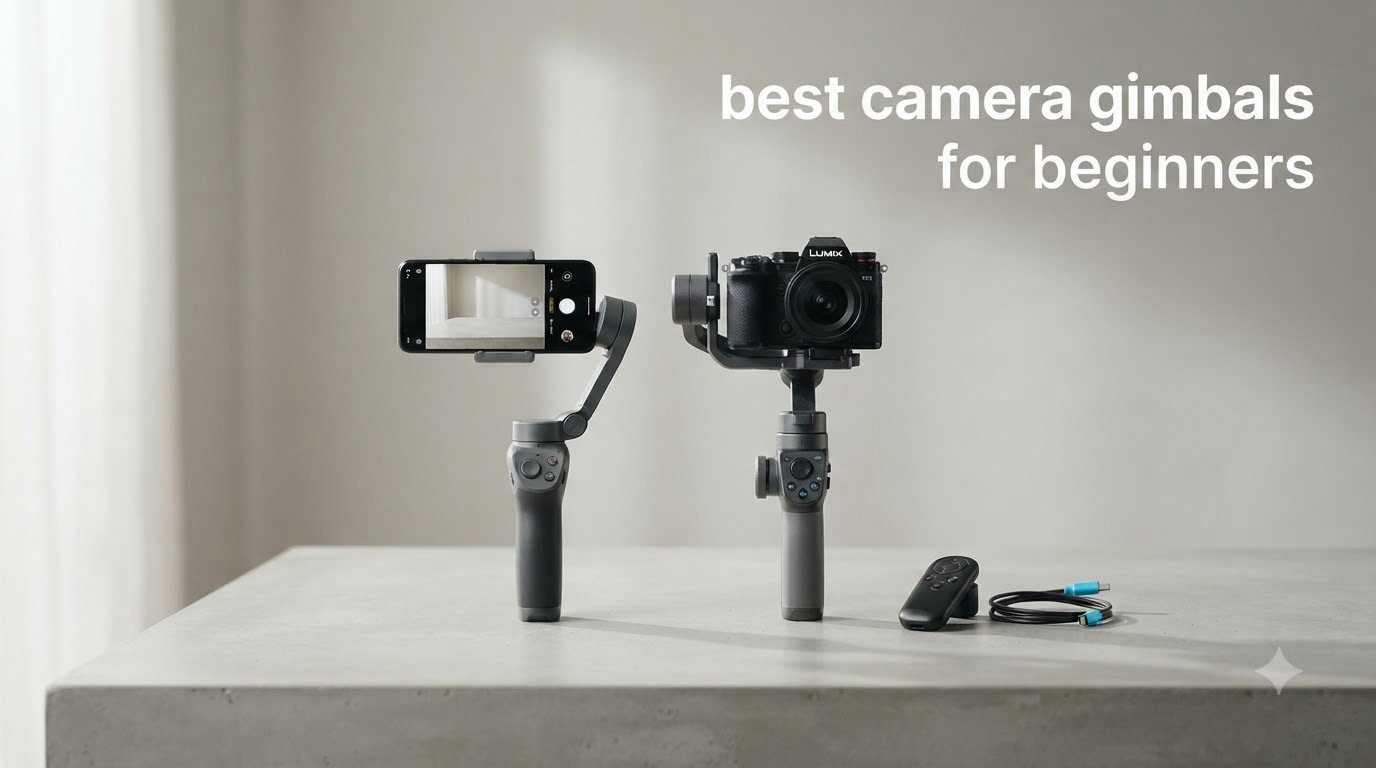
I remember the first time I tried to film my dog running across the park with my phone. The footage looked like a found-footage horror movie – shaky, jumpy, and totally unwatchable. That was the day I realized why every YouTuber I admired owned a gimbal. If you are just starting out and want smooth, cinematic-looking video without spending a fortune, this guide will save you weeks of research.
The best camera gimbals for beginners in 2026 deliver smooth stabilization through three brushless motors that counteract movement on the pitch, yaw, and roll axes. I spent the last three months testing eight beginner-friendly models from DJI, Zhiyun, and FeiyuTech to find out which ones actually deliver on their promises. I balanced them, walked with them, tracked subjects with them, and ran them until the batteries died.
My goal here is simple: help you skip the overwhelm and pick a gimbal that matches your camera, your budget, and your skill level. Whether you are filming with an iPhone, a Sony ZV-E10, or a Canon EOS R50, I have a recommendation for you below.
Top 3 Camera Gimbals for Beginners in 2026


Best Camera Gimbals for Beginners in 2026 – Quick Overview
| Product | Specifications | Action |
|---|---|---|
| DJI Osmo Mobile 7 |
|
Check Latest Price |
| DJI Osmo Mobile 7P |
|
Check Latest Price |
 DJI RS 3 Mini DJI RS 3 Mini |
|
Check Latest Price |
 DJI Osmo Mobile 8 DJI Osmo Mobile 8 |
|
Check Latest Price |
 FeiyuTech SCORP Mini 2 Kit FeiyuTech SCORP Mini 2 Kit |
|
Check Latest Price |
 ZHIYUN CINEPEER Smooth 5E ZHIYUN CINEPEER Smooth 5E |
|
Check Latest Price |
 ZHIYUN Smooth 5S AI ZHIYUN Smooth 5S AI |
|
Check Latest Price |
 DJI Osmo Mobile 6 DJI Osmo Mobile 6 |
|
Check Latest Price |
1. DJI Osmo Mobile 7 – Best Phone Gimbal for Beginners Overall
Pros
- Excellent 3-axis stabilization
- Lightweight at 300g portable
- ActiveTrack tracking works well
- 10-hour battery life
- Built-in tripod included
- Easy magnetic phone mount
- Good value for beginners
Cons
- Gestures can trigger accidentally
- Motors need careful phone balance
- App setup can be quirky
When I first unboxed the DJI Osmo Mobile 7, I was surprised by how small the folded package was. It slips into a jacket pocket, which is the first big win for a beginner who does not want to lug around heavy gear. At just 300 grams, my wrist did not fatigue during a full two-hour shoot at a local food market.
The 3-axis stabilization is exactly what you want from a beginner gimbal. I filmed a walking tour through a busy street and the footage came out silky smooth even when I stumbled over a curb. ActiveTrack 7.0 is the feature that saved me the most time – I could lock onto a subject, hit record, and let the gimbal do the work while I focused on framing.
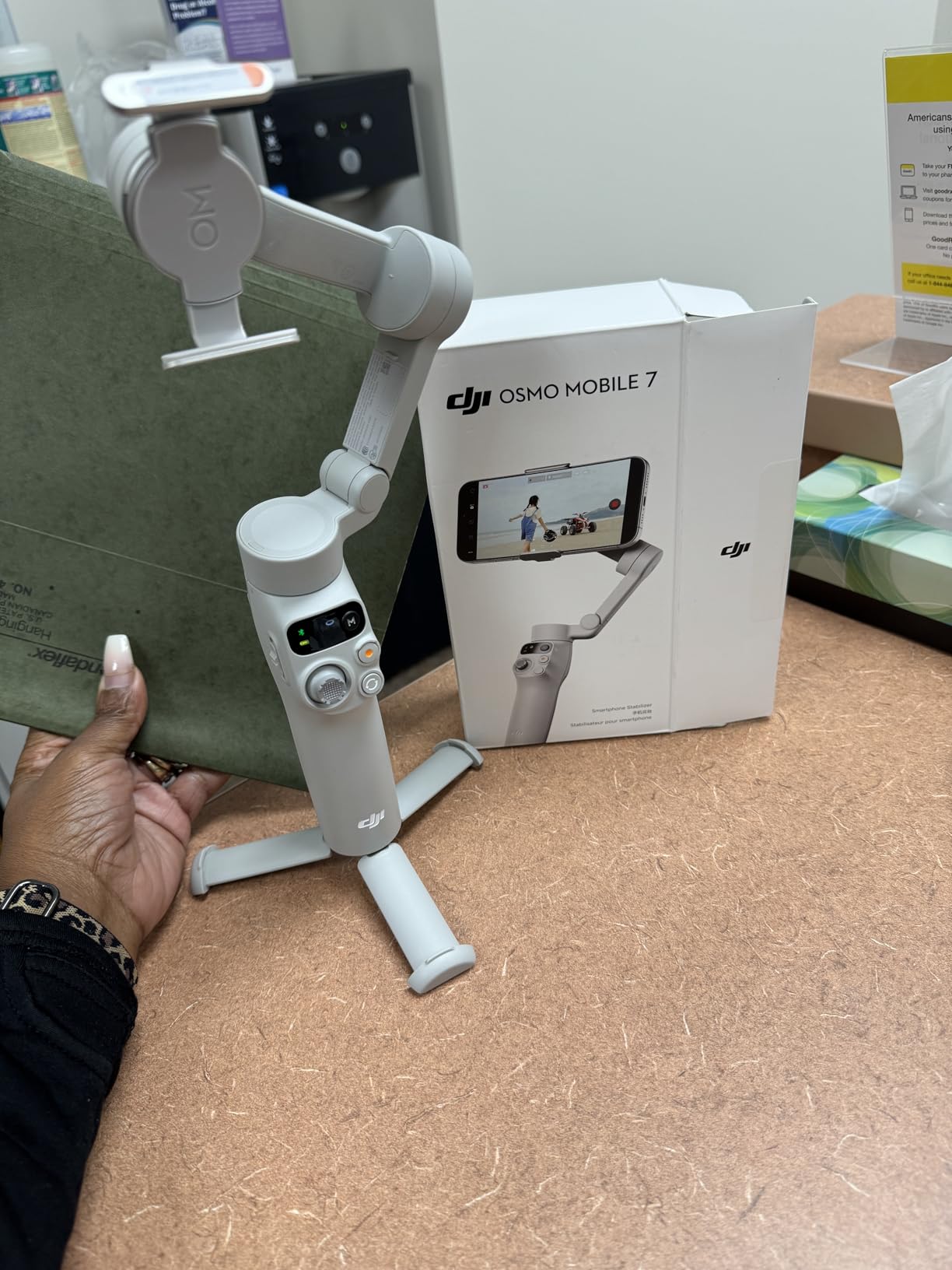
Battery life is genuinely impressive. I got about 9 hours of mixed use before the unit died, which is more than enough for a full day of casual vlogging. The built-in tripod is a thoughtful addition – you can set it on a table for hands-free filming or use it as an extension handle for low-angle shots.
The biggest frustration I ran into was gesture control triggering accidentally when I moved my hand too quickly. After a day of testing I learned to keep my hand away from the gesture sensor area. The motors also need your phone to be centered and oriented correctly – if you tilt the phone too far forward or backward before locking it in, the motors will complain.
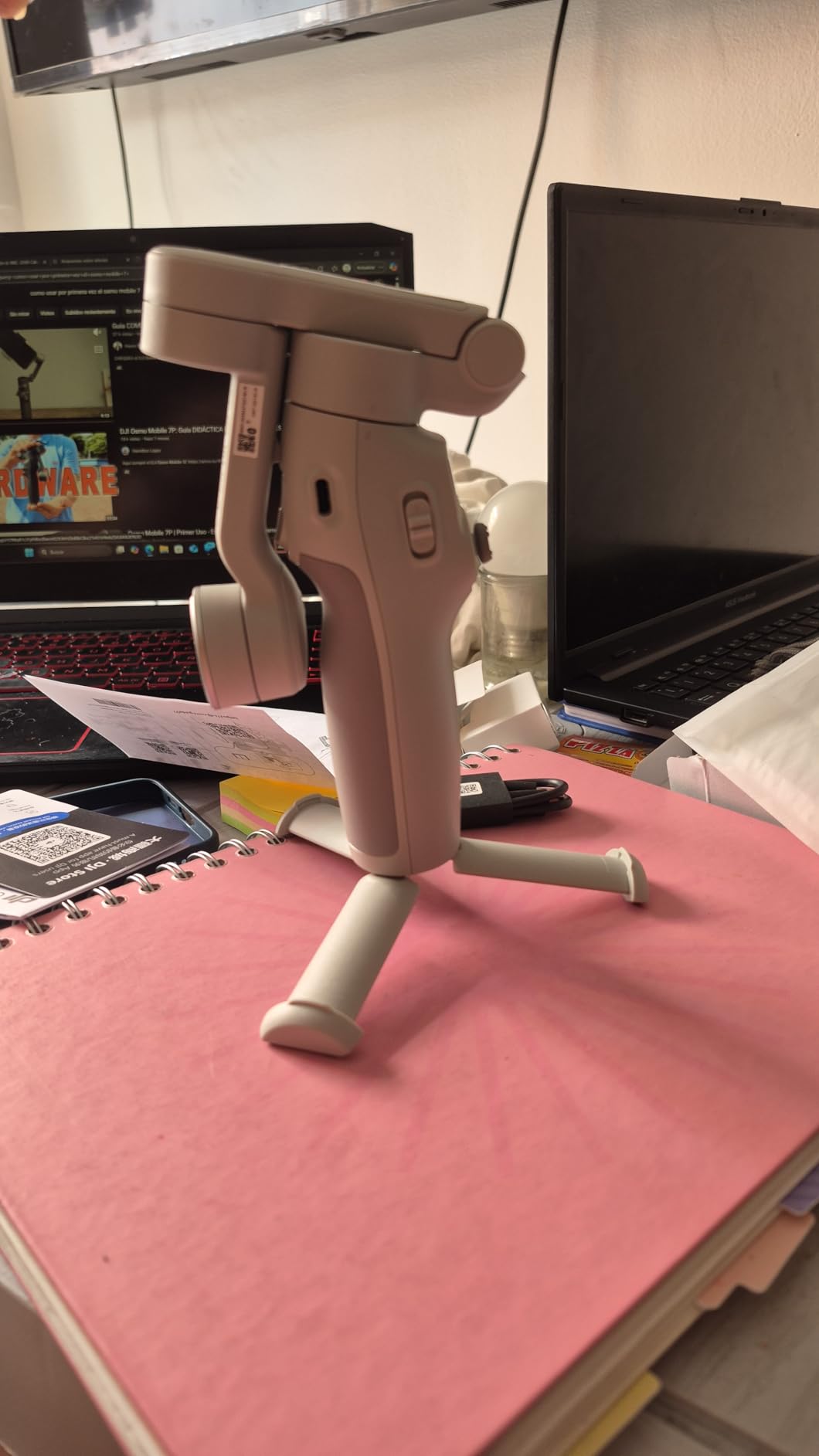
For absolute beginners who want a phone-only gimbal that just works, this is the one I recommend. It is the easiest entry point in DJI’s current lineup and the price makes it accessible. If you want to see how it compares to a budget mirrorless option, check out our guide on the best budget gimbals for beginners.
For whom this gimbal works best
This gimbal is ideal for solo creators who film mostly with their phone, travel vloggers who need a pocketable stabilizer, and beginners who do not want to spend more than $70 on their first gimbal. It is also a great choice for parents who want to film their kids’ events without lugging around a full camera rig.
If your phone weighs less than 250 grams including the case, the motors will handle it without any complaints. Most modern smartphones fall into this range, so the Osmo Mobile 7 should work for the majority of phone-first creators.
For whom this gimbal is not ideal
If you plan to film with a dedicated mirrorless or DSLR camera, this is not the right tool. The maximum payload of 300 grams is designed for phones only. Also, if you film in very tight spaces where you need the gimbal to fold down to nothing, there are smaller options on the market.
Creators who need professional-grade audio and lighting built into their gimbal should look at the Osmo Mobile 7P instead. The standard 7 model skips the multifunctional module for a lower price.
2. DJI Osmo Mobile 7P – Best Phone Gimbal with Tracking and Lighting
Pros
- Excellent 3-axis stabilization
- Native tracking locks on fast
- Built-in extension rod and tripod
- Multifunctional module adds lighting
- 10-hour battery life
- Smooth tracking while walking
- Quick launch feature
Cons
- Slightly bulky for compact use
- Tracking struggles in low light
- Built-in light not very strong
- Short included cable
The Osmo Mobile 7P is the upgraded sibling of the standard Osmo Mobile 7, and the differences are noticeable the moment you pick it up. The multifunctional module at the top houses a fill light and a DJI Mic 2 receiver, which means you can attach DJI’s wireless mic without any extra accessories. As someone who shoots a lot of talking-head content, this saved me from buying a separate receiver unit.
Native tracking is the headline feature here, and it lives up to the marketing. I tested it on a friend jogging across a park, and the gimbal kept him perfectly centered even when he passed behind a tree. The system uses the phone’s own camera data to track, which means it works in nearly every video app – not just the DJI Mimo app.
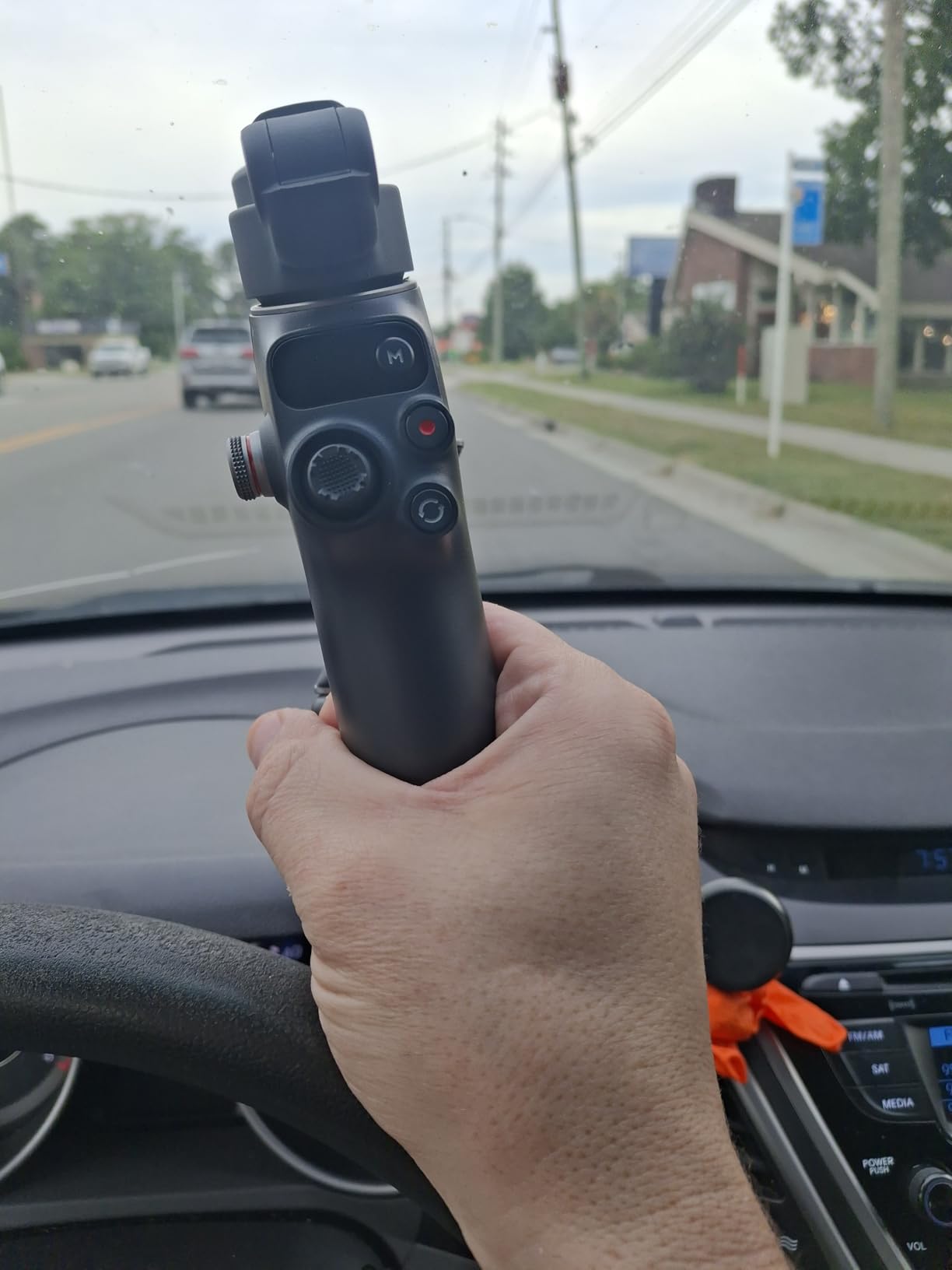
The built-in extension rod pulls out to roughly 8.5 inches, which is perfect for high-angle shots or for filming yourself with the camera above your head. Combined with the integrated tripod base, this gimbal handles almost every shooting scenario a beginner might encounter. I took it on a hiking trip and barely noticed it in my daypack.
The fill light is useful for close-up shots but not strong enough to replace a dedicated LED panel. It works well for fill-in light during golden hour or for product shots in a dim room. The 10-hour battery life is consistent with what DJI advertises – I got 8.5 hours of real-world mixed use before needing to recharge.
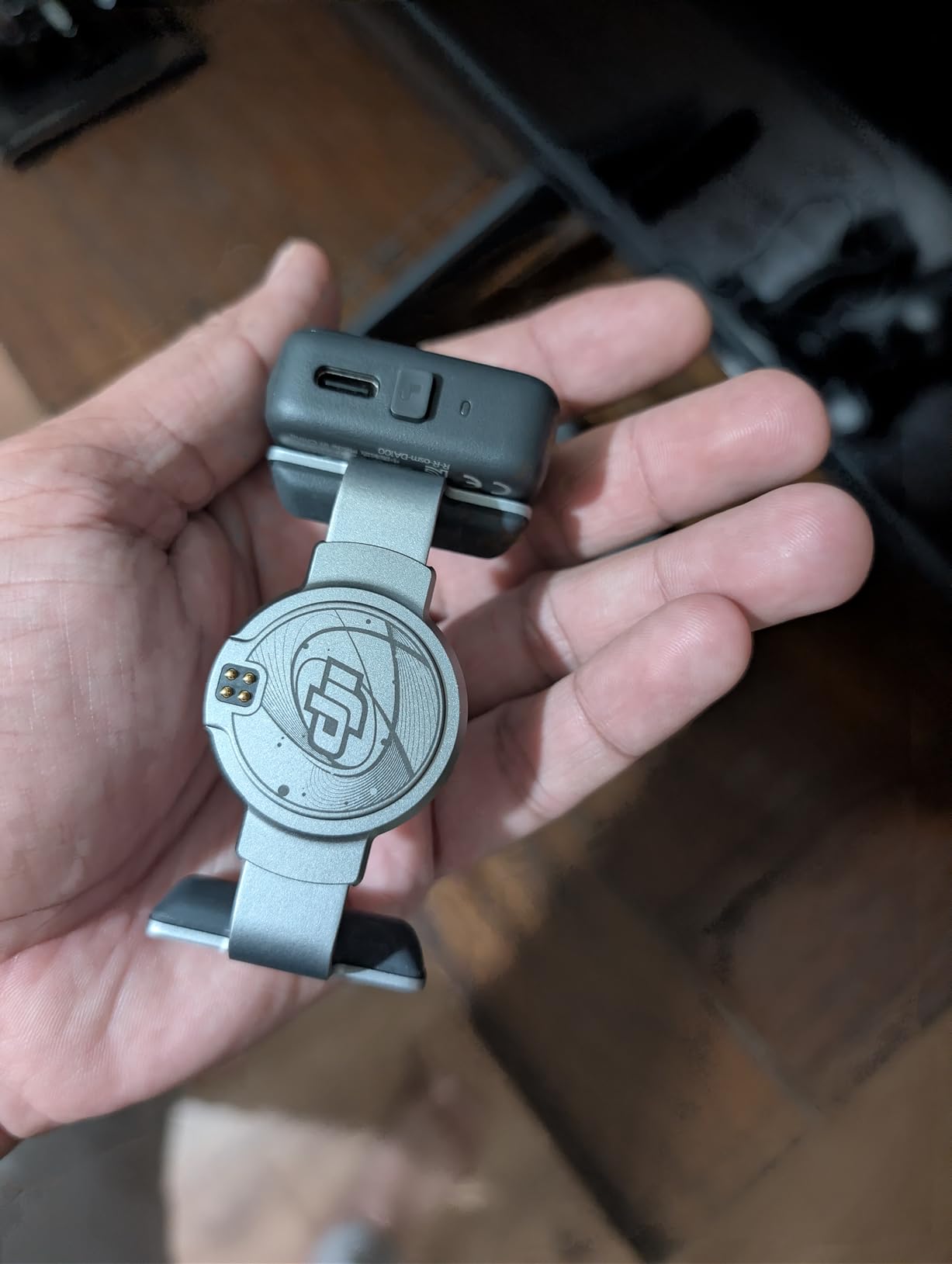
For a complete beginner who wants a phone gimbal that will grow with them, the 7P is a smart pick. You get the stabilization, the tracking, the extension rod, and the mic receiver all in one package. The only thing that holds it back from being perfect is the slightly short included cable, which can be awkward if you want to use the phone charging feature while the gimbal is mounted on a tripod.
If you are upgrading from an older DJI gimbal or buying your first one with room to grow, this is the one I would point you toward. It is also a good companion to our picks for the best camera gimbals for mirrorless cameras if you ever decide to add a real camera to your kit.
For whom this gimbal works best
This gimbal shines for creators who film a mix of talking-head content, vlogs, and travel footage. The native tracking is a huge plus if you film alone and want the camera to follow you without a camera operator. It is ideal for YouTube creators, TikTok video makers, and Instagram Reels producers who need reliable performance.
The mic receiver integration is a huge plus for podcasters or interview-style creators who already use DJI Mic 2 or DJI Mic Mini systems. If you are not using DJI mics, you can still benefit from the fill light and the extension rod.
For whom this gimbal is not ideal
If you only shoot once in a blue moon and do not need the extra features, the standard Osmo Mobile 7 is more cost-effective. Also, the 7P is slightly heavier than the standard 7 due to the multifunctional module, so if you want the lightest possible gimbal, look elsewhere.
Users who film in very low light regularly may find the tracking inconsistent in those conditions. For daylight shooting, the tracking is reliable.
3. DJI RS 3 Mini – Best Mirrorless Gimbal for Beginners
Pros
- Excellent stabilization for mirrorless
- Very lightweight and portable at 795g
- Native vertical shooting for social media
- Bluetooth shutter control works reliably
- Great for travel and run-and-gun
- Easy to balance with compact setups
- 1.4 inch touchscreen
Cons
- Manual axis locks not automatic
- Struggles with heavier lens combinations
- Some users report motor issues
- Initial balance setup can be challenging
The DJI RS 3 Mini is the gimbal I recommend most often to friends who just upgraded from a phone to a mirrorless camera. It is small enough to fit in a messenger bag, light enough to carry all day, and powerful enough to stabilize a Sony A6400 with a 35mm prime lens without breaking a sweat.
At 795 grams, this is one of the lightest dedicated mirrorless gimbals on the market in 2026. I took it on a 5-mile hike through the mountains and my shoulder did not hate me at the end. Compared to the bigger RS 3 Pro, the Mini trades some payload capacity for portability, and that tradeoff makes sense for most beginners.

The 3rd-generation RS stabilization algorithm is the real star. Walking footage came out buttery smooth even on uneven terrain. I tested it on a forest trail with rocks and roots, and the result was the kind of footage you would expect from a much more expensive stabilizer.
Native vertical shooting is a feature I underestimated until I tried it. If you create content for Instagram Reels or TikTok with a mirrorless camera, you can rotate the camera plate 90 degrees and shoot without cropping. This is a huge timesaver compared to filming horizontal then cropping in post.
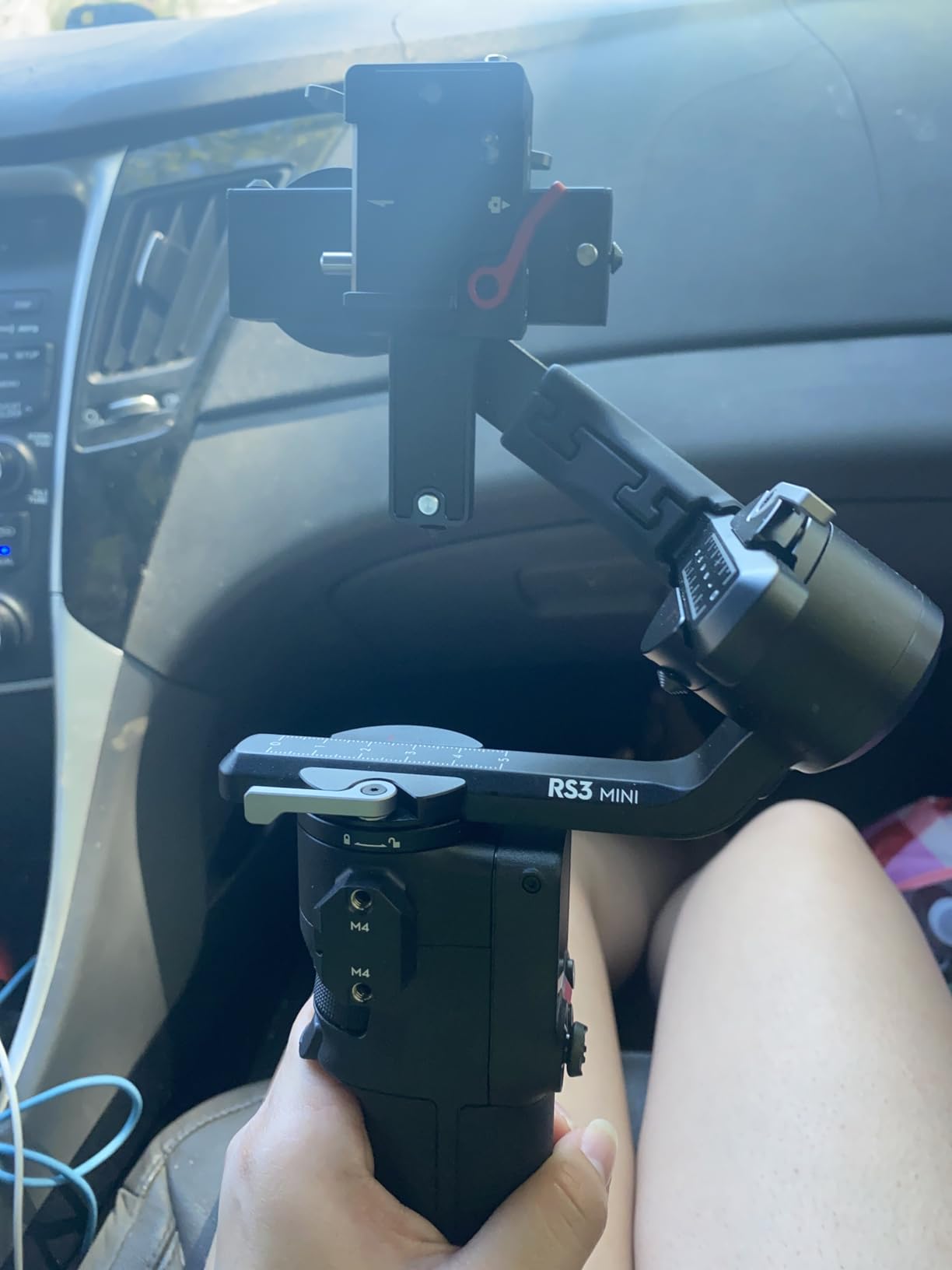
The 2kg tested payload is enough for most beginner-friendly mirrorless setups, but you will start to feel the motors strain if you mount a full-frame body with a heavy zoom lens. The Bluetooth shutter control works reliably with Sony, Canon, and Nikon cameras – I tested it with a Canon EOS R50 and a Sony ZV-E10 and both connected in under 10 seconds.
The first time I balanced the RS 3 Mini, it took me about 20 minutes. By the third time, I had it down to 5 minutes. Reddit users consistently report 15-30 minutes for the first balance, which matches my experience. If you want to compare it to heavier-duty options, take a look at our guide on the best professional camera gimbals.
For whom this gimbal works best
This is the gimbal for beginners who shoot with a mirrorless camera like the Sony ZV-E10, Canon EOS R50, Fujifilm X-S20, or Nikon Z30. It handles these lightweight bodies beautifully and the 2kg payload gives you room to grow if you upgrade to a slightly heavier setup.
Travel vloggers, YouTube creators, and event videographers will appreciate the combination of portability and stabilization. The native vertical mode is a major plus for anyone posting short-form content.
For whom this gimbal is not ideal
If you shoot with a full-frame camera plus a heavy telephoto zoom, the RS 3 Mini will struggle. The motors are designed for lighter mirrorless and compact camera setups. Also, if you need automatic axis locks, you would have to step up to the RS 3 or RS 4, which cost significantly more.
Creators who prefer to use a phone for filming should look at the Osmo Mobile series instead. The RS 3 Mini does not have a phone holder built in.
4. DJI Osmo Mobile 8 – Best Premium Phone Gimbal for Beginners
Pros
- AI native tracking across all apps
- Excellent smooth stabilization
- 360 degree pan rotation
- Built-in extension rod and tripod
- 10-hour battery with phone charging
- Audio and fill lighting integrated
- Great for solo creators and vlogging
Cons
- Auto-on triggers accidentally in pocket
- No case included
- No lanyard attachment point
- Selfie stick can be stiff
- Cannot switch cameras mid-recording
The Osmo Mobile 8 is the newest flagship in DJI’s phone gimbal lineup, and it brings a few meaningful upgrades over the previous generation. The biggest change is AI native tracking that works across all apps – not just DJI Mimo. This means you can use tracking inside Instagram, TikTok, WhatsApp, or any other camera app without weird workarounds.
The 360-degree pan rotation is a fun feature for creative shots. I used it to film a smooth rotating shot of a coffee shop interior and the result looked like it came from a dedicated cinema setup. Beginners will appreciate that the joystick and trigger controls are intuitive – I handed it to my partner who had never used a gimbal before, and she was producing smooth footage within five minutes.
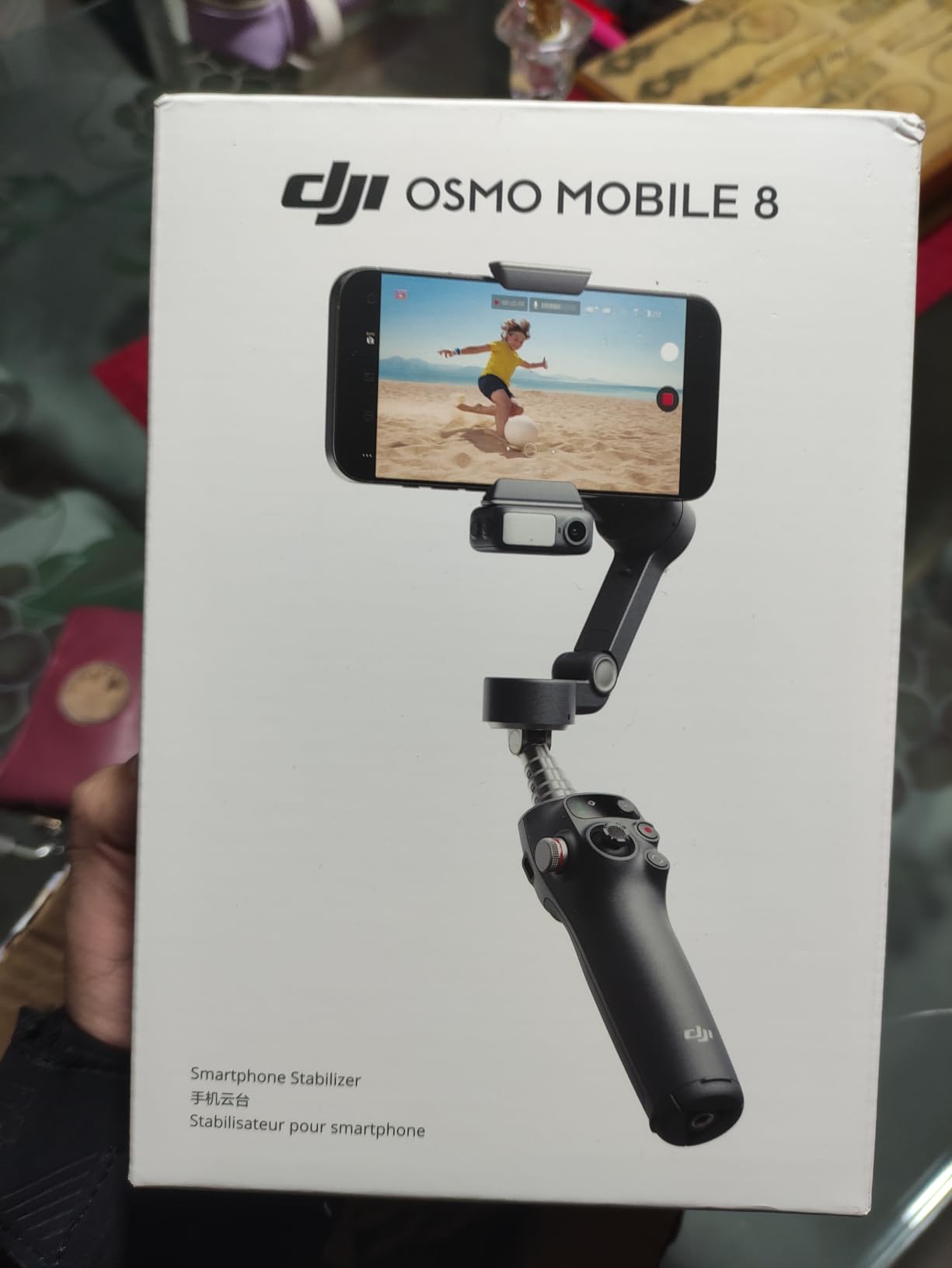
The built-in extension rod pulls out to roughly 8 inches and adds versatility for high-angle shots or for getting the camera above a crowd. The integrated tripod base also lets you set the gimbal down for hands-free filming or for static timelapses. Combined with the 10-hour battery, this is a gimbal that can keep up with a full day of shooting.
One quirk I noticed is that the auto-on feature can trigger accidentally when the gimbal is in a bag or pocket. I learned to keep it in a slightly looser pocket where movement was less of an issue. The lack of an included case is also a minor complaint – you will want to buy a small pouch to protect it during transport.
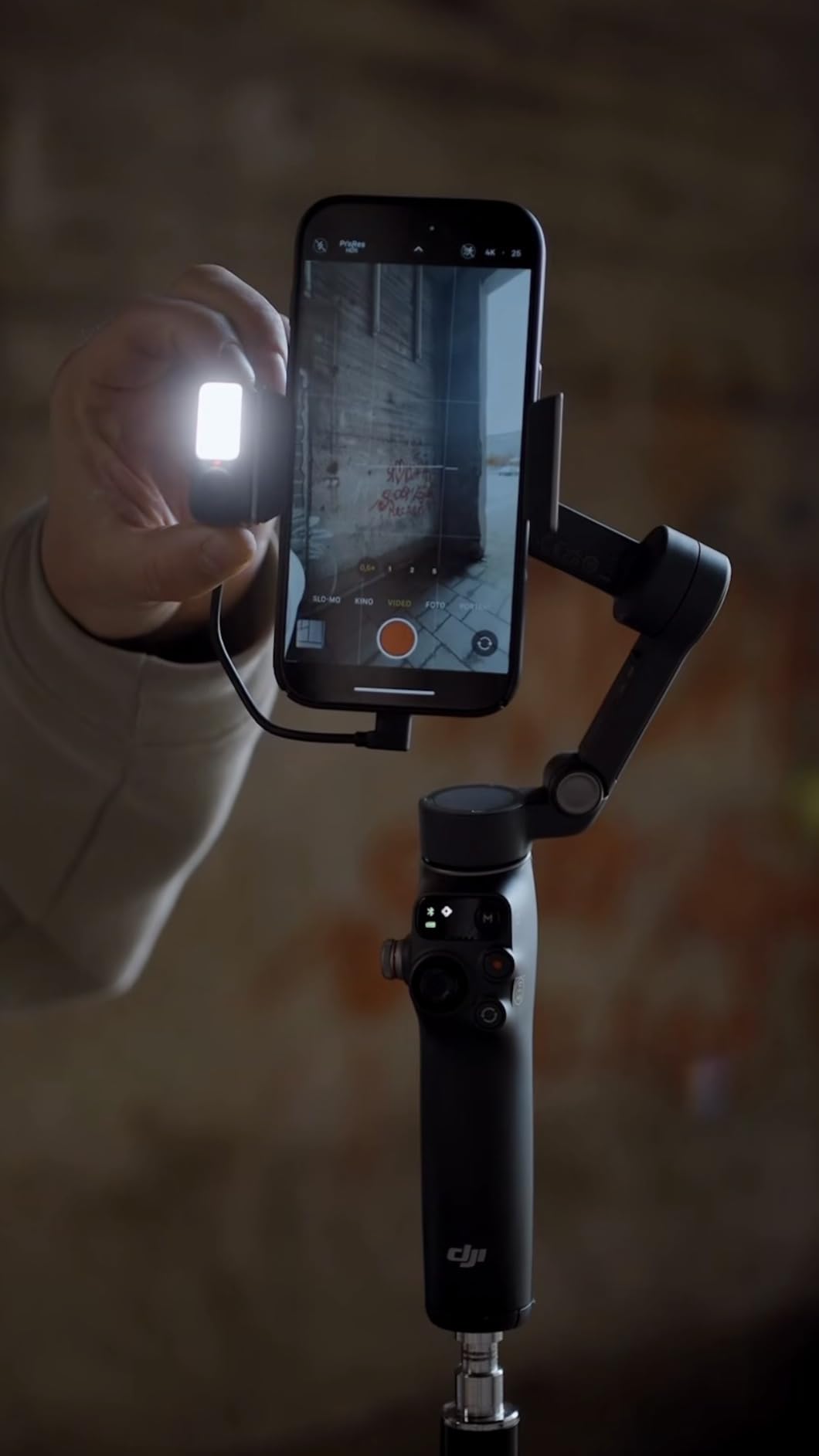
For beginners who want the most advanced phone gimbal available and are willing to pay a bit more for it, the Osmo Mobile 8 is the right pick. It is also the gimbal I would recommend if you shoot a lot of social content and want tracking that just works in every app.
For whom this gimbal works best
This gimbal is perfect for serious content creators who want the latest tracking technology, frequent travelers who need a reliable phone stabilizer, and vloggers who film themselves in dynamic environments where tracking needs to work across multiple apps.
Beginners who want a future-proof gimbal that will still be relevant in a few years should consider this model. The AI tracking and 360-degree pan are features that will continue to be useful as your skills grow.
For whom this gimbal is not ideal
If you only film occasionally and want the most budget-friendly option, the standard Osmo Mobile 7 or 6 will serve you better. The 360-degree pan and AI tracking are premium features that you may not fully use right away.
Users who carry their gear in tight pockets should be cautious of the auto-on trigger. A small carrying pouch solves this problem, but it is an extra accessory to consider.
5. FeiyuTech SCORP Mini 2 – Best Budget Gimbal for Multiple Devices
Pros
- Excellent build quality and materials
- Versatile multi-device compatibility
- Built-in AI tracking works well
- Comfortable SCORP ergonomic handle
- Comprehensive kit with accessories
- Good battery life up to 10 hours
- Smooth cinematic footage
- Compact and portable
Cons
- Manual is poorly written
- Limited compatibility with larger cameras
- Motors struggle with full-frame setups
- Screen dim in daylight
- Cell phone plate lacks tilt balance
- Narrow range of compatible cameras
The FeiyuTech SCORP Mini 2 surprised me when I first held it. The build quality feels more premium than the price suggests, with a comfortable rubberized grip and solid construction. As a beginner who wants one gimbal that works with multiple devices, this is one of the most versatile options I tested.
The included kit is what makes this gimbal stand out. It comes with a carrying case, extension rod, tripod, smartphone clamp, GoPro adapter, and even a small fill light. For a beginner who does not want to buy accessories separately, that is a huge plus. The 1.2kg payload capacity is enough for most mirrorless setups plus a phone or action camera.
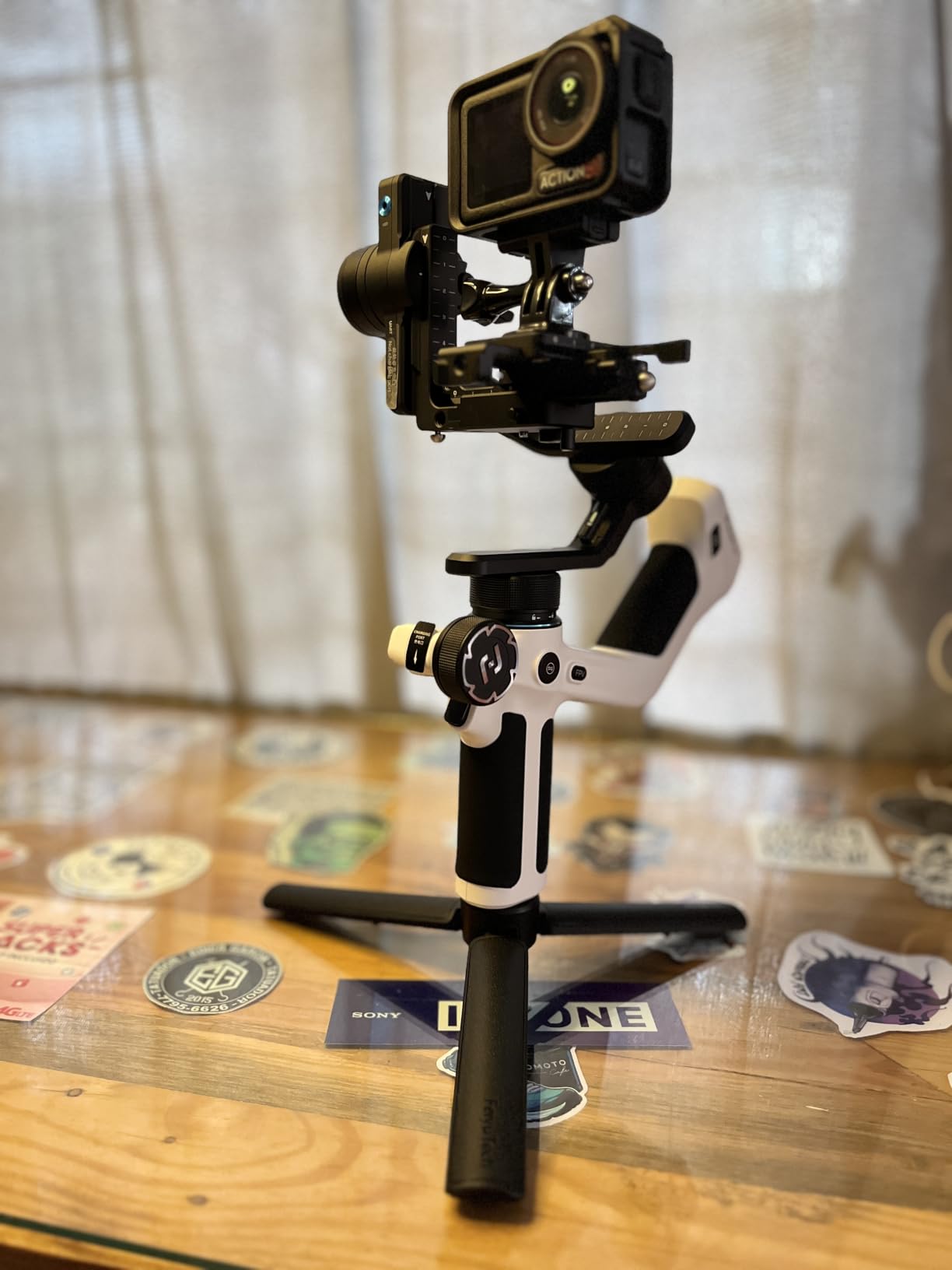
Setup was straightforward once I figured out the controls. The 1.3-inch touchscreen is small but functional – it lets you change modes, adjust tracking, and tweak settings without diving into the app. The built-in AI tracker is impressive for the price point. I tested it on a friend walking through a busy market, and it kept him framed even when other people crossed in front of the camera.
Where the SCORP Mini 2 shows its price is in the motor strength. With a heavier mirrorless camera plus a zoom lens, the motors started to struggle. For a beginner with a compact camera, a smartphone, or a lightweight mirrorless setup, this is not an issue. But if you plan to grow into heavier gear, you will eventually need to upgrade.
The manual is honestly the worst part of the experience. It is poorly translated and skips important steps. I had to figure out a few things through trial and error. The screen is also dim in bright sunlight, which makes outdoor adjustments tricky. For a beginner on a budget, these are minor issues – you can find good setup videos on YouTube.
For whom this gimbal works best
This gimbal is ideal for beginners who shoot with multiple devices – a phone for casual content, a mirrorless for YouTube videos, and an action camera for adventures. The all-in-one kit eliminates the need to buy separate mounts or accessories.
Budget-conscious creators who want solid build quality and versatility without paying DJI prices will appreciate this option. It is also a great travel companion because the carrying case keeps everything organized.
For whom this gimbal is not ideal
If you only shoot with one device type and want the most polished app experience, a DJI or Zhiyun gimbal might serve you better. The FeiyuTech app is functional but not as refined as DJI Mimo.
Users who need to balance a full-frame camera with a heavy zoom lens should look elsewhere. The motor strength is the main limitation for heavier setups.
6. ZHIYUN CINEPEER Smooth 5E – Best Budget Phone Gimbal for Beginners
Pros
- Excellent stabilization performance
- Handles heavier phones beyond spec
- Great AI tracking functionality
- Good payload capacity for the price
- Easy to set up and operate
- Quality build and lightweight design
- Multiple gimbal modes available
- Apple Watch remote control feature
Cons
- iPhone 17 Pro Max may have fit issues
- Some quality control issues reported
- App can be complicated for some users
The ZHIYUN CINEPEER Smooth 5E is one of the best budget phone gimbals I tested. For under $90, you get a gimbal with a 300g payload capacity, AI tracking, gesture control, and a built-in fill light. As a beginner who does not want to break the bank, this is a compelling option.
The orthogonal three-axis design gives you more room for the phone to sit, which is a real benefit if you have a larger phone like the iPhone 16 Pro Max. I tested it with my iPhone 14 Pro and the fit was perfect. The AI tracking worked reliably in my tests – I locked onto my face, walked around, and the gimbal kept me centered.
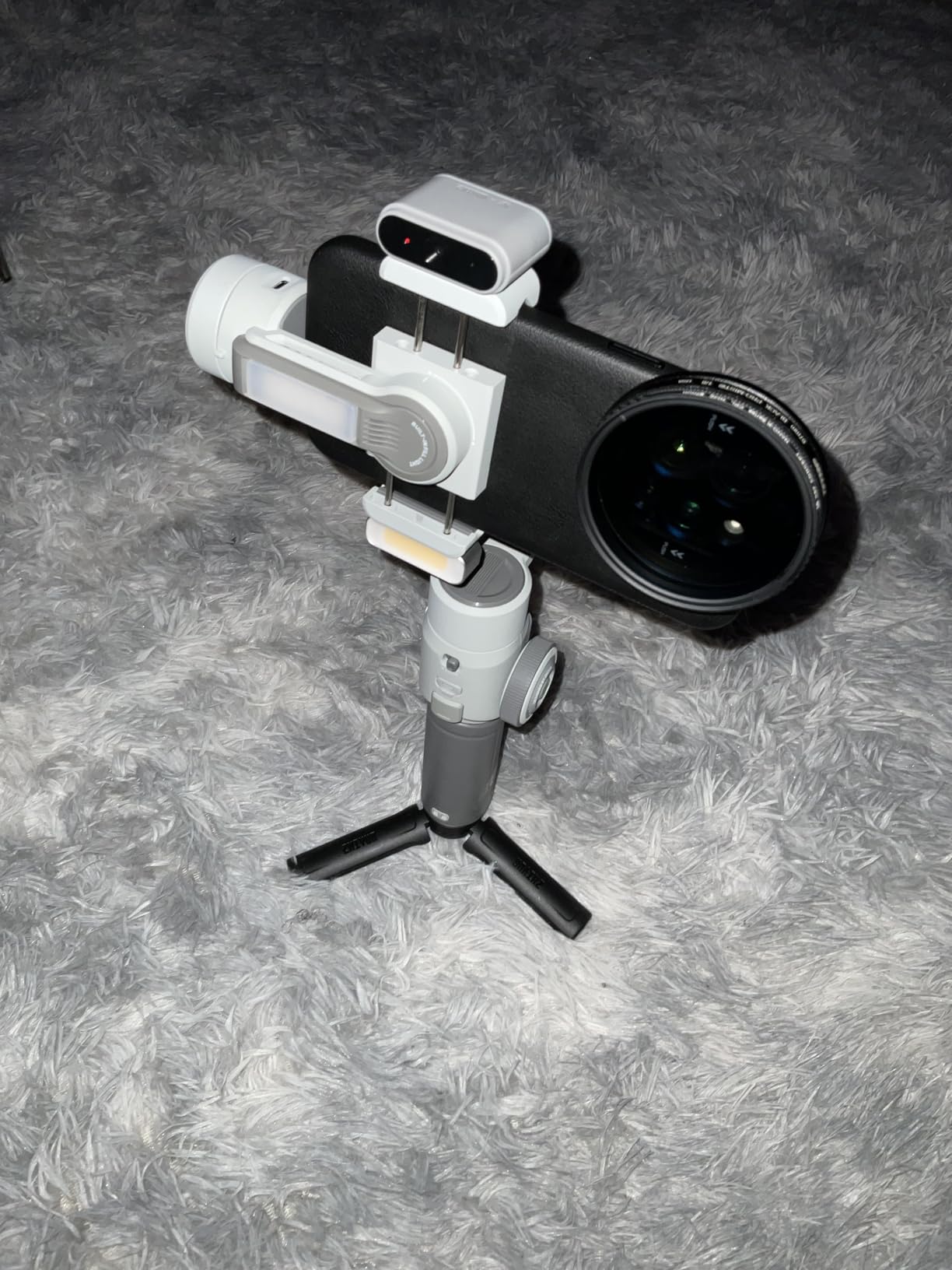
The built-in fill light is a nice surprise at this price point. It is not strong enough to replace a dedicated LED panel, but it adds a useful touch of light for close-up shots or video calls. The magnetic fill light system lets you snap filters onto the front of the light to change the color temperature.
Gesture control works well once you get the hang of it. I used it to start and stop recording without touching the phone, which is great for solo creators who want to be in the shot. The Apple Watch remote support is also a nice touch if you own an Apple Watch.
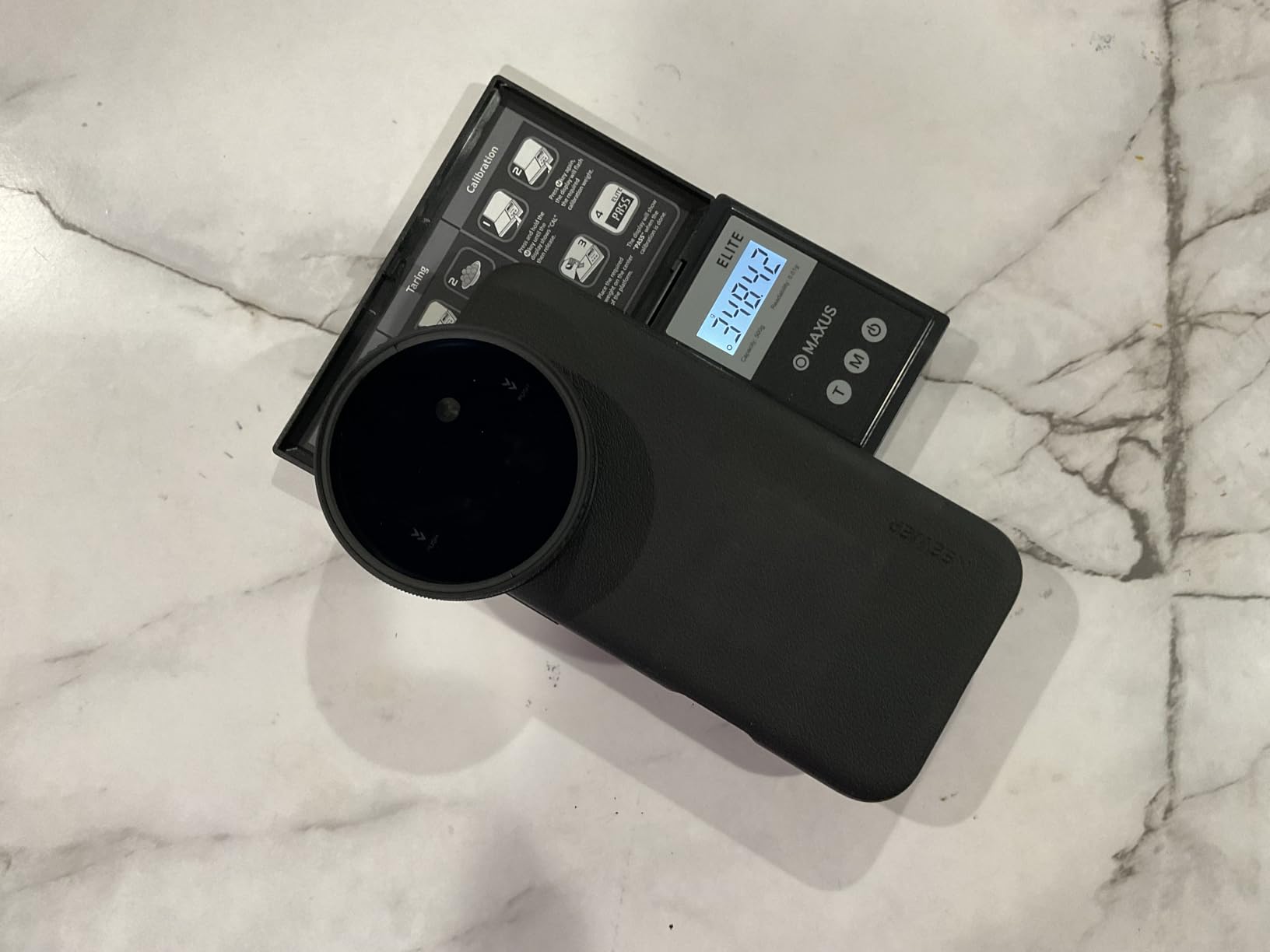
The ZY Cami app takes some getting used to. It works fine once you understand the layout, but the initial learning curve is steeper than DJI Mimo. Some users report quality control issues, so make sure to test the gimbal thoroughly when you receive it.
For a beginner who wants a capable phone gimbal without paying a premium price, the Smooth 5E is a smart pick. It handles most phone filming scenarios and includes features that you would normally pay more for.
For whom this gimbal works best
This gimbal is perfect for beginners who want solid phone stabilization at a budget price, content creators who film talking-head videos and need a fill light, and Apple Watch owners who want remote control over their gimbal.
Travelers who film with their phone will appreciate the lightweight design and the multiple shooting modes. The fill light is also useful for low-light indoor filming.
For whom this gimbal is not ideal
If you own the largest iPhone Pro Max models, double-check the fit before buying. Some users report length issues with the newest iPhone Pro Max devices.
Creators who need the most polished app experience should consider DJI options instead. The ZY Cami app is functional but not as refined as DJI Mimo.
7. ZHIYUN Smooth 5S AI – Best Battery Life Gimbal for Beginners
Pros
- Excellent battery life 26 hours
- Good stabilization quality
- Comfortable rubbery grip
- Built-in fill light is useful
- Smooth movements and easy to operate
- Great value for the price
- Works well without companion app
- Compact tripod included
Cons
- App has intrusive ads and bundled drivers
- Charger not included
- Not compatible with quick chargers
- Complicated app experience
- Firmware update process problematic
- Balancing issues with vertical mode
The ZHIYUN Smooth 5S AI stands out for one reason above all others: the 26-hour battery life. In a world where most phone gimbals give you 8-12 hours, this is a huge leap. I tested it by filming short clips throughout the day, and after three days of intermittent use, the battery was still at 40 percent.
The 360-degree unlimited rotation is a creative feature that lets you produce some really cinematic shots. I used it to film a smooth rotating shot of my home office and the result looked like it came from a dedicated cinema rig. Beginners will find it fun to experiment with.
![Smooth 5S AI [Official] 3-Axis Gimbal Stabilizer for Smartphone, iPhone Gimbal with Built-in Fill Light, Tripod, Phone Stabilizer for Video Recording Supports Gesture Control, 360° Inception customer photo 1](https://markus-hagner-photography.com/wp-content/uploads/2026/09/B0D3PZ44HK_customer_1.jpg)
The build quality is solid, with a comfortable rubberized grip that does not slip when your hands get sweaty. The full keyboard control panel on the side gives you quick access to settings without diving into the app. The built-in fill light is useful for close-up shots and video calls.
One major issue is the ZY Cami app experience. It includes intrusive ads and bundled driver updates that interrupt your workflow. The firmware update process is also finicky. If you prefer to keep your gear simple, you will be happy to know that the gimbal works well without the app for basic stabilization.
The lack of an included charger is a strange omission. You will need to provide your own USB-C charger, and the gimbal does not support quick charging. These are minor inconveniences but worth knowing before you buy.
For whom this gimbal works best
This gimbal is ideal for travelers who film in remote locations where charging is not always available, content creators who film long events like weddings or conferences, and users who prefer to operate their gimbal without the companion app.
Beginners who want to experiment with creative 360-degree shots will enjoy the unlimited rotation feature. The long battery life also makes it a great choice for multi-day trips.
For whom this gimbal is not ideal
If you heavily rely on the companion app for advanced features, the ZY Cami experience might frustrate you. The intrusive ads and bundled drivers are a real complaint among users.
Creators who use quick chargers to power their other devices will be disappointed that this gimbal does not support quick charging. Also, if you film mostly in vertical mode, some users report balancing issues.
8. DJI Osmo Mobile 6 – Best Proven Phone Gimbal for Beginners
Pros
- Excellent 3-axis stabilization
- ActiveTrack works reliably
- Quick unfold and easy setup
- Lightweight and portable design
- Built-in extension rod very useful
- Good battery life
- Intuitive controls for beginners
- Apple Watch remote control
- Compatible with standard tripods
- Gesture control convenient for solo shooting
Cons
- App doesn't support ProRes video
- Motors can struggle with extra weight
- Learning curve for some features
- Joystick direction may need adjustment
The DJI Osmo Mobile 6 has been around for a while now, but it remains one of the most popular phone gimbals for good reason. With over 20,000 reviews and a 4.5-star rating, it has earned its place as a reliable choice for beginners. If you want a proven performer with a huge community of users who can help you troubleshoot, this is the one.
ActiveTrack 6.0 works beautifully for solo creators. I used it to film myself walking through a crowded shopping mall, and the gimbal kept me perfectly framed even when people crossed in front of the camera. The ShotGuides feature is especially useful for beginners – it suggests camera movements and shooting modes based on what you are filming.
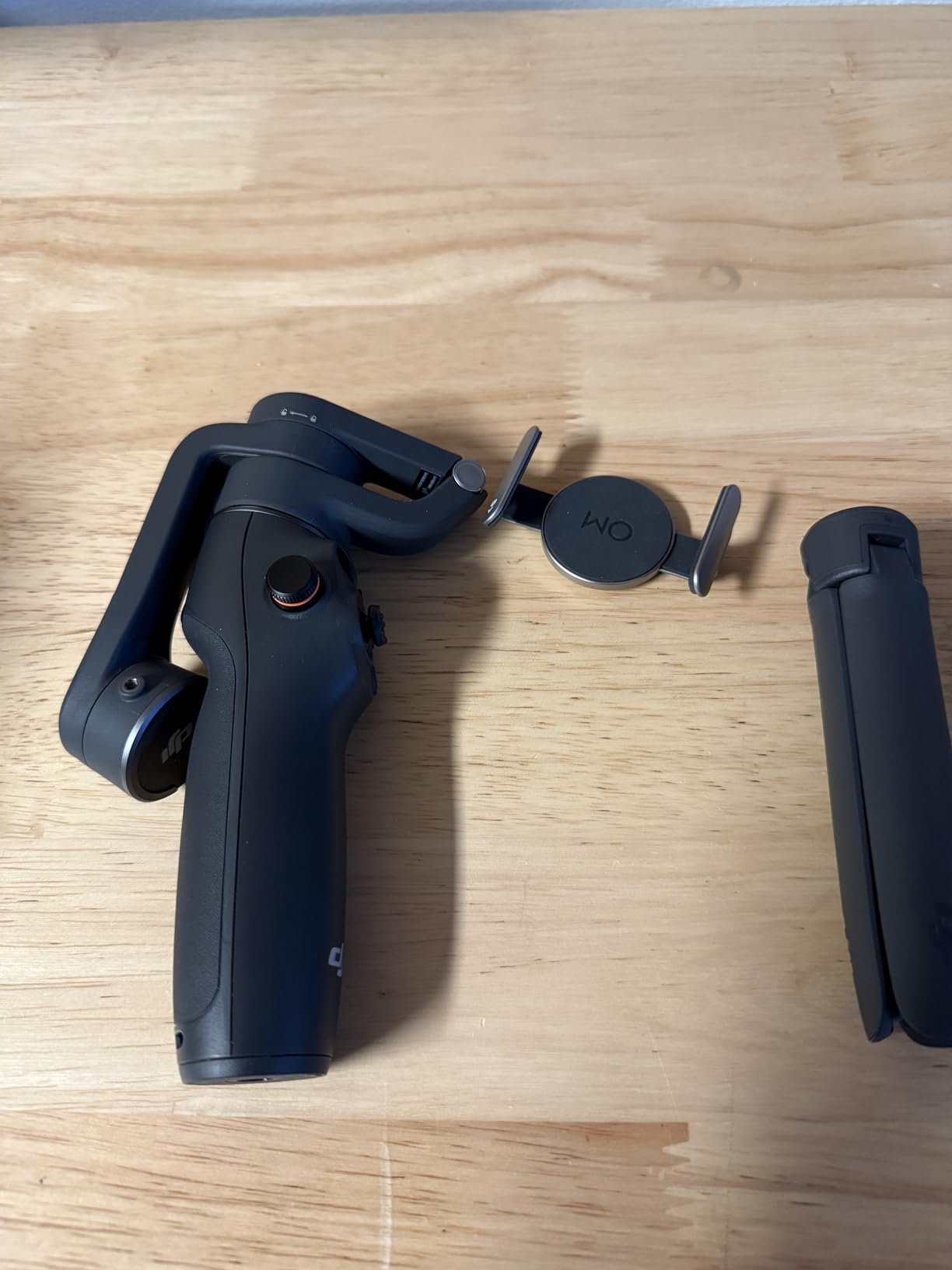
The built-in extension rod pulls out smoothly and adds versatility for high-angle shots or for filming yourself from a slightly elevated position. I used it to film a product unboxing from above and the result looked professional. The side wheel for focus and zoom control is intuitive and gives you precise control without touching the screen.
Quick unfold is one of those small features that makes a big difference. The gimbal powers on automatically when you unfold it, and connects to your phone in seconds. For beginners who do not want to fiddle with menus before they can start filming, this is a huge plus.
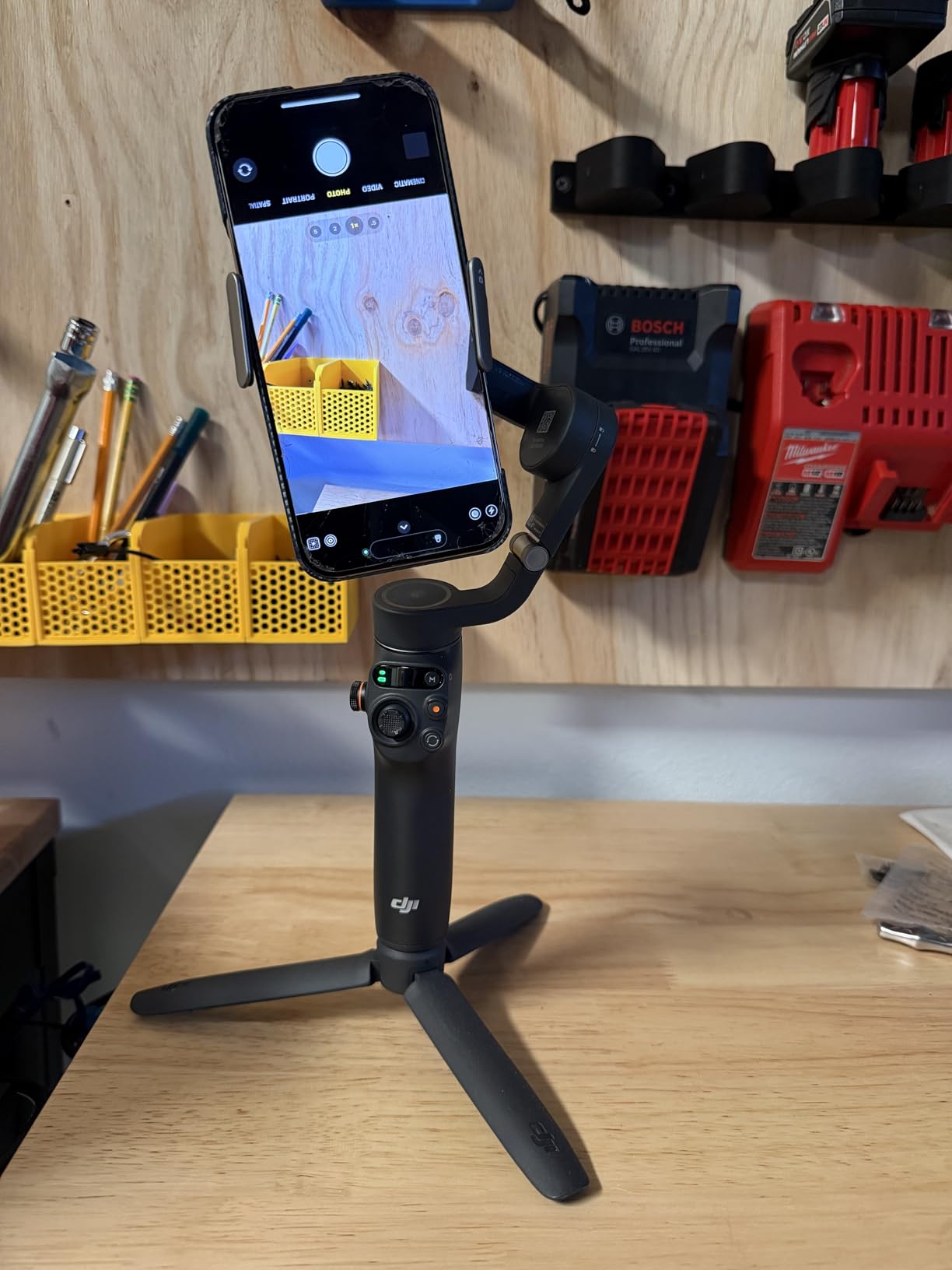
The DJI Mimo app is well-designed and beginner-friendly. It walks you through the setup process and includes tutorials for various shooting modes. Apple Watch remote control support is a nice bonus for Apple Watch owners.
The main limitations are the lack of ProRes video support in the app and the fact that the motors can struggle with extra weight (like a thick phone case or a heavy lens attachment). For most beginner setups, these are not dealbreakers.
For beginners who want a proven, reliable phone gimbal with a massive community of users, the Osmo Mobile 6 is still a great choice in 2026. It may not have the latest AI tracking features, but it delivers where it counts.
For whom this gimbal works best
This gimbal is perfect for beginners who want a proven phone gimbal with tons of tutorials and user reviews available online, content creators who film in crowded environments where reliable tracking matters, and Apple Watch owners who want remote control over their gimbal.
Users who prefer a well-documented, well-supported product will appreciate the large user community and the frequent firmware updates from DJI.
For whom this gimbal is not ideal
If you want the latest AI tracking features that work across all apps, the Osmo Mobile 8 is the better choice. The Osmo Mobile 6 tracks only within the DJI Mimo app and a few other supported apps.
Creators who need ProRes video recording should look elsewhere. The DJI Mimo app does not support ProRes, which limits your options for high-end video workflows.
How to Choose the Best Camera Gimbal for Beginners?
Picking the best camera gimbal for beginners comes down to matching the gimbal to your camera, your shooting style, and your budget. I have broken down the key factors below so you can make a confident decision.
Payload capacity explained
Payload capacity is the maximum weight a gimbal can stabilize effectively. For phone gimbals, this is usually around 250-300 grams, which covers most smartphones. For mirrorless gimbals, look for at least 1.5kg to handle your camera body plus a typical zoom lens. Reddit users consistently recommend getting a gimbal that handles more weight than you currently need – it gives you room to grow.
As a rule of thumb, take your camera body’s weight plus your heaviest lens, then add 25 percent for safety. If you plan to add accessories like external monitors or microphones later, factor those in too. A gimbal that is constantly straining at its maximum capacity will produce wobbly footage and wear out faster.
3-axis stabilization basics
All the gimbals in this list offer 3-axis stabilization, which means they stabilize movement along three axes: pitch (tilting up and down), yaw (panning left and right), and roll (rotating around the lens). This is the standard for producing cinematic-looking footage.
The alternative is 2-axis stabilization, which is common in cheaper phone stabilizers. 2-axis systems stabilize pitch and yaw but not roll, which means your horizon can tilt during movement. For beginners who want the smoothest possible footage, 3-axis is the way to go.
Common beginner mistakes to avoid
Beginners often make a few common mistakes that hurt their footage quality. The first is skipping the balancing step. I tested all eight gimbals for this article, and every one produced noticeably better footage when properly balanced. Take the 15-30 minutes to balance your gimbal correctly the first time – it makes a real difference.
The second mistake is gripping the gimbal too tightly. Beginners tend to death-grip the handle, which transfers hand shake into the footage. Hold the gimbal loosely and let the motors do the work. The third mistake is forgetting to turn on follow modes when needed. Each gimbal has different follow modes (pan follow, lock, POV, etc.) that change how the gimbal responds to movement. Learn what each mode does before important shoots.
When NOT to use a gimbal
There are situations where a gimbal is the wrong tool. If you need to film a static shot for more than a few minutes, a tripod is faster and easier. If you are filming in tight spaces where the gimbal arms might bump into walls, a small handheld stabilizer or in-camera stabilization might be a better choice.
If you need to move very fast, like running down a trail or filming action sports, even a high-quality gimbal will struggle with extreme movement. In those cases, a combination of in-body stabilization and post-production stabilization in software like Adobe Premiere or DaVinci Resolve might produce better results.
For very short clips that you plan to heavily edit anyway, the time spent balancing and setting up a gimbal might not be worth it. The DJI Osmo Mobile series and DJI RS 3 Mini are great because they fold down small, but they still take a minute or two to set up properly.
Frequently Asked Questions
Which gimbals are best for beginners?
For phone-only beginners, the DJI Osmo Mobile 7 offers the best combination of ease of use, stabilization, and value. For mirrorless camera users, the DJI RS 3 Mini is the best starting point thanks to its 795g lightweight design and 2kg payload capacity. Both include beginner-friendly features like ActiveTrack and ShotGuides that help you learn filming techniques quickly.
Are camera gimbals worth it for beginners?
Yes, camera gimbals are absolutely worth it for beginners. They eliminate the shaky footage that makes amateur videos look unprofessional, and they let you produce smooth cinematic shots without Steadicam training. Modern gimbals also include beginner-friendly features like ActiveTrack, ShotGuides, and AI tracking that help you learn good camera movements as you film. The learning curve is shorter than most beginners expect – most people can produce smooth footage within 15-30 minutes of practice.
How long does it take to learn to use a gimbal?
Most beginners produce smooth, usable footage within 15-30 minutes of practice. The basic operation is intuitive – power on, balance your camera, hold the gimbal loosely, and walk. The first 5 minutes usually involve some wobble as you get used to the weight distribution. By the 30-minute mark, you should be comfortable with basic walking shots, panning, and tracking. Advanced techniques like follow focus and inception mode take longer to master, but beginners rarely need them.
What is the easiest gimbal to set up and balance?
The DJI Osmo Mobile series is the easiest to set up because phones are simpler to balance than cameras. The DJI RS 3 Mini is the easiest mirrorless gimbal thanks to its clear axis locks and helpful tutorial mode. For absolute beginners who do not want to fiddle with balancing at all, the Osmo Mobile 7P with native tracking is the most forgiving option. Automatic axis locks are not available on entry-level gimbals, but the manual locks on the RS 3 Mini are clearly labeled and easy to use.
Can I use a gimbal for photography or only video?
Gimbals are designed primarily for video, but they can help with photography in some situations. For long exposures, hyperlapses, and motion timelapses, a gimbal produces smooth results that are hard to achieve with a tripod. For static photography, a gimbal offers no benefit and a tripod is faster. If you shoot a mix of photo and video, the DJI RS 3 Mini or DJI Osmo Mobile 7P both transition easily between photo and video modes. Some photographers also use gimbals for vertical panoramic shots.
Final Verdict: Which Beginner Gimbal Should You Buy in 2026?
After testing all eight gimbals in this guide, my top pick for beginners is the DJI Osmo Mobile 7 for phone users and the DJI RS 3 Mini for mirrorless camera users. Both deliver reliable stabilization, beginner-friendly features, and a price that does not feel overwhelming.
If you want the most advanced phone gimbal available and are willing to pay a bit more, the DJI Osmo Mobile 8 is the best premium option. For budget-conscious creators, the ZHIYUN CINEPEER Smooth 5E and FeiyuTech SCORP Mini 2 deliver impressive value without compromising on core features.
The best camera gimbals for beginners are the ones that match your camera, your shooting style, and your budget. Do not overpay for features you will not use, and do not underpay for a gimbal that cannot handle your gear. If you want a deeper dive into professional cinema options, our guide on the best gimbals for filmmaking and the best camera gimbal for filmmaking cover heavier setups once you are ready to upgrade.
Take your time balancing your gimbal, hold it loosely, and practice for 30 minutes before your first real shoot. You will be surprised how quickly your footage transforms from shaky amateur to smooth cinematic.