
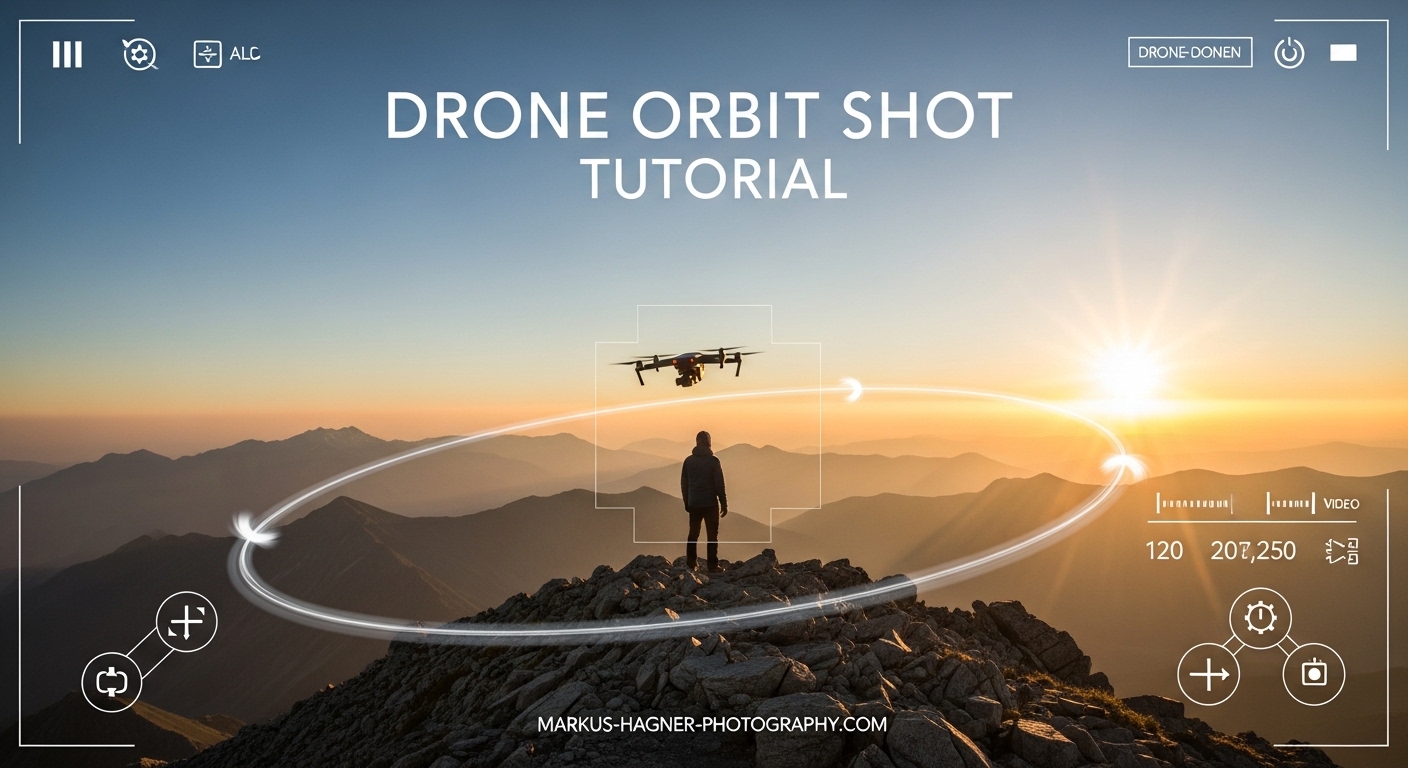
After spending countless hours flying drones and analyzing what separates amateur footage from professional aerial cinematography, I can tell you that mastering the drone orbit shot is one of the most rewarding skills you will develop. This tutorial will walk you through everything you need to know about executing smooth, cinematic orbit shots every single time, whether you prefer manual control or automated intelligent flight modes.
The orbit shot is a foundational technique that transforms ordinary aerial footage into compelling visual storytelling. In this guide, I will break down the exact control stick movements, camera settings, and practice exercises that helped me go from wobbly, frustrating attempts to confident, repeatable results. By the end, you will have a complete understanding of how to plan, execute, and troubleshoot orbit shots like a pro.
What Is an Orbit Shot?
An orbit shot is a cinematic drone maneuver where your aircraft flies in a continuous circle around a central subject while keeping the camera locked on that subject throughout the entire rotation. The result is stunning three-dimensional footage that reveals your subject from multiple angles while creating beautiful parallax effects as background elements shift behind your focal point.
The magic happens through coordinated control inputs. Your drone moves sideways in one direction while simultaneously yawing (rotating) in the opposite direction at a matching rate. This dual movement keeps the camera pointed at your subject even as the aircraft circles around it. Think of it like walking around someone while always keeping your eyes locked on their face.
This technique creates some of the most engaging footage possible with a drone. Real estate photographers use orbit shots to showcase properties from every angle. Travel content creators capture landmarks with dynamic reveals. Commercial videographers rely on orbits for product launches and event coverage. The applications are nearly endless once you master the fundamental technique.
What makes orbit shots so visually compelling is the parallax effect. As your drone circles the subject, objects in the foreground, middle ground, and background all move at different speeds relative to the camera. This creates a sense of depth and dimension that static shots simply cannot achieve. Your viewers feel immersed in the scene rather than watching from a distance.
Pre-Flight Preparation for Perfect Orbits
Before you even think about attempting an orbit shot, proper preparation will set you up for success. I learned this lesson the hard way after several failed attempts that could have been avoided with better planning.
Weather and Wind Assessment
Wind is the number one enemy of smooth orbit shots. Even a gentle breeze can turn your perfectly planned circle into an uneven, wobbly mess. Check wind conditions before every flight and aim for winds under 10 mph for your first practice sessions. Higher winds make it significantly harder to maintain consistent distance and speed around your subject.
Morning and evening hours typically offer the calmest conditions, plus you get the added benefit of golden hour lighting. That warm, directional light adds production value to your footage while the stable air makes technical execution easier.
Location Scouting and Safety
Walk your flight area before launching. Identify all obstacles including trees, power lines, buildings, and any structures that could interfere with your orbit path. Plan your circle with generous clearance on all sides. Remember that your drone will cover significant ground during a full orbit, so what looks like plenty of space from your starting position might feel tight from the opposite side.
Check for no-fly zones and ensure you have legal clearance to fly in your chosen location. In the United States, the 400-foot altitude limit and visual line-of-sight requirements apply to all drone operations. Know your local regulations before takeoff.
Battery and Equipment Check
Orbit shots require sustained, controlled flight. Starting with a fully charged battery gives you the flight time needed to attempt multiple takes and refine your technique. Nothing is more frustrating than running low on power just as you start getting the hang of it.
Verify your gimbal is properly calibrated and functioning smoothly. Any mechanical issues with your gimbal will show up as unwanted shake or drift in your final footage.
Camera Settings for Cinematic Footage
Set your camera to manual exposure mode before beginning your orbit. Automatic exposure will shift brightness as your drone rotates and lighting conditions change around your subject. Lock in your ISO, shutter speed, and aperture before takeoff for consistent exposure throughout the shot.
For the most cinematic results, follow the 180-degree shutter rule. If you are shooting at 30 frames per second, use a shutter speed of 1/60 second. This creates natural motion blur that smooths out movement and gives footage a professional, film-like quality.
ND filters are essential for achieving these slower shutter speeds in bright conditions. A good ND16 or ND32 filter will let you maintain proper exposure while keeping your shutter speed in the cinematic range. I never fly without a set of ND filters in my kit.
How to Fly a Manual Drone Orbit Shot
Flying a manual orbit requires coordinating both control sticks simultaneously. This feels awkward at first, but with practice it becomes second nature. Here is my step-by-step process that I have refined through hundreds of hours of flight time.
Understanding Control Stick Inputs
On a standard Mode 2 controller configuration, the right stick controls horizontal movement. Pushing it left moves the drone left. Pushing it right moves the drone right. The left stick controls rotation (yaw). Pushing it left rotates the drone counter-clockwise. Pushing it right rotates it clockwise.
For a clockwise orbit around your subject, you need to push the right stick to the right (moving sideways) while simultaneously pushing the left stick to the left (rotating counter-clockwise). The key is balancing these two inputs so your subject stays perfectly centered in frame as you circle around it.
Step 1: Position Your Drone
Start by positioning your drone at a comfortable distance from your subject. I recommend at least 30-50 feet for beginners. This gives you room to make adjustments and helps maintain smoother footage. Remember the golden rule: further is better for smooth orbits.
Position your drone so your subject is centered in the frame at the starting point. Take note of your altitude and try to maintain it throughout the orbit. Altitude changes mid-orbit create distracting vertical movement.
Step 2: Initiate Sideways Movement
Gently push the right stick in the direction you want to orbit. Start with a very small input. You want slow, deliberate movement. Rushing this step is one of the most common beginner mistakes.
As your drone begins moving sideways, you will notice your subject start to drift out of frame. This is expected and correct. The next step addresses this drift.
Step 3: Add Yaw Rotation
Now add opposite yaw input on the left stick. If you are orbiting clockwise (moving right), push the left stick to the left. The goal is to rotate the drone at exactly the rate needed to keep your subject centered.
This is the challenging part. Too much yaw and your subject will drift to the opposite side of the frame. Too little and it will continue drifting away. Finding the balance takes practice.
Step 4: Maintain Consistent Distance and Speed
Once you have established a stable orbit, focus on maintaining consistent distance from your subject. You may need small adjustments to the right stick to hold your circle. If you are drifting closer, reduce your sideways input slightly. If you are drifting away, increase it.
Think of yourself as the pilot of a satellite maintaining a fixed orbit. Small corrections are normal and expected. The goal is smooth, gradual adjustments rather than sudden jerky movements.
Speed and Altitude Recommendations
For your first practice sessions, aim for a full orbit time of 30-45 seconds. This slow pace gives you time to react and make corrections. As you improve, you can increase speed for more dynamic footage.
Altitude depends on your subject and creative goals. For buildings and landmarks, I typically orbit at 1.5 to 2 times the height of the subject. For people or vehicles, 15-25 feet above ground level usually works well. Experiment with different altitudes to find what looks best for your specific subject.
Using Automated Orbit Features (POI Mode)
Most modern drones include intelligent flight modes that can execute orbits automatically. These features are excellent for beginners and experienced pilots alike.
What Is Point of Interest Mode?
Point of Interest (POI) mode, also called Orbit mode on some platforms, allows your drone to automatically circle a designated subject while keeping the camera centered. You simply mark your subject on the screen, set your orbit parameters, and the drone handles all the complex control coordination.
This is the easiest way to get professional-looking orbit shots without mastering manual control. The results are consistently smooth and precise because the flight computer makes micro-adjustments faster than any human pilot can.
Setting Up POI on DJI Drones
On most DJI drones, access POI mode through the Intelligent Flight Modes menu. Select Point of Interest, then fly to your subject and mark it by tapping on the screen or flying directly over it. Set your desired orbit radius, altitude, and speed. Press start and let the drone do the work.
Take time to adjust your parameters before beginning. A wider radius generally produces smoother, more cinematic results. Slower speeds give viewers time to appreciate the scene. You can always adjust settings and repeat the shot.
ActiveTrack for Moving Subjects
When your subject is in motion, ActiveTrack becomes your best option. This feature uses visual recognition to follow and orbit around moving people, vehicles, or animals. The drone automatically adjusts its path to maintain the orbit as your subject moves.
ActiveTrack works best with clear visual separation between your subject and background. Avoid situations where your subject blends into similar colors or textures behind them.
Third-Party Apps
Apps like Litchi expand your automated orbit capabilities with more advanced options. You can program complex multi-point orbits, set variable speeds throughout the shot, and even plan missions in advance using waypoint systems.
Litchi also offers features not available in stock drone apps, including the ability to orbit while simultaneously ascending or descending for spiral effects.
Manual vs Automated: When to Use Each
I recommend starting with automated modes to understand what a proper orbit looks like. Watch how the drone coordinates its movements. Then transition to manual control for more creative freedom.
Manual orbits give you complete control over speed, path, and creative variations. You can adjust on the fly, react to changing conditions, and execute techniques that automated modes cannot handle. Automated modes excel when you need reliable, repeatable results quickly.
Advanced Orbit Shot Variations
Once you master the basic orbit, several creative variations add even more production value to your footage.
The Reveal Orbit
Start your orbit with your subject blocked by a foreground element like a tree or building. As you circle around, the subject gradually reveals itself. This technique creates anticipation and a satisfying payoff for viewers.
Plan your starting position carefully. The reveal should feel natural and timed to the music or pacing of your edit. Practice finding angles where foreground elements frame your subject perfectly before beginning the orbit.
The Corkscrew Orbit
Combine your circular orbit with a gradual ascent or descent to create a spiral path around your subject. This three-dimensional movement adds another layer of visual interest and works beautifully for tall subjects like towers, monuments, or skyscrapers.
The key is smooth, gradual altitude change. Jerky vertical movement breaks the spell. Plan your total altitude change to match your orbit time so the ascent feels proportional to the rotation.
The Speed Ramp Orbit
Begin your orbit at a slow, deliberate pace, then gradually increase speed throughout the shot. This acceleration creates energy and momentum that builds toward a dramatic finish.
Speed ramps work particularly well in edits where the orbit serves as a transition between slower and faster-paced sequences. The gradual acceleration helps smooth the change in energy.
The Portrait Orbit
For shots featuring people, the portrait orbit keeps your subject in the same relative position in frame throughout the rotation. This requires more precise yaw control but creates an intimate, personal feel.
Position your subject off-center in the frame and maintain that composition as you circle. The background changes dynamically while your subject remains the constant focal point.
Orbiting Moving Subjects
Orbiting a moving vehicle, boat, or person adds significant complexity. You must anticipate your subject’s path while maintaining your circular orbit around them. This requires constant adjustment and quick reactions.
Start with slow-moving subjects in open areas. Practice predicting where your subject will be several seconds ahead and plan your orbit path accordingly. ActiveTrack can help, but manual control gives you more flexibility for creative compositions.
Common Orbit Shot Mistakes and How to Avoid Them
Learning from common mistakes accelerates your progress. Here are the pitfalls I see most often and how to avoid them.
Flying Too Close to Your Subject
The single most common mistake is orbiting too close. When you are near your subject, small control errors translate to big framing problems. Distance gives you margin for error and naturally produces smoother footage.
If your orbits feel frantic and difficult to control, try backing up. The difference in difficulty between a 20-foot orbit and a 50-foot orbit is dramatic, yet the final footage often looks better from further away.
Inconsistent Speed
Variable speed throughout an orbit creates uneven, amateur-looking footage. The beginning might be slow and smooth, then suddenly accelerate as you lose focus or overcompensate.
Consciously maintain steady pressure on your control sticks. If you need to adjust speed, do it gradually over several seconds rather than in sudden jumps.
Losing Your Subject
Nothing ruins an orbit shot faster than your subject drifting out of frame. This usually happens when yaw and sideways movement rates do not match.
Practice the clock-face visualization technique. Imagine your subject at the center of a clock. As you orbit, your drone passes each hour position. This mental model helps you anticipate and correct for drift before it becomes obvious.
Ignoring Wind Conditions
Wind affects different parts of your orbit differently. Flying downwind might feel smooth, but the upwind leg requires more power and creates different movement characteristics.
On windy days, accept that your orbit will not be perfect. Compensate with gentle corrections and consider saving challenging orbits for calmer conditions.
Poor Camera Settings
Automatic exposure shifts during orbits as lighting angles change. This creates obvious brightness fluctuations in your final footage that look unprofessional.
Always lock manual exposure before beginning. Take test footage and review it to confirm your settings before committing to the full orbit.
Troubleshooting Your Orbit Shots
Even experienced pilots encounter problems. Here is how to diagnose and fix common issues.
Fixing Wobbly Footage
If your orbit footage looks shaky or uneven, the problem usually stems from one of three causes: wind, inconsistent control inputs, or mechanical issues with your gimbal.
Check wind conditions first. If gusts exceed 10-15 mph, wait for calmer air. Review your control technique, focusing on smooth, gradual inputs rather than sudden corrections. Finally, inspect your gimbal for proper calibration and ensure no debris is interfering with movement.
Rescuing an Elliptical Orbit
When your intended circle becomes an oval or irregular shape, you have an elliptical orbit. This happens when your sideways movement and yaw rates do not stay balanced throughout the rotation.
You can often rescue this mid-flight by adjusting your rate of rotation. If you are drifting away from your subject on one side of the orbit, increase yaw slightly on that portion. Small corrections add up to a more circular final path.
Post-Production Stabilization
Even with careful flying, some footage benefits from stabilization in post. Software like DaVinci Resolve, Premiere Pro, or Final Cut Pro includes stabilization tools that can smooth minor imperfections.
Apply stabilization judiciously. Heavy processing can introduce unnatural warping or reduce image quality. The goal is subtle refinement, not fixing fundamentally flawed footage.
When to Abort and Restart
Sometimes the best decision is to stop and try again. If you lose your subject completely, encounter unexpected obstacles, or conditions change dramatically, aborting saves time compared to continuing a lost cause.
Land safely, reassess your plan, adjust as needed, and launch fresh. There is no shame in multiple attempts. Professional videographers routinely capture several takes to ensure they have usable footage.
Frequently Asked Questions
How to do easy orbit with a drone?
The easiest way to do an orbit with a drone is to use Point of Interest (POI) mode, available on most modern drones. Simply fly to your subject, mark it in the app, set your orbit radius and speed, then press start. The drone handles all control coordination automatically for smooth, consistent results.
How to do an orbit shot?
To do a manual orbit shot, position your drone at a comfortable distance from your subject with the subject centered in frame. Push the right stick sideways to begin lateral movement, then add opposite yaw input on the left stick to rotate the drone while moving. Balance these two inputs to keep your subject centered as you circle around it.
What is orbit mode on a drone?
Orbit mode, also called Point of Interest mode, is an intelligent flight feature that automatically circles your drone around a designated subject while keeping the camera pointed at that subject. You set the center point, radius, altitude, and speed, then the drone executes the orbit without manual control inputs.
How to make a drone shot cinematic?
To make drone shots cinematic, use manual exposure locked before takeoff, follow the 180-degree shutter rule with ND filters, fly slowly and smoothly, shoot during golden hour for quality light, and master techniques like orbit shots and reveals. Post-production color grading and stabilization also significantly improve the final look.
What are common aerial shot mistakes?
Common aerial shot mistakes include flying too fast, not checking weather conditions, ignoring battery management, using automatic exposure that shifts mid-shot, jerky control inputs, flying too close to subjects, not scouting for obstacles, and neglecting post-production. Many pilots also skip pre-flight planning, which leads to rushed, poorly composed footage.
Putting It All Together
Mastering the drone orbit shot tutorial techniques covered here will transform your aerial footage from amateur to professional quality. Start with automated POI mode to understand proper orbit characteristics, then transition to manual control for creative freedom. Remember that distance is your friend, smooth inputs beat fast reactions, and proper pre-flight preparation prevents most common problems.
Your practice progression should follow a clear path. Begin with wide, slow orbits around static subjects in calm conditions. As you build confidence, reduce your orbit radius and increase speed. Eventually progress to advanced variations and moving subjects. Each successful orbit builds muscle memory that makes the next one easier.
The journey from wobbly first attempts to smooth, confident orbits takes time but delivers tremendous satisfaction. Every professional drone videographer started exactly where you are now. Get out there, practice consistently, and enjoy the process of mastering one of aerial cinematography’s most powerful techniques.