
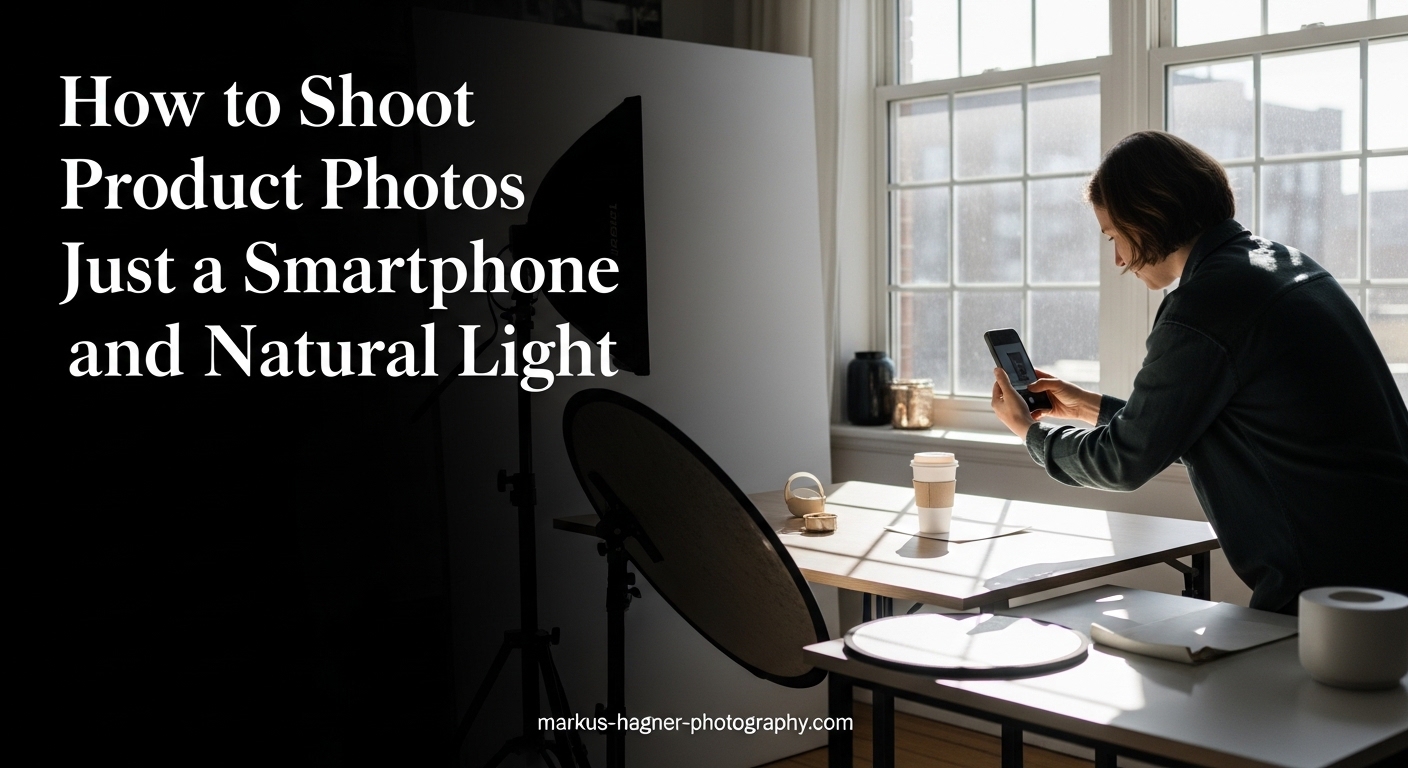
Professional product photography used to require expensive cameras, studio lighting, and years of training. Today, your smartphone can capture stunning product images that sell. Small business owners and Etsy sellers are proving this every day, creating catalog-worthy photos using nothing more than a phone and window light.
When I started photographing products for my online store, I assumed I needed a DSLR camera. After struggling with complicated settings and inconsistent results, I switched to my iPhone. The photos improved immediately because I focused on lighting and composition rather than camera settings.
This guide shows you exactly how to shoot product photos with just a smartphone and natural light. You will learn where to find the best light, how to set up a simple studio at home, and the specific techniques that transform ordinary snapshots into professional product shots. Everything here works with any smartphone, whether iPhone or Android, and requires minimal investment.
Quick Reference: 7 Essential Steps
Follow these seven steps to capture professional-looking product photos with your smartphone:
- Find a window with indirect natural light – Position near a window but away from direct sunlight beams
- Set up a clean white or neutral background – Use poster board, fabric, or seamless paper for a professional sweep
- Stabilize your phone with a tripod or steady surface – This eliminates blur from hand shake
- Enable grid lines and tap to focus on your product – The grid helps with composition and alignment
- Shoot from multiple angles starting at 45 degrees – Capture front, side, detail, and overhead views
- Avoid digital zoom and flash entirely – Move your phone closer or crop later instead
- Edit minimally for brightness and contrast – Keep adjustments subtle to maintain realistic product appearance
Understanding Natural Light for Product Photography
Natural light is any illumination coming from the sun. For product photography, not all natural light works equally well. The quality and direction of light dramatically affects how your products appear in photos.
What Makes Good Natural Light
The best natural light for product photography is soft, even, and consistent. This happens when sunlight passes through clouds, bounces off buildings, or gets filtered through curtains. Direct sunlight creates harsh shadows and bright hot spots that distract from your product.
I have found three excellent sources of diffused natural light:
- North-facing windows – These receive consistent indirect light throughout the day without direct sun beams
- Windows with sheer white curtains – The fabric diffuses harsh light into soft, even illumination
- Overcast days – Cloud cover acts as a giant diffuser, creating perfect soft light
Finding Light in Your Space
Walk through your home at different times of day to identify the best window. Place your hand near the window and observe the shadows. Soft shadows with gentle edges indicate good diffused light. Hard shadows with sharp edges mean the light is too direct.
Avoid south-facing windows during midday in summer, as these receive the most intense direct sunlight. Early morning and late afternoon often provide gentler light than noon hours.
Time of Day Considerations
Natural light changes throughout the day, affecting your product photos in different ways:
- Early morning (8-10 AM) – Cool, soft light good for white and silver products
- Mid-morning to early afternoon (10 AM-2 PM) – Brightest light, best for consistent results on cloudy days
- Late afternoon (3-5 PM) – Warmer light that can add pleasing tones to certain products
- Overcast any time – Ideal diffused lighting that works all day long
Plan your product photography sessions around consistent lighting windows. Once you find the right conditions, shoot as many products as possible during that same time period for consistent results across your catalog.
Essential Equipment on a Budget
You do not need expensive gear to create professional product photos. A few affordable items significantly improve your results, and many can be improvised from household objects.
Tripod and Stabilization
Camera shake is the number one cause of blurry product photos. A tripod keeps your phone perfectly still during the shot. Even a budget tabletop tripod works better than hand-holding your phone.
When I started, I balanced my phone on a stack of books. This worked surprisingly well. The key is keeping the phone steady and using the timer or a remote to trigger the shutter without touching the device.
Budget-friendly stabilization options:
- Tabletop tripod – Small, adjustable, perfect for product photography on a table
- Full-size tripod with phone mount – More versatile for different shooting angles
- Stack of books or boxes – Free option that works if positioned carefully
- Bean bag or rice-filled bag – Conforms to any surface and holds phone at angles
Reflectors and Bounce Cards
A reflector bounces light back into shadow areas, reducing contrast and revealing details. White foam board from a craft store costs under five dollars and works perfectly for this purpose.
Position the reflector opposite your light source. If your window is on the left, place the reflector on the right side of your product. The reflected light fills in shadows without overpowering the main light.
DIY reflector alternatives:
- White poster board or foam core board
- White printer paper taped to cardboard
- Aluminum foil crumpled then flattened (for stronger reflection)
- White fabric stretched over a frame
Backgrounds
A clean background keeps attention on your product. White backgrounds work for most e-commerce platforms and create a professional, consistent look. Other neutral colors like light gray or beige add variety while staying professional.
Background options from budget to professional:
- White poster board – Creates a seamless sweep, costs a few dollars
- White or neutral fabric – Wrinkle-free polyester works best
- Seamless paper roll – Professional option that creates infinite background
- Wood board or textured surface – Adds character for lifestyle-style product shots
Optional Accessories
These items improve results but are not essential:
- Wireless remote shutter – Prevents camera shake when triggering photos
- Clip-on macro lens – Helps photograph small details on jewelry or electronics
- Light diffuser panel – Professional diffusion for larger windows
- Clamps and stands – Hold backgrounds and reflectors in position
Setting Up Your Shooting Space
A well-organized shooting space makes photography faster and more consistent. You can set up a temporary studio on any table near a good window, then pack it away when finished.
Surface and Background Setup
Choose a table or flat surface near your chosen window. The table should be stable and large enough to accommodate your products with space around them for composition flexibility.
Create a background sweep by propping your poster board or paper against the wall and curving it onto the table surface. The curve eliminates the visible corner between wall and table, creating a seamless infinite background.
Steps to create a background sweep:
- Place your table near the window with the long side parallel to the window
- Tape or clamp the top of your background material to a support behind the table
- Curve the material gently onto the table surface without creasing
- Secure the bottom edge with tape or weights
- Position your product in the center of the curved area
Lighting Position
Position your setup so light comes from the side rather than directly in front or behind. Side lighting creates dimension and texture that makes products look three-dimensional in photos.
The ideal setup places your window at 90 degrees to your shooting direction. Your camera faces the product while light comes from the left or right side. This classic lighting arrangement creates natural shadows that define product shape.
Product Placement
Center your product on the background with enough space around it for comfortable composition. If photographing multiple products, maintain consistent positioning relative to the background edge for uniformity across your catalog.
For products that stand upright, ensure they are stable and will not tip during shooting. Use a small amount of museum putty or double-sided tape underneath if needed.
Preparing Your Smartphone Camera
Your smartphone camera needs minimal preparation, but a few settings make a significant difference in image quality.
Clean Your Lens
This sounds obvious, but dirty lenses are the most common cause of hazy product photos. Fingerprints and dust accumulate on phone cameras constantly because we handle them frequently.
Use a microfiber cloth or lens cleaning wipe before every shooting session. This single habit improves photo sharpness more than any camera setting adjustment.
Enable Grid Lines
Turn on the grid overlay in your camera settings. This displays a 3×3 grid on your screen that helps with composition and keeping your camera level. The grid lines follow the rule of thirds, a classic composition guideline.
To enable grid on iPhone: Settings > Camera > Grid > On
To enable grid on Android: Open Camera app > Settings > Grid lines > On
Focus and Exposure Control
Tap your screen where you want the camera to focus. A yellow box appears indicating the focus point. On most phones, holding your finger on the screen locks focus and exposure so they do not change when you recompose the shot.
After tapping to focus, slide your finger up or down to adjust exposure manually. This helps when your product appears too bright or too dark in the initial shot.
Camera App Options
The default camera app works well for product photography. If you want more control, consider these alternatives:
- Lightroom Mobile – Shoots in RAW format for better editing flexibility
- Halide (iPhone) – Professional controls including manual focus peaking
- Open Camera (Android) – Free app with manual ISO, shutter speed, and focus controls
RAW format captures more image data than JPEG, giving you more flexibility during editing. If your phone supports RAW, enable it for product photography.
Shooting Techniques That Work
Good technique separates amateur snapshots from professional product photos. These methods work with any smartphone and require no special equipment.
The 45-Degree Angle
Position your camera at approximately 45 degrees above your product. This angle shows the front face while also revealing some top surface, creating a three-dimensional appearance. It is the most flattering angle for most products.
Start at 45 degrees, then experiment with variations. Some products look better shot from directly in front (0 degrees) while others benefit from overhead views (90 degrees). Capture several angles and choose the best during editing.
Camera Angles to Master
Build a complete set of product photos using these essential angles:
- Front view – Camera level with product, shows the main face
- 45-degree view – Shows front and top simultaneously
- Side view – Reveals profile and depth
- Detail close-up – Focuses on texture, materials, or special features
- Overhead flat lay – Camera directly above, shows product from above
- Lifestyle context – Product with related props showing use or scale
Stabilization During Shooting
Even with a tripod, camera shake occurs when you tap the shutter button. Use one of these methods to trigger the shutter without touching the phone:
- Timer mode – Set a 3 or 10 second delay, press shutter, then step back
- Volume button – Use earphone volume buttons as a remote shutter
- Voice control – Say “cheese” or similar to trigger capture on some phones
- Wireless remote – Bluetooth remote lets you trigger from several feet away
Composition Guidelines
Apply the rule of thirds by positioning your product at grid line intersections rather than dead center. This creates more dynamic, visually interesting compositions.
Leave negative space around your product. Crowded compositions feel claustrophobic, while breathing room makes products feel premium and desirable. The empty space also provides room for text if you use photos in advertising.
Common Mistakes to Avoid
These errors ruin more product photos than any other factors. Avoid them consistently and your images will immediately look more professional.
Using Digital Zoom
Digital zoom crops and enlarges your image, reducing quality and introducing noise. Never use digital zoom for product photography. Instead, move your camera closer to the product or crop during editing.
If you need to photograph small details, consider a clip-on macro lens rather than zooming. Macro attachments maintain image quality while allowing close focus.
Firing the Flash
Built-in flash creates harsh, unflattering light with bright hot spots and deep shadows. It flattens three-dimensional products and creates ugly reflections on shiny surfaces. Turn flash off completely for product photography.
Shooting Handheld
Hand-holding your phone introduces blur, especially in lower natural light conditions where the camera uses slower shutter speeds. Even small movements during exposure soften your images noticeably.
Always stabilize your phone, even if that means resting it on a stack of books. The difference in sharpness is immediately visible when comparing handheld versus stabilized shots.
Over-Editing
Heavy filters and extreme adjustments make products look artificial and untrustworthy. Customers want accurate representations of what they are buying. Keep editing minimal and focused on correcting exposure and color rather than stylizing.
Ignoring Background Clutter
Busy backgrounds distract from your product. Even small items in the background draw the eye away from your subject. Clear the entire shooting area before photographing.
Basic Editing Workflow for Product Photos
Editing polishes your photos without changing them fundamentally. The goal is accurate representation, not dramatic transformation.
Best Editing Apps for Smartphones
These apps handle product photo editing effectively:
- Lightroom Mobile (free) – Professional tools including RAW support, precise exposure and color controls
- Snapseed (free) – User-friendly interface with selective adjustment tools
- VSCO (free tier) – Subtle presets and clean editing tools
- Photos app (built-in) – Basic adjustments sufficient for simple edits
Essential Adjustments
Make these adjustments in order for best results:
- Crop and straighten – Remove excess background and align the horizon
- Exposure – Brighten or darken the overall image
- Contrast – Increase slightly to add depth and dimension
- Highlights – Reduce if bright areas are blown out
- Shadows – Lift slightly to reveal dark detail
- White balance – Correct color casts so whites appear neutral
- Clarity or sharpness – Apply subtly to enhance detail
Maintaining Color Accuracy
Product photos must represent actual product colors. Customers return products that look different from photos. To maintain accuracy:
- Compare your edited photo to the actual product under neutral light
- Avoid saturation adjustments that make colors more vibrant than reality
- Use white balance to correct color casts from window light
- Keep a reference gray card in test shots to calibrate color during editing
Export Settings
Export photos at high quality for most uses. For web and e-commerce:
- JPEG format works for all platforms
- Quality setting of 80-90% balances file size and image quality
- Resize to platform requirements (typically 1000-2000 pixels on the long side)
- Save a full-resolution master copy before resizing
Troubleshooting Common Problems (2026)
Even with good technique, issues arise. Here are solutions to the most common product photography problems.
Blurry Photos
If your photos lack sharpness:
- Check that your lens is clean
- Confirm your phone is stable on a tripod or steady surface
- Use timer or remote shutter to avoid shake when triggering
- Tap to focus on your product before shooting
- Ensure adequate light so the camera uses faster shutter speeds
Harsh Shadows
Strong shadows create high contrast that hides detail:
- Move your product further from the window to soften light
- Add a white reflector on the shadow side to fill in darkness
- Hang sheer curtains to diffuse direct sunlight
- Shoot on overcast days for naturally soft light
Glare and Reflections
Shiny products reflect light sources and surroundings:
- Position your camera so reflections do not show directly
- Wear dark clothing to avoid reflecting yourself in shiny surfaces
- Use a polarizing filter attachment to reduce reflections
- Move your light source until glare disappears
- Black cards placed around the product can reduce unwanted reflections
Overexposed (Too Bright) Images
When photos are washed out with lost highlight detail:
- Move your product further from the window
- Reduce exposure using the camera app controls
- Wait for less intense light later in the day
- Add diffusion material over the window
Underexposed (Too Dark) Images
When photos are dark with muddy shadows:
- Move closer to the window for more light
- Increase exposure using camera app controls
- Add reflectors to bounce more light onto your product
- Shoot during brighter times of day
Color Cast Problems
When product colors look wrong (too yellow, blue, or green):
- Adjust white balance in camera or during editing
- Identify colored surfaces reflecting onto your product and remove them
- Shoot during consistent light rather than as light changes
- Avoid mixing window light with indoor artificial light
Advanced Techniques for Specific Products
Different products present unique challenges. These techniques address specific product types.
Reflective Products (Jewelry, Metal, Glass)
Reflective surfaces show everything around them, including you and your camera. To handle reflections:
- Create a simple tent using white fabric or paper around the product
- Position the camera through a small opening in your diffusion setup
- Use a longer lens or zoom (optical, not digital) to stay further from the product
- Black cards strategically placed create defined reflections that look professional
Small Products (Jewelry, Electronics, Cosmetics)
Tiny items require different approaches:
- Use a macro lens attachment for sharp close-ups
- Move your light source closer to increase apparent size
- Focus carefully, as depth of field becomes very shallow at close range
- Consider using a smaller table or elevated surface for comfortable shooting height
White Products on White Background
White-on-white photography requires careful lighting to separate product from background:
- Light the background slightly brighter than the product
- Use a subtle gray card to determine correct exposure
- Position a black card near (but not touching) the product to create subtle edge definition
- Underexpose slightly and brighten in editing to preserve highlight detail
Flat Lay Photography
Overhead shots work well for showing product collections:
- Shoot directly down using a ladder or overhead tripod mount
- Arrange products with consistent spacing
- Place key items at grid line intersections for strong composition
- Keep the camera parallel to the surface for even focus across the frame
Platform-Specific Optimization
Different platforms have different requirements:
- Amazon – Pure white background (255,255,255 RGB), 1000+ pixels minimum, main image must fill 85% of frame
- Etsy – 2000+ pixels recommended, lifestyle images encouraged, first image most important
- Instagram – Square (1:1) or portrait (4:5) aspect ratio, bright and engaging style
- Website – Consistent size and style across all product photos, typically 1500-2000 pixels
How to Shoot Product Photos with Just a Smartphone and Natural Light In 2026?
The complete process for professional results combines everything covered above into a repeatable workflow. This approach works whether you photograph one product or one hundred.
Step-by-Step Complete Workflow
Step 1: Scout Your Location
Identify your best window and observe light quality at different times. Note when light is soft and consistent. Schedule shoots during optimal conditions.
Step 2: Set Up Your Background
Create a clean sweep using poster board or fabric. Ensure the surface is smooth and free of wrinkles or debris that will show in photos.
Step 3: Position Your Light and Reflector
Place your shooting surface so light comes from the side. Position a white reflector on the opposite side to fill shadows.
Step 4: Prepare Your Smartphone
Clean the lens thoroughly. Enable grid lines. Set focus and exposure by tapping your product on screen. Lock these settings if your phone allows.
Step 5: Mount Your Phone Securely
Attach your phone to the tripod at approximately 45 degrees above your product. Use the grid to ensure the camera is level.
Step 6: Capture Multiple Angles
Shoot front, side, 45-degree, and detail views. Take several frames at each angle. Move your phone physically rather than zooming.
Step 7: Review and Adjust
Check your photos on the larger screen. Look for blur, exposure issues, and composition problems. Reshoot if needed while your setup remains in place.
Step 8: Edit for Final Output
Crop, straighten, and make subtle exposure and color corrections. Export at appropriate resolution for your platform.
Batch Photography for Efficiency
When photographing multiple products:
- Set up your shooting space once and leave it in place
- Shoot all products in the same session for consistent lighting
- Use the same camera settings and angles for each product
- Edit using presets or copy-paste adjustments across similar images
Batch processing creates a consistent catalog appearance and dramatically reduces time per product.
Frequently Asked Questions
How to take product photos with natural light?
Position your product near a window with indirect sunlight, not in direct sun beams. Use a white foam board reflector on the opposite side to fill shadows. Shoot during mid-morning or mid-afternoon for consistent light. Sheer curtains diffuse harsh light if needed. Avoid shooting when light changes rapidly, such as near sunset or when clouds are moving quickly.
How to take professional product photos with phone?
Stabilize your phone with a tripod or steady surface. Clean your lens and enable grid lines. Use natural window light with a reflector for fill. Tap to focus on your product and lock exposure. Shoot multiple angles including 45-degree views. Avoid digital zoom and flash. Edit minimally using apps like Lightroom Mobile or Snapseed for brightness, contrast, and color correction.
Do you need a tripod for product photography?
A tripod is essential for sharp product photos. Hand-holding introduces blur, especially in natural light where shutter speeds are slower. If you cannot afford a tripod, rest your phone on a stable surface like books or a bean bag. Use the timer function to avoid shake when pressing the shutter button. Wireless remotes also help eliminate camera movement.
What background is best for product photography?
White backgrounds work best for most e-commerce and catalog photography because they are versatile and meet platform requirements like Amazon. Use white poster board, seamless paper, or white fabric to create a clean sweep. For lifestyle product shots, neutral tones like light gray or beige work well. Avoid busy patterns or colors that distract from your product.
What is the best time of day for natural light product photography?
Mid-morning to early afternoon (10 AM to 2 PM) provides the most consistent natural light. Overcast days offer ideal diffused lighting all day long. Avoid shooting during the golden hour or near sunset when light changes rapidly and creates warm color casts. North-facing windows provide consistent indirect light throughout the day regardless of time.
How do you avoid harsh shadows in product photography?
Move your product further from the window to soften the light source. Add a white reflector or foam board on the shadow side to bounce light back into dark areas. Hang sheer white curtains to diffuse direct sunlight. Shoot on overcast days when clouds naturally diffuse the sun. Position your product so shadows fall away from the camera view.
Conclusion
Learning how to shoot product photos with just a smartphone and natural light opens professional-quality photography to anyone. You do not need expensive equipment or years of training. A window, a phone, and a few affordable accessories produce catalog-ready images.
The key elements remain consistent: find soft diffused light from a window, stabilize your phone, shoot multiple angles, and edit minimally. Practice with different products and lighting conditions to develop your eye and technique.
Start with a single product and work through the complete workflow. As you become comfortable with the process, your speed and consistency will improve. Before long, you will produce professional product photos that showcase your products effectively and drive sales.