
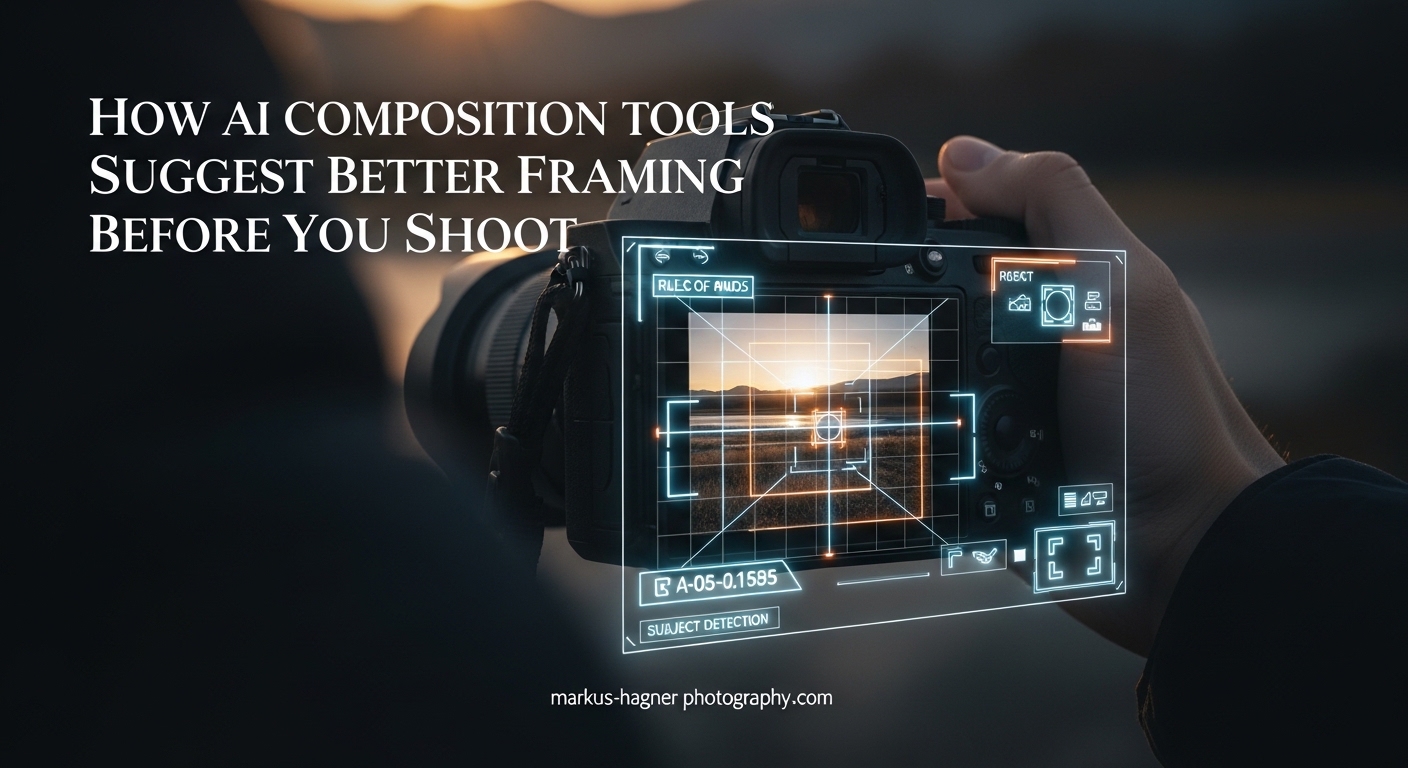
Getting the perfect shot often feels like a guessing game. You frame what looks good through the viewfinder, press the shutter, and hope for the best. But what if your camera could guide you toward better composition before you even take the photo? AI composition tools have changed how I approach photography by offering real-time framing suggestions that help capture stronger images from the start. In this guide, I will explain how AI composition tools work, what features to look for, and how you can use them to improve your framing before you shoot.
What Are AI Composition Tools?
AI composition tools are software features that use machine learning and computer vision to analyze scenes in real-time and suggest optimal framing choices. Unlike post-processing AI that fixes images after capture, these tools work while you are composing your shot, giving you guidance when it matters most.
The technology behind these tools falls under computational photography, a field that combines traditional optics with software processing. Your camera or smartphone uses object detection and scene recognition to understand what it sees, then compares that information against established composition principles.
There are two main categories of AI composition tools. In-camera features come built into modern mirrorless cameras and smartphones, appearing as viewfinder overlays or automatic adjustments. App-based solutions work as separate software that analyzes your images or provides composition guides through your device screen.
I have found the in-camera options more useful for real-time shooting because they integrate directly with your workflow. You see the suggestions as you frame, allowing immediate adjustments rather than discovering compositional issues during editing. The immediacy of this feedback makes a significant difference when capturing fleeting moments.
The evolution of these tools has been remarkable. Five years ago, composition assistance meant turning on a basic grid overlay. Today, AI can identify your subject, analyze the background, predict motion, and suggest framing adjustments all within milliseconds. This progress stems from advances in mobile processors and dedicated AI chips in cameras.
How AI Composition Tools Suggest Better Framing Before You Shoot?
The real power of AI composition tools lies in their ability to analyze your scene before you press the shutter. This pre-shoot analysis happens in milliseconds, giving you actionable feedback while the moment is still unfolding in front of your lens.
When you point your camera at a scene, the AI system performs several tasks simultaneously. It identifies your main subject, analyzes the background and foreground elements, and evaluates spatial relationships between objects. Then it compares this analysis against composition rules like the rule of thirds, golden ratio, and leading lines.
This analysis differs fundamentally from what happens in post-processing. When you edit a photo later, you can only work with what you captured. Pre-shoot AI guidance lets you fix composition problems before they become permanent, saving time and improving your keeper rate significantly.
Real-Time Viewfinder Overlays
Many modern cameras now display composition overlays directly in the viewfinder or on the LCD screen. These overlays show you exactly where to position your subject for optimal composition. Some systems use grid lines that adapt based on what the AI detects, while others provide more specific guidance like highlighting the best crop area.
Sony cameras with Real-time Tracking, for example, can identify subjects and suggest framing that keeps them in compositional sweet spots. Canon cameras offer similar features through their advanced subject detection systems. The key benefit is seeing these suggestions live rather than realizing later that your framing was slightly off.
Electronic viewfinders have made this technology possible. Unlike optical viewfinders that show exactly what the lens sees, EVFs can overlay graphics, highlights, and suggestions without obscuring your view of the scene. This capability transforms composition from guesswork into an informed decision-making process.
Smartphone Camera AI Features
Smartphones have become leaders in AI composition assistance because they combine powerful processors with sophisticated software. iPhone cameras use machine learning to suggest the best moment to capture, analyzing expressions, motion, and composition simultaneously. Samsung phones offer Composition Guides that overlay rule-of-thirds grids and provide real-time feedback.
Google Pixel phones take this further with features like Best Take, which analyzes multiple frames and suggests the optimal composition from a burst. The AI evaluates facial expressions, subject placement, and overall scene balance to recommend the strongest shot.
The smartphone advantage comes from their dedicated neural processing units. These chips handle AI computations without draining battery or slowing down the camera. Modern phones can process billions of operations per second, enabling sophisticated analysis that would have required desktop computers just a decade ago.
Beyond built-in features, many third-party camera apps enhance composition assistance. Apps like Halide on iOS provide detailed histograms, focus peaking, and composition guides. These tools give photographers more control over their framing while maintaining the convenience of smartphone photography.
Auto Framing and Subject Tracking
Auto framing represents one of the most practical applications of AI composition tools. When enabled, the camera automatically adjusts framing to keep your subject properly composed even as they move. This feature works particularly well for video content creation and portrait photography.
Apple’s Center Stage feature on iPads and some Macs uses the ultra-wide camera to track subjects and keep them centered in the frame. DJI gimbals incorporate similar AI tracking that follows subjects while maintaining compositional balance. These tools essentially handle the framing work for you, letting you focus on timing and expression.
The technology behind auto framing combines several AI capabilities. Object detection identifies the subject, motion prediction anticipates where they will move, and servo motors adjust the camera or crop the frame accordingly. This integration of hardware and software creates a seamless experience that feels almost magical.
For video creators, auto framing eliminates the need for a dedicated camera operator. Single-person productions can maintain professional-looking framing throughout lengthy recordings. The AI handles the technical aspects while you concentrate on delivering your content.
Step-by-Step Pre-Shoot AI Workflow
Here is the workflow I use to get the most from AI composition tools before shooting:
Step 1: Enable AI Features – Turn on composition assistance features in your camera or smartphone settings. Look for options like Composition Guide, Grid Overlay, or AI Framing in your camera menu. Some cameras bury these options in custom function menus, so check your manual if you cannot find them.
Step 2: Frame Your Initial Shot – Point your camera at the scene and let the AI analyze what it sees. Give it a moment to identify subjects and evaluate composition. Most systems work within a fraction of a second, but complex scenes with multiple subjects may take slightly longer.
Step 3: Review AI Suggestions – Look for visual cues in your viewfinder or screen. These might be highlighted areas, grid overlays, or composition scores that indicate framing quality. Some cameras use color coding to show how well your current framing aligns with optimal composition.
Step 4: Adjust Based on Feedback – Move your camera slightly to align with the AI suggestions. Small adjustments often make significant differences in final image quality. Pay attention to subject placement relative to grid intersections and background elements.
Step 5: Trust Your Creative Vision – Use AI as a guide, not a rule. If the suggested framing does not match your artistic intent, override it. The best results come from combining AI assistance with human creativity. Sometimes breaking composition rules creates more impactful images.
Step 6: Capture and Review – After taking your shot, review it briefly to confirm the composition works as expected. This immediate feedback helps you learn how AI suggestions translate to final images, improving your intuition over time.
How AI Analyzes Your Scene In 2026?
Understanding how AI evaluates composition helps you work more effectively with these tools. The technology relies on several sophisticated processes that happen faster than you can blink.
Object Detection Technology
Object detection allows the AI to identify specific elements within your frame. Modern systems can recognize people, animals, vehicles, buildings, and countless other subjects. This identification matters because different subjects often benefit from different compositional approaches.
When the AI detects a person, it might suggest positioning them at a rule-of-thirds intersection point. For landscape scenes, it could recommend horizon placement based on the golden ratio. The specificity of these suggestions depends on how well the AI understands what it is looking at.
Training data plays a crucial role in object detection accuracy. Camera manufacturers train their AI on millions of images, teaching the system to recognize subjects in various lighting conditions, angles, and contexts. This extensive training enables reliable detection even in challenging situations like backlighting or partial obstruction.
The detection process works by analyzing patterns of light and color in the image. Neural networks compare these patterns against learned representations of different objects. When the match probability exceeds a threshold, the AI confidently identifies the subject and adjusts its composition recommendations accordingly.
Scene Recognition Algorithms
Beyond identifying individual objects, AI uses scene recognition to understand the overall context of your image. It categorizes scenes as portraits, landscapes, street photography, sports, or other genres, then applies composition rules appropriate to each category.
This contextual understanding explains why the same AI might suggest different framing for similar subjects in different environments. A person photographed against a plain background receives different guidance than the same person in a busy street scene.
Scene recognition considers factors like depth, color palette, lighting direction, and spatial arrangement. A sunset beach scene triggers different optimization than a dimly lit indoor portrait. The AI adjusts its suggestions based on what will work best for that specific type of image.
Composition Rules AI Follows
AI composition tools evaluate your frame against several established principles. The rule of thirds divides the image into a 3×3 grid and suggests placing key elements at intersection points. The golden ratio creates a more complex spiral pattern that often produces aesthetically pleasing results.
Leading lines guide the viewer’s eye through the image, and AI systems look for natural lines in your scene. Symmetry and patterns receive positive scores when detected. Negative space around subjects gets evaluated for balance and visual breathing room.
Modern AI can apply multiple composition rules simultaneously and weigh them based on the scene type. For portraits, subject placement and background separation receive higher priority. For landscapes, horizon placement and depth layering matter more.
Some advanced systems learn your preferences over time. If you consistently override certain suggestions, the AI adapts its recommendations to match your style. This personalization makes the tool more valuable the longer you use it.
Subject Tracking Capabilities
For moving subjects, AI composition tools use tracking algorithms to maintain optimal framing. The system predicts subject movement and adjusts composition suggestions in real-time. This capability proves invaluable for sports photography, wildlife, and candid portraits where subjects rarely stay still.
Modern tracking systems combine object detection with motion prediction. They remember where your subject has been and anticipate where they are going, allowing for smoother composition guidance during action sequences.
The tracking algorithms use optical flow analysis to detect motion direction and speed. By understanding subject velocity, the AI can suggest where to position your camera for the best composition as the action unfolds. This predictive capability separates basic tracking from truly intelligent composition assistance.
Popular AI Composition Tools and Features
Different platforms offer varying levels of AI composition assistance. Understanding what each provides helps you choose the right tools for your photography style.
Smartphone AI Features
iPhone cameras include composition guidance through features like Photographic Styles and the Camera’s level indicator. The Photos app also provides crop suggestions after capture that demonstrate optimal framing. Third-party apps like Camera+ offer more detailed composition overlays.
Samsung Galaxy phones include Composition Guide features that display rule-of-thirds grids and provide framing suggestions. The AI analyzes scenes in real-time and can recommend angle adjustments for better composition. The Scene Optimizer feature automatically enhances images based on detected content type.
Google Pixel phones leverage computational photography extensively. Features like Night Sight and Portrait Mode use AI to optimize composition alongside exposure and focus. The Guided Frame feature helps users position subjects correctly in the frame, particularly useful for selfie photography.
Camera Brand AI Features
Sony Alpha cameras include Real-time Tracking and Real-time Eye AF that help maintain proper subject placement. While not explicitly composition tools, these features keep subjects in optimal positions as you shoot. The AI processing unit in newer models enables faster and more accurate subject detection.
Canon EOS R series cameras offer advanced subject detection that identifies people, animals, and vehicles. The electronic level display helps with horizon alignment, and grid overlays assist with rule-of-thirds composition. Canon’s Deep Learning technology continuously improves detection accuracy through software updates.
Nikon Z cameras provide similar subject detection with focus tracking that maintains compositional balance. The cameras offer multiple grid display options and virtual horizon features for precise alignment. Recent firmware updates have added bird and vehicle detection to expand subject recognition capabilities.
Fujifilm X-series cameras include face and eye detection with tracking that aids composition. The electronic viewfinder can display multiple types of grid overlays, and the level gauge helps keep horizons straight. Fujifilm’s color science extends to how the AI evaluates skin tones for portrait composition.
App-Based Solutions
Several apps provide AI composition analysis for existing photos or live camera feeds. Luminar Neo includes Composition AI that analyzes images and suggests crops based on content. Adobe Lightroom offers crop suggestions based on content analysis, helping you improve framing during post-processing.
Some dedicated composition apps provide real-time overlays through your smartphone camera, offering more detailed guidance than built-in camera features. These often include multiple composition rule overlays and the ability to customize which rules the AI prioritizes.
Professional photographers sometimes use desktop AI tools during editing sessions. These applications analyze composition across entire photo libraries, identifying images that would benefit from different cropping. This batch analysis saves time when processing large shoots like weddings or events.
Practical Tips for Using AI Composition Assistance
Getting the most from AI composition tools requires understanding their strengths and limitations. Here are practical tips I have learned from using these tools extensively.
Use AI as a Starting Point
AI composition suggestions provide excellent starting points, especially when you are learning composition principles. Let the AI guide you toward better framing, then evaluate whether the suggested composition serves your creative vision. Think of AI as a knowledgeable assistant offering opinions rather than a director giving orders.
Learn the Underlying Principles
The best way to improve your composition is to understand why the AI makes specific suggestions. When it recommends placing a subject at a grid intersection, recognize that this follows the rule of thirds. Over time, these principles become second nature, and you will find yourself composing better even without AI assistance.
Know When to Override
AI excels at technical composition but lacks artistic intent. If breaking a composition rule better tells your story or creates more emotional impact, trust your judgment. The goal is stronger images, not technically perfect ones that feel sterile. Some of the most powerful photographs deliberately violate conventional composition rules.
Combine Multiple Tools
Use in-camera AI features during shooting and app-based analysis during editing. This combination catches composition issues early while providing opportunities for improvement in post-processing. Different tools have different strengths, and using several gives you more comprehensive coverage.
Practice Intentionally
Spend shooting sessions focusing specifically on composition with AI assistance. Compare images where you followed AI suggestions versus those where you relied on instinct. This practice accelerates your compositional growth by providing immediate feedback on your choices.
Consider Your Genre
Different photography genres benefit from different AI settings. Portrait photographers should prioritize face detection and background separation features. Landscape photographers might focus on horizon level and depth layering assistance. Customize your AI tools to match your typical subject matter.
Frequently Asked Questions
What is the 20-60-20 rule in photography?
The 20-60-20 rule divides your photography workflow into three phases: 20% planning and pre-production (scouting, gear prep, shot lists), 60% actual shooting and capture, and 20% post-processing and delivery. This framework helps photographers allocate time effectively and ensures proper preparation before pressing the shutter.
What is the framing effect in AI?
The framing effect in AI refers to how artificial intelligence algorithms interpret and suggest compositional boundaries within an image. AI framing systems analyze subject placement, background elements, and spatial relationships to recommend optimal crop areas and composition adjustments that follow established photographic principles.
How to use AI to improve image quality?
AI improves image quality through several methods: real-time exposure and focus optimization before capture, intelligent noise reduction, automatic lens correction, dynamic range enhancement, and smart sharpening. Many modern cameras and smartphones apply these AI enhancements automatically, while editing software offers AI-powered upscaling and detail recovery tools.
What are the 7 rules of composition?
The seven foundational composition rules are: (1) Rule of Thirds – place subjects at intersection points, (2) Leading Lines – use natural lines to guide the eye, (3) Framing – surround subjects with natural frames, (4) Symmetry and Patterns – create visual balance, (5) Depth – layer foreground, middle, and background elements, (6) Negative Space – use empty areas for emphasis, and (7) Fill the Frame – eliminate distractions by getting closer to your subject.
Conclusion
AI composition tools offer photographers a powerful way to improve framing before taking the shot. By understanding how these tools analyze scenes through object detection, scene recognition, and subject tracking, you can work more effectively with them to capture better-composed images. Whether you use built-in camera features, smartphone AI, or app-based solutions, the key is treating AI as an assistant that enhances rather than replaces your creative vision. Start experimenting with AI composition tools in your next shooting session and discover how pre-shoot guidance can transform your photography results.