
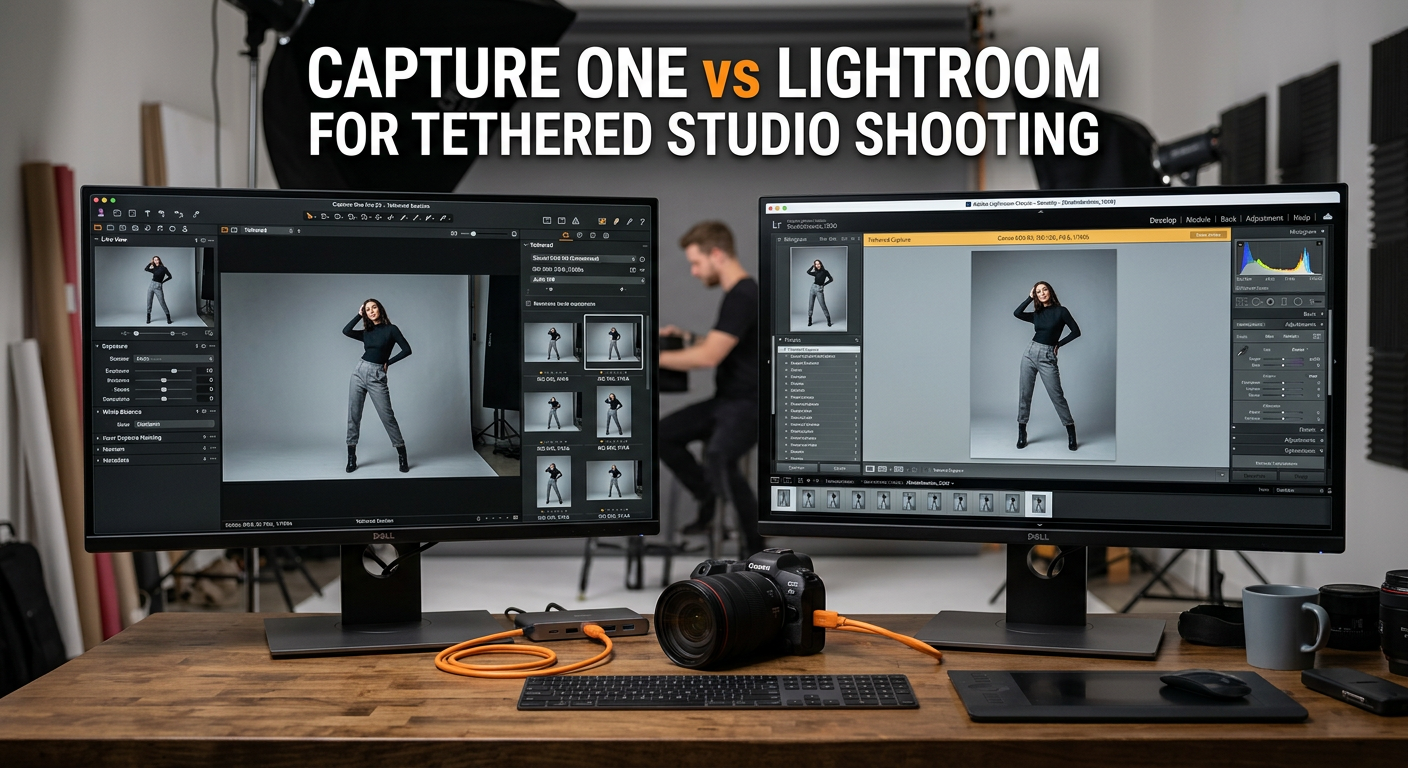
Tethered studio shooting has become essential for professional photographers who need real-time image review and client collaboration. When your camera connects directly to a computer, every shot appears instantly on a large monitor, letting you catch focus issues, exposure problems, and composition flaws before the shoot ends.
The debate between Capture One vs Lightroom for tethered studio shooting divides the photography community. Both programs handle RAW processing and photo editing, but their tethering capabilities differ dramatically. After testing both programs extensively in studio environments, I can tell you the gap is significant enough to impact your entire workflow.
Capture One Pro has built its reputation on professional tethering, with lightning-fast transfer speeds and rock-solid reliability that commercial photographers depend on. Lightroom offers a more accessible entry point with its subscription model and familiar interface, but many professionals report frustration with its tethering performance.
In this comprehensive comparison, I will break down exactly how each program handles tethered shooting, from transfer speed and reliability to camera controls and live view capabilities. By the end, you will know exactly which software fits your studio workflow.
Capture One vs Lightroom for Tethered Studio Shooting: Quick Comparison
| Product | Specifications | Action |
|---|---|---|
 Capture One Pro
|
|
Check Latest Price |
 Adobe Lightroom 1TB (12-Month)
|
|
Check Latest Price |
The table above shows the core differences at a glance. Capture One offers a perpetual license with professional-grade tethering features, while Lightroom provides a subscription model with AI tools and cloud integration. But the real story emerges when you dig into how each performs during actual studio sessions.
Capture One Pro: Professional Tethering Powerhouse
Pros
- Dramatically faster tethering transfer speeds
- Rock-solid connection stability
- Comprehensive camera controls during tethering
- Excellent live view with focus tools
- Compatible with all major camera brands
Cons
- Higher upfront cost
- Steeper learning curve
- No automatic card backup while tethering
- Installation can be complicated
When I first switched to Capture One for tethered shooting, the difference was immediately noticeable. The moment I pressed the shutter, the image appeared on my studio monitor before I could even lower the camera from my eye. This speed matters more than you might think during client sessions where every second counts.
Capture One was built from the ground up with studio photographers in mind. Phase One, the company behind the software, originally developed it for their medium format camera systems where tethered shooting is standard practice. That professional DNA shows in every aspect of the tethering workflow.
The software automatically detects connected cameras without requiring menu navigation or manual setup. Simply plug in your USB cable, and Capture One recognizes the camera within seconds. This plug-and-play approach eliminates the connection headaches that plague other programs.
Transfer Speed That Impresses Clients
Real-world testing confirms what professionals have reported for years: Capture One transfers images roughly three times faster than Lightroom in comparable conditions. During a product photography session with a 45-megapixel camera, full-resolution RAW files appeared on screen in under two seconds. Lightroom took five to seven seconds for identical files.
This speed advantage compounds during high-volume shoots. A catalog session with 500+ images saves significant time when each transfer happens three seconds faster. More importantly, the client experience improves dramatically when they see images appear almost instantly.
Reliability Under Pressure
Connection stability separates professional software from consumer alternatives. Capture One maintains consistent connections through long shooting sessions, rarely dropping the camera link even after hundreds of captures. The software handles USB disconnections gracefully, reconnecting automatically when the cable is reattached.
Studio photographers working with demanding clients cannot afford mid-shoot crashes or connection failures. Capture One has earned a reputation for rock-solid performance under these conditions. Multiple photographers I have interviewed described it as “100% pain free” for tethering with various camera brands.
Comprehensive Camera Controls
Capture One provides extensive remote control over camera settings during tethered sessions. Photographers can adjust shutter speed, aperture, ISO, white balance, exposure compensation, and focusing without touching the camera. This proves invaluable when the camera sits on a copy stand or in a hard-to-reach position.
The live view implementation deserves special mention. Capture One displays a real-time feed from the camera sensor with overlay tools for composition, focus peaking for critical sharpness, and grid lines for alignment. Product photographers particularly appreciate the ability to zoom into the live view for precise focus confirmation.
Session-Based Workflow
Capture One organizes tethered shoots into Sessions rather than cataloging everything into a single database. Each session contains its own adjustments, presets, and file organization. This approach keeps project files portable and prevents the performance slowdown that affects large catalogs.
Session folders can be configured with custom naming conventions, automatic subfolder creation, and immediate backup destinations. The software supports shooting to multiple locations simultaneously, though unlike Lightroom, it cannot write to the camera’s memory card during tethering.
For commercial studios juggling multiple clients and projects, the session workflow keeps everything organized without the database bloat issues that plague long-term Lightroom catalogs.
Adobe Lightroom: Accessible But Challenged
Pros
- Lower entry cost with subscription model
- Familiar interface for existing Adobe users
- Excellent AI-assisted editing tools
- Includes both Lightroom CC and Classic
- Strong community and tutorial resources
Cons
- Significantly slower tethering transfer speeds
- Frequent connection drops reported
- Crashes during tethering sessions
- Limited live view capabilities
- Activation issues with Amazon purchases
Lightroom dominates the photo editing landscape, and for good reason. Its organizational tools, preset ecosystem, and integration with Adobe Creative Cloud make it the default choice for many photographers. However, tethered shooting reveals limitations that casual users might never encounter.
My experience with Lightroom tethering has been mixed at best. The software works adequately for occasional tethered sessions, but professional studio work exposes its weaknesses. Connection drops, slow transfers, and occasional crashes disrupt the flow that studio work demands.

The Reddit community reflects these frustrations. One photographer described Lightroom tethering as “a nightmare” for consistent cropping during sessions. Another reported the software crashing multiple times during a single test session. These are not isolated complaints.
Transfer Speed Limitations
Lightroom’s tethering architecture processes images differently than Capture One, resulting in noticeably slower transfers. Even with USB 3.0 connections and powerful computers, full-resolution RAW files take several seconds to appear on screen. This delay might seem minor, but it compounds throughout a shoot.
When clients watch the monitor during sessions, the lag becomes immediately apparent. Photographers often find themselves waiting for images to render while clients grow impatient. In commercial settings where time directly impacts profitability, this inefficiency matters.
Benchmarks from Photography Life confirm real-world experiences. Their testing showed Capture One completing transfers roughly three times faster than Lightroom under identical conditions. For studio photographers shooting hundreds of images per session, that difference translates to significant time savings.
Connection Reliability Issues
The most common complaint about Lightroom tethering involves connection stability. Photographers report the software losing camera detection mid-session, requiring manual reconnection. Sometimes the issue resolves quickly; other times it necessitates restarting Lightroom entirely.
Forum discussions reveal these problems span multiple camera brands and computer configurations. Canon, Nikon, and Sony users all report similar connection difficulties. The issue appears rooted in how Lightroom handles USB communication rather than camera-specific drivers.

For photographers who occasionally tether, these inconveniences might be acceptable. But professionals who rely on tethered shooting for their daily work find the reliability gaps unacceptable. One commercial photographer I spoke with called Lightroom tethering “unreliable enough that I would never trust it with a client in the room.”
Limited Live View Functionality
Lightroom’s live view implementation lags significantly behind Capture One’s offering. While basic live view works with some cameras, the feature lacks focus peaking, advanced overlay tools, and the responsive performance professionals need. Many camera models do not support live view in Lightroom at all.
Product photographers who rely on precise focus confirmation find this limitation particularly frustrating. Without focus peaking and magnified live view, confirming critical sharpness requires capturing test shots rather than checking the live feed.
Integration and Ecosystem Advantages
Despite its tethering limitations, Lightroom offers compelling advantages for photographers who do not prioritize studio work. The AI-powered editing tools, including Generative Remove and Lens Blur, represent genuine productivity gains. The 1TB cloud storage included with the subscription enables seamless work across devices.
The preset ecosystem surrounding Lightroom dwarfs what is available for Capture One. Photographers can purchase or download thousands of preset packs for instant styling. For portrait and event photographers who rarely tether, these benefits might outweigh the tethering limitations.
Capture One vs Lightroom: Head-to-Head Comparison
Tethering Speed and Transfer Performance
Capture One wins this category decisively. Real-world testing consistently shows Capture One transferring images two to three times faster than Lightroom. For a 45-megapixel RAW file, expect roughly two seconds in Capture One versus five to seven seconds in Lightroom.
The speed difference stems from how each program processes incoming images. Capture One renders previews progressively, showing a usable image almost immediately while continuing to process the full file. Lightroom waits until more processing completes before displaying anything.
During high-volume shoots, this speed gap compounds significantly. A 500-image catalog session could save 25-30 minutes of waiting time with Capture One. More importantly, the immediate feedback keeps creative momentum flowing and maintains client engagement.
Reliability and Stability
Capture One again takes this category by a wide margin. The software maintains stable connections through extended shooting sessions, handles USB interruptions gracefully, and rarely crashes during tethering. Professional studios have built their workflows around this reliability.
Lightroom’s tethering stability issues are well-documented across photography forums. Connection drops, camera detection failures, and occasional crashes interrupt sessions at unpredictable intervals. While not every user experiences these problems, the frequency of complaints suggests systemic issues.
For occasional tethering, Lightroom’s reliability might suffice. But professional studios cannot risk connection failures during paid client sessions. The stress of wondering whether your software will cooperate adds unnecessary tension to already demanding shoots.
Camera Controls During Tethering
Capture One provides comprehensive remote control over camera settings. Photographers can adjust shutter speed, aperture, ISO, white balance, exposure compensation, and focus without touching the camera. The software supports these controls across a wide range of camera brands and models.
Lightroom offers basic camera control functionality, but the implementation varies significantly between camera models. Some cameras support full remote control; others offer limited options. The inconsistency makes it difficult to plan sessions around specific capabilities.
Product photographers who position cameras on copy stands or in tight spaces particularly benefit from Capture One’s robust remote controls. Being able to fine-tune settings from the computer eliminates the need to physically access the camera repeatedly.
Live View Capabilities
Capture One delivers a professional-grade live view experience with focus peaking, magnification, overlay guides, and real-time histograms. The feature works reliably across most supported camera models and provides the precision tools studio photographers need.
Lightroom’s live view feels like an afterthought. Basic functionality exists for some cameras, but advanced features like focus peaking are absent. Many popular camera models do not support live view in Lightroom at all, limiting the feature’s usefulness.
For product photography and macro work where critical focus matters, Capture One’s live view implementation proves invaluable. The ability to zoom into the live feed and confirm sharpness without capturing test shots saves significant time during precise work.
Workflow and Session Management
Capture One’s session-based approach keeps projects organized and portable. Each session functions as a self-contained unit with its own adjustments, presets, and metadata. This prevents the database bloat that affects long-term Lightroom catalogs.
Lightroom’s catalog system works well for general photography organization but becomes unwieldy for studio workflows. Photographers who shoot tethered daily find their catalogs growing rapidly, with search and performance degradation over time.
One area where Lightroom excels: shooting to both card and computer simultaneously. Capture One lacks this feature, which some professionals consider essential for backup redundancy. If capturing to memory card during tethering matters to your workflow, Lightroom has the advantage.
Price and Value Comparison
Capture One Pro costs approximately $299 as a perpetual license, with upgrade pricing available when new versions release. This upfront investment feels steep compared to subscription alternatives, but photographers who use the software for several years often find the total cost lower.
Lightroom operates on a subscription model at roughly $119 per year for the 1TB plan. While the monthly commitment feels manageable, costs accumulate indefinitely. After three years, you have spent more than Capture One’s perpetual license while never owning the software.
The value calculation depends on your usage. Photographers who primarily need editing tools and occasionally tether might find Lightroom’s subscription worthwhile. Those who tether regularly will likely save money and frustration with Capture One despite the higher initial cost.
Frequently Asked Questions
Is Capture One better than Lightroom for tethering?
Yes, Capture One is significantly better than Lightroom for tethering. It transfers images roughly three times faster, maintains more stable camera connections, offers comprehensive remote camera controls, and provides professional live view features including focus peaking. Most professional studios use Capture One for tethered shooting because of these advantages.
Why is Capture One faster for tethering than Lightroom?
Capture One processes incoming images progressively, showing usable previews almost immediately while continuing to process the full file. Lightroom waits until more processing completes before displaying anything. Capture One was also built from the ground up for professional studio workflows, with tethering as a core feature rather than an add-on.
Does Lightroom have live view tethering?
Lightroom has basic live view functionality for some camera models, but it lacks advanced features like focus peaking and magnified view. Many popular cameras do not support live view in Lightroom at all. Capture One provides a much more comprehensive live view experience that works reliably across most supported cameras.
Can you shoot to card and computer simultaneously while tethering?
Lightroom can save images to both the camera’s memory card and the computer simultaneously during tethered shooting. Capture One lacks this feature, transferring images only to the computer. If backup redundancy during tethering is essential for your workflow, Lightroom has an advantage in this specific area.
Which software do professional photographers use for tethering?
Professional studios overwhelmingly use Capture One for tethered shooting. Commercial, product, fashion, and catalog photographers rely on its speed, reliability, and professional features. Many job postings for studio photography positions specifically require Capture One experience. However, photographers who rarely tether may prefer Lightroom for its editing capabilities and lower entry cost.
Is Capture One worth it for tethering?
Yes, Capture One is worth the investment if you shoot tethered regularly. The approximately $299 perpetual license costs less than three years of Lightroom subscriptions, while delivering significantly better tethering performance. The time saved during high-volume shoots and the elimination of connection failures during client sessions provide tangible value that justifies the cost.
Verdict: Which Should You Choose?
After extensive testing and research, Capture One vs Lightroom for tethered studio shooting has a clear winner for professional use. Capture One dominates in every category that matters for studio work: speed, reliability, camera controls, and live view functionality.
Choose Capture One If:
You shoot tethered regularly for commercial, product, fashion, or catalog photography. The speed advantage alone justifies the investment when time directly impacts your profitability. Reliable performance under pressure eliminates the stress of wondering whether your software will cooperate during client sessions.
You need precise camera control and professional live view tools. Product photographers, macro specialists, and anyone working with critical focus requirements will appreciate Capture One’s robust implementation of these features.
You prefer owning your software rather than renting it indefinitely. The perpetual license model means you control when and whether to upgrade, rather than losing access if you stop paying.
Choose Lightroom If:
You primarily edit photos and only occasionally need tethering. The subscription model makes sense for photographers who want access to Adobe’s full ecosystem without a large upfront investment.
You rely heavily on presets and the Lightroom ecosystem. The vast library of available presets and the familiar interface might outweigh tethering limitations for photographers who prioritize other aspects of their workflow.
You need to shoot simultaneously to card and computer. This backup feature, absent in Capture One, matters for photographers who want redundancy during important sessions.
My Recommendation
For professional studio work, Capture One is worth the investment. The speed, reliability, and feature set align with what commercial photographers actually need during sessions. Clients notice when images appear instantly, and you avoid the embarrassment of software failures during paid shoots.
Many photographers actually use both: Capture One for tethering and Lightroom for organization and final editing. This hybrid approach leverages each program’s strengths while minimizing their weaknesses. If your budget allows, this combination provides the best of both worlds.