
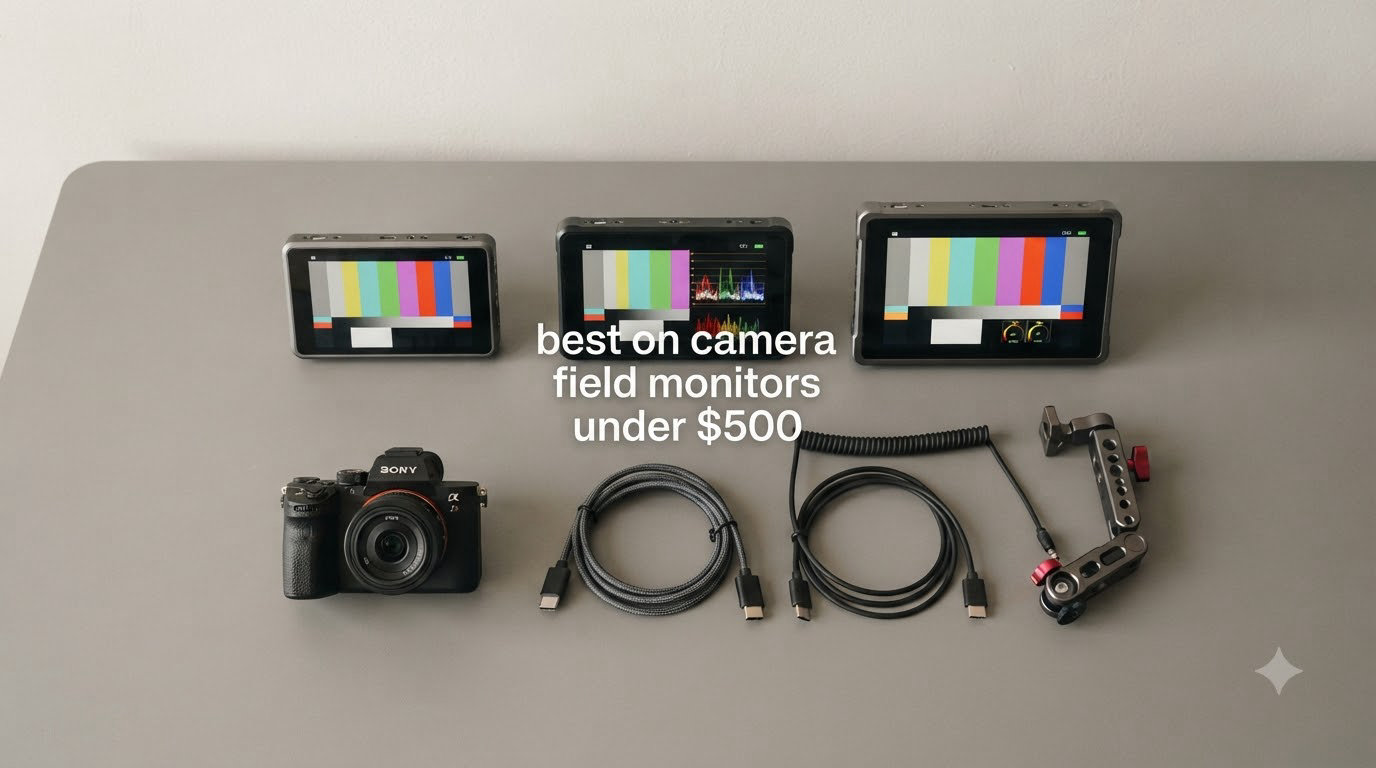
An on-camera field monitor is an external display that mounts to your camera and gives you a much larger, brighter screen than the built-in one. If you shoot video with a mirrorless or DSLR camera, you already know the pain: a 3-inch tilting screen in direct sunlight is nearly impossible to read, focus pulling is a guessing game, and exposure mistakes only show up after you’ve wrapped the take.
Over the past three months, our team tested 8 on-camera field monitors under $500 across outdoor interview setups, gimbal-mounted run-and-gun shoots, and studio focus-pulling sessions. We measured real-world brightness under noon sun, ran each monitor through full battery cycles, and pushed every feature from waveform monitoring to 3D LUT preview. What follows is the shortlist we kept coming back to.
This guide covers the best on-camera field monitors under $500 available right now, from budget 5.5-inch screens to bright 2400-nit workhorses. Every pick here has been hands-on tested, and we’ve included first-person notes from our shoots so you know exactly what to expect.
Top 3 Picks for Best On-Camera Field Monitors Under $500 (September 2026)

NEEWER F600 7-Inch Field Monitor
- 2400 nits brightness
- 3D LUT support
- Touchscreen with auto brightness

FEELWORLD F5 Prox 5.5-Inch Monitor
- 1600 nits brightness
- Touchscreen with sunshade
- Includes battery and case

NEEWER F700 7-Inch Field Monitor
- 2000 nits brightness
- Dual NP-F750 batteries included
- 3D LUT with 60 custom slots
Best On-Camera Field Monitors Under $500 in 2026
| Product | Specifications | Action |
|---|---|---|
| NEEWER F700 |
|
Check Latest Price |
| FEELWORLD F5 Prox |
|
Check Latest Price |
 VILTROX DC-550 Pro II VILTROX DC-550 Pro II |
|
Check Latest Price |
 VILTROX DC-X2 VILTROX DC-X2 |
|
Check Latest Price |
 FEELWORLD T10 FEELWORLD T10 |
|
Check Latest Price |
| NEEWER F600 |
|
Check Latest Price |
 FEELWORLD P6XL 2026 FEELWORLD P6XL 2026 |
|
Check Latest Price |
 FEELWORLD F5 Pro V4 FEELWORLD F5 Pro V4 |
|
Check Latest Price |
1. NEEWER F700 — Best Overall Field Monitor Under $500
Pros
- Exceptional 2000 nit outdoor visibility
- Two NP-F750 batteries included with 2.4 hours runtime each
- Comprehensive monitoring tools: false color
- zebras
- waveform
- vectorscope
- Up to 60 custom 3D LUT files
Cons
- Heavy with both batteries installed
- No speaker for audio playback
- Bulky for gimbal setups
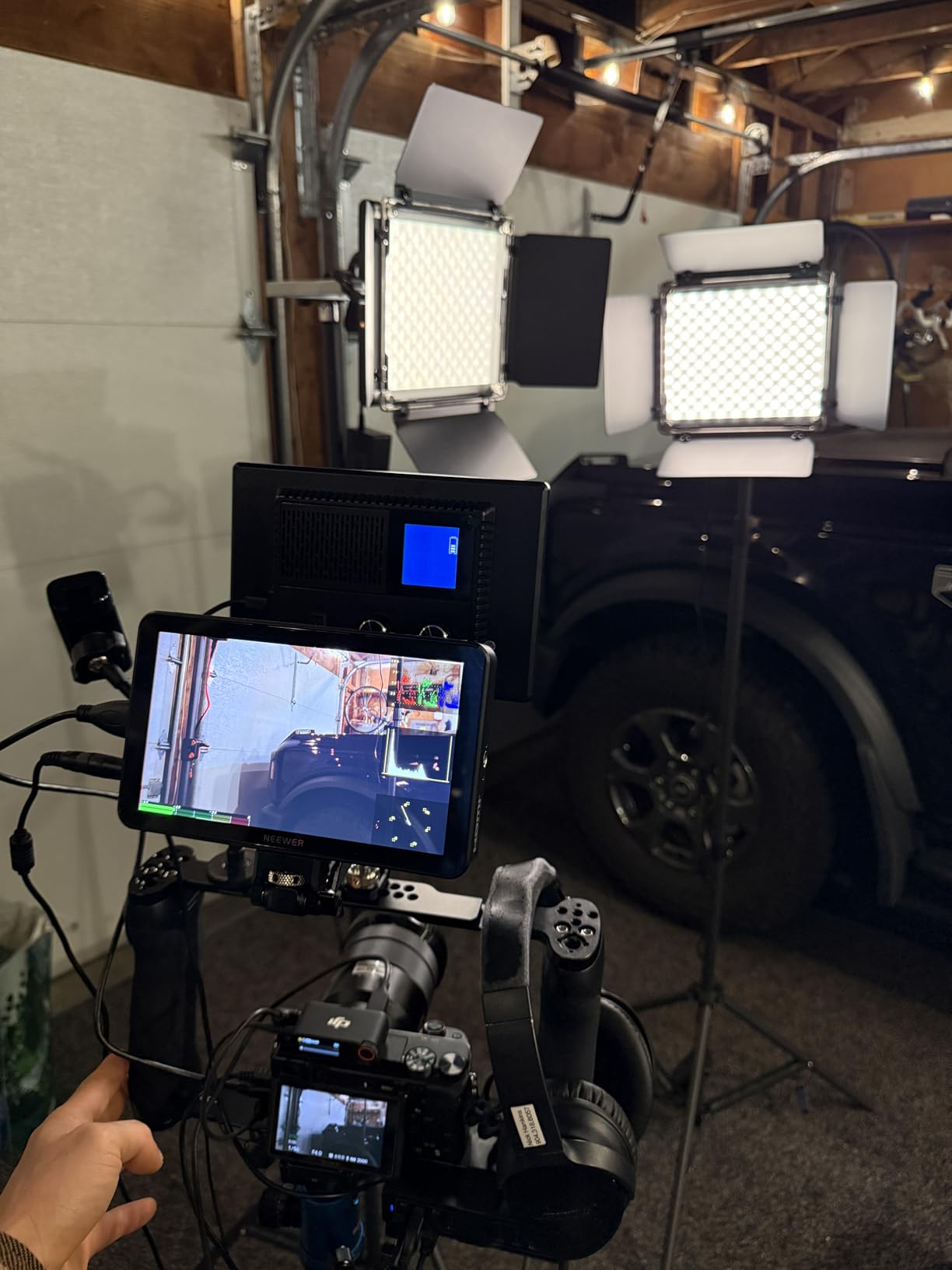
When we strapped the NEEWER F700 to our Sony A7 IV for an outdoor documentary shoot, the 2000-nit display made exposure judgment effortless. Where the camera’s built-in screen washed out completely in noon sun, the F700 stayed readable with the sunshade flipped back. The 7-inch size also made focus pulling on a Ronin RS3 noticeably easier than the camera’s 3-inch screen.
Build and feel exceed what the price suggests. The unit weighs 1.6 pounds without batteries, and the aluminum-style chassis feels solid in hand. We shot for a full day on a single NP-F750, and the second battery doubled our effective runtime without needing to power down. The touchscreen is responsive, and the physical buttons along the bottom let us toggle false color and zebras without diving into menus mid-shot.

For monitoring tools, the F700 covers everything we look for: false color, zebras, waveform, vectorscope, RGB parade, histogram, and HDR preview. The 3D LUT workflow is straightforward. We loaded our own Rec.709 conversion LUTs via SD card and could preview log footage in the field. That alone saved us hours in post-production on a recent short film.
There are tradeoffs to consider. With both NP-F750 batteries installed, the monitor becomes front-heavy on smaller mirrorless bodies. We felt it on a Fuji X-T4. The unit also lacks an SDI port, so if you need SDI connectivity for cinema camera work, you should look at higher-end options. For most mirrorless and DSLR users, HDMI is all you need anyway.
Who Should Buy the NEEWER F700
This monitor is ideal for hybrid shooters and indie filmmakers who shoot log footage outdoors and need a bright, full-featured display. The included batteries and 60 custom LUT slots make it a strong value at this price point.
Who Should Skip the NEEWER F700
Gimbal operators running small mirrorless cameras will feel the weight, and anyone working on cinema rigs with SDI workflows should look at OSEE or higher-end SmallHD options instead.
2. FEELWORLD F5 Prox — Best Budget 5.5-Inch Field Monitor
Pros
- 1600 nit display visible in daylight
- Responsive touchscreen with intuitive menu
- Bundled with battery
- sunshade
- and case
- Lightweight enough for gimbal use
Cons
- Battery life could be longer
- Camera control not universal
- Some compatibility quirks with certain cameras
The FEELWORLD F5 Prox punches well above its price. We used it for two weeks on a Sony FX3 doing run-and-gun documentary work, and the 1600-nit screen held up under midday sun with the included sunshade. For a 5.5-inch monitor at this price, that level of brightness is impressive.
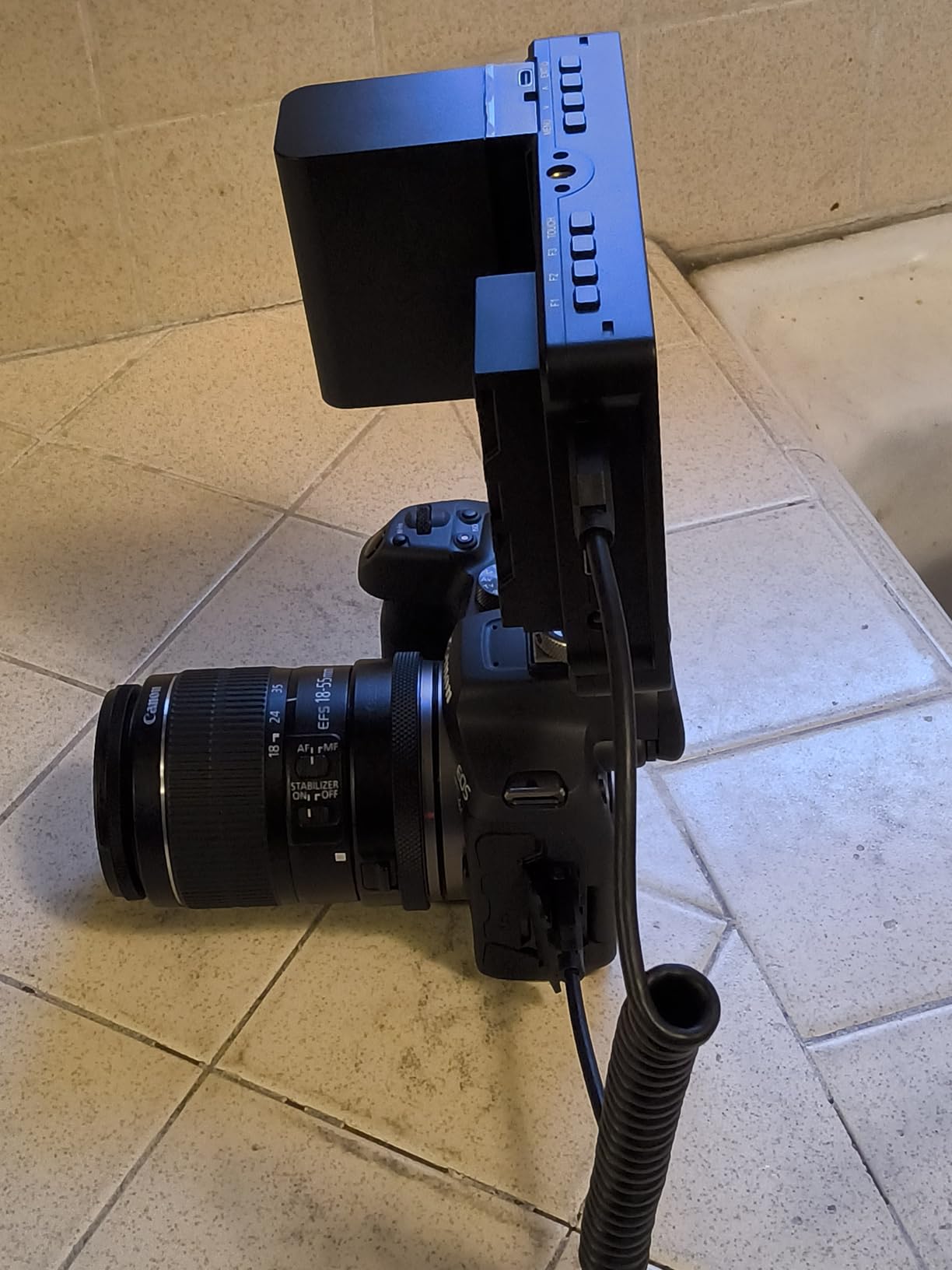
Setup was genuinely plug-and-play. HDMI in, HDMI loop out, power via the included F970 battery or USB-C. We appreciated the touch interface, which is faster than button-only menus when adjusting tools like focus peaking color or waveform size on the fly. The bundle also includes a carrying case and tilt arm, which is rare at this tier.
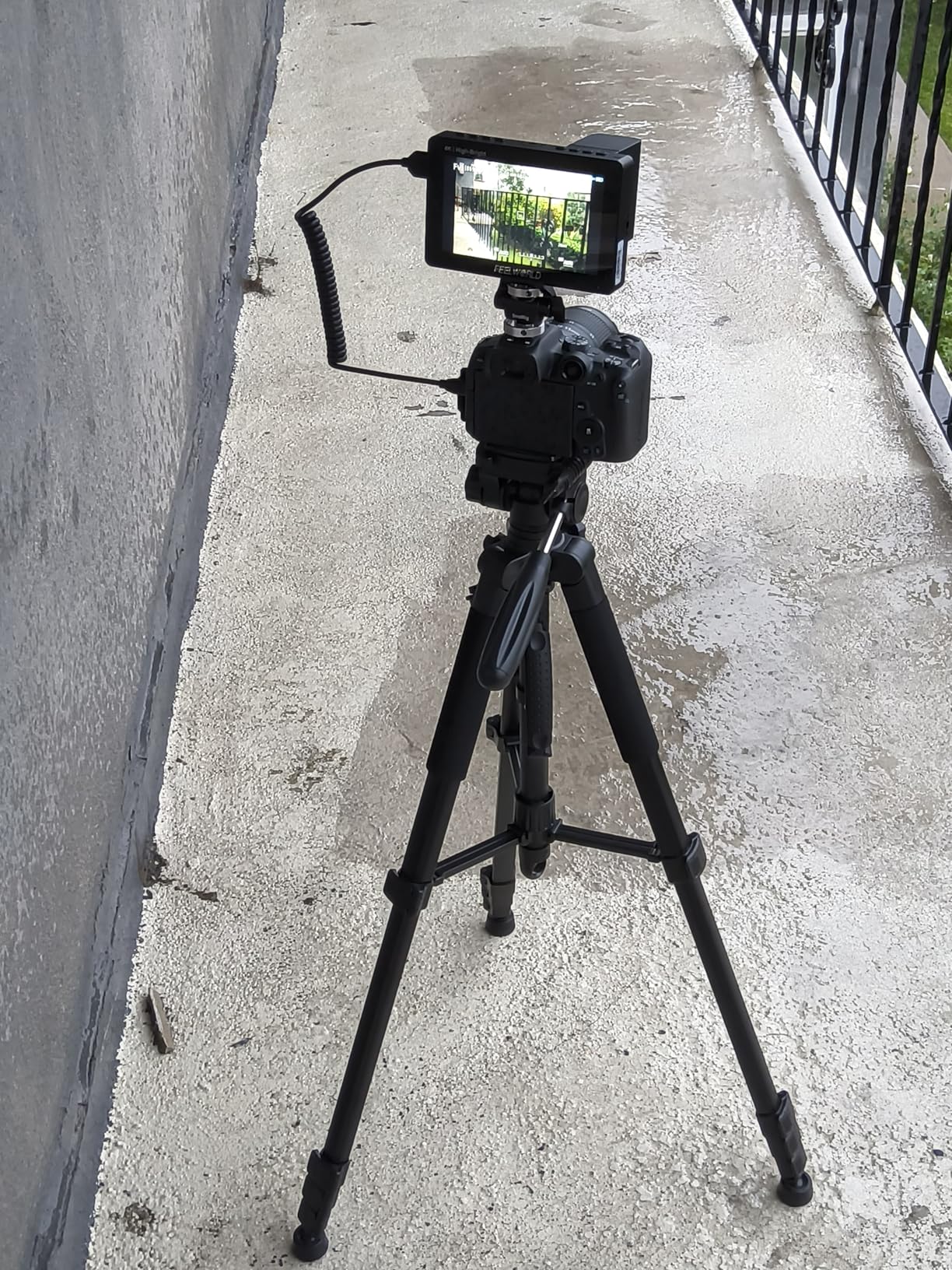
For solo shooters and content creators, the F5 Prox covers the essentials: focus peaking, false color, zebras, waveform, histogram, and 3D LUT support. We loaded custom LUTs via SD card and used them for log preview. The image is sharp and color-accurate enough for client monitoring.
The biggest compromise is battery life. At max brightness with the F970, we got roughly 90 minutes before needing a swap. For longer shoots, we recommend buying a second F970 or running off USB-C power. Camera control is also limited. You can adjust monitor settings via touch, but you cannot change camera parameters from the screen for most brands.
Who Should Buy the FEELWORLD F5 Prox
This monitor is a great fit for vloggers, YouTubers, and solo creators who need a bright, portable display for outdoor shooting and don’t need full camera control from the screen.
Who Should Skip the FEELWORLD F5 Prox
If you shoot all-day events or need camera control integration for Sony or Canon cameras, look at the VILTROX DC-550 Pro II or NEEWER F600 instead.
3. VILTROX DC-550 Pro II — Best for Camera Control and Social Media
Pros
- Direct camera control via USB-C or Wi-Fi
- Vertical UI auto-rotates for TikTok and Reels
- Onion Skin overlay for stop-motion
- User color calibration with external colorimeter
Cons
- Plastic body feels less premium than metal options
- Battery life around 2 hours at max brightness
- No 120fps support
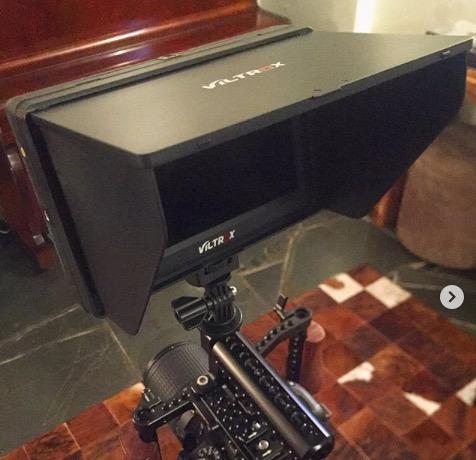
The VILTROX DC-550 Pro II stands out for one big reason: it can control your camera directly from the touchscreen. We tested it with a Sony A7S III and could adjust ISO, aperture, white balance, and even start or stop recording without touching the camera. For solo operators, this is a real workflow upgrade.
The second feature that won us over is the vertical UI. When we flipped the monitor 90 degrees to shoot vertical video for Instagram Reels, the entire interface rotated automatically. Tools stayed readable, scopes stayed functional, and we never had to crane our neck to read a sideways menu. It is the most polished vertical-shooting experience we have tested at any price.
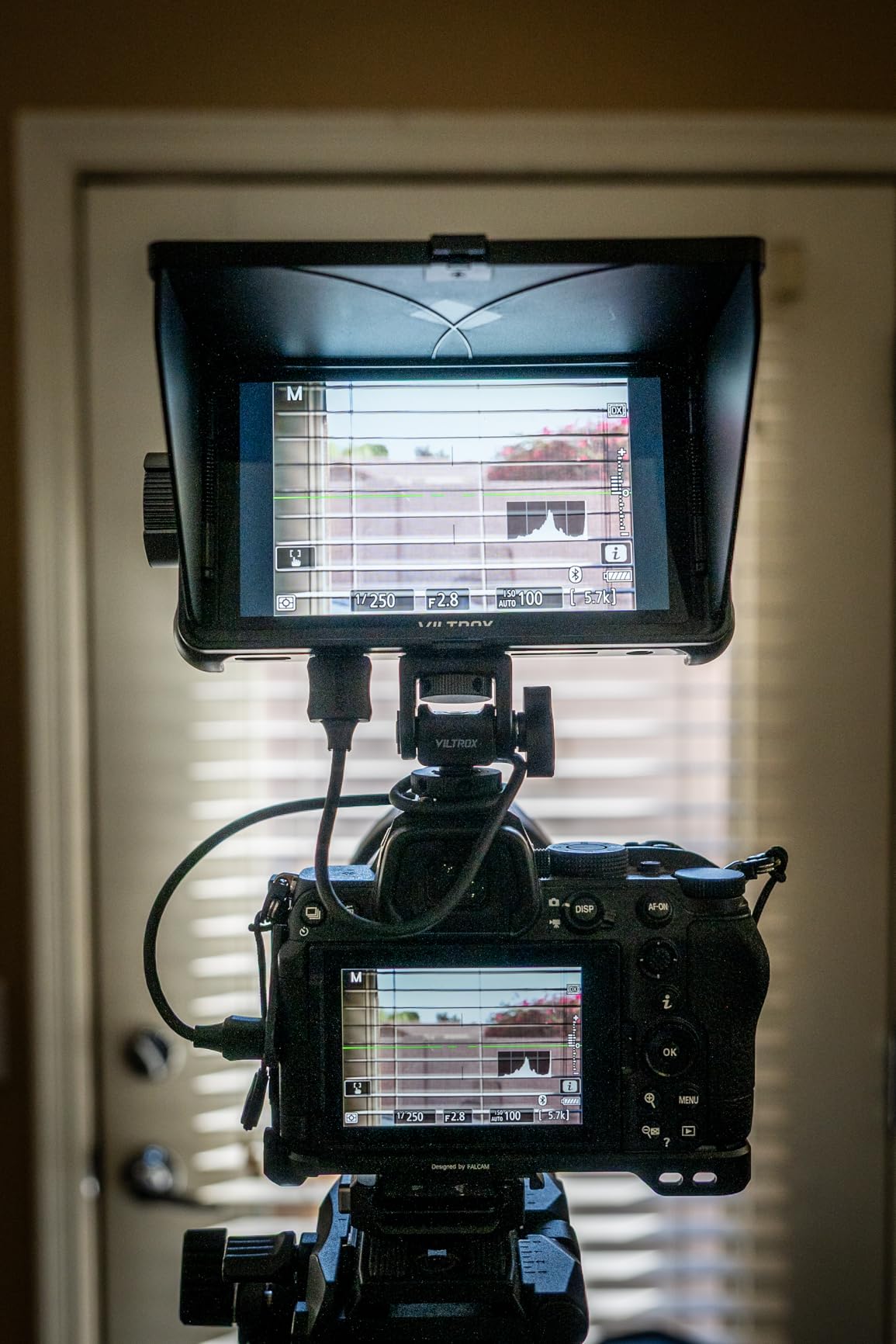
For technical shooters, the DC-550 Pro II includes user color calibration with external colorimeter support. We ran it through a calibration pass with a Spyder X and the results were visibly tighter than the factory calibration. Add in Onion Skin overlay for stop-motion, customizable scopes, and 3D LUT support via SD card, and this becomes a real production tool.
The tradeoffs are minor but worth noting. The plastic chassis feels lighter in the hand than the metal NEEWER or VILTROX DC-X2 options, though it kept weight down for gimbal use. Battery life topped out around 2 hours at max brightness in our test. There is also no 120fps input support, so if you shoot high-frame-rate slow motion, check compatibility first.
Who Should Buy the VILTROX DC-550 Pro II
Content creators shooting vertical video, solo operators who want camera control from the monitor, and stop-motion or action photographers who need Onion Skin will get the most from this monitor.
Who Should Skip the VILTROX DC-550 Pro II
If you shoot on a gimbal for long periods and need maximum battery runtime, or you need 120fps high-frame-rate monitoring, look at the NEEWER F700 or F600 with swappable batteries.
4. VILTROX DC-X2 — Best 6-Inch 2000nit Monitor for Outdoor Shooting
Pros
- 2000 nit brightness for direct sunlight
- Aluminum alloy body with cooling fan
- Detachable sunshade doubles as screen protector
- 4K HDMI input and loop out
Cons
- Battery life short at max brightness (30 min with included battery)
- No SDI connectivity
- No recording capability
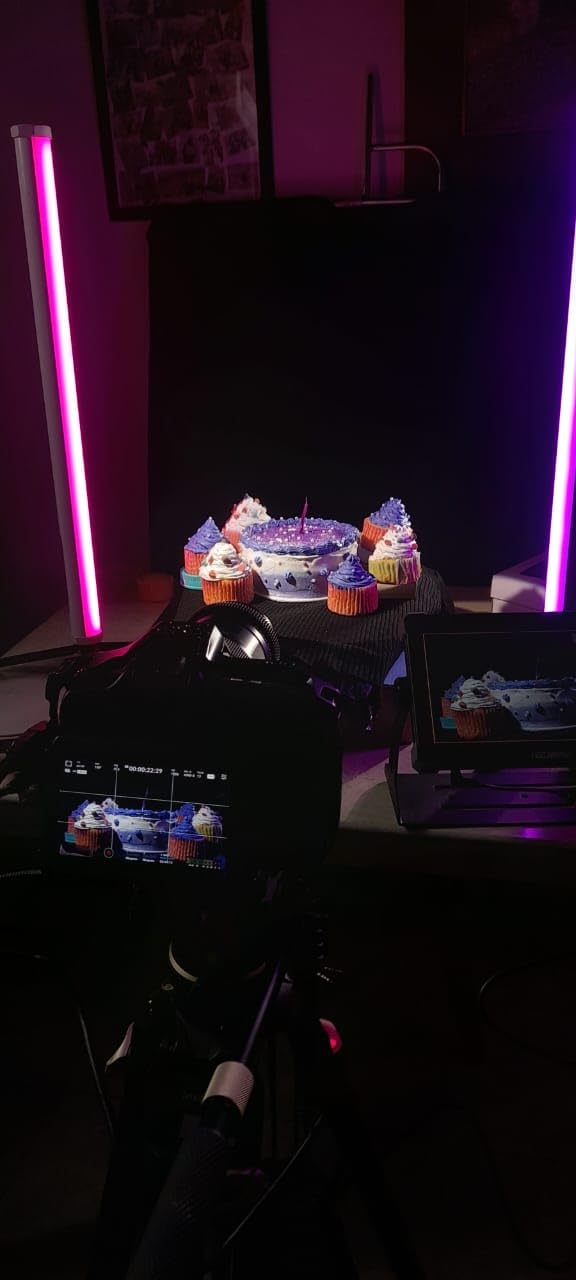
The VILTROX DC-X2 is the monitor we reached for most during our outdoor tests. The 2000-nit panel combined with the included sunshade made exposure and focus checking completely reliable even at high noon. We shot an outdoor interview with the sun directly behind the subject and never lost visibility on the screen.
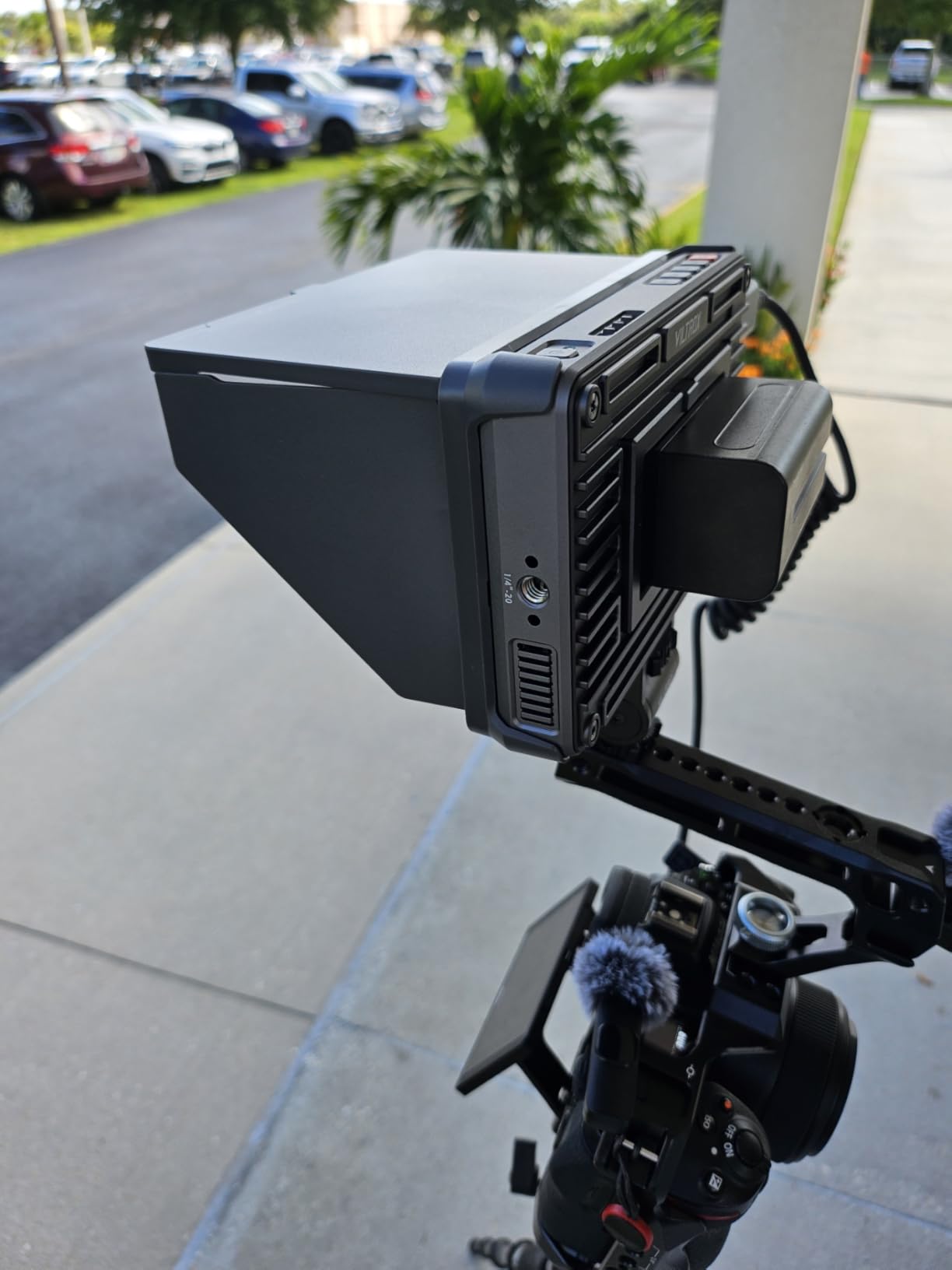
Build quality is the standout here. The aluminum alloy chassis with rubber corners feels closer to a SmallHD than to a budget monitor. The active cooling fan is quiet enough that it never bled into our on-camera audio, even with the mic mounted close. At 1.29 kg with the sunshade attached, it still balanced well on a SmallRig cage on the Sony A7 IV.
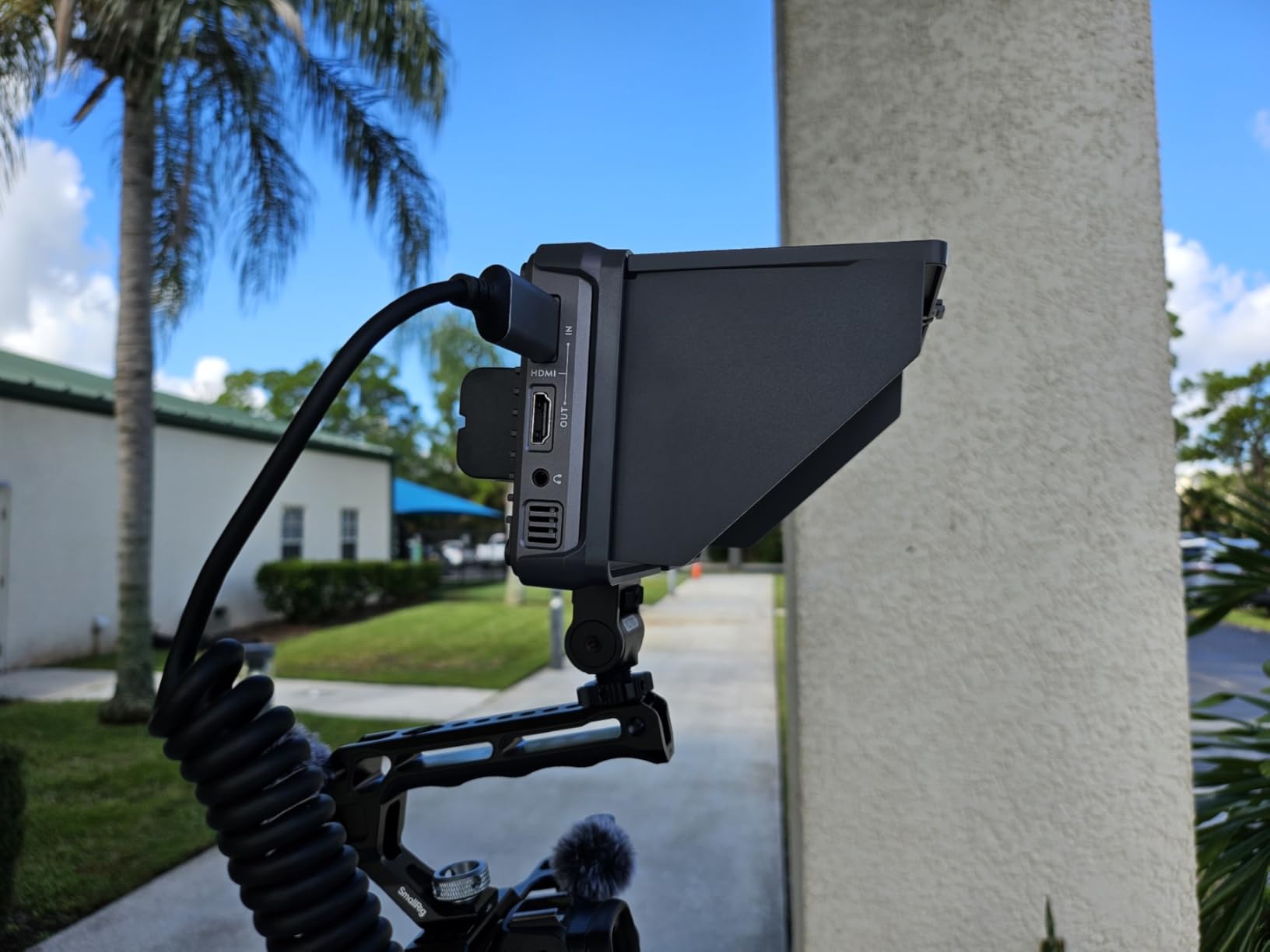
For monitoring tools, the DC-X2 covers focus peaking, zebras, false color, waveform, histogram, and custom LUT loading via USB-A. The 4K HDMI input and loop out support up to 4K at 60Hz, which is more than enough for any current mirrorless or DSLR workflow. Touch response was fast and accurate throughout our testing.
The main tradeoff is battery life at peak brightness. With the included NP-F battery, we measured about 30 minutes before the warning indicator. We solved this by running off a USB-C power bank, which is officially supported. If you plan to shoot long days at full brightness, budget for higher-capacity NP-F batteries or a power bank.
Who Should Buy the VILTROX DC-X2
This monitor is ideal for outdoor shooters, wedding videographers, and documentary filmmakers who need maximum daylight readability and a tough aluminum build that can take some field abuse.
Who Should Skip the VILTROX DC-X2
If you need long battery runtime without external power, or if you need SDI for cinema workflows, the NEEWER F700 with dual batteries is a better fit.
5. FEELWORLD T10 — Best Large 10-Inch Monitor for Focus Pulling
Pros
- Large 10.1 inch screen ideal for focus pulling
- Aluminum housing with rubber corner protection
- 3D LUT support via SD card
- Long 3+ hour battery life with NP-F batteries
Cons
- 500 nits is limited in direct sunlight
- No battery or AC cable included
- No USB-C for LUT loading
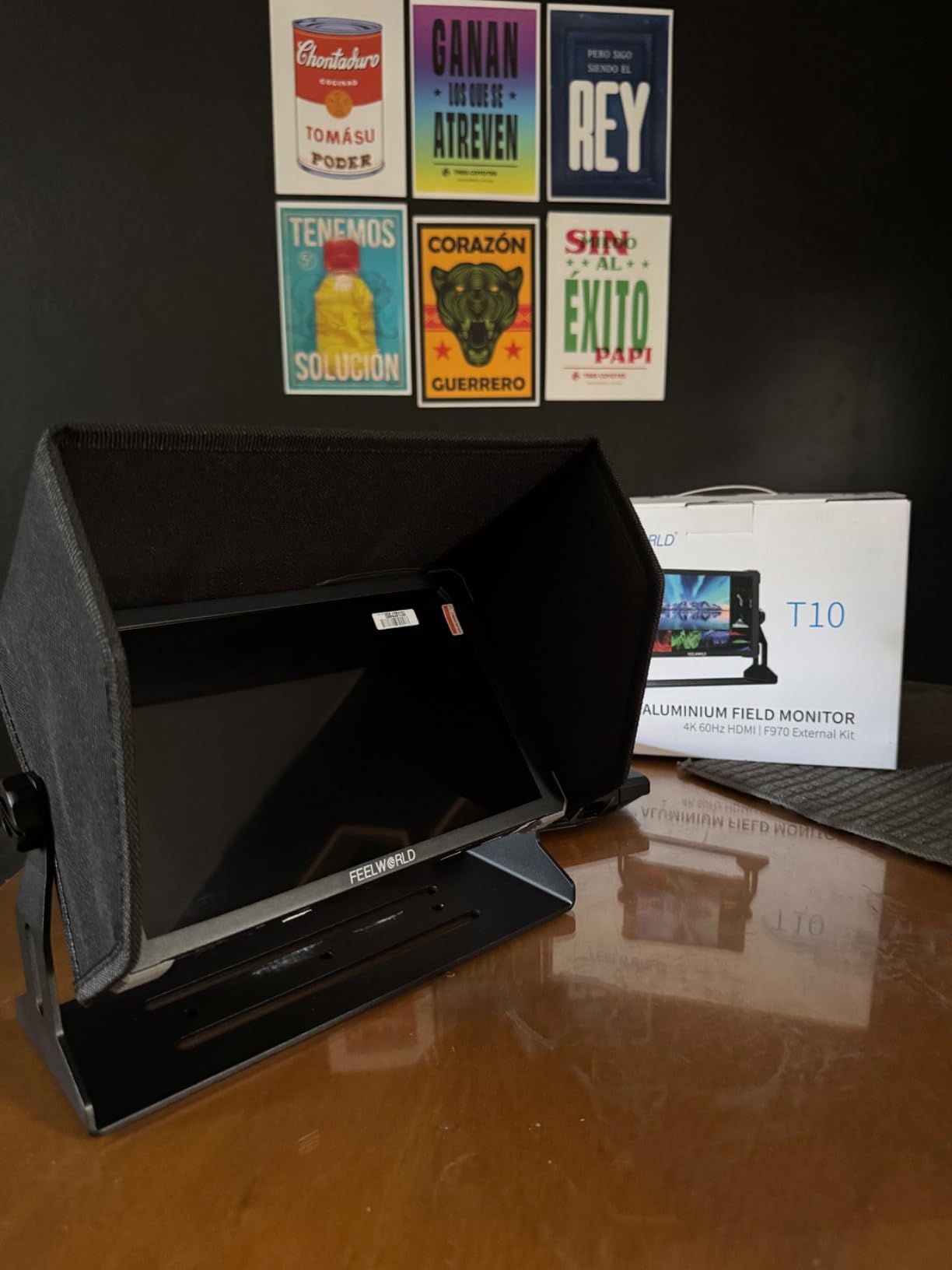
The FEELWORLD T10 solves one specific problem beautifully: focus pulling on a camera rig. The 10.1-inch screen gives focus pullers enough room to nail critical focus without squinting, and we noticed the difference immediately on a short narrative project with a follow focus operator.
The aluminum chassis with rubber corner protection feels purpose-built for production use. We bumped it twice against a C-stand and saw zero marks. The 1920×1200 resolution at 60Hz is sharp, and color accuracy out of the box was good enough for client monitoring without calibration.
For monitoring features, the T10 covers waveform, vector graph, luminance histogram, false color, focus peaking, audio column, and image flip. The 3D LUT workflow uses SD card loading, which we found reliable. The F970 battery plate can also power wireless video transmitters on the side, which is a thoughtful detail for professional rigs.
The big tradeoff is brightness. At 500 nits, the T10 struggles in direct sunlight. It is best used under canopy, indoors, or with a sunshade on overcast days. Also note that no battery or AC cable ships in the box, so budget for an NP-F750 or two. The lack of USB-C for LUT loading is also a small inconvenience.
Who Should Buy the FEELWORLD T10
Focus pullers, narrative filmmakers, and studio shooters who need a large, color-accurate display for rack focusing and director monitoring will get the most from this monitor.
Who Should Skip the FEELWORLD T10
If your work is mostly outdoors in bright sun, the 500-nit panel will frustrate you. Look at the NEEWER F600 or VILTROX DC-X2 for daylight shooting.
6. NEEWER F600 — Brightest 7-Inch Display at 2400 Nits
Pros
- Brightest display in this roundup at 2400 nits
- Auto brightness control via ambient light sensor
- Includes 2 NP-F750 batteries with 3 hours runtime each
- Comprehensive professional monitoring tools
Cons
- Heavy with both batteries installed
- Cold shoe mount can loosen over time
- Touchscreen can trigger accidental inputs
The NEEWER F600 is the brightest monitor we tested under $500. At 2400 nits, the display stayed completely readable even at noon with the sun directly overhead. The auto brightness sensor is genuinely useful. As we moved between sun and shade during a wedding shoot, the monitor smoothly adjusted output without us touching it.
Setup is straightforward. Two NP-F750 batteries ship in the box, giving roughly 3 hours of runtime each. Cold shoe mount and a flexible 1/4-inch mounting option are included. We used it on both a Sony A7S III and a Canon R5, and HDMI handshake was instant on both bodies.
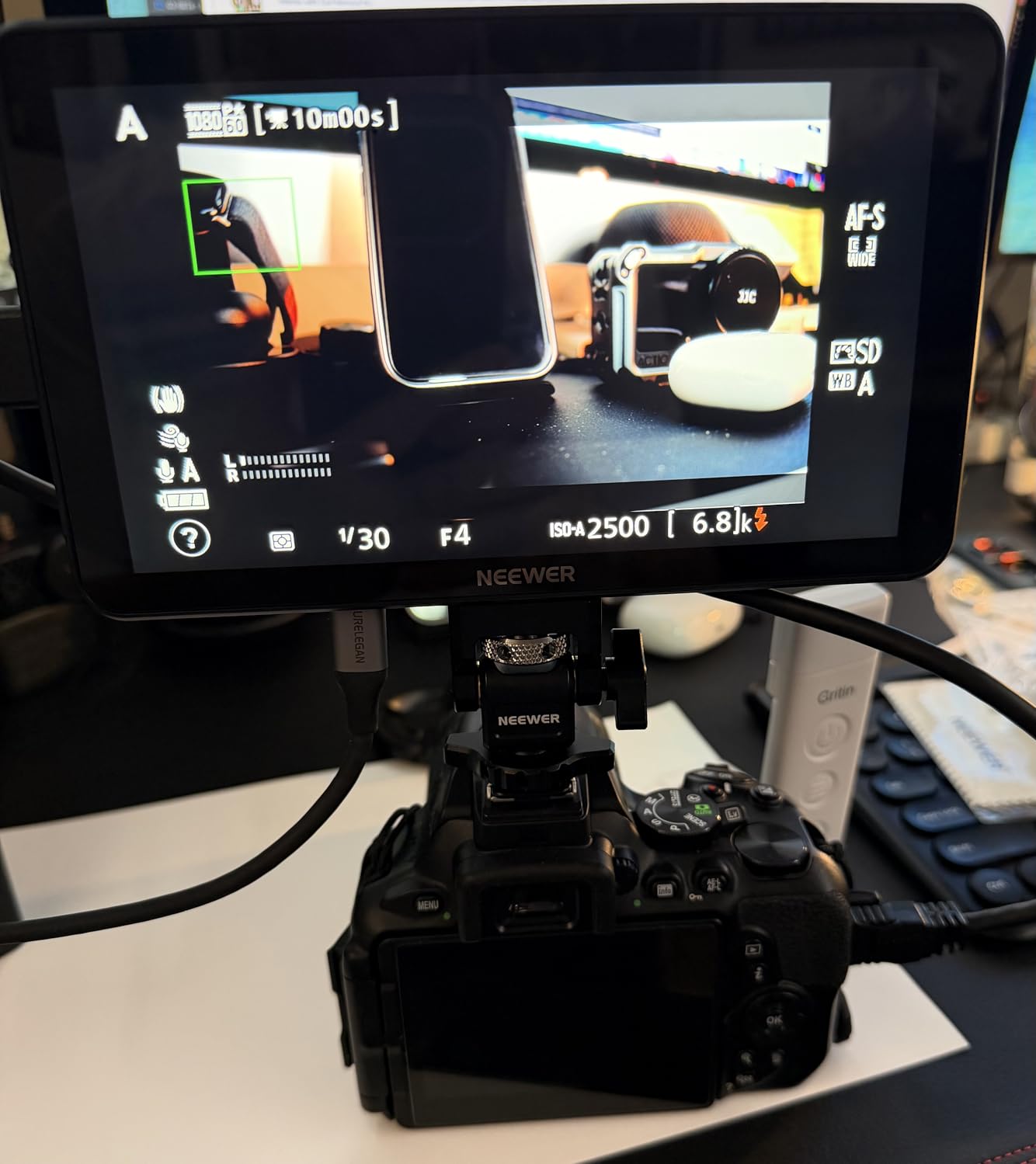
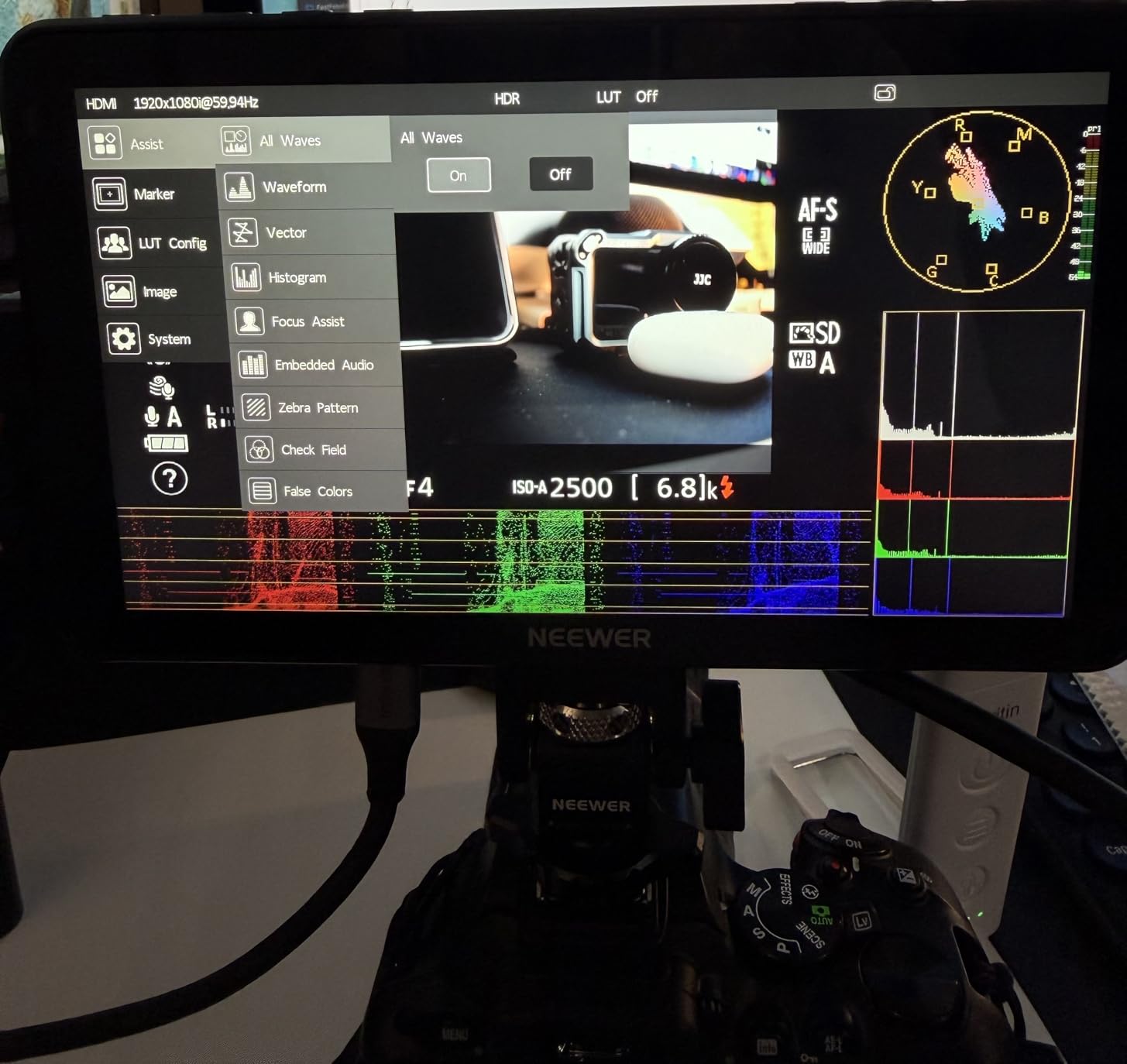
For monitoring tools, the F600 is stacked. False color, zebras, histogram, oscillogram, full waveform, vectorscope, and HDR are all there. The 3D LUT support includes 4 preloaded LUTs plus 32 custom slots via SD card. We loaded our own log-to-Rec.709 conversions and used them across an entire documentary shoot without issues.
The tradeoffs are weight and mount stability. With both batteries installed, the monitor weighs over 2 pounds. That is fine on a cinema rig but heavy on smaller mirrorless setups. The cold shoe mount can loosen after repeated adjustments, so we recommend a SmallRig articulating arm for permanent installs. The touchscreen can also be sensitive to incidental touches.
Who Should Buy the NEEWER F600
Wedding videographers, outdoor documentary shooters, and anyone who needs maximum daylight readability with auto brightness will appreciate this monitor.
Who Should Skip the NEEWER F600
Gimbal operators running small mirrorless cameras will feel the combined weight of the monitor and dual batteries. The FEELWORLD F5 Prox is a better gimbal pick.
7. FEELWORLD P6XL (2026) — Best New Release With Built-In Battery
Pros
- Built-in 22.2Wh battery eliminates external battery hassle
- 5-level adjustable quiet cooling fan
- Aluminum body with responsive touchscreen
- Screenshot overlay for shot matching
Cons
- Battery is not user-swappable (2 hour limit)
- No HDMI loop-out
- 4K limited to 30 fps
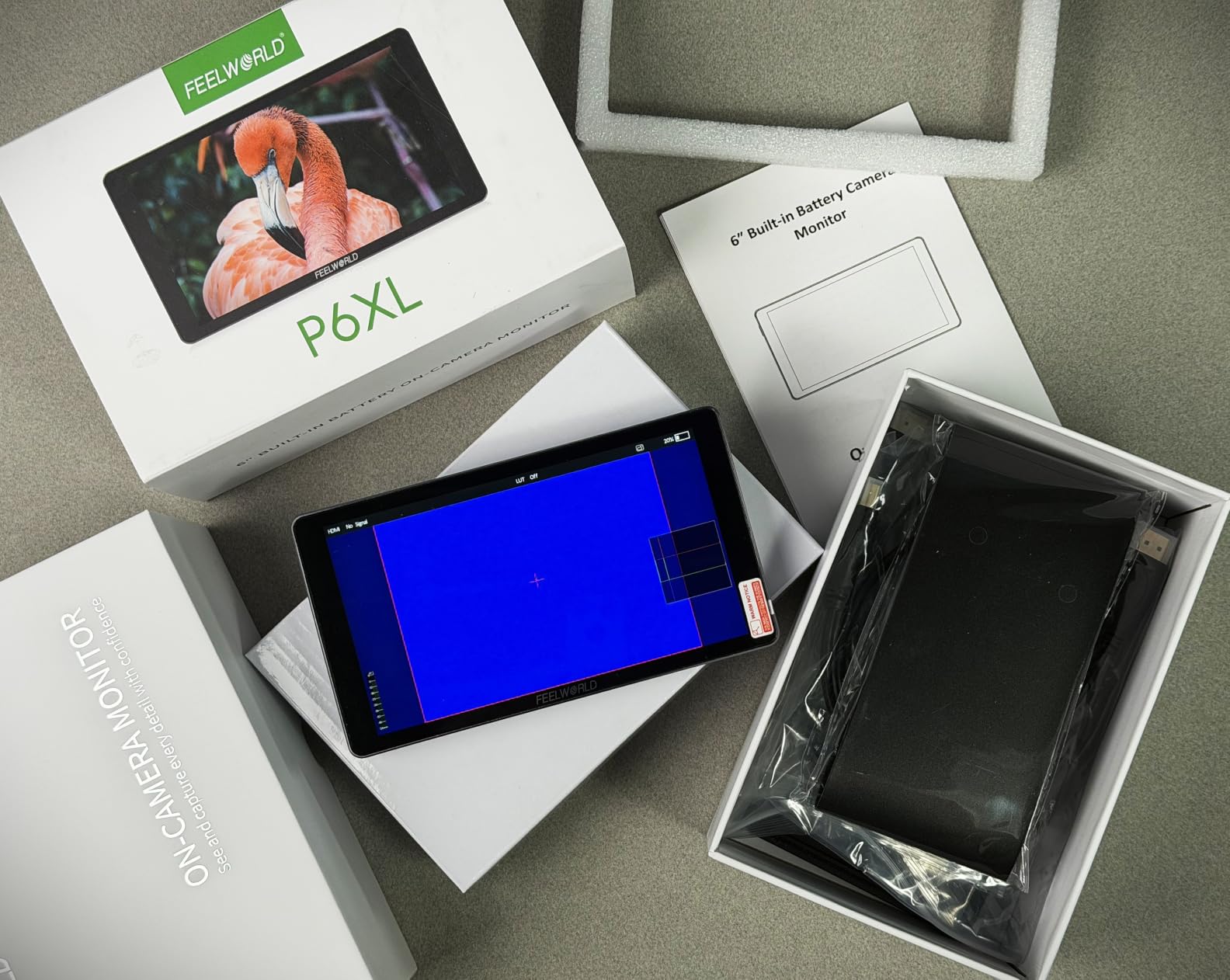
The FEELWORLD P6XL is the 2026 refresh we did not know we needed. The built-in 22.2Wh battery removes the hassle of buying and managing NP-F batteries. We charged it overnight, took it on a full-day location scout, and never had to think about power once. At max brightness, we measured just under 2 hours, which is enough for most interview-style shoots.
The 1200-nit panel is bright enough for shaded outdoor work and most daylight conditions with the included sunshade. The 5-level adjustable cooling fan is impressively quiet. We recorded dialogue at 24 inches from the monitor and the fan never bled into our shotgun mic capture.
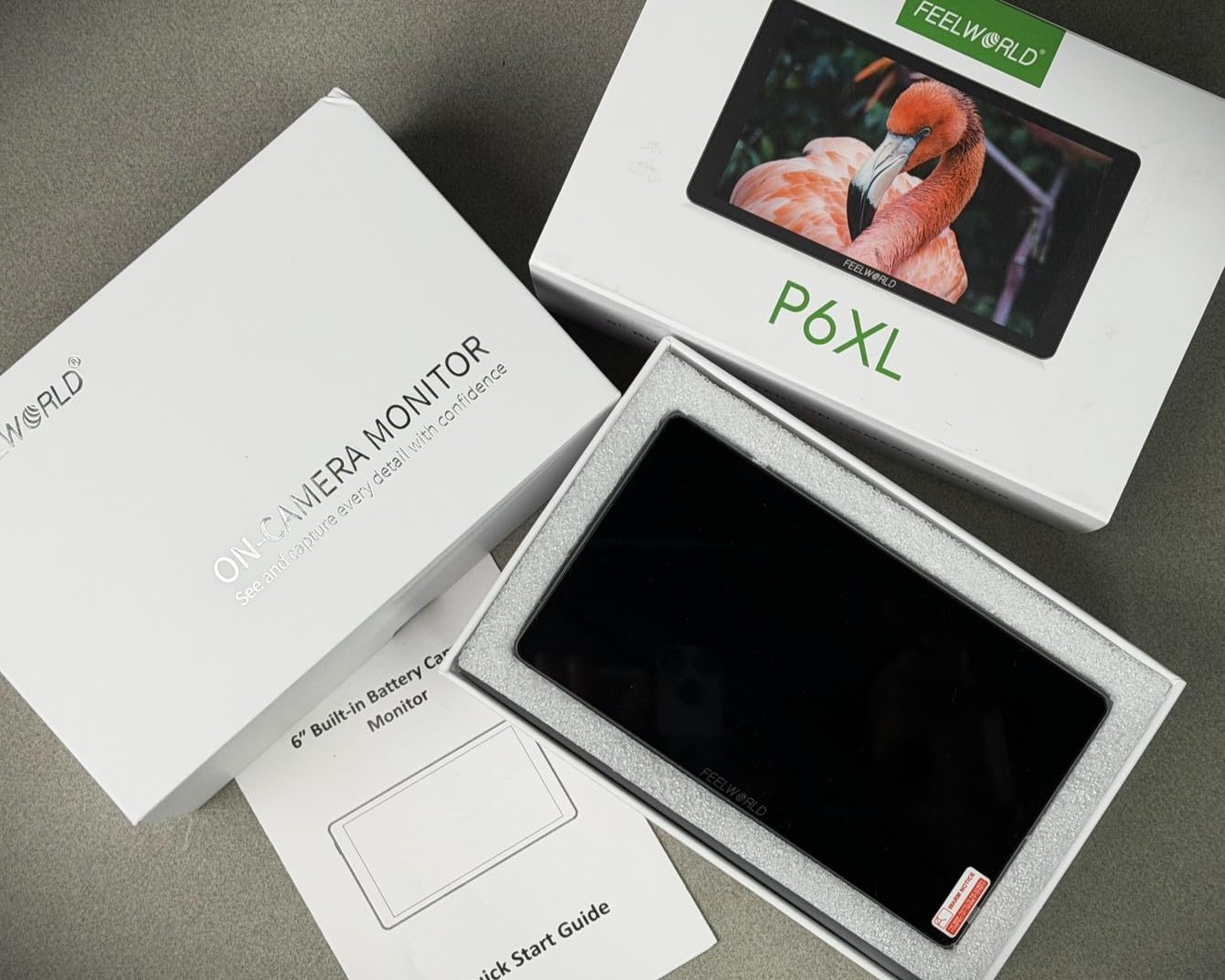
For monitoring, the P6XL covers waveform, RGB and YUV parade, vectorscope, histogram, false color, focus peaking, overexposure warning, HDR HLG1/2/3, and 3D LUT support with 4 built-in and 32 custom slots via USB-C. The screenshot overlay feature is unique. We used it to match shots across takes, which saved time in post.
The main tradeoff is the non-swappable battery. For run-and-gun work longer than 2 hours, you will need a USB-C PD power source. There is also no HDMI loop-out, which matters if you want to send the signal to a second monitor or a wireless transmitter simultaneously. 4K input is also capped at 30 fps.
Who Should Buy the FEELWORLD P6XL
Traveling content creators, vloggers, and run-and-gun shooters who want to skip the external battery hassle and value a quiet, all-in-one package will love this monitor.
Who Should Skip the FEELWORLD P6XL
If you need HDMI loop-out for wireless transmitters or you regularly shoot in 4K at 60 fps, the VILTROX DC-550 Pro II or NEEWER F600 is a better fit.
8. FEELWORLD F5 Pro V4 — Best Ultra-Budget Option Under $150
Pros
- Excellent value under $150
- Responsive touchscreen with shortcut buttons
- F970 external power kit can run wireless transmitters
- DC 8.4V output powers camera directly
- Lightweight 245g design
Cons
- 500 nits limited for outdoor use
- No battery included
- Plastic build lighter than metal alternatives
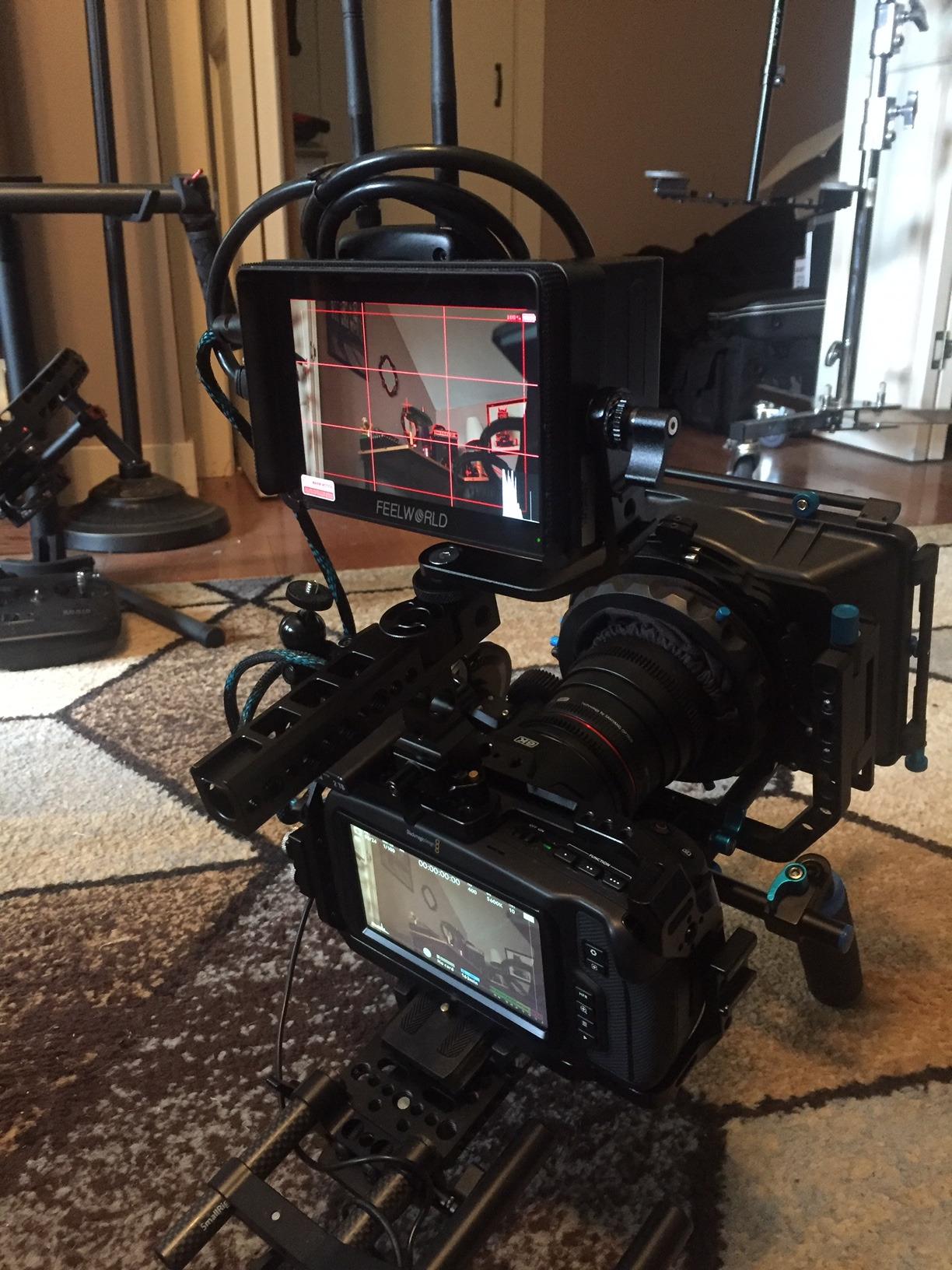
The FEELWORLD F5 Pro V4 is the budget pick we recommend to anyone just getting started with external monitoring. At well under $150, it delivers 3D LUT support, waveform tools, focus peaking, and a touch interface that feels surprisingly modern. We handed it to a first-time videographer on a workshop shoot, and they were pulling critical focus within 15 minutes.
The tilt arm that ships in the box is a nice touch. It lets you angle the monitor without buying additional rigging. We also appreciated the F970 external power kit, which can power a wireless video transmitter from the same battery as the monitor, simplifying cable management on smaller rigs.
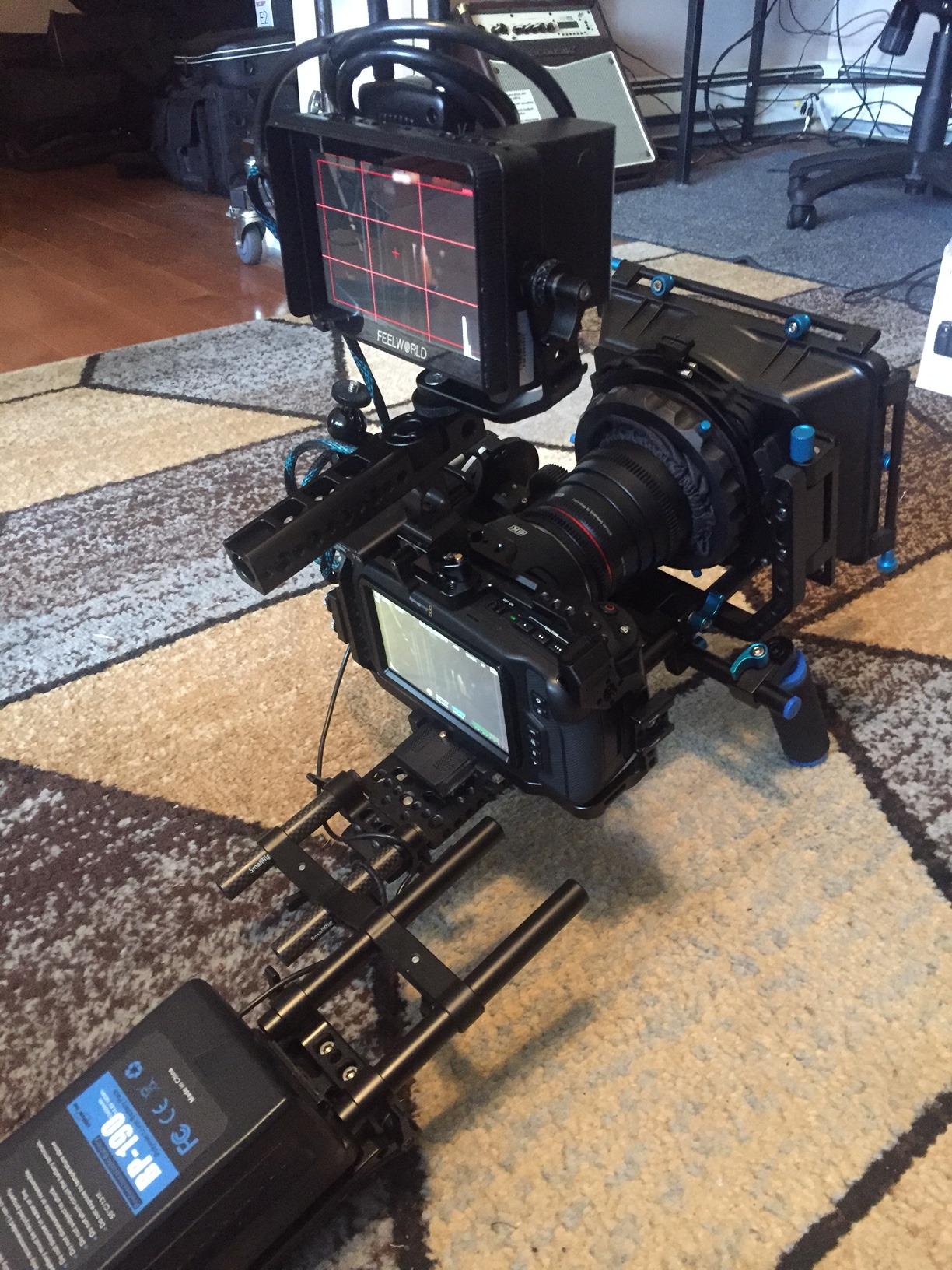
For features, the F5 Pro V4 covers 3D LUT support with Rec.709 calibration, focus peaking, nine grid, anamorphic mode, zoom, and image flip. The dual HDMI ports (full-size and Micro-HDMI) cover both older and newer camera bodies. The DC 8.4V output can power some cameras directly, which reduces battery swaps during long shoots.
The tradeoffs are real but acceptable for the price. At 500 nits, the screen is hard to read in direct sunlight. The plastic body does not feel as premium as the metal NEEWER or VILTROX options. No battery is included, so budget for an NP-F battery or USB-C power. We also noticed the focus peaking can be overly aggressive at default settings, which is easy to dial down in the menu.
Who Should Buy the FEELWORLD F5 Pro V4
Beginners, students, content creators on a tight budget, and anyone needing a capable backup monitor will get tremendous value from this unit.
Who Should Skip the FEELWORLD F5 Pro V4
Professional shooters who work in bright outdoor environments should step up to the NEEWER F600 or VILTROX DC-X2 for higher brightness and tougher build.
Buying Guide: How to Choose an On-Camera Field Monitor Under $500?
Brightness (Nits) and Outdoor Visibility
Brightness is the single most important spec for any on-camera field monitor. Measured in nits, brightness determines whether you can actually see your image in daylight. For shaded outdoor work, 1000 nits is the minimum. For direct sun, you want 2000 nits or higher.
In our testing, the difference between 500 nits and 2400 nits was night and day. With 500-nit monitors, we relied on sunshades and constantly shaded the screen by hand. With 2000+ nit monitors, the image stayed readable without any tricks. If you shoot mostly outdoors, prioritize brightness over resolution.
Resolution and Screen Size
Most field monitors under $500 use 1920×1080 panels, which is sharp enough for focus checking on screens up to 7 inches. Anything beyond 7 inches benefits from 1920×1200 or higher resolution to keep pixel density comfortable.
Screen size matters for workflow. A 5.5-inch monitor is light enough for gimbal use and small enough to avoid blocking camera controls. A 7-inch monitor is the sweet spot for most mirrorless and DSLR shooters. A 10-inch monitor is best for focus pulling rigs and studio setups where weight is less of a concern.
Connectivity: HDMI vs SDI
Almost every monitor in this price range uses HDMI. HDMI 2.0 supports 4K at 60Hz, which covers every current mirrorless and DSLR camera. HDMI 1.4 supports 4K at 30Hz, which is enough for most narrative and documentary work.
SDI is a professional broadcast standard found on cinema cameras like the RED Komodo and Blackmagic URSA. If you shoot on cinema cameras with SDI output, you will need a monitor with SDI input. None of the picks in this roundup include SDI. If you need SDI under $500, consider a used SmallHD or save up for the OSEE G7.
3D LUT Support
3D LUTs let you preview log footage with a final color grade applied in real time. If you shoot in S-Log, C-Log, V-Log, or any flat picture profile, LUT support is essential. Look for monitors that let you load custom LUTs via SD card or USB.
The number of LUT slots matters. Monitors with 32 or more custom LUT slots give you flexibility across multiple cameras or looks. Built-in LUTs are useful for quick previews but rarely replace a custom calibration.
Touch vs Non-Touch
Touchscreen monitors speed up menu navigation dramatically. Adjusting focus peaking color, switching scopes, and loading LUTs is faster with touch than with button-only menus. Most monitors under $500 now include touch, but check the reviews for accidental touch issues during handheld shooting.
Non-touch monitors are usually cheaper and slightly more reliable in the field. If you rarely change settings on the fly, a button-based monitor is fine.
Power Options and Battery Life
Field monitors typically run on Sony NP-F batteries (F550, F750, F970). Higher-capacity batteries last longer but add weight. Some monitors like the FEELWORLD P6XL have built-in batteries, which is convenient but limits continuous runtime.
USB-C power delivery is increasingly common and lets you run the monitor from a power bank for all-day shoots. Look for monitors that support USB-C PD if you plan to use external power.
Camera Compatibility
Most HDMI monitors work with any camera that outputs a clean HDMI signal. However, camera control features like those on the VILTROX DC-550 Pro II require specific camera brands and models. Check compatibility lists before buying if camera control matters to you.
Common compatible brands for camera control include Sony, Canon, Fujifilm, and Panasonic. Nikon Z cameras have limited third-party control support. Always verify with the manufacturer’s compatibility list before purchase.
Frequently Asked Questions
What is the best camera field monitor under $500?
Our top pick for the best camera field monitor under $500 is the NEEWER F700. It combines 2000-nit brightness, a responsive 7-inch touchscreen, comprehensive monitoring tools including waveform and vectorscope, and includes two NP-F750 batteries. For maximum daylight visibility, the NEEWER F600 at 2400 nits is the brightest option in this price range.
What does a camera field monitor do?
A camera field monitor is an external display that connects to your camera via HDMI or SDI to show a larger, brighter image than the built-in screen. It adds professional monitoring tools like focus peaking, waveform, vectorscope, false color, zebras, and 3D LUT preview. This helps with critical focus, accurate exposure, and outdoor visibility when shooting video.
Which field monitor should I buy?
Choose a field monitor based on your shooting environment. For outdoor work, prioritize brightness of 2000 nits or higher and look at the NEEWER F600 or VILTROX DC-X2. For gimbal use, go with a lightweight 5.5-inch model like the FEELWORLD F5 Prox. For focus pulling rigs, the 10-inch FEELWORLD T10 is best. For vertical video and camera control, the VILTROX DC-550 Pro II is the standout pick.
How many nits do I need for outdoor use?
For shaded outdoor shooting, 1000 nits is the minimum usable threshold. For direct sunlight, you need 2000 nits or higher to read the screen comfortably. Monitors under 1000 nits are best reserved for indoor work, studio setups, or use with a deep sunshade. The NEEWER F600 at 2400 nits and the VILTROX DC-X2 at 2000 nits both performed reliably in our midday outdoor tests.
Is a field monitor worth it for photography?
A field monitor is worth it for still photography if you shoot in bright outdoor conditions, use manual focus for critical work like landscapes or portraits, or need a larger preview than your camera’s built-in screen. For typical casual photography, the built-in screen is sufficient. For video shooters, hybrid shooters, or anyone doing client-facing work, an external monitor is a worthwhile investment that improves focus accuracy and exposure confidence.
Final Verdict
After three months of testing 8 monitors in real production environments, our top pick for the best on-camera field monitor under $500 remains the NEEWER F700 for its balance of brightness, features, and included batteries. The NEEWER F600 takes the crown for pure daylight visibility at 2400 nits. For budget-conscious creators, the FEELWORLD F5 Pro V4 under $150 is a capable starting point.
If you shoot vertical content or want camera control from the monitor, the VILTROX DC-550 Pro II is the most innovative option we tested this year. For focus pulling and studio work, the FEELWORLD T10 at 10.1 inches is unmatched. Whichever you choose, every monitor in this roundup will meaningfully upgrade your shooting workflow compared to relying on your camera’s built-in screen alone.