
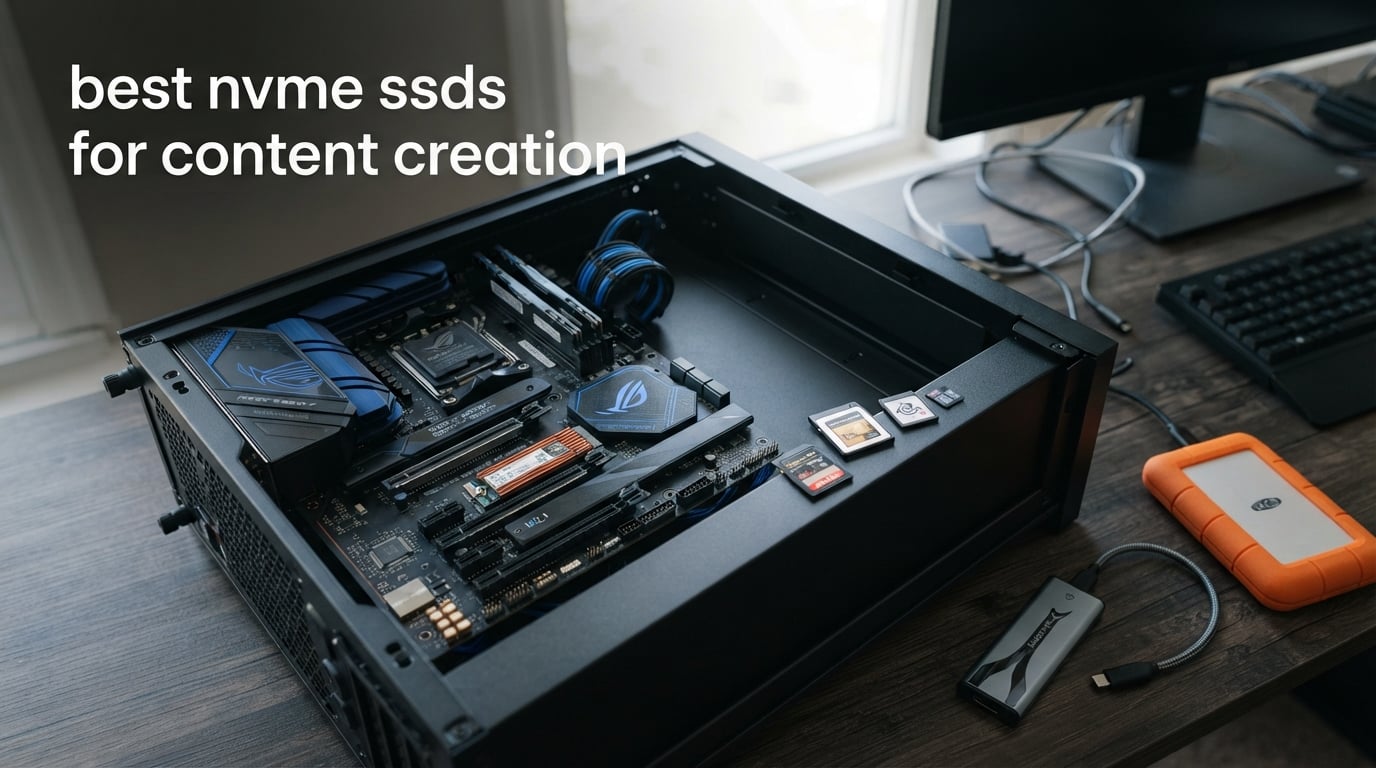
For editors and photographers, the best NVMe SSDs for content creation are the drives that keep an active project responsive without creating a compatibility or heat problem in the process. A fast internal M.2 SSD can shorten large-file transfers, give an editing app quicker access to source media, and make a large catalog feel less held back by storage.
I would start with the computer, not a headline speed. A PCIe Gen4 drive is a sensible match for a Gen4 desktop or laptop, while a PCIe Gen5 x4 drive only reaches its stated class of throughput when the system offers the matching Gen5 x4 M.2 connection.
This guide compares eight internal NVMe drives listed in the supplied product data, from 2TB Gen4 models through 4TB and PCIe Gen5 options. I focus on stated sequential and random-speed figures, capacity, warranty, endurance where it is published, cooling details, management software, and the kind of creator workflow each specification points toward.
The direct answer is that 2TB is a practical starting point for many people editing photos or 4K video, but it is not a backup plan. Keep current projects, application caches, and a working media set on the internal SSD; keep a second copy of valuable footage elsewhere.
Numbers on a box are not the entire story. Forum discussions repeatedly raise the right concerns: whether a drive stays cool during long writes, whether a laptop has room for it, whether TLC NAND is available for demanding use, and whether there is a dashboard for firmware and health checks.
The top 3 picks answer most creator workflows (September 2026)
The Samsung 990 PRO is my all-around Gen4 recommendation because its supplied specifications pair up to 7,450 MB/s reads and 6,900 MB/s writes with a five-year manufacturer warranty. The Lexar NM790 is the compact, efficiency-focused option, while the Samsung 9100 PRO is for a workstation that genuinely has PCIe 5.0 x4 support.
Those picks are not a promise that one drive makes an edit faster in every application. Codec choice, CPU, GPU, memory, source format, scratch-disk settings, and cooling still shape Premiere Pro, DaVinci Resolve, Lightroom, and Blender results.
These eight NVMe SSDs cover content creation in 2026
The comparison below puts all eight supplied drives in one place. Read speed helps describe how quickly media can be fetched, while write speed matters when you are copying camera cards, exporting files, creating proxies, or writing a cache; neither specification replaces a full editing benchmark.
Capacity and interface should come first when two options look close. A 4TB workspace gives a different kind of freedom from a 2TB workspace, and a PCIe Gen5 model needs a desktop or laptop that can support it properly.
| Product | Specifications | Action |
|---|---|---|
 WD_BLACK SN850X 4TB WD_BLACK SN850X 4TB |
|
Check Latest Price |
 Samsung 990 PRO 2TB Samsung 990 PRO 2TB |
|
Check Latest Price |
 Crucial P310 2TB Crucial P310 2TB |
|
Check Latest Price |
 Samsung 990 EVO Plus 2TB Samsung 990 EVO Plus 2TB |
|
Check Latest Price |
 Samsung 9100 PRO 2TB Samsung 9100 PRO 2TB |
|
Check Latest Price |
 Acer Predator GM7 2TB Acer Predator GM7 2TB |
|
Check Latest Price |
 Lexar NM790 2TB Lexar NM790 2TB |
|
Check Latest Price |
 WD_BLACK SN8100 2TB WD_BLACK SN8100 2TB |
|
Check Latest Price |
1. The WD_BLACK SN850X 4TB is the capacity-first Gen4 workspace choice
Pros
- 4TB capacity
- TLC 3D NAND
- WD_BLACK Dashboard
- Adaptive thermal management
Cons
- Heatsink only on selected capacities
- No customer images supplied
The supplied SN850X model is a 4TB M.2 2280 PCIe x4 drive with up to 7,300 MB/s read speed and a five-year limited warranty. For a creator who wants one internal workspace for an active photo library, video cache, project files, and source clips, 4TB is its defining advantage over the 2TB choices here.
WD_BLACK lists TLC 3D NAND, capacities up to 8TB across the line, predictive loading, overhead balancing, and adaptive thermal management. I would treat those management claims as useful drive features, not as a reason to skip sensible case airflow or the M.2 heatsink included with many desktop motherboards.
The provided product record lists an optional heatsink version for sustained peak operation, though it also says heatsink availability is limited to the 1TB and 2TB models. That detail matters: confirm the exact capacity and variant before assuming a heatsink comes in the box.
This drive suits a creator who needs one large active workspace
A 4TB internal SSD makes the most sense when the live media set is too large to keep shuffling on and off a smaller drive. It is especially appealing for photo shoots with high-resolution originals, several current client jobs, or a long-form project that needs proxies, renders, and source media close together.
The WD_BLACK Dashboard offers monitoring and RGB controls, which gives a desktop user a clear place to check drive status. I like a dashboard most when it is used for firmware updates and health checks, not when it becomes another app left running without a reason.
This drive needs a desktop slot and a backup routine
The M.2 2280 form factor and PCIe x4 interface are standard for many desktops and laptops, but physical fit and access differ from one machine to another. Check the manual for an available M.2 2280 slot, shared PCIe-lane behavior, and clearance for any motherboard thermal cover.
Four terabytes is working storage, not archival protection. I would keep at least one separate copy of irreplaceable footage and photos, because a fast internal SSD cannot replace a backup made to another drive or location.
2. The Samsung 990 PRO 2TB is the balanced Gen4 editing recommendation
Pros
- High Gen4 throughput
- 5-year warranty
- Efficient design
- Up to 4TB line
Cons
- 2TB may fill quickly
- Gen4 platform required for full class speeds
The Samsung 990 PRO 2TB is the straightforward pick when you want a mature PCIe Gen4 M.2 2280 drive with stated speeds up to 7,450 MB/s read and 6,900 MB/s write. The source data calls it suitable for heavy-duty workstations and identifies capacities from 1TB to 4TB, so it has a clear path if 2TB proves too tight.
Samsung states a 55% random-performance improvement over its 980 PRO and a 50% improvement in performance per watt. Random access is relevant to an SSD for Lightroom catalogs, application files, cache folders, and projects with many small assets, though the actual experience still depends on the rest of the workstation.
For the best NVMe SSDs for content creation on a Gen4 system, this is the model I would put at the top of a short list. Its specification mix is better aligned with a mixed photo, video, and workstation role than with chasing a Gen5 speed figure a Gen4 board cannot expose.
This drive fits a balanced photo and video workstation
Two terabytes is a clean starting point for an operating system, creative applications, current projects, and a cache or scratch area if you manage completed work elsewhere. A photographer can keep a current catalog and active originals on the drive; a video editor can reserve free capacity for media caches and exports.
The supplied listing also notes desktop, laptop, and PlayStation 5 compatibility. For a creative computer, the important part is the M.2 2280 PCIe x4 slot and the host system’s supported PCIe generation, not the console compatibility.
This drive needs free space to remain a comfortable workspace
Raw video, multicamera media, high-frame-rate footage, and proxy files can absorb 2TB much sooner than expected. Leaving breathing room is sensible because an SSD pressed close to full capacity gives you less flexibility for a cache, an export, and the next card ingest.
The five-year manufacturer warranty is a positive part of the record, but it should not be confused with data recovery. A warranty addresses the drive, while backup planning protects the content stored on it.
3. The Crucial P310 2TB is the flexible Gen4 upgrade with recovery software
Pros
- Gen3 backward compatibility
- Acronis recovery software
- 5-year warranty
- Broad device support
Cons
- Lower listed write speed than leaders
- No customer images supplied
The Crucial P310 provides up to 7,100 MB/s reads and 6,000 MB/s writes in a 2TB M.2 2280 format. Those figures place it firmly in fast PCIe Gen4 territory for moving source files and serving an active editing workspace, even if its listed write rating is lower than a few other Gen4 drives in this roundup.
Its broad compatibility is a practical strength in a real upgrade. Crucial lists laptop, desktop, workstation, gaming-console, and backward-compatible PCIe Gen3 support, so I would consider it where the host may be older today but still needs a modern M.2 SSD.
The included Acronis Data Recovery Software is a distinct feature in the supplied data. It is useful to have a recovery-oriented tool available, but I would not let it replace a verified backup of active client work before modifying partitions or migrating an operating system.
This drive fits an upgrade across different computer generations
The PCIe Gen3 backward compatibility makes the P310 easier to recommend when you are not building a new Gen4 workstation from scratch. A Gen3 system will not produce Gen4-class throughput, but the drive can still be installed if the M.2 slot and firmware support it.
For a creator with a primary desktop and a second laptop, a common 2280 format can simplify planning. Verify each computer separately, because a compatible physical slot does not automatically mean the same lane count or cooling arrangement.
This drive needs realistic expectations about host limits
Up to 7,100 MB/s describes the drive’s advertised maximum read speed, not a guaranteed transfer rate from every camera card, external device, or network location. The slower side of a copy operation sets the pace, and many media transfers are limited outside the SSD.
The product record gives this model a 4.7 rating from more than 10,000 reviews and a five-year limited warranty. Those data points are useful signals, but the technical fit still matters more than a fraction of a rating point when choosing storage for a specific system.
4. The Samsung 990 EVO Plus 2TB is the adaptable Gen4 and Gen5 x2 option
Pros
- Dual interface support
- TurboWrite 2.0
- Nickel-coated controller
- Magician software
Cons
- Gen5 x2 is not Gen5 x4
- No customer images supplied
The Samsung 990 EVO Plus is unusual in this group because the supplied specifications identify PCIe Gen4 x4 and PCIe Gen5 x2 compatibility. It is rated for up to 7,250 MB/s reads and 6,300 MB/s writes, which makes it a sensible option for a person whose system configuration calls for one of those interface modes.
Samsung lists HMB technology and Intelligent TurboWrite 2.0 for large-file performance. For content creator storage, I read that as a reason to look at the drive for active transfers and projects, while still recognizing that cache behavior, free capacity, thermals, and the host connection affect long sustained jobs.
The nickel-coated controller is included as a thermal-efficiency feature, and Samsung Magician provides drive health monitoring and firmware updates. That software support is a worthwhile convenience when the SSD is the home of active work rather than a rarely touched secondary volume.
This drive fits a system with a specific mixed-generation slot
Choose this model when your motherboard or laptop documentation points to Gen4 x4 or Gen5 x2 operation and you want a current 2TB M.2 2280 drive. The important distinction is that Gen5 x2 uses two lanes, so it should not be compared as though it were a full Gen5 x4 solution.
It can also make sense for someone who values a supported monitoring application. Magician can help you check firmware and status, which is a calmer workflow than discovering a problem only after a drive starts behaving unexpectedly.
This drive needs an interface check before a speed comparison
PCIe labels can look more complicated than they are. Four Gen4 lanes and two Gen5 lanes are different connection arrangements, so the drive’s listed 7,250 MB/s read figure is the relevant class to use when comparing it with the other Gen4-class options here.
The supplied record states capacities up to 4TB across the model family and a five-year manufacturer warranty. If your ongoing media set already approaches 2TB, I would map cache, project, and deliverable space before choosing the capacity.
5. The Samsung 9100 PRO 2TB is the PCIe Gen5 x4 pick for a new workstation
Pros
- Very high Gen5 throughput
- High random IOPS
- Advanced thermal control
- Hardware encryption
Cons
- Needs Gen5 x4 support
- Newer model has fewer reviews
The Samsung 9100 PRO is the fastest Samsung option in this data set, with listed PCIe 5.0 x4 connectivity, up to 14,700 MB/s sequential reads, and up to 13,400 MB/s sequential writes. That bandwidth class is meaningful for a newly built, compatible workstation that handles extremely large transfers or storage-heavy work alongside other fast components.
Samsung also lists random performance up to 1,850K read IOPS and 2,600K write IOPS, hardware encryption, and advanced power and thermal control. The 5 nm controller is stated to improve power efficiency by up to 49% compared with the 990 PRO.
I would be candid about the limitation: a PCIe Gen5 SSD cannot make a Gen4 motherboard behave like a Gen5 platform. This is a forward-looking choice only after checking the CPU, motherboard, M.2 slot wiring, BIOS, and cooling arrangement.
This drive fits a PCIe Gen5 x4 production desktop
A full Gen5 x4 M.2 slot is the starting requirement. On that kind of workstation, the 9100 PRO gives a very high advertised transfer ceiling that can be attractive for large camera-card ingests, bulky project transfers, and workloads that create or copy many gigabytes at once.
The supplied data lists capacity options up to 8TB across the series. That range makes the line interesting for creators who want Gen5 throughput but need more room than a 2TB edit drive offers.
This drive needs cooling and platform planning
High-throughput NVMe drives put more attention on thermals, particularly under sustained writes. Use the motherboard’s M.2 heat spreader when compatible, follow the system maker’s installation advice, and avoid trapping the drive beneath a cover that has no proper thermal pad.
A laptop may have an M.2 2280 slot but still not be a suitable Gen5 x4 host or have the thermal headroom you expect. Check the manufacturer documentation before treating a desktop-oriented speed class as a laptop upgrade.
6. The Acer Predator GM7 2TB is the cool-running HMB and SLC-cache alternative
Pros
- HMB plus SLC cache
- Thermal management
- Biwin software
- 5-year warranty
Cons
- Single-sided fit needs checking
- No customer images supplied
The Acer Predator GM7 is a PCIe 4.0 Gen4 NVMe 2.0 M.2 2280 SSD rated for up to 7,400 MB/s reads and 6,500 MB/s writes. Its supplied specification list calls out Host Memory Buffer support and an SLC cache, two features intended to support responsive operation without a dedicated on-drive DRAM cache being listed.
For a creator, the thermal-throttling and power-management details deserve as much attention as the top read number. The product data describes temperature control and lower power consumption with less heat generation, which are relevant points for long copy sessions or a compact computer.
It also includes Biwin Intelligence management software. I see software as a supporting feature: it helps you monitor the drive and apply updates, but good physical installation and a sensible backup routine remain the bigger workflow safeguards.
This drive fits a creator who prioritizes cooling features
The GM7 is worth considering if your work includes extended media copies, renders that create large cache files, or a crowded desktop where M.2 cooling deserves deliberate attention. Its listed thermal management gives it a more specific identity than simply being another 7,400 MB/s Gen4 drive.
The drive is listed as compatible with desktop, laptop, and PlayStation 5 devices. For editing computers, confirm that the system accepts a 2280 module and whether it expects a single-sided drive in the selected slot.
This drive needs a cache-aware expectation for long writes
HMB borrows system memory, and SLC caching can make short bursts feel quick, but cache behavior is not the same thing as a published sustained-write benchmark. I would not invent a long-transfer result from those features alone.
The five-year warranty and 4.8 rating in the supplied data are encouraging baseline details. If you make long-form video, reserve enough empty capacity for media cache and exports rather than filling any 2TB drive edge to edge.
7. The Lexar NM790 2TB is the efficient single-sided laptop candidate
Pros
- 1500TBW endurance
- Single-sided laptop fit
- HMB 3.0
- Lower stated power use
Cons
- Write speed is not class-leading
- No customer images supplied
The Lexar NM790 combines up to 7,400 MB/s reads and 6,500 MB/s writes with a single-sided M.2 2280 design. That physical layout is important for laptop upgrades, where clearance can be limited and a double-sided module may not fit beneath a factory cover or against a motherboard component.
Lexar lists a 1,500TBW endurance rating for the 2TB model, HMB 3.0, and up to 40% lower power consumption than DRAM cache-enabled PCIe Gen4 SSDs. Endurance is not a measure of current editing speed, but it is useful context for a drive that may take regular project, proxy, export, and cache writes.
This is my efficiency-led choice rather than a claim that it is the fastest on every benchmark. A strong Gen4 ceiling, low-power positioning, the 1,500TBW figure, and a laptop-friendly single-sided construction form a coherent package for a mobile creator.
This drive fits a laptop editor or photographer with a 2280 slot
A single-sided M.2 SSD can be easier to accommodate in thin laptops, although the only safe answer comes from the computer maker’s storage specifications. Confirm the drive length, allowed thickness, PCIe generation, and whether removing the back panel affects warranty service.
The five-year limited warranty also gives the NM790 a familiar support window. For an SSD for photo editing, use that time to build a maintenance habit: check drive health periodically and keep catalog and original-photo backups separate.
This drive needs enough capacity for cache-heavy editing
Two terabytes can be plenty for stills work and short projects, yet video caches and proxies can change the math quickly. Before choosing, add the expected size of the active project, originals, proxies, preview files, exports, and 15% to 20% free workspace.
The listed write speed is 6,500 MB/s, a good Gen4 figure but not the highest among every model here. If your workstation is a desktop with strong cooling and you want the highest stated Gen4 write number, compare it directly with the 990 PRO.
8. The WD_BLACK SN8100 2TB is the maximum-throughput Gen5 alternative
Pros
- Very high Gen5 read speed
- TLC NAND
- High listed random IOPS
- SanDisk Dashboard
Cons
- Needs Gen5 motherboard
- Newer model has fewer reviews
The WD_BLACK SN8100 is the other PCIe 5.0 x4 drive here, with an advertised read speed up to 14,900 MB/s. The supplied technical details list up to 14,000 MB/s sequential writes for the 2TB model, more than 2,300,000 IOPS random performance, TLC 3D CBA NAND, and average operating power of 7.5W or under.
Those figures make it a serious option for a compatible high-end workstation with large video files and demanding file-management tasks. Its listing specifically includes video editing among the intended uses, but I would still choose it for its platform match and data characteristics rather than treating that phrase as an application benchmark.
SanDisk Dashboard support and Acronis True Image for Sandisk are included in the supplied record. The SN8100 is available in capacities up to 8TB across its family, and the source lists up to 4,800 TBW endurance for the 8TB version rather than for this 2TB model.
This drive fits a creator building around PCIe Gen5 bandwidth
The SN8100 belongs in a system where Gen5 x4 support is already confirmed. For that user, the stated read and random-access figures are compelling for a fast primary workspace that receives large source files and feeds a demanding application stack.
TLC NAND is also a welcome specification for sustained creative work. Forum users often prefer TLC for heavier editing, and it is reasonable to give that preference weight when the manufacturer identifies the NAND type in the product data.
This drive needs an exact model and thermal check
Read the capacity-specific technical details carefully. The source’s 4,800TBW figure applies to the 8TB version, so it would be wrong to assign that endurance number to the 2TB drive reviewed here.
Like every high-end Gen5 M.2 SSD, it needs thoughtful cooling and a matching motherboard. Use an appropriate heat spreader where the system supports one, and do not purchase a Gen5 model only to install it in a Gen4-only slot.
Choose an NVMe SSD by capacity, platform, cooling, and workflow
The fastest-looking drive is not automatically the right drive. I would make the decision in this order: confirm the slot and PCIe generation, plan capacity around the active project, check physical and thermal fit, then compare stated performance, endurance, warranty, and software support.
A 2TB drive is a starting point, not a universal answer
For photo editing, 2TB can hold an operating system, applications, a current Lightroom catalog, smart previews, and a substantial working set of originals. It works best when completed shoots move to separate archive storage and when a backup exists before cards are formatted.
For 4K editing, estimate more carefully. Add source footage, proxies, cache, render previews, graphics, project files, and final exports; a multi-camera or long-form project can make a 2TB workspace feel small long before the deliverable is finished.
A 4TB model such as the WD_BLACK SN850X creates more room for overlapping projects and media. The right capacity is the one that lets you work without pushing the drive nearly full or constantly moving active files.
PCIe Gen4 is enough for many editing computers
PCIe Gen4 drives in this list advertise roughly 7,100 to 7,450 MB/s read speeds. That is already a high-throughput internal-storage class for an SSD for video editing, and it makes sense on the large number of desktops and laptops that expose Gen4 M.2 slots.
PCIe Gen5 x4 models such as the Samsung 9100 PRO and WD_BLACK SN8100 advertise close to twice the sequential read ceiling. They are sensible when your platform supports Gen5 x4 and the workflow regularly involves very large local transfers, but they are not mandatory for every 4K timeline.
Do not confuse interface potential with a universal application gain. A compressed 4K codec, GPU processing, limited system memory, or a slow external source can become the limiting factor before a Gen4 SSD reaches its ceiling.
Cooling protects sustained work more than marketing claims do
Thermal throttling is a real decision point for an internal SSD that writes heavily for extended periods. A motherboard M.2 heat spreader, an appropriate thermal pad, and ordinary case airflow can matter more than small differences between advertised peak speeds.
Check whether a laptop permits a heat spreader or requires the bare drive beneath its original cover. In a desktop, check whether the GPU blocks airflow near the M.2 slot and whether installing a drive disables or shares SATA or PCIe resources.
The drive data here calls out thermal management on the WD_BLACK SN850X, Samsung 9100 PRO, Acer Predator GM7, and WD_BLACK SN8100. Those features are useful, but the computer’s installation instructions remain the deciding reference.
TLC, QLC, cache, and endurance describe different tradeoffs
TLC and QLC are NAND flash types. The forum research behind this guide shows a common preference for TLC in heavy editing workflows, and the supplied data expressly identifies TLC on the WD_BLACK SN850X and WD_BLACK SN8100.
HMB uses a portion of system memory for drive-management tasks, while an SLC cache can support quick bursts of writing. The Acer GM7 and Lexar NM790 list HMB and cache-related features; those are useful design details, but they do not provide a published sustained-write result by themselves.
TBW means terabytes written and is an endurance rating, not available capacity. The Lexar NM790 lists 1,500TBW, while the SN8100 data names a capacity-specific rating of up to 4,800TBW for the 8TB version; always match an endurance figure to the exact model capacity.
Software helps with maintenance, not with recovering a lost project
Samsung Magician, WD_BLACK Dashboard, SanDisk Dashboard, Biwin Intelligence, and the Acronis tools listed with certain drives can help check health, firmware, or migration options. I would install a dashboard long enough to check updates and drive status, then keep only the tools that genuinely help your workflow.
Firmware updates deserve care. Back up active work, read the vendor notes, and avoid interrupting the computer while an update is running.
Monitoring does not replace a backup. A simple content-creation setup separates the fast internal workspace from a separate copy of raw captures and finished deliverables.
An internal NVMe workspace and an external SSD have different jobs
An internal NVMe SSD connects directly through the M.2 slot and is usually the better location for operating systems, applications, active project files, catalogs, proxies, and cache. It avoids the cable and enclosure variables that come with external storage.
An external SSD remains useful for ingesting, transporting, sharing, and backing up media. For professional work, I prefer thinking of it as a companion to the internal workspace rather than as a replacement, unless the computer does not allow internal storage expansion.
Whatever the drive type, follow the 3-2-1 mindset where practical: keep multiple copies, use more than one kind of storage, and place one copy away from the main computer. The goal is to protect the images and footage, not merely the SSD.
These direct answers cover common NVMe SSD questions
What is the best SSD for content creators?
The Samsung 990 PRO 2TB is the best all-around choice in this group for a PCIe Gen4 editing computer because it combines up to 7,450 MB/s reads, up to 6,900 MB/s writes, a five-year warranty, and 2TB of workspace. Choose the Samsung 9100 PRO or WD_BLACK SN8100 only when a PCIe Gen5 x4 system is confirmed; choose the WD_BLACK SN850X when 4TB capacity matters more than a Gen5 interface.
Which NVMe SSD is best for video editing?
For most Gen4 video-editing systems, the Samsung 990 PRO is the balanced answer because its specified 7,450 MB/s read and 6,900 MB/s write speeds support a fast active workspace. For a compatible PCIe Gen5 x4 workstation handling large local transfers, the Samsung 9100 PRO and WD_BLACK SN8100 offer substantially higher advertised sequential throughput. Capacity, cooling, codec, GPU, and cache settings still affect the actual editing experience.
Is 2TB SSD enough for content creation?
A 2TB SSD is enough for many photographers and editors working on one active project at a time, especially when completed work moves to separate archive storage. It may be restrictive for long-form 4K projects, multicamera footage, high-bitrate media, proxies, renders, and exports. Add the size of all active media and cache files, then leave working space instead of filling the drive completely.
What is the best storage option for content creators?
The best storage setup combines a fast internal NVMe SSD for applications, active media, catalogs, and cache with separate storage for backup and archive copies. Internal NVMe storage is best for the live workspace because it connects through PCIe, while an external SSD or another storage device is useful for transfer and backup. One fast drive alone is not a complete content-protection plan.
The Samsung 990 PRO is the strongest all-around choice
The Samsung 990 PRO is the simple recommendation for most Gen4 creative computers: it offers top-tier stated Gen4 speed, a 2TB workspace, and a five-year warranty. Pick the WD_BLACK SN850X if a larger 4TB active workspace is the better answer, the Lexar NM790 for a single-sided laptop-focused option, or a Samsung 9100 PRO or WD_BLACK SN8100 for a verified PCIe Gen5 x4 workstation.
The best NVMe SSDs for content creation in 2026 are not just the drives with the highest read numbers. Buy the capacity your current projects need, match the interface to the motherboard, provide sensible cooling, and keep backups separate from the fast drive that makes your work feel responsive.