
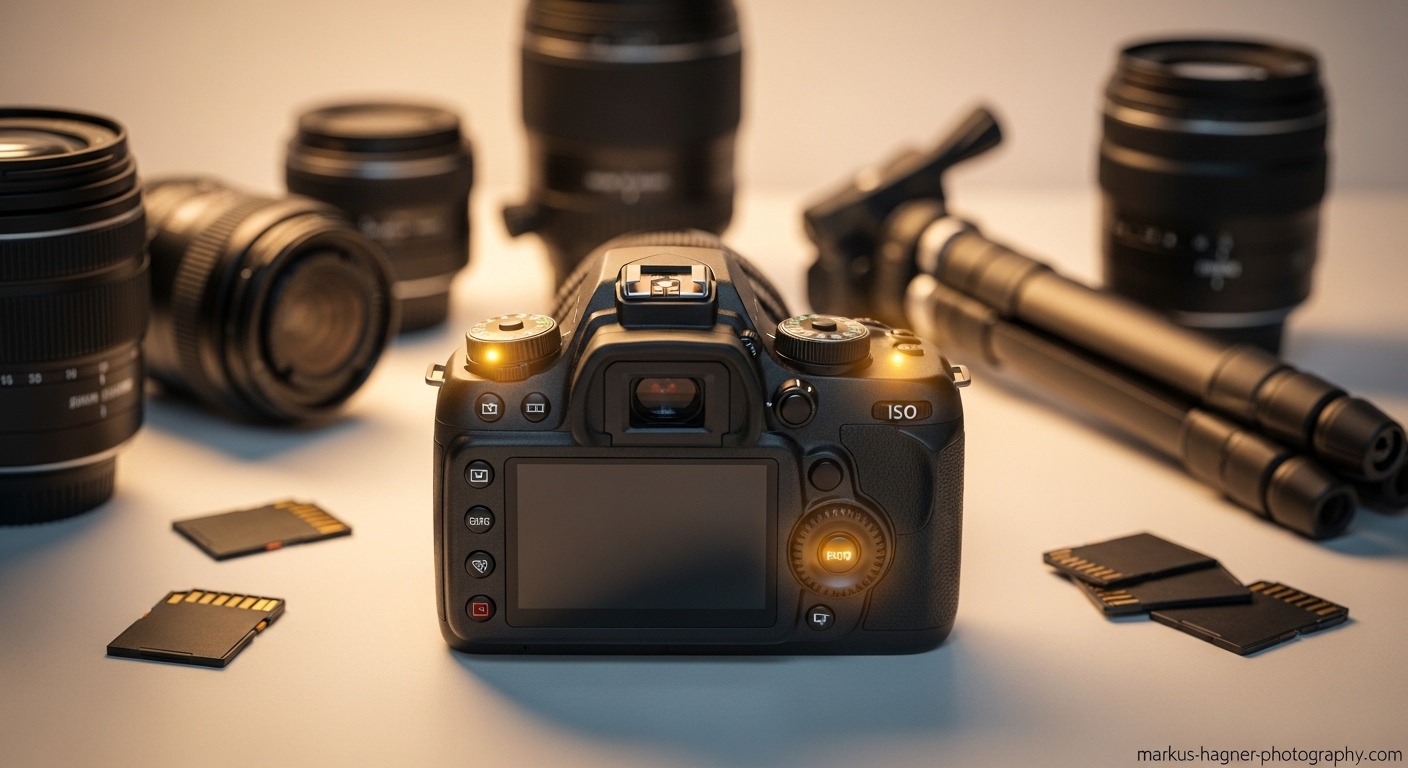
I remember the day I unboxed my first DSLR camera like it was yesterday. The excitement was palpable, but so was the overwhelming feeling when I saw all those buttons, dials, and menu options staring back at me. If you’re feeling that same mix of excitement and intimidation right now, you’re in the right place.
After years of shooting everything from weddings to wildlife, and making every mistake in the book along the way, I’ve compiled the ultimate guide to help you master your DSLR camera settings. These are the exact techniques I wish someone had taught me when I was starting out.
Getting Started with Your DSLR: The Foundation
Before we dive into the 20 essential camera setting techniques, let’s cover the basics that will make your photography journey smoother. I discovered that understanding these fundamentals first saved me countless hours of frustration later.
Holding Your Camera Like a Pro
I can’t tell you how many blurry photos I took early on simply because I wasn’t holding my camera properly. Here’s what I learned: grip the camera body firmly with your right hand, while cradling the lens with your left hand. Keep your elbows tucked in close to your body for stability. When I started doing this, my sharpness improved dramatically.
Understanding Your Camera’s Layout
Every DSLR model has a unique layout, but they all share common elements. I spent a weekend just exploring my camera’s buttons and menus, and I keep the manual handy for quick reference. Trust me, this familiarity builds confidence that will pay off when you’re in the field trying to capture that perfect shot.
Breaking Free from Auto Mode
I know it’s tempting to stick with Auto mode forever, but I promise you’re missing out on 90% of your camera’s potential. Auto mode is like training wheels—they’re great when you’re starting, but eventually, you need to take them off to really ride. I made the leap to semi-automatic modes after about a month, and my photography transformed overnight.
Understanding the Exposure Triangle: The Heart of Photography
The exposure triangle is the foundation of all photography, and mastering it changed everything for me. When I finally understood how aperture, shutter speed, and ISO work together, I went from taking snapshots to creating photographs.
What is the Exposure Triangle?
Think of the exposure triangle as a three-legged stool. If one leg is off balance, the whole thing wobbles. These three settings work together to control how much light reaches your camera’s sensor, and each has its own creative effect on your final image.
I discovered that understanding this concept is the single most important step toward taking control of your photography. Once I grasped how these three elements interact, I could predict how my photos would look before I even pressed the shutter button.
20 Essential Camera Setting Techniques for New DSLR Users
Now, let’s dive into the meat of this guide. These are the 20 essential camera setting techniques I’ve learned through years of trial and error, workshops, and countless hours behind the lens.
Technique 1: Master Aperture Priority Mode (A/Av)
Aperture Priority mode was my gateway drug to manual photography. When I discovered this mode, everything clicked for me. Here’s how it works: you set the aperture (the f-number), and your camera automatically adjusts the shutter speed to get the right exposure.
I use Aperture Priority for about 70% of my shooting. It’s perfect for portraits where I want that creamy, blurred background (what photographers call “bokeh”), or for landscapes where I need everything in sharp focus. When I’m shooting portraits, I typically set my aperture between f/1.8 and f/2.8. For landscapes, I’ll stop down to f/8 or f/11.
Pro Tip: Start with Aperture Priority mode if you’re nervous about jumping straight to manual. It’s the perfect balance between creative control and ease of use.
Technique 2: Conquer Shutter Priority Mode (S/Tv)
Shutter Priority mode became my best friend when I started shooting sports and wildlife. In this mode, you set the shutter speed, and your camera handles the aperture. It’s brilliant for controlling motion in your photos.
I remember shooting my first track meet and being frustrated with blurry runners. Once I switched to Shutter Priority and set a fast shutter speed (around 1/1000s), I could freeze the action perfectly. For creative motion blur, like silky waterfalls, I’ll set a slow shutter speed (1/15s or slower) and use a tripod.
My Experience: I once captured a hummingbird in flight using Shutter Priority at 1/2000s. The detail in the wings was incredible—something I never could have achieved in Auto mode.
Technique 3: Understand ISO Like a Pro
ISO is your camera’s sensitivity to light, and learning to control it was a game-changer for my low-light photography. I used to be afraid of high ISO settings because of the noise (grain), but modern DSLRs handle high ISO much better than older models.
Here’s my personal ISO guide:
- Bright sunlight: ISO 100-200
- Overcast days: ISO 400-800
- Indoor lighting: ISO 800-1600
- Low light situations: ISO 1600-3200
I discovered that shooting at the lowest possible ISO gives me the cleanest images, but sometimes you need to bump it up to get the shot. Don’t be afraid to experiment!
Technique 4: Perfect Your White Balance
I can’t tell you how many photos I ruined early on with weird color casts. White balance is all about getting accurate colors in your photos, and it’s one of those settings that makes a huge difference but is often overlooked by beginners.
Your camera has several white balance presets: Daylight, Cloudy, Tungsten, Fluorescent, and Auto. I used to rely on Auto white balance, but I found that setting it manually gives me much more consistent results. For indoor shots with incandescent lighting, I use the Tungsten preset. For outdoor portraits on cloudy days, Cloudy preset adds warmth that flatters skin tones.
Pro Tip: If you’re shooting in RAW (which I’ll cover later), you can adjust white balance in post-processing, but getting it right in-camera saves time and helps you visualize the final result better.
Technique 5: Master Single-Point Autofocus
When I started photography, I let my camera choose where to focus, and I ended up with countless photos where the wrong thing was sharp. Learning to use single-point autofocus was revolutionary for my composition.
Single-point autofocus lets you choose exactly where your camera focuses. I use this for portraits, making sure the eyes are always tack-sharp. For landscapes, I focus about one-third into the scene to get maximum depth of field. It takes a bit of practice to move the focus point around quickly, but once you get the hang of it, you’ll never go back to auto-area focus.
Technique 6: Embrace Continuous Autofocus for Moving Subjects
Continuous autofocus (AI Servo on Canon, AF-C on Nikon) changed my action photography completely. This mode tracks moving subjects and continuously adjusts focus to keep them sharp.
I use this mode for sports, wildlife, and even active kids. The key is to keep your focus point on your subject as it moves. Most modern DSLRs have sophisticated tracking systems that can follow subjects across the frame. I remember shooting my niece’s soccer game and capturing her scoring a goal—perfectly sharp and in focus—thanks to continuous autofocus.
Technique 7: Learn Back-Button Focus
This technique was a total game-changer for my workflow. Back-button focus separates the autofocus function from the shutter button. Instead of half-pressing the shutter to focus, you assign focus to a button on the back of your camera.
It felt awkward at first, but now I can’t imagine shooting without it. Back-button focus gives me more control over when and where my camera focuses. I can focus once and shoot multiple frames without the camera refocusing each time. It’s especially useful for recomposing shots while maintaining focus on your subject.
Technique 8: Understand Metering Modes
Metering modes determine how your camera measures light to determine exposure. Most DSLRs offer three main metering modes: Evaluative/Matrix, Center-weighted, and Spot.
I use Evaluative metering for most situations because it analyzes the entire scene and works well for balanced lighting. For portraits, I switch to Center-weighted metering to prioritize my subject. Spot metering is my go-to for high-contrast scenes, like backlit subjects or silhouettes.
My Experience: I once shot a sunset silhouette using spot metering on the bright sky, which perfectly exposed the sky while keeping my subject dark and dramatic. It’s techniques like this that separate snapshots from intentional photographs.
Technique 9: Shoot in RAW Format
I used to shoot in JPEG because the files were smaller and easier to share. But when I discovered RAW format, my post-processing possibilities expanded exponentially. RAW files contain all the data captured by your camera’s sensor, giving you incredible flexibility in editing.
Yes, RAW files are larger, but the trade-off is worth it. I can recover blown-out highlights, lift shadows, adjust white balance, and fine-tune colors with much more precision than with JPEG files. If you’re serious about photography, shooting in RAW is non-negotiable.
Technique 10: Read and Use Histograms
Histograms intimidated me at first—all those graphs and numbers looked like rocket science. But once I understood that a histogram simply shows the distribution of light in my image, it became one of my most valuable tools.
A histogram with data clustered on the left means your image is too dark, while data on the right indicates overexposure. I aim for a balanced histogram that touches both edges without clipping. This is especially useful in bright sunlight when your camera’s LCD can be hard to see accurately.
Technique 11: Master Depth of Field
Depth of field is one of the most powerful creative tools in photography, and learning to control it transformed my images. Depth of field refers to how much of your image is in sharp focus.
For portraits, I use a shallow depth of field (wide aperture like f/1.8) to blur the background and make my subject pop. For landscapes, I use a deep depth of field (narrow aperture like f/11) to keep everything from foreground to background sharp.
Pro Tip: Depth of field is affected by three things: aperture, focal length, and distance to subject. Experiment with all three to understand how they work together.
Technique 12: Use Burst Mode for Action
Burst mode (or continuous shooting) is my secret weapon for capturing fleeting moments. Whether I’m shooting sports, wildlife, or even just kids playing, burst mode increases my chances of getting that perfect shot.
Most DSLRs offer different burst speeds. I use high-speed burst for fast action and slower burst for more deliberate sequences. Just remember that burst mode fills up memory cards quickly, so bring extras!
Technique 13: Understand Exposure Compensation
Exposure compensation is one of those settings that sounds complicated but is actually incredibly simple and useful. It lets you brighten or darken your image in small increments (usually measured in “stops”).
I use exposure compensation all the time when shooting in Aperture or Shutter Priority mode. If my image is too dark, I dial in positive exposure compensation (+1 or +2). If it’s too bright, I use negative compensation (-1 or -2). It’s much faster than switching to full manual mode for small adjustments.
Technique 14: Master Manual Mode
Manual mode is where you have complete control over all settings—aperture, shutter speed, and ISO. It was intimidating at first, but once I understood the exposure triangle, manual mode became my preferred mode for most situations.
I start by setting my ISO as low as possible, then choose my aperture based on the depth of field I want, and finally adjust my shutter speed to get the right exposure. It takes practice, but the control you gain is worth it.
Also Read: Nikon Vs Sony Mirrorless
Technique 15: Use Auto ISO Intelligently
Auto ISO is a feature I initially avoided because I thought it was “cheating.” But I’ve discovered that when used correctly, Auto ISO is an incredibly powerful tool, especially in changing light conditions.
I use Auto ISO with a minimum shutter speed setting. This tells my camera not to let the shutter speed drop below a certain point (usually 1/60s for handheld shots), which helps prevent camera shake. The camera then adjusts the ISO to maintain proper exposure.
Technique 16: Understand Focal Length and Perspective
Focal length affects more than just how much you can fit in the frame—it also changes perspective and compression. I used to think zooming was just about getting closer, but I’ve learned that different focal lengths create completely different looks.
Wide-angle lenses (24mm and below) exaggerate perspective and are great for landscapes and architecture. Telephoto lenses (70mm and above) compress perspective and are perfect for portraits and wildlife. I recommend experimenting with different focal lengths to understand their unique characteristics.
Technique 17: Master the Rule of Thirds
The rule of thirds is a composition guideline that suggests dividing your frame into a 3×3 grid and placing important elements along these lines or at their intersections. I used to center everything, but learning the rule of thirds made my compositions much more dynamic.
Most DSLRs can display a grid overlay in the viewfinder or on the LCD. I use this constantly to place horizons along the top or bottom third line and position subjects at the intersection points. It’s a simple technique that makes a huge difference.
Technique 18: Use Fill Flash in Daylight
Using flash in bright sunlight seems counterintuitive, but fill flash is one of my favorite techniques for portraits outdoors. When the sun is harsh, it creates unflattering shadows on faces. A touch of fill flash brightens these shadows while maintaining the natural look of the scene.
I set my flash to -1 or -2 exposure compensation so it’s subtle, not overpowering. The result is portraits with beautiful, even lighting that look natural but professional.
Technique 19: Understand Dynamic Range
Dynamic range refers to your camera’s ability to capture detail in both bright highlights and dark shadows. I’ve learned that scenes with high contrast (like sunsets or backlit subjects) can challenge your camera’s dynamic range.
When I encounter high-contrast scenes, I use techniques like exposure bracketing (taking multiple shots at different exposures) or HDR (High Dynamic Range) imaging. Some scenes simply have more dynamic range than your camera can capture in a single shot, and knowing how to handle these situations is crucial.
Technique 20: Practice, Practice, Practice
This might sound obvious, but the most important camera setting technique is simply to practice consistently. I’ve learned more from taking thousands of photos and analyzing my mistakes than from any book or tutorial.
Set aside time each week to practice specific techniques. Go out with your camera and intentionally work on one setting at a time. Keep a photography journal to note what works and what doesn’t. The more you shoot, the more these settings become second nature.
Advanced Tips for Beginners
Now that we’ve covered the 20 essential techniques, here are some advanced tips that helped me take my photography to the next level:
Use a Tripod for Sharpness
I resisted using a tripod for years because I thought it was cumbersome and limited my creativity. But when I finally invested in a good tripod, my image sharpness improved dramatically, especially in low light and for landscape photography.
A tripod eliminates camera shake, allowing you to use slower shutter speeds without blur. It also forces you to slow down and think more carefully about composition. I now use my tripod for about 30% of my shots, and it’s made a huge difference.
Learn Basic Post-Processing
Photography doesn’t end when you press the shutter button. Learning basic post-processing skills transformed my good photos into great ones. I use Adobe Lightroom for most of my editing, but there are many excellent options available.
Start with basic adjustments: exposure, contrast, white balance, and cropping. As you get more comfortable, explore more advanced techniques like dodging and burning, color grading, and sharpening. Remember, the goal is to enhance your photos, not completely change them.
Understand Your Lens Sweet Spot
Every lens has a “sweet spot”—an aperture where it performs at its sharpest. For most lenses, this is around f/8 to f/11. I discovered this when I noticed that some of my landscape shots weren’t as sharp as I expected, even though I was using a tripod.
Test your lenses at different apertures to find their sweet spots. This doesn’t mean you should always shoot at the sweet spot—sometimes creative effects like shallow depth of field are more important than absolute sharpness—but it’s good to know for when sharpness is your priority.
Also Read: Canon 50Mm 1.2 Vs 1.4
Common Mistakes to Avoid
I’ve made plenty of mistakes in my photography journey. Here are some common ones I see beginners make, and how to avoid them:
Mistake 1: Always Shooting at Eye Level
I used to take all my photos from standing eye level. Once I started experimenting with different angles—getting low to the ground, shooting from above, or even lying on my back—my compositions became much more interesting.
Solution: Before taking a shot, ask yourself: “What would this look like from a different angle?” Sometimes the best perspective isn’t the most obvious one.
Mistake 2: Ignoring the Background
How many times have you taken what you thought was a great portrait, only to notice later that there’s a tree growing out of someone’s head? I’ve been there more times than I care to admit.
Solution: Always check your background before pressing the shutter. Move your subject, change your angle, or adjust your aperture to blur distracting elements. A clean background can make or break a photo.
Mistake 3: Chasing the Latest Gear
I used to think that better gear would make me a better photographer. I spent thousands on cameras and lenses, thinking each new purchase would magically improve my photos. I was wrong.
Solution: Focus on mastering the gear you have before upgrading. The best camera is the one you have with you, and the best lens is the one you know how to use. Skills matter more than equipment.
FAQ Section
How long does it take to master these camera settings?
A: It varies from person to person, but I found that I became comfortable with the basics after about 3-6 months of regular practice. Mastery is an ongoing journey—I’m still learning new techniques even after years of shooting. The key is consistent practice and not getting discouraged by mistakes.
Should I start with manual mode or work up to it?
A: I recommend starting with Aperture Priority mode, then moving to Shutter Priority, and finally tackling Manual mode. This gradual approach helped me understand each setting individually before combining them all. Jumping straight to Manual mode can be overwhelming and frustrating.
What’s the best camera setting for portraits?
A: For portraits, I typically use Aperture Priority mode with a wide aperture (f/1.8 to f/2.8) to create a pleasing background blur. I set my ISO as low as possible (100-400) and use single-point autofocus to ensure the eyes are sharp. White balance depends on the lighting conditions, but I often use the “Cloudy” preset for warmer skin tones.
How do I avoid blurry photos?
A: Blurry photos usually result from camera shake or incorrect focus. To avoid camera shake, use a faster shutter speed (generally 1/focal length or faster), brace yourself against something solid, or use a tripod. For focus issues, use single-point autofocus and make sure your focus point is on your subject. I also recommend using back-button focus for more control.
What’s the difference between RAW and JPEG, and which should I use?
A: RAW files contain all the data captured by your sensor and offer maximum flexibility in post-processing. JPEG files are compressed and processed in-camera. I recommend shooting in RAW if you plan to edit your photos, as it gives you much more control over exposure, white balance, and other adjustments. The only downside is larger file sizes.
How do I know which metering mode to use?
A: I use Evaluative/Matrix metering for most general photography. For portraits or when my subject is backlit, I switch to Center-weighted metering. Spot metering is perfect for high-contrast scenes or when you want to expose for a specific part of your image. Experiment with all three to understand how they affect your exposures.
Conclusion: Your Photography Journey Begins Now
We’ve covered 20 essential camera setting techniques that will transform your DSLR photography. Remember, learning these settings is a journey, not a destination. I still refer back to basics regularly, and I’m always discovering new ways to use these settings creatively.
The most important advice I can give you is to practice consistently and don’t be afraid to make mistakes. Some of my best learning came from photos that didn’t turn out as planned. Analyze your mistakes, understand what went wrong, and apply those lessons to your next shoot.
Photography is a beautiful blend of technical knowledge and artistic vision. Now that you have the technical foundation, you can focus on developing your unique style and vision. Your DSLR is an incredible tool—now you know how to use it to its full potential.
I’d love to hear about your photography journey and which techniques you find most helpful. Drop me a comment below, and don’t forget to bookmark this guide for reference as you continue to explore the amazing world of DSLR photography!
Ready to take your photography to the next level? Check out my other guides on composition techniques, lighting basics, and post-processing tips. And remember—the best camera is the one you have with you, so get out there and start shooting!