
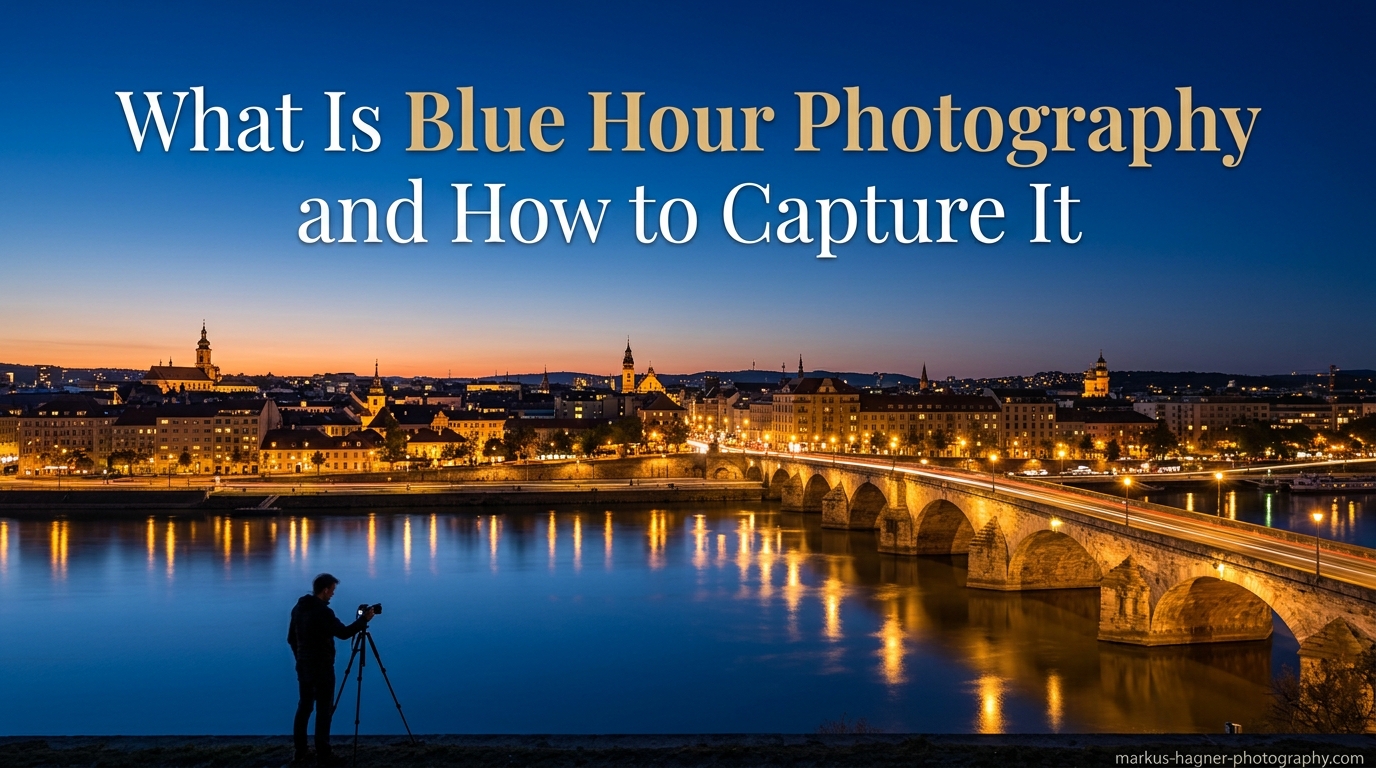
That magical time when the sky turns a deep, rich blue and city lights begin to twinkle is what photographers call blue hour. Blue hour photography captures this brief window of atmospheric light that occurs twice daily, creating images with a moody, cinematic quality that is impossible to replicate at any other time. In this guide, I will explain exactly what blue hour photography is, when it happens, and walk you through the techniques I have used to capture stunning blue hour images over years of shooting.
Many photographers pack up their gear as soon as the sun dips below the horizon, unaware that some of the most compelling light is yet to come. The transition from golden hour to blue hour happens quickly, and knowing how to work with this fleeting illumination can transform your portfolio. Whether you shoot cityscapes, landscapes, or portraits, understanding blue hour photography opens up creative possibilities that most photographers never explore.
By the end of this article, you will know the science behind blue hour, the exact camera settings that work best, and a step-by-step approach to capturing your own blue hour masterpieces. I will also share common mistakes to avoid and post-processing tips that will help your images stand out.
What Is Blue Hour Photography?
Blue hour photography refers to capturing images during a specific period of twilight when the sun sits between 4 and 6 degrees below the horizon. At this angle, the upper atmosphere scatters blue wavelengths of light while warmer tones fade, creating the characteristic deep blue sky that gives this time its name. The result is soft, diffused illumination with a cool color temperature that contrasts beautifully with artificial light sources.
Unlike the warm, golden tones of golden hour, blue hour produces images with a distinctly different mood. The cool blue tones create a sense of tranquility, mystery, and urban sophistication that works exceptionally well for cityscapes and moody landscapes. During blue hour, you get a natural gradient from deep blue overhead to warmer tones near the horizon, providing built-in color contrast that would be difficult to recreate in post-processing.
The term blue hour is somewhat misleading because this period typically lasts only 20 to 40 minutes, not a full hour. The exact duration depends on your latitude, season, and local topography. Photographers closer to the equator experience shorter blue hours, while those at higher latitudes enjoy extended periods, especially during summer months.
Blue Hour vs Golden Hour: A Comparison
Understanding how blue hour differs from golden hour helps you choose the right time for your creative vision. Here is a direct comparison of these two magical photography periods:
Blue Hour vs Golden Hour Comparison:
Blue hour occurs after sunset or before sunrise when the sun is 4-6 degrees below the horizon, producing cool blue tones with soft, diffused light ideal for moody cityscapes and atmospheric scenes. Golden hour happens just before sunset or after sunrise when the sun is near the horizon, creating warm golden tones with directional light perfect for portraits and warm landscapes. Blue hour typically lasts 20-40 minutes with a color temperature of 10,000-12,000 Kelvin, while golden hour spans roughly 30-60 minutes at 3,000-4,000 Kelvin. Blue hour requires longer exposures and tripods, whereas golden hour can often be shot handheld with natural light.
Both periods offer unique advantages. I often shoot through the transition from golden hour into blue hour, capturing the entire progression of light. This approach yields a variety of moods from a single location and ensures I do not miss either opportunity.
When Does Blue Hour Occur?
Blue hour happens twice every day: once in the morning before sunrise and once in the evening after sunset. The evening blue hour begins immediately after sunset and lasts until the sky transitions to full night. The morning blue hour works in reverse, starting when the sky begins to lighten and ending as the sun breaches the horizon.
Morning vs Evening Blue Hour
While both periods offer similar lighting conditions, morning and evening blue hours have distinct characteristics that may influence your choice. Morning blue hour often provides clearer air due to lower overnight temperatures and reduced atmospheric haze. You are also more likely to encounter mist, fog, or frost that can add atmosphere to your images. Additionally, popular photography locations are typically empty in the early morning, giving you unobstructed compositions.
Evening blue hour benefits from artificial lights that have been switched on as businesses and homes illuminate for the night. Cityscapes tend to look more dynamic in the evening with activated storefronts, streetlights, and architectural lighting creating visual interest. The transition from golden hour into blue hour also provides a longer shooting window if you arrive during sunset.
Seasonal Variations in Blue Hour
The timing and quality of blue hour change throughout the year based on the sun’s angle relative to your location. In summer, particularly at higher latitudes, blue hour can last significantly longer because the sun does not dip as far below the horizon. Some northern locations experience extended twilight periods that blur the line between golden hour and blue hour.
Winter brings shorter blue hour periods but often clearer atmospheric conditions. The lower humidity and reduced haze can produce more saturated blue tones. However, winter also means colder temperatures, so dressing appropriately becomes essential for comfort during longer exposures.
Planning Your Blue Hour Shoot
Several apps and websites help you predict exact blue hour timing for your location. PhotoPills and The Photographer’s Ephemeris are industry standards that show sun position, golden hour, and blue hour times for any date and location worldwide. I recommend checking these tools a day before your shoot and arriving at your location at least 30 minutes before blue hour begins.
Local topography also affects blue hour timing. Mountains, hills, and tall buildings can block light earlier than predicted, shortening your effective shooting window. Scout your location during daylight to understand how the terrain will influence your timing.
Essential Gear for Blue Hour Photography
Blue hour photography demands specific equipment due to the low light conditions. While you can capture blue hour images with minimal gear, having the right tools significantly improves your results and shooting experience.
The Absolute Essential: A Sturdy Tripod
A tripod is non-negotiable for blue hour photography. Exposure times typically range from several seconds to 30 seconds or more, making handheld shooting impossible without introducing blur. Your tripod should be sturdy enough to remain stable during long exposures, even in light wind. Carbon fiber tripods offer excellent vibration dampening while remaining lightweight for travel.
I have seen photographers struggle with flimsy tripods that produce soft images despite careful technique. Invest in a quality tripod that can support your camera and heaviest lens without flexing. A good ball head with separate pan and tilt controls makes composition adjustments smooth and precise.
Camera Requirements
Any modern interchangeable lens camera with manual exposure controls can capture excellent blue hour images. Full-frame cameras offer advantages in dynamic range and high-ISO performance, but APS-C and Micro Four Thirds cameras produce outstanding results when paired with quality lenses. The key requirement is the ability to shoot in RAW format and make manual adjustments to aperture, shutter speed, and ISO.
Cameras with good high-ISO performance give you more flexibility when shooting handheld or capturing moving subjects during blue hour. However, for most blue hour photography, you will use base ISO settings on a tripod, making high-ISO capability less critical than for other low-light genres.
Lens Selection
Wide-angle lenses between 14mm and 35mm (full-frame equivalent) excel for blue hour cityscapes and landscapes. These focal lengths capture expansive skies and allow you to include foreground elements that add depth to your compositions. Fast lenses with maximum apertures of f/2.8 or wider offer flexibility for handheld work or capturing blue hour portraits.
For cityscapes, a 24-70mm zoom provides versatility for varying compositions. Prime lenses in the 24mm to 35mm range often deliver superior sharpness and lower distortion. If you plan to capture light trails or distant cityscapes, a telephoto lens in the 70-200mm range compresses perspective and isolates interesting architectural details.
Additional Helpful Accessories
A remote shutter release eliminates camera shake caused by pressing the shutter button. Wireless remotes allow you to trigger exposures from a distance, while wired options provide reliable operation without battery concerns. Many cameras offer smartphone apps that function as remote releases with live view preview.
Neutral density filters extend your exposure times even further, allowing for creative effects like smoothing water or removing moving people from scenes. A 3-stop or 6-stop ND filter provides flexibility without making composition and focusing too difficult in low light.
A headlamp or flashlight helps you navigate your location safely and adjust camera settings in the dark. Choose a headlamp with a red mode to preserve your night vision. This safety gear becomes essential when shooting in unfamiliar locations or navigating back to your car after an evening shoot.
Blue Hour Gear Checklist:
Essential items include a sturdy tripod, camera with manual controls, wide-angle or standard lens, and remote shutter release. Recommended additions are ND filters (3-6 stop), headlamp with red mode, and weather protection for your gear. Nice-to-have accessories include extra batteries (long exposures drain power faster), bubble level for horizons, and a comfortable camera strap for carrying gear to your location.
Best Camera Settings for Blue Hour Photography
Getting your camera settings right makes the difference between mediocre blue hour snapshots and stunning images. The low light conditions require specific adjustments to exposure, focus, and white balance that differ from daytime photography.
Shooting Mode
Manual mode gives you complete control over all exposure parameters and is my preferred choice for blue hour photography. The rapidly changing light conditions during blue hour can confuse automatic metering systems, leading to inconsistent exposures. Manual mode ensures consistent results as you bracket exposures or shoot panoramas.
Aperture priority mode with exposure compensation offers a simpler alternative if you are less comfortable with full manual control. Set your desired aperture and let the camera determine shutter speed, then use exposure compensation to adjust for particularly bright or dark scenes. This approach works well when shooting handheld or when light levels change rapidly.
Aperture Settings
Your aperture choice depends on your subject and creative goals. For blue hour landscapes and cityscapes where you want front-to-back sharpness, apertures between f/8 and f/11 provide optimal depth of field while maintaining lens sharpness. Most lenses perform best in this range, avoiding the softness that can occur at minimum and maximum apertures.
Blue hour portraits benefit from wider apertures between f/1.4 and f/2.8. These settings separate your subject from the background while allowing faster shutter speeds or lower ISO settings. The blue sky and city lights create beautiful bokeh at wide apertures, adding to the atmospheric quality of portrait images.
Shutter Speed Guidelines
Shutter speed determines how much light reaches your sensor and creates creative effects in blue hour photography. When using a tripod, shutter speeds between 1 second and 30 seconds are typical. Longer exposures smooth water surfaces, create light trails from vehicles, and produce a ethereal quality in clouds.
I recommend testing multiple shutter speeds for each composition. Start with a 5-second exposure, then try 10 seconds and 20 seconds to see which produces the best balance of exposure and motion blur. The optimal shutter speed varies based on the brightness of artificial lights, the depth of blue in the sky, and your creative intent.
For handheld blue hour photography, keep shutter speeds faster than 1 divided by your focal length. With a 24mm lens, aim for 1/24 second or faster. Image stabilization helps, but expect some images to show blur from camera movement.
ISO Selection
When shooting from a tripod, use your camera’s base ISO (typically ISO 100 or 200) for maximum image quality and minimum noise. Higher ISO settings introduce noise that becomes visible in the darker areas of blue hour images, where you often want clean, smooth tones.
Handheld blue hour photography requires higher ISO settings to achieve usable shutter speeds. ISO 800 to 3200 may be necessary depending on your lens aperture and the brightness of your scene. Modern cameras handle these ISO values well, but expect some noise reduction work in post-processing.
White Balance Considerations
White balance significantly affects the character of blue hour images. Auto white balance often neutralizes the blue tones that give this period its name, producing less atmospheric results. I recommend setting white balance manually to preserve the natural blue quality of the light.
Try setting white balance between 4000K and 5000K to retain cool blue tones in the sky while keeping artificial lights looking natural. Shooting in RAW format gives you complete flexibility to adjust white balance in post-processing, so experiment with different settings to find your preferred look.
Focus Techniques for Low Light
Autofocus often struggles during blue hour due to the low contrast and dim lighting. Switch to manual focus and use live view magnification to achieve sharp focus on your subject. Focus peaking, available on many mirrorless cameras, highlights in-focus areas and speeds up manual focusing.
For landscapes, focus about one-third into the scene to maximize depth of field. The hyperfocal distance for your aperture and focal length provides a starting point. Once focused, switch your lens to manual focus mode to prevent the camera from attempting to refocus between shots.
File Format and Additional Settings
Always shoot in RAW format for blue hour photography. RAW files retain far more information than JPEGs, giving you flexibility to recover highlights, adjust exposure, and fine-tune white balance in post-processing. The high dynamic range of blue hour scenes often requires RAW processing to balance bright artificial lights with deep blue skies.
Enable long exposure noise reduction if your camera offers it. This feature takes a second exposure with the shutter closed to map hot pixels, then subtracts them from your image. The downside is that each exposure takes twice as long, which may cause you to miss fleeting moments.
Recommended Blue Hour Settings by Genre:
For cityscapes, use Manual mode, ISO 100, aperture f/8-f/11, shutter speed 5-20 seconds, and white balance 4500K. For landscapes, choose Manual mode, ISO 100, aperture f/8-f/11, shutter speed 10-30 seconds, and white balance 4000-5000K. For portraits, select Aperture Priority or Manual, ISO 400-1600, aperture f/1.4-f/2.8, shutter speed varies for handheld, and white balance 4500-5000K. For light trails, use Manual mode, ISO 100, aperture f/8-f/16, shutter speed 15-30 seconds, and white balance 4500K.
How to Capture Blue Hour Photography: Step-by-Step Techniques
Now that you understand the settings, let me walk you through my complete workflow for capturing blue hour images. Following these steps ensures you make the most of the limited time available and return with keepers rather than disappointment.
Step 1: Scout Your Location During Daylight
Arriving at an unfamiliar location during blue hour is a recipe for frustration. Scout your chosen spot during daylight hours to identify compositions, check sightlines, and plan your shooting positions. Look for interesting foreground elements, reflections in water, and how artificial lights will illuminate the scene after dark.
Take reference photos with your phone during scouting. These images help you visualize how compositions will frame up and remind you of angles you discovered. Note where the sun will set or rise relative to your position to predict how light will interact with the landscape.
Check accessibility and safety considerations during your scout. Ensure you can reach your chosen position before blue hour begins and that the area remains safe after dark. Note any obstacles that might trip you in low light.
Step 2: Arrive Early and Set Up
Plan to arrive at your shooting location at least 30 minutes before blue hour begins. This buffer gives you time to set up your tripod, attach filters, and compose your shots while you can still see clearly. Rushing during the actual blue hour leads to mistakes and missed opportunities.
Set up your camera on the tripod and frame your composition. Attach any ND filters you plan to use. Configure your basic settings: manual mode, base ISO, and your target aperture. Focus on your subject using live view magnification, then switch to manual focus to lock it in.
Take a test exposure during late golden hour to verify your composition and settings. This image will not be a keeper, but it confirms everything works before the critical moment arrives.
Step 3: Compose Your Shot
Strong composition elevates blue hour images from snapshots to art. Look for foreground interest that anchors the image and leads the eye into the scene. Rocks, piers, architectural elements, or even puddles with reflections add depth and dimension.
Consider how artificial lights will appear in your frame. Streetlights, building illumination, and vehicle headlights create leading lines and focal points. Position yourself to take advantage of these light sources rather than fighting against them.
Check your edges for distracting elements like trash bins, sign posts, or other photographers. It is easier to adjust your position now than to clone out distractions later.
Step 4: Configure Your Camera Settings
As the sky transitions from golden hour to blue hour, begin adjusting your settings. Start with base ISO, your chosen aperture (f/8-f/11 for most scenes), and take a test exposure at 5 seconds. Review the histogram to check exposure.
The ideal histogram for blue hour images shows detail throughout the tonal range without clipping highlights or crushing shadows. Bright artificial lights may push the right side of the histogram, but avoid letting them clip completely. Underexpose slightly if needed, as you can recover shadow detail from RAW files.
Set your white balance to preserve blue tones. Values between 4000K and 5000K typically work well. If you are unsure, shoot a custom white balance using a gray card or neutral surface.
Step 5: Capture During the Blue Hour Window
As blue hour arrives, the sky will transition through various shades of blue. Shoot continuously throughout this period, as different moments offer different moods. The early blue hour retains some warmth near the horizon, while late blue hour approaches full night with deep, saturated blues.
Vary your shutter speeds to capture different effects. A 5-second exposure freezes some motion, while 20 seconds smooths water and creates light trails from vehicles. Try several versions of each composition with different settings.
Pay attention to how artificial lights interact with the blue sky. The contrast between cool natural light and warm artificial illumination creates visual tension that defines great blue hour images.
Step 6: Bracket Exposures for High Dynamic Range
Blue hour scenes often contain extreme dynamic range, from bright streetlights to dark shadows. Exposure bracketing captures multiple exposures at different brightness levels that you can blend in post-processing for optimal results.
Set your camera to bracket 3 or 5 exposures, typically 1 or 2 stops apart. This approach ensures you capture detail in both highlights and shadows. Many cameras offer automatic exposure bracketing that fires all exposures with a single shutter press.
Use a remote release or your camera’s self-timer to avoid camera shake between bracketed exposures. Even small movements can create alignment issues when blending images later.
Step 7: Review and Adjust
Periodically review your images on the camera’s LCD, zooming in to check focus and sharpness. The small screen can be misleading, so use the histogram as your primary guide to exposure quality. Adjust settings as needed based on what you see.
As blue hour progresses into night, you may need to extend shutter speeds or raise ISO to maintain proper exposure. Continue shooting until you have captured the full range of blue tones or until the scene no longer offers the quality you seek.
Genre-Specific Techniques
Blue Hour Cityscapes: Position yourself to capture the transition from sunset colors to deep blue. Include iconic architecture or skylines as silhouettes against the blue sky. Capture light trails from vehicles using 15-30 second exposures. Look for elevated positions that show the city spreading below you.
Blue Hour Landscapes: Arrive early to compose with foreground elements like rocks, trees, or water. Use longer exposures to smooth water surfaces and cloud movement. Reflections in lakes or calm seas double the visual impact of the blue sky. Consider including distant city lights for contrast with natural elements.
Blue Hour Portraits: Position subjects against the blue sky or illuminated city backdrop. Use wider apertures to separate subjects from backgrounds while allowing faster shutter speeds. Consider adding off-camera flash to illuminate faces while preserving the blue hour atmosphere. The moody background creates a distinctive look that sets blue hour portraits apart.
Capturing Light Trails: Find a location with consistent traffic flow. Frame your composition to show the road leading through the scene. Use shutter speeds of 15-30 seconds to capture multiple vehicles creating continuous light ribbons. Time your exposures to capture both red taillights and white headlights for color variety.
Composition Tips for Blue Hour Photography
Technical settings matter, but composition transforms well-exposed images into compelling photographs. Blue hour presents unique compositional opportunities that differ from daylight shooting.
Embrace Artificial Light Sources
Unlike daylight photography where you often work to minimize unwanted light, blue hour photography benefits from incorporating artificial illumination. Streetlights, building lights, and neon signs create warm accents that contrast with the cool blue sky. Position these light sources as focal points or leading lines within your composition.
Look for scenes where multiple light sources create visual rhythm. A row of streetlights receding into the distance draws the eye through the frame. Reflected lights in water double the visual impact and create symmetry.
Utilize Reflections
Water surfaces during blue hour act as natural mirrors, doubling the visual impact of colorful skies and city lights. Look for lakes, rivers, harbors, or even puddles that can reflect your composition. Calm conditions produce mirror-like reflections, while rippled water creates abstract patterns of color.
Position yourself low to the water’s surface to maximize the reflection area in your frame. This angle also emphasizes foreground elements and creates a more immersive feeling in the image.
Include Strong Foreground Elements
Blue hour images often feature dramatic skies, but foreground interest prevents your photos from feeling like generic skyline shots. Rocks, piers, architectural details, or vegetation anchor the composition and provide scale. These elements also give viewers a place to enter the image.
Use leading lines in the foreground to guide the eye toward the main subject. A path, wall, or shoreline that leads into the frame creates visual flow and depth.
Work with Silhouettes
The contrast between a dark foreground and bright blue sky creates natural silhouette opportunities. Position recognizable shapes like trees, buildings, or people against the brightest part of the sky. The resulting graphic simplicity often produces stronger images than attempting to capture foreground detail.
Expose for the sky to maintain rich blue tones, allowing foreground elements to fall into complete darkness. Check your histogram to ensure the sky is not overexposed while shadows remain black.
Consider Different Perspectives
Elevated positions offer sweeping views of cities and landscapes during blue hour. Rooftops, hills, and bridges provide vantage points that show the spread of artificial lights against the darkening sky. These positions also reduce the risk of unwanted objects entering your frame.
Low angles create more intimate blue hour images that emphasize foreground elements and make the sky appear more dramatic. Experiment with camera height to find the perspective that best serves your composition.
Post-Processing Blue Hour Photos
Post-processing brings out the full potential of your blue hour images. RAW files from blue hour shoots typically require adjustments to exposure, white balance, and color to achieve their best look.
RAW Processing Basics
Start your edit by adjusting white balance to achieve the desired blue tone. Most blue hour images benefit from cooler white balance settings that emphasize the natural blue of twilight. However, avoid pushing the blue so far that it appears unnatural or cartoonish.
Adjust exposure to balance highlights and shadows. Blue hour scenes often require bringing down bright artificial lights while lifting shadow areas. Use the highlight and shadow sliders in your RAW processor to manage this balance without introducing artifacts.
Add contrast carefully. Blue hour images naturally have lower contrast than daylight scenes, and overdoing contrast adjustments can create an unnatural appearance. Gentle increases in clarity and vibrance often produce better results than aggressive contrast adjustments.
Avoiding Over-Saturated Blues
A common mistake in blue hour processing is pushing blue saturation too far. While saturated blues look dramatic, over-saturation creates unnatural colors that signal heavy editing. Use the HSL or color mixer tools to target specific blue tones rather than globally increasing saturation.
Pay attention to how blue tones render in different areas of the image. Shadows may take on an unnatural blue cast that needs correction. Use selective color adjustments to maintain natural-looking blues throughout the tonal range.
Enhancing Contrast and Clarity
Blue hour images often benefit from modest contrast enhancement to add depth and dimension. Use curves adjustments for precise control over tonal relationships. A gentle S-curve adds punch without crushing shadows or blowing highlights.
Clarity and dehaze adjustments can cut through atmospheric haze and add definition to cityscapes. Apply these effects moderately and check for halos around high-contrast edges, which indicate over-processing.
Noise Reduction
Long exposures and higher ISO settings introduce noise that becomes visible in shadow areas. Apply luminance noise reduction to smooth grain without losing detail. Color noise reduction removes chroma noise that appears as colored speckles in darker regions.
Balance noise reduction against detail preservation. Heavy noise reduction creates a plastic, artificial appearance. Apply noise reduction selectively to problem areas rather than globally if possible.
HDR Blending Techniques
If you bracketed exposures during capture, blending them in post-processing captures the full dynamic range of the scene. Software like Adobe Lightroom, Aurora HDR, or Photomatix can merge bracketed exposures automatically. For more control, manually blend exposures using luminosity masks in Photoshop.
The goal of HDR blending should be a natural appearance that matches what your eyes saw. Avoid the overly processed look that characterized early HDR photography. Subtle blending that captures detail throughout the tonal range produces the most sophisticated results.
Common Blue Hour Photography Mistakes to Avoid
Even experienced photographers make mistakes when shooting blue hour. Learning from these common errors helps you avoid disappointment and maximize your shooting time.
Arriving Too Late: Many photographers show up just as blue hour begins, leaving insufficient time to compose and adjust settings. Arrive early to set up calmly and capture the full progression of light.
Leaving Too Early: Some photographers pack up as soon as the sun sets, missing blue hour entirely. Others leave when they capture one good image, failing to explore different compositions and shutter speeds. Stay until full darkness to capture the complete range of blue tones.
Wrong White Balance: Auto white balance often neutralizes the beautiful blue tones that define this period. Set white balance manually or shoot RAW to preserve creative control in post-processing.
Over-Saturating in Post: Pushing blue saturation too far creates unnatural results that scream over-processing. Keep your edits subtle and compare your results to the natural colors you remember from the scene.
Ignoring Foreground Interest: Beautiful blue skies alone do not make compelling images. Always compose with foreground elements that anchor the scene and provide context.
Camera Shake: Attempting handheld shots during blue hour almost always produces blurry images. Use a tripod and remote release for sharp results. If you must shoot handheld, use image stabilization and brace yourself against stable objects.
Poor Focus Technique: Autofocus struggles in low light. Switch to manual focus and use live view magnification to ensure sharp images. Focus errors are impossible to fix in post-processing.
Frequently Asked Questions About Blue Hour Photography
How long does blue hour typically last?
Blue hour typically lasts 20 to 40 minutes, though the exact duration varies based on your latitude and the season. Locations closer to the equator experience shorter blue hours, while higher latitudes enjoy extended periods, especially in summer.
Can I shoot blue hour photography without a tripod?
While possible with fast lenses and higher ISO settings, shooting blue hour without a tripod significantly limits your creative options. You will miss out on long exposure effects like smoothed water and light trails, and your images may show noise from higher ISO settings. A tripod remains essential for the best results.
What is the best ISO for blue hour photography?
When shooting from a tripod, use your camera’s base ISO (typically 100 or 200) for maximum image quality and minimum noise. For handheld shooting, you may need ISO 800 to 3200 depending on your lens aperture and the brightness of the scene.
How do I focus my camera during blue hour?
Switch to manual focus and use live view magnification to achieve sharp focus. Focus peaking on mirrorless cameras highlights in-focus areas and speeds up the process. For landscapes, focus about one-third into the scene to maximize depth of field.
What is the difference between blue hour and golden hour?
Golden hour occurs just after sunrise or before sunset when the sun is near the horizon, producing warm golden tones and directional light. Blue hour happens when the sun is 4 to 6 degrees below the horizon, creating cool blue tones with soft, diffused light. Both periods offer unique creative opportunities.
What are the best camera settings for blue hour cityscapes?
For blue hour cityscapes, use manual mode with ISO 100, aperture between f/8 and f/11 for front-to-back sharpness, and shutter speeds between 5 and 20 seconds. Set white balance to 4000K-5000K to preserve blue tones, and always shoot in RAW format for maximum post-processing flexibility.
Final Thoughts on Blue Hour Photography
Blue hour photography offers a creative window that most photographers overlook. While the masses pack up after sunset, those who understand this magical period capture images with a mood and atmosphere impossible to achieve at any other time. The cool blue tones, the contrast with warm artificial lights, and the long exposure possibilities make blue hour one of the most rewarding times to be behind the camera.
Mastering blue hour photography requires understanding the science behind it, investing in a sturdy tripod, and practicing your technique. The settings I have shared here, from base ISO to shutter speeds between 5 and 20 seconds, provide a reliable starting point. But the real magic happens when you apply these principles to your unique vision and locations.
Start by scouting a familiar location and arriving 30 minutes before blue hour begins. Set up your tripod, frame your composition, and shoot continuously through the full progression of light. Review your results, learn from any mistakes, and return to refine your approach. With practice, blue hour photography will become a natural extension of your creative workflow, opening up possibilities that most photographers never explore.