
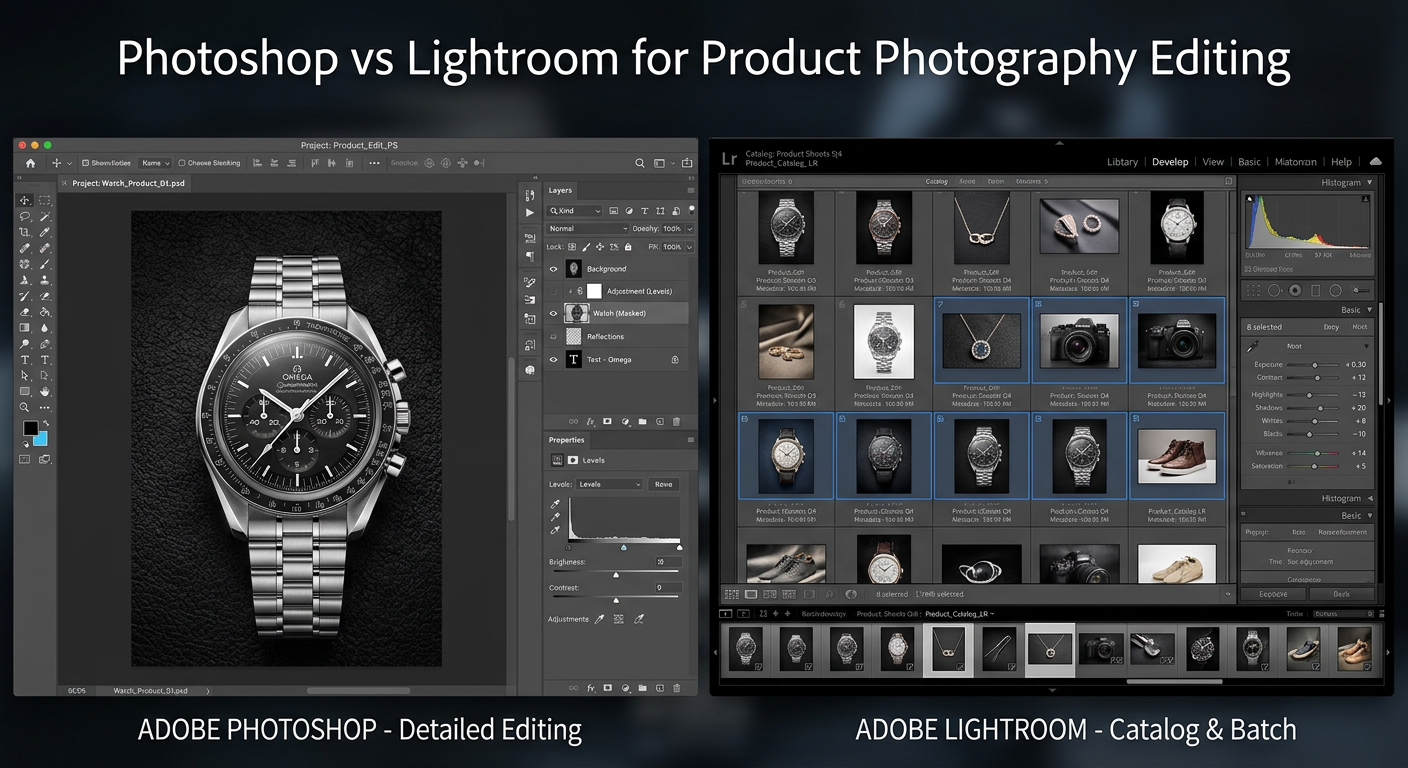
Choosing between Photoshop vs Lightroom for product photography editing can make or break your eCommerce workflow. I have spent years testing both tools across hundreds of product shoots, from simple Amazon listings to complex catalog projects. The right software choice directly impacts your editing speed, image quality consistency, and ultimately your business profitability.
Adobe Photoshop and Lightroom serve different purposes in a product photographer’s toolkit. Photoshop excels at pixel-level manipulation, background replacement, and complex compositing work. Lightroom dominates batch processing, catalog management, and maintaining consistent color across hundreds of product images. Most professional product photographers use both together, but understanding when to use each tool saves hours of frustration.
In this comparison, I break down exactly how each software handles real product photography tasks. You will discover which tool wins for background removal, batch editing, Amazon compliance, and studio workflows. By the end, you will know exactly which software fits your specific business needs and budget.
Photoshop vs Lightroom for Product Photography Editing: Quick Comparison
| Product | Specifications | Action |
|---|---|---|
 Adobe Photoshop 12-Month Subscription Adobe Photoshop 12-Month Subscription |
|
Check Latest Price |
 Adobe Lightroom 1TB 12-Month Subscription Adobe Lightroom 1TB 12-Month Subscription |
|
Check Latest Price |
The table above shows the core differences at a glance. Photoshop costs more but delivers unmatched control for complex product edits. Lightroom offers better value for high-volume catalog work with its AI-assisted tools and seamless batch processing.
Adobe Photoshop for Product Photography
Adobe Photoshop | Photo, Image, and Design Editing Software | 12-Month Subscription with Auto-Renewal, PC/Mac
Pros
- Pixel-level precision editing
- Layer-based workflow for composites
- Content-Aware Fill for backgrounds
- Industry standard for client work
- Comprehensive retouching tools
Cons
- Steep learning curve
- Higher annual cost
- No built-in catalog system
- Subscription-only model
I have used Photoshop for product photography projects ranging from jewelry retouching to furniture catalog work. The software handles complex tasks that simply cannot be done in Lightroom. When a client needs a ghost mannequin effect for their clothing line, Photoshop’s layer masking makes it possible. When Amazon rejects images for slight background imperfections, Content-Aware Fill fixes them in seconds.
The real power of Photoshop for product work comes from its layer-based editing system. You can isolate individual product elements, create precise selections around complex shapes, and build composite images that showcase products in multiple angles or lifestyle settings. The Pen Tool remains essential for creating clean clipping paths around products with hard edges like electronics or furniture.
Background removal in Photoshop offers multiple approaches depending on your product type. The Select Subject AI tool works well for simple products, while the Background Eraser handles transparent items like glass or jewelry. For Amazon’s pure white background requirement (#FFFFFF), Photoshop delivers the precision needed to pass their strict image guidelines.
The downside becomes apparent when editing volume catalogs. Photoshop requires opening each image individually, making it inefficient for processing hundreds of similar product shots. Each edit must be saved separately, creating file management challenges. The software shines for detailed work on hero images or complex retouching projects but slows down batch workflows significantly.
For product photographers working with agencies or high-end clients, Photoshop remains the industry standard. Most commercial photography briefs expect Photoshop deliverables with layered files. The software integrates seamlessly with other Adobe tools, allowing smooth transitions between photo editing, graphic design, and web layout work.
Adobe Lightroom for Product Photography
Adobe Lightroom 1TB | AI-assisted photo editor | 12-Month Subscription with auto-renewal |PC/Mac | Digital Download
Pros
- Excellent batch editing capabilities
- Built-in catalog management
- AI-powered Quick Actions
- Non-destructive workflow
- 1TB cloud storage included
- Works across desktop mobile web
Cons
- Account linking issues through Amazon
- Limited pixel-level editing
- No layer support
- Activation difficulties reported
Lightroom transformed my product photography workflow when I started managing catalogs with hundreds of SKUs. The software’s non-destructive editing means I never touch original files, allowing me to experiment freely without risking source material. Every adjustment gets stored as metadata, keeping file sizes manageable while preserving full editing flexibility.
The batch editing capabilities make Lightroom indispensable for eCommerce work. I can edit one product image, then sync those adjustments across 50 similar shots in seconds. Color correction, exposure tweaks, and preset applications happen across entire catalogs with a few clicks. For Shopify store owners managing seasonal inventory updates, this efficiency translates directly into time savings.

Lightroom’s App Store Award recognition comes from its AI-powered features. Quick Actions analyze each photo and suggest edits tailored to your specific image. Generative Remove, powered by Adobe Firefly, eliminates distractions without the complexity of Photoshop’s healing tools. Lens Blur creates professional portrait effects on product shots featuring models or lifestyle settings.
The catalog system organizes products by collection, shoot date, or custom keywords. I can tag images with client names, product categories, or project status. Smart Collections automatically group images based on criteria like rating, edit status, or metadata. For photographers juggling multiple clients or product lines, this organization prevents chaos.

Where Lightroom falls short is detailed retouching work. You cannot remove logos from products, fix fabric wrinkles on clothing, or create composite images. Background replacement works for simple scenarios but lacks Photoshop’s precision. The software handles 90% of product photography tasks beautifully but requires Photoshop for that final 10% of complex work.
The 1TB cloud storage included with this subscription enables seamless work across devices. I can start editing on my desktop studio machine, continue on a laptop during client meetings, and make final tweaks on mobile. Cloud sync keeps catalogs current everywhere, though large RAW files require patience on slower connections.
Photoshop vs Lightroom for Product Photography Editing: Head-to-Head Comparison
Batch Editing and Workflow Efficiency
Lightroom wins decisively for volume product editing. The ability to apply one set of adjustments to hundreds of images transforms catalog workflows. I recently processed 800 product shots for a fashion retailer in Lightroom within a single workday. The same project in Photoshop would have taken a week.
Photoshop requires opening each image separately, making adjustments, and saving individual files. There is no equivalent to Lightroom’s sync feature. For photographers shooting 10-20 hero images per project, Photoshop works fine. For those managing thousands of catalog shots, Lightroom becomes essential.
Background Removal and Replacement
Photoshop delivers superior background removal tools for product photography. The Pen Tool creates pixel-perfect clipping paths around products with hard edges. Select Subject handles complex shapes quickly. Content-Aware Fill generates realistic backgrounds when extending canvas or filling gaps.
Lightroom’s background tools work adequately for simple scenarios but lack precision. The masking tools improved significantly in recent versions, yet they cannot match Photoshop’s control. For Amazon’s strict white background requirements, Photoshop provides the accuracy needed to pass automated checks.
Color Correction and Consistency
Both tools use Adobe Camera Raw for color processing, delivering identical RAW conversion quality. Lightroom excels at maintaining color consistency across large catalogs through presets and sync features. One calibrated adjustment applies uniformly to every product in a collection.
Photoshop offers more advanced color manipulation through adjustment layers and selective color tools. Complex color matching between product samples and photographed images requires Photoshop’s precision. For basic color correction, both tools perform equally well.
AI and Automation Features
Lightroom integrates AI more seamlessly into daily workflows. Quick Actions suggest relevant edits automatically. Generative Remove handles simple cleanup tasks without manual masking. The AI features feel like natural extensions of the editing process rather than separate tools.
Photoshop’s Generative Fill and Generative Expand offer more powerful AI capabilities but require deliberate invocation. The Neural Filters provide impressive retouching options like skin smoothing and style transfer. For product photography specifically, Photoshop’s AI excels at extending backgrounds and filling gaps during compositing.
Learning Curve and Time Investment
Lightroom presents a gentler learning curve for product photographers. The interface focuses on photo-specific tasks without overwhelming users with design tools. Most photographers become productive within days of starting Lightroom.
Photoshop requires months of practice to use effectively for product work. The layer system, masking tools, and countless features create a steep initial barrier. However, mastering Photoshop unlocks capabilities that Lightroom simply cannot provide.
eCommerce Platform Requirements
For Amazon sellers, Photoshop handles the platform’s stringent image requirements better. Pure white backgrounds (#FFFFFF), precise cropping ratios, and detailed retouching all fall within Photoshop’s strengths. Lightroom works for basic Amazon images but struggles with complex compliance needs.
Shopify and WooCommerce stores benefit from Lightroom’s batch processing. Exporting web-optimized images at consistent sizes happens efficiently through Lightroom’s export presets. The catalog system helps manage seasonal inventory updates across product lines.
System Requirements and Performance
Both applications require modern hardware for smooth performance. Lightroom runs adequately on mid-range machines for catalog management. Photoshop demands more RAM and GPU power, especially when working with large layered files.
Cloud sync in Lightroom requires reliable internet for full functionality. Photoshop works entirely offline, making it preferable for studio environments with limited connectivity. Both tools support Mac and Windows platforms equally.
When to Use Photoshop vs Lightroom
Choose Photoshop When:
Your product photography requires complex retouching work. Jewelry photographers need Photoshop for removing reflections, enhancing gemstones, and creating perfect metal surfaces. Fashion photographers use it for fabric smoothing, wrinkle removal, and ghost mannequin effects.
You create composite product images showing multiple angles or lifestyle settings. Photoshop’s layer system builds these complex compositions that showcase products in context. Catalog covers and marketing materials typically require Photoshop’s compositing capabilities.
Clients expect layered PSD files as deliverables. Commercial photography briefs often specify Photoshop formats for maximum flexibility. Working with agencies or high-end brands usually means Photoshop proficiency is non-negotiable.
Your product images need precise background work for Amazon compliance. The platform’s automated image checks require exact white values that Photoshop delivers consistently. Background extensions and canvas adjustments also favor Photoshop’s tools.
Choose Lightroom When:
You manage large product catalogs with hundreds or thousands of SKUs. Lightroom’s batch processing transforms workflows that would overwhelm Photoshop. Ecommerce store owners updating seasonal inventory benefit enormously from Lightroom’s efficiency.
Consistent color and exposure across all product images matters. Lightroom’s sync features ensure every shot in a collection matches perfectly. Presets create brand-consistent looks that apply automatically to new imports.
Organization and catalog management consume too much time. Lightroom’s keyword system, collections, and metadata tools bring order to chaotic photo libraries. Finding specific product shots becomes instant rather than tedious.
You work across multiple devices and locations. Lightroom’s cloud sync enables seamless transitions between studio desktop, laptop, and mobile editing. Photographers traveling for client work appreciate this flexibility.
By Business Type:
Amazon Sellers: Start with Photoshop for compliance-critical images. Add Lightroom when catalog volume exceeds your capacity.
Shopify Store Owners: Lightroom handles most needs efficiently. Add Photoshop for hero images and marketing materials.
Creative Agencies: Both tools are essential. Lightroom manages volume while Photoshop delivers client-facing polish.
Product Photography Studios: Use both in tandem. Lightroom for catalog work, Photoshop for hero shots and complex retouching.
Professional Workflow: Using Both Together
Most professional product photographers use Lightroom and Photoshop together in an integrated workflow. I start every project in Lightroom, importing RAW files, applying basic corrections, and organizing by product category or client. The catalog system keeps everything searchable and organized.
For images requiring detailed work, I right-click in Lightroom and select “Edit in Photoshop.” The file opens in Photoshop with all Lightroom adjustments applied. After completing retouching, compositing, or background work, saving returns the edited file to Lightroom automatically.
This integration combines Lightroom’s organizational power with Photoshop’s editing depth. The round-trip workflow maintains catalog management while accessing advanced tools when needed. Files stay organized throughout the editing process regardless of which application handles specific tasks.
The Adobe Photography Plan includes both applications at reasonable cost, making this combined workflow accessible to most photographers. Starting in Lightroom and moving to Photoshop only when necessary maximizes efficiency while maintaining creative flexibility.
Pricing and Subscription Options
Adobe offers both products through subscription-only plans. Individual Photoshop subscriptions cost around $263.88 annually through Amazon. Lightroom with 1TB cloud storage runs approximately $118.88 per year. The standalone Lightroom plan provides significant savings for photographers who do not need Photoshop’s advanced features.
The Adobe Photography Plan bundles both applications with 20GB cloud storage for approximately $120 annually. This represents the best value for product photographers who need both tools. The plan includes Photoshop, Lightroom Classic, Lightroom CC, and Adobe Portfolio for website building.
Upgrading to the Photography Plan with 1TB storage costs around $240 annually. This tier suits photographers working with large RAW files or those needing extensive cloud sync across devices. The storage difference matters for professionals managing extensive archives.
Consider your actual usage before choosing a plan. Photographers doing 90% of work in Lightroom might skip Photoshop and save money. Those requiring both tools find the Photography Plan delivers excellent value compared to individual subscriptions.
Frequently Asked Questions
Do professional photographers use Photoshop or Lightroom?
Professional photographers use both tools together. Most start in Lightroom for organization and basic adjustments, then move to Photoshop for detailed retouching and compositing work. The integrated workflow lets photographers leverage Lightroom’s batch processing efficiency while accessing Photoshop’s advanced editing capabilities when needed.
Is Lightroom or Photoshop better for editing?
Lightroom is better for batch editing and workflow efficiency, while Photoshop excels at detailed pixel-level manipulation. For product photography specifically, Lightroom handles 90% of catalog work efficiently. Photoshop handles the remaining 10% requiring complex retouching, compositing, or precise background work.
What do most professional photographers use to edit photos?
Most professional photographers use the Adobe Photography Plan which includes both Lightroom and Photoshop. This combination provides Lightroom’s organizational and batch editing capabilities alongside Photoshop’s advanced retouching tools. The integrated workflow maximizes efficiency while maintaining creative flexibility.
Is there anything Lightroom can do that Photoshop can’t?
Lightroom provides superior catalog management, batch editing across hundreds of images, and seamless cloud sync across devices. While Photoshop can technically achieve similar results, Lightroom’s workflow efficiency for volume work has no equivalent in Photoshop. The non-destructive catalog system also preserves original files automatically.
Should I learn Lightroom or Photoshop first?
Learn Lightroom first if you are new to professional photo editing. The gentler learning curve helps you understand core concepts like exposure, color correction, and organization without overwhelming complexity. Add Photoshop later when your work requires advanced retouching or compositing capabilities that Lightroom cannot provide.
Final Verdict: Photoshop vs Lightroom for Product Photography Editing
After years of using both tools for product photography, the verdict depends entirely on your specific needs. Photoshop vs Lightroom for product photography editing comes down to complexity versus efficiency.
Buy Photoshop if: You handle complex retouching, compositing, or client work requiring layered files. Jewelry, fashion, and commercial product photographers need Photoshop’s precision. Agencies and studios serving demanding clients should invest in Photoshop proficiency.
Buy Lightroom if: You manage high-volume catalogs for eCommerce stores. Shopify sellers, Amazon merchants with large inventories, and photographers prioritizing efficiency over complexity benefit most from Lightroom. The batch editing and organization features transform productivity.
The ideal solution: Get both through the Adobe Photography Plan. This approach matches how professional product photographers actually work. Start in Lightroom for organization and batch processing. Move to Photoshop when projects demand advanced editing. The integrated workflow maximizes efficiency while maintaining creative capability.
For product photographers serious about their craft, both tools eventually become necessary. Start with Lightroom if you are new to professional editing. Add Photoshop as your skills and client requirements grow. This progression builds competency naturally while avoiding overwhelming complexity early in your journey.