
Standing on the sidelines of a soccer match, I watched my camera buffer fill up after just 15 shots. The action kept happening while I stared at a blinking red light. That was the day I learned the hard way why understanding memory card speed classes matters. If you’ve ever wondered what those C10, U3, and V30 symbols on your SD cards mean, or why your video recording randomly stops, this guide has you covered.
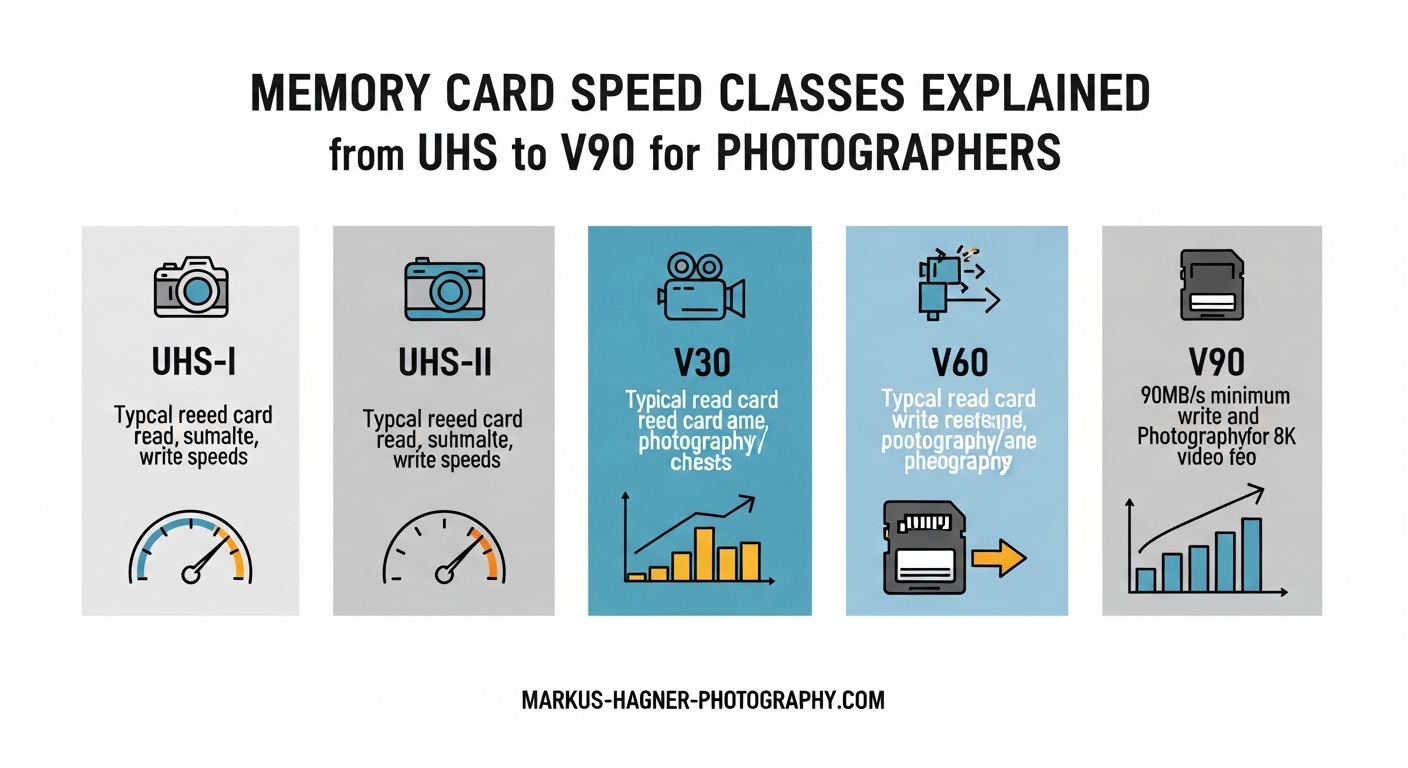
In this comprehensive guide, I’ll break down everything you need to know about memory card speed classes explained in plain terms. We’ll cover Speed Class ratings, UHS Speed Class, Video Speed Class, and the UHS bus interface so you can choose the right card for your photography and video needs.
Why Memory Card Speed Actually Matters?
Memory card speed directly impacts three things in your workflow: whether your camera can keep up during burst shooting, whether video records without interruption, and how quickly you can transfer files to your computer.
When you shoot in continuous mode, your camera writes data to the card as fast as possible. A slow card becomes a bottleneck. The buffer fills, your frame rate drops, and you miss shots. I’ve been there during wildlife shoots where a bird took flight while my camera was still clearing its buffer.
Video is even less forgiving. Unlike stills where a full buffer just slows you down, insufficient card speed causes video recording to stop completely. Your camera needs to write data continuously without any hiccups. A card that can’t maintain its minimum write speed will fail mid-recording, often at the worst possible moment.
Transfer speed matters too. After a wedding shoot with 2,000 RAW files, waiting an extra 20 minutes to import your images adds up. Faster cards paired with the right card reader significantly reduce post-shoot downtime.
Understanding Memory Card Speed Classes
Memory card speed classes are standardized rating systems created by the SD Association to help consumers understand card performance. The goal is simple: guarantee a minimum sustained write speed so you know a card will work for your specific use case.
Here’s where confusion often starts. You’ll see multiple ratings on a single card: perhaps C10, U3, and V30 all together. These aren’t competing standards. They represent different rating systems that overlap and complement each other. A card can qualify for multiple ratings if it meets each standard’s requirements.
The SD Association introduced three main speed class systems over time:
Speed Class (C2, C4, C6, C10): The original system that guarantees minimum write speeds from 2 to 10 MB/s. Still relevant for basic devices and older cameras.
UHS Speed Class (U1, U3): Introduced alongside UHS bus interfaces, guaranteeing 10 MB/s and 30 MB/s minimum sustained write speeds respectively.
Video Speed Class (V6, V10, V30, V60, V90): The newest system designed for modern video recording, with speeds ranging from 6 MB/s to 90 MB/s minimum sustained writes.
Each system uses different testing methods but serves the same purpose: telling you the minimum performance you can expect during continuous recording.
Speed Class (C Rating) Explained
The original Speed Class system uses a number inside a C to indicate minimum sustained write speed in megabytes per second. This was the first attempt at standardizing memory card performance ratings.
Class 2 (C2): Minimum 2 MB/s write speed. Suitable only for standard definition video recording and basic still photography. Rarely seen on modern cards.
Class 4 (C4): Minimum 4 MB/s write speed. Handles 720p HD video and casual photography. Found on budget cards for point-and-shoot cameras.
Class 6 (C6): Minimum 6 MB/s write speed. Supports 1080p Full HD video recording. A middle-ground option for consumer devices.
Class 10 (C10): Minimum 10 MB/s write speed. The most common rating on modern cards. Handles Full HD video and basic burst photography without issues.
The Speed Class system predates 4K video and modern high-resolution cameras. While C10 remains widely used, it doesn’t address the needs of 4K recording or fast burst shooting. That’s where UHS Speed Class and Video Speed Class come in.
UHS Speed Class (U1 vs U3)
UHS stands for Ultra High Speed. The UHS Speed Class rating appears as a U with a 1 or 3 inside it. This system was created specifically for cards using UHS bus interfaces.
UHS Speed Class 1 (U1): Guarantees a minimum sustained write speed of 10 MB/s. Functionally equivalent to Class 10. Suitable for Full HD video recording and moderate burst photography. Most entry-level cards for hobbyist photographers carry this rating.
UHS Speed Class 3 (U3): Guarantees a minimum sustained write speed of 30 MB/s. Required for 4K video recording at standard bitrates and faster burst shooting. This is the baseline for serious videographers and enthusiasts.
Here’s a practical way to think about it: U1 works fine for family videos and casual shooting. U3 becomes necessary when you step up to 4K video or shoot sports and wildlife in continuous mode.
Many photographers assume U3 is always better, but that’s not necessarily true. If your camera only shoots 1080p video and you rarely use burst mode, a U1 card saves money without any performance penalty. Match your card to your actual needs.
Video Speed Class: V30, V60, and V90 Explained
Video Speed Class represents the most recent and comprehensive rating system. Introduced to address the demands of 4K, 8K, and high-bitrate video recording, it uses a V followed by a number indicating minimum sustained write speed.
V6: Minimum 6 MB/s. Equivalent to Class 6. Handles basic HD video but offers no advantage over older ratings.
V10: Minimum 10 MB/s. Equivalent to Class 10 and U1. The entry point for Full HD video recording.
V30: Minimum 30 MB/s. Equivalent to U3. The sweet spot for 4K video recording at standard bitrates (up to 120 Mbps). Most 4K-capable cameras work perfectly with V30 cards.
V60: Minimum 60 MB/s. Required for 4K video at higher bitrates (150-280 Mbps) and some 8K recording modes. Professional videographers shooting in high-quality codecs need this level.
V90: Minimum 90 MB/s. The top tier for demanding video work. Required for 8K recording, 4K at very high bitrates (400+ Mbps), and raw video formats. These cards command premium prices.
The key distinction with Video Speed Class is its focus on sustained write performance. A card might achieve 90 MB/s in short bursts but fail to maintain that speed during extended recording. V90 certification guarantees consistent 90 MB/s performance throughout long takes.
For most photographers, V30 hits the sweet spot. It handles 4K video at normal quality settings and provides good burst shooting performance. Step up to V60 only if your camera offers high-bitrate 4K modes or you’re shooting 8K. V90 makes sense for professional video production.
UHS Bus Interface: UHS-I vs UHS-II vs UHS-III
Here’s where things get technically interesting. UHS Speed Class (U1, U3) and UHS Bus Interface (UHS-I, UHS-II) are different things. The speed class indicates minimum sustained write speed. The bus interface determines maximum possible transfer rates.
UHS-I: The original UHS interface with a maximum theoretical speed of 104 MB/s. Uses a single row of pins on the card. Most consumer cameras and cards use UHS-I. Real-world speeds typically reach 80-95 MB/s.
UHS-II: Doubles the potential bandwidth to 312 MB/s by adding a second row of pins. Look at a UHS-II card and you’ll see two rows of contacts instead of one. Required for V60 and V90 cards to reach their rated speeds. High-end mirrorless cameras often support UHS-II in at least one card slot.
UHS-III: Further doubles bandwidth to 624 MB/s. Rarely seen in consumer equipment as of 2026. Found primarily in industrial applications and cutting-edge professional cameras.
The Critical Camera Slot Compatibility Issue
This is where many photographers waste money. A UHS-II card in a UHS-I camera slot only performs at UHS-I speeds. Those extra pins on the card have nothing to connect to. You paid for 312 MB/s capability but get 104 MB/s maximum.
I’ve seen photographers buy V90 UHS-II cards for cameras with UHS-I slots, spending three times more than necessary. The card works, but you’re not getting the performance you paid for. Always check your camera’s specifications before investing in UHS-II cards.
Similarly, if your card reader only supports UHS-I, you won’t see faster transfer speeds from UHS-II cards during import. The entire chain—card, camera slot, card reader, computer interface—needs to support UHS-II to realize the benefits.
Read Speed vs Write Speed: The Critical Difference
Memory card manufacturers love to advertise big numbers on their packaging. “300 MB/s!” screams the label. But here’s what they don’t emphasize: that’s typically the read speed, not write speed.
Read speed determines how fast you can transfer files from the card to your computer. Important for your post-shoot workflow, but it has zero impact on whether your camera can keep up during shooting.
Write speed is what matters for recording. This is the speed at which your camera can save data to the card. Write speed is almost always lower than read speed, sometimes significantly so.
Speed class ratings (C, U, V) all measure write speed specifically. When you see V30 on a card, it guarantees 30 MB/s sustained write speed regardless of what the advertised maximum read speed claims.
This distinction explains why a card advertised at 170 MB/s might still only be a V30 card. The 170 MB/s refers to read speed, while write performance only meets the V30 standard of 30 MB/s sustained.
For photographers, prioritize write speed ratings over advertised maximum speeds. A V60 card from a reputable brand will outperform a generic card claiming higher speeds without certification.
What Speed Do Photographers Need?
Still photographers have different requirements than videographers. Your needs depend on what you shoot and how you shoot it.
Casual photography: Class 10 or U1 cards (10 MB/s minimum) handle everything from family snapshots to travel photography. If you shoot JPEG or occasional RAW files without heavy burst use, these cards work fine.
Enthusiast RAW photography: U3/V30 cards (30 MB/s minimum) provide comfortable headroom for RAW files and moderate burst shooting. Your buffer clears faster, letting you capture more moments in quick succession.
Sports and wildlife photography: U3/V30 at minimum, ideally V60. The key metric here is buffer clearing time. When a bird takes flight or a player breaks toward the goal, you need sustained burst shooting. Faster cards mean more shots before the buffer fills and faster recovery after.
High-resolution cameras (40+ megapixels): V60 or V90 cards become more relevant. Large RAW files (80-100MB each) quickly consume buffer space. Faster write speeds keep you shooting longer in continuous mode.
Consider your typical shooting scenario. A landscape photographer shooting methodically with single frames doesn’t need the fastest card available. A wedding photographer capturing key moments in rapid succession benefits from faster write speeds.
What Speed Do Videographers Need?
Video demands sustained write performance in ways still photography doesn’t. A dropped frame during video recording ruins the take entirely.
1080p Full HD video: Class 10, U1, or V10 cards all handle standard 1080p recording at typical bitrates (25-50 Mbps). No need for premium cards here.
4K video at standard bitrates (50-120 Mbps): V30 cards provide reliable performance. Most 4K cameras specify V30 as the minimum requirement, and this rating covers the majority of 4K shooting scenarios.
4K video at high bitrates (150-400 Mbps): V60 cards become necessary. Cameras like the Sony A7S III and Panasonic S5 II offer 4K recording modes that exceed V30’s capabilities. Check your camera’s bitrate specifications.
8K video: V60 minimum, often V90 required. 8K recording generates massive data streams. The Samsung NX1 and Canon R5 both require high-speed cards for 8K modes.
Raw video and ProRes: V90 cards are typically required. Recording raw video or high-quality codecs like ProRes demands sustained high-speed writes. The Blackmagic Pocket Cinema Camera 6K Pro specifies V90 for certain recording modes.
Video bitrate is the key specification to match. Your camera manual lists maximum bitrates for each recording mode. Choose a card with minimum sustained write speed exceeding your maximum bitrate, with some headroom for safety.
Application Performance Class (A1 and A2)
You might notice A1 or A2 symbols on some SD and microSD cards. The Application Performance Class was created for devices that run apps directly from memory cards—primarily smartphones and tablets.
A1: Minimum 10 MB/s sequential write, 1500 IOPS random read, 500 IOPS random write. Suitable for basic app performance on Android devices.
A2: Minimum 10 MB/s sequential write, 4000 IOPS random read, 2000 IOPS random write. Significantly better random performance for running multiple apps from the card.
For photographers, A ratings matter in specific scenarios. If you use a smartphone or tablet in your workflow with apps accessing files directly on the card, A2 cards provide snappier performance. Drone operators and action camera users with microSD slots also benefit.
For traditional photography with SD cards in cameras, A1 and A2 ratings don’t impact shooting performance. The sequential write speeds relevant to photography are covered by C, U, and V ratings. Think of A ratings as bonus performance for app-based workflows.
SDHC vs SDXC vs SDUC: Capacity Explained
Speed isn’t the only specification to understand. Memory cards also differ in maximum capacity, which affects compatibility.
SDHC (Secure Digital High Capacity): Supports capacities from 4GB to 32GB. Uses FAT32 file system. Works in virtually all SD-compatible devices. The limitation for video recording is the 4GB maximum file size due to FAT32 restrictions.
SDXC (Secure Digital eXtended Capacity): Supports 32GB to 2TB capacities. Uses exFAT file system, allowing files larger than 4GB. Required for extended 4K video recording. Most cameras manufactured after 2010 support SDXC.
SDUC (Secure Digital Ultra Capacity): Supports up to 128TB. Uses exFAT file system. As of 2026, consumer SDUC cards are essentially nonexistent, but the standard exists for future expansion.
For practical purposes, SDXC cards are the current standard for photographers. They handle the large file sizes from high-resolution RAW images and long 4K video clips. SDHC remains useful for smaller capacity needs or older devices.
Check your camera’s maximum supported capacity before buying. Some older cameras support SDXC but only up to certain capacities like 256GB or 512GB.
Choosing the Right SD Card Speed: Step-by-Step Guide
Let me walk you through a systematic approach to selecting the right memory card speed for your specific needs.
Step 1: Check your camera specifications. Look in your camera manual or manufacturer website for memory card requirements. Note the maximum supported capacity, UHS bus interface support (UHS-I or UHS-II), and recommended speed classes for video recording modes.
Step 2: Identify your video requirements. If you shoot video, determine the highest resolution and bitrate you use. Match this to speed class: 1080p needs V10, standard 4K needs V30, high-bitrate 4K needs V60, 8K or raw video needs V90.
Step 3: Consider your burst shooting needs. Sports, wildlife, and event photographers benefit from faster write speeds for buffer clearing. V30 provides good performance for most situations; V60 helps with high-resolution cameras shooting extended bursts.
Step 4: Verify UHS bus compatibility. If your camera supports UHS-II, investing in UHS-II cards makes sense. If it only supports UHS-I, save money with UHS-I cards—the faster UHS-II cards won’t provide additional benefit.
Step 5: Factor in your transfer workflow. If you regularly transfer large amounts of data, consider a UHS-II card reader to match fast cards. Otherwise, card speed during transfer matters less.
Step 6: Choose reputable brands. SanDisk, Sony, Lexar, ProGrade, and Kingston consistently meet their rated specifications. Avoid unbranded or heavily discounted cards that might be counterfeit or fail to meet stated speeds.
Common Mistakes and How to Avoid Them?
After years of photographing and reading countless forum discussions, I’ve identified the most common mistakes photographers make with memory cards.
Buying faster cards than your camera supports. A V90 UHS-II card in a UHS-I camera slot performs no better than a V30 UHS-I card. Check your camera’s specifications before spending extra on speed you can’t use.
Confusing read speed with write speed. That “170 MB/s” on the package probably refers to read speed. Look for the C, U, and V symbols to understand actual write performance.
Ignoring counterfeit cards. Fake memory cards plague the market. They display false capacity and speed ratings while delivering poor performance. Buy from authorized retailers and reputable brands. If a deal seems too good to be true, it probably is.
Never formatting cards in-camera. Always format your memory card using your camera’s format function, not your computer. In-camera formatting ensures the card’s file system matches your camera’s requirements and can prevent recording errors.
Using one massive card for everything. Spreading your images across multiple smaller cards reduces risk. If a 512GB card fails, you lose everything. If you use four 128GB cards, a single failure only affects a quarter of your work.
Pulling cards during write operations. Never remove a card while your camera’s write light is blinking. This can corrupt data and potentially damage the card. Wait for the light to stop before swapping cards.
Complete Memory Card Speed Class Chart
Here’s a quick reference comparing all speed class ratings:
Speed Class: C2 (2 MB/s) – Basic devices only. C4 (4 MB/s) – 720p video. C6 (6 MB/s) – 1080p video. C10 (10 MB/s) – Full HD video, basic photography.
UHS Speed Class: U1 (10 MB/s) – Full HD video, equivalent to C10. U3 (30 MB/s) – 4K video, enthusiast photography.
Video Speed Class: V6 (6 MB/s) – Basic HD. V10 (10 MB/s) – Full HD. V30 (30 MB/s) – Standard 4K. V60 (60 MB/s) – High-bitrate 4K, 8K entry. V90 (90 MB/s) – Professional 8K, raw video.
Bus Interface Maximum Speeds: UHS-I (104 MB/s) – Standard for most cameras. UHS-II (312 MB/s) – Professional cameras. UHS-III (624 MB/s) – Industrial applications.
Frequently Asked Questions
What is a good SD card speed for photography?
For casual photography, Class 10 or U1 cards (10 MB/s minimum) work well. Enthusiasts shooting RAW files or using burst mode should choose U3/V30 cards (30 MB/s minimum). Sports and wildlife photographers benefit from V60 cards for faster buffer clearing. Match the card speed to your shooting style rather than automatically buying the fastest available.
Is Class 10 faster than Class 6?
Yes, Class 10 is faster than Class 6. Class 6 guarantees a minimum sustained write speed of 6 MB/s, while Class 10 guarantees 10 MB/s. In practical terms, Class 10 handles Full HD video recording smoothly, while Class 6 may struggle with higher quality video modes. Class 10 is the current standard for most photography applications.
What are the speed classes for SD UHS?
UHS Speed Class includes two ratings: U1 guarantees minimum 10 MB/s sustained write speed, and U3 guarantees minimum 30 MB/s sustained write speed. U1 is suitable for Full HD video and casual photography. U3 is required for 4K video recording and faster burst photography. These ratings appear as a U with 1 or 3 inside on the card label.
Which is better, Class 3 or Class 10 SD card?
This comparison requires clarification. Class 3 doesn’t exist in the Speed Class system. You’re likely comparing UHS Speed Class 3 (U3) with Speed Class 10 (C10). U3 is better than C10 for demanding applications. U3 guarantees 30 MB/s minimum sustained write speed versus C10’s 10 MB/s. Choose U3 for 4K video or burst photography, while C10 suffices for basic Full HD video and casual shooting.
What do the symbols on SD cards mean?
The symbols indicate performance ratings. A number in a C (C2-C10) shows Speed Class minimum write speed in MB/s. A number in a U (U1 or U3) indicates UHS Speed Class. A V followed by a number (V6-V90) shows Video Speed Class minimum sustained write speed. Cards often display multiple symbols because they meet several rating standards simultaneously. A1 or A2 indicates Application Performance Class for running apps from the card.
Conclusion
Understanding memory card speed classes explained throughout this guide comes down to a few key principles. Speed Class (C ratings) covers basic performance. UHS Speed Class (U1, U3) addresses modern photography and video needs. Video Speed Class (V6-V90) provides the most detailed performance guarantees for demanding video work.
Match your card to your actual use case. Most photographers find V30 cards hit the sweet spot for 4K video and enthusiast still photography. Step up to V60 or V90 only if your camera and shooting style demand it. Always verify your camera’s UHS bus support before investing in UHS-II cards.
Remember that speed class ratings guarantee minimum sustained write speed. Those flashy maximum speeds on packaging often refer to read performance. Trust the C, U, and V symbols for the performance that matters during shooting.
Buy from reputable brands, format cards in your camera, and spread your work across multiple cards to reduce risk. With the right memory card in your camera, you can focus on capturing great images instead of watching your buffer fill up.