
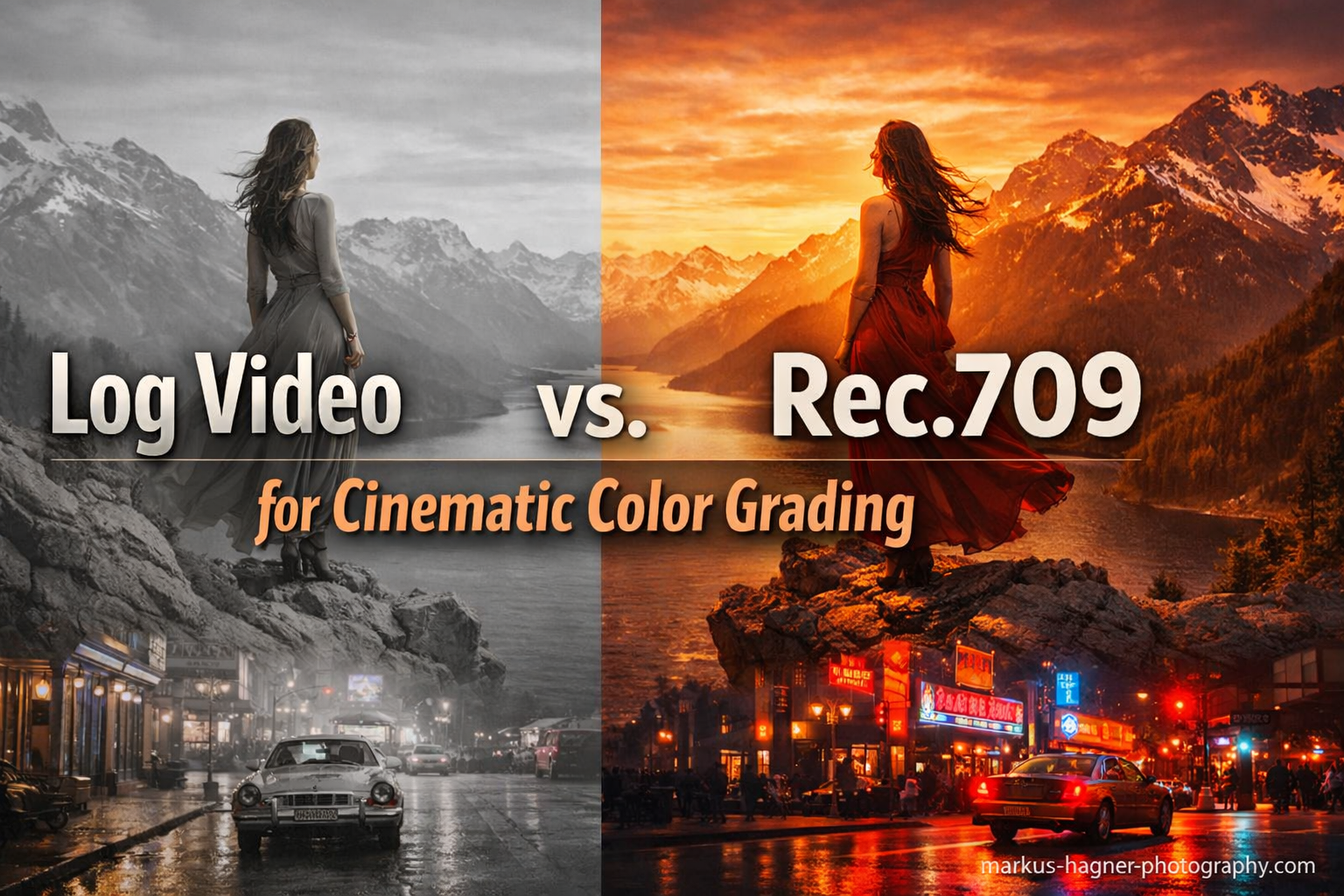
Choosing between Log video and Rec.709 fundamentally shapes how your footage handles color grading and what your final cinematic look becomes. Log video captures a massive 11-17 stops of dynamic range using logarithmic gamma encoding, preserving details in highlights and shadows that would otherwise be lost. Rec.709, the standard HD broadcast format, delivers ready-to-view images with about 5-6 stops of dynamic range baked directly into the footage.
For cinematic color grading specifically, Log video gives you far more creative control. The flat, desaturated appearance of Log footage is actually a feature, not a flaw. It preserves maximum data for manipulation in post-production. Rec.709 works great for quick turnarounds and projects where you need footage that looks finished straight out of camera.
After spending years shooting everything from wedding films to commercial projects, I’ve learned that the Log vs Rec.709 decision comes down to your workflow, timeline, and creative goals. This guide breaks down exactly when each format shines and how to get the most cinematic results from your footage.
Log Video vs Rec.709: Quick Comparison
Here’s how these two color profiles stack up against each other across the key factors that matter for cinematic color grading:
| Feature | Log Video | Rec.709 |
|---|---|---|
| Dynamic Range | 11-17 stops | 5-6 stops |
| Appearance | Flat, desaturated, low contrast | Ready-to-view, saturated |
| Color Grading Flexibility | Excellent – maximum headroom | Limited – baked-in look |
| Post-Production Time | Required – always needs grading | Optional – usable as-shot |
| Skill Level Required | Intermediate to Advanced | Beginner friendly |
| Bit Depth Importance | Critical (10-bit recommended) | Less critical (8-bit OK) |
| Exposure Monitoring | Requires scopes (false color, waveform) | Can judge by eye |
| Best For | Films, commercials, creative work | Quick turnarounds, events, social media |
The comparison table above shows the fundamental trade-off. Log prioritizes flexibility and dynamic range at the cost of workflow complexity. Rec.709 prioritizes speed and convenience but limits what you can do in post.
What is Log Video?
Log video uses a logarithmic gamma curve to record a much wider range of brightness values than standard video formats. Instead of capturing footage that looks correct on screen, Log captures maximum image data for later manipulation.
The logarithmic encoding allocates more data bits to midtones and shadows where our eyes are most sensitive, while still preserving highlight information that would clip in standard gamma. This is why Log footage appears so flat and washed out when you first view it. The camera is essentially compressing a massive dynamic range into a file that can be stored and processed.
How Log Gamma Curves Work
Traditional gamma curves apply more data to brighter parts of the image, which wastes information since our eyes perceive brightness logarithmically. Log gamma curves flip this approach. They distribute image data more evenly across the entire tonal range, capturing details from deep shadows to bright highlights that would otherwise be lost.
When you shoot Log, your camera captures 11-17 stops of dynamic range depending on the sensor and Log profile. By comparison, Rec.709 only captures about 5-6 stops. This extra 5-11 stops of range gives you incredible flexibility for recovering details, adjusting exposure in post, and creating dramatic looks without introducing artifacts.
Common Log Profiles
Different camera manufacturers have developed their own Log implementations, each with slightly different characteristics:
Sony S-Log (S-Log2, S-Log3) – Sony’s logarithmic gamma for Alpha and Cinema Line cameras. S-Log3 offers the widest dynamic range and works best with Sony’s S-Gamut3 color space. I’ve found S-Log3 handles skin tones better than S-Log2 in challenging lighting.
Canon C-Log (C-Log2, C-Log3) – Canon’s implementation for EOS cinema cameras and mirrorless bodies. C-Log3 provides the most dynamic range while maintaining compatibility with Canon’s wide DR gamma for easier grading.
Panasonic V-Log (V-Log L) – Designed for Panasonic’s cinema and mirrorless cameras. V-Log L is a lighter version for cameras that can’t handle the full V-Log data requirements.
ARRI LogC – The professional cinema standard used in ARRI Alexa cameras. LogC is considered the gold standard for cinematic image quality and serves as the reference many other Log profiles attempt to match.
Nikon N-Log – Nikon’s Log gamma for Z-series mirrorless cameras, optimized for 10-bit N-Log recording.
Why Log Footage Looks Flat
That washed-out, desaturated look of Log footage confuses many beginners. They assume something is wrong with their camera settings. In reality, this flat appearance is intentional and valuable.
Log footage looks flat because the gamma curve doesn’t apply the contrast and saturation that makes images look “correct” to our eyes. Instead, it preserves raw sensor data with minimal processing. This gives colorists maximum flexibility to shape the image later without fighting baked-in decisions from the camera.
Think of Log as a digital negative rather than a finished image. The flat look means no data has been thrown away. You can push and pull the image significantly without banding, artifacts, or lost detail.
What is Rec.709?
Rec.709 (ITU-R BT.709) is the international standard for high-definition television. It defines both a color space and gamma curve that produce images ready for immediate viewing on standard displays.
When you shoot Rec.709, your camera applies contrast, saturation, and color processing to create footage that looks “finished” straight out of camera. This makes Rec.709 incredibly convenient for projects with fast turnaround times or minimal post-production resources.
Rec.709 as a Delivery Format
Here’s a crucial point that many video creators miss. Rec.709 was designed as a delivery format, not an acquisition format. It’s meant to be the final output that viewers see on their televisions and monitors.
When you shoot Rec.709, you’re essentially recording a final product. The camera makes irreversible decisions about how your image should look. You get limited flexibility to change those decisions later because the camera has already discarded the extra data that would allow significant adjustments.
This doesn’t mean Rec.709 is bad. It’s the right choice for many production scenarios. Broadcast television, corporate videos, social media content, and event coverage often benefit from the speed and convenience of Rec.709 delivery.
The Limited Dynamic Range Problem
Rec.709’s main limitation for cinematic work is its restricted dynamic range. With only 5-6 stops captured, challenging lighting situations often result in clipped highlights or crushed shadows that cannot be recovered.
In high-contrast scenes, you’re forced to choose. Expose for highlights and lose shadow detail, or expose for shadows and blow out bright areas. Log video eliminates this compromise by capturing both simultaneously.
For controlled studio environments with even lighting, Rec.709’s dynamic range limitations rarely cause problems. But for real-world shooting with mixed lighting, bright windows, or outdoor scenes, the 5-6 stop ceiling becomes a real creative constraint.
Log Video vs Rec.709: Head-to-Head Comparison
Now let’s dig into the practical differences that actually matter when you’re in the field or sitting down to grade your footage.
Dynamic Range Showdown
Dynamic range measures how many stops of light your camera can capture while maintaining detail. This is where Log absolutely dominates Rec.709.
Modern cinema cameras shooting Log can capture 11-17 stops of dynamic range. The ARRI Alexa 35 captures over 17 stops. The Sony FX6 reaches about 15 stops in S-Log3. Even consumer mirrorless cameras like the Sony A7S III capture 15+ stops when shooting Log.
Rec.709 tops out around 5-6 stops by design. This isn’t a limitation of the camera sensor. It’s a constraint of the Rec.709 gamma curve itself, which was created for display purposes rather than capture.
In practical terms, this means Log footage handles challenging lighting scenarios that would destroy Rec.709 footage. Bright windows in interior shots. Backlit subjects at sunset. Scenes with both deep shadows and bright highlights. Log captures it all; Rec.709 forces you to compromise.
Color Grading Flexibility
Cinematic color grading requires the ability to push images in creative directions without introducing artifacts or banding. This is where Log’s extra data pays off.
With Log footage, you can dramatically alter color temperature, push exposure by several stops, create heavy contrast looks, and apply creative color grades like teal-and-orange without visible image degradation. The data is there to support these manipulations.
Rec.709 footage fights back when you push it hard. Increase contrast and you’ll see clipping in highlights and shadows. Shift color temperature significantly and you’ll introduce color banding. Try aggressive creative grades and you’ll see posterization and artifacts.
Professional colorists emphasize that Log-to-709 conversion is just the starting point, not the end of color grading. The real creative work happens after this conversion, and Log gives you the latitude to do it properly.
Workflow Requirements
Rec.709 wins hands-down for workflow simplicity. Point, shoot, and your footage is ready to edit. No color grading required, though you can apply light corrections if desired.
Log demands a more involved workflow. Every Log clip must be processed before it looks correct. This typically involves:
1. Color correction to balance exposure and white balance
2. Log-to-Rec.709 conversion using a technical LUT or manual grading
3. Creative color grading to achieve your desired look
This workflow takes time and skill. If you’re delivering a project the same day or don’t have color grading expertise, the extra steps become a burden rather than a benefit.
Bit Depth Matters
Bit depth determines how many color values your footage can represent. For Log footage, bit depth is critical.
8-bit Log footage causes problems because that flat, compressed image doesn’t have enough color values to support heavy grading. Push 8-bit Log footage and you’ll see banding in gradients, posterization in skies, and artifacts in shadows.
10-bit Log recording solves these issues. The extra bit depth provides 1,024 tonal values per channel instead of 256, giving you the headroom to grade aggressively without visible degradation.
Rec.709 works reasonably well in 8-bit because the image already has contrast and saturation baked in. You’re not pushing it as hard, so the limited color values cause fewer problems.
Exposure and Monitoring Challenges
Here’s where many Log shooters get into trouble. You cannot judge Log exposure by eye because the flat image makes everything look washed out regardless of actual exposure.
Proper Log exposure requires scopes. Waveform monitors, false color displays, and zebras show you what’s actually happening with your image. Relying on your LCD or EVF leads to underexposed footage with noise, or overexposed footage with clipped highlights.
The professionals I work with always shoot Log with external monitors running false color. It’s the only reliable way to expose Log correctly in the field.
Rec.709 exposure is much easier to judge visually. What you see on your display closely matches what you’re actually recording. This makes Rec.709 more forgiving for solo shooters or situations where monitoring equipment isn’t practical.
Multi-Camera Matching
Nothing creates a colorist nightmare faster than mixing Log and Rec.709 footage from different cameras in the same project.
Each format requires completely different processing. Log footage needs conversion and grading. Rec.709 footage is already processed. Trying to match these sources requires extensive color correction, and the results rarely look seamless.
If you’re shooting with multiple cameras, pick one format and stick with it across all cameras. Mixing Log and Rec.709 in a single project creates headaches that compound with every additional shot.
Cinematic Color Grading with Log Video
Log video exists specifically to enable cinematic color grading. Understanding the proper workflow unlocks the full potential of your footage.
The Three-Stage Log Grading Workflow
Professional colorists approach Log footage in three distinct stages:
Stage 1: Primary Correction – Balance your footage by adjusting exposure, white balance, and contrast to create a neutral starting point. This stage fixes any exposure problems from shooting and ensures consistent white balance across clips.
Stage 2: Log-to-Rec.709 Conversion – Apply a technical LUT or manually convert your Log footage to the Rec.709 color space. This transformation takes your flat footage and makes it look “normal” with proper contrast and saturation.
Stage 3: Creative Grading – Now the real cinematic work begins. Add your creative look, apply color contrast, adjust skin tones, and shape the overall mood of your image. This is where you create the teal-and-orange look, film emulation, or any other creative vision.
Many beginners mistake Stage 2 for color grading. It’s not. Converting Log to Rec.709 is just normalization. The actual creative grading happens after this conversion.
Understanding LUTs in Log Workflows
Look-Up Tables (LUTs) are mathematical formulas that transform color values in your footage. They’re essential tools in Log workflows.
Technical LUTs convert Log footage to standard color spaces like Rec.709. Every camera manufacturer provides free technical LUTs for their Log profiles. Sony offers S-Log3 to Rec.709 LUTs. Canon provides C-Log to Rec.709 conversion LUTs. These are your starting points, not your final looks.
Creative LUTs apply stylistic looks to your footage. Film emulation LUTs, teal-and-orange looks, vintage styles. These work best when applied after technical conversion, not instead of it.
3D LUTs can transform both color and luminance values simultaneously, making them more powerful than 1D LUTs which only affect individual color channels. Most modern color grading uses 3D LUTs in the .cube format.
Popular Cinematic Looks from Log Footage
Log footage excels at creating distinctive cinematic looks that define visual storytelling:
Teal and Orange – The most popular blockbuster look pushes skin tones toward warm orange while shifting shadows toward teal. This color contrast creates visual separation and dimensionality. Log footage handles this heavy color manipulation without banding.
Film Emulation – Recreating the look of motion picture film stocks requires manipulating color, contrast, and adding subtle grain. Log footage provides the latitude for these transformations while maintaining smooth gradients.
Day-for-Night – Converting daytime footage to appear as night requires aggressive color and exposure shifts. Log’s extra stops of dynamic range make this possible without crushing important detail.
High-Key and Low-Key – Extreme contrast looks that push toward bright whites or deep blacks require careful manipulation of the tonal range. Log footage gives you the data to execute these looks properly.
DaVinci Resolve Log Workflow
DaVinci Resolve offers the most powerful Log grading tools available. Here’s how professional colorists work with Log footage in Resolve:
Start in the Color page by setting your camera’s input color space in Project Settings. This tells Resolve how to interpret your Log footage. Apply your technical LUT in the first node of your node tree. Use the Color Warper for precise skin tone adjustments. Add separate nodes for primary correction, creative looks, and secondary corrections using qualifiers and power windows.
Resolve’s color management handles Log-to-Rec.709 conversion automatically when configured correctly, eliminating the need for manual technical LUTs in many workflows.
Premiere Pro Lumetri Workflow
Adobe Premiere Pro handles Log grading through the Lumetri Color panel. While less powerful than Resolve for complex grading, Lumetri works well for most projects.
Apply your technical LUT in the Creative tab of Lumetri Color. Use the Basic Correction tab for exposure and white balance adjustments. Add creative looks using the Curves, Color Wheels, and HSL Secondary sections. The Lumetri Scopes panel provides the waveform and vectorscope monitoring essential for Log grading.
When to Use Each Format
The Log vs Rec.709 decision depends entirely on your project requirements. Here’s a practical framework for choosing:
Shoot Log When:
You’re creating narrative films, commercials, or music videos where cinematic look matters. These projects have the timeline and budget for proper color grading.
The scene has challenging lighting with high contrast. Bright windows, backlighting, or mixed lighting sources benefit from Log’s extra dynamic range.
You need maximum creative flexibility for the final look. If you’re experimenting with different grades or need options for client approvals, Log preserves those choices.
You’re shooting documentary content in uncontrolled environments. Log gives you latitude to handle unexpected lighting situations.
You have a dedicated colorist or significant post-production time allocated.
Shoot Rec.709 When:
You need same-day delivery or extremely fast turnaround. Weddings with same-day edits, news gathering, live event coverage, and social media content all benefit from Rec.709’s ready-to-use output.
You’re handing footage to clients who won’t color grade. Corporate communications, training videos, and internal content often go straight to delivery without post-processing.
You’re a solo creator without color grading expertise or time to develop those skills.
Your shooting environment has controlled, even lighting where dynamic range isn’t a concern.
You’re shooting 8-bit video and don’t have 10-bit recording options available.
The Hybrid Approach
Some cameras offer hybrid picture profiles that split the difference between Log and Rec.709. Sony’s S-Cinetone, Canon’s Canon 709, and similar profiles deliver more pleasing skin tones and ready-to-view images while maintaining more dynamic range than standard Rec.709.
These hybrid profiles work well for run-and-gun documentary work, travel content, and projects where you want some grading flexibility without committing to a full Log workflow.
Practical Tips for Shooting Log
If you’ve decided to shoot Log, here are the techniques that will save you headaches in post:
Master Your Exposure Tools
Never trust your eyes when exposing Log footage. The flat image makes everything look wrong regardless of actual exposure. Use waveform monitors to keep your highlights below 90-95 IRE. Use false color to ensure skin tones land in the correct exposure range. Enable zebras to catch clipping before it happens.
Use Preview LUTs On Set
Load your camera’s technical LUT onto an external monitor so you can see what the graded footage will look like while shooting. This helps with composition, lighting decisions, and ensures you’re actually getting the look you want. The preview LUT doesn’t affect your recorded footage, only what you see on set.
Record in 10-Bit
If your camera offers 10-bit recording, always use it for Log footage. The extra color depth prevents banding and artifacts when you push the image in post. 8-bit Log recording severely limits your grading flexibility.
Avoid Common Mistakes
Don’t underexpose Log footage thinking you’ll protect highlights. Modern Log profiles are designed to be exposed normally or slightly to the right. Underexposure introduces noise that no amount of grading can remove.
Don’t mix Log and Rec.709 in the same project. Pick one format and commit to it across all cameras and all shooting days.
Don’t skip the technical conversion step. Creative LUTs applied directly to Log footage produce poor results. Always convert Log to Rec.709 first, then apply creative looks.
Frequently Asked Questions
Is log better for color grading?
Yes, Log is significantly better for color grading because it captures 11-17 stops of dynamic range versus Rec.709’s 5-6 stops. This extra data gives you more flexibility to adjust exposure, create dramatic looks, and apply creative color grades without introducing banding or artifacts. Log footage preserves details in highlights and shadows that would be lost in Rec.709, giving colorists maximum creative control.
Should I shoot in log or Rec. 709?
Shoot Log for films, commercials, documentaries, and creative projects where you have time for color grading and need maximum quality. Shoot Rec.709 for quick turnarounds, social media content, live events, and situations where you need footage that looks finished straight out of camera. Your decision should be based on project timeline, grading resources, and whether cinematic quality or speed is the priority.
What is the best color grade for cinematic video?
The best cinematic color grade depends on your story and mood, but popular looks include teal and orange for visual separation, film emulation for organic texture, and high-contrast dramatic looks for tension. Log footage enables all these looks because its wide dynamic range supports heavy color manipulation. The key is using Log to capture maximum data, then grading intentionally to serve your narrative rather than applying trendy looks without purpose.
Why do we convert Log to Rec.709 after shooting?
We convert Log to Rec.709 because Log is an acquisition format designed for capture, while Rec.709 is a delivery format designed for display. The conversion applies the contrast and saturation that makes footage look correct on standard screens. This Log-to-709 conversion is just normalization, not creative color grading. The actual creative work happens after conversion, using the extra data Log preserved to craft your desired cinematic look.
Verdict: Log Video vs Rec.709 for Cinematic Color Grading
For cinematic color grading, Log video is the clear winner. The extra dynamic range, color grading flexibility, and creative control make Log the professional standard for narrative, commercial, and creative video production.
Log footage captures 11-17 stops of dynamic range compared to Rec.709’s 5-6 stops. This translates to recoverable highlights, clean shadows, and the latitude to create dramatic cinematic looks without artifacts. The flat, desaturated appearance isn’t a bug. It’s the feature that preserves maximum data for your colorist.
Choose Log when: You’re creating films, commercials, documentaries, or any project where cinematic quality matters more than speed. You have time for proper color grading. You need maximum creative flexibility in post.
Choose Rec.709 when: Speed is your priority. You’re delivering content the same day. You don’t have color grading resources. Your viewing audience won’t notice the difference between good and great image quality.
The real question isn’t which format is better overall. It’s which format serves your specific project. Log delivers cinematic quality at the cost of complexity. Rec.709 delivers convenience at the cost of flexibility. Choose based on what your project actually needs.