
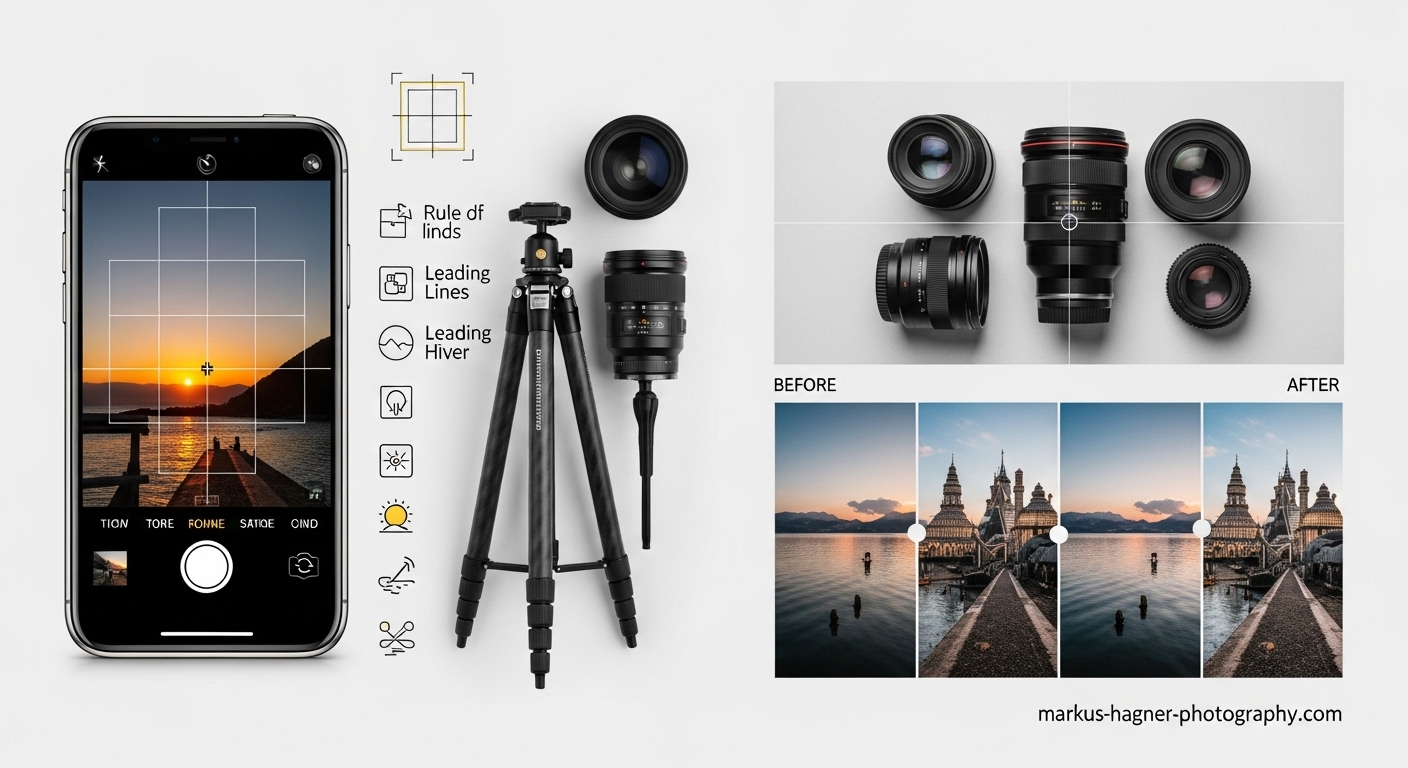
I’ve been obsessed with iPhone photography since the moment I discovered how powerful these pocket-sized cameras have become. As someone who’s spent countless hours testing every feature, tip, and trick imaginable, I’m excited to share everything I’ve learned about transforming your iPhone from a simple point-and-shoot into a professional photography powerhouse.
When I first started taking photos with my iPhone, I was frustrated by the inconsistent results. Some shots looked amazing while others fell flat. But through trial and error (and lots of research), I discovered that the secret isn’t just having a great camera—it’s knowing how to use it to its full potential.
Today, I’m going to share with you the most comprehensive guide to iPhone photography you’ll find anywhere. Whether you’re a complete beginner or looking to take your skills to the next level, these tips will help you capture stunning photos that will make your friends wonder if you’ve secretly become a professional photographer.
Getting Started: The Foundation of Great iPhone Photography
Before we dive into the advanced techniques, let’s cover the absolute essentials that every iPhone photographer needs to know. I learned these lessons the hard way, and mastering them first will save you countless hours of frustration.
Keep Your Lens Clean (It’s More Important Than You Think)
I can’t tell you how many potentially amazing photos I’ve ruined by forgetting this simple step. Your iPhone lens is constantly exposed to fingerprints, dust, and smudges that can make your photos look hazy or soft.
Here’s what I do: I keep a microfiber cloth in my phone case and give the lens a quick wipe before every important shoot. For stubborn smudges, I lightly dampen the cloth with a tiny bit of lens cleaning solution. The difference in clarity is immediately noticeable—trust me on this one.
Update Your iPhone Software
This might sound obvious, but I’ve seen so many people miss out on incredible new features because they’re running outdated software. Apple constantly improves the camera capabilities with each iOS update, adding new modes, better processing, and enhanced editing tools.
Pro tip: Enable automatic updates in your settings so you never miss out on the latest camera improvements. I discovered the amazing Photonic Engine and enhanced ProRAW features simply by keeping my iPhone updated.
Choose the Right iPhone Model for Photography
While you can take great photos with any modern iPhone, some models definitely have advantages for serious photography. After testing various models, I’ve found that the iPhone 15 Pro Max, 15 Pro, and 14 Pro Max offer the best camera systems for photography enthusiasts.
The iPhone 15 Pro Max, in particular, has become my go-to for professional work. Its 48MP main camera with f/1.78 aperture, combined with the enhanced telephoto capabilities, gives me results that rival dedicated cameras in many situations.
Mastering iPhone Camera Settings
Now that we have the basics covered, let’s dive into the camera settings that will transform your photography. These are the settings I adjust immediately when setting up a new iPhone for photography.
Enable Grid Lines for Perfect Composition
I discovered this game-changing feature early in my photography journey, and it’s made a huge difference in my compositions. The grid lines help you apply the rule of thirds, which is fundamental to creating balanced, visually appealing images.
How to enable it: Go to Settings > Camera > Grid and toggle it on. You’ll see two horizontal and two vertical lines that divide your screen into nine equal parts. Place your subject at the intersection points for more dynamic compositions.
Turn on Apple ProRAW for Maximum Editing Flexibility
This is where things get really exciting. ProRAW gives you the editing flexibility of RAW files while maintaining some of Apple’s computational photography benefits. I shoot in ProRAW whenever I know I’ll be doing extensive editing.
Here’s the catch: ProRAW files are huge (up to 60MB each), so make sure you have adequate storage. I recommend at least 256GB of storage if you plan to shoot primarily in ProRAW.
How to enable it: Settings > Camera > Formats > Toggle on Apple ProRAW. For the iPhone 15 Pro and 16 Pro, you can also enable 48MP ProRAW for incredible detail.
Adjust Camera Formats for Optimal Quality
I learned this tip from a professional photographer friend, and it’s made a noticeable difference in my image quality. Switching to High Efficiency format gives you better compression without sacrificing quality.
Settings to adjust: Settings > Camera > Formats > Choose High Efficiency. This saves storage space while maintaining excellent image quality.
Preserve Settings for Consistent Results
Nothing frustrates me more than having my camera settings reset every time I close the app. The Preserve Settings feature keeps your preferred camera modes, filters, and other settings intact between sessions.
How to set it up: Settings > Camera > Preserve Settings > Enable the options you want to maintain. I keep Camera Mode, Creative Controls, and Exposure Adjustment preserved.
Advanced Camera Techniques for Professional Results
Now we’re getting to the good stuff. These are the techniques that separate casual iPhone photographers from those who consistently capture stunning, professional-looking images.
Master Manual Focus and Exposure Control
I used to rely entirely on auto-focus and auto-exposure, until I discovered how much control I actually have. Learning to manually adjust focus and exposure has been a game-changer for my photography.
How to do it: Tap on the screen where you want to focus. A yellow box appears with a sun icon next to it. Slide the sun icon up to brighten the image or down to darken it. For even more control, tap and hold to lock both focus and exposure (AE/AF Lock).
Pro tip: When shooting portraits, I always focus on the subject’s eyes. For landscapes, I focus on a point about one-third into the scene to maximize depth of field.
Use Burst Mode for Action Shots
I can’t tell you how many amazing action shots I’ve captured thanks to burst mode. Whether it’s kids playing sports, pets being adorable, or any fast-moving subject, burst mode increases your chances of getting that perfect moment.
How to use it: Either hold down the shutter button or slide it to the left and hold. Your iPhone will capture a series of rapid-fire shots. Later, you can go through and select the best one.
My technique: I use burst mode for everything from jumping photos to wildlife shots. It’s especially useful when you’re trying to capture the exact moment a subject hits peak action.
Leverage Different Lenses for Creative Perspectives
Modern iPhones come with multiple lenses, and learning to use each one effectively has dramatically improved my photography. Each lens serves a different purpose and creative vision.
Ultra-wide (0.5x): Perfect for landscapes, architecture, and tight spaces. I love using it for dramatic perspectives and environmental portraits.
Wide (1x): The workhorse lens. Great for general photography, portraits, and everyday shots.
Telephoto (2x or 3x): Excellent for portraits, compression effects, and getting closer to distant subjects without losing quality.
My discovery: I often shoot the same scene with multiple lenses to give myself options during editing. The different perspectives can completely change the mood and impact of an image.
Master Portrait Mode for Professional-Looking Photos
Portrait mode was a revelation for me when it first came out. The ability to create that beautiful background blur (bokeh) that was once only possible with expensive DSLR lenses is incredible.
How to get the best results:
- Make sure your subject is well-lit
- Position your subject 2-8 feet from the camera
- Use the f-stop slider to adjust background blur (lower numbers = more blur)
- Experiment with different lighting effects (Studio, Contour, Stage, Stage Mono)
What I learned: Portrait mode works best when there’s clear separation between your subject and background. I also discovered that it struggles with complex edges like hair or fine details, so I sometimes use editing apps to refine the mask.
Lighting Techniques That Transform Your Photos
Lighting is everything in photography, and I’ve spent years learning how to work with different lighting conditions using just my iPhone. These techniques have elevated my photography from amateur to professional level.
Harness Natural Light Like a Pro
I used to think I needed expensive lighting equipment, but then I discovered the power of natural light. The quality of natural light can make or break your photos, and learning to work with it has been transformative.
Golden hour magic: The hour after sunrise and before sunset provides the most beautiful, soft light. I schedule my outdoor shoots during these times whenever possible.
Overcast days are your friend: Cloudy days act like a giant softbox, providing even, flattering light. I actually prefer overcast conditions for portraits.
Window light for indoor shots: Position your subject near a window for beautiful, directional light. I’ve taken some of my best portraits using just window light and a simple reflector.
Master Low-Light Photography
Low-light photography used to frustrate me until I learned these techniques. Modern iPhones have incredible night capabilities if you know how to use them.
Night mode essentials:
- Keep your iPhone as still as possible (use a tripod if you can)
- Tap to focus on your subject
- Let Night mode do its thing (the longer exposure times need stability)
- Experiment with different exposure times
My low-light discovery: I found that shooting in RAW gives me much more flexibility when editing low-light photos. I can recover shadows and reduce noise much more effectively than with JPEG files.
Use Reflections for Creative Compositions
One of my favorite creative techniques is using reflections. Water, mirrors, windows, and even puddles can create stunning, symmetrical compositions that add a unique artistic touch to your photos.
How I do it:
- Look for reflective surfaces in urban and natural environments
- Get low to the ground to maximize the reflection
- Experiment with different angles and perspectives
- Use the ultra-wide lens to capture both the subject and its reflection
Pro tip: Early morning or late afternoon light creates the most beautiful reflections. I’ve captured some of my favorite shots during these times.
Composition Techniques That Make Your Photos Stand Out
Great composition separates good photos from great ones. These are the composition techniques I use consistently to create images that grab attention and tell a story.
Master the Rule of Thirds
This is the foundation of good composition, and I use it in almost every photo I take. The rule of thirds involves dividing your frame into a 3×3 grid and placing key elements along the lines or at their intersections.
How I apply it:
- Place horizons along the top or bottom third line
- Position subjects at intersection points
- Use leading lines that follow the grid lines
- Create balance by placing elements on opposite thirds
What I discovered: Breaking the rule intentionally can create powerful images too. Sometimes placing your subject dead center creates a completely different mood and impact.
Use Leading Lines to Guide the Viewer’s Eye
Leading lines are one of the most powerful composition tools I’ve discovered. They naturally guide the viewer’s eye through your image and create a sense of depth and movement.
Types of leading lines I look for:
- Roads and pathways
- Rivers and shorelines
- Fences and railings
- Architectural lines
- Natural lines in landscapes
My technique: I often start by identifying the strongest lines in a scene and then position myself to use them effectively. Sometimes I’ll even lie on the ground to get the perfect angle.
Frame Within a Frame for Added Depth
This technique has become one of my favorites for creating images with incredible depth and visual interest. Using natural or man-made frames within your composition adds layers and draws attention to your subject.
What I use as frames:
- Doorways and windows
- Arches and tunnels
- Tree branches
- Rock formations
- Architectural elements
Pro tip: I look for frames that complement my subject rather than compete with it. The frame should enhance the story, not distract from it.
Experiment with Different Perspectives
I used to take all my photos from eye level, until I discovered how much impact different perspectives can have. Changing your shooting angle can completely transform an ordinary scene into something extraordinary.
Perspectives I love:
- Low angle shots (make subjects look powerful and dramatic)
- High angle shots (great for overhead flat lays)
- Dutch tilt (adds energy and dynamism)
- Bird’s eye view (unique and often overlooked)
My discovery: Some of my most unique photos came from simply getting low to the ground or climbing up high for a different vantage point. Don’t be afraid to get creative with your angles!
Advanced Editing Techniques for Professional Results
Editing is where good photos become great. I’ve spent countless hours perfecting my editing workflow, and these techniques have helped me create professional-looking images that consistently impress.
Master the Native iPhone Photo Editor
You don’t need expensive editing apps to create stunning photos. The native iPhone photo editor is incredibly powerful if you know how to use it effectively.
Key adjustments I make:
- Exposure: Fine-tune the overall brightness
- Brilliance: Adds depth and dimension (my secret weapon)
- Highlights: Recover detail in bright areas
- Shadows: Bring out detail in dark areas
- Contrast: Add punch to your images
- Saturation: Enhance or mute colors
- Warmth: Adjust the color temperature
My editing workflow: I start with exposure, then brilliance, then fine-tune highlights and shadows. I finish with contrast and warmth adjustments. This order gives me the most control over the final look.
Use Third-Party Apps for Advanced Editing
While the native editor is great, I’ve discovered that third-party apps offer capabilities that take my editing to the next level. These are the apps I use regularly:
Lightroom Mobile: My go-to for RAW editing and advanced color grading. The ability to create and save presets has streamlined my workflow significantly.
Snapseed: Perfect for selective editing and precise adjustments. The selective tool lets me edit specific areas of my photo without affecting the entire image.
VSCO: Great for creating consistent, film-like looks. I love their film simulations and the ability to fine-tune each preset.
Halide: Not just for shooting—its editing tools are excellent for fine-tuning iPhone photos, especially when working with RAW files.
Create a Consistent Editing Style
One of the most important lessons I’ve learned is the power of consistency. Developing a recognizable editing style has helped me create a cohesive portfolio that stands out.
How I developed my style:
- Analyzed photos I love and identified common elements
- Created presets in Lightroom for consistent looks
- Experimented with different approaches until I found what resonated
- Applied my style consistently across my work
Pro tip: Don’t be afraid to evolve your style over time. My editing approach has changed significantly as I’ve grown as a photographer, and that’s completely natural.
Specialized Photography Techniques
These specialized techniques have helped me capture unique images that go beyond typical iPhone photography. Master these, and you’ll have skills that most iPhone photographers don’t even know exist.
Macro Photography with Your iPhone
I was amazed when I discovered how capable modern iPhones are for macro photography. The ability to capture incredible detail in small subjects has opened up a whole new world of creative possibilities.
How to get the best macro shots:
- Use the ultra-wide lens and get very close to your subject (within 2cm)
- Enable Macro Control in settings for manual control
- Use a tripod for maximum sharpness
- Shoot in good lighting conditions
- Focus carefully on the most important details
What I shoot: Flowers, insects, textures, jewelry, food details, and anything with interesting small-scale details. Macro photography has taught me to see the world differently.
Time-Lapse Photography
Time-lapse photography is one of the most rewarding techniques I’ve learned. It allows you to capture the passage of time in a way that still photography simply can’t.
How to create great time-lapses:
- Use a tripod or stable surface
- Choose interesting subjects with movement (clouds, traffic, people)
- Experiment with different durations
- Consider the final speed when planning your shot
- Shoot in good lighting conditions
My favorite subjects: Sunsets, cityscapes, clouds moving, stars at night, and busy urban scenes. Each creates a completely different mood and effect.
Panoramic Photography Mastery
Panoramic photography lets you capture scenes that are too wide for a single frame. I’ve learned to create stunning panoramas that showcase the grandeur of landscapes and cityscapes.
Tips for perfect panoramas:
- Keep your iPhone as level as possible
- Move slowly and steadily during capture
- Overlap each section by about 30%
- Shoot in good lighting conditions
- Consider vertical panoramas for tall subjects
What I discovered: Panoramas work best when there’s clear visual interest throughout the scene. I look for leading lines, interesting foreground elements, and dramatic skies.
Professional Tips for Specific Photography Genres
Different types of photography require different approaches. These are the specialized techniques I’ve developed for various photography genres using just my iPhone.
Portrait Photography Secrets
Portrait photography is my passion, and I’ve learned that great portraits are about connection, not just technical perfection. These techniques help me capture authentic, compelling portraits.
Key elements I focus on:
- Lighting: Soft, directional light is most flattering
- Background: Simple, non-distracting backgrounds work best
- Expression: Capture genuine emotions and moments
- Composition: Use the rule of thirds and leading lines
- Depth of field: Use portrait mode or distance to create separation
My portrait discovery: The best portraits happen when your subject is comfortable and relaxed. I spend time talking with my subjects before shooting to help them feel at ease.
Landscape Photography Excellence
Landscape photography has taught me patience and observation. Capturing the beauty of nature requires careful planning and execution.
Essential landscape techniques:
- Shoot during golden hour for the best light
- Use a tripod for maximum sharpness
- Include foreground interest for depth
- Use leading lines to guide the viewer
- Shoot in RAW for maximum editing flexibility
What I learned: Great landscapes often require waiting for the perfect moment—whether it’s the right light, the right weather, or the right composition. Patience is key.
Street Photography Approaches
Street photography is about capturing life as it happens. It’s challenging but incredibly rewarding when you get it right.
My street photography philosophy:
- Be respectful and discreet
- Look for interesting moments and interactions
- Use burst mode to capture decisive moments
- Pay attention to light and shadows
- Shoot from the hip for candid moments
Important lesson: Street photography requires developing an eye for interesting moments before they happen. I’ve learned to anticipate action and be ready to capture it.
Also Read: Fujifilm X Summit Sydney
Equipment and Accessories That Elevate Your iPhone Photography
While you can take amazing photos with just your iPhone, certain accessories can take your photography to the next level. These are the tools I use regularly to enhance my iPhone photography.
Essential Accessories for iPhone Photography
Tripod: A stable tripod is essential for low-light photography, time-lapses, and self-portraits. I use a small, portable tripod that I can take anywhere.
External lenses: While iPhone lenses are excellent, external lenses can provide capabilities you don’t have natively. I use wide-angle and telephoto lenses for specific situations.
Lighting equipment: A small portable LED light has been invaluable for fill light in portraits and low-light situations. It’s amazing what a little extra light can do.
Remote shutter: This allows me to take photos without touching my iPhone, eliminating camera shake. It’s essential for long exposures and self-portraits.
Storage and Backup Solutions
Shooting in ProRAW and 4K video requires significant storage. I’ve learned the importance of having a solid storage and backup strategy.
My storage setup:
- iPhone with maximum storage (512GB or 1TB)
- iCloud subscription for automatic backup
- External SSD for local backup of important files
- Regular organization and cleanup of photos
Pro tip: Don’t wait until you run out of storage to deal with it. I regularly review and delete unwanted photos to keep my storage manageable.
Common Mistakes to Avoid in iPhone Photography
I’ve made plenty of mistakes in my iPhone photography journey. Learning from these errors has helped me grow significantly as a photographer. Here are the most common mistakes and how to avoid them.
Technical Mistakes
Dirty lens: This is the most common mistake I see. Always check and clean your lens before shooting.
Wrong exposure: Relying too much on auto-exposure can lead to poorly exposed photos. Learn to manually adjust exposure for better results.
Shooting in low light without stabilization: Camera shake ruins many potentially great low-light photos. Use a tripod or stable surface.
Ignoring composition rules: While rules are meant to be broken, understanding them first is essential. Learn the basics before getting creative.
Creative Mistakes
Over-editing: I used to over-edit my photos, making them look unnatural. Subtle edits often work better than heavy-handed adjustments.
Ignoring the background: A busy or distracting background can ruin an otherwise great photo. Pay attention to what’s behind your subject.
Shooting from eye level only: Varying your perspective can dramatically improve your photos. Get low, get high, try different angles.
Not planning ahead: Great photography often requires planning. Scout locations, check the weather, and arrive early for the best light.
Advanced Tips for Serious iPhone Photographers
For those who want to take their iPhone photography to the highest level, these advanced techniques will help you achieve professional results that rival dedicated cameras.
Shoot in Manual Mode with Third-Party Apps
While the native camera app is excellent, third-party apps offer manual control that can significantly improve your results in challenging situations.
Apps I recommend:
- Halide: Excellent manual controls and RAW shooting
- ProCamera: Advanced features and great interface
- Camera+ 2: Powerful manual controls and editing tools
- Moment: Designed specifically with photographers in mind
What I can control manually:
- Shutter speed
- ISO
- White balance
- Focus distance
- Exposure compensation
Master RAW Processing
Shooting in RAW gives you maximum flexibility in post-processing. I’ve learned that proper RAW processing can rescue seemingly unusable photos and make good photos great.
Key RAW processing techniques:
- Recover highlight and shadow detail
- Adjust white balance precisely
- Apply noise reduction strategically
- Sharpen selectively
- Color grade for mood and consistency
My workflow: I use Lightroom for most RAW processing, but sometimes switch to Photoshop for complex edits. The key is to make adjustments that enhance the photo without making it look unnatural.
Also Read: Fujifilm X-H2S Firmware Update Version 6.00 Released
Use Advanced Composition Techniques
Once you’ve mastered the basics, these advanced composition techniques will help you create truly unique and compelling images.
Advanced techniques I use:
- Negative space: Using empty space to create impact
- Symmetry and patterns: Finding and highlighting visual patterns
- Color theory: Using color relationships intentionally
- Visual weight: Balancing elements within the frame
- Depth layers: Creating multiple layers of interest
What I discovered: Advanced composition is about seeing the world differently. It takes practice, but once you develop this skill, you’ll start seeing photo opportunities everywhere.
FAQ: Your iPhone Photography Questions Answered
How do I take professional photos with my iPhone?
Taking professional photos with your iPhone is absolutely possible! I’ve done it for years. The key is mastering composition, lighting, and editing. Start by learning the rule of thirds, shooting during golden hour, and using the native editing tools. As you get more comfortable, explore ProRAW, manual controls, and advanced editing techniques.
What’s the best iPhone model for photography?
Based on my experience, the iPhone 15 Pro Max currently offers the best camera system for photography. Its 48MP main camera, enhanced telephoto capabilities, and advanced computational photography features give you professional-level results. However, you can take amazing photos with any modern iPhone—the photographer’s skill matters more than the equipment.
Do I need expensive accessories for iPhone photography?
Not at all! I started with just my iPhone and learned to work with what I had. While accessories like tripods, external lenses, and lighting can enhance your capabilities, they’re not essential for great photography. Focus on mastering composition and lighting first, then add accessories as needed.
How do I edit iPhone photos like a professional?
Professional editing starts with shooting in RAW or ProRAW for maximum flexibility. I use a combination of the native iPhone editor for quick adjustments and Lightroom for advanced editing. The key is subtle, purposeful adjustments that enhance rather than overpower your photos. Develop your own style rather than relying heavily on presets.
Can iPhone photography really compete with DSLR cameras?
In many situations, yes! I’ve taken photos with my iPhone that people assume were shot with professional cameras. Modern iPhones have incredible computational photography capabilities that often outperform basic DSLRs in challenging lighting. However, DSLRs still have advantages in specific situations like sports photography or when you need extensive lens options.
What’s the secret to sharp iPhone photos?
Sharp photos come from several factors: keeping your lens clean, holding your iPhone steady (or using a tripod), tapping to focus precisely, and shooting in good light. I also find that shooting in ProRAW and applying careful sharpening in post-processing helps achieve maximum sharpness.
How do I take good low-light photos with my iPhone?
Low-light photography with iPhone has improved dramatically. Use Night mode, keep your iPhone as still as possible, shoot in RAW, and tap to focus on your subject. I also recommend using a tripod for the best results in very low light conditions.
What’s the best app for iPhone photo editing?
It depends on your needs! For beginners, the native iPhone editor is excellent. For more advanced editing, I recommend Lightroom Mobile for RAW processing, Snapseed for selective adjustments, and VSCO for film-like looks. I use different apps depending on what I’m trying to achieve.
Conclusion: Your Journey to iPhone Photography Mastery
We’ve covered a tremendous amount of ground in this comprehensive guide to iPhone photography. From basic techniques to advanced professional methods, you now have the knowledge to capture stunning photos that will impress everyone who sees them.
Remember, photography is a journey, not a destination. I’m still learning and growing as a photographer every day, and that’s what makes it so exciting. The most important thing is to practice consistently, experiment with different techniques, and develop your own unique style.
Don’t be afraid to make mistakes—some of my best learning experiences came from photos that didn’t turn out as planned. Each shoot is an opportunity to learn and improve.
I encourage you to bookmark this guide and return to it as you develop your skills. Photography is a lifelong pursuit, and having a comprehensive resource like this will help you continue growing as an iPhone photographer.
Now it’s your turn. Grab your iPhone, head out into the world, and start capturing those stunning photos. I can’t wait to see what you create!
Ready to take your iPhone photography to the next level? Check out our related articles on advanced editing techniques and professional lighting setups for even more tips and tricks.
Remember: The best camera is the one you have with you—and with these techniques, your iPhone is more powerful than you ever imagined. Happy shooting!