
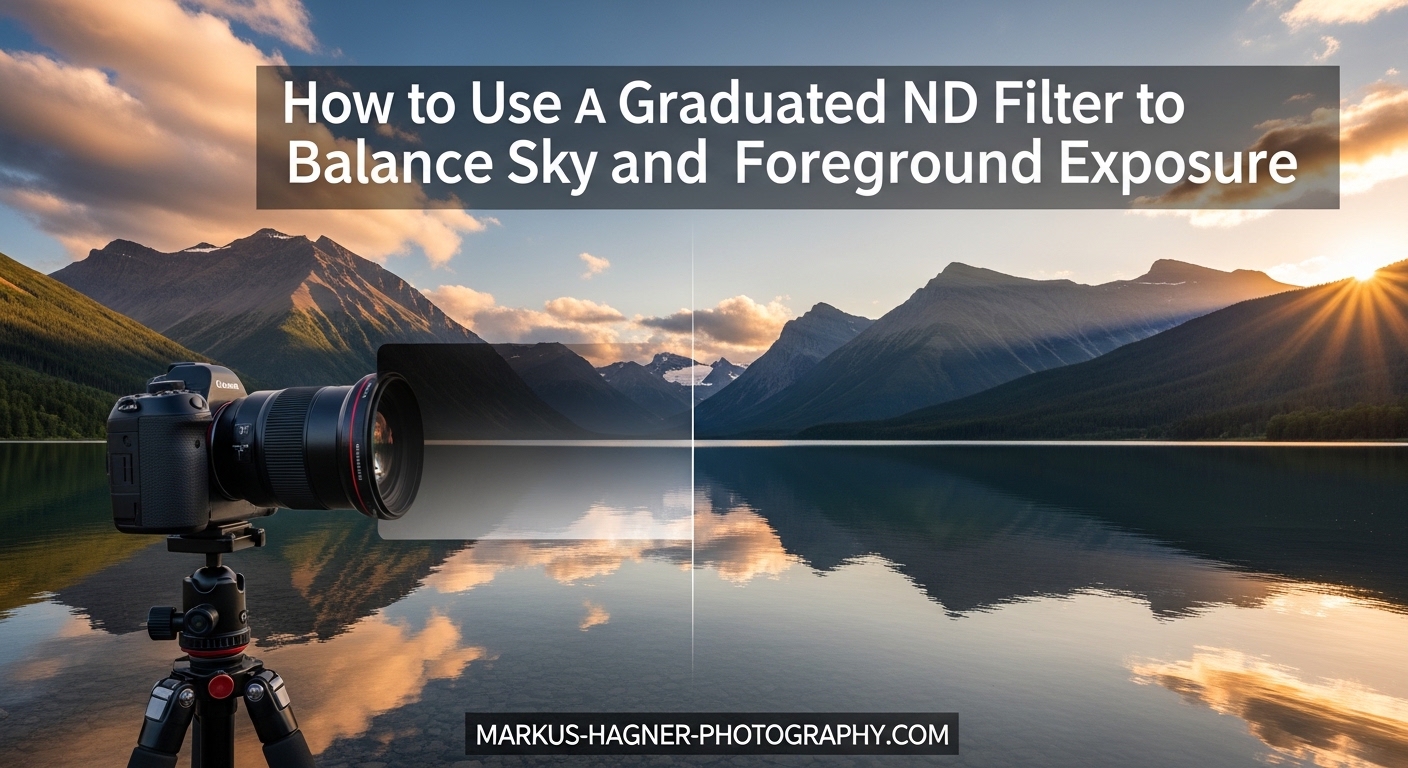
I still remember my first attempt at photographing a sunrise over the ocean. The sky was ablaze with oranges and pinks, but my photos told a different story. The foreground was nearly black, or the sky was completely blown out. I could never get both exposed correctly in a single shot. That frustration led me to discover graduated ND filters, and they completely changed my landscape photography.
In this guide, I will show you exactly how to use a graduated ND filter to balance sky and foreground exposure. You will learn the different types available, when to use each one, and the step-by-step process I use every time I shoot landscapes with extreme contrast. By the end, you will be able to capture stunning sunrise and sunset images with perfectly balanced exposures in a single shot.
This technique has saved me countless hours in post-processing and helped me create images that look natural rather than obviously HDR-processed. Let’s dive in.
What Is a Graduated ND Filter?
A graduated ND filter (also called a GND filter, graduated neutral density filter, or ND grad) is a rectangular piece of optical glass or resin that is dark on one half and clear on the other, with a gradual transition between the two zones. You position the dark portion over the bright sky while leaving the clear section over your darker foreground. This reduces the light from the sky by a specific number of stops, allowing you to capture both sky and foreground with proper exposure in a single frame.
The key word here is “neutral.” A quality graduated ND filter should reduce light without adding any color cast to your image. Cheap filters often introduce unwanted color tints, which is why investing in quality matters.
How Graduated ND Filters Work
Think of dynamic range as the difference between the brightest and darkest parts of your scene. Modern digital cameras can capture around 12-14 stops of dynamic range, but a sunrise or sunset scene might have 16-20 stops of difference between the bright sky and shadowed foreground. Your camera simply cannot record detail in both areas at once.
A graduated ND filter solves this problem by reducing the brightness of the sky before it hits your sensor. If your sky is 3 stops brighter than your foreground, a 3-stop GND filter brings them into balance. Your camera now sees a scene within its dynamic range capabilities, and you get detail throughout the image.
The transition zone is where the filter gradually changes from dark to clear. This zone can be abrupt (hard edge) or gradual (soft edge), and choosing the right one makes a significant difference in your final image.
Why Graduated ND Filters Matter for Landscape Photography
Some photographers argue that you can achieve the same results by bracketing exposures and blending in post-processing. While that is true for static scenes, GND filters offer several advantages that keep them relevant in 2026.
First, they work in real-time. You see exactly what you are getting through your viewfinder or on your LCD. Second, they handle moving subjects. Waves, clouds, and foliage move between bracketed shots, creating alignment nightmares in post. A GND captures everything in one exposure. Third, they save significant editing time. Why spend hours blending exposures when you can nail it in-camera?
For film photographers, graduated ND filters are absolutely essential. Film has even less dynamic range than digital sensors, and there is no raw file to push shadows later.
Types of Graduated ND Filters: Hard, Soft, and Reverse
Not all graduated ND filters are created equal. The three main types differ in how their transition zones are designed, and each excels in different situations. Understanding when to use each type is crucial for getting natural-looking results.
Soft Edge GND Filters
Soft edge graduated ND filters have a gradual, feathered transition between the dark and clear portions. The transition zone might span an inch or more on the filter itself, which translates to a broad, barely perceptible gradient in your final image.
I reach for soft edge GND filters in about 80% of my landscape work. They are incredibly forgiving because the gradual transition hides easily in most scenes. If you place the transition slightly off from your horizon, the effect is usually unnoticeable.
Soft edge filters work best when your scene has an uneven horizon or when objects extend above the horizon line. Mountain scenes with peaks breaking the skyline, forests with tall trees, or coastal shots with rocky outcrops all benefit from soft edge filters. The gradual transition blends naturally around these foreground elements.
Hard Edge GND Filters
Hard edge graduated ND filters have an abrupt transition between dark and clear. The change happens over just a few millimeters, creating a distinct line on the filter. This translates to a sharp demarcation in your image.
These filters are more specialized and require precise placement. Use hard edge GND filters when you have a flat, unbroken horizon. The classic example is a seascape with a straight horizon line where the ocean meets the sky. The sharp transition aligns perfectly with the horizon, and no foreground elements cross into the darkened zone.
The advantage of hard edge filters is more precise light control. Because the transition is so defined, you know exactly where the darkening effect begins and ends. However, misplace the filter by even a small amount, and you will see an obvious dark line across your image. They are less forgiving but more precise when used correctly.
Reverse Graduated ND Filters
Reverse graduated ND filters are the secret weapon for sunrise and sunset photography when shooting directly toward the sun. Unlike standard GND filters that are darkest at the top and fade toward the middle, reverse GNDs are darkest right at the horizon line and fade toward the top.
This design makes perfect sense when you think about it. At sunrise and sunset, the brightest part of the sky is right at the horizon where the sun sits. The sky actually gets darker as you look higher. A reverse GND matches this natural light distribution.
I carry a reverse GND specifically for those dramatic sunrise shots where I am facing east. The filter tames the blinding sun at the horizon while gradually reducing its effect toward the upper sky. Standard GNDs often leave the horizon still too bright while over-darkening the upper sky.
Comparison: When to Use Each Filter Type
Here is a quick reference for choosing the right graduated ND filter for your scene:
Soft Edge GND: Uneven horizons, mountains, trees, general landscape work, forgiving for beginners
Hard Edge GND: Flat horizons, seascapes, lakes with clear horizon lines, precise control needed
Reverse GND: Sunrise and sunset shooting directly toward the sun, horizon is brightest point
When starting out, I recommend a 2-stop or 3-stop soft edge GND as your first purchase. It handles the widest variety of situations and forgives placement mistakes. Add hard edge and reverse filters as you encounter specific scenarios that require them.
How to Use a Graduated ND Filter: Step-by-Step Guide
Now let’s walk through my exact process for using graduated ND filters in the field. This method works for both filter holders and hand-holding, though I will note the differences as we go.
Step 1: Set Up Your Camera on a Tripod
Graduated ND filter photography requires a stable camera. You will often be working with slower shutter speeds, especially if you are also using a regular ND filter for long exposures. A sturdy tripod eliminates camera shake and allows you to carefully compose and adjust your filter placement without moving the camera.
Make sure your tripod is level. Use the built-in bubble level or your camera’s electronic level. A crooked horizon becomes immediately obvious when you start aligning filters to it.
Step 2: Compose Your Shot Without the Filter
Before attaching any filters, compose your image. Get your framing exactly how you want it. I typically work in live view when using graduated ND filters because I can see exactly where the filter transition falls in real-time.
Take note of where your horizon line sits in the frame. This is where you will need to position the transition zone of your filter.
Step 3: Meter Your Scene
This is where most people go wrong, so pay close attention. You need to determine the exposure difference between your sky and foreground.
Start by metering for your foreground. Point your camera at the foreground area (sky excluded) and note the exposure settings your camera suggests. Now meter for the sky by pointing at the bright area (foreground excluded) and note those settings.
The difference between these readings tells you what strength filter you need. If your foreground meters at 1/60 second and your sky meters at 1/500 second, that is about a 3-stop difference. You would want a 3-stop GND filter.
On most cameras, each full stop of shutter speed halves or doubles the previous value. The sequence goes: 1, 1/2, 1/4, 1/8, 1/15, 1/30, 1/60, 1/125, 1/250, 1/500, 1/1000. Count the clicks between your two readings.
Step 4: Choose Your Filter Strength
Graduated ND filters come in different densities, typically measured in stops. Common options include 1-stop, 2-stop, and 3-stop filters. Some brands offer even stronger options.
Match your filter strength to the exposure difference you measured. However, here is a pro tip: slightly under-filtering often looks more natural than over-filtering. If your scene has a 3-stop difference, a 2-stop filter might give you a more realistic result. The sky can be slightly brighter than the foreground without looking wrong.
Over-filtering makes skies unnaturally dark and draws attention to the filter use. The goal is natural-looking images, not obviously filtered ones.
Step 5: Position the Filter
Now attach your filter. If you are using a filter holder system, slide the GND into the holder slots. If you are hand-holding, simply hold the filter in front of your lens.
Position the transition zone so it aligns with your horizon. In live view, you can watch the darkening effect happen in real-time as you slide the filter up and down. The goal is to place the transition right at or just below the horizon line.
For hard edge filters, precision is critical. The transition line should fall exactly on the horizon. For soft edge filters, you have more flexibility. I usually place the center of the transition zone slightly below the horizon so the darkening begins before the actual horizon line.
Step 6: Fine-Tune and Check Your Histogram
With the filter in place, take a test shot and check your histogram. The histogram should show detail in both highlights and shadows without clipping at either end.
If your highlights are still clipping, you might need a stronger filter. If your sky looks too dark, switch to a weaker one. The histogram does not lie, trust it over your LCD preview.
Also check for visible transition lines, especially with hard edge filters. Zoom in on your image and look for any obvious dark bands across the scene. Reposition the filter if necessary.
Step 7: Take Your Final Shot
Once you are happy with the filter placement and exposure, take your final image. If you are hand-holding the filter, hold it steady against your lens and keep your body still during the exposure. Any movement during longer exposures will blur the image.
I recommend taking a few shots with slightly different filter positions. You can choose the best one later on your computer screen.
Metering Techniques for Graduated ND Filters
Proper metering is the foundation of successful GND filter use. Let me break down the techniques I use for both DSLR and mirrorless cameras.
Spot Metering Method
The most accurate approach uses spot metering. Set your camera to spot metering mode and take separate readings of your foreground and sky. This gives you precise exposure values for each area.
For the foreground reading, aim your spot meter at a mid-toned area, not deep shadows. For the sky, meter on a blue area rather than the brightest part near the sun. The difference between these readings tells you your filter requirements.
Using Your Histogram
Your histogram is invaluable when working with graduated ND filters. Take a test shot without the filter and observe where the data falls. You will likely see two separate peaks: one for the dark foreground on the left, and one for the bright sky on the right.
Now add your filter and take another shot. The two peaks should move closer together. Your goal is a histogram where neither end is clipped but the full dynamic range is captured.
Mirrorless vs DSLR Considerations
Mirrorless cameras offer a significant advantage for GND filter work. The electronic viewfinder shows you a live preview of your exposure, including the effect of the filter. You can watch the sky darken in real-time as you position the filter.
DSLR users need to rely more on live view or take test shots and review them. The optical viewfinder does not show the filter’s effect because it shows the actual light, not the sensor’s interpretation.
Many modern mirrorless cameras also offer focus peaking and zebra warnings for overexposure. These tools help you identify exactly where highlights are clipping and adjust your filter accordingly.
How Many Stops Do You Need?
For most landscape situations, a 2-stop or 3-stop graduated ND filter handles the job. Here is a rough guide based on my experience:
1-stop GND: Subtle brightening, reflections where sky and water difference is minimal
2-stop GND: General landscape work, most versatile option, my most-used filter
3-stop GND: Sunrise and sunset with moderately bright skies, high contrast scenes
4+ stop GND: Extreme situations like shooting directly into a bright sunset
Scene-Specific Techniques for Graduated ND Filters
Different photography scenarios call for different approaches. Let me share what I have learned from years of shooting various landscape situations.
Sunrise and Sunset Photography
Sunrise and sunset are the prime times for graduated ND filters. The contrast between the glowing sky and shadowed landscape can exceed 10 stops, far beyond what any camera can capture in one exposure.
When shooting toward the sun at sunrise or sunset, reach for your reverse GND filter. The brightest light sits right at the horizon, and a reverse filter targets exactly that area. Standard GNDs often leave the horizon blown out while making the upper sky unnaturally dark.
When shooting away from the sun during golden hour, a standard soft or hard edge GND works well. The sky is still brighter than the foreground, but the contrast is more manageable. A 2-stop filter is often sufficient.
Balancing Water Reflections
Water reflections present a unique challenge. Here is a rule that transformed my reflection photography: reflections should always be darker than the subject being reflected.
Many photographers make the mistake of using too strong a GND filter on reflection shots. They balance the reflection brightness with the actual sky, creating an unnatural look where the water appears as bright as the sky itself. This never happens in nature.
Use a lighter filter for reflection scenes, typically one stop less than you would normally choose. If a 3-stop filter would balance the sky and foreground, try a 2-stop instead. This maintains the natural relationship between subject and reflection.
Mountain Scenes with Uneven Horizons
Mountains are perfect candidates for soft edge GND filters. Peaks break the horizon line, and a hard edge filter would create visible dark bands across those peaks. The gradual transition of a soft edge filter blends naturally around the mountain silhouettes.
Position your soft edge GND so the transition begins at the base of the mountains. The peaks will fall into the gradually darkening zone, and the effect will be invisible in your final image.
For very uneven mountain scenes, consider hand-holding your filter. You can tilt it slightly to follow the general angle of the mountain range rather than keeping it perfectly horizontal.
Seascapes and Beach Photography
Beach scenes with flat ocean horizons are the ideal use case for hard edge GND filters. The clean, unbroken horizon line allows precise placement of the sharp transition.
Position the hard edge transition exactly on the horizon. Take your time with placement because even a small error creates a visible dark line. Use live view zoomed in on the horizon to confirm perfect alignment.
For beach scenes with waves breaking toward the camera, you might need to position the transition slightly higher. Breaking waves are brighter than dark water and should fall in the clear zone of your filter.
Advanced Techniques with Graduated ND Filters
Once you master the basics, these advanced techniques can take your graduated ND filter photography even further.
Combining GND with Polarizers
Yes, you can use a graduated ND filter and a circular polarizer together. In fact, this combination is incredibly powerful for landscape photography. The polarizer reduces glare, deepens blue skies, and saturates colors, while the GND balances exposure.
Most filter holders allow you to attach a polarizer to the front while sliding GND filters into the slots behind it. Some photographers prefer attaching the polarizer first, then adding the holder system on top.
Be aware that polarizers reduce light by 1-2 stops themselves. Account for this when calculating your exposure. If you normally use a 3-stop GND, you might find a 2-stop sufficient when combined with a polarizer.
Moving the Filter During Long Exposures
Here is a technique I learned from a large format photographer. During long exposures, slowly move your GND filter up or down during the shot. This softens the transition even further, creating an ultra-gradual blend that is completely invisible in the final image.
This works best with exposures of several seconds or longer. Start the exposure with the filter in position, then slowly slide it up or down at a steady pace throughout the exposure. The movement averages out the transition zone across multiple positions.
This technique is particularly useful with hard edge filters when you want a softer look but only have a hard edge available.
Angling GND Filters for Non-Horizontal Horizons
Not every scene has a perfectly horizontal horizon. Hillsides, angled mountain ranges, and city skylines often have diagonal lines. You can angle your GND filter to match these scenes.
When hand-holding, simply tilt the filter to follow the angle of your horizon. With filter holders, you might need a specialized holder that allows rotation, or you can carefully hand-hold for these specific shots.
The key is matching the filter transition to the brightest area of your scene, regardless of whether that line is horizontal or angled.
Stacking Multiple Filters
For extreme contrast situations, you can stack multiple graduated ND filters together. A 2-stop and a 1-stop filter combined give you 3 stops of total density. This gives you flexibility without needing to carry every filter strength.
Stacking works best with high-quality filters. Lower-quality filters can introduce color casts, and stacking them multiplies the problem. Also watch for vignetting, especially on wide-angle lenses where multiple filter edges might intrude into your frame.
Common Mistakes to Avoid with Graduated ND Filters
After years of using graduated ND filters and teaching workshops, I see the same mistakes over and over. Here is what to avoid.
Visible Transition Lines
The most obvious mistake is placing a hard edge filter incorrectly, leaving a visible dark line across your image. This happens when the transition does not align perfectly with your horizon.
Prevention is simple: zoom in on your test shots and check the horizon area carefully. Reposition until the transition is invisible. When in doubt, switch to a soft edge filter for more forgiveness.
Over-Darkening the Sky
Using too strong a filter makes skies look unnaturally dark and draws attention to your technique. The goal is natural-looking images where the filter use is invisible.
Start with a lighter filter than you think you need. A slightly bright sky looks more natural than an overly dark one. Remember that in real life, skies are brighter than foregrounds. Your filtered image should maintain this relationship.
Using the Wrong Filter Type
Hard edge filters on mountain scenes create dark bands across peaks. Soft edge filters on flat horizons might not provide enough precision. Reverse GNDs used incorrectly can over-darken the upper sky while leaving the horizon bright.
Match your filter type to your scene. When uncertain, soft edge is the safest choice for most situations.
Color Cast Issues
Cheap filters often introduce color casts, typically magenta or green tints. This might be subtle in the field but becomes obvious when you start editing.
Invest in quality filters from reputable brands. Lee, Singh-Ray, Breakthrough, NiSi, and Haida all make excellent GND filters with minimal color cast. The investment pays off in cleaner images that require less post-processing correction.
Fingerprints and Smudges
Handling filters in the field inevitably leads to fingerprints. These show up in your images as smudged areas, especially when shooting toward light sources.
Carry a microfiber cloth and clean your filters regularly. Handle filters by their edges whenever possible. Check your filters before each shot by holding them up to the light and inspecting for smudges.
Digital vs Film: Are Graduated ND Filters Still Relevant?
This question comes up constantly in photography forums. With modern sensors capturing 14+ stops of dynamic range and powerful HDR software available, do we really need graduated ND filters anymore?
My answer is an emphatic yes, and here is why.
The Case for GND Filters in 2026
Even the best modern sensors cannot match the human eye’s dynamic range. We perceive about 20 stops of dynamic range, while cameras capture about half that. High-contrast scenes still exceed what our equipment can record in one shot.
More importantly, getting the exposure right in-camera is always preferable to fixing it in post. Graduated ND filters let you capture your vision at the moment of capture, not during hours of computer work later.
For moving subjects, GND filters are irreplaceable. Bracketing exposures works fine for static landscapes, but what about crashing waves, blowing grass, or moving clouds? These elements shift between frames, making blending difficult or impossible. A single exposure with a GND captures everything frozen in that exact moment.
GND Filters vs HDR and Bracketing
HDR (High Dynamic Range) techniques involve taking multiple exposures and blending them in software. This works well but has drawbacks. First, it requires more time in post-processing. Second, it often produces an artificial, obviously-processed look if not done carefully. Third, it fails with moving subjects.
GND filters offer a more natural approach. You see your result immediately, the look is inherently realistic, and you capture moving subjects without issue. For me, filters are the first choice; HDR is the backup when filters cannot handle the situation.
When to Use Filters vs Bracketing
Use graduated ND filters when: shooting landscapes with moving elements like water or foliage, you want to minimize post-processing time, you prefer natural-looking results, or you are shooting film.
Consider bracketing when: the scene has complex elements extending into multiple brightness zones (making filter placement impossible), you are shooting interiors with windows, or you simply do not have filters available.
Many photographers use both techniques together. A GND filter reduces the overall contrast to a manageable level, and subtle exposure blending handles any remaining issues. This hybrid approach gives you the best of both worlds.
Frequently Asked Questions
What is a graduated ND filter used for?
A graduated ND filter is used to balance exposure between a bright sky and darker foreground in landscape photography. It darkens the sky by a specific number of stops while leaving the foreground unaffected, allowing you to capture both areas with proper detail in a single exposure. This is especially valuable during sunrise, sunset, and high-contrast scenes where the dynamic range exceeds your camera’s capabilities.
How do I use Graduated Neutral Density filters?
To use a graduated ND filter, first meter your foreground and sky separately to determine the exposure difference. Choose a filter strength that matches this difference. Position the filter so the transition zone aligns with your horizon line, with the dark portion over the sky. Take a test shot and check your histogram, adjusting filter position or strength as needed. Fine-tune until both highlights and shadows show detail without clipping.
When should I use a hard vs soft graduated ND filter?
Use a hard edge GND filter when your scene has a flat, unbroken horizon like a seascape or lake. The sharp transition aligns precisely with straight horizons. Use a soft edge GND filter when your scene has an uneven horizon with elements breaking the skyline, such as mountains, trees, or buildings. The gradual transition blends naturally around these foreground elements without creating visible dark bands.
Are graduated ND filters still worth using with digital cameras?
Yes, graduated ND filters remain valuable even with modern digital cameras. While sensors have improved, high-contrast scenes like sunrise and sunset still exceed their dynamic range. GND filters capture everything in a single exposure, work with moving subjects where bracketing fails, and produce more natural results than HDR processing. They also save significant post-processing time by getting the exposure right in-camera.
Do I need a Grad filter along with ND for long exposures involving the sky?
It depends on your scene. A regular ND filter reduces light equally across the entire frame for longer exposures, while a graduated ND specifically balances sky and foreground brightness. For long exposures with high contrast between sky and land, using both together works well: the regular ND extends your exposure time, and the GND balances the exposure. For scenes with balanced brightness, just the regular ND filter is sufficient.
Should I hand-hold or use a filter holder for graduated ND filters?
Both approaches work well. Hand-holding is faster, more flexible for angled horizons, and requires less gear. It works fine for exposures under about 1 second. Filter holders provide more precise and consistent placement, keep your hands free during long exposures, and allow you to combine multiple filters easily. For beginners, I suggest starting with hand-holding and adding a holder system if you find yourself frequently using GND filters.
Conclusion: Mastering Graduated ND Filters for Balanced Exposures
Learning how to use a graduated ND filter to balance sky and foreground exposure transformed my landscape photography. What once required hours of post-processing or resulted in compromised images now happens in a single, perfectly balanced exposure.
The key takeaways from this guide are straightforward. Choose soft edge filters for uneven horizons and hard edge filters for flat ones. Meter your scene to determine the right filter strength. Position the transition zone carefully, and always check your histogram. Start with a 2-stop soft edge GND as your first filter and expand your collection from there.
Most importantly, practice. Head out during the next golden hour and experiment with filter placement. Take test shots, review them, and adjust. The more you use graduated ND filters, the more intuitive the process becomes. Soon you will be capturing stunning, naturally balanced landscape images that stand out from obviously processed HDR shots.
Your camera has limits, but your creativity does not. Graduated ND filters bridge that gap, giving you the tools to capture the world as your eyes see it.