
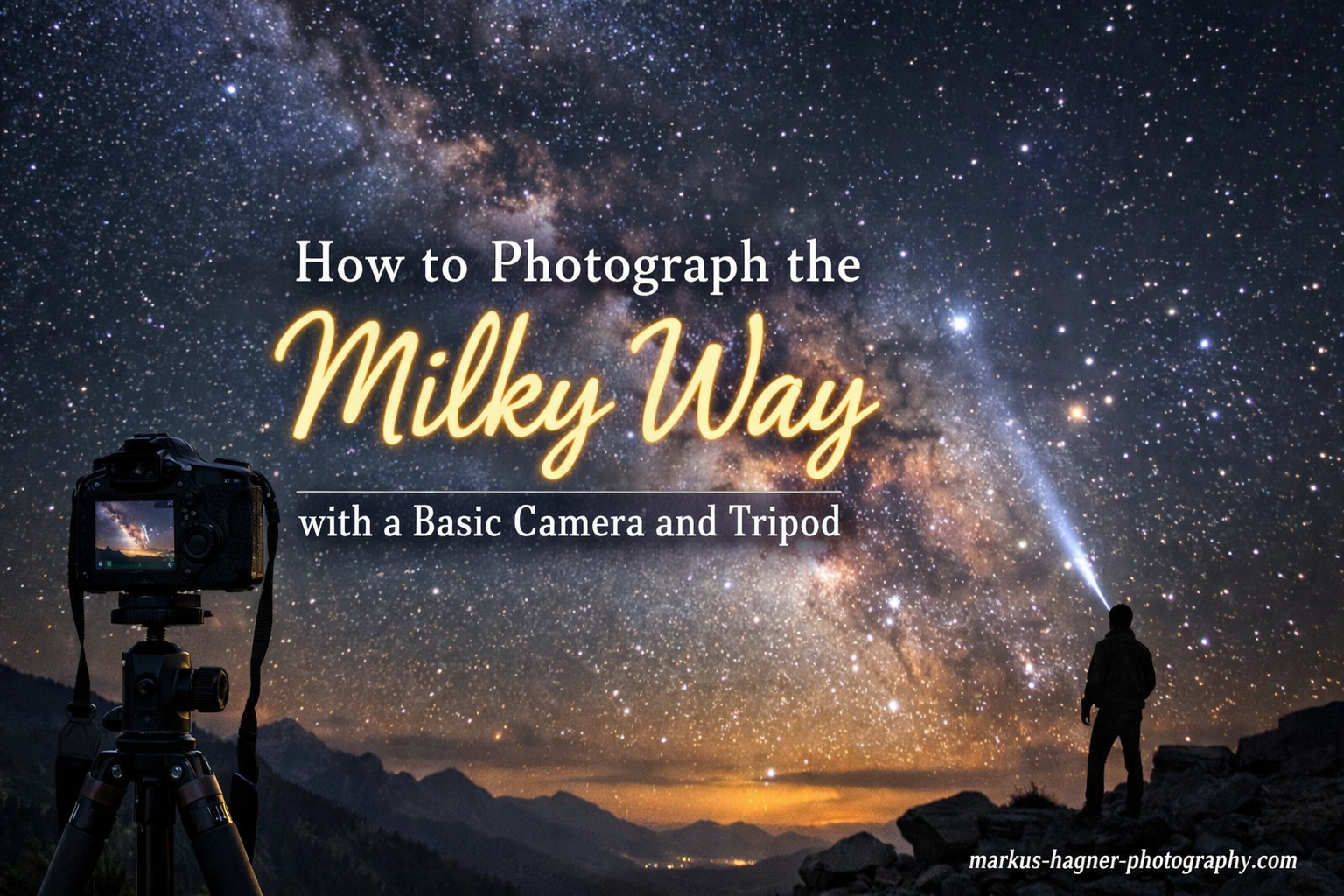
Capturing the Milky Way with your camera is one of the most rewarding experiences in photography. There’s something magical about standing under a star-filled sky and bringing home an image that most people never see with their own eyes.
When I first started astrophotography, I had a basic DSLR, a kit lens, and an inexpensive tripod. I thought I needed expensive gear to capture the Milky Way. I was wrong.
You don’t need a full-frame camera or a fast f/2.8 lens to get started. In fact, some of my favorite Milky Way photos were taken with entry-level equipment. What you need is the right technique, patience, and a willingness to practice.
This guide will show you how to photograph the Milky Way with a basic camera and tripod. I’ll share everything I’ve learned through trial and error, so you can avoid the mistakes I made and start capturing stunning night sky images sooner.
What You Actually Need: Equipment Basics
Let’s start with the good news: you probably already have most of what you need. Milky Way photography is accessible to anyone with a camera that has manual controls and a way to keep it steady.
Camera Requirements:
Your camera needs to shoot in manual mode and capture RAW files. Most DSLRs and mirrorless cameras made in the last 10 years will work. I started with a crop-sensor Canon Rebel, and countless photographers have learned on similar basic cameras.
The key is your camera’s high ISO performance. Don’t worry if you see noise at ISO 3200 or 6400 when reviewing images on your camera’s LCD. That’s normal, and we’ll address noise in post-processing.
Tripod Essentials:
A sturdy tripod is non-negotiable. You’ll be taking exposures of 15-30 seconds, and any camera movement will ruin your shots. Your tripod doesn’t need to be expensive, but it does need to be stable.
I’ve used tripods ranging from $60 to $300, and the most important factor is stability. Avoid extending the center column if possible, and don’t touch the camera during exposures. Consider adding weight to the center hook if it’s windy.
Lens Reality Check:
Here’s where most guides lose people: they insist you need a fast f/2.8 wide-angle lens. Yes, faster lenses capture more light. No, you don’t need one to get started.
Your kit lens at f/3.5 or f/4 can capture the Milky Way. You’ll need slightly longer exposures or higher ISO, but it’s absolutely possible. I’ve taken Milky Way photos with an 18-55mm kit lens at f/4 that I’m still proud of years later.
What Helps But Isn’t Essential:
A remote shutter release or intervalometer helps avoid camera shake. Alternatively, use your camera’s built-in self-timer. A headlamp with a red mode preserves your night vision. Extra batteries are crucial because long exposures drain power quickly, especially in cold weather.
Finding Dark Skies: Location Planning
The biggest challenge in Milky Way photography isn’t technical skills—it’s finding dark skies. Light pollution washes out the Milky Way, making it invisible even on clear nights.
Understanding Light Pollution Maps:
Before planning any shoot, check a light pollution map. Dark Site Finder and Light Pollution Map are free tools that show light pollution levels worldwide. Look for areas coded in gray, blue, or green on the Bortle scale.
Yellow and orange zones might still work if you’re just starting, especially if you shoot toward the darkest part of the sky. White and red zones in cities are nearly impossible for Milky Way photography.
Finding Dark Locations Near You:
You don’t need to drive to the middle of nowhere. Many people are surprised to find dark sky locations within an hour of home. State parks, beaches, rural areas away from towns, and higher elevations often have darker skies than expected.
I use a simple rule: if I can see the Milky Way with my naked eye after 20 minutes of dark adaptation, it’s worth shooting. Even if I can’t see it clearly, my camera might still capture it.
Seasonal Timing:
The Milky Way core—the most phototypical part with dense star clouds and dust lanes—is visible at different times of year depending on your location. In the Northern Hemisphere, prime Milky Way season runs from February to October, with peak visibility from May through August.
The core rises in the southeast and moves across the southern sky. Planning apps like PhotoPills or free alternatives like Stellarium can show you exactly when and where to look.
Moon and Weather:
The moon is your biggest obstacle. A full moon acts like a giant light pollution source, washing out stars. Plan shoots during the new moon phase or when the moon sets before midnight.
Check cloud cover forecasts, but also consider humidity. High humidity can scatter light and reduce clarity. Cold, crisp winter nights often produce the clearest images despite being uncomfortable.
Camera Settings for Milky Way Photography
Camera settings for Milky Way photography follow a simple principle: capture as much light as possible without causing star trails. This means balancing ISO, aperture, and shutter speed.
Starting Settings:
Begin with these baseline settings and adjust based on your results: ISO 3200, aperture wide open (lowest f-number your lens allows), and shutter speed calculated using the 500 rule (explained next).
If you’re shooting with a kit lens at f/4, you might need ISO 6400 to capture enough light. Modern cameras handle high ISO surprisingly well, and noise reduction in post-processing can clean up grain.
Understanding ISO:
ISO determines your camera’s sensitivity to light. Higher ISO values capture more light but introduce more noise. For Milky Way photography, you’ll typically use ISO 1600-6400.
Don’t be afraid of high ISO. A noisy Milky Way photo is better than no Milky Way photo. You can reduce noise in editing, but you can’t recover details you never captured.
Aperture Considerations:
Shoot wide open—your lens’s lowest f-number. If your kit lens opens to f/3.5, use f/3.5. If it’s f/4, use f/4. Every stop of aperture difference doubles or halves the light captured.
Some lenses are sharper stopped down slightly, but Milky Way photography prioritizes light capture over corner sharpness. Wide open is usually your best bet.
Shutter Speed:
Shutter speed is limited by Earth’s rotation. Too long, and stars appear as streaks instead of points. We’ll cover the calculation in the next section, but typical shutter speeds range from 15-30 seconds depending on your focal length.
Essential Settings:
Shoot in RAW format. RAW files contain much more data than JPEGs, giving you flexibility to recover shadows, reduce noise, and adjust colors. Turn off long exposure noise reduction for your first shots—it doubles your exposure time and you can achieve similar results in post-processing.
Disable image stabilization. When your camera is on a tripod, stabilization can actually introduce blur. Use manual focus, as autofocus struggles in low light conditions. Set a 2-second self-timer or use a remote to avoid camera shake.
Settings Reference Table:
| Condition | ISO | Aperture | Shutter Speed |
|---|---|---|---|
| New Moon, Dark Sky | 3200-6400 | Wide open | 20-25 seconds |
| Quarter Moon, Dark Sky | 1600-3200 | Wide open | 15-20 seconds |
| New Moon, Light Pollution | 3200-6400 | Wide open | 15-20 seconds |
| Kit Lens f/4 | 6400 | f/4 | 25-30 seconds |
Focusing at Night: The Most Important Step
Focusing is where most beginners fail, and it’s understandable. Autofocus systems need light and contrast to work, both of which are severely limited at night. But once you master manual focusing, your success rate will dramatically improve.
Why Autofocus Fails:
Your camera’s autofocus system hunts in the dark. It might continuously adjust, never achieving focus, or worse, focus on something irrelevant like a distant streetlamp. Manual focus is the only reliable method for Milky Way photography.
Live View Focusing Method:
This is the most reliable focusing technique I’ve found. Switch your camera to Live View mode, which displays a live preview on your LCD screen. Point your camera at a bright star or distant light.
Zoom in digitally to maximum magnification (usually 10x). Slowly adjust your focus ring until the star appears as a small, sharp point. Make minor adjustments—it’s easy to overshoot perfect focus. Once sharp, take a test shot and zoom in to verify.
Infinity Focus:
Many lenses have an infinity mark on the focus ring. However, this mark is rarely accurate. Temperature changes can shift focus, and many lenses focus past infinity. The Live View method is more reliable.
If you must use infinity focus, take test shots and review them zoomed in. You might need to adjust slightly from the marked position. Once you find the sweet spot, use tape to secure your focus ring so it doesn’t move accidentally.
Focusing Without Live View:
If your camera lacks Live View, use this workaround: During the day, focus on a distant object using autofocus, then switch to manual focus. Mark this position on your lens. At night, return to this marked position.
This isn’t as precise as Live View focusing but can work in a pinch. Always verify with test shots and zoom in to check sharpness.
Troubleshooting Focus Issues:
If your stars look like small donuts, your lens is focused too close. If they’re fuzzy blobs, you’re slightly off perfect focus. If only corners are blurry while center stars are sharp, you might be seeing lens coma, which is normal at wide apertures.
The 500 Rule: Shutter Speed Explained
The 500 rule is a simple formula for calculating the maximum shutter speed before stars begin to trail. It’s not perfect, but it’s an excellent starting point for Milky Way photography.
The Formula:
Divide 500 by your focal length to get your maximum shutter speed in seconds. For example, with a 24mm lens: 500 / 24 = 20.8 seconds, so use 20 seconds. With an 18mm lens: 500 / 18 = 27.7 seconds, so use 25 seconds.
Crop Sensor Adjustment:
If you’re using a crop-sensor camera (most entry-level DSLRs and mirrorless), you need to adjust. Use the 300 rule instead: divide 300 by your focal length multiplied by the crop factor (typically 1.5 or 1.6).
For a crop-sensor camera with an 18mm lens at 1.5 crop factor: 300 / (18 x 1.5) = 11.1 seconds. This shorter shutter speed accounts for the crop sensor’s magnifying effect on star movement.
When to Break the Rules:
The 500 rule is a guideline, not a law. If you’re okay with minimal star trailing, you can stretch the shutter speed slightly. If you’re printing large or pixel-peeping, you might want to use the stricter 400 rule instead.
The NPF rule is more precise but complex. Apps like PhotoPills can calculate it for you if you want maximum sharpness. For most beginners, the 500 (or 300 for crop sensors) rule works well enough.
Shooting Techniques and Composition
Now that your camera is set up and focused, it’s time to actually shoot. The difference between a snapshot and a stunning Milky Way photo often comes down to composition and technique.
Foreground Elements:
The most compelling Milky Way photos include interesting foreground elements. A silhouetted tree, a mountain range, a reflection in water, or an interesting building can transform a starry sky into a complete image.
Scout your location during daylight if possible. Look for elements that will create silhouettes or interesting shapes against the sky. Consider how the Milky Way will align with these elements during your shoot.
Step-by-Step Shooting Workflow:
Set up your tripod and compose your shot. Focus using the Live View method on a bright star. Set your exposure using the guidelines above. Take a test shot and review it zoomed in.
Check focus, exposure, and composition. Adjust as needed and repeat. Once you’re happy, shoot multiple identical exposures. Having several shots gives you options and allows for image stacking later if desired.
What to Expect Your First Time:
Your first Milky Way photo might not look amazing on your camera’s LCD. This is normal. The Milky Way is often fainter in-camera than it appears after processing. Don’t get discouraged.
Check that stars are sharp points, not streaks. Verify the horizon is level if included. Make sure there’s no camera shake. If the image is too dark, increase ISO or lengthen shutter speed slightly.
Multiple Exposures:
Consider shooting two exposures: one optimized for the Milky Way and one for the foreground. You can blend these later in post-processing. This technique creates more balanced images when the foreground is too dark in a single exposure.
For the sky shot, use settings that capture stars clearly. For the foreground, use a higher ISO, longer shutter speed, or even light paint with a flashlight during a separate exposure.
Troubleshooting Common Issues
Even with perfect technique, things can go wrong. Here are the most common problems and their solutions, based on issues I’ve encountered and those frequently discussed in astrophotography forums.
Grainy or Noisy Photos:
Some noise is expected at high ISOs. If noise is excessive, try reducing ISO slightly and accepting a darker image. Shoot in RAW for better noise reduction in post-processing. Consider image stacking—taking multiple identical exposures and averaging them to reduce noise.
Blurry Stars:
If stars are blurry across the entire frame, your focus is off. Re-focus using the Live View method. If stars are trailing, your shutter speed is too long. Recalculate using the 500/300 rule. If only corners are blurry, you’re seeing lens coma, which is normal at wide apertures.
Hot Pixels and Amp Glow:
Hot pixels are bright colored dots that appear during long exposures. Amp glow is an unnatural brightening usually in one corner. Both are camera-specific issues. Enable long exposure noise reduction if your camera has it. Take dark frames (lens cap on, same settings) and subtract them in post-processing.
Realistic Kit Lens Expectations:
Your kit lens won’t capture as much detail as an f/2.8 lens. Your images might be noisier due to higher ISO. Corners might show more coma and distortion. This doesn’t mean your photos are bad—it means they’re different.
Focus on composition and storytelling rather than pixel-perfect sharpness. Many award-winning Milky Way photos have been taken with kit lenses. Technique and vision matter more than equipment.
Basic Post-Processing
Your RAW file is just the beginning. Post-processing brings out the Milky Way’s full potential. You don’t need expensive software—free options like RawTherapee can produce excellent results.
Initial Adjustments:
Start with exposure. Increase brightness until the Milky Way is visible but not blown out. Adjust contrast to make stars pop. Increase clarity and texture moderately to enhance star density.
White balance is subjective. Cooler temperatures (bluer) look more natural for night skies, while warmer temperatures can create a more dramatic effect. Experiment to find what appeals to you.
Bringing Out the Milky Way:
The key is selective adjustments. Use adjustment brushes or graduated filters to target the sky separately from the foreground. Increase highlights in the sky to brighten stars. Dehaze can help but use it sparingly to avoid unnatural colors.
Noise Reduction:
Apply noise reduction to the sky but not necessarily to stars. Some noise is acceptable and preserves detail. For heavy noise reduction, consider dedicated software or stacking multiple exposures.
When to Stop:
It’s easy to over-edit Milky Way photos. If colors look unnatural, stars are halos, or the image looks crunchy, you’ve gone too far. Step away and come back later with fresh eyes. A slightly under-processed image often looks more natural than one that’s been pushed too far.
Frequently Asked Questions
What camera settings are best for Milky Way photography?
Start with ISO 3200, wide open aperture (lowest f-number), and shutter speed calculated using the 500 rule (500 divided by focal length). For crop sensors, use the 300 rule instead. Shoot in RAW format and always use manual focus.
What is the 500 rule in astrophotography?
The 500 rule calculates maximum shutter speed before stars trail. Divide 500 by your focal length in mm. For example, at 24mm use 20 seconds (500/24=20.8). For crop sensors, use the 300 rule instead to account for the magnifying effect.
What equipment do I need for Milky Way photography?
You need a camera with manual controls that shoots RAW, a sturdy tripod, and a wide-angle lens. Fast f/2.8 lenses help but aren’t required—kit lenses can work with adjusted settings. Helpful additions include a remote shutter release and headlamp with red mode.
When is the best time to photograph the Milky Way?
The Milky Way core is visible from February to October in the Northern Hemisphere, with peak season May through August. Shoot during new moon phases when moonlight won’t wash out stars. The core rises in the southeast and moves across the southern sky.
Where can I find dark skies for astrophotography?
Use free light pollution maps like Dark Site Finder or Light Pollution Map. Look for gray, blue, or green zones on the Bortle scale. State parks, beaches, rural areas away from towns, and higher elevations often have darker skies within an hour of most cities.
How do I focus on stars at night?
Switch to Live View mode, point at a bright star, zoom in to maximum magnification, and slowly adjust focus until the star appears as a sharp point. Take test shots and verify by zooming in. Never rely on lens infinity marks as they’re often inaccurate.
What lens is best for Milky Way photography?
Wide-angle lenses (14-24mm) with fast apertures (f/2.8 or wider) are ideal but not required. Your kit lens can capture the Milky Way at f/3.5-4.5. You’ll need higher ISO or slightly longer exposures, but quality results are absolutely possible with basic equipment.
How do I reduce noise in night sky photos?
Shoot in RAW format for better noise reduction in post-processing. Use modest amounts of luminance noise reduction. For significant noise, consider image stacking—taking multiple identical exposures and averaging them. Enable long exposure noise reduction in-camera if available.
Conclusion: Your Milky Way Journey Starts Now
Learning how to photograph the Milky Way with a basic camera and tripod is one of the most rewarding photography journeys you can take. I still remember my first successful Milky Way photo—taken with a crop-sensor camera and kit lens—and the sense of accomplishment I felt.
You don’t need to upgrade your gear to get started. Use what you have. Practice focusing in the dark. Experiment with settings. Learn to read light pollution maps. Most importantly, get out under the stars and shoot.
Your first attempts might not be perfect. That’s okay. Every astrophotographer started exactly where you are now. The difference between those who succeed and those who give up isn’t equipment—it’s persistence.
The Milky Way is waiting. Dark skies are closer than you think. Your camera is ready. Now it’s time to create something amazing.