
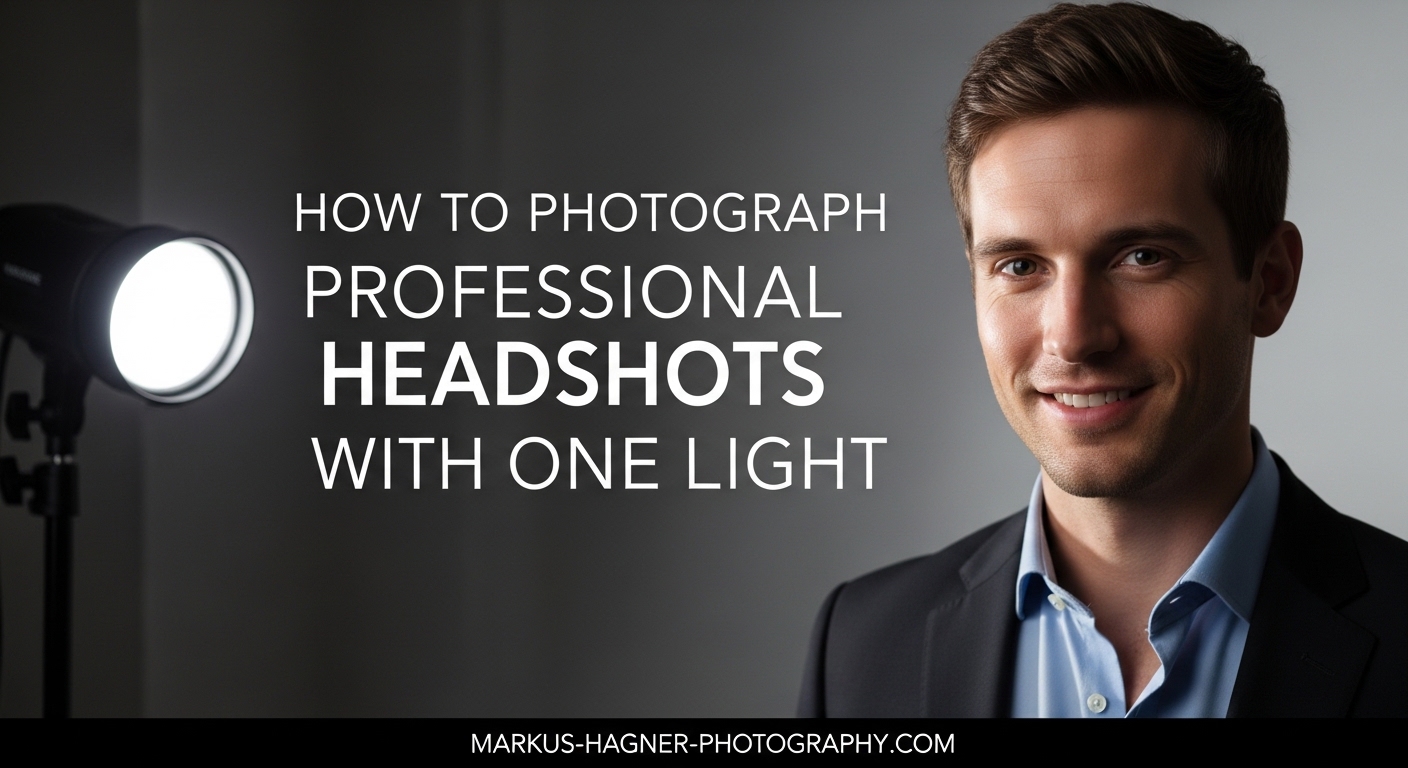
You do not need a studio full of lights to create stunning professional headshots. Some of the best portrait photographers I know work with just one light and a reflector. After years of shooting corporate headshots, I have found that a single light setup often produces cleaner, more consistent results than complex multi-light arrangements. In this guide on how to photograph professional headshots with one light, I will walk you through the exact equipment, techniques, and camera settings that deliver professional-grade results every time.
The beauty of one-light photography lies in its simplicity. You spend less time adjusting multiple lights and more time connecting with your subject. This approach also forces you to master the fundamentals of light direction, quality, and shadow control. Whether you are shooting in a studio, an office, or your living room, the techniques I share here will help you create headshots that look polished and professional.
Why One Light Works for Professional Headshots?
Single-light setups have become my go-to for 95% of all headshot sessions. The reason is simple: consistency. When you work with one light source, you eliminate variables that can cause exposure shifts, color mismatches, and uneven lighting across a batch of corporate headshots. Your workflow becomes faster, your editing becomes easier, and your results become more predictable.
From a practical standpoint, one-light setups are incredibly cost-effective. Instead of buying three or four strobes, you can invest that budget into a higher-quality main light and better modifiers. A single Profoto or Godox strobe with a large softbox will outperform multiple cheap lights every time. This approach also keeps your gear portable. I can fit my entire one-light headshot kit in a single rolling case.
Many photographers worry that one light creates harsh shadows. The truth is that shadow quality depends entirely on your modifier size and positioning, not the number of lights. A large softbox positioned correctly produces soft, flattering light that wraps around the face beautifully. You can always add a simple reflector to fill shadows when needed.
Essential Equipment for One-Light Headshot Photography
Before diving into lighting setups, let me break down the equipment you actually need. I will include both professional options and budget-friendly alternatives so you can build a kit that fits your budget.
Light Source Options:
Your light source can be a studio strobe, a portable flash (speedlight), or continuous LED light. For most headshot work, I recommend a studio strobe or monolight because it offers more power and faster recycle times. A 300-500 watt-second strobe gives you plenty of power to overpower ambient light and shoot at lower ISO settings. If you are just starting out, a speedlight mounted on a light stand works surprisingly well, especially when paired with a shoot-through umbrella.
Light Modifiers:
The modifier you choose dramatically affects the quality of light on your subject. For headshots, I reach for large modifiers that create soft, wrapping light. A 36-inch softbox or a 43-inch umbrella works beautifully for single subjects. Octaboxes are my personal favorite because they produce round catchlights that look natural in the eyes. Avoid small modifiers like bare speedlights or small beauty dishes for one-light setups, as they create harsh shadows.
Light Stand and Boom Arm:
A sturdy light stand is essential for positioning your light precisely. I prefer stands that extend to at least 8 feet so I can place my light above my subject’s head for butterfly lighting. A boom arm attachment lets you position the light directly over your subject without the stand appearing in the frame.
Reflector:
A simple 5-in-1 reflector is the secret weapon for one-light setups. Position it below your subject’s chin or on the shadow side to fill in harsh shadows. White and silver surfaces work best for headshots. This $30 accessory does the job of a second light for a fraction of the cost.
Background Options:
For professional headshots, seamless paper in white, gray, or black creates clean, consistent results. A 9-foot roll gives you enough width for head-and-shoulders compositions. If you are shooting on location, a plain wall works fine, but avoid textured or patterned backgrounds that distract from the subject.
Camera and Lens:
Any modern DSLR or mirrorless camera will work for headshots. For lenses, I recommend focal lengths between 85mm and 135mm. These focal lengths compress facial features flatteringly and keep you at a comfortable working distance from your subject. A 70-200mm f/2.8 zoom is incredibly versatile, but an 85mm prime is a more affordable option that delivers excellent results.
Softbox vs Umbrella: Which Modifier to Choose
This question comes up constantly in photography forums, and the answer depends on your specific needs. Here is my practical breakdown:
Softboxes produce more controlled, directional light. The enclosed design prevents light spill onto your background, which helps when you want a darker backdrop. Softboxes also create cleaner catchlights with defined edges. I use a softbox when I need precise control over where the light falls.
Umbrellas create softer, more diffuse light that spreads over a wider area. Shoot-through umbrellas are my go-to for one-light setups because they are incredibly forgiving and easy to position. The wider spread means your subject can move slightly without falling out of the light. I shoot about 80% of my headshots with a large umbrella.
Size recommendation: For headshots, use a modifier at least 36 inches wide. A good rule of thumb is to position your modifier at a distance equal to its width from your subject. A 36-inch softbox placed 36 inches from your subject creates beautifully soft light.
The Butterfly Lighting Setup (Most Popular One-Light Technique)
Butterfly lighting, also called Paramount lighting, is the classic one-light setup for professional headshots. It gets its name from the butterfly-shaped shadow that appears under the subject’s nose. This technique creates symmetrical, flattering light that works well for most face shapes.
Here is my step-by-step process for setting up butterfly lighting:
Step 1: Position Your Subject
Have your subject stand or sit about 4-6 feet in front of your background. This distance helps separate them from the backdrop and creates a natural gradient if you are using a gray or dark background.
Step 2: Place Your Light Directly in Front
Position your light stand directly in front of your subject, centered on their face. The light should face your subject squarely.
Step 3: Raise the Light Above Eye Level
Extend your light stand so the center of your modifier is about 6-12 inches above your subject’s eye level. This overhead angle creates the signature butterfly shadow under the nose and produces flattering cheekbone shadows.
Step 4: Angle the Light Down Slightly
Tilt your modifier down about 10-15 degrees toward your subject’s face. This ensures the light falls evenly from forehead to chin without creating dark eye sockets.
Step 5: Set the Distance
Position your modifier approximately 3-4 feet from your subject. Follow the modifier-width rule: if you are using a 36-inch softbox, place it about 36 inches away. This distance creates soft shadows while maintaining good light intensity.
Step 6: Check Your Catchlights
The catchlight should appear in the upper portion of your subject’s eyes. Ideally, position the light so the catchlight sits at the 11 o’clock or 1 o’clock position in each eye. This creates a natural, attentive look.
Step 7: Add a Reflector (Optional)
If the shadows under the chin and jawline are too dark, place a white reflector on your subject’s lap or on a stand just below their chin. Angle it up to bounce light into the shadow areas. This softens the contrast while maintaining the butterfly pattern.
Butterfly lighting works exceptionally well for subjects with defined cheekbones and symmetrical faces. It can be less flattering for subjects with deep-set eyes, as the overhead angle may create shadows in the eye sockets. For those subjects, I modify the setup by lowering the light slightly or adding more fill.
Clamshell Lighting: Adding a Reflector for Softer Shadows
Clamshell lighting builds on butterfly lighting by adding a reflector below your subject’s face. This creates a soft, beauty-light effect that minimizes shadows and produces two catchlights in each eye. It is my preferred setup for female subjects and anyone wanting a polished, commercial look.
The setup is nearly identical to butterfly lighting, with one key addition. After positioning your main light above and in front of your subject, place a white or silver reflector on their lap or on a low stand. Angle the reflector up toward their chin. The main light illuminates the reflector, which then bounces soft fill light into the shadows under the chin, nose, and eye sockets.
The result is incredibly even illumination with minimal shadows. You will see two catchlights in each eye: one from the main light above and one from the reflector below. This dual catchlight pattern is a signature of high-end beauty photography.
Clamshell lighting works beautifully for corporate headshots where you want a clean, professional look without dramatic shadows. It is also forgiving for subjects with skin texture concerns, as the soft fill light minimizes the appearance of blemishes and wrinkles.
Side Lighting for More Dimensional Portraits
While butterfly and clamshell lighting create even, flattering results, sometimes you want more drama and dimension. Side lighting positions your single light at a 90-degree angle to your subject, creating strong shadows that add depth and character.
To set up side lighting, position your light to the left or right of your subject at a 90-degree angle. The light should be at their eye level or slightly above. Without a fill source, this creates a dramatic split-lighting effect with one side of the face in shadow.
For a more balanced look, add a reflector on the opposite side of the light. Position it close to your subject to bounce light into the shadow side. The closer the reflector, the more fill you will get. This modified side lighting, sometimes called loop lighting when the shadow of the nose creates a small loop shape on the cheek, adds dimension while maintaining visibility of both sides of the face.
Side lighting works particularly well for male subjects and creative or editorial headshots where you want more mood and personality. I also use it for actors’ headshots where dramatic lighting showcases their features.
Light Distance and Positioning Tips
Understanding how light distance affects your results is crucial for one-light photography. Here are the key principles I follow:
The Inverse Square Law: Light intensity falls off dramatically as distance increases. If you double the distance from light to subject, you get only one-quarter the light. Practically, this means small changes in light position create significant exposure changes. Use this to your advantage by moving your light closer for more contrast or farther for more even illumination.
Modifier Size = Distance Rule: For soft light, position your modifier at a distance roughly equal to its width. A 36-inch umbrella placed 36 inches from your subject creates soft, wrapping light. Move it closer for even softer light, or farther for slightly more contrast.
Background Separation: To keep your background darker, increase the distance between your subject and the background. Because of the inverse square law, light falling on your subject will be much brighter than light reaching a background 6 feet behind them. This creates natural separation without needing a background light.
Camera Settings for Professional Headshots
With your light positioned correctly, let’s lock in your camera settings. These are the starting points I use for every one-light headshot session:
Aperture: Shoot between f/5.6 and f/8 for headshots. This range keeps the entire face in focus while providing some background separation. Wider apertures like f/2.8 can leave parts of the face soft, especially the ears. I rarely shoot headshots wider than f/4.
Shutter Speed: Use your camera’s maximum flash sync speed, typically 1/200 or 1/250 second. This faster shutter eliminates ambient light, giving you complete control over exposure with your strobe. If you want to incorporate some ambient light, slow your shutter to 1/125 or 1/60.
ISO: Start at ISO 100 for the cleanest files. With a 300+ watt-second strobe at typical headshot distances, you will have plenty of power to shoot at ISO 100 and f/8. Only increase ISO if you are working with a less powerful light source.
White Balance: Set your white balance to 5600K for daylight-balanced strobes. If you are mixing flash with window light, shoot in RAW and adjust white balance in post-processing. Matching color temperatures prevents odd color casts on skin.
Focal Length: Use 85mm to 135mm for the most flattering perspective. Wider lenses distort facial features when you fill the frame. At 85mm or longer, facial proportions remain natural.
Focus: Use single-point autofocus and place your focus point on your subject’s nearest eye. Eyes must be tack-sharp for professional headshots. I use back-button focus so I can focus once and recompose without the camera hunting.
Creating Perfect Catchlights and Clean Backgrounds
Catchlights are the reflections of your light source in your subject’s eyes. They bring life and dimension to a portrait, and their position and shape are key markers of professional-quality headshots.
For the most natural look, position your catchlights in the upper third of the eyes at roughly 10 o’clock or 2 o’clock. This mimics where sunlight would naturally reflect and creates an alert, engaged expression. Avoid positioning catchlights directly in the center of the eye, which can look unnatural.
The shape of your catchlight depends on your modifier. Softboxes create rectangular catchlights, umbrellas produce round catchlights with a distinctive spoke pattern, and octaboxes create rounded, natural-looking catchlights. None is inherently better, but round catchlights tend to look more organic.
For white backgrounds, the challenge with one light is illuminating the backdrop evenly. Position your subject at least 4 feet from the background and use a large modifier that spills some light onto the backdrop. If the background appears too dark, add a second reflector behind your subject angled toward the background, or simply move your subject closer to the backdrop. For pure white backgrounds, you typically need a dedicated background light, but light gray backgrounds are achievable with one light.
Troubleshooting Common One-Light Headshot Problems
Even with a solid setup, issues arise. Here are the problems I encounter most often and how I solve them:
Harsh Shadows on One Side: This happens when your light is too far to the side or too far from your subject. Move your light more toward the front and closer to your subject. Adding a reflector on the shadow side also helps fill the darkness.
Color Temperature Mixing: When shooting near windows, your flash (5600K) may mix with warmer or cooler ambient light. Either turn off ambient lights and block window light, or gel your flash to match the ambient color temperature. Shooting RAW gives you flexibility to correct minor color casts in post.
Background Not White Enough: With one light, achieving pure white backgrounds is challenging. Move your subject closer to the background so more light spills onto it. Alternatively, switch to a light gray background, which looks professional and is easier to achieve. A reflector behind the subject bouncing light onto the background also helps.
Inconsistent Results Across Subjects: If your lighting varies between subjects, your light position may be shifting. Mark your floor with tape to ensure your light stand and subject position stay consistent. Use the same camera settings and light power for every subject.
Cannot Overpower Ambient Light: In bright offices, your flash may not be powerful enough to dominate the exposure. Increase your strobe power, move it closer to your subject, or use a higher sync speed. If ambient light is extremely bright, schedule shoots during overcast times or in rooms with curtains.
Limited Space for Setup: Small offices and rooms constrain where you can place your light. Use a smaller modifier like a 24-inch softbox, and position yourself closer to your subject. A 50mm or 85mm lens lets you work in tighter spaces than a 135mm.
Unflattering Light for Different Face Shapes: Butterfly lighting works for most faces, but subjects with round faces benefit from slightly higher light positions that elongate the face. For subjects with long faces, lower the light to shorten shadows. Side lighting with fill flatters wider faces by slimming the cheeks.
Setting Up One-Light Headshots at Home (No Studio Required)
You do not need a professional studio to create excellent headshots. I have shot hundreds of sessions in living rooms, hallways, and even garages. Here is how to make it work at home:
Use a Plain Wall: A clean, neutral-colored wall makes an excellent background. White, gray, or beige walls work best. Remove any artwork or decorations that could distract. If your walls are colorful or textured, hang a plain bedsheet or buy a portable backdrop stand with seamless paper.
Combine Window Light with Flash: Position your subject near a window and use your flash as a key or fill light. This creates a natural look with added dimension. Match your flash color temperature to the window light by using a CTO gel if the window light is warm.
Choose Compact Equipment: A speedlight on a compact light stand fits in any room. Pair it with a collapsible umbrella or small softbox. These setups break down quickly and store easily in a closet.
Clear Enough Space: You need about 8-10 feet of depth: 4 feet for your subject-to-background distance, 3-4 feet for your light-to-subject distance, and room for you to stand back. Move furniture as needed, or shoot in the largest room available.
Mastering One-Light Headshot Photography
Learning how to photograph professional headshots with one light is one of the most valuable skills a portrait photographer can develop. The techniques I have shared, from butterfly and clamshell lighting to side lighting with reflectors, give you everything you need to create stunning results with minimal equipment. Start with the basic butterfly setup, master your camera settings, and practice on friends or family before booking paid sessions. As you gain confidence, experiment with modifier choices, light distances, and reflector positions to develop your signature style. Remember, professional results come from understanding light, not from owning the most equipment.
Frequently Asked Questions
Can I get professional results with just one speedlight?
Yes, absolutely. A single speedlight paired with a large modifier like a 43-inch shoot-through umbrella can produce professional-quality headshots. The key is using a large modifier positioned close to your subject to create soft, flattering light. Many professional photographers shoot entire corporate headshot sessions with one speedlight setup.
What is the best modifier for one-light headshots?
Large softboxes (36 inches or bigger) and shoot-through umbrellas (43 inches or bigger) are the best modifiers for one-light headshots. Both create soft, wrapping light that flatters facial features. Softboxes offer more control over light spill, while umbrellas are more forgiving and easier to position. Octaboxes are an excellent compromise, offering soft light with round, natural-looking catchlights.
How far should my light be from the subject for headshots?
Position your light at a distance roughly equal to your modifier’s width. For a 36-inch softbox, place it about 36 inches from your subject. This creates soft shadows while maintaining good light intensity. Move closer for even softer light, or farther for slightly more contrast and drama.
Is one light enough for corporate headshots?
Yes, one light is sufficient for professional corporate headshots. In fact, many corporate photographers prefer single-light setups because they produce consistent, clean results across multiple subjects. Add a reflector below the chin for clamshell lighting if you want softer shadows and more even illumination.
What camera settings work best for one-light headshots?
Use f/5.6 to f/8 aperture, 1/200 or 1/250 shutter speed (your sync speed), ISO 100, and 5600K white balance for flash. Set your focal length to 85-135mm for flattering perspective, and focus on the nearest eye. These settings give you sharp, well-exposed headshots with clean backgrounds.