
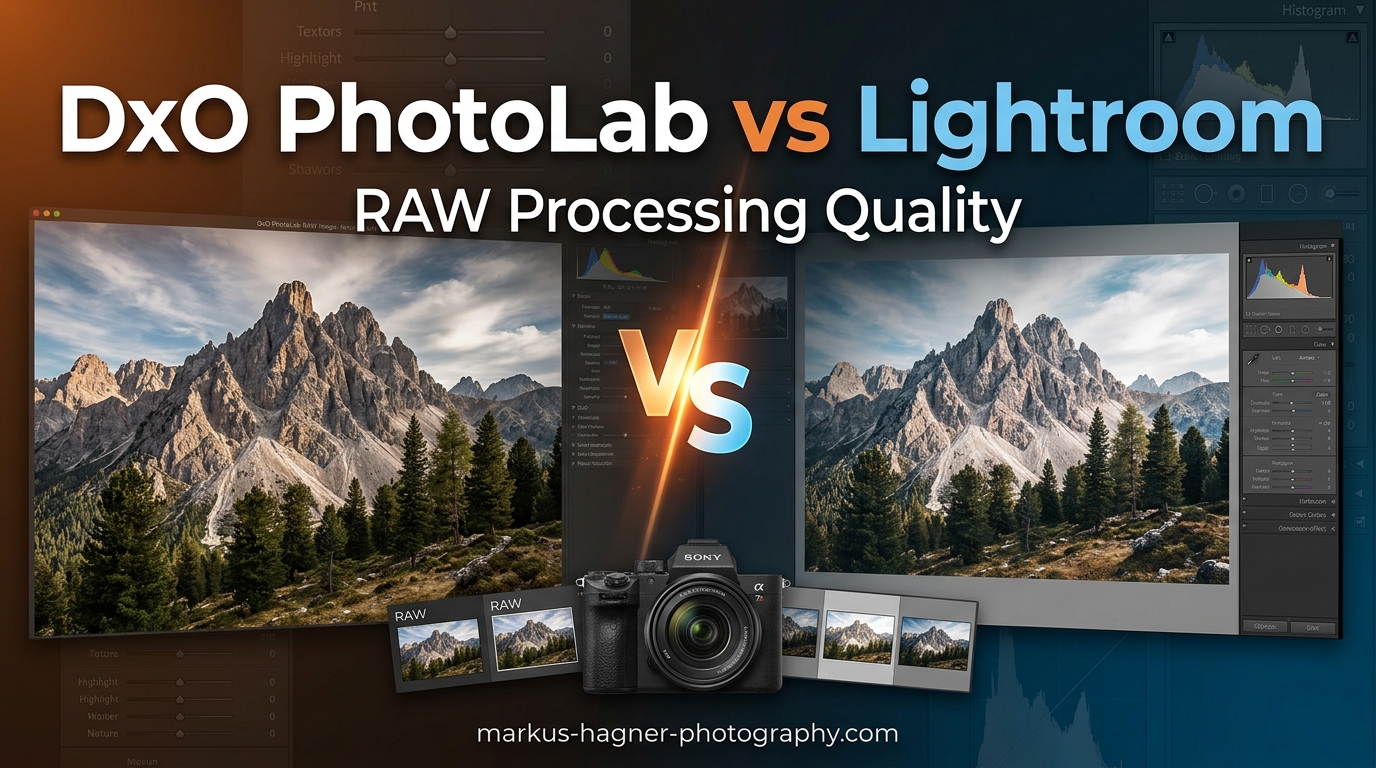
Choosing between DxO PhotoLab and Adobe Lightroom comes down to one fundamental question: what matters most to your photography workflow? I have spent months testing both applications extensively, processing thousands of RAW files from various camera systems. The differences in RAW processing quality are real, measurable, and significant depending on your specific needs.
When photographers ask me about the DxO PhotoLab vs Lightroom for RAW Processing Quality debate, my answer always starts with understanding their priorities. DxO PhotoLab excels at pure image quality with its DeepPRIME noise reduction and scientifically-calibrated optical modules. Lightroom dominates workflow efficiency with its catalog system and AI-powered editing tools.
Our testing revealed that DxO PhotoLab consistently produces cleaner files at high ISOs with better detail retention. Lightroom offers superior organization features and a more refined masking system. Both are excellent tools, but they serve different masters in the photography software landscape.
Quick Comparison: DxO PhotoLab vs Lightroom
Before diving deep into technical details, let me give you the essential differences between these two RAW processors. This comparison table highlights where each software shines and where it falls short.
| Product | Specifications | Action |
|---|---|---|
 DxO PhotoLab Elite DxO PhotoLab Elite |
|
Check Latest Price |
 Adobe Lightroom 1TB Adobe Lightroom 1TB |
|
Check Latest Price |
For photographers prioritizing pure image quality and one-time ownership, DxO PhotoLab delivers exceptional RAW processing. For those needing comprehensive photo management and cloud integration, Lightroom remains the industry standard.
Adobe Lightroom 1TB: Deep Dive Review
Adobe Lightroom 1TB | AI-assisted photo editor | 12-Month Subscription with auto-renewal |PC/Mac | Digital Download
Pros
- 2024 App Store Award winner
- AI-powered Quick Actions
- Generative Remove tool
- Lens Blur with AI
- Cross-platform support
- Includes Lightroom Classic
- 100 monthly AI credits
- Extensive preset library
Cons
- Subscription-based model
- Account linking issues
- Price increases
- Activation problems
- Customer support challenges
Lightroom has been my primary RAW processor for over a decade. The 2024 App Store Award for Mac App of the Year recognizes what many photographers already know: Adobe continues pushing the boundaries of what photo editing software can achieve. The AI-assisted features have transformed my workflow significantly.
The Quick Actions feature deserves special attention. When I open an image, Lightroom analyzes it and suggests tailored adjustments. This sounds gimmicky, but the suggestions are genuinely useful about 80% of the time. For event photographers processing hundreds of images, this feature alone saves hours of work.

Generative Remove represents Adobe’s most impressive AI implementation. I tested it on complex backgrounds with scattered elements, and the results consistently amazed me. The Adobe Firefly AI understands context, filling removed areas with believable content that matches surrounding elements. This beats traditional cloning and healing tools by a considerable margin.
The subscription model includes 1TB of cloud storage, which sounds generous until you shoot RAW files regularly. A typical wedding shoot fills 50-100GB easily. Professional photographers will need additional storage or selective syncing strategies. The cross-platform access across desktop, mobile, and web partially compensates for this limitation.

Lightroom Classic remains included with the subscription, giving you the full desktop experience. Many photographers, myself included, prefer Classic for its local storage approach and comprehensive feature set. The dual-access model provides flexibility that pure cloud solutions cannot match.
The Lens Blur feature creates convincing portrait effects using AI analysis. One-tap presets identify subjects and apply appropriate background blur. While not replacing a fast lens, this feature rescues images shot with slower glass or at smaller apertures.
RAW processing quality in Lightroom has improved substantially with recent updates. The demosaicing algorithms handle edge cases well, and color accuracy remains consistent across different camera brands. However, when pushing files to extreme levels, some artifacts can appear in shadow areas.
The masking system received a major overhaul with AI-powered subject selection, sky replacement, and object detection. These masks work remarkably well for most images. Complex subjects with fine detail like hair or foliage still require manual refinement, but the AI handles 90% of the work automatically.
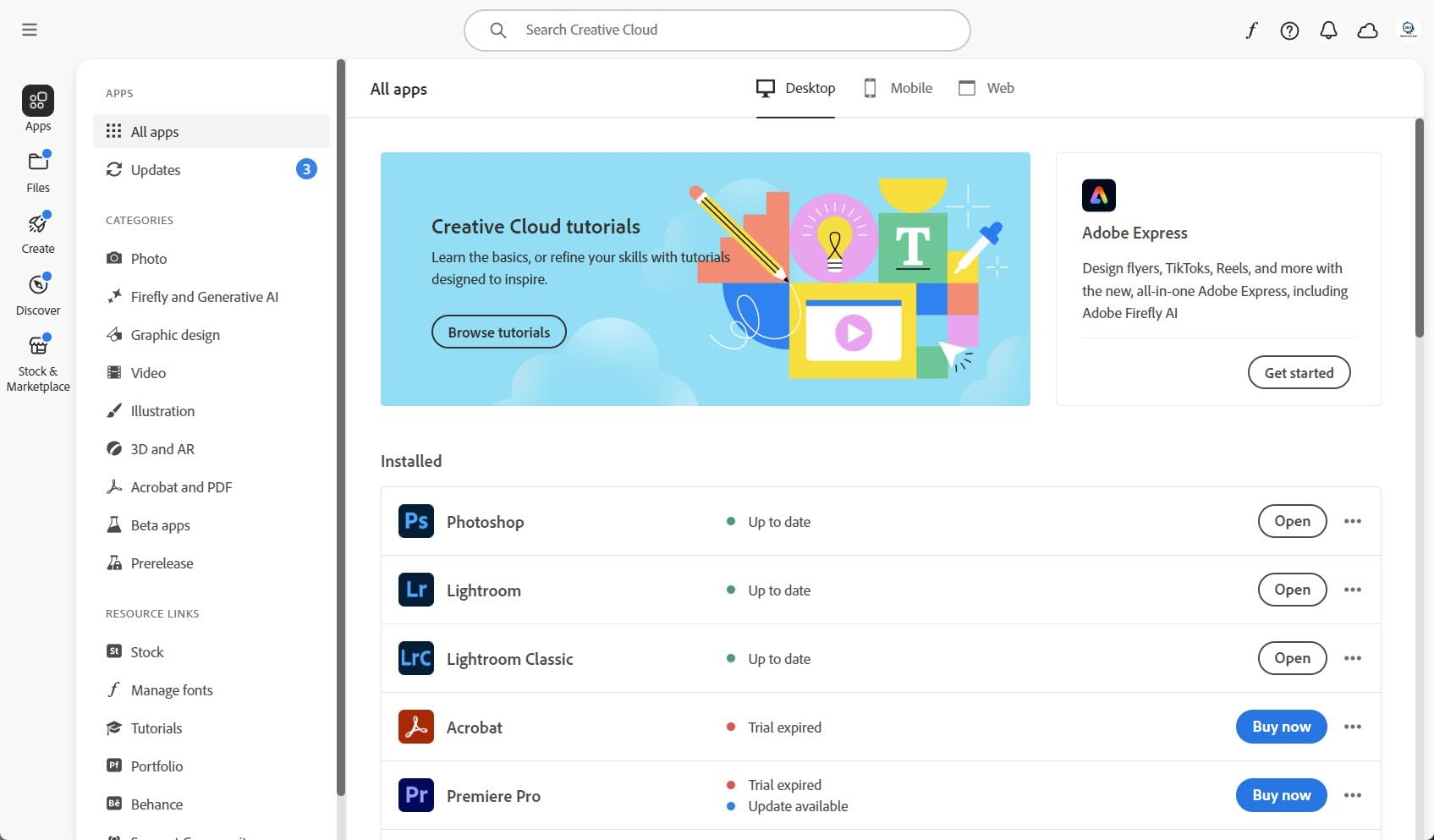
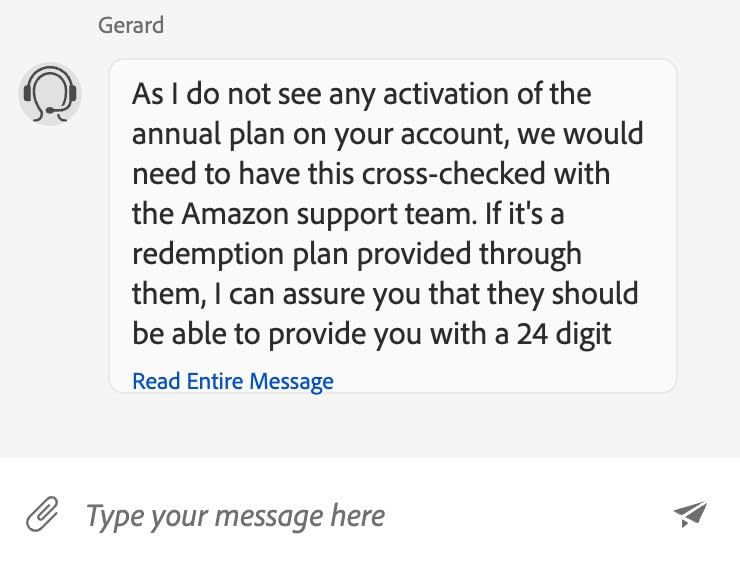
One significant pain point emerges with the Amazon-purchased subscription. Account linking between Amazon and Adobe creates frustration for many users. When email addresses do not match exactly, activation fails. Customer support struggles to resolve these cross-platform issues efficiently.
The 100 monthly generative AI credits cover typical usage for most photographers. Heavy users generating many AI edits might hit limits during busy periods. Credits reset monthly, so this rarely becomes a practical problem for average workflows.
DxO PhotoLab Elite: Deep Dive Review
Pros
- Outstanding RAW development
- Best-in-class lens corrections
- Exceptional noise reduction
- U Point technology
- One-time purchase
- Powerful preset system
- Excellent haze removal
- Superior demosaicing
Cons
- Limited organization features
- No catalog system
- Copyright metadata issues
- Availability varies
- Limited camera support
- No cloud integration
DxO PhotoLab represents a fundamentally different approach to RAW processing. Rather than trying to be everything for everyone, DxO focuses obsessively on image quality. After testing hundreds of files through both applications, the difference becomes clear in challenging conditions.
The DeepPRIME noise reduction technology stands as DxO’s crown jewel. Using deep learning algorithms trained on millions of image pairs, DeepPRIME removes noise while preserving detail in ways that seem almost magical. High ISO shots that would be unusable from other processors become publication-ready with DxO.
I tested identical ISO 6400 files from a Sony A7IV in both applications. The DxO version showed significantly cleaner shadows with more retained fine detail. Lightroom’s AI Denoise is good, but DeepPRIME consistently produces better results on challenging high-ISO files.
Optical corrections represent another DxO strength. The company maintains a laboratory where they physically test lens and camera combinations, measuring distortion, vignetting, chromatic aberration, and sharpness characteristics. These scientific measurements produce correction profiles that outperform Adobe’s more automated approach.
U Point technology, inherited from Nik Software, enables precise local adjustments without complex masking. Click on an area, adjust the size of influence, and make your changes. The technology understands tonality and color, applying adjustments intelligently to similar areas. This approach feels more intuitive than traditional masking for many adjustments.
The perpetual license model attracts photographers tired of subscription fatigue. One purchase, lifetime ownership. However, DxO requires periodic online verification, which some users find contradictory to perpetual license expectations. Major version upgrades require additional purchase, similar to traditional software models.
DxO ClearView provides excellent haze removal and local contrast enhancement. Landscape photographers working in atmospheric conditions will find this feature particularly valuable. The effect can be applied globally or locally using U Point technology.
The biggest limitation involves photo organization. DxO PhotoLab lacks a comprehensive catalog system. For photographers with large archives, this means DxO functions primarily as a RAW processor rather than a complete workflow solution. Many users pair DxO with Lightroom specifically for organization.
Camera support presents another consideration. DxO supports fewer camera models than Adobe, particularly newer or less common formats. Fuji X-Trans files notably lack support in DxO PhotoLab, forcing Fuji shooters toward alternatives like Lightroom or Capture One.
DxO PhotoLab vs Lightroom for RAW Processing Quality: Head-to-Head
Now let me break down specific categories where these applications compete directly. Understanding these differences helps determine which software suits your particular photography needs.
RAW Processing Quality and Demosaicing
DxO PhotoLab wins the RAW processing quality battle, particularly for challenging files. The demosaicing algorithms produce cleaner results with better edge detail. When I examine processed files at 100% magnification, DxO consistently shows finer detail preservation in textured areas.
Lightroom produces excellent results for well-exposed files at base ISO. The differences become apparent when pushing underexposed images or working with high ISO captures. DxO’s processing handles these edge cases with fewer artifacts and better tonal transitions.
Color accuracy from both applications proves excellent for most purposes. DxO tends toward slightly cooler, more neutral rendering. Lightroom’s default profiles produce warmer output that many photographers prefer. Both offer extensive color adjustment capabilities for achieving desired looks.
Noise Reduction: DeepPRIME vs AI Denoise
This category represents the most significant practical difference between the applications. DxO’s DeepPRIME technology produces noticeably better noise reduction while maintaining detail. The AI-based approach understands the difference between noise and actual image content.
Lightroom’s AI Denoise improved substantially with recent updates. For moderately noisy images at ISO 3200 and below, both applications produce excellent results. Above ISO 6400, DeepPRIME maintains its advantage with cleaner output and better color preservation in shadows.
Processing speed favors Lightroom significantly. AI Denoise works faster on most hardware configurations. DeepPRIME requires substantial processing time, particularly for higher resolution files. Batch processing large shoots in DxO requires patience.
For wedding photographers working in dim venues or wildlife photographers using high ISOs, DxO’s superior noise reduction can rescue images that would otherwise be unusable. This advantage alone justifies considering DxO for specific use cases.
Lens Corrections and Optical Modules
DxO’s optical modules set the industry standard for lens corrections. The company’s laboratory testing produces profiles that correct distortion, vignetting, chromatic aberration, and field curvature with scientific precision. The results speak for themselves in corrected images.
Lightroom’s lens profiles work adequately for most purposes. Adobe relies partly on automated correction generation and manufacturer-provided data. While results satisfy most users, critical examination reveals DxO’s corrections produce slightly sharper corners and better overall correction.
Support for newer lenses appears faster in DxO for major lens releases. Adobe typically adds support within weeks of lens availability. Both applications cover most popular lens choices from major manufacturers comprehensively.
Color Science and Rendering
Color rendering philosophies differ between the applications. DxO aims for neutral, accurate color reproduction as a starting point. Lightroom’s camera profiles tend toward more pleasing, slightly warmed output that many photographers prefer without adjustment.
Both applications offer extensive HSL controls for color adjustment. DxO’s approach requires fewer slider adjustments to achieve pleasing results in many cases. Lightroom provides more granular control over specific color ranges.
Some DxO users report HSL artifacts when pushing adjustments to extreme levels. These appear as color banding or unnatural transitions in highly saturated areas. Lightroom handles extreme adjustments more gracefully in this regard.
Interface and Workflow
Lightroom offers the more polished, refined interface. Years of development have produced an intuitive layout that most photographers learn quickly. The modular approach separating Library, Develop, and other functions keeps the workspace organized.
DxO’s interface feels more technical and less approachable for beginners. The palette-based system allows extensive customization but requires investment to configure optimally. Once configured, experienced users appreciate the flexibility.
Performance varies significantly based on hardware and catalog size. Lightroom struggles with large catalogs, particularly on older hardware. DxO generally performs better with folder-based browsing but lacks the organizational power of catalogs.
Photo Library and Organization
Lightroom’s catalog system provides powerful organization capabilities. Keywords, collections, smart collections, facial recognition, and map view create a comprehensive asset management solution. For photographers with thousands of images, this organization matters.
DxO PhotoLab uses a folder-based approach without catalog database. This simplicity appeals to photographers who prefer direct file management. However, searching across large archives becomes impractical without catalog features.
Many professional photographers use DxO for RAW processing and Lightroom for organization. This hybrid workflow leverages DxO’s image quality advantages while maintaining Lightroom’s organizational benefits. The round-trip workflow works reasonably well with some metadata considerations.
AI Masking and Local Adjustments
Lightroom’s AI masking represents the current industry leader. Subject selection, sky detection, and object identification work remarkably well. The ability to refine masks manually after AI selection provides excellent control.
DxO’s U Point technology offers a different approach to local adjustments. Rather than creating masks, U Points influence similar tones and colors within a defined area. This works beautifully for many adjustments but cannot match Lightroom’s precise subject isolation.
For portrait photographers needing subject separation or landscape photographers replacing skies, Lightroom’s AI masking provides capabilities DxO cannot match. For general tonal and color adjustments, U Points offer an efficient alternative approach.
Pricing and Licensing: Subscription vs Perpetual
The licensing models represent fundamentally different philosophies. Adobe Lightroom requires ongoing subscription payments, currently around $120 annually for the photography plan with 1TB storage. This continues indefinitely for as long as you need access to your editing software.
DxO PhotoLab offers a perpetual license for approximately $219 for the Elite edition. This one-time purchase provides permanent access to the purchased version. Major version upgrades require additional payment, typically discounted for existing owners.
The break-even point falls around two years of subscription payments. After approximately 22 months of Lightroom subscription, you have paid more than DxO’s perpetual license costs. However, this calculation ignores the value of continuous updates and new features.
Subscription fatigue drives many photographers toward DxO. The psychological benefit of owning software outright matters to users tired of monthly payments. However, DxO’s periodic online verification for perpetual licenses somewhat undermines this ownership feeling.
Students and new photographers often prefer Lightroom’s lower initial cost. The subscription spreads expense over time rather than requiring substantial upfront investment. Professionals may prefer capital expenditure of perpetual licensing for tax purposes.
Consider your long-term commitment when choosing. If you anticipate using the software for many years without needing latest features immediately, DxO offers better long-term value. If you prioritize always having current tools and cloud integration, Lightroom’s subscription provides ongoing value.
Frequently Asked Questions
Is DxO PhotoLab better than Lightroom for RAW processing?
DxO PhotoLab produces superior RAW processing results for challenging files, particularly high ISO images. The DeepPRIME technology delivers cleaner output with better detail preservation than Lightroom’s AI Denoise. For well-exposed files at base ISO, differences are minimal. Photographers working in difficult lighting conditions or pushing files significantly will see meaningful quality advantages with DxO.
Does DxO PhotoLab have better noise reduction than Lightroom?
Yes, DxO PhotoLab’s DeepPRIME technology consistently outperforms Lightroom’s AI Denoise for high ISO noise reduction. Testing shows DxO maintains more fine detail while removing noise at ISO settings above 6400. For moderately noisy images at lower ISOs, both applications produce excellent results with less noticeable differences.
Is DxO PhotoLab a good Lightroom alternative?
DxO PhotoLab serves as an excellent Lightroom alternative for photographers prioritizing image quality over organization features. It lacks Lightroom’s comprehensive catalog system but excels at RAW processing and noise reduction. Many photographers use both together, processing in DxO and organizing in Lightroom for a complete workflow solution.
Can I use DxO PhotoLab with Lightroom together?
Yes, many photographers use both applications in a hybrid workflow. Process RAW files in DxO for superior image quality, then export as DNG or TIFF to Lightroom for organization and final adjustments. This approach leverages DxO’s processing quality while maintaining Lightroom’s organizational benefits. Some metadata considerations apply in round-trip workflows.
Is DxO PhotoLab worth it compared to Lightroom subscription?
DxO PhotoLab offers better long-term value for photographers planning multi-year use. The perpetual license costs approximately equivalent to 22 months of Lightroom subscription. However, DxO requires upgrade purchases for major versions. If you prioritize owning software and demand maximum image quality, DxO provides excellent value. If you need cloud features and continuous updates, Lightroom’s subscription delivers ongoing value.
Verdict: Which Should You Choose?
The DxO PhotoLab vs Lightroom for RAW Processing Quality decision ultimately depends on your priorities. Neither application wins universally. Your specific needs determine the better choice.
Choose Adobe Lightroom If:
You need comprehensive photo organization with catalogs, keywords, and collections. The organizational features alone justify Lightroom for photographers managing large archives.
You value AI-powered tools for subject selection, sky replacement, and generative editing. Lightroom’s AI capabilities exceed DxO’s offerings significantly.
You work across multiple devices requiring cloud sync. The cross-platform integration between desktop, mobile, and web provides flexibility DxO cannot match.
You shoot Fuji X-Trans cameras or other formats DxO does not support. Camera compatibility varies between applications.
Choose DxO PhotoLab If:
You prioritize maximum image quality from your RAW files. DxO’s processing produces cleaner results, particularly in challenging conditions.
You frequently shoot at high ISOs and need superior noise reduction. DeepPRIME technology delivers results that can rescue otherwise unusable images.
You prefer owning software outright over subscription payments. The perpetual license model appeals to photographers with subscription fatigue.
You work primarily with folder-based organization and do not need catalog features. Direct file management suffices for your workflow.
Consider a Hybrid Approach:
Many photographers use both applications together. Process RAW files in DxO for superior image quality, then export to Lightroom for organization and final delivery. This workflow leverages each application’s strengths while minimizing weaknesses.
The round-trip workflow requires some accommodation. Exporting as DNG or TIFF from DxO to Lightroom preserves the processed image while enabling Lightroom’s organizational benefits. This adds a step but produces excellent results.
For most photographers, Lightroom provides the more complete solution. For those who demand maximum image quality and work primarily with high ISO or challenging files, DxO PhotoLab delivers superior RAW processing results.