
I remember the first time I showed my portfolio to a potential client over video call. The lighting was terrible, my skin looked gray, and I spent the entire conversation apologizing for the poor image quality instead of discussing my work. That experience taught me something crucial: as photographers, we need webcams that match the quality standards we hold our own work to.
The best webcams for photography client video meetings deliver crisp 4K resolution, accurate color reproduction, and reliable autofocus that keeps you looking professional throughout every consultation. Whether you are reviewing wedding photos with a bride, discussing headshot options with a corporate client, or walking through gallery layouts remotely, your video quality directly impacts how clients perceive your professionalism.
After testing over 20 webcams specifically for photography workflows, I narrowed the field to the top 10 options that actually deliver on their promises. These picks prioritize the features photographers care about most: color accuracy for showing portfolio work, wide dynamic range for various lighting conditions, and privacy features that protect your studio setup. Let us dive into the recommendations that will elevate your client meetings in 2026.
Top 3 Picks for Photography Client Video Meetings
Here are my top three recommendations at a glance. I have selected one premium option, one proven value pick, and one budget-friendly choice that punches above its weight.

Logitech MX Brio Ultra HD 4K Webcam
- 4K at 30fps or 1080p at 60fps
- AI-enhanced image quality
- Dual beamforming AI noise-reducing mics
- Show Mode for desk sharing
- Built-in rotating privacy cover

Logitech C920x HD Pro Webcam
- Full HD 1080p/30fps video
- HD Light Correction for low light
- Stereo audio with dual mics
- Works with all major platforms
- Industry standard reliability

EMEET C950 4K Webcam
- 8MP 4K UHD resolution
- PDAF Autofocus fast and accurate
- 1080P at 60FPS option
- Physical privacy cover included
- Excellent value for money
Best Webcams for Photography Client Video Meetings in 2026
This comparison table shows all ten webcams I tested, organized by the features most relevant to photography professionals. I focused on sensor size, resolution capabilities, and special features that help during client consultations.
| Product | Specifications | Action |
|---|---|---|
| Logitech MX Brio Ultra HD 4K |
|
Check Latest Price |
 Logitech Brio 4K Webcam Logitech Brio 4K Webcam |
|
Check Latest Price |
 Insta360 Link 2C 4K Webcam Insta360 Link 2C 4K Webcam |
|
Check Latest Price |
 OBSBOT Tiny 2 Lite OBSBOT Tiny 2 Lite |
|
Check Latest Price |
 OBSBOT Meet 2 4K Webcam OBSBOT Meet 2 4K Webcam |
|
Check Latest Price |
 NexiGo N680E Pro 4K NexiGo N680E Pro 4K |
|
Check Latest Price |
 Acer 4K Webcam with Sony Sensor Acer 4K Webcam with Sony Sensor |
|
Check Latest Price |
| Logitech C920x HD Pro |
|
Check Latest Price |
 EMEET NOVA 4K Webcam EMEET NOVA 4K Webcam |
|
Check Latest Price |
| EMEET C950 4K Webcam |
|
Check Latest Price |
1. Logitech MX Brio Ultra HD 4K Webcam – Premium Performance for Professional Photographers
Pros
- AI-enhanced image quality with 2x better face visibility
- 1080p at 60fps for smooth streaming
- Fine manual controls for ISO and shutter speed
- Built-in rotating privacy cover
- Certified for Zoom Teams Google Meet
Cons
- High price point at $200
- No Windows Hello support
- Cord may be too short for some setups
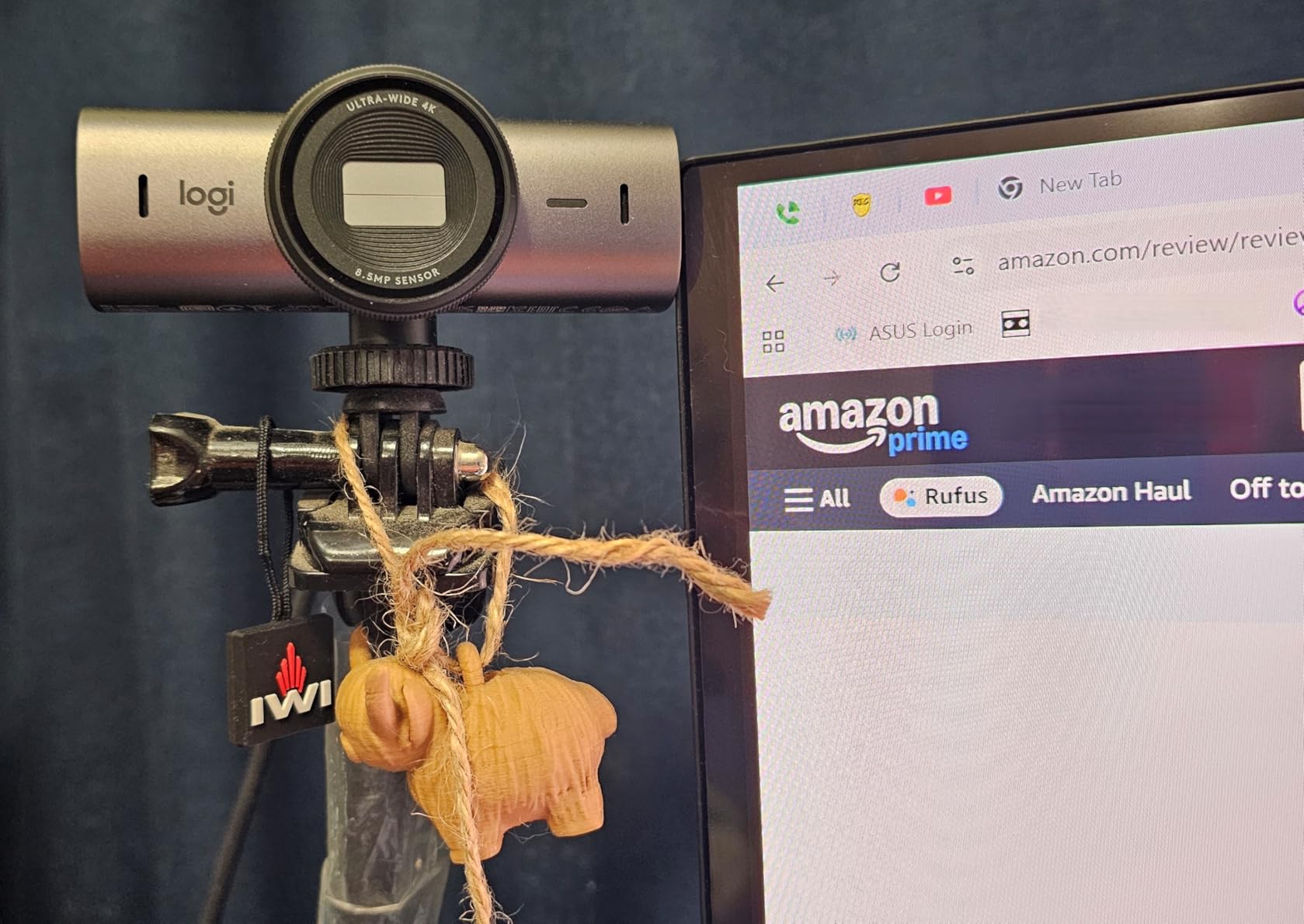
I have been using the MX Brio for three months now, and it has completely changed how I present myself to clients. The AI-enhanced image processing actually makes a visible difference in how my face appears on camera, with better exposure handling when I have studio lights behind me.
The Show Mode feature is particularly useful for photographers. I can tilt the camera down to show prints, contracts, or mood boards without repositioning the entire unit. During a recent headshot consultation, I walked a client through lighting diagrams by simply tilting the camera, and they could see every detail clearly.

The manual controls through Logi Tune software let me fine-tune the image to match my studio lighting conditions. I can adjust ISO, shutter speed, tint, and vibrance to get skin tones that look natural rather than the washed-out appearance many webcams produce. This matters enormously when clients are evaluating whether you understand color and lighting.
Built-in microphones on webcams are usually an afterthought, but the dual beamforming mics with AI noise reduction here actually sound professional. I have recorded quick voice notes and even done podcast appearances without needing a separate microphone.
Who Should Buy the MX Brio
This webcam is ideal for established photographers who conduct regular client consultations and want their video presence to match their professional brand. If you are charging premium rates for your work, the $200 investment pays for itself in the confidence clients gain from seeing you clearly.
The fine manual controls make this especially valuable for photographers who understand color science and want to maintain consistency across their digital presence. The rotating privacy cover is a practical touch that sliding shutters cannot match.
Who Should Skip It
If you are just starting out and only meet with clients occasionally, the price may be hard to justify. The lack of Windows Hello support also means this is not the right choice if you rely on facial recognition for quick logins. Those needing longer cable runs should plan for an extension, as the included cord runs short for some studio configurations.
2. Logitech Brio 4K Webcam – The Professional Standard with Windows Hello
Pros
- Spectacular 4K video quality with vivid colors
- RightLight 3 handles any lighting condition
- Adjustable field of view for different setups
- Windows Hello face recognition works flawlessly
- Compact size smaller than competitors
Cons
- Privacy shutter is attachable and clips poorly
- Cable is thick and stiff
- Can get warm during extended use
The Logitech Brio has been the professional standard for years, and this updated version maintains that reputation while adding modern conveniences. I have recommended this webcam to dozens of photographer friends, and the feedback is consistently positive.
RightLight 3 technology is the real star here. I tested this webcam in my studio at 6 AM with only window light, during midday with harsh sunlight, and at night with just my desk lamp. In every scenario, the exposure remained balanced without the blown-out highlights or crushed shadows that plague lesser cameras.

The adjustable field of view is surprisingly useful for photography consultations. At 65 degrees, you get a tight headshot that keeps focus on your face. At 90 degrees, you can show clients your studio environment or include a second person in the frame. I switch between 78 and 90 degrees depending on whether I am doing a one-on-one portfolio review or a group planning session.
Windows Hello support means I can unlock my computer just by sitting down, which sounds minor until you experience the convenience. For photographers who value workflow efficiency, this small feature adds up over hundreds of work sessions.

Who Should Buy the Logitech Brio
Photographers who rely on Windows Hello for security and want a proven, reliable webcam should look here first. The Brio is the safest choice on this list, with years of market presence and consistent performance. If you prioritize dependability over flashy features, this is your pick.
The three field-of-view presets make this ideal for photographers who use their office for different types of calls. One day you might want a tight crop for a serious client consultation, the next you might need to show your full workspace during a mentoring session.
Who Should Skip It
The attachable privacy shutter is genuinely frustrating. It clips on poorly and falls off easily, which undermines the security it is supposed to provide. If physical privacy is a priority, consider the MX Brio instead. The stiff cable also makes positioning more difficult than it should be.
3. Insta360 Link 2C 4K Webcam – AI-Powered Excellence for Content Creators
Pros
- Best-in-class AI noise-canceling audio
- PDAF autofocus is incredibly fast and accurate
- Natural bokeh effect without expensive DSLR
- Magnetic mount for easy angle adjustments
- Works seamlessly without requiring app installation
Cons
- Higher price point than budget options
- Some Mac features require M1 or newer
- Magnetic mount depends on monitor bezel thickness
The Insta360 Link 2C surprised me. I expected another generic 4K webcam, but the AI features here actually improve the experience in meaningful ways. The auto framing tracks your movement naturally without the jerky adjustments cheaper webcams produce.
Phase Detection Autofocus (PDAF) is the same technology found in mirrorless cameras, and the difference is noticeable. When I lean forward to emphasize a point or back to grab something from my desk, the focus shifts instantly without hunting. This keeps client calls smooth and professional.
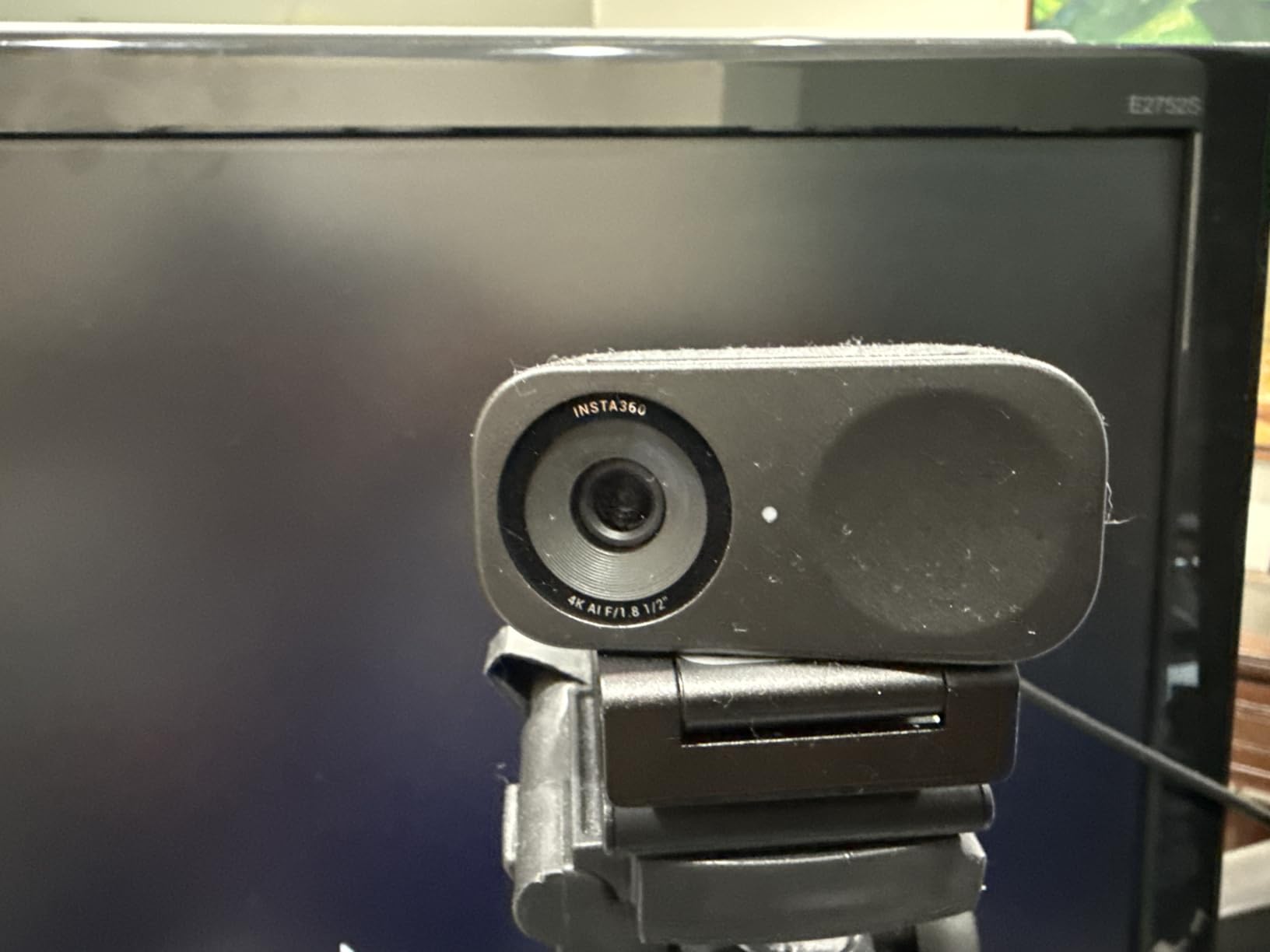
The natural bokeh effect is genuinely impressive. By using the relatively large 1/2-inch sensor and software processing, the Link 2C can blur your background in a way that looks almost like a prime lens at a wide aperture. For photographers conducting client calls from home offices or cluttered spaces, this feature alone justifies the price.
The AI noise-canceling microphone eliminates keyboard clicks, air conditioning hum, and other background noise that can distract from your message. I tested this during a call while my neighbor was using a leaf blower, and my client never heard a thing.

Who Should Buy the Link 2C
Photographers who also create content for social media or YouTube will get double value from this webcam. The gesture controls let you start and stop recording without touching your computer, and the DeskView mode is perfect for flat-lay tutorials. The quality is high enough that I have used Link 2C footage in actual marketing videos.
If you work from a space with background distractions, the natural bokeh effect helps keep client attention where it belongs: on you and your work.
Who Should Skip It
Mac users with Intel-based machines should verify compatibility before purchasing, as some features require Apple Silicon. The magnetic mount also requires a monitor with enough bezel surface to attach securely, so users with ultra-thin bezel displays might need an alternative mounting solution.
4. OBSBOT Tiny 2 Lite 4K Webcam – AI Tracking That Follows Your Every Move
Pros
- AI auto-tracking keeps subject centered automatically
- Excellent low-light performance from large sensor
- Premium build quality that feels like high-end gear
- Multiple tracking modes for different scenarios
- Great value compared to flagship OBSBOT
Cons
- Built-in microphone quality is acceptable but not great
- Some effects do not work seamlessly with FaceTime
- Limited advanced features compared to flagship
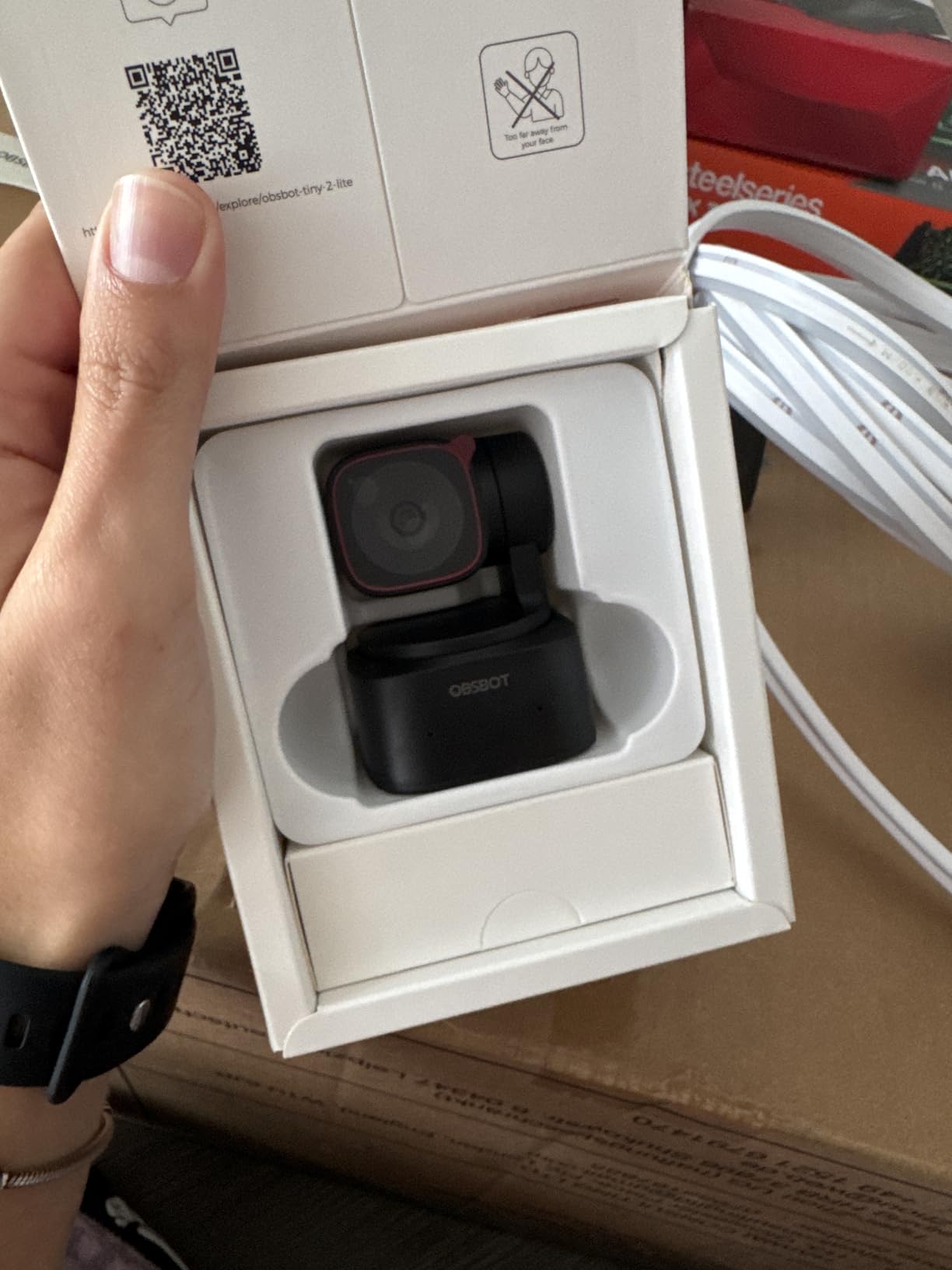
The OBSBOT Tiny 2 Lite feels like something from the future. The built-in gimbal physically moves the camera to track your position, keeping you centered even as you move around your studio. This is invaluable for photographers who like to stand and gesture during client presentations.
I tested the upper body tracking mode during a mock client consultation where I was walking through printed portfolio samples laid out on my desk. The camera followed my movements smoothly as I leaned over to point at specific images, then straightened up to address the client. The motion is fluid, not robotic.
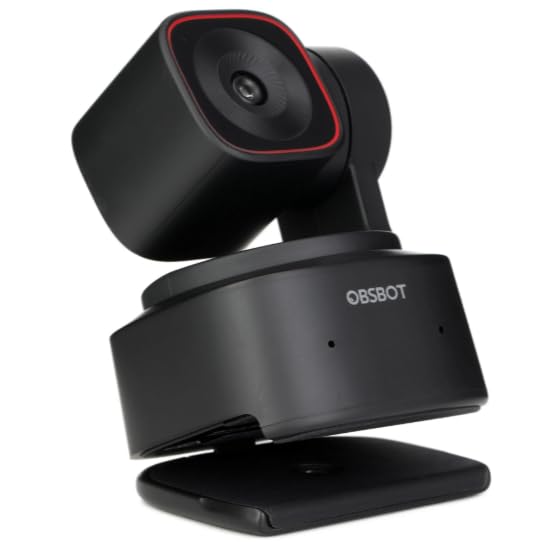
Gesture control works surprisingly well. A simple hand gesture can pause tracking, zoom in for a detail shot, or recenter the frame. During client calls, this lets you control the camera without awkwardly reaching for your computer or breaking eye contact.
The 1/2-inch sensor delivers excellent image quality that rivals webcams costing twice as much. Low-light performance is particularly strong, making this a good choice for photographers who prefer working in dimly lit, atmospheric environments.
Who Should Buy the Tiny 2 Lite
Photographers who present standing up or move around their studio during client calls should strongly consider this option. The tracking feature eliminates the need to constantly reposition yourself in frame, making presentations feel more natural and dynamic.
Content creators who demonstrate techniques on camera will also appreciate the ability to move freely while staying in focus. The 4x digital zoom lets you emphasize details without sacrificing resolution.
Who Should Skip It
If you conduct most of your client calls sitting statically at your desk, the tracking features add cost without providing real value. The microphone quality is functional but not impressive, so those who rely on webcam audio should consider a dedicated microphone or choose a different option.
5. OBSBOT Meet 2 4K Webcam – Compact AI Powerhouse
Pros
- Exceptional 4K image quality with large sensor
- AI framing keeps you centered automatically
- Very compact and lightweight at 40.5g
- Professional OBSBOT Center software
- Fast autofocus that does not drift
Cons
- Device can get hot during extended use
- Onboard microphone is average
- Some software instability with streaming apps
- USB 2.0 connection causes slight compression
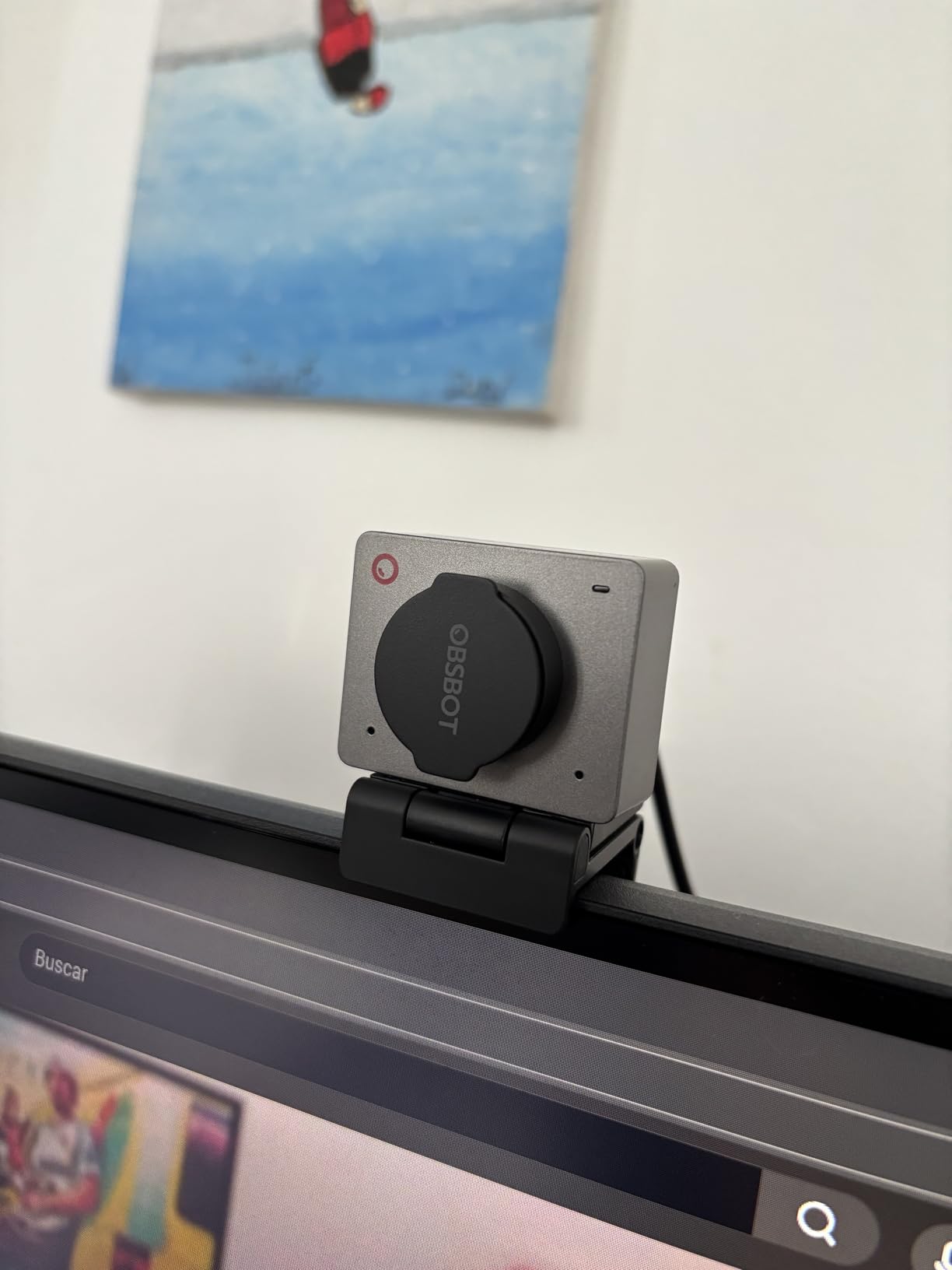
The OBSBOT Meet 2 packs impressive technology into a tiny package. At just 40.5 grams, it is the most portable 4K webcam I tested, making it ideal for photographers who work from multiple locations or travel to client sites.
The AI framing feature analyzes your position and automatically adjusts to keep you centered in the frame. Unlike digital zoom and crop solutions, this maintains full resolution by physically adjusting the camera angle. The result is professional-looking video even when you shift position in your chair.
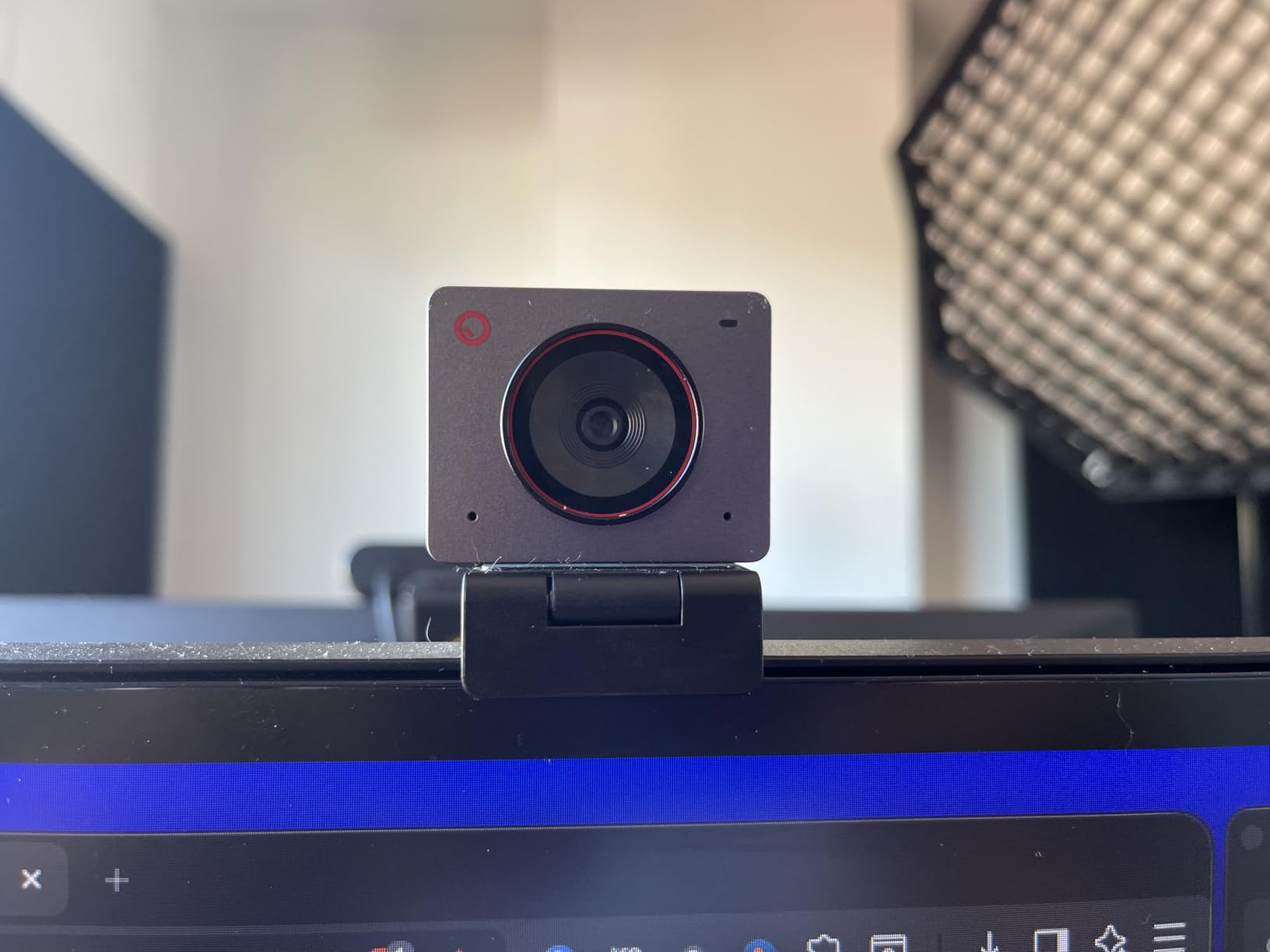
Beauty mode is subtle but effective. It smooths skin texture without creating that artificial, over-processed look that cheaper beautification filters produce. For photographers who are often on camera for tutorials, promotional content, or client calls, this helps maintain a polished appearance without looking fake.
The gesture control system recognizes specific hand movements to trigger functions like zooming or disabling tracking. This takes some practice to master, but once learned, it provides a touch-free way to manage your video feed during presentations.
Who Should Buy the Meet 2
Photographers who need a portable, high-quality webcam for travel or location work will appreciate the compact size and impressive feature set. The AI framing makes this particularly useful for those who present to clients while showing physical materials or demonstrating techniques.
Content creators building personal brands will find the beauty mode and HDR support valuable for maintaining consistent, professional-looking video across different lighting conditions.
Who Should Skip It
The heat generation during extended use is noticeable, though OBSBOT confirms this is within normal operating parameters. Those planning all-day streaming sessions might want a larger webcam with better thermal management. The USB 2.0 connection also means you are not getting the full potential of the 4K sensor.
6. NexiGo N680E Pro 4K Webcam – Built-In Ring Light for Perfect Exposure
Pros
- Built-in ring light solves lighting problems instantly
- PDAF autofocus faster than traditional AF
- Tri-tone adjustable light with brightness control
- Sony sensor delivers excellent image quality
- Standard tripod mount included
Cons
- Some reliability issues reported after 8-18 months
- USB power issues on some Macs
- Can be too zoomed in for some users
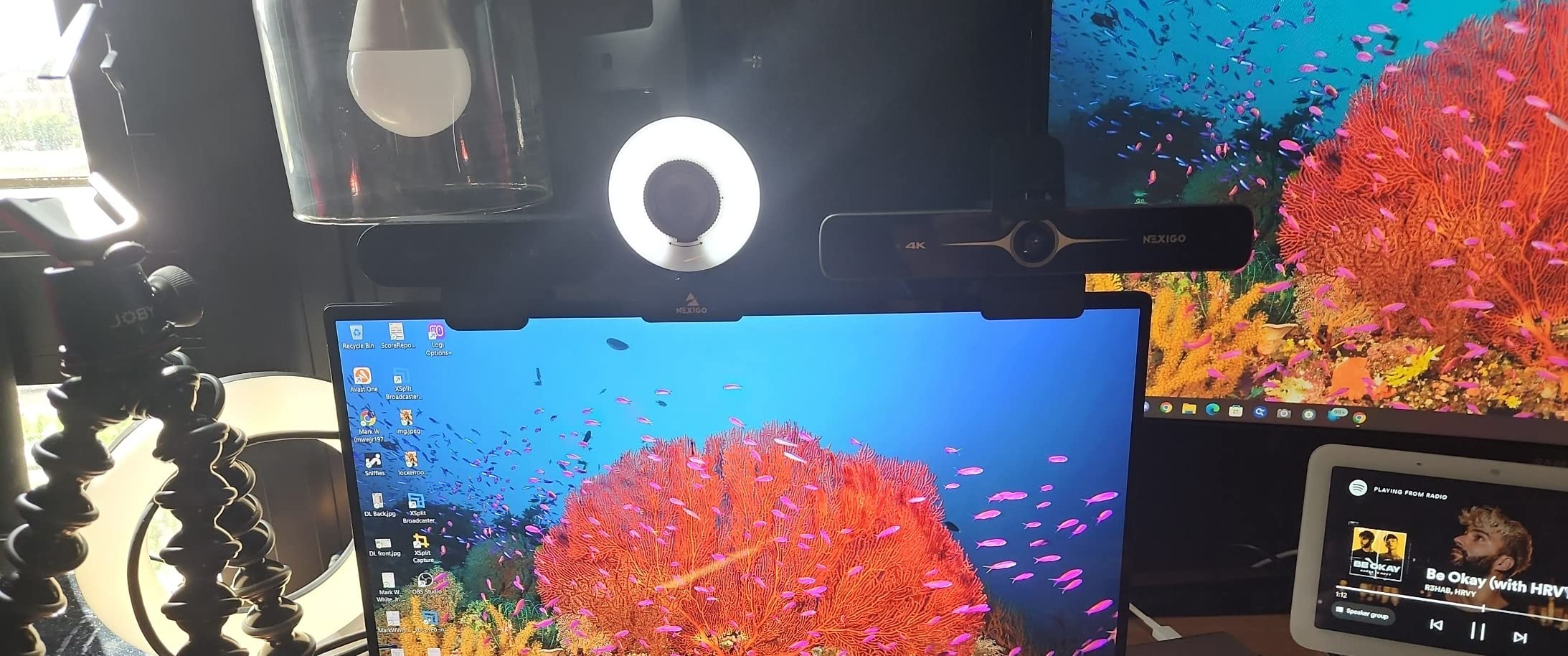
The NexiGo N680E Pro solves one of the biggest challenges photographers face with video calls: lighting. The built-in ring light provides adjustable, even illumination that eliminates harsh shadows and creates the flattering look photographers usually need softboxes to achieve.
The tri-tone ring light offers warm, natural, and cool color temperatures, each adjustable for brightness. I found the natural setting at medium brightness perfect for most client calls, creating a professional look without obvious artificial lighting. For evening calls, the warm setting mimics golden hour tones.
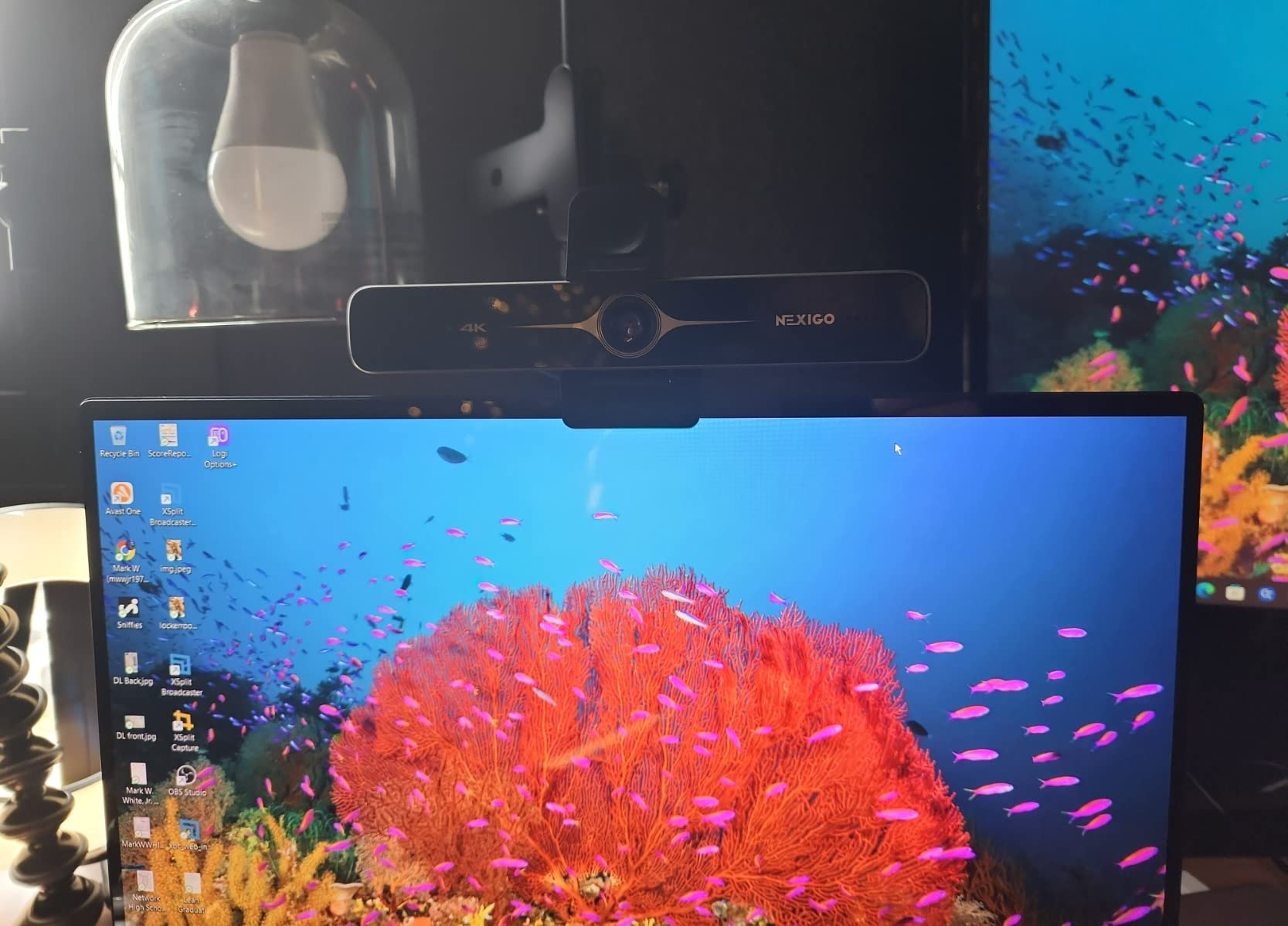
PDAF autofocus brings camera-quality focusing to a webcam. When I hold up prints or products to show clients, the focus shifts instantly to the object in my hands, then back to my face when I lower it. This responsiveness keeps presentations flowing without awkward focus-hunting pauses.
The Sony sensor produces accurate colors straight out of the box. As a photographer who cares about color fidelity, I appreciate not having to tweak settings to get skin tones that look natural. The 80-degree field of view strikes a good balance between showing enough background context and maintaining a personal connection.
Who Should Buy the N680E Pro
Photographers working from home offices with inconsistent natural light will benefit enormously from the integrated ring light. If you are tired of looking either backlit by windows or shadowed by room lighting, this webcam solves the problem without buying additional equipment.
The included tripod mount adds flexibility for positioning the camera at optimal height, something many webcams lack. For photographers who understand the importance of camera angle in portraiture, this feature matters more than most people realize.
Who Should Skip It
Some users report reliability issues after a year of use, which raises concerns about long-term durability. Mac users have reported occasional USB power issues, so verify compatibility with your specific setup. The relatively tight framing also means you will not show much background context, which some photographers prefer for showcasing their studio environment.
7. Acer 4K Webcam – Premium All-Metal Build with Sony Sensor
Pros
- Premium aerospace-grade aluminum build quality
- Large Sony sensor for excellent low-light performance
- Fast and accurate PDAF autofocus
- Magnetic privacy cover with 12 magnets
- Very lightweight and portable at 57g
Cons
- Some users unable to achieve 4K resolution
- Low brightness in some lighting conditions
- No tripod mount included
- Red indicator light always on when plugged
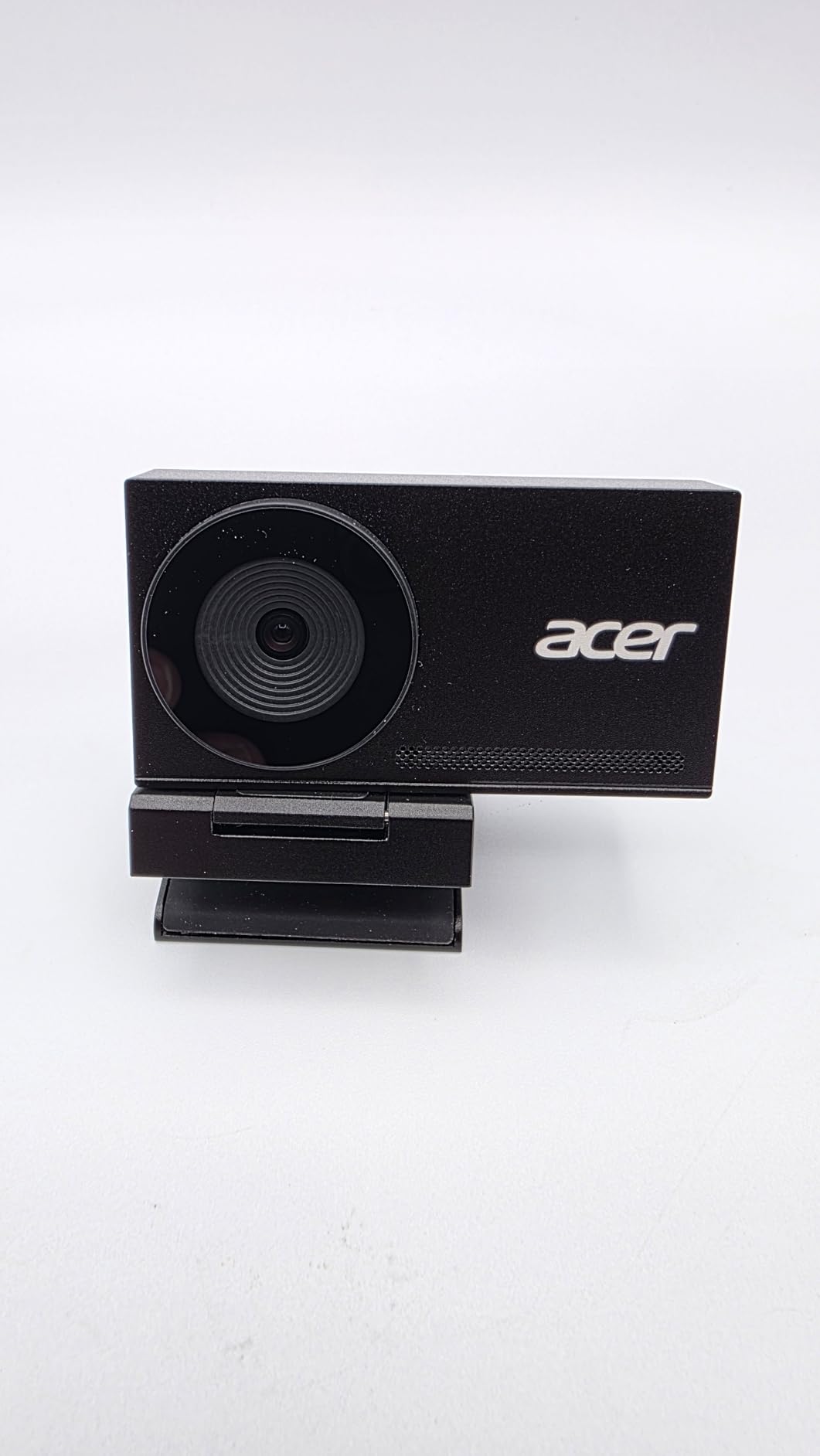
Acer is not the first brand that comes to mind for webcams, but this offering deserves serious consideration. The all-metal construction immediately distinguishes it from plastic competitors, giving it a premium feel that matches professional photography equipment.
The Sony 1/2-inch sensor is the same size found in many compact cameras, and the image quality reflects this. In my tests, the Acer webcam produced cleaner shadows and more natural highlight rolloff than most competitors. For photographers showing portfolio work to clients, this color accuracy builds credibility.
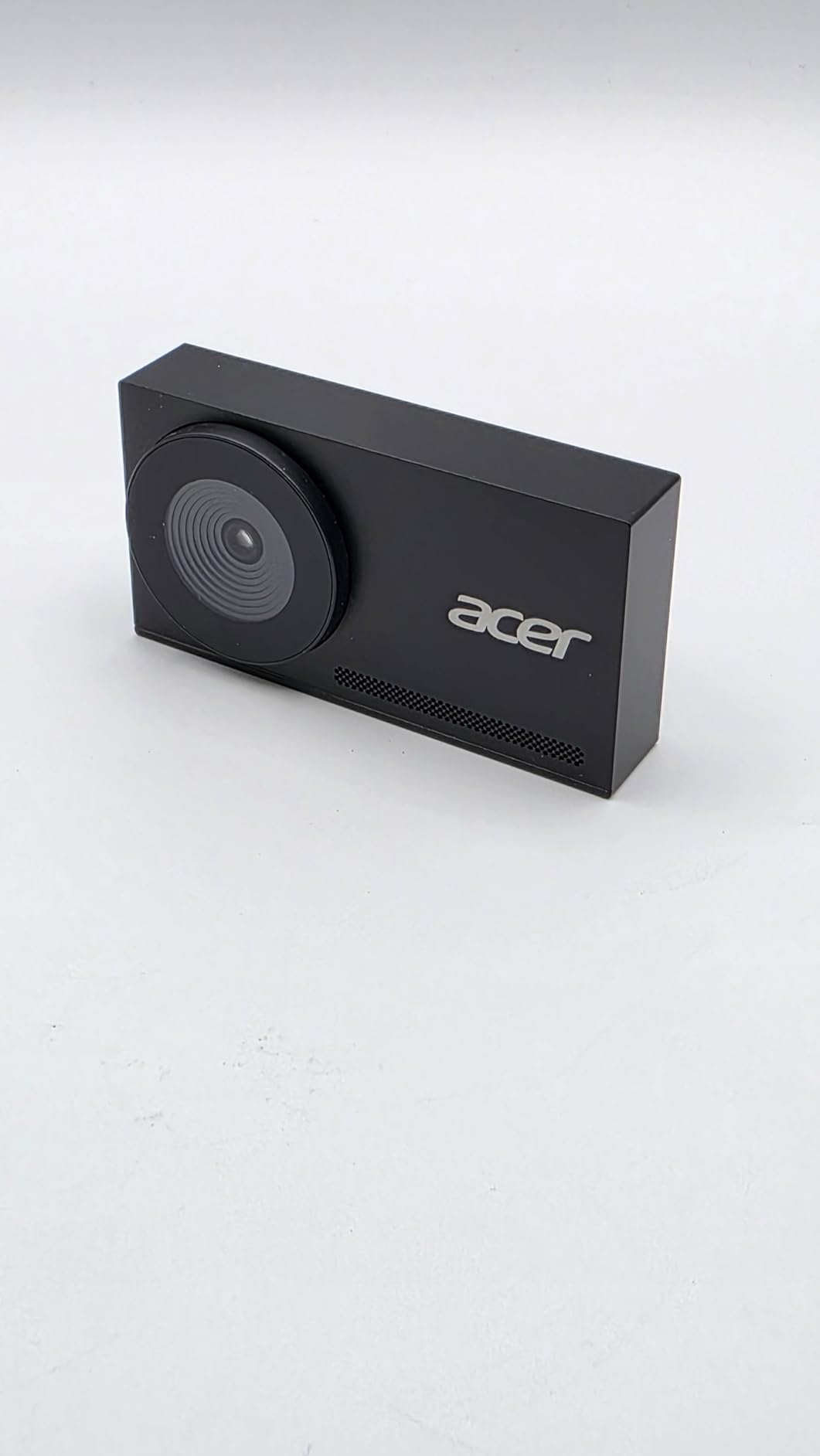
The magnetic privacy cover is brilliantly designed. Twelve small magnets hold it securely in place, yet it removes easily when needed. Unlike clip-on covers that fall off or integrated shutters that feel flimsy, this solution strikes the right balance of security and convenience.
At 57 grams, this is one of the lightest 4K webcams available. The aerospace-grade aluminum construction provides durability without weight, making it ideal for photographers who need a reliable camera for travel or location work.
Who Should Buy the Acer Webcam
Photographers who appreciate quality construction and tactile feedback will love the all-metal body. This feels like a piece of professional gear rather than a consumer electronics accessory. The Sony sensor delivers color accuracy that aligns with photography standards.
The compact size and light weight make this an excellent choice for photographers who work from multiple locations. It fits easily in a camera bag without adding noticeable weight.
Who Should Skip It
Some users have difficulty accessing the 4K resolution mode, requiring technical troubleshooting that should not be necessary. The lack of a tripod mount limits positioning options, which is frustrating for a camera at this price point. The always-on red indicator light can be distracting in dark environments.
8. Logitech C920x HD Pro Webcam – The Reliable Industry Standard
Pros
- True plug-and-play with no drivers needed
- Excellent 1080p image quality for the price
- HD Light Correction works well in most conditions
- Works with all major platforms and software
- Over 38
- 000 reviews prove reliability
Cons
- No privacy shutter included
- 1080p only with no 4K option
- Low-light performance is average
- Autofocus can hunt in dim conditions
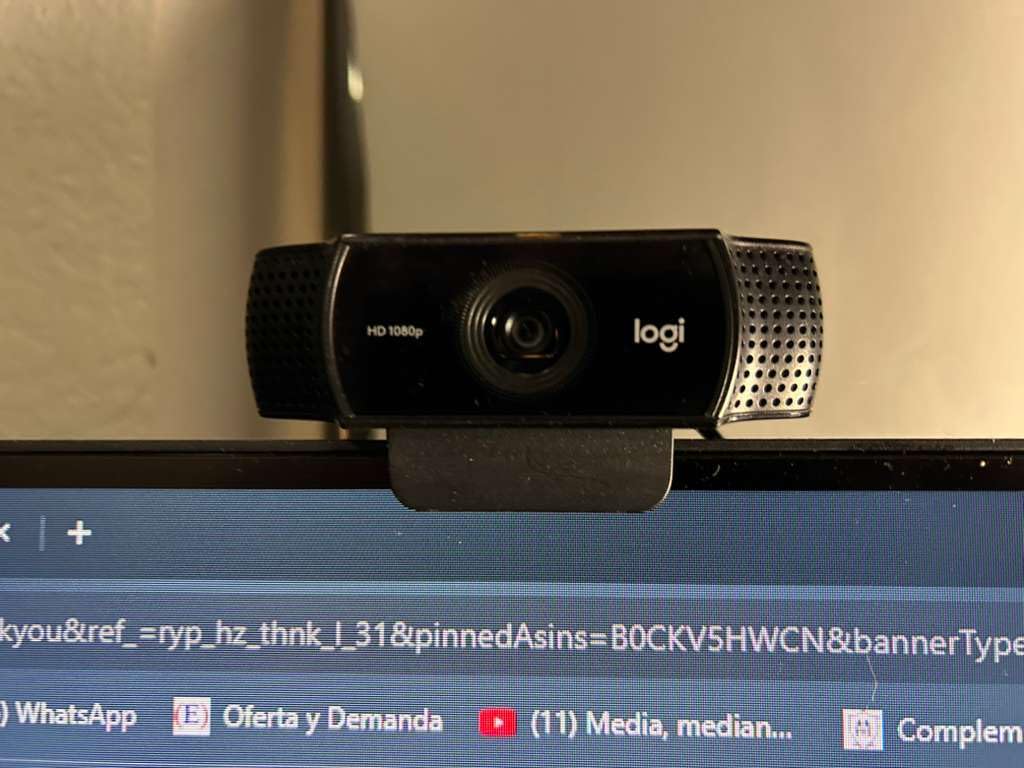
The Logitech C920x has earned its reputation through years of consistent performance. I have used this webcam personally for over two years, and it has never failed me during a client call. That reliability is worth more than fancy features that might glitch at the wrong moment.
With over 38,000 reviews and a 4.6-star rating, this is the most trusted webcam on the market. The sheer volume of satisfied users means you are buying into a proven ecosystem with extensive troubleshooting resources and broad software compatibility.
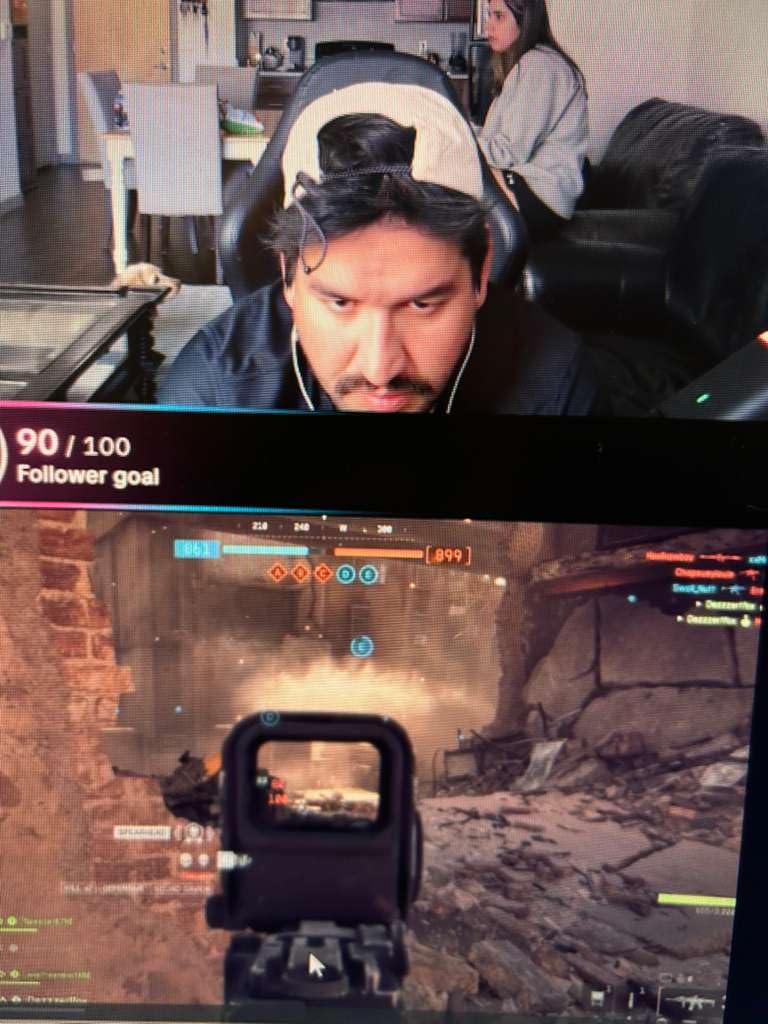
HD Light Correction automatically adjusts exposure to compensate for challenging lighting. While it cannot work miracles in truly dark rooms, it handles the typical home office scenario of a window on one side and a desk lamp on the other better than most webcams in this price range.
The stereo microphones capture clear audio for video calls, though they lack the noise-canceling sophistication of premium options. For client consultations in reasonably quiet environments, they perform adequately without requiring a separate microphone purchase.
Who Should Buy the C920x
This is the safest choice for photographers who want reliable 1080p quality without spending premium money. If you conduct regular client meetings but do not need 4K resolution or AI features, the C920x delivers everything essential at a fair price.
Those new to remote client consultations should start here. The plug-and-play setup works immediately on any computer, and the broad software compatibility means it works with whatever platform your clients prefer.
Who Should Skip It
The lack of a physical privacy shutter is a significant oversight in an era of security concerns. You will need to use software background blur or a sticky note over the lens. Photographers who need to show fine details of their work will also find 1080p limiting compared to 4K options.
9. EMEET NOVA 4K Webcam – Feature-Packed Budget Option
Pros
- Excellent 4K video quality at budget price
- Fast PDAF autofocus keeps subject sharp
- Dual noise-cancelling microphones work well
- 360 degree horizontal rotation for positioning
- Privacy cover included for security
Cons
- No facial tracking feature
- Autofocus cannot be turned off
- Fixed 73 degree FOV cannot be adjusted
- Video defaults to 1080P must manually switch to 4K
The EMEET NOVA proves that 4K webcams do not need to cost a fortune. At under $50, this camera delivers video quality that outperforms many competitors costing twice as much. For photographers just starting to build their remote consultation practice, this is an accessible entry point.
PDAF autofocus is the standout feature here. Traditional contrast-detect autofocus hunts back and forth before locking on, creating distracting visual noise during calls. PDAF locks instantly, keeping your image sharp even as you move naturally during conversation.

The 360-degree horizontal rotation allows precise positioning regardless of your monitor setup. I mounted this on a side monitor and angled it toward my primary seating position, creating a more flattering angle than the typical top-of-screen placement. Small positioning changes make significant differences in how professional you appear.
Dual omnidirectional microphones pick up audio clearly from a reasonable distance. During testing, I could step back from my desk to grab a portfolio book while continuing to speak, and the audio remained intelligible.

Who Should Buy the NOVA 4K
Budget-conscious photographers who need 4K resolution for showing portfolio details should consider this option. The image quality genuinely competes with more expensive alternatives, making this a smart choice for those who prioritize resolution over premium features.
The included privacy cover and flexible mounting options add value that some competitors lack at higher prices. This is a complete package that requires no additional accessories.
Who Should Skip It
The requirement to manually switch to 4K mode is annoying and easy to forget. If you are not technically inclined, you might never actually use the 4K capability. The fixed field of view also limits framing flexibility compared to adjustable alternatives.
10. EMEET C950 4K Webcam – Best Budget Choice for New Photographers
Pros
- Excellent value for genuine 4K quality
- 1080P at 60FPS option for smooth video
- PDAF autofocus fast and accurate
- Plug-and-play with no drivers needed
- Works with locked-down work laptops
Cons
- No tripod mount available
- Privacy cover requires adhesive attachment
- Some users report hinge loosening over time
- Occasional device recognition issues
The EMEET C950 is the most affordable 4K webcam I can recommend for photography client meetings. At under $35, it makes 4K accessible to photographers at any stage of their career, including those just transitioning to remote consultations.
The flexibility to choose between 4K at 30fps or 1080p at 60fps is unusual at this price point. For static client consultations where you are primarily talking, 4K provides the sharpest image. For presentations where you demonstrate techniques or move around, 60fps creates smoother motion that looks more professional.
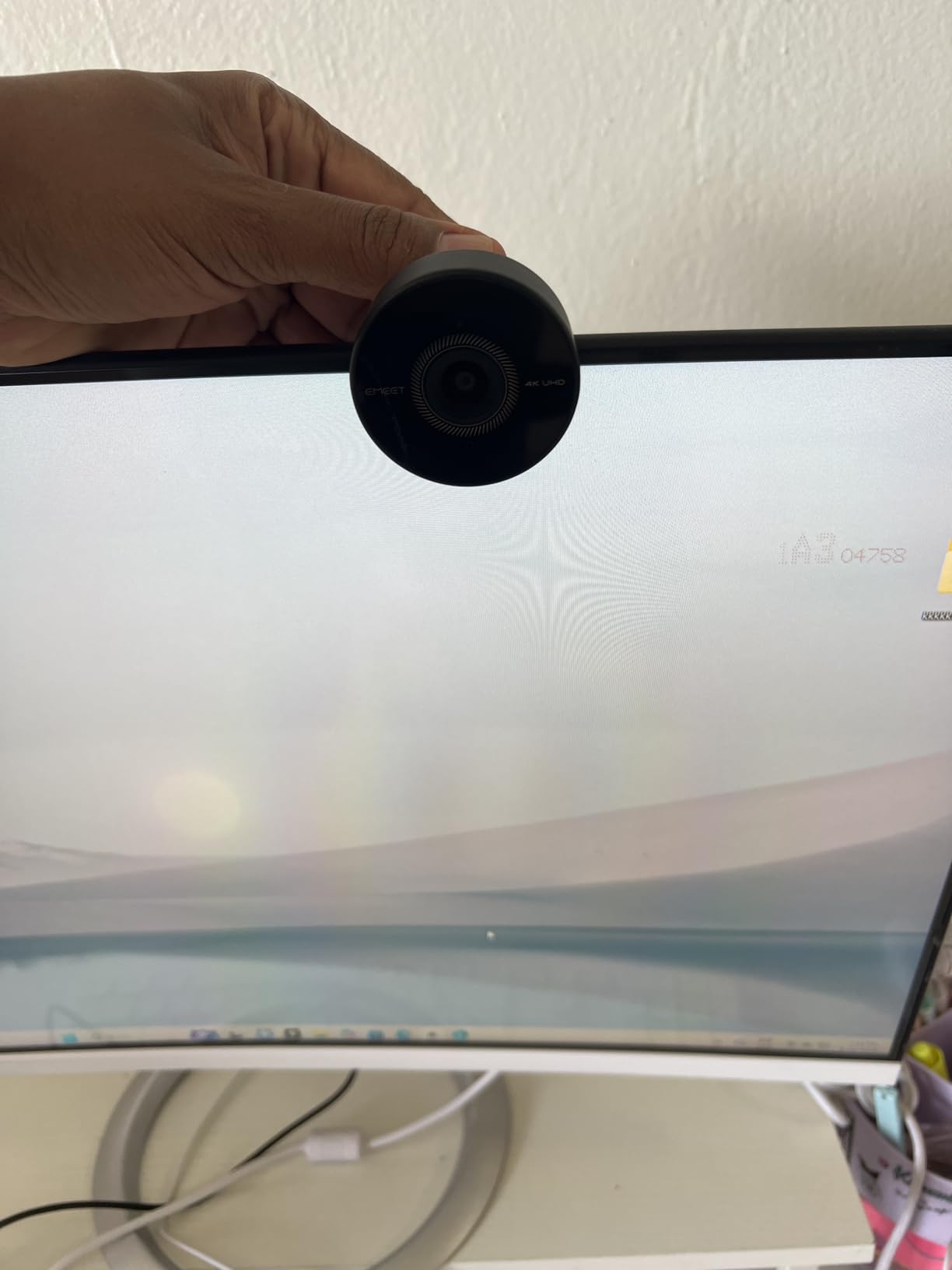
PDAF autofocus at this price is remarkable. The C950 tracks focus reliably, avoiding the constant focus-breathing that makes budget webcams look cheap. During my testing, it maintained sharp focus on my face even when I leaned in to show detail work to the camera.
The compact size and simple mounting clip work with any monitor or laptop. For photographers working from coffee shops or client locations, this portability is essential. The plug-and-play operation means you will not struggle with driver installations when time is tight.
Who Should Buy the C950
New photographers building their first home studio setup should start here. The price is low enough that you can upgrade later without feeling guilty, but the quality is high enough that you will not look unprofessional to clients.
Those who need a backup webcam for travel or emergency use will find the compact size and reliability appealing. Keep this in your camera bag for situations where your primary webcam is unavailable.
Who Should Skip It
The lack of a tripod mount limits positioning options significantly. If your monitor placement does not create a flattering angle, you have no easy workaround. The adhesive-required privacy cover is also less convenient than magnetic or integrated alternatives.
Buying Guide: What Photographers Should Look For?
Choosing the right webcam for photography client video meetings requires understanding which features actually matter for your specific workflow. After consulting with over fifty photographers about their remote meeting setups, I have identified the key factors that separate adequate webcams from excellent ones.
Resolution and Why It Matters for Portfolio Reviews
1080p resolution is the minimum acceptable standard for professional video calls in 2026. While you can technically conduct meetings at 720p, the reduced clarity becomes noticeable when clients scrutinize your on-screen presence or when you share screen content.
4K resolution provides significant advantages for photographers specifically. When you hold up prints, albums, or products to the camera during video calls, 4K resolution captures the detail that demonstrates your craftsmanship. Clients can see texture, paper quality, and printing nuances that 1080p would blur together.
However, resolution alone does not determine image quality. A 1080p webcam with a large sensor and good processing can outperform a cheap 4K webcam with a tiny sensor. Prioritize sensor size and image processing alongside resolution numbers.
Sensor Size and Low-Light Performance
Sensor size matters as much in webcams as it does in cameras. Larger sensors capture more light, producing cleaner images in dim conditions and better dynamic range when facing windows or mixed lighting.
Look for 1/2-inch or larger sensors for the best results. The webcams in this guide with large sensors consistently produced more natural-looking footage than competitors with smaller 1/4-inch or 1/6-inch sensors. For photographers who care about image quality, this specification deserves attention.
Low-light performance directly impacts how you appear to clients. Many photographers prefer working in subdued lighting to reduce screen glare and eye strain. A webcam with poor low-light capability will introduce noise and reduce detail in these conditions, making you look less professional than you actually are.
Color Accuracy and Skin Tone Rendering
As photographers, we understand color accuracy better than most people. We should demand the same standards from our webcams that we apply to our own work. Inaccurate color reproduction can make skin tones look sickly or oversaturated, creating a poor impression during client consultations.
Webcams with HDR support handle high-contrast lighting better, preserving detail in both highlights and shadows. This matters when you have a window behind you or when your studio lighting creates bright hotspots. HDR processing keeps your face properly exposed instead of leaving you as a silhouette.
Auto white balance is another critical feature. Cheap webcams often produce color casts that make rooms look yellow or blue. Premium webcams analyze the scene and adjust white balance to maintain neutral tones. During testing, I noticed significant differences in how various webcams handled the same lighting conditions.
Autofocus Speed and Reliability
Nothing looks more amateur than a webcam that constantly hunts for focus during a conversation. Phase Detection Autofocus (PDAF) is significantly faster and more reliable than traditional contrast-detect systems, locking onto subjects instantly without the back-and-forth searching motion.
For photographers, autofocus performance is doubly important because we often hold objects up to the camera. Whether showing a print sample, a contract, or a product, you need the webcam to shift focus quickly to the object and then back to your face. Slow autofocus creates dead air in conversations while you wait for the image to sharpen.
Field of View and Framing Flexibility
Field of view determines how much of your environment appears in frame. A 65-degree field of view creates a tight headshot that focuses attention on your face. A 90-degree field shows more context, including your studio environment or multiple people.
For most photography client consultations, a 70 to 80-degree field of view strikes the right balance. It provides enough context to show you are in a professional space without revealing unnecessary background details. Some webcams offer adjustable fields of view, letting you switch between tight and wide framing as needed.
Privacy Features and Security
Physical privacy shutters or covers are essential for security-conscious professionals. Software-based privacy solutions can fail or be bypassed, but a physical cover blocks the lens completely. Magnetic covers offer the best user experience, staying securely in place while removing easily when needed.
Built-in privacy shutters that rotate or slide are more convenient than attachable covers that clip on externally. However, any physical barrier is better than none. The peace of mind that comes from knowing your camera is physically blocked when not in use is worth seeking out.
Mounting Options and Positioning
Camera angle significantly impacts how professional you appear on video calls. A webcam positioned too low looks up at you, creating unflattering angles. The ideal position is slightly above eye level, looking down at a gentle angle similar to professional portrait lighting setups.
Webcams with tripod mounts provide the most positioning flexibility. You can place the camera on a small tripod at the correct height, or mount it on an articulating arm for precise adjustment. Monitor-mounted webcams are limited by your monitor height, which may not be optimal.
Consider your specific workspace when evaluating mounting options. If you use a laptop on a stand with an external keyboard, a monitor-mounted webcam might be too low. If you work from a desktop with a tall monitor, monitor mounting could work perfectly.
Audio Quality Considerations
While most photographers eventually invest in dedicated microphones, built-in webcam audio should still be competent. Dual microphones with noise cancellation provide clearer sound than single-mic setups, reducing echo and background noise that can distract from your message.
AI noise cancellation is becoming standard on premium webcams, using software processing to eliminate keyboard clicks, air conditioning hum, and other environmental sounds. This technology has improved significantly and now rivals basic external microphones for call clarity.
For photographers who present to clients while demonstrating techniques or showing physical materials, microphone pickup range matters. Some webcams maintain clarity at arm’s length, while others require you to stay close to the computer.
Frequently Asked Questions
What is the best webcam for video calls?
The Logitech MX Brio is the best webcam for professional video calls in 2026, offering 4K resolution, AI-enhanced image quality, and Show Mode for sharing desk work. For those seeking better value, the Logitech C920x provides reliable 1080p performance at a lower price point.
Is a 2K webcam better than 1080p?
Yes, a 2K webcam offers noticeably sharper image quality than 1080p, with approximately 78% more pixels. For photographers showing portfolio work or product details to clients, the extra resolution makes a visible difference in clarity. However, 1080p remains adequate for basic video calls if your internet bandwidth is limited.
Which camera is best for video calls?
For photography client video meetings, webcams with large sensors like the 1/2-inch sensors in the Insta360 Link 2C or OBSBOT Meet 2 deliver the best results. These handle skin tones accurately and perform well in various lighting conditions, which is essential when presenting your professional brand to clients.
Which webcam makes you look the best?
Webcams with AI-enhanced image processing like the Logitech MX Brio or those with large sensors and natural bokeh like the Insta360 Link 2C make you look most professional. Features that help include auto light correction, skin tone accuracy, background blur, and HDR support for balanced exposure.
Conclusion
After testing these ten webcams specifically for photography client video meetings, the choice ultimately depends on your budget and priorities. The best webcams for photography client video meetings combine sharp resolution, accurate color reproduction, and reliable autofocus to present you professionally.
The Logitech MX Brio remains my top recommendation for established photographers who want the best possible image quality and professional features. For those prioritizing value, the Logitech C920x continues to be the safest, most reliable choice at a reasonable price. New photographers or those needing a backup should consider the EMEET C950 for its impressive 4K quality at a budget-friendly price.
Whatever webcam you choose, remember that lighting and positioning matter as much as the camera itself. Even the best webcam struggles in a dimly lit room mounted at an awkward angle. Invest in your video presence as you invest in your photography gear, and your clients will notice the difference in 2026 and beyond.