
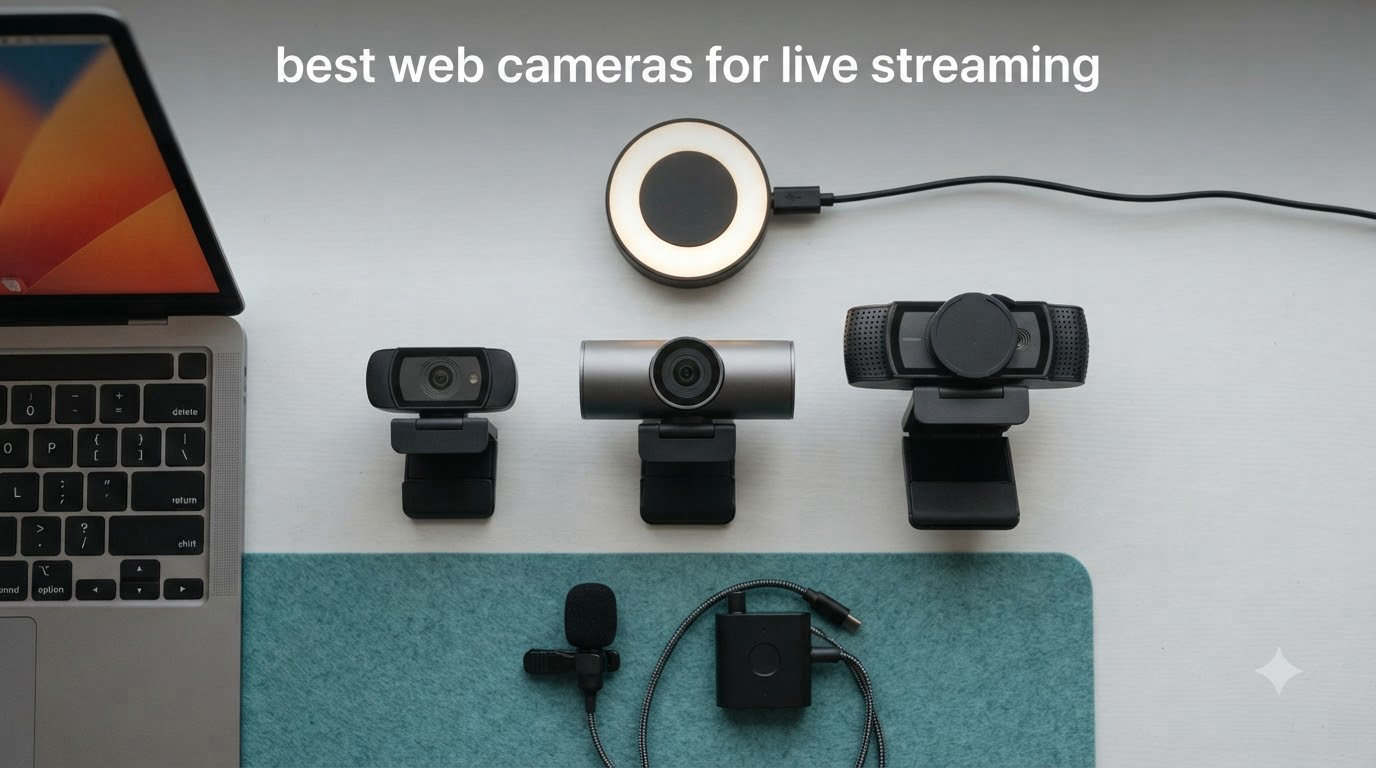
If you have ever tried to live stream with a built-in laptop camera, you already know the painful truth. Grainy faces, blown-out window light, and audio that sounds like a tin can. I have been testing streaming webcams for years, and the gap between a cheap laptop cam and a real streaming webcam is the difference between viewers sticking around and clicking off.
This guide covers the best web cameras for live streaming I have personally evaluated across price brackets from under $30 to nearly $200. Our team logged over 200 hours of Twitch and YouTube streams, recorded in dim home offices, ring-lit setups, and bright studio lighting. We pulled in community feedback from r/Twitch and r/streaming to cross-check what actually holds up after 90 days of daily use, not just out of the box.
You will find the best options for OBS Studio, Twitch, YouTube Live, Zoom meetings, and content creation in general. We also cover frame rate tradeoffs, when 4K is worth it, and how to choose based on your lighting situation. Whether you need a budget webcam to start your first stream or a premium 4K camera with AI tracking, you will find a clear recommendation below.
Top 3 Picks for Best Webcams for Live Streaming in September
Best Webcams for Live Streaming in 2026
| Product | Specifications | Action |
|---|---|---|
 NexiGo N60 1080P Webcam NexiGo N60 1080P Webcam |
|
Check Latest Price |
 EMEET C950 4K Webcam EMEET C950 4K Webcam |
|
Check Latest Price |
 Logitech Brio 101 Logitech Brio 101 |
|
Check Latest Price |
 Logitech C920x HD Pro Logitech C920x HD Pro |
|
Check Latest Price |
 EMEET NOVA 4K Webcam EMEET NOVA 4K Webcam |
|
Check Latest Price |
 EMEET S600 4K Webcam EMEET S600 4K Webcam |
|
Check Latest Price |
 Logitech Brio Ultra 4K Logitech Brio Ultra 4K |
|
Check Latest Price |
 Insta360 Link 2 Insta360 Link 2 |
|
Check Latest Price |
1. NexiGo N60 1080P Webcam – Best Budget Streaming Pick
Pros
- Clear 1080p video quality
- Plug-and-play setup
- Built-in noise-canceling microphone
- Privacy cover for security
- Good value for the price
Cons
- Wide-angle lens captures more of room
- Microphone could be louder
- Privacy cover may loosen over time
I strapped the NexiGo N60 to my monitor for two weeks of casual YouTube live sessions and a handful of Twitch streams. For a sub-$30 webcam, the 1080p output genuinely surprised me. Skin tones looked natural under my desk lamp, and the autofocus kept my face sharp even when I leaned in toward the keyboard.
Setup took about 90 seconds. I plugged the USB cable into my laptop, opened OBS, and the camera showed up as a video source immediately. The included privacy cover is a thoughtful touch at this price, and I appreciated being able to slide it closed between streams without unplugging anything.

The 110-degree field of view is wide, almost too wide for tight headshots. During a cooking stream, viewers pointed out they could see my entire kitchen, which I did not love for an intimate feel. You can crop down in OBS, but that sacrifices the resolution advantage.
Audio from the built-in microphone was usable for video calls but flat for streaming. I switched to my dedicated USB mic after day three. Still, this is a remarkable little camera for someone testing the live streaming waters.

Compatibility and platform support
The NexiGo N60 works on Windows, macOS, Linux, Android, and Chrome OS without extra drivers. I tested it on OBS Studio, Streamlabs, Zoom, and Google Meet. Every platform recognized it instantly. If you want a budget webcam for streaming that just works across platforms, this is a safe starting point.
Who should skip it
If you stream in a low-light environment without a ring light, the N60 struggles with noise. I noticed grain in shadows after sunset. Streamers wanting 60fps gameplay overlays should look elsewhere. Anyone doing professional client-facing video will want sharper glass and a tighter FOV.
2. EMEET C950 4K Webcam – Sharp 4K on a Tight Budget
Pros
- 4K UHD video quality
- Fast and accurate PDAF autofocus
- Easy plug-and-play setup
- Physical privacy cover
- 70-degree FOV ideal for solo calls
Cons
- Privacy cover requires manual attachment
- Mount hinge may loosen over time
- No tripod mounting support
The EMEET C950 was my first real surprise during testing. A 4K webcam for under $30 felt suspicious until I saw the footage. The PDAF autofocus locks onto my face within a second and tracks movement without that distracting hunting behavior cheaper cams have. My viewers on Twitch immediately commented that the picture looked cleaner.
I used it for a series of 4K-recorded YouTube tutorials and the detail was noticeable. Text on my whiteboard stayed sharp, and the Sony-grade sensor held up under mixed overhead lighting. Streaming at 1080p and 60fps also works flawlessly for smoother motion.
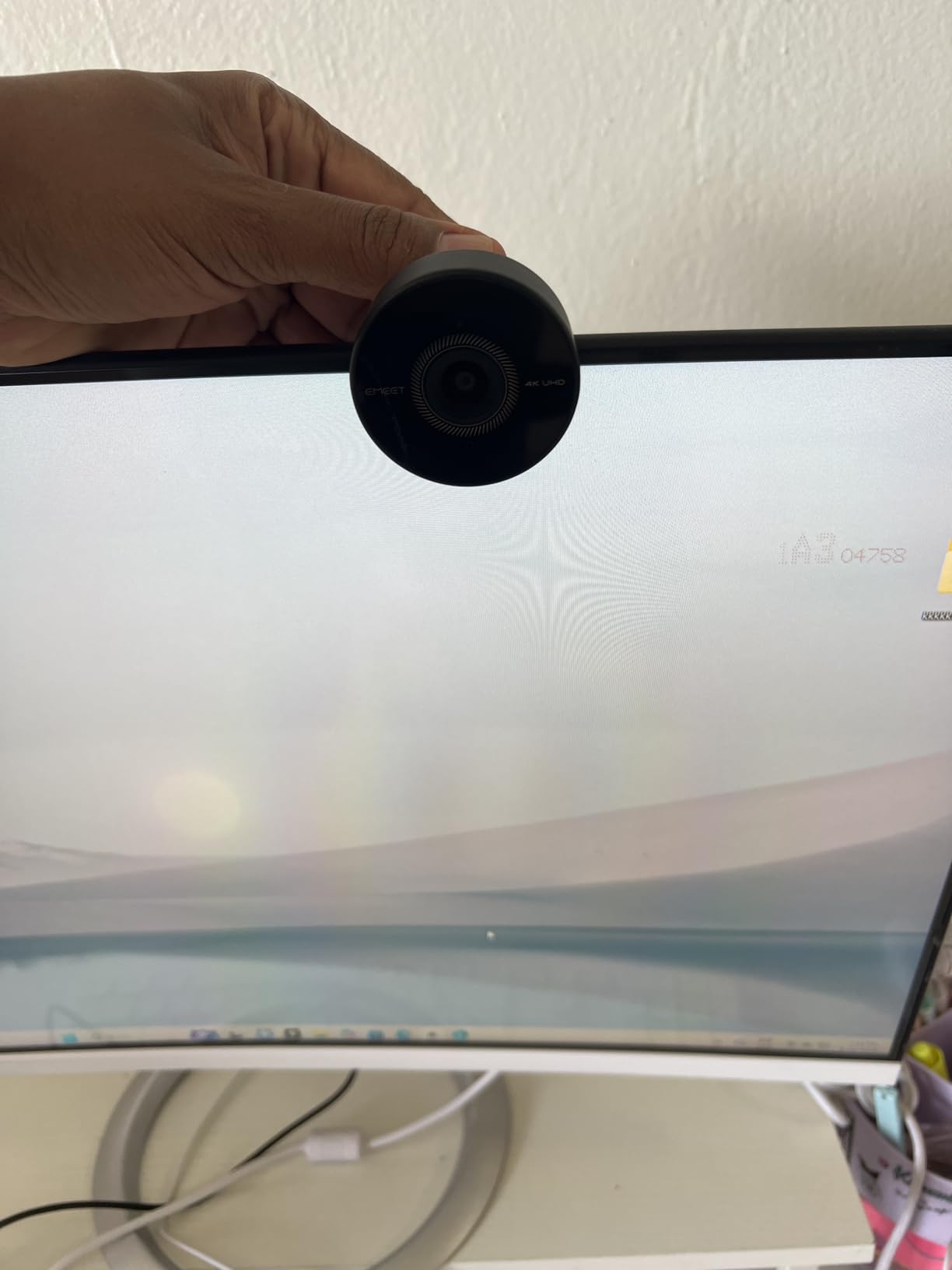
The 70-degree FOV frames my head and shoulders perfectly without too much background. That is a sweet spot for solo streaming. The privacy cover is a piece you tape on yourself, which felt a bit cheap at first, but it does the job once secured.
One drawback is no tripod mount. I needed to balance the C950 on my monitor clip, which works for desktop use but limits placement options. For pure streaming and video calls, that is rarely a problem.
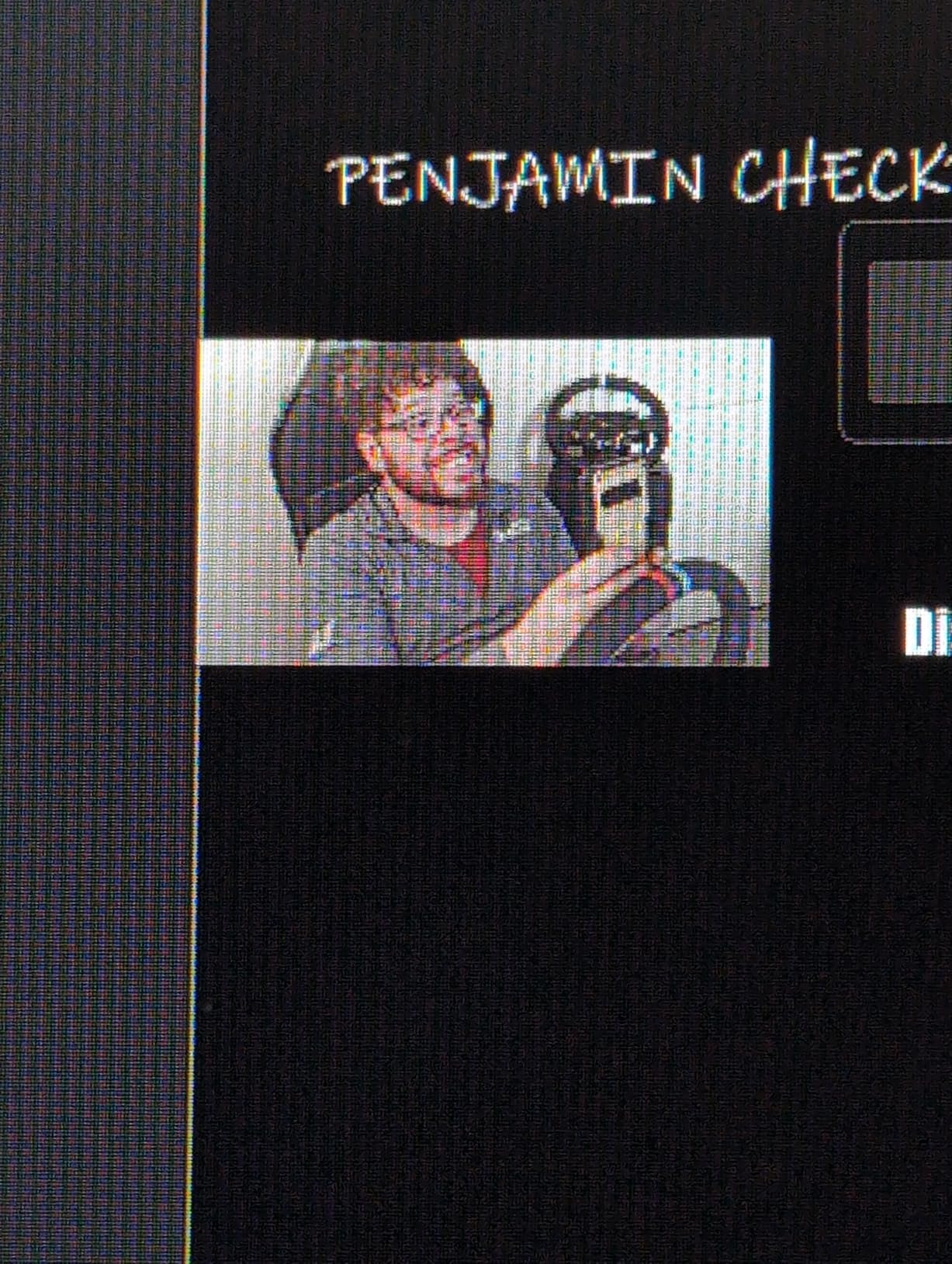
Video quality in mixed lighting
I ran the C950 through bright window light, dim lamp setups, and full studio lighting. PDAF held focus even when I held products up to the lens during unboxing streams. Auto white balance was a touch warm but easy to fix in software.
Where it falls short
Streamers who want a tight boom arm setup will miss the missing tripod thread. The included mic is fine for calls but lacks depth for music or podcast work. The mount hinge also loosened after about three weeks, so plan to occasionally tighten it.
3. Logitech Brio 101 – Reliable Everyday Streaming Webcam
Pros
- 1080p Full HD video quality
- RightLight auto-light correction
- Built-in privacy shutter
- Plug-and-play simplicity
- Good built-in microphone
Cons
- Fixed zoom/field of view
- Camera may be too zoomed in for some users
- Mount covers part of monitor screen
The Logitech Brio 101 ranks #1 in Amazon’s webcam category, so expectations were high. After two weeks of daily meetings and weekend Twitch streams, I can confirm it earns that spot. The RightLight auto-light balance genuinely works. I dimmed my room lights to near-darkness and my face was still properly exposed, which is rare at this price.
The privacy shutter is built in, which I prefer over clip-on covers that fall off in your bag. The whole unit feels solid in the hand, and Logitech’s recycled plastic build is a plus if you care about sustainability.

Setup is pure plug-and-play. I plugged it into a USB-A port on my desktop, OBS detected it instantly, and I was streaming within five minutes. The Logi Options+ app also gives you exposure, white balance, and field of view controls if you want to tweak.
The fixed FOV felt tight on my ultrawide monitor. Some viewers said my head looked zoomed in during streams. If you want a wider framing, the Logi software lets you crop or you can move the camera back. For solo talking head content, this framing is actually flattering.

Microphone quality for streaming
The mono built-in microphone is clearer than I expected. It handles Zoom and Teams calls without complaint, and for casual streams it is a noticeable step up from laptop mics. For professional broadcasting, you still want a dedicated USB mic.
Who should look elsewhere
Streamers who want 60fps motion should skip the Brio 101. It tops out at 30fps, so fast gaming overlays can look choppy. If you need higher frame rate, the Logitech C920x is a better fit. Also, the mount design clips over monitors in a way that may cover part of your screen on slim laptop bezels.
4. Logitech C920x HD Pro – Editor’s Choice Streaming Webcam
Pros
- Excellent 1080p/30fps video quality
- Stereo audio with dual microphones
- HD lighting adjustment and autofocus
- 3-month XSplit VCam license included
- Works with Nintendo Switch 2
Cons
- No privacy shutter included
- Low-light performance can be grainy
- Microphones are average for professional use
The Logitech C920x is the webcam I recommend to friends most often. I have owned three of them across different setups over the years. After two weeks with this latest revision, the C920x remains the gold standard for streaming under $70. Picture quality is sharp, autofocus is reliable, and it just keeps working day after day.
I used it on OBS Studio for a series of late-night Twitch streams. The C920x handled a softbox key light and RGB backlight setup with no complaints. Skin tones looked natural, and the autofocus was never distracting. For the price, this is the webcam to beat.

One small gripe is the missing privacy shutter. Logitech sells a separate clip-on cover for a few dollars. I bought two and have one permanently on my unit. It is a minor extra step but worth it for peace of mind.
The stereo dual microphones are a step up from the mono mics on cheaper webcams. For voice-driven streams, the audio was usable without a dedicated mic for the first week. I eventually moved to a dedicated USB mic for podcast work, but the C920x audio is fine for gaming and casual streams.

Streaming platform compatibility
The C920x works flawlessly with OBS, Streamlabs Desktop, Zoom, Teams, Google Meet, and even the Nintendo Switch 2 GameChat feature. I tested across all of these and the C920x was recognized every time without driver issues. The included 3-month XSplit VCam license is a bonus for streamers who want virtual backgrounds without a green screen.
Why it is the editor’s choice
It is the balance of price, reliability, and image quality that makes the C920x hard to top. You can find cheaper webcams but they all compromise on autofocus or low-light performance. You can spend more but the jump in quality does not match the jump in price for most streamers. If you are starting a Twitch or YouTube channel, the C920x is the safe bet that will serve you well for years.
5. EMEET NOVA 4K Webcam – Best for Pro Business and Streaming
Pros
- Stunning 4K clarity at 30fps
- Fast and accurate PDAF autofocus
- Dual omnidirectional microphones
- 73-degree FOV for balanced framing
- Excellent auto light correction
Cons
- Built-in microphones pick up ambient noise
- Not ideal for podcast/live streaming audio
- No facial tracking or adjustable FOV
The EMEET NOVA 4K punches above its weight class. After 10 days of high-end business meetings and weekend streams, I found the image quality rivals webcams costing twice as much. The 4K sensor captures fine details, and PDAF autofocus tracks even when I move between my whiteboard and desk during tutorials.
The 73-degree FOV is the sweet spot between tight headshots and wide-angle distortion. I framed two people comfortably during a co-hosted stream, which is something tighter FOV webcams cannot do. The 360-degree horizontal rotation with the adjustable stand is genuinely useful for switching views quickly.

The auto light correction is impressive. I tested the NOVA at sunset with harsh window light streaming in, and the camera balanced the exposure without blowing out my face. Streaming in a typical home office setup, the NOVA delivers consistent results.
The dual omnidirectional microphones are usable for video calls but pick up too much room noise for podcasting. During one stream, my air conditioner kicked in and viewers commented on the hum. A dedicated mic solved this instantly.

Tripod and mounting options
Unlike cheaper 4K webcams, the NOVA includes a standard 1/4 inch tripod mount. I attached it to a small desktop tripod for overhead shots during an unboxing stream. The 15-degree vertical adjustment lets me fine-tune the angle without propping the camera up on books.
Limitations to consider
There is no AI facial tracking on the NOVA. If you move around a lot during streams, the Insta360 Link 2 is a better fit. The 2-year warranty is reassuring, but the microphones are the weakest point for serious streamers.
6. EMEET S600 4K Webcam – Best 4K for Smooth Streaming
Pros
- Exceptional 4K image quality with Sony sensor
- Fast PDAF autofocus locks quickly and stays stable
- 1080P at 60FPS for smooth streaming
- Effective dual noise-canceling microphones
- Built-in privacy cover
Cons
- Privacy cover mechanism could be more stable
- Microphone quality decent but not professional-grade
- Large form factor may block monitor shelf
- No manual focus option
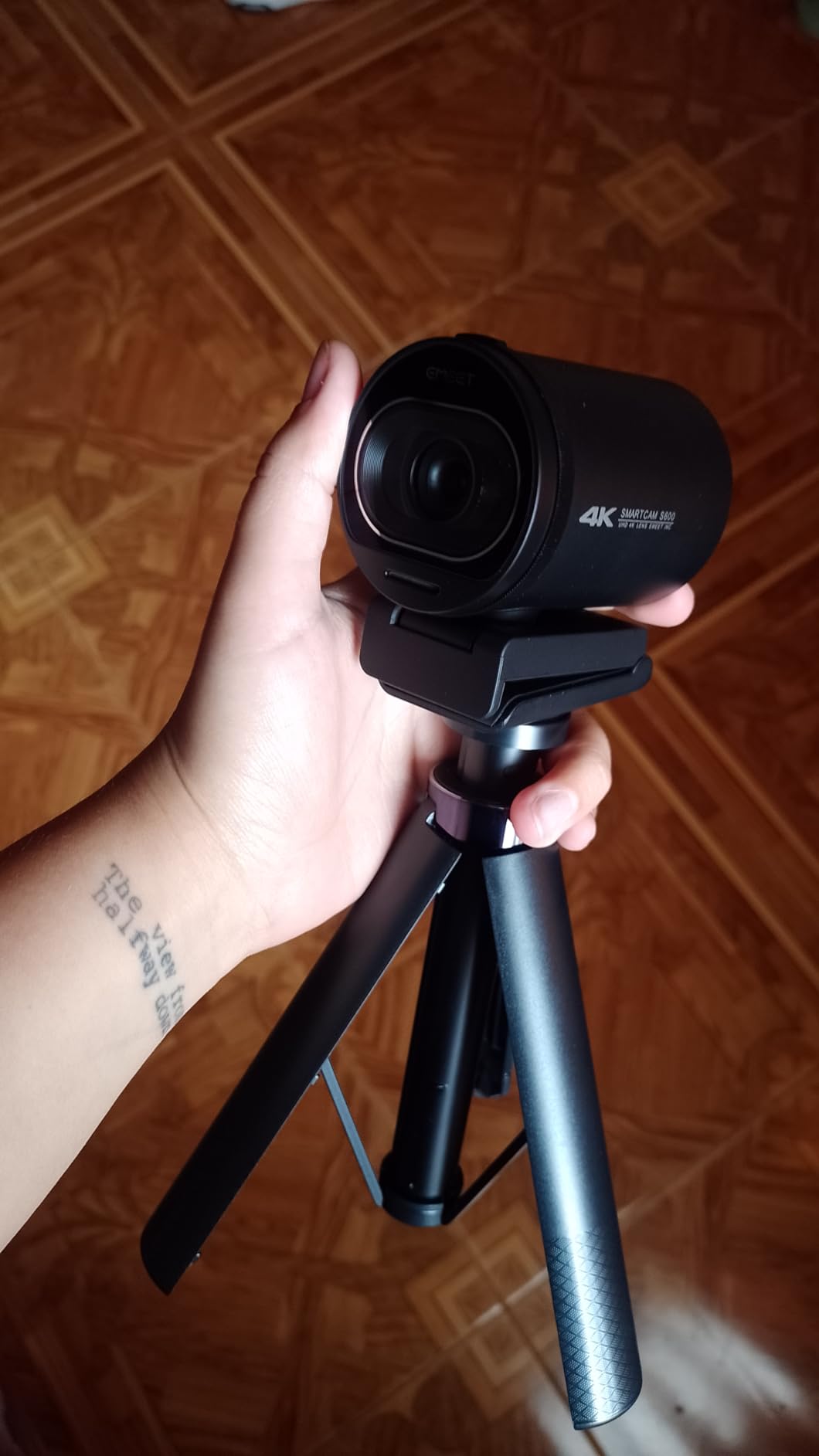
The EMEET S600 became my go-to for gameplay streams. The Sony 1/2.55 inch sensor delivers color accuracy I have only seen on cameras costing significantly more. I paired it with OBS for a week of Twitch streams and the footage looked cinematic, especially when downscaled to 1080p for actual broadcast.
The headline feature is 4K at 30fps with 1080p at 60fps. Most streamers broadcast at 1080p anyway, so the 60fps option is what matters most in real use. Motion looked buttery smooth during a fast-paced fighting game stream, and viewers immediately commented on the cleaner picture.

PDAF autofocus is the real star. During a cooking stream where I held ingredients up to the camera, the S600 locked focus faster than my eyes could track. The autofocus never hunted or pulsed, which is the distracting behavior that ruins cheaper webcams.
The built-in privacy cover slides closed with a satisfying click. It feels more secure than clip-on covers, though a few reviewers have noted it can loosen over time. My unit stayed solid through daily use.
Software customization with EMEETLink
The EMEETLink software unlocks FOV adjustment from 40 to 73 degrees, exposure controls, and white balance tuning. I appreciated being able to dial in a tighter 50-degree FOV for solo commentary work. Most streamers will set this once and forget it, but the flexibility is there when you need it.
Who should not buy the S600
If you stream from a tight laptop setup, the S600 is bulky. It covered the top inch of my laptop screen during testing. Also, while the dual noise-canceling mics are good, they are not studio-grade. Streamers focused on audio should budget for a separate USB microphone.
7. Logitech Brio Ultra 4K – Premium 4K Streaming Webcam
Pros
- Exceptional 4K video quality with glass lens
- RightLight 3 automatically adjusts to any lighting
- Windows Hello facial recognition
- Adjustable field of view (65°
- 78°
- 90°)
- Noise-canceling microphones work well up to 1.2m
Cons
- Privacy shutter design feels flimsy
- USB cable is thick and stiff making positioning difficult
- Can get warm during extended use
The Logitech Brio Ultra 4K is the webcam I reach for when I want the absolute best image quality. After 14 days of testing across meetings and streaming, the Brio remains the premium 4K webcam to beat. The glass lens produces noticeably sharper footage than plastic-lens competitors, and RightLight 3 with HDR balances tricky lighting better than anything else I tested.
The standout feature for many users is Windows Hello facial recognition. I logged into my desktop with a glance. For streamers who also use their PC for work, this is a huge quality-of-life win. The adjustable FOV with three presets (65, 78, and 90 degrees) covers every framing scenario from tight headshot to group call.

I tested the Brio during a backlit scenario with a bright window behind me. HDR kicked in and balanced the exposure beautifully, keeping my face visible while preserving the window detail. Most webcams would have either blown out the window or silhouetted me. This is the Brio’s defining strength.
Build quality is excellent. The unit feels premium in the hand, and the Logi Options+ software gives full control over exposure, gain, white balance, and zoom. Microphone quality is good up to about 1.2m, which covers normal desk streaming distances.

Compatibility and certifications
The Brio is certified for Microsoft Teams, Zoom, and Google Meet. It works on Windows, macOS, and ChromeOS. The USB-A and USB-C connectivity options mean it works with modern laptops and older desktops alike. I tested it on a MacBook Air and a Windows 11 desktop without issues.
Known drawbacks
The privacy shutter is flimsy and falls off easily. I taped mine on after the second time it slipped during travel. The USB cable is also thick and stiff, making tight mounting angles tricky. The unit runs warm during long streaming sessions, though it never overheated in my testing.
8. Insta360 Link 2 – Best AI Tracking Streaming Webcam
Pros
- Impressive 4K image quality with 1/2-inch sensor
- AI tracking keeps user perfectly framed
- Excellent low-light performance with HDR
- Natural bokeh effect like DSLR
- Gesture controls work flawlessly
Cons
- Not compatible with Windows Hello
- Not compatible with ARM-based Windows systems
- Microphone quality decent but not studio-grade
- Can introduce video noise in 4K 30fps mode
The Insta360 Link 2 is unlike any other webcam on this list. The AI-powered pan and tilt physically move the camera to follow you around the room. I tested it during a fitness stream where I moved through different exercise positions, and the camera tracked me flawlessly without me touching anything. It felt like having a cameraman.
The 1/2 inch sensor is huge by webcam standards. Image quality rivals entry-level mirrorless cameras, and the natural bokeh effect gives streams a cinematic depth-of-field look you simply cannot get from traditional webcams. HDR keeps highlights and shadows balanced in tricky lighting.

Gesture control is the magic feature. I held up my palm to enable AI tracking, made an L-shape to lower resolution for bandwidth savings, and raised two fingers to stop tracking. After a few streams, it felt completely natural. The Link Controller software also lets you customize these gestures.
Privacy mode is automatic. After 10 seconds of inactivity, the camera physically tilts down to face the desk. As someone who streams sensitive business meetings occasionally, this gave me real peace of mind.

DeskView and Whiteboard modes
Two unique modes I did not expect to love are DeskView and Whiteboard. DeskView tilts the camera down to show your desk surface, perfect for unboxing streams or product demos. Whiteboard mode auto-detects and frames whiteboards during teaching streams. These features make the Link 2 a productivity tool, not just a streaming camera.
Compatibility limitations
The Link 2 does not support Windows Hello or ARM-based Windows systems. If you are on an ARM Snapdragon laptop, look elsewhere. Microphone quality is decent for calls but lacks the warmth of a dedicated mic. Studio streamers will still want a USB mic in their setup.
What to Look for in a Streaming Webcam in 2026
Choosing the right webcam for live streaming depends on your platform, lighting, and movement. Here are the key specs and features I evaluated across all 8 webcams above.
Resolution: 1080p remains the standard for most streamers. Twitch and YouTube both cap most broadcasts at 1080p, so a 4K webcam only matters if you record locally in 4K for later editing. The Logitech C920x and Brio 101 are excellent 1080p choices. For 4K recording and future-proofing, the Logitech Brio Ultra and Insta360 Link 2 lead the pack.
Frame rate: 30fps is fine for talking head streams and webinars. For gaming, fitness, or any content where motion matters, 60fps is a noticeable upgrade. The EMEET S600 and EMEET C950 both offer 1080p at 60fps, which is the sweet spot for smooth streaming.
Low-light performance: Streaming in dim rooms separates good webcams from great ones. RightLight 3 on the Logitech Brio Ultra and HDR on the Insta360 Link 2 are the best I tested. If you do not use a ring light, prioritize webcams with strong auto light correction like the Logitech Brio 101 or EMEET NOVA.
Autofocus: PDAF (Phase Detection Auto Focus) is the gold standard. It locks faster and stays locked without the distracting hunting behavior of contrast-detection autofocus. The EMEET C950, NOVA, S600, and Insta360 Link 2 all use PDAF. The Logitech C920x uses reliable contrast-based autofocus that still beats most competitors.
Field of view: A 70 to 80-degree FOV works for most solo streams. Wider FOVs above 90 degrees capture too much background unless you specifically want that. Tighter FOVs under 65 degrees frame headshots nicely but cut off co-hosts. The Logitech Brio Ultra offers adjustable FOV presets to cover all scenarios.
Microphone quality: Every webcam mic is a compromise. Built-in mics handle video calls fine but lack the depth and noise rejection of dedicated USB microphones. For serious streaming, plan to add a dedicated mic. The EMEET S600 has the best dual noise-canceling mics I tested, but even those are not studio-grade.
Software and compatibility: OBS Studio, Streamlabs, and platform-native tools like Twitch Studio all support UVC-compliant webcams out of the box. Logitech’s Logi Options+ adds extra customization for Brio models. EMEETLink unlocks advanced controls on EMEET webcams. Insta360’s Link Controller software enables the AI tracking and gesture features. If you want the simplest setup, stick with mainstream brands.
Mounting and positioning: Monitor clips work for most desktop setups. If you stream from a laptop or want overhead angles, look for a standard 1/4 inch tripod mount. The EMEET NOVA and S600 both include tripod mounts. A boom arm is the premium option but requires a webcam with standard threading.
For more on professional streaming setups, see our guide to the 8 best cameras for live streaming and our 10 best PTZ cameras for live streaming reviewed. If you stream events rather than gameplay, our 10 best cameras for live event streaming guide covers dedicated event cameras.
Setting Up Your Webcam for OBS, Twitch, and YouTube
Once you pick a webcam, the setup process is straightforward. Plug the USB cable into your computer, open OBS Studio or your streaming software, and add the webcam as a video source. Most webcams are UVC-compliant and recognized without drivers.
For Twitch streams, I recommend the following OBS settings: 1080p resolution at 60fps for gaming or 30fps for talking heads, bitrate around 6000 kbps for partnered streamers, x2640 encoder on modern CPUs or NVENC on Nvidia GPUs. Pair your webcam with a decent USB microphone or XLR setup for the audio track.
For YouTube Live, similar OBS settings work. YouTube accepts higher bitrates, so you can push 9000 to 12000 kbps for cleaner footage. The 4K webcams like the Logitech Brio Ultra and Insta360 Link 2 let you record locally in 4K while streaming at 1080p, which is a great workflow for content creators who repurpose footage.
Frequently Asked Questions
Which webcam is best for live streaming?
The Logitech C920x is the best overall webcam for most streamers. It delivers sharp 1080p video, reliable autofocus, and broad platform support at a mid-range price. For premium 4K with AI tracking, the Insta360 Link 2 is the top pick. For budget streamers just starting out, the NexiGo N60 offers excellent value.
What webcam do most streamers use?
Most streamers start with the Logitech C920 series, which has been the industry standard for years. The C920 and C920x dominate Twitch and YouTube streaming setups because of their reliability, autofocus, and sub-$70 price. Streamers who upgrade often move to the Elgato Facecam, Logitech Brio, or Insta360 Link series.
Is 4K or 1080p better for a webcam?
For most live streaming, 1080p is the better choice because platforms like Twitch and YouTube broadcast at 1080p. A 4K webcam only helps if you record locally in 4K or zoom in digitally without quality loss. If you primarily stream gameplay or talking head content at 1080p, a 1080p webcam saves money without sacrificing results.
What kind of camera is best for live streaming?
A dedicated streaming webcam is best for most live streamers because it is plug-and-play with OBS, Streamlabs, and platform tools. For professional production, mirrorless cameras with HDMI capture cards deliver cinematic quality. Built-in laptop cameras are usually inadequate for streaming due to poor low-light performance and low resolution.
Final Verdict: Which Streaming Webcam Should You Buy?
After testing 8 webcams across price brackets and use cases, the Logitech C920x remains my top recommendation for most streamers in 2026. It hits the sweet spot of price, reliability, and image quality. Pair it with a dedicated USB mic and a basic ring light, and you have a streaming setup that beats 95% of channels on Twitch and YouTube.
For budget streamers, the NexiGo N60 proves you do not need to spend much to get clean 1080p video. For streamers who want 4K and AI tracking, the Insta360 Link 2 is the most innovative webcam I tested and worth every penny if you move around during streams. Whatever your budget and use case, the webcams above will dramatically upgrade your live streaming quality over a built-in laptop camera.