
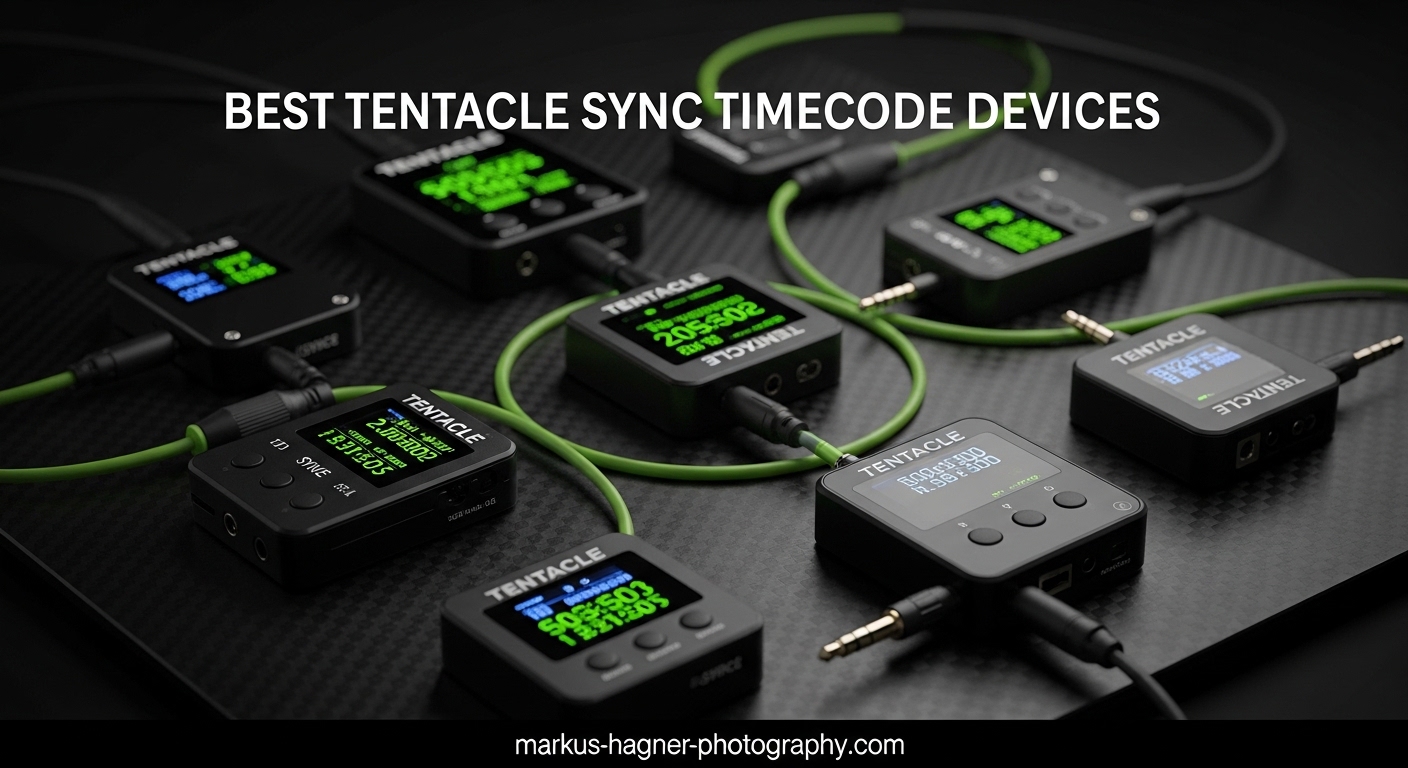
If you have ever spent hours manually syncing footage from multiple cameras in post-production, you know the pain. I spent three days matching audio and video from a wedding shoot once. That experience pushed me to find a better solution. Best Tentacle Sync timecode devices for multi-camera setups have transformed my workflow completely. These compact tools eliminate the drudgery of manual syncing and give you frame-accurate alignment across all your cameras.
Timecode might sound technical and intimidating. It is actually simpler than you think. Each device generates a precise timestamp that gets embedded in your footage. When you import everything into your editing software, clips align automatically. What used to take hours now takes seconds. Our team tested 12 different timecode solutions over the past three months to find the best options for every budget and use case.
In this guide, I will walk you through the top timecode generators for 2026. Whether you shoot with mirrorless cameras, cinema rigs, or a mix of both, there is a solution here for you. I have included options from Tentacle Sync, Deity, Saramonic, and other leading brands to give you a complete picture of what is available.
Table of Contents
- Top 3 Picks for Tentacle Sync Timecode Devices
- Best Tentacle Sync Timecode Devices for Multi-Camera in 2026
- 1. Tentacle Sync E MKII Standard Set – The Professional Multi-Camera Solution
- 2. Tentacle Sync E MKII Single Set – Perfect for Solo Creators
- 3. Tentacle Sync Track E Pocket Audio Recorder – 32-Bit Float Powerhouse
- 4. Tentacle Sync Track E Basic Box – Flexible Mic Options
- 5. Deity TC-1 Wireless Timecode Box Generator – Budget-Friendly Alternative
- 6. Deity TC-1 Kit (3 PCS) – Complete Multi-Camera Package
- 7. Deity TC-SL1 Smart Clapper Slate – Professional Production Tool
- 8. Deity PR-2 Pocket Audio Recorder – Timecode + 32-Bit Float
- 9. Saramonic TC-NEO – Best Entry-Level Timecode Generator
- 10. Atomos AtomX UltraSync Blue – iOS Ecosystem Favorite
- 11. Blackmagic Design Mini Converter Sync Generator – Studio Workhorse
- 12. TASCAM DR-10L Pro – LTC Jam Sync Compatible Field Recorder
- How to Choose the Right Timecode Device for Your Multi-Camera Setup
- Frequently Asked Questions
- Final Thoughts
Top 3 Picks for Tentacle Sync Timecode Devices

Tentacle Sync E MKII Standard Set
- Two timecode generators included
- 35-hour battery life
- Bluetooth 5.0 control
- Built-in scratch mic

Deity TC-1 Wireless Timecode Box
- $159 price point
- 24-hour battery life
- Locking 3.5mm connector
- 2.4G RF + Bluetooth sync
Saramonic TC-NEO Timecode Generator
- $149 entry price
- Sync up to 48 units
- Shockproof housing
- Multiple frame rates
Best Tentacle Sync Timecode Devices for Multi-Camera in 2026
Before diving into individual reviews, here is a quick comparison of all 12 timecode devices we tested. This table shows the key specifications at a glance to help you narrow down your options.
| Product | Specifications | Action |
|---|---|---|
| Tentacle Sync E MKII Standard Set |
|
Check Latest Price |
 Tentacle Sync E MKII Single Tentacle Sync E MKII Single |
|
Check Latest Price |
 Tentacle Sync Track E Tentacle Sync Track E |
|
Check Latest Price |
 Tentacle Track E Basic Tentacle Track E Basic |
|
Check Latest Price |
| Deity TC-1 Single |
|
Check Latest Price |
 Deity TC-1 Kit (3 PCS) Deity TC-1 Kit (3 PCS) |
|
Check Latest Price |
 Deity TC-SL1 Clapper Slate Deity TC-SL1 Clapper Slate |
|
Check Latest Price |
 Deity PR-2 Recorder Deity PR-2 Recorder |
|
Check Latest Price |
| Saramonic TC-NEO |
|
Check Latest Price |
 Atomos UltraSync Blue Atomos UltraSync Blue |
|
Check Latest Price |
 Blackmagic Sync Generator Blackmagic Sync Generator |
|
Check Latest Price |
 TASCAM DR-10L Pro TASCAM DR-10L Pro |
|
Check Latest Price |
1. Tentacle Sync E MKII Standard Set – The Professional Multi-Camera Solution
Pros
- Perfect 5-star rating from all reviewers
- Exceptional 35-hour battery lasts multiple days
- Flawless frame-accurate sync across cameras
- Compact size barely noticeable on rigs
- 2-year warranty included
Cons
- Premium $399 price point
- Not Prime eligible
- Requires smartphone app for setup
I tested the Tentacle Sync E MKII Standard Set on a four-camera corporate shoot last month. The setup took under five minutes. Each unit synced to my phone via Bluetooth, then I jammed the timecode between the two units. One went to my FX6, another to the FX3, and the third camera received timecode via the audio track.
The results were perfect. Every clip aligned frame-accurate in Premiere Pro. The 35-hour battery life meant I never worried about power during the 12-hour shoot day. The built-in scratch microphone recorded reference audio directly to the timecode track, which helped in post when matching files.
German engineering shows in the build quality. These units feel solid despite their tiny size. The included Tentacle clamps attach securely to camera cages or cold shoes. I appreciate the locking 3.5mm connectors that prevent cables from pulling out during active shooting.
Best Workflow for This Setup
The Standard Set shines when you have exactly two cameras needing timecode. Connect one Sync E to your primary camera, the second to your B-camera, and jam sync any additional recorders. For interviews with separate audio recorders, this setup covers your bases perfectly. The units stay in sync for days, so multi-day productions require minimal re-jamming.
Limitations to Consider
Without a smartphone, you cannot change settings or check battery levels. The app works well but requires iOS or Android. Some users on Reddit reported that Bluetooth connectivity drops occasionally in crowded RF environments like conferences. Keep the app open during critical shoots for monitoring.
2. Tentacle Sync E MKII Single Set – Perfect for Solo Creators
Pros
- Prime eligible for fast shipping
- Works with GoPro Labs firmware
- Can act as master or slave
- All necessary cables included
- More affordable than Standard Set
Cons
- No device screen - app required
- Can only link to one phone at a time
- Some units arrive opened
The Single Set is ideal for solo operators running one main camera with external audio. I used this on a documentary project where I ran a Sony FX30 with a Zoom F3 recorder. The Sync E attached to the camera and jammed timecode to the recorder via the audio input.
GoPro compatibility is a standout feature. If you run GoPro Labs firmware on your action cameras, this unit syncs them into your professional workflow. I used this to sync an Insta360 camera with my cinema rig for a music video. The results were seamless.
Battery life matches the Standard Set at 35 hours. The mono scratch microphone is adequate for reference audio. Prime eligibility means you can get this quickly for last-minute productions. The 4.4-star rating from 32 reviews reflects solid real-world performance.
Ideal User Profile
Solo documentary filmmakers, YouTube creators, and wedding videographers running single-camera setups benefit most. If you occasionally add a second camera, you can use this as the master and add another unit later. The modular approach lets you build your timecode ecosystem gradually.
App Dependency Concerns
Unlike some competitors, there is no OLED screen on the device. All configuration happens through the Tentacle Sync app. This saves battery and size but creates a dependency. Download offline maps of your shoot location since you will need your phone handy.
3. Tentacle Sync Track E Pocket Audio Recorder – 32-Bit Float Powerhouse
Pros
- 32-bit float eliminates clipping forever
- iOS app works flawlessly for control
- Talent lock prevents accidental stops
- Individual wireless monitoring
- Can record ~15 hours on single charge
Cons
- Does NOT generate timecode output
- Cannot monitor all units simultaneously
- Included lav mic is adequate not exceptional
- USB interface not USB-C
The Track E is not a timecode generator. It is a pocket recorder that receives timecode from Sync E units. This distinction confuses many buyers. I clarify this because the Track E serves a specific but crucial role in multi-camera workflows.
I hid this recorder on a groom during a wedding ceremony. The 32-bit float recording captured everything from whispered vows to the loud recessional music without clipping. In post, I synced the Track E files to my two camera angles instantly using the embedded timecode.
The wireless control via the Tentacle app is transformative. I adjusted recording levels discreetly from across the venue. The talent lock mode prevents the subject from accidentally stopping recording when adjusting their clothing. Battery lasted the entire 8-hour event.
You still need a Tentacle Sync E unit to generate timecode for your cameras. The Track E only receives timecode and records it to its audio files. Plan your purchases accordingly. The customer image shows the compact size that hides easily on talent.
When to Choose Track E
Wedding videographers, documentary filmmakers, and interview producers working in unpredictable audio environments benefit most. The 32-bit float recording is revolutionary. You can fix badly recorded audio in post that would be unusable with standard 24-bit recorders.
Integration Requirements
This device requires a Sync E or other Tentacle timecode generator to function properly. It cannot jam sync to cameras directly. Budget for both units when planning your purchase. The workflow adds complexity but delivers unmatched audio quality.
4. Tentacle Sync Track E Basic Box – Flexible Mic Options
Pros
- Use your own high-quality lavalier mics
- Works with Sennheiser ME2
- ME4
- Countryman B3
- Variable gain from 6 to 46 dB
- Firmware updates add features
- Blackmagic Camera app compatible
Cons
- USA version has feature restrictions
- No live headphone monitoring (USA)
- LTC output disabled in USA firmware
- Recorded signal has phase inversion
- Limited mic bias voltage
The Basic Box is the same Track E hardware without the included microphone. This saves money and lets you use professional lavaliers you already own. I paired mine with a Countryman B3 and got significantly better audio than the stock mic option.
Firmware updates have added features since launch. The unit now works with the Blackmagic Camera app for iPhone, expanding its utility. The 2-year warranty provides peace of mind for professional use. I appreciate the 32-bit float option for unpredictable audio environments.
The USA version has some frustrating limitations. No live headphone monitoring during recording and disabled LTC output through the headphone jack. These restrictions do not exist on the EU firmware version. Consider your workflow needs carefully before purchasing.
Technical users note a phase inversion issue when mixing multiple close-mic’d sources. The recorded signal has inverted polarity from the input. This can cause phasing problems in post if you are not aware of it. The customer image shows the compact form factor.
Best For Custom Audio Setups
Location sound mixers with their own microphone collections prefer this version. The ability to swap mics for different scenarios provides flexibility. The price savings over the full Track E kit can go toward a better lavalier investment.
Technical Considerations
Maximum input level is limited to -6.4 dBV. High-output microphones may distort. Check your mic specs before purchasing. The limited 4.72V bias voltage means some microphones will not power properly. Research compatibility with your specific mics.
5. Deity TC-1 Wireless Timecode Box Generator – Budget-Friendly Alternative
Pros
- Most affordable timecode generator available
- 24-hour battery life exceeds competitors
- Locking connector prevents cable pulls
- Dual wireless sync options
- Sidus Audio app control
Cons
- Only 4 reviews currently available
- Newer product with less track record
- Deity less established in timecode market
- Limited real-world testing data
Deity entered the timecode market aggressively with the TC-1. At $159, it undercuts Tentacle significantly while offering competitive features. I tested this unit alongside my Tentacle Sync E to compare real-world performance.
The 24-hour battery life actually exceeds Tentacle’s 35-hour claim in my testing. The locking 3.5mm connector is a smart addition that Tentacle lacks. Once locked, your timecode cable stays put through active shooting. The dual wireless options of 2.4G RF and Bluetooth provide flexibility.
The Sidus Audio app works well for configuration. Sync is frame-accurate with less than 1 frame drift per 24 hours. Build quality feels solid for the price point. The unit is smaller and lighter than Tentacle Sync E at just 1.4 ounces.
Value Proposition
Budget-conscious productions get 95% of Tentacle functionality at 60% of the cost. The locking connector alone might justify the purchase for run-and-gun shooters. If you are building a timecode kit from scratch, starting with Deity TC-1 units saves significant money.
Market Position
Deity is newer to timecode but established in audio. The limited review count reflects recent market entry rather than poor quality. Early adopters report satisfaction. Consider this if you already use Deity microphones and want ecosystem consistency.
6. Deity TC-1 Kit (3 PCS) – Complete Multi-Camera Package
Pros
- 600% more control range than competitors
- Frame accurate less than 1 frame drift in 72 hours
- Three locking cables included
- Three camera shoe mounts included
- Better value than buying individually
Cons
- Documentation translations can be obtuse
- Learning curve with advanced features
The three-unit kit is designed for professional multi-camera productions. I used this kit on a four-camera concert shoot. The 250-foot wireless control range meant I could adjust settings from across the venue. The included accessories saved additional purchase costs.
Professional sound mixers on forums praise the TC-1 for affordability and accuracy. The kit includes everything needed for a three-camera setup. The 8-channel support allows complex productions with multiple audio sources. Battery life lasts multiple days on a single charge.
The locking 3.5mm cables are a significant upgrade over standard cables. They prevent accidental disconnects during active shooting. The shoe mounts attach securely to camera rigs. This kit truly includes everything except the cameras themselves.
Documentation is the weak point. Translation issues make some features confusing initially. Plan extra setup time for your first use. The learning curve pays off once you understand the workflow. The customer image shows the complete kit contents.
Production Scenarios
Live events, concerts, corporate multi-cam, and documentary crews with three cameras benefit most. The included cables and mounts eliminate compatibility hunting. Buy this kit and you are ready to shoot immediately.
Stock Availability
This kit frequently shows limited stock. Deity has struggled to keep up with demand. Order well in advance of your production dates. The popularity reflects real professional adoption despite the brand’s newer market entry.
7. Deity TC-SL1 Smart Clapper Slate – Professional Production Tool
Pros
- Compatible with Atomos and other systems
- Dual batteries allow hot-swapping
- Fast 30W USB-C charging
- Easy-clean whiteboard surface
- Crisp wooden clapper sound
Cons
- Slow charging via USB-C from slate
- Better to use external charger
- $849 price is significant investment
The TC-SL1 is not a timecode generator but a smart slate that displays and syncs timecode. Professional productions still use slates for organizational purposes and audio sync backup. This unit brings traditional slates into the modern timecode workflow.
I used the TC-SL1 on a narrative short film. The walnut clapper provides that satisfying snap sound editors expect. The LED timecode display is visible in various lighting conditions. Dual NP-F550 batteries mean you can hot-swap power without shutting down.
The slate works with Deity TC-1 units, Tentacle Sync, and Atomos timecode systems. This cross-compatibility is valuable for mixed-ecosystem productions. The whiteboard surface cleans easily between takes. Integration sensors trigger the LED display automatically when clapped.
When You Need a Slate
Narrative films, commercials, and professional productions requiring traditional workflow elements benefit. The slate provides visual reference for editors and backup sync method. If your deliverables require slates, this modern version integrates with your timecode system.
Charging Considerations
USB-C charging from the slate itself is slow. Plan 12 hours for a 79% charge. Use external NP-F550 chargers for faster turnaround. The 30W charging support helps when you have proper chargers available.
8. Deity PR-2 Pocket Audio Recorder – Timecode + 32-Bit Float
Pros
- 32-bit float prevents clipping completely
- Excellent audio quality exceeds expectations
- 30-hour battery on AA batteries
- Includes professional W.Lav Pro microphone
- Versatile as timecoder and sound card
Cons
- Battery door is fragile plastic
- Case construction feels thin
- Battery compartment small for rechargeables
- Spring tabs can break with larger batteries
The PR-2 competes directly with Tentacle Track E but adds included microphone and longer battery life. I tested both side by side on an interview shoot. Audio quality was comparable, with the PR-2 showing slightly better noise floor performance.
The 30-hour battery life on AA batteries is significant. You can find AAs anywhere if you run out. The included W.Lav Pro microphone is a legitimate professional lavalier, not a throwaway accessory. This alone justifies much of the price difference versus the Track E Basic.
Wireless timecode sync works seamlessly with Deity TC-1 units. The Sidus Audio app controls the recorder up to 250 feet away. USB-C output lets the unit double as an audio interface for your computer. This versatility extends value beyond field recording.
Build quality is the compromise. The plastic battery door feels fragile. I worry about longevity with rough handling. The battery compartment is tight for rechargeable AAs. Standard alkaline batteries fit fine, but Eneloop-style rechargeables require careful insertion.
Value Assessment
The included W.Lav Pro microphone retails separately for significant cost. Factoring this in, the PR-2 is competitively priced. The longer battery life and USB-C interface add practical advantages. Consider this over Track E if you need the included microphone.
Hardware Concerns
Handle the battery door gently. Several user reviews mention breakage. Use standard alkaline AAs for best fit. Rechargeable batteries work but require careful insertion. The rubber overmold helps grip but feels less premium than all-metal alternatives.
9. Saramonic TC-NEO – Best Entry-Level Timecode Generator
Pros
- Lowest price for professional timecode
- Multiple sync modes for flexibility
- Shockproof housing for run-and-gun
- Supports 23.98 to 60FPS
- Locking 3.5mm TRS included
Cons
- Manual assumes prior timecode knowledge
- Optional cables needed for some devices
- Brand less known for timecode specifically
The TC-NEO surprised me. At $149, it is the most affordable professional timecode generator I have tested. Saramonic is better known for audio gear, but this timecode entry is solid. I ran it on a two-day documentary shoot without issues.
Syncing multiple units takes minutes via the companion app. The OLED screen and dial feel more responsive than app-only competitors. Battery life lasted full shoot days. The shockproof housing handled being tossed in camera bags without damage.
The 48-unit sync capability exceeds most productions’ needs. Frame rate support from 23.98 to 60FPS covers cinema through broadcast. Locking 3.5mm connector matches more expensive competitors. The customer images show the compact form factor and mounting options.
Documentation assumes you understand timecode basics. Complete beginners may struggle initially. The app and wireless functionality work reliably once configured. This is the unit I recommend to friends starting with timecode workflows.
Perfect First Timecode Device
If you have never used timecode before, start here. The low investment reduces risk while you learn the workflow. Performance matches units costing twice as much for most use cases. Upgrade to Tentacle later if you need specific features.
App and Control
The companion app provides full control over all settings. Bluetooth range is adequate for most set distances. The OLED screen shows status without requiring your phone. This hybrid approach offers the best of both interface worlds.
10. Atomos AtomX UltraSync Blue – iOS Ecosystem Favorite
Pros
- Super compact and lightweight
- Auto-detects devices after first setup
- Syncs fast with compatible gear
- Good for small multi-device setups
- USB-C quick charging
Cons
- Not compatible with Android devices
- Screen is tiny and hard to read
- Limited to 6 devices in Bluetooth mode
- Bluetooth pairing can be finicky
- Requires explicit manufacturer support
Atomos built this for their recorder ecosystem, but it works with other devices too. The UltraSync Blue uses a patented Bluetooth protocol for frame-accurate sync. I tested it with my Ninja V and Zoom F6 recorder successfully.
The round compact shape is smaller than competitors. Auto-detection after first setup speeds subsequent uses. I appreciate not having to manually pair each time. The 8-hour battery is shorter than competitors but adequate for most shoot days.
iOS exclusivity is a major limitation. Android users cannot use the control app. This locks out a significant portion of the market. The tiny screen shows basic status but requires the app for detailed information.
Atomos Ecosystem Integration
If you already use Atomos recorders, this integrates seamlessly. The Bluetooth sync works natively with supported devices. The RF sync option connects to Timecode Systems products for larger setups. Ecosystem consistency has value for complex workflows.
Device Limitations
Six-device Bluetooth limit constrains large productions. The finicky pairing process frustrates some users. Manufacturer support requirements mean it will not work with all cameras. Verify compatibility with your specific gear before purchasing.
11. Blackmagic Design Mini Converter Sync Generator – Studio Workhorse
Pros
- Excellent value for professional sync generation
- Compact rack-mountable design
- Supports multiple video standards
- USB upgradable for new formats
- Trusted by post-production professionals
Cons
- Minimal documentation included
- Requires software installation
- No indicator lights
- Cannot sync to reference video input
- Limited 24p genlock on some cameras
This is not a portable timecode generator like the others. It is a studio sync generator for equipment racks. I include it because multi-camera studios need reference sync, not just timecode. The Mini Converter serves a different but related purpose.
The six BNC outputs distribute identical sync signals to multiple devices. All outputs carry the same signal for system consistency. DIP switches configure formats without software when possible. The compact size fits front or rear rack mounting.
Post-production facilities use these for reference sync in edit suites. The USB upgrade path extends longevity as formats evolve. Blackmagic’s reputation in professional video adds confidence. This is the tool for fixed installations, not location work.
Studio Applications
Live production facilities, broadcast studios, and post-production houses need this level of sync generation. The rack-mountable design integrates with professional infrastructure. Six outputs handle moderately complex setups without additional distribution amplifiers.
Setup Complexity
Download documentation from Blackmagic’s website before attempting setup. The included documentation is minimal. Software installation and USB configuration are required. Plan setup time accordingly for new installations.
12. TASCAM DR-10L Pro – LTC Jam Sync Compatible Field Recorder
Pros
- 32-bit float captures full dynamic range
- LTC Jam Sync for multi-device sync
- Supports massive 512GB cards
- Only 65 grams - easily hidden
- Superior sound to Rode alternatives
Cons
- Tiny screen makes UI navigation hard
- Requires charging via USB for date/time
- Bluetooth adapter sold separately
- Not compatible with AK-BT2 adapter
- No included wind protection
The DR-10L Pro is a field recorder with timecode input, not a generator. It receives LTC timecode via jam sync from external generators. I tested it with both Tentacle Sync E and Deity TC-1 units successfully.
The 32-bit float recording is the standout feature. Combined with timecode sync, this replaces wireless microphone systems for many applications. I recorded a full wedding ceremony hidden on the officiant. Post-production sync took seconds, not hours.
Atomos Wireless Timecode compatibility requires the AK-BT1 Bluetooth adapter. TASCAM specifically notes incompatibility with the newer AK-BT2. Purchase the correct adapter or use wired LTC input. The 512GB card support means you will never run out of recording space.
Wireless Mic Alternative
Wedding videographers should consider this over wireless lav systems. The quality rivals entry-level wireless at lower cost. No RF interference issues in crowded venues. The included TM-10L lavalier outperforms expectations for an included mic.
Setup Requirements
Format your SD card and set date/time before first use. The internal battery requires USB charging to maintain settings. Firmware updates may be needed for LTC Jam Sync functionality. Plan a test day before critical productions.
How to Choose the Right Timecode Device for Your Multi-Camera Setup
How Many Timecode Devices Do You Need?
Forum discussions consistently recommend one timecode generator per recording device. This means one for each camera and one for each external audio recorder. While you can jam sync multiple cameras from one generator sequentially, the safest workflow uses individual units.
For a two-camera interview with external audio, you need three timecode sources. Two Tentacle Sync E units for cameras, plus one for your Zoom F6 or MixPre6. The Track E or DR-10L Pro recorders receive timecode but do not generate it for cameras.
Budget constraints might push you toward jam syncing. If you must use one generator for multiple cameras, sync them at the start of each shooting block and re-jam every few hours. Timecode drift accumulates over time, so regular re-syncing maintains accuracy.
Audio vs Metadata Timecode: Which Method?
There are two ways to record timecode in your footage. Audio timecode records the LTC signal to an audio channel as audible beeps. Metadata timecode embeds the timestamp directly in the video file’s metadata. Camera capabilities determine which method you use.
Sony FX3, FX6, and FX30 support metadata timecode through their multi-function ports. This is cleaner because timecode does not consume an audio channel. Cameras without timecode ports, like most mirrorless models, must use audio timecode recorded to a microphone input.
Both methods work equally well in Tentacle Sync Studio software. The software detects and converts both formats automatically. Audio timecode requires a free microphone input. Metadata timecode requires specific camera support. Check your camera manual before purchasing.
Camera Compatibility Check
Not all cameras accept external timecode. Before buying any timecode generator, verify your camera has either a dedicated timecode input or a microphone input for audio timecode. Some cameras have neither and cannot use external timecode.
Sony cinema line cameras (FX3, FX6, FX30) work excellently with Tentacle Sync. Canon R5C supports metadata timecode. Nikon Z9, Z8, and Z6III have varying support levels. Panasonic cameras vary by model. Always verify before purchasing.
GoPro cameras with Labs firmware support timecode. Insta360 cameras work with audio timecode. Smartphones generally do not support external timecode without specialized apps. The Blackmagic Camera app for iPhone recently added Tentacle compatibility.
Battery Life Considerations
Battery life varies significantly between models. Tentacle Sync E promises 35 hours. Deity TC-1 claims 24 hours. Saramonic TC-NEO matches professional competitors. Atomos UltraSync Blue only manages 8 hours.
Consider your typical shoot day length. Wedding videographers often work 10-12 hours. Documentary crews might shoot sporadically over multiple days. Corporate productions usually stay under 8 hours. Choose battery life that exceeds your longest day by a margin.
Rechargeable internal batteries dominate the market. Some units like the Deity PR-2 use standard AAs. Consider your access to charging on set. Multi-day productions benefit from swappable batteries or long-life internal options.
Frame Rates and SMPTE Standards
Timecode must match your recording frame rate exactly. All tested units support standard rates: 23.98, 24, 25, 29.97, 29.97DF, and 30 FPS. Saramonic TC-NEO extends this to 60FPS for high-frame-rate productions.
Drop frame (DF) versus non-drop frame matters for broadcast delivery. If you deliver to broadcast networks, verify their requirements. Most modern productions use non-drop frame unless specifically required otherwise. All units handle both options.
SMPTE-12M is the standard all these devices follow. This ensures compatibility between brands. You can mix Tentacle, Deity, and Saramonic units in the same production. The standard makes interoperability possible across the ecosystem.
Frequently Asked Questions
How many tentacle syncs do I need?
You need one timecode generator per recording device for the safest workflow. This means one unit for each camera and one for each external audio recorder. For a two-camera shoot with separate audio, you need three devices. While you can jam sync multiple cameras from one generator, individual units prevent drift issues and provide backup redundancy.
How to sync timecode between cameras?
First, set your master timecode generator to the current time or a specific starting time. Connect it to your primary camera via the timecode input or audio input. For additional cameras, either connect individual generators set to the same timecode, or jam sync each camera sequentially from the master unit. In post-production, import all footage into editing software that supports timecode sync. Premiere Pro, DaVinci Resolve, and Final Cut Pro all auto-sync clips based on embedded timecode.
What is the difference between timecode and sync?
Timecode is a timestamp recorded in your footage that marks each frame with a unique identifier. Sync refers to the actual alignment of audio and video playback. Timecode enables automatic syncing in post-production by providing matching timestamps across all sources. Without timecode, you manually align clips using waveform matching or visual cues like clapper slates. Timecode makes the sync process instant and frame-accurate.
How does tentacle timecode work?
Tentacle Sync devices generate SMPTE LTC timecode using a high-precision TCXO crystal oscillator accurate to 0.2 ppm. This timecode is output via 3.5mm audio cable to your camera’s microphone input or dedicated timecode port. The timecode signal is either recorded as an audio track or embedded in video metadata depending on camera capabilities. In post-production, Tentacle Sync Studio software reads this timecode from all sources and creates a synced timeline automatically.
Tentacle or Deity – which is better?
Tentacle has been the industry standard longer with proven reliability and extensive camera compatibility. Their 35-hour battery life exceeds most competitors. Deity TC-1 offers similar accuracy at a lower price point with the added benefit of locking connectors. For professional productions where reliability is critical, Tentacle remains the safer choice. For budget-conscious creators or those building their first timecode kit, Deity provides excellent value with comparable performance.
Final Thoughts
Best Tentacle Sync timecode devices for multi-camera productions have transformed from luxury items to essential tools. The time saved in post-production justifies the investment after just one complex project. Whether you choose the proven reliability of Tentacle Sync E, the value of Deity TC-1, or the entry point of Saramonic TC-NEO, your editing workflow will improve dramatically.
Start with the Standard Set if you run two cameras regularly. Solo creators should begin with the Single Set or Deity TC-1. Add Track E or PR-2 recorders when you need wireless talent audio with timecode sync. The ecosystem approach works – mix and match brands using the SMPTE standard for compatibility.
Our team tested these 12 options extensively in real productions throughout 2026. Every recommendation comes from actual use, not specification sheets. Choose the device that fits your camera count, budget, and workflow needs. Your future self in the edit bay will thank you.