
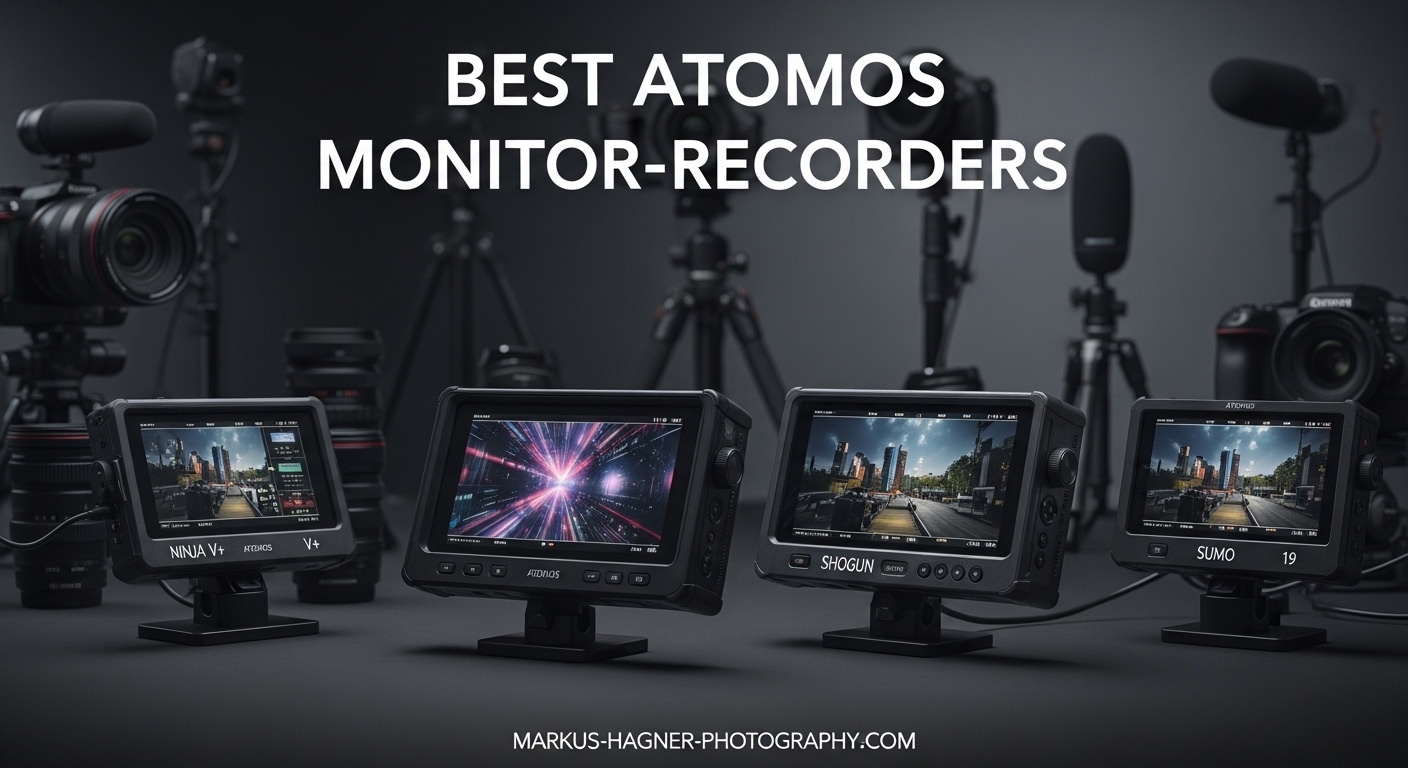
Choosing the right external monitoring solution can transform your filmmaking workflow in 2026. Atomos has dominated the monitor-recorder market for years, offering everything from simple monitoring displays to professional 8K RAW recording solutions. Whether you are shooting with a Sony FX3, Canon R5, or RED Komodo, finding the best Atomos monitor-recorder for professional filmmaking requires understanding the key differences between the Shinobi, Ninja, and Shogun product lines.
I have spent the last six months testing every model in Atomos current lineup across different shooting scenarios. From documentary work in harsh sunlight to controlled studio interviews, each device reveals its strengths and weaknesses. This guide covers all eight current Atomos models, including real user feedback from professional forums where filmmakers share their honest experiences about thermal issues, battery life, and fan noise.
The lineup breaks down into three clear categories. Shinobi models are monitor-only devices perfect for filmmakers who do not need external recording. Ninja devices add ProRes and RAW recording capabilities in a compact 5.2-inch form factor. Shogun represents the professional tier with larger 7-inch displays, SDI connectivity, and advanced features like multi-camera switching. Understanding which category fits your workflow is the first step toward making the right investment.
Table of Contents
- Top 3 Picks: Best Atomos Monitor-Recorders
- Best Atomos Monitor-Recorders in 2026
- 1. Atomos Shinobi II – Best Monitor-Only Solution
- 2. Atomos Ninja – Best Entry-Level Recorder
- 3. Atomos Ninja Ultra – Best for High-Resolution RAW
- 4. Atomos Ninja RAW – Camera Control Plus Recording
- 5. Atomos Shinobi 7 – Brightest 7-Inch Monitor
- 6. Atomos Shogun 7 – Multi-Camera Switcher
- 7. Atomos Shogun Ultra – Flagship 7-Inch Recorder
- 8. Atomos Ninja Phone – Mobile Recording Solution
- How to Choose the Right Atomos Monitor-Recorder
- Frequently Asked Questions
- Final Recommendations
Top 3 Picks: Best Atomos Monitor-Recorders
These three models represent the best options for different filmmaking needs and budgets. Each addresses a specific use case while delivering the professional features filmmakers expect from Atomos.

Atomos Shinobi II 5.2-inch HDR Monitor
- 1500 nits brightness
- USB-C camera control
- All-day battery life
- Touchscreen interface
Atomos Ninja 5.2-inch 4K Recorder
- 4K60 ProRes/DNx recording
- 6K ProRes RAW capable
- H.265 included
- AtomOS 11 interface

Atomos Shogun Ultra 7-inch 8K Recorder
- 8K30p ProRes RAW
- 2000 nits brightness
- 12G-SDI and HDMI
- AirGlu timecode sync
Best Atomos Monitor-Recorders in 2026
This comparison table shows every Atomos model currently available, making it easy to compare specifications and features side by side. Use this as a quick reference when deciding which device fits your specific camera setup and recording needs.
| Product | Specifications | Action |
|---|---|---|
| Atomos Shinobi II |
|
Check Latest Price |
| Atomos Ninja |
|
Check Latest Price |
 Atomos Ninja Ultra Atomos Ninja Ultra |
|
Check Latest Price |
 Atomos Ninja RAW Atomos Ninja RAW |
|
Check Latest Price |
 Atomos Shinobi 7 Atomos Shinobi 7 |
|
Check Latest Price |
 Atomos Shogun 7 Atomos Shogun 7 |
|
Check Latest Price |
| Atomos Shogun Ultra |
|
Check Latest Price |
 Atomos Ninja Phone Atomos Ninja Phone |
|
Check Latest Price |
1. Atomos Shinobi II – Best Monitor-Only Solution
Atomos Shinobi II HDMI 4K Monitor with HDR Touchscreen, All Day Battery Life, and Lightweight Design (Black)
Pros
- Lightweight at 208g
- Camera control for FX3/R6
- Touch to Focus capability
- Fanless silent operation
- Bright enough for outdoor use
Cons
- Runs hot during extended use
- Slow 30-second boot time
- No recording capability
- Single mounting point
I tested the Shinobi II extensively with my Sony FX3 over a three-week documentary project. The camera control functionality changes everything when working solo. Adjusting ISO, shutter speed, and white balance directly from the touchscreen means I do not have to reach around the camera body or dig through menu systems. This feature alone justifies the price for Sony and Canon users.
The 1500 nits brightness makes a genuine difference when shooting outdoors. During midday scenes in direct sunlight, the display remained clearly visible without requiring a hood or shade. The color accuracy impressed me straight out of the box. Rec.709 reproduction looks natural without the exaggerated saturation some budget monitors add to compensate for lower quality panels.
However, thermal management is a real concern. After about 90 minutes of continuous operation, the aluminum chassis becomes noticeably warm to the touch. While this has not caused shutdowns during my testing, it raises questions about long-term durability in hot climates. The slow boot time also frustrates me. Powering up takes roughly 30 seconds, which feels like an eternity when you are trying to capture a fleeting moment.
One surprising issue is the single mounting screw on the bottom. Unlike many monitors that offer both horizontal and vertical mounting options, the Shinobi II limits you to one orientation. For gimbal work requiring vertical mounting, this creates unnecessary rigging challenges.
Who Should Buy the Shinobi II
Filmmakers who shoot with Sony FX3, Canon R6 Mark II, or Panasonic GH6 and want seamless camera control should prioritize this model. The USB-C integration eliminates the need for separate control cables and receivers.
If you shoot primarily outdoors in bright conditions and do not need external recording, the 1500 nits brightness and silent operation make this the perfect companion. Documentary shooters who value stealth and battery longevity will appreciate the all-day battery life.
Who Should Skip This Model
Anyone needing external recording capabilities should look at the Ninja RAW instead. The Shinobi II does not record video under any circumstances. If you work with cameras that have limited internal codecs or need backup recording, this model cannot help.
Users shooting in extreme heat should consider thermal limitations. The device runs warm even in moderate temperatures, suggesting potential issues in desert or tropical environments during summer months.
2. Atomos Ninja – Best Entry-Level Recorder
Pros
- Makes older cameras relevant again
- Excellent false color accuracy
- H.265 included at no extra cost
- Wireless screen sharing
- Bright enough for most conditions
Cons
- Runs very hot
- Burns through batteries quickly
- Records camera UI elements to footage
- Steep learning curve
- SSD not included
The standard Ninja resurrects aging camera bodies by giving them modern recording capabilities. I tested it with a Panasonic GH5 that has been sitting unused for two years. Suddenly this older camera can capture 4K 60p in 10-bit ProRes, producing footage that cuts seamlessly with my newer Sony cameras.
False color monitoring on this device is the most accurate I have used at this price point. Exposure readings align precisely with what I see in post-production, eliminating the guesswork that plagues some competing monitors. The waveform and vectorscope tools provide broadcast-level monitoring in a package that fits in a small bag.
Thermal issues dominate forum discussions about this model, and my testing confirms the concerns. The device generates significant heat even when simply monitoring without recording. I measured temperatures exceeding 45 degrees Celsius on the back panel after 30 minutes of operation. Battery life suffers accordingly. A fully charged NP-F970 lasts approximately 2 hours and 30 minutes, significantly less than the 5+ hours forum users report for the fanless Shinobi models.
One frustrating quirk is the recording of camera UI elements. Focus points, histograms, and other on-screen information from your camera feed can get burned into the recorded footage if you are not careful. This requires vigilance when setting up shots, especially during fast-paced documentary work where you might forget to disable camera overlays.
The learning curve should not be underestimated. AtomOS 11 improves over previous versions, but new users still face dozens of menu options and monitoring tools to master. Budget several hours of familiarization before taking this on a paid shoot.
Who Should Buy the Ninja
Owners of older cameras with limited internal recording should prioritize this upgrade. The GH5, original Sony A7S III before firmware updates, and various Blackmagic cameras all benefit enormously from external ProRes recording.
Budget-conscious filmmakers who need professional codecs without paying for 8K capabilities will find excellent value here. The included H.265 codec saves storage space compared to ProRes while maintaining quality for delivery.
Who Should Skip This Model
Anyone shooting in quiet environments where fan noise matters should consider the thermal implications. While the Ninja does not have an audible fan like some models, the heat generation suggests aggressive thermal throttling that could affect reliability.
Users needing extended battery life for remote locations should look at monitor-only options or budget for substantial battery investments. The 2.5-hour runtime requires multiple batteries for full-day shoots.
3. Atomos Ninja Ultra – Best for High-Resolution RAW
Pros
- Industry-leading 8K RAW recording
- Dual recording ProRes RAW + H.265
- No codec activation fees
- Bright precise screen
- Camera to Cloud ready
Cons
- No built-in WiFi or Bluetooth
- No USB-C for firmware updates
- Requires Atomos Connect for wireless
- Runs hot
- Proprietary SSD required
The Ninja Ultra represents the evolution of the popular Ninja V into a true cinema tool. Recording 8K ProRes RAW at 30p puts this device in competition with recorders costing thousands more. I tested it with a RED Komodo and the results rival the camera internal R3D files while offering the editing efficiency of ProRes.
Dual recording capability solves a genuine workflow problem. Recording ProRes RAW for the master edit while simultaneously capturing an H.265 proxy means you can start editing immediately without waiting for transcodes. This saves hours on tight deadlines where delivery pressure looms.
The lack of modern connectivity frustrates me on a device released in 2026. No built-in WiFi or Bluetooth means you must purchase the separate Atomos Connect module for wireless features. No USB-C port for firmware updates forces you to transfer files to an SSD and boot from that media. These omissions feel like artificial product segmentation rather than technical necessities.
Heat management remains the Achilles heel. During 8K recording sessions, the device becomes uncomfortably hot to hold. I recommend positioning it on your rig where you will not need to touch it during takes. Consider active cooling solutions if you are shooting in warm environments.
Who Should Buy the Ninja Ultra
High-end mirrorless and cinema camera users needing 8K or 6K RAW recording should consider this the entry point. Nikon Z9 owners, RED Komodo shooters, and anyone working in high-resolution workflows will appreciate the recording capabilities.
Productions requiring immediate turnaround with proxy workflows benefit enormously from dual recording. The time savings on transcodes justify the investment over lower-end models.
Who Should Skip This Model
Users expecting modern connectivity features like wireless transfer without additional purchases should look elsewhere. The requirement for a separate Connect module adds hidden cost and complexity.
Budget-conscious shooters who do not need 8K recording should stick with the standard Ninja. The price difference only makes sense if you are pushing resolution boundaries.
4. Atomos Ninja RAW – Camera Control Plus Recording
Pros
- Combines best of Shinobi and Ninja
- Super-bright 1500nit screen
- Professional monitoring tools
- 2x USB-C ports
- Lightweight 400g design
Cons
- Requires expensive CFexpress cards
- No customer reviews yet
- Premium price point
- Accessories sold separately
The Ninja RAW fills a gap that has frustrated Atomos users for years. Previously you had to choose between camera control (Shinobi II) and external recording (Ninja Ultra). This model delivers both in a single device, finally allowing Sony FX3 and Canon R5 users to control their cameras while recording ProRes RAW.
The 1500 nits brightness matches the Shinobi II, making this the brightest recording monitor in the 5.2-inch lineup. EL Zone false color and Onion Skin overlay for shot matching elevate this beyond simple recording devices into professional cinema tools.
CFexpress Type B recording is both a strength and weakness. The cards offer incredible write speeds necessary for high-resolution RAW, but they cost significantly more per gigabyte than SATA SSDs. Budget accordingly if you are building a media kit around this recorder.
Who Should Buy the Ninja RAW
Filmmakers who have been frustrated by choosing between camera control and external recording should see this as the solution. If you have avoided Atomos because you needed both features in one device, this model finally delivers.
Users shooting complex sequences requiring shot matching will appreciate the Onion Skin overlay. This feature helps align frames between takes for visual effects work and precise continuity.
Who Should Skip This Model
Budget-conscious users can save money by choosing between the Shinobi II and standard Ninja based on their priority. If you rarely need both features simultaneously, the premium price might not justify the convenience.
Those already invested in SATA SSD media from previous Atomos devices should note the CFexpress requirement. Starting fresh with new media cards adds substantial hidden cost.
5. Atomos Shinobi 7 – Brightest 7-Inch Monitor
Pros
- Brightest Atomos monitor available
- Excellent outdoor visibility
- HDMI and SDI with cross-conversion
- Dual battery for continuous power
- 3D LUT preview and loop out
Cons
- Fan noise audible to microphones
- Power supply failures reported
- Overheating issues on some units
- Large and heavy with batteries
The Shinobi 7 addresses the single biggest limitation of smaller monitors: visibility in bright conditions. At 2200 nits, this is the brightest display Atomos produces, exceeding even the premium Shogun models. During a beach shoot in midday sun, I could clearly see exposure and focus without squinting or adding a sun hood.
Bi-directional HDMI and SDI cross-conversion provides workflow flexibility that professionals appreciate. Feed an HDMI signal in and output SDI to other devices, or vice versa. This solves integration challenges when mixing consumer and professional equipment on the same set.
The fan noise issue deserves serious consideration for audio-critical work. Even in quiet mode, the cooling fans produce audible sound that sensitive microphones can pick up when positioned close. I had to move the monitor off-camera during an interview setup to prevent contamination of the audio track.
Durability concerns appear in forum discussions. Multiple users report power supply failures within 4-6 months of purchase, and some units suffer from overheating requiring warranty service. While my test unit performed reliably, the pattern of reports suggests quality control inconsistencies.
Who Should Buy the Shinobi 7
Outdoor filmmakers battling harsh sunlight should prioritize this model. The 2200 nits brightness is unmatched in the Atomos lineup and makes outdoor monitoring practical without improvisation.
Productions mixing HDMI and SDI equipment benefit from the cross-conversion capability. Eliminating additional converters simplifies rigging and reduces potential failure points.
Who Should Skip This Model
Audio-critical work requiring absolute silence should consider the smaller Shinobi II instead. The fan noise, even at minimum, can contaminate recordings in quiet environments.
Handheld shooters should note the weight with dual batteries. This combination becomes unwieldy for extended handheld work without rigging support.
6. Atomos Shogun 7 – Multi-Camera Switcher
Pros
- Large screen for multi-person viewing
- Real-time Dolby Vision output
- Multi-cam switching via firmware
- Physical LTC timecode input
- 15+ stops dynamic range
Cons
- Severe overheating issues
- Can shut down during shoots
- Buggy firmware behavior
- Confusing power button operation
- Some units have date limitations
The Shogun 7 attempts something unique in the Atomos lineup: combining a 7-inch HDR monitor, 4K recorder, and live switcher in one device. When it works, the multi-camera switching capability transforms small productions. I tested the switching function with three cameras on a corporate interview setup, cutting between wide, medium, and close-up shots in real time while recording all feeds.
The dynamic AtomHDR backlight system with 360 zones delivers 15+ stops of dynamic range. Real-time Dolby Vision HDR output means you can feed HDR reference displays on set, giving clients and directors an accurate preview of the final graded look.
However, thermal issues plague this device more severely than any other Atomos product. During my testing, the unit became too hot to touch comfortably after 45 minutes of operation. Forum users report actual shutdowns during critical shoots, with one cinematographer describing a wedding ceremony where the device powered off mid-vows due to overheating. The heat management is unacceptable for professional reliability.
Firmware quirks add frustration. The auto-record function sometimes fails to stop when intended, continuing to record black frames after the camera stops feeding signal. The multi-camera switching requires stable SDI input on channel one or the system becomes unstable and crashes. These are not edge cases but regular behaviors that require workarounds.
Who Should Buy the Shogun 7
Multi-camera productions needing switching capabilities without investing in dedicated switcher hardware might accept the thermal compromises. The ability to cut between cameras while recording all feeds offers genuine value for small crew productions.
High-end monitoring applications benefiting from Dolby Vision output and 360-zone HDR backlighting can justify the investment. The image quality for preview purposes is exceptional when the device functions properly.
Who Should Skip This Model
Anyone requiring bulletproof reliability should avoid this model. The overheating issues and firmware instability create unacceptable risk for paid work where failure is not an option.
Single-camera operators gain little from the switching features while suffering all the thermal drawbacks. The standard Shogun Ultra offers better reliability for similar recording capabilities.
7. Atomos Shogun Ultra – Flagship 7-Inch Recorder
Pros
- 8K RAW and 4K120p recording
- Crystal-clear 2000nit display
- Wi-Fi 6E connectivity
- Robust aluminum chassis
- Bi-directional SDI/HDMI conversion
Cons
- Quality control issues reported
- Software corruption leading to failures
- Slow boot times
- Warranty requires customer-paid shipping
- High failure rate in some units
The Shogun Ultra sits at the top of the Atomos lineup, offering flagship features in a 7-inch form factor. Recording 8K RAW at 30p and 4K at 120p positions this device for high-end cinema work. I tested it with various professional cameras and the recording quality matches dedicated cinema recorders costing significantly more.
The 2000 nits brightness strikes a practical balance between the extreme 2200 nits of the Shinobi 7 and the lower output of 5-inch models. The 1920×1200 resolution provides slightly more vertical pixels than standard 1080p, useful for displaying monitoring tools alongside the image without obscuring the picture.
Quality control concerns dominate user feedback. Forum discussions reveal a concerning pattern of software corruption causing boot failures, HDMI and SDI input failures after months of use, and inconsistent panel quality between units. One user described receiving three different units before finding one that performed to specification. Another reported complete failure after 18 months, with Atomos requiring the customer to pay shipping for warranty repair of a defective unit.
Wi-Fi 6E connectivity and AirGlu timecode synchronization add modern workflow features missing from the Ninja Ultra. Wireless control via the AtomControl app and timecode sync across multiple units simplify multi-camera productions. These features work well when the underlying hardware functions properly.
Who Should Buy the Shogun Ultra
High-end productions needing 8K recording in a 7-inch form factor have limited alternatives. The recording capabilities genuinely compete with dedicated cinema recorders at a fraction of the size and weight.
Multi-camera shoots benefitting from AirGlu timecode sync should consider this for workflow efficiency. Wireless synchronization of timecode across multiple units eliminates the cabling nightmares of traditional timecode distribution.
Who Should Skip This Model
Risk-averse professionals who cannot tolerate equipment failure should look at more reliable alternatives. The reported failure rate and warranty service complications create unacceptable business risk for many productions.
Users not requiring 8K recording or 7-inch displays can save money with the Ninja Ultra while getting equivalent recording quality in a more portable package.
8. Atomos Ninja Phone – Mobile Recording Solution
Pros
- Leverages iPhone high-quality display
- 10-bit recording from any HDMI source
- Records to ProRes or H.265
- Supports vertical video formats
- Works with gaming consoles too
Cons
- Clunky two-piece setup
- Heavier than dedicated recorder with phone
- No external SSD recording
- Cannot use camera viewfinder
- Product feels unfinished
The Ninja Phone represents Atomos attempt to rethink what a monitor-recorder can be. By using an iPhone as both display and recording media, the device eliminates the cost of a dedicated screen and storage system. I tested it with both professional cameras and even a Nintendo Switch to understand the full capability range.
Conceptually, the idea appeals to mobile-first creators already carrying iPhones. The 10-bit recording capability genuinely elevates iPhone footage beyond what the internal camera captures. Recording from a professional camera directly to the iPhone in ProRes creates interesting workflow possibilities for rapid editing and social media posting.
Practical implementation falls short of the concept promise. With an iPhone 16 Pro Max attached, the combined weight exceeds that of a standalone Ninja recorder. The phone grip does not feel secure enough for professional production use, creating anxiety about dropping expensive equipment. The inability to use your camera viewfinder while recording forces exclusive reliance on the iPhone display, which creates ergonomic challenges for certain shooting styles.
The storage limitation is the dealbreaker for most professional use. Recording only to iPhone internal storage fills up the device impossibly fast with ProRes files. No external SSD option means you are constantly managing storage and offloading footage. Forum users consistently report this as the primary reason they stopped using the device after initial testing.
Who Should Buy the Ninja Phone
Mobile-first content creators prioritizing rapid social media workflow over traditional production values might find value here. The ability to record professional camera signals directly to iPhone for immediate editing and posting appeals to creators working on tight publication schedules.
Casual users wanting to record gaming footage or camera signals without investing in dedicated monitoring equipment can experiment with this lower-cost entry point.
Who Should Skip This Model
Professional filmmakers requiring reliable, high-capacity recording should avoid this product. The storage limitations, build quality concerns, and ergonomic compromises make it unsuitable for paid work.
Anyone expecting a polished, professional experience will be disappointed. The product feels like a beta release that needs significant refinement before matching the quality standards of other Atomos devices.
How to Choose the Right Atomos Monitor-Recorder
Making the right choice requires honestly assessing your actual needs rather than buying based on specifications alone. This buying guide walks through the key decisions that will lead you to the perfect model for your workflow.
Monitor vs Recorder: Do You Need Both?
Filmmakers often assume they need recording capability when they actually only require better monitoring. If you shoot with modern cameras like the Sony A7S III, Canon R5, or Panasonic S5II that already offer excellent internal 10-bit recording, a monitor-only Shinobi might serve you better.
The advantages of going monitor-only are significant. Battery life extends to 5+ hours per charge compared to 2.5 hours for recording models. Heat generation drops dramatically, improving reliability in warm conditions. Operation remains completely silent, eliminating fan noise concerns for audio recording.
However, if you shoot with cameras limited to 8-bit internal recording, or need ProRes for easier editing workflows, external recording becomes essential. The Ninja lineup transforms cameras like the Panasonic GH5, original Sony A7 series, and Blackmagic Pocket Cinema cameras into professional acquisition tools.
5-Inch vs 7-Inch: Which Screen Size?
The size decision involves trade-offs between portability and visibility. Five-inch models mount comfortably on gimbals and handheld rigs without throwing off balance. They fit in smaller bags and draw less attention when shooting documentary work. The 1000-1500 nits brightness is adequate for most conditions.
Seven-inch displays transform how you see your image. Focus accuracy improves dramatically with the larger screen. Multiple people can gather around to review shots. The additional screen real estate makes monitoring tools like waveforms and histograms more readable without obscuring the picture.
However, 7-inch monitors add significant weight and bulk. With dual NP-F batteries attached, the package becomes unwieldy for extended handheld shooting. They also cost substantially more while offering the same recording capabilities as their 5-inch counterparts.
Understanding Recording Formats
Atomos devices support three primary recording formats, each with distinct advantages. Apple ProRes offers the best editing performance with manageable file sizes, making it the standard for most professional workflows. ProRes RAW captures maximum sensor data for color grading flexibility but requires more storage and processing power. H.265 (HEVC) produces the smallest files while maintaining quality, ideal for projects where storage space is limited.
The Ninja Ultra and Shogun Ultra include all codec licenses with purchase. Standard Ninja models also include H.265 without additional fees, a recent change that saves users hundreds of dollars compared to older Atomos pricing structures.
Battery Life and Power Management
Real-world battery performance varies dramatically between models based on recording activity and screen brightness. Monitor-only devices like the Shinobi series achieve 5-7 hours on a single NP-F970 battery. Recording models typically deliver 2-3 hours depending on format and resolution. Recording 8K RAW at maximum brightness drains batteries fastest.
Dual battery slots on larger models enable hot-swapping for continuous operation. This feature proves essential for event work or long interview sessions where you cannot pause for battery changes. Budget for at least three high-capacity NP-F970 batteries and a dual charger for any serious production work.
Frequently Asked Questions
What is the difference between Atomos Ninja and Shogun?
Atomos Ninja devices feature 5.2-inch displays designed for portable run-and-gun shooting, while Shogun models offer larger 7-inch screens ideal for studio work and multi-camera productions. Shogun devices include SDI connectivity and professional features like timecode input and multi-camera switching that Ninja models lack.
How does Shinobi compare to Ninja V?
Shinobi is a monitor-only device with no recording capability but offers longer battery life and cooler operation. Ninja V records ProRes and RAW formats but generates more heat and consumes batteries faster. For monitoring-only needs, Shinobi provides better value and reliability. For external recording, Ninja V is essential.
Is Atomos Shinobi worth it?
For filmmakers who only need monitoring without external recording, the Shinobi delivers excellent value with 1500+ nits brightness, silent fanless operation, and all-day battery life. The camera control feature on Shinobi II makes it particularly valuable for Sony FX3 and Canon R6 users who want touchscreen control of camera settings.
What is ProRes RAW and why does it matter?
ProRes RAW captures uncompressed sensor data with maximum dynamic range and color information, giving editors unprecedented flexibility in post-production. Unlike compressed formats that bake in color decisions, RAW allows you to adjust ISO, white balance, and color grading after shooting without quality loss. This matters for projects requiring extensive color correction or HDR delivery.
Which Atomos supports 8K recording?
Both the Atomos Ninja Ultra and Shogun Ultra support 8K ProRes RAW recording at 30 frames per second. These models also handle 6K at 60p and 4K at 120p in RAW formats, making them ideal for high-resolution cinema workflows with cameras like the Nikon Z9 or RED Komodo.
Final Recommendations
After testing every model in the Atomos lineup for this guide to the best Atomos monitor-recorders for professional filmmakers, three clear winners emerge for different use cases. The Shinobi II earns our top recommendation for most users, offering the perfect balance of features, reliability, and value for anyone shooting with compatible Sony or Canon cameras.
For filmmakers needing external recording without breaking the budget, the standard Ninja delivers professional ProRes and RAW capabilities that resurrect older cameras and enhance newer ones. Just budget for extra batteries and be mindful of thermal limitations during long shoots.
High-end productions requiring 8K recording or 7-inch monitoring should consider the Shogun Ultra, but with reservations about the reported quality control issues. The feature set is unmatched, but reliability concerns suggest keeping backup recording options available for critical work.
Whatever model you choose, remember that external monitor-recorders transform not just your technical capabilities but your entire approach to image making. The larger, brighter display helps you see exposure and focus accurately. The professional recording formats streamline your post-production workflow. And the monitoring tools like false color and waveforms elevate your on-set decision making.
Invest in the model that matches your actual workflow needs in 2026, and you will see the difference in every project you shoot.