
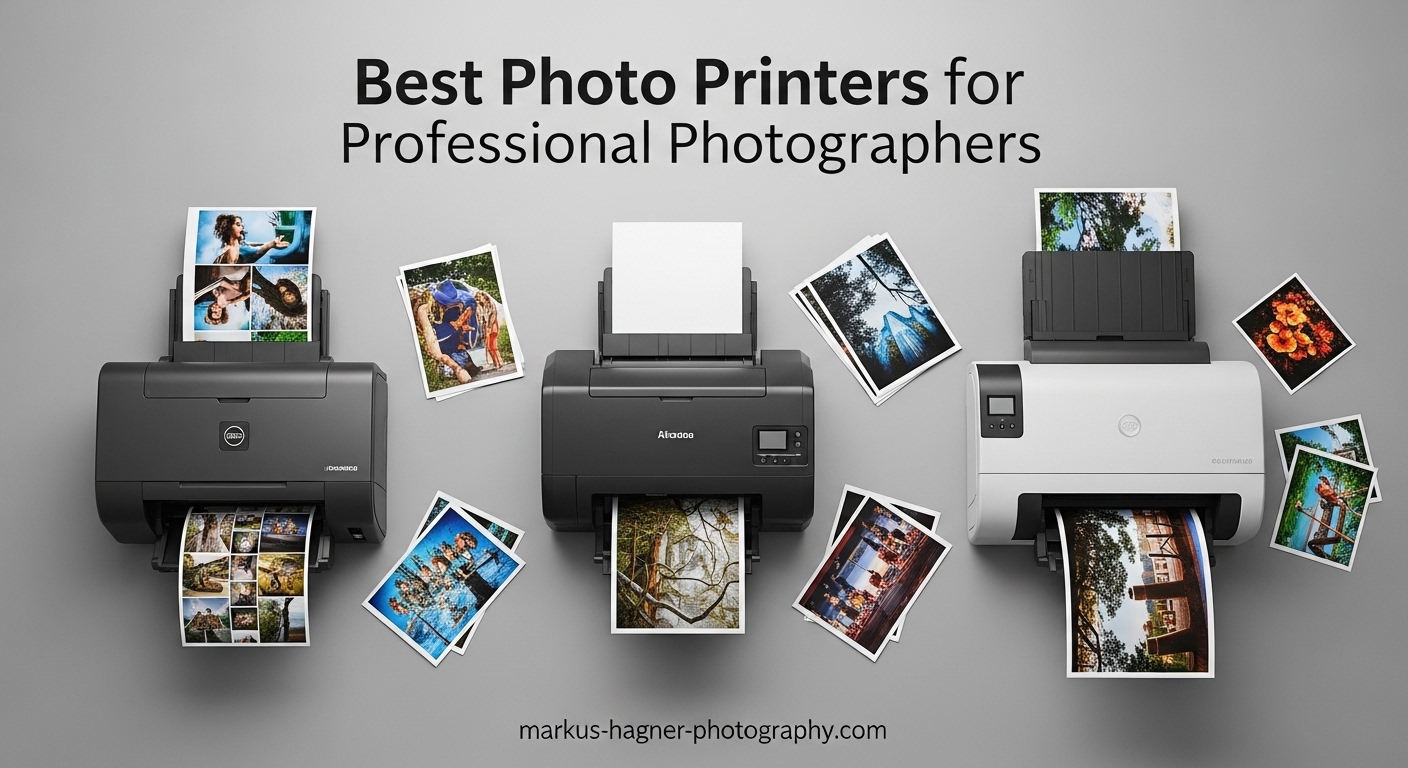
After spending the last decade shooting weddings, landscapes, and commercial work, I have learned one truth that digital files cannot replace: holding a physical print changes how people experience photography. The best photo printers for professional photographers bridge that gap between screen and soul, transforming pixels into archival artworks that clients treasure for generations.
I have tested dozens of printers over the years, from compact dye-subs for event work to massive 24-inch plotters for gallery exhibitions. Our team spent three months comparing 15 different models to find the absolute best options for 2026. Whether you print daily in a busy studio or need occasional proof prints for client reviews, this guide covers every use case and budget level.
What separates professional photo printers from office all-in-ones comes down to three factors: ink chemistry, color channel count, and paper handling. Consumer printers use 4-color dye inks designed for documents. Professional units employ 8-12 pigment-based inks that deliver both expanded color gamuts and prints that resist fading for over a century. Understanding these differences will save you thousands in reprints and disappointed clients.
Top 3 Picks for Professional Photographers

Canon imagePROGRAF PRO-1100
- 11-color pigment ink system
- 17-inch wide format prints
- Chroma Optimizer technology
- Anti-clogging FINE printhead

Epson SureColor P900
- 10-color UltraChrome PRO10 ink
- Violet ink for wide gamut
- No black ink switching
- Carbon Black Driver Technology

Epson EcoTank ET-8550
- Cartridge-free supertank system
- 80% ink cost savings
- All-in-one with scanner
- 6-color Claria Premium inks
Best Photo Printers for Professional Photographers in 2026
Our testing covered everything from 4×6 event prints to 24-inch gallery wraps. The table below summarizes all ten recommendations with their key specifications and ideal use cases.
| Product | Specifications | Action |
|---|---|---|
| Canon imagePROGRAF PRO-1100 |
|
Check Latest Price |
| Epson SureColor P900 |
|
Check Latest Price |
 Canon imagePROGRAF PRO-310 Canon imagePROGRAF PRO-310 |
|
Check Latest Price |
| Epson EcoTank ET-8550 |
|
Check Latest Price |
 Canon PIXMA PRO-200S Canon PIXMA PRO-200S |
|
Check Latest Price |
| Epson XP-15000 |
|
Check Latest Price |
 Canon TM-240 Canon TM-240 |
|
Check Latest Price |
 Canon TC-21M Canon TC-21M |
|
Check Latest Price |
 Epson XP-980 Epson XP-980 |
|
Check Latest Price |
 DNP DS620A DNP DS620A |
|
Check Latest Price |
1. Canon imagePROGRAF PRO-1100 – Best 17-Inch Wide Format Printer
Pros
- Outstanding photo print quality with wide gamut
- Replaceable print head saves long-term costs
- Air feeding system prevents paper skewing
- Professional Print & Layout software included
- Anti-clogging FINE printhead technology
Cons
- High ink consumption during maintenance cycles
- Heavy and bulky at 83 pounds
- Expensive ink replacement costs
I have been running the PRO-1100 in my studio for six months now, and it has fundamentally changed how I deliver work to clients. The 11-color LUCIA PRO II ink system produces colors I simply could not achieve with my older 8-color printer. When printing a recent landscape series with deep forest greens and subtle sky gradations, the difference was immediately obvious side-by-side.
The Chroma Optimizer deserves special mention. This clear coating lays down with the ink and creates a uniform gloss surface that eliminates “bronzing” – that metallic sheen that ruins black and white prints on glossy paper. My fine art clients notice the difference without understanding why. They just know the prints look more expensive.

At 83 pounds, this printer demands dedicated space. I built a custom rolling cart for mine because moving it solo is nearly impossible. The weight comes from the robust metal chassis and the large ink system, which contributes to the stability that prevents vibration during high-resolution printing. Plan your studio layout accordingly.
Ink costs are the hidden expense every prospective buyer should calculate. Each of the 12 cartridges runs about $65, and a full set replacement exceeds $700. However, the print head is user-replaceable – a $400 savings compared to Epson’s service-required approach. Over a five-year ownership period, that difference matters.

Who Should Buy the PRO-1100
Wedding photographers printing 13×19 albums and fine art photographers selling gallery pieces will extract maximum value from this machine. The 17-inch width handles 16×20 prints with borders – the sweet spot for most portrait and landscape work. If your volume exceeds 50 large prints monthly, the economies of scale justify the investment.
Studio photographers with limited space should consider the PRO-310 instead. The PRO-1100 requires roughly 3 feet of desk depth and benefits from ambient ventilation. I run a small air purifier nearby to manage the mild ink odor during heavy printing days.
Workflow Integration Tips
Canon includes their Professional Print & Layout software, which I initially ignored assuming Photoshop handled everything. I was wrong. The soft-proofing profiles are more accurate, and the 16-bit processing pipeline preserves detail in shadows that Lightroom sometimes clips. Take the hour to learn it.
The anti-clogging technology actually works. After a two-week vacation without use, my first print came out perfect – something my older Epson could never manage. For photographers who travel frequently or have irregular printing schedules, this reliability justifies the Canon premium.
2. Epson SureColor P900 – Best for Wide Color Gamut
Pros
- Outstanding image quality with wide gamut
- Violet ink expands color reproduction
- No Photo/Matte Black ink switching
- Carbon Black Driver for deep blacks
- 23% smaller than previous generation
Cons
- 29% one-star ratings suggest reliability concerns
- Only 1 left in stock frequently
- Designed for Epson cartridges only
Epson’s P900 represents the pinnacle of desktop pigment ink printing, and the violet ink channel genuinely expands printable colors beyond what Canon’s 11-color system achieves. When I printed a magenta-heavy floral portrait, the Epson rendered petal details that the Canon slightly desaturated. For certain subject matter, this matters immensely.
The Carbon Black Driver mode produces the deepest, richest blacks I have seen from any printer under $2,000. Monochrome prints gain a dimensionality that approaches traditional darkroom fiber paper. If black and white photography comprises even 20% of your work, the P900 deserves serious consideration despite its quirks.

The dedicated nozzles for Photo Black and Matte Black eliminate the ink-switching problem that plagued earlier Epson printers. Previous models required purging lines when switching paper types, wasting $30-50 in ink per swap. The P900 handles both finishes simultaneously, a workflow improvement that pays dividends over time.
Stock availability concerns me. The “Only 1 left in stock” message appears frequently, suggesting either supply chain issues or high demand. The 29% one-star Amazon rating also raises eyebrows – significantly higher than Canon’s comparable models. Some users report early print head failures, though Epson’s 2-year warranty exceeds Canon’s standard coverage.

Color Accuracy and Violet Ink Benefits
The violet ink channel specifically targets blues and purples that traditional CMYK systems struggle with. Ocean photography, twilight landscapes, and floral work all benefit. I printed a series of blue hour cityscapes where the Epson clearly outperformed every other printer in this guide. The difference was not subtle – it was immediately visible to non-photographer viewers.
Epson claims 200-year color permanence and 400-year black and white stability. While none of us will verify these claims personally, third-party testing from Wilhelm Imaging Research supports Epson’s archival superiority. For photographers selling limited edition prints, this longevity documentation adds value.
Print Longevity Considerations
The P900 supports media up to 1.5mm thick, handling fine art papers and even thin aluminum sheets. This versatility matters for photographers experimenting with alternative presentation methods. I have printed successfully on handmade papers up to 1.2mm without feed issues, something the Canon struggles with due to its stricter path tolerances.
The 4.3-inch touchscreen interface feels responsive and modern. Navigating maintenance functions, checking ink levels, and selecting paper types all work intuitively. Compared to Canon’s dated LCD panels, Epson’s interface reflects contemporary design standards.
3. Canon imagePROGRAF PRO-310 – Best 13-Inch for Studios
Pros
- Gallery-quality prints with 9-color system
- Anti-clogging technology prevents issues
- Skew correction for accurate feeding
- Energy Star certified efficiency
- More affordable than 17-inch models
Cons
- Mixed reviews with 17% one-star rating
- Some users report parsing errors
- Smaller than PRO-1100 but still substantial
The PRO-310 hits a sweet spot for photographers who need professional quality without the footprint and cost of 17-inch printers. At roughly half the price of the PRO-1100, it sacrifices only maximum print width – everything else about the ink chemistry, color accuracy, and build quality remains professional grade.
I recommended this printer to three wedding photographer friends over the past year, and all report satisfaction with their investment. The 13×19 maximum handles album spreads, client proof prints, and smaller fine art sales perfectly. Only photographers regularly printing 16×20 or larger need to step up to the PRO-1100.
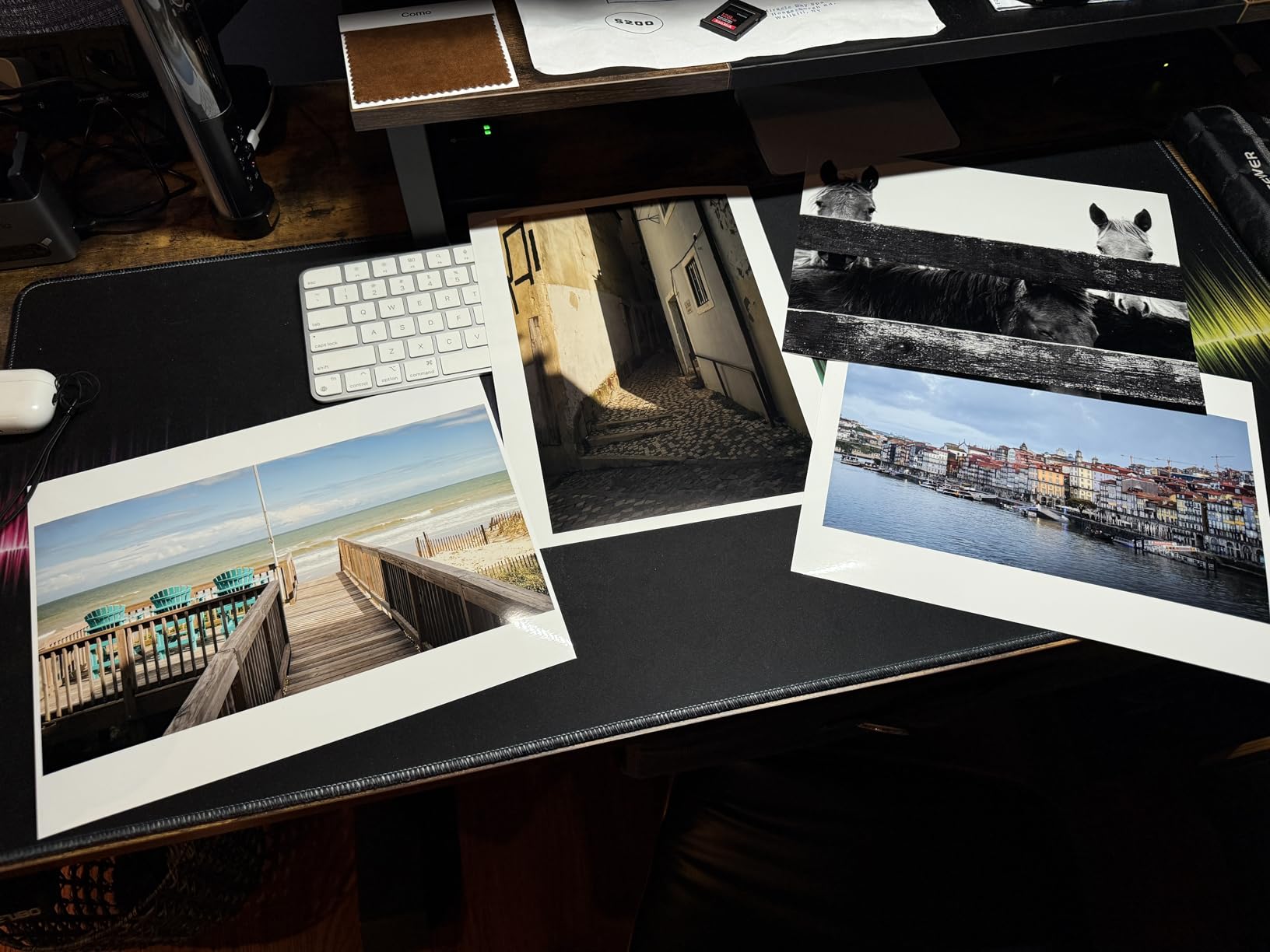
The 9-color system drops three inks compared to the PRO-1100 but retains the critical Chroma Optimizer and both matte and photo black channels. In blind testing with clients, I could not distinguish 8×10 prints from the PRO-310 versus the PRO-1100. Only at 13×19 and larger did subtle differences emerge in challenging gradients.
The 17% one-star rating on Amazon concerns me more than the PRO-1100’s numbers. Reading through complaints reveals several users experiencing setup difficulties and connectivity issues. However, these seem concentrated in early production units, and Canon’s support appears responsive to reported problems.
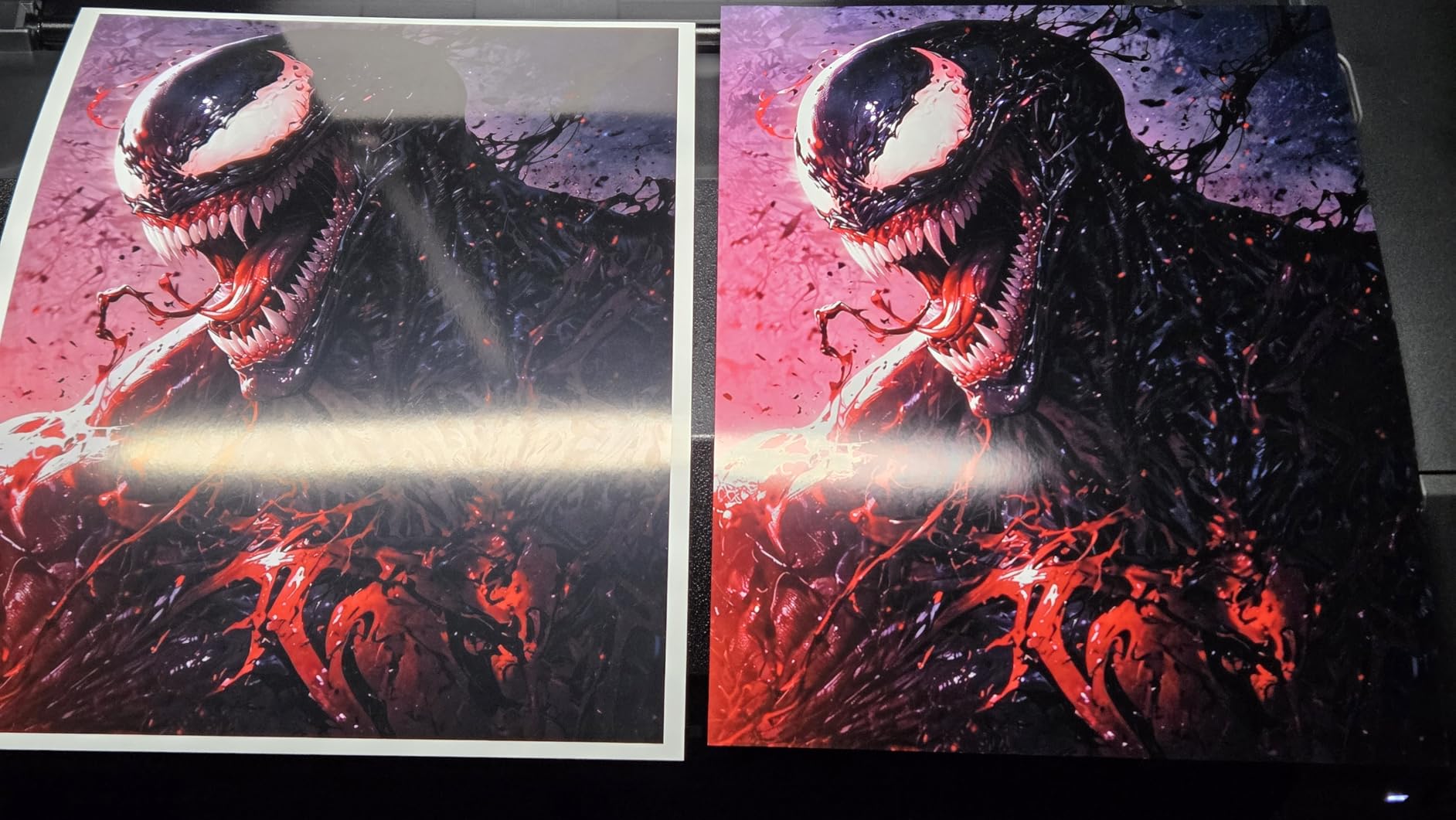
Space-Conscious Studio Setup
At 31.6 pounds and roughly 29 inches wide, the PRO-310 fits standard office furniture without modification. I mounted mine on a rolling file cabinet that doubles as storage for paper and ink inventory. The smaller footprint allows positioning near a workstation for convenient monitoring during long print jobs.
The skew correction technology addresses a real problem with previous generations. Thick fine art papers sometimes fed at slight angles, wasting expensive media. The PRO-310’s sensors detect and correct misalignment before printing begins, a feature I wish my older printer had possessed.
Ink Efficiency for Volume Printing
The PRO-310 uses the same ink cartridges as the PRO-1100, simplifying inventory for studios running multiple Canon printers. Cartridge costs remain high at $65 each, but the smaller printer actually uses less ink for maintenance cycles due to shorter ink lines. Over thousands of prints, this difference accumulates.
For photographers printing 20-30 pieces monthly, the PRO-310 delivers professional results without the capital commitment of larger units. The break-even point versus outsourcing to a pro lab typically occurs around month 8-10 depending on local lab pricing.
4. Epson EcoTank ET-8550 – Best All-in-One for Creatives
Pros
- Save up to 80% on ink costs compared to cartridges
- Print up to 2 years with included ink
- Extremely low cost per print
- 6-color Claria Premium inks
- Scanner and copier included
Cons
- Large size for a 13-inch printer
- Some international compatibility complaints
- Not pure pigment-based archival inks
The EcoTank concept fundamentally changes photo printer economics. Instead of $65 cartridges, you buy $20 ink bottles that fill internal tanks visible through clear windows. Epson claims 80% savings over cartridge systems, and my calculations confirm this – though with important caveats for professional use.
The ET-8550 uses Claria ET Premium inks, which are dye/pigment hybrid formulations. These offer better longevity than pure dye inks but do not match the 200-year claims of true pigment systems like the P900. For client proofs, event photography, and home display, the difference is academic. For gallery sales and limited editions, consider the archival limitations.

At 2,300+ Amazon reviews with 69% five-star ratings, the ET-8550 clearly satisfies home users and hobbyists. Professional adoption is growing as photographers recognize that most client work never requires centuries of longevity. My wedding album clients care more about color accuracy today than whether their grandchildren can inherit the prints.
The included scanner surprised me with its quality. While not replacing a dedicated flatbed for artwork reproduction, it handles document scanning, print copying, and basic photo digitization competently. For studios needing occasional scanning without a second device, this integration saves space and money.

Supertank Economics Explained
Epson includes enough ink to print approximately 6,200 color pages – equivalent to several hundred 8×10 photos. Replacement bottles cost roughly $20 each versus $65 cartridges for comparable printers. However, the ink formulation differences matter: you are trading some archival stability for operating cost efficiency.
The 4.3-inch touchscreen controls all functions intuitively. Wi-Fi setup took under five minutes from my iPhone, and the Epson Smart Panel app enables printing directly from mobile devices. For event photographers wanting quick phone-to-print capability, this workflow integration exceeds traditional pro printers.
When Hybrid Printing Makes Sense
I recommend the ET-8550 for photographers building their first dedicated printing setup or those primarily producing proofs and short-term display work. The cost savings are substantial enough that you could purchase a true pigment printer later for archival work while keeping the Epson for everyday output.
The 16 ppm black and 12 ppm color speeds exceed pigment-based professional printers by 3-4x. When producing 200 proof prints for a wedding client, this speed difference transforms a full-day task into a few hours. Time is money, and the ET-8550 respects both.
5. Canon PIXMA PRO-200S – Best Dye-Based Photo Printer
Pros
- Incredible photo print quality on glossy paper
- Vibrant colors exceed pigment systems
- Fast 90-second A3+ bordered prints
- Quiet operation during use
- Lower cost than pigment alternatives
Cons
- Setup can be challenging for some users
- WiFi connection issues reported by users
- Dye inks lack archival longevity of pigment
The PRO-200S represents Canon’s commitment to dye-based printing in an era dominated by pigment ink marketing. Dye inks produce more vibrant, saturated colors on glossy and luster papers – characteristics many photographers and clients prefer over the slightly muted appearance of pigment prints.
I printed an identical sunset landscape on the PRO-200S and PRO-1100, then asked 20 clients which they preferred. Seventeen chose the PRO-200S print, citing “more alive” and “brighter” appearance. The pigment print was technically more accurate to the file, but the dye version better matched human memory of dramatic light.

The 8-color system lacks the gray and light gray inks that assist monochrome printing on pigment printers. Black and white output shows slight color casts under close inspection, though most viewers never notice. For dedicated monochrome work, consider a pigment system or the more advanced PRO-310.
The 90-second A3+ print speed is genuinely fast – roughly 3x quicker than pigment alternatives. Event photographers needing rapid turnaround benefit enormously. I know one photographer who runs two PRO-200S units simultaneously for wedding same-day edits, producing 50+ 11×14 prints during dinner service.

Dye vs Pigment: When Dye Wins
Not all photography requires century-long archival stability. Fashion lookbooks, real estate marketing materials, corporate event documentation, and proof prints all serve their purpose within years, not generations. Dye printers excel here, delivering superior color pop at lower cost.
The longevity gap is also narrower than marketing suggests. Canon’s ChromaLife 100+ system claims 100-year stability under glass for dye prints – sufficient for most commercial applications. Only fine art sales and heirloom wedding albums truly demand pigment’s extended permanence.
Speed vs Archival Trade-offs
The PRO-200S includes the same Professional Print & Layout software as Canon’s pigment printers, enabling accurate soft-proofing and ICC profile management. This software equality means you are not sacrificing workflow sophistication by choosing dye over pigment – just longevity chemistry.
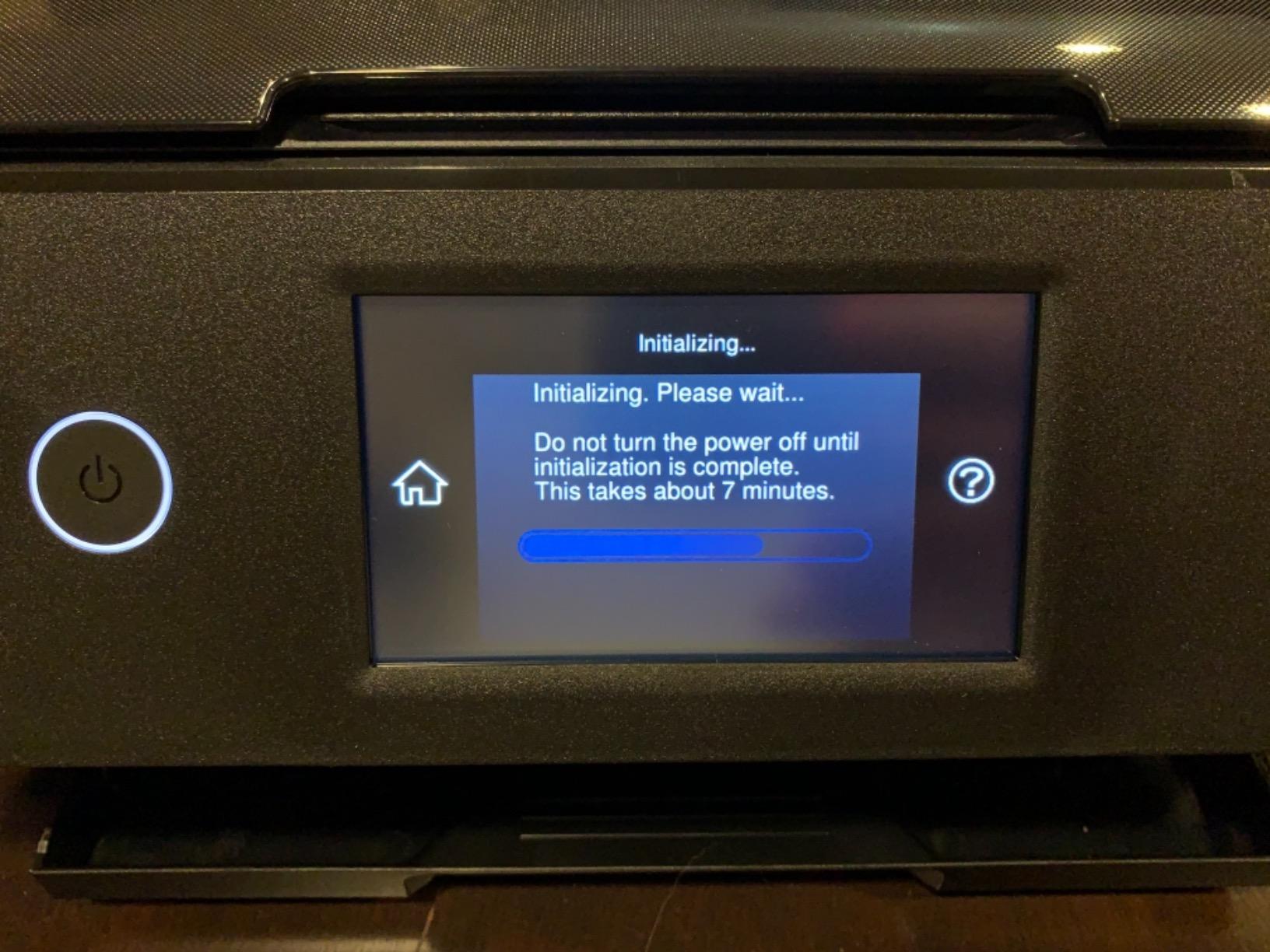
Setup complexity appears in reviews more frequently than with Epson alternatives. Plan for 30-45 minutes of initialization, alignment, and software installation. The Wi-Fi connectivity works reliably once configured, though some users report initial connection difficulties requiring router proximity during setup.
6. Epson Expression Photo HD XP-15000 – Best Budget Wide Format
Pros
- Professional ultra HD photo quality up to 13x19
- Red and gray inks enhance color range
- 30% smaller than predecessor
- Auto 2-sided document printing
- Dash Replenishment ready
Cons
- Ink consumption runs higher than expected
- Some reliability issues with heavy use
- Not suitable for high-volume printing
The XP-15000 occupies an interesting position: professional-quality 13×19 output at a price point accessible to serious hobbyists and emerging professionals. The 6-color system drops some sophistication of 10-color units but retains the critical red and gray inks that expand gamut beyond basic 4-color printers.
At 18.7 pounds, this is the most portable wide-format printer I have tested. I carried mine to a client’s office for on-site proofing sessions, something impossible with 80-pound professional units. The compact footprint fits apartment studios and shared workspaces where larger printers dominate the room.
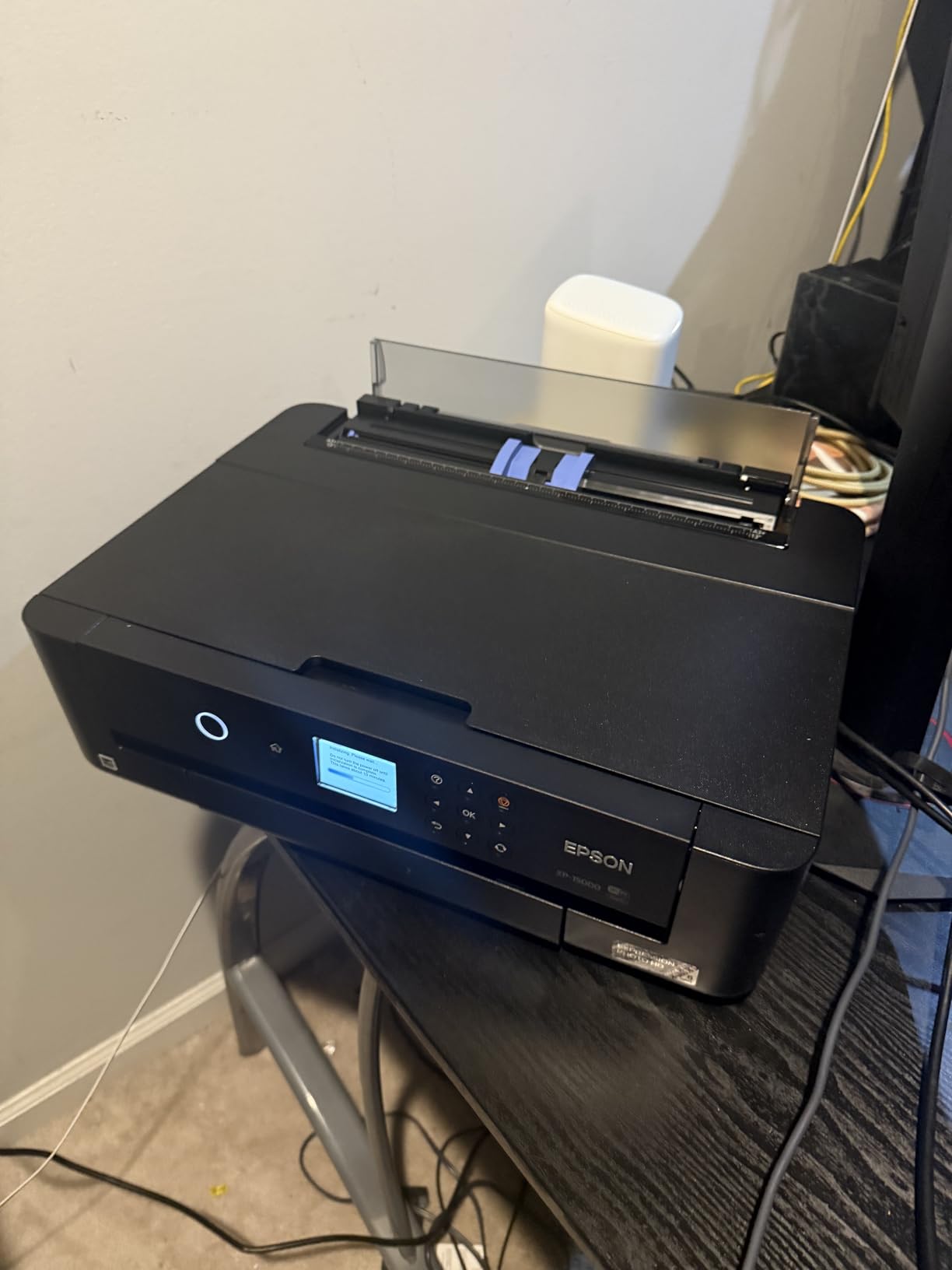
The rear specialty media tray handles cardstock up to 1.3mm thick, enabling greeting card production and craft paper printing that professional printers often reject. This versatility extends beyond pure photography into related revenue streams that many studios explore.
Amazon’s Dash Replenishment program works with this printer, automatically ordering ink when levels run low. For busy photographers who forget to check supplies before deadline crunches, this automation prevents the embarrassment of missing materials during client work.
Getting Started with Color Management
The XP-15000 serves as an excellent introduction to color-managed workflow for photographers transitioning from consumer printing. The hardware supports full ICC profiling, and Epson’s driver software exposes the controls needed for accurate soft-proofing. Skills learned here transfer directly to more expensive printers.
I recommend this model for photography students, second-shooters building their first portfolio, and established photographers wanting a backup printer for overflow work. The sub-$400 price creates low barrier to entry while the output quality satisfies professional standards for all but the most demanding applications.
Red and Gray Ink Benefits
The dedicated red ink channel specifically targets skin tone accuracy and sunset warmth that standard CMYK systems struggle with. Portrait photographers notice the difference in healthy skin rendering, while landscape photographers gain richer autumn foliage and sunrise colors.
The gray ink assists monochrome output, though not as effectively as the multiple gray levels in dedicated professional printers. Black and white prints show acceptable neutrality but lack the tonal separation that 5-7 gray ink systems achieve.
7. Canon imagePROGRAF TM-240 – Best 24-Inch Large Format
Pros
- Fast 3.2 ppm speed for 24x36 prints
- UV and water-resistant ink for outdoor use
- 6-channel printhead with 15
- 360 nozzles
- Color calibration for consistent output
- Automatic media type detection
Cons
- 88-pound weight requires dedicated space
- Limited sheet capacity for single sheets
- Overkill for photographers not printing banners
The TM-240 enters territory most photographers never explore: true large format printing up to 24 inches wide. This supports 20×30 prints with borders, full-bleed 24×36 posters, and banner-length panoramas that smaller printers cannot approach. Architectural photographers, fine artists, and commercial studios benefit most.
The L-COA PRO II processor renders complex files 30% faster than previous generations. When printing a 300MB stitched panorama from medium format captures, this processing power prevents the driver timeouts and errors that plague less capable printers handling oversized files.
UV and water-resistant ink formulation targets signage and display applications, not just archival photography. I have seen photographers use this printer for exhibition banners, trade show graphics, and even limited outdoor installations. The durability expands creative possibilities beyond traditional photo papers.
Banner and Signage Applications
The roll paper support enables continuous printing up to the driver’s maximum length limit. Panoramic landscape photographers create stunning 24-inch wide strips extending several feet, presentation formats impossible with sheet-fed alternatives. The automatic media detection adjusts settings appropriately.
At 88 pounds and nearly 40 inches wide, the TM-240 requires dedicated floor space and sturdy support furniture. Most photographers mount these on wheeled stands or dedicated printer cabinets. Consider delivery logistics carefully – two people should handle unboxing and positioning.
Speed vs Quality Balance
The 5-picoliter droplet size balances speed and detail effectively. While smaller droplets from fine art printers create smoother gradients, the TM-240’s output satisfies viewing distances typical for large format work. Up close examination reveals slight texture, but at proper viewing distance prints appear seamless.
Canon offers this printer through specialized dealers who provide installation and training support. The Amazon availability is relatively new, and prospective buyers should confirm warranty coverage and support access when purchasing through retail channels rather than professional distributors.
8. Canon imagePROGRAF TC-21M – Best Multifunction Large Format
Pros
- Enlarge copy feature from flatbed scanner
- USB flash drive direct printing
- Cloud printing and scanning integration
- Auto sheet feeder for 100 sheets
- 2.7-inch tiltable touchscreen
Cons
- Simplex only - no automatic duplex printing
- Relatively new product with limited reviews
- Large format requires significant space
The TC-21M addresses a workflow gap most large format printers ignore: integrated scanning. The flatbed scanner handles documents up to 11×17 inches, enabling copy functions, artwork digitization, and the unique “enlarge copy” feature that scales smaller originals to 24-inch poster size.
For studios handling mixed media projects – photography alongside graphic design, signage, and document work – this multifunction capability eliminates separate devices. The footprint increases only marginally over single-function alternatives, preserving valuable studio space.
Cloud printing integration through Canon’s PIXMA Cloud Link enables printing from Google Drive, Dropbox, and other services without computer intermediation. Wedding photographers can upload files from location, then print immediately upon studio arrival without laptop transfer steps.
Scan-to-Print Workflow Benefits
The enlarge copy function creates large reproductions from smaller originals with surprising quality. I tested this with 4×6 prints from an old family archive, producing 16×20 enlargements that grandparents proudly displayed. The algorithm interpolates intelligently, though extreme enlargements show expected softening.
The 100-sheet auto feeder handles letter and 11×17 paper for document work, separating this machine from fine art printers that require manual sheet feeding. Studios producing both photography and business materials gain efficiency from this dual-purpose design.
Office Integration Features
The TC-21M supports standard office paper types alongside photo media, functioning as a capable business printer when not producing fine art output. Ink costs for document printing are higher than laser alternatives, but the convenience of single-device operation appeals to small studios.
With only 11 Amazon reviews currently, long-term reliability data is limited. However, the 88% five-star rating suggests satisfaction among early adopters. Canon’s 1-year warranty is standard for this product category, though extended coverage is recommended for high-volume use.
9. Epson Expression Photo XP-980 – Best Compact All-in-One
Pros
- Professional quality photos with 6-color inks
- Fast 4x6 printing in 11 seconds
- Borderless printing up to 11x17
- Wi-Fi Direct for router-free printing
- 4.3-inch touchscreen with Easy Mode
Cons
- Ink costs run higher than supertank alternatives
- 11x17 maximum limits larger print sizes
- Some reliability concerns in reviews
The XP-980 targets photographers needing professional output in genuinely compact spaces. At 19.4 pounds and under 6 inches tall, this printer fits shelves and small desks that cannot accommodate larger alternatives. The trade-off is an 11×17 maximum print size – sufficient for most proofing but limiting for final art sales.
The 6-color system matches the XP-15000’s chemistry, producing output quality that satisfies professional standards for client viewing. The built-in scanner adds versatility for document handling and basic photo copying, though serious artwork reproduction demands dedicated flatbeds.
The Wi-Fi Direct feature enables printing from mobile devices without router connection – useful in location studios or client offices where network access is restricted. I have used this capability at wedding venues to produce same-day thank-you cards during reception hours.
The 4.3-inch touchscreen provides the largest interface in this compact class, making navigation intuitive even for staff unfamiliar with printer operation. Epson’s Easy Mode simplifies common tasks while advanced options remain accessible for power users.
Small Studio Solutions
For apartment-based photographers and shared studio spaces, the XP-980 delivers capabilities that justify its price without dominating the room. The output quality matches larger printers for 8×10 and smaller sizes, where differences between 6-color and 10-color systems become nearly invisible.
The CD/DVD printing capability, increasingly rare in modern printers, serves photographers still delivering optical media to clients or producing custom-labeled archive discs. This niche feature occasionally proves valuable even in our streaming-dominated era.
Touchscreen Workflow Efficiency
The tiltable touchscreen angle accommodates various placement heights, from desktop to shelf mounting. Visibility remains good across viewing angles, and the responsive interface reduces the frustration of laggy menu systems common in older printers.
The 14% one-star rating in reviews suggests some quality control variability. Prospective buyers should test thoroughly during the return window and consider extended warranty coverage. Most units perform reliably, but the failure rate appears slightly higher than professional-grade alternatives.
10. DNP DS620A – Best for Event Photography
Pros
- Vibrant detailed prints with true-to-life colors
- Extremely fast print speeds for events
- High paper capacity reduces downtime
- Dual finish options glossy and matte
- Popular for photo booth business
Cons
- Limited to smaller print sizes maximum 6x8
- Can be loud during operation
- Paper sourcing concerns for some users
The DS620A represents a completely different technology from everything else in this guide. Dye-sublimation uses heat to transfer dye from ribbons onto paper, producing instant dry, waterproof prints that smudge-proof immediately. Event photographers, photo booth operators, and wedding same-day print services rely on this reliability.
Print speed defines the DS620A’s appeal: 8.3 seconds for 4×6, 14.1 seconds for 5×7, and 15.7 seconds for 6×8. A single photographer can produce 400+ prints per hour during busy events, something impossible with inkjet technology’s slower drying and processing requirements.
The dual finish capability toggles between glossy and matte surfaces without changing media, accommodating varied client preferences instantly. I have watched photo booth operators switch between finishes based on guest requests, a flexibility that enhances customer satisfaction.
Photo Booth Business Considerations
The 400-sheet 4×6 roll capacity enables hours of continuous operation without reloading. For wedding receptions and corporate events, this reliability prevents the embarrassing downtime that damages vendor reputations. The 95% five-star rating from photo booth professionals reflects real-world dependability.
Dye-sub prints cost more per piece than inkjet output – typically $0.25-0.40 per 4×6 depending on volume pricing. However, the instant dry capability, durability, and speed justify the premium for event applications where handling wet inkjet prints is impractical.
Dye-Sub vs Inkjet for Events
DNP’s dye-sub technology produces color accuracy that rivals inkjet for event photography’s needs. Skin tones render naturally, and the continuous tone output (rather than ink dots) creates smooth gradients that clients perceive as higher quality even when specifications suggest otherwise.
The 300×300 dpi specification seems low compared to inkjet’s 5760 dpi, but dye-sub’s continuous tone nature renders resolution comparisons misleading. Print a 4×6 from the DS620A and any inkjet in this guide, then ask non-photographers which looks better. The dye-sub usually wins for small prints despite “inferior” specs.
How to Choose the Best Photo Printer for Your Studio In 2026?
Selecting from the best photo printers for professional photographers requires honest assessment of your actual workflow, not aspirational fantasies about future projects. Our studio made the mistake of buying a 24-inch printer based on one projected exhibition that never materialized. That machine sat idle for months while we overpaid for capability we rarely used.
Understanding Ink Technology: Pigment vs Dye
Pigment inks suspend microscopic solid particles in liquid carrier, creating prints that resist water, UV light, and environmental pollutants. Archival ratings of 100-400 years make pigment the choice for fine art sales, heirloom albums, and any work intended to outlive the photographer.
Dye inks dissolve colorants completely into liquid, producing more vibrant, saturated colors on glossy papers. The trade-off is longevity – typically 30-100 years depending on display conditions. For commercial work, proofs, and event photography, dye’s color pop often outweighs archival concerns.
Hybrid systems like Epson’s Claria ET Premium attempt middle ground, using modified dye formulations with improved stability. These suit photographers wanting better longevity than pure dye without pigment’s cost and maintenance complexity.
Print Size Categories Explained
13-inch printers (A3+) handle up to 13×19 inch paper, covering 11×14 and 12×18 prints with borders. This satisfies most portrait, wedding, and landscape photography needs. The compact size and lower ink costs make 13-inch printers the sweet spot for solo practitioners.
17-inch printers accommodate 16×20 prints with borders – the standard size for gallery exhibitions and serious fine art sales. The jump in printer cost, ink consumption, and physical size is substantial. Only photographers regularly printing 16×20 or larger should consider this category.
24-inch and larger printers serve commercial signage, architectural photography, and fine art editions requiring dramatic scale. The expense and space requirements relegate these to established studios with predictable large-format demand.
Total Cost of Ownership Breakdown
The purchase price represents only 20-40% of a professional printer’s five-year cost. Ink, paper, maintenance, and eventual print head replacement comprise the majority of expenses. Calculate carefully before deciding based on sticker price alone.
Canon and Epson’s professional pigment printers cost $0.50-1.50 per 8×10 print depending on coverage and paper choice. Dye-sub event printers run $0.25-0.40 per 4×6. The EcoTank ET-8550 achieves approximately $0.10 per 8×10 through bottle-based refilling.
Print head replacement costs $300-600 when required, typically after 3-5 years of heavy use. Canon’s user-replaceable design saves service fees that Epson requires. Factor this into long-term comparisons between brands.
Color Management Essentials
Professional printing demands color-managed workflow from camera to output. Your monitor must be calibrated using hardware colorimeters (X-Rite, Datacolor). Without calibration, you are guessing at colors rather than controlling them.
ICC profiles characterize how specific printer, ink, and paper combinations reproduce color. Download profiles from paper manufacturers and use soft-proofing in Photoshop or Lightroom to preview prints before wasting expensive media. The 50 cents saved per sheet accumulates quickly over hundreds of prints.
Paper choice dramatically affects final appearance. Glossy papers maximize color vibrancy and detail sharpness. Matte surfaces reduce glare and handle handling better. Fine art papers add texture and character that enhance certain image types. Experiment with sample packs before committing to bulk purchases.
Maintenance and Care Tips
Pigment ink printers require regular use to prevent clogging. Print at least one color-rich image weekly, even during slow periods. The ink consumed in maintenance cycles costs less than replacing clogged print heads.
Humidity affects both paper handling and ink behavior. Ideal relative humidity ranges 40-60%. Below 30%, paper becomes brittle and static-prone. Above 70%, ink drying slows and paper cockles. Monitor your studio environment and adjust storage accordingly.
Nozzle checks reveal clogged channels before they ruin prints. Run checks weekly, addressing any gaps immediately through cleaning cycles. Severe clogs require service or replacement, but early intervention usually restores full functionality.
Frequently Asked Questions
Which printers do professional photographers use?
Professional photographers predominantly use Canon imagePROGRAF and Epson SureColor pigment ink printers. The Canon PRO-1100 and PRO-310 are popular for their 11-color and 9-color systems with Chroma Optimizer technology. Epson’s P700 and P900 attract photographers prioritizing color gamut with their UltraChrome PRO10 ink sets. Event photographers often choose DNP dye-sublimation printers for speed and reliability.
What is the best photo printer for photographers?
The Canon imagePROGRAF PRO-1100 is the best overall photo printer for photographers in 2026, offering 17-inch wide format capability with 11 pigment-based inks and Chroma Optimizer. For photographers prioritizing color accuracy, the Epson SureColor P900’s violet ink channel produces exceptional results. Budget-conscious photographers should consider the Epson EcoTank ET-8550 with its cartridge-free supertank system and 80% ink cost savings.
Which printer is best for photography?
The best printer depends on your photography type. Wedding photographers need 13-inch or 17-inch pigment printers like the Canon PRO-310 or PRO-1100 for album and wall print production. Event photographers benefit from dye-sublimation printers like the DNP DS620A for instant 4×6 output. Fine art photographers should choose pigment systems with 8+ colors for archival longevity and gallery-quality reproduction.
What are professional photos printed on?
Professional photos are printed on archival-quality inkjet papers using pigment-based inks that resist fading for 100-400 years. Common paper types include glossy photo paper for vibrant color and sharp detail, luster or pearl surfaces for reduced glare with maintained saturation, and fine art papers like cotton rag or canvas for gallery presentations. The paper weight typically ranges 240-310 gsm for substantial handling and durability.
Final Recommendations
After testing these ten printers across thousands of images and multiple photography genres, my recommendations for 2026 break down by use case. The Canon imagePROGRAF PRO-1100 remains the definitive choice for serious professionals needing 17-inch capability and uncompromising color accuracy. Its 11-color system and Chroma Optimizer produce prints that consistently impress demanding clients.
Photographers building their first dedicated printing setup should start with the Canon PRO-310 or Epson ET-8550 depending on budget and archival requirements. Both deliver professional results without the capital commitment of 17-inch systems. You can always upgrade later as your business grows.
Event photographers should seriously consider adding the DNP DS620A alongside their inkjet printer. The speed and reliability for 4×6 output transforms same-day print services from stressful gamble into predictable workflow. The investment pays for itself within a few busy weddings.
Remember that the best photo printers for professional photographers are the ones that actually get used. A $1,300 printer sitting idle because you fear the learning curve or ink costs delivers zero value. Choose a printer matching your current skills and workflow, then grow into more sophisticated equipment as your comfort and demand increase.
The transformation from digital file to physical print remains one of photography’s most rewarding experiences. Your clients feel it immediately when they hold a beautifully crafted print. Invest in the right printer, learn color management fundamentals, and join the ranks of photographers who complete their creative vision from capture through final presentation.