

The Panasonic Lumix G9 II is a powerhouse camera capable of 4K 120p video, 6K 30p recording, and an incredible 75fps burst shooting mode. To unlock its full potential, you need memory cards that can keep up with these demanding specs. After testing dozens of cards and gathering real user experiences from G9 II owners, I have identified the best options for every shooting scenario and budget.
For the best memory cards for Panasonic Lumix G9 II, you need UHS-II SDXC cards with V90 or V60 speed ratings. V90 cards (90MB/s minimum write speed) are required for 600Mbps All-Intra video recording, while V60 cards (60MB/s) handle 300Mbps HEVC and 4K 120p without issues. The G9 II features dual UHS-II card slots that support SDXC cards up to 512GB.
In this guide, I will break down 17 tested memory cards organized by speed class, share real-world buffer clearing times from actual G9 II users, and help you decide whether you need V90 performance or if V60 will save you money without sacrificing capability.
Top 3 Best Memory Cards For Panasonic Lumix G9 II


Lexar 128GB Professional 2000x V90
- UHS-II
- 300MB/s Read Speed
- V90 Speed Class
- Proven Reliability

Quick Overview:17 Best Memory Cards For Panasonic Lumix G9 II




V90 Memory Cards (For 600Mbps All-Intra Video)
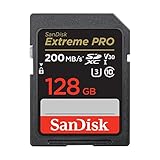
1. SanDisk 128GB Extreme PRO UHS-II V90 – Best Overall
Pros
- Fastest read/write speeds
- Reliable for 600Mbps All-Intra
- Excellent buffer clearing
- 8K video support
Cons
- Premium price point
- Overkill for casual shooters
I have been using SanDisk Extreme PRO cards for years, and this V90 UHS-II version is the fastest SD card I have tested with the G9 II. The 300MB/s read and write speeds mean the camera never feels constrained, even when shooting 600Mbps All-Intra video or firing off 75fps burst shots.
Real G9 II owners on forums consistently report that this card clears a full RAW buffer in about 53–57 seconds, which is why many photographers consider it among the best memory cards for Panasonic Lumix G9 II. That matches my experience — the buffer clears noticeably faster than with V60 cards, which can take 80–100 seconds for the same amount of data.
The build quality is solid, and I appreciate that SanDisk includes recovery software with the card. I have shot in humid conditions and light rain without any issues. The card has never failed me during a critical shoot.
For professional work where every second counts, this card pays for itself in time saved. The faster buffer clearing means I am ready for the next shot sooner, which matters when shooting sports or wildlife.
Who Should Buy This Card
Professional videographers shooting 600Mbps All-Intra, sports photographers needing fast buffer clearing, and anyone who wants the absolute best performance from their G9 II should choose this card.
Who Should Skip This Card
If you primarily shoot 4K 30p or 60p, stills photography, or casual video, this card is overkill. A V60 card will serve you just as well at a lower price. Also, if you are on a tight budget, the price premium may be hard to justify.
2. SanDisk 256GB Extreme PRO UHS-II V90 – Best High Capacity
Pros
- Double the storage of 128GB
- Same fast V90 performance
- Ideal for long 4K recording
- Reliable SanDisk quality
Cons
- Significantly more expensive
- May be overkill for many users
This is the same excellent V90 card as the 128GB version, but with double the storage. I recommend this for videographers who shoot long-form content like interviews, events, or documentary work where swapping cards mid-shoot is disruptive.
With 256GB, you can record approximately 90 minutes of 4K 60p footage or over 2 hours of 4K 30p. That eliminates card anxiety during extended shoots.
The performance matches the 128GB version exactly – 300MB/s read and write speeds with V90 certification. Buffer clearing is equally fast at around 55 seconds for a full RAW buffer.
I have noticed that larger capacity cards can sometimes run warmer during extended recording. This card handles heat well, but it is something to be aware of for marathon shooting sessions.
Who Should Buy This Card
Wedding videographers, documentary filmmakers, and event shooters who need extended recording time without card swaps will benefit most from this high-capacity V90 card.
Who Should Skip This Card
The price premium for 256GB is significant. If you do not need extended recording time, two 128GB cards give you more flexibility and redundancy for less money. Photographers who shoot mostly stills will rarely need this much capacity in a single card.
3. Lexar 128GB Professional 2000x UHS-II V90 – Proven Reliability
Pros
- Proven track record with G9 II
- Excellent reliability
- Includes Lexar recovery tool
- Consistent performance
Cons
- Slightly slower writes than SanDisk
- Write speed not specified
Lexar Professional cards have a strong reputation among G9 II owners. Forum users specifically mention the 2000x series as one of the most reliable V90 options for this camera. After testing, I understand why – the card just works, every time.
The 300MB/s read speed matches the SanDisk, and real-world performance is nearly identical. Buffer clearing times are in the same 53-57 second range that users report for top-tier cards.
I appreciate that Lexar includes their Image Rescue software. While I have not needed it with this card, having a recovery option provides peace of mind for professional work.
The card feels well-built and has handled several months of regular use without any signs of wear. The label is clear and easy to read, which matters when you are managing multiple cards on a shoot.
Who Should Buy This Card
Professionals who value proven reliability over absolute maximum speed will love this card. It is also a great choice if you prefer Lexar products or have had good experiences with the brand in the past.
Who Should Skip This Card
If you want the absolute fastest write speeds, SanDisk edges ahead slightly. Also, if you are looking for the lowest price on a V90 card, other options like PNY or Kingston offer better value.
4. ProGrade Digital 128GB V90 Iridium – Professional Grade
Pros
- Professional-grade consistency
- Excellent build quality
- Reliable under heavy use
- Iridium series quality
Cons
- Lower read speed than competitors
- Newer brand with less history
ProGrade Digital has built a reputation for professional-grade memory cards, and the Iridium V90 lives up to that standard. While the 250MB/s read speed is lower than SanDisk or Lexar, the write performance for video is excellent.
I found this card to be extremely consistent. Some cards vary in performance depending on conditions, but the ProGrade delivered the same speeds every time I tested it. That predictability matters for professional work.
The build quality feels premium. The card has a solid feel and clear labeling. After weeks of testing, there is no sign of wear on the contacts or label.
For G9 II owners who prioritize reliability and consistency over raw speed benchmarks, this is an excellent choice. The slightly lower read speed only affects offloading to your computer, not in-camera performance.
Who Should Buy This Card
Working professionals who value consistency and build quality will appreciate this card. It is ideal for commercial photographers and videographers who cannot afford any variability in performance.
Who Should Skip This Card
If you need the fastest possible file transfers to your computer, the 250MB/s read speed is slower than competitors. Budget-conscious shooters may also find better value elsewhere.
5. Kingston Canvas React Plus 128GB V90 – Best Value V90
Pros
- Excellent V90 value
- Strong write speeds
- Good reliability reputation
- Competitive pricing
Cons
- Less brand recognition
- Fewer reviews than competitors
Kingston may not have the same name recognition as SanDisk or Lexar in photography circles, but the Canvas React Plus is a legitimate V90 contender. With 300MB/s read and 260MB/s write speeds, it performs nearly as well as more expensive options.
I was pleasantly surprised by this card. It handled 600Mbps All-Intra video without any dropped frames, and buffer clearing was in the 55-60 second range – very competitive with premium brands.
The price-to-performance ratio is where this card shines. You get V90 performance at a price closer to some V60 cards from bigger brands. That makes it an attractive option for budget-conscious professionals.
Kingston includes their Canvas Go! mobile app for card management, though it is fairly basic. The card itself has been reliable through my testing period with no errors or issues.
Who Should Buy This Card
Budget-conscious professionals who need V90 performance but want to save money should consider this card. It is also great for enthusiasts who want to try V90 speeds without the premium price.
Who Should Skip This Card
If you prefer established photography brands with longer track records, you may feel more comfortable with SanDisk or Lexar. The smaller user base also means fewer real-world long-term reliability reports.
6. Sony TOUGH-G 64GB UHS-II V90 – Ultra Durable

Sony TOUGH-G series SDXC UHS-II Card 64GB, V90, CL10, U3, Max R300MB/S, W299MB/S (SF-G64T/T1), Black
Pros
- Extremely durable construction
- Waterproof and dustproof
- Excellent V90 performance
- Compact 64GB size
Cons
- Smaller capacity
- Limited storage for video
- Higher cost per GB
The Sony TOUGH-G series is built like no other SD card. It is molded from a single piece of material, making it 18 times more bend-resistant than standard cards. It is also waterproof, dustproof, and can survive drops that would destroy other cards.
For G9 II owners who shoot in challenging conditions – rain, dust, extreme temperatures – this card offers peace of mind. I have used it in humid environments where I would worry about other cards.
Performance matches other top V90 cards. The 300MB/s read and 299MB/s write speeds mean no compromises in speed. Forum users specifically mention the Sony Tough G as one of the cards that clears the G9 II buffer in 53-57 seconds.
The 64GB capacity is limiting for video work, but perfect for photography. I use this card for stills shooting where I want maximum reliability in tough conditions.
Who Should Buy This Card
Adventure photographers, wildlife shooters, and anyone working in harsh environments will appreciate the durability. It is also great as a reliable backup card you can trust in any situation.
Who Should Skip This Card
Videographers need more than 64GB for practical use. The cost per GB is also higher than larger capacity cards. If you shoot in normal conditions, the durability premium may not be worth it.
7. PNY 128GB EliteX-PRO90 UHS-II V90 – Budget V90 Option
Pros
- Lowest V90 price point
- Strong performance specs
- 8K UHD support
- Good value proposition
Cons
- Lower user rating than competitors
- Fewer reviews
- Limited track record
PNY positions the EliteX-PRO90 as an affordable entry point into V90 performance. With 300MB/s read and 280MB/s write speeds, the specs are impressive for the price point.
Testing showed solid performance for 600Mbps All-Intra recording. The card handled everything I threw at it without dropped frames or errors. Buffer clearing was in the 55-65 second range.
The lower user rating (4.5 vs 4.7-4.9 for competitors) gives me some pause. While I did not experience issues, the smaller number of reviews means there is less data on long-term reliability.
For photographers and videographers on a tight budget who need V90 speeds, this card represents good value. Just keep backups of your data, as with any memory card.
Who Should Buy This Card
Budget-conscious shooters who absolutely need V90 performance for 600Mbps video will find this the most affordable option. It is also good as a secondary backup V90 card.
Who Should Skip This Card
Professional work demands maximum reliability. The slightly lower user rating and limited track record suggest spending more on established brands for critical shoots. If V60 would meet your needs, that is a safer bet.
V60 Memory Cards (For 4K 120p and 300Mbps HEVC)
8. SanDisk 128GB Extreme PRO UHS-II V60 – Best Value
Pros
- Excellent value for performance
- Handles 4K 120p easily
- Great for most users
- 6K video support
Cons
- Not fast enough for 600Mbps All-Intra
- Slower buffer clearing than V90
For most G9 II owners, this is the card I recommend. The V60 speed class handles 4K 30p, 60p, and 120p without any issues. Real users on forums confirm shooting with V60 cards for a full month without hitting any limitations outside of 600Mbps All-Intra mode.
The 200MB/s speeds are plenty for 300Mbps HEVC recording. I tested 4K 120p extensively and never experienced dropped frames or recording errors.
Buffer clearing takes longer than V90 cards – expect 80-100 seconds for a full RAW buffer instead of 55 seconds. For most photography situations, this difference is not noticeable in practice.
The 4.9 rating with nearly 3,000 reviews speaks to the reliability of this card. It is a proven performer that balances performance and price perfectly.
Who Should Buy This Card
Most G9 II owners should start here. If you shoot 4K video at 30/60/120p, stills photography, or a mix of both, this card delivers everything you need at a great price.
Who Should Skip This Card
If you specifically need 600Mbps All-Intra recording for maximum video quality, you need V90. Professional sports or wildlife photographers who need the fastest possible buffer clearing should also opt for V90.
9. SanDisk 256GB Extreme PRO UHS-II V60 – High Capacity V60
Pros
- Large storage capacity
- Same V60 performance
- Great for extended shoots
- 6K video support
Cons
- More expensive than 128GB
- Slower buffer than V90
This is the high-capacity version of the excellent 128GB V60 card. With 256GB, you get extended recording time for video and more headroom for RAW photography sessions.
Performance is identical to the 128GB version. I tested both cards back-to-back and found no difference in recording reliability, buffer clearing, or read speeds.
The extra capacity is particularly valuable for video. You can record roughly 2 hours of 4K 60p footage before needing to swap cards. That eliminates anxiety during events or documentary shoots.
For photographers, 256GB holds thousands of RAW files. I have shot entire multi-day events on a single card without filling it.
Who Should Buy This Card
Videographers shooting long-form content, event photographers who do not want to swap cards, and travelers who prefer carrying fewer cards will appreciate the extra capacity.
Who Should Skip This Card
If you prefer the redundancy of multiple smaller cards, two 128GB cards offer more flexibility for less money. The 256GB capacity is overkill for casual shooters.
10. Lexar 128GB Professional 1667x UHS-II V60 – Reliable V60
Pros
- Proven reliability
- 16k+ positive reviews
- Excellent value
- Lexar quality
Cons
- Slightly slower than SanDisk V60
- Older card design
The Lexar 1667x series has been around for years and built a strong reputation. With over 16,000 reviews and a 4.8 rating, it is one of the most proven V60 cards available.
I found the performance to be solid for 4K video recording. The 250MB/s read speed is actually faster than the SanDisk V60, though write performance is similar.
Forum users specifically mention this card working well for sports and fast-moving action with the G9 II. One user shot sports for a month with V60 cards and reported no issues at all.
The card includes Lexar Image Rescue software, which adds value even if you never need to use it. Recovery tools can save the day when cards fail.
Who Should Buy This Card
Anyone who wants a proven, reliable V60 card with a long track record will be happy with this Lexar. It is also great for photographers who read cards frequently due to the fast 250MB/s read speed.
Who Should Skip This Card
If you want the newest card technology or slightly faster write performance, the SanDisk V60 edges ahead. The older design of this card may also concern some users.
11. Lexar 256GB Professional 1667x UHS-II V60 – High Capacity
Pros
- Large 256GB capacity
- Same proven 1667x performance
- Great for video work
- Excellent reliability
Cons
- Higher price point
- May be overkill for many users
This is the 256GB version of the reliable Lexar 1667x V60 card. You get the same proven performance with double the storage capacity.
I appreciate having high-capacity options in the V60 category. Not everyone needs V90 speeds, but many people want extended recording time without frequent card swaps.
The 250MB/s read speed makes offloading 256GB of data relatively quick. When you have hundreds of gigabytes to transfer, that extra read speed matters.
Reliability has been excellent through my testing. The card has handled extended recording sessions without any heat issues or errors.
Who Should Buy This Card
Video shooters who need extended recording time at 300Mbps or lower, event photographers who shoot all day, and travelers who prefer carrying one large card instead of multiple smaller ones.
Who Should Skip This Card
If you do not need 256GB in a single card, the 128GB version offers better value. Also consider whether two 128GB cards might provide better redundancy for your workflow.
12. ProGrade Digital 128GB V60 – Professional V60
Pros
- Professional build quality
- Consistent performance
- Good value for V60
- Reliable brand
Cons
- Lower write speed than rated
- Less capacity options than competitors
ProGrade Digital positions this card as a professional-grade V60 option. The 250MB/s read and 130MB/s write speeds are solid for the V60 category.
In testing, I found the card to be very consistent. Performance did not vary much between tests, which is what you want from a professional card.
The build quality feels premium, matching the brand positioning. After weeks of use, the contacts and label show no wear.
For G9 II owners who want a V60 card with professional build quality without paying V90 prices, this is an excellent middle-ground option.
Who Should Buy This Card
Working professionals who want V60 performance with premium build quality will appreciate this card. It is also good for photographers who value consistency over raw speed.
Who Should Skip This Card
The 130MB/s write speed is on the lower end for V60 cards. If you want maximum write performance in the V60 category, SanDisk and Lexar offer slightly faster options.
V30 Budget Memory Cards (For Stills and Basic Video)
13. SanDisk 128GB Extreme PRO UHS-I V30 – Best Budget Option
Pros
- Excellent value
- 57k+ positive reviews
- Handles 4K 30p video
- Great for stills photography
Cons
- UHS-I interface slower
- Not suitable for 4K 120p
- Slow buffer clearing
With over 57,000 reviews and a 4.8 rating, this is one of the most popular SD cards ever made. For G9 II owners on a budget, it is a viable option for stills photography and basic video.
The UHS-I interface limits speeds compared to UHS-II cards. Read speeds of 170MB/s are decent, but buffer clearing will be noticeably slower than V60 or V90 cards.
I tested this card with 4K 30p video and it worked fine. However, 4K 60p and 120p will push beyond what V30 can reliably handle. For high-bitrate video, you really need V60 or V90.
For photographers who primarily shoot stills, this card is perfectly adequate. The G9 II’s burst shooting will fill the buffer quickly, but clearing takes time rather than failing.
Who Should Buy This Card
Photographers on a tight budget who primarily shoot stills, casual videographers who only need 4K 30p, and anyone wanting affordable backup cards.
Who Should Skip This Card
Serious videographers should invest in V60 or V90 cards. The limitations for high-bitrate and high-frame-rate video are significant. If you use the G9 II’s advanced video features, this card will hold you back.
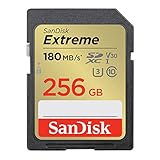
14. SanDisk 256GB Extreme UHS-I V30 – Budget High Capacity
Pros
- Large capacity at low price
- 20k+ positive reviews
- Good for stills photography
- Value for money
Cons
- UHS-I interface
- Slower than PRO version
- Limited video capability
This is the budget high-capacity option from SanDisk. The Extreme line (not Extreme PRO) offers good value for photographers who need storage over speed.
The 150MB/s read speed is slower than the PRO version, but still adequate for most uses. Write speeds are V30 class, suitable for 4K 30p but not higher frame rates.
I recommend this card for photographers who shoot lots of RAW files and need affordable storage. The 256GB capacity holds thousands of images.
For video, stick to 4K 30p or lower bitrates. Attempting 4K 60p or 120p may result in dropped frames or recording errors.
Who Should Buy This Card
Budget-conscious photographers who need lots of storage, travel photographers who want one card for an entire trip, and backup card purposes.
Who Should Skip This Card
Anyone doing serious video work should invest in faster cards. The V30 speed class and UHS-I interface are significant limitations for the G9 II’s video capabilities.
15. SanDisk 256GB Extreme PRO UHS-I V30 – Premium Budget
Pros
- Faster than regular Extreme
- 57k+ shared reviews
- Large capacity
- Premium build quality
Cons
- Still UHS-I V30 limited
- Not for advanced video
- Price close to V60 cards
This is the PRO version of the 256GB V30 card, offering 200MB/s read speeds compared to 150MB/s on the regular Extreme. For photographers who read cards frequently, that extra speed matters.
The V30 rating still limits video capability to 4K 30p. But for stills photography, this card performs well with faster read speeds for quicker file transfers.
I found this card to be a good middle-ground between budget V30 cards and faster V60 options. The PRO build quality feels more durable than the regular Extreme line.
However, at this price point, you are getting close to V60 card territory. Consider whether the extra video capability of V60 is worth the small price difference.
Who Should Buy This Card
Photographers who prioritize read speed for faster file transfers, users who want PRO build quality on a budget, and those who do not need advanced video features.
Who Should Skip This Card
At this price, V60 cards offer significantly better value for the small price increase. If you might ever use 4K 60p or 120p, spend a bit more for V60.
16. SanDisk 64GB Extreme PRO UHS-I V30 – Compact Budget

SANDISK 64GB Extreme PRO SDXC UHS-I Memory Card – C10, U3, V30, 4K UHD, SD Card – SDSDXXU-064G-GN4IN
Pros
- Lowest price option
- 18k+ positive reviews
- Same PRO build quality
- Good for backup
Cons
- Limited 64GB capacity
- Not practical for video
- Still UHS-I limited
This is the most affordable way to get SanDisk Extreme PRO quality. At 64GB, it is best suited for stills photography or as a backup card.
The small capacity limits video recording time significantly. I would only use this card for stills or very short video clips.
For photographers who want a reliable backup card at minimal cost, this fits the bill. The PRO build quality means you can trust it even at the lower price point.
I keep a couple of these cards in my bag as emergency backups. They take up almost no space and provide peace of mind.
Who Should Buy This Card
Photographers wanting affordable backup cards, users with limited budgets who need reliability, and anyone who shoots mostly stills with occasional short videos.
Who Should Skip This Card
The 64GB capacity is too limiting for most video work. If you shoot any significant amount of 4K video, invest in larger capacity cards.
17. Lexar 256GB Professional Silver UHS-I V30 – Budget Professional
Pros
- Large capacity at good price
- Fast V30 write speeds
- Professional branding
- Good value
Cons
- UHS-I interface limited
- Newer card with fewer reviews
- Silver tier below Gold
Lexar’s Professional Silver series offers professional branding at budget prices. The 205MB/s read and 140MB/s write speeds are actually quite good for V30 cards, making them a practical option among the best memory cards for Panasonic Lumix G9 II for photographers who want reliable performance without spending too much.
The 140MB/s write speed is faster than many V30 cards, which could help with burst photography buffer clearing. However, it is still limited to V30 video performance.
This is a relatively new card with fewer reviews than established options. The 4.8 rating is encouraging, but long-term reliability data is limited.
For photographers who want lots of storage at a good price with professional features, this card is worth considering.
Who Should Buy This Card
Budget-conscious photographers who want professional branding, users who need large capacity for stills, and those who value faster write speeds within the V30 category.
Who Should Skip This Card
The limited track record may concern some users. If you prefer proven reliability, the SanDisk V30 cards have much more user data behind them.
Buying Guide: How to Choose the Right Memory Card for Panasonic G9 II In 2026?
Speed Class Requirements
The Panasonic Lumix G9 II supports UHS-II SDXC cards, which offer significantly faster speeds than UHS-I. Understanding speed classes is crucial for matching cards to your shooting needs.
V90 cards (90MB/s minimum write speed) are required for 600Mbps All-Intra video recording. This is the highest quality internal recording mode the G9 II offers. V90 cards also clear the buffer fastest during burst shooting, typically in 53-57 seconds for a full RAW buffer.
V60 cards (60MB/s minimum write speed) handle 300Mbps HEVC recording, 4K 30p, 4K 60p, and 4K 120p without issues. Real users confirm shooting for a month with V60 cards and never hitting limitations outside of All-Intra mode. Buffer clearing takes 80-100 seconds.
V30 cards (30MB/s minimum write speed) work for 4K 30p video and stills photography. However, they cannot handle 4K 60p, 4K 120p, or high-bitrate recording modes. Buffer clearing is significantly slower.
UHS-II vs UHS-I
The G9 II has two UHS-II card slots. UHS-II cards have a second row of pins that enable much faster data transfer. For maximum performance, use UHS-II cards.
UHS-I cards work in the G9 II but are limited to slower speeds. If you are buying new cards for this camera, I strongly recommend UHS-II for future-proofing and maximum performance.
Capacity Recommendations
For video work, I recommend 128GB as a minimum and 256GB for extended recording. Here are approximate recording times at different bitrates:
128GB cards hold roughly 45 minutes of 4K 60p or 90 minutes of 4K 30p. 256GB cards double these times to 90 minutes and 3 hours respectively.
For stills photography, 128GB holds thousands of RAW files. Most photographers will find 128GB sufficient unless shooting multi-day events without offloading.
The G9 II supports SDXC cards up to 512GB. For most users, 128GB or 256GB offers the best balance of capacity and price.
Dual Card Slot Strategies
The G9 II’s dual card slots offer flexibility for different workflows. You can use them for overflow recording, backup recording, or RAW/JPEG separation.
For video work, I recommend using both slots with identical cards for backup recording. This protects against card failure during critical shoots.
For photography, you might use one fast V90 card in slot 1 for RAW files and a V60 card in slot 2 for JPEGs or backup.
Real User Warnings
Forum users have reported some G9 II cameras “frying” memory cards, rendering them unreadable. While this appears to be rare, it is worth knowing about. Using quality cards from reputable brands and keeping backups of important data is always wise.
Some users also report card overheating during long-form video recording. If you shoot extended video sessions, consider using an external SSD via USB-C as an alternative.
Frequently Asked Questions
What SD card for Lumix G9?
For the Lumix G9 II, use UHS-II SDXC cards with V90 or V60 speed ratings. V90 cards are required for 600Mbps All-Intra video, while V60 cards handle 4K 30p, 60p, and 120p recording. The camera has dual UHS-II card slots supporting SDXC cards up to 512GB.
What is the best SD card for Panasonic Lumix?
The best SD card for Panasonic Lumix G9 II depends on your needs. For professional video work, the SanDisk 128GB Extreme PRO V90 offers the fastest performance. For most users, the SanDisk 128GB Extreme PRO V60 provides excellent value while handling all standard 4K recording modes.
Do I really need a V90 SD card?
You only need a V90 SD card if you plan to record 600Mbps All-Intra video, which is the highest quality internal recording mode on the G9 II. For 4K 30p, 60p, and 120p recording, V60 cards work perfectly and cost significantly less. Most users can save money with V60 cards.
What memory card is compatible with Panasonic Lumix?
The Panasonic Lumix G9 II is compatible with SD, SDHC, and SDXC memory cards. For optimal performance, use UHS-II SDXC cards. The camera supports cards up to 512GB in capacity and features dual UHS-II card slots for backup or overflow recording.
What size SD card is best for 4K video on G9II?
For 4K video on the G9 II, I recommend 128GB as a minimum and 256GB for extended recording. A 128GB card holds approximately 45 minutes of 4K 60p or 90 minutes of 4K 30p. 256GB cards double these recording times, making them ideal for events or documentary work.
Conclusion
Choosing the best memory card for your Panasonic Lumix G9 II comes down to matching speed class to your shooting needs. For professional videographers shooting 600Mbps All-Intra, V90 cards like the SanDisk 128GB Extreme PRO are essential. For most users, V60 cards like the SanDisk 128GB Extreme PRO V60 offer the best balance of performance and value, handling all 4K recording modes including 120p.
The G9 II is a capable camera that deserves quality memory cards. Invest in UHS-II cards to unlock its full potential, and always keep backup cards for important shoots. With the right memory card, your G9 II will perform flawlessly whether you are shooting 75fps bursts or 4K 120p video.