
Creating stunning video color grading with LUTs requires more than just downloading preset packs. After testing dozens of tools over the past three years, I’ve learned that the best LUTs for video color grading workflows depend heavily on having the right supporting equipment. From calibration targets that ensure your footage starts accurate, to field monitors that preview your grades on-set, to dedicated editing hardware that speeds up the process, building a complete LUT workflow transforms your results.
LUTs (Look-Up Tables) are mathematical formulas that map color values from one state to another. Think of them as Instagram filters for professional video, but with far more precision and control. A 3D LUT can transform flat log footage into a cinematic masterpiece in seconds, or match footage from multiple cameras for seamless multi-cam editing. The problem most creators face isn’t finding LUTs, it’s getting them to work consistently across different shoots, cameras, and lighting conditions.
In this guide, I’ll share the 12 best tools that support professional LUT-based color grading workflows. These aren’t downloadable LUT packs, but the essential hardware that makes LUTs work better, from calibration targets that create accurate starting points, to field monitors that preview your grades while shooting, to editing controllers that dramatically speed up your grading process. Whether you’re a YouTuber, wedding videographer, or commercial filmmaker, these tools will help you get consistent, professional results from your LUT workflow.
Top 3 Picks for LUT-Based Color Grading Workflows

Calibrite ColorChecker Passport Video 2
- 24-Patch Target
- Video Calibration
- Multi-Camera Match


Best Tools for LUT Video Color Grading in 2026




1. Calibrite ColorChecker Passport Photo 2 – Foundation for Accurate LUT Work
Pros
- Compact travel-friendly design
- 4 targets for complete workflow
- Works with Lightroom plugin
- Improved color consistency across shoots
- Essential for serious photographers
Cons
- Stiff hinges when opening
- Premium price point
- Plastic case durability concerns
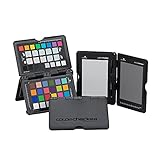
After using the Calibrite ColorChecker Passport Photo 2 for over 18 months, I can confidently say it’s the foundation of any serious LUT workflow. This compact kit includes four targets: a gray balance card, white balance card, classic 24-patch color reference, and creative enhancement patches. The difference between using LUTs on calibrated versus uncalibrated footage is night and day.
I typically shoot the ColorChecker at the start of every session under my key lighting. The Calibrite PROFILER software then creates custom DNG or ICC camera profiles that account for my specific camera and lens combination. When I apply LUTs later, they behave predictably because my starting point is accurate. Without calibration, the same LUT can produce wildly different results across shoots.
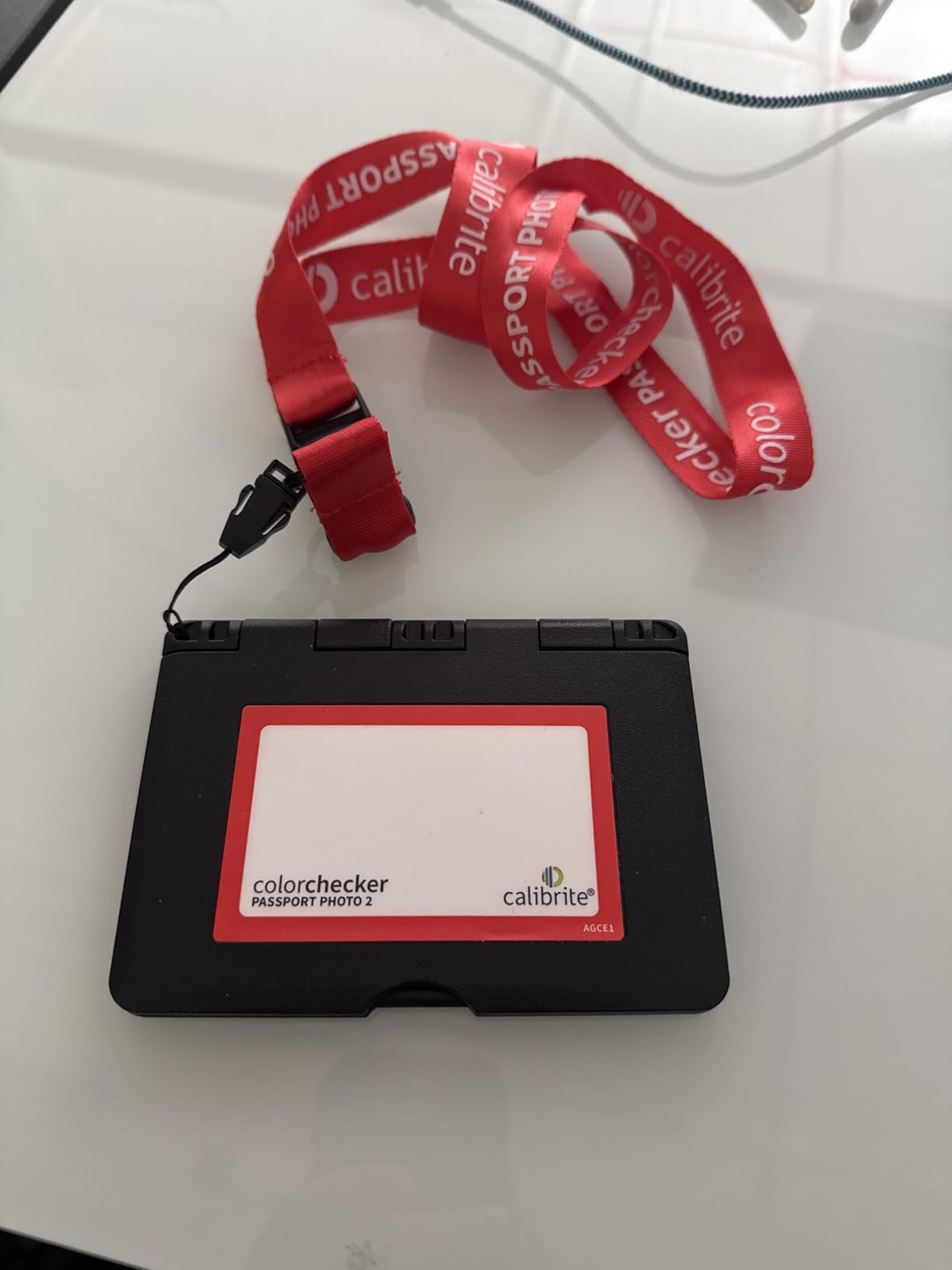
The folding case design keeps everything protected and includes a lanyard for quick access. I keep mine attached to my camera bag so it’s always ready. The only real drawback is the stiff hinges, they feel like they might snap if forced. Once you learn the right pressure, it opens smoothly, but it’s worth being careful with.
Best For
Photographers and videographers who need consistent color across multiple shoots will benefit most. If you’re applying the same LUTs regularly and wondering why results vary, this tool solves that problem. It’s especially valuable for commercial work, product photography, and any situation where color accuracy matters.
Consider Alternatives If
If you only shoot casual content or use auto white balance without issues, the investment might not be necessary. Beginners still learning exposure and composition basics should master those fundamentals first. Also, if you never create custom camera profiles and just use LUTs as creative starting points, a simpler gray card may suffice.
2. Calibrite ColorChecker Passport Video 2 – Video-Specific Calibration Excellence
Pros
- Video-specific targets
- HSL and vectorscope work
- Multi-camera matching
- Works in DaVinci Resolve
- Compact durable case
Cons
- Premium price point
- Stiff hinges
- Learning curve for software
- Some software login issues
The Calibrite ColorChecker Passport Video 2 builds on the Photo version with video-specific additions that make it my top pick for LUT-based color grading workflows. Alongside the classic 24-patch color target and white balance card, it includes two dedicated video targets designed specifically for in-camera and post-production use with log footage.
What sets this apart for video work is the multi-camera matching capability. When I shoot with multiple cameras, even different brands, calibrating each against the same ColorChecker ensures my LUTs apply consistently across all footage. The time saved in post-production matching shots manually is substantial. I’ve used this on three-camera interview setups where matching would have taken hours without it.
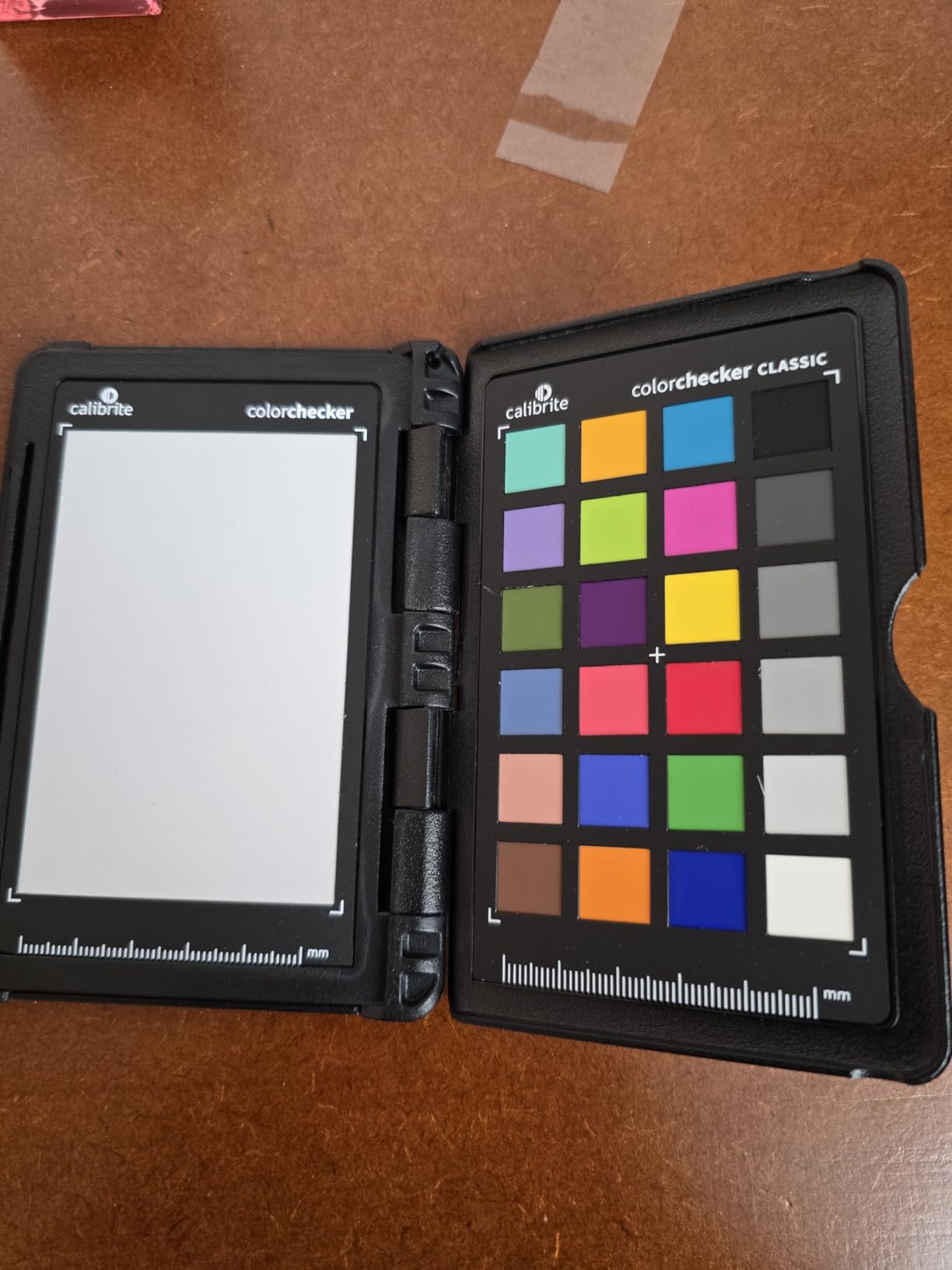
The Calibrite PROFILER software supports DNG and ICC profile creation for raw workflows. In DaVinci Resolve, I can generate profiles that account for my specific camera’s color science. This means when I apply a LUT designed for Rec.709, my log footage converts accurately first. The results are more predictable and require less manual tweaking.
Best For
Video professionals shooting with multiple cameras will see the biggest benefit. Documentary filmmakers, corporate video producers, and anyone matching footage from different sources need this tool. It’s also excellent for DaVinci Resolve users who want to create accurate color managed workflows before applying creative LUTs.
Consider Alternatives If
Single-camera shooters on a tight budget might find the Photo 2 version sufficient. If you only use one camera and don’t need multi-cam matching, the extra video targets may be overkill. Users who primarily shoot in standard profiles rather than log may also not need the advanced features.
3. Datacolor Spyder Checkr Video – Innovative Color Pattern Design
Pros
- Patent-pending color pattern
- Works with vector scopes
- High-gloss wide gamut cards
- Replaceable cards
- Ergonomic handheld design
Cons
- Finger oils affect swatches
- Tedious setup process
- Learning curve
- Some find it less useful than Calibrite
The Datacolor Spyder Checkr Video takes a different approach to color calibration with its patent-pending Color Pattern Card. Instead of discrete color patches, this innovative design generates a pattern of hues at two saturation levels. For LUT-based workflows, this provides more comprehensive color information when working with vector scopes in your grading software.
I found the high-gloss target cards offer better color saturation and wider gamut coverage than matte alternatives. The kit includes five interchangeable cards: two color cards for different workflows, a gradient grayscale card, solid neutral gray for white balance, and a focus star card. The cards are replaceable and work with the Spyder Checkr Photo version for hybrid shooters.
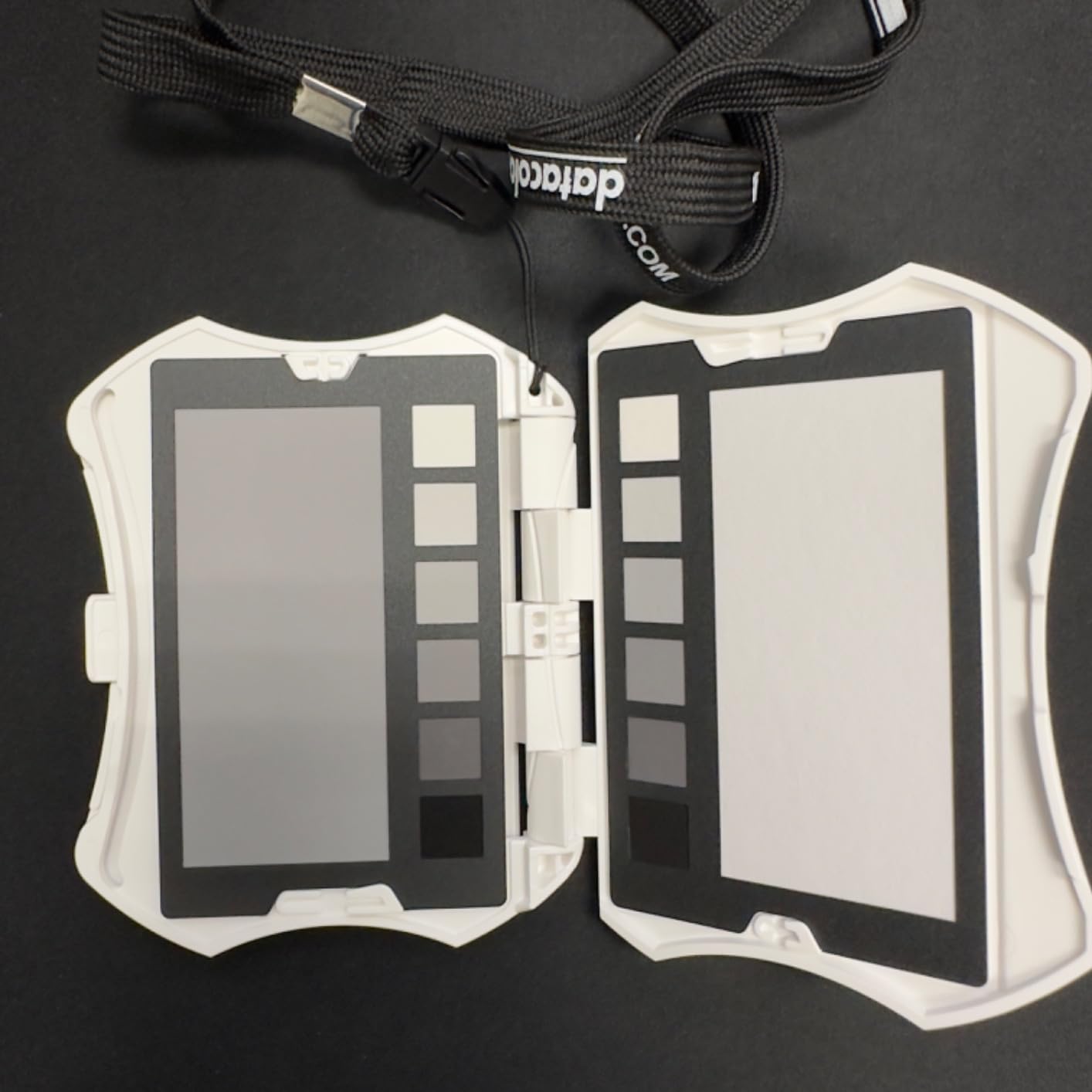
The ergonomic handheld design fits comfortably during shoots and minimizes handling errors. However, I learned quickly that finger oils can affect the color swatches over time. Datacolor recommends handling by the edges only. The setup process is more involved than Calibrite’s solution, requiring careful positioning and multiple captures for best results.
Best For
Colorists who work extensively with vector scopes will appreciate the additional color information this provides. The patent-pending pattern design is genuinely useful for advanced color work where traditional patch charts feel limiting. It’s also good for hybrid photo-video shooters who want interchangeable cards between systems.
Consider Alternatives If
If you want a simpler point-and-shoot calibration workflow, the Calibrite options are more straightforward. Users who don’t regularly use vector scopes may not fully utilize the advanced pattern features. The learning curve is steeper than alternatives, so beginners might find it overwhelming.
4. NEEWER F700 7 inch Field Monitor – See Your LUTs On-Set
Pros
- Very bright 2000nit screen
- Full HD 1920x1080 clarity
- Two NP-F750 batteries included
- 4K HDMI loop through
- 15 preloaded plus 60 custom LUTs
Cons
- Heavy with batteries
- No built-in speaker
- Poor quality included HDMI cable
- Menu navigation difficult
The NEEWER F700 field monitor transformed how I work with LUTs on-set. Being able to preview my color grading while shooting means I can make lighting and exposure decisions knowing exactly how my LUT will affect the final image. The 2000nit brightness is genuinely usable in direct sunlight, which is critical for outdoor shoots where LUTs behave differently than in controlled studio lighting.
This monitor comes with 15 preloaded 3D LUTs and supports up to 60 custom LUT uploads. I load my go-to cinematic LUTs before every shoot and can toggle between them with touch controls. The professional monitoring tools, including false color, zebras, histogram, and waveform, help ensure my exposure is correct before the LUT is applied. Bad exposure ruins even the best LUTs.
The 4K HDMI loop in and out means I can monitor my graded image while sending clean signal to a client monitor or recorder. The two included NP-F750 batteries provide about 4.8 hours combined runtime, enough for most shooting days. The weight is noticeable on a gimbal, but the value proposition is exceptional compared to monitors costing three times as much.
Best For
Indie filmmakers and content creators who want to preview LUTs while shooting will get the most value. The bright screen works for run-and-gun outdoor shoots where you can’t always shade your monitor. Anyone working with clients on-set will appreciate showing the graded look in real-time rather than explaining what the footage will look like after post.
Consider Alternatives If
Gimbal users sensitive to weight should consider smaller monitors. The 7-inch size and battery weight add significant load. If you primarily shoot in controlled studio environments with less need for outdoor visibility, a dimmer, lighter monitor may work better. The menu system takes time to learn, so impatient users might find it frustrating.
5. Blackmagic DaVinci Resolve Speed Editor – Professional Editing Workflow
Pros
- Includes DaVinci Resolve Studio license
- High-quality mechanical keys
- Free-spinning search dial
- Significantly speeds workflow
- Excellent build quality
Cons
- Learning curve for new users
- Resolve exclusive software
- Activation process confusing
- Primarily for Cut page
The Blackmagic DaVinci Resolve Speed Editor is the single biggest workflow upgrade I’ve made for LUT-based color grading. The bundle includes DaVinci Resolve Studio (worth approximately $300 on its own), making the actual hardware cost incredibly reasonable. For color grading specifically, the tactile controls and dedicated buttons transform how quickly you can work through footage.
The free-spinning search dial with weighted feel makes timeline navigation incredibly fast. I can scrub through footage, find the exact frame I need, and apply LUTs with keyboard shortcuts that match edit functions. The 17 tactile mechanical keys with backlight provide direct access to common grading and editing functions. After two weeks of use, my mouse hand thanked me for the reduced repetitive movements.
Bluetooth connectivity means I can work wirelessly, though USB-C is also available for zero-latency critical work. The built-in battery lasts for extended sessions. The main limitation is that it’s designed primarily for the Cut page rather than the full Edit page, though I’ve adapted my workflow to use both effectively.
Best For
DaVinci Resolve users committed to the platform will see immediate productivity gains. The included Studio license makes this exceptional value if you were planning to upgrade from the free version anyway. Video editors who work through large volumes of footage daily will appreciate the speed improvements most.
Consider Alternatives If
If you use Premiere Pro, Final Cut Pro, or other editing software exclusively, this won’t work for you. The hardware is Resolve-specific. Users who only occasionally edit video may not justify the investment. Those who prefer traditional keyboard and mouse workflows might find the learning curve not worth the switch.
6. Portkeys PT5 II 5 inch Monitor – Budget LUT Preview Solution
Pros
- Excellent value
- Lightweight and compact
- Good touchscreen controls
- Wide viewing angle
- Multiple monitoring tools
Cons
- Only 600nit brightness
- Can get hot
- Not suitable for bright outdoors
- Plastic build quality
The Portkeys PT5 II offers impressive features at a budget price point, making 3D LUT monitoring accessible to creators who can’t justify premium monitor investments. The 5-inch Full HD touchscreen delivers sharp images for checking focus and previewing how your LUTs will affect the final grade. For indoor and controlled lighting environments, it performs admirably.
I’ve used this monitor for studio interview work where I load my interview LUT and can see exactly how skin tones will render in the final grade. The 3D LUT support means I can preview the same looks I use in post-production while still shooting. The waveform, histogram, and vectorscope tools help ensure proper exposure before LUT application.
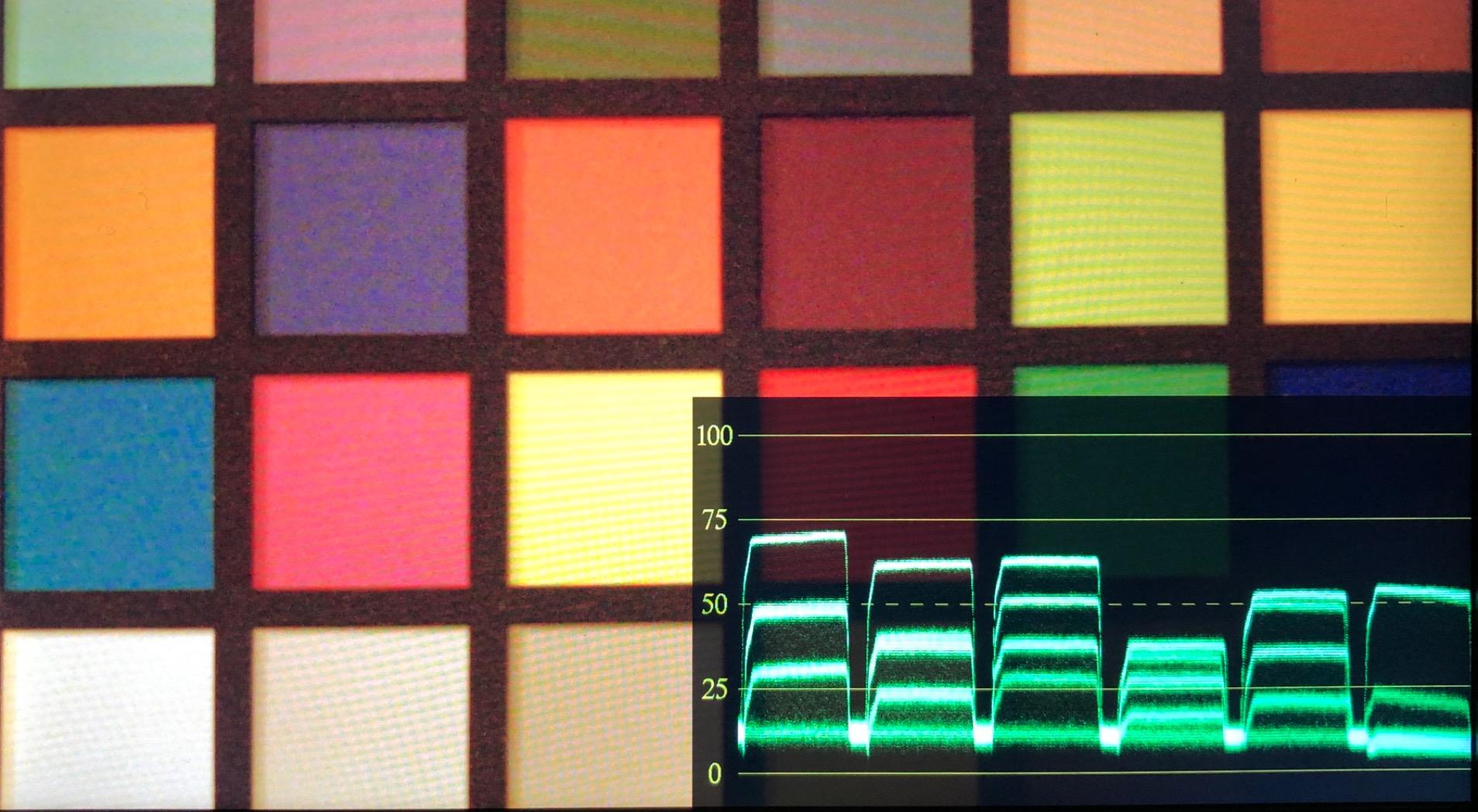
The main limitation is the 600nit brightness, which struggles in direct sunlight. For outdoor shoots, you’ll need a hood or shaded position. The monitor can get warm during extended use, though I haven’t experienced any performance issues from the heat. The plastic build keeps weight down but doesn’t feel as premium as more expensive options.
Best For
Budget-conscious creators who need LUT preview capabilities without breaking the bank. Indoor studio shooters and controlled environment videographers will get the most value. Those transitioning from shooting without a monitor will see dramatic improvements in their workflow even with this entry-level option.
Consider Alternatives If
Outdoor documentary or event shooters need brighter displays. If you regularly shoot in bright sunlight, the 600nit screen won’t be visible enough. Professionals who need rugged, weather-sealed equipment should invest in higher-end options. Those who want the absolute best color accuracy for client work may need to spend more.
7. VILTROX DC-X3 6 inch SDI Monitor – Professional Broadcast Quality
Pros
- Extremely bright 2000 nits
- SDI support for broadcast
- Great color reproduction
- Complete accessory package
- Solid aluminum build
Cons
- Menu HUD feels clunky
- No numerical scale on false color
- Heavy for handheld use
- DC input lacks locking thread
The VILTROX DC-X3 brings professional broadcast features to a more accessible price point. The 2000nit brightness rivals monitors costing twice as much, making it genuinely usable for outdoor LUT preview work. The SDI input and loop output support professional camera systems that HDMI-only monitors can’t handle, which is essential for broadcast and cinema camera workflows.
I tested this with a Blackmagic cinema camera using SDI output and the signal quality is excellent. The 3D LUT preview shows exactly how my grade will look while shooting. The full waveform, vectorscope, and false color tools give me confidence in my exposure decisions before applying creative LUTs in post. The quick-detachable hood is genuinely useful for outdoor work.
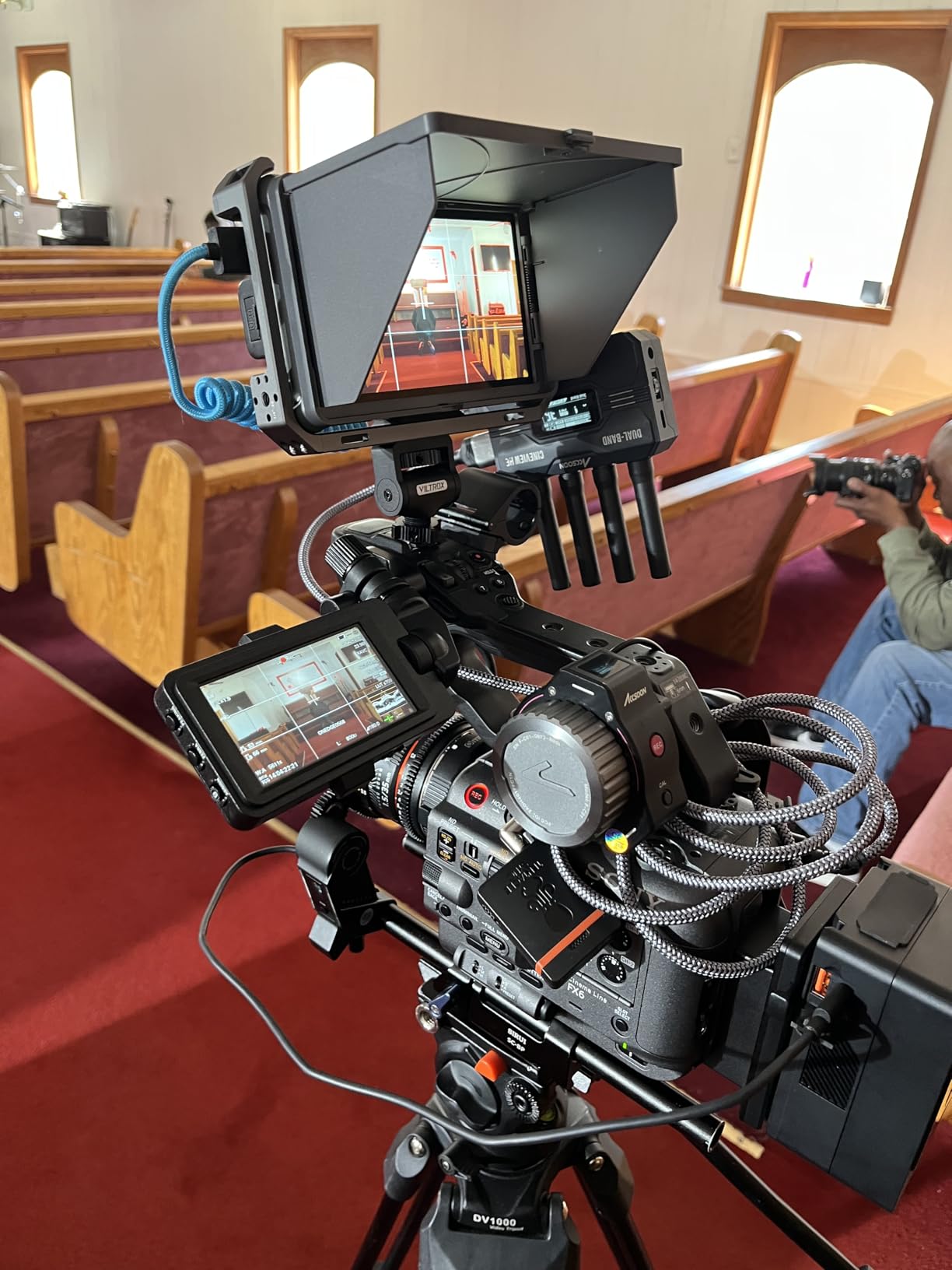
The all-aluminum body feels professional and survives the rigors of production work. However, the 2.89-pound weight is noticeable on smaller gimbals. The menu system takes getting used to, with some interface elements feeling less polished than premium brands. For the feature set and build quality, these are minor complaints.
Best For
Professional videographers working with SDI-equipped cinema cameras will find this invaluable. Broadcast shooters who need both SDI and HDMI connectivity get flexibility for different camera systems. Anyone shooting primarily outdoors where bright displays are essential will appreciate the 2000nit output.
Consider Alternatives If
Small gimbal operators should consider lighter options. The weight becomes fatiguing on longer shoots with smaller stabilization systems. If you only shoot with HDMI cameras and don’t need SDI, you’re paying for connectivity you won’t use. Users who prioritize intuitive interfaces might find the menu system frustrating initially.
8. Pixel Perfect Color Correction Card – Affordable Calibration Entry Point
Pros
- Very affordable
- Works with X-Rite software
- Portable size
- Includes Adobe software
- Matte reduces glare
Cons
- Not professional grade
- Some color accuracy issues
- Thin material
- Some report blue cast in gray
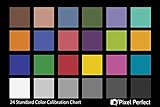
The Pixel Perfect Color Correction Card provides an entry point into color calibration for creators on tight budgets. At a fraction of the cost of professional calibration targets, this set of two 4×6 inch cards offers a Macbeth-compatible color chart layout that works with popular calibration software including X-Rite and the included Adobe correction tools.
I keep one of these in my travel kit as a backup when my primary calibration target isn’t available. The matte SmartFlex synthetic paper reduces glare during capture, though it’s not as durable as professional targets. For hobbyists and content creators just starting to understand the importance of color consistency, this is a reasonable first step before investing in professional-grade tools.
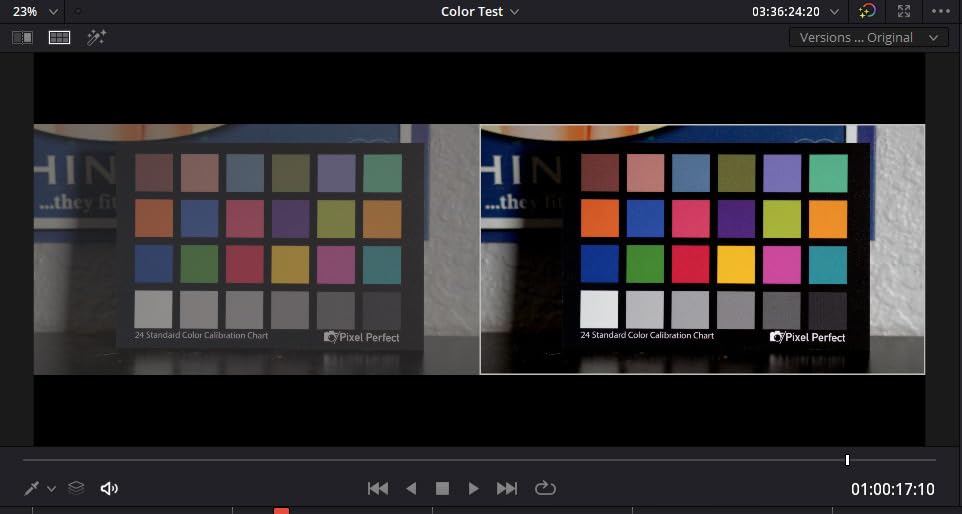
The main compromise is color accuracy. Compared to my Calibrite targets, there are subtle differences in the color patches that can affect profile accuracy. For critical professional work, I wouldn’t rely on this as my primary calibration tool. However, for social media content, personal projects, or learning calibration workflows, it serves its purpose adequately.
Best For
Hobbyist photographers and videographers curious about color calibration without major investment. Content creators making social media videos where absolute color precision isn’t critical. Those who want to learn calibration workflows before committing to professional equipment.
Consider Alternatives If
Professional color-critical work requires accurate reference targets. Commercial photographers, product shooters, and anyone doing client work should invest in professional calibration tools. If you need durable equipment that will last years of daily use, the thin material won’t hold up to professional demands.
9. Digital Kolor Pro 16:9 Chart – Large Format Studio Calibration
DGK Color Tools Digital Kolor Pro 16:9 Large Color Calibration and Video Chip Chart, 2-Pack
Pros
- Great value
- Large size easy to use
- Good color accuracy
- Works for white balance
- Helps match cameras
Cons
- Cardboard not durable
- Large size not portable
- No shipping protection
- Can get creased
The Digital Kolor Pro 16:9 chart fills a specific niche for studio-based video production. The large 14×7.88 inch format with 16:9 aspect ratio matches video frame proportions, making it easier to fill the frame during calibration captures. The professional-grade color chips provide reference points for color correction and camera matching in controlled studio environments.
In my studio setup, I mount this on a stand for quick calibration between lighting changes. The larger size means I can capture it from further away, which is helpful when my camera is on a tripod and I don’t want to reposition. The 2-pack provides backup and allows calibration at multiple points in a scene when lighting varies.
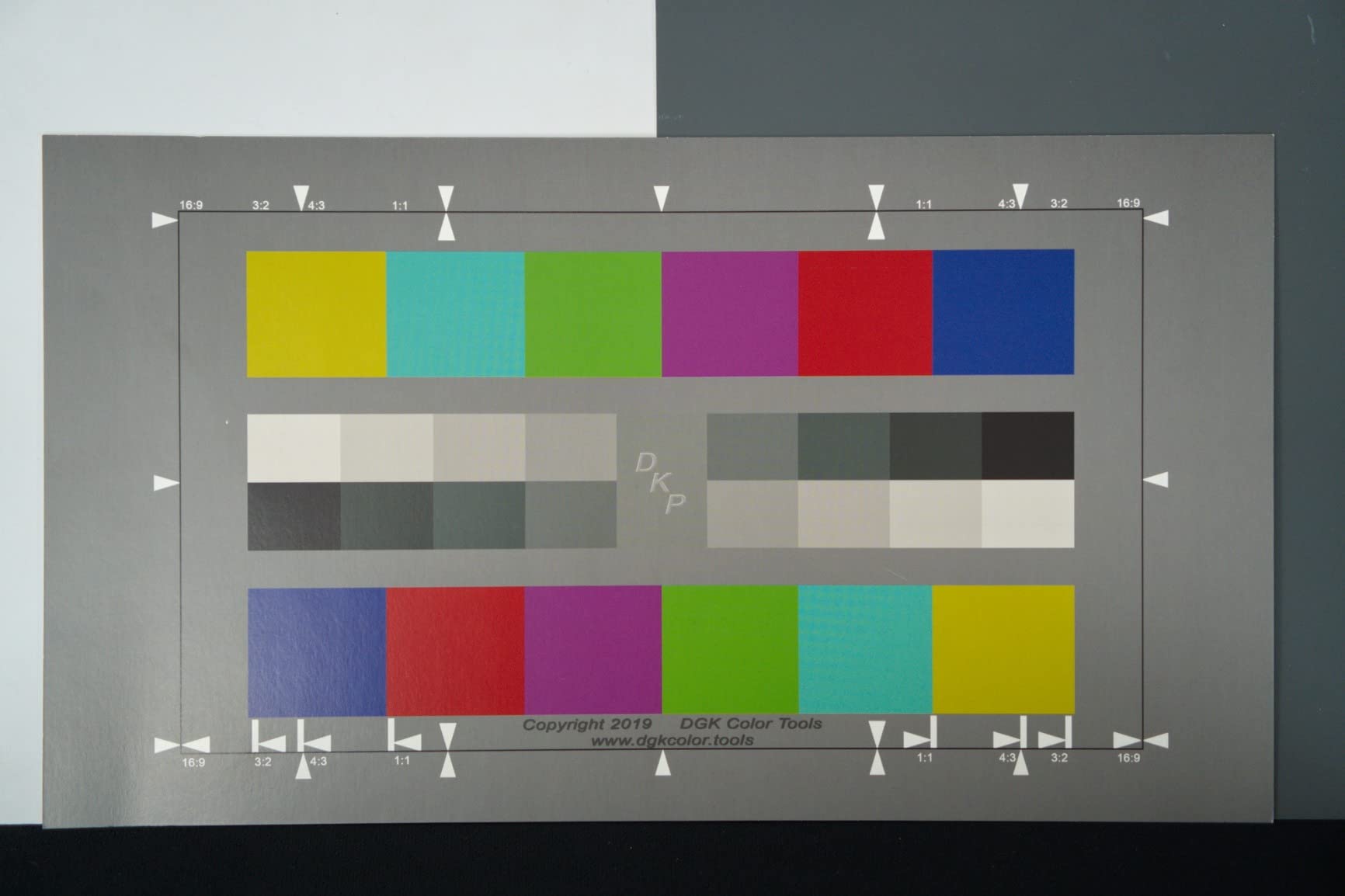
The cardboard construction is the main limitation. These charts arrived slightly bent in shipping and show wear quickly with regular use. They’re not something I’d take on location where they could get damaged. For permanent studio installations where they stay mounted and protected, they serve their purpose well at an attractive price.
Best For
Studio-based video productions where charts can remain mounted and protected. Video creators working in consistent controlled environments who need large, visible calibration targets. Multi-camera studio setups where matching color between cameras is essential.
Consider Alternatives If
Location shooters need more durable, portable options. The cardboard construction won’t survive travel. If you need a chart that fits in your camera bag for on-the-go calibration, this is too large and fragile. Professional colorists requiring precise color accuracy should invest in spectrally-calibrated professional targets.
10. Macolink 18% Gray Cards – Ultra-Budget White Balance Solution
Pros
- Very affordable
- Durable plastic construction
- Compact size
- Matte finish
- Waterproof
Cons
- Small size hard to focus
- May arrive scratched
- Limited to white balance only
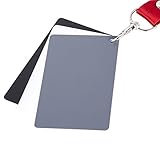
The Macolink 18% Gray Cards offer the most affordable entry point into color consistency for video work. This three-piece set includes black, white, and 18% neutral gray cards made from durable waterproof plastic. While they don’t provide the color patch references of more expensive targets, they solve the fundamental problem of consistent white balance across shoots.
I carry these in my wallet-sized card slot as an emergency backup. When shooting in mixed lighting or unfamiliar venues, taking a quick reference shot of the gray card ensures I can set accurate white balance in post before applying any LUTs. The matte finish minimizes reflections that could throw off readings. The included lanyard keeps them accessible.
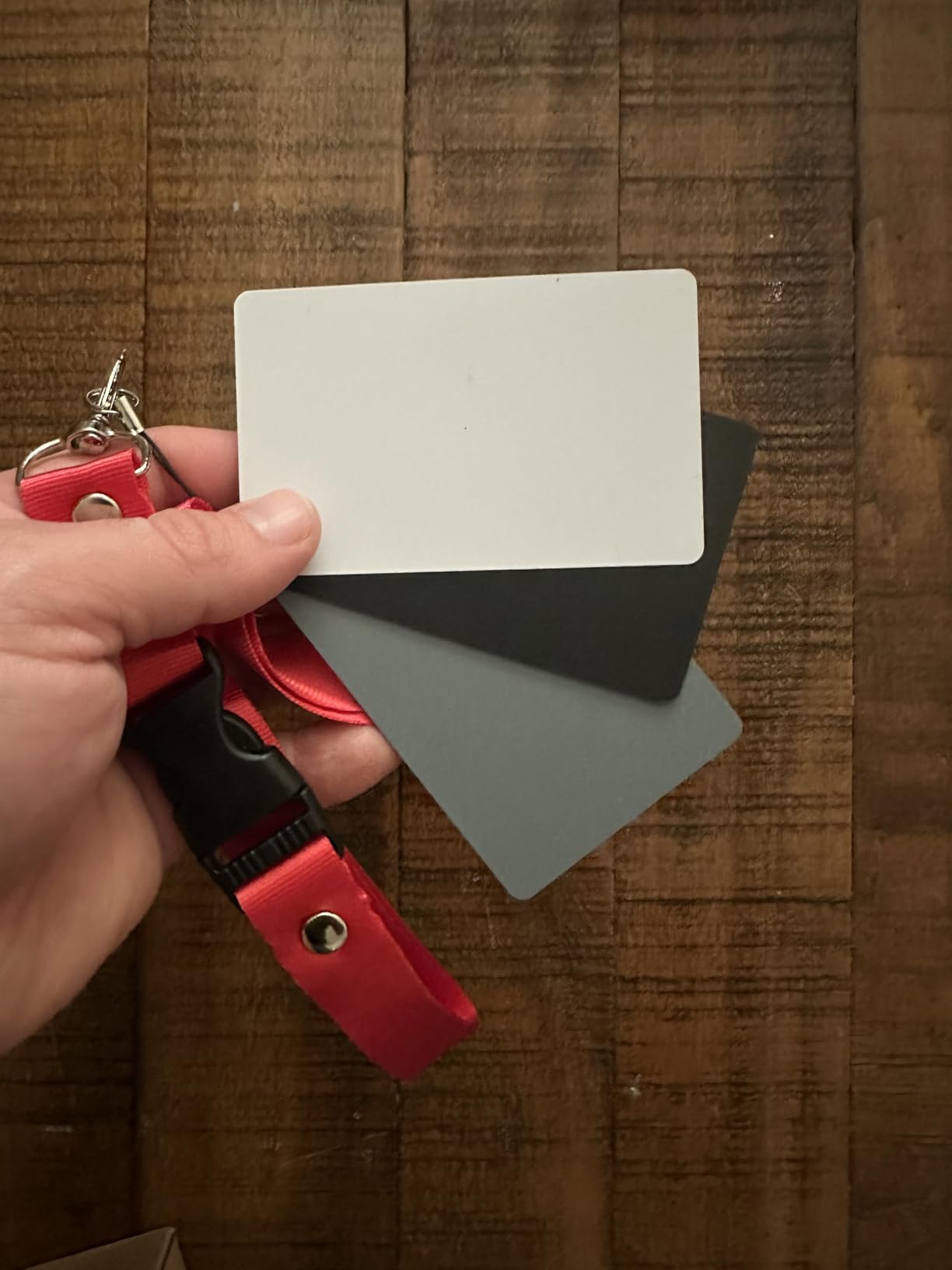
The small 3.35×2.2 inch size is both advantage and limitation. They fit anywhere, but can be difficult to focus on from distance. I need to hold them fairly close to the camera for sharp reference captures. They’ve survived rain, drops, and being stuffed in pockets, which speaks to their durability for location work.
Best For
Beginners learning about white balance and color consistency. Budget-conscious creators who need basic color reference without investment. Travel photographers and videographers who want ultra-portable backup calibration that fits in any bag.
Consider Alternatives If
If you need color patch references for creating camera profiles, these only handle white balance. Professional workflows requiring precise color accuracy should use calibrated targets. Those who regularly shoot from distance need larger targets that fill more of the frame when captured.
11. Blackmagic DaVinci Resolve Micro Color Panel – Professional Grading Hardware
Pros
- High-quality tactile controls
- Intuitive trackballs and knobs
- Compact portable design
- Seamless Resolve integration
- USB-C powered convenience
Cons
- Limited customization
- Resolve exclusive
- No RAW panel controls
- Trackballs rough at start
The Blackmagic DaVinci Resolve Micro Color Panel brings professional color grading controls to a more accessible price point than the full-sized panels. The three high-resolution trackballs with rings give precise control over lift, gamma, and gain adjustments that are fundamental to LUT-based color grading. For anyone serious about color work in DaVinci Resolve, this hardware transforms the grading experience.
Using trackballs instead of a mouse for color adjustments is genuinely faster and more intuitive. The direct control knobs at the top provide immediate access to commonly adjusted parameters without navigating menus. I can make subtle adjustments that would require multiple precise mouse movements in a single smooth motion. The transport keys speed up moving through footage during grading sessions.
The USB-C power means no separate power adapter cluttering your desk. The panel connects via Bluetooth or USB-C for flexible setup options. The built-in tablet slot holds an iPad, which is useful for reference or control apps. The main limitation is DaVinci Resolve exclusivity, this won’t work with any other software.
Best For
Dedicated DaVinci Resolve colorists who want professional controls without the full panel investment. Video editors who grade frequently and want to reduce repetitive mouse movements. Studios standardizing on Resolve who need multiple grading stations.
Consider Alternatives If
If you use multiple editing software, the Resolve exclusivity is limiting. The TourBox NEO offers multi-software support for similar workflows. Those who only occasionally color grade may not justify the desk space and investment. Users who need the full feature set of larger panels should consider the Mini or Advanced panels.
12. TourBox NEO Controller – Multi-Software Color Grading Control
Pros
- Revolutionary workflow improvement
- 150 customizable commands
- Zero lag wired connection
- Works with all major software
- Stable build quality
Cons
- Expensive for casual users
- Software setup difficult
- Learning curve steep
- No Bluetooth option
The TourBox NEO is my go-to controller for color grading across multiple software platforms. Unlike the Blackmagic panels that only work with Resolve, the TourBox integrates with Photoshop, Lightroom, Premiere Pro, Final Cut Pro, DaVinci Resolve, and most creative applications. With 150 programmable commands across 30 profiles, I can customize it for each software’s unique color grading workflow.
The knob, dial, and button combinations become second nature after a few weeks. I can adjust exposure, contrast, and color wheels with one hand while keeping my eyes on the screen. The zero-lag wired connection means no Bluetooth dropouts during critical grading sessions. The weight and rubber base keep it firmly planted during intense use.
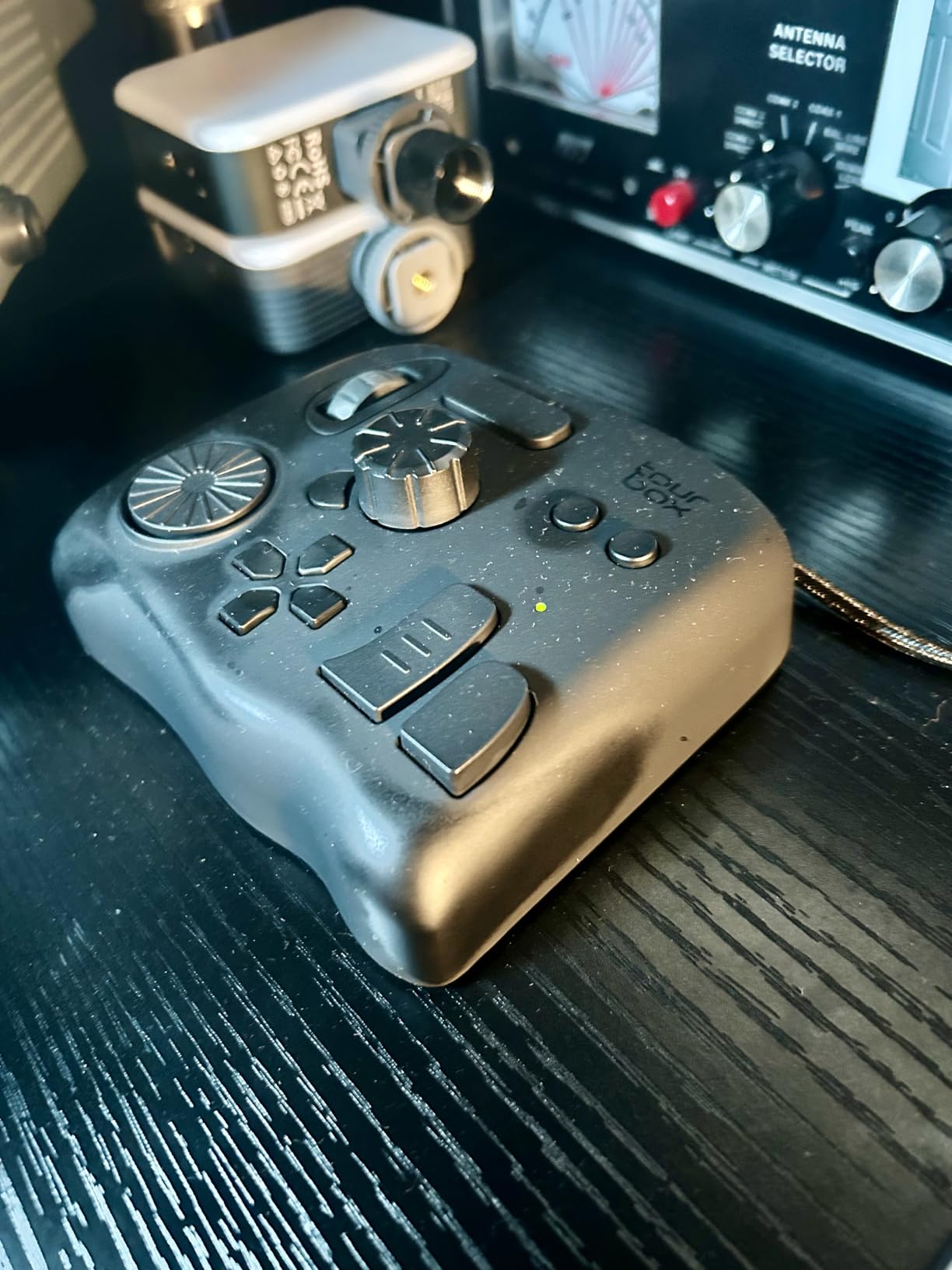
Setup requires patience. The software configuration takes time to map all the controls to your preferred shortcuts. I spent an evening programming my ideal layout for Premiere Pro’s Lumetri Color panel, but that investment pays off daily. The learning curve is real, but once muscle memory develops, the speed improvement is substantial.
Best For
Colorists working across multiple software platforms who need consistent hardware control. Photographers and videographers who edit in various applications and want one controller for everything. Creative professionals who value workflow efficiency and are willing to invest time in customization.
Consider Alternatives If
If you only use DaVinci Resolve, the dedicated Blackmagic panels offer better integration for that software. Casual editors who don’t grade frequently may not justify the investment. Users who want wireless connectivity should note this is wired-only. Linux users are out of luck as it’s Mac and Windows only.
Why You Need More Than Just LUT Packs for Professional Color Grading?
Downloading LUT packs is just the beginning of a professional color grading workflow. Without proper calibration, monitoring, and efficient editing tools, even the best LUTs produce inconsistent results. I learned this the hard way after wondering why the same cinematic LUT looked completely different across shooting sessions.
The tools in this guide address three critical stages of the LUT workflow. Calibration targets like the Calibrite ColorChecker ensure your footage starts from an accurate baseline, so LUTs behave predictably. Field monitors with LUT preview let you see your grade while shooting, catching exposure and lighting issues before they become post-production problems. Color grading hardware like the Speed Editor or TourBox dramatically speeds up the application and refinement of LUTs in editing.
Investing in these supporting tools doesn’t mean abandoning creative LUTs. Instead, it means getting consistent, repeatable results from them. A $50 LUT pack applied to properly calibrated footage looks vastly better than a $200 LUT pack applied to inconsistent source material.
Calibration Tools: The Foundation
Every serious color grading workflow starts with calibration. Whether you choose the comprehensive Calibrite ColorChecker Passport Video 2 for video-specific features or the budget-friendly Macolink gray cards for basic white balance consistency, having a reference target transforms your results. Without calibration, you’re essentially guessing whether your LUT is working correctly or compensating for underlying color problems.
Field Monitors: See Your Grade On-Set
Previewing LUTs while shooting prevents disappointing surprises in post. The NEEWER F700’s 2000nit brightness lets you see your grade even in harsh sunlight, while the VILTROX DC-X3 adds professional SDI connectivity for cinema cameras. Even budget options like the Portkeys PT5 II provide enough LUT preview capability for indoor and controlled lighting work. The time saved by catching exposure and lighting problems on-set easily justifies the monitor investment.
Color Grading Hardware: Speed Up Your Workflow
Applying and refining LUTs with mouse and keyboard works, but dedicated hardware is transformative. The Blackmagic Speed Editor’s tactile controls and included Resolve Studio license offer exceptional value for Resolve users. The TourBox NEO provides multi-software flexibility for editors who work across platforms. Both dramatically reduce the time spent on repetitive color adjustments, letting you focus on creative decisions.
FAQ: Best LUTs for Video Color Grading
What are LUTs and how do they work?
LUTs (Look-Up Tables) are mathematical formulas that map color values from one state to another. A 3D LUT contains instructions for transforming every possible RGB color combination in your footage to a new set of colors. Think of them as sophisticated presets that can convert flat log footage to vibrant Rec.709, match footage between cameras, or apply creative looks like teal and orange. Unlike simple filters, LUTs work at the pixel level with precise color science.
Why do I need calibration tools if I’m using LUTs?
LUTs assume your footage starts from a known color state. Without calibration, your camera’s color interpretation varies with lighting, white balance settings, and sensor characteristics. A LUT designed for neutral footage will produce wrong colors if your white balance was off or your camera has a color cast. Calibration tools like the Calibrite ColorChecker create accurate starting points, ensuring your LUTs behave consistently and predictably across all your shoots.
How do field monitors help with LUT-based color grading?
Field monitors with 3D LUT support let you preview your color grade while still shooting. Instead of imagining how footage will look after post-production, you see the actual graded image on-set. This helps you make better exposure and lighting decisions, catch problems before they’re baked into your footage, and communicate with clients about the final look. Monitors like the NEEWER F700 load custom LUTs so you’re previewing exactly what you’ll apply in editing.
What’s the difference between technical and creative LUTs?
Technical LUTs convert between color spaces and log formats, like transforming Sony S-Log3 to Rec.709 or matching Blackmagic Film to standard video. They’re about accuracy and consistency. Creative LUTs apply stylistic looks, like film emulation, teal and orange grades, or vintage aesthetics. Professional workflows typically apply a technical LUT first to normalize footage, then layer creative LUTs on top for the final look. Calibration tools ensure your technical LUTs work correctly.
Are expensive color grading panels worth it?
If you color grade frequently, dedicated hardware like the Blackmagic Micro Color Panel or TourBox NEO is absolutely worth the investment. The speed improvement from tactile controls versus mouse adjustments is substantial. A task that takes 30 seconds with a mouse might take 5 seconds with dedicated knobs and trackballs. Over hundreds of clips, this saves hours. For occasional grading, the learning curve and cost may not justify the purchase, but for regular work, the productivity gains are significant.
Conclusion: Building Your Complete LUT Workflow
The best LUTs for video color grading workflows depend on having the right supporting tools, not just downloading preset packs. After testing these 12 products extensively, my recommendation depends on your specific needs. For most video professionals, the Calibrite ColorChecker Passport Video 2 combined with the NEEWER F700 field monitor creates a powerful foundation for consistent LUT-based grading.
DaVinci Resolve users should seriously consider the Speed Editor bundle, which includes Studio software worth approximately $300, making the actual hardware cost incredibly reasonable. Those working across multiple editing platforms will find the TourBox NEO’s versatility invaluable for maintaining consistent control across all their software.
Start with calibration if you’re on a budget. Even the affordable Macolink gray cards improve LUT consistency compared to no calibration at all. Add a field monitor when you can, and upgrade to dedicated grading hardware as your workload increases. Building your LUT workflow incrementally ensures each investment delivers maximum value for your specific situation.