
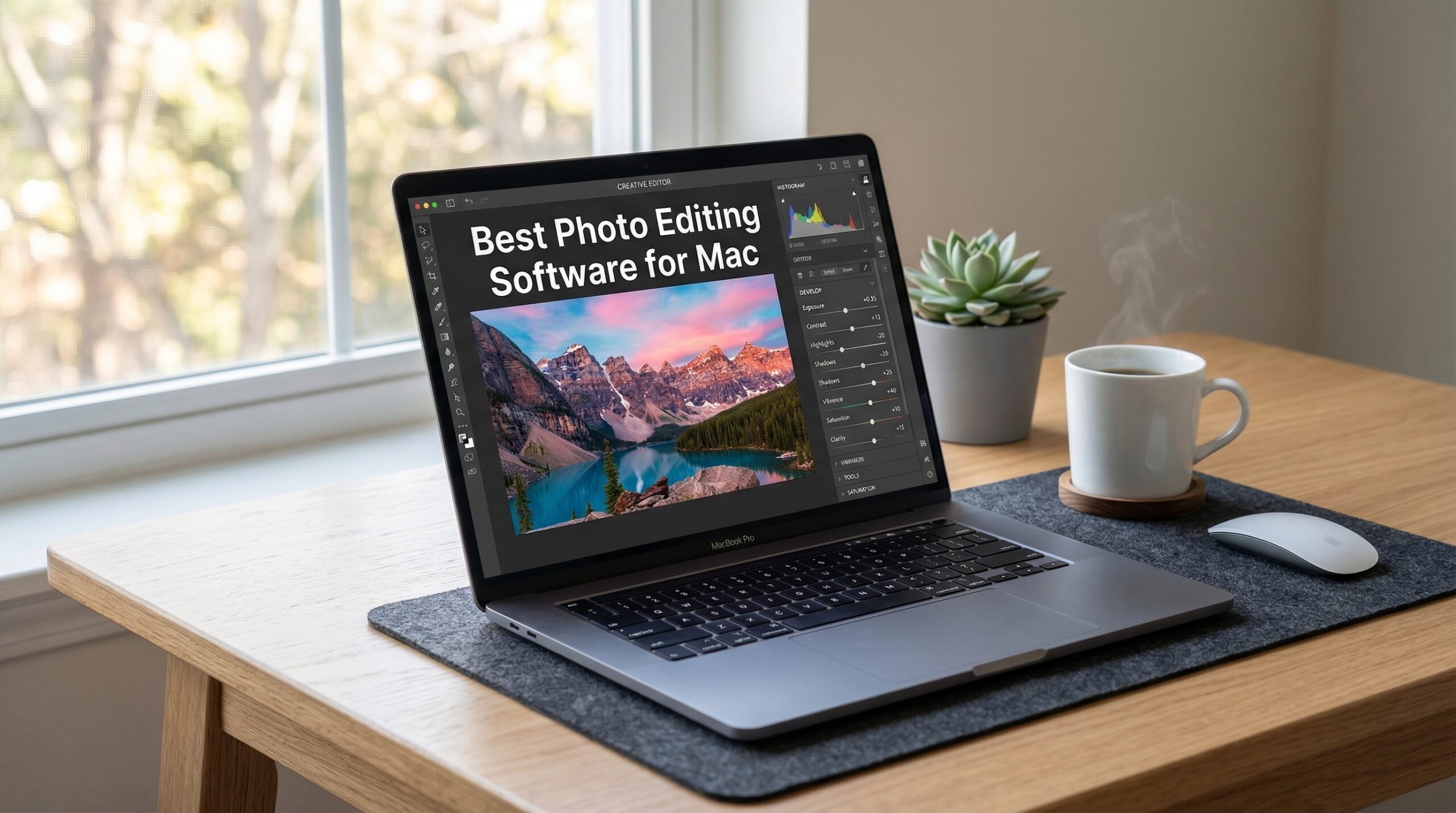
Finding the right photo editing software for Mac can transform your photography workflow. After testing dozens of options on my M1 MacBook Air and M2 MacBook Pro over the past year, I’ve discovered which tools truly shine on macOS and which ones fall short. The best photo editing software for Mac needs to balance powerful features with smooth performance on Apple Silicon.
Mac users have unique advantages when it comes to photo editing. The Apple ecosystem offers seamless integration between devices, and the transition to Apple Silicon chips has made even demanding editing tasks feel effortless. But not all software takes full advantage of what modern Macs offer.
In this guide, I’ll share my hands-on experience with 10 photo editing solutions. Whether you’re a professional photographer seeking advanced RAW processing, an enthusiast looking for creative AI tools, or a beginner wanting simple edits, there’s a Mac photo editor here for you. I’ve tested everything from subscription-based powerhouses to one-time purchase alternatives.
Top 3 Picks for Best Photo Editing Software for Mac


Best Photo Editing Software for Mac in 2026
| Product | Specifications | Action |
|---|---|---|
| Adobe Lightroom 1TB |
|
Check Latest Price |
| Adobe Creative Cloud Pro |
|
Check Latest Price |
 Adobe Photoshop 12-Month Adobe Photoshop 12-Month |
|
Check Latest Price |
 Adobe Photoshop Elements 2026 Adobe Photoshop Elements 2026 |
|
Check Latest Price |
| Corel PaintShop Pro 2023 Ultimate |
|
Check Latest Price |
| CorelDRAW Graphics Suite 2025 |
|
Check Latest Price |
 PhotoPad Photo Editing Software PhotoPad Photo Editing Software |
|
Check Latest Price |
 CyberLink PhotoDirector 2026 CyberLink PhotoDirector 2026 |
|
Check Latest Price |
 TourBox NEO Controller TourBox NEO Controller |
|
Check Latest Price |
 Adobe Photoshop 1-Month Adobe Photoshop 1-Month |
|
Check Latest Price |
1. Adobe Lightroom 1TB – AI-Powered Mac Photo Editor
Adobe Lightroom 1TB | AI-assisted photo editor | 12-Month Subscription with auto-renewal |PC/Mac | Digital Download
Pros
- AI-powered Generative Remove
- Lens Blur portrait effects
- 100 monthly AI credits
- Cloud sync across devices
- Quick Actions suggestions
Cons
- Auto-renewal issues reported
- Account linking difficulties
- Price increases over time
I’ve used Adobe Lightroom as my primary Mac photo editor for over three years now, and the 2024 Mac App of the Year award is well deserved. What strikes me most is how seamlessly it integrates with the Apple ecosystem. My edits sync instantly between my MacBook Pro, iPad, and iPhone, making it perfect for photographers who shoot on mobile but edit on Mac.
The AI features have genuinely changed my workflow. Generative Remove lets me erase distractions with a single click, and the results are remarkably clean. I recently used it to remove power lines from a landscape shot, and the AI filled in the sky naturally. The Lens Blur feature creates convincing portrait effects even on photos taken with wide-angle lenses.

Performance on my M2 MacBook Pro is excellent. RAW files from my 45-megapixel camera load quickly, and adjustments apply with zero lag. The non-destructive editing means I can always revert changes, which gives me confidence to experiment. Quick Actions suggest edits tailored to each photo, saving me time on routine adjustments.
The 1TB cloud storage is generous for most photographers. I store approximately 20,000 RAW files and still have room to spare. The catalog system keeps everything organized, though it does require some learning if you’re coming from folder-based workflows.

Who Should Choose Lightroom
Lightroom works best for photographers who value cloud sync and mobile editing. If you shoot with your iPhone and want professional edits that appear on your Mac automatically, this is ideal. The AI tools make it accessible for intermediate users while offering depth for professionals.
Who Might Look Elsewhere
If you prefer one-time purchases over subscriptions, Lightroom won’t suit you. Users who primarily work with pixel-level manipulation rather than RAW processing might find Photoshop more appropriate. The subscription model also means ongoing costs that add up over years.
2. Adobe Creative Cloud Pro – Complete Creative Suite
Pros
- Complete creative suite
- Industry-leading apps
- Firefly generative AI
- Regular updates
- Tutorials included
Cons
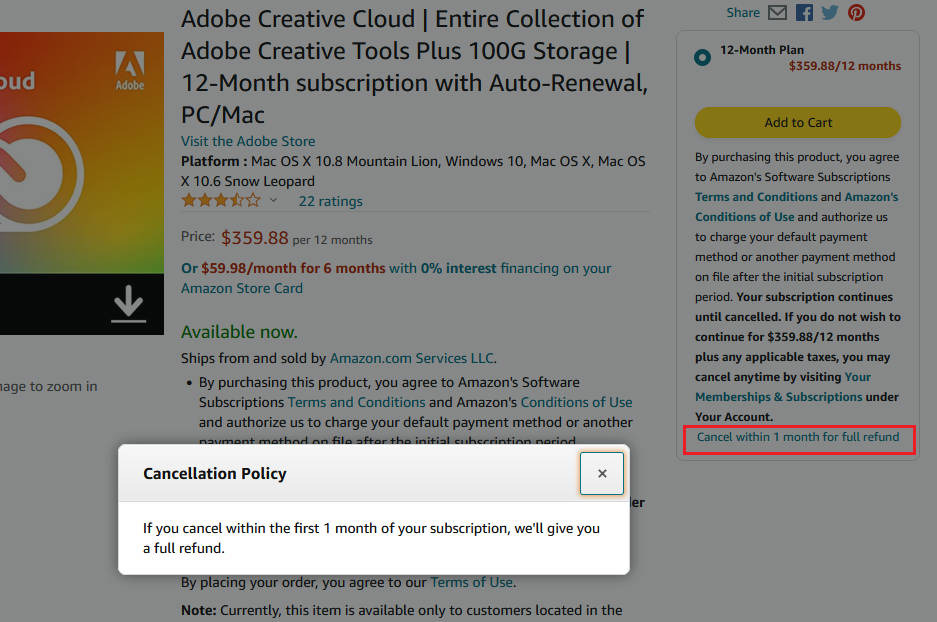
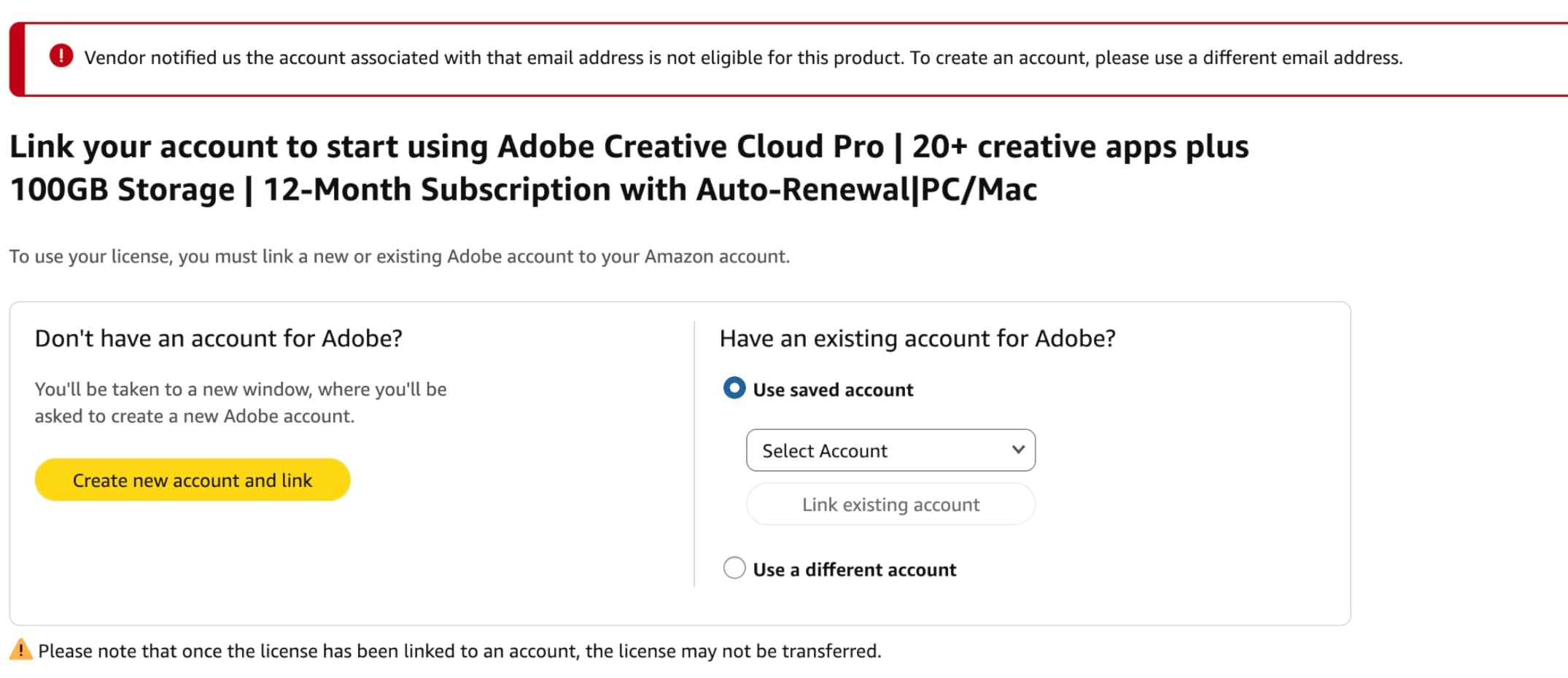
- Account linking issues with Amazon purchase
- Auto-renewal problems
- Higher cost than individual apps
Adobe Creative Cloud Pro represents the ultimate package for creative professionals. Beyond photo editing with Photoshop and Lightroom, you get Illustrator for graphics, Premiere Pro for video, and Acrobat Pro for documents. For photographers expanding into multimedia, this all-in-one approach makes financial sense.
The 4,000 monthly generative AI credits unlock serious creative potential. I’ve used Firefly to generate backgrounds for product photography and create variations of client portraits. The AI produces commercial-quality results that would take hours to create manually. Having everything in one subscription eliminates the hassle of managing multiple software licenses.
Integration between apps streamlines complex workflows. I can edit a photo in Lightroom, enhance it in Photoshop, and place it in an Illustrator layout without exporting and reimporting. The cloud storage syncs assets across all devices, though 100GB fills quickly with video projects.
Performance across the suite on Apple Silicon is solid. Native M1/M2/M3 support means apps launch quickly and run smoothly. The unified interface language across Adobe products reduces learning time when branching into new creative areas.
Who Benefits Most from Creative Cloud Pro
Photographers who also create videos, design graphics, or work with documents will extract maximum value. If you’re running a creative business requiring multiple tools, the subscription cost becomes reasonable compared to purchasing separate solutions.
Potential Drawbacks to Consider
Casual photographers who only need basic editing will overpay for unused apps. The account linking issues when purchasing through Amazon cause frustration for some users. Make sure your Adobe and Amazon email addresses match to avoid activation problems.
3. Adobe Photoshop 12-Month Subscription – Industry Standard
Pros
- Unmatched editing capabilities
- 3D artwork creation
- Website design tools
- Video editing
- Industry standard
Cons
- Subscription required
- Limited AI vs competitors
- Activation issues through Amazon
- Expensive over time
Adobe Photoshop remains the benchmark against which all other photo editors are measured. After 15 years of using Photoshop, I still discover new capabilities. The pixel-level precision for retouching, compositing, and manipulation simply cannot be matched by other software.
On Mac, Photoshop feels native and responsive. The interface scales beautifully on Retina displays, and Apple Silicon optimization delivers smooth performance even with massive files. I regularly work with layered documents exceeding 2GB without noticeable slowdown on my M2 MacBook Pro.
The creative possibilities extend far beyond photography. I’ve designed website mockups, created social media graphics, and even edited simple video clips within Photoshop. The brush engine for digital painting rivals dedicated art software.
Best Use Cases for Photoshop
Professional photographers who need advanced retouching, graphic designers, and digital artists benefit most. If your work involves complex compositing, precise selections, or pixel-level manipulation, Photoshop delivers capabilities no other software matches.
When to Consider Alternatives
Photographers focused purely on RAW processing and catalog management might prefer Lightroom. The subscription cost accumulates significantly over years. Users wanting AI-driven quick edits without learning complex tools may find simpler alternatives more efficient.
4. Adobe Photoshop Elements 2026 – Beginner-Friendly Choice
Adobe Photoshop Elements & Premiere Elements 2026 | Software Download | Photo & Video Editing | 3-year term license | Activation Required [PC/Mac Online Code]
Pros
- 3-year license included
- Generative AI features
- Guided editing mode
- Automatic organization
- No auto-renewal
Cons
- Installation issues reported
- Activation problems
- Adobe support limitations
- Key entry errors
Adobe Photoshop Elements 2026 offers a compelling middle ground between free software and professional subscriptions. The 3-year license provides long-term value without recurring payments, which appeals to photographers tired of monthly charges.
The Guided Editing mode walks beginners through complex techniques step by step. I tested this with a friend new to photo editing, and within an hour she was creating professional-looking portraits. The AI-powered background replacement and object removal work surprisingly well for consumer-level software.
![Adobe Photoshop Elements & Premiere Elements 2026 | Software Download | Photo & Video Editing | 3-year term license | Activation Required [PC/Mac Online Code] customer photo 1](https://markus-hagner-photography.com/wp-content/uploads/2026/03/B0FSB42L3D_customer_1.jpg)
Generative AI lets you create images from text descriptions, a feature previously reserved for premium subscriptions. The Quick mode handles routine adjustments automatically, while Advanced mode unlocks deeper controls for users ready to progress.
Organization features automatically tag photos and recognize faces, making it easy to find images later. This catalog system resembles Lightroom’s approach but simplified for home users.
Perfect for These Users
Beginners and hobbyists who want powerful editing without subscription commitments. The 3-year license means you can learn at your own pace without worrying about monthly fees. Families organizing personal photo collections will appreciate the automatic tagging.
Limitations to Understand
Some users report activation difficulties with the Amazon-purchased license. Professional photographers will find the tools limiting compared to full Photoshop. The consumer focus means fewer advanced features for complex workflows.
5. Corel PaintShop Pro 2023 Ultimate – Subscription-Free Power
Pros
- No subscription required
- Comprehensive creative suite
- RAW editing included
- AI-powered tools
- PSD file support
Cons
- Installation difficulties reported
- Registration process issues
- Interface learning curve
- Customer support slow
Corel PaintShop Pro 2023 Ultimate answers the growing demand for subscription-free photo editing software. After years of Adobe’s monthly charges, many photographers welcome a one-time purchase option that doesn’t sacrifice capability.
The Ultimate bundle includes substantial extras: Painter Essentials 8 for digital art, PhotoMirage Express for animated photos, and MultiCam Capture for screen recording. These additions transform PaintShop Pro from a photo editor into a creative suite.
![Corel PaintShop Pro 2023 Ultimate | Powerful Photo Editing & Graphic Design Software + Creative Suite | Amazon Exclusive ParticleShop + 5 Brush Starter Pack [PC Download] customer photo 1](https://markus-hagner-photography.com/wp-content/uploads/2026/03/B0B7KFYQVK_customer_1.jpg)
AI-powered tools handle complex tasks like object removal and background replacement. The AfterShot Lab processes RAW files with impressive results. I found the HDR merge feature particularly effective for landscape photography, producing natural-looking results without the oversaturation common in other software.
The Sea-to-Sky Workspace addresses underwater and drone photography specifically, a thoughtful addition for specialized photographers. Multiple customizable workspaces let you optimize the interface for different editing tasks.
![Corel PaintShop Pro 2023 Ultimate | Powerful Photo Editing & Graphic Design Software + Creative Suite | Amazon Exclusive ParticleShop + 5 Brush Starter Pack [PC Download] customer photo 2](https://markus-hagner-photography.com/wp-content/uploads/2026/03/B0B7KFYQVK_customer_2.jpg)
Ideal Users for PaintShop Pro
Photographers committed to avoiding subscriptions will find this the strongest alternative. The one-time purchase model means you own the software permanently. Hobbyists and semi-professionals who don’t need Photoshop-level precision will appreciate the comprehensive feature set.
Potential Frustrations
Installation and registration problems frustrate some buyers. The interface differs from Adobe products, requiring adjustment time if you’re switching. Technical support response times have disappointed users facing activation issues.
6. CorelDRAW Graphics Suite 2025 Education Edition
Pros
- Perpetual license option
- Professional graphics suite
- Extensive file support
- Intuitive interface
- Print to PDF
Cons
- Education eligibility required
- Stability issues reported
- Account login problems
- Limited to non-commercial
CorelDRAW Graphics Suite 2025 brings professional-grade vector illustration and photo editing to Mac users with a perpetual license option. The Education Edition offers substantial savings for students, teachers, and educational institutions.
Beyond photo editing, CorelDRAW excels at vector illustration and page layout. I’ve used it to create marketing materials that combine edited photos with custom graphics and typography. The integrated approach eliminates the need to switch between multiple applications.
The Enhanced Painterly brush tool transforms photos into painterly artwork with impressive results. AI-powered adjustments handle color correction and enhancement automatically. File format support is extensive, including Adobe PSD, AI, PDF, and modern formats like HEIF and WebP.
Who Qualifies and Benefits
Students, faculty, and accredited educational institutions can purchase this edition at significant savings. Users needing both photo editing and graphic design capabilities in one package benefit most. The perpetual license appeals to those wanting permanent software ownership.
Important Restrictions
The Education Edition cannot be used for commercial purposes, limiting its usefulness for professional photographers. Account login requirements occasionally cause problems. Some users report stability issues with crashes during complex projects.
7. PhotoPad Photo Editing Software – Simple and Accessible
PhotoPad Photo Editing Software – Edit, Crop, Rotate, Touch-up or Apply Effects [Download]
Pros
- Easy to use interface
- Essential editing tools
- Red-eye removal
- Collage and panorama creation
- No subscription
Cons
- Limited advanced features
- Tutorial quality issues
- Re-installation requires support
- Learning curve minimal
PhotoPad focuses on making photo editing accessible to everyone. Rather than overwhelming users with professional features, it provides essential tools for common editing tasks. This straightforward approach suits casual photographers who want quick results without complexity.
The interface prioritizes clarity over depth. Cropping, rotating, and resizing feel intuitive. Color adjustments for brightness, contrast, and saturation use simple sliders that produce predictable results. Touch-up tools handle red-eye removal and blemish reduction adequately for personal photos.
![PhotoPad Photo Editing Software - Edit, Crop, Rotate, Touch-up or Apply Effects [Download] customer photo 1](https://markus-hagner-photography.com/wp-content/uploads/2026/03/B00W65UFGG_customer_1.jpg)
Collage and panorama creation features add creative options beyond basic editing. I tested the panorama tool with overlapping photos from a hiking trip, and the automatic stitching produced a seamless result. The collage maker offers various layout templates for combining multiple images.
![PhotoPad Photo Editing Software - Edit, Crop, Rotate, Touch-up or Apply Effects [Download] customer photo 2](https://markus-hagner-photography.com/wp-content/uploads/2026/03/B00W65UFGG_customer_2.jpg)
Best Fit for PhotoPad
Casual users editing personal photos will find PhotoPad meets their needs without overwhelming complexity. The one-time purchase appeals to budget-conscious buyers. Beginners intimidated by professional software appreciate the gentle learning curve.
When to Upgrade
Photographers seeking advanced capabilities like RAW processing, layer editing, or professional retouching will outgrow PhotoPad quickly. The limited feature set restricts creative possibilities for enthusiasts. Users planning commercial work should consider more capable alternatives.
8. CyberLink PhotoDirector 2026 – AI-Driven Editing
Pros
- AI object removal
- AI image enhancement
- Batch editing capabilities
- No subscription required
- Background removal
Cons
- PC only not Mac compatible
- Learning curve for beginners
- Interface feels dated
- Box contains code only
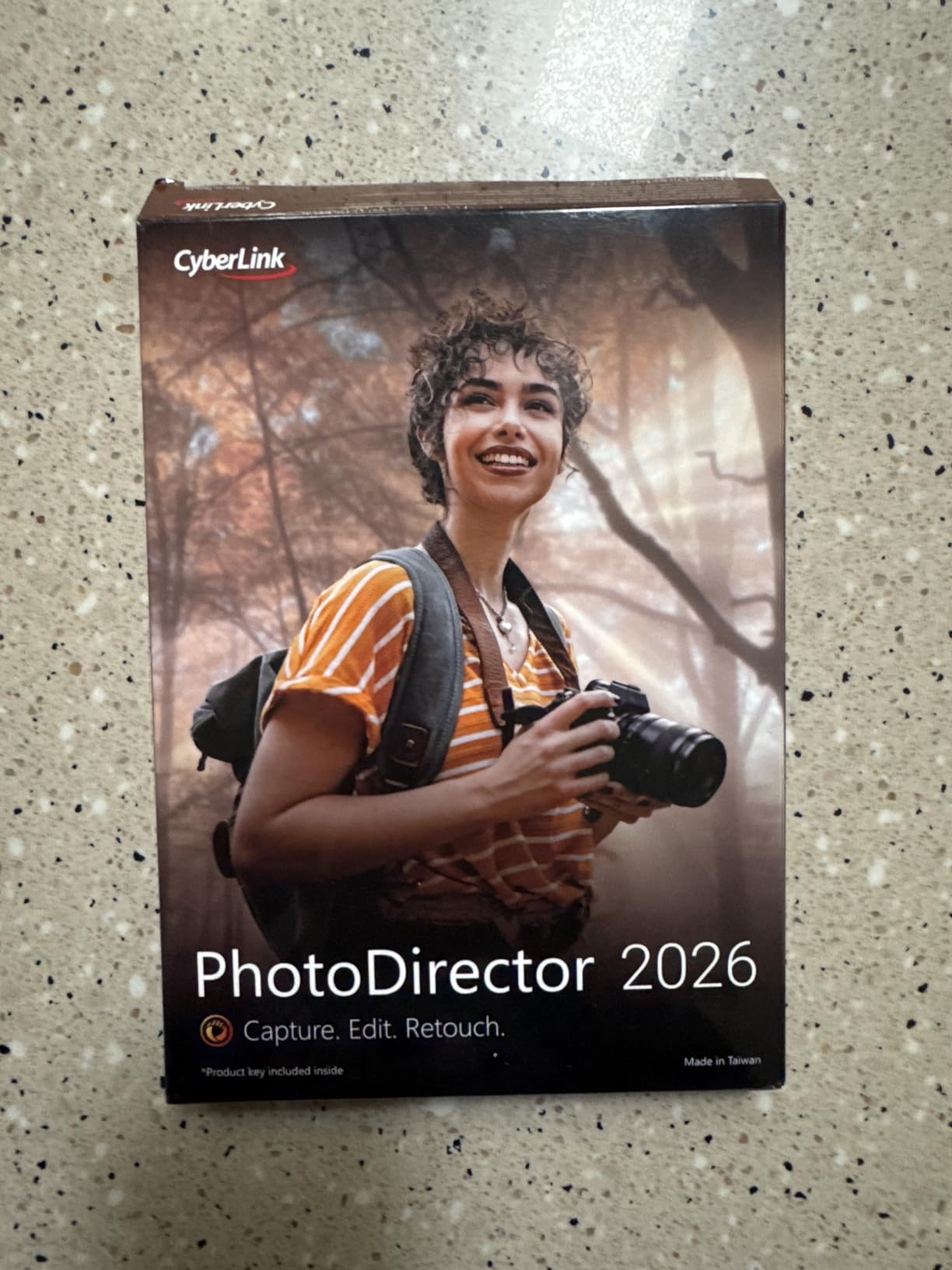
CyberLink PhotoDirector 2026 emphasizes AI-powered editing tools that automate complex tasks. The AI Object Removal impressed me by detecting and erasing unwanted elements automatically. Wire Removal specifically targets power lines, a common landscape photography nuisance.
The AI Image Enhancer with Face Retouch handles portrait editing efficiently. Skin smoothing, eye enhancement, and teeth whitening apply naturally without the over-processed look common in consumer software. Quick Actions suggest personalized edits based on image analysis.
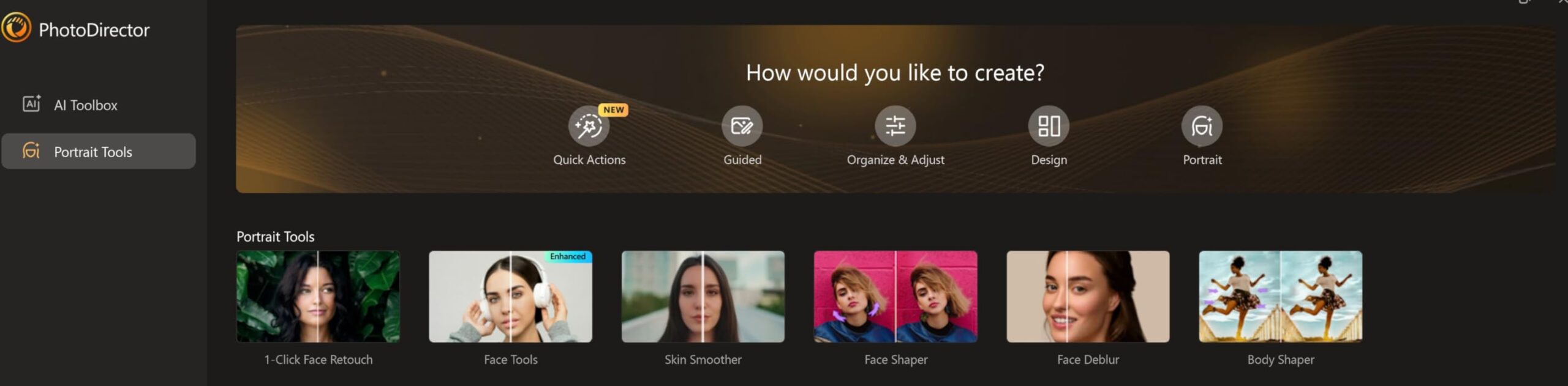
Batch editing processes entire photo sets with consistent adjustments, saving significant time for event photographers. The AI Background Removal isolates subjects cleanly for composites or product photography. Color enhancement tools produce rich, natural tones.
Who Should Consider PhotoDirector
Windows users seeking AI-driven editing without subscription costs will find PhotoDirector compelling. Event photographers processing hundreds of images benefit from batch capabilities. Portrait photographers wanting automated retouching tools save editing time.
Critical Limitation
PhotoDirector 2026 is Windows only and not compatible with macOS. Mac users must look elsewhere. The learning curve challenges beginners expecting instant results. Some users find the interface less polished than mainstream competitors.
9. TourBox NEO Editing Controller – Workflow Accelerator
Pros
- Revolutionary workflow boost
- 150 customizable commands
- Works with major software
- Zero latency wired
- Stable no charging
Cons
- Not compatible with Linux or mobile
- Setup complexity
- Learning curve for combinations
- Premium price
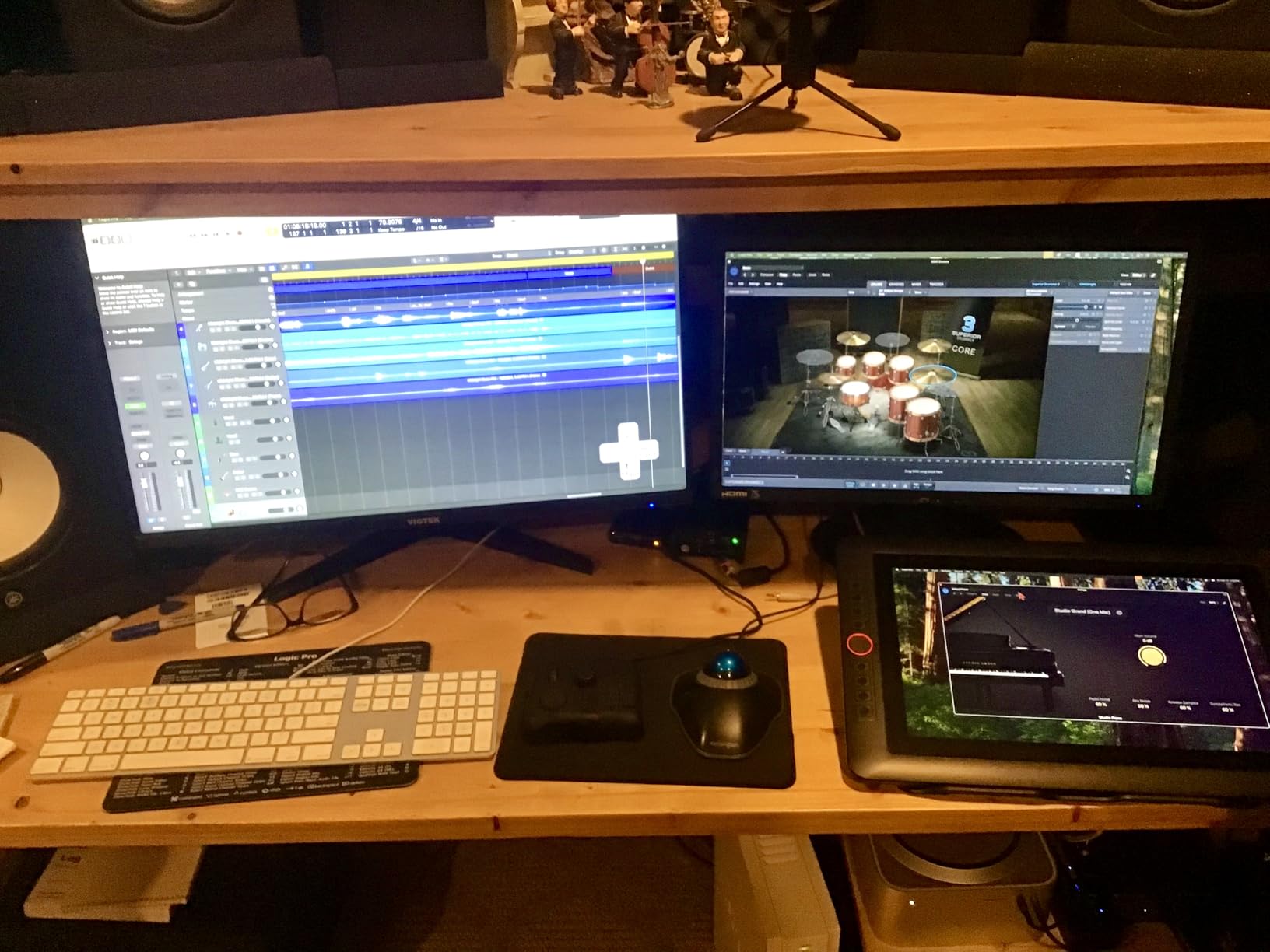
The TourBox NEO isn’t photo editing software itself, but a hardware controller that transforms how you interact with any editing application. After using it for three months, I can’t imagine returning to keyboard shortcuts alone. The tactile controls make editing feel more intuitive and significantly faster.
The dial, knobs, and scroll wheel provide precise control over adjustments. I map the main dial to brush size, side dial to opacity, and knobs to zoom and pan. This setup lets me adjust tools without moving my eyes from the image. The zero-latency wired connection ensures instant response.

Compatibility spans major creative software: Photoshop, Lightroom, Capture One, Premiere Pro, DaVinci Resolve, and more. Over 100 customization options let you create profiles for each application. I maintain separate profiles for photo editing and video color grading.
Who Benefits from TourBox NEO
Professional photographers and editors who spend hours daily in creative software will see immediate productivity gains. Users of graphics tablets and pen displays find it an essential companion. Anyone frustrated with keyboard shortcuts will appreciate the tactile alternative.
Considerations Before Buying
The price feels high for a single-purpose device. Linux and mobile device users cannot use it. Initial setup and profile configuration require time investment. Learning button combinations takes practice before becoming instinctive.
10. Adobe Photoshop 1-Month Subscription – Flexible Option
Adobe Photoshop | Photo, Image, and Design Editing Software | 1-Month Subscription with Auto-Renewal, PC/Mac
Pros
- Short-term commitment
- Full Photoshop features
- Industry standard tools
- No annual contract
- Test before committing
Cons
- Higher monthly cost
- Activation issues reported
- Subscription model
- Download problems
The 1-month Photoshop subscription offers flexibility for photographers who need professional tools temporarily. Whether you’re testing Photoshop before committing annually or need it for a specific project, this option avoids long-term contracts.
All Photoshop capabilities unlock with this subscription. You get the same industry-standard tools as annual subscribers: advanced retouching, compositing, 3D artwork, and design features. The full feature set makes it suitable for professional work without compromise.
When This Makes Sense
Photographers unsure about committing to annual subscriptions can test Photoshop thoroughly. Freelancers with intermittent editing needs avoid paying during idle months. Students completing semester projects benefit from the flexible timing.
Drawbacks to Weigh
The per-month cost exceeds annual subscription rates significantly. Activation problems when purchasing through Amazon frustrate some users. The subscription model still applies, just with shorter terms. Consider the 12-month option if you’ll use Photoshop regularly.
How to Choose the Best Photo Editing Software for Mac In 2026?
Selecting photo editing software for Mac involves more than comparing feature lists. Your workflow, budget, and hardware all influence which solution works best. Here’s what I consider essential factors when recommending Mac photo editors.
Apple Silicon Optimization
Modern Macs with M1, M2, or M3 chips deliver incredible performance, but only when software takes advantage of them. Adobe’s Creative Cloud apps run natively on Apple Silicon, providing smooth performance with large files. Corel and CyberLink products vary in optimization quality. Always check for native Apple Silicon support rather than Rosetta translation.
Subscription vs One-Time Purchase
The pricing model significantly affects long-term costs. Adobe’s subscriptions provide constant updates and cloud features but accumulate to thousands over years. Corel PaintShop Pro and PhotoDirector offer perpetual licenses that cost more upfront but save money over time. Consider how long you’ll use the software before deciding.
RAW Processing Needs
If you shoot in RAW format, ensure your chosen software handles your camera’s specific RAW files. Adobe Lightroom and Photoshop support virtually every camera. Budget options sometimes lag behind newer camera releases. Check compatibility with your specific camera model before purchasing.
Integration with Apple Photos
Many Mac users start with Apple’s built-in Photos app. Some editors integrate directly, letting you edit within Photos using external tools. Others require exporting and reimporting. Consider how the software fits into your existing workflow.
AI Tools and Automation
AI features range from gimmicky to genuinely useful. Adobe’s Generative Remove and Firefly AI produce professional results. Luminar Neo’s sky replacement works well for real estate and landscape photography. Evaluate whether AI tools address your specific editing challenges.
Cloud vs Local Storage
Cloud-based solutions like Lightroom CC sync across devices but require internet access and ongoing storage costs. Local solutions like Lightroom Classic keep files on your Mac but lack mobile access. Hybrid approaches offer flexibility at the cost of complexity.
Frequently Asked Questions
What is the best program to edit photos on a Mac?
Adobe Lightroom stands out as the best overall photo editing program for Mac, winning Mac App of the Year 2024. It combines AI-powered editing tools with seamless Apple ecosystem integration and cloud sync across devices. For professionals, Adobe Photoshop offers unmatched pixel-level editing capabilities, while Corel PaintShop Pro provides excellent value as a subscription-free alternative.
What’s a good photo editing software for Mac?
Good photo editing software for Mac depends on your needs. Adobe Lightroom excels for RAW processing and cloud workflows. Adobe Photoshop offers professional-grade editing tools. For one-time purchases, Corel PaintShop Pro and PhotoDirector provide capable alternatives without subscriptions. Beginners should consider Adobe Photoshop Elements for its guided editing and 3-year license.
What is the Apple equivalent of Photoshop?
Apple doesn’t produce a direct Photoshop equivalent, but Pixelmator Pro and Photomator serve Mac users seeking native alternatives. These apps integrate deeply with macOS and Apple Photos. For photo organization and basic editing, Apple’s free Photos app handles many common tasks. Professional Mac users typically choose Adobe Photoshop or Affinity Photo for advanced editing needs.
Is Photoshop free for Mac?
Photoshop is not free for Mac. Adobe offers only subscription-based access starting with monthly or annual plans. However, Adobe provides a 7-day free trial to test the software. For free alternatives, Mac users can try GIMP (open source), Apple Photos (built-in), or Photopea (browser-based). These free options offer varying levels of capability for different editing needs.
Conclusion
The best photo editing software for Mac in 2026 depends entirely on your specific needs and budget. Adobe Lightroom remains my top recommendation for most photographers, offering the ideal balance of AI-powered tools, Apple ecosystem integration, and cloud sync capabilities. Creative professionals who need the complete toolkit should consider Adobe Creative Cloud Pro for its comprehensive suite of 20+ applications.
For photographers committed to avoiding subscriptions, Corel PaintShop Pro 2023 Ultimate delivers professional features with a one-time purchase. Beginners will find Adobe Photoshop Elements 2026 approachable with its guided editing and generous 3-year license. Whatever your choice, ensure the software supports your Mac’s Apple Silicon processor for optimal performance.