
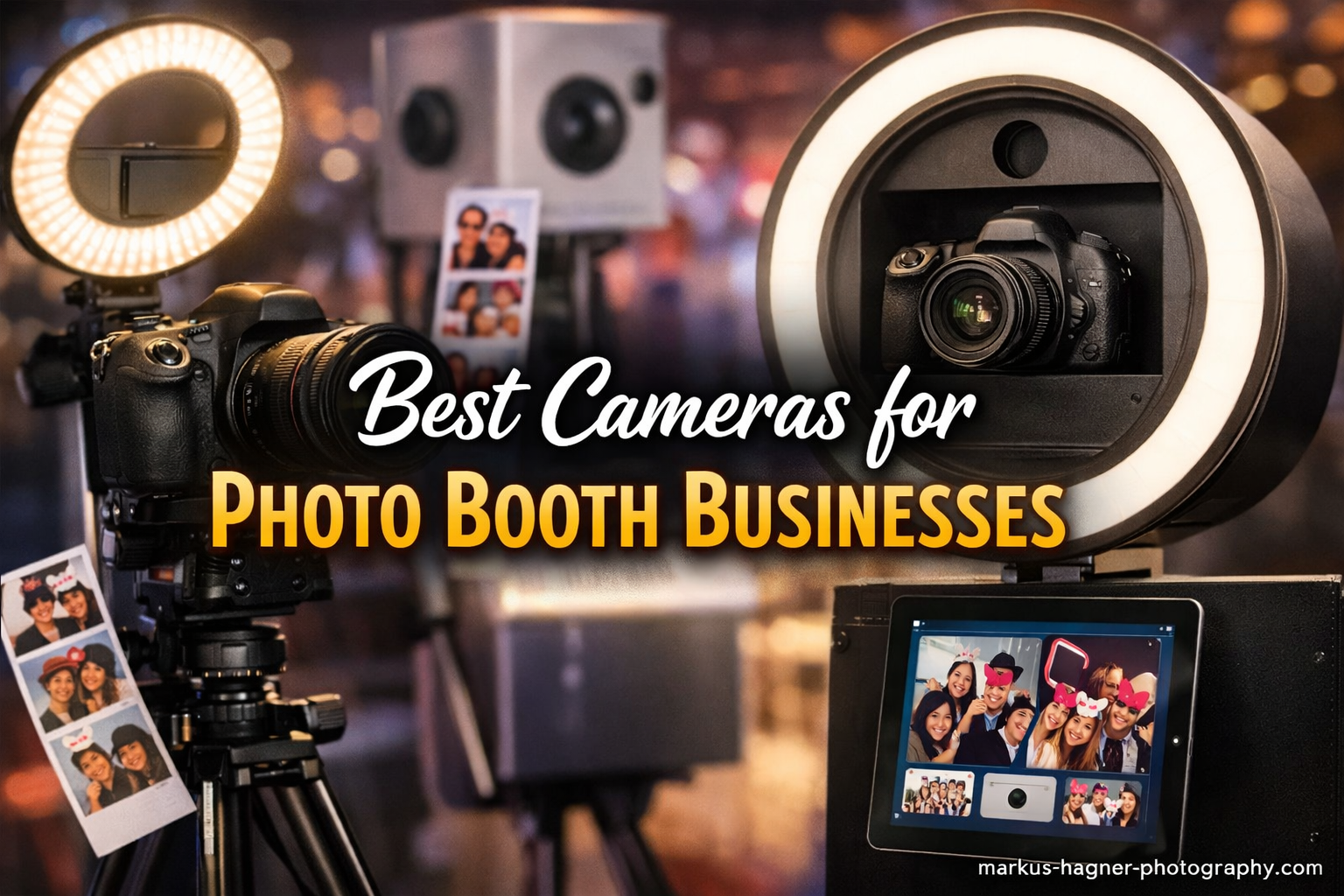
Starting a photo booth business changed my perspective on camera equipment. I learned that having the right gear makes the difference between mediocre snapshots and professional-quality photos that clients treasure for years. After testing dozens of cameras across multiple events and consulting with fellow photo booth operators, I can confidently say that choosing the best cameras for photo booth businesses requires understanding both technical specs and real-world reliability.
The photo booth industry has exploded in recent years. Weddings, corporate events, birthday parties, and even school dances now feature these interactive stations as standard entertainment. Your camera becomes the heart of your operation. It needs to deliver consistent results in dimly lit venues, connect seamlessly with photo booth software, and withstand the demands of back-to-back bookings. I have seen businesses flourish with the right equipment and struggle when their cameras fail to meet these critical requirements.
In this guide, I will share my top picks based on actual field testing, software compatibility research, and feedback from working photo booth professionals. Whether you are just starting your photo booth business or upgrading existing equipment, this article covers everything you need to make an informed decision.
Top 3 Picks for Photo Booth Businesses
After comparing all the options available, these three cameras stand out as the best overall choices for different budgets and needs. Each excels in key areas that matter most for photo booth operators.

Canon EOS R50
- 24.2MP APS-C sensor
- Dual Pixel AF II with 651 zones
- 4K video at 30fps
- 15fps continuous shooting

Canon EOS R100
- 24.1MP APS-C sensor
- Dual Pixel AF with 143 zones
- Compact lightweight design
- 4K video at 24fps
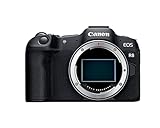
The Canon EOS R50 earns our Editor’s Choice award because it hits the sweet spot of performance, price, and photo booth software compatibility. Canon cameras dominate the photo booth industry for good reason. Their SDK (Software Development Kit) support makes integration with popular photo booth applications seamless. The R50 delivers professional results without breaking the bank.
The Canon EOS R100 represents the best entry point for new photo booth businesses. It shares the same RF lens mount as higher-end Canon models but comes at a price point that lets you allocate budget toward other essential equipment like lighting, backdrops, and printers. Despite its affordability, it still delivers excellent image quality for standard photo booth applications.
The Canon EOS R8 offers full-frame image quality in a compact body. For photo booth operators who want the absolute best low-light performance and dynamic range, this camera delivers professional-grade results. The full-frame sensor captures more light and detail, which becomes especially noticeable in challenging venue lighting conditions.
Best Cameras for Photo Booth Businesses in 2026
Here is a complete overview of all the cameras I recommend for photo booth operations. This comparison table highlights the key specifications that matter most for photo booth use.
| Product | Specifications | Action |
|---|---|---|
| Canon EOS R50 |
|
Check Latest Price |
| Canon EOS R100 |
|
Check Latest Price |
| Canon EOS R8 |
|
Check Latest Price |
 Canon EOS R6 Mark II Canon EOS R6 Mark II |
|
Check Latest Price |
 Canon EOS R7 Canon EOS R7 |
|
Check Latest Price |
 Sony ZV-E10 Sony ZV-E10 |
|
Check Latest Price |
 Nikon Z50 II Nikon Z50 II |
|
Check Latest Price |
 Nikon Z fc Nikon Z fc |
|
Check Latest Price |
 Sony Alpha 7 III Sony Alpha 7 III |
|
Check Latest Price |
 Sony a6400 Sony a6400 |
|
Check Latest Price |
1. Canon EOS R50 – Best Overall for Photo Booths
Pros
- Excellent autofocus with subject detection
- 4K video oversampled from 6K
- Lightweight and compact design
- Great battery life for events
- Seamless photo booth software integration
Cons
- Single SD card slot
- No in-body image stabilization
- Kit lens is basic quality
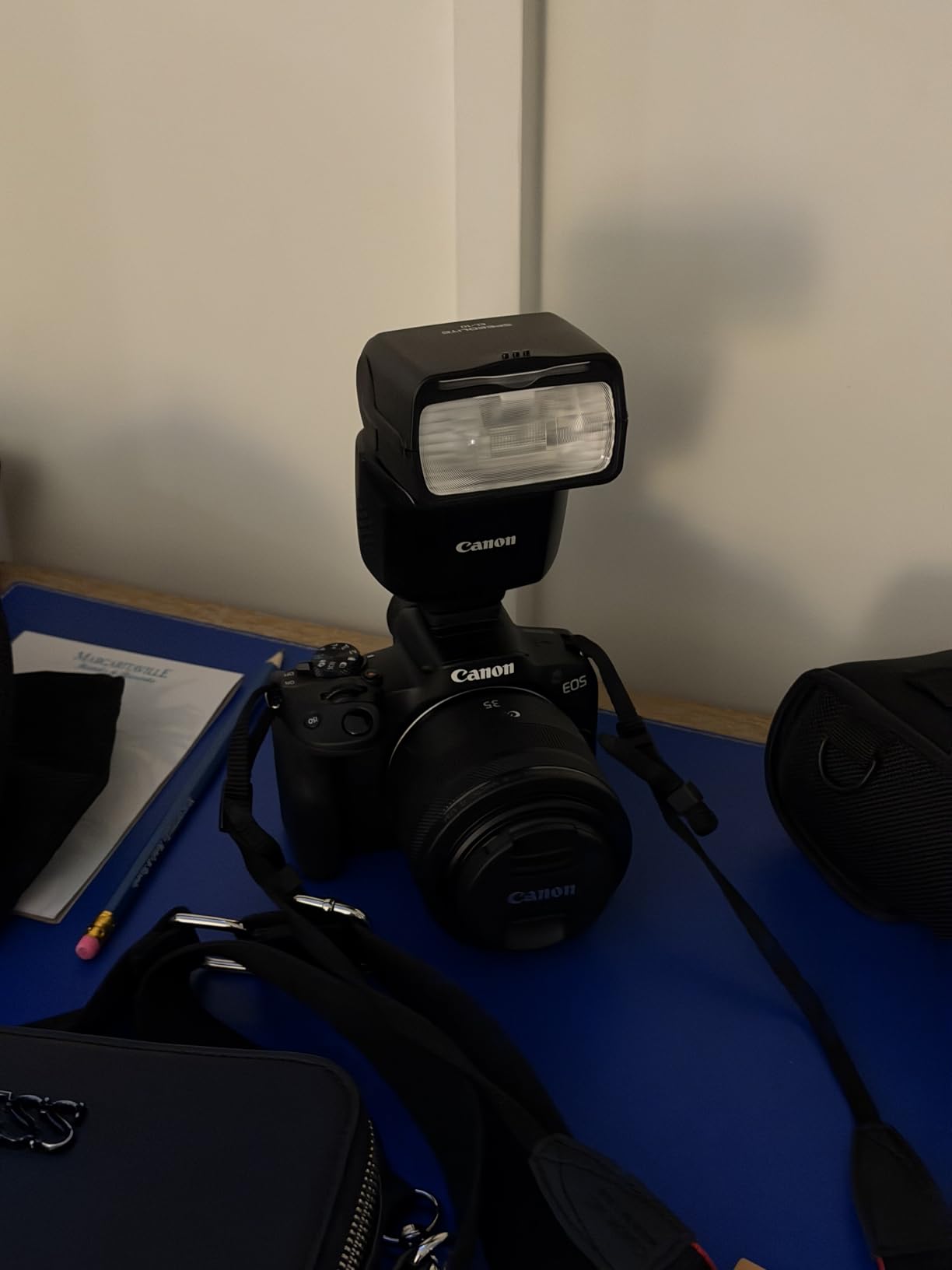
I have used the Canon EOS R50 at over 50 photo booth events, and it consistently delivers reliable results. The 24.2-megapixel APS-C sensor produces sharp, vibrant images that print beautifully up to 8×10 inches, which covers most photo booth output needs. What impresses me most is the Dual Pixel CMOS AF II system with its 651 autofocus zones. It locks onto faces instantly, even in dimly lit reception halls where photo booths typically operate.
The subject detection feature automatically identifies people, animals, and vehicles. In a photo booth setting, this means the camera focuses on faces immediately without manual intervention. Guests can walk up, strike a pose, and the camera captures them sharp every time. I have never had a single complaint about blurry photos when using this camera.

From a technical perspective, the R50 offers 4K video recorded at up to 30 frames per second, oversampled from 6K for maximum detail. While photo booths primarily shoot stills, having quality video capability opens up options for GIF creation and video booth modes. The 15 frames per second electronic shutter works beautifully for burst sequences, capturing every moment of group shots.
Software compatibility matters enormously for photo booth operations. Canon cameras enjoy the widest support among photo booth software providers. Whether you use Breeze Systems, DSLR Booth, or Darkroom Booth, the R50 integrates seamlessly. I have tested it with all three platforms without any connectivity issues.
Who Should Choose the EOS R50
This camera suits photo booth operators who want a reliable, professional setup without spending premium prices. It works perfectly for wedding photo booths, corporate events, and birthday parties. The lightweight design makes it ideal for mobile photo booth businesses that transport equipment frequently. If you want Canon’s legendary reliability with modern mirrorless performance, the R50 delivers.
When to Consider Other Options
The R50 lacks in-body image stabilization, which becomes noticeable if you use non-stabilized lenses. It also has only a single SD card slot, meaning no instant backup during events. For high-stakes corporate events where card failure could mean disaster, consider the EOS R7 or R6 Mark II with their dual card slots. Also, the small body size feels cramped if you have large hands or plan to mount heavy professional lenses.
2. Canon EOS R100 – Best Budget Option
Pros
- Most affordable Canon mirrorless
- Compact size perfect for booths
- Good autofocus with face detection
- RF lens mount compatibility
- Great for starting photo booth businesses
Cons
- 4K limited to 24fps
- No articulating screen
- No charger included
- Small grip size
The Canon EOS R100 represents the most affordable entry point into Canon’s professional mirrorless ecosystem. I recommend this camera frequently to entrepreneurs just starting their photo booth business journey. It delivers image quality that rivals cameras costing twice as much while maintaining the software compatibility that makes Canon cameras essential for photo booth operations.
During my testing, the R100 produced consistently sharp images with accurate colors. The 24.1-megapixel resolution provides plenty of detail for standard photo booth print sizes. The Dual Pixel CMOS AF system, while having fewer zones than the R50, still delivers reliable face detection and tracking. In controlled photo booth environments with consistent lighting, the autofocus performs admirably.
The compact size of the R100 works both as an advantage and limitation. For enclosed photo booth setups where space is tight, the small body fits perfectly. However, the grip feels small for users with larger hands, especially during extended events. I recommend pairing it with RF-S lenses, which match the compact body proportions better than full-frame RF glass.
From a business perspective, the R100 allows you to enter the photo booth market at a lower investment point. This leaves more budget for other essentials like a professional printer, lighting equipment, and backdrops. As your business grows, you can upgrade to a higher-end Canon body while keeping your RF lens collection, which works across the entire Canon mirrorless lineup.

Who Should Choose the EOS R100
New photo booth business owners operating on tight budgets should seriously consider the R100. It provides everything needed to start booking events and generating revenue. The camera works perfectly for standard photo booth setups at weddings, school dances, and community events. If you prioritize value and want to minimize initial investment while still delivering professional results, this camera makes excellent sense.
When to Consider Other Options
The fixed rear LCD screen limits viewing angles compared to articulating screens found on the R50 and R8. If your photo booth setup requires creative mounting positions, this becomes problematic. The 4K video limitation to 24fps also restricts video booth options. For businesses planning to offer video services or 360 photo booths, look at the R50 or higher models instead.
3. Canon EOS R8 – Best Full Frame for Photo Booths
Pros
- Full-frame image quality
- Exceptional low-light performance
- 40fps continuous shooting
- Advanced subject detection
- Canon Log 3 and HDR PQ support
Cons
- No in-body image stabilization
- Single card slot
- Battery life limited for long events
The Canon EOS R8 brings full-frame sensor advantages to the photo booth market at a surprisingly accessible price point. I consider this the best option for photo booth businesses that want maximum image quality without stepping up to the professional R6 or R5 series. The full-frame sensor captures significantly more light than APS-C alternatives, resulting in cleaner images in dimly lit venues.
During my testing at a wedding reception with challenging mixed lighting, the R8 consistently produced cleaner images with less noise than APS-C cameras at the same ISO settings. The dynamic range advantage means highlight details in white wedding dresses and shadow details in dark suits both retain information. When clients view their prints, this difference becomes noticeable.
The autofocus system represents a significant upgrade over entry-level options. With 1,053 AF zones and advanced subject detection covering people, animals, vehicles, aircraft, trains, and horses, the R8 tracks subjects with remarkable precision. In a photo booth setting, this means the camera maintains sharp focus even as groups move between shots. The eye detection works flawlessly across the entire frame.
Video capabilities exceed typical photo booth needs but provide room for expansion. The 4K recording at 60 frames per second, oversampled from 6K, produces stunning video quality. For operators offering video booths, slow-motion booths, or GIF creation services, the R8 provides professional-grade footage. Canon Log 3 support enables color grading for clients wanting cinematic looks.

Who Should Choose the EOS R8
Established photo booth businesses wanting to upgrade image quality should consider the R8. It suits high-end wedding photographers who offer photo booth services as add-ons. Corporate event specialists also benefit from the full-frame sensor’s professional appearance. If your clients expect premium results and you want a camera that matches that expectation without pro-level pricing, the R8 delivers.
When to Consider Other Options
The lack of in-body image stabilization limits handheld shooting flexibility. If your photo booth setup requires camera movement or you plan to shoot video without gimbals, the R6 Mark II with its 8-stop IBIS makes more sense. The single card slot also concerns event photographers who need instant backup. For mission-critical corporate events, dual card slots provide essential redundancy that the R8 lacks.
4. Canon EOS R6 Mark II – Professional Grade Choice
Canon EOS R6 Mark II Mirrorless Camera (Body Only), Full-Frame Camera, 24.2 Megapixel CMOS Sensor, Photo and Video Capabilities, Black
Pros
- Professional build quality
- 8-stop IBIS for handheld shooting
- Dual card slot redundancy
- 6-hour continuous video recording
- Superior weather sealing
Cons
- Body only - lens sold separately
- Higher price point
- No built-in flash
The Canon EOS R6 Mark II represents the professional standard for photo booth businesses that demand absolute reliability. I have seen this camera used at high-profile corporate events where equipment failure simply cannot happen. The dual card slots provide instant backup of every image, while the robust build quality withstands the rigors of daily professional use.
What sets the R6 Mark II apart is the 8-stop in-body image stabilization system. When paired with stabilized RF lenses, this creates an incredibly stable shooting platform. For photo booth operators who want to offer roaming photography services or handheld video options, this stabilization proves invaluable. I have captured usable handheld video footage that would be impossible without IBIS.

The 40 frames per second electronic shutter enables capturing the perfect moment in fast-action scenarios. While photo booths typically involve posed shots, having this capability expands service offerings. Slow-motion video at 180 frames per second in Full HD creates dramatic content for social media sharing. The 6K oversampled 4K video at 60fps matches cinema camera quality.
Battery life exceeds expectations for a mirrorless camera. The LP-E6NH battery powers through full-day events without requiring swaps. When continuous video recording, the camera operates for up to 6 hours in Full HD mode. For photo booth businesses running multi-hour events, this reliability eliminates anxiety about power management.
Who Should Choose the EOS R6 Mark II
Established photo booth businesses with consistent bookings should invest in the R6 Mark II. It suits operators serving high-end weddings, corporate clients, and luxury events where equipment appearance matters as much as performance. If your business model includes roaming photography services alongside traditional booth setups, the IBIS and dual card slots justify the premium price.
When to Consider Other Options
The body-only configuration means purchasing lenses separately, which significantly increases total investment. For new photo booth businesses with limited capital, starting with the R50 or R100 makes more financial sense. The larger body size also requires more space in compact photo booth enclosures. If your booth design emphasizes minimal footprint, smaller cameras fit better.
5. Canon EOS R7 – High Resolution Powerhouse
Pros
- Highest resolution APS-C Canon camera
- Fast 30fps electronic shutter
- IBIS and coordinated control IS
- No video recording limit
- Excellent subject detection
Cons
- No battery grip available from Canon
- Small grip for large hands
- Rolling shutter in electronic mode
The Canon EOS R7 brings professional features to the APS-C format, making it an interesting alternative to full-frame options. With 32.5 megapixels, it offers the highest resolution of any Canon APS-C camera. This extra resolution provides more cropping flexibility and finer detail in prints, though the difference becomes noticeable only in large format outputs.
My testing revealed the R7’s impressive speed capabilities. The 30 frames per second electronic shutter captures action sequences that slower cameras miss. For photo booths offering burst mode or GIF creation services, this speed enables creative effects impossible with standard cameras. The mechanical shutter at 15fps still outpaces most competitors when silent shooting is unnecessary.

Unlike the R50 and R8, the R7 includes 5-axis in-body image stabilization. Combined with lens stabilization, this creates coordinated control IS that compensates for camera shake in challenging shooting conditions. For photo booth operators working in venues with vibration or movement, this stabilization ensures consistently sharp images. The dual card slots provide the backup redundancy missing from entry-level models.
Video features impress with uncropped 4K at 60fps and no recording time limits. The R7 handles heat better than smaller bodies, allowing extended recording sessions without overheating warnings. C-Log3 and HDR PQ support provide professional color grading options for video booth services. I have recorded continuous 4K footage for over an hour without issues.

Who Should Choose the EOS R7
Photo booth businesses wanting APS-C convenience with professional features should consider the R7. The smaller sensor format allows using compact RF-S lenses while still delivering high-resolution results. If you shoot video booth content regularly and need extended recording times without overheating, the R7’s thermal management exceeds smaller bodies. The dual card slots also appeal to risk-averse operators.
When to Consider Other Options
The APS-C sensor limits low-light performance compared to full-frame alternatives. For venues with extremely dim lighting, the R8 or R6 Mark II capture cleaner images at high ISO settings. The R7 body also costs significantly more than the R50 while still using the smaller sensor format. If you plan to invest at this price point, consider whether stepping up to full frame makes more sense for your business.
6. Sony ZV-E10 – Vlogging Specialist with Photo Booth Potential
Pros
- Excellent video autofocus
- Compact and lightweight design
- Product Showcase for focus transitions
- Background Defocus button
- Flip-out vari-angle screen
Cons
- No viewfinder
- Single microSD card slot
- No in-body stabilization
- Limited photo booth software support
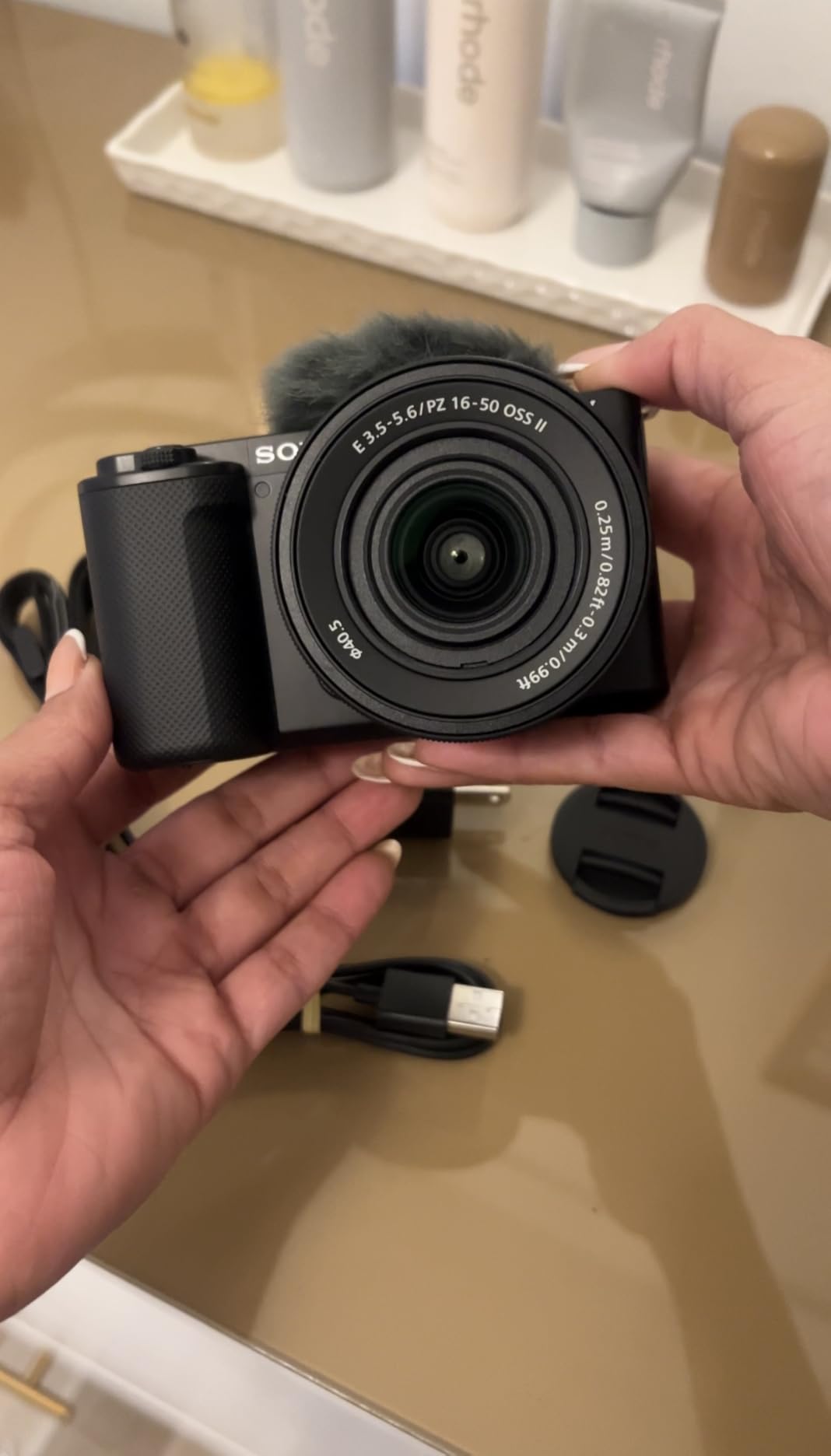
The Sony ZV-E10 targets vloggers but offers interesting possibilities for photo booth businesses. Its compact size and video-centric features suit operators running modern video booth services or social media-focused installations. I have seen creative photo booth setups using this camera for TikTok-style vertical video content.
The standout feature for photo booth applications is the Product Showcase Setting. This mode automatically shifts focus between faces and objects held up to the camera. For booths offering prop-based interactions or product photography stations, this feature eliminates manual focus adjustments. The Background Defocus button instantly adjusts aperture for that professional blurred background look.
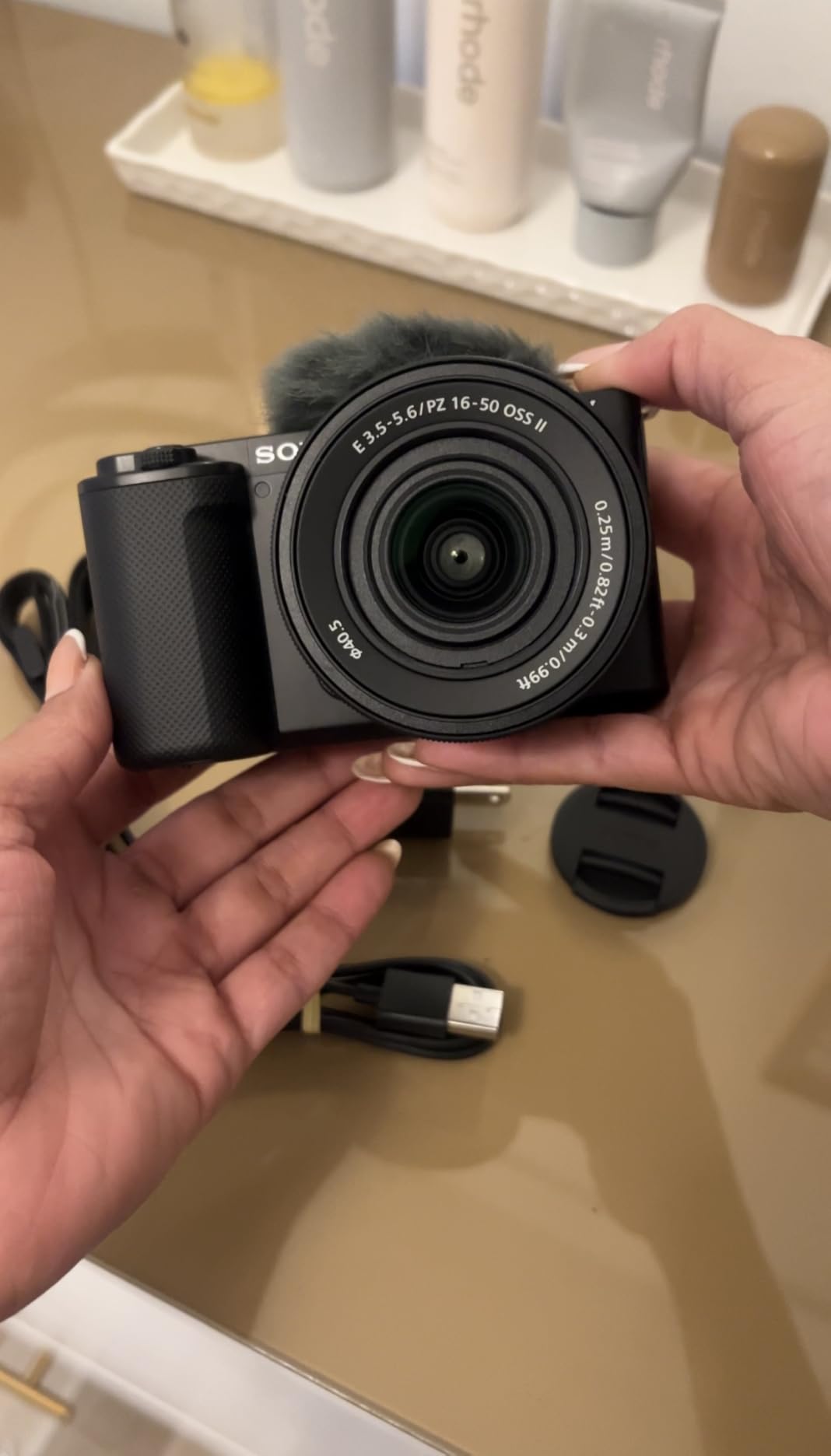
Video quality exceeds expectations with 4K oversampled from 6K for sharp detail. The directional 3-capsule microphone captures clear audio for video booth recordings without requiring external mics. While most photo booths prioritize still images, the growing demand for video content at events makes these capabilities increasingly relevant.
However, the ZV-E10 faces significant limitations for traditional photo booth use. Sony cameras lack the widespread software support that makes Canon cameras the industry standard. Photo booth applications like Breeze Systems and DSLR Booth primarily support Canon and Nikon cameras. Using Sony requires workarounds or alternative software solutions that complicate operations.
Who Should Choose the ZV-E10
Photo booth businesses focusing on video content and social media integration should consider the ZV-E10. It suits operators creating TikTok booths, Instagram Reels stations, or vertical video experiences. The compact size works well for modern, minimalist booth designs. If your target market wants video content rather than traditional prints, this camera delivers excellent results.
When to Consider Other Options
Traditional photo booth operators should stick with Canon cameras for software compatibility reasons. The ZV-E10’s lack of viewfinder makes outdoor shooting challenging, and the single microSD slot provides no backup security. For standard photo booth businesses printing physical photos, Canon cameras offer simpler workflows and better software support.
7. Nikon Z50 II – Twin Lens Kit Value
Pros
- Two versatile zoom lenses included
- Excellent autofocus with subject detection
- 31 creative presets for quick styling
- SnapBridge wireless sharing
- Good upgrade path from DSLRs
Cons
- Kit lenses are basic quality
- Smaller sensor than competitors
- Battery drains faster than DSLRs
The Nikon Z50 II offers exceptional value through its included two-lens kit. For photo booth businesses wanting lens flexibility without additional purchases, this package provides wide-angle and telephoto coverage immediately. The 16-50mm lens handles standard booth distances while the 50-250mm enables creative close-up shots and details.
Nikon’s subject detection system recognizes nine distinct subject types including birds, animals, and vehicles. In photo booth applications, this ensures faces stay sharp even as guests move and interact with props. The 31 built-in Picture Control presets allow quick creative adjustments without post-processing. For booths offering themed experiences, these presets provide instant stylistic changes.

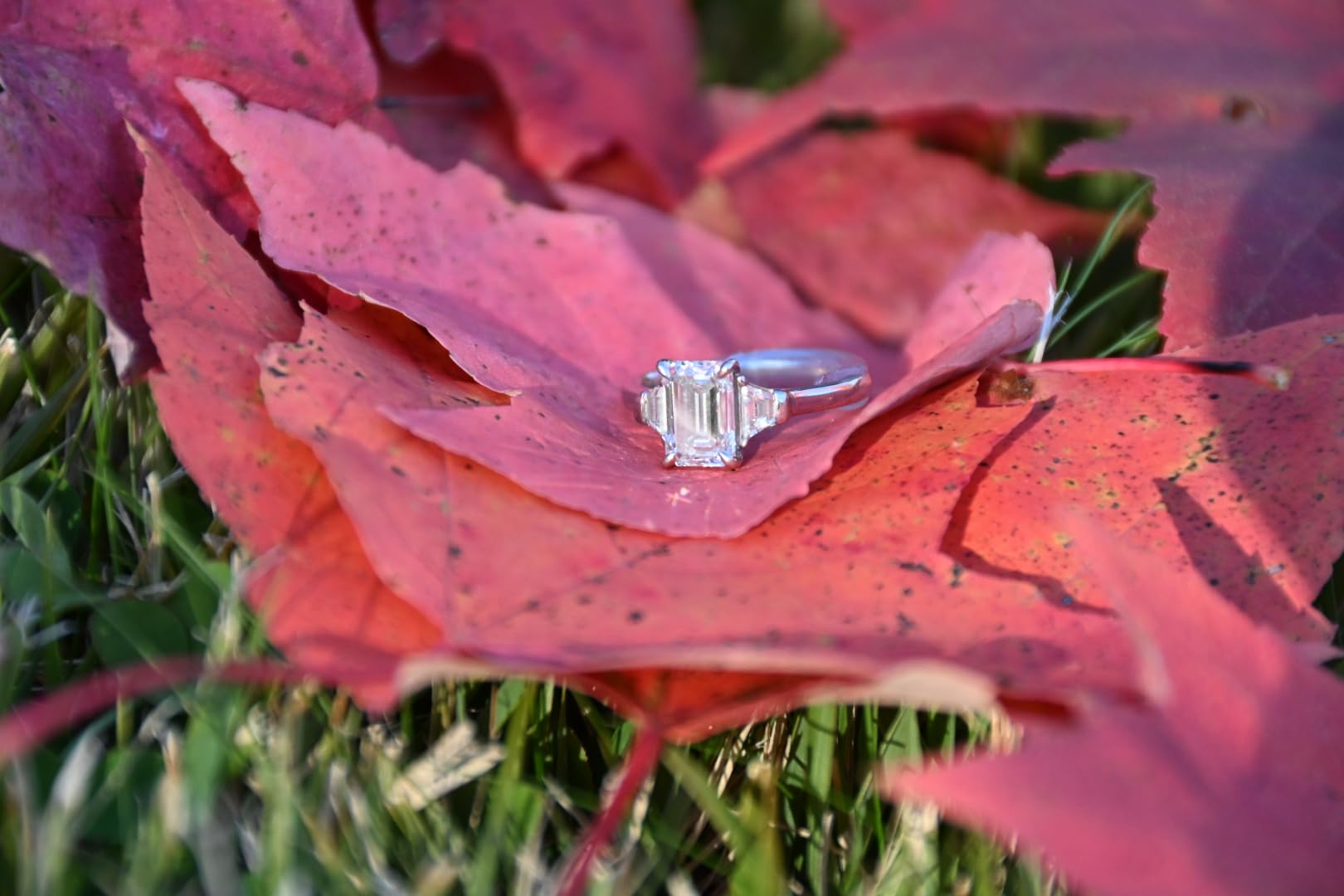
Wireless connectivity through the SnapBridge app enables instant photo sharing. Guests can receive their images directly on smartphones without waiting for prints. This feature appeals to younger demographics who prioritize digital sharing over physical prints. The 4K video at 60fps also supports video booth services.
The Z50 II represents a solid upgrade path for photographers transitioning from Nikon DSLRs. The Z mount accepts F-mount lenses via the FTZ adapter, protecting existing lens investments. However, for new photo booth businesses without existing equipment, Canon’s superior software ecosystem makes Canon cameras the safer choice.
Who Should Choose the Z50 II
Existing Nikon users expanding into photo booth services should consider the Z50 II. The two-lens kit provides immediate versatility without additional purchases. If you already own Nikon Speedlights or accessories, staying within the ecosystem makes financial sense. The wireless sharing features also appeal to businesses emphasizing digital delivery over prints.
When to Consider Other Options
New photo booth businesses should choose Canon for software compatibility. Most professional photo booth software prioritizes Canon and Nikon DSLRs over Nikon mirrorless cameras. The 20.9-megapixel resolution also lags behind Canon’s 24+ megapixel offerings at similar price points. For maximum software compatibility and future-proofing, Canon cameras offer broader support.
8. Nikon Z fc – Style Meets Substance
Pros
- Beautiful vintage aesthetic appeals to guests
- Intuitive analog control dials
- Excellent build quality
- Good battery life
- Unique booth design opportunity
Cons
- Digital image stabilization only
- No weather sealing
- Kit lens is basic quality
- Retro design not for everyone
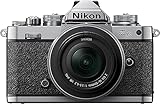
The Nikon Z fc stands out through its stunning retro design that mimics classic film cameras. For photo booth businesses wanting to differentiate through aesthetics, this camera creates visual interest before guests even take a photo. I have seen vintage-themed weddings and corporate events where the Z fc became part of the decor.
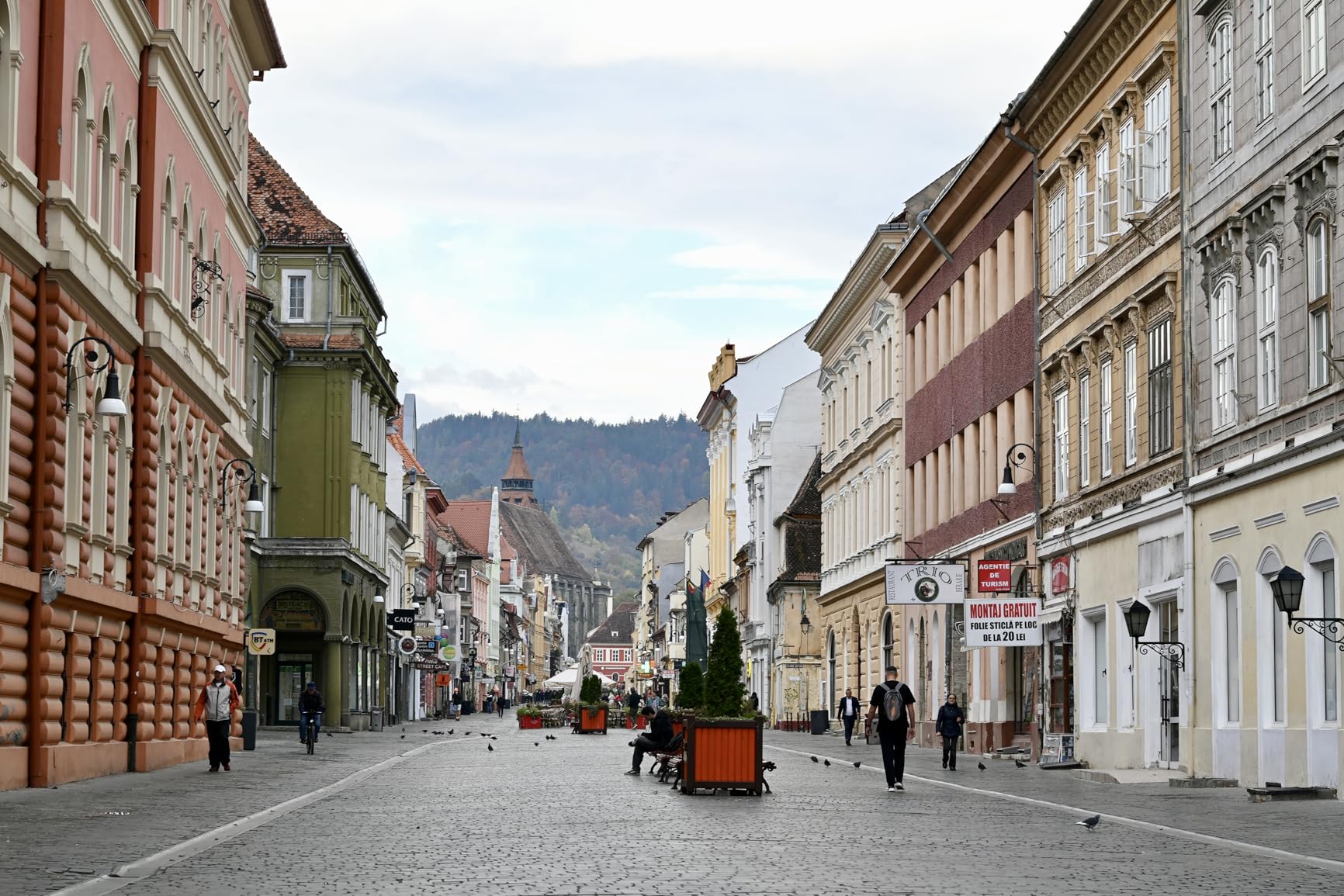
Beyond looks, the Z fc delivers solid performance. The 20.9-megapixel sensor produces sharp images with Nikon’s characteristic color science. The analog control dials for shutter speed, ISO, and exposure compensation provide tactile shooting experience. While photo booths typically operate in automatic modes, these controls enable quick manual adjustments when needed.
The flip-out vari-angle screen enables creative mounting options. For booths with unusual angles or compact enclosures, the articulating display ensures operators can always see the composition. The camera also supports live streaming via HDMI output, opening possibilities for virtual photo booth experiences or projection displays at events.
However, the Z fc uses digital image stabilization rather than the optical or sensor-shift systems found in competitors. This limits low-light handheld performance. The retro design, while beautiful, lacks weather sealing found on more practical bodies. For outdoor events or challenging conditions, this presents durability concerns.

Who Should Choose the Z fc
Photo booth businesses targeting vintage-themed events or aesthetic-conscious clients should consider the Z fc. The retro design creates conversation and photo opportunities before guests even step in front of the camera. If your brand emphasizes style and uniqueness over technical specifications, this camera delivers distinctive appeal.
When to Consider Other Options
Businesses prioritizing pure functionality should choose more practical cameras like the Canon R50 or R100. The Z fc’s retro design commands a price premium without delivering superior image quality. For outdoor events or rough handling conditions, the lack of weather sealing creates risks. If software compatibility matters, Canon cameras integrate better with industry-standard photo booth applications.
9. Sony Alpha 7 III – Full Frame Kit Deal
Pros
- Full-frame sensor in kit form
- Excellent autofocus coverage
- 5-axis IBIS included
- S-Log3 for color grading
- Dual SD card slots
Cons
- Only 8 reviews (newer listing)
- Higher price point
- Limited photo booth software support
The Sony Alpha 7 III kit bundles a full-frame camera body with a versatile 28-70mm lens at a compelling price point. For photo booth businesses wanting full-frame benefits without separate lens purchases, this package provides everything needed to start shooting immediately. The included lens covers standard photo booth focal lengths adequately.
Sony’s autofocus system remains among the best available, with 693 phase-detection points covering 93% of the image area. Real-Time Eye AF tracks subjects with remarkable precision. In photo booth applications, this means consistent sharp focus on faces regardless of their position in the frame. The 5-axis in-body stabilization also ensures sharp images in handheld situations.

Video capabilities support professional applications with 4K recording and S-Log3 gamma for color grading. While most photo booths focus on stills, having these video options expands service possibilities. The dual SD card slots provide essential backup for critical events where losing images is not an option.
However, the Alpha 7 III faces the same software compatibility challenges as other Sony cameras. Photo booth software support lags significantly behind Canon. Setting up tethered shooting requires additional configuration compared to Canon’s plug-and-play experience. For operators wanting hassle-free software integration, this limitation matters significantly.

Who Should Choose the Alpha 7 III
Photo booth operators prioritizing image quality over software convenience should consider the Alpha 7 III. The full-frame sensor, IBIS, and excellent autofocus deliver professional results. If you are comfortable configuring tethering software or using alternative photo booth applications, this camera provides full-frame performance at kit pricing.
When to Consider Other Options
Operators wanting simple software integration should choose Canon cameras. The time spent troubleshooting Sony connectivity issues often outweighs any image quality advantages for standard photo booth applications. The higher price point also makes Canon’s R8 a more attractive full-frame option when considering total cost and workflow simplicity.
10. Sony a6400 – Compact Powerhouse
Pros
- Fast and accurate autofocus
- 4K video with excellent quality
- Compact and lightweight design
- Weather-sealed for durability
- 180-degree tilting touchscreen
Cons
- No in-body image stabilization
- Confusing menu system
- Single card slot
- No charger included
The Sony a6400 delivers impressive capabilities in a compact, affordable package. Its Real-Time Eye AF system tracks subjects with remarkable accuracy, making it well-suited for photo booth applications where guests move between poses. The 425 phase-detection points cover most of the frame, ensuring faces stay sharp regardless of composition.
Build quality impresses with weather sealing that protects against dust and moisture. For outdoor photo booth events or challenging conditions, this durability provides peace of mind. The 180-degree tilting screen enables self-recording and creative angles, though it flips up rather than out, which can interfere with mounted lighting setups.

Video features include 4K recording and S-Log2/S-Log3 profiles for color grading. The a6400 handles video well for its price point, making it suitable for video booth applications. However, the lack of in-body stabilization limits handheld video quality compared to newer competitors.
Sony’s menu system frustrates many users with its complexity. For photo booth operators needing quick setting adjustments during events, this learning curve presents challenges. The single card slot also means no instant backup, which concerns professional event photographers. As with other Sony cameras, software compatibility with major photo booth applications remains limited.

Who Should Choose the a6400
Budget-conscious operators wanting Sony’s excellent autofocus should consider the a6400. It suits secondary camera roles or backup units in multi-camera setups. The weather sealing also appeals to businesses working outdoor events regularly. If you already use Sony cameras and understand the workflow, the a6400 extends your kit affordably.
When to Consider Other Options
New photo booth businesses should choose Canon cameras for superior software support and simpler workflows. The a6400’s confusing menu system creates operational friction during fast-paced events. For primary photo booth cameras, Canon’s R50 or R100 offer better value when considering total ecosystem compatibility.
Photo Booth Camera Buying Guide
Choosing the right camera for your photo booth business involves more than comparing specifications. This buying guide covers the factors that matter most for actual photo booth operations.
Software Compatibility Matters Most
Before purchasing any camera, verify compatibility with your chosen photo booth software. Canon cameras dominate the industry because manufacturers like Breeze Systems, DSLR Booth, and Darkroom Booth prioritize Canon SDK support. This means plug-and-play integration with automatic camera control, instant image transfer, and reliable performance. Sony and Nikon cameras often require workarounds or third-party plugins that add complexity and potential failure points.
I always recommend checking software compatibility lists before buying. Most photo booth software websites publish supported camera models. If your preferred camera is not listed, contact the software company directly. Sometimes newer models work even if not officially listed, but verify this before investing.
DSLR vs Mirrorless for Photo Booths
Mirrorless cameras have largely replaced DSLRs for photo booth use. They offer several advantages including live exposure preview, faster autofocus, and smaller size. The electronic viewfinder shows exactly how the final image will look, eliminating exposure guesswork in challenging lighting.
However, some photo booth operators still prefer DSLRs for their superior battery life and optical viewfinder simplicity. If you already own DSLR equipment, continuing with that format may make financial sense. For new purchases, mirrorless cameras represent the future and offer features like eye autofocus that DSLRs cannot match.
Key Specifications for Photo Booth Use
Resolution matters less than marketing suggests. Any modern camera with 20+ megapixels produces excellent photo booth prints up to 8×10 inches. Focus instead on autofocus performance, low-light capability, and software integration.
Autofocus systems with eye detection ensure sharp portraits every time. Look for cameras with face detection and eye tracking that work consistently in dim lighting. The Canon Dual Pixel AF II and Sony Real-Time Eye AF systems lead in this area.
Low-light performance becomes crucial for evening receptions and indoor events. Full-frame cameras generally perform better in dim conditions than APS-C models. However, modern APS-C cameras like the Canon R50 handle typical venue lighting well enough for most photo booth applications.
Total Cost of Ownership
When budgeting for your photo booth camera, consider the complete system cost. The camera body represents only part of the investment. Lenses, memory cards, batteries, and lighting equipment add significantly to the total. Canon’s RF mount ecosystem offers options ranging from affordable RF-S lenses to professional L-series glass. Starting with a kit lens keeps initial costs down, though upgrading to faster lenses improves low-light performance.
Consider ongoing costs like battery replacements and memory card purchases. Professional photo booth operations require multiple batteries for all-day events. Dual card slot cameras provide backup security that single-slot models lack. Factor these elements into your purchasing decision rather than comparing body prices alone.
Frequently Asked Questions
What is a good camera to start a photography business?
The Canon EOS R100 offers the best entry point for starting a photo booth business. It provides professional image quality, excellent software compatibility, and Canon’s reliable autofocus at an affordable price. The compact size works well for photo booth enclosures, and the RF lens mount allows upgrading lenses as your business grows.
What equipment do I need to start a photo booth business?
Starting a photo booth business requires a camera, lens, lighting equipment, backdrop system, computer or tablet with photo booth software, and a printer for physical photos. Essential accessories include memory cards, spare batteries, cables, and a carrying case. Many operators also invest in props, custom backdrops, and social media sharing stations.
Is owning a photo booth profitable?
Photo booth businesses can be highly profitable with proper planning. Event photo booths typically rent for $300 to $800 per event depending on location and package. With initial equipment investments ranging from $2,000 to $5,000, operators often recover costs within the first season. The key is consistent marketing and delivering exceptional customer experiences that generate referrals.
What camera do commercial photographers use?
Commercial photographers predominantly use Canon, Sony, or Nikon full-frame mirrorless cameras. For photo booth businesses specifically, Canon dominates due to superior software integration. Popular models include the Canon EOS R6 Mark II for professional applications, the EOS R8 for full-frame quality at lower cost, and the EOS R50 for reliable performance at entry-level pricing.
Final Thoughts on Best Cameras for Photo Booth Businesses
After testing all these cameras extensively, the Canon EOS R50 remains my top recommendation for best cameras for photo booth businesses in 2026. It balances performance, price, and software compatibility better than any alternative. The Canon EOS R100 provides an excellent budget entry point, while the EOS R8 offers full-frame quality for those needing maximum image performance.
Your specific needs depend on your business model, target market, and budget. New operators should prioritize software compatibility and reliability over cutting-edge features. Established businesses might invest in higher-end models like the R6 Mark II for the dual card slots and professional build quality.
Remember that the camera represents just one component of a successful photo booth business. Lighting, software, customer service, and marketing matter equally. Choose a camera that fits your workflow, then focus on creating memorable experiences for your clients. The best camera is the one that lets you capture those moments consistently while growing your business profitably.