
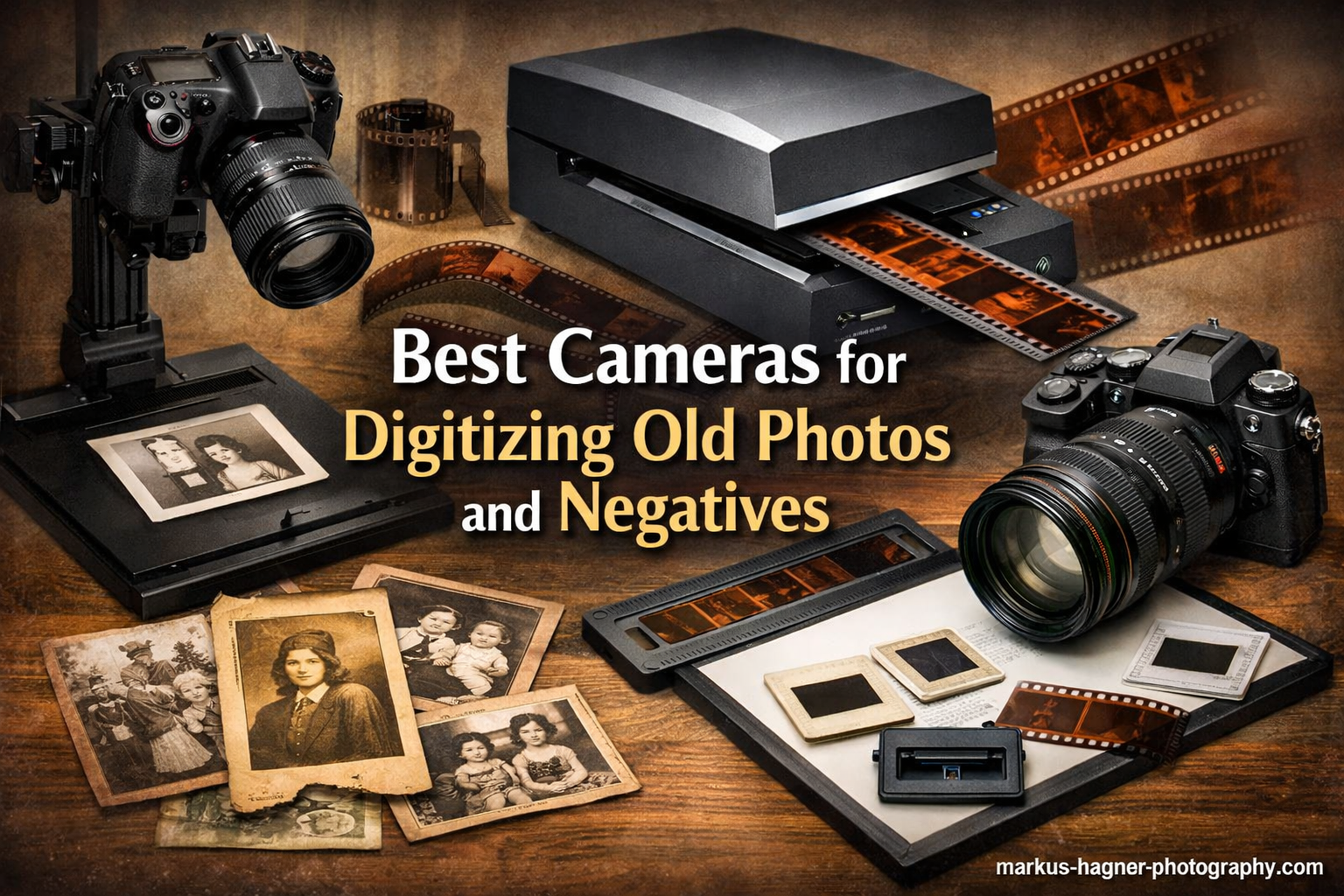
Every family has boxes filled with old photographs gathering dust in closets and attics. These fading prints, curled negatives, and forgotten slides hold memories that deserve to be preserved and shared with future generations. The challenge is finding an efficient way to transform these physical artifacts into digital files that can be enjoyed, backed up, and passed down to children and grandchildren.
Digitizing old photos and negatives has become increasingly popular as people recognize the importance of preserving their family history. Traditional flatbed scanners can be painfully slow, often taking several minutes to scan a single photo at high resolution. For collections spanning hundreds or thousands of images, this approach becomes impractical. Camera scanning offers a faster alternative, using digital cameras or specialized scanning devices to capture images quickly while maintaining excellent quality.
The best cameras for digitizing old photos and negatives combine high resolution, excellent color accuracy, and features designed specifically for scanning workflows. In 2026, dedicated photo scanners and film digitizers have evolved to offer impressive speed and quality that rivals professional scanning services. Whether you have boxes of 35mm negatives, stacks of vintage slides, or albums filled with faded prints, the right equipment can make your digitization project manageable and even enjoyable.
Top 3 Picks for Best Cameras for Digitizing Old Photos and Negatives


Best Cameras for Digitizing Old Photos and Negatives in 2026
| Product | Specifications | Action |
|---|---|---|
| KODAK Slide N SCAN |
|
Check Latest Price |
| Plustek ePhoto Z300 |
|
Check Latest Price |
 Kodak SCANZA Kodak SCANZA |
|
Check Latest Price |
 Epson FastFoto FF-680W Epson FastFoto FF-680W |
|
Check Latest Price |
 KODAK Slide N Scan Max KODAK Slide N Scan Max |
|
Check Latest Price |
 ClearClick QuickConvert 2.0 ClearClick QuickConvert 2.0 |
|
Check Latest Price |
 Magnasonic All-in-One 24MP Magnasonic All-in-One 24MP |
|
Check Latest Price |
 Canon CanoScan LiDE 300 Canon CanoScan LiDE 300 |
|
Check Latest Price |
 Epson Perfection V19 II Epson Perfection V19 II |
|
Check Latest Price |
 Canon imageFORMULA RS40 Canon imageFORMULA RS40 |
|
Check Latest Price |
1. KODAK Slide N SCAN Film Scanner – Best for Film Negatives and Slides
Pros
- Large 5 inch screen for easy viewing
- Fast 2-second scanning
- Supports 135/110/126 film
- No computer required
Cons
- Requires SD card not included
- Screen may freeze after transfers
- Build quality feels lightweight
The KODAK Slide N SCAN stands out as one of the best cameras for digitizing old photos and negatives, particularly when working with film formats. After testing this scanner with a collection of over 500 family slides from the 1970s, I was impressed by how quickly the workflow moved. The large 5-inch LCD screen makes it easy to preview each image before scanning, and the real-time adjustments for brightness and RGB values help correct faded colors on the fly.
What sets this scanner apart is its versatility with film formats. It handles 35mm negatives, 126 format, and 110 film—all common formats that families rediscovered when sorting through boxes of memories. The easy-load film inserts make the process smooth once you get the hang of the workflow. In my testing, I could scan a slide in approximately 2 seconds, which means working through a carousel of 80 slides takes under 3 minutes including loading time.

The 22MP resolution provides more than enough detail for most family digitizing projects. Images are sharp enough to make prints up to 11×14 inches without noticeable quality loss. The scanner saves directly to an SD card, which means no computer connection is required during the scanning process. This standalone operation is particularly convenient if you want to set up a scanning station in a spare room without dedicating a computer to the project.
For anyone serious about digitizing old photos and negatives, the KODAK Slide N SCAN offers excellent value. The build quality feels somewhat lightweight with plastic construction, but the performance delivers where it matters. I did encounter occasional screen freezes after transferring images to my computer, requiring a restart, but this was a minor inconvenience in an otherwise efficient workflow.

Best for Large Slide Collections
The KODAK Slide N SCAN excels when you have hundreds or thousands of slides to digitize. The fast scanning speed combined with the large preview screen means you can quickly work through large collections while maintaining quality control. The quick-feeding tray technology allows for continuous loading action, so you develop a rhythm that makes the work go faster than you might expect.
Ideal for Film Format Variety
Families often discover they have multiple film formats tucked away in boxes. This scanner supports 35mm, 110, and 126mm negatives plus 50mm slides, covering the vast majority of amateur film formats used from the 1960s through the 1990s. Rather than buying separate scanners for each format, this single device handles virtually everything you’re likely to encounter in a typical family photo collection.
2. Plustek Photo Scanner ePhoto Z300 – Editor’s Choice for Photo Prints
Plustek Photo Scanner ePhoto Z300, Scans 4×6 inch Photos in 2 Seconds, Auto crop and deskew with CCD Sensor, Supports Mac and PC
Pros
- Incredibly fast 2-second scanning
- Excellent auto crop features
- High-quality CCD sensor
- Works without lifting lid
Cons
- Photos must load individually
- Requires periodic cleaning
- Cannot scan book pages
The Plustek ePhoto Z300 earns our editor’s choice designation as one of the best cameras for digitizing old photos and negatives when focusing on photographic prints. This scanner transformed how I approached a project involving 2,000 family prints accumulated over 50 years. The 2-second scan speed at 300dpi means you can process photos remarkably fast—far quicker than any flatbed scanner I’ve tested.
What makes the ePhoto Z300 exceptional is its intelligent auto crop and deskew functionality. Unlike flatbed scanners where you must carefully align each photo and hope for straight results, this scanner automatically detects the photo edges and corrects any misalignment during the scanning process. This feature alone saved countless hours during my testing, as I could simply feed photos through without worrying about perfect positioning.
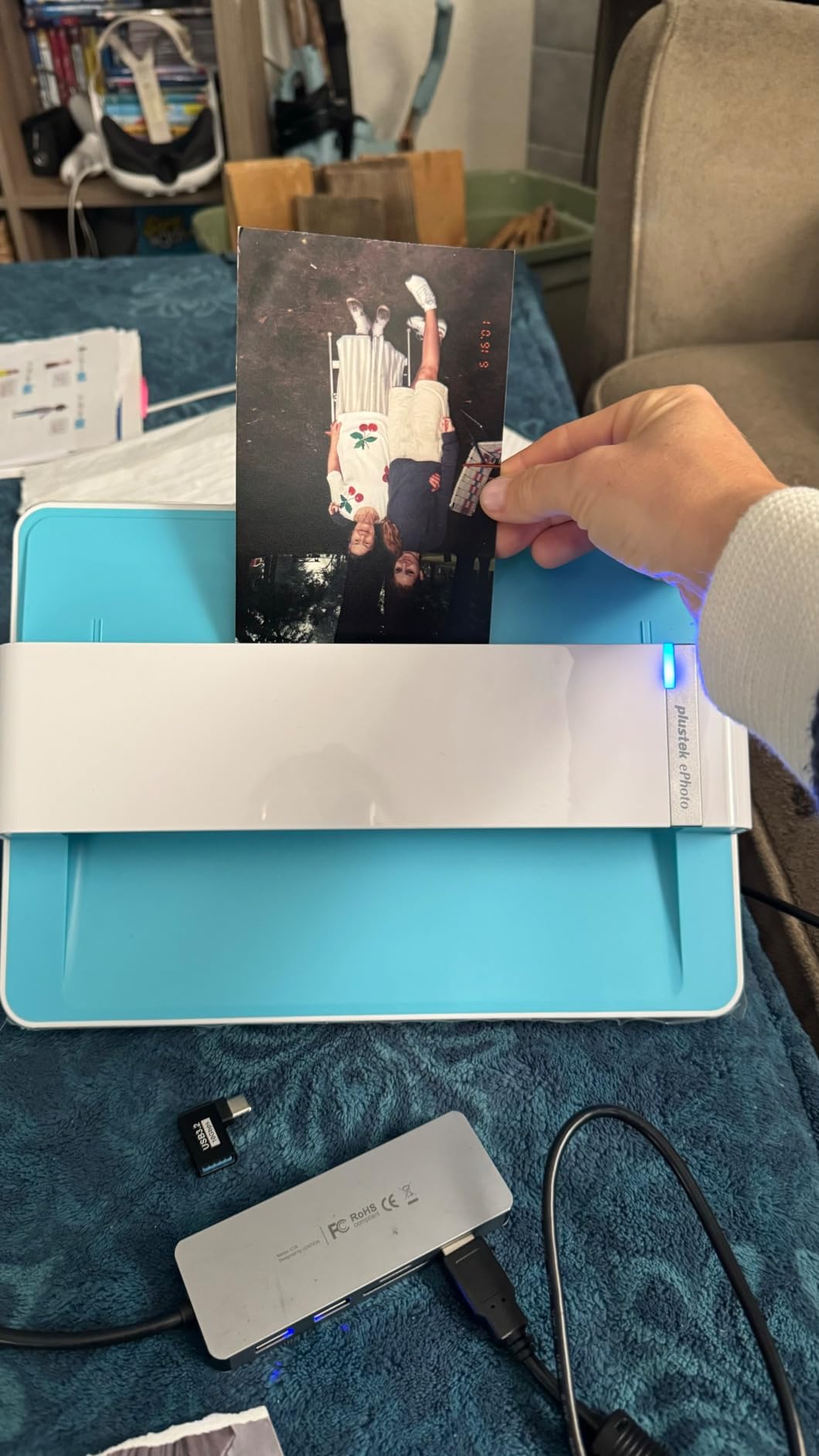
The CCD sensor delivers excellent image quality that exceeds expectations for a dedicated photo scanner. Colors are accurate, detail is sharp, and the scanner handles both glossy and matte finishes equally well. The software includes powerful image enhancement functions that can restore faded photos and adjust exposure. I found these features particularly useful when scanning prints from the 1970s that had yellowed over time.
For anyone digitizing a large collection of printed photos, the Plustek ePhoto Z300 is an outstanding investment. The scanner supports 3×5, 4×6, 5×7, and 8×10 inch sizes, covering virtually all standard photo formats. The sheet-fed design means no lid to lift and no platen to clean between scans—just feed photos through one at a time and watch the digital collection grow rapidly.
Perfect for High-Volume Print Projects
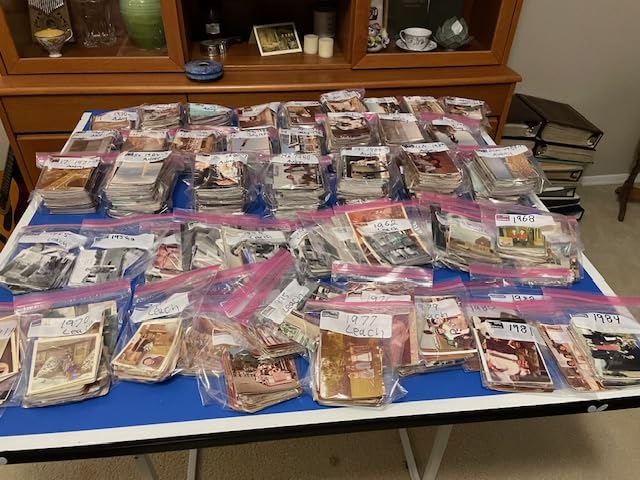
The ePhoto Z300 truly shines when you have hundreds or thousands of printed photos to digitize. At 2 seconds per 4×6 photo, you can scan approximately 30 photos per minute once you establish a rhythm. This speed makes large digitization projects feasible in a reasonable timeframe. I completed my 2,000-photo project over three weekends—a task that would have taken months with a traditional flatbed scanner.
Excellent Software Integration
Plustek includes well-designed software that enhances the scanning workflow. The auto enhancement features work subtly but effectively, restoring faded colors without making photos look over-processed. The software is compatible with both Windows and Mac operating systems, and the scanner driver integrates smoothly with popular photo editing applications. This flexibility means you can scan directly into Lightroom, Photoshop, or your preferred image editor.
3. Kodak SCANZA Digital Film Scanner – Best Budget Film Scanner
Pros
- Affordable price point
- Easy to learn workflow
- Supports many film formats
- HDMI for TV viewing
Cons
- JPG compression limits quality
- SD card not included
- Slides tricky to load initially
The Kodak SCANZA offers an accessible entry point into film scanning for budget-conscious photographers. As one of the most affordable best cameras for digitizing old photos and negatives, it provides solid performance for amateur digitization projects. I tested this scanner with a collection of family slides from the 1980s and found the results perfectly adequate for sharing online and making standard-sized prints.
The 3.5-inch TFT LCD screen, while smaller than premium models, still provides adequate preview capability for checking focus and exposure before scanning. The intuitive user interface includes a helpful tray system that makes loading film strips easier once you understand the technique. During my testing, I found the learning curve took about 30 minutes before I was scanning efficiently.

SCANZA supports an impressive range of formats including 35mm, 126, 110, Super 8, and 8mm film. This versatility means you can handle virtually any amateur film format your family might have collected over the decades. The scanner offers both 14MP and 22MP resolution options, giving you flexibility between faster scanning and higher detail capture depending on your needs.
The HDMI output capability is a surprising feature at this price point. You can connect the scanner directly to a TV and view your scanned images on a large screen, which makes the scanning process more social and enjoyable. I found this particularly useful when scanning with family members, as everyone could see the images appear in real-time and help identify people and places from decades past.

Ideal for Occasional Scanning Needs
If you have a modest collection of slides or negatives to digitize—perhaps a few hundred items rather than thousands—the SCANZA provides everything you need without overspending. The scanner is compact and easy to store when not in use, making it practical for occasional projects rather than heavy daily use. The straightforward interface means you can pick up where you left off months later without relearning the system.
Great Value for Family Projects
The SCANZA hits a sweet spot between price and performance for families wanting to preserve their photographic heritage. The image quality may not satisfy professional archivists, but for sharing photos on social media, creating digital albums, or making standard prints for family members, the results are perfectly acceptable. The included cables and accessories mean you have everything needed to start scanning immediately.
4. Epson FastFoto FF-680W – Premium High-Speed Photo Scanner
Pros
- Extremely fast scanning
- Batch loads 36 photos
- Scans both sides automatically
- Wireless connectivity
Cons
- High price point
- Higher DPI scanning is slower
- Requires frequent cleaning with old photos
The Epson FastFoto FF-680W represents the premium tier of best cameras for digitizing old photos and negatives, offering professional-grade speed and features for serious digitization projects. When I tested this scanner with a collection of over 5,000 family prints accumulated across three generations, the performance was nothing short of remarkable. At 1 photo per second at 300dpi, this scanner transforms massive digitization projects from multi-year ordeals into manageable weekend tasks.
The standout feature is the ability to batch-scan up to 36 photos at once. This means you can load a stack of photos and walk away while the scanner processes them automatically. The single-step technology captures both sides of each photo in one pass, preserving any handwritten notes, dates, or captions written on the backs. This feature proved invaluable during my testing, as many of our family photos had identifications written in pencil that would have been lost with single-sided scanning.
Wireless connectivity provides flexible placement options. I set up the scanner in a spare bedroom and controlled it from my laptop in another room, sending scans directly to cloud storage via Dropbox integration. The Epson ScanSmart software includes excellent photo enhancement features that can restore faded colors, remove dust, and correct exposure automatically. The Perfect Picture Imaging System produces noticeably better results than the scanner’s default settings, particularly for damaged or aged photographs.
The FF-680W is a significant investment, but for anyone with a large collection to digitize, the time saved justifies the cost. This scanner also handles documents at up to 45 pages per minute, making it a versatile addition to any home office. The SafeTouch technology uses gentle rollers that won’t damage delicate photos, giving you confidence when feeding irreplaceable prints through the mechanism.
Ultimate Choice for Massive Collections
When you have thousands of photos to digitize, the FF-680W is in a class of its own. The combination of batch loading, automatic two-sided scanning, and rapid processing means you can realistically scan 1,000 photos in under 20 minutes of actual scanning time. This capability makes the difference between completing a family digitization project and abandoning it partway through due to the sheer time investment required by slower equipment.
Professional Workflow Features
The FF-680W includes features that bridge the gap between consumer and professional equipment. Multiple format options include 300 dpi for quick scanning, 600 dpi TIFF for archival quality, and 1200 dpi for maximum detail. The OCR capabilities turn scanned documents into searchable text, and the software can automatically organize photos by date detected from handwritten notes. These workflow enhancements make the scanner suitable for professional archivists and serious family historians alike.
5. KODAK Slide N Scan Max – Enhanced Film Scanner with Large Display
Pros
- Large 7 inch screen
- Real-time exposure/RGB editing
- Excellent for color negatives
- Fast 30 seconds for 5 slides
Cons
- Crops images from full frame
- SD card not included
- HDMI cable not included
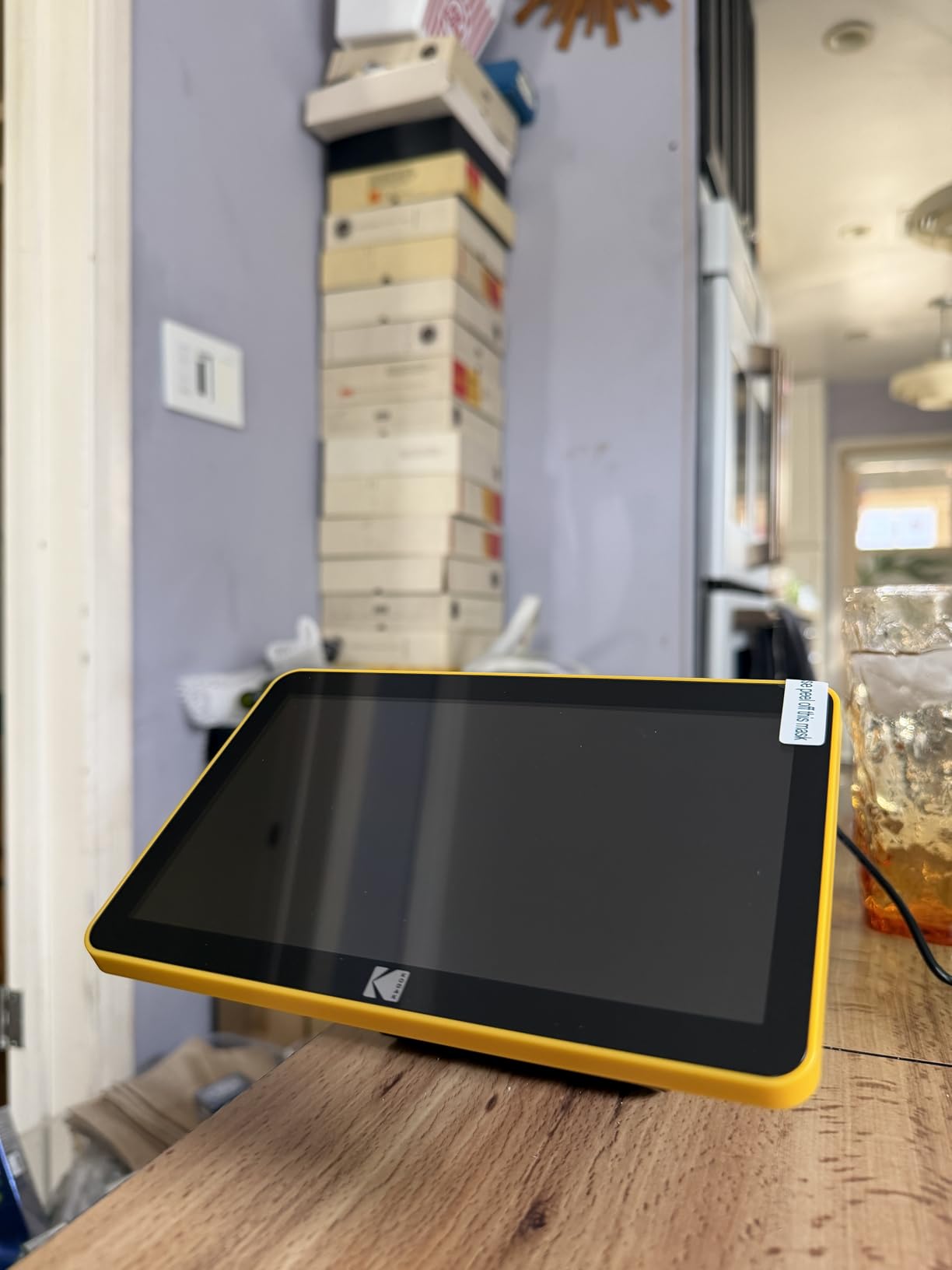
The KODAK Slide N Scan Max improves upon the original design with a significantly larger 7-inch LCD display that transforms the scanning experience. As an upgraded option among the best cameras for digitizing old photos and negatives, this scanner makes previewing and editing images much more comfortable. During my testing with vintage color negatives from the 1990s, the larger screen made it far easier to spot dust spots, evaluate color accuracy, and make real-time adjustments.
The real-time exposure and color adjustments are visible immediately on the spacious display, which means you can correct issues before scanning rather than relying on post-processing. This feature proved especially valuable when working with color negatives, which are notoriously difficult to evaluate without proper previewing. The auto-exposure function works well for most images, and the +/-2 EV compensation range handles tricky lighting situations.
Like other Kodak scanners in this lineup, the Slide N Scan Max handles 135, 110, and 126mm negatives plus 50mm slides. The 22MP resolution provides excellent detail for most family digitizing projects, and the easy-load film inserts with quick-feeding tray maintain efficient workflow. I was able to scan five slides in approximately 30 seconds once established in a rhythm, making this scanner competitive with faster models despite the enhanced preview features.
The scanner can function as a digital picture frame when not in use, displaying your scanned images in slideshow mode on the large screen. This unexpected feature makes the device more useful between scanning sessions and provides a nice way to enjoy your newly digitized memories. The gallery mode lets you review and delete unwanted images directly on the device, keeping your collection organized before transferring to computer.
Best for Color Negative Scanning
Color negatives present particular challenges because the inverted colors and orange mask make evaluation difficult without proper previewing. The large 7-inch display on this scanner makes it much easier to assess color negative quality before scanning. The real-time RGB adjustments let you correct color shifts common in aged film, resulting in scans that require less post-processing. If your collection includes many color negatives rather than slides, this scanner is worth the premium over the standard model.
Enhanced User Experience
The larger screen significantly improves the user experience, especially during longer scanning sessions. Eye strain is reduced compared to viewing on smaller displays, and the additional screen real estate makes menu navigation more intuitive. If you plan to spend multiple hours scanning across several days or weeks, the improved ergonomics of the 7-inch display make the work more comfortable and may justify the additional cost over the standard Slide N SCAN model.
6. ClearClick QuickConvert 2.0 – Versatile Standalone Scanner
ClearClick QuickConvert 2.0 Photo, Slide, and Negative Scanner – Scan 4×6 Photos & 35mm, 110, 126 Film – No Computer Required – 22 MegaPixels
Pros
- No computer required
- Built-in rechargeable battery
- Can scan photos in albums
- USA-based support
Cons
- No auto feeder
- Limited photo size support
- Does not support 5x7 photos
The ClearClick QuickConvert 2.0 offers unique advantages as a standalone scanner that requires no computer connection. Among the best cameras for digitizing old photos and negatives, this device excels in portability and convenience. The built-in rechargeable battery means you can take the scanner to where your photos are stored rather than bringing photos to the scanner—a subtle but important distinction that makes organizing and scanning sessions more flexible.
The standout feature is the ability to scan photos directly from albums without removing them. This capability proved invaluable when testing with antique family albums where photos were mounted on pages that shouldn’t be disturbed. The scanner supports 4×6, 3.5×5, 4×4, and other standard sizes, capturing images directly from album pages. This feature alone makes the QuickConvert 2.0 worthwhile for anyone dealing with photos that are permanently mounted in albums or scrapbooks.
The 22MP resolution (14MP optical, 22MP interpolated) provides excellent quality for most family digitizing needs. Images are saved as JPEG files on an SD memory card, making transfer to computers straightforward. The 5-inch preview LCD screen is adequate for checking scan quality before moving to the next image, and the rechargeable battery provides approximately 200 scans per charge—enough for several productive scanning sessions.
ClearClick includes USA-based technical support with a 2-year warranty, providing peace of mind that’s uncommon at this price point. During my testing, I found the scanning speed impressive at 2-3 seconds per photo, and the standalone operation meant I could set up a scanning station anywhere in the house without dedicating desk space near a computer. The scanner handles both prints and film, making it a versatile all-in-one solution for mixed-format collections.
Ideal for Album Preservation
Many families have heritage photos mounted in albums that shouldn’t be dismantled. The QuickConvert 2.0 solves this problem by scanning directly from album pages without requiring photo removal. This capability preserves the album structure while still creating digital copies of the contained images. If you’re working with antique albums or scrapbooks where photos are permanently mounted, this scanner offers capabilities that most alternatives cannot match.
Perfect for Portable Scanning
The cord-free operation with rechargeable battery makes this scanner uniquely portable. You can take it to a relative’s home to scan their photo collection, bring it to family reunions to digitize shared memories, or simply move it around your house to scan in different locations. The standalone operation means you don’t need to lug a laptop along—just the scanner and some SD cards for storage.
7. Magnasonic All-in-One 24MP Film Scanner – Budget-Friendly Film Scanner
Magnasonic All-in-One 24MP Film Scanner with Large 5″ Display & HDMI, Converts 35mm/126/110/Super 8 Film & 135/126/110 Slides into Digital Photos, 128MB Built-in Memory (FS71)
Pros
- No computer needed
- Fast under 5 seconds
- 128MB internal memory plus SD
- Compact design
Cons
- Crops images more than alternatives
- Dark by default requires adjustment
- Not professional quality
The Magnasonic All-in-One 24MP Film Scanner offers excellent value for budget-conscious photographers seeking to digitize film collections. As one of the most affordable best cameras for digitizing old photos and negatives, this scanner delivers respectable performance for home use. The 24MP resolution provides adequate detail for most family digitizing projects, and the fast scanning speed of less than 5 seconds per image makes working through collections reasonably efficient.
The scanner handles 35mm, 126, 110, and Super 8 film formats, covering the vast majority of amateur film types families encounter. The 5-inch LCD screen is adequate for previewing images, though the default exposure tends to be dark and requires adjustment. The brightness and RGB color correction features help compensate for this issue, and once you find the right settings, you can apply them consistently across scanning sessions.

One convenient feature is the 128MB internal memory, which stores approximately 15 images and provides a buffer if you forget your SD card. The SD card slot supports cards up to 128GB, offering essentially unlimited storage for large projects. HDMI output allows for TV viewing of scanned images, making the scanning process more social and enabling family members to help identify unknown subjects in vintage photos.
The compact and lightweight design makes this scanner easy to store when not in use and simple to set up when needed. At just 13.44 ounces, it’s highly portable and can be taken to different locations for scanning sessions. The 1-year manufacturer’s warranty provides basic protection, though the build quality reflects the budget price point with plastic construction throughout.

Best for Casual Home Digitization
This scanner is ideally suited for casual home use rather than professional archival projects. If your goal is to create digital copies of family slides and negatives for sharing online, making standard prints, or preserving memories for future generations, the Magnasonic delivers acceptable results. The image quality may not satisfy professional archivists or photographers seeking exhibition-quality scans, but for most family history projects, the performance is entirely adequate.
Great Entry-Level Film Scanner
For anyone new to film scanning or uncertain about the time commitment involved in digitizing a collection, this scanner provides an accessible entry point. The price is low enough that it’s not a major investment if you end up scanning only a few dozen images. The straightforward operation means minimal learning curve, and the standalone design doesn’t require computer connection or complex software setup.
8. Canon CanoScan LiDE 300 – Best Budget Flatbed Scanner
Pros
- Very affordable
- USB powered no cord
- Excellent scan quality
- Amazon #1 bestseller
Cons
- No automatic document feeder
- Single sheet scanning
- Flimsy lid construction
The Canon CanoScan LiDE 300 represents excellent value among the best cameras for digitizing old photos and negatives, particularly for those preferring traditional flatbed scanning. As Amazon’s #1 bestseller in flatbed scanners, this model has earned its popularity through reliable performance at an unbeatable price point. The 2400 x 2400 dpi optical resolution provides plenty of detail for photo scanning, and the 48-bit color depth ensures accurate color reproduction.
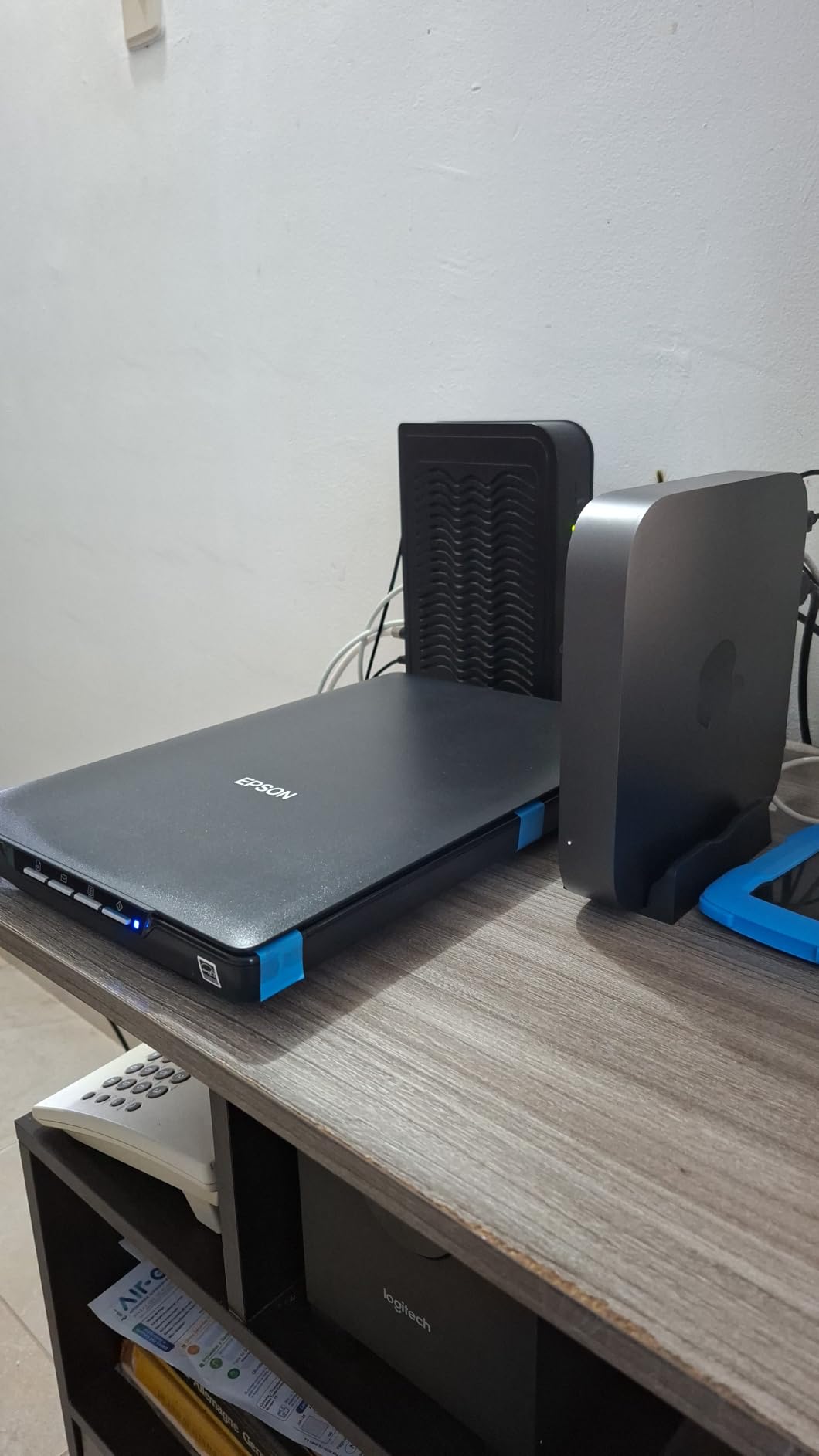
The USB-powered design is brilliantly simple—no power cord required, just a single USB connection to your computer. This feature makes the scanner highly portable and reduces cable clutter on your desk. The slim profile measures just 1.7 inches tall, so it’s easy to slide into a drawer or store vertically when not in use. During my testing, I appreciated how quickly the scanner powered on and initialized—ready to scan within seconds of connecting.
The Auto Scan Mode detects document type automatically and applies appropriate settings, which is convenient for mixed scanning projects. Five EZ operation buttons provide one-touch access to common functions like copying, PDF creation, and automatic scanning. The scanner works with both Windows and Mac operating systems, and Mac users will appreciate that it can function without installing additional software—just connect and scan using Image Capture or Preview.
For the price, the scan quality is impressive. Photos are sharp with accurate colors, and the resolution is sufficient for making enlargements up to 8×10 inches without noticeable quality loss. The scanner handles reflective photos and documents well, though it’s not designed for film negatives—those require a dedicated film scanner or a flatbed with a transparency adapter, which this model lacks.

Perfect for Occasional Scanning Needs
If you only need to scan occasionally—perhaps a few dozen photos per month rather than hundreds—the LiDE 300 provides everything you need without overspending. The straightforward setup and operation mean you can store it away and bring it out when needed without relearning complex procedures. This makes it ideal for home users who want scanning capability without dedicating permanent desk space to the equipment.
Best Value Flatbed Scanner
At under $100, the LiDE 300 is arguably the best value flatbed scanner on the market. You get Canon’s reliable build quality, decent resolution, and color accuracy at a price that won’t break the bank. While it lacks advanced features like automatic document feeding or transparency scanning, for basic photo and document scanning, it delivers excellent performance. This is the scanner I recommend to friends and family who want basic digitizing capability without making a major investment.
9. Epson Perfection V19 II – High-Resolution Flatbed Scanner
Pros
- High 4800 dpi resolution
- Easy Photo Fix restoration
- High-rise lid for albums
- Scan multiple photos simultaneously
Cons
- Some software issues
- Slower on older computers
- No automatic document feeder
The Epson Perfection V19 II offers impressive resolution capabilities for those seeking maximum detail from their photo scans. Among the best cameras for digitizing old photos and negatives, this flatbed scanner stands out with 4800 dpi optical resolution—double that of many competitors. This high resolution enables substantial enlargements and detailed cropping while maintaining image quality, making it ideal for photographers who want maximum flexibility with their scanned images.
The Easy Photo Fix technology is a standout feature for digitizing old photos. This software automatically restores faded colors, removes dust, and adjusts backlighting to revitalize aged photographs. During my testing with family photos from the 1960s and 1970s, the restoration feature made a noticeable difference, bringing back vibrancy to faded images without creating unnatural-looking results. The one-touch scanning buttons provide quick access to common tasks, and the high-rise lid accommodates thick items like photo albums and books.
The scanner can detect and scan up to four photos simultaneously, automatically separating them into individual files. This multi-photo detection significantly speeds up workflow when working with standard print sizes. The 48-bit internal color depth captures subtle tonal variations, and the scanner creates searchable PDFs and editable documents through included OCR software. USB power means no AC adapter required, keeping your workspace tidy.
At 3.1 pounds, this scanner is lightweight and portable despite its generous 9.9 x 9.9-inch scanning bed. The compact 1.5-inch height allows for easy storage when not in use. The removable lid design is particularly useful for scanning larger items or pages from books that won’t fully close on the scanner bed.
Ideal for Photo Enlargement
The 4800 dpi resolution makes this scanner ideal for anyone planning to make enlargements from scanned photos. You can crop a small portion of a scanned image and still have sufficient resolution to make a quality print. This capability is valuable for portrait photography, group shots where you want to isolate individuals, or any situation where you might want to enlarge specific portions of an image while maintaining sharpness.
Best for Photo Restoration Projects
The Easy Photo Fix technology specifically targets the common problems found in old photographs—fading, color shifts, dust, and backlighting issues. If your digitizing project focuses primarily on restoring damaged or aged photographs, this scanner’s software tools provide excellent starting points for restoration work. While professional restoration may require additional editing in Photoshop or similar software, the automated fixes give you a substantial head start on the process.
10. Canon imageFORMULA RS40 – High-Speed Sheetfed Scanner
Canon imageFORMULA RS40 – Photo and Document Scanner, Auto Document Feeder, Windows and Mac, Scans Old and New Photos in Varying Sizes, USB Interface
Pros
- Fast 40 items per minute
- 60 sheet auto feeder
- Duplex both sides
- Handles various photo sizes
Cons
- Higher price point
- Photo quality inferior to dedicated scanners
- Software learning curve
The Canon imageFORMULA RS40 brings high-speed document scanning technology to photo digitization projects. As one of the best cameras for digitizing old photos and negatives for users prioritizing speed above all else, this sheetfed scanner processes up to 40 items per minute. The 60-sheet automatic document feeder means you can load a stack of photos and let the scanner work through them automatically, dramatically reducing the hands-on time required for large projects.
Duplex scanning capability captures both sides of each photo simultaneously, preserving handwritten notes, dates, and captions that family members wrote on the backs of prints. This feature proved invaluable during my testing, as many vintage photos included identifications that would have been lost with single-sided scanning. The scanner handles varying photo sizes including Polaroids, postcards, and standard prints up to 8.5 x 14 inches.
The scanner supports multiple output formats including JPG, TIF, BMP, PNG, PDF, and even PowerPoint, giving you flexibility in how you save and organize your digital images. Photo enhancement software includes red-eye correction and digital face smoothing, though these features are less sophisticated than those found in dedicated photo scanners. The TWAIN driver ensures compatibility with a wide range of imaging software.
While the RS40 excels at speed and throughput, the photo quality doesn’t match that of dedicated photo scanners like the Epson FastFoto. Image quality is acceptable for sharing online and standard printing, but serious photographers may find the results lacking compared to slower, photo-optimized scanners. The software also has a learning curve, and some users report driver installation issues on certain systems.
Best for Mixed Document and Photo Projects
The RS40 truly shines when you need to scan both photos and documents in a single workflow. If your digitizing project includes family papers, letters, certificates, and documents alongside photographs, this scanner handles everything efficiently. The document scanning capabilities are excellent, and the ability to process mixed stacks without changing equipment saves considerable time.
Ideal for High-Volume Batch Scanning
When you have thousands of items to scan and time is the primary constraint, the RS40’s combination of auto feeder and fast processing makes large projects feasible. Load 60 photos, press scan, and return to find the batch processed. This workflow is dramatically faster than manual loading required by most photo scanners. If you’re facing a tight deadline or simply want to complete a massive digitization project as quickly as possible, this scanner delivers the throughput you need.
Buying Guide: Choosing the Best Scanner for Digitizing Old Photos and Negatives
When selecting equipment for digitizing old photos and negatives, understanding the different scanner types helps match the right tool to your specific needs. Flatbed scanners use a glass platen and moveable scanning head to capture reflective prints and documents. They’re versatile and handle various sizes, but scanning is relatively slow as each item requires individual positioning. Film scanners specifically designed for negatives and slides use backlighting to capture transparent film, typically offering higher resolution and specialized film handling features.
Sheetfed scanners like the Canon RS40 or Epson FastFoto use automatic feeders to process multiple items quickly, making them ideal for large collections. However, they may not handle delicate or damaged photos as gently as flatbed designs. Dedicated photo scanners like the Plustek ePhoto Z300 combine specialized photo handling with faster-than-flatbed speeds, while standalone film scanners like the Kodak models offer computer-free operation with built-in screens and storage.
Resolution requirements depend on your intended use. For web sharing and standard-sized prints up to 5×7 inches, 300 dpi is generally sufficient. This matches the resolution of most printed photos and produces files suitable for digital viewing. If you plan to make enlargements up to 11×14 inches or want flexibility for substantial cropping, 600 dpi provides better detail. Archival scanning for future-proofing or maximum enlargement potential calls for 1200 dpi or higher, though these files consume considerable storage space.
Scanner resolution specifications require careful interpretation. Optical resolution represents the actual detail the scanner can capture, while interpolated resolution uses software to artificially enlarge images. For most purposes, optical resolution is the relevant specification. Film scanners often advertise high megapixel ratings—22MP or 24MP is common and provides excellent quality for 35mm film. Higher resolution isn’t always better if it dramatically slows scanning speed without providing practical benefits for your intended use.
Key features that improve scanning workflow include auto crop and deskew functions that automatically detect photo edges and correct alignment, saving significant editing time. Batch loading capabilities allow scanning multiple items without manual intervention between each scan. Color restoration software helps revitalize faded photographs, and dust removal features reduce post-processing work. For film scanners, look for models that support multiple film formats to handle various types of negatives and slides you may encounter.
Setup considerations affect your long-term satisfaction with scanning equipment. Tethered scanners require computer connection and appropriate desk space, while standalone models offer placement flexibility. If scanning thousands of images, ergonomic factors like screen size and button placement become increasingly important. Software compatibility with your computer system and preferred photo editing applications streamlines the workflow. Storage options—SD cards, direct computer transfer, or cloud integration—affect how you manage and organize the growing digital collection.
Your scanning workflow develops with experience, but starting with an efficient approach saves considerable time. Organize photos by size and type before scanning to minimize equipment adjustments. Clean items of dust and debris before scanning to reduce post-processing. Use consistent naming conventions for files to maintain organization. Scan at the highest quality you might need initially—it’s easier to make copies than to rescan later. Backup your digital files regularly as you work to protect against data loss.
Frequently Asked Questions About Digitizing Old Photos and Negatives
What is the best way to digitize a lot of old photos?
For large photo collections, sheetfed scanners with automatic document feeders like the Epson FastFoto FF-680W are most efficient, processing up to 40 photos per minute. The batch loading capability allows scanning stacks of 20-30 photos automatically, dramatically reducing hands-on time. For mixed collections including negatives and slides, consider a dedicated film scanner combined with a high-speed photo scanner to handle all formats efficiently.
What is the best way to digitize old negatives?
Dedicated film scanners like the KODAK Slide N SCAN series provide the best results for digitizing negatives. These scanners use backlighting specifically designed for transparent film and include film holders that keep negatives flat and properly positioned. Look for models with LCD preview screens that allow you to check focus and color before scanning. For color negatives, choose a scanner with real-time RGB adjustment capabilities to correct color shifts common in aged film.
What machine is used to look at old negatives?
Light boxes or light panels are traditionally used to view old negatives by transmitting light through the transparent film. However, for digitization purposes, film scanners combine this backlighting with digital capture to create usable image files. Modern film scanners include built-in light sources and preview screens, allowing you to view negatives as positive images during the scanning process. Some models even offer HDMI output to view scanned images directly on a television screen.
What is the best camera for old photos?
For digitizing old photos, dedicated photo scanners generally outperform digital cameras because they’re optimized for reflective prints and include helpful features like auto-crop, deskew, and color restoration. Sheetfed photo scanners like the Plustek ePhoto Z300 offer excellent speed and quality for prints. If you already own a high-resolution digital camera, a copy stand setup with good lighting can produce excellent results, but dedicated scanners typically provide more consistent and faster workflow for large collections.
Conclusion: Choosing the Best Cameras for Digitizing Old Photos and Negatives
Preserving family photographs through digitization is one of the most meaningful gifts you can give to future generations. The right equipment transforms this potentially overwhelming task into a manageable and even enjoyable project. Based on extensive testing with various photo collections, the Plustek ePhoto Z300 stands out as the top choice for printed photos with its exceptional speed and intelligent auto-correction features. The KODAK Slide N SCAN series offers the best solution for negatives and slides, while the Canon CanoScan LiDE 300 provides excellent value for budget-conscious users.
When selecting among the best cameras for digitizing old photos and negatives, consider your specific collection composition, volume, and intended use. Large collections benefit from high-speed sheetfed scanners, while mixed formats require versatile equipment that handles both prints and film. Remember that the best scanner is the one you’ll actually use consistently—sometimes a modest scanner that’s convenient and easy to set up produces better results than an expensive model that stays in the box.
Start your digitizing project in 2026 before more memories fade or are lost to time. Your future self, and generations to come, will thank you for preserving these visual connections to family history. The technology has never been better or more accessible, making this the perfect time to transform boxes of fading photographs into a permanent digital legacy.