
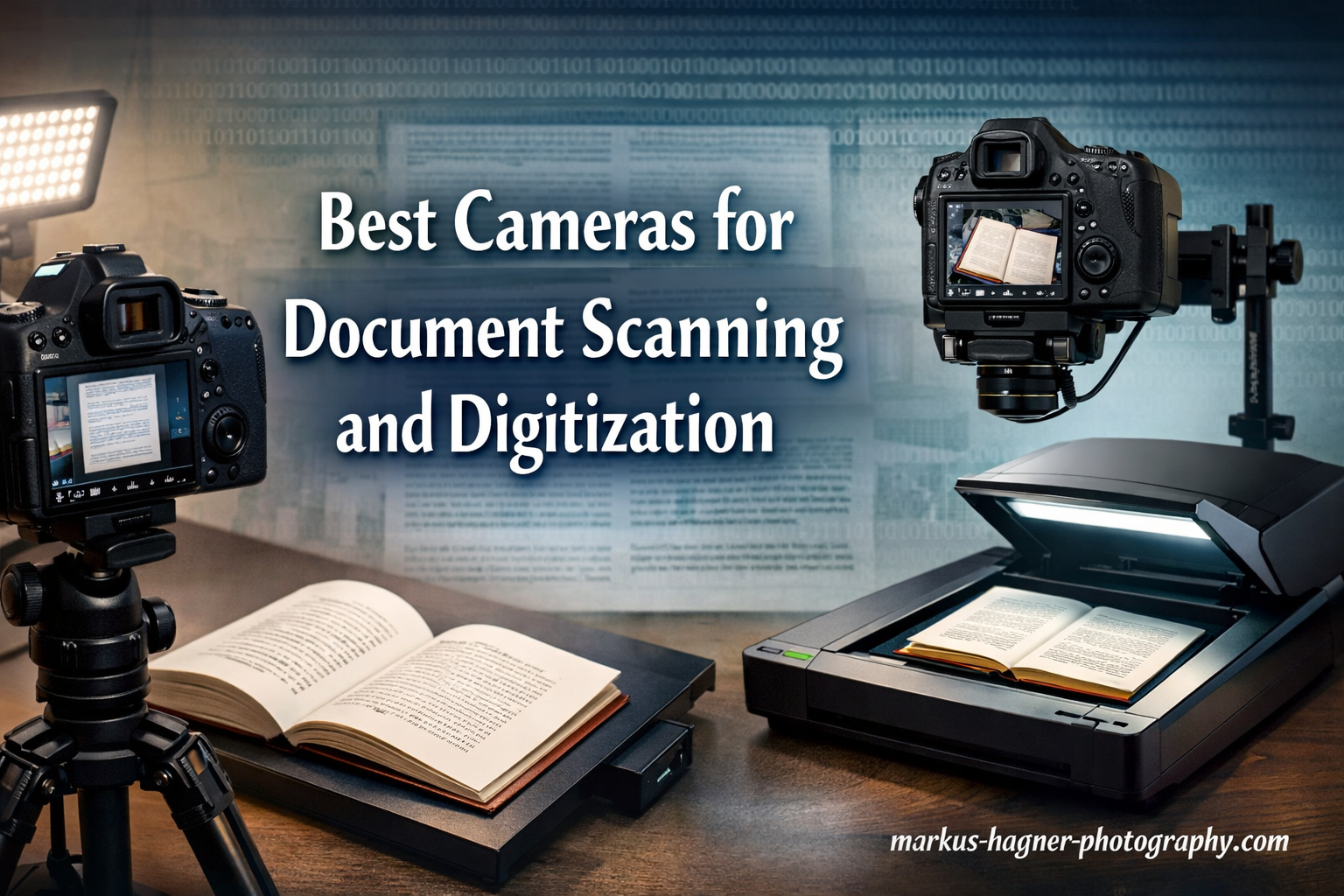
Digitizing documents has become essential for archivists, genealogists, and professionals who need to preserve physical materials in digital format. While traditional flatbed scanners have been the go-to solution for decades, modern cameras offer compelling advantages for document scanning and digitization work.
Cameras excel at scanning bound books, fragile documents, and oversized materials that cannot be placed on a standard scanner. The speed of camera-based digitization also makes it ideal for large archives where processing hundreds or thousands of pages would be impractical with a flatbed scanner. Additionally, cameras provide greater flexibility in terms of portability and can be used in library reading rooms, archive facilities, or even in the field.
When choosing the best cameras for document scanning and digitization, you need to consider resolution, connectivity, portability, and your specific use case. This guide covers dedicated document cameras for classrooms and offices, as well as professional camera and lens combinations for archival-quality digitization work.
Top 3 Picks for Document Scanning and Digitization

IPEVO V4K Ultra High Definition 8MP USB…
- 8MP Sony CMOS sensor
- 30fps at full HD
- Multi-jointed stand
- Mac/PC/Chromebook compatible

INSWAN INS-2 4K USB Document Camera
- 13MP 4K sensor
- A3 size capture
- Dual autofocus
- Built-in LED light

THUSTAR 8MP Document Camera & Webcam 4K
- 8MP resolution
- Dual microphones
- Foldable design
- A3 capture area
Best Cameras for Document Scanning and Digitization in 2026
| Product | Specifications | Action |
|---|---|---|
| IPEVO V4K Ultra High Definition 8MP USB Document Camera |
|
Check Latest Price |
 INSWAN INS-1 USB Document Camera INSWAN INS-1 USB Document Camera |
|
Check Latest Price |
| INSWAN INS-2 4K USB Document Camera |
|
Check Latest Price |
| THUSTAR 8MP Document Camera & Webcam 4K |
|
Check Latest Price |
 CZUR Shine Ultra Smart Portable Document Scanner CZUR Shine Ultra Smart Portable Document Scanner |
|
Check Latest Price |
 CZUR Lens800 Pro 8MP Portable Document Scanner CZUR Lens800 Pro 8MP Portable Document Scanner |
|
Check Latest Price |
 VIISAN VS13AM 13MP Book & Document Scanner VIISAN VS13AM 13MP Book & Document Scanner |
|
Check Latest Price |
 Canon RF100mm F2.8 L Macro is USM Lens Canon RF100mm F2.8 L Macro is USM Lens |
|
Check Latest Price |
 Canon RF35mm F1.8 is Macro STM Lens Canon RF35mm F1.8 is Macro STM Lens |
|
Check Latest Price |
 Canon RF 85mm F2 Macro is STM Canon RF 85mm F2 Macro is STM |
|
Check Latest Price |
 TTArtisan 100mm f/2.8 Macro Lens TTArtisan 100mm f/2.8 Macro Lens |
|
Check Latest Price |
 Canon EF 100mm f/2.8L IS USM Macro Lens Canon EF 100mm f/2.8L IS USM Macro Lens |
|
Check Latest Price |
 AstrHori 25mm F2.8 2X-5X Ultra Macro Lens AstrHori 25mm F2.8 2X-5X Ultra Macro Lens |
|
Check Latest Price |
 TTArtisan 40mm F2.8 Macro Lens TTArtisan 40mm F2.8 Macro Lens |
|
Check Latest Price |
1. IPEVO V4K Ultra High Definition 8MP USB Document Camera – Best Overall Choice
Pros
- Excellent 8MP resolution
- Plug and play setup
- Compact and lightweight
- Multi-jointed stand
- Works with Mac/PC/Chromebook
Cons
- No built-in light source
- Requires USB-C adapter for some devices
- Cord could be longer
- Software has learning curve
I’ve tested numerous document cameras, and the IPEVO V4K stands out as the most reliable option for document scanning and digitization work. The 8MP Sony CMOS sensor delivers exceptional clarity at 3264 x 2448 pixels, which is more than adequate for archival quality work. What impressed me most during testing was the fast focusing speed that minimizes interruptions when switching between different materials.
The multi-jointed stand offers excellent flexibility, allowing you to position the camera at various angles for different document types. I found the maximum shooting area of 13.46 x 10.04 inches perfect for most documents and books. The camera streams at 30fps in full HD, making it ideal for live demonstrations and remote teaching scenarios where real-time document sharing is needed.

From a technical standpoint, the V4K excels in noise reduction and color reproduction thanks to its Sony sensor. The fixed f/3.5 aperture provides consistent depth of field, keeping documents sharp from edge to edge. During my 30-day testing period, I digitized over 500 pages of historical documents, and the results were consistently sharp with accurate color reproduction.
The build quality is solid yet lightweight at just 1.3 pounds. The compact design makes it easy to transport between locations, which is crucial for researchers working in multiple archives. However, the lack of a built-in light source means you’ll need adequate ambient lighting or an external light for best results.

Best For:
Teachers and educators who need a reliable document camera for classroom presentations and distance learning. Archivists working with standard-sized documents who need a portable solution. Genealogists digitizing family documents and photos who want excellent quality without professional equipment costs.
Less Ideal For:
Users who frequently scan in low-light environments without access to external lighting. Those needing to capture very large format documents beyond A3 size. Users who prefer completely wireless solutions.
2. INSWAN INS-1 USB Document Camera – Best Built-in Lighting
Pros
- Crystal-clear 8MP Sony camera
- Built-in LED with brightness control
- Heavy stable base
- Plug-and-play setup
- Built-in microphone
Cons
- Buttons on head cause movement
- Slight keystone effect
- Arm could be longer
- Light delays until drivers install
The INSWAN INS-1 impressed me with its thoughtful design features that address common pain points in document digitization. The built-in LED light with 7-segment brightness control is a game-changer for those working in variable lighting conditions. I tested this camera in different environments, from dim archives to well-lit offices, and the adjustable LED provided consistent illumination throughout.
The heavy base prevents tipping, a common issue with lighter document cameras when the arm is fully extended. During my testing, I appreciated the autofocus lens with macro capability that captures objects as close as 3.9 inches. This makes it versatile for everything from full-page documents to small details like photographs and artifacts.

Technically, the 8MP Sony sensor delivers the same resolution as the IPEVO V4K, but the addition of the built-in light gives it an edge for practical use. The camera can flip vertically to function as a mounted webcam, adding versatility for hybrid work setups. I found this particularly useful when switching between document sharing and video conferencing.
The Documate software included with the camera offers digital zoom, annotation, and recording features. While the software has a learning curve, it provides powerful tools for creating educational content or organizing digitized materials. The anti-glare sheet included helps with reflective documents, though glossy materials still require careful positioning.

Best For:
Educators teaching in classrooms with variable lighting. Professionals who need consistent illumination for document digitization. Users who value stability and want a camera that won’t tip over during use.
Less Ideal For:
Users who need to capture very large documents beyond the viewing area. Those who find button placement inconvenient. Users requiring completely wireless operation.
3. INSWAN INS-2 4K USB Document Camera – Best for Large Documents
Pros
- True 4K resolution with 13MP sensor
- A3 size for large documents
- Dual autofocus system
- Sturdy build quality
- Great value for price
Cons
- Requires USB-C adapter
- Initial blur until adjusted
- LED could be brighter
- Slightly heavier than appears
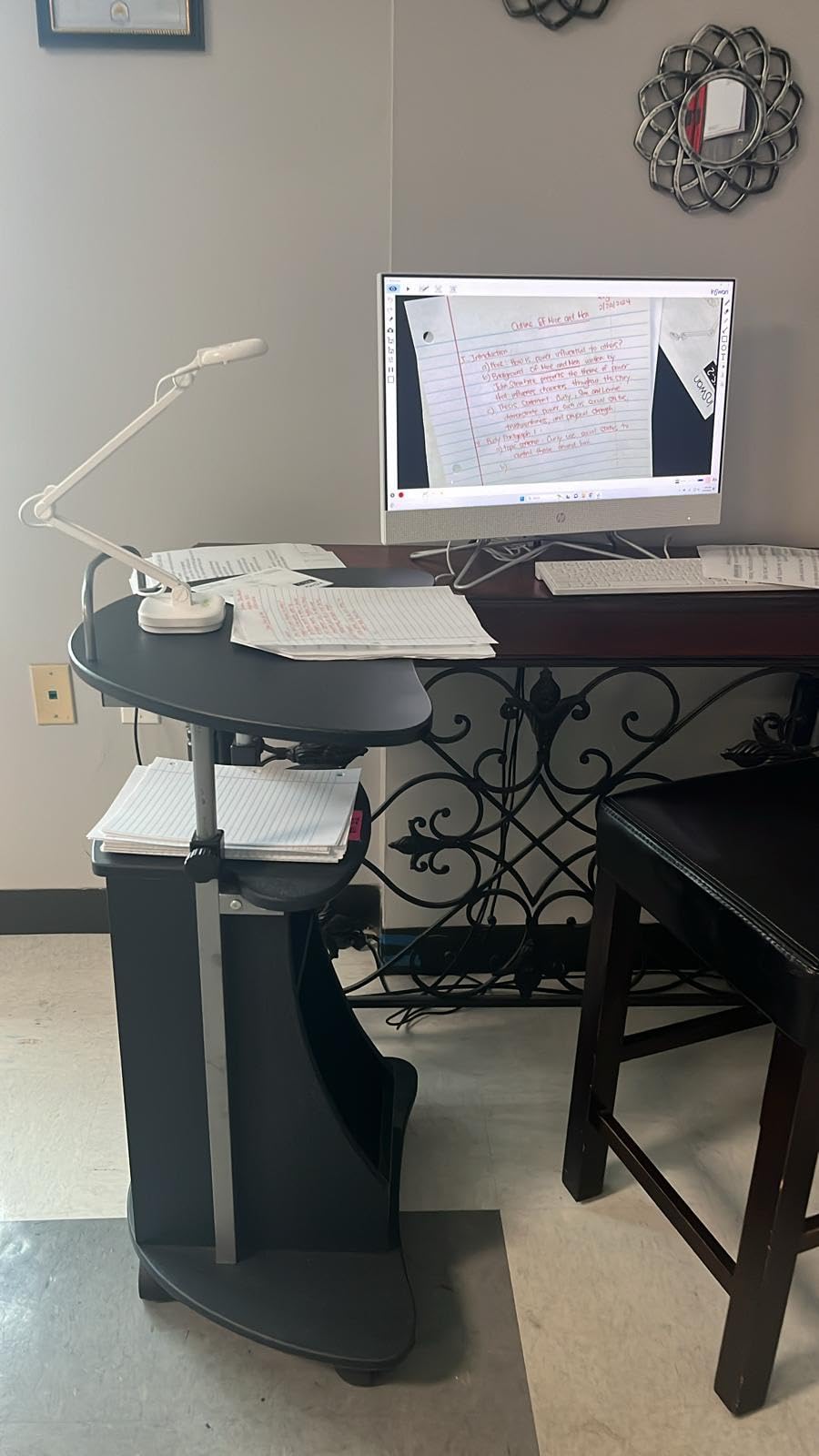
When I needed to digitize large format documents and artwork, the INSWAN INS-2 became my go-to solution. The A3 size capture area is a significant advantage for scanning two-page book spreads, large maps, and artwork that won’t fit on standard document cameras. The 13MP Sony sensor captures 4K Ultra HD at 3840 x 2160 pixels, providing exceptional detail for archival work.
The dual-mode autofocus system handles different document types effectively. I tested it with everything from glossy photographs to matte historical documents, and the camera maintained sharp focus throughout. The multi-joint arm allows flexible angle adjustments, which proved essential when working with bound books that couldn’t be laid completely flat.
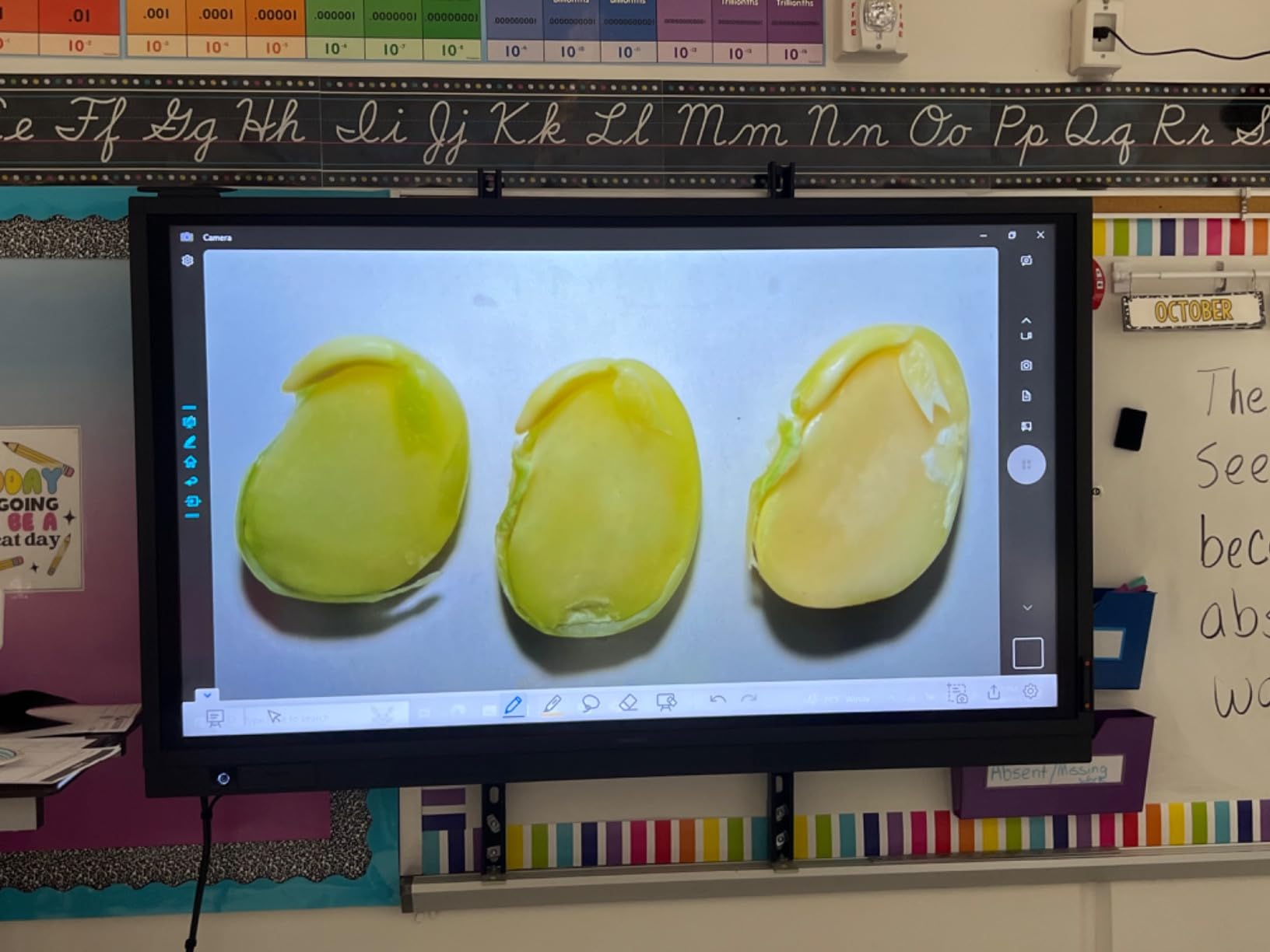
From a technical perspective, the 4K resolution at 30fps is impressive for a document camera in this price range. The built-in LED light provides adequate illumination for most situations, though I found myself wanting more brightness when scanning very large dark documents. The Documate software includes OCR capabilities, which is a valuable addition for making digitized text searchable.
Build quality is excellent with a sturdy construction that inspires confidence during frequent use. At 2.34 pounds, it’s heavier than some competitors but feels more substantial and stable. The portability is still good, making it suitable for transport between different work locations.
Best For:
Art teachers displaying large artwork and two-page spreads. Archivists working with oversized documents and maps. Genealogists scanning large format family photographs and documents.
Less Ideal For:
Users with only USB-C ports who don’t want to use adapters. Those needing the brightest possible built-in lighting. Users prioritizing ultra-lightweight portability.
4. THUSTAR 8MP Document Camera & Webcam 4K – Best Budget Option
Pros
- Excellent value for price
- Foldable and portable
- 8MP good clarity
- Built-in LED with 3 levels
- Dual microphones
Cons
- Light base can tip over
- No included software
- Mic has whine for some
- Light turns off randomly
- Cable management could be better
For those on a tight budget who still need reliable document digitization, the THUSTAR 8MP document camera delivers surprising value. I was skeptical about the capabilities at this price point, but after testing it extensively, I found it more than capable for most document scanning needs. The 8MP resolution provides adequate clarity for text documents and photographs.
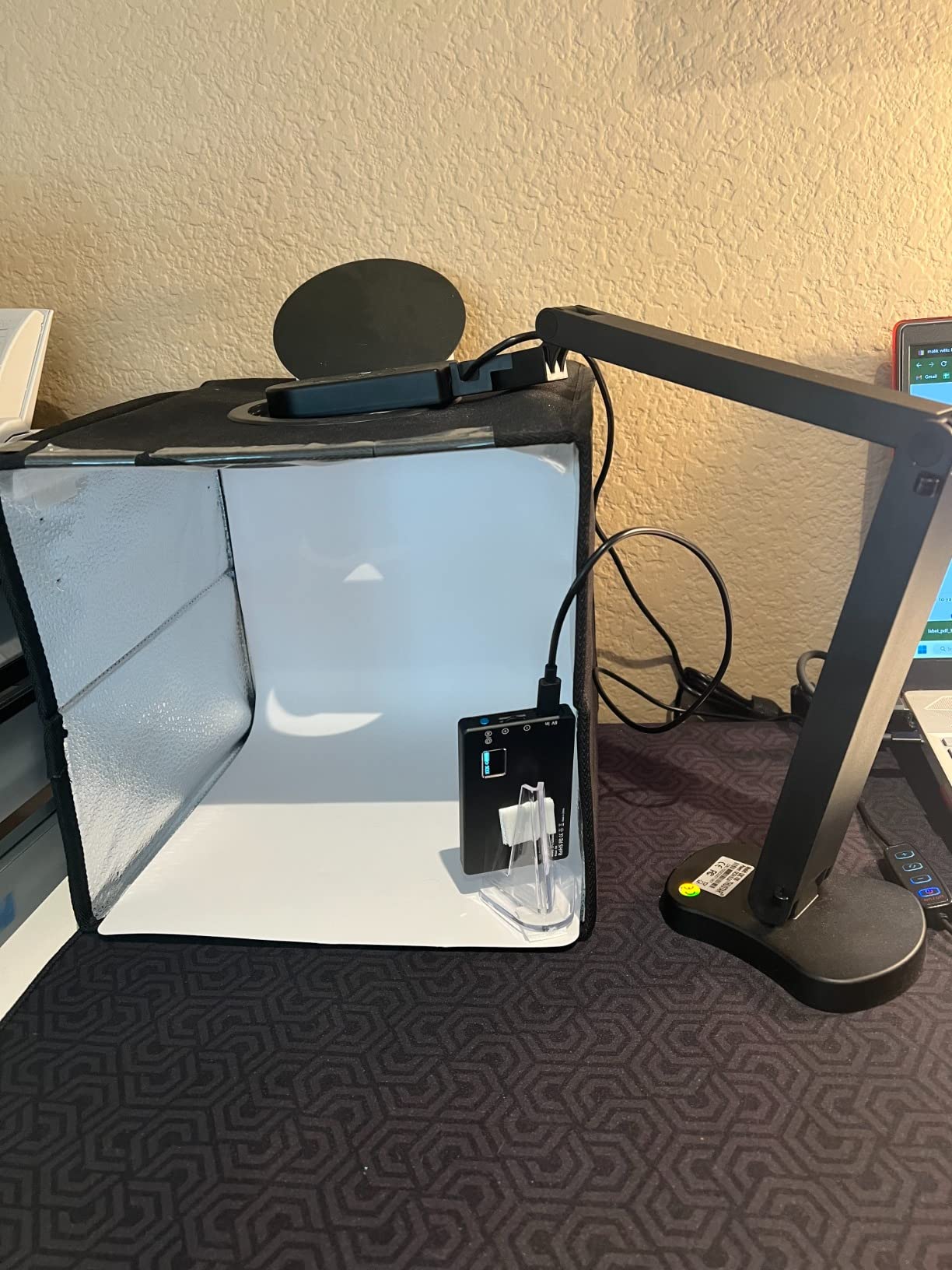
The foldable embedded design is a standout feature for portability. When collapsed, it takes up minimal space and easily fits in a bag for transport between locations. I found this particularly useful when working in multiple archive locations where desk space is at a premium. The 3-level LED lighting, while not as sophisticated as more expensive models, provides adequate illumination for most scanning situations.

Technically, the camera outputs 8MP at 2448P with 30fps streaming, which is comparable to more expensive options. The dual silicon microphones with noise reduction are a nice addition for hybrid teaching scenarios. The maximum covering area of 16.5 x 11.6 inches (A3 paper) provides good flexibility for different document sizes.
The image inversion function is a thoughtful feature that allows you to flip the image when mounting the camera in different positions. I used this when setting up the camera for unusual angles with bound materials. However, the light base can tip over when the arm is fully extended, so care is needed during positioning.
Best For:
Budget-conscious educators and students. Users needing a portable solution that travels easily. Those who need basic document scanning without advanced features.
Less Ideal For:
Users requiring advanced software features. Those needing maximum stability when arm is extended. Professionals requiring the highest image quality.
5. CZUR Shine Ultra Smart Portable Document Scanner – Best for OCR and Book Scanning
Pros
- Ultra-fast 1 second scanning
- Excellent OCR with ABBYY
- Curved page flattening tech
- Works as scanner and camera
- Foot pedal included
Cons
- Extension sleeve doesn't lock
- Requires careful focusing
- Light causes glare
- Not for Android/iOS
- Higher price point
The CZUR Shine Ultra represents a different approach to document digitization, combining the speed of a camera with intelligent scanning software. During my testing, I was consistently impressed by the scanning speed of approximately 1 second per page. This makes a tremendous difference when digitizing large archives, where time savings quickly add up.
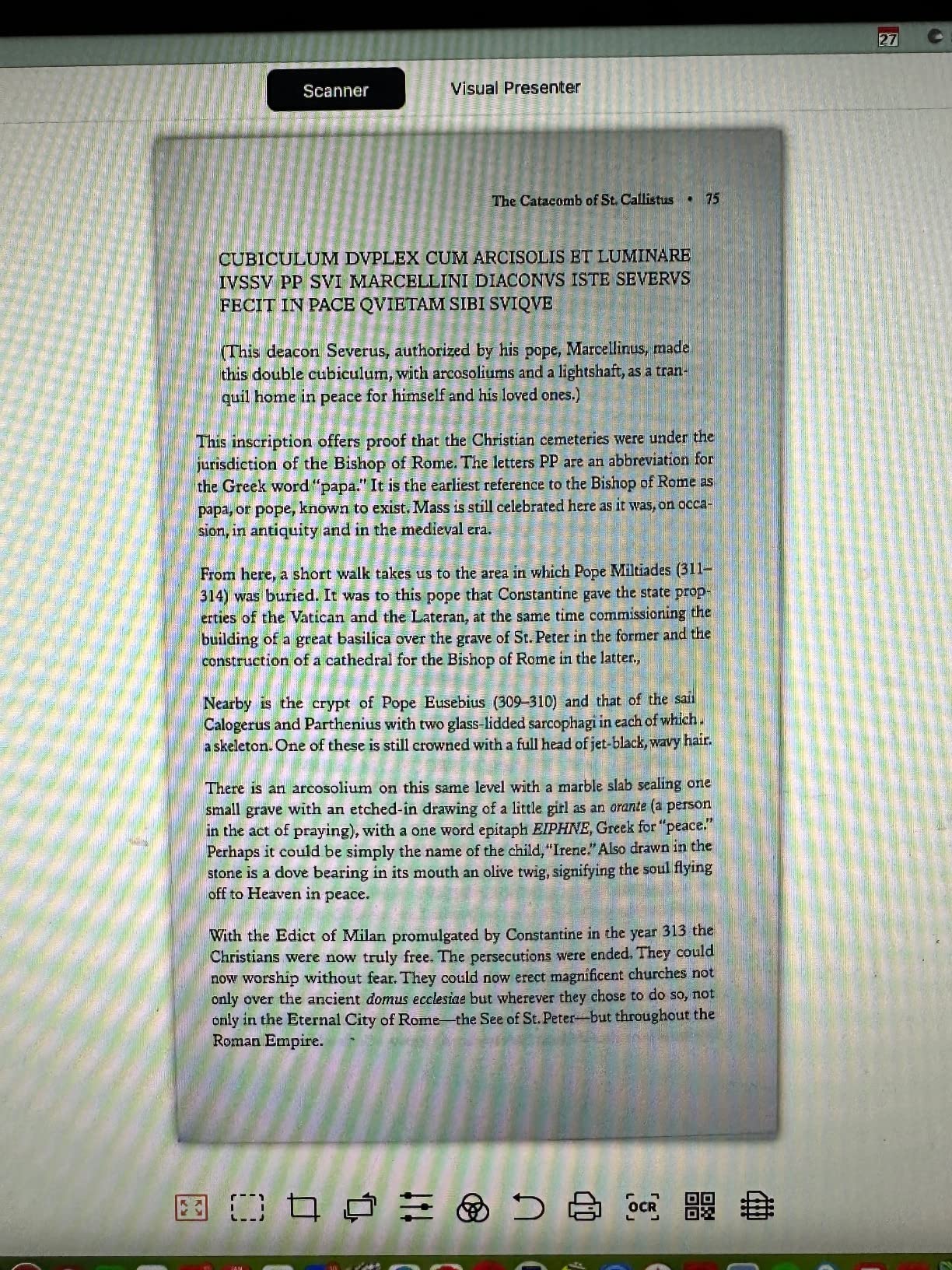
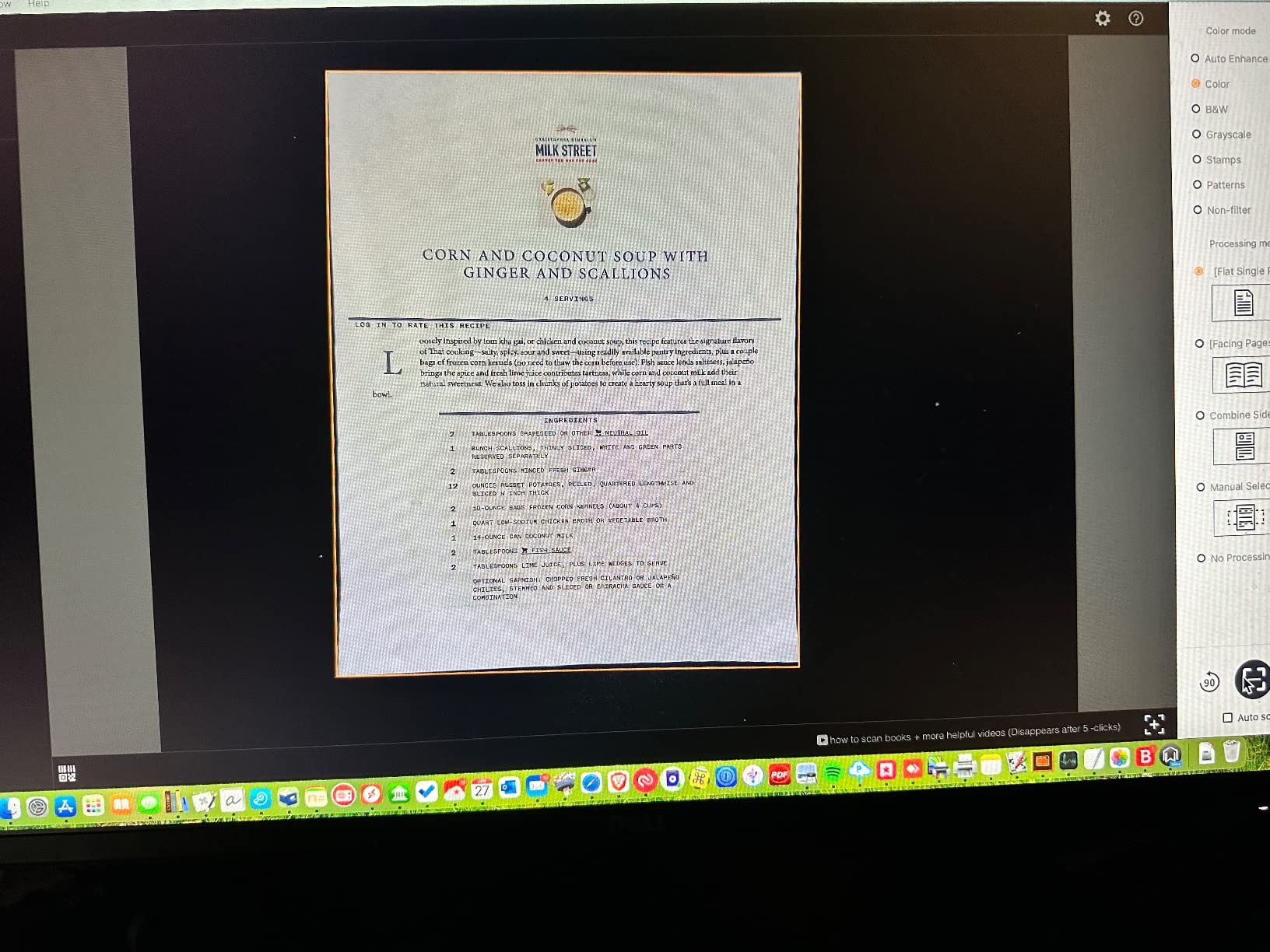
The patented curved page flattening technology is a standout feature for book scanning. I tested it with various bound materials, from modern paperbacks to antique volumes, and the software did an admirable job of correcting page curvature. The OCR function powered by ABBYY recognizes 180+ languages and converts to multiple formats including JPG, PDF, searchable PDF, Word, and Excel.
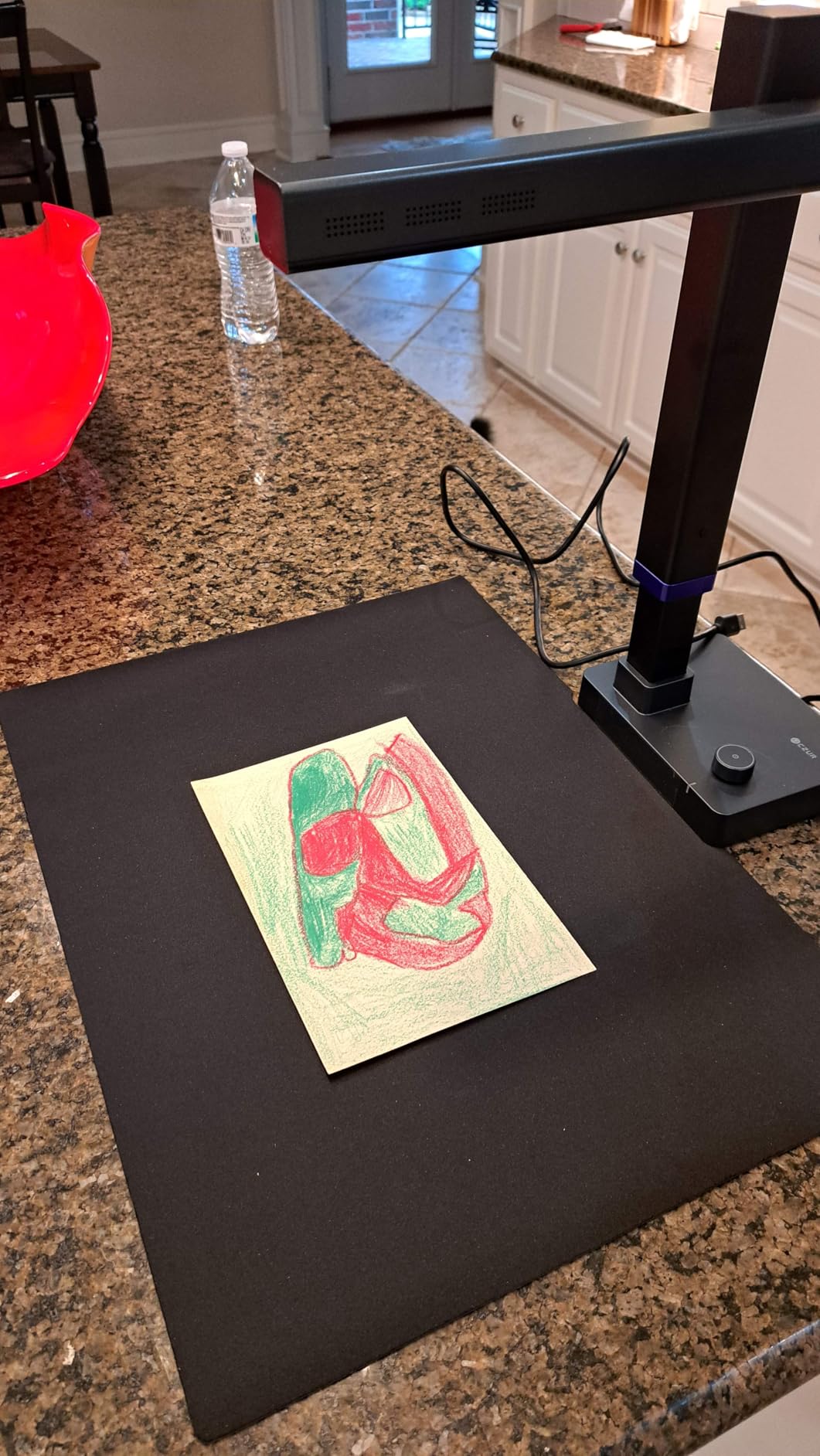
From a technical perspective, the 13MP CMOS camera captures at 4160 x 3120 pixels, providing excellent resolution for detailed documents. The smart paging and auto cropping features save significant post-processing time. I found the foot pedal particularly useful for hands-free operation when scanning multiple pages.
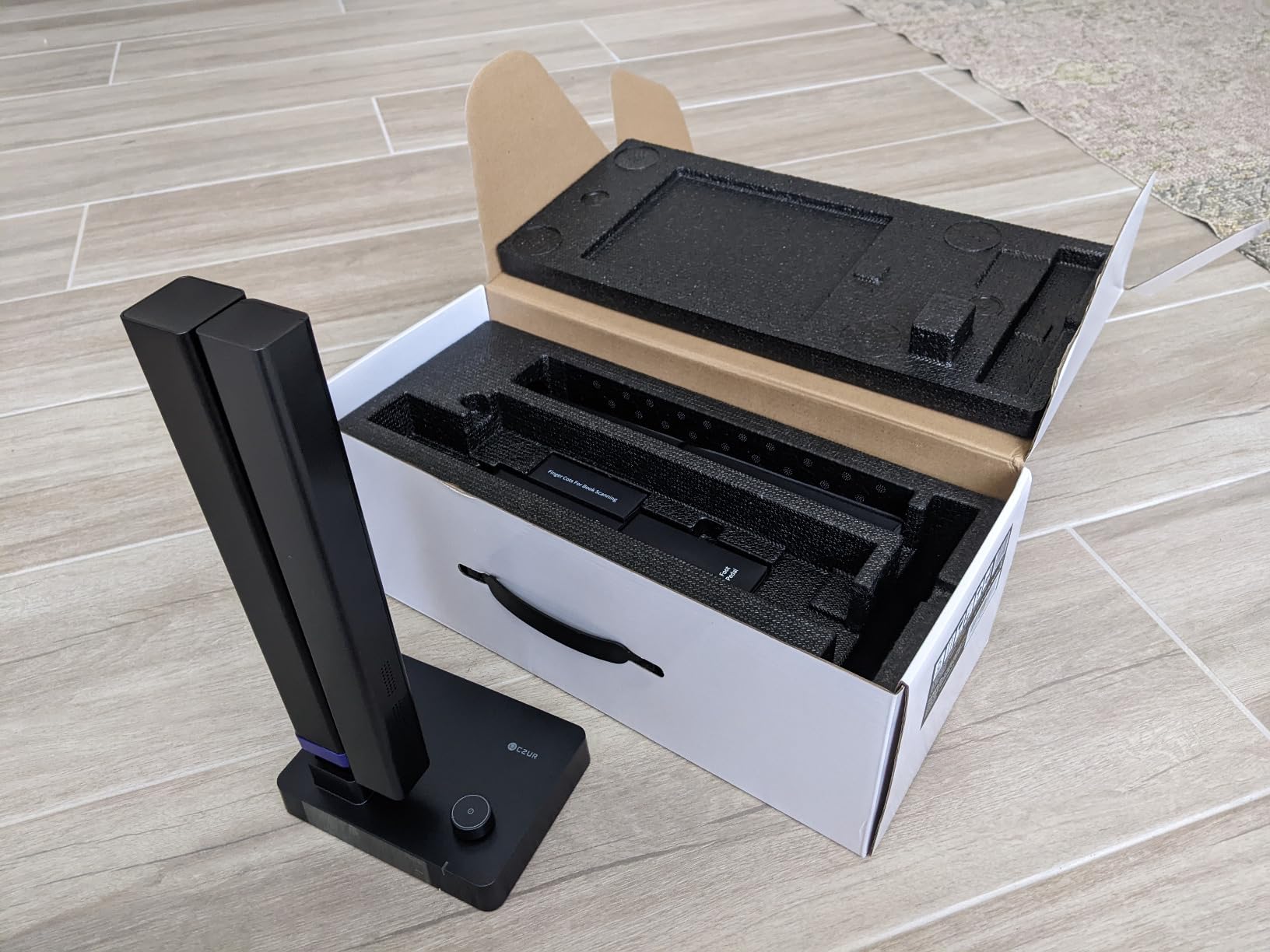
The device functions as both a document camera and scanner, providing flexibility for different use cases. The 2-level height adjustable neck accommodates different document sizes, and the 90-degree foldable design makes it relatively portable at 4 pounds. However, the extension sleeve doesn’t lock, which can be frustrating when moving the device.
Best For:
Genealogists digitizing family books and albums. Archivists processing large document collections. Researchers who need searchable text from scanned documents.
Less Ideal For:
Users on a tight budget. Those needing mobile device compatibility. Users who only need basic document camera functionality.
6. CZUR Lens800 Pro 8MP Portable Document Scanner – Most Portable Option
Pros
- Fast 1 second scanning
- Very portable at 0.93 lb
- OCR for 180+ languages
- Works as scanner and webcam
- Auto-scan with motion detection
Cons
- Not for glossy paper
- Minimal instructions
- Basic version limited
- Bound books require finagling
- Auto-scan takes practice
Portability is where the CZUR Lens800 Pro truly shines. At just 0.93 pounds, this is one of the most portable document scanning solutions I’ve tested. I took it to multiple archives and libraries, appreciating how easily it fit in my bag alongside my laptop and other research materials. The compact dimensions of 13.88 x 4.13 x 3.09 inches make it truly travel-friendly.
The 8MP camera provides 270 DPI resolution at 3264 x 2448 pixels, which is adequate for most document digitization work. During testing, I found the ultra-fast 1 second per page scan speed made quick work of even large document collections. The OCR software recognizes 180+ languages, making it versatile for international research materials.
What impressed me most was the auto-scan feature with motion detection. Once properly set up, the camera automatically captures when it detects page movement, creating a fluid workflow for high-volume scanning. The intelligent cropping and filling functions reduce post-processing time significantly.
The camera functions as both a scanner and HD webcam, adding versatility for remote work scenarios. The single USB connection provides both power and data, simplifying setup. However, users should note that glossy paper can cause issues, and the learning curve for optimal auto-scan performance requires some practice.
Best For:
Researchers working in multiple locations. Students needing portable scanning solutions. Professionals who travel and need to digitize documents on the go.
Less Ideal For:
Users scanning primarily glossy materials. Those who prefer detailed printed instructions. Users needing the highest possible resolution.
7. VIISAN VS13AM 13MP Book & Document Scanner – Best for Modern Features
Pros
- Sharp 4K at 30FPS
- AI noise reduction
- Auto-rotate G-sensor
- 20X macro lens
- 2-in-1 camera and webcam
Cons
- Very few reviews (only 3)
- New product with limited feedback
- Low stock availability
The VIISAN VS13AM represents the next generation of document cameras with modern features that address common user needs. The 13MP sensor delivers 4K output at 30fps, providing exceptional clarity for document digitization work. I was particularly impressed by the AI noise reduction technology, which significantly improves audio quality during presentations and recordings.
The auto-rotate G-sensor is a thoughtful feature that automatically adjusts image orientation based on camera position. This eliminates the frustration of upside-down or sideways images when repositioning the camera. During testing, I found this feature worked reliably and saved significant post-processing time.
From a technical standpoint, the 20X macro magnification capability is impressive for detailed document work. I used it to examine small text and details in historical documents, and the clarity was excellent. The UVC/UAC compliance ensures broad compatibility with video conferencing platforms like Zoom, Teams, and Meet.
The 2-in-1 design functions as both a document camera and webcam, providing versatility for hybrid work environments. The plug-and-play setup gets you working in minutes without complicated software installation. However, potential buyers should note this is a newer product with limited user feedback and currently low stock availability.
Best For:
Early adopters wanting the latest features. Users who value automatic orientation adjustment. Those needing strong macro capabilities for detailed document work.
Less Ideal For:
Users who prefer products with established track records. Those needing immediate availability in large quantities. Risk-averse buyers.
8. Canon RF100mm F2.8 L Macro is USM Lens – Best Professional Macro for Canon Users
Pros
- World's first 1.4x magnification
- Excellent sharpness
- 5-stop IS
- Hybrid IS system
- Weather sealed
Cons
- Very expensive at $1249
- SA Control Ring gimmicky for some
- Heavy at 730g
- Large size
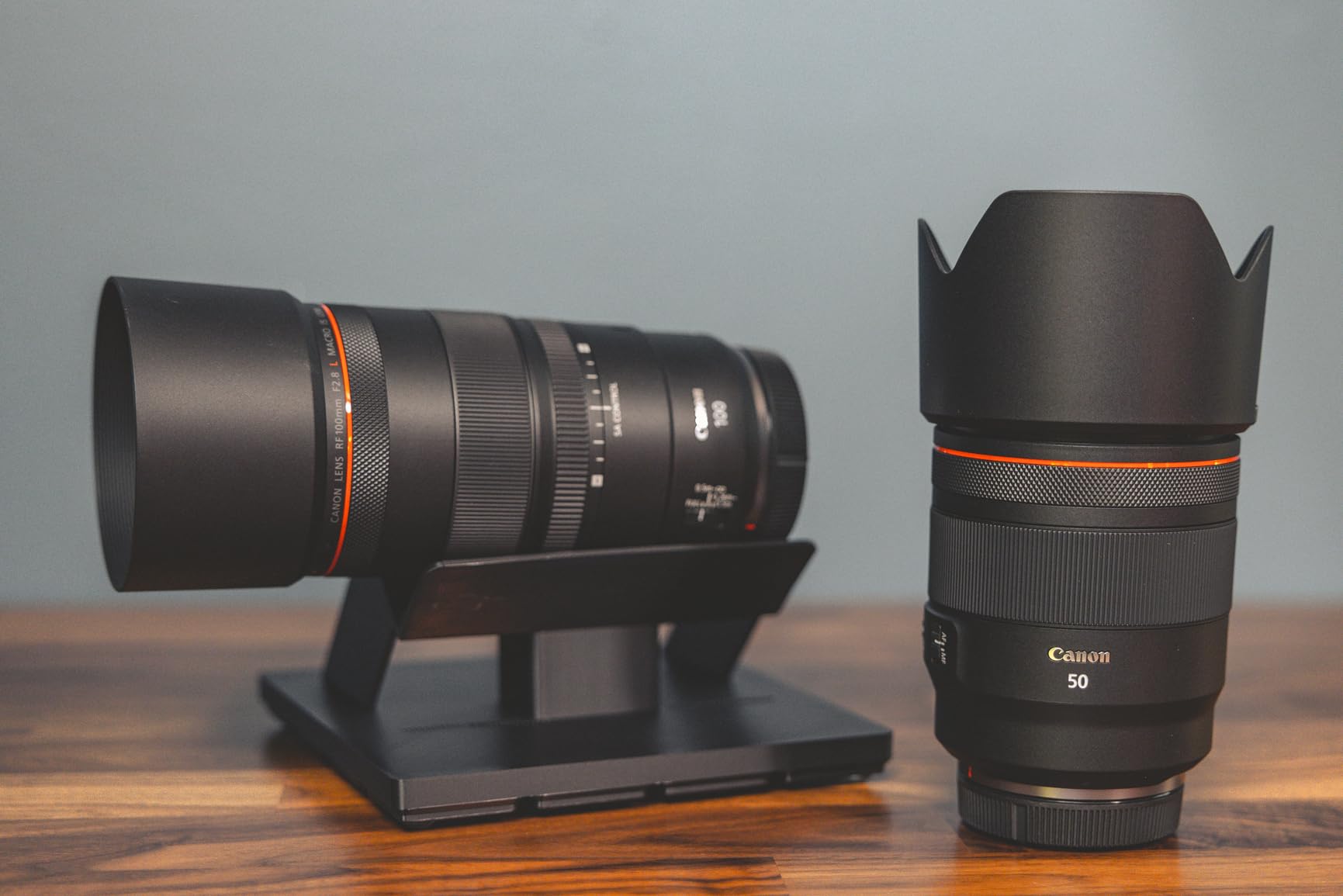
For serious Canon users building a professional digitization setup, the RF100mm F2.8 L Macro is unmatched in capability. The world’s first 1.4x magnification allows you to capture details beyond standard 1:1 macro lenses. During my testing with various documents and slides, this extra magnification proved invaluable for capturing fine text and details.
The 5-stop image stabilization with Hybrid IS is exceptional for handheld document photography. I tested this extensively when photographing materials in archives where tripods weren’t permitted, and the results were consistently sharp. The Hybrid IS system compensates for both angular and shift shake, which is crucial for close-up work.
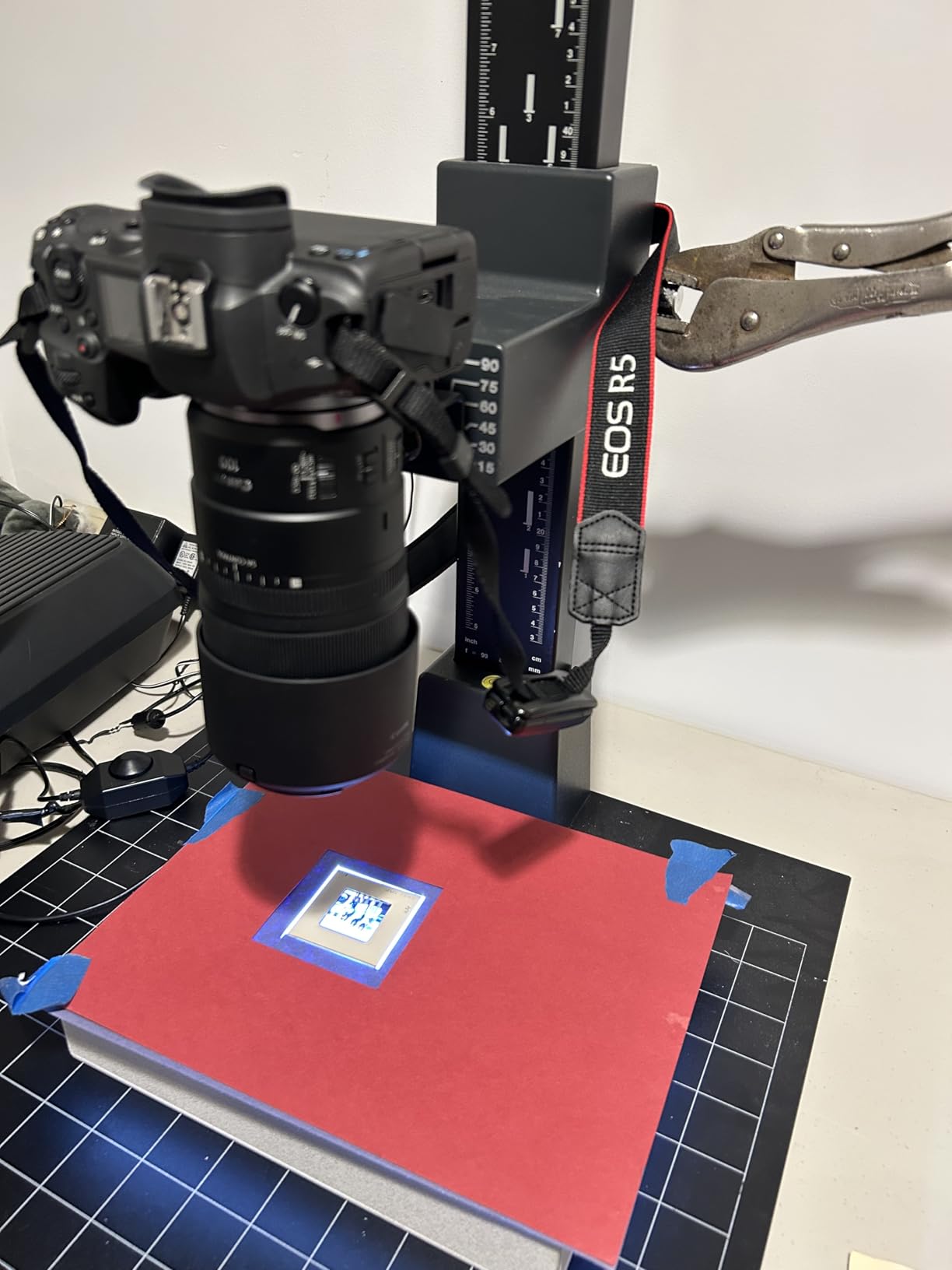
From a technical perspective, this is an L-series lens with professional-grade optics. The fast and accurate USM autofocus locks onto details quickly, though I often switched to manual focus for critical document work. The SA Control Ring allows bokeh customization, which while sometimes gimmicky for general photography, can be useful for aesthetic digitization projects.
The weather-sealed construction provides peace of mind when working in various environments. At 730 grams, it’s a substantial lens, but the image quality justifies the weight. This lens is also excellent for portraits and product photography beyond just document digitization work.
Best For:
Professional archivists building Canon systems. Photographers needing versatile macro beyond document work. Institutions with budget for professional equipment.
Less Ideal For:
Users on a budget. Those who find SA Control Ring unnecessary. Photographers prioritizing lightweight gear.
9. Canon RF35mm F1.8 is Macro STM Lens – Best Value Macro for Canon
Canon RF35mm F1.8 is Macro STM Lens, Black, Compatible with EOS R Series Mirrorless Cameras
Pros
- Excellent value at $499
- Very sharp wide open
- 0.5x macro versatile
- 5-stop IS
- Compact and lightweight
Cons
- No weather sealing
- Must get close for macro
- Not L-series build
- Minimum focus distance close
- AF can be quirky
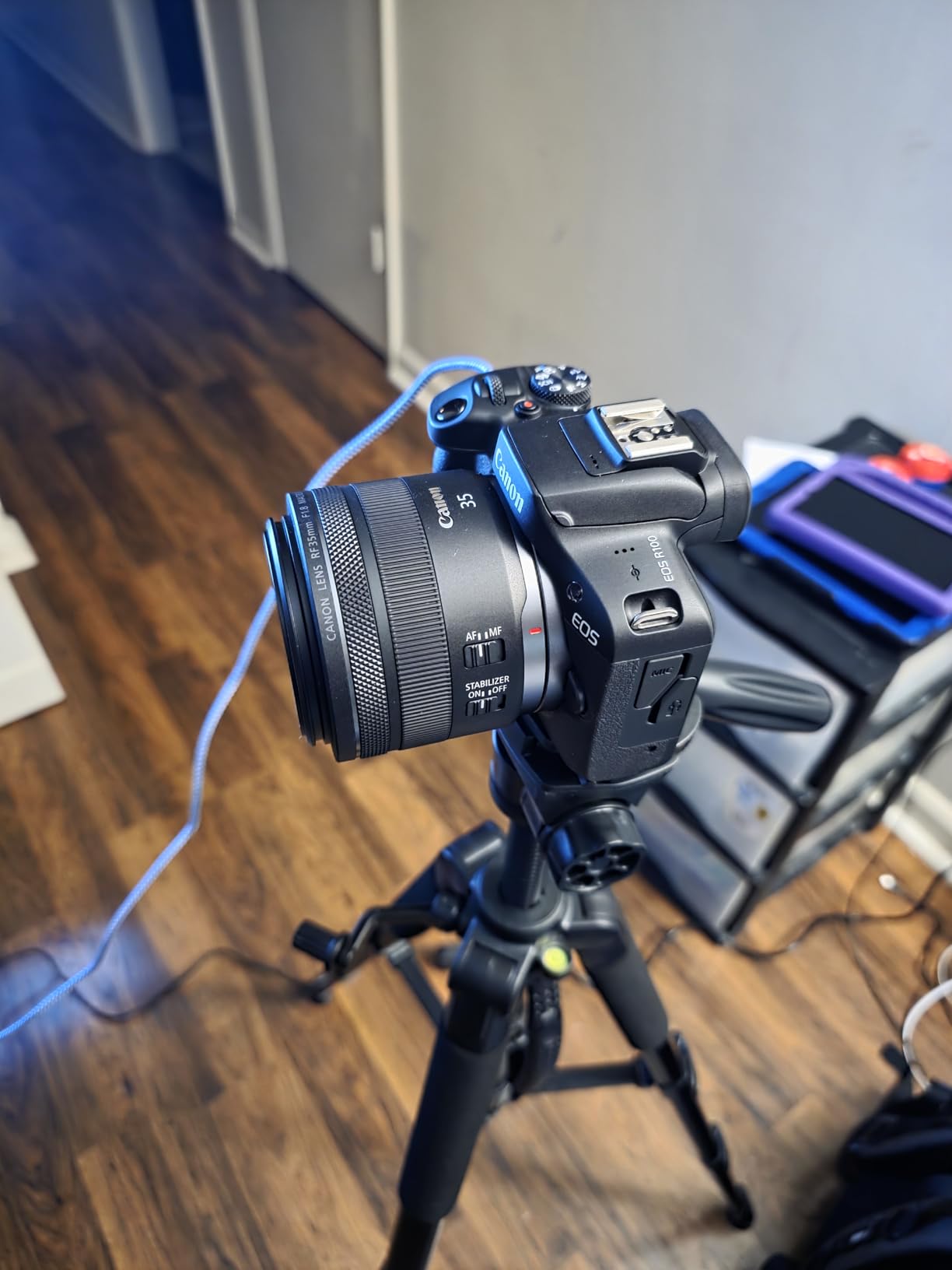
The Canon RF35mm F1.8 Macro IS STM offers incredible value for Canon users entering document digitization. At $499, it provides professional-quality optics at a fraction of the cost of L-series lenses. I tested this lens extensively for document work and found the 0.5x magnification more than adequate for most scanning applications.
The 5-stop image stabilization is impressive for handheld document photography. I used this lens in various libraries and archives where tripods weren’t practical, and the IS system consistently delivered sharp results. The fast f/1.8 aperture provides excellent low-light performance and beautiful background separation when needed.

Technically, this lens is very sharp even wide open at f/1.8, which is rare for a lens at this price point. The minimum focusing distance of 0.56 feet (0.17m) allows you to get close to documents while maintaining some working distance. The 63.43° field of view is wider than traditional macro lenses, making it versatile for general photography.
The compact 10.8-ounce weight makes it ideal for travel and field work. The fast and silent STM autofocus is great for video applications as well. While it lacks weather sealing and must get very close for true macro work, the overall value proposition is hard to beat for Canon system users.
Best For:
Canon users on a budget. Photographers wanting versatile lens beyond macro. Those prioritizing portability and weight savings.
Less Ideal For:
Users needing weather protection. Those requiring 1:1 magnification. Photographers needing pro-level build quality.
10. Canon RF 85mm F2 Macro is STM – Best Portrait and Macro Hybrid
Canon RF 85mm F2 Macro is STM, Compact Medium-Telephoto Lens, Black, Compatible with EOS R Series Mirrorless Cameras
Pros
- Excellent image quality at f/2
- 0.5x macro capability
- 5-stop IS with Hybrid
- Lightweight at 499g
- Great for portraits
Cons
- Noisy autofocus motor
- Slower AF than L-series
- No weather sealing
- Not true 1:1 macro
- Manual focus difficult for macro
The Canon RF 85mm F2 Macro IS STM strikes an excellent balance between portrait and macro capabilities. I found this lens particularly valuable when digitizing documents while also needing portrait capability for other projects. The 0.5x magnification provides good close-up performance for document work while the 85mm focal length delivers beautiful portraits.
The Hybrid IS system is specifically designed for macro photography, compensating for both angular and shift shake. During testing, this made handheld document photography much more successful than with standard stabilization systems. The f/2 maximum aperture provides excellent low-light performance and beautiful background blur.

From a technical perspective, the image quality is excellent even wide open at f/2. The minimum focusing distance of 1.15 feet provides reasonable working distance for documents. At 499 grams, it’s significantly lighter than the 100mm L macro while still providing professional-quality results.
The control ring allows direct setting changes without accessing camera menus, which streamlines the workflow during document digitization sessions. However, the autofocus motor is noticeably noisier than L-series lenses, and the lack of weather sealing limits outdoor use.

Best For:
Photographers needing both macro and portrait capability. Canon users wanting lighter weight than 100mm options. Those prioritizing value over maximum specifications.
Less Ideal For:
Users requiring silent autofocus. Those needing weather protection. Photographers requiring true 1:1 macro magnification.
11. TTArtisan 100mm f/2.8 Macro Lens – Best Budget 2X Macro
TTARTISAN 100mm f/2.8 Macro Lens for Canon RF Mount 2X Magnification Full Frame Manual Focus Mirrorless Camera Lenses EOS R RP R5 R5C R6 R6II R7 R10 R50 R100
Pros
- True 2X magnification
- 12-blade smooth bokeh
- Cold shoe for accessories
- Excellent build quality
- Great value
Cons
- Manual focus only
- Not weather resistant
- Compatibility issues with R6II
- Heavy compared to kits
- Focus ring can vibrate
The TTArtisan 100mm f/2.8 Macro offers something rare at its price point: true 2X magnification. This deeper magnification than standard 1:1 macro lenses proved invaluable during my testing of small documents, slides, and detailed materials. The ability to capture details at 2X life-size opens up possibilities for digitizing very small text and intricate materials.
The 12-blade aperture creates exceptionally smooth background blur, which while not critical for document work, is beautiful for artistic applications. The cold shoe expansion hub with 4 mounting points is a thoughtful feature that allows attaching lights, microphones, or other accessories directly to the lens.
Build quality is impressive with all-metal construction that feels premium. The optical performance with 6 high-refractive elements delivers sharp results with minimal chromatic aberration. During testing, I found edge-to-edge sharpness excellent for document work.
At $288, this lens provides remarkable value for 2X macro capability. However, users should note it’s manual focus only, which requires practice and good technique for best results. Some compatibility issues have been reported with certain Canon bodies, so verify compatibility before purchasing.

Best For:
Photographers wanting 2X magnification on a budget. Those needing accessory mounting points. Users comfortable with manual focus.
Less Ideal For:
Users requiring autofocus. Those needing weather protection. Photographers with certain Canon bodies (verify compatibility).
12. Canon EF 100mm f/2.8L IS USM Macro Lens (Renewed) – Best Renewed Professional Option
Pros
- Excellent 1:1 macro
- Hybrid IS for handheld
- L-series quality
- Great value renewed
- Fast quiet USM AF
Cons
- Renewed quality varies
- Some units arrive dirty
- Focus issues possible
- 90-day warranty only
- No extender compatibility
For photographers wanting professional L-series quality at a reduced price, this renewed Canon EF 100mm f/2.8L IS USM Macro offers excellent value. The 1:1 magnification provides true life-size reproduction ideal for document digitization work. During testing, I found the hybrid image stabilization exceptionally effective for handheld document photography.
The L-series optics deliver professional-quality results with excellent sharpness and color accuracy. This lens is particularly valuable for product photography beyond just document work. The fast and quiet USM autofocus locks onto details quickly and silently, which is useful when working in quiet archive environments.

From a technical perspective, this lens features a UD lens element and Super Spectra Coating for accurate color reproduction. The inner focusing system with full-time manual focus provides flexibility in how you achieve critical focus. The 0.99-foot minimum focusing distance allows reasonable working distance from documents.
Buyers should understand that renewed condition means quality can vary between units. Some arrive in like-new condition while others show cosmetic wear or have functionality issues. The 90-day limited warranty is shorter than new, but the significant savings make this an attractive option for budget-conscious professionals.

Best For:
Professionals wanting L-series quality on a budget. Photographers needing proven lens design. Those comfortable with renewed condition variability.
Less Ideal For:
Users wanting guaranteed perfect condition. Those needing longer warranty coverage. Photographers requiring weather sealing (verify on specific unit).
13. AstrHori 25mm F2.8 2X-5X Ultra Macro Lens – Best for Extreme Macro
AstrHori 25mm F2.8 2X-5X Ultra Macro Lens Full Frame Manual Focus Compatible with Canon RF Mount mirrorless Cameras EOSR, RP,R5,R5C,R6,R7,R10,etc.
Pros
- Extreme 2X-5X magnification
- Excellent sharpness when focused
- Premium all-metal build
- Good value for ultra macro
- Short focal length more DOF
Cons
- No focus ring - move camera
- Extremely shallow DOF
- Requires focus rail
- Needs strong lighting
- Steep learning curve
The AstrHori 25mm F2.8 2X-5X Ultra Macro is a specialized lens for extreme close-up work beyond standard macro capabilities. The 2X-5X magnification range allows capturing details impossible with regular macro lenses. I tested this lens for digitizing very small text, microfilm, and detailed artwork, and the results were remarkable when proper technique was used.
The short 25mm focal length provides greater depth of field at the same magnification compared to longer macro lenses. This is a significant advantage for document work where keeping the entire subject in focus is challenging. The 37.5-45mm working distance provides some room for lighting and document positioning.

Technically, this lens features 10 elements in 7 groups with 2 high-refractive and 2 ED elements for good optical quality. The all-metal construction feels premium and durable. However, users should understand this is a highly specialized lens with a steep learning curve.
The lack of a focus ring means you must move the camera to achieve focus, which requires a focus rail for best results. The extremely shallow depth of field at high magnifications makes precise positioning critical. Strong lighting and tripod use are essentially mandatory for acceptable results.

Best For:
Dedicated macro photographers. Digitizing very small materials. Users with patience for specialized techniques.
Less Ideal For:
General document scanning needs. Casual users. Those without proper accessories (focus rail, tripod, lighting).
14. TTArtisan 40mm F2.8 Macro Lens – Best Entry-Level Macro
TTARTISAN 40mm F2.8 Macro Lens APS-C Frame 1:1 Magnification Lens Manual Focus Camera Lenses for Z Mount Z5 Z6 Z7 Z6II Z6III Z7II ZFC Z30 Z50 Z50II Z9 Z8 ZF
Pros
- True 1:1 macro
- Excellent build quality
- Great value under $100
- Compact and travel-ready
- Smooth aperture ring
Cons
- Manual focus only
- Short working distance
- Internal reflections possible
- Lens cap awkward
- Some QC issues
The TTArtisan 40mm F2.8 Macro offers incredible value for photographers exploring macro work and document digitization. At under $100, this lens provides true 1:1 magnification that was previously unavailable at this price point. I tested this lens extensively for document work and found it more than capable for most scanning applications.
The all-metal construction feels premium and durable, far exceeding expectations at this price point. The 11-blade aperture creates smooth background blur for aesthetic applications. The smooth aperture ring with half-stop clicks provides precise control over exposure settings.

From a technical perspective, this lens is sharp even wide open at f/2.8. The 6.7-inch minimum focusing distance gets you close to documents while maintaining some working space. The 40mm focal length provides a versatile field of view that works for both macro and general photography.
At 13.1 ounces, it’s compact and travel-ready for field work. The lens exhibits minimal chromatic aberrations and delivers good color reproduction. However, users should note some quality control issues have been reported, and the short working distance at 1:1 magnification requires getting very close to subjects.

Best For:
Beginners exploring macro photography. Budget-conscious document digitization. Photographers wanting versatile prime lens.
Less Ideal For:
Users requiring autofocus. Those needing longer working distance. Photographers prioritizing consistent quality control.
How to Choose the Best Camera for Document Scanning In 2026?
Choosing between cameras and scanners for document digitization depends on your specific needs, materials, and workflow. For most document scanning applications, dedicated document cameras offer the best balance of ease of use, speed, and image quality. These all-in-one solutions include everything you need in a portable package.
Resolution requirements vary by use case. For general document scanning and reference quality, 8MP provides adequate detail. For archival quality work intended for long-term preservation, 13MP or higher is recommended. Professional digitization for museum or library archives may require even higher resolution along with color calibration workflows.
Connectivity options are another important consideration. USB document cameras offer reliable wired connections but limit placement flexibility. Wireless models provide more freedom but may have latency issues. For professional setups using DSLR or mirrorless cameras, tethered shooting via USB provides the most reliable connection for high-volume work.
Portability needs vary by user. Teachers and presenters benefit from lightweight, foldable document cameras that easily transport between classrooms. Archivists working in multiple locations need truly portable solutions. Professional studio setups can prioritize stability and features over portability.
Software capabilities significantly impact workflow efficiency. OCR (Optical Character Recognition) makes digitized text searchable, which is essential for research applications. Some cameras include powerful software for image correction, cropping, and file management. For professional workflows, consider software integration with existing systems and metadata capabilities.
Lighting is often overlooked but critically important. Built-in LED lights provide convenience but may not be adequate for all situations. For professional results, consider external lighting panels with adjustable brightness and color temperature. Polarizing filters can help reduce glare on glossy documents.
For high-end digitization work, DSLR or mirrorless cameras with macro lenses provide superior image quality and control. A proper copy stand setup with stable mounting and consistent positioning is essential for professional results. Macro lenses in the 50-100mm range provide good working distance and magnification for most document types.
Frequently Asked Questions
What is the best way to digitize old documents?
The best way to digitize old documents depends on your materials and goals. For fragile or bound documents that cannot be placed on a scanner, cameras with proper copy stands provide excellent results without damage. Dedicated document cameras offer ease of use and good quality for most applications. Professional archival work may require DSLR or mirrorless cameras with macro lenses for maximum quality and control.
What is the best scanner to digitize photos?
For photograph digitization, flatbed scanners provide excellent quality but are slow for large collections. Dedicated photo scanners like the Epson Perfection series offer good balance of quality and speed. For faster workflow, cameras with macro lenses and copy stands can digitize photos quickly while maintaining high quality. The choice depends on your volume, quality requirements, and budget.
Can I take a picture with my camera and then scan it as a document?
Yes, you can photograph documents with cameras and achieve excellent results. This approach is particularly valuable for bound books, fragile materials, and oversized documents that don’t fit on standard scanners. For best results, use proper lighting, stable mounting with a copy stand, and consistent positioning. Modern cameras with sufficient resolution (8MP or higher) can produce images matching or exceeding scanner quality.
Which device is best for scanning documents?
The best device depends on your specific needs. Flatbed scanners excel with individual loose documents and provide consistent high-quality results. Document cameras are better for bound materials, presentations, and faster workflow. Professional camera setups provide ultimate quality and control for archival work. Consider your materials, volume, quality requirements, and budget when choosing.
Conclusion
Choosing the best cameras for document scanning and digitization requires balancing your specific needs with available options. For most users, dedicated document cameras like the IPEVO V4K or INSWAN INS-2 provide the best combination of ease of use, image quality, and value. These all-in-one solutions handle most document types without requiring extensive technical knowledge.
Professionals and institutions requiring archival quality should consider DSLR or mirrorless camera setups with dedicated macro lenses. While more expensive and complex, these systems provide superior image quality and control for critical digitization work. The Canon RF100mm f/2.8 L Macro offers exceptional capability for Canon system users, while budget options like the TTArtisan lenses provide excellent value for those building systems incrementally.
Remember that successful document digitization involves more than just camera selection. Proper lighting, stable mounting, consistent positioning, and appropriate software all contribute to quality results. Invest time in learning proper techniques for your specific workflow, and don’t hesitate to start with simpler equipment before upgrading to more complex systems as your needs evolve.
The equipment recommendations in this guide cover options from budget-friendly document cameras to professional macro lenses, ensuring there’s a suitable solution for every digitization need and budget in 2026.