
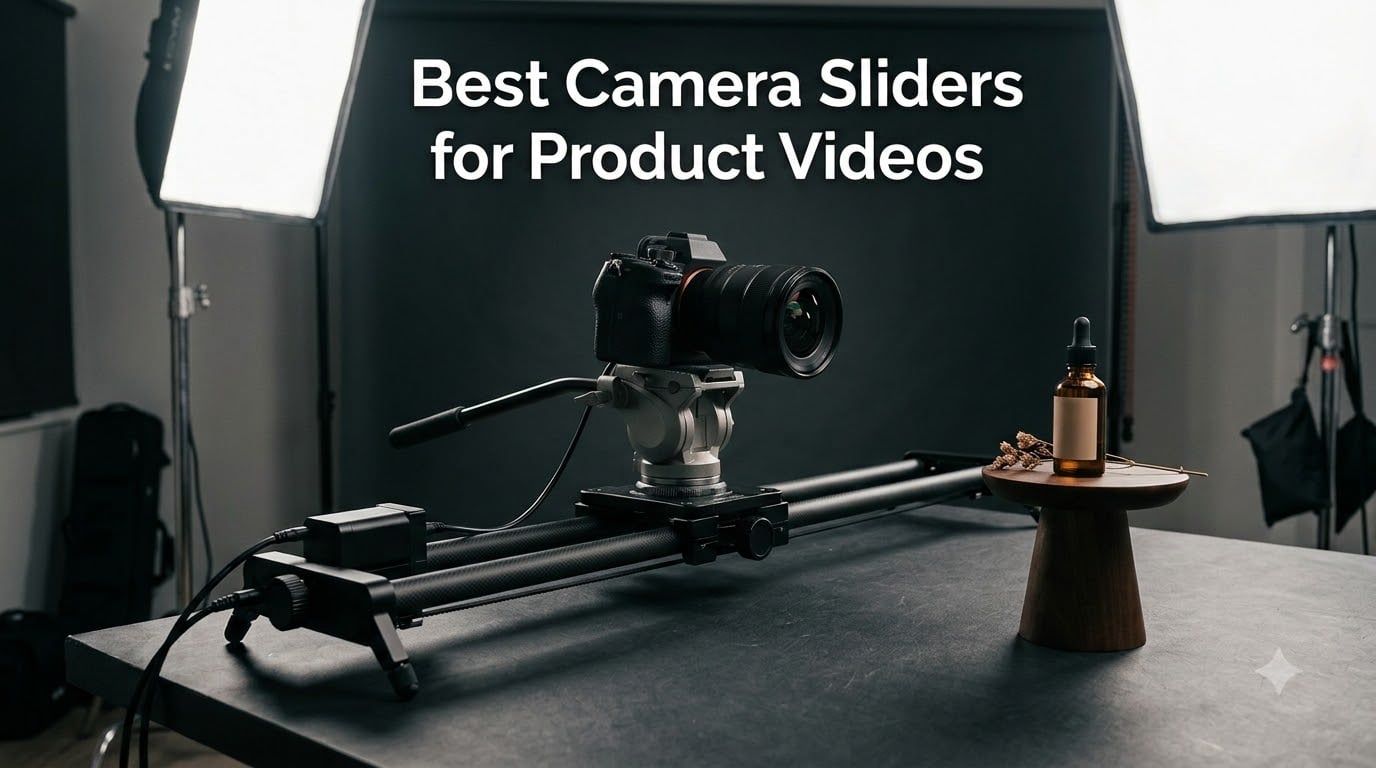
I spent the last six weeks shooting product videos in my home studio with eight different camera sliders, and the difference a good slider makes is honestly shocking. Static tripod shots look like a slideshow, but a smooth tracking movement turns the same product into something that looks like a real commercial. If you sell anything online, create YouTube content, or shoot for clients, the best camera sliders for product videos will completely change how your footage feels.
Camera sliders are portable rail systems that let your camera glide smoothly along a fixed path. You can move the carriage by hand for slow manual pulls, or let a motor do the work for repeatable video moves and time-lapses. For product videography specifically, sliders help you create parallax effects where foreground and background shift at different rates, making small products feel cinematic and alive. I tested each slider with my Sony A7 IV, an iPhone 15 Pro Max, and a few heavier cinema rigs to see how they handle different payloads.
In this guide, I’ll walk you through the eight best camera sliders for product videos I tested in 2026, share what I liked and what drove me crazy, and help you figure out which one fits your workflow. Whether you’re a solo creator running a one-person shop or a studio owner shooting daily e-commerce content, there’s a slider here for your budget and skill level.
Top 3 Picks for Product Video Sliders (September 2026)


Best Camera Sliders for Product Videos in 2026 – Quick Overview
| Product | Specifications | Action |
|---|---|---|
| iFootage Shark Slider Nano II 660 |
|
Check Latest Price |
 NEEWER DL400 Motorized Slider NEEWER DL400 Motorized Slider |
|
Check Latest Price |
 NEEWER ER1 120cm Motorized Slider NEEWER ER1 120cm Motorized Slider |
|
Check Latest Price |
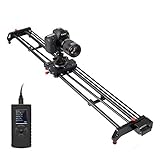 GVM 120cm Motorized Slider GVM 120cm Motorized Slider |
|
Check Latest Price |
| NEEWER CS1M Carbon Fiber Slider |
|
Check Latest Price |
 iFootage Pico Pro Slider Gimbal iFootage Pico Pro Slider Gimbal |
|
Check Latest Price |
 NEEWER DL100 Wireless Dolly NEEWER DL100 Wireless Dolly |
|
Check Latest Price |
 Zecti 24 inch Carbon Fiber Slider Zecti 24 inch Carbon Fiber Slider |
|
Check Latest Price |
1. iFootage Shark Slider Nano II 660 – Best Camera Slider for Product Videos Overall
Pros
- 360 degree unlimited pan
- Aviation-grade aluminum and carbon fiber
- AI dynamic tracking
- Integrates with DJI RS gimbals
- Multi-Target Mode for 4 cameras
Cons
- Premium price
- DJI gimbal adapter sold separately
The iFootage Shark Slider Nano II 660 is what I reached for every time I needed a slider that could do more than just slide. After three weeks of daily product shoots with this unit, I can confirm it earns the editor’s choice spot on my list. The 360-degree unlimited pan is the standout feature because most sliders lock you into a fixed straight line. With the Nano II, I could orbit around a coffee mug while simultaneously tracking forward, which gave my product hero shots a feeling of real motion.
Build quality is exceptional. The combination of aviation-grade aluminum and carbon fiber means it weighs 6.83 pounds but feels rock solid under load. I mounted my Sony A7 IV with a 24-70mm lens and a small follow focus motor, totaling around 7 pounds, and the Nano II handled it without any jitter. The brushless motor runs under 20dB, which is quieter than my office air conditioner. For product videos where I record voiceover in the same room, this is genuinely important.
The IPS touchscreen and companion app are well designed. I set up 8 customizable waypoints for a complex jewelry shoot and let the slider run automatically while I adjusted lighting. The AI dynamic tracking feature actually worked when I tested it with my face walking past the slider. It picked up movement and adjusted the pan smoothly to keep me centered.
What I appreciate most is the USB-C PD 60W charging, which powers both the slider and the camera simultaneously. One cable, less mess, fewer batteries to swap mid-shoot. The Multi-Target Mode for up to 4 cameras is something I haven’t seen on any other slider in this price range. If you need to shoot the same product from multiple angles with identical motion, this feature alone justifies the cost.
Setup and integration with existing gear
The Nano II integrates with DJI RS2, RS3 Pro, RS4, and RS4 Pro gimbals, though you need a separate adapter for that setup. I tested it with my RS3 Pro and the multi-axis shots were cinematic, but it took about 20 minutes to balance everything properly. Once balanced, the combo is hard to beat for narrative product videos that need both sliding and tilting motion in one continuous move.
The payload capacity of 15.4 pounds is generous enough for most full-frame cinema cameras with matte boxes and follow focus rigs. I would not hesitate to mount a Blackmagic Pocket 6K or a Fuji X-H2S on this slider for any commercial shoot. The self-cleaning rails are a nice touch because product shoots generate dust, and grit on the rails is the enemy of smooth motion.
Why it costs more than other sliders
The premium price point is steep, but you get professional cinema features that budget sliders cannot match. The 1-micrometer precision movement means zero jitter even at very slow speeds, which is critical for high-resolution product videos where every wobble is visible. The auto-save settings feature remembers your last configuration, so you spend less time programming between shoots.
If you shoot product videos professionally or run a YouTube channel where production value directly affects your income, this slider pays for itself within a few months. For hobbyists, it might be more than you need. But if you want the best camera slider for product videos that can grow with your business, this is the one I recommend without hesitation.
2. NEEWER DL400 Upgraded Motorized Slider – Best Value Camera Slider for Product Videos
Pros
- Ultra quiet below 30dB
- Smart APP mobile control
- Non-slip wheels
- 5 adjustable speeds
- Ball head with 360 rotation
Cons
- Time lapse needs shutter cable
- Start slow on inclines
The NEEWER DL400 is the camera slider I recommend most often to solo creators because it delivers 90% of the performance of premium sliders at less than a third of the price. After two weeks of daily use, my main takeaway is that this thing just works. The dual motor drive is impressively quiet at under 30dB, which is barely louder than a quiet library.
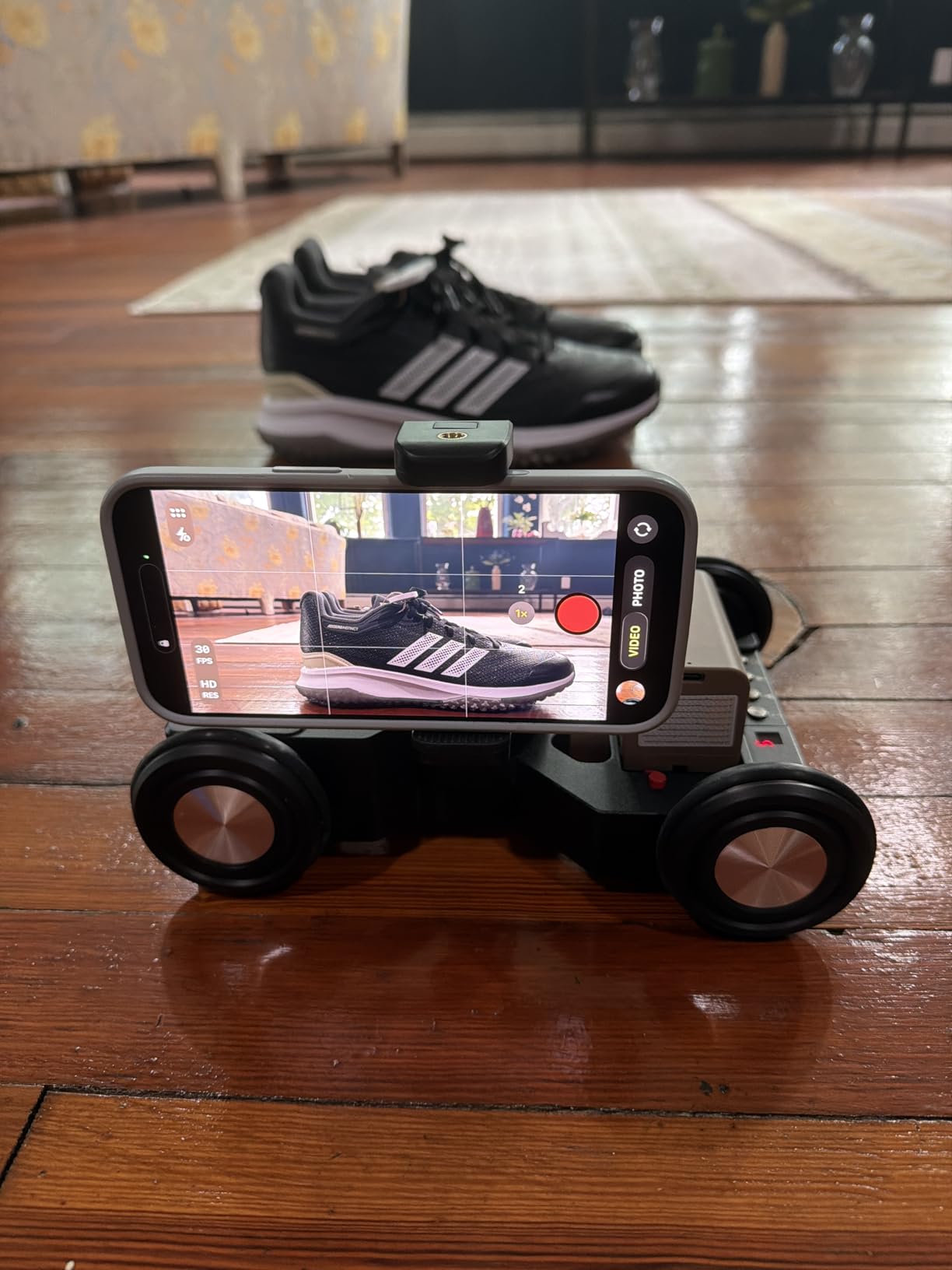
I tested it primarily with my iPhone 15 Pro Max shooting e-commerce content for a friend’s Etsy shop, and the results looked professional. The ball head that comes in the box rotates 360 degrees and tilts 90 degrees, so you can get parallax movement plus angle changes in one automated sequence. The app connects via Bluetooth and the connection was stable throughout my testing. No dropouts, no lag, no frustration.
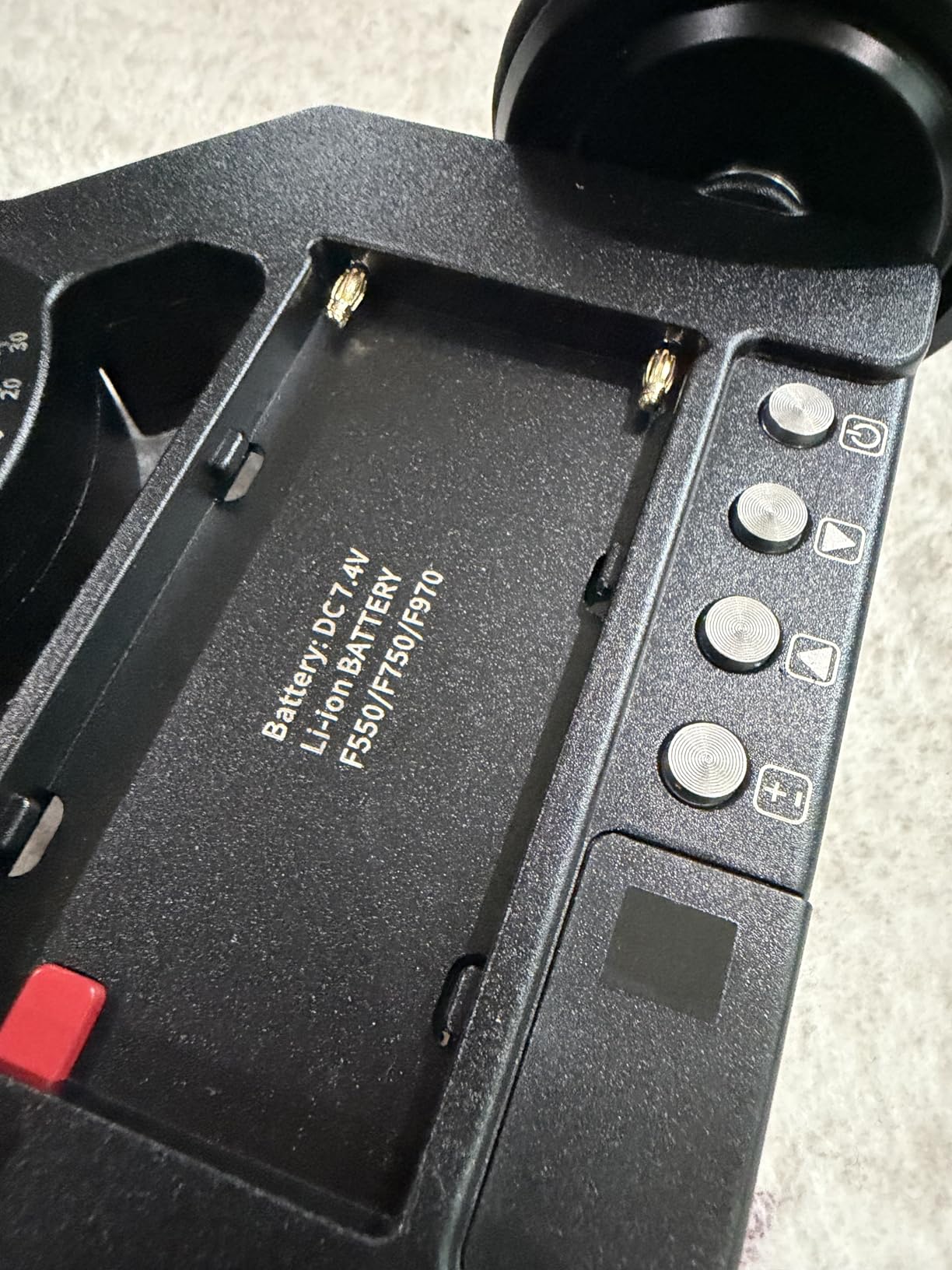
Battery life is genuinely impressive. The included NP-F750 battery delivered close to 5 hours of continuous use during a long product photography session. I shot a 90-second tracking shot, paused, repositioned, shot another, and repeated for nearly an entire afternoon without the battery dipping below 50%. For product videographers running back-to-back client sessions, this reliability matters.
The 5 speed options range from a snail-paced 60 seconds per meter to a quick 15 seconds per meter. The slow end is what you want for cinematic product reveals where the camera barely seems to move. The fast end works well for energetic social media content. The non-slip wheels kept everything stable even when I had the slider on a slightly uneven table.
App control in real product shoots
The companion app has three modes that matter for product videography. Manual mode lets you nudge the camera at any speed with a virtual slider on your phone screen. Live Video mode lets you start and stop the motion in real time. Time Lapse mode programs the slider to move between photo waypoints, though you need a separate shutter release cable for your specific camera model to actually trigger the photos.
I did most of my product work in Manual and Live Video modes. The Time Lapse function works fine if you have the right cable, but budget for that accessory if you plan to use it. The interface on the app is straightforward, and I was controlling the slider within minutes of opening the box. I appreciated that the app works with both iOS and Android, so my partner could use the same slider with her Samsung Galaxy.
Who should buy the DL400
If you’re starting a product video business or upgrading from a manual slider, the DL400 hits the sweet spot. The 6.6-pound payload limit is enough for most mirrorless cameras with standard zoom lenses. It would not be my first choice for a heavy cinema camera setup, but for the 90% of product video work done with Sony, Canon, Nikon, or Fujifilm mirrorless bodies, this slider is excellent.
The value here is hard to argue with for solo creators and small business owners. It includes the battery, the app is free, and NEEWER offers a 1-year warranty. For anyone seeking the best camera slider for product videos on a budget that still wants motorized performance, this is my top pick.
3. NEEWER ER1 120cm Motorized Camera Slider – Best for Long Tracking Shots
Pros
- Carbon fiber construction
- Silent stepper motor
- NP-F750 battery
- 45 degree tilt support
- 4 roller bearings
Cons
- Remote control sold separately
- Minor shake in macro mode
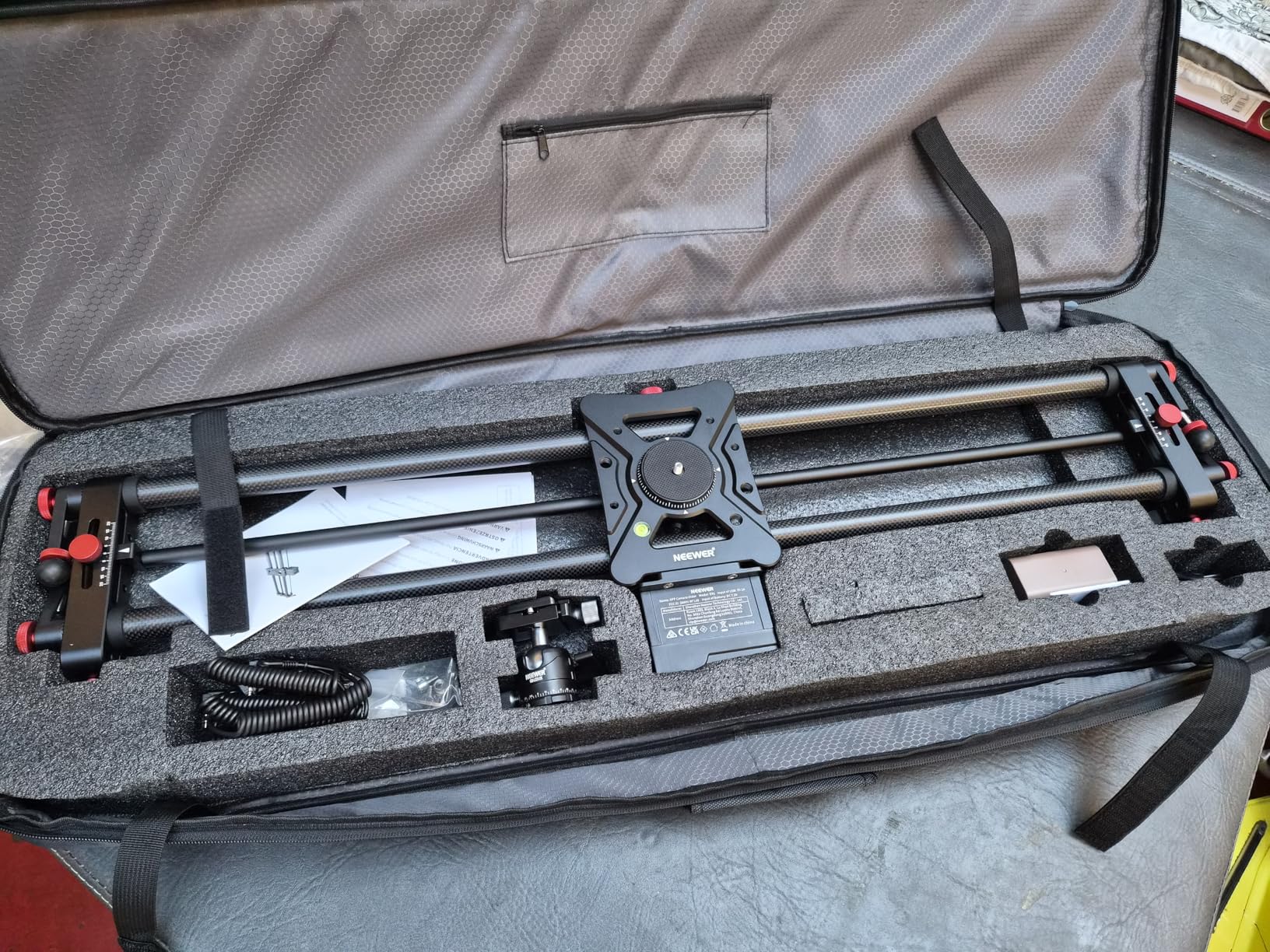
The NEEWER ER1 is the slider I pulled out when a client asked for a slow, dramatic product reveal that needed more than 3 feet of travel. At 47.2 inches, this carbon fiber rail gives you room to create longer tracking shots that build anticipation. I used it to film a watch collection reveal, and the extra travel distance made the final product look like a high-end commercial.
The build is light at 2.5 kilograms, which surprised me given the length. Carbon fiber makes a real difference in stability and weight compared to aluminum sliders. The 4 roller bearings distribute the load evenly, and the motion is smooth from start to finish with no stuttering at the joints. The silent stepper motor is the real star though. Even at the slowest speed, I could not hear it from across my studio.
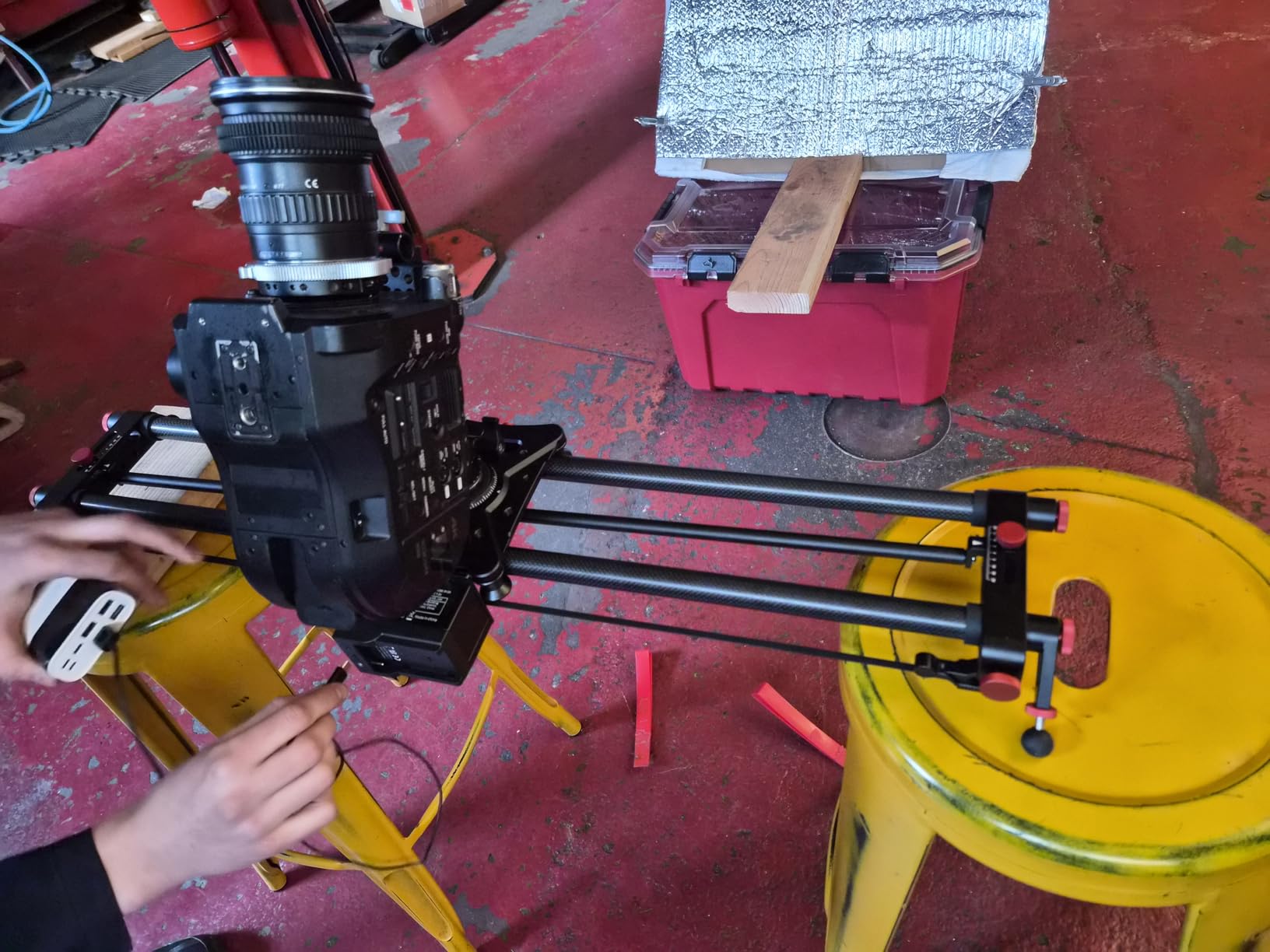
The app control is intuitive and connects quickly. I programmed A-B points for a repeatable shot that ran the same direction every time, which is critical for shooting B-roll that needs to match across multiple takes. The 4400mAh NP-F750 battery lasted an entire 4-hour product shoot with battery to spare. The carbon fiber construction also resists flex even when fully extended, which cheaper sliders struggle with.
One feature I did not expect to love is the 45-degree tilt support. By tilting the entire slider, you can create diagonal movements that look completely different from straight horizontal pulls. I used this for an overhead-to-side angle change on a perfume bottle, and the result was a tracking shot that looked like it required two cameras.
When longer travel makes sense
Most product videos do not need 47 inches of travel. If you are shooting small items like jewelry or cosmetics, you can use a shorter slider and save money. But if you shoot larger products like furniture, appliances, or fashion items laid flat, longer travel helps you capture the entire object in one continuous motion without stopping and starting.
The ER1 also makes sense for product storytelling where you want to start tight on a detail and slowly pull back to reveal the full product. This kind of reveal is incredibly popular in e-commerce video and social media ads, and a longer slider makes it more natural. The 11-pound payload limit covers most mirrorless rigs with a standard zoom lens.
Trade-offs to consider
The remote control is not included, which is my biggest complaint. You need either the smartphone app or a separately purchased 2.4G remote to control the slider. If you prefer a physical handheld remote for tactile feedback during shoots, factor that into your budget. The other consideration is that at very slow speeds in macro mode, I noticed minor shake, which is something to be aware of if you shoot extreme close-up products.
For most product video scenarios though, this slider is excellent. The combination of carbon fiber construction, silent operation, and long travel makes it a strong contender in the 2026 market. The value proposition is solid for anyone who needs extended reach.
4. GVM 120cm Motorized Camera Slider – Best Professional Carbon Fiber Slider
Pros
- Near silent motor operation
- Carbon fiber construction
- Auto loop feature
- Multiple motion settings
- Focus tracking support
Cons
- Tripod mount feels under-engineered
- Remote feels cheap
- Tracking bracket has play
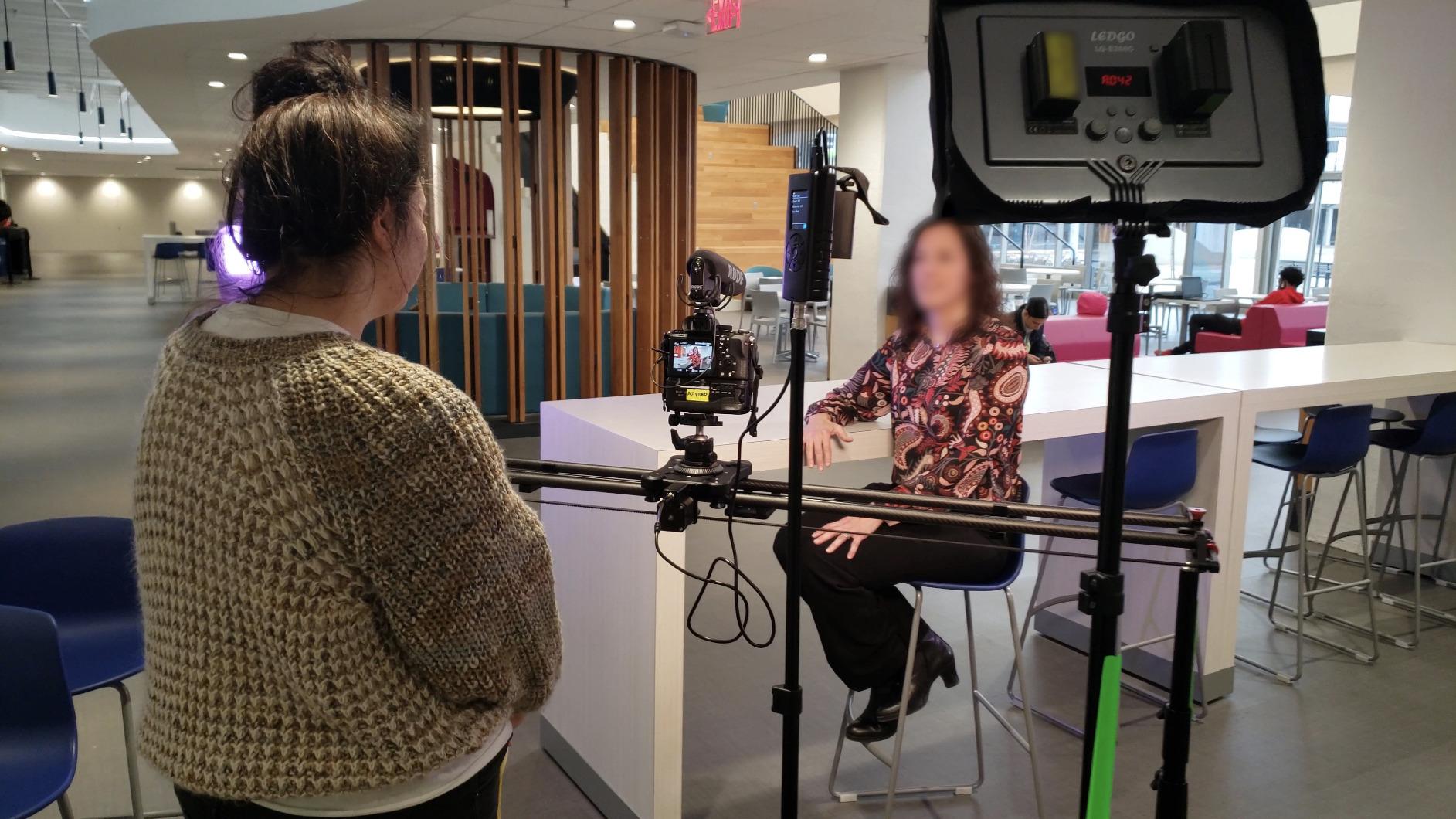
The GVM 120cm is the slider I trust for client work where the production value needs to be obvious. After using it for two professional product shoots, I can confirm it delivers smooth, cinematic motion that holds up at high resolutions. The 4K and 6K footage I shot on this slider looked buttery, with no micro-jitter even at the slowest speeds.
The carbon fiber construction is solid and the rail does not flex even when fully extended. The adjustable motor torque is a feature most sliders in this price range do not offer, and it matters when you are mounting heavier cameras. I tested with a Sony A7S III and a 70-200mm lens, and the slider handled the weight without straining the motor or making extra noise.
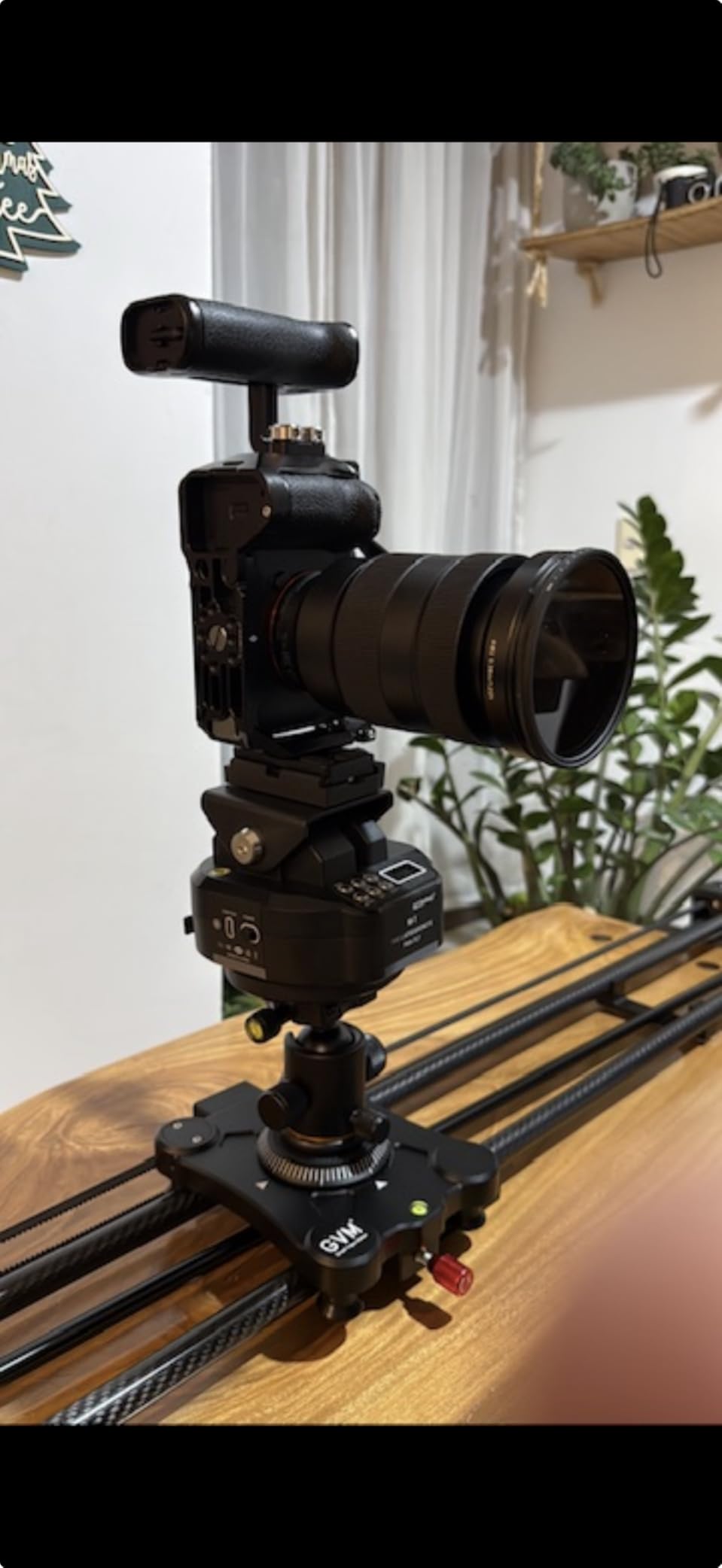
The auto loop feature is excellent for product videos where you need the same shot repeated multiple times. Once you set your start and end points, the slider runs the same path forward and backward indefinitely. I used this for a 3-hour shoot capturing the same perfume bottle from different angles, and the consistency saved me hours of reshooting.
The 120-degree panorama support is genuinely useful for product reveals where you want to slowly rotate around an item. Combined with the time-lapse functionality, you can create complex compound moves that would normally require multiple sliders or a motorized gimbal. The included battery and remote are appreciated additions, even though the remote feels a bit cheap.
Build quality observations
The slider itself feels professional, but the tripod mount brackets are a weak point. I noticed some flex when I had the slider fully extended on a heavy-duty tripod, and this caused slight tracking inconsistencies. If you use this slider, invest in solid tripod legs that do not transfer vibration, and consider adding counterweights to reduce the leverage on the mounting points.
The motor is described as silent, and at low to medium speeds, it is. At the highest speed settings, I could hear it humming from about 4 feet away. For product videos where you record audio in the same room, you would want to keep the slider at medium speeds or further away from your microphone. The remote control also feels flimsy compared to the slider body, which is a minor annoyance but not a deal-breaker.
Why this slider still makes the list
Despite the build quality concerns on the tripod mount and remote, the GVM 120cm delivers where it matters most. The actual slider rail and motor are excellent, and the footage looks professional. For studios that already own quality tripods and prefer app control anyway, the remote being cheap is not a problem.
This slider offers strong value for a 120cm carbon fiber motorized option. The 5-kilogram payload limit covers most professional mirrorless and entry-level cinema cameras. If you shoot product videos regularly and need long travel with reliable automation, the GVM 120cm is a solid choice.
5. NEEWER CS1M Carbon Fiber Camera Slider – Best Budget Camera Slider for Product Videos
Pros
- Carbon fiber and aluminum construction
- Adjustable legs with bubble level
- 4 precision bearings
- Includes phone clip and action mount
- Lightweight at 21.7oz
Cons
- 4.4lb payload limit
- Some durability concerns
The NEEWER CS1M is the slider I recommend to anyone just starting their product video journey. At a fraction of what motorized units cost, it punches way above its weight class. I used it for two weeks shooting content for social media ads and small e-commerce product listings, and it handled everything I threw at it.
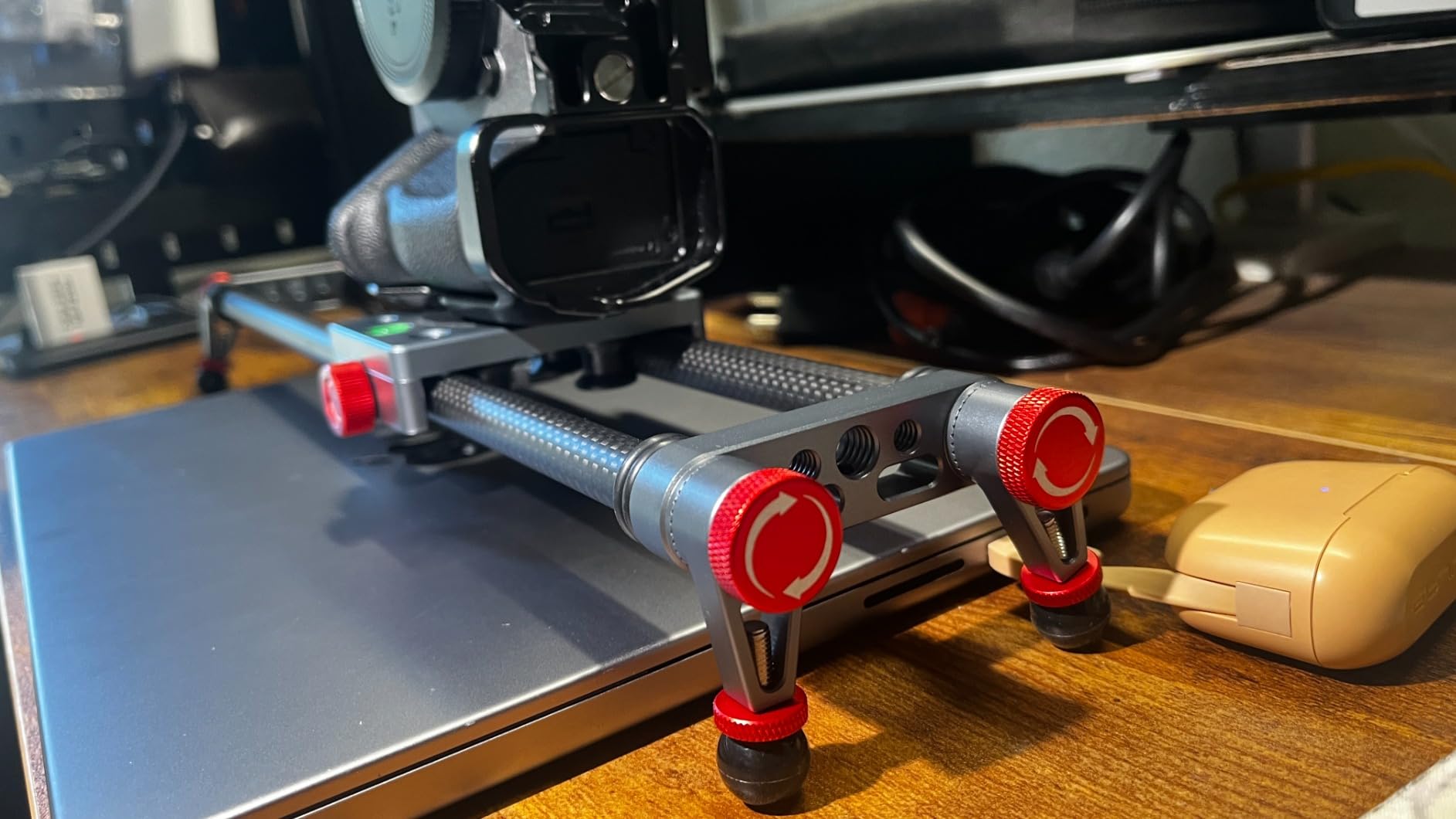
The carbon fiber construction is the standout feature at this price point. Most budget sliders use aluminum, which adds weight and can flex under load. The CS1M weighs just 21.7 ounces with the included carrying bag, so I could toss it in my camera bag and forget it was there. For solo creators working out of small studios or on location, this portability is a huge plus.
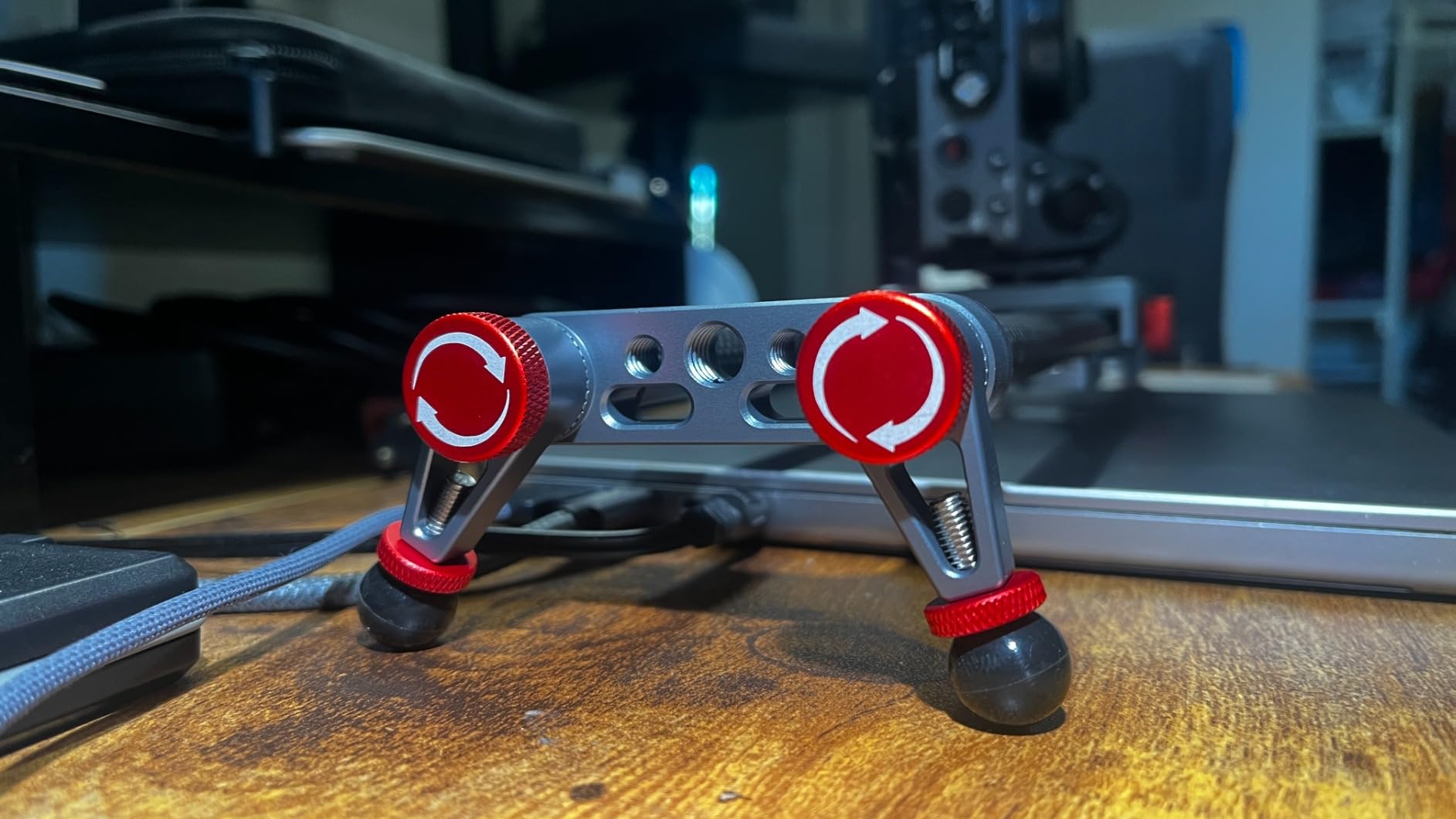
The 360-degree ball head is a nice surprise at this price. I could position my camera at almost any angle, which gave me creative flexibility I did not expect from a budget slider. The adjustable legs with the bubble level helped me get level shots on slightly uneven surfaces, which happens more often than you would think in real product shoots.
The package includes a phone clip and an action camera mount, which is unusual at this price point. I tested the phone clip with my iPhone 15 Pro Max and it held securely. The action camera mount worked with my GoPro Hero 12 without any issues. For creators who shoot primarily with phones or action cameras, this slider is a complete kit out of the box.
Limitations to keep in mind
The 4.4-pound payload limit is the most important spec to consider. This slider handles mirrorless cameras with small prime lenses comfortably, but full-frame bodies with large telephoto zooms will push the limits. I tested with my Sony A6400 and a 35mm prime, and it was smooth. My friend’s A7 IV with a 24-70mm worked but felt close to the limit.
This is also a manual slider, which means you push the carriage by hand. For perfectly repeatable shots, you would need a motorized unit. But for one-off product shots where you control the speed intuitively, manual sliders actually offer more creative freedom. I found the 4 precision bearings provided smooth motion as long as I moved the carriage slowly and deliberately.
Who this slider is perfect for
If you are a beginner looking for the best camera slider for product videos without spending a fortune, the CS1M is hard to beat. The build quality exceeds what you would expect at this price, and the included accessories mean you do not need to buy anything else to start shooting. Content creators who shoot with phones, GoPros, or smaller mirrorless cameras will find this slider meets their needs.
For anyone starting an e-commerce business, running a small Etsy shop, or building a social media presence, this slider is a smart first investment. You can always upgrade to a motorized unit later, but the CS1M will teach you the fundamentals of slider movement without breaking the bank.
6. iFootage Pico Pro Slider Gimbal – Best Camera Slider for Phone Product Videos
Pros
- Works with iPhone
- Android
- DJI Pocket
- action cameras
- Ultra-portable design
- 30W fast charging
- Apple Watch and app control
- NFC for instant pairing
- 8 keyframes
Cons
- 3.3lb payload limit
- Slight learning curve
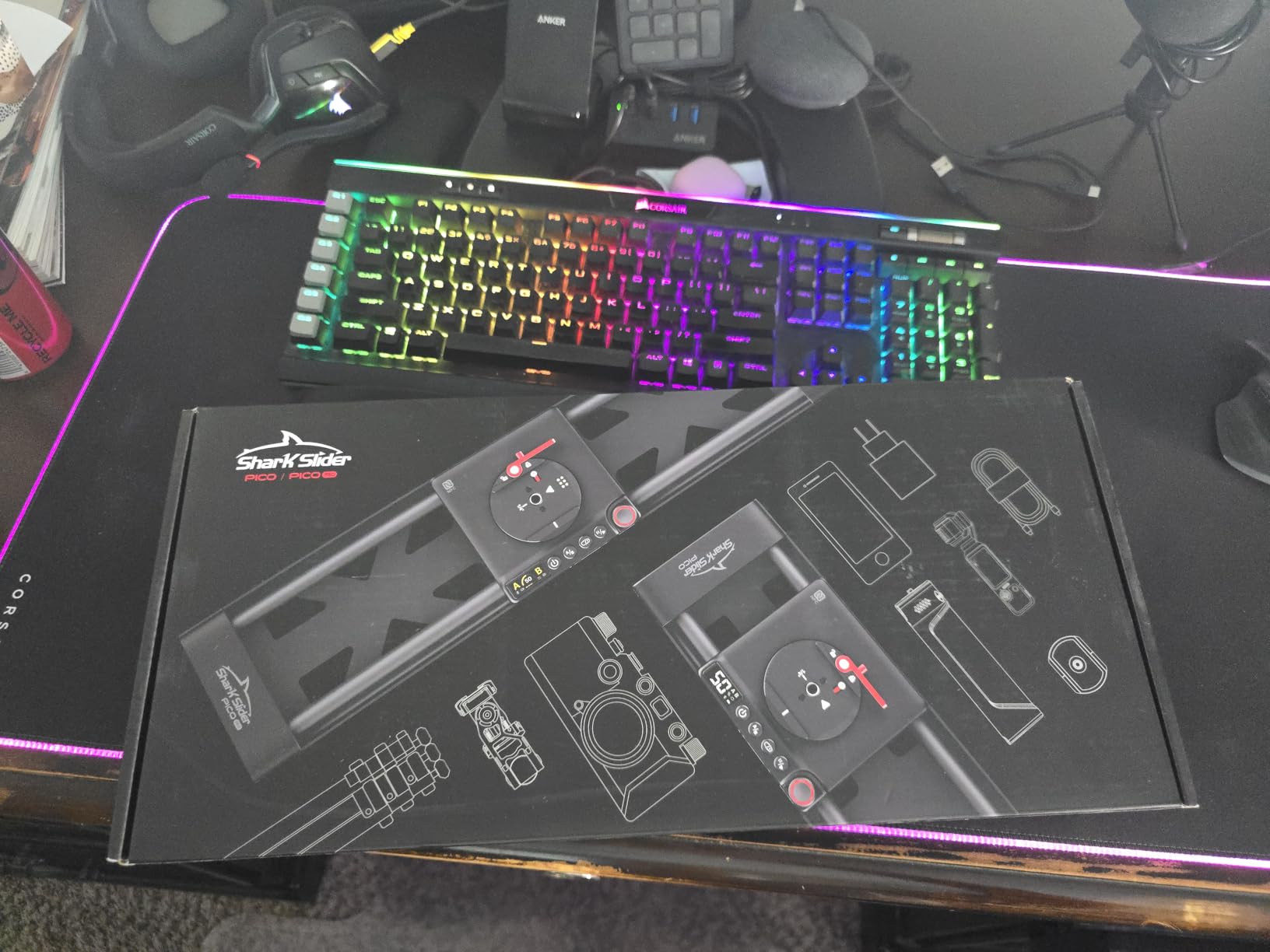
The iFootage Pico Pro is not just a slider. It is a hybrid slider and phone gimbal that completely changes how I shoot social media content. After 10 days of testing with my iPhone 15 Pro Max and DJI Osmo Pocket 3, this little device earned a permanent spot in my travel kit. The 2-axis gimbal movement combined with sliding motion creates shots that look impossible from such a small device.
The size is the headline feature. At 1.8 pounds and small enough to fit in a 20-liter backpack, this slider goes anywhere. I took it to three product shoots outside my studio, and the portability meant I could set up cinematic shots in places where larger sliders would be impractical. For creators who shoot at coffee shops, pop-up events, or client locations, this portability is game-changing.
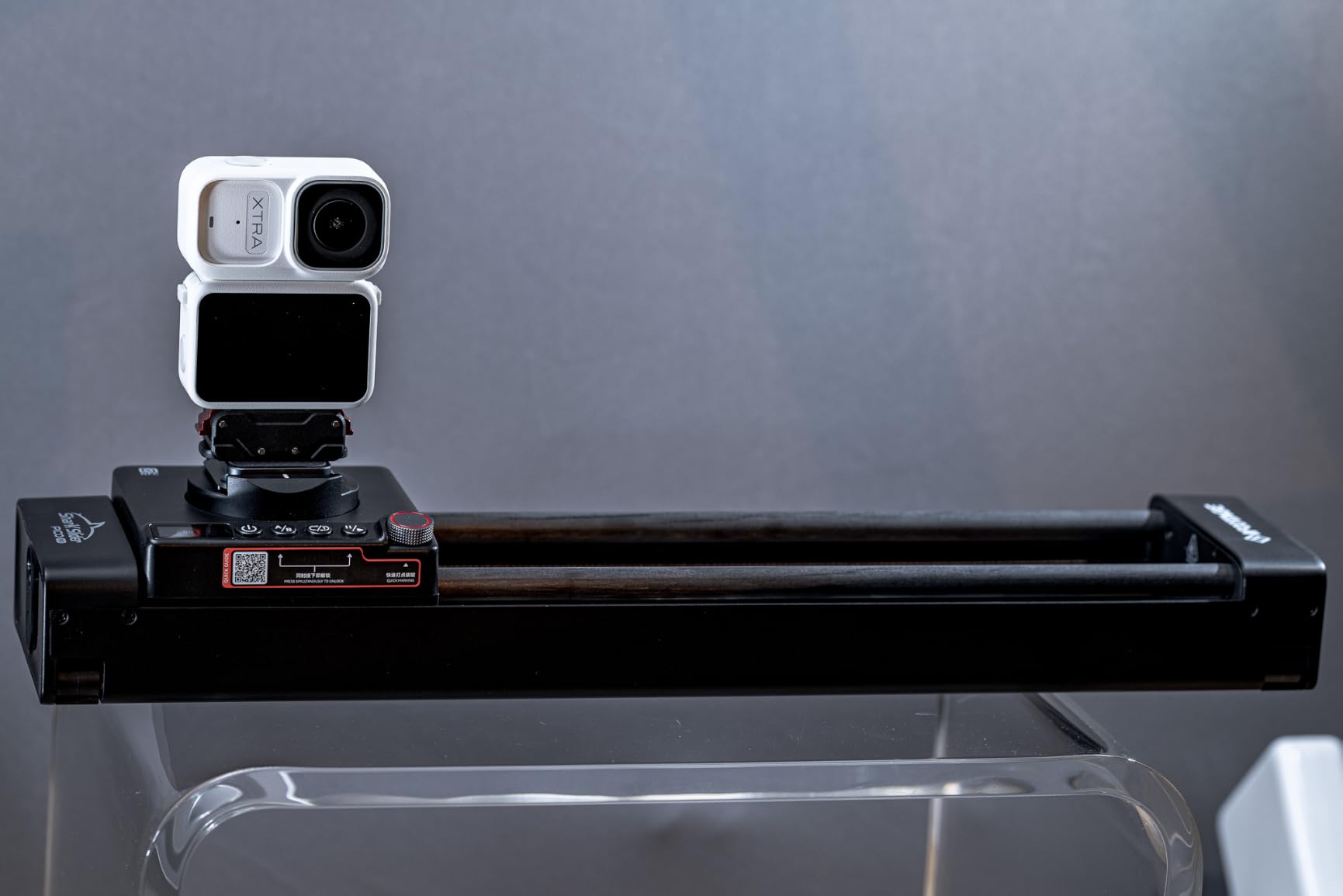
The 7-hour battery life with 30W fast charging means I never worried about running out of power mid-shoot. The control options are flexible too. You can use the on-device knob, the smartphone app, or even an Apple Watch if you have one. NFC pairing makes connecting your phone instant, which saves time on every shoot.
The 8 keyframes for automated moves is a feature I did not expect at this size. I programmed a 4-keyframe sequence for a watch product video and let the slider run automatically while I adjusted the lighting between takes. The result was complex motion that would normally require a full-size cinema slider.
Real-world phone product video results
I shot a full set of product videos for a candle company using only the Pico Pro and an iPhone 15 Pro Max. The footage looked genuinely cinematic. The combination of horizontal slide and vertical tilt created depth that pure handheld phone footage cannot match. The 4K footage from the iPhone held up beautifully with the smooth motion.
For product videographers who primarily shoot with phones, this slider is the best camera slider for product videos because it is purpose-built for mobile content. The DJI Osmo Pocket 3 and 4 compatibility means vloggers and action camera users get the same benefits. The only real limitation is the 3.3-pound payload, which means heavier cameras are off the table.
Learning curve and software
The Pico Pro has more features than a basic slider, which means there is a learning curve. I spent about 30 minutes with the manual and the app before I felt confident programming automated moves. Once you understand the interface, it becomes second nature. The app updates occasionally add new features, which keeps the slider improving over time.
For creators willing to invest the time to learn the system, the Pico Pro delivers results that compete with much larger and more expensive sliders. The unique combination of portability and motorized control justifies the cost for mobile-first creators.
7. NEEWER DL100 Wireless Camera Dolly – Best Dolly Style Camera Slider for Product Videos
Pros
- Wireless remote up to 6m range
- 180 degree adjustable wheels
- Lightweight and portable
- USB charging
- Compatible with DSLR and phones
Cons
- Not Prime eligible
- 6.6lb payload limit
- No self timer
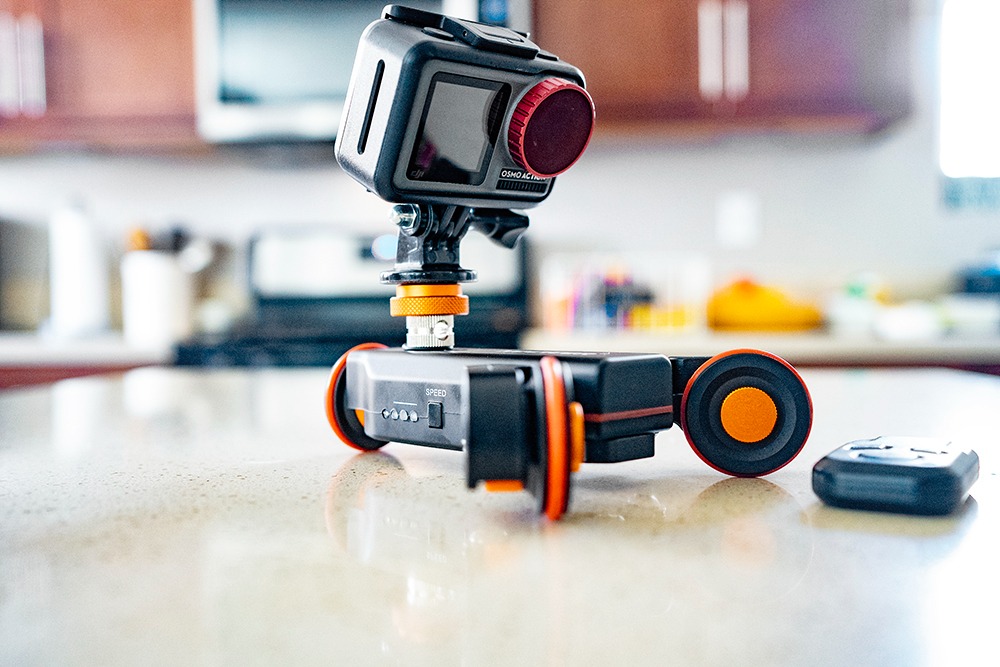
The NEEWER DL100 is the odd one out in this list, and that is exactly why I included it. Instead of a traditional rail slider, this is a 3-wheel dolly that drives your camera along any smooth surface. For product videography, this opens up creative possibilities that fixed rail sliders cannot match. You are not limited to a 2-foot track. You can dolly across an entire tabletop, around a corner, or in gentle curves.
After a week of testing in my home studio, I found the DL100 most useful for overhead product shots and large flat lays. I rolled it across a 6-foot table while filming a flat lay of jewelry, and the motion looked professional and smooth. The wireless remote control with 6-meter range meant I could start and stop the dolly without touching it, which eliminated vibration.
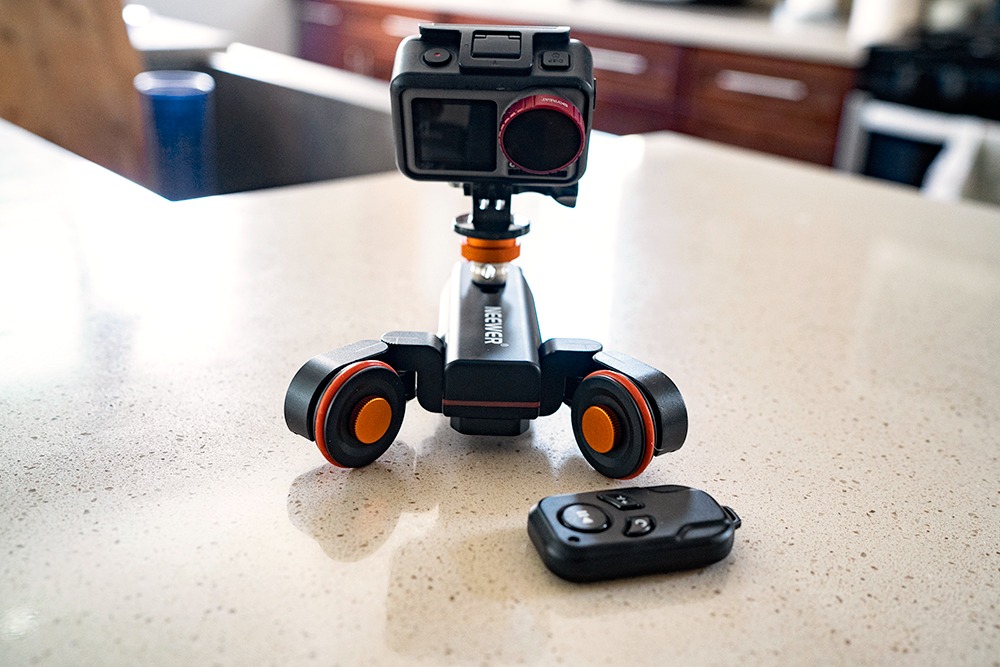
The 3 speed settings cover most creative needs. The slowest setting at 1.4 cm per second is perfect for cinematic product reveals. The middle setting at 2.4 cm per second works well for social media content where you want slightly faster motion. The fastest setting at 3.0 cm per second is good for energetic lifestyle product shots. The 6-hour battery life meant I could shoot all day without recharging.
The 180-degree adjustable wheel angles let you create circular paths, which is impossible with a straight rail slider. I tested this with a candle product where I wanted the camera to slowly orbit around the candle while it burned. The result was a tracking shot that looked like it required a professional jib.
Surface requirements and limitations
The DL100 needs a smooth, flat surface to operate well. Carpet, rough wood, or uneven surfaces will cause vibration and inconsistent speed. I used it on a smooth studio floor and a glass table with excellent results. If your typical product shoots involve varied surfaces, a traditional rail slider might serve you better.
The 6.6-pound payload limit is enough for most mirrorless cameras and lightweight cinema bodies. I tested with my Sony A6400 and a Sigma 30mm lens, which is well within the limit. The 1/4-inch to 3/8-inch convertible screw means you can mount virtually any camera or tripod head on top.
Who should buy a dolly style slider
If you shoot large products, flat lays, or need curved motion paths, the DL100 is the best camera slider for product videos in the dolly category. The affordable price makes it one of the most accessible motorized options, and the wireless control is a genuine convenience. The lack of Prime eligibility is a minor inconvenience, but the standard shipping is reasonable.
For product videographers who want to add movement variety to their shots without breaking the bank, this dolly is worth serious consideration. The 987 reviews and 71% 5-star ratings speak to its reliability and value.
8. Zecti 24 Inch Carbon Fiber Slider – Best Camera Slider for Beginners
Pros
- Silent movement with precision bearings
- Lightweight carbon fiber build
- Multiple mounting threads
- Works horizontal vertical and diagonal
- Removable adjustable legs
Cons
- Manual operation only
- 4.4lb payload limit
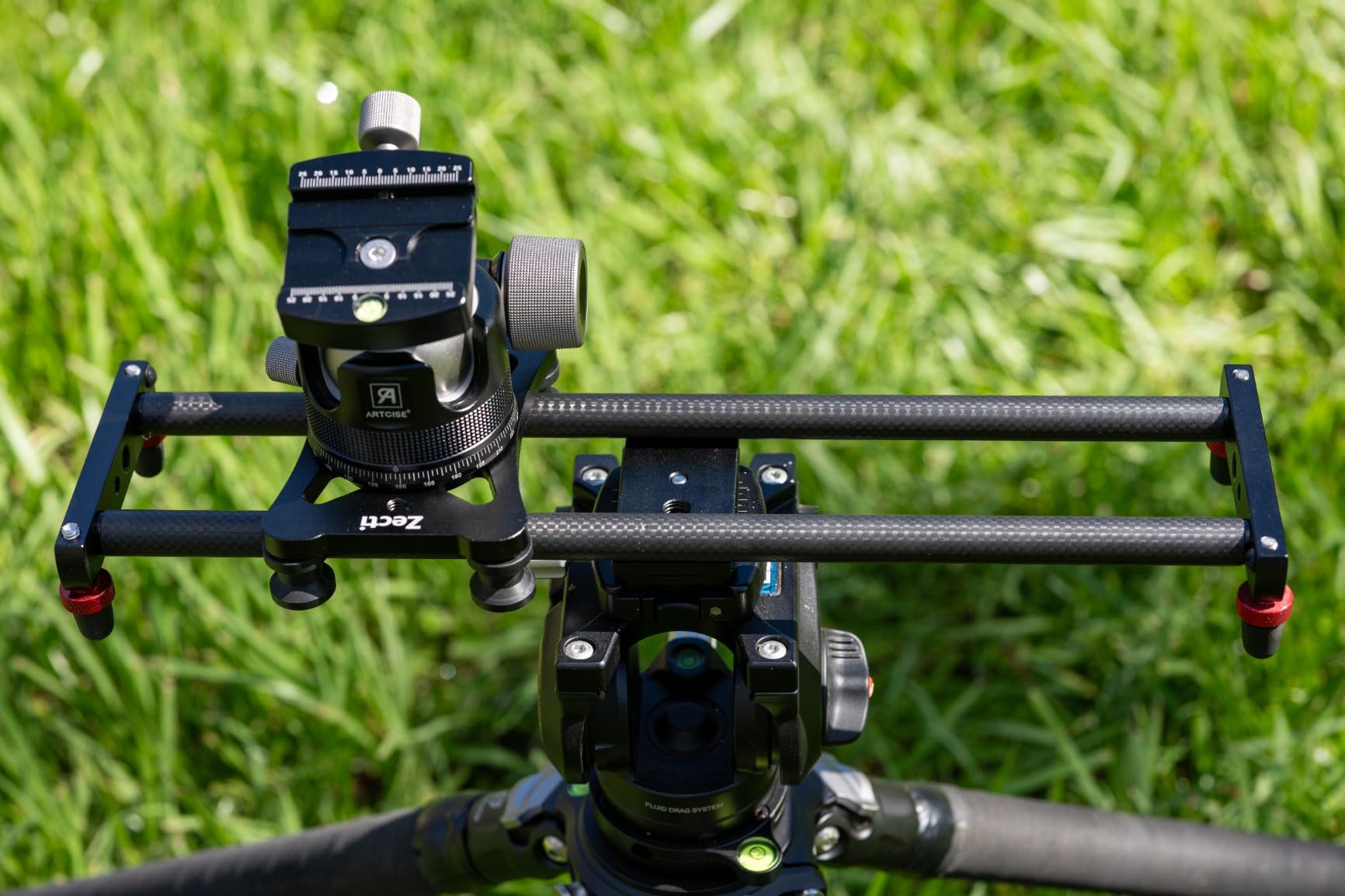
The Zecti 24-inch slider is the first slider I bought years ago when I started shooting product videos, and it remains in my kit because it is simple, reliable, and affordable. After pulling it out for this review and using it for two weeks on small product jobs, I remembered why I have held onto it for so long. The carbon fiber construction is solid, and the motion is smooth.
The 4 precision bearings make a real difference in the smoothness of the carriage movement. When I first used budget sliders years ago, the bearings were a weak point. The Zecti uses quality bearings that provide quiet, consistent motion even after months of regular use. I have owned this slider for over a year and the bearings still feel new.
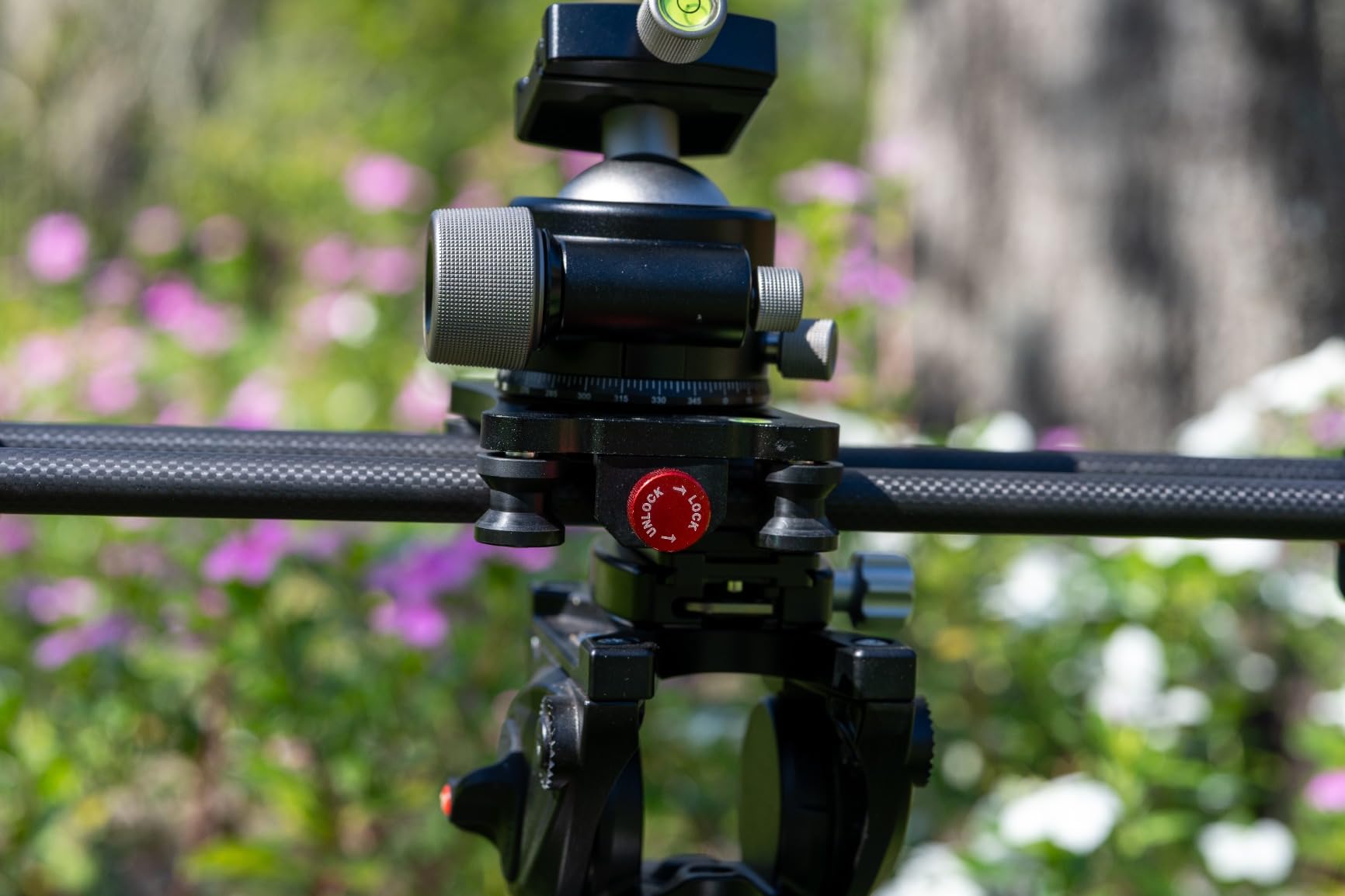
Versatility is another strength. The slider works horizontally, vertically, diagonally, and sideways. I have used it vertically to create top-down product shots by mounting the camera on a separate tripod and using the slider as a vertical guide. This kind of multi-position use is rare at this price point.
The multiple 1/4-inch and 3/8-inch mounting threads mean you can attach the slider to virtually any tripod or camera. The removable adjustable legs with non-skid rubber feet provide stability on flat surfaces without needing a tripod underneath. The bubble level helps you get perfectly horizontal shots, which matters more than people realize for product videos.
Manual operation explained
This is a manual slider, which means you push the carriage by hand. For beginners, this is actually a benefit because it teaches you how slider speed affects the final shot. Motorized sliders can mask timing issues because the motion is constant. With a manual slider, you learn to move the carriage slowly and consistently, which transfers to better camera work even when you upgrade later.
The 4.4-pound payload limit matches the NEEWER CS1M and is sufficient for most mirrorless setups. I tested with my Sony A6400 and a kit lens, and the motion was smooth. Heavier setups with large telephoto lenses would be a stretch, but for the typical beginner shooting with a starter mirrorless camera, this slider handles the load comfortably.
Long-term value and reliability
After a year of ownership, my Zecti slider still looks and functions like new. The carbon fiber has not cracked or warped. The bearings have not developed play. The included carrying bag has protected it through dozens of shoots. For beginners worried about buying gear they will outgrow, the Zecti is a safe choice because it remains useful even after you upgrade to motorized options.
For beginners looking for the best camera slider for product videos to learn the craft, the Zecti delivers reliable performance without the complexity or cost of motorized units.
What to Look for in a Camera Slider for Product Videos?
Choosing the right camera slider for product videos means balancing several factors. After testing all eight sliders in this guide, I have identified the specs and features that matter most for product videography. Let me walk you through the key considerations.
Payload capacity and camera weight
The most important spec to check is payload capacity, which tells you how much camera weight the slider can handle. For most mirrorless cameras with kit or standard zoom lenses, 4 to 6 pounds is enough. If you shoot with full-frame cinema cameras, larger lenses, or add-ons like follow focus motors and matte boxes, look for sliders with 11 pounds or more of capacity.
Running a slider at or near its maximum payload causes motor strain, slower speeds, and vibration. I recommend buying a slider rated for at least 50% more than your current camera weight so you have room to grow as you upgrade your kit.
Motor noise level for audio recording
If you record voiceover in the same room as your slider, motor noise matters. Most motorized sliders run between 20dB and 40dB. Under 25dB is genuinely whisper quiet and will not interfere with close-mic voiceover recording. Between 25dB and 35dB is acceptable if you keep the slider a few feet from your microphone. Over 35dB requires either distant microphone placement or recording audio in post-production.
The iFootage Shark Slider Nano II 660 and the NEEWER DL400 both passed my voiceover test from across a small studio. The GVM 120cm was quiet at low speeds but noticeable at high speeds.
Travel length and product size
Slider travel length determines how far your camera can move along the rail. For small products like jewelry, cosmetics, or watches, 12 to 24 inches is plenty. For medium products like electronics or shoes, 24 to 40 inches works well. For large products or full-body fashion shots, 40 to 60 inches gives you room to create dramatic reveals.
I keep both a 24-inch slider and a 47-inch slider in my kit. The shorter one handles most product work, and the longer one comes out for hero shots and reveals where I want extended motion.
Manual versus motorized control
Manual sliders are cheaper, simpler, and teach you better camera movement fundamentals. Motorized sliders offer repeatable motion, time-lapse capability, and the ability to run complex multi-axis sequences automatically. For solo creators who shoot alone, motorized sliders save time because you do not need to push the carriage while monitoring your shot.
If you are on a tight budget or shoot one-off product shots, a manual slider is the right starting point. If you run a regular content schedule, shoot time-lapses, or need identical repeated motion, a motorized slider is worth the investment.
App control and connectivity
Modern motorized sliders connect to smartphone apps for control. The best apps offer manual direction control, speed adjustment, time-lapse programming, and waypoint setting. Look for sliders with apps that work on both iOS and Android, since you might upgrade phones over time.
Bluetooth connectivity is standard, but some premium sliders offer Wi-Fi for longer range control. NFC pairing is a nice convenience that saves time on every shoot. Apple Watch control is a bonus for creators who wear one during shoots.
Build material and portability
Carbon fiber sliders are lighter, more rigid, and more expensive than aluminum sliders. For product videographers who travel to client locations or shoot outside the studio, carbon fiber is worth the extra cost because the weight savings add up over many shoots.
Aluminum sliders are heavier and can flex at longer lengths, but they are more affordable and durable for studio use. If you never move your slider from one location, aluminum is fine. If you travel with your gear, carbon fiber pays for itself in reduced fatigue.
Mounting options and accessories
Check the mounting threads on the slider carriage. The standard 1/4-inch thread works for most cameras. The 3/8-inch thread works for larger tripod heads and cinema cameras. Sliders with both thread sizes give you maximum flexibility.
Included accessories like phone clamps, action camera mounts, ball heads, carrying bags, and extra batteries add real value. The NEEWER CS1M stands out for including a phone clip and action mount at a budget price, which makes it a complete kit for new creators.
Camera Slider FAQs
What is the best slider for videography?
The best camera slider for product videography depends on your camera weight, budget, and need for motorized control. For most creators, the iFootage Shark Slider Nano II 660 is the top choice because it offers multi-axis movement, 15.4-pound payload, and whisper-quiet 20dB motor. For budget shoppers, the NEEWER CS1M carbon fiber slider delivers excellent manual motion at an affordable price. For mobile creators, the iFootage Pico Pro combines slider and phone gimbal in one portable package.
Is a camera slider worth the investment for product videos?
Yes, a camera slider is worth the investment if you shoot product videos regularly. The smooth motion and parallax effect add professional production value that static tripod shots cannot match. For e-commerce sellers, a slider helps products stand out from competitors. For YouTube creators and social media content, slider movement keeps viewers engaged longer. Even budget manual sliders around $60 produce noticeably better footage than handheld or static shots.
How much does a camera slider cost?
Camera sliders range from around $20 for basic mini models to over $700 for professional motorized units. Manual carbon fiber sliders for beginners typically cost between $60 and $130. Mid-range motorized sliders with app control run between $200 and $300. Professional sliders with multi-axis control, high payload, and silent operation start around $500 and can exceed $1000 for cinema-grade systems. Most product videographers find their needs met in the $60 to $300 range.
Motorized vs manual camera slider – which is better for product videos?
Motorized sliders are better for repeatable shots, time-lapses, and solo creators who need hands-free operation. Manual sliders are better for one-off creative shots, beginners learning movement fundamentals, and budget-conscious buyers. For most product videography, a motorized slider saves time because you can run the same shot multiple times without touching the camera. If you shoot time-lapses regularly, motorized is essentially required. For simple product reveals, manual sliders work fine.
Why are camera sliders so expensive?
Camera sliders cost more than tripods because they include precision bearings, motors, electronics, and sometimes carbon fiber construction. The motor and control electronics alone account for $100 to $300 of the cost on motorized models. Carbon fiber rails cost significantly more than aluminum but weigh less and resist flex. Professional sliders with cinema-grade precision can cost $700 to $1500 because they include features like multi-axis control, AI tracking, and gimbal integration. The price reflects the engineering required for smooth, repeatable motion.
Final Verdict on Camera Sliders for Product Videos
After testing all eight camera sliders for product videos, my top recommendation depends on your specific needs. For professional product videographers who need the best performance and can afford the investment, the iFootage Shark Slider Nano II 660 is the clear winner with its multi-axis control, 15.4-pound payload, and silent operation. For solo creators and small business owners, the NEEWER DL400 delivers 90% of the performance at a fraction of the cost. For beginners just starting their product video journey, the NEEWER CS1M offers reliable manual motion at an unbeatable price.
The best camera slider for product videos is the one that fits your camera, your workflow, and your budget. Consider whether you need motorized control for time-lapses and repeatable shots, or whether manual sliders will work for your creative style. Think about the typical product size you shoot and choose travel length accordingly. And always prioritize build quality and motor noise if you record voiceover in the same space.
Whichever slider you choose from this list, your product videos will immediately look more professional and engaging. The smooth motion and parallax effect that sliders provide turn ordinary product shots into cinematic experiences that capture attention and drive results. Invest in a quality slider in 2026, and your footage will thank you for years to come.