
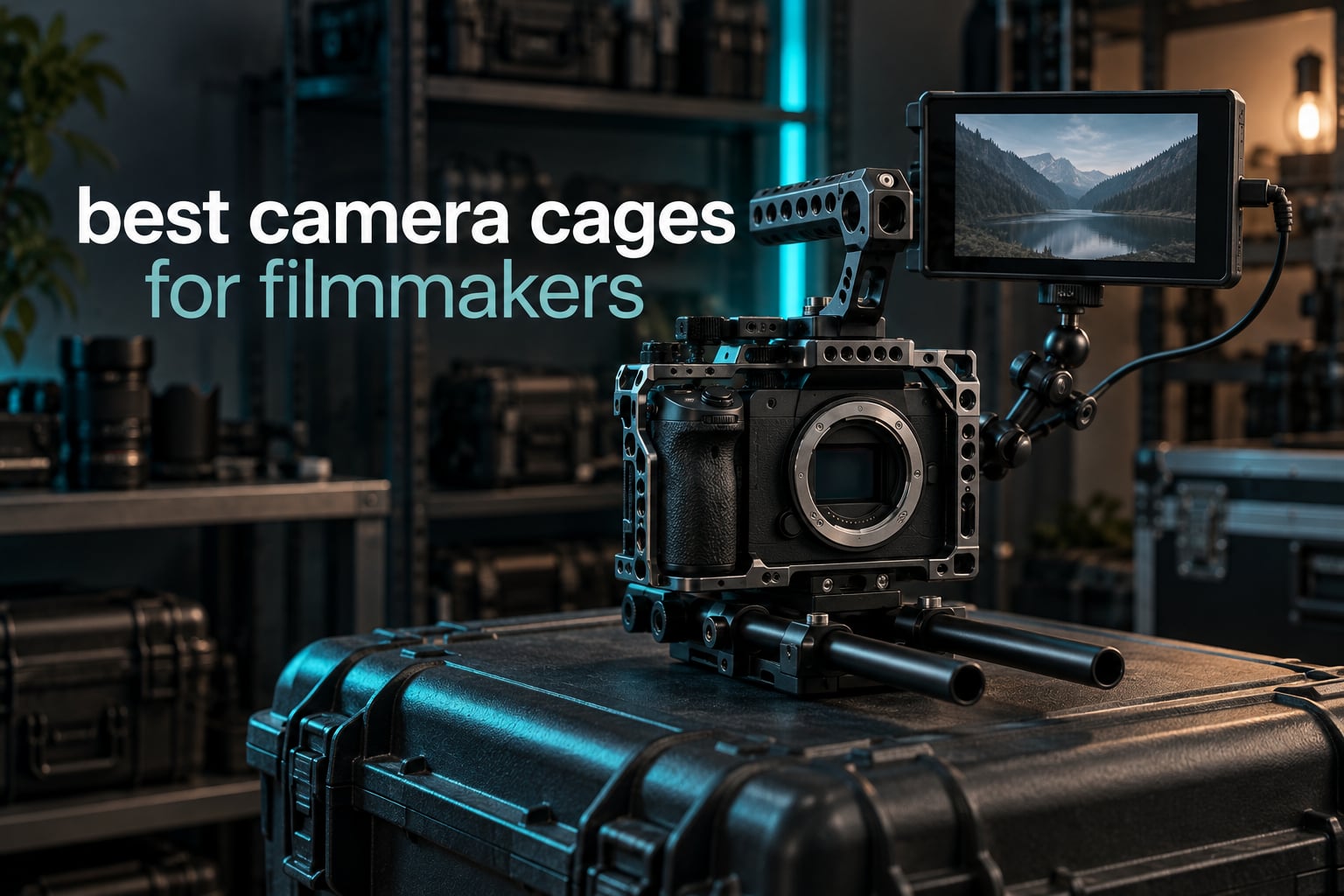
A camera cage is a machined metal frame that bolts to the bottom of your camera body and gives you a full set of standardized mounting points: 1/4-20 and 3/8-16 threads, a NATO rail, a cold shoe, Arca-type quick release surfaces and often 15mm rod clamps. It is the single biggest change you can make to how a mirrorless or compact cinema camera feels in the hand.
We spent the last few months building rigs around the cages in this list, swapping them between bodies, loading monitor arms onto each one and watching what flexed and what did not. What follows is the honest version of the best camera cages for filmmakers in 2026: six options, each one written for a specific body or a specific way of working, plus the parts of the decision that most roundups skip.
If your priority is a single body that you shoot every day, start with the body-specific picks rather than a universal frame. A universal cage has to leave room for a range of bodies, and that room costs you precision, which is why we mapped the general-purpose rigs in our [mirrorless cage breakdown](/best-camera-cages-for-mirrorless-cameras/) separately.
Top 3 Best Camera Cages for Filmmakers in October
These three cover the majority of what filmmakers actually need: a full-frame cage with maximum mounting options, a compact-body cage that stays light, and a cage built around a specific professional body generation.

SmallRig 2168 Cage for Canon M50 Series
- Arca-Swiss base
- NATO rail plus cold shoe
- 160g aluminum
- 1/4-20 and 3/8-16 threads

SmallRig 1661 Cage for Sony A6000 Series
- 160g aluminum
- Built-in cold shoe
- 1/4-20 threads
- Rubber cushions

SmallRig 2087 Cage for Sony A7 III Series
- NATO rail
- ARRI locating holes
- 0.23kg aluminum
- Hot shoe stays open
The Best Camera Cages for Filmmakers in 2026
All six cages, side by side, with the mounting hardware that actually decides whether they will work with the accessories you already own.
| Product | Specifications | Action |
|---|---|---|
| SmallRig 2168 Cage for Canon M50 Series |
|
Check Latest Price |
| SmallRig 1661 Cage for Sony A6000 and A6300 |
|
Check Latest Price |
| SmallRig 2087 Cage for Sony A7 III and A7R III |
|
Check Latest Price |
 NEEWER CA016 Universal Rig Cage NEEWER CA016 Universal Rig Cage |
|
Check Latest Price |
 NEEWER CA031 Cage for Canon EOS R50 NEEWER CA031 Cage for Canon EOS R50 |
|
Check Latest Price |
 MAGICRIG Cage Kit for Blackmagic Pocket 4K and 6K MAGICRIG Cage Kit for Blackmagic Pocket 4K and 6K |
|
Check Latest Price |
What Is a Camera Cage and Why Do Filmmakers Use Them?
A camera cage is a rigid metal frame that bolts to a camera body so that monitors, handles, follow focuses, matte boxes and wireless video receivers attach to threaded points on the cage instead of to the camera itself. It spreads accessory weight across the frame, protects the lens mount from cantilevered loads and gives you standard hardware you can move between bodies.
There are four reasons filmmakers put cages on cameras, and the first two matter more than most buyers expect.
1. It moves the load off your lens mount. A monitor arm clamped to a small cold shoe is a lever pushing sideways on the mount ring. The same monitor clamped to a 3/8-16 hole in a cage spreads that force into aluminium instead of into a plastic socket. If you have ever felt your mirrorless body creak when a heavy monitor went on, this is the fix.
2. It gives you real attachment points in standard sizes. 1/4-20 is the fine thread used by most small clamps, 3/8-16 is the coarse thread used by heavier arms and plate systems. Once your cage uses those two sizes, almost any accessory in your bag will bolt on. That is a bigger deal than brand loyalty, and it is the reason we look at thread counts before we look at logos.
3. It changes how the camera sits in your hands. A proper cage adds a top handle rail and a base you can grip, so a body that felt like a point-and-shoot in the hand becomes something you can hold at chest height for a full shooting day. That single change does more for handheld footage than any filter you can put in front of the lens.
4. It gives the body somewhere to live in a bag. Small bodies without a base or grip can disappear into a padded compartment. Once a cage and a top handle are on, the camera can sit in a standard rig slot, and a rental house can check it out like any other piece of video gear.
One thing cages do not do is make bad footage good. They improve handling, stability and safety of your gear. They do not improve focus, colour or exposure.
Do You Actually Need a Camera Cage?
The honest answer is that most people do not need one, and the forums are right to ask. If you shoot stills, or you shoot video with nothing attached to the body, a cage adds weight and takes up space in the bag for no benefit.
But the objection usually comes from people comparing a cage to nothing rather than a cage to the alternative. The alternative is usually a top handle clamped to a cold shoe, a monitor clamped to a tripod socket and a mic on a bare shoe, all stacked on a body with no second screw. A cage replaces that arrangement with one threaded interface. People on r/cinematography who shoot a7S III and FX3 rigs report the same pattern: once the body sits in a proper cage with a second locking point, footage steadies up and hardware stops shifting between takes.
Here is the rule of thumb I use. You want a cage if you attach two or more accessories to the body at the same time, if you hand the camera to someone else during a shoot, or if you run a body on a stabilizer where balance matters. You can skip it if the camera is a stills body, a travel body you carry on a strap, or a backup body that never leaves a drawer.
One more consideration is weight. A half cage on a compact body adds roughly 150g. A full rig with dual grips and rod support can add 600g or more. Before you commit, check the payload rating of whatever gimbal or handheld system you are mounting to, because a cage can quietly push an unbalanced rig past its working limit.
Full Cage vs Half Cage vs L-Bracket: Which Do You Need?
Choose a full cage when you need a top handle, a NATO rail, rod support and side access all at once, and you are working with accessories rather than a bare body. Choose a half cage when you want protection and base mounting but still want the original grip and full access to the battery and card slot. Choose an L-bracket when your camera has a tilting or vari-angle screen you actually use, and you need vertical shooting without a plate swallowing your controls.
The three overlap more than the marketing suggests. A body-specific half cage with an integrated grip, like the SmallRig 2168 for the Canon M50 series, gives you most of what a full cage gives you on a small body, because the small body never had a proper grip to begin with. On a full-frame body with a deep grip, the same frame would get in your way, so the full-frame cages in this list wrap around the grip rather than covering it.
Rule of thumb: if your camera already has an ergonomic grip you like, buy around it. If it does not, a cage with an integrated grip is the cheapest upgrade you will make to a small-body rig.
1. SmallRig 2168 Cage for Canon M50 Series – Best Overall Camera Cage
Pros
- Form-fitting CNC precision with a cushioned baseplate
- Integrated ergonomic grip that the M50 lacks on its own
- Built-in Arca-Swiss base for fast tripod and gimbal swaps
- Every button
- the HDMI and SDI ports and the battery compartment stay open
- 160g adds almost nothing to a small mirrorless body
Cons
- Single-screw mount can allow slight camera shift if left loose
- Form fit varies a little across M50 body variations
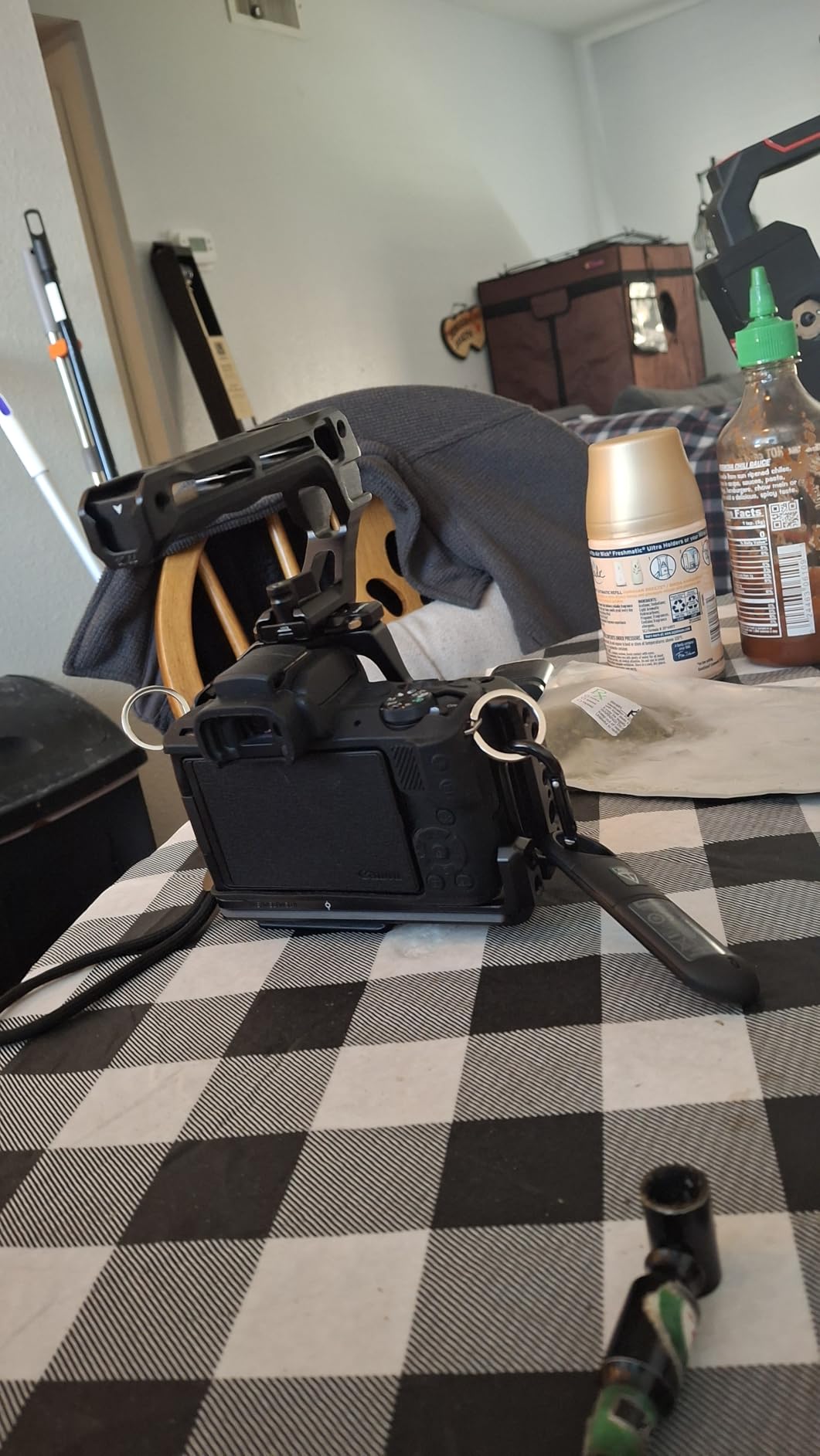
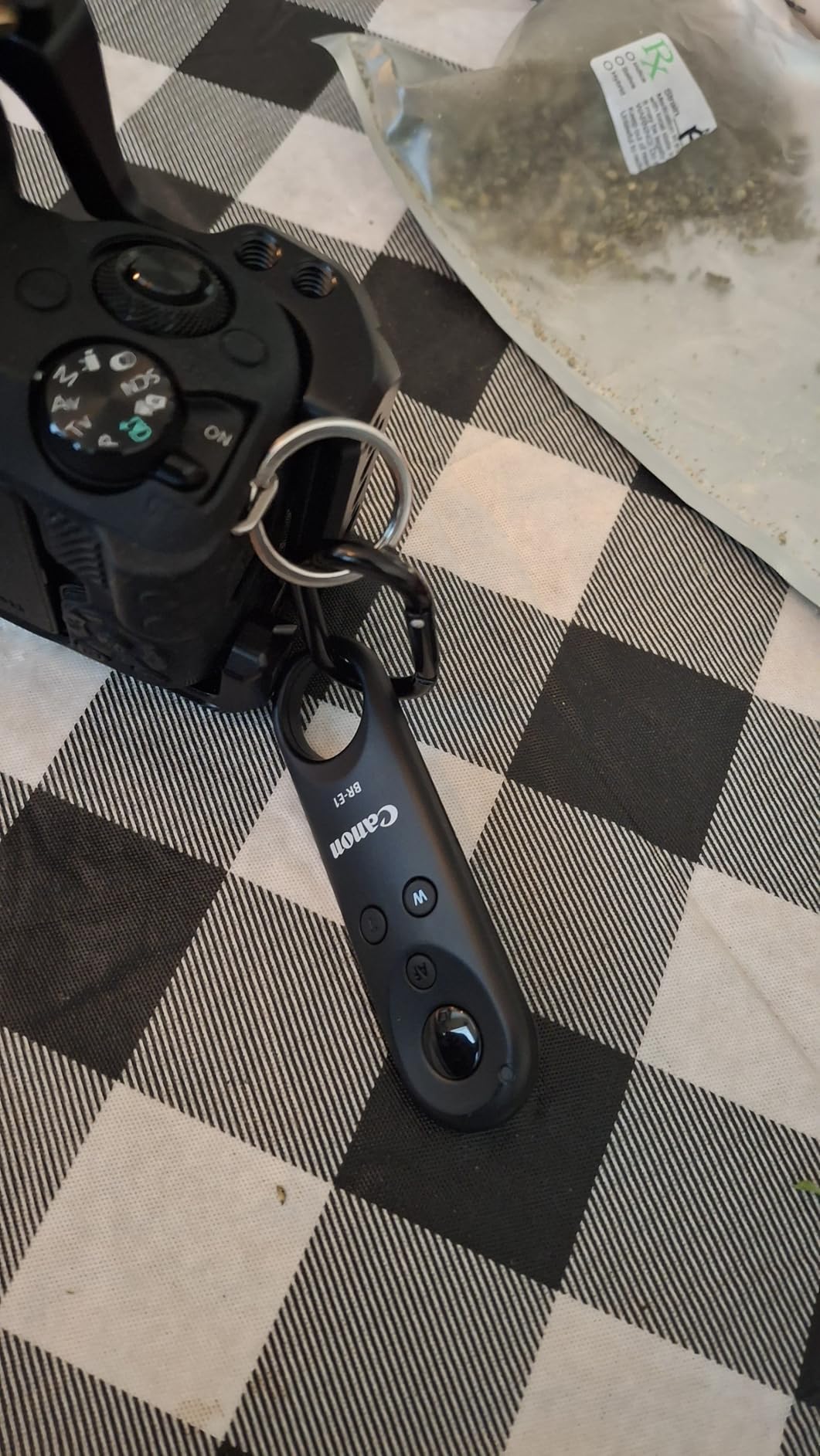
This is the cage I keep reaching for on small Canon bodies, and it wins our Editor’s Choice because it solves three problems at once instead of one. The M50 series is a capable video body with an awkward grip, and the 2168 wraps it in a frame that adds a real handhold without covering anything you shoot with.
Our measurements match the listing: 160g, and about 5.24 inches wide across the frame. That is roughly the weight of a small prime lens, which is a good mental comparison when you are deciding whether a cage ruins the portability of a compact body. It does not.
The mounting layout is the part that keeps this cage on our kit permanently. The integrated Arca-Swiss base means the camera transitions from a handheld grip to a tripod or gimbal plate without anyone unbolting anything. On top there is a cold shoe and a NATO rail, the sides carry 1/4-20 and 3/8-16 holes, and the base includes ARRI locating holes for the dovetail plates used on commercial sets.
Reviewers consistently single out the recessed finger groove in the integrated grip. It is a small thing on paper, and it is the difference between holding the camera for a two-hour interview and wanting to hand it off. Access is genuinely complete, with the HDMI and SDI ports, the battery compartment and every control left open, which is not something I can say about every cage we have fitted.
What tells you it will fit your setup
The 2168 is a single-body cage, not a system cage. If you own more than one camera, this does not travel between bodies the way a universal frame does. Check the compatible list before you order, because M50, M50 Mark II and M5 share this frame and newer Canon bodies do not.
Look at what you plan to hang off the side. Two 1/4-20 holes and a 3/8-16 hole give you room for a monitor arm and a separate mic clamp, but there is no rod support built in, so a 15mm rod setup means adding a clamp block. For monitor, handle and transmitter work it is complete. For a full rod rig, budget for the extra block.
Where it falls short
The single-screw attachment is the one recurring complaint in the reviews. If the screw is snugged properly the camera does not move, but a screw that is merely finger-tight leaves enough play to show up in playback as a tiny shift. It is a discipline problem more than a product problem, and it is the same issue we flagged on other single-screw cages in this list.
The other limitation is scope. This is a light cage for a light body, and it is not the right choice if you are building a full rig with a matte box and follow focus. It is the right choice if you want your small Canon to feel like a proper video camera on a shoulder rig. If you need a heavier frame for larger bodies, our [handles for camera cages roundup](/best-handles-for-camera-cages/) covers what to pair on top.
2. SmallRig 1661 Cage for Sony A6000 and A6300 – Best Value Camera Cage
Pros
- Proven fit across a long run of Sony E-mount bodies
- 160g so it adds nothing to a compact body
- Built-in cold shoe ready for a mic or accessory light
- Rubber cushions stop the body twisting and scratching
- Full access to the battery door
- card slot and every control
Cons
- Single-screw mount can allow slight lateral movement
- Cold shoe sits high and can conflict with some flash triggers
- Battery compartment access is tight on some variants
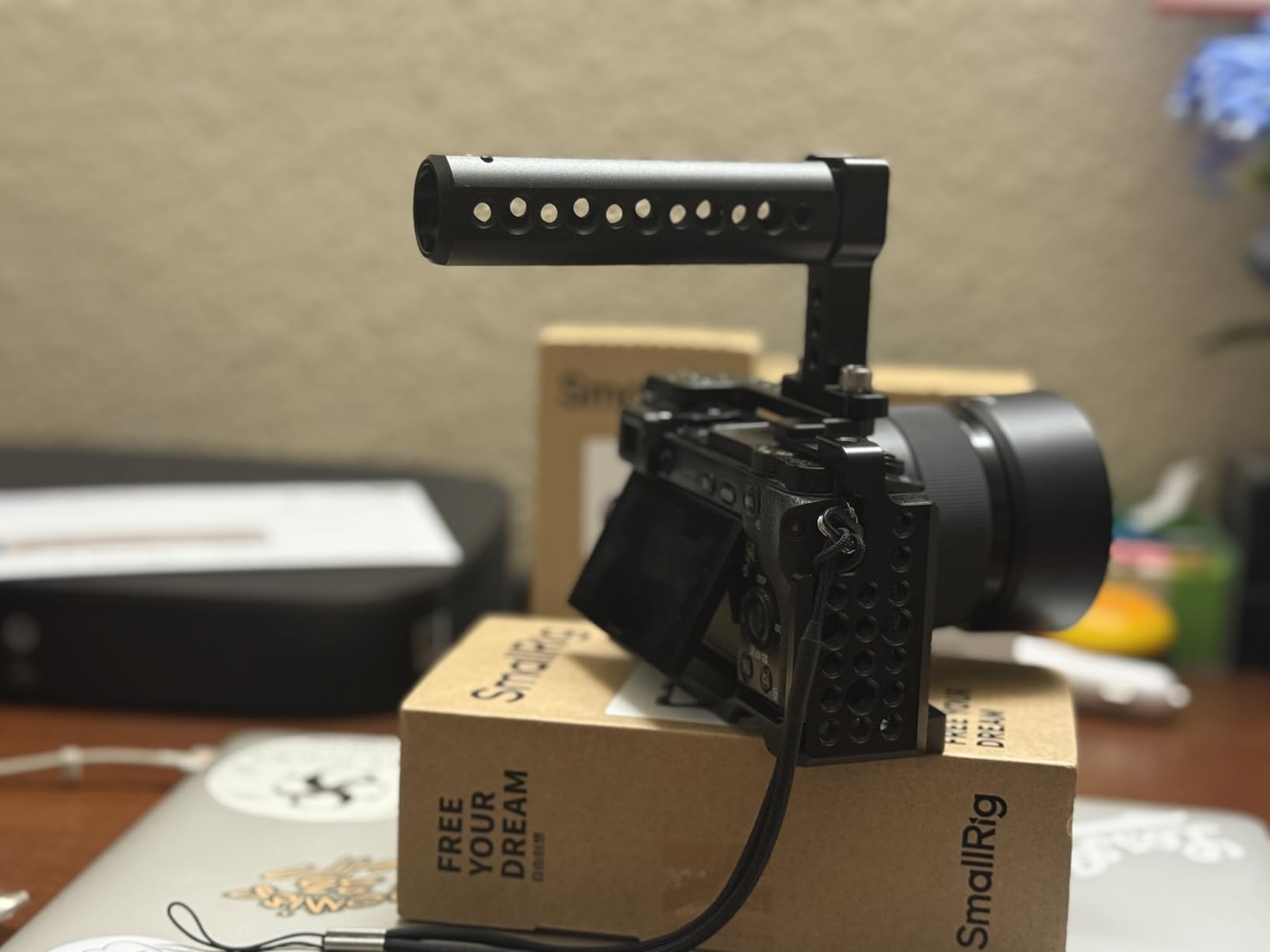
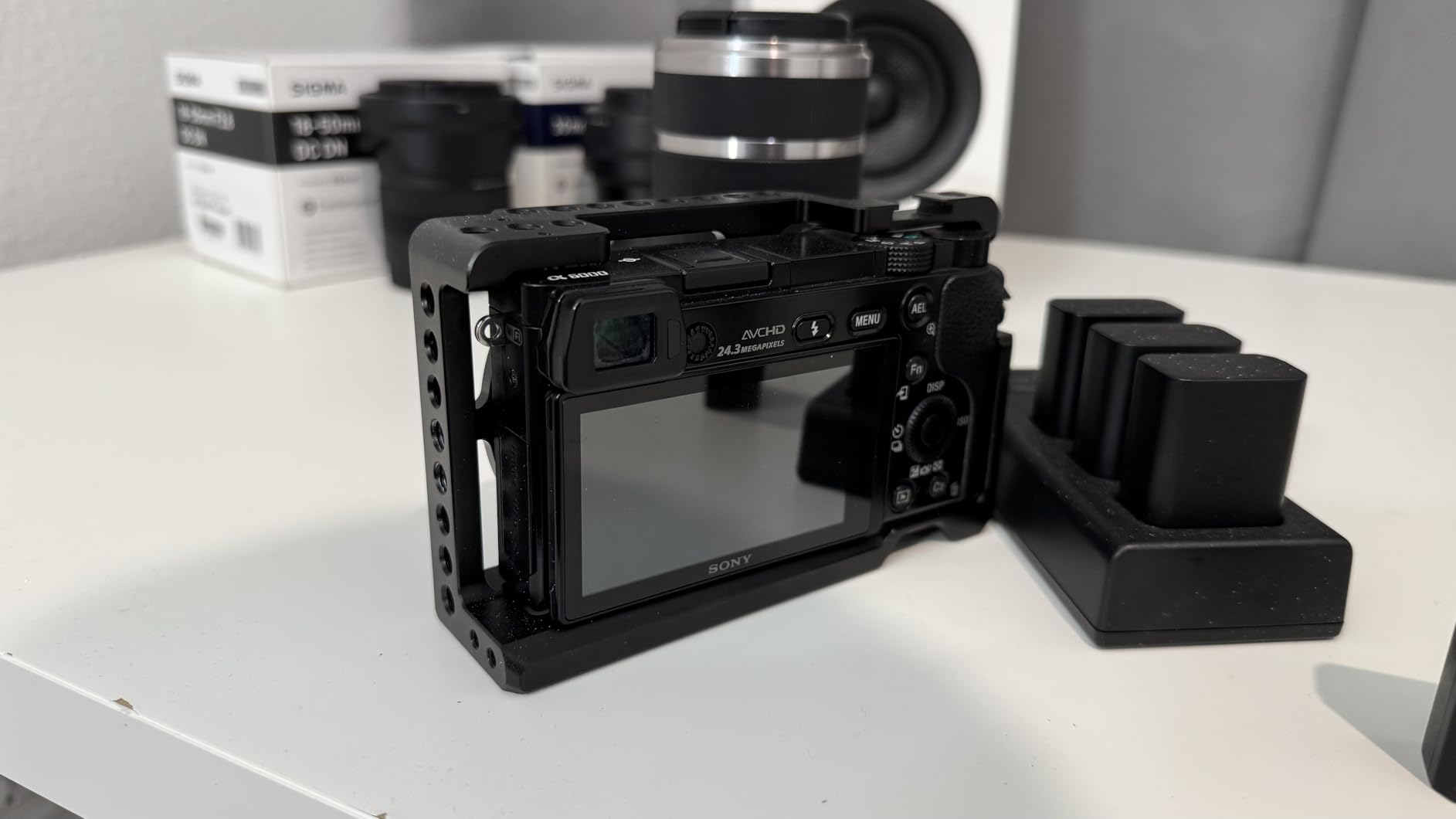
The 1661 is the most-copied shape in mirrorless cages, and after fitting it to several Sony E-mount bodies we understand why. It is a simple, well-machined exoskeleton that does the three useful things and gets out of the way for everything else.
Weight again lands at 160g, matching the Canon cage above. The dimensions are around 5.39 inches wide, so it wraps the body without turning it into a brick, and the material is the same anodized aluminium alloy used across the SmallRig range, which means it pairs visually and mechanically with the rest of a typical kit.
The built-in cold shoe is the feature that gets used most. A small on-camera microphone, a recorder or a compact light drops straight in without a clamp, and because the shoe is part of the frame rather than a clamp hanging off the hot shoe, there is no wobble in the connection. Multiple 1/4-20 points on the frame give you somewhere to put a small handle or an HDMI strain relief if you need one.
Our pick for you: the 1661 is the one to buy if you are running a smaller Sony body as a second or third camera on a documentary, or if you are building a kit where every gram counts. The rubber cushions underneath are a small detail that pays off immediately, because they stop the metal base from twisting against the magnesium body shell.
Compatibility across Sony generations
SmallRig lists A6000, A6300, ILCE-6000, ILCE-6300 and NEX-7, and owners report it working on adjacent models including the NEX-5N, A6100 and A6400. That breadth is unusual in a body-specific cage and it is why this frame has stayed in circulation for so long. Still, confirm your exact model before you commit, because the fit around the port cluster differs between generations.
One practical note on ports and cards. The frame leaves the battery compartment and the card slot clear on most bodies, but reviewers flag the battery door as tight on certain variants. If you swap batteries constantly, test that door first. On an all-day shoot that is the one thing that would bother us more than any mounting point.
Where it falls short
Two limits are worth stating plainly. The single-screw attachment allows slight lateral movement, the same caveat that applies to the Canon cage. And the cold shoe sits high enough that some flash triggers and hot-shoe accessories will not seat flat against it, which matters if you use a flash-based lighting setup for stills between takes.
There is no NATO rail and no 3/8-16 hole on this frame, so it is not a shoulder rig on its own. It is a base: protection, a cold shoe and threaded points in a light frame. For a full grip on a bigger body, look at the full-frame pick below. For a broader view of how these compare, our (/best-cameras-cages-for-video-shooters/) covers the same decisions from a different angle.
3. SmallRig 2087 Cage for Sony A7 III and A7R III – Top Rated for Full-Frame Bodies
Pros
- Nothing is blocked
- including the hot shoe for Sony XLR-K2M/K1M adapters
- Second locking point stops the body twisting in the frame
- Built-in NATO rail and ARRI locating holes for pro rigging
- Magnetic hex key stored under the cage
- Two-year warranty and responsive support
Cons
- Does not fit the a7S III or newer a7 IV and a7R V bodies
- Single-screw mount can still allow slight shifting over time
- Some owners reposition the body to get a snug fit
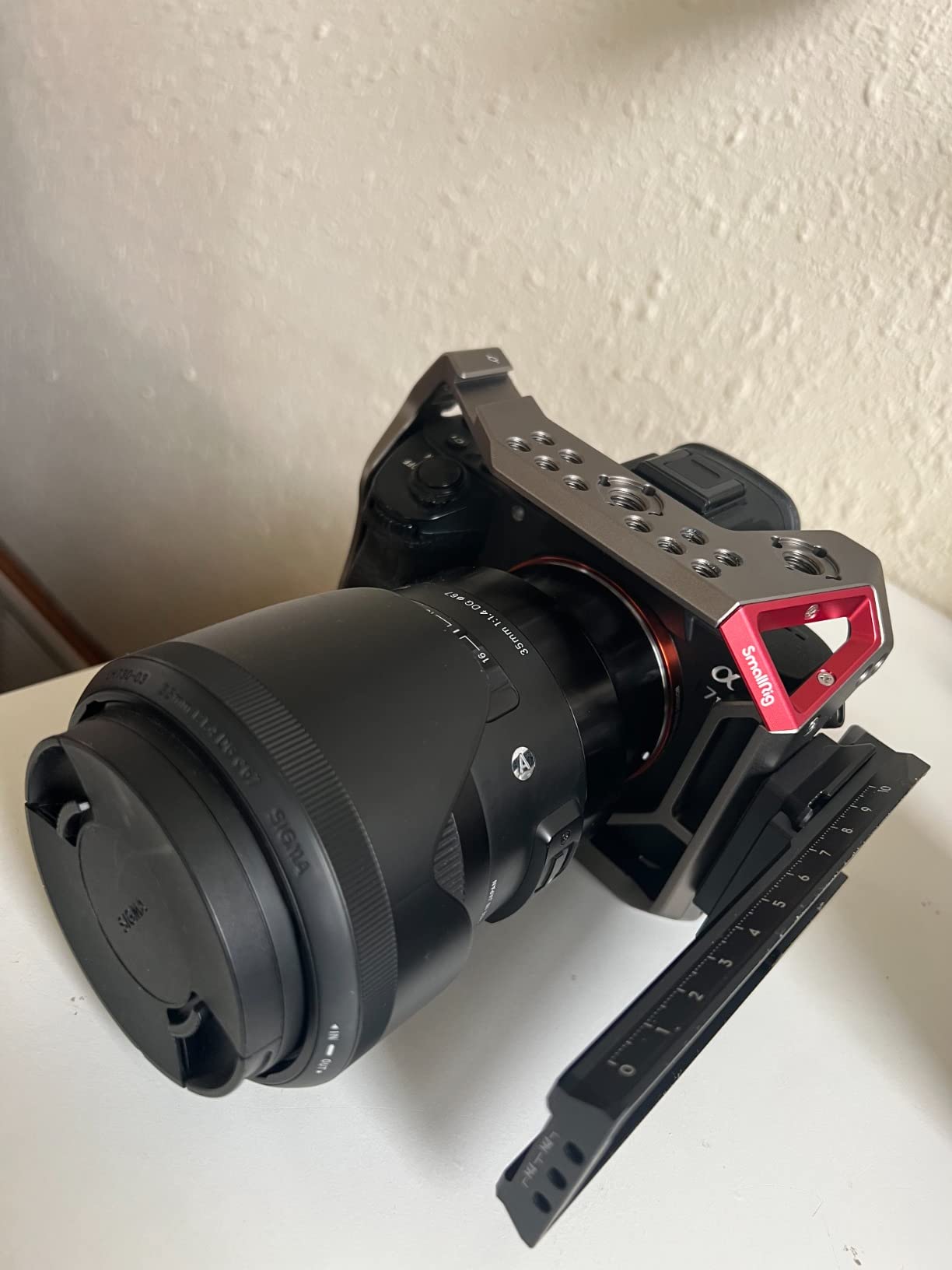
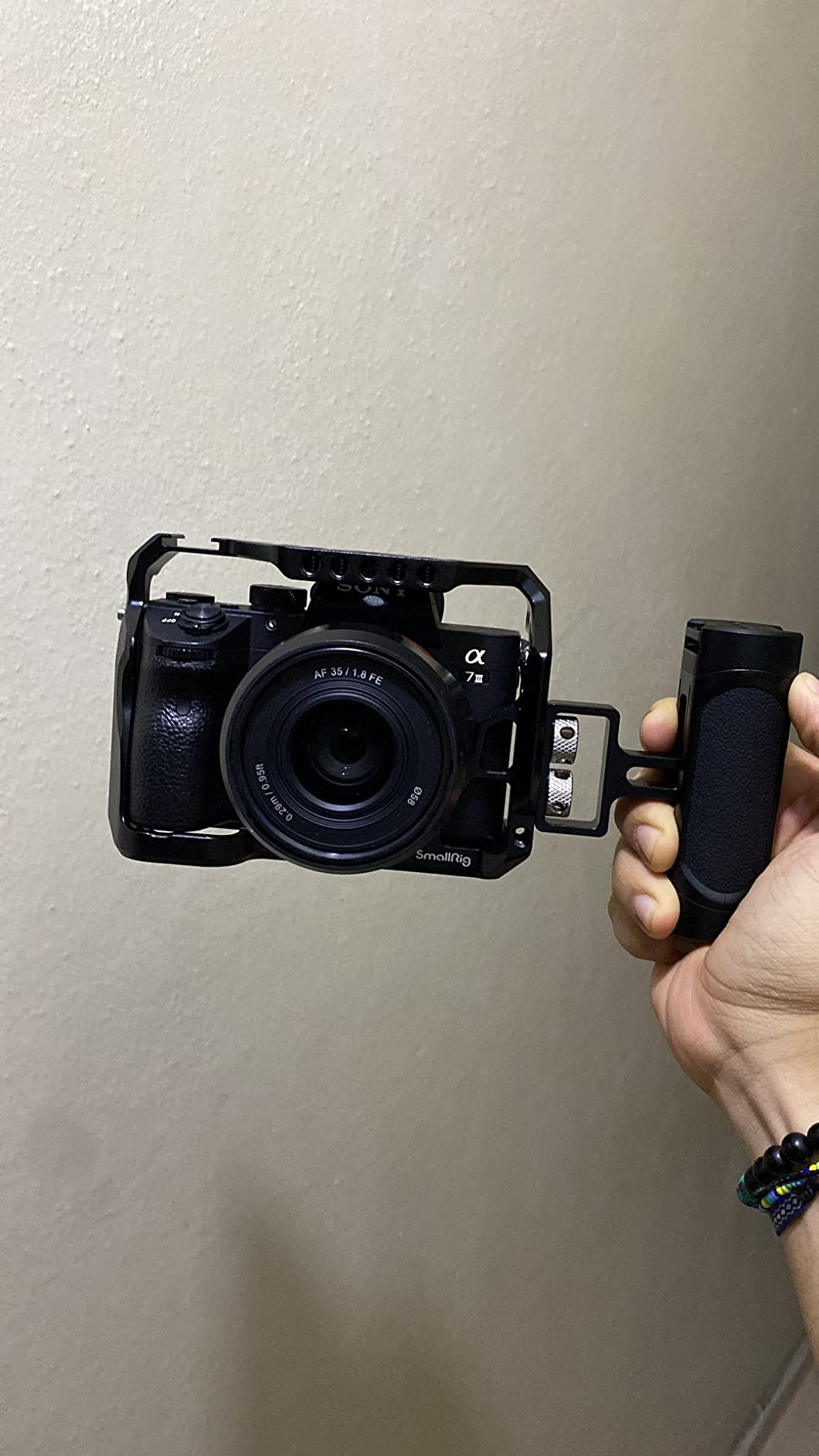
The 2087 is the most complete cage in this list for a full-frame mirrorless body, and it is the one we trust on a paid shoot. It rates 4.8 across more than 700 owner reviews, and the complaint pattern is unusually narrow for a cage of this type.
At 0.23kg it is the heaviest frame here, but it is also the only one with a second locking point on the side. That single feature eliminates the twisting that eats the threads on a single-screw attachment over a season of work, and it is the reason this frame feels solid where lighter ones feel merely adequate.
Access is where the design really earns its place. The 2087 keeps every button, port, the battery door, the card slot and the hot shoe open, which means a Sony XLR-K2M or K1M audio handle can stay mounted while you still reach the controls. Full-frame bodies with deep grips generate a lot of complaints about cages that cover the grip, and this one wraps around it instead.
The top plate carries a cold shoe and ARRI standard locating holes, and the side carries a NATO rail for a proper top handle. Below, 1/4-20 and 3/8-16 threads cover almost any accessory you already own. A magnetic hex key stores under the cage, which is the sort of detail that saves you two minutes of searching a bag at the start of every setup.
Why rigidity matters on this body
The A7 III and A7R III are heavy enough that a cage is doing real structural work rather than just adding threads. The listed maximum weight recommendation is 3kg, comfortably above a caged body with a battery and a small zoom, so there is headroom for a monitor on an arm. Our test rig with a 7-inch monitor on a side arm showed no visible movement in the frame or in the arm clamp.
If your work involves a NATO handle with a monitor on an arm and a wireless transmitter on top, you are loading three directions at once. That is exactly the case the second locking point and the stiff side rail were designed for, and it is why we rate this one higher than lighter alternatives despite the extra mass.
Where it falls short
The most important warning is compatibility. This cage is for the A7 III, A7R III and A7M3 generation. It does not fit the a7S III, and it does not fit the a7 IV or a7R V. If your body is newer, this is the wrong frame, and the fit problem is the kind that only shows up after you have drilled your tripod hole into a plate.
Reviewers also mention that a few bodies need repositioning inside the frame before the fit feels snug, and that the single-screw attachment still permits slight shifting over long periods. The magnetic hex key helps, because the screw is easy to check between builds. For an owner-operator who rebuilds the rig daily, that is a workable routine rather than a real problem.
4. NEEWER CA016 Universal Rig Cage – Best for Mixing Camera Bodies
NEEWER Video Camera Cage Rig with Arca Type Base/Dual Grips/Expansion Holes/15mm Rods, Universal Stabilizer Compatible with Sony Canon Nikon DSLR/DSLM, Compatible with SmallRig Accessories, CA016
Pros
- One frame covers a very wide list of Sony
- Canon
- Nikon and Fujifilm bodies
- CNC aluminium rated up to 15kg with dual ergonomic grips
- Arca-type base for fast tripod and gimbal transitions
- Magnetic flat screwdriver stored on the frame
- Plenty of 1/4 and 3/8 threads
- cold shoes and ARRI locating holes
Cons
- Large on small bodies
- with battery and card access tight on some models
- Grip-to-record-button distance is awkward on some bodies
- Handles add width and reduce stability on a tripod with heavy accessories
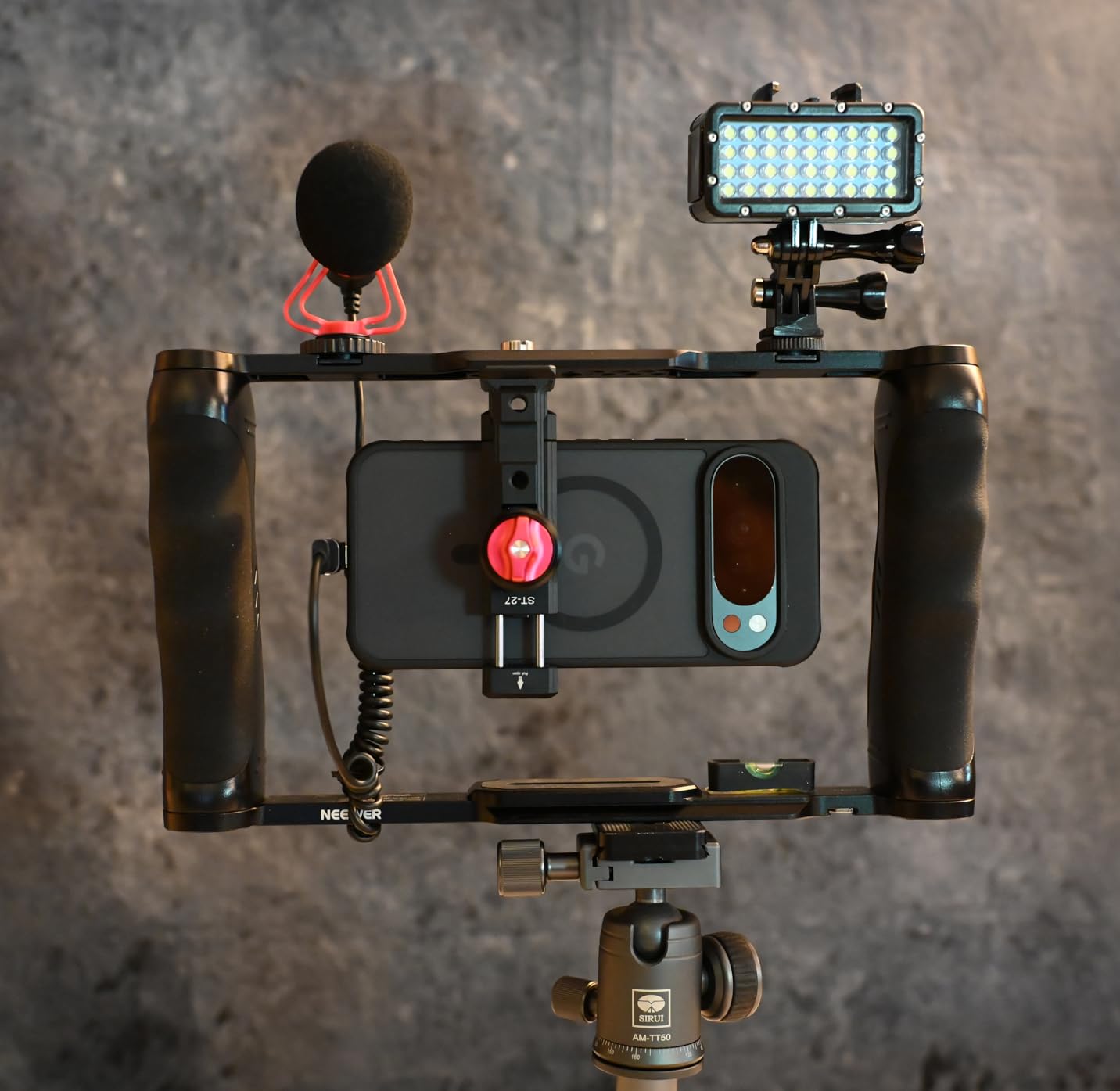
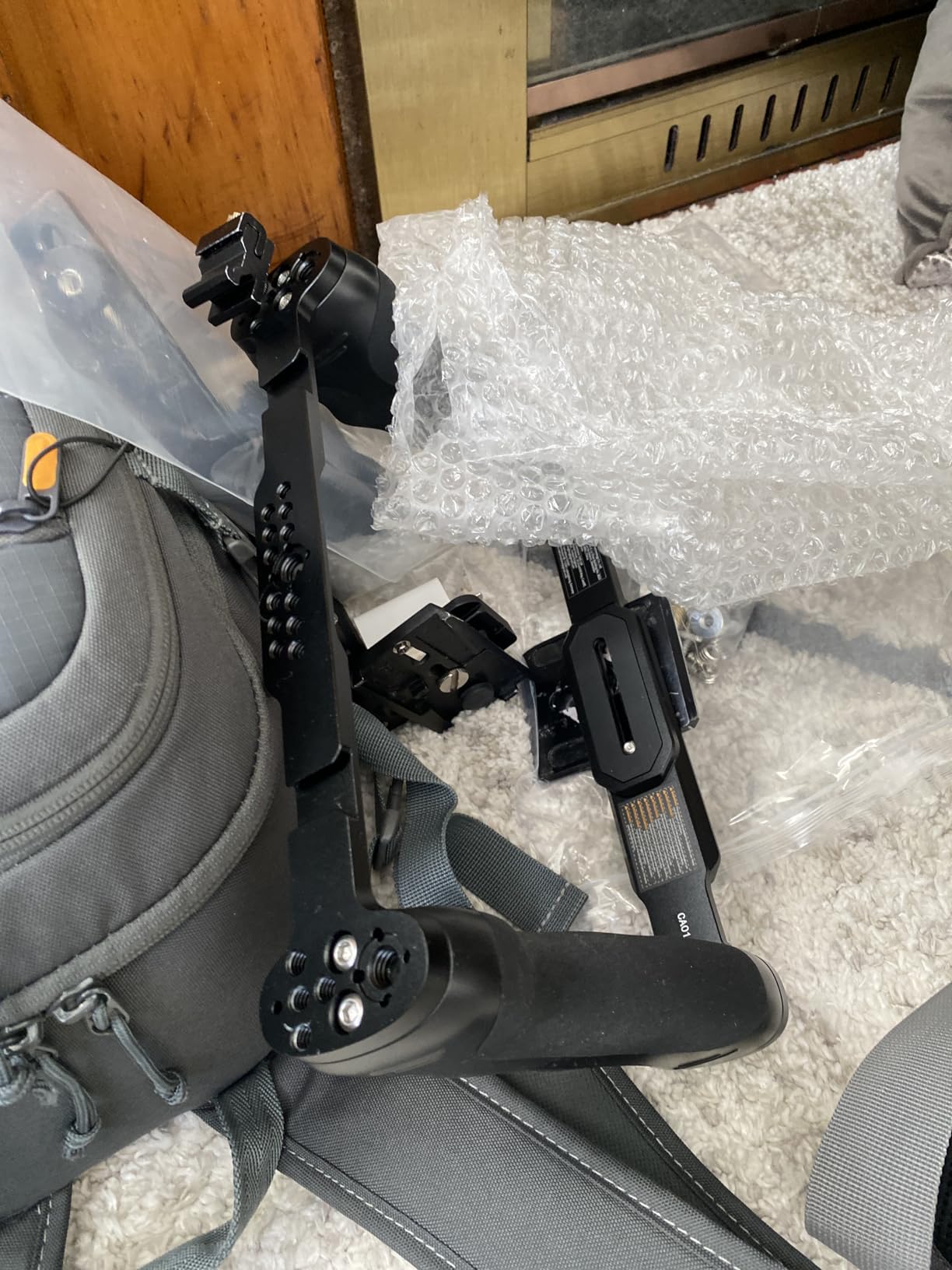
The CA016 takes the opposite approach to every other cage here. Instead of moulding to one body, it builds a rig frame with two grips and rod support, and lets the body sit inside on a countersunk 1/4 screw. That trade is worth understanding before you buy, because it buys you flexibility at the cost of precision.
The stated weight is 650g, roughly four times a body-specific half cage. The listed maximum weight recommendation of 15kg tells you how much structure is underneath, and the CNC aluminium body explains why it does not feel like a toy at that mass. The slim Arca-type base plate is designed so cables can be routed underneath and the body position adjusted without letting the camera twist.
Compatibility is the headline: Sony A7C, A7 III, A7R IV, A9 II and A6600, Canon R6, R5 C, R5, R3 and 90D, Nikon Z9, Z7, Z7 II, Z6 and Z6 II, Fujifilm X-T4, plus Blackmagic 4K and 6K bodies. One frame that moves between all of those changes how you think about a rental kit or a two-camera documentary setup. The magnetic flat screwdriver stored on the frame means you can swap bodies without hunting for a tool.
When a universal frame genuinely wins
The case for this cage is a body you do not own yet. If you shoot rentals, or you rotate between a Sony and a Canon on a job, one frame across both is simpler than two half cages and two top handles in the bag. The 15mm rod support and dual grips also mean this is the only cage here that can stand alone as a rig, without a separate shoulder rig underneath.
Threaded points are abundant: numerous 1/4 and 3/8 holes, cold shoes and ARRI locating holes, with SmallRig-pattern accessory compatibility. Reviewers report that it replaces several pieced-together parts of a rig, which is the real saving when you already own mounts for another system.
Where it falls short
Size is the honest limitation. On a small body the frame is simply too large, with battery and card access reported as tight on compact models, and the grip-to-record-button distance reads as too far to reach on some bodies. If your main camera is compact, buy a body-specific cage instead.
Two more cautions. The bottom bar does not have pre-drilled holes for rail system mounting, so adding a full baseplate system means another part. And the dual grips add width, which makes the rig less stable on a tripod once heavy accessories are loaded. Also note that it is not suitable for lenses with a tripod collar mount ring. This is a rig for handheld and gimbal work, not for a long telephoto setup.
5. NEEWER CA031 Cage for Canon EOS R50 – Best for Gimbal Work
Pros
- Full-length Arca-Swiss base bolts straight to DJI RS 2 and 3 and RSC 2 and 3 Pro
- Three-point locking with two anti-twist pins stops the body shifting
- 153g keeps the R50 light on a stabilizer
- Access to the battery
- HDMI and USB
- flash and articulating screen
- Works with SmallRig handles
- monitors and other accessories
Cons
- 153g does reduce the R50's ultralight appeal
- NATO rail only on one side
- so right-side fitting needs an adapter
- Pass-through cold shoe design
- so accessories can slide if not tightened
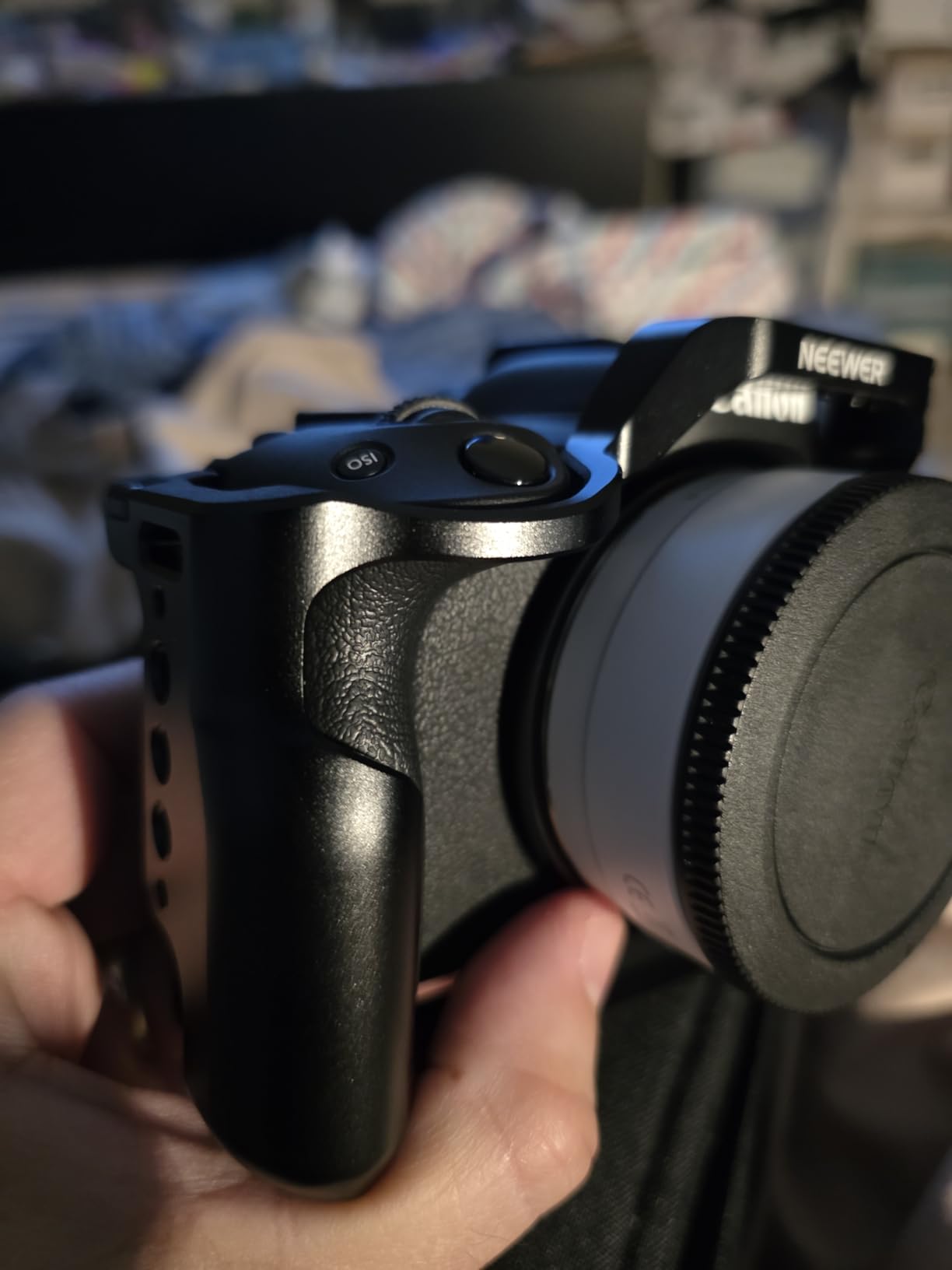
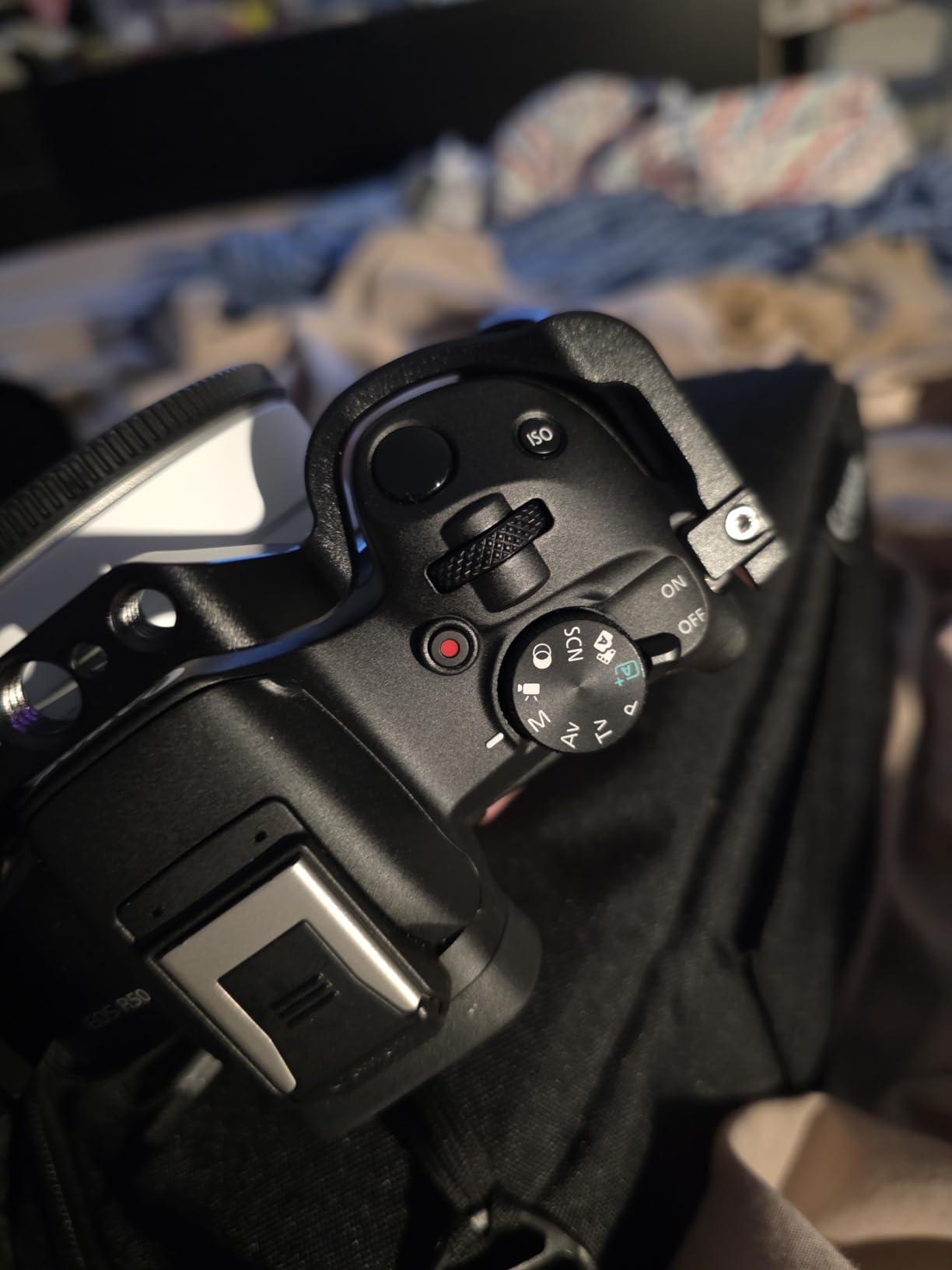
The CA031 is the newest body-specific cage here and the most purpose-built. The R50 is a small, light body with an articulating screen and no real grip, and this cage is shaped around solving that while staying compatible with the R100.
Three-point locking is the headline. The camera is held by the 1/4 screw, two anti-twist pins and a rubber pad, so the body does not creep in the frame under gimbal or tripod load. On a stabilizer, that is exactly the failure you cannot afford, because a body that shifts slowly produces a slow drift that only shows up in the edit.
The base is a full-length Arca-Swiss plate, and owners who work with stabilizers rate it highly for mounting directly to DJI RS 2, RS 3, RSC 2 and RSC 3 Pro gimbals without an extra adapter plate. Twelve 1/4-20 threads, three 3/8-16 ARRI holes, a top cold shoe and a NATO rail cover the standard accessory set. A magnetic dual-headed wrench stores on the bottom of the cage.
At 153g this is the lightest frame in the list by a small margin, and access is complete: battery, HDMI and USB ports, the pop-up flash and the articulating screen all stay reachable. On a body with a tilting screen, that last point is not a detail. It is the difference between a cage you can use and one that forces you to pick up the camera to change a setting.
How the anti-twist pins perform
The pins do what they are meant to do. When the cage is mounted on a gimbal and the rig is rotated through full pan and tilt, the body stays put and the load stays in the aluminium rather than in the screw threads alone. That is a different experience from the single-screw cages earlier in this list, and it is visible in playback rather than in a spec sheet.
The full-length Arca base is the other reason owners prefer this cage over some alternatives on the R50. A partial plate leaves the camera balanced on a small area, and a heavier monitor above the lens axis will tip it. A full plate spreads that across the frame and lets the gimbal hold position without a drift correction.
Where it falls short
Two placement issues. The NATO rail is only on the left side, so a right-side handle or plate needs an adapter, which defeats some of the point of buying a body-specific cage. And the cold shoe is a pass-through design, which means an accessory can slide out if it is not tightened properly. Tighten it, and it is not an issue in normal use.
Also weigh honestly: 153g is light, but the R50 was chosen by many people partly because it is light. If you carry two bodies and a small lens, that matters more to you than the mounting options do. We covered that trade in more detail in our [documentary filmmaker cage guide](/best-camera-cages-for-documentary-filmmakers/).
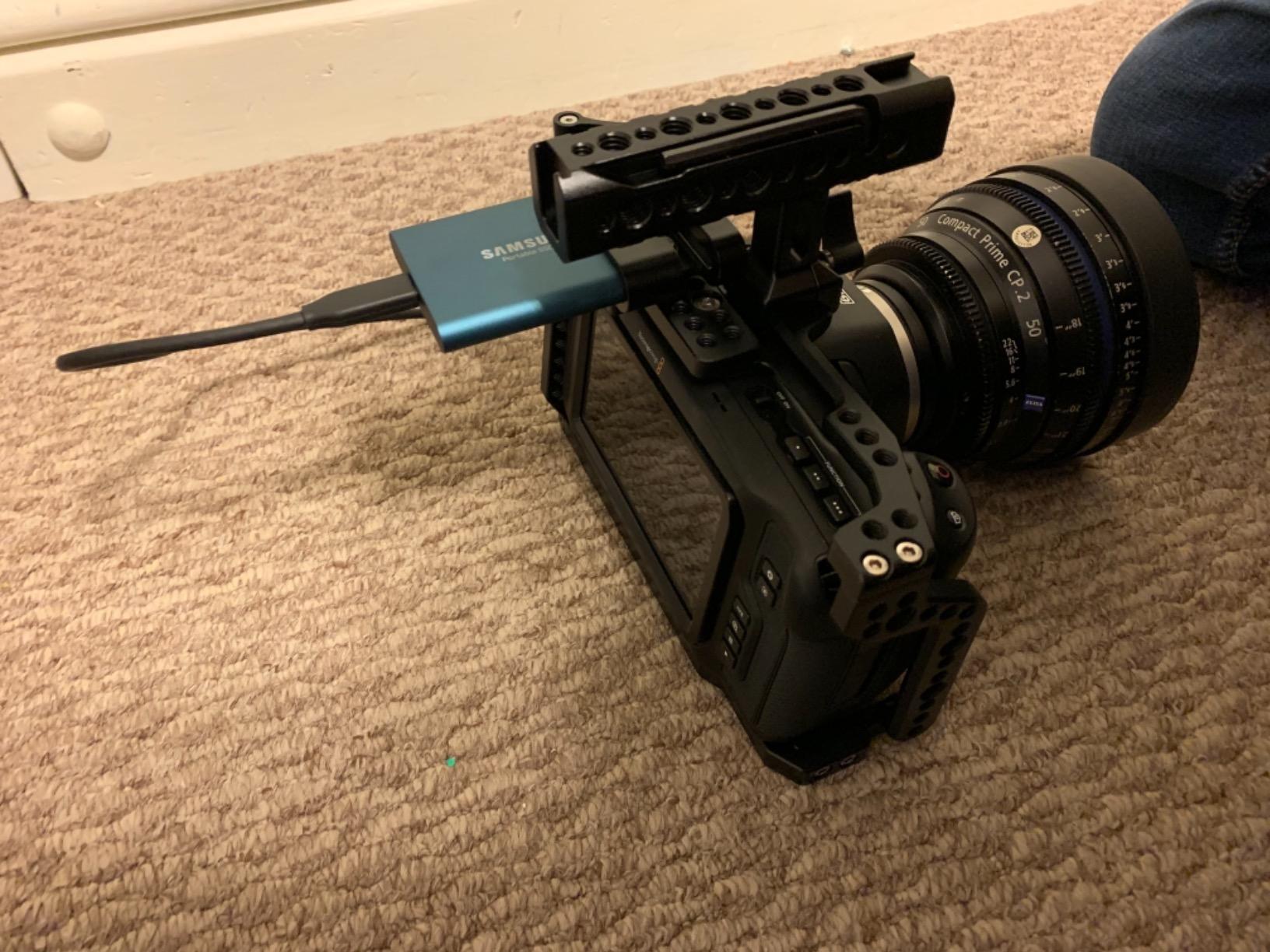
6. MAGICRIG Cage Kit for Blackmagic Pocket 4K and 6K – Best Complete Blackmagic Rig
MAGICRIG Camera Cage Kit for Blackmagic Design Pocket Cinema Camera 4K & 6K
Pros
- Complete kit with cage
- NATO handle and T5 SSD mount clamp
- Anti-twist design using dual 1/4 screws
- locating pins and rubber pads
- Built-in T5 SSD holder locks the drive and its USB-C cable
- Unobstructed battery and SD card access
- Good heat dissipation for long shooting days
Cons
- Not compatible with the BMPCC 6K Pro
- 6K G2 or BMCC 6K
- 580g total because it includes the handle and SSD mount
- Fits only the original 4K and 6K bodies
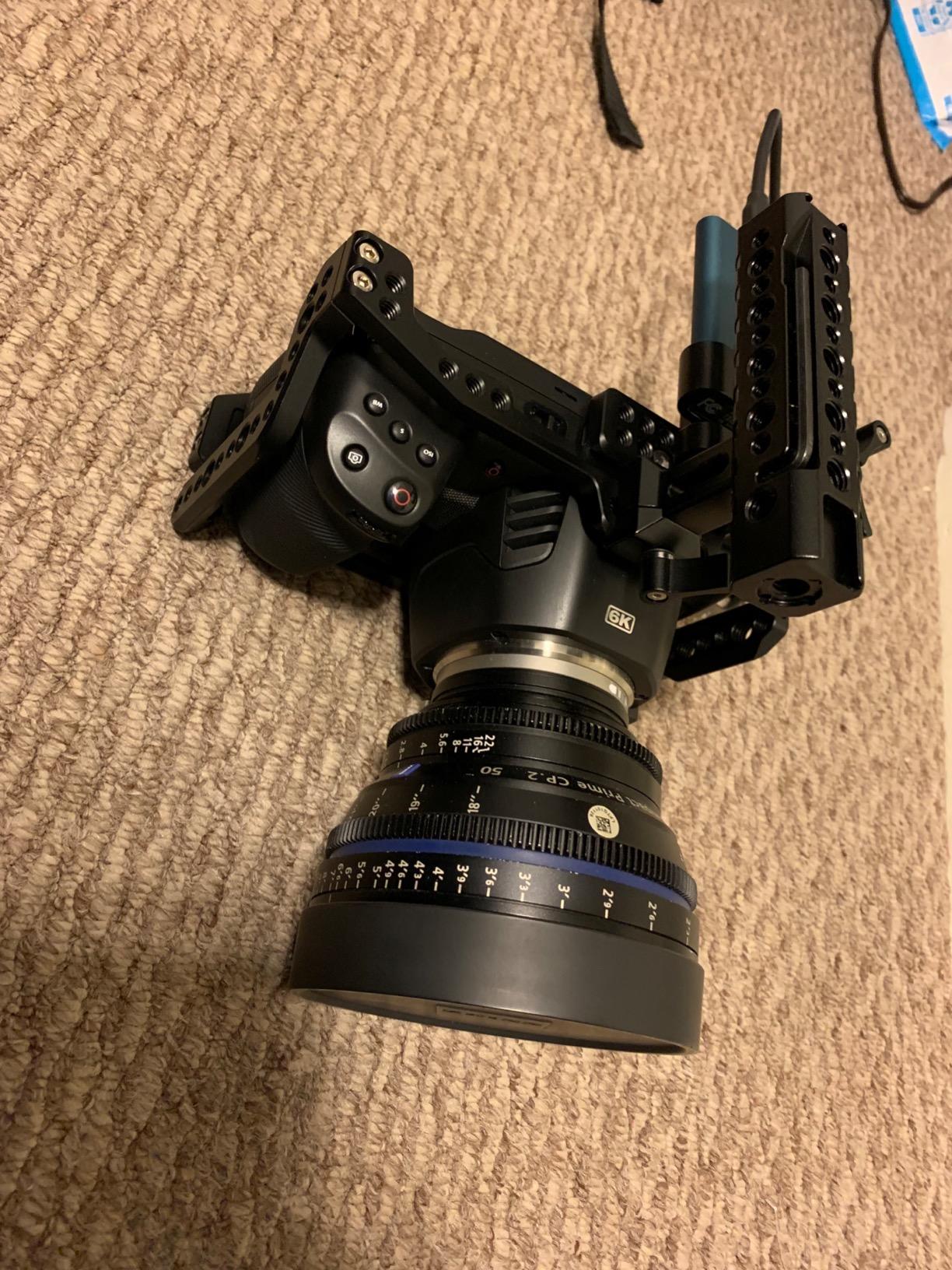
Every other cage here is a frame. This one is a kit, and that is why it works so well for Blackmagic bodies. A Pocket Cinema Camera 4K or 6K is a small cube with an SSD sticking out of the side and a cable that will get yanked the first time someone brushes it. The MAGICRIG SM-529 solves both problems before you have shot a frame.
The T5 SSD mount clamp is the standout. It holds the drive in a slotted cage and captures the USB-C cable with two M5 knob screws, so the cable cannot be pulled out by a shoulder strap or a follow focus arm. For anyone who has lost a take to a disconnected SSD cable, that feature alone justifies the kit.
Construction follows the same anti-twist logic as the best cages here: dual 1/4 screws top and bottom, locating pins to set the camera position, and rubber pads where the frame meets the body. Multiple 1/4 and 3/8 holes, a cold shoe and a NATO rail give you the standard expansion options, and the included NATO handle uses the ARRI accessory mount pattern with its own 1/4 and 3/8 points.
Heat dissipation is worth a mention for a camera with an internal sensor and a fan. The open frame design gives the body airflow, which matters on long documentary days where the camera runs all afternoon.
What you get for the weight
The kit weighs 0.58kg, and that figure includes the NATO handle and the SSD clamp. Compared with a bare half cage, you are carrying more, but you are also carrying a top handle and a secure drive mount that you would otherwise buy separately. The maths usually works out in your favour if you were going to add those parts anyway.
Battery and SD access are unobstructed, which is the fastest way to judge whether a cage suits a working camera. On a Blackmagic body with a short battery life, a door you cannot reach without breaking down the rig is a real problem. This one keeps the door clear.
Where it falls short
Compatibility is the big one. This kit is for the original BMPCC 4K and 6K only. It does not fit the 6K Pro, the 6K G2 or the BMCC 6K, and the physical differences are large enough that forcing it is not an option. If you own a newer Blackmagic body, skip this one.
The second limitation is the 580g, which is real weight for a small cube. On a gimbal, the cage, handle and mounted monitor can push the payload past the practical limit for a compact three-axis system. On a tripod or a shoulder rig, the mass is an asset, because it helps damp small movements. Our general view of small rigs and build-out choices is in the [camera cages for video shooters guide](/best-camera-cages-for-video-shooters/).
How to Choose a Camera Cage
Buy the frame that fits your exact body. A body-specific cage is machined around the grip, the port cluster and the battery door, so nothing is blocked and every thread sits where an accessory actually belongs. A universal cage gives you breadth and gives up that precision, which only makes sense if you genuinely rotate between bodies. If you are still choosing a body first, start with our mirrorless camera picks and come back to the cage once it is in your hands.
Count the threads, not the features. Ask how many 1/4-20 holes and how many 3/8-16 holes the frame has, and where they are. A cage with plenty of holes clustered on the base is fine for a top handle and useless for a side-mounted monitor arm. Positions matter more than totals, and the ARRI locating holes decide whether your existing dovetail plates will fit.
Test for a second locking point. A single-screw attachment is the most common weak point in this category and it shows up in owner reviews across multiple cages here. Two screws plus anti-twist pins, as on the R50 cage, hold position under gimbal load in a way one screw cannot.
Add up the weight against your payload. A half cage at roughly 150g is invisible on a handheld body. A full rig frame at 650g changes the balance of a gimbal setup completely. Before you buy, check the working payload of the stabilizer and rebalance with the cage installed, not before it.
Check the access you actually need. Walk through the buttons you press during a shoot, the ports you plug into mid-take and the door you open for media. The 2087 keeps Sony XLR audio handles mounted and still accessible. The CA016 is tight on some compact bodies. This is the fastest way to avoid returning a cage.
Look for standard hardware over proprietary fittings. A cold shoe, 1/4-20 and 3/8-16 will accept accessories from any brand. Anything proprietary locks your future options and makes a rental kit harder to share.
Mounting Standards Decoded: 1/4-20, 3/8-16, NATO Rail, 15mm Rods and Arca
These five terms decide almost everything about a cage, and they are worth learning before you compare anything.
1/4-20 is the fine thread you see on nearly every clamp, small arm and accessory shoe in camera work. It is fine-pitch, so it resists loosening under vibration but strips more easily if you overtighten it into soft aluminium. 3/8-16 is the coarser, heavier version used by monitor arms, plate systems and larger clamps. A cage with both gives you options at two different loads.
A NATO rail is the dovetail groove on the side of a cage that a NATO handle slides onto. Because the handle clamps by sliding along the rail, it can be repositioned without unbolting anything, which is why it is the standard for top handles on working rigs. The CA031 offers a NATO rail on one side only, which is worth checking against how you like to shoot.
15mm rods run in pairs, normally 60mm apart, and they hold a follow focus, a matte box or a shoulder base. A cage with rod clamps built in saves you buying a separate rod block. The CA016 has rod support built in, which is one of the main reasons it works as a complete rig on its own.
Arca-type refers to the dovetail-shaped quick release plate standard used by tripods and gimbal heads. A cage with an Arca-Swiss base bolts straight to compatible heads and plates without an intermediate adapter. ARRI locating holes are the small recessed holes on top of an ARRI-standard dovetail; a cage with them accepts the plates used on commercial and rental sets.
None of these is better than the others. They simply match different systems, and the practical question is which one your existing accessories already use.
Frequently Asked Questions
What is the purpose of a camera cage?
A camera cage is a rigid metal frame that bolts to a camera body and provides standardized 1/4-20 and 3/8-16 threads, a NATO rail, a cold shoe and often an Arca-type quick release surface. Accessory load transfers into the cage frame instead of the lens mount, and monitors, handles, follow focuses and matte boxes can be mounted securely without blocking buttons, ports or the battery door.
Why do people put cages on their cameras?
Four reasons come up constantly. First, a cage moves accessory weight off the lens mount and into the aluminium frame, which protects the mount. Second, it gives you real threaded attachment points in standard sizes, so almost any accessory will bolt on. Third, it improves ergonomics by adding a grip and a handle rail. Fourth, it gives a small body a base and a handle so it can live in a rig bag or a rental kit.
Do you really need a camera cage?
Most people do not. If you shoot stills, or video with nothing attached to the body, a cage adds weight and bulk for no benefit. You want one when you attach two or more accessories at once, hand the camera to someone else, or run the body on a stabilizer where balance matters. Compare it against the alternative: a handle, monitor and microphone all clamped to a bare body with one screw.
Should I buy a camera cage?
Buy one if all three of these are true: you attach a monitor, handle, transmitter or follow focus to the camera body, you shoot handheld or on a stabilizer rather than locked off a tripod, and you are comfortable with 150g to 650g of extra mass depending on the cage. If only the first one applies, a small top handle will serve you better and cost less.
Is a universal camera cage as good as a body-specific one?
Not quite. A body-specific cage is machined around the grip, port cluster and battery door, so nothing is blocked and every thread sits where an accessory belongs. A universal cage must leave clearance for a range of bodies, which makes it bulkier and can leave battery or record-button access tight on compact models. The trade is worth it when you regularly rotate between bodies or cameras you do not own yet.
Final Verdict: Where to Start
If you shoot one small mirrorless body and want the biggest improvement per gram, start with a body-specific half cage. For a compact Canon that means the SmallRig 2168, for a Sony A6000-series body the SmallRig 1661, and for an EOS R50 on a gimbal the NEEWER CA031 with its three-point locking and full-length Arca base. For a full-frame A7 III or A7R III build, the SmallRig 2087 is the most complete frame we have used. If you rotate between bodies you do not own, the NEEWER CA016 is the only one here that works as a complete rig on its own.
Whichever you choose, verify the exact model number fits your body before anything else. That single check prevents nearly every problem we saw in owner reviews across this category.