
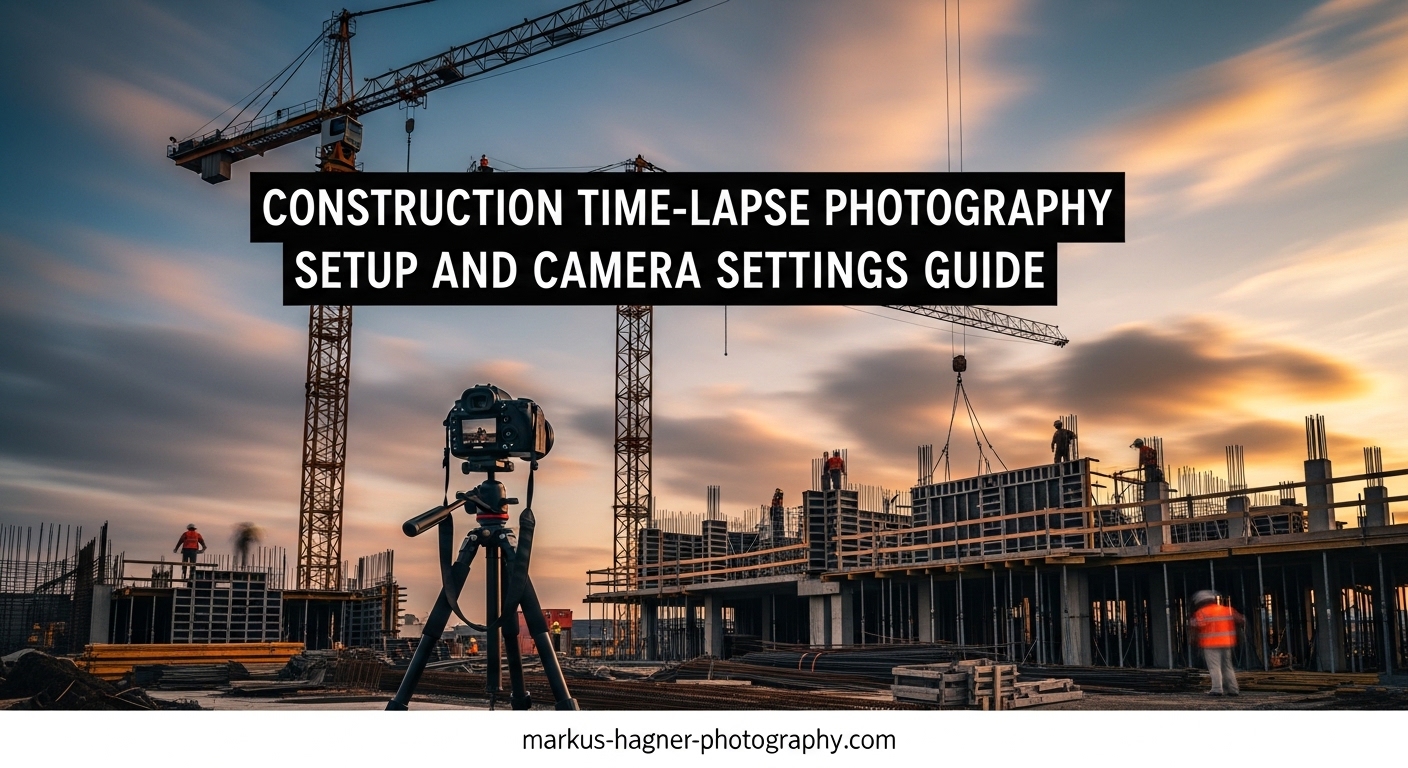
Construction time-lapse photography transforms months of building progress into captivating footage that showcases every phase of a project. Whether you’re documenting a home renovation, a commercial build, or an infrastructure project, getting the setup right makes the difference between smooth, professional footage and a disappointing final product. I’ve spent years setting up time-lapse systems for various construction projects, and I’ve learned that success comes down to three things: proper planning, correct camera settings, and reliable power management.
This guide covers everything you need to know about construction time-lapse photography setup and camera settings. You’ll learn the exact settings I use for different project types, how to calculate the right intervals, and practical solutions for power and weather protection that actually work in real-world conditions.
What Is Construction Time-Lapse Photography?
Construction time-lapse photography captures images at set intervals over an extended period, then combines them into video that plays back at standard frame rates (24-30 frames per second). A project spanning six months compresses into just a few minutes of footage, showing progress that would be invisible in real-time observation.
Unlike regular video recording, time-lapse doesn’t capture continuous motion. Instead, it takes individual photographs seconds, minutes, or hours apart. When these still images play back sequentially at video speed, they create the illusion of accelerated motion. This technique works particularly well for construction because building progress happens slowly enough that capturing every moment would be impractical and unwatchable.
The value extends beyond creating impressive footage. Construction companies use time-lapse for project documentation, progress tracking, client updates, and marketing materials. Architects and developers showcase their work from groundbreaking to completion. Homeowners capture their custom builds or major renovations as lasting memories.
Essential Camera Settings for Construction Time-Lapse
Getting your camera settings right before starting a project saves tremendous headaches later. Unlike studio photography where you can adjust settings between shots, time-lapse requires consistency over weeks or months. Any variation in exposure, focus, or white balance creates distracting flicker in the final footage.
Aperture Settings (f/8-f/11)
Set your aperture between f/8 and f/11 for construction time-lapse. This range provides sufficient depth of field to keep both foreground and background elements in focus, which matters when photographing large construction sites from a fixed position.
Avoid shooting wide open (low f-numbers) because shallow depth of field becomes problematic when subjects at different distances from your camera change throughout the project. Similarly, avoid apertures smaller than f/16 because diffraction softens your images without providing meaningful depth of field benefits.
For most construction projects, f/8 or f/11 hits the sweet spot. These apertures provide sharp results across the frame while maintaining image quality. Lock this setting in manual mode and leave it unchanged throughout the project.
Shutter Speed Recommendations
Follow the 180-degree shutter rule as a starting point: set your shutter speed to approximately double your frame interval. If you’re shooting one frame every 10 seconds, use a shutter speed around 1/5 second. This creates natural motion blur that smooths transitions between frames.
For shorter intervals (under 5 seconds), you may need to use faster shutter speeds due to camera limitations. For longer intervals (30 minutes or more), the 180-degree rule becomes less critical since subject motion between frames dominates regardless of shutter speed.
Construction sites present unique challenges because lighting changes throughout the day. If you’re capturing around the clock, consider using auto exposure with a narrow range or planning for separate day and night sequences. For most projects, shooting only during work hours simplifies exposure management significantly.
ISO and Noise Management
Keep your ISO between 100 and 400 for construction time-lapse. Higher ISO settings introduce noise that becomes extremely visible when hundreds or thousands of frames play in sequence. What looks acceptable in a single image becomes a flickering mess in time-lapse video.
If you need more light, prefer longer shutter speeds over higher ISO whenever possible. A tripod-mounted camera shooting a static scene can use shutter speeds of several seconds without issue. The exception is capturing moving workers or equipment, where motion blur becomes problematic.
Some cameras offer built-in long-exposure noise reduction. This feature takes a dark frame after each exposure to map hot pixels, but it doubles your capture time. For time-lapse, disable this feature and handle noise reduction in post-processing instead.
Focus and White Balance
Manual focus is non-negotiable for construction time-lapse. Auto focus will hunt between shots, potentially locking onto different subjects and creating jarring focus shifts in your final footage. Set your focus once, then tape the focus ring or switch to manual focus mode.
For most construction sites, focusing at or near infinity works well since your subject is typically distant. If your camera position is close to construction activity, focus about one-third into the scene to maximize depth of field using hyperfocal distance principles.
White balance must also be locked. Auto white balance adjusts based on scene content, causing color shifts as lighting conditions change or as different colored materials enter the frame. Choose a white balance setting that matches your primary lighting conditions (daylight for outdoor projects) and leave it fixed.
File Format: RAW vs JPEG
Shooting RAW provides maximum flexibility for correcting exposure variations and color consistency in post-production. RAW files typically require 15-25MB of storage per image, so a three-month project might generate hundreds of gigabytes of data.
JPEG files are much smaller (3-8MB each) and process faster, but offer limited adjustment range. For projects shorter than one month where lighting conditions are consistent, JPEG works adequately. For longer projects or situations with variable lighting, RAW gives you the latitude to produce flicker-free results.
Many cameras offer a compromise: shooting RAW plus JPEG. This gives you immediate JPEG files for quick previews while retaining RAW files for serious editing. The storage penalty is substantial, but memory cards are relatively inexpensive compared to reshooting a failed project.
Interval Recommendations by Project Type
The capture interval, measured in time between shots, determines how smoothly your final footage plays and how much storage you need. Choose your interval based on project duration and work pace.
Here are my recommended intervals based on project length:
Short Projects (1-14 days): Use 30 seconds to 2 minutes. These projects have rapid progress, so frequent captures ensure smooth motion. A deck build over one week at 1-minute intervals produces approximately 10,000 frames, yielding about 7 minutes of video at 24fps.
Medium Projects (1-3 months): Use 5-15 minutes. Residential construction and renovation projects typically progress at a moderate pace. I prefer 10-minute intervals for most residential work, which captures significant progress without overwhelming storage.
Long Projects (3-12 months): Use 15-30 minutes. Commercial buildings and infrastructure projects span many months. The pace varies by phase, so consider adjusting intervals between foundation work (slower) and interior finishing (faster).
Extended Projects (12+ months): Use 30-60 minutes. Large commercial developments and major infrastructure can run for years. At these intervals, weekly progress is clearly visible while keeping file counts manageable.
Adjust your interval based on work pace, not just calendar time. Active construction sites with multiple crews need shorter intervals than projects with intermittent work. The foundation phase of a project might warrant 20-minute intervals, while interior finishing benefits from 5-minute intervals.
How to Set Up Construction Time-Lapse Photography In 2026?
Proper setup ensures your camera captures the entire project without intervention. I break this into four distinct steps that address positioning, mounting, configuration, and infrastructure.
Step 1: Site Selection and Camera Positioning
Scout your construction site before starting to identify the best camera position. Look for elevated positions with unobstructed views of the entire work area. Roof access on adjacent buildings, scaffolding, or dedicated camera poles work well.
Consider how the site will change throughout the project. A position with clear sight lines today might be blocked by a new structure in two months. Anticipate building heights and material storage locations.
Safety matters for both your equipment and people on site. Mount cameras high enough that workers and equipment won’t collide with them. Ensure your mounting location won’t interfere with construction activities or create hazards.
Document your camera position with photos and measurements. If you need to relocate or replace equipment mid-project, this documentation helps maintain consistent framing.
Step 2: Mounting and Securing Your Camera
Stability is critical. Any camera movement between frames creates jarring jumps in your footage. Use robust mounting hardware appropriate for your location: wall brackets for building attachment, pole mounts for standalone positioning, or specialized time-lapse enclosures for professional installations.
Theft and vandalism present real risks on construction sites. Mount cameras in visible but inaccessible locations. Use security enclosures with tamper-resistant hardware. Consider adding a dummy camera in an obvious location to deter interference while your real camera captures from a hidden position.
Vibration from construction equipment can blur images even on sturdy mounts. Use vibration-dampening mounts or position cameras away from heavy equipment operation areas. Test your setup during active work hours before committing to a location.
Step 3: Configuring Camera Settings
Apply the camera settings covered earlier in this guide. Enter manual mode, set aperture to f/8-f/11, choose appropriate shutter speed and ISO, lock focus, and fix white balance. Configure your intervalometer with your chosen capture interval.
Double-check every setting before leaving your camera unattended. A single incorrect setting can ruin weeks of capture. Take test shots at different times of day to verify exposure across lighting conditions.
Configure image review to off or minimum duration to conserve power. Disable any automatic features that might interfere with consistent capture: auto power off, sleep modes, and image review should all be disabled.
Step 4: Power and Storage Setup
Connect to reliable external power whenever possible. Site power outlets provide unlimited runtime without battery concerns. Use a high-quality power adapter and secure connections against weather and accidental disconnection.
When site power isn’t available, calculate your power needs carefully. A typical DSLR or mirrorless camera draws 1-3 watts during time-lapse capture. A 20,000mAh battery pack provides roughly 25-30 hours of operation. For longer periods, combine large battery packs with solar charging or use dedicated long-term power solutions.
Memory card capacity must accommodate your entire project or the interval between card swaps. Calculate required capacity: (project days x 24 hours x 60 minutes / interval in minutes) x file size in MB. Always add 50% buffer for safety.
Power Management for Long-Term Projects
Power failures are the most common cause of failed construction time-lapse projects. A camera that stops capturing halfway through a project leaves you with incomplete documentation and wasted effort.
AC Power (Best Option): Connecting to site electricity provides unlimited runtime. Most construction sites have temporary power within the first few weeks. Coordinate with site managers to access a dedicated circuit for your camera. Use a uninterruptible power supply (UPS) for brief outages and surge protection.
External Battery Packs: High-capacity USB battery packs (20,000-50,000mAh) power most cameras for 1-3 days. For longer periods, combine multiple packs or swap them regularly. Test actual runtime with your specific camera before relying on battery power.
Solar Power: Solar panels with battery buffers work for remote locations without site power. A 20-50 watt panel with a 20,000mAh battery provides reliable power in most climates. Size your system for winter conditions when sunlight is limited.
Dedicated Long-Term Cameras: Trail cameras and dedicated time-lapse cameras like Brinno models use lithium AA batteries that can run for months or even a year. These cameras sacrifice image quality and flexibility for exceptional power efficiency.
Cold weather dramatically reduces battery performance. Lithium batteries outperform alkaline in cold conditions. For winter projects, insulate battery compartments or use external battery packs stored in insulated enclosures.
Weather Protection and Equipment Housing
Construction sites expose equipment to rain, dust, temperature extremes, and physical hazards. Protecting your camera ensures reliable operation throughout the project.
Commercial Weatherproof Housings: Purpose-built enclosures from companies like CamDo and PhotoSentinel provide excellent protection with integrated mounting, cable routing, and sometimes solar panels. These housings cost more but offer professional-grade reliability.
DIY Weather Protection: A quality weatherproof camera housing or even a well-sealed plastic container can protect equipment effectively. Ensure adequate ventilation to prevent condensation. Use silica gel packets inside enclosures to manage humidity.
Dust and debris cause more problems than rain on many construction sites. Fine particles infiltrate lens mechanisms and sensor assemblies. Use fully enclosed housings with sealed cable entries. Check and clean equipment monthly if accessible.
Temperature extremes affect both equipment and batteries. Most cameras operate between 32-104 degrees Fahrenheit (0-40 Celsius). Outside this range, use insulated housings with heating or cooling elements. Cold weather also causes condensation when temperatures change rapidly.
Memory Card and Storage Planning
Running out of storage mid-project means losing footage you can’t recreate. Calculate your storage needs before starting and build in substantial safety margin.
Use this formula to estimate storage requirements:
(Project duration in days) x (24 hours) x (60 minutes / interval in minutes) x (file size in MB) = Total storage needed
Example calculation for a 3-month project at 10-minute intervals with 12MB RAW files:
90 days x 24 hours x 6 shots/hour = 12,960 shots
12,960 shots x 12MB = 155,520MB (approximately 156GB)
With 50% safety buffer: 234GB needed
Use a 256GB or larger card, or plan to swap cards monthly.
Card reliability matters as much as capacity. Use high-quality cards from reputable brands. Avoid budget cards that may fail catastrophically. For critical projects, consider cameras with dual card slots for redundant recording.
Remote monitoring helps catch storage issues before they stop capture. Many dedicated time-lapse systems offer cellular connectivity for status updates. With consumer cameras, periodic site visits to check remaining capacity are necessary.
Troubleshooting Common Issues
Even well-planned projects encounter problems. Here are solutions to the most common issues I’ve encountered.
Flicker in Final Footage: Flicker appears as brightness variations between frames. Causes include auto exposure adjusting to changing conditions, auto white balance shifting colors, and inconsistent lighting. Solution: Use fully manual exposure settings, lock white balance, and capture during consistent lighting periods. Post-processing software like LRTimelapse can reduce remaining flicker.
Camera Stops Mid-Project: Power failure, full memory cards, and camera errors stop capture. Solution: Use reliable external power with backup, size memory cards appropriately, and configure cameras to continue after errors. Check camera status weekly if possible.
Exposure Inconsistencies: Dramatic exposure changes between frames usually result from auto exposure or extreme lighting variations. Solution: Shoot in fully manual mode. For projects spanning day and night, consider capturing only during work hours or using exposure ramping techniques.
Focus Drift: Images gradually become blurry over time. Causes include temperature changes affecting lens elements, vibration loosening focus rings, and auto focus attempting to refocus. Solution: Use manual focus exclusively, secure focus rings with tape, and choose cameras without focus-by-wire systems.
Memory Card Failures: Cards corrupt or become unreadable. Solution: Use high-quality cards, avoid removing cards during write operations, and back up images regularly. For critical projects, use dual-card recording or swap cards frequently.
Power Failures: Camera stops due to dead batteries or power interruptions. Solution: Monitor power systems weekly, use UPS for AC power, and test battery duration before deployment. Solar systems need periodic cleaning and seasonal adjustment.
Legal and Safety Considerations
Before setting up equipment on any construction site, address legal and safety requirements.
Site Permissions: Obtain written permission from the property owner and general contractor. Your agreement should specify camera location, access for maintenance, liability for equipment damage, and ownership of captured footage. Verbal agreements create problems when project personnel change.
Privacy Considerations: Workers on site may have privacy expectations. Inform the construction company that time-lapse capture is occurring. Avoid capturing areas where workers take breaks or change clothes. Some jurisdictions have specific requirements for workplace photography.
Equipment Insurance: Cameras on construction sites face damage and theft risks that homeowner’s or renter’s insurance may not cover. Add equipment to a business policy or obtain specific coverage for the project duration. Document your equipment with photos and serial numbers.
Safety Protocols: Follow all site safety requirements when installing and maintaining equipment. Wear required PPE (hard hat, safety vest, steel-toe boots). Schedule maintenance during less active periods. Never place equipment where it creates hazards for workers or interferes with operations.
Frequently Asked Questions
What is the best timelapse setting for construction?
The best interval for construction time-lapse depends on project duration. For 1-2 week projects, use 1-5 minute intervals. For 1-3 month projects, use 5-15 minute intervals. For 6+ month projects, use 15-30 minute intervals. Adjust based on work pace and project phases, with shorter intervals during active phases and longer intervals during slower periods.
What is the best camera setting for time-lapse?
Use manual mode with aperture f/8-f/11 for good depth of field, shutter speed following the 180-degree rule (double your frame interval), ISO 100-400 to minimize noise, manual focus locked at infinity or your subject distance, and fixed white balance (daylight for outdoor projects) to avoid color shifts and flicker in your final footage.
How to shoot construction time-lapse?
Choose a stable camera position with full site visibility, mount securely with weather protection, set manual exposure settings (f/8-f/11, ISO 100-400, locked focus and white balance), configure your intervalometer based on project length (5-30 minutes depending on duration), connect to reliable external power, and use a high-capacity memory card. Test for 24-48 hours before leaving unattended.
What is the 20-60-20 rule in photography?
The 20-60-20 rule suggests spending 20% of time on planning and scouting, 60% on actual shooting, and 20% on post-processing. For construction time-lapse, this shifts significantly toward planning (40%) due to setup requirements, with shooting automated (30%) and post-processing increased (30%) for compiling footage and correcting exposure variations across thousands of frames.
Can I use a GoPro for construction time-lapse?
Yes, GoPro cameras work well for shorter construction projects. The Hero8 and newer models support external power connections and offer built-in time-lapse modes with intervals from 0.5 seconds to 60 minutes. For projects longer than a few weeks, dedicated time-lapse cameras or DSLRs with intervalometers provide better reliability, image quality, and storage flexibility.
How do I power a construction time-lapse camera for months?
Connect to site AC power whenever possible for unlimited runtime. If unavailable, use a large external battery pack (20,000+ mAh) with solar panel charging for remote locations. Trail cameras with lithium AA batteries can run for a year on one set. Test your power setup for at least one week before relying on it long-term, and check battery status weekly during the project.
How do I avoid flicker in construction time-lapse?
Lock all exposure settings in manual mode (aperture, shutter speed, ISO), use fixed white balance rather than auto, avoid infrared/night modes that attract insects and cause exposure variations, capture more frequently than once per hour to smooth transitions, and shoot in RAW for post-processing flexibility. Software like LRTimelapse can correct remaining flicker in post-production.
What memory card size do I need for construction time-lapse?
Calculate based on your interval and project duration. For example, shooting every 10 minutes for 3 months (90 days) at 12MB per RAW image: 90 days x 24 hours x 6 shots/hour = 12,960 shots x 12MB = approximately 156GB. Always add 50% buffer, so use a 256GB or larger card. For JPEG files (3-8MB each), a 128GB card may suffice for similar projects.
Conclusion
Successful construction time-lapse photography setup requires careful planning before the first frame is captured. The right camera settings (f/8-f/11 aperture, manual exposure, locked focus and white balance), appropriate intervals for your project duration, reliable power management, and robust weather protection all contribute to capturing professional-quality footage that documents your project from start to finish.
The investment in proper setup pays off throughout the project. A well-configured system runs reliably for months with minimal intervention, while shortcuts in planning lead to frustrating failures and missed documentation opportunities. Test your complete setup for at least 24-48 hours before committing to a long-term installation.
Remember that construction time-lapse photography is as much about problem-solving as it is about camera settings. Every site presents unique challenges with power access, mounting options, weather exposure, and site logistics. The guidelines in this article provide a foundation, but successful projects require adapting these principles to your specific situation.
Start with shorter projects to build experience before tackling multi-month or year-long installations. Each project teaches lessons about your equipment, local conditions, and workflow that improve your next attempt. With proper preparation and the settings covered in this guide, you’ll capture compelling time-lapse footage that showcases construction progress in a way nothing else can.