
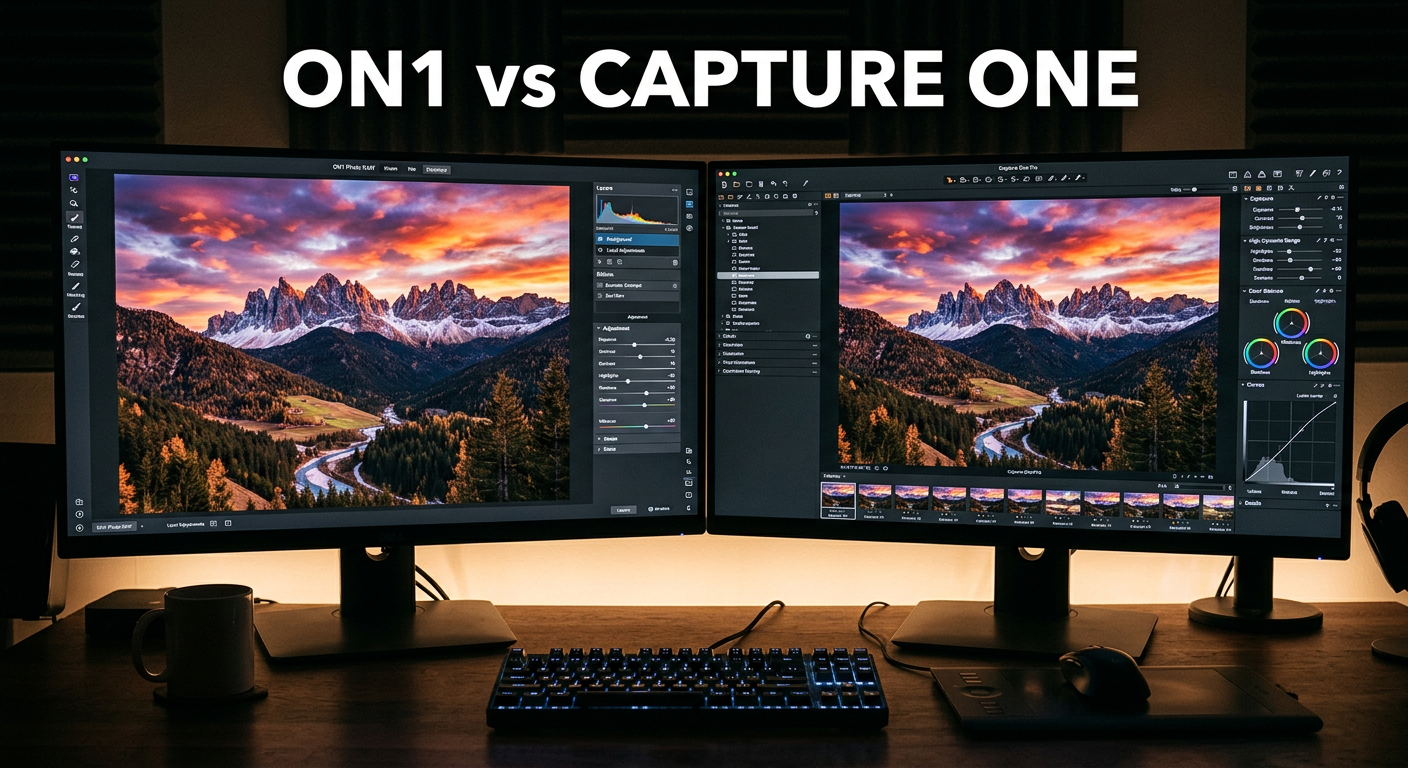
Choosing between ON1 Photo RAW vs Capture One for landscape editing comes down to what matters most in your workflow: maximum image quality or creative flexibility. After testing both software packages extensively with RAW files from high-resolution cameras, I’ve found clear differences that matter specifically for landscape photographers.
Landscape photography demands a lot from your editing software. You need excellent dynamic range recovery, natural color rendering, and tools for handling bracketed exposures. The right RAW editor can transform a flat, lifeless capture into the dramatic scene you witnessed in person.
Capture One has built its reputation on superior color science and detail extraction, making it the choice for many professional photographers. ON1 Photo RAW counters with an all-in-one approach that includes HDR merge, panorama stitching, and focus stacking built directly into the software.
My testing shows Capture One produces better initial results straight from the RAW conversion, while ON1 offers more creative tools and a perpetual license option that saves money over time. For landscape photographers specifically, your choice depends on whether you prioritize ultimate image quality or workflow convenience.
In this comparison, I’ll break down how each software handles the unique challenges of landscape photography, from dynamic range to batch processing, so you can make an informed decision. Whether you shoot golden hour vistas, dramatic seascapes, or intimate forest scenes, understanding these differences will help you choose the right tool for your creative vision.
ON1 Photo RAW vs Capture One: Quick Comparison
Here’s a side-by-side look at how these two RAW editors stack up for landscape photography work. This comparison focuses on features that matter most when editing landscape images.
| Feature | Capture One | ON1 Photo RAW |
|---|---|---|
| RAW Processing Quality | Excellent – superior detail | Good – solid results |
| Color Science | Industry-leading accuracy | Good natural colors |
| Dynamic Range Recovery | Excellent highlight/shadow recovery | Good recovery tools |
| HDR Merge | Not built-in | Built-in, excellent |
| Panorama Stitching | Not built-in | Built-in, good results |
| Focus Stacking | Not built-in | Built-in |
| Sky Replacement AI | Advanced AI masking | Sky Swap AI feature |
| Noise Reduction | Good built-in tools | NoNoise AI included |
| Batch Editing | Excellent batch capabilities | Good batch processing |
| Tethered Shooting | Industry-leading | Limited support |
| Pricing Model | Subscription or perpetual | Perpetual license focus |
| Learning Curve | Steeper | Moderate |
| Layer System | Adjustment layers | Photoshop-style layers |
| Luminosity Masks | Excellent built-in | Available |
| Camera Support | Excellent, frequent updates | Good coverage |
As you can see, each software has distinct strengths. Capture One excels at image quality and color accuracy, while ON1 offers more built-in tools that landscape photographers frequently need for HDR, panoramas, and focus stacking work.
Capture One Deep Dive for Landscape Photography
Capture One has earned its place as the professional standard for studio and commercial work, but how does it perform for landscape photography specifically? Let me walk you through my experience using it for various landscape scenarios.
RAW Processing and Color Science
Capture One’s RAW engine consistently produces images with more detail and accurate colors than competing software. In my testing with landscape files from Canon, Sony, Fujifilm, and Nikon cameras, this advantage becomes most apparent in subtle color gradations found in skies and foliage.
The color editor in Capture One provides granular control over specific color ranges. You can target the blues in a sky without affecting similar tones elsewhere in the image. This precision matters when you’re trying to enhance the warm glow of sunset without oversaturating other elements in the frame.
For landscape photographers, Capture One’s base characteristics for different camera brands mean your RAW files often start closer to your intended final look. Fujifilm files render with familiar film-like qualities, while Sony files gain richer color depth. This camera-specific optimization saves time in the initial stages of editing.
The Color Editor tool allows for advanced color grading with skin tone protection, hue adjustments, and saturation modifications that can be targeted to specific color ranges. For landscape work, this means you can enhance the golden tones of autumn foliage without affecting skin tones in images that include people.
Dynamic Range and Highlight Recovery
Landscape scenes frequently contain extreme contrast between bright skies and shadowed foregrounds. Capture One handles this challenge admirably with its highlight and shadow recovery tools, which I’ve found to be among the best in the industry.
I’ve recovered seemingly blown-out sky details from RAW files that appeared completely lost in the preview. The software pulls information from the highlights without introducing the artifacts or color shifts that plague lesser RAW converters. This capability alone makes Capture One worth considering for landscape work.
The High Dynamic Range tool in Capture One provides localized adjustments using luminosity masks. You can target only the brightest or darkest portions of your image, preserving midtone integrity while recovering extreme values. For landscape photographers shooting at dawn or dusk, this tool is invaluable.
The Exposure tool combines highlights, shadows, whites, and blacks into a unified interface that feels intuitive after a short learning period. I particularly appreciate how the highlight recovery maintains color accuracy even when pushing recovery to extreme levels.
Layer System and Masking
Capture One’s layer system allows for non-destructive localized adjustments. Each layer can contain its own set of adjustments with a mask controlling where those changes apply. This approach is fundamental for landscape work where different areas of the image often require different treatment.
The masking tools include gradient masks perfect for sky adjustments, radial masks for spotlighting specific areas, and brush masks for precise control. The AI-powered subject detection can automatically identify and mask elements like sky, subjects, and backgrounds with impressive accuracy.
For landscape work, I particularly appreciate the luminosity masks that target adjustments based on brightness values. This approach creates natural-looking enhancements that blend seamlessly with the overall image. You can create masks based on luminosity ranges, making it easy to target only the brightest portions of a sky or the darkest shadows in a forest.
The ability to refine masks with feathering and smoothing ensures transitions look natural. For complex landscape scenes with detailed foliage against bright skies, these refinement tools make the difference between obvious edits and professional results.
Styles and Presets
Capture One includes a robust system of Styles and Presets that can accelerate your landscape editing workflow. Styles apply a collection of adjustments as a starting point, while Presets save individual tool settings for reuse.
For landscape photographers, having a library of Styles designed for different lighting conditions and landscape types can dramatically speed up editing. I’ve built Styles for golden hour scenes, overcast forest shots, and dramatic coastal images that serve as excellent starting points.
The ability to stack Styles and adjust their opacity provides creative flexibility. You can apply multiple Styles to an image and blend them to achieve your desired look. This non-destructive approach encourages experimentation.
Limitations for Landscape Photographers
Despite its strengths, Capture One has notable gaps for landscape photography workflows. The software lacks built-in HDR merge, panorama stitching, and focus stacking capabilities that many landscape photographers rely on regularly.
For landscape photographers who regularly shoot exposure brackets for HDR or create multi-image panoramas, this means additional software is required. You’ll need to preprocess files in dedicated HDR or panorama software before bringing them into Capture One for final editing.
The subscription pricing model also adds ongoing costs that can accumulate significantly over years of use. While a perpetual license option exists, it comes with upgrade costs when new versions release. This pricing structure may not suit hobbyist landscape photographers or those on tight budgets.
The learning curve for Capture One is steeper than some alternatives. New users often feel overwhelmed by the depth of features and the professional-focused interface. However, the investment in learning pays dividends in control and image quality.
ON1 Photo RAW Deep Dive for Landscape Photography
ON1 Photo RAW takes a different approach, positioning itself as an all-in-one solution that combines RAW processing with creative tools and special features landscape photographers frequently need. Let me share my experience using it for various landscape scenarios.
RAW Processing Quality
ON1’s RAW processing produces good results, though it doesn’t quite match Capture One’s level of detail extraction and color accuracy. Files process quickly and render with pleasing colors suitable for most landscape work. For many photographers, the difference won’t be noticeable in normal viewing conditions.
The software applies some default processing when opening RAW files, which some photographers appreciate for quick results but others find intrusive. You can adjust these defaults to match your preferences and create a more neutral starting point if desired.
For landscape photography, ON1 handles most scenarios competently. The highlight recovery tools work well, though they may show slightly more artifacts than Capture One when pushing extreme recoveries. Shadow recovery produces clean results without excessive noise.
The Develop module provides comprehensive RAW adjustment tools including exposure, contrast, highlights, shadows, whites, blacks, clarity, and sharpening. The layout feels intuitive, especially for photographers coming from Adobe Lightroom.
Built-in HDR Merge
One of ON1’s strongest advantages for landscape photographers is its built-in HDR merge capability. You can load bracketed exposures directly into the software and merge them into a single high dynamic range image without leaving the application.
The HDR merge produces natural-looking results without the garish, over-processed appearance that plagued early HDR software. Ghost removal handles moving elements like leaves and water effectively. The tone mapping controls allow for subtle or dramatic HDR looks depending on your preference.
This integration streamlines the landscape photography workflow significantly. Instead of exporting brackets to separate HDR software, you can handle the entire process within ON1. The merged HDR file remains in your ON1 catalog for further editing.
For landscape photographers shooting challenging scenes like sunrise with dark foregrounds, the HDR merge capability eliminates the need for third-party software. I’ve successfully merged 3-5 exposure brackets with natural results that maintain the original scene’s character.
Panorama Stitching
ON1 includes panorama stitching that handles multi-row panoramas and various projection types. The automatic alignment and blending produce clean results for most landscape panorama situations. This feature alone saves landscape photographers significant time and software expense.
For landscape photographers who create wide panoramic views, having this capability built-in saves time and maintains a consistent workflow. The stitching works well for standard panoramas, though extremely complex multi-row compositions may benefit from dedicated panorama software like PTGui.
The panorama module supports cylindrical, spherical, and perspective projections. Automatic cropping and fill options help clean up the edges of stitched images. I’ve created successful panoramas from 5-10 source images with minimal manual intervention.
The integrated workflow means your panorama source images and the final stitched result all live in the same ON1 catalog. This organization makes it easy to revisit and re-edit panoramas later if needed.
Focus Stacking
Focus stacking combines multiple images focused at different distances into a single image with extended depth of field. This technique is valuable for landscape photographers shooting close foreground elements with distant backgrounds who want everything sharp.
ON1’s focus stacking automates this process, aligning and blending focused regions from each source image. The results work well for most landscape focus stacking scenarios. For macro landscape details like flowers in a meadow, focus stacking becomes essential.
The alignment algorithm handles minor camera movement between shots, though using a tripod produces the best results. The blending preserves detail from each source image while minimizing artifacts at transition zones.
Having focus stacking integrated into ON1 means landscape photographers don’t need to export to Photoshop or dedicated stacking software. This consolidation of tools is one of ON1’s key value propositions for landscape work.
AI-Powered Landscape Tools
ON1 has invested heavily in AI features that speed up common landscape editing tasks. The Sky Swap AI can automatically detect and replace skies, handling complex edges like tree branches reasonably well. For landscape photographers dealing with boring skies, this feature offers quick solutions.
NoNoise AI provides AI-powered noise reduction that can rescue high-ISO landscape shots taken in low light conditions. For astrophotography or dawn/dusk shooting where higher ISOs are necessary, this tool helps maintain detail while reducing noise. The results compare favorably to dedicated noise reduction plugins.
The AI masking tools can detect subjects, skies, and other elements, speeding up the creation of targeted adjustments. While not quite as refined as Capture One’s masking in some scenarios, they handle most landscape situations adequately. The Super Select AI lets you click on areas of the image to select them automatically.
Keyword AI automatically analyzes images and assigns relevant keywords. For landscape photographers with large image libraries, this automated organization saves significant time. The AI can identify landscape elements like mountains, water, forests, and more.
Layer System and Effects
ON1 offers a Photoshop-like layer system with blend modes, adjustment layers, and filter effects. This approach provides creative flexibility that some landscape photographers prefer over Capture One’s adjustment layer approach.
You can stack multiple effects, adjust opacity, and use masking to control where each effect applies. The system feels familiar to anyone with Photoshop experience and enables complex creative edits without leaving the application.
The Effects module includes hundreds of filters and presets designed for various creative looks. Landscape-specific presets can enhance sunsets, create dramatic black and white landscapes, or add atmospheric effects like fog and glow.
The non-destructive nature of the layer system means you can revisit edits at any time. All adjustments remain editable, encouraging experimentation with different creative approaches to landscape images.
Head-to-Head: RAW Processing and Color Quality
The fundamental question for any RAW editor comparison is image quality. How do these two software packages compare when processing the same landscape RAW files? I tested both with identical files from various camera systems.
Detail Extraction
Capture One consistently extracts more fine detail from RAW files. In landscape images, this shows in foliage, distant mountains, and subtle textures. The difference is most visible when pixel-peeping or making large prints. For landscape photographers who print large, this advantage matters.
ON1’s detail extraction is adequate for most purposes but falls slightly short of Capture One’s level. For web display and standard prints, most viewers wouldn’t notice the difference. However, for gallery prints or commercial work, the extra detail from Capture One becomes apparent.
The sharpening tools in both applications are capable, but Capture One’s approach to detail enhancement produces more natural-looking results. Over-sharpening artifacts are less likely with Capture One’s tools.
Color Accuracy
Capture One’s color science is widely regarded as industry-leading. Colors render with accuracy and depth, particularly in challenging situations like mixed lighting or subtle natural tones. For landscape photographers, this translates to more faithful reproduction of the natural world.
For landscape photography, this color accuracy helps render natural scenes faithfully. Greens appear natural rather than oversaturated, and sky gradations maintain smooth transitions. The camera-specific color profiles mean different camera brands render with appropriate character.
ON1 produces pleasing colors but with slightly less accuracy in subtle gradations. The default processing tends toward more saturated, punchier output that some photographers prefer but may require adjustment for natural-looking results. Fine-tuning is needed for color-critical work.
The Color Editor in Capture One offers more precise control over individual colors. For landscape work where specific colors like the greens of foliage or blues of water need careful adjustment, this precision is valuable.
Highlight and Shadow Recovery
Both software packages offer highlight and shadow recovery tools, but Capture One’s implementation shows more refinement. Recovered highlights maintain color accuracy and detail without artifacts. The transition between recovered and unrecovered areas remains smooth.
ON1’s recovery tools work well within reasonable limits but may show color shifts or artifacts when pushed to extremes. For landscape scenes with significant dynamic range challenges, Capture One handles the extremes more gracefully.
The ability to recover detail from seemingly blown highlights gives landscape photographers more flexibility in challenging lighting. Capture One excels at this, often surprising users with how much detail can be recovered from bright skies.
Head-to-Head: Landscape-Specific Tools
Landscape photographers often need specialized tools beyond basic RAW processing. Here’s how the two software packages compare for common landscape photography tasks like HDR, panoramas, and focus stacking.
HDR Merge
Winner: ON1 Photo RAW
ON1 includes built-in HDR merge that handles exposure brackets directly. Capture One requires external software for HDR merging, adding complexity to the workflow. For landscape photographers who frequently shoot brackets, this difference is significant.
For landscape photographers who regularly shoot exposure brackets, ON1’s integrated approach saves time and maintains a streamlined workflow. The quality of HDR merges in ON1 compares well to dedicated HDR software.
Capture One users must export brackets to external HDR software, process them, and import the result back. This added complexity may not bother occasional HDR users, but for landscape photographers who bracket frequently, the extra steps add up.
Panorama Stitching
Winner: ON1 Photo RAW
ON1 provides panorama stitching capabilities within the software. Capture One lacks this feature entirely, requiring external panorama software. For landscape photographers who create panoramic images, having this capability integrated is valuable.
Landscape photographers creating panoramic images benefit from ON1’s integrated stitching, though dedicated panorama software may still produce better results for complex multi-row compositions. For most single-row panoramas, ON1 handles the task capably.
The workflow advantage of integrated panorama stitching cannot be overstated. All your panorama source images and final results remain in the same catalog, making organization and re-editing straightforward.
Focus Stacking
Winner: ON1 Photo RAW
ON1 includes focus stacking for combining images with different focus points. Capture One does not offer this capability. For landscape photographers who need extended depth of field, this feature is essential.
For landscape photographers shooting close foreground elements with distant backgrounds, ON1’s focus stacking enables extended depth of field without leaving the software. This is particularly valuable for intimate landscape scenes.
The focus stacking workflow in ON1 is straightforward: select your source images, launch the focus merge, and let the software align and blend. Results are good for most landscape scenarios, though complex scenes may benefit from manual refinement.
Sky Replacement and AI Masking
Winner: Tie
Both software packages offer AI-powered masking and sky selection capabilities. Capture One’s AI masking feels more refined in edge detection, while ON1’s Sky Swap AI provides more automated sky replacement options with a library of sky images.
The choice depends on your workflow preferences: Capture One for precise manual control with AI assistance, ON1 for faster automated results. Both can produce professional-quality sky replacements when used skillfully.
Capture One’s approach requires more manual work but offers finer control. ON1’s automated approach is faster but may need refinement for complex edges. Your preference depends on how much time you invest in sky replacement work.
Head-to-Head: AI Features for Landscapes
AI features have become increasingly important for streamlining photo editing workflows. Both software packages incorporate AI, but with different focuses and capabilities relevant to landscape photography.
Capture One AI Features
Capture One’s AI features focus on intelligent masking and adjustments. The AI can detect subjects, skies, and backgrounds, creating masks that speed up localized adjustments. For landscape work, automatic sky detection saves significant masking time.
Smart Adjustments can match the look of one image across multiple files, useful for maintaining consistency across a series of landscape shots from the same location. This feature learns from your editing style and applies similar adjustments to matching images.
The AI-assisted culling feature helps identify the best images from a shoot based on technical quality and composition. For landscape photographers returning from trips with hundreds of images, this speeds up the selection process.
ON1 AI Features
ON1 has invested heavily in AI across its feature set. Sky Swap AI automates sky replacement with reasonable edge handling and includes a library of sky images to choose from. NoNoise AI provides AI-powered noise reduction for high-ISO shots.
Portrait AI targets skin retouching, less relevant for landscape work but useful for environmental portraits. The AI keywording feature helps organize landscape image libraries automatically, identifying subjects like mountains, water, and forests.
The Super Select AI lets you click on areas of your image to automatically select them. This speeds up the creation of targeted adjustments for specific landscape elements like foreground rocks or distant peaks.
AI Comparison Verdict
Winner: ON1 Photo RAW
ON1’s broader range of AI features provides more utility for landscape photographers. The combination of sky replacement, noise reduction, intelligent masking, and keywording covers most common landscape editing needs. While Capture One’s AI is more refined in specific areas, ON1 offers more AI tools overall.
Head-to-Head: Workflow and Performance
Efficiency matters when processing large volumes of landscape images after a photography trip. Here’s how the two software packages compare for workflow and performance in real-world landscape photography scenarios.
File Organization
Capture One uses a session-based workflow that organizes images by project or shoot. This approach works well for structured landscape photography trips where you’re processing a specific set of images. Sessions can include RAW files, adjustments, and output files in a single package.
ON1 uses a browse-module approach that navigates your file system directly. Some photographers prefer this familiar folder-based organization, while others find it less structured than catalog-based systems. ON1 also offers catalog mode for more structured organization.
For landscape photographers who travel frequently, the session approach keeps all files from a trip together. ON1’s approach offers more flexibility but requires more discipline in folder organization.
Batch Editing
Both software packages support batch editing, but with different implementations. Capture One excels at applying adjustments across multiple images with its Styles and Presets system. The ability to copy adjustments from one image to many is straightforward.
ON1 also supports batch processing and includes AI-powered features for matching looks across images. For landscape photographers processing hundreds of shots from a single location, both options work effectively. The choice comes down to interface preference.
Batch export capabilities are similar in both applications. You can export multiple images with custom sizing, naming, and format options. For landscape photographers preparing images for web and print, these tools are essential.
Performance
Capture One tends to be more resource-intensive but rewards powerful hardware with smooth performance. On well-equipped systems, it handles large RAW files from high-resolution cameras efficiently. The software makes good use of GPU acceleration.
ON1 has historically had stability concerns, though recent versions have improved significantly. The software can feel sluggish with very large catalogs but performs adequately for most landscape photography workflows. Regular updates have addressed many performance issues.
Both applications benefit from fast storage, ample RAM, and modern GPUs. For landscape photographers working with 40+ megapixel files, investing in capable hardware improves the experience with either software.
Learning Curve
Capture One has a steeper learning curve due to its depth of features and professional focus. New users may feel overwhelmed initially but gain powerful control as they master the software. The investment in learning pays dividends in image quality and control.
ON1 presents a more approachable interface that feels familiar to users coming from Adobe products. The learning curve is moderate, with most landscape photographers becoming productive relatively quickly. The integrated tools reduce the need to learn multiple applications.
For photographers transitioning from Lightroom, ON1’s interface will feel more familiar. Capture One’s interface is different enough to require more adjustment time, but offers deeper capabilities once mastered.
Head-to-Head: Pricing and Licensing
Cost is a significant factor for many landscape photographers, especially enthusiasts and those just starting their journey. The two software packages take fundamentally different approaches to pricing that affect long-term ownership costs.
Capture One Pricing
Capture One offers both subscription and perpetual license options. The subscription model provides continuous updates but requires ongoing payments that add up over time. Perpetual licenses require upgrade purchases for major new versions.
Over multiple years, the cost of Capture One can accumulate significantly, particularly with the subscription model. However, the perpetual license option provides some flexibility for budget-conscious photographers who don’t need every update.
The All-In-One bundle includes all camera support and features. Fujifilm, Nikon, and Sony versions are available at lower cost for users of those specific camera brands. This pricing structure benefits photographers committed to a single camera system.
ON1 Photo RAW Pricing
ON1 focuses on perpetual licensing with optional subscription add-ons for additional features. The one-time purchase provides the core software functionality with upgrade pricing available for new major versions. This approach appeals to photographers tired of ongoing subscription costs.
For landscape photographers planning to use the software for years, ON1’s perpetual license approach typically costs less over time compared to subscription alternatives. The optional subscription adds cloud features and additional content for those who want them.
ON1 frequently offers upgrade pricing for existing users, making the transition to new versions affordable. The company’s commitment to perpetual licensing has built loyalty among photographers who prefer owning their software.
Pricing Verdict
Winner: ON1 Photo RAW
ON1’s perpetual license focus provides better long-term value for most landscape photographers. The lower total cost of ownership makes it an attractive option for enthusiasts and professionals watching their budgets. While Capture One offers more raw capability, ON1 delivers better value per dollar spent.
Head-to-Head: Integration and Ecosystem
How well does each software integrate with the broader photography ecosystem? This consideration affects workflow flexibility and future-proofing.
Capture One Integration
Capture One integrates well with professional studio workflows, offering industry-leading tethered shooting capabilities. For landscape photographers who also do studio work, this integration is valuable. The software supports a wide range of cameras for tethered capture.
Export options include various file formats and direct publishing to some platforms. The plugin architecture allows for additional functionality, though the ecosystem is smaller than Adobe’s. Phase One backs the software with professional support.
ON1 Integration
ON1 can function as a plugin for other software or as a standalone application. This flexibility appeals to photographers who want to integrate ON1’s effects into existing workflows. The software works as a plugin for Lightroom, Photoshop, and Capture One itself.
The ability to use ON1 alongside other software means landscape photographers can adopt it gradually. You can use ON1’s HDR and panorama tools while keeping another application as your primary RAW processor.
Integration Verdict
Winner: Tie
Both applications integrate reasonably well with broader workflows. Capture One excels for studio photographers, while ON1 offers more flexibility as a plugin. Your choice depends on your specific integration needs.
Frequently Asked Questions
Is Capture One good for landscape photography?
Yes, Capture One is excellent for landscape photography due to its superior color science, detail extraction, and dynamic range recovery tools. Many professional landscape photographers prefer it for the image quality it produces, though it lacks built-in HDR merge and panorama stitching features.
What is the difference between ON1 Photo RAW and Capture One?
Capture One focuses on superior RAW processing quality and color accuracy with a session-based workflow. ON1 Photo RAW offers an all-in-one approach with built-in HDR merge, panorama stitching, and focus stacking. Capture One has a steeper learning curve but produces higher quality results, while ON1 provides more integrated tools at a lower cost.
Does ON1 Photo RAW have HDR merge?
Yes, ON1 Photo RAW includes built-in HDR merge capability. You can load bracketed exposures directly into the software and merge them into a single high dynamic range image without needing external HDR software.
Which software is better for HDR landscapes?
ON1 Photo RAW is better for HDR landscapes because it has built-in HDR merge functionality. Capture One does not include HDR merge, requiring you to use external software for this task before bringing images into Capture One for further editing.
Can you do panorama stitching in Capture One?
No, Capture One does not include built-in panorama stitching. You need to use external software like Adobe Lightroom, PTGui, or other panorama tools to stitch panoramic images before editing them in Capture One.
Is ON1 Photo RAW or Capture One better for beginners?
ON1 Photo RAW is generally easier for beginners due to its more familiar interface and moderate learning curve. Capture One has a steeper learning curve but offers more advanced control once mastered. Both offer free trials to test before committing.
ON1 Photo RAW vs Capture One for Landscape Editing: Final Verdict
After extensive testing with landscape photography files from various cameras and scenarios, both software packages have clear strengths and weaknesses. Your choice depends on what you value most in your editing workflow.
Choose Capture One If:
You prioritize maximum image quality and color accuracy above all else. Capture One’s superior RAW processing, detail extraction, and color science make it the choice for landscape photographers who demand the absolute best image quality, particularly for large prints or commercial work.
You primarily work with single exposures rather than HDR or panorama composites. If your landscape photography style focuses on capturing single images with optimal quality, Capture One excels at extracting the maximum potential from each RAW file.
You’re willing to invest time in learning a professional tool. Capture One’s depth rewards dedicated users with powerful capabilities, but requires commitment to master. The learning investment pays off in control and image quality.
You need industry-leading tethered shooting capabilities. For landscape photographers who also work in studio environments, Capture One’s tethering is unmatched in reliability and features.
Choose ON1 Photo RAW If:
You need built-in HDR merge, panorama stitching, and focus stacking. ON1’s integrated approach to these common landscape photography tasks streamlines your workflow and eliminates the need for additional software purchases.
You prefer a perpetual license with lower long-term costs. ON1’s pricing model provides better value for photographers planning to use the software for years without ongoing subscription fees draining your budget.
You want an all-in-one solution that combines organization, RAW processing, and creative tools. ON1’s comprehensive feature set handles most landscape photography needs without leaving the application, reducing context switching.
You’re transitioning from Lightroom and want a familiar interface. ON1’s layout and terminology will feel more comfortable for Adobe converts, shortening the learning curve.
Overall Recommendation
For most landscape photographers, ON1 Photo RAW offers better overall value due to its integrated HDR, panorama, and focus stacking capabilities combined with perpetual licensing. The all-in-one approach matches the typical landscape photography workflow efficiently and saves money over subscription alternatives.
However, if your landscape work demands the absolute highest image quality and you’re willing to supplement with external HDR and panorama software when needed, Capture One remains the quality leader. Its color science and detail extraction set the standard that other RAW editors strive to match.
Consider downloading free trials of both software packages and processing your own landscape RAW files. The differences become most apparent when working with your specific camera’s files and your typical editing style. What works for one photographer may not suit another.
Ultimately, both applications are capable tools for landscape photography. Your choice should align with your priorities: maximum image quality with Capture One, or workflow convenience and value with ON1 Photo RAW.