
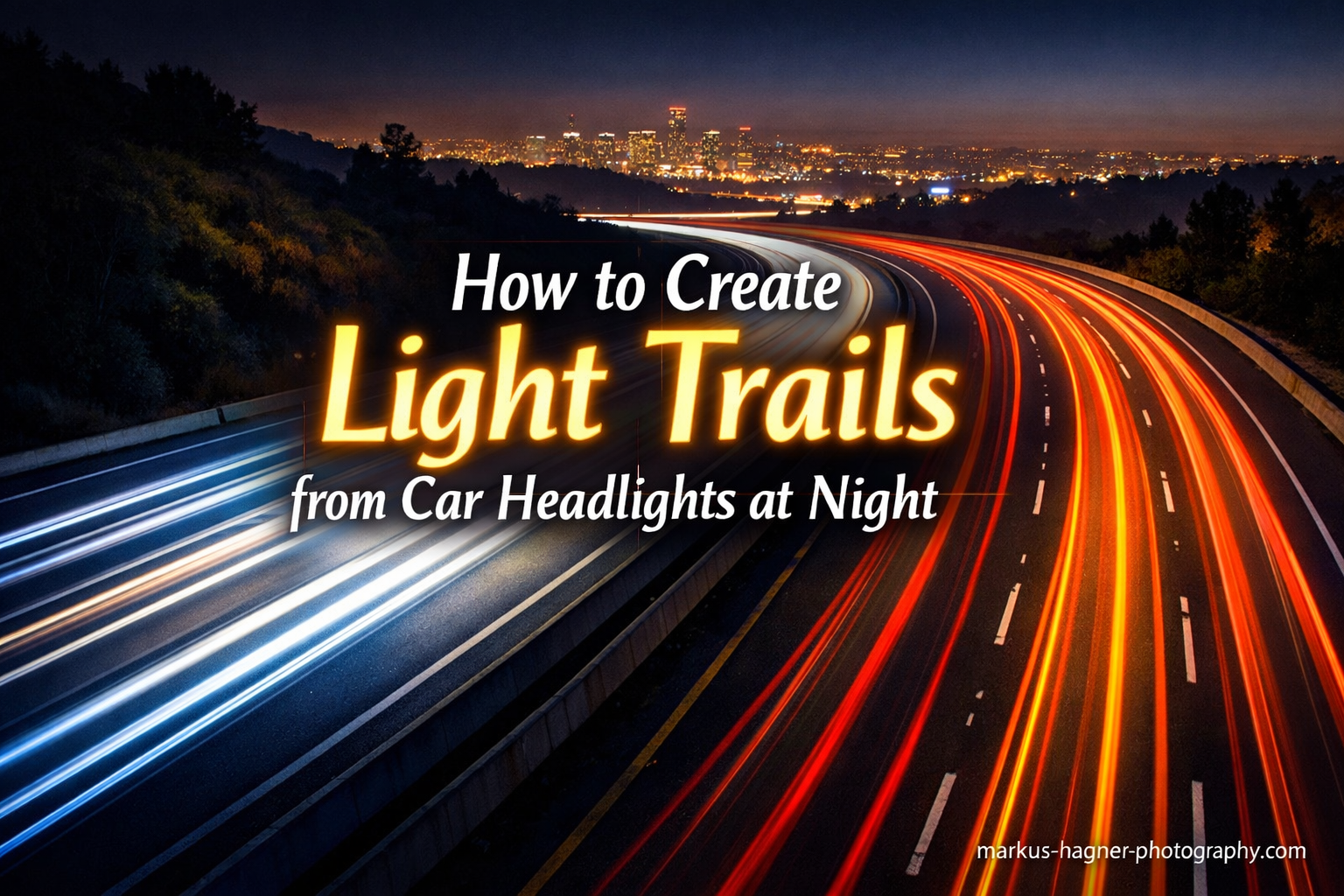
There’s something magical about transforming a busy nighttime road into rivers of glowing light. When I first captured light trails from car headlights at night, I was amazed at how a long exposure could reveal motion invisible to the naked eye. The streaking headlights and taillights create dynamic images that feel almost otherworldly.
In this guide, I’ll walk you through everything you need to know about creating stunning light trails from car headlights at night. You’ll learn the exact camera settings, the best locations, timing strategies, and troubleshooting tips I’ve gathered from years of night photography. Whether you’re shooting with a DSLR, mirrorless camera, or even a smartphone, this tutorial will help you capture those mesmerizing light streaks.
Light trail photography transforms ordinary urban night scenes into dynamic visual stories that capture motion and the passage of time. The technique has become increasingly popular in 2026, and for good reason. The resulting images showcase a world that exists only through the lens of a camera during long exposures.
What Are Light Trails?
Light trails are the colorful streaks of light captured when photographing moving light sources during a long exposure. As cars with headlights and taillights pass through your frame while your shutter remains open, the moving lights create continuous paths across your image. Stationary elements like buildings, roads, and the sky remain sharp and still.
The science behind light trail photography is straightforward: your camera sensor records all light hitting it during the exposure time. When a car’s headlights move through the scene for 10 to 30 seconds, the sensor captures that entire journey as one continuous line. Headlights produce white or yellow trails, while taillights create warm red streaks, adding beautiful color contrast to your night images.
This technique transforms ordinary urban night scenes into dynamic visual stories. The resulting images capture motion and the passage of time in a way our eyes cannot perceive naturally, which is what makes light trail photography so compelling for photographers at all skill levels.
Equipment You Need for Light Trail Photography
The good news is that light trail photography doesn’t require expensive gear. Here’s what you actually need to get started.
Camera with Manual Mode
Any camera that allows manual control over shutter speed, aperture, and ISO will work. DSLR and mirrorless cameras are ideal, but many compact cameras and smartphones now offer manual controls or dedicated long exposure modes. The key requirement is the ability to set shutter speeds of at least 10 to 30 seconds.
Most modern cameras from major manufacturers support manual mode. Even entry-level DSLRs and mirrorless cameras introduced in recent years include full manual controls. Check your camera’s mode dial for the “M” setting, which indicates manual exposure capability.
Tripod (Absolutely Essential)
A sturdy tripod is non-negotiable for light trail photography. Any camera movement during a long exposure will blur your entire image. I’ve tried bracing against walls and using improvised supports, but nothing beats a proper tripod for sharp results. Look for one that’s stable enough to handle 30-second exposures without any vibration.
When choosing a tripod, prioritize stability over weight savings. Carbon fiber tripods offer excellent vibration damping while remaining lightweight. Aluminum tripods are more affordable and also work well. The key is ensuring the tripod can support your camera and lens combination without flexing during long exposures.
Remote Shutter Release or Timer
Pressing the shutter button manually can introduce camera shake, even on a tripod. A remote shutter release, cable release, or wireless trigger eliminates this issue. If you don’t have one, use your camera’s 2-second or 10-second self-timer to ensure any vibration settles before the exposure begins.
Wireless remote releases are inexpensive and highly recommended for this type of photography. Some cameras also support smartphone apps that function as remote triggers, which is a convenient option if you prefer not to carry additional accessories.
Lens Considerations
Wide-angle lenses (16mm to 35mm) work beautifully for capturing expansive cityscapes with multiple light trails. Standard zooms (24mm to 70mm) offer versatility for framing. A narrow aperture lens isn’t a problem here since you’ll be shooting at f/8 or smaller anyway.
Prime lenses often have fewer elements and can produce slightly sharper results with better contrast. However, zoom lenses provide compositional flexibility when shooting from fixed positions like bridges or balconies. Either type works well for light trail photography.
Optional but Helpful Accessories
A neutral density filter can extend your exposure times even further, though it’s rarely necessary at night. Warm clothing is essential if you’ll be standing still for extended periods. A flashlight helps you see your camera controls and can be used for light painting if you want to add creative elements to your scene.
Consider bringing extra batteries as well. Long exposures and cold nighttime temperatures can drain batteries faster than normal shooting. Having a backup ensures you won’t miss a great shot when your primary battery runs low.
Finding the Perfect Location
Location can make or break your light trail images. Here’s what I look for when scouting spots for light trail photography.
Elevated Vantage Points
Bridges, overpasses, parking garages, and rooftops provide excellent elevated perspectives. From above, you can capture longer light trails as cars travel farther through your frame. The separation between the camera and traffic also creates cleaner compositions without the need to stand dangerously close to moving vehicles.
Pedestrian bridges over highways are ideal locations. They provide safe shooting positions while allowing you to capture traffic from multiple directions. Parking garage rooftops offer similar benefits and often have the added advantage of being accessible late at night without restrictions.
Safety First
Never position yourself in active traffic lanes or unsafe areas. Use pedestrian walkways on bridges, stay behind barriers on overpasses, and choose legal public spaces. Shooting from a balcony or through a window can also work if you have access to upper floors of buildings. Your safety matters more than any photograph.
Always be aware of your surroundings, especially when shooting alone at night. Let someone know where you’ll be and when you expect to return. Avoid isolated areas and trust your instincts if a location feels unsafe.
Traffic Flow Considerations
Look for roads with steady, consistent traffic. Busy highways and main city streets work well. Roads with curves add visual interest as the light trails follow the bend. Intersections can create interesting crossing patterns of red and white trails.
Spend time observing traffic patterns before setting up your shot. Note how frequently cars pass and from which directions. Understanding the rhythm of traffic helps you anticipate the best moments to trigger your shutter for maximum impact.
Background and Composition
Consider what else appears in your frame besides the light trails. City skylines, interesting architecture, or reflected light on wet pavement all add depth. A compelling foreground or background elevates your image from a simple technical exercise to a photograph with real artistic merit.
Look for opportunities to include iconic landmarks or distinctive buildings in your compositions. These elements provide context and help ground the abstract light trails in a recognizable place, making your images more meaningful and memorable.
Best Time to Shoot Light Trails
Timing affects both your exposure settings and the overall mood of your light trail images.
Blue Hour vs Full Darkness
Blue hour, the period shortly after sunset when the sky takes on a deep blue color, is my favorite time for light trails. The residual ambient light provides context for your scene while still being dark enough for long exposures. Full darkness offers maximum contrast between the light trails and the background, which creates more dramatic but sometimes less contextual images.
Blue hour typically lasts 20 to 40 minutes after sunset, depending on your latitude and season. The exact timing varies throughout the year, so check sunset times for your location and arrive early to set up before the optimal shooting window begins.
Traffic Patterns
Rush hour provides plenty of vehicles for continuous trails, but the slower-moving traffic means shorter individual streaks. Late evening traffic moves faster and creates longer trails, but you’ll have fewer cars to work with. I’ve found that 8 PM to 10 PM often provides a good balance of traffic volume and speed.
Weekend nights can differ from weekday traffic patterns. Friday and Saturday evenings often have more consistent traffic later into the night as people go out for entertainment. Consider the specific area you’re shooting and adjust your timing based on local activity patterns.
Weather Considerations
Clear nights are easiest for beginners, but don’t dismiss overcast or lightly rainy conditions. Wet roads reflect the light trails, doubling their visual impact. Wind can shake your tripod, so weigh it down or shield it if necessary. Cold weather drains batteries faster, so bring spares for winter shoots.
Rain creates particularly striking effects when photographing light trails. The wet pavement acts like a mirror, reflecting the car lights and adding another dimension to your compositions. Just be sure to protect your camera from moisture with a rain cover or umbrella.
Camera Settings for Light Trail Photography
Getting your settings right is crucial for successful light trails. Here’s a quick reference table followed by detailed explanations.
Quick Reference Settings for Light Trail Photography:
Shutter Speed: 10-30 seconds
Aperture: f/8 to f/16
ISO: 100 to 400
Focus: Manual
Mode: Manual (M) or Bulb
Shutter Speed: The Key Variable
Shutter speed determines how long your camera records the scene and directly affects trail length. For normal traffic, 10 to 30 seconds works well. Faster-moving vehicles need less time (5 to 15 seconds), while sparse traffic benefits from longer exposures (20 to 30 seconds) to capture enough cars for continuous trails.
Start with 15 seconds and adjust based on your results. If trails are too short, increase the time. If highlights are blown out, decrease it. The exact shutter speed depends on your specific conditions, so experimentation is essential. Remember that longer exposures capture more cars, creating denser trails.
Aperture: Depth and Starburst Effects
Aperture controls two things: depth of field and the starburst effect on point light sources. For light trails, f/8 to f/16 is ideal. Narrower apertures (f/11 to f/16) create attractive starburst patterns on headlights and streetlights, adding visual interest beyond simple streaks.
Don’t go too narrow (smaller than f/16) or diffraction can soften your image. Most lenses perform best around f/8 to f/11 for this type of photography. Experiment with different apertures to find the sweet spot for your particular lens.
ISO: Keep It Low
Use your camera’s base ISO, typically ISO 100 or ISO 200. Higher ISO values introduce noise, which becomes very apparent in dark skies during long exposures. You have the luxury of long shutter speeds, so there’s no need to compensate with high ISO. Keep it low for clean, noise-free images.
Some cameras have native ISO settings that produce cleaner results than intermediate values. Check your camera’s manual to identify these optimal ISO settings. Sticking to these values can further reduce noise in your long exposure images.
Manual Focus in Darkness
Autofocus struggles in low light and may hunt endlessly or focus on the wrong distance. Switch to manual focus and set your lens to infinity, then back off slightly. Use live view magnification to confirm sharp focus on distant lights before taking your shot. Once focused, tape the focus ring or avoid bumping it.
Focusing on distant streetlights or building lights works well. These bright points of light are easy to see in live view and provide a reliable target for achieving sharp focus. Take a test shot and zoom in on the LCD to verify focus before committing to your final exposures.
White Balance Considerations
Different light sources produce different color temperatures. Streetlights might be orange sodium vapor, headlights are typically white, and taillights are red. Auto white balance often works fine, but you may prefer to set a custom white balance or shoot in RAW to adjust later. Tungsten or incandescent presets can help neutralize overly warm street lighting.
Shooting in RAW format gives you maximum flexibility for white balance adjustments in post-processing. This is particularly useful when dealing with mixed lighting conditions common in urban night scenes.
Bulb Mode for Extended Exposures
When you need exposures longer than 30 seconds (your camera’s typical maximum shutter speed), switch to bulb mode. This keeps the shutter open as long as you hold the button. Use a locking remote release or a smartphone app to control the timing precisely. Bulb mode is essential for sparse traffic situations or when you want extremely long trails.
Some cameras have a dedicated bulb mode setting, while others require you to rotate past the 30-second mark in manual mode. Check your camera manual for specific instructions on accessing bulb mode functionality.
How to Create Light Trails from Car Headlights at Night: Step-by-Step
Now let’s put everything together into a practical workflow you can follow on your next shoot.
Step 1: Scout Your Location
Arrive before dark to identify your composition. Look for interesting angles, safe shooting positions, and traffic patterns. Note where cars enter and exit your frame so you can anticipate the best moments to trigger your shutter. Scout multiple spots so you have backup options if one location doesn’t work out.
Daytime scouting reveals details that are invisible at night. You’ll be able to identify potential obstacles, find the best compositions, and plan your setup without the pressure of fading light. Take reference photos during your scout to help you remember promising positions.
Step 2: Set Up Your Tripod
Position your tripod on stable ground. Extend the thicker leg sections first for maximum stability. Avoid raising the center column if possible, as this makes the setup less stable. If shooting on a bridge, be aware that passing vehicles can cause vibrations, so time your shots between traffic or use shorter exposures.
On windy nights, hang your camera bag from the tripod’s center hook to add weight and stability. This simple trick significantly reduces vibration and helps ensure sharp images during long exposures.
Step 3: Compose Your Shot
Frame your image with the road positioned to create dynamic lines through your composition. Leading lines work beautifully here. Consider the rule of thirds when placing your horizon. Leave space for the light trails to travel through the frame without running off the edges too quickly.
Think about how the light trails will interact with other elements in your scene. Trails that lead toward key landmarks or follow natural lines in the composition create stronger images than randomly placed streaks of light.
Step 4: Switch to Manual Mode
Set your camera to Manual (M) mode. This gives you complete control over exposure. If your camera struggles with manual mode, Shutter Priority (S or Tv) can work, but manual provides more consistent results once you understand the relationship between settings.
Manual mode ensures your exposure remains constant between shots, which is essential if you plan to combine multiple images later. Consistent exposures make post-processing much easier and more predictable.
Step 5: Configure Your Settings
Set your ISO to 100 or 200. Choose an aperture between f/8 and f/11. Start with a shutter speed of 15 seconds. These starting points work for most urban night scenes, but be prepared to adjust based on your test shots.
Write down your settings or take a photo of your camera’s LCD after each adjustment. This documentation helps you understand what worked and what didn’t, accelerating your learning process.
Step 6: Focus Manually
Switch your lens to manual focus. Use live view and zoom in on a distant light source. Rotate the focus ring until the light appears as a sharp point. If your lens has distance markings, set it near infinity. Double-check focus before your first shot.
Once you’ve achieved perfect focus, consider using a small piece of painter’s tape to secure the focus ring. This prevents accidental adjustments during your shooting session and ensures consistent sharpness across all your images.
Step 7: Time Your Shot with Traffic
Watch the traffic flow and anticipate when cars will enter your frame. Press your remote shutter or start your timer just before a car enters the composition. Keep the shutter open until the car exits the frame or your desired exposure time elapses. This timing takes practice, so don’t get discouraged if your first attempts miss the moment.
The best results often come from timing your exposure to capture vehicles traveling in both directions simultaneously. This creates a mix of white headlight trails and red taillight trails, adding color variety and visual interest to your images.
Step 8: Review and Adjust
Check your image on the LCD. Zoom in to check sharpness. Evaluate whether the exposure is correct, the trails are long enough, and the composition works. Adjust your settings as needed and reshoot. Digital photography lets you learn from each attempt, so take advantage of the instant feedback.
Use your camera’s histogram display to evaluate exposure accuracy. The histogram provides more reliable information than the LCD preview, which can appear brighter or darker than the actual image depending on ambient light conditions.
Creating Light Trails with a Smartphone
Yes, you can capture light trails with a smartphone. The process differs from traditional cameras, but the results can be impressive.
iPhone Method
iPhone users can use Live Photos to create light trails. Enable Live Photos in the Camera app, then take a photo of moving traffic. After capturing, open the photo in your gallery, swipe up, and select Long Exposure from the effects. The phone combines the Live Photo frames into a single long exposure image.
This method works best when you hold your phone steady against a solid surface or mount it in a smartphone tripod adapter. Even small movements during the Live Photo capture will blur the resulting long exposure effect.
Third-Party Apps
Apps like Spectre Camera, Slow Shutter Cam, and Adobe Lightroom Mobile offer dedicated long exposure modes. These apps simulate long exposures by combining multiple frames or using computational photography techniques. Spectre is particularly good at removing moving objects while preserving light trails.
Many of these apps offer additional controls beyond what the native camera app provides. Experiment with different apps to find one that suits your workflow and produces results you like.
Smartphone Limitations
Smartphones have smaller sensors and can’t match the image quality of dedicated cameras for this technique. True long exposures beyond a few seconds require apps that simulate the effect. Despite these limitations, smartphone light trails are fun to create and share, making this technique accessible to everyone.
The computational photography techniques used by smartphones continue to improve each year. Current flagship phones produce surprisingly good results that are more than adequate for social media sharing and personal enjoyment.
Advanced Light Trail Techniques
Once you’ve mastered the basics, try these advanced techniques for even more dramatic results.
Image Stacking for Continuous Trails
Take multiple exposures from the same position, then blend them in post-processing using Lightroom’s lighten blend mode or Photoshop layers. This technique creates denser, more continuous light trails from sparse traffic. Each exposure captures different vehicles, and combining them produces a scene that appears to have constant traffic flow.
Use a tripod and avoid moving your camera between shots for the best results. Consistent framing ensures the stationary elements align perfectly when you blend the images together.
Starburst Effect Enhancement
Using very narrow apertures (f/16 to f/22) creates pronounced starburst patterns on headlights and streetlights. The effect comes from light diffracting through the aperture blades of your lens. Combine this with light trails for images that have both streaking lines and sparkling points of light.
The number of aperture blades in your lens affects the starburst appearance. Lenses with more blades create starbursts with more points. Odd-numbered blade counts produce stars with twice as many points as the blade count.
Blue Hour Composites
Capture a blue hour exposure with a beautiful sky as your base layer. Then take multiple light trail exposures after full darkness falls. Blend these in post-processing to create an image with both a rich blue sky and dramatic light trails, something impossible to capture in a single exposure.
This technique requires planning and patience but produces stunning results. The key is maintaining consistent framing throughout your shooting session so the images align properly when combined.
Painting with Light
Add your own light sources to the scene. Use a flashlight to illuminate foreground elements during the exposure. This technique lets you add light to areas the cars don’t reach, creating more complete and visually interesting compositions.
Light painting works particularly well when you have interesting foreground elements that would otherwise be lost in darkness. Rocks, architectural details, or even people can be illuminated to add depth and context to your light trail images.
Troubleshooting Common Light Trail Problems
Even experienced photographers encounter issues. Here are solutions to the most common problems you’ll face when learning how to create light trails from car headlights at night.
Light Trails Are Too Short
Increase your shutter speed. If cars move quickly through your frame, reposition to capture a longer stretch of road. Alternatively, choose a location with slower-moving traffic, or wait for vehicles that pause at intersections.
Shooting from a greater distance or using a wider lens can also help. These approaches keep cars in frame longer, resulting in more complete light trails that span more of your composition.
Camera Shake Blur
Ensure your tripod is stable on solid ground. Use a remote shutter or self-timer to avoid touching the camera. Turn off image stabilization when using a tripod, as it can actually introduce shake when the camera is stationary. Shield your setup from wind.
If vibrations from passing vehicles affect your tripod, try timing your exposures between traffic. You can also place your tripod on a rubber mat or foam pad to absorb vibrations transmitted through the ground.
Overexposed Highlights
Headlights are very bright and can blow out easily. Use a smaller aperture (higher f-number), lower your ISO, or reduce your shutter speed. Shooting when there’s more ambient light (blue hour) also helps balance the exposure.
Some photographers intentionally allow headlights to blow out slightly, accepting this as part of the light trail aesthetic. The key is preventing the overexposure from spreading into surrounding areas of the image.
Duplicated or Ghosted Trails
This usually happens when combining multiple exposures incorrectly. Ensure each exposure captures unique vehicle movements. When stacking, use lighten blend modes that only add brighter pixels, avoiding ghosting of stationary elements.
Ghosting can also occur if your camera moves slightly between exposures. Using a sturdy tripod and avoiding contact with the camera during your shooting session helps prevent this issue.
Cannot Focus in Darkness
Use live view and zoom in on a distant light source to focus manually. Some cameras have focus peaking that highlights in-focus areas. You can also shine a flashlight on a distant object, focus on that, then switch to manual focus before taking your shot.
Another technique is to focus during daylight or blue hour when you can see clearly, then tape down the focus ring. This ensures your focus remains consistent throughout your night shooting session.
Frequently Asked Questions
What shutter speed for light trails?
For light trails, use a shutter speed between 10 and 30 seconds. Normal traffic typically requires 15 to 20 seconds for good trail length. Fast-moving vehicles may only need 5 to 15 seconds, while sparse traffic benefits from longer exposures of 20 to 30 seconds to capture enough cars for continuous trails.
How to shoot car light trails?
Set up your camera on a tripod in a safe location overlooking traffic. Switch to manual mode, set ISO 100-200, aperture f/8-f/11, and shutter speed 10-30 seconds. Focus manually on a distant point. Use a remote shutter or timer, then time your exposure with passing cars to capture their headlights and taillights as streaking light trails.
What settings are needed for night trail photography?
Essential settings for night trail photography are: ISO 100-400 (keep low to minimize noise), aperture f/8-f/16 (for depth of field and starburst effects), shutter speed 10-30 seconds (adjust based on traffic speed), manual focus mode, and shoot in RAW for post-processing flexibility. A tripod and remote shutter are required equipment.
Can you shoot light trails with a smartphone?
Yes, you can create light trails with a smartphone using apps like Spectre Camera, Slow Shutter Cam, or Adobe Lightroom Mobile. iPhone users can capture Live Photos and convert them to long exposures in the Photos app. While smartphone results differ from dedicated cameras due to sensor size limitations, the technique is accessible and produces shareable images.
What equipment do I need for light trail photography?
The essential equipment for light trail photography includes a camera with manual mode (DSLR, mirrorless, or advanced compact), a sturdy tripod to prevent camera shake during long exposures, and a remote shutter release or self-timer to trigger shots without touching the camera. Optional helpful items include a wide-angle lens, neutral density filters, warm clothing, and a flashlight.
Conclusion
Creating light trails from car headlights at night is one of those photography techniques that delivers impressive results with relatively simple equipment. The combination of long exposures, moving traffic, and the darkness of night transforms ordinary scenes into striking images that capture motion in a way our eyes cannot see naturally.
Remember the fundamentals: use a sturdy tripod, keep your ISO low, choose apertures between f/8 and f/16, and experiment with shutter speeds between 10 and 30 seconds. Practice timing your shots with traffic flow, and don’t be afraid to take multiple attempts. Each location and situation is unique, so use these guidelines as starting points and adjust based on your results.
The beauty of light trail photography is that no two images are ever quite the same. Traffic patterns change, weather varies, and your own creative vision evolves. Grab your tripod, find a safe vantage point overlooking a busy road, and start capturing those magical rivers of light. With practice, you’ll develop an intuitive feel for the technique and create images that truly stand out in 2026 and beyond.