
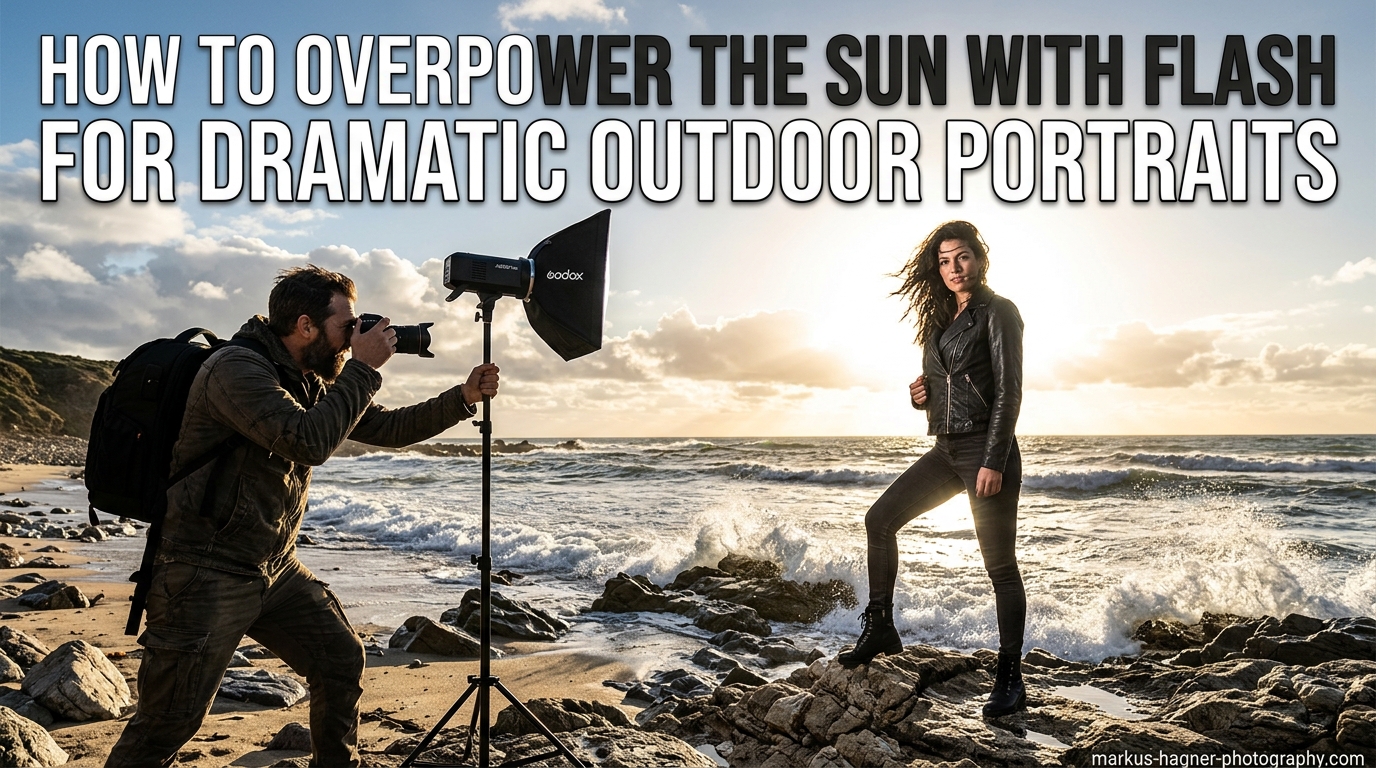
Creating dramatic outdoor portraits with a dark, moody background while your subject remains perfectly lit is one of the most powerful techniques in portrait photography. When I first learned how to overpower the sun with flash, it completely transformed my outdoor portrait work. Suddenly, I could shoot at high noon and still create images that looked like they were taken during golden hour or even after sunset.
This technique gives you complete control over your lighting, regardless of what the sun is doing. Whether you are dealing with harsh midday light, bright overcast conditions, or simply want to create more dramatic portraits, understanding how to balance flash with ambient light opens up creative possibilities that simply are not possible with natural light alone.
In this guide, I will walk you through everything you need to know to master this technique. We will cover what overpowering the sun actually means, the equipment you need, a step-by-step process for getting the shot, and solutions to common problems you will encounter along the way.
What Does It Mean to Overpower the Sun with Flash?
Overpowering the sun means using artificial flash lighting to balance or exceed the brightness of natural sunlight in your outdoor portraits. The term can mean different things to different photographers, and understanding these nuances will help you apply the technique more effectively.
At its simplest level, overpowering the sun involves creating two separate exposures that happen simultaneously. Your camera captures the ambient light (the background and sky) at one exposure level, while your flash illuminates your subject at a different, typically brighter exposure. This separation gives you creative control that natural light alone cannot provide.
Some photographers interpret overpowering the sun as making the background go completely black, creating a dramatic studio-like look outdoors. Others use the term more loosely to describe any situation where flash provides the primary light source on the subject, even if the background remains visible. Both interpretations are valid, and the approach you take depends on the look you want to achieve.
The key concept to understand is that you are not literally competing with the sun’s total output. Instead, you are controlling what your camera records by adjusting your exposure settings to underexpose the ambient light, then adding flash to properly expose your subject. Think of it as dimming the background while spotlighting your subject.
Why This Technique Creates Such Dramatic Results
When you overpower the sun, you create natural subject separation. The brighter subject against a darker background draws the viewer’s eye exactly where you want it. This technique also lets you avoid harsh shadows on faces, control the mood of your image, and shoot in lighting conditions that would normally be considered unflattering.
Many photographers assume this requires expensive, high-powered strobes. However, I have found that even modest speedlights can create stunning results when positioned correctly. The secret lies more in technique than in gear, which I will explain in detail throughout this guide.
Equipment You Need to Overpower the Sun
The good news is that you do not need the most expensive gear to overpower the sun effectively. While having more powerful lights certainly makes the process easier, understanding your equipment’s capabilities matters more than raw power. Here is what you need to get started.
Flash Types and Power Requirements
Speedlights are the most accessible option for most photographers. A typical hotshoe flash puts out around 60-70 watt-seconds of power. While this might seem insufficient compared to the sun, speedlights can absolutely overpower sunlight when positioned close to your subject. I have used speedlights successfully at distances of 3-5 feet from my subject with excellent results.
Battery-powered strobes offer significantly more power, typically ranging from 200 to 1200 watt-seconds. Lights like the Godox AD200, AD400, or AD600 provide enough output to overpower the sun even with light modifiers attached and from greater distances. If you shoot outdoor portraits regularly, investing in a portable strobe makes the technique much easier to execute.
When evaluating flash power, look at both watt-seconds and guide numbers. Watt-seconds measure the energy stored in the flash’s capacitors, while guide numbers indicate actual light output at a given ISO and distance. A higher guide number means more usable light reaching your subject.
Light Modifiers
Light modifiers shape and soften the light from your flash. For outdoor portraits, softboxes and beauty dishes are the most popular choices. A softbox creates soft, wrapping light that flatters skin tones, while a beauty dish produces slightly more contrast and punch.
Keep in mind that any modifier between your flash and subject reduces light output. A softbox might cut your flash power by 1-2 stops, meaning you need more flash output to compensate. This is where more powerful strobes have an advantage over speedlights.
Reflectors offer a budget-friendly alternative or supplement to flash. You can use a reflector to bounce sunlight onto your subject while underexposing the background, creating a similar effect without any flash equipment at all.
Essential Accessories
Wireless triggers are essential for off-camera flash. These allow you to fire your flash from your camera’s hotshoe without any cables. Most modern triggers offer reliable performance at reasonable prices.
A light stand or assistant to hold your flash gives you positioning flexibility. When overpowering the sun, flash placement significantly affects your results, so having control over where your light sits matters.
ND filters provide an alternative approach to High Speed Sync, which I will cover in the advanced methods section. These dark filters screw onto your lens and allow wider apertures without exceeding your camera’s sync speed.
How to Overpower the Sun with Flash: Step-by-Step Guide
Let me walk you through my exact process for creating dramatic outdoor portraits by overpowering the sun. This method works consistently across different lighting conditions and camera systems.
Step 1: Set Your Camera to Manual Mode
Start by switching your camera to full manual mode. This gives you complete control over ISO, aperture, and shutter speed. You need to make deliberate decisions about each setting rather than letting the camera decide for you.
Set your ISO to the lowest native setting for your camera, typically ISO 100 or ISO 64. Lower ISO values give you the cleanest images and require more flash power, which helps when trying to overpower bright sunlight.
Step 2: Expose for the Background First
Without your flash turned on, take a test shot exposing for the background and sky. This establishes your ambient exposure. Look at the histogram and LCD to evaluate how bright or dark the background appears.
For a natural look, expose the background normally. For a more dramatic effect, underexpose the background by 1-2 stops. The more you underexpose, the darker and moodier your background becomes.
At this stage, ignore your subject completely. They will appear as a silhouette or very dark, which is exactly what we want. You will fix this with flash in the next steps.
Step 3: Underexpose the Background Intentionally
Decide how dramatic you want your final image to look. For subtle drama, underexpose by about 1 stop. For a dark, almost nighttime look, underexpose by 2-3 stops. Adjust your shutter speed, aperture, or both to achieve this underexposure.
Pay attention to your camera’s maximum sync speed, usually around 1/200 to 1/250 second. If your shutter speed exceeds this limit without using High Speed Sync, you will see a black band across your image. Stay at or below your sync speed for now.
Step 4: Position Your Flash
Turn on your flash and position it off-camera. For dramatic portraits, I typically place the flash at a 45-degree angle to my subject, slightly above eye level. This creates dimensional lighting with shadows that add depth.
The closer your flash is to your subject, the more effective it becomes at overpowering the ambient light. Light falls off dramatically with distance, so a flash 3 feet away puts significantly more light on your subject than the same flash at 6 feet. This inverse square law works in your favor when overpowering the sun.
Step 5: Add Flash Power Incrementally
Start with your flash at half power and take a test shot. Evaluate how well your subject is lit compared to the background. If your subject is too dark, increase flash power. If they are too bright, decrease power.
Work in small increments, adjusting power in 1/3 or 1/2 stop steps. This methodical approach gets you to the correct setting faster than making large changes and overshooting.
If you reach full power and your subject is still too dark, move the flash closer or open your aperture slightly. Remember that opening your aperture will brighten the background too, so you may need to compensate with a faster shutter speed or ND filter.
Step 6: Fine-Tune and Shoot
Once you have balanced the flash and ambient exposure to your liking, take several shots and review them carefully. Check your histogram to ensure you are not clipping highlights or blocking up shadows.
Make small adjustments as needed. Sometimes moving the flash just a few inches or adjusting power by a fraction of a stop transforms a good image into a great one.
Camera Settings for Overpowering the Sun
Your camera settings form the foundation of this technique. Here is a typical starting point for bright midday sun: ISO 100, aperture f/8 to f/11, shutter speed 1/200 second (at or below your sync speed), and flash power adjusted to taste.
For golden hour or overcast conditions, you can open your aperture wider since there is less ambient light to compete with. Try f/5.6 or even f/2.8 during the hour before sunset. This creates shallow depth of field while still maintaining the dramatic background darkening effect.
Always shoot in RAW format when possible. RAW files give you significantly more flexibility in post-processing, which helps when balancing flash and ambient exposures later.
Flash Positioning and Power Guidelines
Flash position dramatically affects the mood of your portrait. A flash directly in front of your subject creates flat, even lighting. Moving the flash to the side adds dimension and shadow. Positioning the flash behind your subject creates rim lighting and a glowing effect.
For classic dramatic portraits, position your flash 45 degrees to one side and slightly above your subject’s eye level. This creates what photographers call Rembrandt lighting, characterized by a small triangle of light on the shadow side of the face.
As a rough guideline, expect to use 1/2 to full power on a speedlight positioned 4-6 feet from your subject in bright sunlight. With a 400 watt-second strobe and a softbox, you might use 1/4 to 1/2 power at similar distances.
High Speed Sync (HSS): When and Why to Use It
High Speed Sync allows you to use shutter speeds faster than your camera’s normal sync speed. Without HSS, you are limited to around 1/200 second, which forces you to use smaller apertures in bright light.
The trade-off is that HSS reduces your flash’s effective power, sometimes significantly. Your flash fires multiple rapid bursts during the exposure rather than one powerful pop, which consumes more battery and produces less light on your subject.
Use HSS when you want shallow depth of field in bright conditions. If you want to shoot at f/2.8 in midday sun and still overpower the ambient light, HSS lets you use a fast enough shutter speed to achieve proper background exposure.
Advanced Methods: HSS vs ND Filters
Both High Speed Sync and ND filters solve the same problem: they allow you to use wider apertures while overpowering the sun. However, they work differently and have distinct advantages and disadvantages.
The HSS Approach
High Speed Sync works by pulsing your flash thousands of times per second, creating a continuous light source during the exposure. This allows your camera’s focal plane shutter to record the flash at any shutter speed.
The main advantage of HSS is convenience. You can change shutter speeds freely without swapping filters on your lens. Most modern speedlights and many strobes support HSS natively.
The disadvantage is reduced flash power. HSS can cut your effective output by 2-3 stops, meaning you need a more powerful flash or need to position it closer to your subject. This power loss becomes significant when trying to overpower bright sunlight.
The ND Filter Approach
Neutral density filters reduce the amount of light entering your lens without affecting color. By using an ND filter, you can keep your shutter speed at or below your sync speed while still using wide apertures.
The advantage of ND filters is that your flash operates at full power. You lose no flash output to the pulsing mechanism of HSS. This makes ND filters ideal when you need every bit of power your flash can provide.
The disadvantage is less flexibility. You need to choose the right strength ND filter for your conditions, and changing lighting situations might require swapping filters. ND filters also add another piece of glass in front of your lens, which can potentially affect image quality.
Which Method Should You Choose?
If you have a powerful strobe (400+ watt-seconds), HSS offers the most flexibility and convenience. The power loss matters less when you have output to spare.
If you are working with speedlights or less powerful strobes, ND filters help you maximize every bit of flash output. This approach works well when you know your shooting conditions in advance.
Many photographers carry both options and choose based on the situation. For fast-moving shoots with changing light, HSS wins. For carefully planned portraits where you need maximum power, ND filters excel.
Common Problems and How to Fix Them?
Even with solid technique, you will encounter challenges when overpowering the sun. Here are the most common problems and their solutions.
Flash Not Powerful Enough
If your subject remains too dark even at full flash power, try these solutions: Move the flash closer to your subject, remove any light modifiers that reduce output, use multiple flashes together, switch to a more powerful strobe, or wait for less intense ambient light (golden hour, overcast, shade).
Remember that positioning matters more than raw power. A speedlight 3 feet from your subject puts more light on them than a strobe 10 feet away.
Background Too Dark or Too Bright
If your background appears completely black, you have underexposed too much. Open your aperture, slow your shutter speed, or raise your ISO slightly to let more ambient light in.
If your background appears too bright and the drama is lost, you need to underexpose more. Close your aperture, speed up your shutter, or lower your ISO. The background should look slightly darker than what your eyes see.
Flash Overheating
Shooting at high power levels generates heat, especially with speedlights. If your flash overheats and shuts down, let it cool before continuing. Consider investing in a strobe with better thermal management if you shoot outdoors frequently.
Take breaks between shots to let your flash cool. Avoid firing at full power in rapid succession. Some flashes have thermal protection circuits that reduce power output when they get hot.
Sync Speed Issues
If you see a black band across your images, you have exceeded your camera’s sync speed without using HSS. Check your shutter speed and ensure it stays at or below your camera’s maximum sync speed, typically 1/200 or 1/250 second.
Enable HSS on both your flash and trigger if you need faster shutter speeds. Some cameras and flash systems require you to enable HSS in the menu settings.
Color Temperature Mismatches
Flash typically produces daylight-balanced light around 5500K, while ambient light varies throughout the day. During golden hour, ambient light is much warmer, which can create color mismatches between your flash-lit subject and the background.
Use color correction gels on your flash to match the ambient color temperature. A CTO (color temperature orange) gel warms up your flash to match golden hour light. Many flash manufacturers include these gels with their products.
Frequently Asked Questions
Can a speedlight really overpower the sun?
Yes, a speedlight can overpower the sun when positioned close enough to your subject. At 3-4 feet distance, even a modest hotshoe flash produces enough light to create dramatic outdoor portraits. The key is understanding that proximity matters more than raw power.
How many watt-seconds do I need to overpower the sun?
For outdoor portraits with modifiers, 200-400 watt-seconds provides reliable performance in most conditions. Speedlights (60-70 watt-seconds) work when positioned close. For maximum flexibility with larger modifiers and greater distances, 600+ watt-seconds gives you the most headroom.
Do I need High Speed Sync to overpower the sun?
No, HSS is not required. You can overpower the sun at your camera’s normal sync speed by using smaller apertures (f/8-f/16). HSS becomes necessary only when you want wider apertures for shallow depth of field in bright conditions.
What is the best light modifier for outdoor portraits?
Softboxes in the 24-36 inch range offer an excellent balance of light quality and portability for outdoor portraits. Beauty dishes create more contrast and punch. For speedlights, small collapsible softboxes or umbrellas work well and pack easily.
When should I NOT overpower the sun?
Avoid overpowering the sun when the natural light is already beautiful, such as during soft golden hour or overcast conditions. Sometimes natural light creates a more authentic mood. Also avoid this technique when you want to capture the true atmosphere of a location rather than creating a dramatic portrait look.
Final Thoughts on Overpowering the Sun
Learning how to overpower the sun with flash transformed my outdoor portrait photography. This technique gives you creative control that natural light alone cannot match, allowing you to create dramatic, professional-looking images in any lighting condition.
The key principles to remember are simple: expose for your background first, then add flash to illuminate your subject. Position your flash close to your subject for maximum effectiveness. Use HSS or ND filters when you need wider apertures. And practice regularly, because understanding how flash and ambient light interact takes hands-on experience.
Start with the basic technique using whatever flash you have available. As you become comfortable with the process, you can invest in more powerful equipment to expand your creative options. The most important step is simply getting out there and trying it for yourself.