
A wedding photo printer is any printer you use to turn delivered files into physical products: on-site 4×6 handouts from a portable dye-sublimation event printer, giveaway prints at the engagement session, and gallery-grade fine art prints on a pigment inkjet up to 13 or 17 inches wide. Most wedding photographers need two machines at most, not a full print lab.
That is the honest starting point for the best photo printers for wedding photographers in 2026. The search results for this topic are full of general-purpose consumer printers, but the machine that earns money on a Saturday evening is an event printer, and the machine that produces the album and wall art you sell is a pigment fine art printer. Those are two different purchases and we cover both here.
We compared 12 printers across the three categories working photographers actually use: portable dye-sublimation event printers, six-to-eight colour inkjets for proofs and moderate runs, and nine-to-eleven colour pigment machines for archival fine art. Each entry below covers who it suits, the specs that matter, and where it falls down. If you want a broader look first, our guide to the best photo printers for photographers covers hobbyist and studio setups too.
The short answer before we get into detail: the Liene M100 is our editor’s choice for the machine that works hardest on a wedding day, the Canon imagePROGRAF PRO-310 is the one to buy if you print anything you sell, and the Epson EcoTank Photo ET-8550 is the volume workhorse for 13×19 batches. Everything else on this list fills a specific gap around those three.
Top 3 Picks for Best Photo Printers for Wedding Photographers in 2026

Liene M100 4×6 Dye-Sub Printer
- 4x6 dye sublimation
- Bundled 100 sheets and 3 cartridges
- Built-in Wi-Fi hotspot
- Water-resistant lamination

Canon imagePROGRAF PRO-310
- 9 pigment inks plus Chroma Optimizer
- 13x19 borderless output
- Anti-Clogging System
- Matte Black ink

Epson EcoTank Photo ET-8550
- Claria ET Premium 6-color dye
- Refillable ink tanks
- 13x19 plus 4x6 tray
- Built-in scanner and touchscreen
The 12 Best Photo Printers for Wedding Photographers at a Glance in October
| Product | Specifications | Action |
|---|---|---|
| Liene M100 4×6 Dye-Sublimation Printer |
|
Check Latest Price |
| Canon imagePROGRAF PRO-310 13 Inch |
|
Check Latest Price |
| Epson EcoTank Photo ET-8550 |
|
Check Latest Price |
 Canon imagePROGRAF PRO-1100 17 Inch Canon imagePROGRAF PRO-1100 17 Inch |
|
Check Latest Price |
 Epson Expression Photo XP-970 Epson Expression Photo XP-970 |
|
Check Latest Price |
 Canon PIXMA PRO-200S 13 Inch Canon PIXMA PRO-200S 13 Inch |
|
Check Latest Price |
 Fujifilm Instax Link Wide Printer Fujifilm Instax Link Wide Printer |
|
Check Latest Price |
 KODAK Dock Plus 4×6 Printer KODAK Dock Plus 4×6 Printer |
|
Check Latest Price |
 iDPRT CP4100 4×6 Printer iDPRT CP4100 4×6 Printer |
|
Check Latest Price |
 Epson SureColor F170 Dye-Sublimation Epson SureColor F170 Dye-Sublimation |
|
Check Latest Price |
 Epson EcoTank ET-15000 All-in-One Epson EcoTank ET-15000 All-in-One |
|
Check Latest Price |
 HP Envy Photo 7975 All-in-One HP Envy Photo 7975 All-in-One |
|
Check Latest Price |
1. Liene M100 Dye-Sublimation Printer: The Best Event Printer for Client Handouts
Pros
- Laminated dye-sub output resists water scratches and fingerprints
- Consumable bundle of 100 sheets plus three cartridges out of the box
- Built-in Wi-Fi hotspot serves up to five devices with no router
- App editing with borders filters and contrast control
Cons
- 300 x 300 dpi is modest against lab standards
- Proprietary cartridges block third-party ink
- Print head needs periodic cleaning when smudges appear
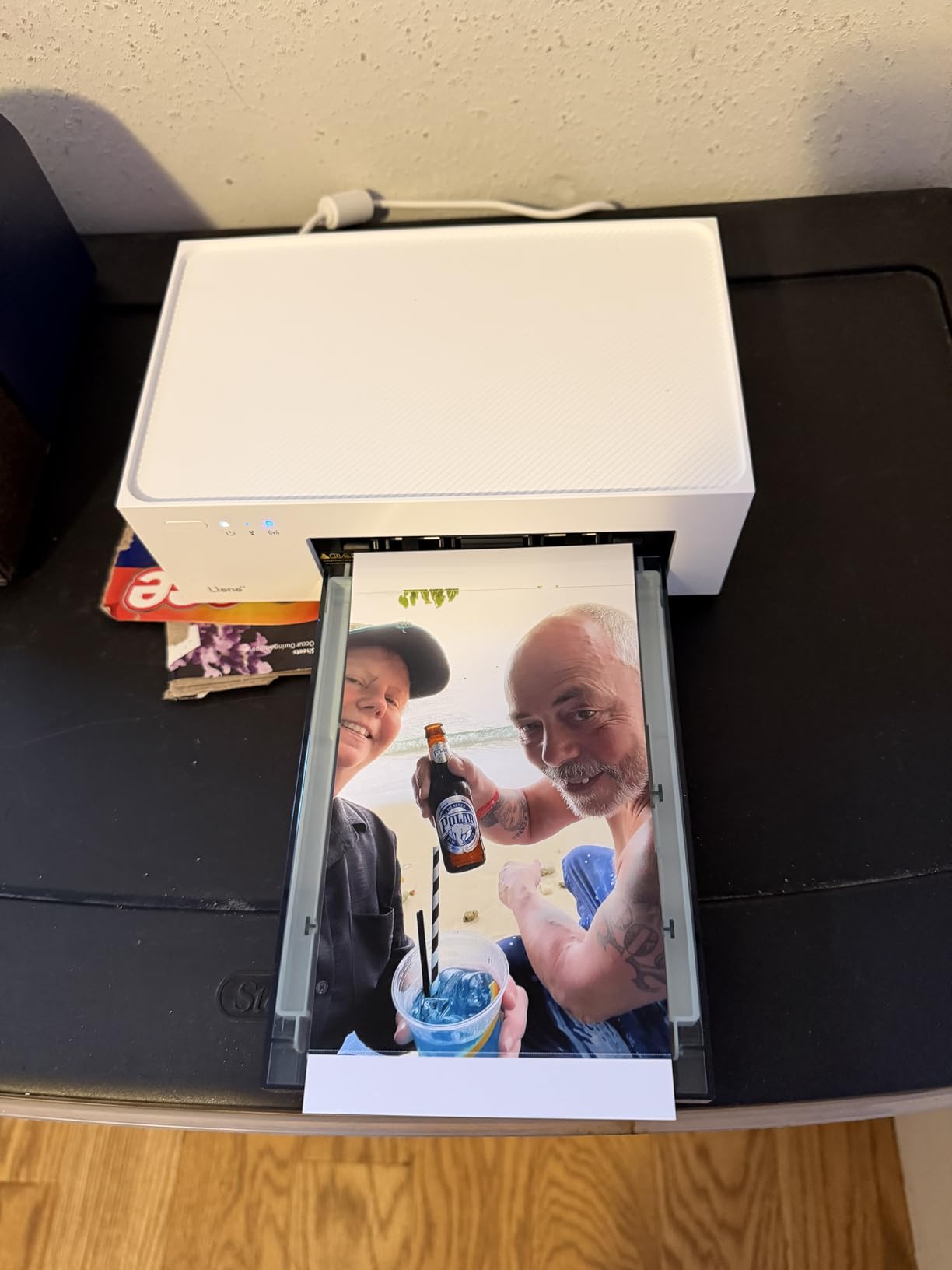
When I picture a wedding handout table, this is the machine I picture. The Liene M100 prints 4×6 sheets by thermal dye sublimation, which means the colour is transferred as a layer under a clear laminate rather than sprayed as liquid ink. That laminate is the reason it wins: a print handed to a guest with a sticky cocktail-ring hand survives the rest of the evening.
The box matters more than it sounds. You get 100 sheets of glossy paper and three colour cartridges, so a working photographer is not opening a cartridge box at the venue at 6pm. The built-in Wi-Fi hotspot is the feature I did not expect to care about and now rely on: it serves up to five devices with no router, so guests at an engagement session can send images straight to the printer.
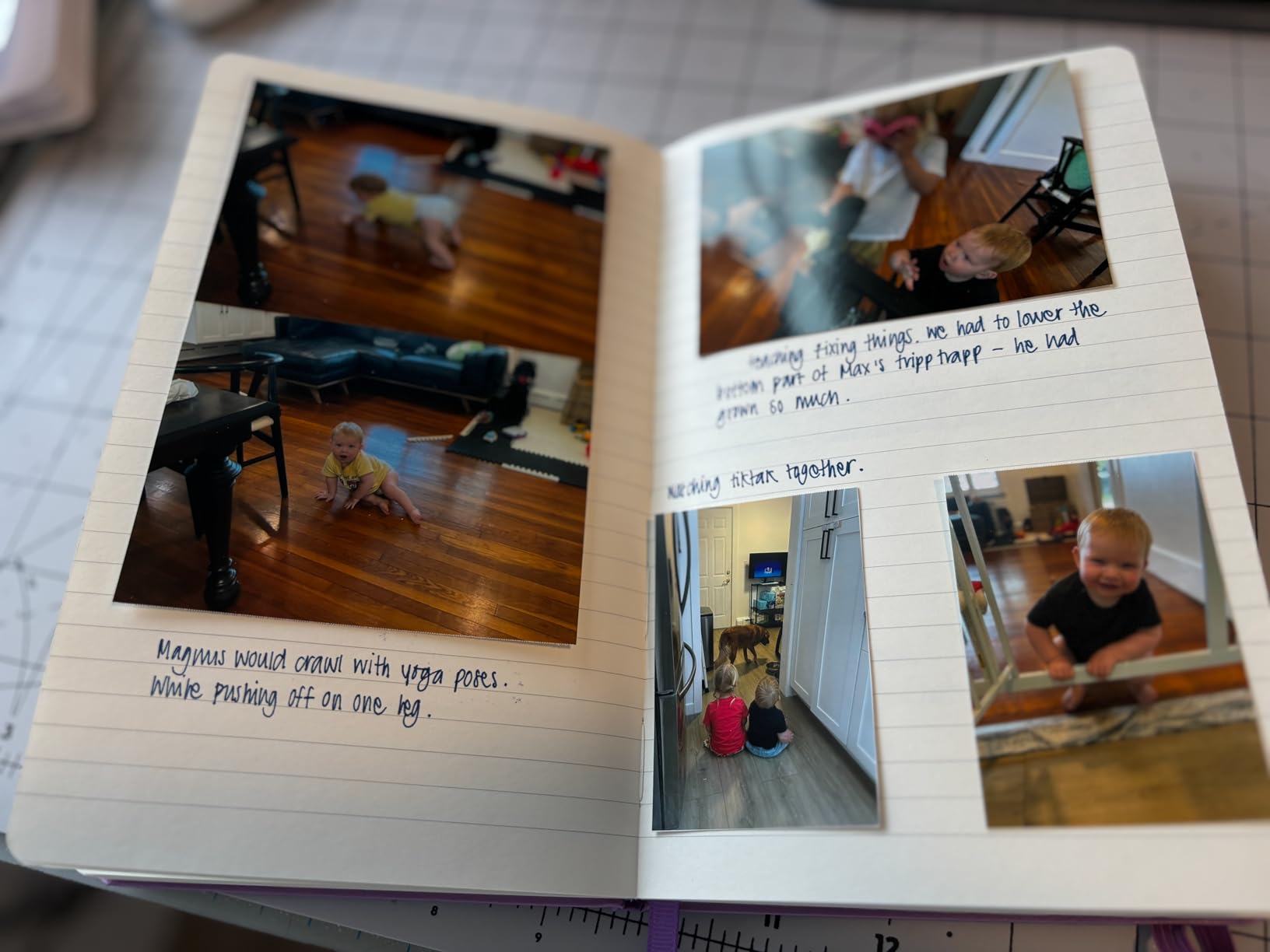
It is not fast. Dye sublimation runs roughly one page per minute, so you are printing one print per person, not a stack for the album table. The laminated result is genuinely durable but the 300 x 300 dpi resolution is below what a professional lab achieves, and the print head has needed a cleaning cycle when smudges start appearing.
Cartridges are proprietary, which is the constraint I would flag hardest before anyone buys. You are locked into this ink, and the running cost per print never drops the way a tank system does. For a machine that prints hundreds rather than thousands of prints a year, that is an acceptable trade for the zero-setup reliability.
Why we picked it as the editor’s choice for event printing
Review volume tells you something real here. This unit carries 4408 reviews averaging 4.4 stars, a proven platform with enough installed base that firmware and app quirks are already known rather than surprising you on a Saturday. The competing 4×6 units in this list have a fraction of that history.
The second reason is workflow. Nothing needs to be paired, docked or configured beyond one app. That simplicity is worth more than resolution when the printer is running unattended on a table while you are shooting.
Where it falls short for wedding work
It cannot print anything larger than 4×6. There is no 5×7, no 8×10, no way to produce a signature print on the day. If your handout concept involves anything above snapshot size, you need a different machine for that part.
It is also a consumer device, not a professional event printer. Dedicated wedding event units print a 4×6 in seconds rather than a minute and take roll media instead of individual sheets, which matters at a busy reception where a queue forms in minutes.
2. Canon imagePROGRAF PRO-310: Best 13-Inch Pigment Printer for Prints You Sell
Canon imagePROGRAF PRO-310 Professional 13″ Wireless Inkjet Photo Printer, 3″ Color LCD, 9 Color Pigment Ink, Black
Pros
- Pigment output with excellent shadow detail and deep blacks
- Anti-Clogging System and Skew Correction for long sessions
- Rear manual feed handles heavier fine art paper
- Borderless 13x19 prints multiple photographers rate as delivery ready
Cons
- Pigment ink is costly under heavy coverage
- Print speed is slow for the money
- Driver limits custom paper sizes
- Heavy unit at nearly 32 pounds
This is the printer I would put in front of a client who is paying for a piece of wall art. The PRO-310 runs nine pigment inks plus Chroma Optimizer, and that tenth channel is a clear gloss coat that gives you the gloss uniformity and scratch resistance that keeps a fine art print looking like the day it was made.
Owners upgrading from a dye-based PIXMA report a visible step in both sharpness and black density. Matte Black ink is the quiet hero for wedding work: it holds detail in the dark reception shots and the backlit portraits that make up half of a wedding album, where a dye printer’s blacks tend to look grey and slightly flat.
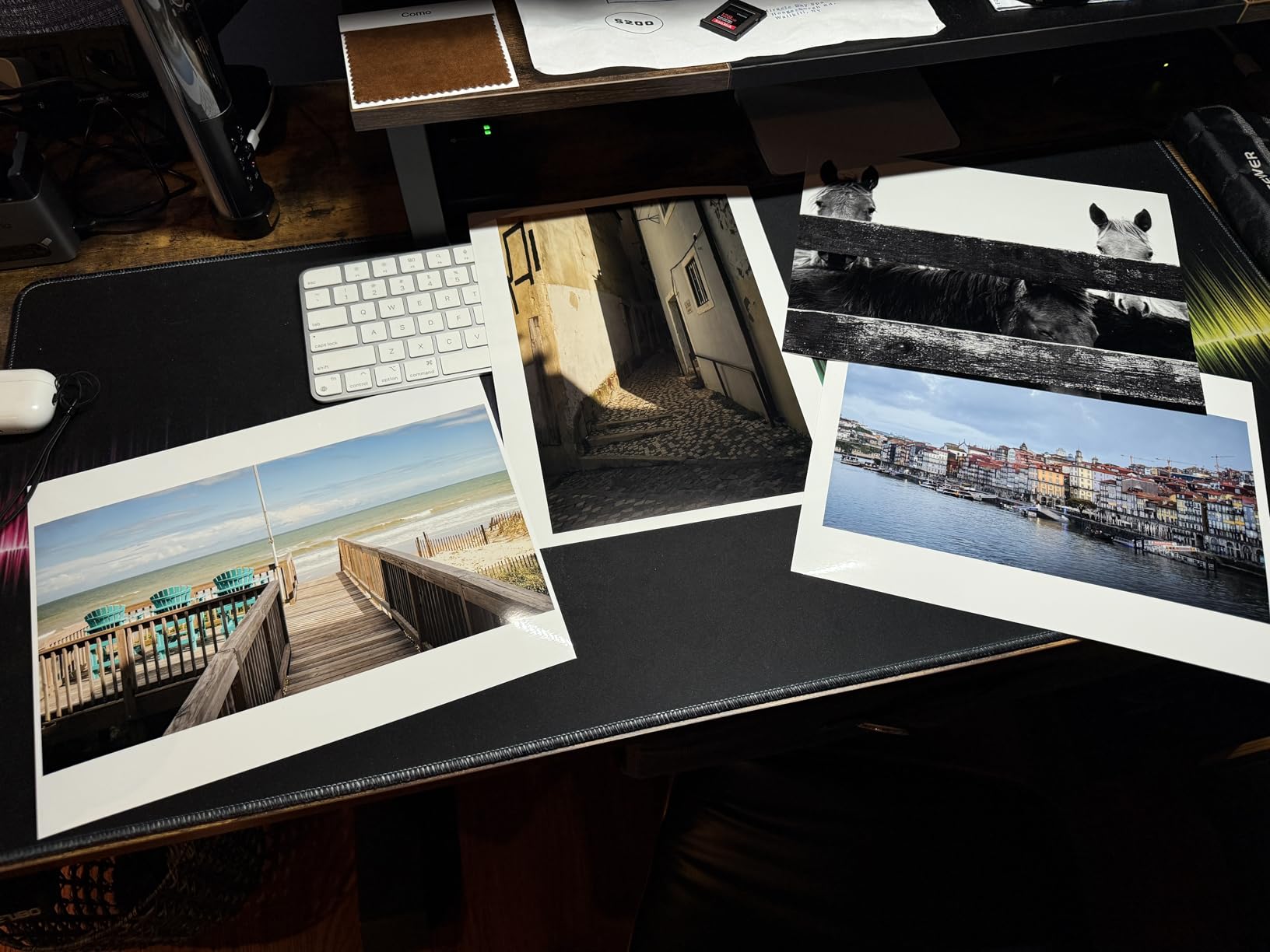
Two hardware features save a traveling photographer real grief. The Anti-Clogging System keeps the FINE print head alive across the weeks a printer sits untouched between bookings, and Skew Correction handles paper feed alignment so a heavy fine art sheet does not shift mid-print. On a machine you use maybe twenty days a year, that reliability is worth more than speed.
The rear manual feed takes thicker fine art paper without complaint, and borderless 13×19 output comes out ready to sign and package. The 3.0-inch color LCD gives you ink levels and status at a glance, which matters more than it sounds when you are three hours from a delivery deadline.
Why this is the right pigment machine for a working photographer
You do not need 17 inches to sell prints. A 13×19 covers wall art, gallery sets, album interiors and standard framing sizes, and this is the tier where the ink system still includes the dedicated blacks and Chroma Optimizer rather than a stripped-down four-channel set.
Archival permanence is the other argument. Pigment ink on cotton rag is the standard for longevity, and it is the only category on this list that gives you that confidence when a couple frames a print and hangs it in a hallway for twenty years.
Where it falls short
Running cost is the real ceiling. Pigment ink under heavy coverage goes quickly, and a full-frame 13×19 fine art print is heavy coverage. If you plan to print in batches rather than to order, read the per-print economics in the buying guide before committing.
Canon’s Professional Print and Layout software is also less flexible on custom paper sizes than older models, and media profile configuration is not seamless with third-party papers. If you plan to run Hahnemuhle or Canson stock, expect an afternoon of profile work.
3. Epson EcoTank Photo ET-8550: Best Value 13×19 Printer for Large Batches
Pros
- Tank economics make high-volume 4x6 runs very cheap
- Up to two years of ink in the box and no cartridge waste
- 13x19 output with a dedicated 4x6 paper slot
- Built-in flatbed scanner and large color touchscreen
Cons
- Well-documented tray 1 fault triggers false out-of-paper errors
- Automatic tray selection is unreliable
- Dye ink so limited archival longevity
- Long initial setup with alignment steps
The ET-8550 is the printer wedding photographers mention when they talk about batch jobs. Owners running large 13×19 orders, or handing out hundreds of 4x6s, call out the tank economics directly: the Claria ET Premium six-color dye set and refillable tanks cut the running cost of a 4×6 to a fraction of what cartridges deliver, and a full set of bottles covers up to two years of typical use.
That single fact changes the business calculation. If your printing is volume-driven, a cartridge system can consume the margin on an album order before you have framed it. With tanks, the per-print cost is close enough to a lab that doing the work in-house starts to make sense on paper stock alone.

There is a real quality ceiling though, and it is the ink type rather than the hardware. This is dye ink, so fade resistance and archival life are well short of the pigment machines. For a client deliverable you want to last decades, that is the honest limitation, and it is why this sits below the PRO-310 in our ranking rather than above it.
Owners also report a well-documented engineering fault in tray 1 that repeatedly throws false out-of-paper and jam errors, and automatic tray selection that misreads which tray is loaded. The workaround is simple and consistent: select the tray manually for every job. Budget ten minutes for the initial setup too, since there is shipping tape to remove and alignment steps to run.

When this printer makes financial sense
Reach for it when printing is a service you deliver in volume rather than a premium item you sell one at a time. Engagement session frames, welcome bag prints, proof sets for a gallery delivery, a wall of small prints at a venue exhibit. This is volume money, and tanks are the only way that volume economics work.
The scanner and copier also make it a genuine all-in-one, which matters if you want to scan signed print orders or reprints on the same machine. At 2625 reviews and a 4.0 average, the platform is mature enough that the tray fault is a known quantity rather than a surprise.
Where it is the wrong choice
Do not print a couple’s heirloom print on dye ink when a pigment machine is available. If the deliverable is a framed keepsake that may hang in a family home for a generation, the archival gap is real and clients do notice fading in sunlit rooms.
It is also 24.5 pounds with a large footprint and a scanner that does not handle 11×17 originals. If your studio space is tight, that is a practical limit before it is a financial one.
4. Canon imagePROGRAF PRO-1100: Best 17-Inch Printer for Exhibition-Size Work
Pros
- Largest print format in this group at 17x22 borderless
- 11 pigment inks give broad gamut and anti-bronzing gloss
- Air feeding system prevents paper skew on heavy media
- Workflow tools for media setup color calibration and job accounting
Cons
- Very heavy at 83 pounds needing a sturdy surface
- About one page per minute suits quality not volume
- Locked into Canon PGI-4100 80 mL cartridges
- No Ethernet so wired network jobs need a local machine
The PRO-1100 is the machine in this roundup built for a long horizon: eleven pigment inks plus Chroma Optimizer, delivering the gamut breadth and gloss uniformity that keep blacks dense on cotton rag without the bronzing that spoils dark prints.
Eleven inks is not marketing inflation. The extra channels are gray, light gray, light cyan, light magenta, violet, red and blue, and they are what let a skin tone render as a skin tone rather than a cluster of dots. On warm reception lighting, that channel spread is the difference between a flattering print and one the couple asks you to redo.

The air feeding system blows a thin cushion under the sheet as it feeds, which prevents skew on heavy and wide media. Without it, a 17×22 print that shifts a few millimetres shows up as a soft coloured edge along one side. The L-COA PRO engine handles the very large image data volumes that 17-inch files produce without stalling.
For a studio that runs managed print workflows, the built-in tools matter: Media Configuration, Color Calibration and Accounting Manager let you define job profiles and track output. That is a different operating model from a home printer, and it suits a studio producing product on a schedule.

Who this 17-inch tier is actually for
Only photographers who already sell at 16×24 or larger. At 17×22 this covers the standard gallery framing sizes and gives you crop latitude on a wall piece, which is how many studios avoid upscaling an image to fit.
If you sell mostly 8×10 and 11×14, this is over-provisioned. The 13-inch class gives you nearly all the benefit at a fraction of the weight and footprint.
Where it falls short
At 83 pounds this needs a dedicated sturdy surface, not a desk you assembled last weekend. It is also a one-page-per-minute machine by design: it optimises for quality and longevity rather than turning out album sets at speed.
Ink is locked to Canon PGI-4100 80 mL cartridges. Combined with the running cost of eleven channels, a full-coverage 17×22 print is an expensive object, so the margin maths has to work before the ink is opened.
5. Epson Expression Photo XP-970: Best 13-Inch All-in-One with Six-Color Ink
Pros
- Six-color ink gives clearly better tonal range than four-color machines
- 13x19 output in a print scan copy body
- Automatic duplex touchscreen and memory card slot
- Designed around Epson Genuine cartridges which helps printhead longevity
Cons
- Cartridge-based Claria ink runs dearer per print than tanks
- Scanning is limited by the fold-over lid design
- Marketing detail in the listing is thin on substance
The XP-970 sits in the middle ground between a consumer printer and a dedicated photo machine, and the reason is the ink. Claria Photo HD is a six-colour set, adding light cyan and light magenta to the standard four, and that is where the visible improvement in skin tone gradation comes from.
Two light inks produce far smaller and lighter dots than a single colour can, which is exactly what a face needs. A four-colour printer has to build mid-tones from overlapping cyan and magenta, and that overlap is why portraits look slightly coarse on entry-level machines. Six colours make the steps invisible.
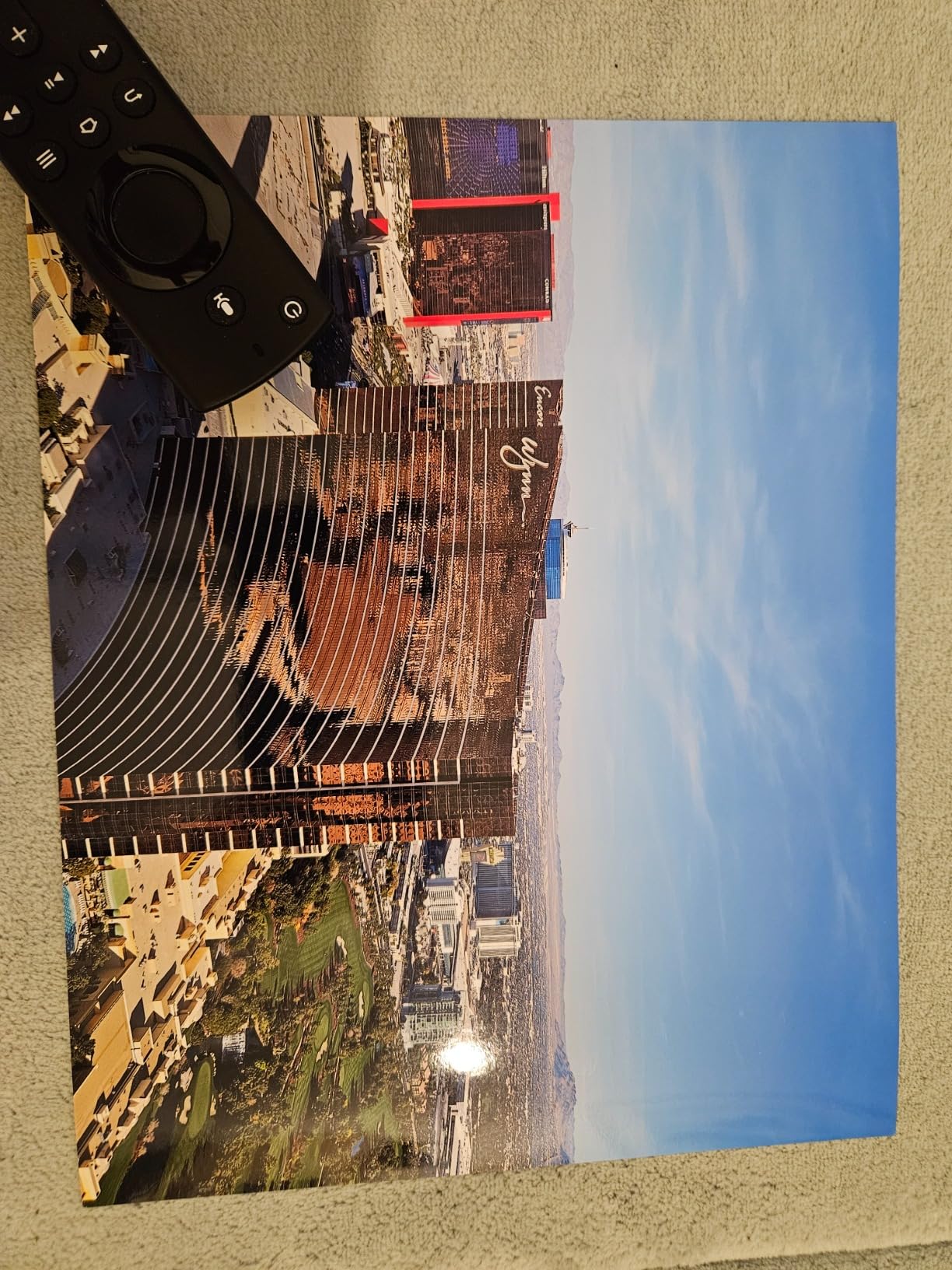
You get 13×19 wide-format output inside a body that also scans and copies, with automatic duplex, a touchscreen, a memory card slot and voice-activated printing. For a photographer who invoices, scans receipts and prints proofs from a card on the same box, that consolidation is worth considering on its own.
The design around Epson Genuine cartridges is a quiet benefit. Restricting the printer to genuine ink is partly a revenue decision, but it also means the print head is fed the inks it was engineered for, which protects nozzle health over years of intermittent use.
When a six-colour all-in-one is the right buy
Choose this when you want 13×19 quality and reasonable gradation without a second machine for scanning and admin. A photographer who also does album design, sends contracts and prints contact sheets gets three tools in one footprint.
At 668 reviews and a 4.2 average, it is an established platform. Our Epson photo printer guide covers the rest of the range if you want to compare against the brand’s wider line-up.
Where it falls short
Cartridges. Claria Photo HD in cartridge form is a per-print cost that punishes volume, and this is the main reason it does not beat the tank-based models on running cost despite printing the same 13×19 size.
The fold-over lid caps scanning at a fairly shallow original, so it will not handle a bound album or a thick hardcover. And this is dye ink, so the archival question applies here too.
6. Canon PIXMA PRO-200S: Best 13-Inch Printer for Vivid Colour and Quiet Operation
Canon PIXMA PRO-200S Professional 13″ Wireless Inkjet Photo Printer, 3″ Color LCD, 8-Color Dye Ink, Black
Pros
- Eight-colour dye system with deep blacks and clear shadow detail
- Very low ink consumption on matte and luster papers
- Exceptionally quiet compared with competing photo printers
- 8x10 bordered print in about 53 seconds
Cons
- Installation and Wi-Fi pairing are fiddly
- Cartridge ink costs more per print than tanks
- Paper-recognition errors reported on a minority of examples
- Picky about paper type matching and bulky at 32 pounds
Eight dye colours is an unusual configuration and it is the reason this printer produces such saturated colour across the whole list. Dye inks are transparent and sit on the surface rather than soaking into the fibre, so a wedding print with a green ceremony, a warm reception or a bright floral bouquet comes out noticeably more vivid than the same image on a pigment machine.
The speed numbers are genuinely useful for deadline work. A bordered A3+ print lands in about 90 seconds and a bordered 8×10 in about 53 seconds, which means a set of ten framed prints for a couple’s collection is a coffee break rather than a lunch hour.

Two other things owners mention repeatedly. Ink consumption after setup is very low on both Canon and third-party matte and luster papers, and the machine is exceptionally quiet, which matters if you are printing in a hotel room the night before a delivery.
Several professional photographers in the review data describe it as strong value for 13×19 dye work, and the 3.0-inch color LCD lets you check ink levels and printer status without opening a driver dialog on your laptop.

Best for proofs, colour-critical previews and event work
This is the machine to print proofs on. Because dye ink renders colour the way a screen does, a proof printed here shows clients closer to what they saw on their screen than a pigment matte proof will. That is a genuinely useful sales tool for setting expectations before an order.
It also works well for smaller high-volume runs, a set of canvases, or any job where the client wants punch rather than archival restraint.
Where it falls short
Setup is the most common complaint. Wi-Fi pairing and installation are fiddly and the guides do not always match the software screens, so allow time for that before you are due to print. Paper handling is also picky, with repeated no-paper-in-tray and paper-recognition errors reported on a minority of examples.
At 32 pounds with a large footprint it needs real desk space, and cartridge ink again puts it at a disadvantage on volume work. If archival longevity is the goal, look at a pigment machine instead.
7. Fujifilm Instax Link Wide: Best Handout Printer for Engagement Sessions
Pros
- Wide 5.5 x 4.25 inch film gives a far larger image than square or mini formats
- Painless Bluetooth pairing with no Wi-Fi dependency
- Templates plus QR mode for links stickers and filters
- Light enough to carry to an event in a bag
Cons
- Instant film is a consumable and no film is included in the box
- Visible pixelation at the larger size with low-resolution sources
- Frame crops the image slightly
- Print mode defaulting is confusing and can overexpose
The Instax Link Wide solves a different problem from every other printer here. It is not for albums or wall art. It is for the engagement session, where you want a couple to walk away holding a physical print of themselves within minutes of the shoot ending.
At the highest rating in this roundup, 4.6 stars across 510 reviews, owners consistently point to the film size. Instax Wide produces a 5.5 x 4.25 inch image, which is far larger than the square and mini instant formats. That difference is what makes a hand look like a hand instead of a texture.

The app is where this earns its place. More than 30 editable templates, in-app stickers, filters, and a QR print mode that turns a print into a link to a gallery with sound and messages attached. Guests scan, get the gallery, and the print becomes a door into your business rather than a dead end.
At 12 ounces with solid Bluetooth and no Wi-Fi setup, it packs into a camera bag without a thought. The app also displays the remaining film count, which spares you the awkward discovery of an empty chamber mid-session.

Why engagement sessions are the perfect fit
An engagement session is a sales meeting and a brand impression in one. Handing a couple a print at the end of it costs you a few minutes and gives them something to post, which has a longer life than any album credit. The Wide format looks like a print rather than a novelty.
It also handles second shooters and wedding-day moments well, because the QR mode means the physical print and the digital gallery travel together.
Where it falls short
Film is a consumable and none is included, so the running cost per image is higher than a 4×6 dye-sublimation unit. The image is also not archival in a way a client should hang permanently, and the frame crops slightly at the edges.
Watch the print mode setting. Switching between instax-Natural and instax-Rich changes exposure and contrast sharply, and the default has caught people out with overexposed or flat results. Set it once, on your own phone, before the session.
8. KODAK Dock Plus: Best Low-Fuss 4×6 Printer for Keepsake Stations
Pros
- 4PASS dye sublimation with a clear laminate for water and fingerprint resistance
- Docking station charges the phone while it prints
- Setup is genuinely simple over Bluetooth and the app
- Relatively affordable refills and easy cartridge swaps
Cons
- Slow four-pass cycle at roughly 55 seconds per 4x6
- Instructions are hard to read and do not match the app
- Occasional paper jams
- especially when loading more than one sheet
- Some iOS devices would not pair over Bluetooth
With 19790 reviews at a 4.2 average, this is the most reviewed desktop photo printer here, and that scale changes how you should read the complaints. The negatives people report are documentation and paper handling issues, not failures of the printing itself.
The 4PASS process means four passes per print, one for each colour band plus the laminate, which is why a 4×6 takes roughly 55 seconds. The payoff is the layer on top: water resistance, fingerprint resistance and fade resistance, so a handprint handed to a guest does not ruin the frame.

The docking station is a genuinely clever piece of design for this use case. The phone sits in the cradle, charges while printing, and needs no cable. For a keepsake table at a venue, that removes the single most common failure point, which is a phone running flat or a cable being pulled away mid-print.
Refills are affordable and the cartridge swaps are simple, and the desktop footprint suits a table or shelf. The paper is glossy photo stock, and output quality is regularly described as decent but short of what a retail photo lab produces.

Where this one is the sensible choice
Pick it when you want a 4×6 machine that requires no thought. If a relative is running the print table at an engagement session, or a guest is operating it, the dock and the app do most of the work. There is no Wi-Fi network to join and no profile to select.
It is also the one to buy if you want durable prints without paying a per-print premium, because the laminate does the work that a heavier paper stock would otherwise have to do.
Where it falls short
Speed is the limitation that shapes how you use it. At roughly 55 seconds a print you are running a queue of one at a time, so it suits a keepsake table, not a busy reception handout run.
Load one sheet at a time. Reviewers report jams that largely disappear when the input is fed singly, and some iOS devices would not pair over Bluetooth and had to be docked with a cable instead. The printed instructions are close to useless, so set the unit up from the app rather than the manual.
9. iDPRT CP4100: Best Compact 4×6 Printer with the Largest Paper Bundle
Pros
- Largest consumable bundle here at 108 sheets plus two ink ribbons
- Compact 2.2 pound body that fits a shelf or desk
- HeyPhoto app offers filters text collages frames and stickers
- Works as a hotspot or on a 2.4 GHz home network
Cons
- One unit began printing visible lines across photos after light use
- Initial Wi-Fi connection can be slow to establish
- About 45 seconds per 4x6 from three colour passes plus a seal
- Borderless output not always available so trimming is sometimes needed
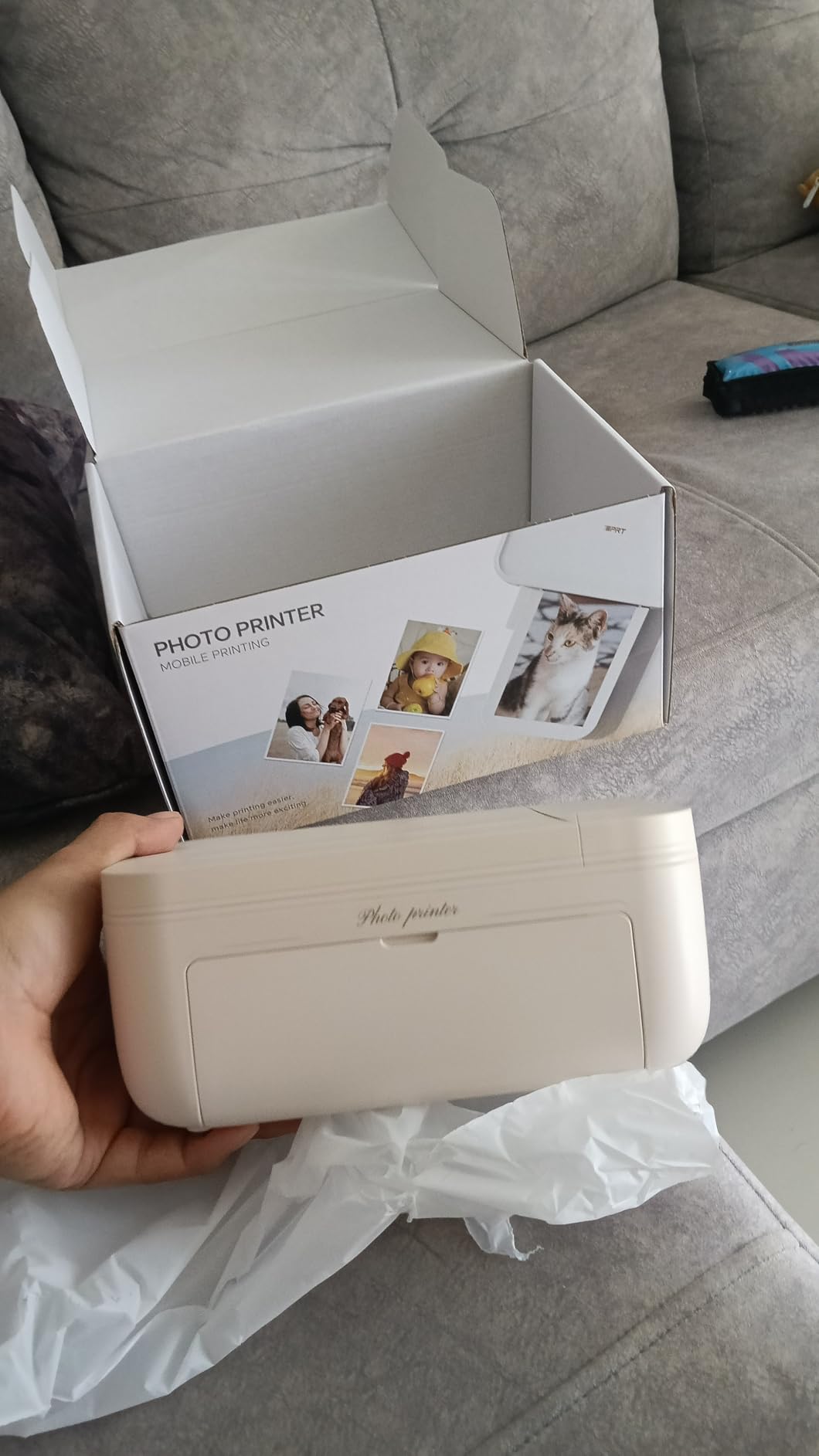
The iDPRT CP4100 wins on what is in the box. 108 sheets of paper and two ink ribbons is the largest consumable bundle in this roundup, and for a photographer printing an engagement session or a full event’s worth of 4x6s, that removes the extra supply run entirely.
It is also genuinely small at 2.2 pounds and compact enough to live on a shelf rather than a studio bench, which makes it easier to bring to a venue and set up on a card table. The footprint matters more than people expect when you are working in someone else’s ballroom.
The HeyPhoto app does the editing without a computer: filters, text overlays, collages, frames and stickers. Connectivity runs either through a built-in Wi-Fi hotspot or a 2.4 GHz home network, and the multi-size-per-sheet capability lets you fit more prints into each sheet of paper.
There is one feature that has no equivalent here. The augmented reality mode means scanning a finished print with the app replays the original video clip behind it, which turns a static 4×6 into a portal to the moment. For an engagement session that is a memorable giveaway rather than a gimmick.
Best for a paper-first approach to event printing
If you are printing in volume for a single weekend, the bundled paper means the cost per print is dominated by ribbons and you are not paying a markup on media. That makes the arithmetic easy to forecast before a busy season starts.
The multi-size support is also useful when you want both 4x6s and smaller ID-style prints from one machine, which is common at photo booth tables where guests want a badge-sized copy to keep in a wallet.
Where it falls short
At 151 reviews this is a much newer platform than the Liene or KODAK models, and the durability track record is not yet proven. One owner reports visible lines printing across all photos after only a few uses, which is exactly the failure mode that matters if a client is waiting.
Wi-Fi setup can be finicky on first connection, and each 4×6 takes about 45 seconds across three colour passes plus a seal coat. Borderless output is not always available, so budget for trimming.
10. Epson SureColor F170: Best Printer for Mugs, Apparel and Product Production
Epson SureColor F170 Dye-Sublimation Printer – Compact 8.5″ x 11″ Format – Includes Genuine Epson Ink, User Guide & Power Cable – Original OEM Product with Full Manufacturer Support
Pros
- Factory-sealed genuine Epson product with full manufacturer warranty
- Full set of OEM Epson inks included so no first ink purchase
- PrecisionCore printhead with Precision Droplet Control
- 150-sheet auto-feed tray in a dust-resistant closed design
Cons
- Sold by a third-party partner rather than Epson directly
- One page per minute is slow for batch work
- No mobile device connection supported
- Output is for transfer media rather than archival photo prints
This one is here for a different business line, and it is worth the space for photographers who sell more than prints. The SureColor F170 is a dye-sublimation transfer printer for mugs, coasters, apparel, keyrings and other coated substrates, which is where a wedding photographer’s product revenue often hides.
At a 4.5 rating across 545 reviews, the satisfaction here comes from getting a genuine, factory-sealed Epson machine with a full manufacturer warranty and a complete set of OEM inks in the box. That removes the two most common buyer problems in this category, which are a third-party unit of unknown provenance and a machine that arrives with empty tanks.
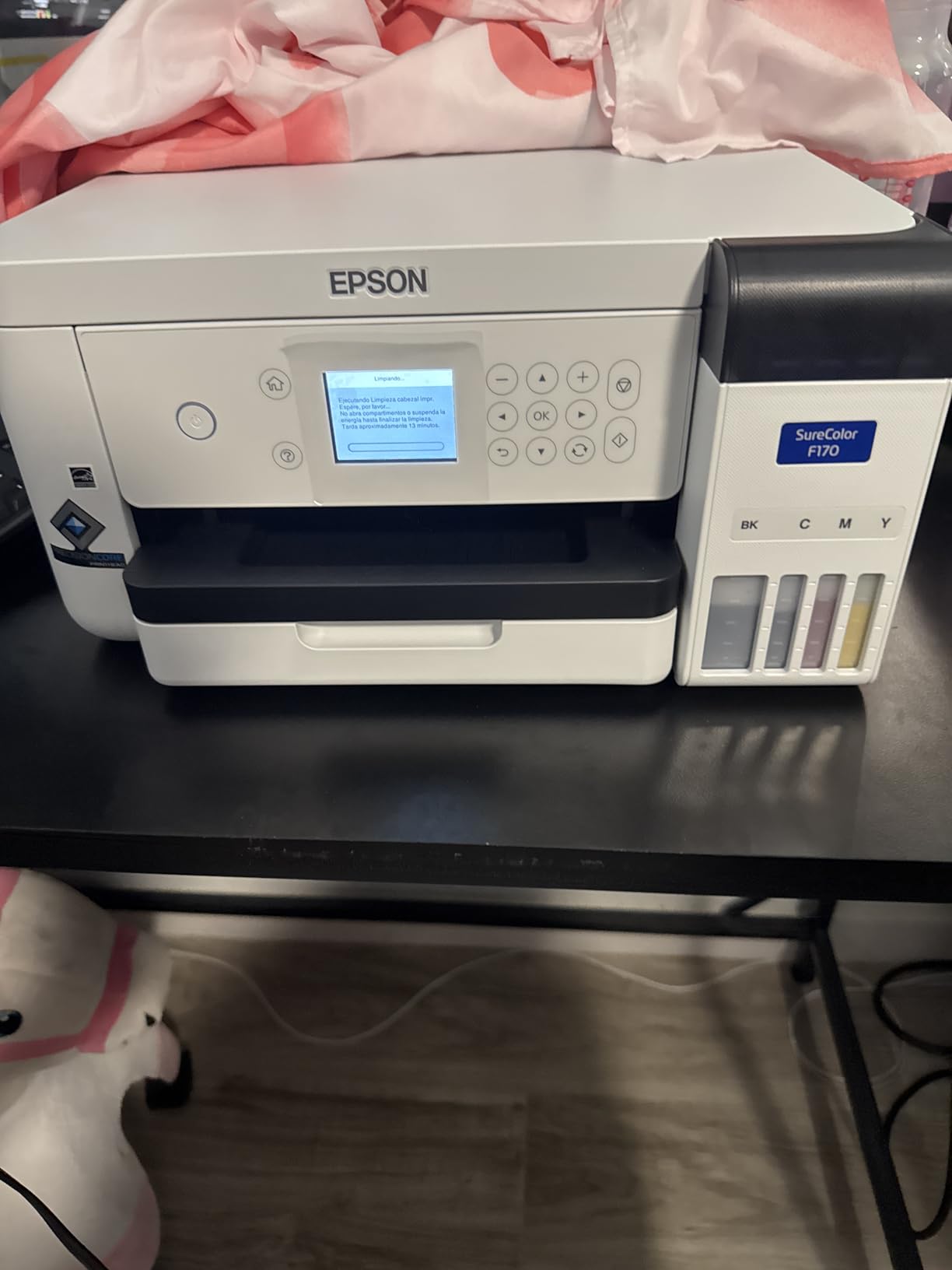
The included inks carry ECO PASSPORT certification by OEKO-TEX, which matters if you sell to clients who ask about product safety, and the auto-stop ink bottle refills mean filling is clean and mess-free. The 150-sheet closed auto-feed tray also keeps dust off the media, which cuts down on failed transfers.
Be clear about the boundary though. This is an 8.5 by 11 inch format machine built for transfer media, not a photo printer. It is not the answer for a client print and it will not deliver archival permanence on fine art paper.
Why wedding photographers add this machine
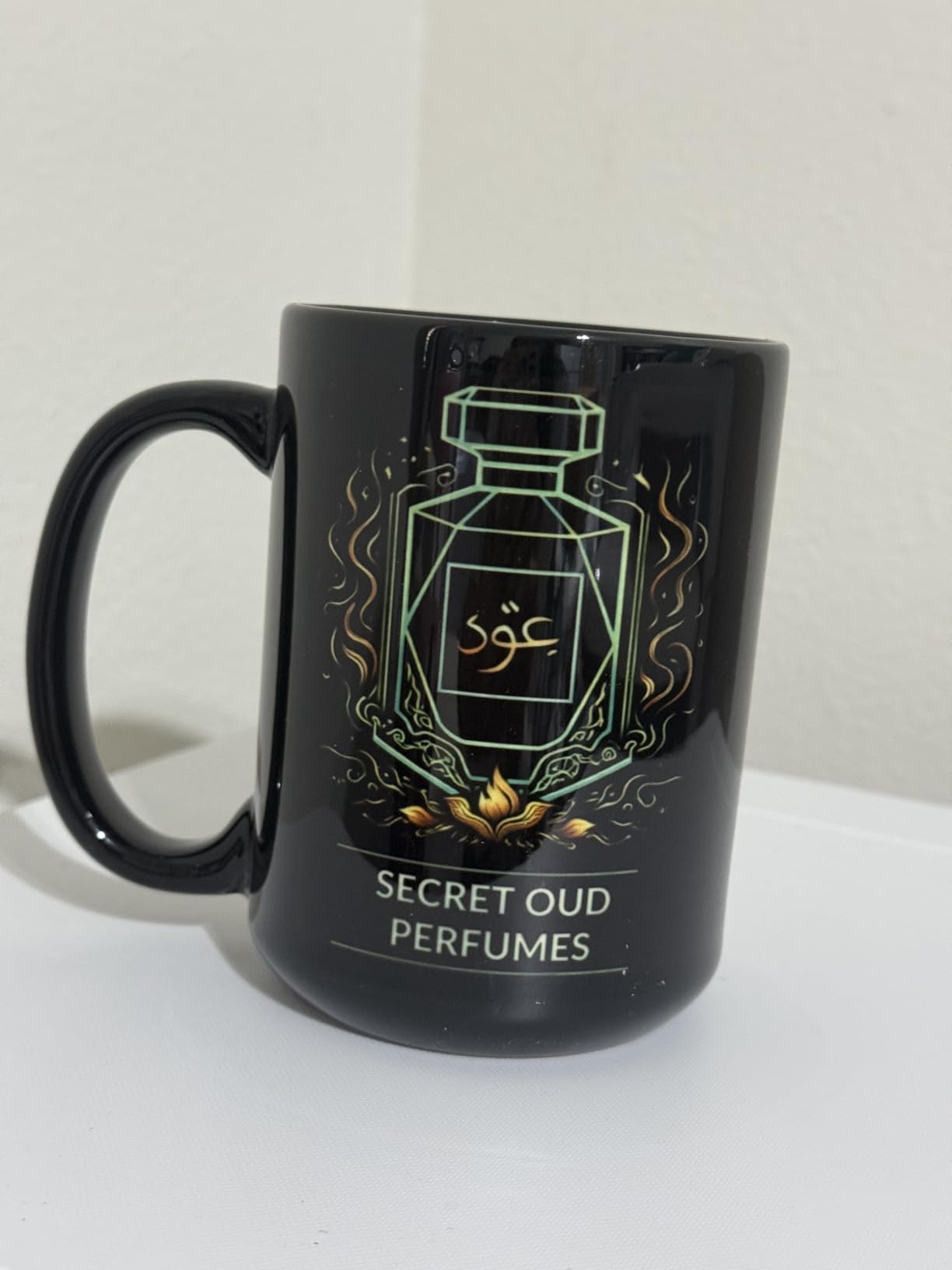
The products that travel with a wedding are a natural fit for sublimation: a mug for the parents of the couple, a keyring on the welcome table, a coaster set at the reception. The transfer is durable and the substrate is cheap, which is a good margin combination.
It pairs naturally with the same colour management thinking you use for prints, since the same skin tone and white balance discipline applies once the image is in a layout.
Where it falls short
One page per minute makes this a low-volume production tool rather than a fulfilment machine. If you are taking orders at an event and printing a hundred items, this is not fast enough.
It is sold by a third-party partner rather than Epson directly, so confirm the warranty route before you buy, and note that there is no mobile device connection, so job files come from a computer. For gallery prints, use one of the inkjets in this list instead.
11. Epson EcoTank ET-15000: Best Wide-Format All-in-One for Studio Admin
Pros
- Refillable tanks cut per-page cost sharply against cartridges
- 13x19 printing plus scanner copier fax and ADF in one unit
- 250-sheet capacity across two trays handles batch work
- Reliable paper handling on 12x18 jobs
Cons
- Four-colour configuration limits photo gradation
- 11x17 sheets load into the rear holder rather than a tray
- Reports of jams and difficult support on some examples
- One example arrived defective out of the box
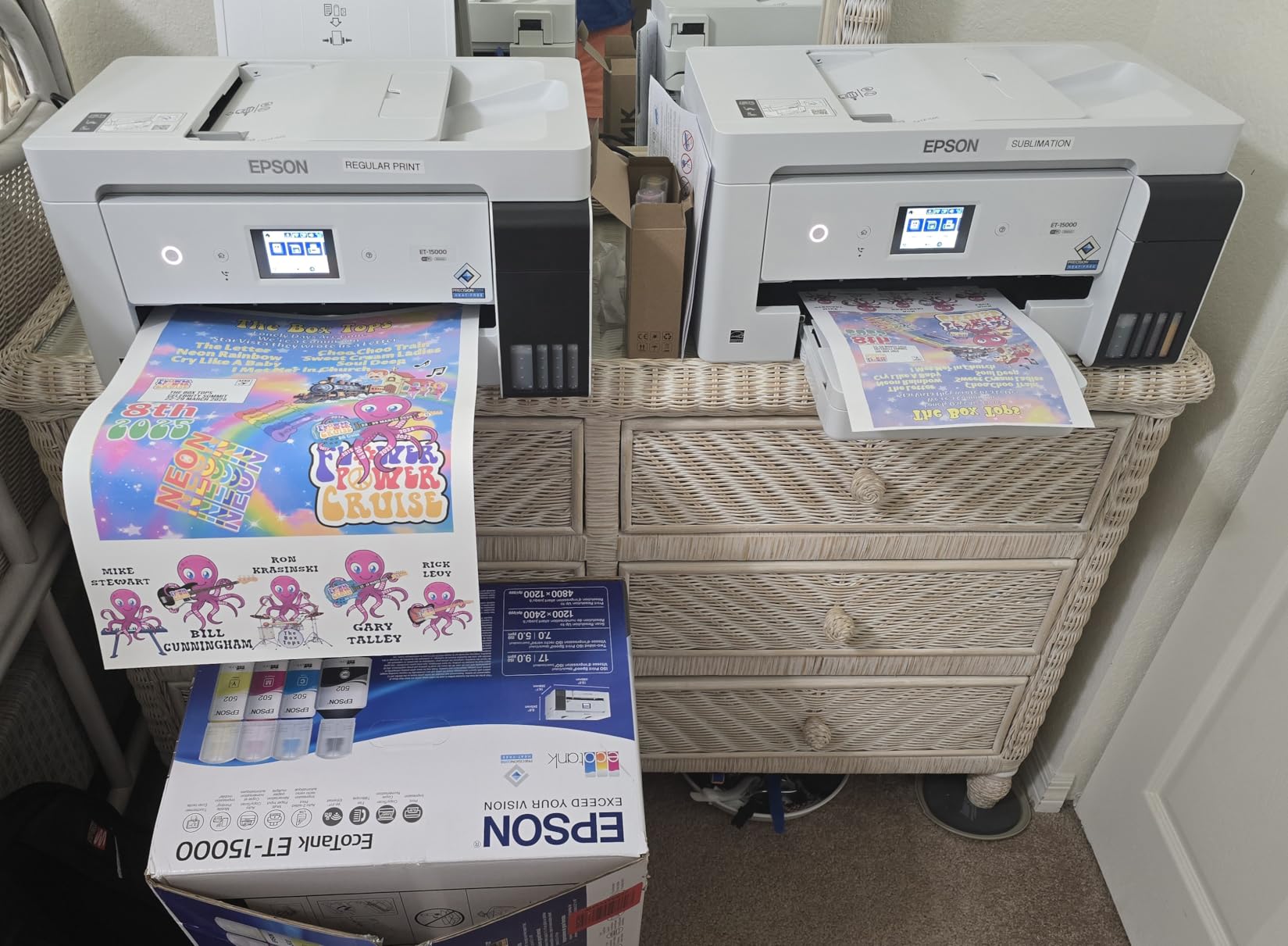
With 2519 reviews averaging 4.2, the ET-15000 is a well-established high-volume workhorse, and its strength is breadth. Print, scan, copy, fax, automatic duplex, a 35-sheet automatic document feeder and 13×19 output in one body, with two trays holding 250 sheets between them.
For a working photographer that list is operational rather than decorative. You are scanning signed album orders, copying insurance documents, printing contracts and delivery inserts, and doing it on one machine instead of two. The refillable EcoTank system is what makes that volume affordable.
Throughput is 9 pages per minute in colour and 17 in black, with automatic duplex on letter paper, and reviewers specifically call out reliable paper handling on large jobs. If you are producing 100 print-and-pack orders a month, that consistency is worth more than colour nuance.
It does credible photo work. What it does not do is produce gallery-grade colour, because a four-colour configuration cannot render the subtle skin tone gradation that a six or nine-colour system delivers. Owners are candid that this is a general-purpose office machine.
Where an office-class machine beats a photo printer
Choose it when most of the paper leaving your studio is not a photograph. Contracts, mood boards, price guides, thank-you cards and packaging inserts are printed every week, and this machine is built for that while still handling an 11×17 proof on demand.
It is a sensible second machine beside a dedicated photo printer rather than a replacement for one. The tank economics on documents and admin output free the photo machine for the work that needs its colour.
Where it falls short
Four colours is the ceiling. Expect visible grain in smooth gradients and slightly coarse skin tones, so do not put a client deliverable through it when a better option is available.
Also plan around the media loading: 11×17 sheets go into the rear holder rather than a dedicated tray, and a minority of owners report jams and difficulty reaching support. Treat it as a dependable office machine rather than a colour-critical one.
12. HP Envy Photo 7975: Best Letter-Size Printer for Proofs and Admin
HP Envy Photo 7975 Wireless Color Inkjet Photo Printer, Print, scan, Copy, Easy Setup, Mobile Printing, Best-for-Home, 3 Month Instant Ink Trial Included, AI-Enabled (B63K3A)
Pros
- Automatic duplex printing saves time on admin paper
- 2.7 inch color touchscreen makes job setup straightforward
- Dedicated photo tray with borderless photo printing
- Wireless and mobile printing with automatic page formatting
Cons
- Entry-level four-colour system limits tonal range and gamut
- Letter-size maximum media with no 13x19 output
- HP 64 cartridge format raises per-print ink cost on photo runs
The HP Envy Photo 7975 is the most conventional all-in-one in this roundup and the most straightforward to operate. A 2.7-inch color touchscreen handles job setup, automatic duplex means you are not turning letter sheets by hand, and a 35-sheet automatic document feeder handles a stack of signed forms without babysitting.
There is a dedicated photo tray with borderless photo printing, and Wi-Fi plus mobile printing means a phone can send a job over without anyone touching the computer. For a studio printing contact sheets, proof pages and paperwork, that is genuinely more useful than raw colour capability.

The automatic page formatting handles the fiddly part of scanning and copying mixed documents, which is a small quality-of-life win when a contract arrives with two staple marks through the corner. The paper handling is 125 sheets across two trays, and it runs at 15 pages per minute in colour.
It is a 17.9 pound unit at 15.08 by 18.11 by 9.17 inches, so it fits a normal office desk and does not need a dedicated bench. Buyers consistently describe it as an affordable home all-in-one with strong photo features and easy wireless setup.

Where it fits in a wedding photography business
It works well as the studio’s admin and proof machine: printing a colour contact sheet, a two-page contract, a packing list, a gift note. Those jobs go out all the time and they do not need nine ink channels.
It also works as a first printer. A photographer moving from occasional printing to regular client deliverables can start here and move to a pigment machine once the volume justifies it.
Where it falls short
Maximum media is 8.5 by 11.7 inches, so there is no 13×19 and no 8×10 without cropping. You simply cannot produce the sizes most wedding clients actually ask to frame.
The four-colour thermal inkjet is the other limit. It will print recognisably good colour for a proof and a noticeable step below the dye and pigment machines in this list for anything a client keeps. HP 64 cartridges also push per-print cost up on longer photo runs.
How to Choose a Photo Printer for Wedding Work
The decision comes down to which job you are doing. Print a 4×6 for a guest on the night, produce an 8×10 for a client’s wall, or handle a hundred admin sheets a week. Each job points at a different machine, and buying the wrong one for your actual volume is the expensive mistake.
Dye-sublimation, dye ink or pigment ink
Dye-sublimation heats a ribbon onto a coated surface and leaves a laminate on top. It is fast, water resistant and consistent, but the colour is locked to the consumable and the maximum size is small. It is the right technology for handouts, not for keepsakes.
Dye ink is transparent and sits on the paper surface, which makes it vivid and screen-like. It is the right choice for proofs, colour previews and volume work on a budget, and the wrong choice for anything a client will frame long term.
Pigment ink sits in the paper fibre, which is what delivers archival longevity of a century or more on cotton rag. Slightly less saturated than dye, and more expensive per milliliter, but it is the only category that keeps its colour in a sunlit hallway in twenty years.
Print size and what you can actually sell
Match the machine to the products you sell, not the largest number on the box. Engagement sessions and handouts need 4×6. Album interiors and standard framing need 8×10 and 11×14. Gallery wall art starts at 16×24, which needs a 17-inch class machine or a lab.
Before you buy, list the sizes you have actually delivered in the last year. A large share of print volume for most photographers is 5×7 and smaller, which is a dye-sublimation question rather than a wide-format one.
Cost per print and total cost of ownership
Total cost of ownership is everything you spend to produce one print: ink, paper, electricity, maintenance and the labour to clean nozzles. Cartridge systems charge a premium per milliliter that compounds fast at volume. Refillable tank systems cut that per-print cost dramatically, which is why they dominate for batch work.
Then add the cost of a failure. A colour cast on a print the client is holding invalidates the entire workflow, and reprinting a 13×19 costs paper and ink twice. Budget for quality before you budget for speed.
Colour management and wedding skin tones
Prints come out dark or colour-cast most often because of a mismatch, not a bad printer. The workflow that fixes it: calibrate your monitor to a D65 white point, soft proof with the printer’s own ICC profile, set the print dialog to Application Manages Colors rather than Printer Manages Colors, and let the profile load before you commit a large job.
Wedding skin tones are the hardest case. Warm reception lighting combined with a tungsten white balance can leave prints looking orange, and a second profile applied on top of the first is the classic cause of a green or magenta cast. One profile, applied by the application, is the rule. Our wedding photo book guide covers the same colour discipline applied to album layouts.
Maintenance for a printer that sits between weddings
Pigment printers clog when they sit unused, and a wedding photographer’s printer is unused for weeks between bookings. Run a nozzle check weekly, keep the machine powered and in a climate-controlled room rather than a car boot, and print a test sheet after any long idle period before a delivery deadline.
Feature names differ by brand but the function is the same: Canon markets an Anti-Clogging System, Epson uses its PrecisionCore FINE head maintenance, and both respond to regular use. Machines with a manual rear feed also skew less, which saves wasted paper on expensive fine art stock.
In-House Printing vs. a Professional Print Lab
Most working wedding photographers converge on a hybrid answer, and for good reason. Forums like r/WeddingPhotography and r/photography are full of photographers who print proofs and small deliverables themselves while routing albums and specialty products to a lab, because the colour matching confidence and the product range a lab provides are hard to replicate at a desk.
A photographer on the Black and White Photography Forum described the moment clearly: when their own printer gave up, they sent competition work to a local professional print house that wedding photographers use. That is the fallback, and it is a real one, because hardware fails and a delivery deadline does not move.
Labs named repeatedly in those discussions include Mpix, White House Custom Color, Artifact Uprising, Bay Photo and Nations Photo Lab, with PicTime or similar for gallery hosting. One photographer reported moving to Nations Photo Lab after a recommendation and being struck by how closely the colour profiles matched their monitor, which is the trust signal that decides this question for most people.
There is a catch worth knowing. Alamy forum members report that some labs deal only with professional photographers. If your referral model depends on sending clients to a lab themselves, check access before you name one to a couple. Buying your own printer removes that dependency entirely, which is a quiet argument in its favour.
The practical split we would use: hand out 4x6s from your own event printer, print proofs and standard sizes in-house, and send oversized gallery work, albums and specialty products to a lab. That keeps your margin on the volume and your reputation on the prestige items. If you want the wider view of the hardware side first, our professional photo printer guide covers the studio tiers in more detail.
Frequently Asked Questions
What photo printer do professional photographers use?
Professional photographers use two categories. A portable dye-sublimation event printer such as the Liene M100 or KODAK Dock Plus handles 4×6 handouts and engagement session prints in under a minute each, with a laminate that resists water and fingerprints. A pigment inkjet such as the Canon imagePROGRAF PRO-310 or PRO-1100 produces archival 13×19 and 17×22 fine art prints with dedicated black channels and Chroma Optimizer. Most shooters own one of each.
What is the best way to print wedding photos?
The best way to print wedding photos is to match the machine to the moment. Print 4×6 handouts at the venue with a portable dye-sublimation unit, hand a keepsake print at the engagement session, and produce album interiors, framed prints and gallery wall art on a 13-inch pigment printer. Route 16×24 and larger work to a professional lab. That split keeps turnaround fast and colour consistent without a single machine doing everything badly.
What do professional photographers use to print photos?
Professional photographers use a mix of hardware and labs. In-house, they run a portable 4×6 dye-sublimation printer for event handouts and a pigment or dye inkjet for proofs, albums and wall art. For album and specialty products they use labs such as Mpix, White House Custom Color, Artifact Uprising, Bay Photo or Nations Photo Lab, with gallery hosting through a service like PicTime. The hybrid approach is what most working photographers settle on.
Which photo printer has the best photo quality?
For gallery quality, the machines with the widest ink systems lead. The Canon imagePROGRAF PRO-310 uses nine pigment inks plus Chroma Optimizer at 13×19, and the PRO-1100 uses eleven pigment inks plus Chroma Optimizer at 17×22. More ink channels mean smaller ink dots and smoother skin tone gradation, which is what separates a professional print from a consumer one. Dye machines are more saturated but are not archival.
Is a dye-sub or inkjet printer better for photos?
Neither is better across the board, because they serve different jobs. Dye-sublimation is faster, more water and fingerprint resistant, and consistent, but it is limited to small sizes and is tied to proprietary consumables. An inkjet, especially a pigment inkjet, produces archival prints at sizes up to 13 or 17 inches with far better colour control. For on-the-day handouts choose dye-sub; for anything a client frames, choose a pigment inkjet.
Should wedding photographers print in house or use a lab?
Most wedding photographers should do both. Print handouts, proofs and standard sizes in-house for speed, control and margin, and send oversized gallery work, albums and specialty products to a professional lab. In-house printing gives you same-day reprints without waiting on a lab turnaround, but labs offer colour matching that clients trust and product ranges that are expensive to reproduce. Check lab access rules, since some deal only with professional photographers.
Where to Start With the Best Photo Printers for Wedding Photographers in 2026
Our single best photo printer for wedding photographers pick in 2026 is the Liene M100. Four thousand four hundred reviewers back it, the consumables are already in the box, and the Wi-Fi hotspot needs no router, so a handout table or an engagement session runs without a rehearsal.
The machine that produces the work you sell is the Canon imagePROGRAF PRO-310. It covers every print size from 5×7 proofs to a framed 13×19 wall piece, in archival pigment colour with a Chroma Optimizer coat that keeps it looking new, and its Anti-Clogging System matters on a machine that sits unused between bookings.
Print big and often? The Epson EcoTank Photo ET-8550 wins on cost per print by a wide margin and prints 13×19, but treat its dye ink as a work product rather than an heirloom. Going to 17 inches? The PRO-1100 handles it, and it is the only model in this roundup that does.
For everything above 16×24, for album specialty products, and for any job where a colour cast would cost you a client, keep a lab relationship open. Mpix, White House Custom Color, Artifact Uprising and Nations Photo Lab all come up repeatedly for wedding work, and having one tested relationship is the cheapest insurance in printing. Our Canon photo printer guide goes deeper on the imagePROGRAF line if you are weighing models.