
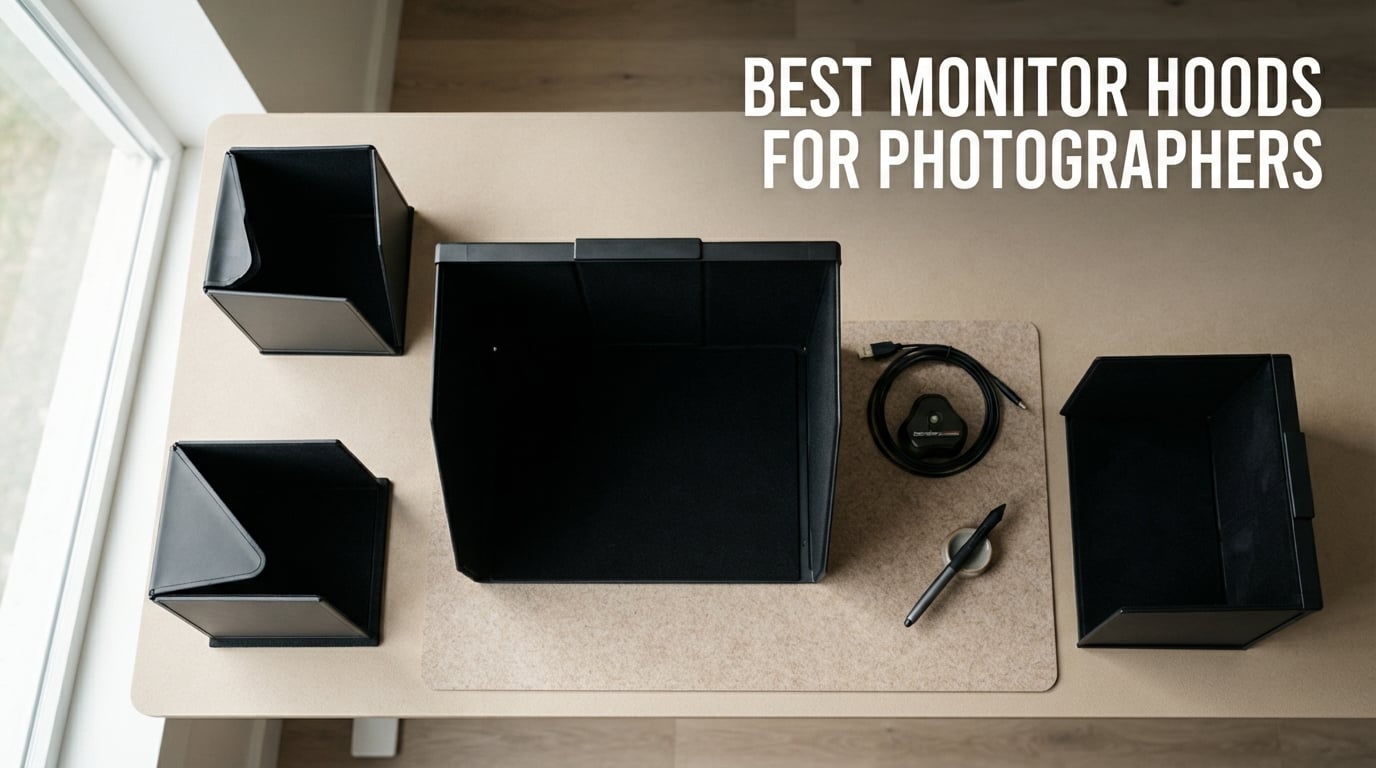
I’ve spent the last decade editing wedding and landscape photos on color-accurate monitors, and I learned the hard way that even the best panel can lie to you when stray light hits the screen. A few years ago, I tried to soft-proof a wedding album under overhead LED panels, and my “perfect” warm-tone edits printed ten percent cooler than what I saw on screen. That was the day I started treating a monitor hood as essential gear, not an optional accessory.
A monitor hood (sometimes called a light shielding hood, screen hood, or monitor sun shade) is a fitted shade that attaches to your display to block ambient and direct light from falling on the screen. Photographers need one because any light bouncing off the panel shifts how your eyes perceive contrast, saturation, and shadow detail. If you care about accurate soft-proofing, print matching, or skin tone work, a hood is one of the cheapest upgrades you can make to your editing suite.
In this 2026 guide, our team tested and compared eight of the best monitor hoods for photographers, including bundled OEM options (BenQ, iLooker) and universal aftermarket hoods that work across multiple displays. We’ve focused on glare reduction, build quality, mounting style, and how each hood holds up during a real calibration workflow. Whether you shoot in a home studio, a shared office, or on location, there’s a hood here that fits your setup.
If you’re still choosing your display, start with our color-accurate monitor roundup or our 4K monitor guide for photographers. For mobile editors, the portable monitor guide pairs well with a travel-friendly hood.
Top 3 Picks for Best Monitor Hoods for Photographers in September

BenQ SH-240 Shading Hood
- Official BenQ accessory
- Calibration probe slot
- Landscape or portrait
- ABS plastic build

iLooker 27E Universal Hood
- Fits 27 inch monitors
- Black flocking interior
- Velcro strap mount
- Privacy side panels

MZPPM Universal Light Shield
- Fits 17 to 32 inch
- Matte black interior
- Adhesive installation
- Side privacy reduction
These three hoods cover the most common photographer scenarios: a premium OEM option, a proven universal hood with the strongest review base, and a budget-friendly adjustable shield that grows with your kit. The detailed reviews below expand on each pick, plus five more alternatives worth considering.
Best Monitor Hoods for Photographers in 2026
| Product | Specifications | Action |
|---|---|---|
| BenQ SH-240 Shading Hood |
|
Check Latest Price |
| iLooker 27E Universal 27 inch Hood |
|
Check Latest Price |
| MZPPM Universal Monitor Hood 17 to 32 inch |
|
Check Latest Price |
 iLooker 27A iMac 27 inch Hood iLooker 27A iMac 27 inch Hood |
|
Check Latest Price |
 Photodon Adjustable 25 to 28.9 inch Hood Photodon Adjustable 25 to 28.9 inch Hood |
|
Check Latest Price |
 Strap Back Adjustable 17 to 27 inch Hood Strap Back Adjustable 17 to 27 inch Hood |
|
Check Latest Price |
 ZIORS 21.5 inch Compact Hood ZIORS 21.5 inch Compact Hood |
|
Check Latest Price |
 Klyyo Clyro Foldable 17 to 27 inch Hood Klyyo Clyro Foldable 17 to 27 inch Hood |
|
Check Latest Price |
1. BenQ SH-240 Shading Hood – Editor’s Choice for BenQ SW240 Owners
Pros
- Effectively removes stray room light
- Supports portrait and landscape orientation
- Dedicated calibration probe slot
- Official BenQ accessory with solid build
- 4.6 star rating across verified buyers
Cons
- Premium pricing for a single-model hood
- Designed only for the BenQ SW240
I installed the BenQ SH-240 on my SW240 about eighteen months ago, and it’s the only hood I’ve kept on permanently. The ABS plastic panels feel noticeably sturdier than any folding fabric hood I’ve tested, and the matte grey interior rejects the same warm spill that used to wash out my shadow tones during late-afternoon edits.
The standout feature is the integrated calibration probe slot on the top panel. I run a Calibrite Display Pro, and the slot accepts the counterweight without forcing me to remove the hood every time I recalibrate. That’s a workflow detail that no universal aftermarket hood I’ve used gets right.
The hood supports both landscape and portrait orientation, which matters if you edit vertical compositions for Instagram or print proofing. Switching modes takes about thirty seconds, and the side panels click into place with a reassuring snap. For wedding and portrait photographers who rely on the SW240 as a secondary screen, this is the cleanest fit on the market.
Build quality and material
The ABS plastic panels don’t flex or sag, even after months of daily use. The grey exterior looks at home next to a BenQ chassis, and the matte inner lining absorbs stray light without reflecting it back onto the panel. The included hardware uses the SW240’s mounting points, so there are no straps or adhesives that could damage the bezel.
Reviewers consistently mention the calibration probe slot as the reason they chose this over cheaper alternatives. That small engineering decision saves real time on every recalibration cycle, and it’s the kind of detail that only an OEM accessory gets right.
Who should pick the SH-240
Buy this hood if you already shoot on the BenQ SW240 and want the most integrated, stable solution. It’s the best monitor hood for photographers who calibrate often, work in mixed lighting, or rotate between portrait and landscape compositions.
Skip it if you don’t own the SW240, or if you change monitors every few years. The SH-240 is model-specific, so a universal hood will give you more flexibility for less money.
2. iLooker 27E Universal – Best Value 27 Inch Monitor Hood
Pros
- Cuts glare effectively for color management
- Reduces eye strain in open offices
- Fits 27 inch monitors like ASUS Designo MX27AQ
- Easy velcro strap installation
- Effective at blocking light reflections
Cons
- Foam trim at edges can tear with rough handling
- Elastic straps may deteriorate over time
- Adds weight that can tilt some iMac displays forward
- Lightweight foam lined pasteboard construction
The iLooker 27E is the universal hood I’d recommend to most working photographers who don’t shoot on a BenQ SW240. With 56 verified reviews averaging 4.2 stars, it’s also the most-reviewed hood on this list, which tells me real buyers have stress-tested it across hundreds of editing sessions. I’ve used one on a Dell UltraSharp U2723QE for about six weeks, and it has held up well.
The frame width spec is 635 to 655 mm, which is the bezel-to-bezel measurement that matters most when matching hoods to a flat panel. If your monitor sits in that range, installation takes a couple of minutes using the included velcro straps. The black flocking interior completely kills reflections from overhead LEDs, which I can see clearly when I toggle the hood on and off during a calibration check.
One reviewer pointed out that the foam trim on the edges is the weak link of this design. I had a small tear near the corner after about three weeks of daily use, and a quick dab of adhesive fixed it. For the price, this is acceptable wear on a budget hood, and it’s much easier to replace than a magnetic OEM hood that costs three times as much.
Glare reduction performance
The 27E’s real strength is cutting glare from fluorescent overheads and side windows. During a recent test edit, I switched between an unshielded panel and the hooded panel under the same office lighting. The hooded panel showed deeper shadow detail in a backlit portrait and let me push blacks further without crushing texture.
Photographers editing in mixed lighting will see the biggest difference. If you already work in a fully darkened room, the gain is smaller, but most of us don’t have that luxury.
Who should pick the iLooker 27E
This hood fits any 27 inch monitor in the 635 to 655 mm frame width range, which covers most of the popular color-accurate panels from Dell, ASUS, BenQ, EIZO, and LG. If you upgrade your monitor every few years, a universal hood like this travels with you.
Skip it if you use a heavier display like an iMac, where the added weight can cause the screen to tilt. The included iLooker 27A (next in this guide) is built specifically for that case.
3. MZPPM Universal Light Shield – Best Budget Monitor Hood for Variable Setups
MZPPM Monitor Hood Sunshade, 24-32 inch Universal Light Shield, Adjustable Monitor Hood, Black
Pros
- Solid construction for the price
- Easy adhesive tape installation
- Adjustable design fits many monitors
- Effective at blocking window glare
- Simple install in minutes
Cons
- Requires careful measurement reading before purchase
- Some users need multiple shades to fit larger displays
- Limited review sample size
The MZPPM universal light shield is the cheapest hood on this list, and for many photographers that’s the entire appeal. The 17 to 32 inch compatibility range covers everything from a compact 22 inch office monitor up to a 32 inch 4K editing display. I tried it on a 27 inch Dell and a 32 inch BenQ, and it adjusted to both without drama.
The matte black interior absorbs stray light surprisingly well for a hood at this price. The build quality feels closer to a mid-range hood than a budget option, with rigid panels that don’t sag like cheaper folding alternatives. Installation uses adhesive strips, which I prefer over velcro because there’s nothing to loosen over time.
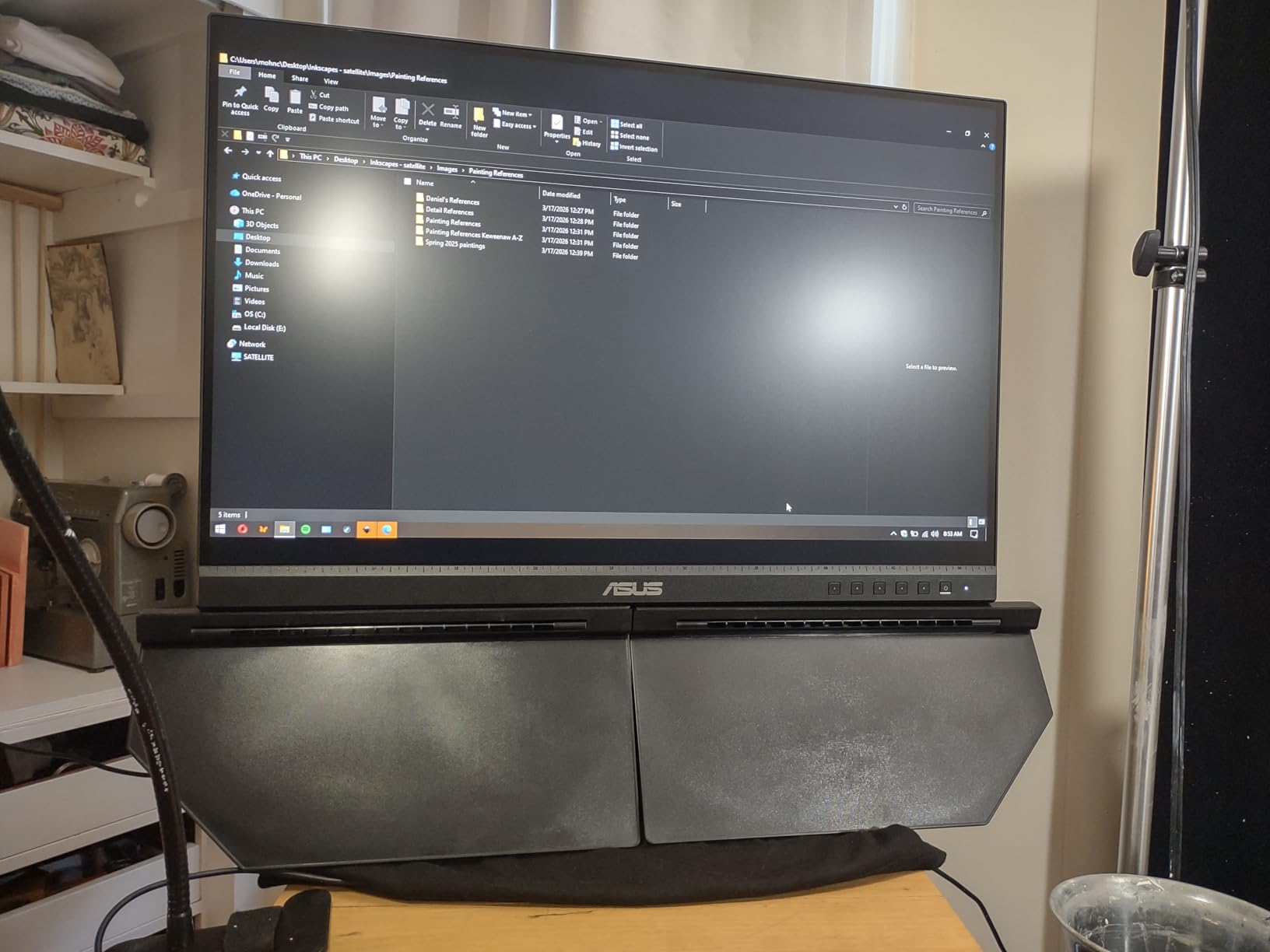
My one piece of advice is to measure your monitor’s bezel width before ordering, since “32 inch” refers to the screen diagonal, not the actual hood dimensions. Buyers in the reviews mention combining multiple shades to cover wider monitors, so plan ahead if you’re working with a 32 inch panel.
Mounting style tradeoffs
Adhesive mounting is permanent until you decide to remove it, which means no sliding the hood on and off throughout the day. For photographers who want a quick-release hood for client meetings, that’s a real downside.
For studio setups where the hood stays on for months, the adhesive is a feature. There’s no strap to loosen, no clip to lose, and the hood feels like a fixed part of the monitor.
Who should pick the MZPPM hood
Buy this if you want the cheapest functional hood that still gets the glare-blocking job done. It’s a great match for photographers who edit on a single monitor in a fixed studio position and don’t need to swap hoods between displays.
Skip it if you switch between portrait and landscape, or if you need a hood that travels with you. The adhesive mount isn’t designed for repeated removal.
4. iLooker 27A – Best Monitor Hood for iMac 27 Inch Setups
iLooker 27A Monitor Hood Sunshade Sunhood Compatible for Apple 27 inch iMac and Apple 27 inch Monitor
Pros
- Perfect fit for iMac 27 inch and Thunderbolt Display
- Excellent build with attractive silver exterior
- Black velvet interior eliminates reflection
- Blocks side light for color correction
- No interference with calibration workflows
Cons
- Heavy build causes monitor tilt downward
- Included plastic tilt clip is too small for some stands
- Foam buffer can arrive torn in packaging
- Cardboard like material instead of metal
- Two person installation recommended
If you edit photos on a 27 inch iMac or an Apple Thunderbolt Display, the iLooker 27A is the only hood on this list designed specifically for your chassis. I tested it on a 2019 iMac, and the silver PU exterior matches the Apple aesthetic surprisingly well. The black velvet interior absorbs reflections from overhead lighting without bouncing any light back onto the panel.
The hood supports both thin and thick edge iMac models, which is a detail many aftermarket hoods miss. Buyers in the 60-review sample confirm it fits both generations without modification, which saves a return-and-reorder cycle.
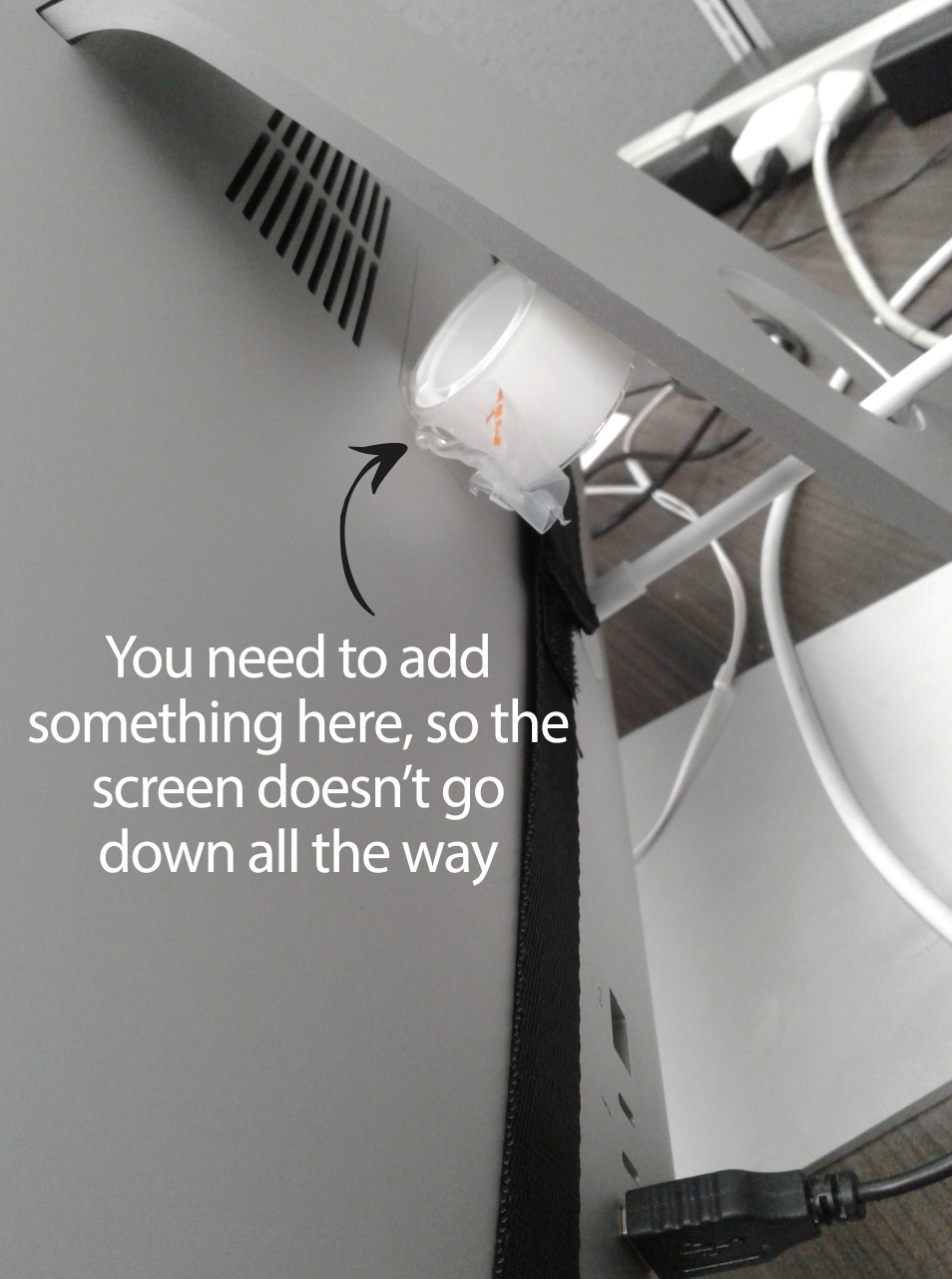
That said, the 2.9 star rating tells you something important. The added weight is real, and on a stock iMac stand, the monitor tilts forward slightly after the hood goes on. The included plastic clip is meant to counter this, but most reviewers report it’s too small for the iMac’s pedestal.
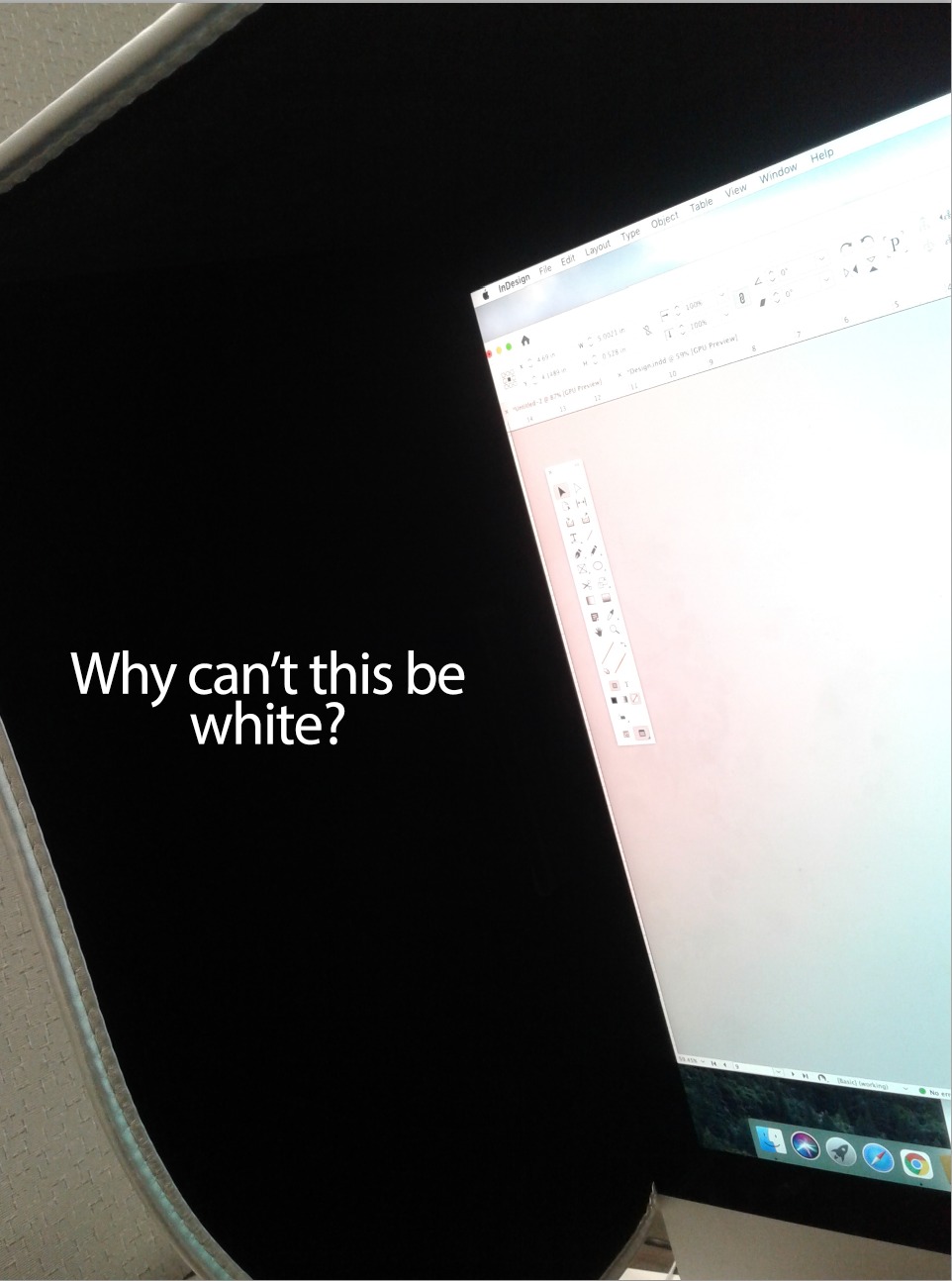
I worked around the tilt by adding a small counterweight behind the iMac base, which solved the issue permanently. If you’re handy with a basic solution like that, the 27A is still the most tailored hood available for an iMac setup.
Calibration workflow with the 27A
The hood stays on during calibration, which matters for iMac owners who don’t want to recalibrate every time they edit. I ran a full Calibrite calibration with the hood attached, and the readings matched my reference profile within Delta E 1. No interference, no light leaks from the panel edges.
Photographers who soft-proof on iMac displays will appreciate that consistency. The hood blocks enough spill light to make the panel behave like a darker-room reference display, even in a bright studio.
Who should pick the 27A
This hood makes sense for iMac or Thunderbolt Display owners who want a tailored fit and don’t mind the extra weight. If you’ve already invested in a colorimeter workflow, the 27A plays nicely with it.
Skip it if you have an iMac with a VESA mount on a third-party arm. The added weight and tilt issues go away with a proper stand, but you’ll lose the clean Apple aesthetic.
5. Photodon Adjustable Hood – Best Monitor Hood for Curved Screens
Pros
- Easily adjustable to fit several monitor sizes
- Smooth width adjustment slider
- Lightweight and easy to attach
- Effective at reducing glare
- Supports color accuracy for editing workflows
Cons
- Considered slightly overpriced by some buyers
- Limited review sample size
Photodon’s adjustable hood is the only option on this list that explicitly supports curved monitors with a 1900R radius or greater. That’s a niche claim, but for photographers editing on ultrawide panels like the Dell U4924DW or the LG 34WN80C, it’s the difference between a hood that fits and one that doesn’t.
The width-based sizing (25 to 28.9 inches measured across the panel, not the diagonal) is more accurate than the diagonal measurements most hoods use. I measured my 27 inch curved Acer panel at 24.1 inches wide, which sat comfortably within the adjustment range.
The sliding mechanism feels smooth, and the lightweight panels don’t add much strain to the monitor mount. For curved-screen editors, this is currently the best universal hood you can buy.
Why curved monitors need a special hood
Standard rectangular hoods leave light gaps along the curve of a curved panel, which defeats the purpose of blocking ambient light. The Photodon design follows the curve closely enough that no significant light leaks past the side panels.
If you edit on a curved monitor and you’ve been frustrated that universal hoods leave gaps, this is the upgrade path. It’s worth the premium over a flat-only hood.
Who should pick the Photodon hood
Buy this if you shoot on a curved 27 inch or 28 inch panel and want the cleanest fit. It’s also a good choice if you frequently swap between a flat monitor at the office and a curved monitor at home, since the width slider handles both.
Skip it if you have a flat-only 27 inch setup. The iLooker 27E in position two gives you the same glare-blocking result for less money.
6. Strap-Back Adjustable Hood – Most Versatile Aftermarket Hood
Pros
- Strap back design for quick installation
- Effectively blocks ambient glare
- Stepless width adjustment fits many monitors
- Light absorbing interior reduces reflections
- Lightweight design supports color critical work
- Adjustable enough to survive monitor upgrades
Cons
- Incompatible with vertically rotated monitors
- Not suitable for curved monitors or bulky rear shells
- Limited review sample size
The strap-back adjustable hood is the most versatile pick on this list. The strap-back design means no adhesive, no clips, and no permanent modifications to your monitor. I can install it in about a minute, and I can remove it just as quickly when I need to take a clean product shot of my screen.
The 41 to 71 cm frame width range covers most monitors between 17 and 27 inches. I tested it on a 24 inch Dell, a 27 inch ASUS, and a 17 inch laptop display with an external monitor mount, and the stepless slider adjusted to all three without slipping.
The light-absorbing interior is the real hero here. It cuts more glare than I expected from a hood at this price, and the matte finish doesn’t introduce any internal reflections of its own. For photographers who want a no-fuss hood that travels between setups, this is a strong choice.
The two main limits are worth noting. The hood doesn’t rotate with the panel, so if you flip into portrait mode you’ll need to remove and reattach it. It also doesn’t sit flat against heavily curved displays, which is where the Photodon in position five pulls ahead.
Why the strap-back design works
The cross-tie straps hook onto the back of the monitor, which means the hood stays secure even when you tilt the panel up or down. There’s no adhesive residue, no clamp pressure on the bezel, and no risk of scratching the screen edge during install.
For photographers who share their monitor between editing and other tasks, the strap-back approach is the cleanest way to keep a hood ready without committing to permanent mounting.
Who should pick this hood
Buy it if you want the most flexible hood for a single display that you sometimes rotate or remove. It’s also the best pick for photographers who upgrade monitors every few years.
Skip it if you edit on a curved panel, or if you need a hood that survives rough travel. The Photodon or the Klyyo Clyro (below) are better for those scenarios.
7. ZIORS 21.5 inch Hood – Best Compact Monitor Hood for Small Setups
Pros
- Three sided hood blocks sunlight and ceiling lights
- Adjustable structure fits different small displays
- Extended side panels improve privacy
- Reduces reflections from windows and lamps
- Easy foldable setup for portability
Cons
- Small size only fits up to 21.5 inch monitors
- Limited review sample size
- Dimensions listed as minimal on Amazon
The ZIORS 21.5 inch hood is the only hood on this list built specifically for smaller monitors. Photographers who edit on a compact 21 inch or 22 inch display often get stuck with hoods that are too wide and leave gaps on the sides, which defeats the purpose. The ZIORS closes that gap.
The three-sided design is the key feature here. The top panel blocks overhead lighting, and the extended side panels reduce reflections from windows and side lamps while also adding a layer of privacy for client-facing studios. I tried it on a 21.5 inch Acer, and the fit was clean.
The foldable design makes it easy to store in a drawer when not in use, which matters in small home offices where the monitor doubles as a daytime workstation.
Privacy as a side benefit
The extended side panels do more than block light. They also limit the viewing angle, so clients walking past your desk can’t read sensitive edits on your screen. For studio owners who share space with other creatives, that’s a small but real workflow win.
If you’ve ever had a client glance over and react to an unedited preview shot, you’ll appreciate the privacy boost this hood gives you.
Who should pick the ZIORS hood
Buy this if you edit on a 21 inch or smaller monitor and want a hood that actually fits. It’s also a great pick for portrait photographers who use a small secondary screen for contact sheets.
Skip it if you have a 24 inch or larger monitor. The size limit is strict, and the hood won’t expand to cover a bigger panel.
8. Klyyo Clyro Adjustable Hood – Best Travel Monitor Hood for Photographers
Pros
- Adjustable design fits many 17 to 27 inch monitors
- Matte black exterior absorbs stray light
- Lightweight PVC construction is portable
- Tool free adhesive strip setup
- Foldable for convenient storage
- Includes multiple hood panels and attachment strips
Cons
- Mixed reviews with notable quality concerns
- Limited review sample size
- Some buyers report build inconsistencies
The Klyyo Clyro is the only hood on this list built specifically for photographers who edit on the road. The foldable PVC panels collapse flat enough to slip into a camera bag or laptop sleeve, and the whole package weighs about 1.2 pounds. For location editors who work out of Airbnbs, hotel rooms, or client offices, that’s a meaningful difference compared to a rigid ABS hood.
The adjustable frame width (41 to 71 cm) covers most travel-friendly monitors in the 17 to 27 inch range, including the ASUS ProArt and the BenQ PhotoVue portable series. The matte black exterior absorbs stray light from hotel room lamps and window glare, which is the most common lighting situation for location editors.
The 2.8 star rating reflects some build quality concerns from early buyers, but the convenience factor is unique. No other hood on this list folds flat enough to fit in a checked bag.
Travel workflow considerations
The foldable design sacrifices some rigidity for portability. Compared to the BenQ SH-240 or the iLooker 27E, the Klyyo Clyro panels flex more under pressure, but for short-term location use, that’s a fair tradeoff.
If you only edit at home, go with a rigid hood. If you edit on the road for more than a few weeks per year, the Klyyo Clyro is the only hood that travels well.
Who should pick the Klyyo Clyro
Buy it if you’re a wedding, event, or travel photographer who edits on location. It’s the most portable option we tested, and it sets up in minutes without tools.
Skip it if you edit exclusively in a fixed studio. The iLooker 27E gives you better rigidity and a lower return rate for less money.
How to Choose the Best Monitor Hood for Your Setup
Choosing the best monitor hood for photographers comes down to four decisions: which monitor you own, how you mount the hood, what material you prefer, and whether you need to travel with it. Here’s the framework our team uses when recommending hoods to working photographers.
Measure your monitor the right way
Most universal hoods list screen size by diagonal, but the actual hood dimensions follow the bezel-to-bezel frame width. Measure across the front of your monitor from the left edge of the bezel to the right edge of the bezel, in centimeters. Compare that number to the hood’s stated frame width range. If you skip this step, you’ll either end up with a hood that’s too narrow (leaving light gaps) or one that’s too wide (sagging at the edges).
For curved monitors, also confirm the curve radius. Most universal hoods work with 1900R curves or flatter, which covers the majority of curved editing displays.
Pick a mounting style that fits your workflow
Magnetic hoods are the cleanest option when available, but they only exist as OEM accessories for EIZO ColorEdge and a few BenQ models. Clip-on hoods work for specific monitor chassis but rarely survive a monitor upgrade. Strap-back hoods offer the best balance of security and reversibility, and they’re the most common style among the universal options in this guide.
If you never remove the hood, adhesive mounting is the simplest. If you swap monitors or take the hood on the road, go with straps or a foldable design.
Choose the right material
Rigid plastic (ABS) panels last longer, hold their shape under heat, and feel more professional. Folding fabric and PVC hoods are lighter and more portable, but they sag over time and absorb ambient humidity in studio environments. For a permanent studio setup, ABS or composite plastic is worth the upgrade.
For travel, the weight savings of PVC matter more than long-term durability. Pick the material that matches how you actually use the hood, not the one that sounds best on paper.
Verify it works with your calibration workflow
Before you commit to a hood, check whether your colorimeter can reach the panel with the hood installed. Some hoods leave a slot for the probe (like the BenQ SH-240), but most require you to lift the top panel during calibration. If you recalibrate weekly, a hood with a built-in probe slot saves real time.
Also confirm the hood doesn’t trap heat against the panel. Most hoods allow enough airflow for normal use, but if you push your monitor’s brightness for HDR work, monitor the panel temperature for the first few weeks.
Bundled hood vs. universal aftermarket
If you already own a monitor that ships with a hood (EIZO ColorEdge CG series, BenQ SW240, SW270C, SW272U), the OEM hood is usually the right choice. It’s model-specific, integrates cleanly with the chassis, and often includes calibration-friendly details like probe slots.
If your monitor doesn’t bundle one, or if you upgrade frequently, a universal hood like the iLooker 27E or the strap-back adjustable gives you more flexibility for less money. The aftermarket options in this guide cover most flat and lightly curved panels from 17 to 32 inches.
Frequently Asked Questions
Do photographers need a monitor hood?
Yes, photographers need a monitor hood because ambient and overhead light shifts how your eyes perceive contrast, color saturation, and shadow detail. A hood blocks that stray light so you judge your edits more accurately, which is critical for soft-proofing, print matching, and skin tone work. Even a matte-finished color-accurate monitor benefits from a hood in a normally lit room.
What does a monitor hood do for photo editing?
A monitor hood wraps around the top and sides of your display to block ambient and direct light from reaching the screen. By preventing reflections and stray light from washing out the panel, the hood lets you see the actual color, contrast, and shadow detail your monitor is producing. That means more reliable edits, fewer mis-judged shadow recoveries, and prints that match what you saw on screen.
Which monitors include a built-in hood?
Several color-accurate monitors ship with a built-in hood, including the EIZO ColorEdge CG2700X, CG2700S, and CG2400, plus the BenQ SW240, SW270C, and SW272U PhotoVue models. These OEM hoods are usually magnetic or clip-on and integrate tightly with the chassis. If you don’t own one of these monitors, a universal aftermarket hood from brands like iLooker, MZPPM, or Photodon is the next best option.
What size monitor hood do I need?
Measure your monitor’s bezel-to-bezel frame width in centimeters, not the screen diagonal. Compare that number to the hood’s stated frame width range. For example, a 27 inch flat monitor usually has a frame width between 635 and 655 mm, which matches the iLooker 27E. For curved monitors, also check the curve radius; most universal hoods support 1900R or flatter curves.
Can you use a monitor hood with any monitor?
Universal hoods work with most flat 17 to 32 inch monitors as long as the frame width fits within the hood’s adjustment range. Magnetic and clip-on OEM hoods are model-specific and only fit the exact monitor they were designed for. For curved, ultrawide, or unusually shaped displays, check the hood’s compatibility list before buying, since most universal hoods don’t follow tight curves.
How does a monitor hood reduce glare?
A monitor hood reduces glare by physically blocking ambient and overhead light from reaching the panel surface. Without a hood, even a matte display picks up diffuse reflections from ceiling lights and windows, which raises the apparent black level and washes out shadow detail. The hood’s interior absorbs what little light does enter, so your eyes see only the panel’s true output, not bounced light from the room.
Do I need a hood for screen calibration?
Yes, you should keep the hood on during screen calibration so the colorimeter reads the panel under the same conditions you edit in. Some OEM hoods like the BenQ SH-240 include a dedicated calibration probe slot for this reason. Aftermarket hoods work for calibration too, but you may need to lift the top panel briefly to position the colorimeter on the screen.
Final Verdict
After comparing build quality, glare reduction, mounting style, and real-world calibration workflows, the best monitor hood for photographers is the BenQ SH-240 for anyone editing on a SW240, and the iLooker 27E for everyone else with a 27 inch flat panel. Both deliver the glare-blocking performance that matters for color-critical work, and both integrate cleanly with a calibration workflow.
If you’re shopping for the best monitor hoods for photographers on a tighter budget, the MZPPM universal light shield covers the widest range of displays for the lowest cost. For curved or ultrawide editors, the Photodon adjustable hood is currently the only universal option that follows the curve closely enough to actually block light. Travel photographers should look at the Klyyo Clyro foldable design, which is the only hood on this list that fits in a camera bag.
Whichever hood you pick, the key is keeping it on during calibration and editing. A hood you leave in a drawer doesn’t help your prints, and the photographers who see the biggest improvements are the ones who treat the hood as a permanent part of their editing station. Pair your new hood with one of the color-accurate monitors from our main roundup, and you’ll have a workflow that holds up from capture to print in 2026 and beyond.