
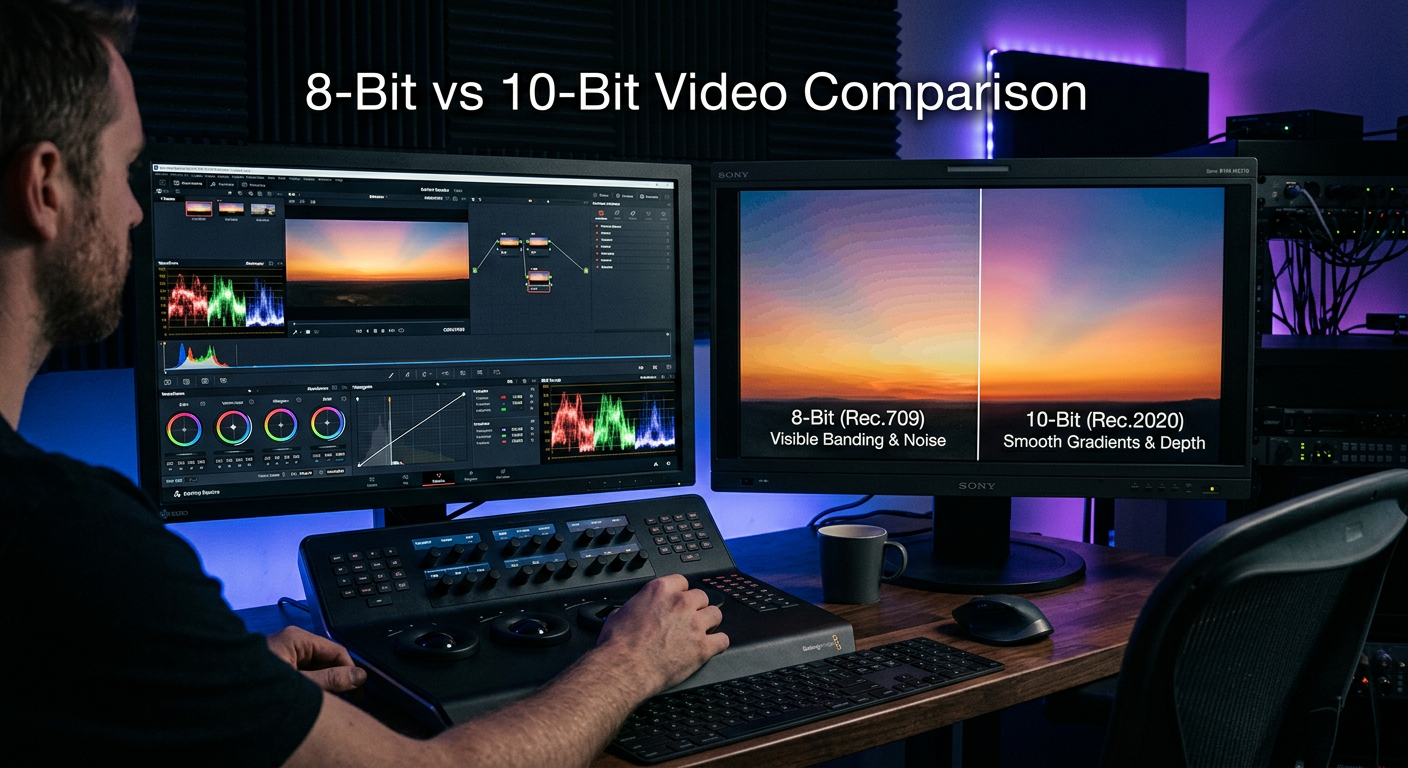
When you shoot video, the bit depth you choose directly impacts how much room you have during post-production. 8-bit vs 10-bit video for color grading flexibility comes down to one fundamental question: how aggressively do you plan to manipulate your colors in post?
After spending years working with both formats across documentary projects, commercial work, and YouTube content, I have seen exactly where each format shines and where it falls short. The difference is not just marketing hype. It affects real workflows and real results.
Here is the quick verdict: if you shoot flat or log profiles and plan to push your colors significantly, 10-bit gives you substantially more flexibility. If you shoot ready-to-use footage with minimal grading, 8-bit works perfectly fine and saves you storage space.
Let me break down exactly what this means for your specific situation.
What Is Color Bit Depth?
Bit depth refers to how much color information each pixel in your video can store. Think of it as the number of steps available between pure black and pure white for each color channel. More steps mean smoother transitions and more data to work with during color grading.
Your camera records video using three color channels: red, green, and blue (RGB). Each channel captures brightness information independently. The bit depth determines how many discrete shades of each color your footage can represent.
Higher bit depth captures more nuanced color information per pixel. This translates to smoother color transitions and reduced visible banding artifacts in gradients like skies, skin tones, and shadow areas during color grading.
Bit depth matters because it sets the ceiling for your color grading flexibility. With more color data captured at the source, you can push exposure, contrast, and color adjustments further before the image starts to break apart.
8-Bit Video Explained
8-bit video records 256 discrete shades per color channel. Multiply that across three RGB channels and you get approximately 16.7 million possible color combinations. For many years, this was the standard for consumer and prosumer video.
The strength of 8-bit lies in its efficiency. Files are smaller, transfer faster, and play back smoothly on modest hardware. Most computers built in the last decade handle 8-bit footage without breaking a sweat.
However, 8-bit has real limitations. When you capture footage with flat or log profiles designed to preserve dynamic range, you compress the available color values into a narrower range. Stretching that data back out during grading can expose the gaps between those 256 steps.
This manifests as color banding. You see it most often in clear skies, smooth walls, or any area with subtle gradient transitions. Instead of a smooth flow from light to dark, you get visible steps or bands of color.
8-bit works best when you nail your exposure in-camera and shoot with a finished look in mind. Run-and-gun documentary work, event coverage, and social media content often benefit from the smaller file sizes and faster workflows.
10-Bit Video Explained
10-bit video records 1,024 shades per color channel. That gives you over 1 billion possible color combinations. The jump from 8-bit to 10-bit represents a 4x increase in color data per channel and a massive expansion in total color values.
This extra data provides real practical benefits for colorists. Gradients that would show stepping in 8-bit appear buttery smooth in 10-bit. You can push and pull exposure more aggressively before the image degrades.
Skin tones particularly benefit from 10-bit capture. The subtle variations in flesh tones require fine color gradations to look natural. 8-bit can sometimes posterize these transitions, especially after aggressive grading.
10-bit shines when shooting log or flat profiles. These formats spread your dynamic range across available color values. Having 4x more values per channel means you retain smooth transitions even when expanding that compressed data in post.
Commercial work, narrative filmmaking, and any project requiring significant color manipulation justify the 10-bit investment. If your client expects precise color matching or dramatic creative grades, 10-bit gives you the headroom to deliver.
8-Bit vs 10-Bit Video: Head-to-Head Comparison
Let me compare these formats across the factors that actually matter for your workflow and final output.
| Specification | 8-Bit Video | 10-Bit Video |
|---|---|---|
| Shades Per Channel | 256 | 1,024 |
| Total Colors | 16.7 million | Over 1 billion |
| Color Banding Risk | Higher | Lower |
| Grading Flexibility | Limited | Extensive |
| File Size | Smaller | 30-50% larger |
| Hardware Demand | Lower | Higher |
| Log Footure Support | Workable | Ideal |
| Green Screen Quality | Good | Excellent |
Color Banding Differences
The most visible difference between 8-bit and 10-bit appears in gradient situations. Clear blue skies, studio backdrops, and low-light environments with subtle tonal shifts expose bit depth limitations quickly.
In 8-bit footage, pushing exposure or contrast in these areas often reveals stepping between color values. You see distinct bands where a smooth transition should exist. This problem compounds when shooting compressed codecs that further reduce color information.
10-bit footage maintains smooth gradations even under aggressive manipulation. The extra color values provide enough intermediate steps that transitions remain fluid. This becomes especially important when delivering to HDR displays that can show more of those subtle variations.
Color Grading Flexibility
Color grading flexibility directly correlates with available color data. 8-bit footage tolerates mild adjustments well but breaks down when pushed hard. Shadows block up, highlights clip, and color transitions posterize.
10-bit footage handles significant color manipulation without falling apart. You can rescue underexposed shots, shift color temperature dramatically, or apply heavy creative grades while maintaining image integrity.
This flexibility matters most when shooting log profiles. These formats intentionally compress your dynamic range into the available bit depth. Having 4x more values per channel means your stretched-out footage retains more of its original quality.
Log Footage and Bit Depth Relationship
Log profiles like S-Log, C-Log, and V-Log exist to capture maximum dynamic range. They do this by compressing the wide brightness range of your scene into the limited values available in your recording format.
Shooting log in 8-bit works, but you are asking 256 values per channel to represent what your sensor captured across a 12-14 stop range. When you expand that log footage in post, the gaps between values become apparent.
Shooting log in 10-bit gives those flat profiles room to breathe. The 1,024 values per channel capture more nuanced information across your dynamic range. Your graded footage maintains smoother transitions and shows fewer compression artifacts.
Green Screen and Chroma Keying
Visual effects work benefits significantly from 10-bit capture. Green screen keying relies on clean separation between foreground subjects and colored backgrounds. Compression artifacts and color stepping at edges make clean keys difficult.
8-bit footage with heavy compression often shows blocky artifacts at the green screen edges. These artifacts force you to compromise between clean edges and preserving fine detail like hair or transparent objects.
10-bit footage provides cleaner color separation at those critical edge transitions. The extra color information helps keying software distinguish subject from background more accurately. For serious compositing work, 10-bit substantially reduces the time spent refining edges.
HDR Content Considerations
HDR delivery requires capturing and preserving more color and brightness information than SDR. The expanded dynamic range and wider color gamut of HDR formats demand more data at every stage.
8-bit video fundamentally cannot contain enough information for proper HDR delivery. The limited color values cause banding in the expanded brightness range that HDR displays can show.
10-bit serves as the minimum requirement for HDR workflows. Most HDR delivery specifications mandate 10-bit color depth. If you plan to deliver HDR content, shooting 10-bit is not optional. It is a technical requirement.
Practical Considerations: File Size, Hardware, and Workflow
Beyond image quality, bit depth affects your entire production pipeline. Understanding these practical implications helps you make informed decisions for your specific situation.
File Size and Storage
10-bit video files run 30-50% larger than comparable 8-bit files. This increase comes from the additional color data each pixel carries. Over the course of a project, those larger files compound into significant storage requirements.
A typical 10-minute 4K clip in 10-bit might occupy 15-20GB of space. The same duration in 8-bit could fit in 10-12GB. Multiply that across a full shooting day and you quickly see how storage needs escalate.
For working professionals, this means investing in larger hard drives, faster backup systems, and potentially more robust archive solutions. The cost per gigabyte has dropped dramatically, but the total storage investment remains meaningful.
Hardware Requirements
Editing 10-bit footage demands more from your computer. The additional color data requires more processing power to decode, display, and manipulate in real time. Older systems may struggle with smooth playback.
Most modern computers built within the last 3-4 years handle 10-bit editing reasonably well. However, you may need to use proxy workflows or optimized media for smooth editing on modest hardware.
RAM requirements increase as well. Where 16GB might handle 8-bit projects comfortably, 10-bit workflows often benefit from 32GB or more. Your NVP needs memory to cache those larger frame buffers.
Monitor and Display Requirements
Here is where many creators get confused. Viewing 10-bit footage properly requires a 10-bit display pipeline. Most consumer monitors display 8-bit color. Even expensive monitors may only show 8-bit over certain connections.
On an 8-bit monitor, 10-bit footage gets downconverted to 8-bit for display. You might still see some benefit during editing since your software works with the full 10-bit data. But you cannot accurately judge what your final output looks like.
True 10-bit monitoring requires a 10-bit panel, appropriate connection (often DisplayPort or HDMI 2.0+), and proper software configuration. Professional color grading setups invest thousands in accurate 10-bit reference displays.
For most creators, this means editing on standard monitors while accepting some limitations in color accuracy. The grading flexibility benefits of 10-bit still apply even if you cannot view them accurately during editing.
Codec and Bitrate Interaction
Bit depth tells only part of the story. The codec and bitrate you choose significantly impact how much of that color information actually reaches your final file. A highly compressed 10-bit codec may deliver worse results than a high-quality 8-bit codec.
I have seen this play out with camera comparisons. An 8-bit codec at 200Mbps with efficient compression can look cleaner and grade better than a 10-bit codec at 50Mbps with aggressive compression. The bitrate and codec efficiency matter alongside bit depth.
When evaluating cameras or recording formats, consider bit depth, codec quality, and bitrate together. A camera offering 10-bit at 100Mbps with H.265 compression might outperform one offering 8-bit at 400Mbps with an older codec. The math gets complicated, but the principle holds: all three factors work together.
Delivery Format Considerations
Most final delivery formats still use 8-bit color depth. YouTube, Vimeo, broadcast television, and most streaming platforms receive 8-bit masters. This leads many creators to question why they should bother shooting 10-bit.
The answer lies in the editing process. Shooting 10-bit gives you higher quality source material to work with. Even though your final output drops to 8-bit, the intervening color grading benefits from the extra data. Your 8-bit delivery looks better when derived from 10-bit source footage.
Think of it like shooting RAW photos. You deliver JPEGs, but having the RAW file to work from produces better final images. The same principle applies to video bit depth.
Verdict: Which Should You Choose?
For 8-bit vs 10-bit video for color grading flexibility, your choice depends entirely on your workflow and deliverable requirements.
Choose 8-Bit When:
You shoot content that needs minimal color grading. News, events, corporate interviews, and social media content often work perfectly in 8-bit. If you deliver quickly and do not have time for extensive post-production, 8-bit accelerates your workflow.
Your hardware is limited. Older computers, modest storage capacity, and standard monitors all work better with 8-bit footage. The format reduces technical friction throughout your pipeline.
You prioritize speed over maximum quality. 8-bit files transfer faster, backup quicker, and edit smoother. When turnaround time matters more than ultimate image quality, 8-bit serves you well.
Choose 10-Bit When:
You shoot log profiles and plan significant color grading. Documentary work, narrative projects, and commercial productions benefit from the extra grading flexibility. The additional data protects your creative options in post.
You deliver HDR content. 10-bit is not optional for HDR workflows. If your clients or distribution platforms require HDR, you must shoot and master in 10-bit minimum.
You do green screen or visual effects work. Clean keys and compositing benefit substantially from the additional color information at edge transitions.
You want maximum quality for archival or future-proofing. Even if current delivery is 8-bit, preserving 10-bit masters ensures you can take advantage of improved display technology in the future.
Frequently Asked Questions
What is the difference between 8-bit and 10-bit video?
8-bit video records 256 shades per color channel (16.7 million total colors), while 10-bit video records 1,024 shades per channel (over 1 billion total colors). The difference gives 10-bit footage significantly more color grading flexibility and smoother gradients with less visible banding.
Is 8-bit video good enough for YouTube?
Yes, 8-bit video works well for YouTube content. Most YouTube delivery remains 8-bit, so shooting in 8-bit matches your final output. If you do minimal color grading and deliver quickly, 8-bit provides excellent results with smaller file sizes and faster workflows.
Does 10-bit video have a larger file size than 8-bit?
Yes, 10-bit video files typically run 30-50% larger than comparable 8-bit files due to the additional color data stored per pixel. This impacts storage requirements, transfer speeds, and backup costs throughout your production pipeline.
Can I edit 10-bit video on any computer?
Most modern computers built within the last 3-4 years can edit 10-bit video, though performance varies based on codec choice. Older or less powerful systems may need proxy workflows for smooth playback. 10-bit editing benefits from 32GB RAM or more and dedicated GPU acceleration.
Do I need a special monitor to view 10-bit video correctly?
Yes, viewing 10-bit color accurately requires a 10-bit display panel with appropriate connections (DisplayPort or HDMI 2.0+) and proper software configuration. Most consumer monitors display 8-bit color, so they downconvert 10-bit footage for display. You can still edit 10-bit on standard monitors, but you cannot judge color accuracy precisely.
When should I use 10-bit over 8-bit?
Use 10-bit when you shoot log profiles for significant color grading, deliver HDR content, do green screen or visual effects work, or want maximum quality for archival purposes. Choose 8-bit for quick turnaround projects, minimal grading workflows, limited hardware situations, or when storage space is constrained.
My Recommendation
If your camera offers 10-bit and your hardware can handle it, shoot 10-bit whenever possible. The storage cost difference is minor compared to the creative flexibility you gain. You can always downconvert later, but you cannot add bit depth that was never captured.
That said, do not let bit depth become a paralysis point. Excellent work gets produced in 8-bit every day. The best format is the one that fits your workflow and lets you finish projects efficiently.