
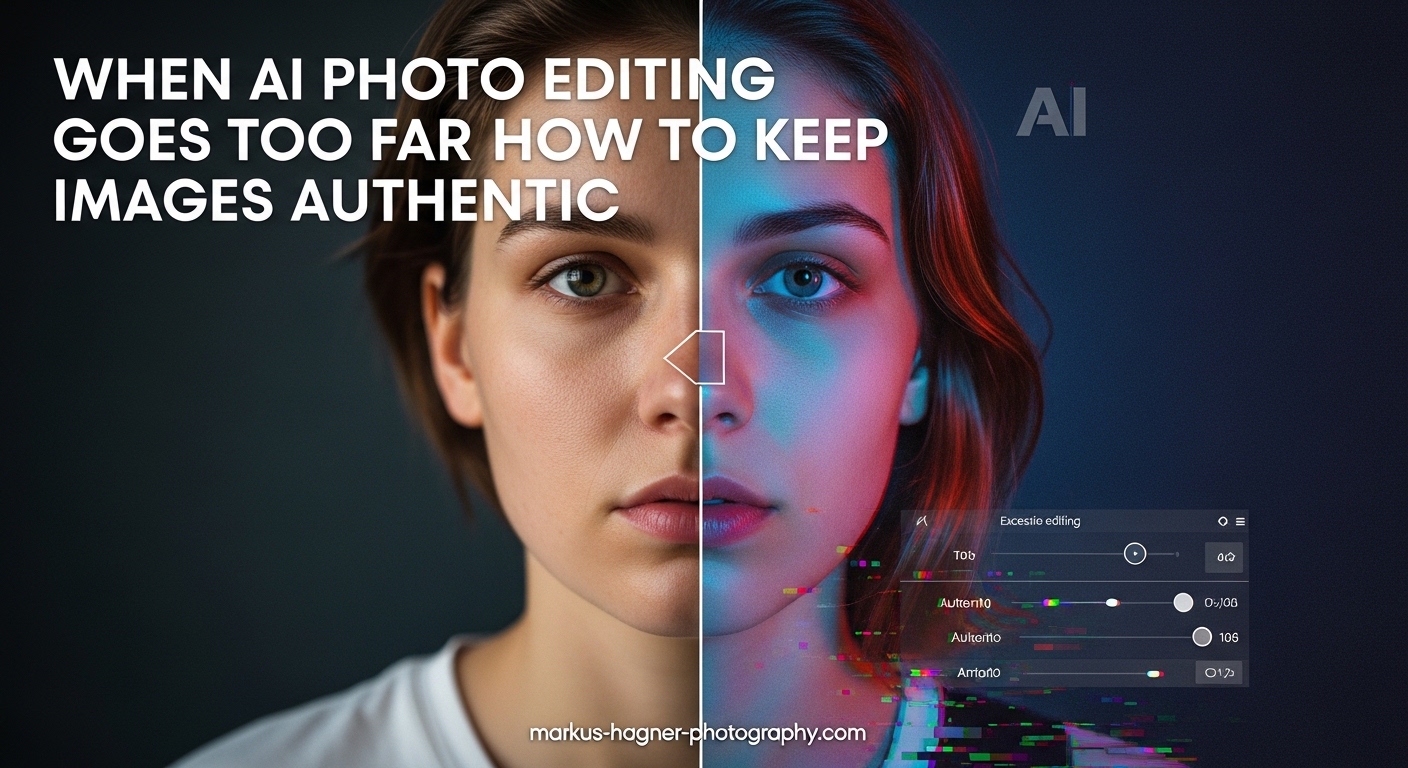
AI photo editing has transformed how we process images. Tools that once required hours of manual work now happen with a single click. But this convenience comes with a growing problem: maintaining AI photo editing authenticity when software can fundamentally change what a photograph represents. Our team has watched photographers struggle with this dilemma for years, and the stakes keep rising.
The authenticity crisis in photography is real. Viewers can no longer trust that an image shows what actually happened. A landscape might feature a sky that was never there. A portrait could show a face that never existed in that form. This erosion of trust affects everyone from photojournalists to wedding photographers.
In this guide, we will explore exactly when AI photo editing crosses ethical lines and provide practical methods for keeping your images authentic. You will learn how to establish clear boundaries, communicate transparently with clients, and implement workflows that preserve credibility.
Defining When AI Photo Editing Goes Too Far
The line between enhancement and manipulation is not always obvious. AI tools can do so much now that photographers often apply changes without considering the implications. Understanding where to draw the line is essential for maintaining AI photo editing authenticity.
Enhancement vs. Manipulation: The Key Distinction
Enhancement improves what already exists in an image. Manipulation creates, removes, or fundamentally alters elements in ways that misrepresent reality. This distinction matters because enhancement preserves truth while manipulation often obscures it.
Consider AI noise reduction. When software removes grain from a high-ISO photo, that is enhancement. But when an AI sharpening tool replaces blurred feathers on a bird with artificially generated detail, the original subject is no longer accurately represented. One photographer shared on a forum: “The bird I photographed was no longer 100% the actual bird I framed in my camera.” That is when enhancement becomes manipulation.
Signs AI Editing Has Crossed the Line
Here are clear indicators that AI photo editing has gone too far:
- Generated content replaces captured content – AI creates details that were never recorded by the camera
- Subject identity changes – Facial features, body proportions, or characteristics are altered
- Environmental elements are fabricated – Skies, backgrounds, or scenery that did not exist are added
- Objects appear or disappear – Elements are removed or inserted to change the narrative
- The image no longer represents the actual scene – Someone viewing the photo would be misled about what occurred
Acceptable vs. Unacceptable AI Edits: A Practical Comparison
Let us look at specific examples to clarify boundaries:
Generally Acceptable:
- Exposure and color correction to match how the scene appeared
- Noise reduction that preserves actual detail
- Minor cropping and straightening
- Dust spot removal from sensor artifacts
- Sharpening that enhances existing detail without generating new information
Generally Unacceptable Without Disclosure:
- Sky replacement that changes weather conditions
- AI-generated background extension
- Body or face alteration that changes appearance
- Object removal that changes the story of the image
- Generative fill to add elements that were not present
Ethical Implications of AI Photo Manipulation
The ethics of AI photo editing extend beyond individual images. Every manipulated photo contributes to a broader crisis of trust in visual media. Understanding these implications helps photographers make better decisions about when AI photo editing authenticity matters.
The Trust Erosion Problem
When viewers cannot distinguish between real and altered images, skepticism grows toward all photography. This affects the entire industry. A client who receives over-edited photos may question whether any photographer can be trusted. One forum user shared a disturbing experience: “The photographer we hired used AI to edit our engagement party photos. Our faces are totally unrecognizable in several.”
This erosion of trust has real consequences. News organizations have begun rejecting AI-edited submissions entirely. Photo agencies now require straight-out-of-camera JPEG files for certain assignments. The reputation photographers build over years can be damaged by a single instance of undisclosed manipulation.
Photojournalism Ethics in the AI Era
Photojournalism faces the strictest standards for AI photo editing authenticity. Documentary photographers have long operated under guidelines that limit editing to basic adjustments. The National Press Photographers Association code of ethics states that photojournalists should not manipulate images in ways that mislead viewers.
AI tools complicate these standards. Is AI noise reduction acceptable for a documentary photo? What about AI sharpening to recover detail in a low-light situation? Most news organizations now ban AI-generated or significantly AI-altered images entirely. From a photojournalism background, as one professional noted, “anything beyond basic color correction and raw processing becomes questionable.”
Privacy and Consent Concerns
AI photo editing raises significant privacy issues. Facial recognition algorithms built into some AI tools can identify and tag individuals without their knowledge. When AI alters facial features, questions arise about consent and representation.
Consider portrait photography. If AI subtly changes facial structure, skin texture, or body proportions, the subject may not have consented to that level of alteration. This becomes especially problematic when edited images are shared publicly. The person in the photo has no control over how AI has changed their appearance.
Bias in AI Algorithms
AI photo editing tools are not neutral. They are trained on datasets that may underrepresent certain populations, leading to biased results. Skin tone adjustments, facial feature recognition, and even noise reduction can perform differently across diverse subjects.
A notable case involved a major brand’s AI editing that systematically lightened skin tones in product photography. This type of bias, whether intentional or not, perpetuates harmful beauty standards and misrepresents the people being photographed. Photographers must be aware that AI tools may treat subjects differently based on characteristics like skin tone, age, or gender.
The Deepfake Problem
While most photographers do not create deepfakes intentionally, AI photo editing tools use similar underlying technology. The same generative AI that removes an unwanted tourist from your travel photo can create entirely fabricated images. This technology blurs the line between photography and digital art.
The proliferation of convincing AI-generated imagery makes it harder for viewers to trust any photograph. Even photographers who use AI ethically face skepticism from audiences who have been exposed to manipulated content. This collective distrust harms the profession as a whole.
Practical Methods for Maintaining Authenticity
Understanding the ethics is important, but photographers need practical strategies for maintaining AI photo editing authenticity in their daily work. These methods help you balance the benefits of AI tools with the need for transparency and trust.
Disclosure Best Practices
Transparency is the foundation of authentic AI photo editing. Here is how to disclose AI use effectively:
With Clients:
- Include AI disclosure language in your contract
- Explain which AI tools you use and for what purposes
- Offer to provide original files upon request
- Be upfront about what changes AI will make to their images
With Publications:
- Disclose any AI editing in your submission
- Maintain RAW files as proof of authenticity
- Follow each publication’s specific AI policies
- Be prepared to provide unedited versions
On Social Media:
- Use captions to note significant AI editing
- Consider hashtags like #AIenhanced when appropriate
- Be consistent with your disclosure approach
Content Credentials Technology
Adobe’s Content Credentials (CR) system offers a technical solution for maintaining AI photo editing authenticity. This technology attaches verifiable metadata to images, recording what edits were made and by whom. Viewers can check the credentials to understand an image’s history.
Implementing Content Credentials in your workflow is straightforward:
- Enable Content Credentials in supported editing software like Adobe Lightroom or Photoshop
- The system automatically records edits and attaches metadata
- When exporting, include the credentials with your file
- Viewers can verify the image history through Adobe’s verification tools
While not universally adopted yet, Content Credentials represents the industry’s direction toward transparency. Early adoption demonstrates your commitment to AI photo editing authenticity.
Establishing Your AI Editing Policy
Every photographer should have a clear, written policy on AI editing. This policy protects both you and your clients while establishing professional boundaries. Here is a framework for creating yours:
Define your boundaries:
- What AI tools will you use?
- What types of edits are acceptable for your genre?
- What requests will you refuse?
Document your workflow:
- Where do AI edits fit in your process?
- How do you preserve original files?
- What records do you keep of edits?
Communicate with clients:
- Include policy summary in contracts
- Explain your approach during consultations
- Be prepared to discuss specific concerns
One forum contributor offered excellent advice: “Make sure you have a clear policy on AI editing, what you won’t do and that you have the final say with any requests.”
Workflow Strategies for Transparent Editing
Your workflow should support AI photo editing authenticity rather than undermine it. Consider these strategies:
Preserve originals always: Keep RAW files and unedited exports in a separate archive. These serve as proof of what the camera actually captured.
Use non-destructive editing: Work with adjustment layers and smart objects that preserve the original image data. This approach maintains transparency about what changes were made.
Limit generative tools: Be cautious with AI features that generate new content. Use them sparingly and always disclose their use.
Review before delivery: Before sending images to clients, review each one with fresh eyes. Ask yourself: Does this image accurately represent what happened?
Document your process: Keep notes on significant edits, especially those involving AI. This documentation helps if questions arise later.
Client Communication Templates
Explaining AI editing to clients who do not understand the technology can be challenging. Here is language you can adapt:
“I use AI-assisted tools to enhance exposure, color accuracy, and detail in your photos. These tools help me deliver the highest quality images while maintaining the authenticity of your special moments. I do not alter faces, bodies, or add elements that were not present. If you have questions about my editing approach, I am happy to discuss them.”
“For photojournalism and documentary projects, I follow industry standards that limit editing to basic adjustments only. I can provide RAW files upon request to verify the authenticity of images.”
Industry Standards and Guidelines
Different photography genres have different standards for AI photo editing authenticity. Understanding these standards helps you set appropriate boundaries for your work.
Photojournalism and Documentary Standards
News organizations and documentary photographers face the strictest requirements. Most major photo agencies now prohibit AI-generated or AI-manipulated images. The Associated Press, Reuters, and Getty Images have all issued guidelines restricting AI use.
Acceptable practices typically include:
- Cropping and straightening
- Color and exposure correction
- Dust spot removal
- Minor adjustments to shadows and highlights
Unacceptable practices include:
- Any generative AI that creates new content
- Object removal that changes the story
- Combining elements from multiple images
- AI sharpening that generates detail
Commercial and Advertising Photography
Commercial photography operates in a different space. Clients often expect significant retouching and enhancement. However, disclosure requirements are increasing. The Federal Trade Commission has begun scrutinizing AI-edited images in advertising.
Best practices for commercial work:
- Disclose AI use in contracts and releases
- Be transparent with clients about what AI can and cannot do ethically
- Consider whether edits could be considered misleading advertising
- Document your editing process for legal protection
Portrait and Wedding Photography
Portrait and wedding photographers face unique challenges. Clients often want idealized versions of themselves, but over-editing can damage trust. The key is managing expectations while maintaining authenticity.
Recommended approach:
- Discuss editing expectations before the shoot
- Show examples of your typical editing style
- Offer retouching options at different levels
- Never alter appearance without explicit consent
- Provide original files if requested
Photography Competition Policies
Many photography competitions have implemented strict AI policies. Some ban AI-edited images entirely. Others require disclosure and separate categories for AI-assisted work. Before entering competitions:
- Read the rules carefully regarding AI editing
- Disclose all AI use if required
- Be prepared to provide original files
- Understand that rules vary significantly between organizations
Several photographers have shared experiences of disqualification after AI editing was discovered in their submissions. When in doubt, ask the competition organizers for clarification.
Fine Art and Creative Photography
Fine art photographers have more freedom with AI editing, but disclosure still matters. If your work is sold as photography rather than digital art, viewers may have expectations about authenticity. Consider how you label and market AI-assisted work.
Some fine art photographers embrace AI as a creative tool while being transparent about its use. This approach allows artistic expression without deception. The key is ensuring buyers understand what they are purchasing.
Frequently Asked Questions
What are the ethical issues with AI photography?
The main ethical issues include erosion of viewer trust, misrepresentation of reality, privacy concerns when AI alters subjects without consent, algorithmic bias that affects different populations unequally, and the difficulty distinguishing between real and manipulated images. These issues affect photojournalism credibility, client relationships, and the overall integrity of photography as a medium.
What is the 20-60-20 rule in photography?
The 20-60-20 rule suggests that 20% of photographers will always use AI ethically, 60% will navigate gray areas depending on context, and 20% may push boundaries regardless of ethical considerations. This framework helps understand that most photographers operate in a middle ground where clear guidelines and personal judgment both matter for maintaining authenticity.
What impact has AI had on the authenticity of photos and videos?
AI has significantly eroded public trust in visual media by making it easier to create convincing manipulated images. Viewers can no longer assume photographs represent reality, leading to skepticism toward all visual content. This has prompted news organizations to restrict AI use, competitions to create new categories, and technologies like Content Credentials to emerge as verification solutions.
How safe is AI photo editor?
AI photo editors are generally safe to use for enhancement purposes like color correction and noise reduction. However, privacy concerns exist with cloud-based tools that may analyze your images. For sensitive work, consider offline AI tools. Always review what AI changes in your images and maintain original files as backup. The safety also depends on how you use the tools – enhancement is typically safe, while manipulation that misleads viewers carries ethical and professional risks.
Balancing Innovation with Integrity
AI photo editing tools offer genuine benefits. They save time, recover detail from challenging shots, and help photographers deliver better work. The goal is not to avoid AI entirely but to use it in ways that maintain AI photo editing authenticity.
The photographers who will thrive in this new landscape are those who embrace transparency. By establishing clear policies, communicating openly with clients, and staying within ethical boundaries, you can use AI tools while preserving the trust that makes photography meaningful.
Start by reviewing your current workflow. Identify where AI tools are used and whether those uses align with authentic practices. Create a written policy that you can share with clients. Consider implementing Content Credentials for verification. Most importantly, remember that every image you create contributes to or detracts from the credibility of photography as a whole.
The question of when AI photo editing goes too far does not have a single answer. It depends on your genre, your clients, and your personal ethics. But by understanding the implications, establishing clear boundaries, and communicating transparently, you can navigate this complex landscape while maintaining authenticity in your work.