
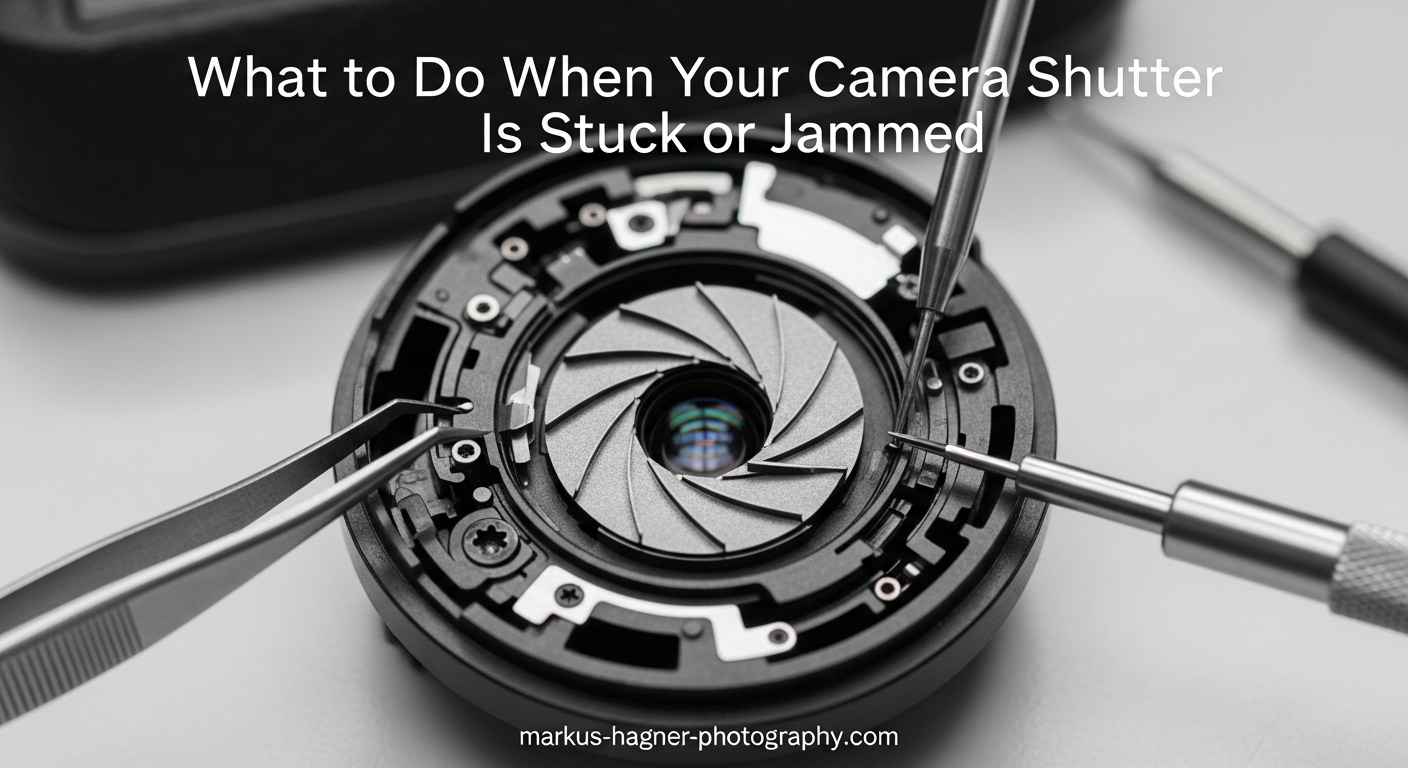
There is nothing more frustrating than lining up the perfect shot, pressing the shutter button, and hearing nothing. Your camera shutter is stuck or jammed, and you are left wondering if your camera is broken for good. I have been there myself, standing at a wedding reception with a silent DSLR while moments slipped away.
The good news is that a stuck shutter does not always mean your camera is toast. After years of shooting and researching camera repair forums, I have learned that many shutter issues can be resolved at home with the right approach. In this guide, I will walk you through exactly what to do when your camera shutter is stuck or jammed, from quick fixes you can try right now to knowing when professional help is the smarter call.
Table of Contents
- Quick Diagnosis: Is Your Shutter Stuck or Jammed?
- What Causes a Camera Shutter to Get Stuck
- Step-by-Step: How to Fix a Jammed Shutter
- Brand-Specific Shutter Fixes
- When to Seek Professional Camera Repair
- Prevention: How to Avoid Shutter Issues
- Frequently Asked Questions
- Final Thoughts on Dealing with a Camera Shutter Stuck or Jammed
Quick Diagnosis: Is Your Shutter Stuck or Jammed?
Before diving into fixes, let us identify exactly what is happening with your camera. The symptoms you are experiencing will point us toward the right solution.
Common signs of a stuck shutter include:
The shutter button does not respond when pressed. Your viewfinder stays black because the mirror is stuck up. The shutter curtain remains visible in an open or partially closed position. Your film advance lever will not move or feels stuck. The camera makes unusual clicking or grinding sounds. You see error messages on your LCD display.
Stuck open vs stuck closed makes a difference:
If your shutter is stuck open, light continuously hits your sensor or film, resulting in overexposed or completely white images. If it is stuck closed, no light reaches the sensor, giving you black frames or preventing the camera from firing at all.
Digital camera vs film camera symptoms:
On digital cameras like DSLRs and mirrorless bodies, you will often see error messages or experience complete unresponsiveness. Film cameras tend to give mechanical clues instead. The film advance lever might jam, or the shutter curtain might physically block your view through the lens.
What Causes a Camera Shutter to Get Stuck
Understanding why shutters jam helps you choose the right fix and prevent future problems. Here are the most common culprits I have encountered.
Debris and physical obstructions: Dust, sand, or small particles can work their way into the shutter mechanism and prevent the blades or curtains from moving freely. This is especially common for photographers who shoot outdoors or change lenses frequently.
Electrical communication failures: Modern cameras rely on electrical signals between the lens and body. Dirty or corroded lens contacts can interrupt these signals, causing the shutter to lock up as a safety measure.
Lubricant problems in older cameras: Vintage film cameras often develop sticky lubricant on their shutter mechanisms over decades. The grease that once kept things running smoothly can gum up and seize the works.
Battery and power issues: Sometimes a weak or failing battery provides enough power to turn on the camera but not enough to drive the shutter mechanism. This creates the illusion of a jammed shutter when the real problem is power delivery.
Environmental factors: Extreme cold can make lubricants viscous and slow. High humidity promotes corrosion. Rapid temperature changes cause condensation inside the camera body. I have seen shutters freeze up during winter wildlife shoots and stick during humid summer sessions.
Normal wear and eventual failure: Mechanical shutters have a rated lifespan, typically between 100,000 and 400,000 actuations depending on the camera model. If your camera has seen heavy use, the shutter may simply be reaching the end of its mechanical life.
Step-by-Step: How to Fix a Jammed Shutter
Here are the methods that have worked for me and countless other photographers. Start with the simplest solutions and work your way down the list.
Step 1: Power Reset and Battery Removal
This fix works surprisingly often, especially on digital cameras. Turn off your camera completely. Remove the battery and leave it out for at least 30 seconds. While the battery is out, hold down the shutter button for several seconds. This drains any residual power and can reset the shutter mechanism. Reinsert the battery, power on the camera, and test the shutter.
I have seen this simple trick revive cameras that seemed completely dead. The electronic shutter mechanism sometimes gets caught in a confused state, and a full power cycle clears it.
Step 2: The Tap-and-Shake Method
If debris is causing the jam, gentle physical manipulation can dislodge it. Turn the camera off and remove the lens. With the camera body facing down, gently tap the base of the camera against your palm. Use a firm but careful motion. You are not trying to shake the camera apart, just encourage any particles to fall out.
Some photographers report success with a gentle rocking motion while the camera is upside down. I have used this technique successfully after beach shoots when fine sand worked into my shutter mechanism.
Step 3: Clean the Lens Contacts
Dirty electrical contacts between your lens and camera body can prevent proper communication and lock up the shutter. Remove the lens and inspect the metal contacts on both the lens mount and camera body.
Use a clean, lint-free cloth or cotton swab lightly dampened with isopropyl alcohol. Gently clean each contact on both the lens and camera body. Let everything dry completely before reattaching the lens and testing the shutter.
Step 4: Try the Shoot Without Lens Setting
Many cameras have a setting that allows shutter release without a lens attached. Enabling this can help diagnose whether the problem is with the lens communication or the shutter itself. Check your camera menu for a release without lens or shoot without lens option.
With this setting enabled and the lens removed, try firing the shutter. If it works, your problem is likely lens-related rather than a true shutter jam.
Step 5: Manual Shutter Speed for Film Cameras
On many mechanical film cameras, certain shutter speeds operate mechanically rather than electronically. Look for speeds marked with a different color, often M90, M250, or a similar designation. These mechanical speeds can sometimes bypass electrical issues causing the jam.
Set your camera to this mechanical shutter speed and try firing. If it works at M90 but not at other speeds, you know the issue is electronic rather than mechanical.
Brand-Specific Shutter Fixes
Different camera systems have their own quirks and common failure points. Here is what I have learned about fixing stuck shutters on popular brands.
Canon Shutter Stuck Solutions
Canon DSLRs and mirrorless cameras often respond well to the battery reset method. Some Canon shooters report success by enabling the mirror lockup function and then cycling power. For Canon film cameras like the AE-1 or F-1, the mechanical speeds at 1/60 and below can sometimes bypass electrical shutter issues.
Nikon Shutter Stuck Solutions
Nikon cameras, particularly the FE, FM, and F series, have a well-known fix involving internal components. If you are comfortable with basic disassembly, removing the bottom plate reveals a metal lever or bronze switch near the film advance mechanism. Gently pressing this lever forward can release a jammed shutter. This fix has saved countless Nikon FE cameras from repair shops.
For Nikon digital bodies, try removing both the main battery and the internal clock battery if accessible. This provides a more complete reset than just removing the main battery.
Sony Mirrorless Shutter Issues
Sony Alpha cameras have electronic first curtain options that can sometimes work around mechanical shutter problems. Check if your camera has this feature enabled. Sony shutters tend to be more sensitive to power issues, so ensure your battery is fully charged before assuming mechanical failure.
Pentax Film Camera Fixes
Pentax cameras like the K1000, Spotmatic, and P30 series are known for robust shutters, but they can still jam. The mechanical nature of these cameras means the tap-and-shake method often works well. For the Pentax 67, there are documented internal lever fixes similar to the Nikon FE approach.
Fujifilm Camera Shutter Problems
Fujifilm X-series and GFX cameras sometimes experience shutter jams related to lens communication. The shoot without lens diagnostic is particularly helpful here. Some users report that enabling electronic shutter mode can bypass mechanical issues temporarily while you arrange professional service.
When to Seek Professional Camera Repair
Not every shutter problem can or should be fixed at home. Knowing when to hand your camera to a professional can save you from causing more damage.
Seek professional help if you notice:
Visible physical damage to the shutter curtain, such as tears, creases, or bent blades. Burning smells or unusual electrical sounds when you attempt to fire the shutter. The camera is still under warranty and DIY attempts could void it. You have tried all the basic fixes with no improvement after 24-48 hours of rest. Your camera has high shutter count and may need a full shutter replacement rather than a repair.
Repair cost considerations:
Professional shutter repair typically ranges from $150 to $400 depending on the camera and the shop. Full shutter replacement can cost $300 to $600 for professional bodies. Compare this to your camera’s current value. For a camera worth $800 or more, professional repair often makes sense. For older consumer bodies worth $200-300, you might be better off replacing the camera.
Finding a reputable repair shop:
Look for authorized service centers for your brand, or seek out independent shops with strong community reputations. Photography forums and local camera clubs are excellent sources for recommendations. Avoid shops that quote unusually low prices, as they may use inferior replacement parts.
Prevention: How to Avoid Shutter Issues
The best shutter repair is the one you never need. Here is how to keep your shutter mechanism healthy for years to come.
Store your camera properly: Keep your camera in a dry, temperature-stable environment when not in use. Consider silica gel packets in your camera bag to control humidity. Store cameras with the lens cap on and, for DSLRs, with the mirror down.
Protect against environmental contamination: Use a camera rain cover in wet conditions. Avoid changing lenses in dusty or sandy environments when possible. If you must change lenses outdoors, point the camera body downward to minimize debris entering the mirror box.
Maintain your batteries: Use quality batteries and replace them when they show signs of declining performance. Weak batteries put extra stress on mechanical components and can contribute to shutter timing issues.
Exercise the mechanism periodically: If you have cameras that sit unused for months, fire the shutter occasionally to keep the mechanism from seizing. A few actuations every month or two keeps lubricants distributed and prevents stuck components.
Know your shutter’s lifespan: Check your camera’s shutter count periodically. Most cameras have rated shutter life expectancies. Consumer DSLRs typically rate for 100,000 to 150,000 actuations. Professional bodies often rate for 300,000 to 400,000. As you approach these numbers, budget for eventual shutter replacement or camera upgrade.
Frequently Asked Questions
How to fix a jammed shutter?
Start by removing the battery for 30 seconds while holding down the shutter button to reset the mechanism. If that fails, gently tap the camera base to dislodge debris, clean the lens contacts with isopropyl alcohol, or try the shoot without lens setting. For film cameras, mechanical shutter speeds like M90 can sometimes bypass electrical issues.
How do I open a jammed shutter?
Never force a jammed shutter open, as this can cause serious damage. Instead, try the battery reset method first. For mechanical cameras, switching to a manual shutter speed setting may release the mechanism. If the shutter curtain is physically stuck, professional repair is safer than forcing it.
Why won’t my camera shutter open?
Common causes include dead or weak batteries, debris blocking the shutter mechanism, dirty lens contacts interrupting electrical signals, lubricant that has gummed up over time, or mechanical failure from normal wear. Start your diagnosis by checking battery power and lens contact cleanliness before assuming mechanical failure.
How to get shutters unstuck?
Remove the battery and hold the shutter button for several seconds to drain residual power. Gently tap the camera body with the lens removed to dislodge debris. Clean lens contacts with a cotton swab and isopropyl alcohol. Try enabling the shoot without lens setting to test if the issue is lens-related.
Can I fix a stuck shutter myself?
Yes, many stuck shutters can be fixed at home using battery resets, gentle tapping, and contact cleaning. However, avoid any disassembly unless you are comfortable with camera repair and understand the risks. If basic fixes do not work within 24-48 hours, professional repair is recommended to avoid causing more damage.
How much does shutter repair cost?
Professional shutter repair typically costs $150 to $400 depending on the camera model and repair shop. Complete shutter replacement ranges from $300 to $600 for most cameras. Compare repair costs to your camera’s current value to decide whether repair or replacement makes more financial sense.
Final Thoughts on Dealing with a Camera Shutter Stuck or Jammed
A camera shutter stuck or jammed is stressful, but it is often fixable with patience and the right approach. Start with the simple battery reset and tap-and-shake methods before assuming the worst. Know your limits and seek professional help when the problem clearly exceeds DIY territory.
Most importantly, practice good prevention habits to keep your shutter mechanism healthy. Your camera is an investment worth protecting, and a little maintenance goes a long way toward avoiding shutter problems in the first place.