
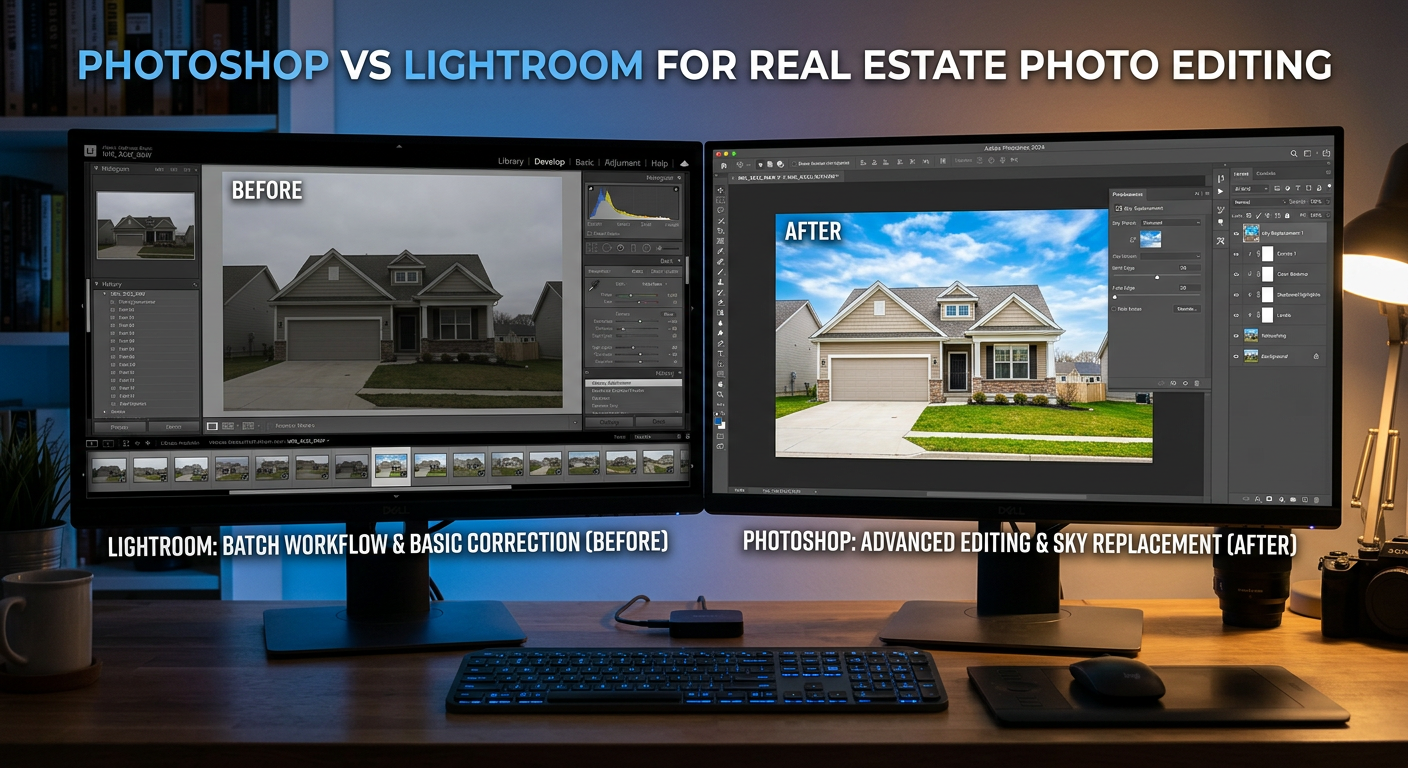
Choosing between Photoshop vs Lightroom for real estate photo editing can make or break your workflow efficiency. After testing both tools extensively across hundreds of property shoots, our team has found a clear answer to this common dilemma. The short version? Most professionals use both in what we call the 90/10 rule.
Real estate photography demands speed without sacrificing quality. You might shoot 200+ images for a single property listing, and clients expect fast turnaround times. Lightroom handles the bulk of that workload beautifully, while Photoshop steps in for the precision edits that make listings stand out from the competition.
In this comprehensive comparison, we will break down exactly when to use each tool, how they compare for specific real estate tasks, and whether you need both or can get by with just one. We have spent years refining this workflow across thousands of property images, and the insights below will save you countless hours of trial and error.
Photoshop vs Lightroom for Real Estate Photo Editing: Quick Comparison
Before diving into the details, here is a side-by-side look at how these two tools stack up for real estate photography work. This comparison table highlights the key differences that matter most for property photo editing.
| Product | Specifications | Action |
|---|---|---|
 Adobe Lightroom 1TB Adobe Lightroom 1TB |
|
Check Latest Price |
 Creative Cloud Photography Plan Creative Cloud Photography Plan |
|
Check Latest Price |
As you can see, both subscriptions offer significant cloud storage and AI capabilities. The key difference is that Lightroom standalone focuses purely on photo organization and batch editing, while the Creative Cloud Photography Plan gives you the full editing power of both applications in one package.
For real estate photographers trying to decide between these options, consider your current editing needs. If you primarily need fast batch processing and organization, Lightroom standalone may suffice. If you anticipate needing advanced retouching capabilities, the combined plan offers better value.
Adobe Lightroom for Real Estate Photography
Adobe Lightroom 1TB | AI-assisted photo editor | 12-Month Subscription with auto-renewal |PC/Mac | Digital Download
Pros
- Excellent batch editing for hundreds of photos
- Powerful catalog system for organization
- Non-destructive editing workflow
- AI-powered Generative Remove
- 100 monthly generative AI credits
Cons
- Subscription-based pricing
- No Photoshop advanced features
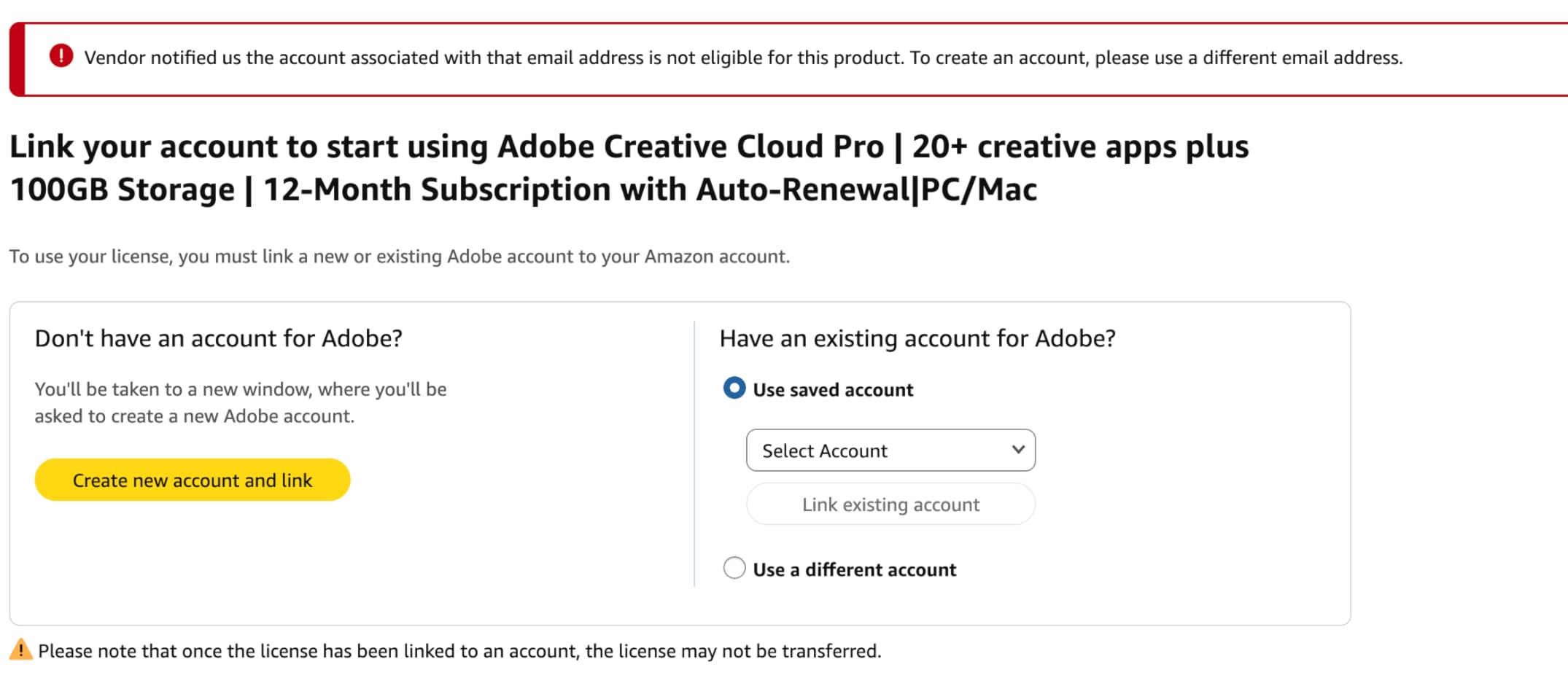
- Account activation issues reported
Lightroom has become the backbone of our real estate editing workflow. When we return from a property shoot with 150+ RAW files, Lightroom handles the heavy lifting with its exceptional batch processing capabilities. The catalog system keeps everything organized by property address, date, and client name, which becomes absolutely essential when you are managing multiple listings simultaneously across different markets.
The non-destructive editing workflow is what truly sets Lightroom apart for real estate work. Every adjustment we make, from exposure tweaks to lens corrections, remains editable indefinitely without degrading image quality. This matters enormously because real estate agents frequently request changes after initial delivery, and having the original edits preserved saves tremendous time on revisions compared to starting from scratch.

For interior shots, Lightroom excels at correcting wide-angle distortion that is common in real estate photography. The lens profile corrections automatically fix barrel distortion from popular 16-35mm and 14-24mm lenses, making straight lines actually look straight. This correction alone can make the difference between an amateur-looking shot and a professional result that impresses potential buyers.
The gradient filter tool handles window exposures beautifully, balancing bright exteriors with darker interiors in a single adjustment. Rather than spending minutes masking in Photoshop, we can apply a graduated filter across window areas in seconds. For rooms with multiple windows at different exposures, the range mask feature lets us target specific tonal ranges for more precise control.
The batch editing feature is where Lightroom truly shines for real estate photography. We typically adjust exposure, white balance, and lens corrections on one representative image, then sync those settings across all similar shots from the same property. A 200-image edit that might take hours in Photoshop can be completed in 20-30 minutes with Lightroom’s efficient batch approach.

Lightroom’s AI features have improved dramatically in 2026, closing the gap with Photoshop for many common tasks. The Generative Remove tool handles simple object removal tasks that previously required a Photoshop round-trip. Lawn equipment, minor debris, small distractions, and sensor dust can often be eliminated without leaving Lightroom at all.
The 100 monthly AI credits included with this standalone Lightroom plan actually give you more generative capacity than the Photoshop-inclusive bundle, which only offers 25 credits monthly. For photographers who primarily need Lightroom’s strengths with occasional AI assistance, this plan represents excellent value and capability.
Cross-device synchronization through the 1TB cloud storage means you can start editing on your desktop studio machine and continue on a laptop or tablet while traveling. The mobile app has become surprisingly capable for quick adjustments, allowing you to handle urgent client requests even when away from your primary workstation.
Adobe Photoshop for Real Estate Photography
Adobe Creative Cloud Photography Plan 1TB (Photoshop + Lightroom) | 12-month Subscription with auto-renewal
Pros
- Complete Lightroom and Photoshop access
- Sky replacement tool for exteriors
- Object removal with Content-Aware Fill
- HDR blending capabilities
- Virtual staging support
Cons
- Subscription cost higher than Lightroom alone
- Steeper learning curve
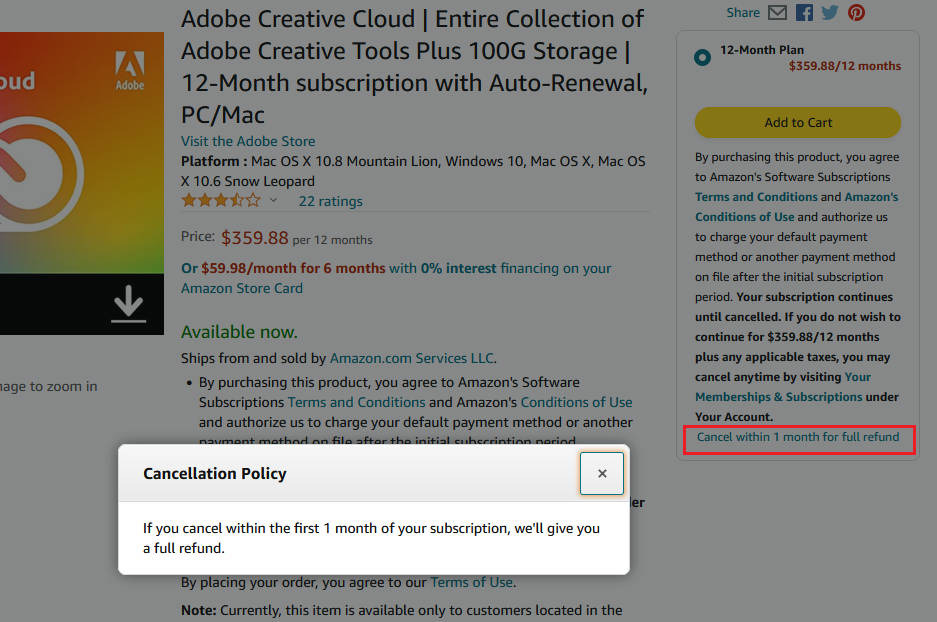
- Auto-renewal management issues
Photoshop handles the 10% of edits that Lightroom simply cannot touch. Sky replacements, complex object removal, HDR blending, and virtual staging all require the pixel-level control that only Photoshop provides. For exterior shots with blown-out white skies, the Sky Replacement tool has become absolutely indispensable for our workflow.
The layer-based editing system in Photoshop gives you precision that Lightroom simply cannot match for detailed work. When we need to blend multiple exposures for a twilight shot or replace an overcast sky with a dramatic sunset, Photoshop’s layer masks and blend modes make it possible. These are the edits that make listings stand out in competitive markets where every property photo needs to grab attention.
Content-Aware Fill transforms tedious tasks into one-click solutions that would otherwise take hours. Removing cars from driveways, clearing construction equipment from yards, or eliminating power lines that distract from curb appeal all become manageable with this powerful feature. The AI-powered tool analyzes surrounding pixels and fills in the removed areas convincingly in most cases.
For more challenging removals, the combination of Content-Aware Fill with manual clone stamping and healing brush work produces seamless results. Real estate agents particularly appreciate when we can remove distracting elements like neighbor’s trash cans or parked vehicles that might detract from a property’s presentation online.
Window view replacement is one of the most valuable Photoshop techniques for real estate photography. Interior shots often suffer from blown-out windows because of the extreme exposure difference between inside and outside spaces. Photoshop lets us blend a properly exposed exterior shot into the window frame, creating that polished look agents expect for premium listings.
This window masking technique requires careful selection work, but the results justify the effort. Potential buyers can actually see the view from inside rooms, whether that is a backyard, city skyline, or mountain vista. Properties with desirable views become much more marketable when those views are visible in interior photographs.
For advanced HDR work, Photoshop offers significantly more control than Lightroom’s built-in HDR merging. The ability to manually blend exposures using luminosity masks gives better results for challenging lighting situations. Properties with bright windows and dark corners benefit enormously from this level of manual control over the final image.
The Creative Cloud Photography Plan includes both Lightroom and Photoshop, giving you the complete toolkit for professional real estate editing. While the monthly AI credit allocation is lower at 25 credits, having full Photoshop access more than compensates for photographers doing advanced retouching work regularly.
Head-to-Head Feature Comparison
Let us break down how these tools compare across the features that matter most for real estate photography. Understanding these differences will help you make the right choice for your specific workflow needs.
Batch Processing Speed
Lightroom wins decisively for batch processing volume work. The ability to sync settings across hundreds of images and export them in batches makes it absolutely essential for real estate volume work. What takes 30 minutes in Lightroom could easily consume an entire afternoon in Photoshop.
Photoshop processes images one at a time, which becomes impractical when you need to deliver 100+ edited photos by the next morning. While you can create actions and batch process in Photoshop, the workflow is nowhere near as streamlined as Lightroom’s purpose-built batch editing system.
Winner: Lightroom
Advanced Retouching Capabilities
Photoshop dominates this category completely. Sky replacement, complex object removal, virtual staging, and multi-exposure blending all require Photoshop’s layer-based editing approach. Lightroom can handle simple removals with its AI tools, but anything beyond basic cleanup needs Photoshop’s precision.
The layer system in Photoshop allows for non-destructive compositing that simply does not exist in Lightroom. You can blend images, add elements, and make complex selections with refinement tools that give professional results every time.
Winner: Photoshop
File Organization and Management
Lightroom’s catalog system is purpose-built for managing large photo libraries efficiently. Keywords, collections, smart collections, and metadata filtering make finding specific images fast and reliable even across tens of thousands of photos.
Photoshop relies entirely on your operating system’s file management, which becomes unwieldy with real estate volumes. Without a database system, finding images from a specific property shot months ago becomes a frustrating exercise in folder navigation.
Winner: Lightroom
Learning Curve Assessment
Lightroom is significantly easier to learn for most users. The interface is intuitive, and most photographers can become productive within a few days of practice. The workflow follows a logical progression from import to organize to edit to export.
Photoshop requires months to master even basic techniques, and years to fully leverage its extensive capabilities. The sheer number of tools and options can feel overwhelming to beginners. For photographers just starting in real estate, Lightroom offers a much gentler on-ramp to professional editing.
Winner: Lightroom
AI-Powered Editing Tools
Both tools now include Adobe Firefly-powered AI features for generative editing. Interestingly, the standalone Lightroom plan includes 100 monthly AI credits versus only 25 in the Photography Plan. However, Photoshop’s Generative Fill and Generative Expand tools offer more creative possibilities for complex edits and compositing work.
For simple generative tasks like object removal, Lightroom’s AI tools work excellently. For complex generative work like extending room boundaries or adding elements, Photoshop’s capabilities are superior.
Winner: Tie (depends on your specific needs)
Real Estate Specific Tasks
For day-to-day real estate editing tasks, Lightroom handles approximately 90% of what you need efficiently. Exposure correction, white balance adjustment, lens corrections, and basic cleanup all happen faster in Lightroom with its streamlined interface and batch capabilities.
But for sky replacements, window masking, twilight conversions, and virtual staging, Photoshop remains essential. These high-impact edits can transform ordinary property photos into compelling listing images that drive buyer interest.
Winner: Depends on task (Lightroom for volume, Photoshop for precision)
When to Use Each Tool
Understanding when to reach for each application is the key to building an efficient workflow. Here is how we approach this decision in our daily real estate editing work.
Choose Lightroom When
You are processing large batches of similar images from a single property shoot. Lightroom’s sync settings feature lets you apply the same exposure, color, and lens corrections to 50 interior shots in seconds rather than the hours it would take in Photoshop.
You need to organize and catalog your growing library of property images efficiently. The keyword and collection system makes finding images from specific properties, clients, neighborhoods, or date ranges effortless compared to manual folder browsing.
You are making global adjustments like exposure, white balance, contrast, and lens corrections. These fundamental edits happen faster in Lightroom with its streamlined interface designed specifically for photographic adjustments.
You want non-destructive edits that you can revise later without quality loss. Real estate agents frequently request changes after seeing initial edits, and Lightroom preserves every edit history point for easy revision.
Choose Photoshop When
You need to replace dull or blown-out skies with more dramatic alternatives. The Sky Replacement tool handles this task in minutes rather than the manual masking approach required in older workflows, with realistic results.
You are removing significant objects like vehicles, construction equipment, or distracting elements from exterior shots. Content-Aware Fill makes these removals look natural and seamless when done correctly.
You need to blend multiple exposures for HDR images or window view replacement. Photoshop’s layer system and blend modes give you precise control over how exposures combine for the most natural-looking results.
You are doing virtual staging or adding elements to empty rooms for marketing purposes. Photoshop’s compositing tools let you place furniture and decor into images convincingly, helping buyers visualize potential.
The 90/10 Hybrid Workflow
After years of real estate editing, our team has settled on what the photography community calls the 90/10 rule. We do roughly 90% of our editing work in Lightroom and 10% in Photoshop. Here is exactly how this workflow operates in practice.
Import all images into Lightroom and cull the rejects quickly using the pick and reject flags. Apply lens corrections, exposure adjustments, and white balance to the best shot from each room or angle. Sync those settings across similar images from the same property. Export the batch for client delivery.
Then identify the hero shots that need extra attention for maximum impact. Usually the front exterior, key living spaces like kitchens and living rooms, master suites, and any images with problematic skies or window exposures. Those 10-15 images go to Photoshop for sky replacement, window view blending, or object removal work.
This approach gives you the speed of Lightroom batch processing for the bulk of your work while reserving Photoshop’s power for the images that matter most for marketing impact. The time savings add up significantly when you are processing multiple properties per week.
The Lightroom to Photoshop handoff is seamless and well-integrated. Right-click any image in Lightroom and choose Edit in Photoshop. When you save your work in Photoshop, the edited version automatically appears back in your Lightroom catalog alongside the original. This integration makes the hybrid workflow practical for daily use.
Frequently Asked Questions
Do professionals use Lightroom or Photoshop?
Most professional real estate photographers use both tools together in an integrated workflow. The common approach involves Lightroom for 90% of editing work including batch processing, organization, and global adjustments, while Photoshop handles the remaining 10% for tasks like sky replacement, object removal, and HDR blending. This hybrid approach maximizes efficiency while maintaining professional quality.
Can you Photoshop real estate photos?
Yes, Photoshop is widely used for real estate photo editing and is considered an industry standard tool. It excels at advanced retouching tasks like sky replacement, removing unwanted objects from scenes, blending multiple exposures for HDR effects, and window view replacement. These precision edits help property listings look their best and are standard practice among professional real estate photographers.
How do real estate photos look so good?
Professional real estate photos achieve their polished look through a combination of proper shooting technique and careful post-processing. Key techniques include HDR blending to balance interior and exterior exposures, lens corrections to fix wide-angle distortion, sky replacement for dramatic exteriors, and color grading to create warm, inviting tones. Most professional editors use Lightroom for bulk adjustments and Photoshop for detailed retouching work.
What do real estate photographers use?
Real estate photographers typically use Adobe Lightroom for batch editing and image organization, Adobe Photoshop for advanced retouching tasks, sturdy tripods for stability and consistent framing, wide-angle lenses in the 16-35mm range, and sometimes dedicated HDR software for exposure blending. The Adobe Creative Cloud Photography Plan is the industry standard because it includes both essential editing tools in one subscription package.
Is Lightroom enough for real estate photography?
Lightroom is sufficient for approximately 90% of real estate editing tasks including batch processing, exposure correction, white balance adjustment, lens corrections, and basic cleanup work. However, for sky replacements, complex object removal, window view blending, and HDR compositing, you will eventually need Photoshop capabilities. Most professional photographers end up using both tools together for complete coverage of their editing needs.
Final Verdict
For real estate photographers just starting out in the business, Lightroom alone will handle most of your editing needs effectively. The batch editing capabilities and organization features are indispensable for managing the volume that property shoots generate. You can always add Photoshop later when you encounter projects that require its advanced capabilities.
For established professionals processing multiple properties weekly, the Creative Cloud Photography Plan that includes both applications is the smart choice. The Photoshop vs Lightroom for real estate photo editing question becomes irrelevant when you have both tools working together in an integrated workflow.
Our recommendation is straightforward. Start with Lightroom if you are new to real estate photography and building your skills. Upgrade to the full Photography Plan once you encounter projects that demand Photoshop’s precision editing capabilities. Most photographers reach that point within their first year of professional real estate work.
The investment in both tools pays for itself quickly when you consider the time savings from efficient batch processing combined with the marketing impact of professionally retouched hero images. Your clients will notice the difference in quality, and your workflow will handle volume without becoming overwhelming.