
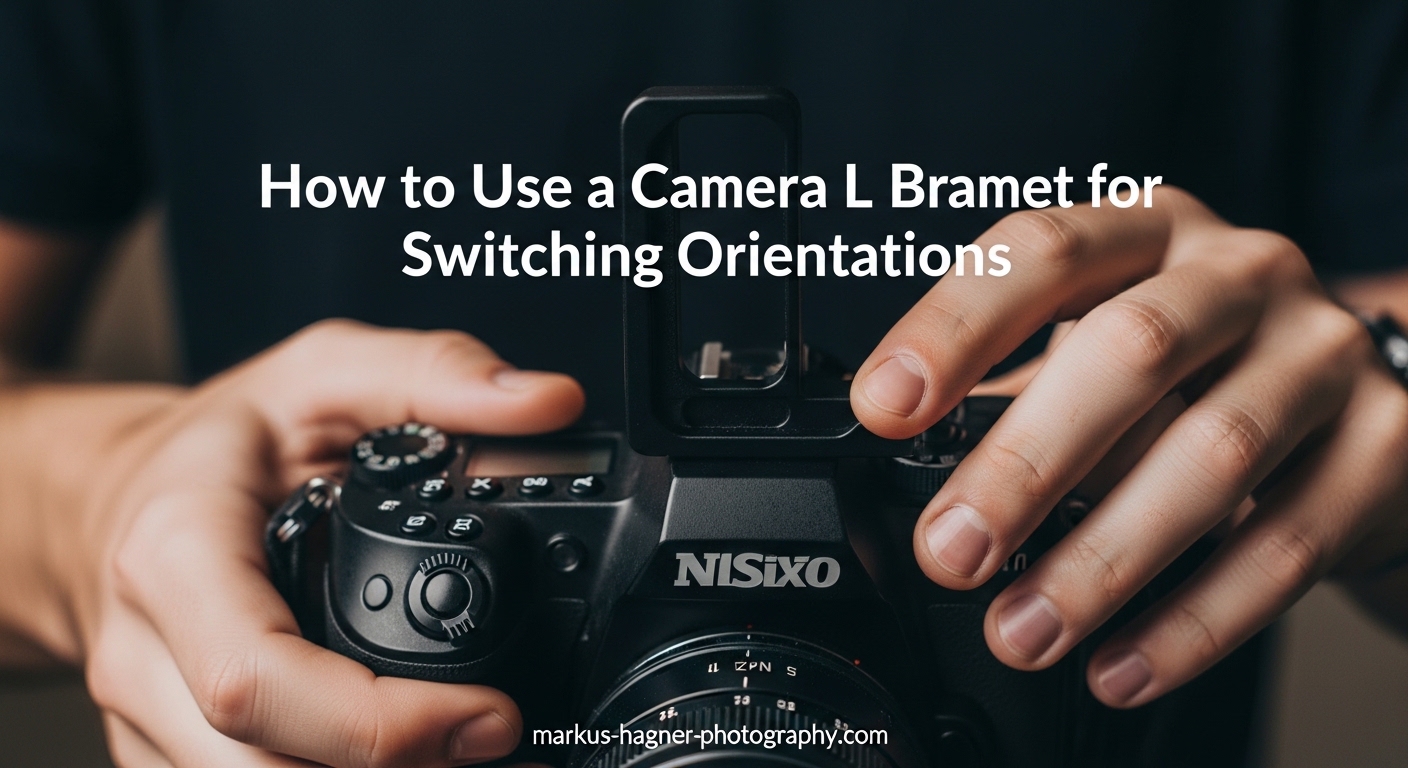
Switching between landscape and portrait orientation on a tripod used to frustrate me endlessly. Every time I wanted to shoot vertically, I had to flop my ball head into its drop notch, recompose my entire shot, and hope the camera would stay stable. Then I discovered the L-bracket, and it completely changed how I work on location.
In this guide, I will show you exactly how to use a camera L bracket for switching between landscape and portrait orientations. I have been using L-brackets for over a decade across countless landscape and architectural shoots, and I will share everything I have learned about making orientation changes fast, stable, and frustration-free.
Whether you shoot landscapes, architecture, products, or any genre that requires both horizontal and vertical images, understanding L-brackets will transform your tripod workflow. Let me walk you through everything you need to know.
What Is an L-Bracket?
An L-bracket (also called an L-plate) is an L-shaped metal plate that attaches to your camera’s tripod mount. It wraps around two sides of your camera body, creating mounting surfaces on both the bottom and the left side. This design lets you mount your camera to your tripod in either landscape or portrait orientation while keeping the camera centered directly above the tripod’s center column.
Most L-brackets are designed to work with Arca-Swiss compatible quick-release clamps. This industry-standard mounting system is found on most quality ball heads and tripod systems. The bracket has dovetail rails on both sides, so you can slide it into your clamp from either direction. This universal compatibility means you can use the same L-bracket across different tripod heads as long as they support the Arca-Swiss standard.
The concept is elegantly simple. Think of it as having two quick-release plates permanently attached to your camera at a right angle. One plate sits on the bottom for landscape orientation, and one plate sits on the side for portrait orientation. Both positions keep your camera centered and stable.
There are two main types of L-brackets you will encounter, and understanding the differences helps you choose the right one for your needs:
Custom L-brackets are machined to fit specific camera models. They match the exact contours of your camera body, provide access to all ports and battery doors, and often feel like a natural extension of the camera. Brands like Really Right Stuff, Kirk, and SmallRig make excellent custom brackets for popular camera bodies. The precision fit means no wobble, no blocked controls, and a streamlined profile that stays on your camera permanently.
Universal L-brackets are adjustable and designed to fit multiple camera models. They cost less and can move with you if you change camera systems, but they tend to be bulkier and may block access to side ports or battery compartments on some cameras. These work well for photographers who want to try the L-bracket concept without committing to a camera-specific model.
Why Use an L-Bracket for Switching Between Landscape and Portrait?
The core benefit of an L-bracket is simple: it keeps your camera’s weight centered over your tripod in both orientations. When you use the traditional drop-notch method on a ball head, your camera hangs off to one side in portrait mode. This off-center weight distribution creates several problems that L-brackets solve completely.
Same focal plane: When you switch from landscape to portrait using an L-bracket, your lens stays in almost the exact same position relative to your subject. The sensor rotates around its center point rather than swinging off to the side. This means your composition stays consistent, and your focus point remains where you set it. For precision work like focus stacking or panoramic stitching, this consistency is invaluable.
Maximum stability: With the camera centered over the tripod in both orientations, you get the most stable setup possible. There is no leverage working against your ball head, no tendency for the camera to slowly droop or shift, and no risk of the whole rig tipping forward if you step away. Long exposures become more reliable because the camera is not fighting gravity from an off-center position.
Instant switching: I can switch from landscape to portrait in under five seconds with an L-bracket. Release the clamp, rotate the camera, slide it back in, and tighten. No need to readjust the ball head, no recomposing, no leveling. The horizon stays exactly where it was. When light is changing fast, those saved seconds can mean capturing or missing the shot.
No recomposing: This is the real time-saver on location. When that perfect light appears for thirty seconds, you can shoot both horizontal and vertical versions of the same scene without losing your composition. For stock photographers and anyone shooting for multiple output formats, this alone justifies the investment. Your subject stays framed exactly where you placed it, just rotated 90 degrees.
Level horizon maintained: Because you are not changing the ball head position when you switch orientations, your horizon stays level. This is particularly valuable for landscape photographers who carefully level their shots. One leveling operation covers both orientations.
The Problem: Switching Orientations Without an L-Bracket
Before I used L-brackets, the drop-notch method was my only option for portrait orientation. Here is why that approach frustrated me enough to make the switch.
When you tilt your ball head 90 degrees into its drop notch, the camera hangs off to the side of the tripod. Your camera’s center of gravity shifts dramatically, creating leverage that works against the ball head’s locking mechanism. Heavy cameras and long lenses make this worse. The off-center mass creates a pendulum effect that can cause subtle movement during exposures.
The off-center position means you have to recompose your shot completely. Your lens has moved laterally, so your subject is now framed differently. If you carefully positioned elements using the rule of thirds in landscape, you have to start over in portrait. This recomposition takes time and can result in slightly different framing between your horizontal and vertical versions of the same scene.
Stability suffers too. I have had shots ruined because the ball head slowly drifted during long exposures in portrait mode. The weight hanging off to one side creates stress on the ball head that does not exist when the camera is centered. Even expensive ball heads can struggle to hold heavy rigs perfectly still in the 90-degree position.
Finally, leveling becomes a headache. Your tripod might be perfectly level, but tilting the ball head 90 degrees often throws off your horizon. You end up making micro-adjustments to the ball head while checking your camera’s electronic level, wasting precious time when the light is changing fast. Each orientation switch requires a new leveling check.
For photographers who switch orientations frequently, these small frustrations compound throughout a shoot. An L-bracket eliminates all of them at once.
How to Use a Camera L Bracket: Step-by-Step Guide
Learning how to use a camera L bracket is straightforward. Here is my complete process for switching between landscape and portrait orientations with an L-bracket. Once you practice this sequence a few times, it becomes second nature.
Step 1: Install the L-Bracket on Your Camera
Start by removing any existing quick-release plate from your camera’s tripod socket. Thread the L-bracket’s mounting screw into the 1/4-inch tripod socket on the bottom of your camera. Tighten it securely using the included hex key or coin-slot design. Most L-brackets come with a hex key that stores in the bracket itself, so you always have it available.
For custom L-brackets, the bracket should align perfectly with your camera body. There is usually only one correct position, guided by locating pins or the shape of the bracket itself. For universal brackets, adjust the side plate so it sits flush against your camera’s left side without blocking any ports, buttons, or the battery door. Take time to position it correctly, as this affects both function and comfort when hand-holding the camera.
I always check that I can still access my battery compartment, memory card slot, and any side ports I use regularly. Some brackets have removable sections for port access. If yours does, make sure those sections are in place or removed as needed before heading out. The last thing you want is to discover your bracket blocks the USB-C port when you need to tether.
Step 2: Attach Your Camera to the Tripod in Landscape Orientation
Open your ball head’s quick-release clamp by turning the knob counter-clockwise. Slide the bottom rail of your L-bracket into the clamp from either direction. The dovetail shape should seat fully in the clamp’s channel. You will feel it settle into place when properly aligned.
Tighten the clamp knob until the camera is secure. I give it a firm twist but do not overtighten. You want the camera locked in place but still able to remove it when needed without excessive force. Most quality clamps have a safety stop that prevents the bracket from sliding out even if slightly loose, but proper tightening is still important for stability.
Verify the camera is seated properly by gently trying to slide it. It should not move. If there is any play, loosen the clamp, reseat the bracket, and tighten again. A loose mount can cause vibration during exposures and is a safety risk with heavier gear.
Step 3: Compose and Level Your Shot
With your camera mounted in landscape orientation, compose your shot as you normally would. Use your ball head’s controls to frame the scene exactly how you want it. Take your time here because the advantage of an L-bracket is that this composition will carry over to portrait orientation.
Check your horizon using your camera’s electronic level or a bubble level on your hot shoe. Get the horizon perfectly level before moving on. This is important because when you switch to portrait orientation with an L-bracket, your horizon will stay level automatically. One leveling operation covers both orientations.
Set your focus point, exposure, and any other settings you need. Lock in your composition mentally because you will want to verify it matches after switching orientations. This mental checkpoint helps you appreciate how much time the L-bracket saves by preserving your framing.
Step 4: Switch to Portrait Orientation
Here is where the L-bracket shines. To switch to portrait orientation, loosen your quick-release clamp by turning the knob counter-clockwise. You do not need to open it completely, just enough to free the bracket. Usually about a quarter to half turn does the job.
Lift the camera straight up out of the clamp. Rotate it 90 degrees clockwise so the bottom of the camera now faces to your left. The vertical rail of the L-bracket should now be facing downward. This motion becomes smooth and automatic with practice.
Slide this vertical rail into your quick-release clamp. The dovetail on the side of the L-bracket seats into the clamp just like the bottom rail did. You will feel it click into the proper position. Tighten the clamp to secure the camera.
Your camera is now in portrait orientation, positioned directly above the tripod’s center column, with your horizon still perfectly level. The entire motion takes about four seconds once you are comfortable with it.
Step 5: Verify Your Composition
Check that your composition matches what you framed in landscape orientation. Your subject should be in the same position relative to the frame, just in a vertical format instead of horizontal. This is the magic of the L-bracket: your lens has not moved laterally, so your framing stays consistent.
Look at your electronic level again. It should still show a level horizon because you have not changed the ball head’s position at all. The camera rotated around its own center rather than swinging off to the side. If you spent time carefully leveling in landscape, that effort carries over automatically.
If everything looks good, you are ready to shoot. If you need to make minor adjustments to the composition for the vertical frame, you can do so using your ball head controls without affecting your horizon level. Small tweaks are fine, but you should not need to recompose from scratch.
Step 6: Switch Back to Landscape When Needed
Returning to landscape orientation is just as fast. Loosen the clamp, lift the camera out, rotate it 90 degrees counter-clockwise, and slide the bottom rail back into the clamp. Tighten and you are ready to shoot horizontally again.
The entire orientation switch takes me about four seconds once the bracket is installed. On a typical landscape shoot, I might switch orientations a dozen times. That time savings adds up, and more importantly, I never miss a shot because I was fumbling with my tripod head.
This rapid switching encourages experimentation. When you can try both orientations without penalty, you are more likely to explore different compositions. I often find that scenes I assumed would work better horizontally actually shine in portrait, or vice versa.
L-Bracket vs Ball Head Drop Notch: A Comparison
Understanding the differences between these two methods helps you decide when an L-bracket is worth the investment. Here is a detailed breakdown of how they compare across the factors that matter most in the field.
Stability: L-brackets keep your camera centered over the tripod in both orientations. The drop-notch method hangs your camera off to the side, creating leverage that can cause drift during long exposures or with heavy gear. For critical work like long exposures or macro photography, the L-bracket’s stability advantage is significant. The centered position also reduces stress on your ball head’s mechanism.
Speed: Switching orientations with an L-bracket takes about 4-5 seconds once you are comfortable with the motion. The drop-notch method requires loosening the ball head, tilting it 90 degrees, recomposing, re-leveling, and retightening. That process typically takes 20-30 seconds and becomes tedious when you switch frequently. Over a full day of shooting, these seconds add up to minutes of saved time.
Composition consistency: An L-bracket rotates your camera around the sensor’s center point, so your composition stays consistent between orientations. The drop-notch method moves your lens laterally, requiring complete recomposition every time you switch. For photographers who need matching horizontal and vertical versions of the same scene, this consistency is essential.
Weight capacity: Heavy camera and lens combinations are more stable with an L-bracket. The drop-notch position puts significant stress on the ball head’s 90-degree detent, and some ball heads struggle to hold heavy rigs securely in that position. Professional bodies with battery grips and fast lenses benefit most from the centered mounting an L-bracket provides.
Cost: Ball heads with drop notches are the standard and add no extra cost. L-brackets require an additional purchase, typically 50 to 200 dollars depending on whether you choose universal or custom-fit options. Consider this a one-time investment that pays dividends on every shoot where you use a tripod.
Learning curve: Both methods are easy to learn, but the L-bracket becomes faster with practice. The motion is more intuitive because you are simply rotating the camera rather than adjusting the tripod head. Most photographers become proficient with an L-bracket within a few shooting sessions.
How to Choose the Right L-Bracket for Your Camera
Selecting the right L-bracket involves balancing fit, function, and budget. Here are the key factors I consider when recommending L-brackets to photographers.
Custom vs universal: Custom brackets fit perfectly and provide full access to all camera controls, but they only work with one specific camera model. Universal brackets cost less and transfer to different cameras, but may be bulkier and could block ports on some bodies. If you shoot with one camera for several years, a custom bracket is usually worth the investment. If you upgrade bodies frequently or shoot with multiple systems, a quality universal bracket offers more flexibility.
Arca-Swiss compatibility: Nearly all quality L-brackets use the Arca-Swiss dovetail standard, but verify your ball head is compatible before purchasing. Most modern ball heads from brands like Really Right Stuff, Acratech, Benro, and Feisol work with Arca-Swiss plates. Some older or budget tripods use proprietary systems that will not work with standard L-brackets.
Port and door access: Check that the bracket design allows access to your battery door, memory card slot, and any ports you use frequently. Some universal brackets have adjustable sections or cutouts for this purpose. Custom brackets should have precise cutouts matching your camera’s layout. Nothing is more frustrating than removing your L-bracket every time you need to change a battery or access a port.
Battery grip compatibility: If you use a battery grip, you will need a larger bracket designed to fit the grip. Standard L-brackets will not fit properly over grips, and forcing the fit could damage your equipment or create an unstable mounting platform. Many manufacturers offer grip-specific versions of their popular brackets.
Build quality: Look for machined aluminum construction with smooth dovetail rails. Cheap brackets may have rough edges that could scratch your camera or fit poorly in your clamp. Quality brackets from established brands hold their value and often last longer than the cameras they were designed for.
Tips and Troubleshooting for L-Bracket Use
After years of using L-brackets, here are the common issues I have encountered and how to solve them. These tips come from real-world experience and forum discussions with other photographers.
Bracket feels loose: If your L-bracket shifts or rotates on the camera, the mounting screw needs tightening. Use the included hex key to snug it down. Check this periodically, especially after travel or heavy use. Vibration from travel can gradually loosen the mounting screw over time.
Ports blocked: Universal brackets sometimes obstruct side ports. Look for brackets with removable sections or adjust the side plate position. For cameras with ports on both sides, you may need to remove the bracket for tethered shooting. Some photographers keep a small Allen key in their bag for quick adjustments in the field.
Heavy lenses causing tilt: Long telephoto lenses with tripod collars should be mounted using the lens collar, not the camera body. The L-bracket is ideal for shorter lenses that mount directly to the body. For mixed use, consider a lens plate in addition to your L-bracket. When using heavy lenses on the body mount, be aware that the extra weight can stress the L-bracket connection point.
Maintenance: Keep the dovetail rails clean and free of debris. A soft brush or cloth removes dust that could affect how smoothly the bracket slides into your clamp. Occasionally check that all screws remain tight. A drop of threadlocker on the mounting screw can prevent it from working loose over time.
Camera strap interference: Some L-brackets interfere with strap attachment points. If you use a strap with quick-connect clips, verify they still attach properly with the bracket installed. Some photographers attach strap clips directly to the L-bracket using accessory loops. Others simply remove the bracket when shooting handheld for extended periods.
Storage and transport: I leave my L-bracket on my camera permanently because I use tripods frequently. If you only occasionally use a tripod, consider whether the added bulk bothers you during handheld shooting. The bracket does add some weight and changes how the camera feels in your hands.
Frequently Asked Questions
How to use a camera L bracket?
To use a camera L bracket, first attach it to your camera’s tripod socket using the mounting screw. When mounted on your tripod in landscape orientation, the bottom rail sits in the quick-release clamp. To switch to portrait, loosen the clamp, lift the camera out, rotate it 90 degrees, and slide the vertical rail into the clamp. Tighten to secure. The process takes about 5 seconds once you are comfortable with it.
Is an L bracket worth it?
An L bracket is worth the investment if you frequently switch between landscape and portrait orientations while shooting on a tripod. It saves significant time by eliminating recomposition, provides better stability by keeping weight centered, and maintains consistent framing between orientations. Landscape, architectural, and stock photographers benefit most from L-brackets. Casual shooters who rarely use tripods may not need one.
What is the difference between an L bracket and a ball head notch?
An L bracket keeps your camera centered over the tripod in both landscape and portrait orientations, maintaining stability and the same focal plane. A ball head drop notch tilts the camera 90 degrees off-center, causing the camera to hang to one side, requiring recomposition, and potentially creating stability issues with heavy gear. L-brackets switch orientations faster but require an additional purchase. Drop notches are built into most ball heads at no extra cost.
Do L brackets work with all tripods?
L brackets work with any tripod head that has an Arca-Swiss compatible quick-release clamp, which includes most quality ball heads and many pan-tilt heads. They do not work with older tripod heads that use proprietary quick-release systems or simple screw-mount plates without clamps. Check your tripod head’s compatibility before purchasing an L-bracket. Most modern tripod heads from major brands support Arca-Swiss plates.
Conclusion
Learning how to use a camera L bracket for switching between landscape and portrait orientations is one of those small investments that pays dividends on every shoot. The ability to switch orientations in seconds without recomposing, while maintaining maximum stability, has made my workflow faster and more efficient. What once felt like a hassle now feels seamless.
L-brackets are especially valuable for landscape photographers, architectural photographers, and anyone shooting stock imagery where both orientations are needed. The consistent focal plane and centered weight distribution solve real problems that the drop-notch method creates. For photographers who take their craft seriously, an L-bracket is not an accessory but an essential tool.
If you spend significant time shooting on a tripod and find yourself frustrated by orientation changes, an L-bracket is a worthwhile addition to your kit. Start with a quality universal bracket if you want to try the concept, or invest in a custom-fit model if you are ready to commit. Either way, you will wonder how you ever worked without one.