
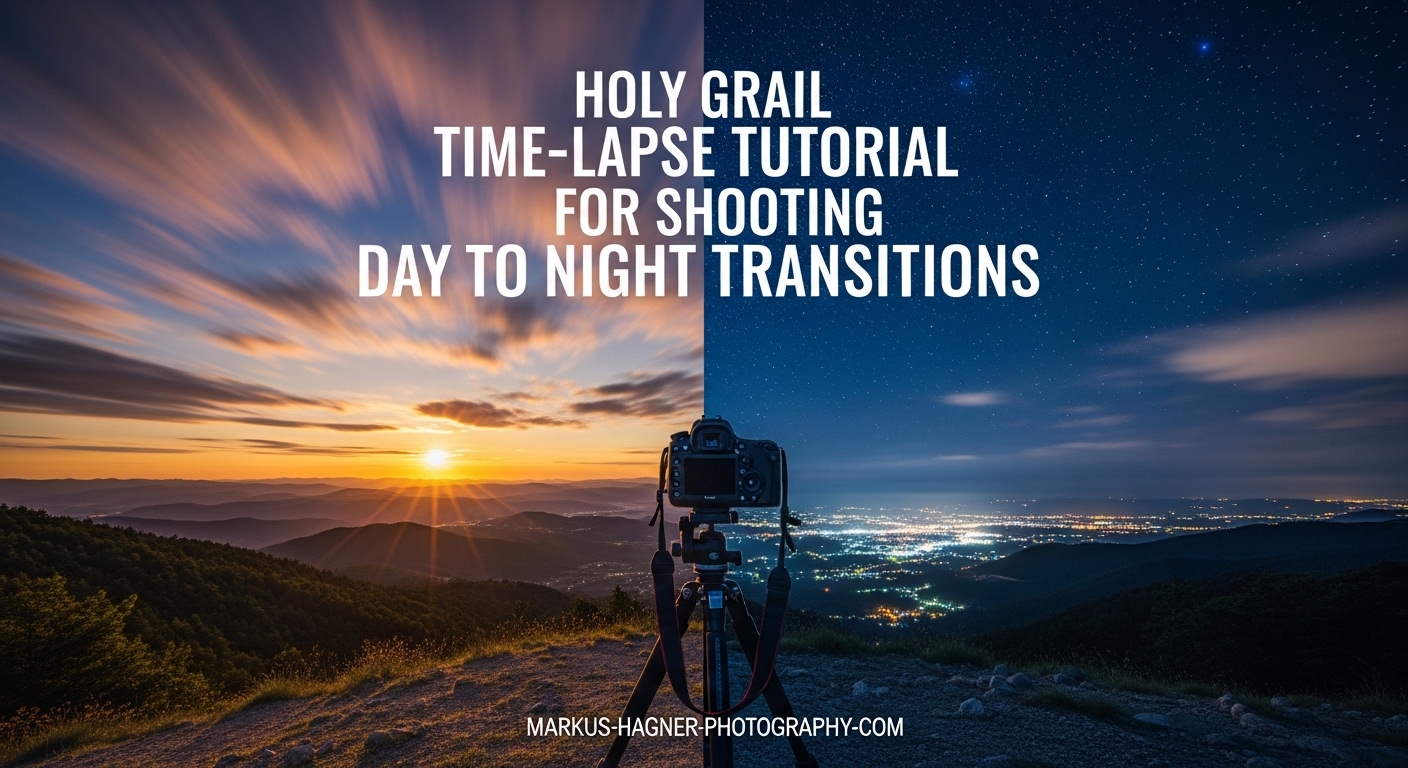
Creating a seamless day-to-night transition in a timelapse is one of the most challenging yet rewarding techniques in photography. Our team has spent years perfecting the Holy Grail time-lapse method, and in this tutorial, I’ll walk you through everything you need to know to capture stunning transitions from golden hour to starry skies. Whether you’re shooting a cityscape at sunset or a Milky Way rising over a mountain range, this guide covers the equipment, settings, shooting techniques, and post-processing workflow to create flicker-free footage.
Holy grail time-lapse photography is the term for capturing the seamless transition from day to night (or night to day) in a single timelapse sequence, maintaining smooth exposure changes as lighting conditions dramatically shift. This technique earned its name because achieving a perfectly smooth exposure ramp without flicker or jarring transitions was once considered nearly impossible—the “holy grail” of timelapse photography.
What is Holy Grail Time-Lapse Photography?
Holy grail time-lapse photography involves gradually adjusting your camera’s exposure settings throughout a shoot to compensate for changing light levels. As the sun sets and ambient light drops by 10 or more stops, you cannot maintain a single exposure setting. Instead, you systematically adjust shutter speed, ISO, or aperture while shooting hundreds or thousands of frames.
The challenge lies in making these adjustments smoothly enough that the final video shows no visible jumps in brightness between frames. A typical holy grail sequence might span 2-4 hours, capturing everything from bright afternoon sun through golden hour, blue hour, and into the black of night with stars visible.
What makes this technique so valuable is the visual story it tells. Rather than showing a static moment, you reveal the complete transformation of a scene as day becomes night—a powerful technique for landscape, cityscape, and astro photography.
Why It’s Called the ‘Holy Grail’ of Timelapses?
The name “holy grail” came from early timelapse photographers who struggled to achieve smooth day-to-night transitions. Before software like LRTimelapse existed, photographers had to manually adjust exposure in tiny increments while hoping the final footage would be usable. Most attempts failed due to flicker—those annoying brightness fluctuations between frames that make footage look amateur.
Today, with better tools and techniques, achieving a holy grail timelapse is far more accessible. However, it still requires careful planning, proper equipment, and a solid understanding of both shooting and post-processing workflows. The reward? Cinematic footage that captures the magic of changing light in ways no single photograph ever could.
Equipment You Need for Holy Grail Timelapse
Before heading out, gather the essential equipment. You do not need the most expensive gear, but certain items are non-negotiable for success.
Camera with Manual Controls: Any DSLR or mirrorless camera with full manual mode (M) will work. You need control over shutter speed, aperture, ISO, and white balance. Cameras with built-in intervalometers (like many Sony models) offer convenience, but external intervalometers work just as well.
Sturdy Tripod: Your camera must remain perfectly still for hours. A cheap, wobbly tripod will ruin your sequence with even slight movement. Invest in a solid tripod that can handle wind and uneven ground.
Intervalometer: This device triggers your camera at set intervals. Options range from affordable wired remotes ($20-50) to advanced programmable controllers. Many modern cameras have built-in interval shooting features, but an external intervalometer gives you more control.
Extra Batteries: Holy grail sequences run for hours. Carry 2-3 fully charged batteries minimum. A battery grip can extend shooting time significantly.
Memory Cards: Shoot RAW files for maximum editing flexibility. A 3-hour sequence at 5-second intervals with 30-second exposures generates roughly 180 frames. Ensure you have sufficient storage.
Optional but Helpful: A lens warmer (prevents condensation during temperature drops at night), a headlamp with red mode (preserves night vision), and a comfortable chair—waiting hours between setup and teardown gets tiring.
Holy Grail Methods: Which One Should You Choose?
Several approaches exist for shooting holy grail timelapses, each with different requirements and results. Here is how they compare.
LRTimelapse Holy Grail Workflow: The gold standard for professional results. LRTimelapse software works with Adobe Lightroom to analyze your sequence and create smooth exposure transitions. Pros: Most reliable deflickering, visual previews, keyframe editing. Cons: Requires learning curve, software costs money.
Crossfade Method: A budget-friendly approach using only Photoshop and Lightroom. You shoot two overlapping sequences (one for day, one for night) and crossfade between them using opacity keyframes. Pros: No specialized software needed. Cons: Less seamless, requires more planning, works best for shorter sequences.
Manual Exposure Ramping: You adjust exposure settings manually during the shoot in small increments (typically 1/3 stop every 10-20 frames). Pros: Full control, no software dependency. Cons: Requires significant practice, higher risk of errors.
Aperture Priority Mode: Let the camera automatically adjust shutter speed as light changes. Pros: Easiest method. Cons: Often produces flicker, less control over the look, inconsistent results.
For beginners, I recommend starting with the LRTimelapse workflow or the crossfade method. Manual ramping becomes valuable once you understand exposure relationships intuitively.
Method 1: The LRTimelapse Holy Grail Workflow (Recommended)
LRTimelapse has become the industry standard for holy grail sequences. Here is the basic workflow.
Shooting Phase: Shoot in full manual mode. Start with settings appropriate for daylight conditions. Every 30-50 frames, adjust your exposure by 1/3 to 1 stop (typically by changing shutter speed or ISO). Continue this ramp throughout the transition until you reach night settings.
Import to Lightroom: Bring all images into Lightroom. Do not apply any edits yet. Turn off auto-save XMP metadata (this prevents conflicts with LRTimelapse).
LRTimelapse Processing: Open LRTimelapse and point it to your sequence. The software analyzes exposure values and creates a smooth luminance curve. You set keyframes at transition points, and LRTimelapse interpolates smooth transitions between them.
Visual Deflicker: LRTimelapse includes a visual deflicker tool that removes remaining brightness fluctuations. This step makes the difference between amateur and professional footage.
Export and Render: After LRTimelapse processing, return to Lightroom to apply creative edits. Export the sequence as video using the LRTimelapse export plugin or your preferred video editor.
Method 2: The Crossfade Technique (Budget Option)
If you do not want to purchase LRTimelapse, the crossfade method offers a free alternative using software you likely already own.
Start shooting before golden hour with settings appropriate for daylight. As light fades, continue shooting without changing exposure. Eventually, your images will become too dark—stop this sequence.
Immediately start a second sequence with settings appropriate for night conditions (higher ISO, longer shutter speed). The key is creating an overlap period where you have frames from both sequences covering similar times.
In post-processing, layer both sequences in Photoshop or a video editor. Apply opacity keyframes to create a gradual crossfade from the day sequence to the night sequence. This method works best when the transition period (blue hour) naturally has lower contrast, making the blend less obvious.
Method 3: Manual Exposure Ramping (Advanced)
For photographers who want complete control, manual exposure ramping means adjusting settings by hand throughout the shoot.
The technique requires understanding how much light changes during your specific scenario. A typical sunset might drop 10 stops over 90 minutes. If shooting at 5-second intervals with 2-second exposures, you capture roughly 12 frames per minute. Over 90 minutes, that is about 1,080 frames.
Plan your ramp by dividing the total exposure change by the number of frames. In this example, 10 stops over 1,080 frames means adjusting roughly 1 stop every 108 frames, or about 1/3 stop every 36 frames. Make these small adjustments consistently throughout the shoot.
This method demands concentration and experience. One wrong adjustment can create a noticeable jump. Practice on less critical shoots before attempting this on a once-in-a-lifetime location.
Camera Settings for Day-to-Night Transitions
Getting your camera settings right makes the difference between usable footage and hours of wasted effort. Here are the key settings to focus on.
Shooting Mode: Always use full manual mode (M). Aperture priority or auto modes introduce inconsistency between frames, causing flicker.
File Format: Shoot RAW. The extra bit depth and editing flexibility are essential for holy grail sequences where you will push exposure adjustments significantly.
White Balance: Set a fixed white balance (never auto). Auto white balance shifts as light color temperature changes, creating color flicker. For daylight-to-night transitions, try 4500K-5200K as a starting point.
Aperture: Choose an aperture and keep it constant. Changing aperture affects depth of field and can introduce flicker due to mechanical inconsistencies. For landscapes, f/8 to f/11 provides good sharpness. For astro shots at the end, you might need f/2.8 to f/4.
Shutter Speed: This is your primary adjustment variable during the ramp. Start fast enough to avoid overexposure (1/125 to 1/500 second in bright conditions). Gradually slow down as light fades. For smooth motion blur, aim for a 180-degree shutter angle—shutter speed should be roughly half your interval.
ISO: Keep ISO as low as possible during daylight (base ISO, typically 100-200). As night approaches, increase ISO to maintain exposure. Modern cameras handle ISO 1600-3200 reasonably well, but higher ISOs introduce noise.
Interval Settings: The gap between shots depends on your subject. For slow-moving clouds or landscapes, 5-10 seconds works well. For faster motion like traffic, 2-4 seconds creates smoother motion. Always leave enough time for your longest exposure plus buffer for camera processing.
Step-by-Step Shooting Guide
Follow this numbered process to capture your holy grail timelapse sequence.
Step 1: Scout Your Location: Visit your shooting location before the actual shoot. Identify your composition, check for obstructions, and note where the sun will set. Apps like PhotoPills or PlanIt help predict sun position and Milky Way alignment.
Step 2: Arrive Early: Set up at least 30-60 minutes before you plan to start shooting. This gives you time to compose your shot, level your tripod, and double-check all settings while there is still good light.
Step 3: Set Your Base Exposure: With camera in manual mode, set your initial exposure for current conditions. Take test shots and check your histogram. Aim for a slightly underexposed image to preserve highlight detail—you can recover shadows but cannot fix blown highlights.
Step 4: Configure Your Intervalometer: Set your interval (typically 5-10 seconds for landscapes). Ensure your exposure time plus processing time is less than your interval. Start the intervalometer and verify it fires correctly.
Step 5: Monitor the First 50 Frames: Watch your first few minutes of shooting closely. Check that exposure looks right and the camera fires consistently. Make any necessary adjustments before committing to a long sequence.
Step 6: Begin Exposure Ramping: As light starts to fade, begin adjusting your exposure. For LRTimelapse workflow, adjust by 1/3 to 1 stop every 30-50 frames. For manual ramping, use smaller adjustments more frequently. Keep notes on frame numbers where you made changes.
Step 7: Continue Through the Transition: Maintain your ramp through golden hour, sunset, blue hour, and into night. The most dramatic light happens during these transitions—stay focused and consistent with your adjustments.
Step 8: Capture Night Frames: Once fully dark, maintain consistent night settings for at least 100-200 frames. If shooting stars or Milky Way, use appropriate astro settings (wide aperture, higher ISO, 15-25 second exposures).
Step 9: End the Sequence: Stop your intervalometer. Without moving the camera, take a few test shots at different exposures—these can help with color grading later. Pack up carefully.
Post-Processing Your Holy Grail Timelapse
The shooting phase captures your raw material. Post-processing transforms it into smooth, flicker-free footage.
Import all images into Lightroom. Do not apply any edits yet. If using LRTimelapse, open your sequence in the software and let it analyze the metadata.
Set keyframes at critical transition points—where you made significant exposure adjustments during shooting. LRTimelapse will interpolate smooth transitions between these keyframes.
Apply the visual deflicker tool to remove any remaining brightness fluctuations. This step is crucial—without it, your footage will show subtle but distracting flicker.
Return to Lightroom and apply your creative edits to one keyframe. Synchronize these edits across the sequence. Be cautious with clarity, dehaze, and tone curve adjustments, as these can introduce flicker if applied inconsistently.
Export your sequence as video. For web sharing, 24-30 fps at 1080p or 4K resolution works well. A 300-frame sequence at 24 fps creates roughly 12 seconds of footage.
Common Problems and How to Fix Them
Even experienced photographers encounter issues with holy grail sequences. Here are the most common problems and their solutions.
Flicker Despite Deflickering: If your footage still flickers after processing, check for inconsistent Lightroom edits. Avoid clarity and dehaze sliders, which can cause contrast-sensitive flicker. Try reprocessing with a stronger deflicker setting in LRTimelapse.
Spikes in Luminance Curve: Random brightness spikes often result from bumped tripod, changing aperture, or auto white balance. Check your source images for any anomalies. If spikes do not correspond to keyframes, try reinitializing metadata and starting fresh.
Blown Highlights: Overexposed highlights cannot be recovered. Always shoot slightly underexposed during bright conditions. If highlights are clipped, those frames may be unusable—consider trimming them from the sequence.
White Balance Flicker: If you accidentally left white balance on auto, the color temperature shifts between frames create visible flicker. This is difficult to fix in post. Your best option is applying a fixed white balance to all frames and accepting some color inconsistency.
Metadata Not Saving: If Lightroom changes are not transferring to LRTimelapse, ensure you are saving metadata to files (select images, then Metadata > Save Metadata to Files). Turn off auto-save XMP to prevent conflicts.
Tips for Different Scenarios
Different shooting situations require adjusted approaches. Here are scenario-specific tips.
Cityscape Transitions: City lights provide excellent night-time interest. Use a smaller aperture (f/8-f/11) to create starbursts from streetlights. Watch for moving car headlights, which add dynamic motion.
Nature and Landscape: Natural scenes often lack artificial light sources. Plan to end your sequence when enough stars are visible, or consider light painting key foreground elements during the night portion.
Milky Way Transitions: For sequences ending with the galactic core, plan your shoot around new moon dates. The Milky Way rises at different times throughout the year—use astronomy apps to predict its position.
Sunrise (Night to Day): The reverse transition works the same way but reversed. Start with night settings and gradually adjust toward daylight as the sun rises.
Frequently Asked Questions
What is holy grail time lapse?
Holy grail time-lapse photography is the technique of capturing the seamless transition from day to night (or night to day) in a single timelapse sequence. It requires gradually adjusting camera exposure settings throughout the shoot to compensate for dramatically changing light conditions, then using specialized software to smooth out any exposure jumps between frames.
How do you shoot a day to night timelapse?
To shoot a day to night timelapse, set your camera on a sturdy tripod in full manual mode. Start with exposure settings appropriate for daylight conditions. Use an intervalometer to capture frames at consistent intervals (typically 5-10 seconds). As light fades, gradually adjust shutter speed or ISO in small increments (1/3 to 1 stop every 30-50 frames). Continue through golden hour, sunset, blue hour, and into full darkness. Process the sequence with software like LRTimelapse to create smooth transitions.
What equipment do you need for holy grail timelapse?
You need a camera with full manual controls, a sturdy tripod that prevents any movement, an intervalometer (external or built-in), extra batteries for the long shooting duration, and sufficient memory cards for RAW files. Optional but helpful items include a lens warmer to prevent condensation, a headlamp with red mode for night vision, and LRTimelapse software for post-processing.
How do you prevent flicker in holy grail timelapse?
Prevent flicker by shooting in full manual mode with fixed white balance, keeping aperture constant throughout the sequence, making small exposure adjustments (1/3 stop increments), and using LRTimelapse’s visual deflicker tool in post-processing. Avoid using clarity, dehaze, or other contrast-sensitive adjustments in Lightroom, as these can introduce flicker. Always shoot RAW for maximum flexibility.
What is the best interval for holy grail timelapse?
The best interval depends on your subject and desired motion speed. For landscapes with slow-moving clouds, 5-10 seconds works well. For cityscapes with traffic or faster motion, use 2-4 seconds. Always ensure your interval is longer than your exposure time plus camera processing time. A common starting point is 5-second intervals with 2-3 second exposures, adjusting based on conditions.
Getting Started with Your First Holy Grail Timelapse
Capturing a holy grail time-lapse for shooting day to night transitions takes practice, but the results are worth the effort. Start with a simple location close to home so you can experiment without pressure. Master the LRTimelapse workflow before attempting manual exposure ramping. Remember to shoot RAW, use manual mode, keep your aperture constant, and make small exposure adjustments throughout the transition.
The most important step is simply getting out there and trying. Your first few attempts might have flicker or uneven transitions—that is normal. Each shoot teaches you something new about exposure ramping, timing, and post-processing. Before long, you will be creating stunning day-to-night sequences that showcase the magical transformation of light in ways no single photograph can match.