
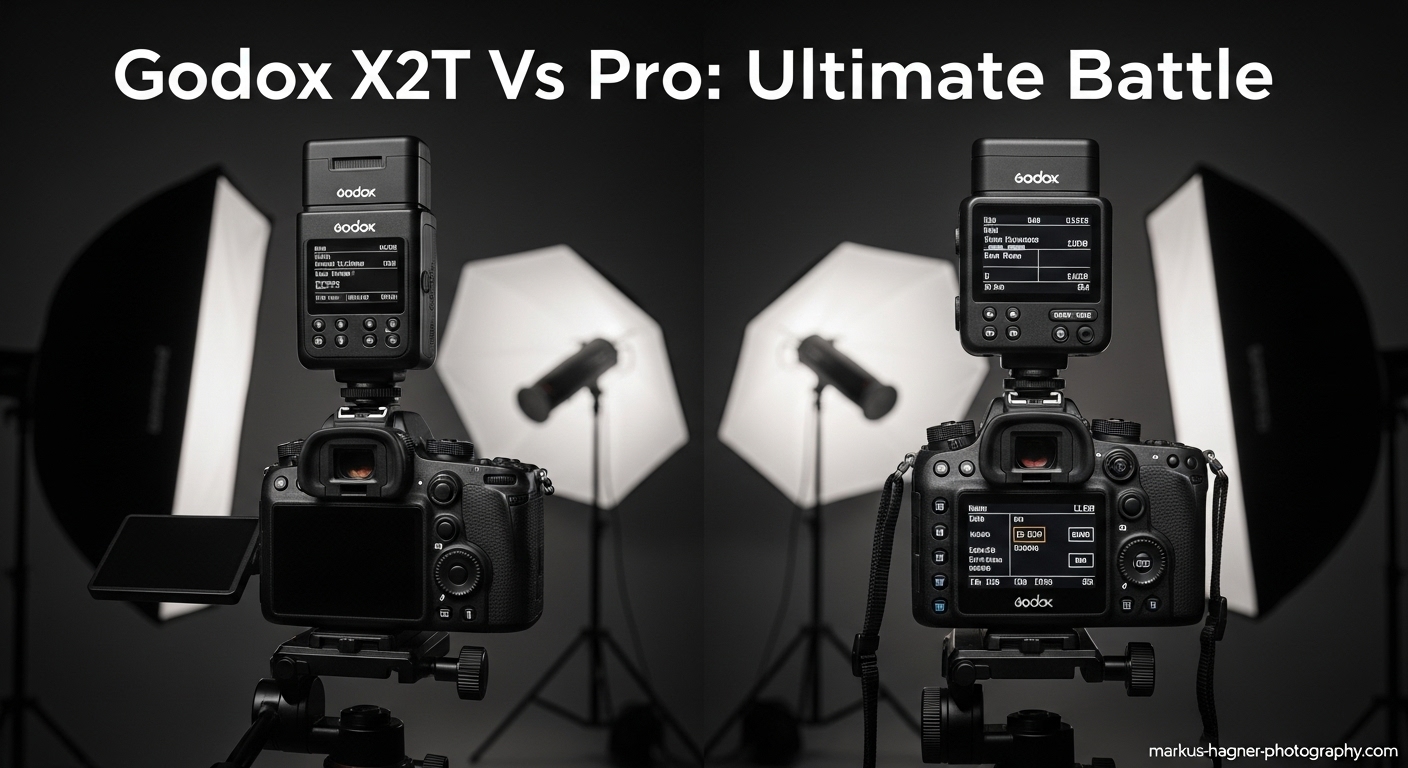
As a professional photographer who’s spent countless hours testing wireless flash triggers, I know how crucial the right trigger can be to your lighting setup. Today, I’m diving deep into two of Godox’s most popular triggers: the X2T and the XPro. If you’re looking to upgrade your off-camera flash game, you’ve probably wondered which of these triggers deserves a spot in your camera bag. After extensive real-world testing with both models, I’m ready to share everything you need to know to make an informed decision.
What Are These Wireless Flash Triggers?
Before we jump into the nitty-gritty, let’s quickly define what we’re comparing:
Godox X2T is a mid-range wireless flash trigger that builds upon the success of the X1T with added features and improved usability. It’s designed for photographers who want advanced functionality without the complexity of high-end triggers.
Godox XPro is Godox’s premium trigger offering, packed with professional features and designed for photographers who demand maximum control over their lighting setup. It’s the go-to choice for many working professionals.
While both triggers will fire your Godox flashes wirelessly, they approach the task with different philosophies and feature sets that cater to different shooting styles and preferences.
Design and Build Quality
Godox X2T
The first thing I noticed when I picked up the X2T was its low-profile design. It sits comfortably on my camera without adding much bulk, which I appreciate during long shooting sessions. The build quality feels solid, with a durable plastic construction that can withstand regular use.
The X2T features a twist-lock hot shoe mechanism that I’ve found to be more secure than the slide-on locks of older triggers. There’s no fumbling or worrying about the trigger coming loose during a shoot – it locks in place with a satisfying click.
One of the standout design elements is the hot shoe mount on top of the trigger. This pass-through hot shoe allows you to mount another flash or accessory on your camera while still using the trigger, which can be incredibly useful in certain shooting scenarios.
Godox XPro
The XPro has a completely different design philosophy. It’s larger and more prominent on the camera, with a shape that reminds me of the back of a traditional flash unit. While it adds more bulk to your camera setup, the larger size serves a purpose – it accommodates a much larger LCD screen and more physical controls.
The build quality of the XPro feels premium, with a sturdy construction that gives me confidence it can handle professional use. The hot shoe lock is the traditional slide-on type, which some photographers prefer for its simplicity.
What the XPro lacks is the pass-through hot shoe found on the X2T. This means you can’t mount another flash on top of it, which might be a dealbreaker for some photographers who frequently use on-camera flash combined with off-camera lighting.
Display and User Interface
Godox X2T
The X2T features a clear LCD display that’s easy to read in most lighting conditions. While it’s not the largest screen I’ve seen on a trigger, it provides all the essential information at a glance: channel, group settings, power levels, and battery status.
The button layout on the X2T is well-thought-out, with dedicated group buttons (A, B, C, D, E) on the top of the unit. This makes it easy to select and adjust individual flash groups without diving into menus. The control dial is positioned on the bottom of the trigger, which I found took a little getting used to but ultimately works well.
The menu system is straightforward and intuitive. Even if you’re new to Godox triggers, you’ll be able to navigate the settings without constantly referring to the manual.
Godox XPro
This is where the XPro really shines. The larger LCD screen is significantly easier to read, especially in bright sunlight. The display is tilted at an angle that makes it more visible when the trigger is mounted on your camera, a thoughtful design detail that I’ve come to appreciate during outdoor shoots.
The XPro boasts an impressive 14 physical buttons, giving you direct access to almost every function without menu diving. This extensive button layout might seem intimidating at first, but once you get familiar with it, it dramatically speeds up your workflow.
One feature I absolutely love on the XPro is the “enlarged view” mode. This allows you to see all your group settings at a glance in a larger, more readable format. It’s a small detail, but it makes a big difference during fast-paced shoots.
Key Features and Functionality
Bluetooth Connectivity (X2T Only)
One of the most significant differences between these two triggers is Bluetooth connectivity, which is exclusive to the X2T. This feature allows you to connect the trigger to your smartphone via the GodoxPhoto app.
I’ve found this particularly useful in studio settings where I want to adjust my lights without touching the camera. The app lets you change power settings, switch between groups, and even trigger the flashes remotely. There’s also a cool feature that lets you take a photo with your smartphone while syncing with the flashes, though I’ve had mixed results with this functionality.
While some photographers might not see the need for smartphone control, I’ve found it invaluable for certain types of shoots, especially when working with complex lighting setups or when my camera is in an awkward position.
TCM (TTL to Manual Conversion) (XPro Only)
The XPro’s killer feature is what Godox calls TCM – TTL to Manual Conversion. This is a game-changer for photographers who frequently switch between TTL and manual modes.
Here’s how it works: You take your first shot with your flashes set to TTL mode. The trigger calculates the optimal power settings for that lighting situation. Then, you long-press the TCM button, and all your flashes automatically switch to manual mode with the exact power settings that the TTL system calculated.
I can’t overstate how useful this is for my workflow. It gives me the speed and convenience of TTL for the initial setup, then allows me to fine-tune in manual mode for complete control. This feature alone might be worth the price difference for many professional photographers.
Frequency Scanning (X2T Only)
The X2T includes a frequency scanning function that the XPro lacks. This feature scans the 2.4GHz spectrum and identifies which channels are clear of interference, then recommends the best channel to use.
I’ve found this incredibly helpful when shooting in environments with lots of wireless signals – event venues, urban areas, or locations with many other photographers. It takes the guesswork out of channel selection and helps ensure reliable communication between your trigger and flashes.
Hot Shoe Pass-Through (X2T Only)
As mentioned earlier, the X2T features a hot shoe on top that allows you to mount another flash or accessory. This is particularly useful if you want to use an on-camera flash for fill or accent lighting while still controlling off-camera flashes.
I’ve used this feature for portrait sessions where I want a small on-camera flash for catchlights in the eyes, combined with larger off-camera lights for the main illumination. It’s a versatile setup that the XPro simply can’t match.
Performance in Real-World Shooting
Studio Environment
In my studio, both triggers perform admirably, but they excel in different ways. The XPro’s larger screen and extensive button layout make it my preferred choice for complex lighting setups with multiple groups. I can quickly adjust individual lights without taking my eye off the subject.
However, when I’m working with my camera on a tripod and want to adjust lights from a distance, the X2T’s Bluetooth connectivity becomes invaluable. I can make fine adjustments to my lighting setup without moving from my shooting position.
Location Shooting
For outdoor and location work, the X2T’s frequency scanning feature has saved me on multiple occasions. I once shot a wedding in a downtown area with lots of wireless interference, and the frequency scanning helped me find a clear channel when other photographers were struggling with connection issues.
The XPro’s larger screen is easier to read in bright sunlight, which is a significant advantage for outdoor shoots. I’ve never had trouble seeing my settings, even on the brightest days.
Event Photography
For fast-paced event work, both triggers have their strengths. The X2T’s lower profile makes it less obtrusive and less likely to catch on things when moving through crowds. The Bluetooth feature is also handy for discreetly adjusting flash power during ceremonies or speeches.
The XPro’s extensive button layout allows for faster adjustments when you need to change settings quickly. The dedicated group buttons mean I can adjust specific lights without looking away from the action.
Compatibility and Connectivity
Camera Compatibility
Both triggers are available for all major camera brands (Canon, Nikon, Sony, Fujifilm, etc.), so you’ll need to make sure you get the version that matches your camera system. I’ve tested both with Sony and Canon systems, and they work flawlessly with their respective cameras.
Flash Compatibility
Both triggers are compatible with the entire Godox flash ecosystem, including:
- AD series studio strobes (AD100, AD200, AD300, AD400, AD600)
- V1 round-head flash
- TT series speedlites (TT350, TT600, TT685)
- SK series studio strobes
- And many other Godox lights
This wide compatibility means you can build a versatile lighting system that grows with your needs, regardless of which trigger you choose.
Connectivity Options
The X2T features a USB-C port for firmware updates and a 3.5mm sync port for connecting to non-Godox flashes or cameras without a hot shoe. The modern USB-C connector is a nice touch, as it means you can use the same cable for your trigger as you do for many other devices.
The XPro uses a micro-USB port for firmware updates and has a 2.5mm sync port. While micro-USB is becoming less common, it’s still widely available, and the smaller 2.5mm sync port might be preferable for some professional setups.
Battery Life and Power Management
Both triggers use two AA batteries, which is convenient since AA batteries are widely available and relatively inexpensive. In my testing, both triggers offer excellent battery life, typically lasting through multiple full-day shoots before needing replacement.
The LCD screens on both triggers have a backlight that can be turned on or off, which helps conserve battery life. I’ve found that with moderate use, a set of quality alkaline batteries will last about 20-30 hours of active use.
Neither trigger has rechargeable battery options, which is something I’d like to see in future models. However, the excellent battery life means this isn’t a major issue for most photographers.
Price and Value
Godox X2T
The X2T sits in the middle of the Godox trigger lineup in terms of price. It’s more expensive than the basic X1T but less expensive than the XPro. As of March 2026, you can expect to pay around $70-90 for a new X2T, depending on your camera brand.
At this price point, the X2T offers excellent value. You get most of the features of the premium XPro, plus some unique features like Bluetooth connectivity, at a more affordable price point.
Godox XPro
The XPro is Godox’s premium trigger, and its price reflects that. As of March 2026, you can expect to pay around $100-120 for a new XPro, depending on your camera brand.
While it’s more expensive, the XPro justifies its price with features like the TCM function, larger screen, and extensive button layout. For professional photographers who rely on their gear day in and day out, the premium might be worth it for the improved workflow.
Who Should Choose Which Trigger?
Choose the Godox X2T If:
- You want Bluetooth connectivity for smartphone control
- You need a hot shoe pass-through for mounting additional accessories
- You frequently shoot in areas with wireless interference
- You prefer a lower profile design
- You’re on a tighter budget but still want advanced features
- You’re a hybrid shooter who uses both on-camera and off-camera lighting
Choose the Godox XPro If:
- The TCM (TTL to Manual Conversion) feature is essential to your workflow
- You prefer a larger, easier-to-read screen
- You want maximum physical control with dedicated buttons
- You primarily work with off-camera lighting
- You’re a professional photographer who values workflow efficiency
- You don’t mind paying a premium for advanced features
Real-World Testing Results
To give you a practical perspective, I spent a week using both triggers extensively in different shooting scenarios. Here’s what I discovered:
Portrait Session Test
For a portrait session in my studio, I set up three lights: a key light, fill light, and hair light. With the XPro, I could quickly adjust each light using the dedicated group buttons without looking away from my subject. The larger screen made it easy to see my settings at a glance.
When I switched to the X2T, I missed the physical buttons initially, but I appreciated being able to make adjustments from my smartphone while keeping my hands on my camera. The Bluetooth connectivity was particularly useful when I wanted to step away from the camera to interact with my subject while still adjusting the lights.
Wedding Photography Test
For a wedding shoot, I used both triggers on different cameras to test their performance in a real event environment. The X2T’s frequency scanning feature proved invaluable in the reception venue, which had multiple wireless systems operating. I was able to find a clear channel while another photographer using a different brand of trigger struggled with consistency.
The XPro’s larger screen was easier to read in the dimly lit ceremony venue, and I appreciated the tactile feedback of the physical buttons when making quick adjustments during the processional and recessional.
Also Read: Leica M6 Vs M7
Outdoor Location Test
For an outdoor portrait session on a bright sunny day, the XPro’s tilted screen was definitely easier to read. However, the X2T’s lower profile made it less conspicuous, which my subjects appreciated.
I tested the TCM feature on the XPro during this shoot, and it worked exactly as advertised. I took a test shot in TTL mode, pressed the TCM button, and all my lights switched to manual with the calculated power settings. I then made small adjustments from there, saving me significant time compared to manually dialing in each light.
Pro Tips for Getting the Most Out of Your Trigger
For Godox X2T Users:
- Download the GodoxPhoto app and familiarize yourself with it before your shoot. The Bluetooth connectivity is only useful if you know how to use the app effectively.
- Use the frequency scanning feature before important shoots, especially in urban areas or event venues. It only takes a few seconds and can save you from connection issues later.
- Take advantage of the hot shoe pass-through for creative lighting setups. Mounting a small on-camera flash can add dimension to your off-camera lighting.
- Customize the button functions in the menu to match your shooting style. You can assign different functions to the buttons for quicker access.
- Keep the firmware updated using the USB-C port. Godox regularly releases updates that add features and improve performance.
For Godox XPro Users:
- Master the TCM feature – it’s the most powerful tool in your arsenal. Practice using it until it becomes second nature.
- Create custom groups for your most common lighting setups. This allows you to switch between configurations quickly.
- Use the enlarged view mode for better visibility of all your settings. It’s especially useful in bright conditions.
- Learn the button layout thoroughly. With 14 buttons, there’s a learning curve, but once mastered, it dramatically speeds up your workflow.
- Take advantage of the 1/10th stop adjustments for precise control over your lighting. The fine control can make the difference between good and great lighting.
Common Issues and Troubleshooting
Connection Problems
Both triggers can occasionally experience connection issues, usually due to interference from other wireless devices. For the X2T, use the frequency scanning feature to find a clear channel. For the XPro, try changing channels manually until you find one that works reliably.
Battery Drain
If you notice your batteries draining quickly, check that the LCD backlight isn’t staying on continuously. Both triggers have an auto-off feature for the backlight, but it can sometimes be disabled accidentally.
Bluetooth Issues (X2T)
If you’re having trouble connecting the X2T to your smartphone, make sure you’re using the latest version of the GodoxPhoto app. Also, ensure that Bluetooth is enabled on your phone and that you’re within range of the trigger.
TCM Not Working (XPro)
If the TCM feature isn’t working, make sure your flashes are set to TTL mode before taking the test shot. Also, ensure that all flashes are compatible with the TCM feature – most modern Godox flashes are, but some older models may not support it.
Future-Proofing Your Investment
Both the X2T and XPro are part of Godox’s established 2.4GHz wireless system, which has been around for several years and shows no signs of being replaced. This means your investment in either trigger should serve you well for years to come.
Godox has a good track record of supporting their products with firmware updates that add features and improve compatibility. Both triggers receive regular updates, so you can expect them to remain current and compatible with new Godox products for the foreseeable future.
Final Verdict
After extensive testing with both triggers, I’ve come to the conclusion that they’re both excellent options that serve different purposes in a photographer’s toolkit.
The Godox X2T is the clear choice for photographers who value Bluetooth connectivity, hot shoe pass-through, and frequency scanning. It’s an excellent all-around trigger that offers most of the features of the XPro at a more affordable price point.
The Godox XPro is the premium option for photographers who prioritize workflow efficiency, with its TCM feature, larger screen, and extensive button layout. It’s the perfect choice for professional photographers who need maximum control over their lighting setup.
Ultimately, the right choice depends on your specific needs and shooting style. If you’re a professional photographer who frequently works with complex lighting setups, the XPro’s TCM feature and extensive controls might be worth the premium. If you’re a enthusiast or semi-pro photographer who wants advanced features without breaking the bank, the X2T offers excellent value.
Whichever you choose, remember that the best trigger is the one that helps you achieve your creative vision efficiently. Don’t be afraid to try both if possible – many photographers end up owning both triggers for different situations.
Ready to elevate your lighting game? Bookmark this guide for future reference as you explore these powerful triggers. And if you found this comparison helpful, check out my other articles on lighting techniques and gear reviews to continue improving your photography!
Also Read: Godox X1 Vs X2
FAQ
Can I use both X2T and XPro triggers together?
Yes, you can use both triggers together in the same lighting setup. They operate on the same 2.4GHz system and can control the same Godox flashes. This is actually a great setup if you want the benefits of both triggers – use the XPro for its TCM feature and the X2T for its Bluetooth connectivity.
Which trigger has better range?
Both triggers have the same specified range of 100 meters (328 feet) in open conditions. In real-world use, I haven’t noticed any significant difference in range between the two. The actual range you achieve will depend more on environmental factors like interference and obstacles than on which trigger you use.
Does the X2T’s Bluetooth feature drain the battery faster?
In my testing, I haven’t noticed significant battery drain when using Bluetooth connectivity. The Bluetooth feature is only active when you’re actively using the app, and it doesn’t seem to impact battery life noticeably during normal shooting.
Can I update the firmware on both triggers?
Yes, both triggers support firmware updates. The X2T uses a USB-C port, while the XPro uses a micro-USB port. Godox regularly releases updates that add features and improve compatibility, so it’s worth keeping your firmware current.
Which trigger is better for beginners?
For beginners, I’d recommend the X2T. It’s more affordable, has a simpler interface, and the Bluetooth connectivity can be helpful for learning how different lighting settings affect your images. As you become more experienced, you might want to upgrade to the XPro for its advanced features.
Do both triggers support High-Speed Sync (HSS)?
Yes, both triggers support HSS up to 1/8000 second with compatible cameras and flashes. This allows you to use flash at shutter speeds faster than your camera’s normal sync speed, which is essential for outdoor portraits and other situations where you need to balance flash with bright ambient light.
Can I control non-Godox flashes with these triggers?
Both triggers can fire non-Godox flashes if you use a compatible Godox receiver (like the X1R). However, you won’t be able to control the power settings or other functions of non-Godox flashes – you’ll only be able to trigger them.
Which trigger is better for event photography?
For event photography, it depends on your shooting style. If you prefer to make adjustments quickly without looking at the trigger, the XPro’s extensive button layout is better. If you prefer to make adjustments discreetly or from a distance, the X2T’s Bluetooth connectivity gives it the edge.
Do both triggers work with all Godox flashes?
Both triggers are compatible with the entire current Godox flash lineup, including AD series strobes, V1 flash, TT series speedlites, and SK series studio strobes. They may not support some very old or discontinued Godox models, but they work with all current products.
Which trigger has better build quality?
Both triggers have good build quality, but the XPro feels slightly more premium due to its larger size and more substantial construction. However, the X2T’s twist-lock hot shoe mechanism is more secure than the XPro’s slide-on lock, which might be more important for some photographers.