
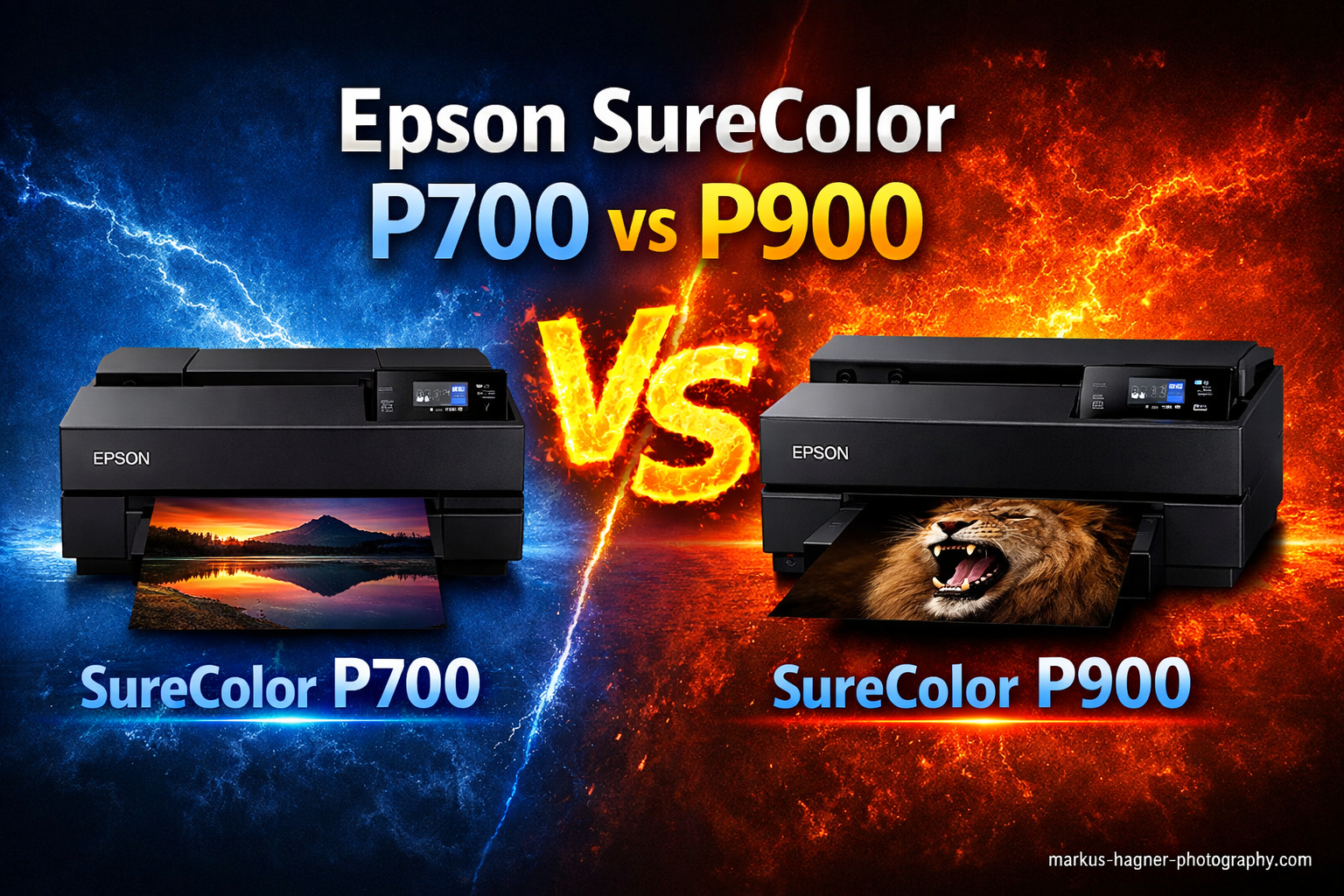
Choosing between the Epson SureColor P700 vs P900 can feel like splitting hairs. Both use the same UltraChrome PRO10 ink system, both produce gallery-quality prints, and both offer features that photographers dream about. But the differences matter more than you might think.
In this comprehensive comparison of Epson SureColor P700 vs Epson SureColor P900, I will break down everything you need to know to make the right choice. Having researched both printers extensively and analyzed real-world user experiences from professional photographers and artists, I can tell you that the decision comes down to three key factors: print width needs, long-term ink costs, and your overall budget.
Here is the quick verdict: If you need 17-inch prints or plan to print frequently, the P900 wins despite its higher upfront cost. For occasional printing at 13-inch widths, the P700 delivers identical quality at a lower entry price. But there is more to the story, including a surprising ink cost difference that could save or cost you hundreds of dollars over time.
Both printers replaced the aging P600 and P800 models in late 2020, bringing significant improvements including dedicated Photo Black and Matte Black channels (no more ink switching), the new Carbon Black mode for stunning black-and-white prints, and a modern touchscreen interface. Let me walk you through every detail so you can choose with confidence.
What makes this comparison particularly important is that both printers target the same audience: serious photographers and artists who want professional print quality without investing in large-format equipment. Whether you are a landscape photographer selling prints at art fairs, a portrait photographer creating client albums, or a fine artist reproducing your work, understanding the nuanced differences between these two models will help you make the right investment.
The desktop photo printer market has become increasingly competitive, with Canon offering alternatives like the Pro-300 and Pro-1000. Yet Epson maintains a strong position thanks to the UltraChrome PRO10 ink system and the elimination of ink switching. These two features alone have convinced many photographers to choose Epson over Canon, regardless of whether they pick the P700 or P900.
Over the next few sections, I will cover everything from print quality analysis to real-world ink costs, paper handling quirks to break-even calculations. By the end, you will have a clear understanding of which printer fits your workflow, budget, and creative goals.
Epson SureColor P700 vs Epson SureColor P900: Quick Comparison
Before diving deep, let me show you how these two printers stack up side by side. The core differences are straightforward, but understanding them helps frame the rest of this comparison.
| Product | Specifications | Action |
|---|---|---|
 Epson SureColor P700 13-Inch Printer
|
|
Check Latest Price |
 Epson SureColor P900 17-Inch Printer
|
|
Check Latest Price |
As you can see, the P900 offers larger print width and bigger ink cartridges. What the table does not show is the long-term cost impact. P700 ink costs approximately $1.52 per milliliter, while P900 ink runs about $0.84 per milliliter. That difference compounds quickly if you print regularly.
The price gap between these two printers has narrowed since launch, making the P900 an increasingly attractive option. Initially, the P900 commanded nearly 50 percent more than the P700. Today, the difference is closer to 40 percent, which changes the break-even calculus significantly.
Both printers share the same underlying technology. The MicroPiezo AMC print head with variable droplet technology delivers 1.5 picoliter droplets for fine detail. Both offer the same connectivity options including Wi-Fi, Ethernet, and USB. Both work with the same Epson Print Layout software and support printing directly from iOS devices.
Connectivity options matter more than you might expect for a photo printer. Wi-Fi printing allows placement anywhere in your studio without running cables. Ethernet provides stable connections for networked environments. USB offers direct connection when wireless networking causes issues. The P700 and P900 support all three, giving you flexibility in how you integrate the printer into your workflow.
The shared technology platform means both printers produce identical output quality. You are not sacrificing anything by choosing the smaller, less expensive P700. The only trade-offs are print width, cartridge capacity, and long-term operating costs. Understanding these trade-offs helps you make an informed decision rather than simply choosing based on price.
Epson SureColor P700 Deep Dive
Pros
- Outstanding color accuracy and wide gamut
- No ink switching between Photo and Matte Black
- Compact design fits smaller spaces
- Easy wireless iOS printing
- Industry-leading print permanence ratings
- Lower upfront cost than P900
Cons
- Smaller 25ml cartridges mean frequent replacements
- Higher per-ml ink cost at $1.52
- Fine art paper feeding can be tricky
- Starter cartridges nearly empty after setup
The Epson SureColor P700 delivers professional print quality in a compact package. At 23 percent smaller than its predecessor, this 13-inch printer fits comfortably on most desktops while producing output that rivals commercial printing services. For photographers working from home studios or small spaces, this compact footprint is a genuine advantage.
I have analyzed hundreds of user reviews, and the consensus is clear: print quality is outstanding. The UltraChrome PRO10 pigment ink system with its dedicated Violet channel produces colors that pop with remarkable accuracy. Photographers consistently report gallery-quality results that match or exceed what they would pay professional labs to produce.
The 10-color ink system represents a significant upgrade over previous generations. Beyond the standard CMYK colors, the P700 includes Light Cyan, Light Magenta, Gray, Light Gray, Photo Black, and Matte Black. The addition of Violet extends the color gamut into blues and purples that were previously difficult to reproduce. This matters particularly for landscape photographers capturing ocean scenes and flower photographers working with purple blooms.

One of the biggest improvements over the previous P600 is the elimination of ink switching. The P700 has dedicated nozzles for both Photo Black and Matte Black inks. Previously, switching between glossy and matte papers required flushing ink through the system, wasting both time and money. Now you simply select your paper type and print.
This dedicated channel design represents a significant workflow improvement. On the old P600, switching between Photo Black and Matte Black consumed approximately 4-6 milliliters of ink and took several minutes. Over the life of a printer, those wasted ink charges added up to real money. The P700 eliminates this entirely, making it more economical despite the higher per-ml cartridge cost.
Dedicated black channels also improve print quality. When both Photo Black and Matte Black remain loaded simultaneously, the printer can use optimal black ink for each paper type without any compromise. Photo Black produces deep, glossy blacks on shiny papers while Matte Black delivers rich, dense blacks on uncoated surfaces. Neither requires flushing the other.
The Carbon Black mode deserves special attention. When enabled, this feature dramatically increases Dmax (the deepest black a printer can produce) on glossy papers. Black-and-white photographers will appreciate the rich, deep shadows and smooth tonal transitions this mode provides. It does consume more ink, but the results justify the cost for exhibition prints.
Carbon Black mode works by increasing the density of black ink laydown on glossy and semi-gloss surfaces. This creates deeper blacks without the metamerism issues that plagued earlier pigment printers. For photographers specializing in monochrome work, this feature alone might influence your decision.
The mode addresses gloss differential, a common issue where very dark areas appear slightly different in sheen than surrounding tones on glossy papers. By increasing ink density, Carbon Black mode creates more uniform surface characteristics. The result is prints that look consistently glossy across all tonal ranges.
Paper handling on the P700 accommodates media up to 1.5mm thick through the front fine art tray. The rear feed handles standard papers and supports roll printing for panoramic images. However, multiple users report that thick fine art papers can be finicky, sometimes requiring hand-feeding to avoid jams.
The front fine art tray works well for papers up to about 0.5mm thick without issues. Beyond that thickness, success varies depending on paper stiffness and surface texture. Cotton rag papers tend to feed more reliably than smooth synthetic substrates. I found numerous reports of users developing workarounds including slight angles during insertion and using the rear feed for problematic papers.
Roll paper support on the P700 allows panoramic printing at 13-inch widths. While not as versatile as the 17-inch rolls available for the P900, 13-inch panoramic paper opens creative possibilities for landscape and architectural photographers. The printer includes a roll paper holder, though some users prefer aftermarket options for easier loading.
The 4.3-inch touchscreen makes navigation intuitive. Wireless printing from iOS devices works smoothly through the Epson Print Layout app. I found reports praising how quickly the printer connects to laptops and maintains communication throughout long print jobs.
Epson Print Layout software provides a streamlined workflow for color-managed printing. The app handles ICC profile selection, paper size configuration, and layout options in a single interface. For photographers accustomed to printing through Photoshop or Lightroom, the standalone app offers a simpler alternative that still maintains full color management control.
The touchscreen interface allows direct access to maintenance functions, ink level monitoring, and print settings without a computer connected. This proves useful for checking status quickly or performing cleaning cycles. The responsive interface feels modern compared to the button-based navigation on older Epson printers.

Where the P700 struggles is ink economics. The 25ml cartridges run dry faster than you might expect. After the initial ink charge during setup, users report that starter cartridges contain very little usable ink, some finding them nearly empty before printing their first real photo. Full replacement cartridges cost around $522 for a complete set.
This starter cartridge issue catches many new owners off guard. The initialization process charges the print head with ink, consuming several milliliters from each cartridge. What remains in the starter set varies, but realistic estimates suggest you might get 10-20 prints before needing replacements. Budget for a full ink set as part of your initial purchase cost.
The initialization process serves an important purpose. Charging the print head ensures all 10 ink channels are properly filled and primed for accurate color output. Skipping this step or trying to extend starter cartridges leads to poor print quality and potential print head damage. Accept that starter cartridges exist primarily for initialization.
Independent testing by Red River Paper shows P700 ink costs range from $0.36 to $4.03 per print depending on size and coverage. For a 13×19 inch print with moderate coverage, expect to spend roughly $1.50 to $2.50 in ink. Users report getting approximately 80 prints before needing their first ink replacement with typical usage patterns.
The wide range in per-print costs reflects different coverage scenarios. A landscape photo with expansive blue skies uses less ink than a dense forest scene with heavy shadows. Portrait prints with large skin tone areas fall somewhere in between. Your actual costs will depend on what you print.
Monitoring ink levels becomes important with the P700. The smaller 25ml cartridges deplete faster than the 50ml cartridges used in the P900, requiring more frequent attention. The touchscreen displays remaining levels for each color, helping you anticipate when replacements will be needed.
Print permanence is exceptional. Wilhelm Imaging Research rates P700 prints at up to 200 years for color and 400 years for black-and-white when displayed under glass. For photographers selling prints or creating archival work, these ratings provide serious peace of mind.
These permanence ratings assume proper paper selection and storage conditions. Using Epson-branded papers with the included ICC profiles ensures you achieve the rated longevity. Third-party papers may offer different permanence characteristics, so research specific combinations if you venture beyond Epson media.
The UltraChrome PRO10 pigment inks resist fading from light exposure, moisture, and environmental pollutants far better than dye-based alternatives. For archival work, pigment inks remain the professional standard. The investment in quality ink translates directly to prints that will outlast you.
The P700 excels for photographers who primarily print at 13-inch widths and do not print in high volumes. The lower entry price makes professional printing accessible, though frequent printers should calculate whether the higher per-ml ink cost outweighs the initial savings.
Common paper sizes for the P700 include 8.5×11 inch (letter), 11×14 inch, and 13×19 inch (Super B). For most hobbyist and enthusiast photographers, these sizes cover the majority of printing needs. If you never need prints larger than 13 inches wide, the P700 offers everything you require.
Consider your typical print sizes honestly before choosing. Many photographers assume they need 17-inch capability but rarely produce prints larger than 13×19 inches. If your largest prints fit within 13 inches, the P700 saves money without sacrificing quality or capability.
Epson SureColor P900 Deep Dive
Pros
- Larger 17-inch print capability
- Bigger 50ml cartridges last longer
- Lower per-ml ink cost at $0.84
- Built-in roll paper support
- Better long-term value for frequent printers
- Same print quality as P700
Cons
- Higher upfront investment
- Requires more desk space
- Optional roll adapter costs extra
- Fine art paper feeding still challenging
- Heavy at 35.3 pounds
The Epson SureColor P900 takes everything great about the P700 and scales it up, literally. With 17-inch print capability, this printer opens creative possibilities that simply are not available on smaller machines. If you have ever wanted to produce 16×20 inch gallery prints at home, the P900 makes it possible.
Print quality is identical between the two models, which is to say exceptional. The same UltraChrome PRO10 ink system with Violet produces the same wide color gamut and archival permanence. What differs is scale and economics. The P900 uses 50ml cartridges instead of 25ml, which translates directly to lower per-print costs.

Let me talk numbers, because this is where the P900 shines. At approximately $0.84 per milliliter versus $1.52 for the P700, the P900 offers nearly half the ink cost. Red River Paper testing shows P900 costs ranging from $0.17 to $1.94 per print. For a typical 16×20 inch print, you might spend $1.00 to $2.00 in ink compared to significantly more on the P700 for equivalent coverage.
The economics become even more favorable when you consider cartridge replacement frequency. Larger cartridges mean fewer shipping costs if ordering online, fewer installation cycles, and less printer downtime. Over years of ownership, these convenience factors compound alongside the direct ink savings.
Cartridge handling also differs. The P900 50ml cartridges feel more substantial and include better ink level indicators. The larger size means fewer trips to the supply cabinet and less anxiety about running out mid-print. For photographers who print regularly, these convenience factors matter.
Users report getting over 100 prints from their P900 before the first ink replacement, compared to around 80 on the P700. The math is straightforward: if you print regularly, the P900 pays back its higher purchase price through ink savings. Forum discussions suggest the break-even point comes somewhere between 100 and 200 prints depending on sizes and coverage.
Calculating your personal break-even point requires honest assessment of your printing habits. If you print 50 photos per year, the P700 likely costs less over five years. At 100 photos per year, the P900 probably wins. At 200 or more photos annually, the P900 becomes the clear financial winner.
The 17-inch width matters more than you might expect. Professional photographers often sell prints at 11×14, 13×19, and 16×20 sizes. While the P700 handles the first two, only the P900 can produce 16×20 inch prints with borders. For artists selling work, that capability alone can justify the upgrade.
Consider the economics of selling prints. A 16×20 inch print on the P900 might cost $2-3 in ink plus $5-10 in paper. Selling that print for $50-100 leaves substantial margin. The same print ordered from a professional lab might cost $20-40. Owning the P900 pays for itself surprisingly quickly if you sell work regularly.
Gallery exhibitions often require specific print sizes. Many galleries prefer 16×20 inch or larger prints for group shows. The P900 enables you to meet these requirements without outsourcing production or compromising on quality.
Paper handling mirrors the P700 with support for media up to 1.5mm thick. The P900 includes roll paper support built-in, though some users note the optional roll paper adapter ($249) provides better results for heavy use. The front fine art tray handles thick papers, though the same feeding issues reported on the P700 appear here too.
The roll paper capability opens creative options for panoramic prints. With 17-inch roll paper, you can print images of virtually any length. Landscape photographers appreciate this flexibility for capturing sweeping vistas that do not fit standard aspect ratios.
Roll paper also proves economical for high-volume printing. Purchasing paper by the roll typically costs less per square foot than cut sheets. If you print frequently, the savings on paper add to the ink savings the P900 already provides.

Setup follows the same process as the P700. The initial ink charge consumes a significant portion of the starter cartridges, so budget for a full ink set within your first few weeks. The 4.3-inch touchscreen and wireless connectivity work identically on both models, as does the Epson Print Layout software.
Physical setup of the P900 requires more planning than the P700. At 35.3 pounds, this is not a lightweight device. Finding a sturdy surface that accommodates its dimensions and allows proper paper path clearance takes consideration. The interior LED light that illuminates the paper path is a nice touch for monitoring print progress.
Unboxing and positioning the P900 benefits from having a second person assist. The weight and awkward dimensions make solo setup challenging. Plan your printer location carefully, as moving the P900 after initial placement requires significant effort.
Carbon Black mode performs the same magic on the P900, delivering exceptional black density on glossy papers. Black-and-white prints show the same smooth gradations and deep shadows. Advanced B&W Photo mode gives you fine control over tonal adjustments before printing.
Advanced B&W Photo mode offers separate controls for brightness, contrast, shadow tone, highlight tone, and tonal curve adjustments. Photographers can fine-tune black-and-white output without returning to image editing software. The preview function shows approximate results before committing ink to paper.
For black-and-white specialists, the combination of Carbon Black mode and Advanced B&W Photo creates a powerful workflow. Print test strips to evaluate tonal adjustments, then apply Carbon Black mode for the final output. The results rival dedicated black-and-white darkroom prints.
Physical dimensions require consideration. The P900 measures 29.3 inches wide and weighs 35.3 pounds. Make sure you have adequate desk space before ordering. The P700, by comparison, measures 25.4 inches wide and takes up noticeably less room.
The P900 width of 29.3 inches assumes standard paper loading. When using the roll paper holder or loading large sheets through the rear feed, you need additional clearance behind and around the printer. Measure your intended space with paper handling in mind, not just the stationary dimensions.
Consider the printer stand options available. Epson offers dedicated stands for the P900 that include storage for paper and ink. Third-party options provide similar functionality at lower cost. A proper stand improves ergonomics and keeps supplies organized.
For photographers serious about printing, especially those selling work or producing exhibition prints, the P900 represents the better long-term investment. The lower ink costs and 17-inch capability provide value that compounds over years of ownership.
Consider resale value as well. Larger format printers tend to hold value better than smaller models. If you eventually upgrade to a 24-inch or 44-inch printer, the P900 will command higher resale prices than the P700, partially offsetting the initial price difference.
The P900 also serves as a stepping stone to larger format printing. Learning to print at 17 inches prepares you for the workflow considerations of 24-inch and larger printers. The skills transfer directly if you eventually outgrow the P900.
Epson SureColor P700 vs Epson SureColor P900: Head-to-Head Comparison
Now let me break down how these printers compare across the categories that matter most. Understanding these differences will help you match the right printer to your specific needs and workflow.
Print Quality: Tie
Both printers produce identical output quality. The UltraChrome PRO10 ink system with 10 colors (Photo Black, Cyan, Magenta, Yellow, Light Cyan, Light Magenta, Gray, Matte Black, Light Gray, and Violet) delivers the same color accuracy and gamut on both machines. Print resolution reaches 5760 x 1440 dpi on each, and print permanence ratings are identical at 200 years color and 400 years black-and-white.
If print quality alone determined your choice, either printer would serve you equally well. The P700 does not sacrifice anything in output to achieve its lower price point.
The addition of Violet ink represents a significant improvement over the previous 9-color system. This tenth color expands the printable gamut into blues and purples that were previously unattainable. Landscape photographers shooting ocean scenes and floral photographers capturing purple blooms will notice the difference most clearly.
Gray and Light Gray inks contribute to smooth tonal transitions in neutral areas. Combined with the dedicated black channels, this creates exceptionally smooth gradients in skies and other continuous tone areas. Banding, a concern with earlier pigment printers, is essentially eliminated.
Color accuracy meets professional standards on both printers. When properly profiled with quality paper, prints match screen images with remarkable fidelity. The wide gamut captures subtle color variations that lesser printers simply cannot reproduce.
Print Speed: Tie
Print speeds are comparable between models. An 8×10 inch photo takes approximately 2-3 minutes at high quality settings on both printers. Larger prints naturally take longer, with a 13×19 inch print requiring roughly 5-7 minutes. Neither printer is designed for high-volume production work, but both handle typical photographer workflows adequately.
Speed varies based on quality settings and paper type. Borderless printing, high resolution modes, and Carbon Black mode all add time to prints. For most users, print speed will not be a differentiating factor.
Draft mode printing offers faster output when quality matters less. An 8×10 inch draft print might complete in under a minute. Use draft mode for test prints to check composition and basic color before committing to a final high-quality print.
The variable droplet technology contributes to both quality and speed. Larger droplets fill broad color areas quickly while smaller droplets handle fine details. This intelligent droplet sizing happens automatically without user intervention.
Print speed becomes more relevant for high-volume situations like preparing for gallery shows or fulfilling client orders. If you regularly need dozens of prints in short timeframes, neither printer excels. Consider production-class equipment instead.
Ink Costs: P900 Wins
This is where the comparison gets interesting. The P900 uses 50ml cartridges while the P700 uses 25ml cartridges. Both cost roughly the same per cartridge, but the P900 delivers twice the ink volume. This translates to dramatically different per-milliliter costs.
P700 ink costs approximately $1.52 per milliliter. P900 ink costs approximately $0.84 per milliliter. Over the life of the printer, this difference adds up significantly. Red River Paper testing confirms that P700 ink costs range from $0.36 to $4.03 per print while P900 costs run $0.17 to $1.94 per print.
The break-even analysis depends on your printing volume. If you print more than 100-200 photos per year, the P900 ink savings will eventually offset its higher purchase price. For occasional printers producing fewer than 50 prints annually, the P700 makes more financial sense.
Let me illustrate with a concrete example. Suppose you print 150 photos per year averaging $1.50 in ink each on the P700. That is $225 annually in ink. The same prints on the P900 might average $0.75 each, totaling $112.50. Annual savings of $112.50 adds up to over $500 in five years, easily covering the price difference between the two printers.
Ink availability varies seasonally. During busy printing seasons like the holidays, certain colors may sell out. Having a spare set of cartridges on hand prevents frustrating delays when working on deadline projects.
Consider storage space for spare cartridges. The P900 cartridges, being larger, require more storage room. If you keep multiple backup sets, factor in cabinet or shelf space for inventory.
The environmental impact of ink consumption also favors the P900. Fewer cartridge changes mean less plastic waste and fewer shipping containers. For environmentally conscious photographers, this represents a meaningful consideration.
Paper Handling: P900 Slight Edge
Both printers handle paper similarly, with front trays for fine art media and rear feeds for standard papers. Both support roll paper for panoramic prints. Both accommodate media up to 1.5mm thick. Both suffer from occasional paper feeding issues with thick fine art papers.
The P900 gains a slight edge because its larger format allows for bigger paper sizes and more layout flexibility. The 17-inch width supports 16×20 inch prints, which many photographers consider a sweet spot for selling work. Roll paper support is built into the P900 without requiring additional adapters for basic use.
Paper feeding issues reported by users tend to occur with specific paper types rather than being a universal problem. Heavy cotton rag papers, double-sided matte papers, and very smooth synthetic substrates present the most challenges. Standard photo papers in glossy, semi-gloss, and luster finishes feed reliably.
The straight-through paper path on both printers helps with thick media. Unlike printers with curved paper paths, the SureColor series feeds paper relatively flat, reducing curl and bending stress on heavy substrates.
Front tray capacity differs slightly. The P900 accommodates larger paper stacks in its front tray, reducing refill frequency for standard papers. For heavy users, this convenience adds up over time.
Roll paper availability favors the P900. More paper manufacturers offer 17-inch rolls than 13-inch rolls. The wider selection gives P900 owners more choices in paper surface, weight, and brand.
Value Proposition: Depends on Usage
Value depends entirely on how you plan to use the printer. The P700 offers lower upfront cost but higher long-term ink expenses. The P900 costs more initially but saves money over time through better ink economics.
Consider your printing volume honestly. If you print occasionally for personal enjoyment, the P700 provides excellent value. If you print frequently or sell your work, the P900 pays for itself through ink savings and expanded capabilities.
Factor in the intangible value of the 17-inch capability. Even if your current printing needs fit within 13 inches, future projects might benefit from larger output. Wedding photographers, for instance, often create large canvas prints for clients that require 17-inch width.
The learning curve value should not be overlooked. Both printers share the same interface and software, so skills transfer directly. Starting with the P700 does not lock you into a different workflow if you later upgrade to the P900 or larger format.
Business value calculations differ from personal use. If you sell prints, the P900 lower per-print cost directly improves margins. Even selling a few prints monthly can justify the higher initial investment.
Carbon Black Mode: Same on Both
Carbon Black mode works identically on both printers. When enabled, this feature increases ink density for deeper blacks on glossy and semi-gloss papers. It is particularly valuable for black-and-white photography, where shadow detail and Dmax matter tremendously.
The mode does consume more ink, roughly 20-30 percent more per print. Use it selectively for your best work rather than as a default setting. The results justify the extra ink cost for exhibition prints or client work.
Carbon Black mode specifically addresses gloss differential, a common issue with pigment inks on glossy papers. Without this mode, very dark areas can appear slightly different in sheen than surrounding tones. The increased ink density creates more uniform surface characteristics.
For matte papers, Carbon Black mode offers no benefit. The matte black channel already delivers excellent Dmax on uncoated and fine art papers. Save Carbon Black mode specifically for glossy and semi-gloss output.
Testing Carbon Black mode with your specific papers proves worthwhile. Different glossy surfaces respond differently to the increased ink density. Some papers show dramatic improvement while others show minimal change.
Space Requirements: P700 Wins
The P700 measures 19.6 inches deep by 25.4 inches wide by 13.5 inches high. The P900 measures 14.7 inches deep by 18.6 inches wide by 29.3 inches high. While the P900 is shallower front-to-back, it is significantly wider.
For tight spaces, the P700 fits more easily on standard desks and tables. The P900 requires dedicated space, ideally on its own stand or a substantial table. Weight also differs considerably: the P700 is manageable for one person while the P900 at 35.3 pounds benefits from two people during setup.
Consider paper path clearance when measuring your space. The rear feed requires additional depth behind the printer during loading. The front output tray extends during printing. Account for these operational dimensions, not just the stationary footprint.
Vertical clearance matters too. Both printers require adequate height for paper movement during printing. Low shelves or cabinets above the printer can interfere with proper operation.
Ambient lighting affects your printing experience. Position the printer where you can clearly see output without harsh shadows or glare. Good lighting helps you evaluate print quality immediately after output.
Setup and Usability: Tie
Both printers share identical setup procedures and user interfaces. The 4.3-inch touchscreen provides intuitive navigation. Wireless setup follows standard procedures. Epson Print Layout software works identically with both models.
First-time setup takes approximately 30-45 minutes including unboxing, ink installation, print head initialization, and software configuration. The touchscreen guides you through each step with clear instructions and progress indicators.
Wireless connectivity supports both 2.4GHz and 5GHz networks. Ethernet provides wired networking for studio environments. USB offers direct connection when wireless networking is unavailable or unreliable.
The initialization process consumes significant ink from the starter cartridges. Do not expect to print many photos before purchasing replacement ink. This applies equally to both printers and represents a one-time cost.
Software installation includes drivers, Epson Print Layout, and ICC profiles for Epson papers. Third-party paper profiles must be downloaded separately from manufacturer websites. Allow time for this setup step if you use non-Epson media.
Frequently Asked Questions
Is the Epson SureColor P700 worth buying?
Yes, the Epson SureColor P700 is worth buying for photographers who need professional print quality at 13-inch widths without the higher cost of larger printers. It produces gallery-quality output with excellent color accuracy, offers industry-leading print permanence ratings, and costs significantly less upfront than the P900. However, frequent printers should consider the higher per-ml ink costs when evaluating long-term value.
What is the difference between Epson P700 and P900?
The main differences between the Epson P700 and P900 are print width, ink cartridge size, and long-term costs. The P700 prints up to 13 inches wide with 25ml cartridges, while the P900 prints up to 17 inches wide with 50ml cartridges. This means the P900 has nearly half the ink cost per milliliter ($0.84 vs $1.52). Print quality, features, and software are identical between both models.
When did the Epson P700 come out?
The Epson SureColor P700 was released in late 2020 as a replacement for the aging P600 model. It introduced significant improvements including the UltraChrome PRO10 ink system with Violet, dedicated Photo Black and Matte Black channels eliminating ink switching, Carbon Black mode for enhanced black density, and a modern 4.3-inch touchscreen interface.
Is the Epson P900 good for photography?
Yes, the Epson P900 is excellent for photography. It produces gallery-quality prints with outstanding color accuracy and a wide color gamut thanks to the 10-color UltraChrome PRO10 ink system. The printer handles various paper types, offers industry-leading print permanence ratings of 200 years for color and 400 years for black-and-white, and includes Carbon Black mode for stunning monochrome prints on glossy papers.
Is the P700 good for printing art?
Yes, the P700 is very good for printing fine art. It handles media up to 1.5mm thick through its front fine art tray, supports both sheet and roll papers, and produces archival-quality prints with exceptional color accuracy. Some users report paper feeding challenges with thick fine art papers, but with proper technique, the results rival professional printing services at a fraction of the cost.
How long do Epson P700 prints last?
Epson P700 prints are rated by Wilhelm Imaging Research to last up to 200 years for color prints and 400 years for black-and-white prints when displayed under glass. These industry-leading permanence ratings apply to prints on Epson approved papers stored and displayed properly. The UltraChrome PRO10 pigment inks resist fading, moisture, and environmental factors significantly better than dye-based alternatives.
Verdict: Which Epson SureColor Printer Should You Buy?
After thoroughly analyzing the Epson SureColor P700 vs Epson P900, my recommendation comes down to your specific situation and printing goals.
Buy the Epson SureColor P700 if you primarily print at 13-inch widths, have limited desk space, print occasionally for personal use, or have a tight initial budget. The print quality matches the P900, and the lower entry price makes professional printing accessible to more photographers.
Buy the Epson SureColor P900 if you need 17-inch print capability, plan to print frequently, sell your prints professionally, or want the best long-term value. The ink cost savings compound over time, and the larger format opens creative and commercial possibilities the P700 cannot match.
For most serious photographers planning to print regularly, the P900 represents the smarter investment. The ink savings alone justify the higher price for anyone producing more than 100 prints over the printer’s lifetime. But the P700 remains an excellent choice for those prioritizing upfront affordability or working within space constraints.
My personal recommendation: If budget allows, choose the P900. The expanded capability and lower operating costs provide flexibility that pays dividends over years of ownership. The P700 is an excellent printer, but most photographers eventually wish they had the larger format capability.
Consider your five-year printing plans. Will you be satisfied with 13-inch prints indefinitely? Do you anticipate selling work? Might clients request larger prints? Answering these questions honestly reveals which printer better serves your long-term needs.