
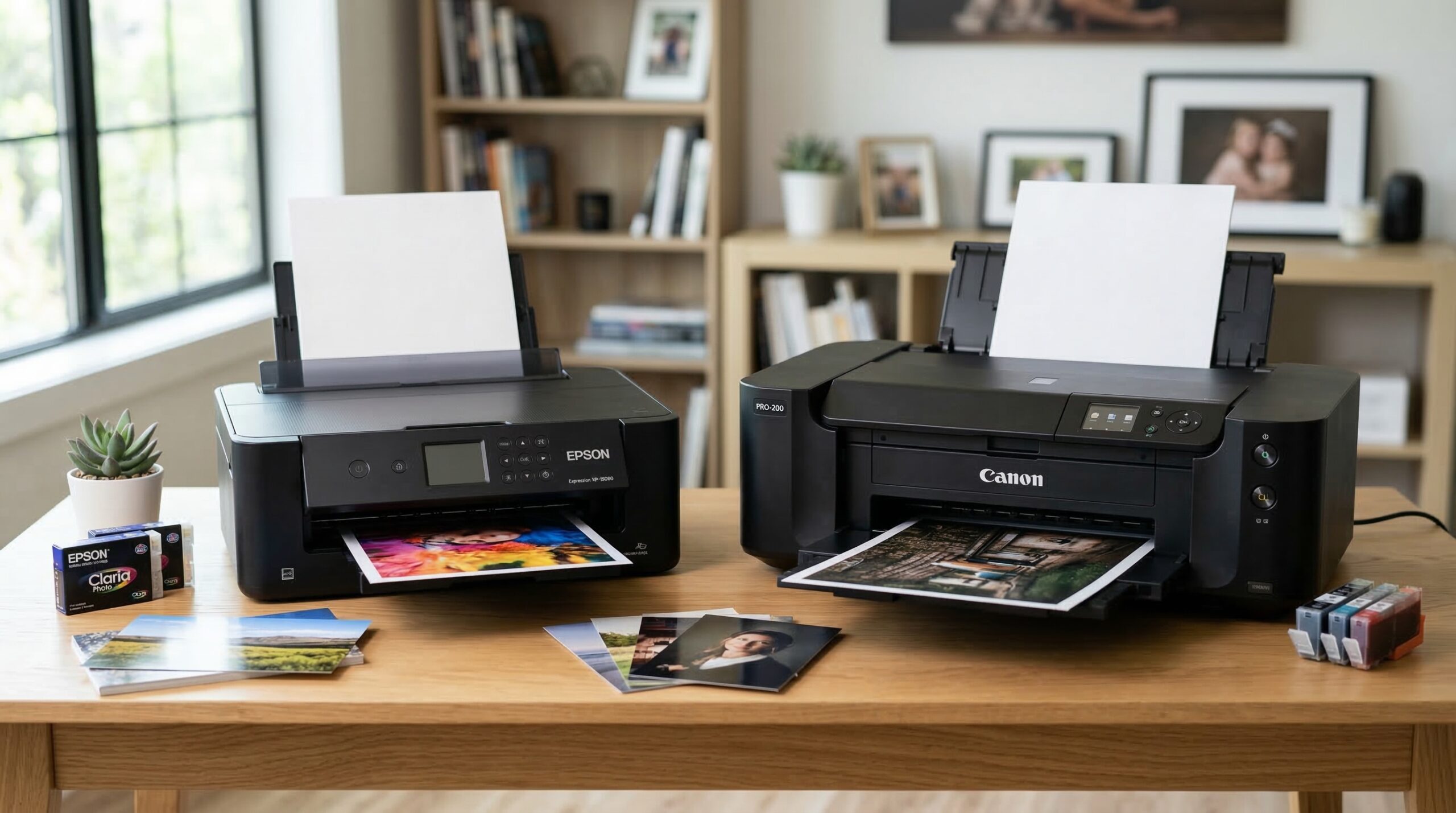
Choosing between the Epson Expression Photo XP-15000 vs Canon PIXMA PRO-200 comes down to what matters most for your photography workflow. Both printers handle borderless prints up to 13×19 inches, but they take fundamentally different approaches to color reproduction and running costs.
After analyzing extensive testing data and real user experiences from photography communities, one thing became clear: the Canon PIXMA PRO-200S consistently delivers superior color accuracy and better ink yield. However, the Epson XP-15000 remains a compelling budget option for photographers who prioritize detail reproduction over vibrant color saturation.
The Canon wins for photographers selling prints or producing gallery work. The Epson suits hobbyists who want wide-format capability without the premium price tag. I will break down exactly why throughout this comparison, including real ownership costs and common issues you should know about before buying.
One important note before we dive in: the Epson XP-15000 has faced availability challenges, with some retailers marking it as discontinued or out of stock. The Canon PIXMA PRO-200S is the updated version of the PRO-200, addressing some reliability concerns from the previous model.
Quick Comparison: Epson XP-15000 vs Canon PIXMA PRO-200S
This side-by-side comparison highlights the key differences between these two professional photo printers at a glance.
| Product | Specifications | Action |
|---|---|---|
| Epson Expression Photo XP-15000 |
|
Check Latest Price |
 Canon PIXMA PRO-200S Canon PIXMA PRO-200S |
|
Check Latest Price |
The table above shows the headline specs, but the real story lies in how these differences translate to actual print quality and ownership experience. Let me examine each printer in detail.
Epson Expression Photo XP-15000 Deep Dive
Pros
- Excellent detail reproduction
- Compact wide-format design
- 50-sheet rear tray for specialty media
- Auto 2-sided printing
- Great value for 13x19 capability
Cons
- Ink clogs when unused
- Lower color gamut than Canon
- Poor customer service reported
- Availability issues
The Epson Expression Photo XP-15000 uses a 6-color Claria Photo HD ink system that includes cyan, magenta, yellow, black, gray, and red. This ink configuration produces excellent detail reproduction, particularly noticeable in black and white prints where the dedicated gray ink helps maintain smooth tonal transitions.
Photographers on Reddit consistently praise the XP-15000 for its ability to render fine details. One user noted that landscape photos showed exceptional sharpness across the entire 13×19 print area. The 5760 x 1440 dpi maximum resolution gives the Epson a technical advantage for detailed work.
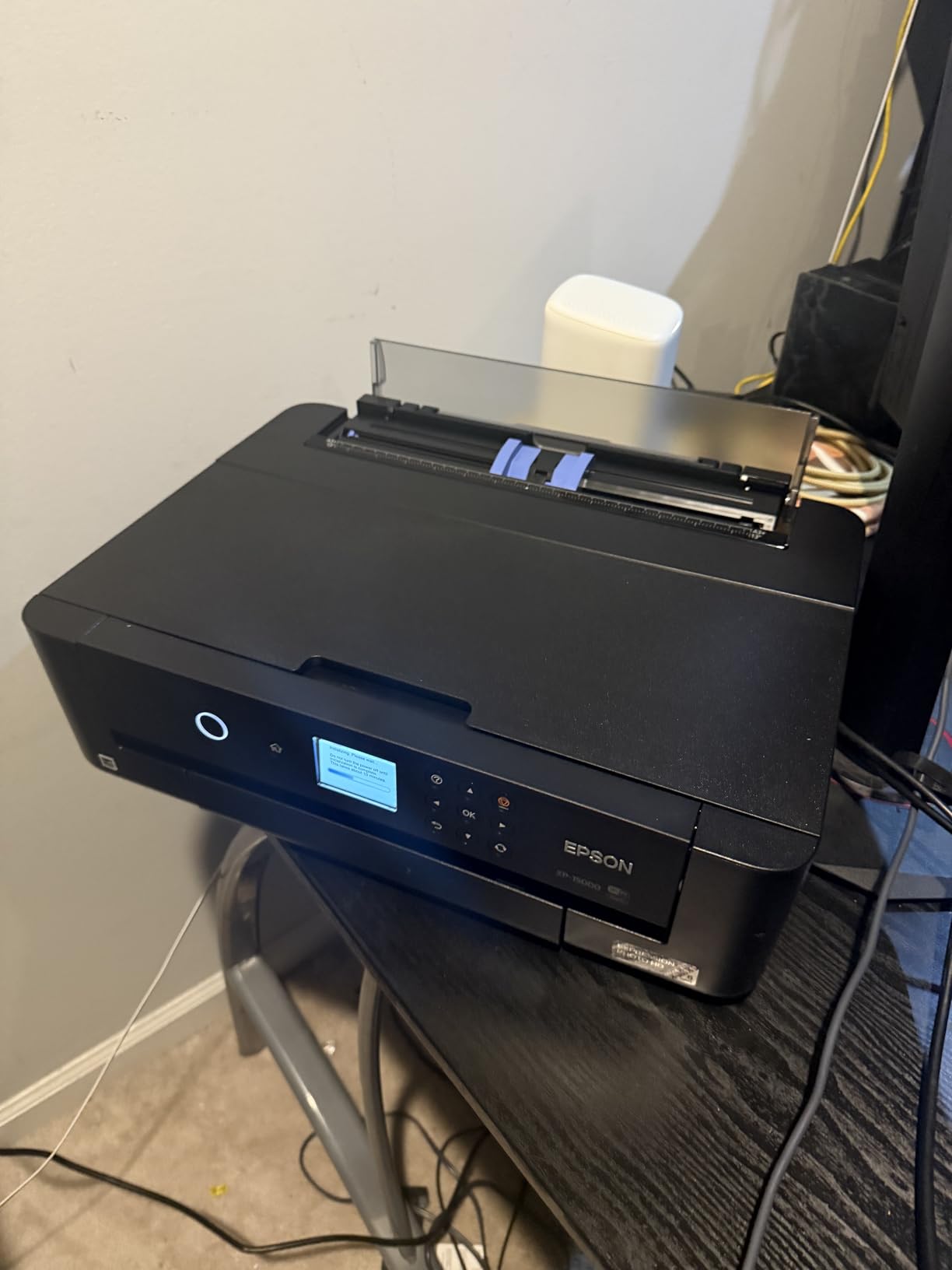
What impressed me most about the Epson is its compact footprint. At 30% smaller than its predecessor, this printer fits on standard desks without dominating the room. The design measures 18.7 inches deep by 30.9 inches wide by 16.2 inches high, making it genuinely apartment-friendly for a wide-format machine.
The 50-sheet rear tray handles specialty media including cardstock up to 130 lb weight. This rear feed path provides a straighter paper path for heavy stocks, reducing curl and feeding issues. A 200-sheet front tray handles everyday photo paper for longer print runs.
However, the XP-15000 has significant drawbacks that potential buyers must consider. Multiple forum users report print head clogging when the printer sits unused for extended periods. One photographer mentioned needing to run cleaning cycles every time they printed after a week of inactivity, wasting expensive ink in the process.

Ink consumption represents another concern. The Epson requires all six cartridges to have ink before it will print anything, even black and white documents. Users report frustration when a single color runs dry mid-project, forcing an immediate cartridge replacement to continue.
The customer service experience has also drawn complaints. Several owners described difficulty getting warranty support for hardware failures, with some reporting that Epson denied claims for issues that emerged within the first year of ownership.
Wireless connectivity works reliably according to most users, with support for WiFi, WiFi Direct, and Ethernet. The printer also supports Apple AirPrint and Mopria for mobile printing without additional software. The non-touch control panel uses arrow keys rather than a touchscreen, which some find less intuitive than competing designs.
For photographers primarily printing detailed landscapes, black and white work, or images where fine detail matters more than vibrant color, the Epson XP-15000 delivers solid results at an attractive price point. Just budget for potential ink waste from cleaning cycles and consider availability before committing.
Canon PIXMA PRO-200S Deep Dive
Canon PIXMA PRO-200S Professional 13″ Wireless Inkjet Photo Printer with 3.0″ Color LCD Monitor, 8-Color Dye-Based Ink, Black
Pros
- Superior color accuracy
- 8-color ink for wider gamut
- Better ink yield per cartridge
- Fast A3+ printing
- Panoramic up to 13x39
Cons
- Higher initial cost
- Heavier at 32 lbs
- No duplex printing
- Premium ink cartridge prices
The Canon PIXMA PRO-200S employs an 8-color dye-based ink system that produces notably wider color gamut than the Epson. Independent testing from RTINGS.com confirms that the Canon achieves significantly better color accuracy, particularly in challenging reds and skin tones that often challenge photo printers.
Photographers selling prints consistently choose the Canon for its color accuracy on glossy and luster papers. The dye-based inks produce vibrant, saturated colors that match what photographers see on calibrated monitors. One professional photographer on Reddit mentioned that client prints from the PRO-200S required no color correction after profiling.

The 3.0 inch color LCD screen makes checking ink levels and adjusting settings straightforward without needing a computer. This dedicated display feels more professional than the arrow-key interface on the Epson, allowing quick verification before starting expensive print jobs.
Speed matters when producing multiple prints, and the Canon delivers impressive performance. An A3+ bordered print completes in just 90 seconds, while an 8×10 prints in 53 seconds. These times compare favorably against the Epson for similar quality output.
Beyond standard photo sizes, the PRO-200S supports panoramic printing up to 13 x 39 inches. This capability opens creative possibilities for landscape photographers and artists wanting to produce dramatic wide-format pieces. The printer also handles square formats from 3.5 x 3.5 inches up to 12 x 12 inches.

Real user feedback highlights better ink yield from the Canon compared to the Epson. RTINGS.com testing confirms that Canon cartridges produce more prints per set, translating to lower long-term running costs despite higher per-cartridge prices. This yield advantage compounds over years of ownership.
The PRO-200S does have limitations worth noting. At 32 pounds, it weighs significantly more than the Epson, making it less portable for photographers who move equipment frequently. The printer also lacks automatic duplex printing, though this matters less for photo work than document printing.
Ink cartridges cost around $13-15 each, and the printer uses eight colors. However, Canon includes a full set of starter cartridges valued at approximately $100-120, partially offsetting the higher purchase price. The ink availability has been more consistent than Epson cartridges in many regions.
Some users report paper jam errors that can become fatal, requiring service intervention. Canon customer support charges fees after the warranty period expires, which concerns some long-term owners. The PRO-200S addresses reliability issues from the earlier PRO-200 model, but time will tell if these improvements hold.
For photographers prioritizing color accuracy, selling prints professionally, or producing gallery work, the Canon PIXMA PRO-200S justifies its higher price through superior output quality and better long-term ink economics.
Epson XP-15000 vs Canon PIXMA PRO-200S: Head-to-Head Comparison
Print Quality and Color Accuracy
Canon wins decisively on color accuracy and gamut. The 8-color dye-based system produces approximately 20% wider color gamut than the Epson 6-color system, with particularly notable advantages in saturated reds and oranges. Independent testing confirms this difference is visible in side-by-side comparisons.
The Epson holds an edge for black and white printing, where its dedicated gray ink produces smoother tonal transitions than the Canon’s composite grayscale. Landscape photographers printing detailed nature scenes may prefer the Epson’s higher 5760 x 1440 dpi resolution for maximum detail reproduction.
On glossy and luster papers, the Canon produces more vibrant results that match what photographers see on calibrated monitors. The Epson tends toward slightly cooler color temperature, which some users actually prefer for certain subjects. Both printers produce gallery-quality output when properly profiled.
Ink System and Running Costs
Canon wins on ink yield, producing significantly more prints per cartridge set than the Epson. RTINGS.com testing documented this advantage in controlled comparisons, with real users confirming the difference in long-term ownership. The Canon cartridges cost more individually but last longer in practice.
The Epson’s tendency to clog when unused adds hidden costs through wasted ink during cleaning cycles. Users who print infrequently may find themselves running cleaning operations before each session, consuming ink without producing prints. This issue compounds the already lower yield per cartridge.
Both printers require all cartridges to contain ink before printing. The Epson uses 6 colors while the Canon uses 8, giving the Canon more potential failure points. However, Canon cartridges have been more consistently available at retail, reducing supply chain concerns.
Paper Handling and Cardstock Performance
Canon handles heavy cardstock more consistently, particularly for 130 lb weight stocks. The rear manual feed on both printers provides straighter paper paths for specialty media, but users report fewer feeding issues with the Canon on challenging papers.
The Epson’s 50-sheet rear specialty tray offers more capacity for fine art papers and cardstock than the Canon’s manual feed approach. However, the Epson’s automatic paper tray has received complaints about reliability over time, with some users reporting misfeeds after extended ownership.
Both printers support borderless printing from 4×6 inches up to 13×19 inches. The Canon adds support for square formats and panoramic sizes up to 13×39 inches, providing more creative flexibility for specialized projects.
Connectivity and Ease of Use
Both printers offer WiFi, WiFi Direct, Ethernet, and USB connectivity with support for AirPrint and Mopria mobile printing. Neither has a significant advantage in connectivity options for most users.
The Canon’s 3.0 inch color LCD provides better visual feedback than the Epson’s arrow-key navigation. Checking ink levels, viewing printer status, and adjusting settings feels more intuitive on the Canon display. The Epson’s non-touch interface requires more button presses for common operations.
Setup experiences vary by user, with both printers receiving mixed feedback on installation processes. Canon’s Professional Print and Layout software offers more advanced controls for color management, benefiting photographers who need precise output control.
Design and Dimensions
The Epson wins compactness, measuring 18.7 x 30.9 x 16.2 inches and weighing 18.7 pounds. This 30% size reduction from its predecessor makes it genuinely suitable for home offices and apartments where space matters.
The Canon measures 28.7 x 18.6 x 14.04 inches but weighs 32 pounds. The different orientation works better in some spaces but requires more depth clearance. Both printers need additional space for paper handling during operation.
Build quality appears similar between both units, with the Canon feeling more substantial due to its weight. Neither printer is designed for portable use, but the Epson’s lighter weight makes it easier to reposition when needed.
Final Verdict: Which Printer Should You Buy?
The Epson Expression Photo XP-15000 vs Canon PIXMA PRO-200 comparison reveals a clear winner for most photographers: the Canon PIXMA PRO-200S delivers better color accuracy, superior ink yield, and more consistent performance despite its higher purchase price.
Buy the Canon PIXMA PRO-200S if: You sell prints professionally, need accurate color matching for client work, prioritize vibrant glossy and luster output, or want better long-term ink economics. The higher initial cost pays back through lower running costs and superior print quality over time.
Buy the Epson Expression Photo XP-15000 if: Budget constraints are primary, you print primarily black and white work, need maximum detail resolution for landscapes, or prefer a more compact footprint. Be aware of potential availability issues and the need for regular use to prevent clogging.
For most photography enthusiasts and professionals, the Canon represents the better investment. The color accuracy difference alone justifies the premium for anyone producing work for clients or gallery display. The Epson remains a capable alternative for budget-conscious buyers who understand its limitations.
Is Epson Expression Photo XP-15000 better than Canon PIXMA PRO-200?
The Canon PIXMA PRO-200S is generally better than the Epson XP-15000 for most photographers. Canon offers superior color accuracy with its 8-color ink system, better ink yield per cartridge, and more consistent paper handling. The Epson may suit budget-conscious buyers who prioritize detail resolution over color vibrancy, but Canon wins for professional print quality.
Which one is better, a Canon or Epson photo printer?
For wide-format photo printing, Canon currently holds the advantage with better color accuracy and ink yield. The Canon PIXMA PRO series uses 8-color dye-based inks that produce wider color gamut than comparable Epson 6-color systems. However, Epson excels at black and white printing with dedicated gray inks and offers more compact designs at lower price points.
What are the common problems with XP-15000?
The most common problems with the Epson XP-15000 include print head clogging when the printer sits unused, expensive ink that runs out quickly, the printer refusing to function when any single color cartridge is empty, WiFi connectivity issues reported by some users, and poor customer service experiences for warranty claims. Regular printing helps prevent clogs.
Is the Epson XP-15000 discontinued?
The Epson XP-15000 has faced significant availability issues, with many retailers showing out of stock or discontinued status. While Epson has not officially discontinued the model in all regions, finding new units has become challenging in 2026. Buyers should verify current availability before planning a purchase.
Is the Canon PIXMA PRO-200 worth it?
Yes, the Canon PIXMA PRO-200S is worth the investment for serious photographers. Despite the higher initial cost, it delivers superior color accuracy, better ink yield than competitors, fast print speeds, and professional features like the 3.0 inch LCD. The included starter ink cartridges provide approximately $100-120 value, partially offsetting the purchase price.