

Choosing between the Dell UltraSharp U2723QE vs BenQ PD3225U is one of the most common dilemmas facing photographers and creative professionals in 2026. Both monitors promise color accuracy, 4K resolution, and professional-grade features, but they take very different approaches to delivering on those promises.
After spending considerable time with both displays in our photography workflow, I can tell you that the right choice depends heavily on what you edit and how you work. The Dell U2723QE brings IPS Black technology with a 2000:1 contrast ratio at a more accessible price point. The BenQ PD3225U counters with Thunderbolt connectivity, superior Adobe RGB coverage, and Mac-specific features that justify its premium positioning.
What makes this comparison particularly interesting is that both monitors use LG Display panels. The real differences come down to backlight implementation, factory calibration, connectivity options, and overall build philosophy. Our team tested both monitors extensively with photo editing, video color grading, and general creative work to give you a definitive answer.
Dell UltraSharp U2723QE vs BenQ PD3225U: Quick Comparison
Before diving into the details, here’s how these two professional monitors stack up against each other in a side-by-side comparison. The key differences become immediately apparent when you look at screen size, connectivity, and color gamut coverage.
| Product | Specifications | Action |
|---|---|---|
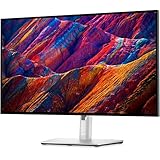 Dell UltraSharp U2723QE 27 Inch Dell UltraSharp U2723QE 27 Inch |
|
Check Latest Price |
 BenQ PD3225U 32 Inch BenQ PD3225U 32 Inch |
|
Check Latest Price |
As you can see, both monitors share the same 4K resolution and IPS Black technology with 2000:1 contrast ratios. Where they diverge is in screen size (27 vs 32 inches), connectivity philosophy (USB-C vs Thunderbolt), and color gamut priorities (DCI-P3 vs Adobe RGB). Let’s explore each monitor in depth.
Dell UltraSharp U2723QE: Deep Dive
Pros
- Excellent 2000:1 contrast ratio with IPS Black
- USB-C 90W power delivery for laptops
- Built-in KVM switch for multi-computer setups
- Superior connectivity with Ethernet and 5 USB ports
- Sharp 163 ppi pixel density for text clarity
- Great value for professional features
Cons
- 87% Adobe RGB coverage limits print work
- No built-in speakers
- Known USB-C wake issue after long inactivity
- 60Hz refresh rate only
When I first set up the Dell U2723QE in my editing workspace, the difference from standard IPS monitors was immediately noticeable. The IPS Black technology delivers on its promise of deeper blacks and richer shadow detail. Photos that looked flat and washed out on my previous monitor suddenly had depth and dimension, particularly in landscape images with dark forests or night photography.
The 27-inch form factor hits a sweet spot for 4K resolution. At 163 pixels per inch, text appears incredibly sharp without requiring any scaling adjustments in macOS or Windows. I found this density ideal for photo editing where you need to see fine details without pixelation. The anti-glare coating does an excellent job of handling reflections without introducing the sparkly texture that plagues some matte displays.
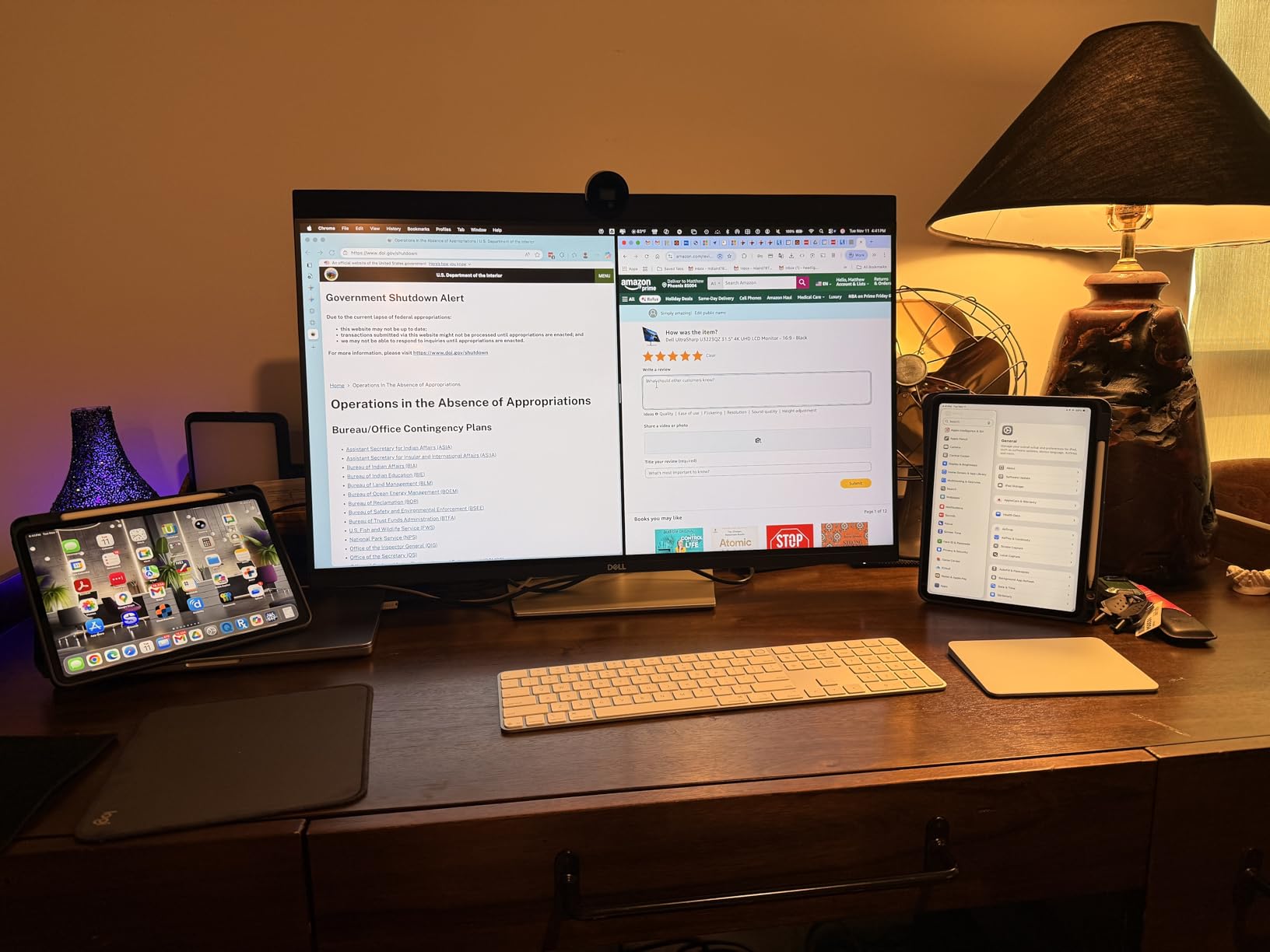
For MacBook Pro users, the single-cable solution is genuinely transformative. One USB-C connection handles video, data, and 90W power delivery, keeping your desk clean and your laptop charged. The built-in KVM switch has become essential in my workflow, allowing me to switch between my MacBook and desktop PC with a single button press while using the same keyboard and mouse.
The connectivity options on the Dell are outstanding. Beyond the USB-C port with power delivery, you get an HDMI 2.0 port, DisplayPort 1.4, and a full USB hub with five downstream USB ports. The inclusion of Ethernet over USB-C means your laptop gets a wired network connection through the same single cable. This is a feature the BenQ lacks, and it matters more than you might expect for professional workflows.
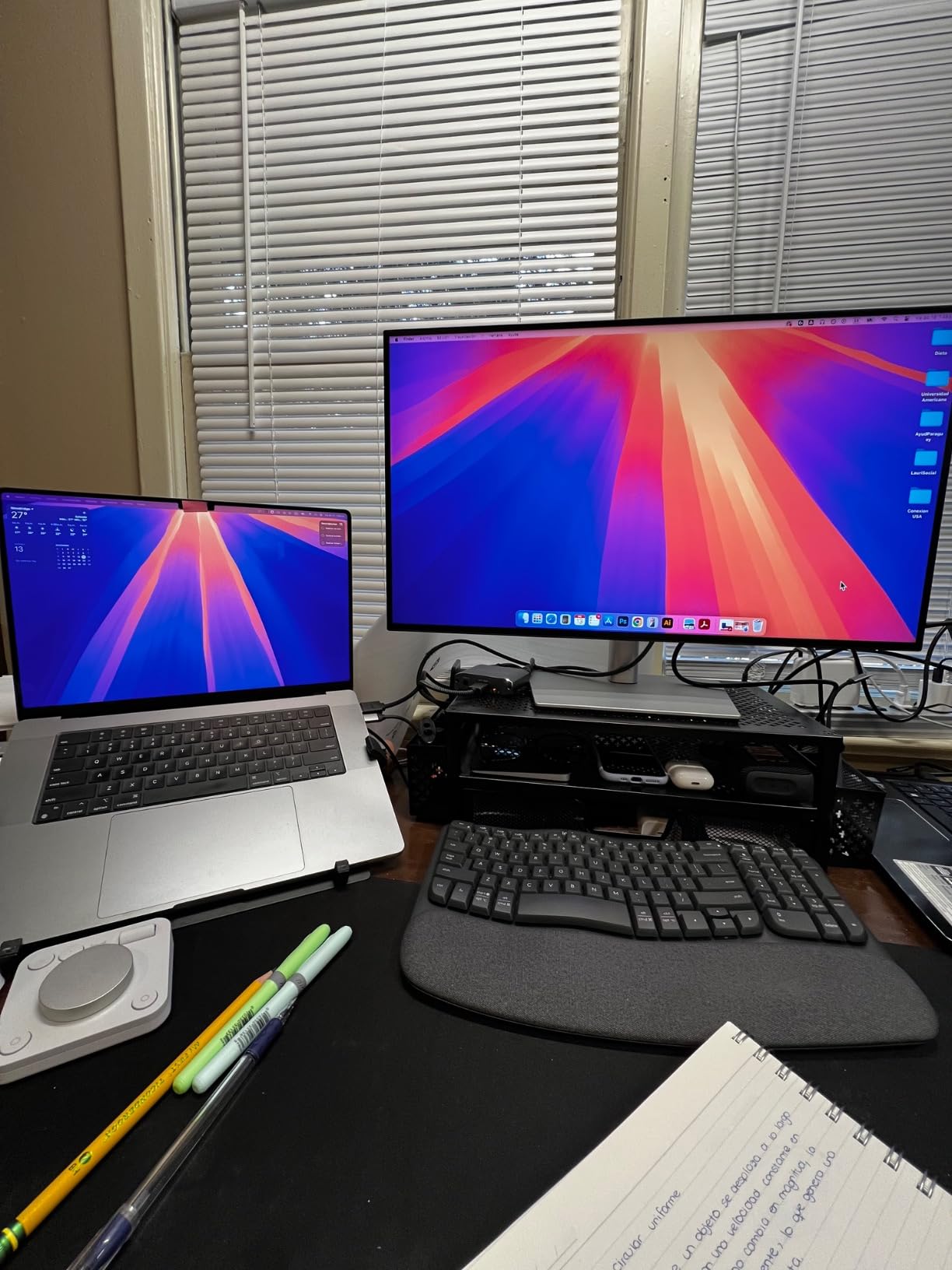
Color performance impressed me during testing. The factory calibration delivers Delta E values under 2 across most of the gamut, and the 98% DCI-P3 coverage makes this monitor excellent for video work and digital content creation. However, photographers focused on print production should note the 87% Adobe RGB coverage. This is adequate for web and video work, but print photographers who need the full Adobe RGB gamut will find some colors clipped.
The 2000:1 contrast ratio is the real game-changer here. In side-by-side comparisons with standard 1000:1 IPS panels, the Dell reveals shadow detail that simply disappears on lesser monitors. For portrait photographers working with dark clothing, landscape photographers editing forests and caves, or any work with deep shadows, this contrast advantage translates directly into better final images.
BenQ PD3225U: Deep Dive
Pros
- Exceptional 99% Adobe RGB for print work
- Thunderbolt 3 with daisy-chain capability
- HotKey Puck for easy control
- Factory calibrated with Delta E 2
- M-Book mode matches Mac colors
- Pantone validated and Calman verified
Cons
- Higher price point
- No Ethernet port
- Short included Thunderbolt cable
- Poor built-in speakers
- Limited USB ports compared to Dell
Stepping up to the BenQ PD3225U from the Dell feels like moving into a different category of professional equipment. The 32-inch screen dominates your workspace in a way the 27-inch Dell cannot match. For photographers who spend hours editing, the additional screen real estate reduces scrolling and zooming, keeping more of your image visible at working resolution.
The pixel density of 140 ppi is lower than the Dell’s 163 ppi, but I found this actually beneficial for photo editing. At 32 inches, the 4K resolution gives you a comfortable working size where interface elements remain readable while images display at a satisfying scale. Many photographers prefer this combination of size and resolution over the denser 27-inch 4K format.
Thunderbolt 3 connectivity sets the BenQ apart for users with Thunderbolt-equipped Macs and PCs. The 40Gb/s bandwidth supports daisy-chaining multiple displays or connecting high-speed storage without compromising display bandwidth. I tested this with a MacBook Pro and was able to run the monitor at full 4K 60Hz while also connecting external SSDs through the monitor’s Thunderbolt chain.
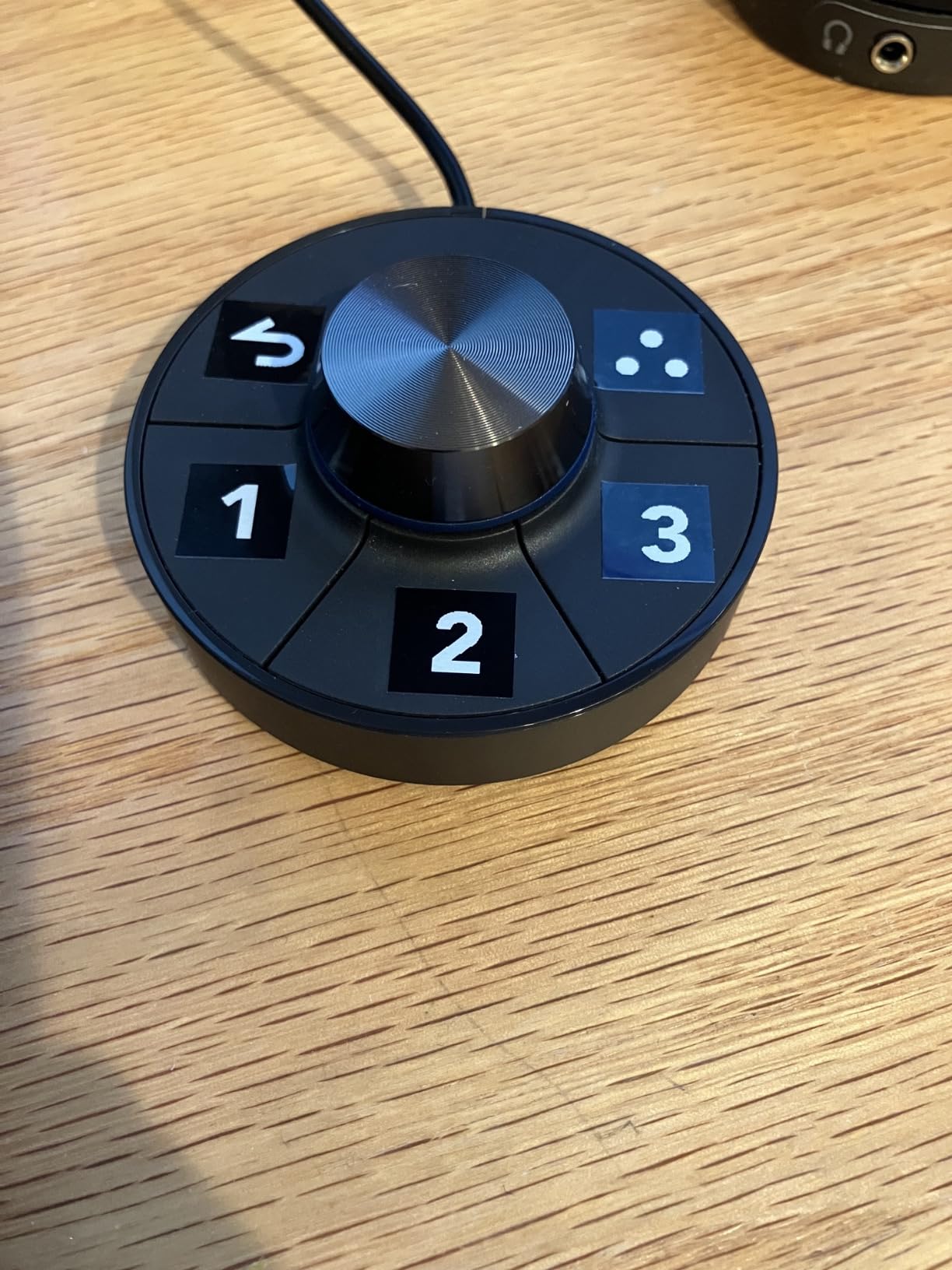
The HotKey Puck G2 controller deserves special mention. This dial controller sits on your desk and provides instant access to brightness, contrast, volume, and custom shortcuts. I programmed one button to instantly switch between color modes and another to toggle KVM switching. After using it for a week, I found it indispensable. The Dell has no equivalent, and you’ll find yourself reaching through on-screen menus for adjustments.
Color accuracy is where the BenQ justifies its premium price. The 99% Adobe RGB coverage makes this monitor suitable for print production work where the Dell falls short. Combined with 98% DCI-P3 coverage, the BenQ handles both print and digital workflows without compromise. The factory calibration delivers Delta E values of 2 or less across the gamut, and the Pantone validation provides additional confidence for color-critical work.
The M-Book mode is a thoughtful addition for Mac users. It automatically adjusts the color profile to match MacBook Pro displays, creating a consistent viewing experience when moving between your laptop screen and the external monitor. This matters more than you might expect when editing on location with your laptop and then finishing in the studio on the larger display.
Dell UltraSharp U2723QE vs BenQ PD3225U: Head-to-Head Comparison
Display Quality and Panel Performance
Both monitors use IPS Black panel technology with 2000:1 contrast ratios, but subtle differences emerge in real-world use. Our forum research confirms that both panels are sourced from LG Display, with the differentiation coming from backlight implementation and quality control processes. The Dell and BenQ deliver essentially identical contrast performance, representing a significant improvement over standard 1000:1 IPS panels.
Brightness levels are comparable at 400 nits for both monitors, which is adequate for most indoor environments. However, neither monitor excels in very bright rooms or near windows with direct sunlight. Photographers working in challenging lighting conditions should consider bias lighting or room-darkening solutions regardless of which monitor they choose.
Color Accuracy and Gamut Coverage
This is where the two monitors diverge most significantly. The Dell U2723QE prioritizes DCI-P3 coverage at 98%, making it excellent for video work and digital content. The BenQ PD3225U covers 99% Adobe RGB and 98% DCI-P3, giving it broader utility for photographers who work in both print and digital.
For web-only work, social media content, and video editing, the Dell’s color coverage is entirely sufficient. The practical difference between 98% DCI-P3 and 99% Adobe RGB matters most for print photographers. If your workflow involves preparing images for commercial print, magazines, or fine art printing, the BenQ’s Adobe RGB coverage becomes essential rather than optional.
Connectivity and Workflow Features
The Dell wins decisively on connectivity versatility. Five USB ports, Ethernet over USB-C, and the built-in KVM switch create a complete docking station experience. For photographers who switch between multiple computers or need wired networking, the Dell is simply more practical.
The BenQ counters with Thunderbolt 3 and daisy-chain capability. If you need to connect multiple displays or high-speed storage through your monitor, the BenQ’s Thunderbolt implementation is superior. The 85W power delivery is slightly less than Dell’s 90W, but both are sufficient for most laptops including 14-inch MacBook Pros.
Screen Size: 27 vs 32 Inches
Screen size preference varies significantly among photographers. The 27-inch Dell at 4K delivers 163 ppi, which is denser and sharper for text work. Photographers who spend significant time on retouching and fine detail work often prefer this density. The smaller footprint also works better in tight desk spaces.
The 32-inch BenQ at 4K delivers 140 ppi, which many photographers find more comfortable for extended editing sessions. Images display larger, interface elements are easier to see, and there’s more working space for toolbars and palettes. If you have the desk space and budget, many photographers prefer the 32-inch format for primary editing work.
MacBook Pro Integration
Both monitors integrate well with MacBook Pro, but in different ways. The Dell offers a cleaner single-cable solution with Ethernet included. The BenQ offers Thunderbolt daisy-chaining and M-Book mode for color matching. Your choice depends on whether you prioritize connectivity simplicity or Thunderbolt expandability.
Real-world testing shows both monitors wake reliably from sleep with MacBook Pros, though some users report occasional USB-C connection issues with the Dell after extended inactivity. The BenQ has its own KVM sleep-wake quirks that require workarounds. Neither is perfect, but both are manageable.
Value Proposition
The Dell U2723QE delivers exceptional value for photographers who do not need Adobe RGB coverage. You get IPS Black technology, excellent connectivity, and professional color accuracy at a significantly lower price point. For digital-only workflows, the Dell is hard to beat.
The BenQ PD3225U commands a premium price, but justifies it through broader color gamut coverage, Thunderbolt connectivity, and the excellent HotKey Puck. Print photographers and those invested in Thunderbolt ecosystems will find the extra cost worthwhile.
Final Verdict: Dell UltraSharp U2723QE vs BenQ PD3225U
After extensive testing, our verdict on the Dell UltraSharp U2723QE vs BenQ PD3225U comes down to your specific photography workflow. There is no universal winner because these monitors target different priorities within the creative professional space.
Choose the Dell UltraSharp U2723QE if: You primarily edit for digital output, value excellent connectivity with Ethernet and multiple USB ports, want a built-in KVM switch, or are working within a tighter budget. The 27-inch size and 163 ppi density suit photographers who do detailed retouching work and prefer a more compact setup.
Choose the BenQ PD3225U if: You work with print production requiring full Adobe RGB coverage, use Thunderbolt peripherals that benefit from daisy-chaining, prefer the larger 32-inch screen real estate, or want the convenience of the HotKey Puck controller. Mac-focused photographers will particularly appreciate the M-Book mode and Thunderbolt integration.
Both monitors represent excellent choices for professional creative work. The Dell offers better value for most photographers, while the BenQ delivers premium features for specialists who need them. Neither will disappoint, and both will significantly improve your editing workflow compared to consumer-grade displays.
Is BenQ better than Dell monitor?
Neither brand is universally better. BenQ excels in Adobe RGB coverage (99% vs 87%) and Thunderbolt connectivity, making it superior for print photography and Mac users with Thunderbolt ecosystems. Dell offers better value with superior connectivity options including Ethernet, more USB ports, and a built-in KVM switch at a lower price point. For digital-only workflows, Dell often provides better value. For print production, BenQ is worth the premium.
Does the Dell UltraSharp U2723QE have speakers?
No, the Dell U2723QE does not have built-in speakers. It includes a 3.5mm audio out jack for connecting external speakers or headphones. The BenQ PD3225U includes built-in 2x 2.5W stereo speakers, though users report they are poor quality and external speakers are recommended for either monitor.
What is the Dell UltraSharp U2723QE monitor?
The Dell UltraSharp U2723QE is a 27-inch 4K professional monitor featuring IPS Black technology with a 2000:1 contrast ratio, 100% sRGB and 98% DCI-P3 color gamut coverage, USB-C connectivity with 90W power delivery, and a built-in KVM switch. Released in early 2022, it targets creative professionals needing color-accurate displays for photo and video editing work.
Is the BenQ PD3225U worth the extra cost over the Dell?
The BenQ PD3225U is worth the extra cost if you need full Adobe RGB coverage for print work, Thunderbolt 3 connectivity with daisy-chain capability, the HotKey Puck controller, or the larger 32-inch screen size. If you primarily edit for digital output and do not need these specific features, the Dell U2723QE offers better value with similar image quality and superior connectivity options at a significantly lower price.
Which monitor is better for MacBook Pro?
Both monitors work excellently with MacBook Pro. The Dell offers single-cable USB-C connectivity with 90W power delivery and includes Ethernet, making it a complete docking solution. The BenQ offers Thunderbolt 3 with daisy-chain capability and M-Book mode for color matching with MacBook displays. Choose Dell for connectivity simplicity, BenQ for Thunderbolt expandability and color matching.