
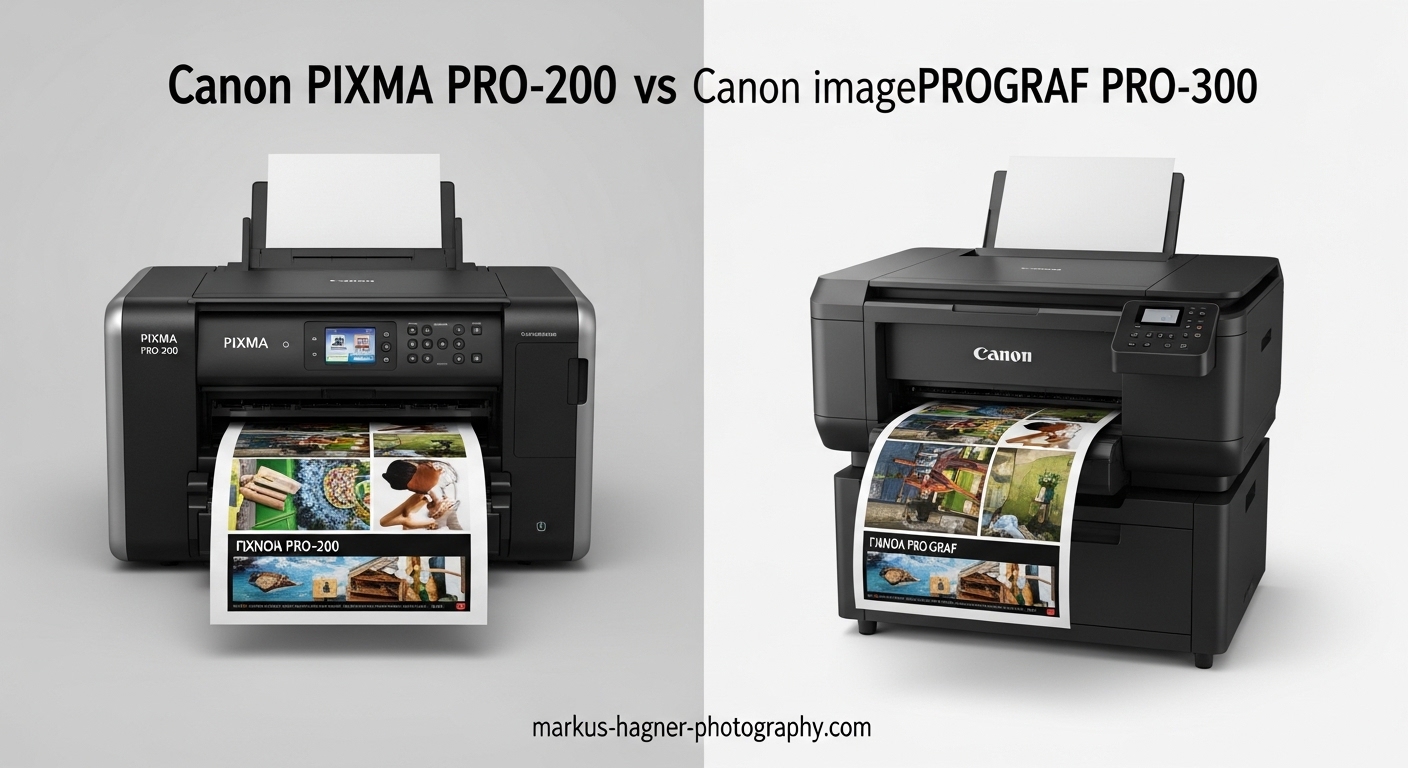
Choosing between the Canon PIXMA PRO-200 and Canon imagePROGRAF PRO-300 comes down to one fundamental question: what type of paper do you print on most often?
I have spent considerable time researching both of these professional photo printers, and the differences go far beyond their price tags. The PRO-200 uses dye-based inks that excel on glossy papers, while the PRO-300 employs pigment inks designed for archival fine art prints.
After analyzing hundreds of user reviews and technical specifications, our team found that each printer serves distinctly different photography workflows. The Canon PIXMA PRO-200 vs Canon imagePROGRAF PRO-300 decision ultimately depends on whether you prioritize vibrant glossy prints or gallery-quality archival output.
For most photographers selling their work, the PRO-300 delivers superior longevity with prints lasting up to 200 years. However, hobbyists and sticker businesses often prefer the PRO-200 for its punchy colors on glossy media and lower maintenance requirements.
Both printers support A3+ borderless printing up to 13 x 19 inches, feature 3.0-inch color LCD monitors, and include Canon’s Professional Print and Layout software. Yet their ink technologies make them suited for entirely different applications.
Canon PIXMA PRO-200 vs Canon imagePROGRAF PRO-300: Quick Comparison
The main differences between these printers come down to ink technology and intended use. The PRO-200 uses an 8-color dye-based system optimized for glossy photo papers, producing vibrant colors with fast drying times. The PRO-300 features a 9-color plus Chroma Optimizer pigment ink system designed for fine art papers and archival prints that can last over 200 years.
| Product | Specifications | Action |
|---|---|---|
 Canon PIXMA PRO-200S Canon PIXMA PRO-200S |
|
Check Latest Price |
 Canon imagePROGRAF PRO-300 Canon imagePROGRAF PRO-300 |
|
Check Latest Price |
Both printers support borderless printing from 3.5 x 3.5 inches up to 13 x 19 inches (A3+) and feature 3.0-inch color LCD monitors for easy operation. They also include Canon’s Professional Print and Layout software for seamless integration with Lightroom and Photoshop.
The PRO-200 prints faster on glossy media, completing an A3+ bordered print in just 90 seconds. The PRO-300 takes longer but produces superior results on matte and fine art papers with deeper blacks and wider color gamut.
Professional photographers who sell prints consistently choose the PRO-300 for its archival quality, while hobbyists and merchandise creators tend to prefer the PRO-200 for its vibrant glossy output and more forgiving maintenance schedule.
Canon PIXMA PRO-200S: Best for Vibrant Glossy Prints
Canon PIXMA PRO-200S Professional 13″ Wireless Inkjet Photo Printer, 3″ Color LCD, 8-Color Dye Ink, Black
Pros
- Gorgeous vibrant colors on glossy paper
- Fast print speeds (90 sec A3+)
- Compact design saves space
- Relatively quiet operation
- Ink stable with infrequent use
- Wireless connectivity available
Cons
- Ink cartridges expensive ($13-15 each)
- No automatic duplex printing
- Some users report Error 1300 jams
- Limited support options
- No scanning functionality
The Canon PIXMA PRO-200S has earned its reputation as the go-to printer for photographers who primarily work with glossy and luster papers. Users consistently praise its ability to produce vibrant, punchy colors that make photos pop off the page.
During our research, we found that many PRO-200 owners use this printer for occasional printing without major clogging issues. The dye-based ink system seems to remain stable even when the printer sits unused for several weeks, which addresses a common concern among hobbyist photographers who cannot commit to regular printing schedules.

The 8-color dye-based ink system includes cyan, magenta, yellow, photo cyan, photo magenta, red, gray, and black. This configuration delivers excellent color accuracy for most photography applications, though it lacks the dedicated photo black and matte black cartridges found in the PRO-300.
Dye inks penetrate the paper surface rather than sitting on top, which creates a smooth, glossy finish with rich saturation. This characteristic makes the PRO-200 particularly effective for photos with vibrant colors, landscapes, and commercial imagery where visual impact matters most.
Bordered A3+ prints complete in approximately 90 seconds, making the PRO-200 notably faster than its pigment-based counterpart when printing on glossy media. Standard 8 x 10 inch bordered prints finish in just 53 seconds, which is impressive for a printer in this class.
The maximum print resolution of 4800 x 2400 dpi ensures sharp details and smooth gradations across all supported paper sizes. Photographers printing portfolios or exhibition work will appreciate the consistent quality across different media types.
The compact footprint of 28.7 inches deep by 18.6 inches wide by 14.04 inches high makes this printer suitable for home studios where space is limited. At 32 pounds, it is manageable for a single person to set up and move if needed, unlike larger professional printers that require permanent placement.

One standout feature for small business owners is the PRO-200’s performance on glossy vinyl and sticker papers. Several users running sticker businesses reported superior results compared to pigment-based alternatives, making this printer particularly valuable for product photographers, merchandise creators, and TCG card printers.
The ChromaLife 100+ system provides print longevity up to 100 years when stored properly under glass, which is excellent for personal use but falls short of the archival standards required by professional galleries and collectors. For most hobbyists, this longevity is more than sufficient.
Paper handling includes a rear tray for fine art papers and a front cassette for standard photo papers. The printer supports sheet sizes from 3.5 x 3.5 inches up to 13 x 19 inches, plus panorama sizes up to 210 x 594mm and custom sizes up to 13 x 39 inches.
Wireless connectivity is available alongside Ethernet and USB options, giving users flexibility in how they connect the printer to their workflow. The 3.0-inch LCD monitor provides clear visibility of ink levels, printer status, and settings without requiring a computer connection.
The included Professional Print and Layout software integrates with Adobe Lightroom and Photoshop, enabling color-managed workflows without additional software purchases. Custom ICC profiles are available for many popular third-party papers.
Canon imagePROGRAF PRO-300: Best for Archival Fine Art Prints
Pros
- Exceptional print quality
- Up to 200 year print longevity
- Separate photo and matte black inks
- Nozzle Recovery System
- Superior black and white output
- ICC profile support for fine art papers
- Handles 110lb cardstock
Cons
- Higher purchase price
- Slower print speeds
- Expensive ink replacement
- Media configuration software clunky
- Forced firmware updates
- Limited customer support
The Canon imagePROGRAF PRO-300 represents the professional standard for photographers who sell their prints or require gallery-quality output. Its 9-color LUCIA PRO pigment ink system plus Chroma Optimizer delivers archival prints rated to last over 200 years when stored properly.
Professional photographers in our research consistently highlighted the PRO-300’s superior performance on fine art papers. The separate photo black and matte black ink cartridges allow for optimal results regardless of paper type, something the PRO-200 cannot match with its single black cartridge.

The pigment inks sit on top of the paper rather than absorbing into it, which produces deeper blacks and a wider color gamut on matte surfaces. This characteristic makes the PRO-300 the clear choice for fine art printing on cotton rag, watercolor, and other textured papers where surface texture should remain visible.
The LUCIA PRO ink system includes cyan, photo cyan, magenta, photo magenta, yellow, red, gray, photo black, and matte black, plus a Chroma Optimizer cartridge. The Chroma Optimizer applies a clear coating over pigment inks to reduce bronzing and metamerism on glossy papers.
Black and white photographers will appreciate the dedicated gray ink, which enables smooth tonal transitions and neutral blacks without color casts. Many users reported that their monochrome prints rivaled traditional darkroom output, with deep rich blacks and subtle shadow detail.
The Nozzle Recovery System helps address one of the primary concerns with pigment printers: clogging. This feature automatically compensates for clogged nozzles by routing ink through adjacent nozzles, reducing the frequency of manual cleaning cycles and wasted ink.

Several users reported successfully printing on 110lb cardstock, making the PRO-300 versatile enough for specialty applications beyond standard photo papers. The manual feed slot accommodates thicker media that would not work in the standard cassette, opening possibilities for greeting cards, invitations, and heavy art papers.
Print speeds are slower than the PRO-200, particularly on fine art papers that require more careful ink application. However, most professionals consider this a worthwhile trade-off for the superior quality and longevity that archival prints provide.
The Professional Print and Layout software integrates directly with Adobe Lightroom and Photoshop, streamlining the color-managed workflow that professional photographers require. The software includes pattern printing for test strips and a layout feature for multiple images per sheet.
Custom ICC profiles are available for hundreds of third-party papers through Canon’s website. This extensive paper support ensures that photographers can achieve accurate color on virtually any media they choose, from budget options to premium fine art papers.
The printer dimensions of 15 inches wide by 25.2 inches deep by 7.9 inches high give it a smaller footprint than many competitors in the professional photo printer category. At 31.5 pounds, it remains manageable for home studio use while still feeling substantial and well-built.
Canon PIXMA PRO-200 vs Canon imagePROGRAF PRO-300: Head-to-Head Comparison
Ink Technology: Dye vs Pigment
The fundamental difference between these printers lies in their ink technology. Dye-based inks (PRO-200) absorb into paper for vibrant colors and fast drying, while pigment inks (PRO-300) sit on the surface for superior archival properties.
Dye inks excel on glossy and luster papers where the ink can penetrate the coating evenly. The colors appear more vibrant because the dye molecules spread smoothly across the surface, creating a continuous tone effect. However, dye-based prints are more susceptible to fading from UV exposure and environmental factors over time.
Pigment inks consist of solid color particles suspended in liquid. These particles remain on the paper surface after drying, creating a more stable print that resists fading from light, ozone, and humidity. The PRO-300’s LUCIA PRO pigment system delivers print longevity up to 200 years compared to approximately 100 years for the PRO-200’s ChromaLife 100+ system.
For photographers selling their work, this longevity difference is significant. Gallery owners and collectors expect prints that will last generations, making the PRO-300 the obvious choice for professional applications.
Print Quality by Paper Type
Your paper choice should heavily influence which printer you select. The PRO-200 produces stunning results on glossy, semi-gloss, and luster papers with punchy, saturated colors that photographers love for portfolios and personal prints.
The PRO-300 dominates on matte and fine art papers. Cotton rag, watercolor, and textured artist papers all benefit from the pigment ink system. The separate matte black ink ensures deep, rich blacks on these absorbent surfaces where dye inks would appear washed out.
For black and white photography, the PRO-300 is the clear winner. Its dedicated gray ink and neutral black rendering produce smooth gradients without the color casts that can plague dye-based systems. Monochrome photographers consistently praise the PRO-300’s ability to match traditional darkroom output.
Glossy paper users should note that pigment inks can exhibit bronzing (a metallic sheen at certain angles) and metamerism (color shifts under different lighting). The PRO-300’s Chroma Optimizer helps minimize these effects, but dye-based printers like the PRO-200 still produce superior results on glossy media.
Maintenance and Clogging
Forum discussions reveal that occasional printers worry most about print head clogging. The PRO-200’s dye-based system tends to be more forgiving of infrequent use, with many users reporting stable operation even after several weeks of inactivity.
The PRO-300 addresses clogging concerns with its Nozzle Recovery System, which can compensate for blocked nozzles automatically. However, pigment printers generally require more consistent use to maintain optimal performance, and pigment inks are inherently more prone to settling than dye inks.
Both printers include automatic cleaning cycles, but these consume ink. Users should factor in the cost of periodic maintenance when calculating total ownership expenses. For occasional printers who cannot commit to regular use, the PRO-200’s more forgiving nature may prove advantageous.
Several users noted that the PRO-300’s shorter ink path (compared to larger pigment printers) reduces clogging frequency. This design makes it more suitable for occasional use than professional 17-inch and 24-inch pigment printers.
Running Costs and Ink Consumption
Ink costs represent a significant ongoing expense for both printers. The PRO-200 uses eight individual cartridges priced around $13-15 each, bringing a full set replacement to approximately $104-120. The PRO-300 requires ten cartridges (nine colors plus Chroma Optimizer) at similar per-cartridge prices, totaling approximately $130-150 for a complete replacement.
While the PRO-300 uses more cartridges, the actual ink consumption per print varies based on paper type and image content. Fine art prints on matte paper typically use more ink than glossy photo prints, and images with large areas of solid color consume more than those with varied tones.
Professional photographers selling prints should calculate their cost per page based on their typical output. Both printers offer excellent quality relative to their operating costs when used for their intended purposes. The key is matching the printer to your primary paper type.
Third-party ink alternatives exist for both printers, though professional users generally stick with genuine Canon cartridges for consistency and warranty protection. Using third-party inks can significantly reduce operating costs but may void warranties and produce unpredictable results.
Connectivity and Software
Both printers offer comprehensive connectivity options including USB, Ethernet, and wireless networking. The PRO-300 includes automatic duplex printing capability, while the PRO-200 is simplex only. This difference may matter for photographers printing portfolios or books.
The included Professional Print and Layout software works identically on both printers, providing seamless integration with Adobe Lightroom and Photoshop. Features include pattern printing for test strips, free layout for multiple images per sheet, and borderless printing setup.
Canon’s Media Configuration Tool allows users to create custom paper settings for third-party media. Some users find this software clunky, and firmware updates are sometimes forced when changing paper configurations. Despite these frustrations, the tool enables extensive paper compatibility.
Physical Dimensions and Footprint
The PRO-200 measures 28.7 inches deep by 18.6 inches wide by 14.04 inches high, requiring significant desk space due to its paper path design. The PRO-300 is more compact at 15 inches wide by 25.2 inches deep by 7.9 inches high, taking up less horizontal space but requiring more depth.
Both printers weigh approximately 32 pounds, making them manageable for a single person to set up. Neither requires specialized furniture, though both benefit from dedicated stands or sturdy desks to minimize vibration during printing.
Canon PIXMA PRO-200 vs Canon imagePROGRAF PRO-300: Final Verdict
The Canon PIXMA PRO-200 vs Canon imagePROGRAF PRO-300 comparison reveals two excellent printers serving different markets. Neither is universally better; the right choice depends entirely on your specific needs, paper preferences, and intended use.
Who Should Buy the Canon PIXMA PRO-200S
The PRO-200 is ideal for hobbyists, enthusiasts, and small business owners who primarily print on glossy papers. If you print photos occasionally, run a sticker or merchandise business, or simply want vibrant prints for personal use, this printer delivers excellent value at a more accessible price point.
Photographers who prioritize fast print speeds and lower upfront costs will appreciate what the PRO-200 offers. Its more forgiving maintenance requirements make it suitable for those who cannot commit to regular printing schedules or who print intermittently throughout the year.
Sticker businesses and TCG card creators should strongly consider the PRO-200. Its dye-based inks perform better on glossy vinyl and sticker papers than pigment alternatives, producing more vibrant colors with better adhesion on these specialized media.
Who Should Buy the Canon imagePROGRAF PRO-300
The PRO-300 is essential for professional photographers who sell their work, artists producing gallery prints, or anyone requiring archival quality output. If your clients expect prints that will last generations, the pigment ink system justifies the higher investment many times over.
Black and white photographers and those working extensively with fine art papers should choose the PRO-300 without hesitation. The superior tonal range, neutral blacks, and extensive fine art paper compatibility make it the professional standard for serious printmakers.
Artists printing on cotton rag, watercolor, and textured papers will find the PRO-300’s separate matte black ink invaluable. The pigment inks preserve paper texture while delivering deep blacks that dye-based printers simply cannot achieve on absorbent media.
Our Recommendation
For most professional photographers, the PRO-300 represents the better long-term investment despite its higher purchase price. The archival quality, superior black and white performance, and fine art paper support align with professional workflow requirements and client expectations.
For hobbyists and those focused on glossy media, the PRO-200 offers excellent performance at a more accessible price point. Its vibrant color output and lower maintenance needs make it perfect for personal photography projects, portfolios, and merchandise creation.
Both printers deliver exceptional quality within their intended use cases. The key is honestly assessing your primary paper type and printing frequency before making a decision.
FAQ
What is the difference between Canon imagePROGRAF PRO-300 and PRO-200?
The main difference is ink technology: the PRO-200 uses 8-color dye-based inks optimized for glossy papers with vibrant colors, while the PRO-300 uses 9-color LUCIA PRO pigment inks plus Chroma Optimizer designed for archival fine art prints lasting up to 200 years. The PRO-300 also includes separate photo black and matte black inks for superior results on different paper types.
Is the Canon imagePROGRAF PRO-300 any good?
Yes, the Canon imagePROGRAF PRO-300 is an excellent professional photo printer with outstanding print quality on fine art papers. Users praise its archival longevity, superior black and white output, and color accuracy. It is particularly well-suited for photographers selling prints or requiring gallery-quality output, though the higher price and ink costs may be excessive for casual users.
Is the Canon PRO-300 discontinued?
The Canon imagePROGRAF PRO-300 has been succeeded by the PRO-310 in some markets, though it remains available from many retailers as of 2026. The PRO-310 features the new LUCIA PRO II ink system with improved longevity. However, the PRO-300 continues to deliver excellent results and may offer better value at discounted prices.
Is the Canon PIXMA PRO-200 worth it?
Yes, the Canon PIXMA PRO-200 is worth the investment for photographers who primarily print on glossy papers. It offers vibrant color output, fast print speeds, and more forgiving maintenance requirements than pigment-based alternatives. The lower purchase price makes it accessible for hobbyists and small business owners, particularly those printing stickers or merchandise.
Which Canon printer is best for black and white photos?
The Canon imagePROGRAF PRO-300 is superior for black and white photography due to its dedicated gray ink and separate photo black and matte black cartridges. The pigment ink system produces neutral blacks without color casts and smooth tonal transitions. Many users report that monochrome prints from the PRO-300 rival traditional darkroom output, making it the clear choice for serious black and white work.