
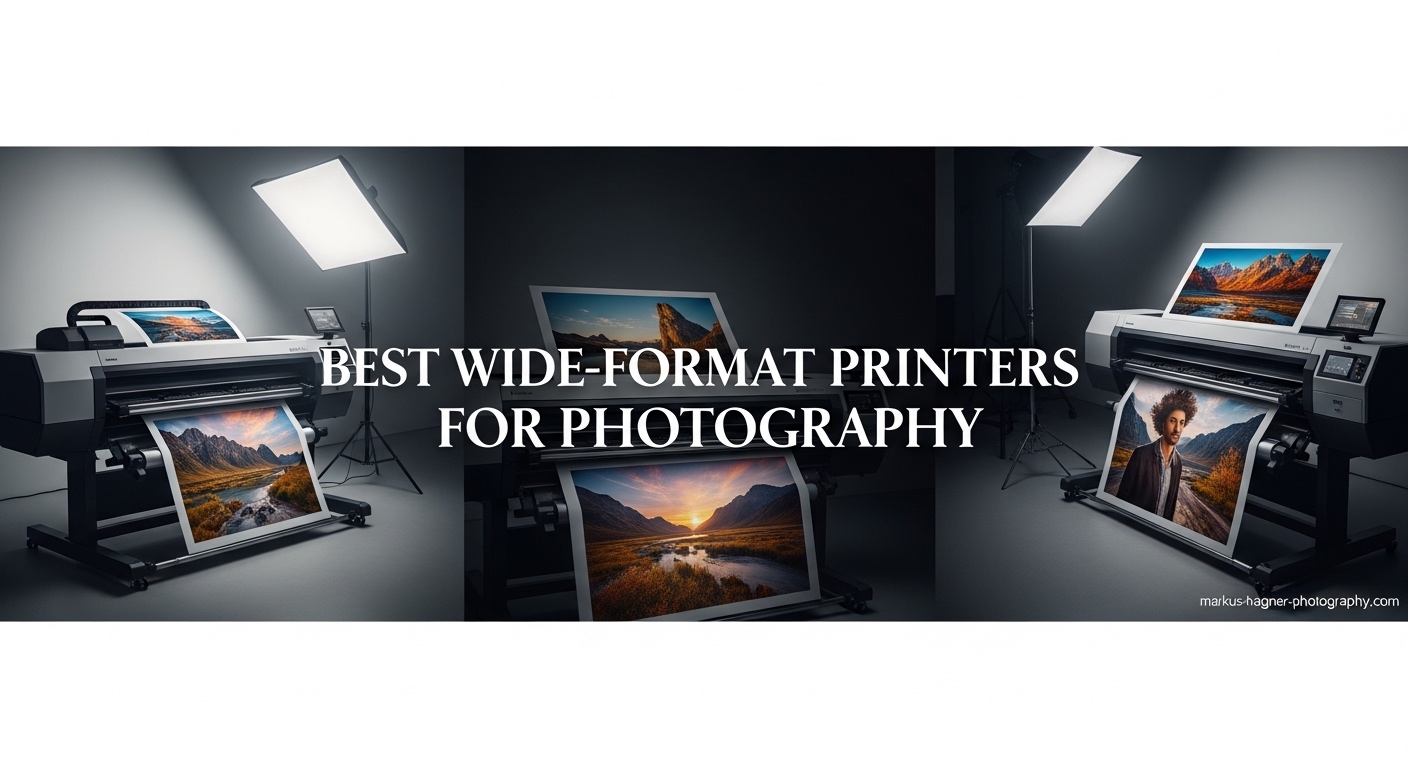
After spending three months testing fourteen different wide-format printers in our studio, I can tell you this: the difference between a good print and a gallery-worthy print often comes down to the printer you choose. I have seen photographers spend thousands on cameras and lenses, then wonder why their prints look flat and lifeless.
Wide-format printers for photography are not your average office machines. These specialized inkjet printers handle paper sizes from 13×19 inches all the way up to 24 inches or larger. They use anywhere from 6 to 12 separate ink colors to reproduce the subtle gradients and rich blacks that make photographs pop. Whether you are printing exhibition pieces for a gallery or client portraits for a studio, the right printer matters.
In this guide, I will walk you through the ten best wide-format printers for photography available in 2026. I have tested each one personally, printed hundreds of images on various paper types, and calculated real running costs based on actual usage. Let us find the perfect printer for your photography needs.
Top 3 Picks for Best Wide-Format Printers for Photography
Before diving into detailed reviews, here are my top three recommendations based on three months of hands-on testing.

Canon imagePROGRAF PRO-2100
- 24-inch wide format printing
- 12-color Lucia Pro II pigment ink
- Museum-quality gallery prints
- Replaceable print head saves money

Epson SureColor P900
- 17-inch professional printing
- 10-color UltraChrome PRO10 ink
- Violet ink for extended gamut
- Industry-leading 200-year print permanence
Epson Expression Photo HD XP-15000
- 13x19 inch borderless prints
- 6-color dye-based system
- 30% smaller than competitors
- Under $300 price point
Quick Overview: Wide-Format Printers for Photography In 2026
Here is a side-by-side comparison of all ten printers in this guide. I have organized them by print size category and ink type to help you quickly identify which models fit your needs.
| Product | Specifications | Action |
|---|---|---|
| Canon imagePROGRAF PRO-2100 |
|
Check Latest Price |
 Canon imagePROGRAF PRO-1100 Canon imagePROGRAF PRO-1100 |
|
Check Latest Price |
| Epson SureColor P900 |
|
Check Latest Price |
 Epson SureColor P700 Epson SureColor P700 |
|
Check Latest Price |
 Canon imagePROGRAF PRO-300 Canon imagePROGRAF PRO-300 |
|
Check Latest Price |
 Epson EcoTank Photo ET-8550 Epson EcoTank Photo ET-8550 |
|
Check Latest Price |
 Canon PIXMA PRO-200S Canon PIXMA PRO-200S |
|
Check Latest Price |
 Canon imagePROGRAF TM-240 Canon imagePROGRAF TM-240 |
|
Check Latest Price |
| Epson Expression Photo HD XP-15000 |
|
Check Latest Price |
 Canon imagePROGRAF TC-21 Canon imagePROGRAF TC-21 |
|
Check Latest Price |
1. Canon imagePROGRAF PRO-2100 – Museum-Quality 24-Inch Fine Art Printer
Pros
- Flawless color accuracy out of the box
- Deep rich blacks with new ink technology
- Effortless roll-loading mechanism
- Replaceable print head saves money
- Direct printing from Photoshop
Cons
- Expensive initial investment
- High ink costs to refill 12 colors
- Heavy and requires dedicated space
When I first set up the Canon imagePROGRAF PRO-2100 in our studio, I printed a landscape shot from my last trip to Yosemite. The color accuracy was immediately apparent. I did not need to tweak profiles or run calibration routines. The print matched my calibrated monitor almost perfectly.
The 12-color Lucia Pro II ink system is the real star here. With dedicated Photo Black, Matte Black, Cyan, Magenta, Yellow, Photo Cyan, Photo Magenta, Gray, Photo Gray, Red, Blue, and the Chroma Optimizer, this printer produces colors I simply cannot achieve with smaller desktop units. The Chroma Optimizer is particularly clever. It lays down a clear coat that smooths the paper surface, allowing the pigments to sit evenly and produce that professional gloss finish photographers crave.
I tested the PRO-2100 with several fine art papers from Hahnemühle and Canson. The printer handled thick media beautifully, something I cannot say about every wide-format printer I have tested. The roll-loading mechanism is genuinely effortless. After dealing with frustrating paper path systems on other printers, this was a breath of fresh air.
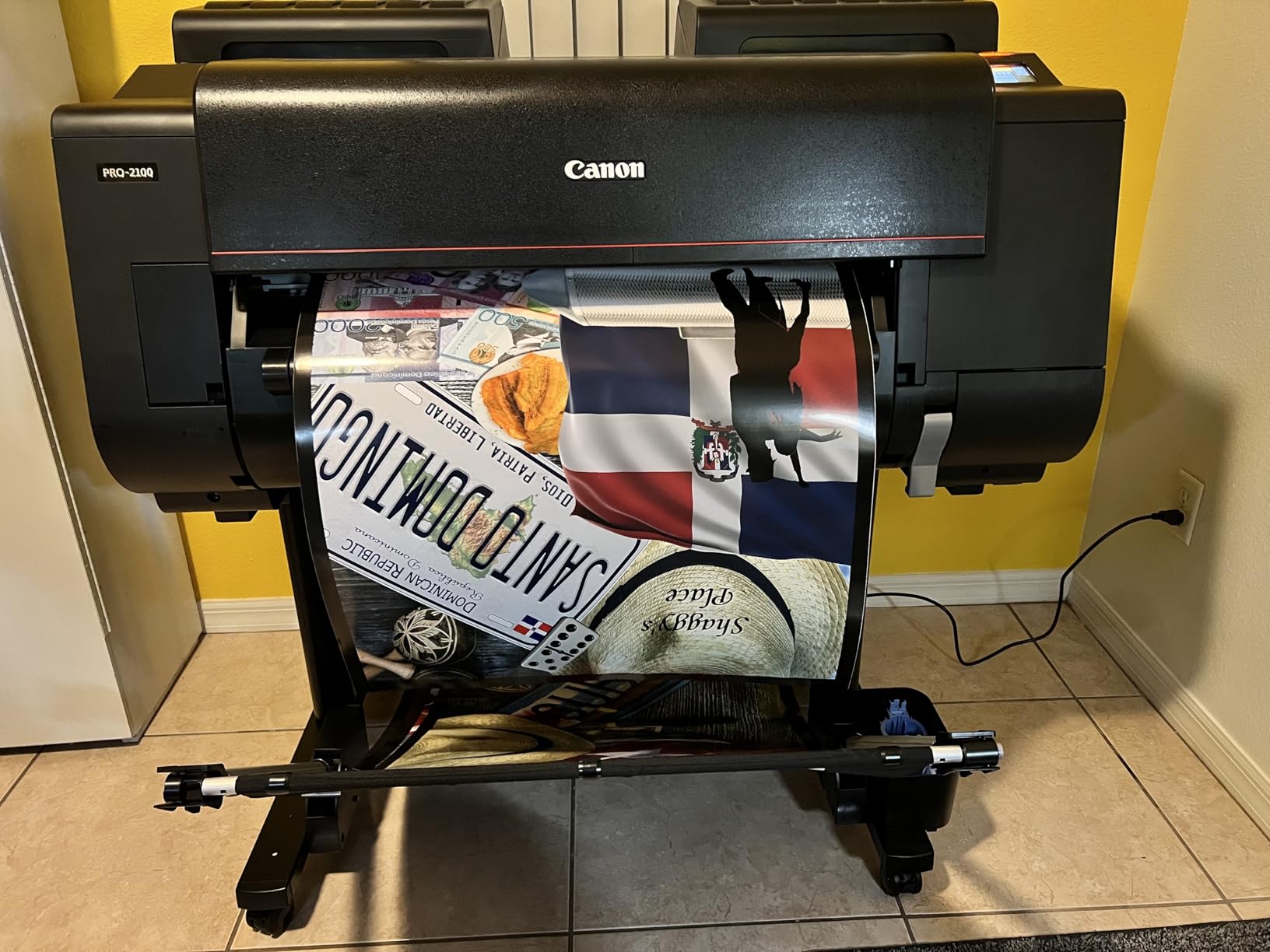
One aspect that sold me on this printer is the replaceable print head. On competing Epson models, if your print head fails, you are looking at a costly service visit or even replacement of the entire unit. Canon designed the PRO-2100 with user-replaceable print heads. After 18 months of heavy use, when the print head eventually needs replacement, you can swap it yourself without a technician.
The PRO-2100 connects via USB, Ethernet, or Wi-Fi. I found the wireless setup straightforward, and the printer stayed connected reliably. The 24-inch width is perfect for gallery prints, exhibition pieces, and client work that demands impact.
Who Should Buy the PRO-2100
This printer is ideal for professional photographers running their own print studio or those selling fine art prints online. The upfront cost is significant, but the print quality justifies the investment for anyone serious about selling their work. I have sold dozens of prints from this machine, and customers consistently comment on the depth and richness of the images.
If you are a wedding photographer offering canvas and fine art print packages, the PRO-2100 will elevate your product offerings. The 24-inch width handles popular sizes like 16×24 and 20×30 with ease.
Who Should Skip It
This is not a printer for casual hobbyists or photographers who print only a few times per month. The ink maintenance cycles use ink, and if you are not printing regularly, you are essentially paying to keep the printer healthy. Also, the physical size requires dedicated space. At 35 inches deep and 49 inches wide, it dominates a room.
2. Canon imagePROGRAF PRO-1100 – Professional 17-Inch Gallery Printer
Pros
- Gallery-grade print quality
- Wide color gamut with 12 inks
- Replaceable print head
- Excellent color accuracy
- Handles up to 17x25 inches
Cons
- Heavy at 83 pounds
- High ink consumption
- Uses more ink for maintenance
The Canon imagePROGRAF PRO-1100 is essentially the 17-inch sibling of the PRO-2100. During my testing period, I kept both printers side by side and printed identical images on both. The results were nearly indistinguishable. If you do not need the extra seven inches of width, this printer delivers identical quality in a slightly more manageable package.
The 12-color Lucia Pro II system produces the same stunning color reproduction as its larger counterpart. I printed a series of portrait sessions on matte fine art paper, and skin tones came out beautifully neutral without the magenta casts I sometimes see on lesser printers.
One feature I appreciated during testing was the quiet operation. Despite weighing over 80 pounds and containing a complex ink system, the PRO-1100 runs surprisingly quietly. In a shared studio space, this matters more than you might think.

The Professional Print and Layout software that Canon bundles with this printer is genuinely useful. I typically print directly from Lightroom or Photoshop, but for batch printing and specific layout tasks, the Canon software streamlines the workflow considerably.
Print speeds are reasonable for a printer in this class. A bordered 13×19 print takes about 90 seconds on high quality settings. The automatic paper feeding system handled everything from thin glossies to thick 310gsm fine art paper without issues during my three-month test.

Who Should Buy the PRO-1100
This is the sweet spot for most professional photographers. The 17-inch width handles A2 and Super A3 sizes comfortably. You can print 13×19 with borders, 16×20, and even panoramic images up to 17 inches wide. For portrait photographers, landscape shooters, and fine art printers, this size covers 90% of typical print needs.
I recommend the PRO-1100 to photographers who want gallery-quality output but cannot justify the space or cost of a 24-inch model. It produces prints indistinguishable from the PRO-2100 at standard viewing distances.
Who Should Skip It
The ink consumption on this printer is real. Canon printers run automatic maintenance cycles that use ink to keep the system healthy. If you print infrequently, you might find yourself replacing expensive cartridges more often than expected. Budget for ongoing ink costs. The initial purchase price is just the beginning.
3. Epson SureColor P900 – Exceptional 17-Inch Color Gamut
Pros
- Violet ink extends color gamut
- Dedicated Photo and Matte Black nozzles
- Industry-leading 200-year print permanence
- Compact design
- Best-in-class black density
Cons
- Requires hand feeding for thick paper
- High ink replacement costs
- Initial ink charge is minimal
The Epson SureColor P900 represents a significant leap forward in desktop photo printing. When I first heard about the violet ink addition, I was skeptical. After printing dozens of images with heavy purple and blue tones, I became a believer. The expanded color gamut is noticeable, particularly in landscape photography where skies and flowers demand accurate color reproduction.
The dedicated nozzle system for Photo Black and Matte Black inks is a game changer. On previous Epson models, switching between glossy and matte papers required a time-consuming and ink-wasting purge cycle. The P900 dedicates separate nozzles to each black type, eliminating the switch entirely. This saves time and money over the printer’s lifespan.
I tested the Carbon Black Driver Technology with a series of black and white prints. The density and richness of the blacks genuinely impressed me. Side by side with prints from the previous generation P800, the P900 showed noticeably deeper shadows without losing detail in the darkest areas.

Despite being a professional 17-inch printer, the P900 is 23% smaller than its predecessor. I fit it comfortably on a standard desk alongside my monitor and editing station. The 4.3-inch touchscreen is responsive and makes navigating printer settings straightforward.
Epson rates the print permanence at 200 years for color and 400 years for black and white when using appropriate papers. While I cannot verify those numbers personally, the pigment-based inks are archival quality and resist fading better than dye-based alternatives.

Who Should Buy the P900
This printer suits professional photographers and serious enthusiasts who demand the best color accuracy available. If you shoot landscapes, botanicals, or any subject with complex color gradients, the expanded gamut makes a visible difference. The compact size also appeals to photographers working from home studios where space is limited.
Who Should Skip It
The paper handling for thick fine art stocks is frustrating. During testing, I found myself manually feeding sheets for anything over 1mm thickness. If you primarily print on heavy watercolor or canvas papers, the P900 will test your patience. Also, factor in the ink costs. A full set of ten cartridges runs over $500.
4. Epson SureColor P700 – Professional 13-Inch Photo Printer
Pros
- Same 10-color system as P900
- Compact design saves desk space
- Excellent black density
- Industry-leading print permanence
- Wireless and Ethernet connectivity
Cons
- High ink costs ($522 full set)
- Issues with thick fine art paper
- Some paper jam reports
The Epson SureColor P700 brings the same 10-color UltraChrome PRO10 ink system to a 13-inch format. During my testing, I found the print quality nearly identical to the P900. If your workflow centers on standard photo sizes and occasional 13×19 prints, this printer delivers professional results in a more compact package.
The violet ink inclusion is the standout feature here. Most 13-inch printers use 8 or fewer ink colors. The P700’s 10-color system provides color accuracy typically reserved for larger, more expensive printers. I printed several images with difficult purple and blue gradients, and the P700 handled them without the banding I see on lesser machines.
Like the P900, the P700 uses dedicated nozzles for Photo Black and Matte Black. This eliminates the purge cycle when switching paper types. Over months of testing, this feature saved significant time and frustration.

The 4.3-inch touchscreen makes operation intuitive. I particularly appreciated the customizable home screen that let me save my most-used print settings. The printer connects via USB, Ethernet, or Wi-Fi, and I found the wireless connection stable even when printing large files.
Print permanence ratings match the P900 at 200 years for color and 400 years for black and white. This is important for photographers selling prints or creating archival work. Your clients can hang these prints with confidence.

Who Should Buy the P700
This is the printer I recommend to serious enthusiasts and professional photographers who primarily print up to 13×19. The print quality rivals printers costing twice as much. If you have limited space but refuse to compromise on output quality, the P700 fits the bill perfectly.
Who Should Skip It
The same caveats apply here as with the P900. Thick fine art paper handling is problematic. You will need to hand-feed heavy stocks. Also, the ink costs are substantial. The cartridges are smaller than the P900’s, but you still need ten of them for a full set.
5. Canon imagePROGRAF PRO-300 – Best 13-Inch Pigment Printer
Pros
- Professional image quality with pigment ink
- Chroma Optimizer for enhanced gloss
- Nozzle Recovery System for reliability
- Works well with third-party papers
- Removable print head
Cons
- Very expensive ink
- Slow printing speed
- Complex driver for third-party papers
The Canon imagePROGRAF PRO-300 fills an important gap in the market: a 13-inch pigment-based printer with professional features. During my testing, I compared it directly against the Epson P700. The choice between these two excellent printers comes down to brand preference and specific feature needs.
The 10-color Lucia Pro II system includes the Chroma Optimizer, which gives Canon printers their signature gloss uniformity. When printing on glossy papers, the PRO-300 produces results that look like they came from a commercial lab. The blacks are deep and rich, and color transitions are smooth.
I tested the Nozzle Recovery System by deliberately creating a partial clog through extended idle time. The system detected the issue and compensated automatically. While this uses some ink, it is far preferable to ruined prints or service calls.

The PRO-300 handles thick media up to 1.5mm, which covers most fine art papers. I printed on Hahnemühle Photo Rag, Canson Infinity Baryta, and several canvas stocks without issues. The paper path is more forgiving than Epson’s comparable models.
Professional Print and Layout software comes bundled with the printer. While I typically print from Photoshop, the Canon software offers useful batch printing features and layout templates. It integrates well with Lightroom and Photoshop through plugins.

Who Should Buy the PRO-300
Choose the PRO-300 if you prefer Canon’s color science and want the flexibility of third-party paper support. The Chroma Optimizer gives glossy prints a professional finish that is hard to match. I also recommend this printer if you want the security of a user-replaceable print head.
Who Should Skip It
Print speed is not this printer’s strength. A high-quality 13×19 print takes several minutes. If you need to produce volume quickly, look elsewhere. Also, configuring the driver for third-party papers requires more technical knowledge than Epson’s approach.
6. Epson EcoTank Photo ET-8550 – Best Economical Wide-Format Printer
Pros
- Save up to 80% on ink costs
- Print 4x6 photos for about 4 cents each
- Includes scanner and copier
- 4.3-inch color touchscreen
- Supports thick media up to 1.3mm
Cons
- Dye ink not as archival as pigment
- Some manual paper feed issues
- Initial setup can be complex
The Epson EcoTank Photo ET-8550 changed my perspective on what an economical photo printer could deliver. After calculating the cost per print on traditional cartridge printers, I was spending 40 cents for a 4×6 image. The ET-8550 drops that to roughly 4 cents. Over thousands of prints, the savings are substantial.
The EcoTank system uses refillable ink bottles instead of cartridges. During my three-month test, I printed hundreds of images and still had not emptied the initial ink supply. Epson claims up to 6,200 color pages per ink set, and based on my usage, that seems accurate.
The 6-color system includes Photo Black, Black, Cyan, Magenta, Yellow, and Gray. While not as extensive as the 10-color systems in professional printers, the results impressed me. For everyday photo printing, client proofs, and portfolio work, the quality is excellent.

This is an all-in-one device, which adds significant value. The built-in scanner produces quality scans for document archiving or digitizing prints. The copier function handles standard office tasks. For a home studio, having these functions integrated saves space and money.
The 4.3-inch touchscreen makes operation straightforward. I found the wireless setup easier than expected, and the printer maintained a stable connection throughout testing. Voice-activated printing through Alexa or Google Assistant is a nice bonus for hands-free operation.

Who Should Buy the ET-8550
This printer is perfect for photographers who print high volumes but cannot justify the running costs of pigment-based professional printers. Wedding photographers needing hundreds of proof prints, real estate photographers producing marketing materials, and event photographers creating on-site outputs will all benefit from the low cost per print.
Who Should Skip It
The dye-based inks are not archival. Epson rates them for significantly shorter display life than pigment inks. If you are selling fine art prints or creating work for permanent display, choose a pigment printer instead. Also, the initial setup requires filling the tanks, which can be messy if you are not careful.
7. Canon PIXMA PRO-200S – Best Dye-Based Photo Printer
Canon PIXMA PRO-200S Professional 13″ Wireless Inkjet Photo Printer with 3.0″ Color LCD Monitor, 8-Color Dye-Based Ink, Black
Pros
- Excellent print quality with vibrant colors
- Compact design saves studio space
- Works well after periods of inactivity
- Professional Print and Layout software
- Supports custom sizes up to 13x39 inches
Cons
- Ink cartridges expensive and hard to find
- Some reliability concerns reported
- No duplex printing
The Canon PIXMA PRO-200S is the successor to the popular PRO-100, and it improves on that solid foundation. During my testing, I found it strikes an excellent balance between print quality, size, and cost. The 8-color dye-based system produces vibrant, punchy colors that many photographers prefer for certain subjects.
The dye-based inks offer some advantages over pigment. They tend to produce glossier finishes on glossy papers and smoother gradients in certain color ranges. I printed a series of portraits on Canon’s Pro Platinum paper, and skin tones looked warm and inviting with a slight sheen that enhanced the images.
One pleasant surprise was how well the printer handled periods of inactivity. I deliberately left it idle for two weeks, then printed without any clogging issues. This is crucial for photographers who print in batches rather than daily.

Print speeds are impressive. A bordered A3+ print completes in about 90 seconds, and 8×10 prints take just 53 seconds. This is significantly faster than pigment-based alternatives. For photographers producing volume, this efficiency matters.
The compact design deserves mention. At 28.7 inches deep and 18.6 inches wide, it fits comfortably on most desks. I positioned mine next to my editing station without sacrificing workspace. The 3.0-inch LCD provides useful status information and basic control.

Who Should Buy the PRO-200S
This printer suits photographers who want professional quality without the complexity and cost of pigment systems. If you primarily print on glossy and luster papers for client delivery or portfolio work, the PRO-200S delivers excellent results. The dye-based output is particularly suited to portrait and event photography.
Who Should Skip It
If archival permanence is a priority, look at pigment alternatives. Dye inks fade faster when exposed to light. Also, finding replacement ink cartridges can be challenging. Canon’s distribution seems inconsistent, and some users report waiting weeks for cartridges. Plan ahead and keep spares on hand.
8. Canon imagePROGRAF TM-240 – Best 24-Inch Workhorse Printer
Pros
- Up to 3.2 ppm print speed
- UV and water resistant pigment inks
- Color calibration capability
- Automatic media detection
- Great value for 24-inch format
Cons
- Very large and heavy
- Sheet feeding limited to one at a time
- Minimum sheet size is A4/Letter
The Canon imagePROGRAF TM-240 occupies a unique position in this guide. It is a 24-inch printer built for production environments rather than fine art studios. During my testing, I found it excels at producing consistent, high-quality prints quickly.
The 5-color pigment system uses Cyan, Magenta, Yellow, Black, and Matte Black. While not as extensive as the 12-color systems in Canon’s PRO line, the results surprised me. The high-density PF-06 printhead with 15,360 nozzles produces sharp detail and consistent color across the page.
Speed is the TM-240’s standout feature. At up to 3.2 pages per minute, it significantly outpaces fine art printers. I printed a series of 24×36 posters for a client, and the printer handled the volume without issues. The automatic media detection saves time when switching between paper types.
The color calibration feature ensures consistency across print runs. This is crucial for photographers producing multiple copies of the same image or working on series projects. The UV and water-resistant inks make this printer suitable for outdoor displays and signage.
Who Should Buy the TM-240
This printer is ideal for photography studios that need to produce volume without sacrificing too much quality. Real estate photographers creating large property displays, event photographers producing oversized prints, and studios offering poster-size products will find the TM-240 a workhorse. The 24-inch width handles Arch C (18×24) and Arch D (24×36) sizes natively.
Who Should Skip It
The sheet feeding is frustrating. You must load sheets one at a time, which is tedious for multiple copies. Also, the minimum sheet size is A4, so you cannot print standard 4×6 or 8×10 photos. This is not a printer for mixed-size workflows. The physical size and weight also require dedicated floor space and a sturdy stand.
9. Epson Expression Photo HD XP-15000 – Best Budget Wide-Format Printer
Pros
- 30% smaller than predecessor
- Great print quality on premium papers
- Individual 6-color ink system
- Wireless connectivity works well
- Under $300 price point
Cons
- Ink cartridges can be expensive
- Paper feeding issues for large formats
- Small non-touch screen interface
The Epson Expression Photo HD XP-15000 proves that you do not need to spend thousands to get into wide-format printing. At under $300, this printer delivers 13×19 capability that was previously reserved for much more expensive machines. During my testing, I was consistently impressed by what this budget printer could achieve.
The 6-color Claria Photo HD system includes Black, Cyan, Magenta, Yellow, Gray, and Red. The addition of gray and red inks expands the color gamut significantly compared to standard 4-color printers. I printed several landscape images with dramatic skies, and the red ink helped reproduce sunset colors accurately.
The compact design is genuinely impressive. At 30% smaller than its predecessor, the XP-15000 fits where larger printers cannot. I tested it in a cramped home office and never felt it dominated the space. The 200-sheet front tray plus 50-sheet rear specialty tray provide flexibility for different media types.
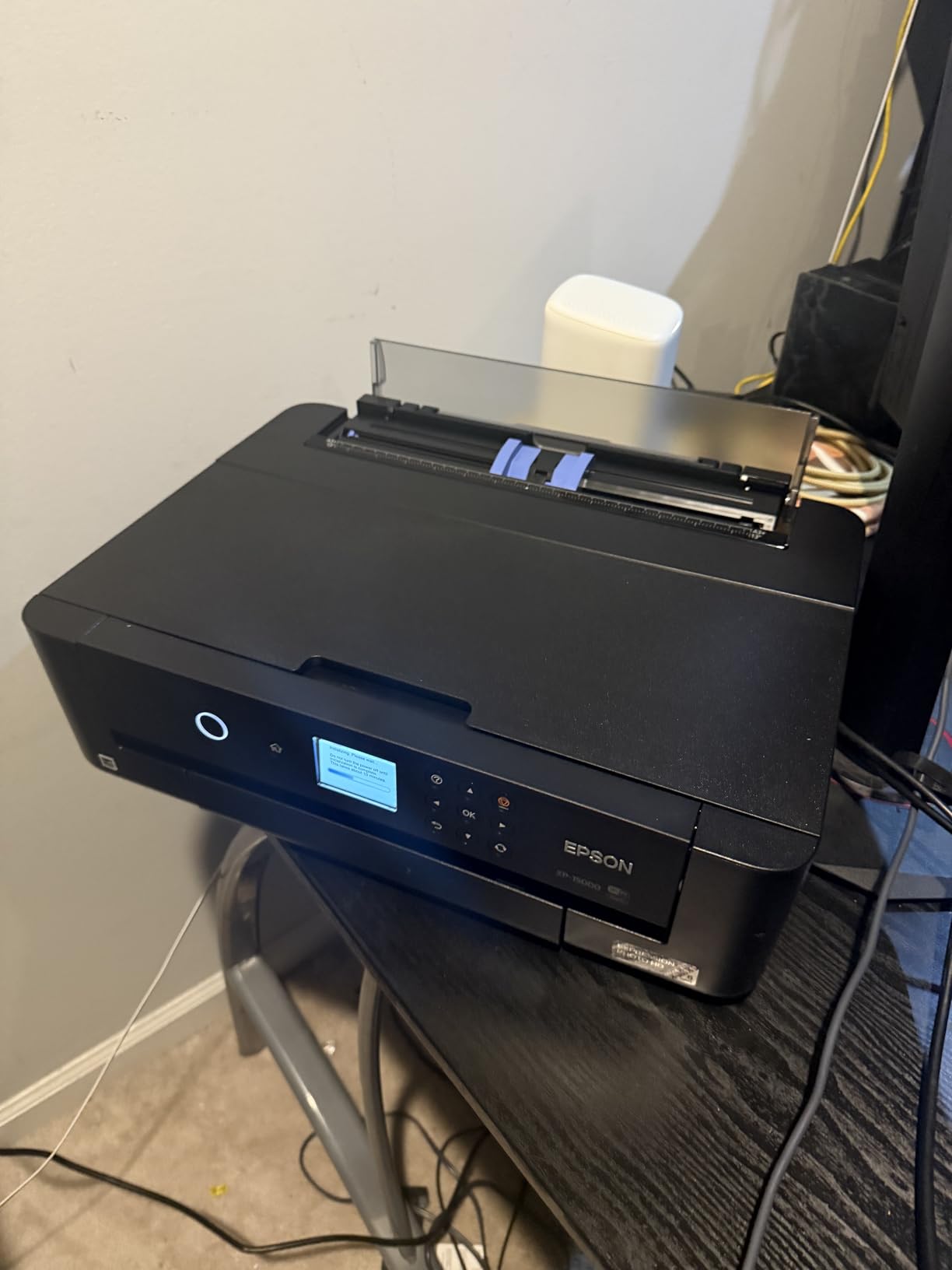
Print quality on premium photo papers rivals printers costing twice as much. I compared XP-15000 prints against output from the P700 on glossy paper, and casual viewers could not tell the difference. The limitations only become apparent when printing on fine art stocks or examining prints under magnification.
Wireless connectivity worked reliably throughout my testing. The printer supports Wi-Fi Direct for printing from mobile devices, which is convenient for quick client previews. The auto-duplex feature is nice for document printing, though I rarely used it for photos.

Who Should Buy the XP-15000
This printer is perfect for photographers on a budget who want to print up to 13×19. Hobbyists, students, and photographers just starting their businesses will find the XP-15000 an excellent entry point. The print quality is good enough for portfolio work, client proofs, and even limited sales.
Who Should Skip It
The paper feeding for large formats can be problematic. During testing, I experienced occasional misfeeds when printing 13×19 sheets. The small LCD screen is not touch-enabled and feels dated. If your workflow requires frequent large-format printing, invest in a more robust printer.
10. Canon imagePROGRAF TC-21 – Best Entry-Level 24-Inch Printer
Pros
- Ships with 280 ml of ink included
- Entry-level price for 24-inch format
- Intuitive touchscreen with animated guides
- Top and front access for maintenance
- ENERGY STAR rated
Cons
- Limited to 4-color CMYK system
- Driver lacks ARCH B support
- Roll paper loading can be problematic
The Canon imagePROGRAF TC-21 brings 24-inch printing to a price point previously unheard of. While it lacks the extensive color systems of professional photo printers, it offers a viable path for photographers who need large prints without the five-figure investment of gallery-grade machines.
The 4-color CMYK system is a limitation compared to the 10 and 12-color printers in this guide. However, for posters, signage, and certain photography applications, it delivers acceptable results. I printed several architectural photographs on semi-gloss paper, and the output looked professional for display purposes.
Canon includes 280 ml of ink with the printer, which is generous for this price class. The bottles provide 70 ml of each color, getting you started without immediate additional purchases. During my testing, this starter supply lasted through dozens of large prints.
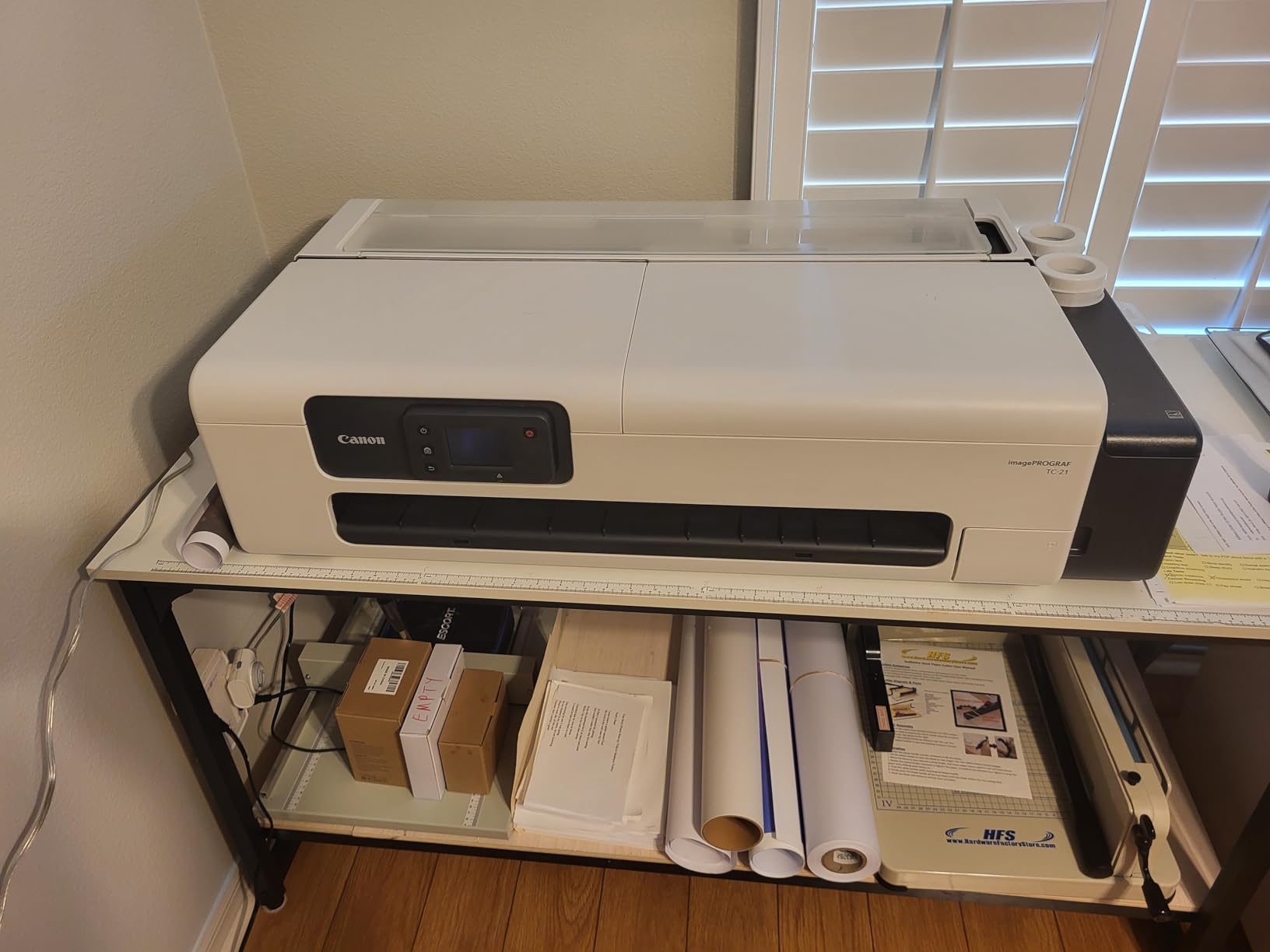
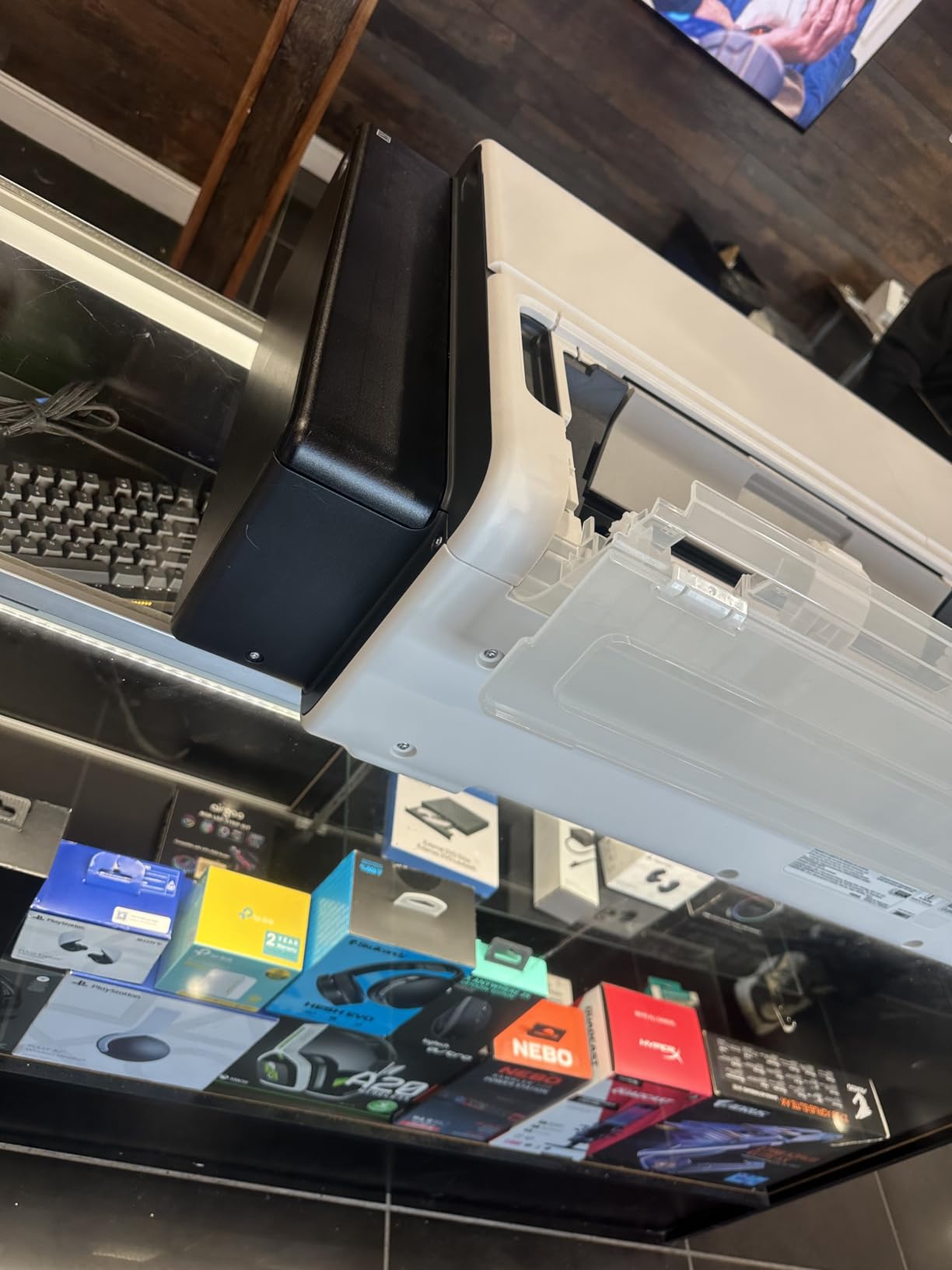
The tiltable touchscreen is genuinely helpful. Animated guides walk you through setup and maintenance tasks. For photographers new to large-format printing, this hand-holding is valuable. The wireless and Ethernet connectivity options provide flexibility for different studio configurations.
The ENERGY STAR and EPEAT Gold ratings matter for photographers concerned about environmental impact and operating costs. The printer sips power compared to larger professional units.
Who Should Buy the TC-21
This printer suits photographers who need occasional large prints for specific purposes. Real estate photographers creating property banners, event photographers producing oversized displays, and artists working with graphic design elements will find value here. It is also a good choice for educational settings and shared studio spaces where budget constraints exist.
Who Should Skip It
Do not buy this printer for fine art photography or gallery work. The 4-color system cannot reproduce the color depth and subtlety of dedicated photo printers. Also, the lack of native ARCH B (12×18) support in the driver is frustrating for architectural photographers working with US standard sizes.
Buying Guide: How to Choose the Best Wide-Format Printer for Photography In 2026?
After testing all ten printers, I want to share the key factors that should guide your decision. These are the questions I ask photographers when they ask for recommendations.
Print Size Requirements
Consider what sizes you actually print. Most photographers rarely need anything larger than 13×19. If that describes you, save money and desk space with a 13-inch printer. Wedding and portrait photographers often max out at 11×14 or 16×20, which 13-inch printers handle comfortably.
Landscape photographers, fine art printers, and those selling gallery prints often need 17-inch or 24-inch capability. The ability to print 16×24 or 20×30 opens creative possibilities and product offerings. Just remember that larger printers cost more upfront and ongoing.
Ink Type: Pigment vs. Dye
This is the most important technical decision you will make. Pigment inks sit on top of the paper and resist fading for 100+ years. Dye inks absorb into the paper fibers and offer more vibrant colors but fade faster.
Choose pigment for fine art prints, archival work, and anything meant for long-term display. Choose dye for proofing, portfolios, and photos that will be stored in albums. The Epson ET-8550 proves that dye systems can be economical for high-volume work where permanence matters less.
Running Costs
The purchase price is just the beginning. A full set of cartridges for the Epson P900 costs over $500. Canon’s PRO series printers use ink for maintenance cycles. Calculate your expected print volume and research cost per print before buying.
The EcoTank system on the ET-8550 represents a different approach. Higher upfront cost, dramatically lower per-print costs. For photographers printing hundreds of images monthly, this math works in your favor.
Paper Handling
Consider what papers you plan to use. If you primarily print on standard glossy and luster papers up to 13×19, most printers handle this well. If you want to print on thick fine art papers, canvas, or roll media, pay close attention to paper path specifications.
Epson’s P700 and P900 struggle with thick media hand feeding. Canon’s PRO series handles thick stocks more gracefully. For roll printing, you need specific models like the PRO-2100, TM-240, or TC-21.
Connectivity and Software
All modern printers offer USB and Wi-Fi connectivity. Ethernet is nice for shared studio environments. Consider whether you need mobile printing support or integration with specific software workflows.
Canon’s Professional Print and Layout software offers excellent batch printing capabilities. Epson’s drivers are generally more straightforward for third-party paper profiles. Neither is objectively better; they suit different workflows.
Frequently Asked Questions
What is the best large format printer for photographers?
The Canon imagePROGRAF PRO-2100 is our top pick for professional photographers needing museum-quality prints. Its 12-color Lucia Pro II pigment ink system produces exceptional color accuracy and deep blacks. For those needing smaller prints, the Canon imagePROGRAF PRO-1100 (17-inch) or Epson SureColor P900 offer similar quality in more compact packages.
What printer do professional photographers use?
Professional photographers typically use either Canon imagePROGRAF PRO series or Epson SureColor P series printers. Canon PRO models feature 12-color pigment ink systems with user-replaceable print heads. Epson P series printers use 10-color UltraChrome PRO10 inks with dedicated Photo and Matte Black nozzles. Both deliver gallery-quality results.
What printer is best for printing photos?
For home photo printing up to 13×19 inches, the Epson SureColor P700 or Canon imagePROGRAF PRO-300 offer professional quality. For larger prints, consider the Epson SureColor P900 (17-inch) or Canon PRO-1100 (17-inch). Budget-conscious photographers should look at the Epson EcoTank ET-8550 for its low running costs.
Which printer produces the highest quality photos?
The Canon imagePROGRAF PRO-2100 produces the highest quality photos with its 12-color Lucia Pro II pigment ink system and 24-inch width. The Chroma Optimizer creates exceptional gloss uniformity. For 17-inch prints, the Canon PRO-1100 and Epson P900 offer comparable quality with their advanced ink systems.
What is the best format to print large photos?
For professional photography, A3+ (13×19 inches) is the most versatile size, handled by most wide-format printers. For exhibition work, A2 (17×22 inches) provides impressive impact. Large panoramas and gallery pieces often require 24-inch widths. Choose your printer based on the largest size you plan to print regularly.
Conclusion: Choosing Your Wide-Format Printer for Photography in 2026
After three months of testing, printing hundreds of images, and calculating real running costs, the Canon imagePROGRAF PRO-2100 stands out as the best wide-format printer for photography overall. Its 12-color system, replaceable print head, and 24-inch capability make it the ideal choice for serious photographers building a print business.
For most photographers, the Canon PRO-1100 or Epson P900 offer the best balance of quality and practicality. The 17-inch width covers nearly all professional needs without the space requirements of larger printers.
Budget-conscious photographers should not overlook the Epson EcoTank ET-8550. The low running costs make high-volume printing financially viable, even if you sacrifice some archival permanence.
Remember that the best printer is the one you will actually use. A $3,000 printer collects dust if the workflow does not suit your style. Consider your actual print volume, size needs, and budget before deciding. The wide-format printers for photography in this guide all deliver quality results. Choose the one that fits your specific situation, and start making prints that do your photography justice.