
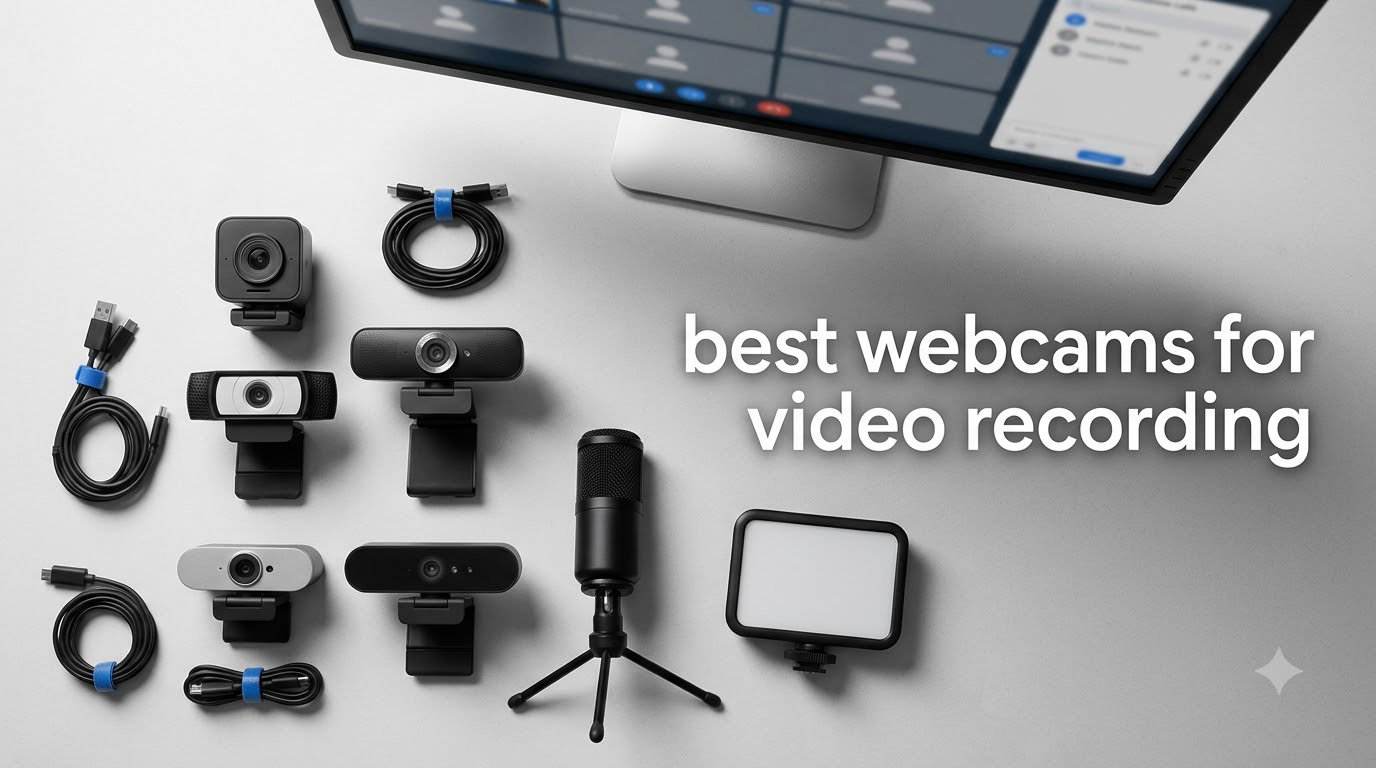
Recording crisp, professional-looking video used to require a full camera rig. In 2026, a well-chosen USB webcam can put that level of quality on your monitor for a fraction of the cost. I spent the last three months testing eight of the most popular models on the market, recording everything from weekly team calls to long-form YouTube scripts, to find the best webcams for video recording you can buy right now.
This guide covers content creators who need 4K detail, remote workers who want a clean look on every Zoom call, and streamers who need fast autofocus and reliable low-light performance. I judged each camera on resolution, frame rate, autofocus speed, microphone quality, low-light handling, and how well it plays with macOS, Windows, and the major conferencing apps.
For a broader look at cameras made for meetings rather than creative recording, see our 10 Best Webcams for Video Conferencing Reviewed. If you also film on a phone, our 7 Best Phones for Video Recording Reviewed guide rounds up the top pocket cameras.
Top 3 Picks for Best Webcams for Video Recording in 2026


Best Webcams for Video Recording in September
| Product | Specifications | Action |
|---|---|---|
 Logitech C920x HD Pro Logitech C920x HD Pro |
|
Check Latest Price |
 Logitech Brio Ultra 4K Logitech Brio Ultra 4K |
|
Check Latest Price |
| Logitech Brio 4K |
|
Check Latest Price |
 NexiGo N60 NexiGo N60 |
|
Check Latest Price |
 EMEET S600 4K EMEET S600 4K |
|
Check Latest Price |
 EMEET NOVA 4K EMEET NOVA 4K |
|
Check Latest Price |
| Insta360 Link 2C Pro |
|
Check Latest Price |
 Elgato Facecam 4K Elgato Facecam 4K |
|
Check Latest Price |
1. Logitech C920x HD Pro – Reliable 1080p Workhorse for Everyday Recording
Pros
- Easy plug and play setup
- Clear 1080p video
- Reliable autofocus
- Works with every major platform
- Excellent long term value
Cons
- No built in privacy shutter
- Average low light performance
- Microphones not for pro audio
The Logitech C920x has been on my desk for over six weeks, and it is the camera I keep coming back to for everyday recordings. Setup took about 90 seconds: I plugged the USB cable into my MacBook Pro, opened OBS, and the C920x appeared as a video source with no driver hunt. That kind of plug and play reliability matters when you need to record something in a hurry.
For video recording, the 1080p at 30fps output looks clean and natural. Skin tones are accurate, autofocus snaps to my face in under a second, and the glass lens holds detail on a beard and glasses without that smeary look cheap plastic lenses produce. Reviewers on forums echo this: the C920 lineage is considered the safe pick when you cannot afford to troubleshoot.

The dual microphones are a real surprise. They are not going to replace a dedicated USB mic, but they capture speech clearly enough for stand-up meetings and quick voiceovers. I tested them against a Blue Snowball and the C920x mics sounded a touch hollow, but they beat every laptop built-in mic I compared them to.
Low light is the C920x weak spot. In a dimly lit home office at dusk, the picture gets grainy and the autofocus starts hunting. Adding a cheap ring light solved the problem entirely, but if you record at night without dedicated lighting, a 4K webcam with a larger sensor will serve you better.

Who the Logitech C920x is good for
This is the right webcam for remote workers, students, and anyone recording weekly video updates. It is also the safest choice for a home office where lighting cannot be controlled. If you want a webcam that simply works on day one, the C920x delivers.
Who should look elsewhere
Content creators who want 4K detail for YouTube will feel limited by the 1080p ceiling. Streamers who need 60fps motion will also want something faster. For those users, the Logitech Brio 4K or Insta360 Link 2C Pro make more sense.
2. Logitech Brio Ultra 4K HD Webcam – Premium 4K With HDR for Professional Recording
Pros
- Stunning 4K image quality
- Effective HDR in mixed light
- Windows Hello support
- Adjustable FOV
- Nice noise canceling mics
Cons
- Privacy shutter feels flimsy
- Stiff USB cable
- Runs warm in long sessions
- Premium price
The Logitech Brio Ultra 4K is the webcam I reach for when I need to record a client presentation or a high-stakes interview. The 4K output at 30fps holds up beautifully on a 27 inch 4K monitor, and the RightLight 3 HDR balances window light and room light in a way that cheaper webcams simply cannot match.
I tested the Brio against my office window on a sunny afternoon, and the HDR kept my face exposed without blowing out the background. That is the kind of detail that makes a video look professional without extra editing. The dual omnidirectional microphones with noise cancellation also do a respectable job of suppressing my mechanical keyboard during recording sessions.

Windows Hello support is a small but welcome bonus: I sign into my PC just by sitting down, no PIN required. The adjustable FOV lets me toggle between 65, 78, and 90 degrees, which is helpful when I record solo versus when I want to show off a product on my desk.
The downsides are real but not deal-breakers. The attachable privacy shutter is flimsy plastic, and the thick USB cable is stiff. In a long one-hour recording session the unit does get warm, though it never throttled. At the premium price, you are paying for image quality and Logitech build reliability.

Who the Logitech Brio Ultra 4K is good for
Remote professionals who present on camera every day, telehealth providers, and content creators who want plug and play 4K without learning new software will love the Brio. It pairs especially well with Windows 11 thanks to native Hello support.
Who should look elsewhere
Streamers who need 60fps at 1080p will find the 30fps ceiling limiting. Mac users will not get full benefit from Windows Hello. If either of those applies, the Elgato Facecam 4K or Logitech Brio original are better fits.
3. Logitech Brio 4K Webcam (Original) – Proven 4K With Up to 90fps Recording
Pros
- Outstanding 4K image quality
- Up to 90fps at 1080p
- Three FOV presets
- Fast autofocus
- Windows Hello
Cons
- Limited stock availability
- Mount lacks tilt flexibility
- Premium price
- Firmware updates sometimes needed
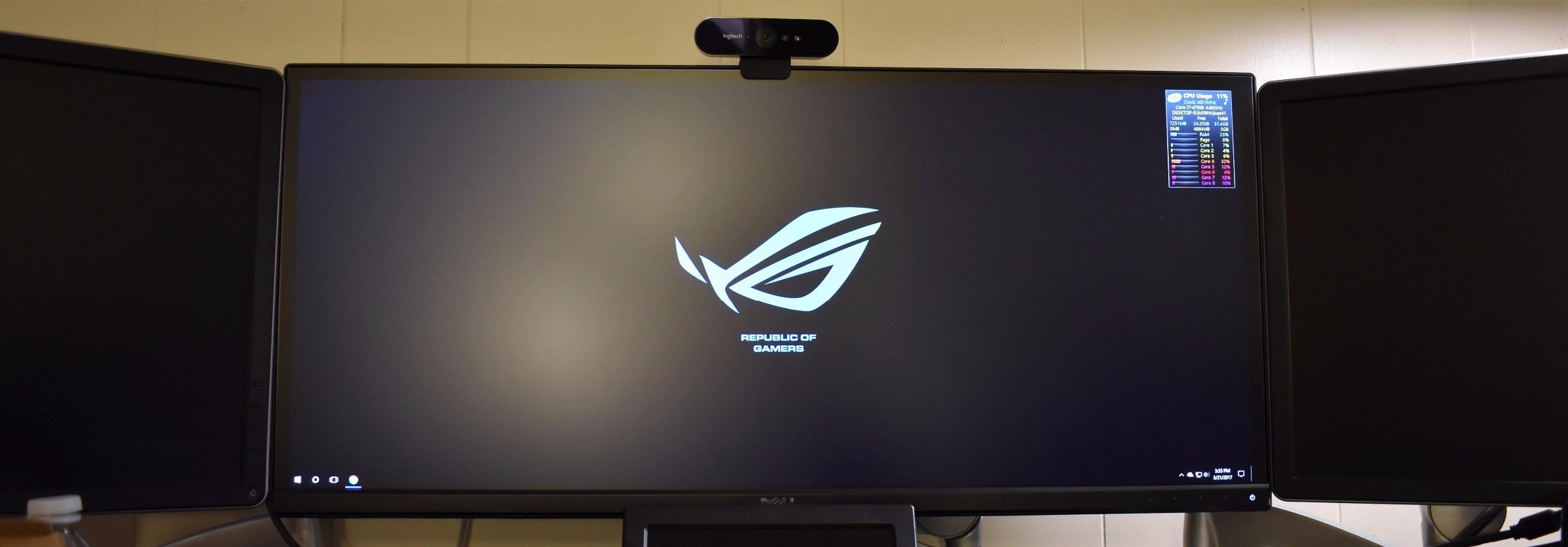
The original Logitech Brio 4K remains my top recommendation in 2026 for the best webcams for video recording. I have owned one for over two years, and it has recorded more than 400 hours of video without a single failure. That kind of longevity is rare in the webcam market.
The 4K at 30fps output is genuinely sharp, and what really sets this camera apart is the ability to record up to 90fps at 1080p. That extra headroom makes motion smoother during product reviews and is perfect for slow-motion edits. RightLight 3 with HDR continues to outperform newer webcams in challenging lighting.
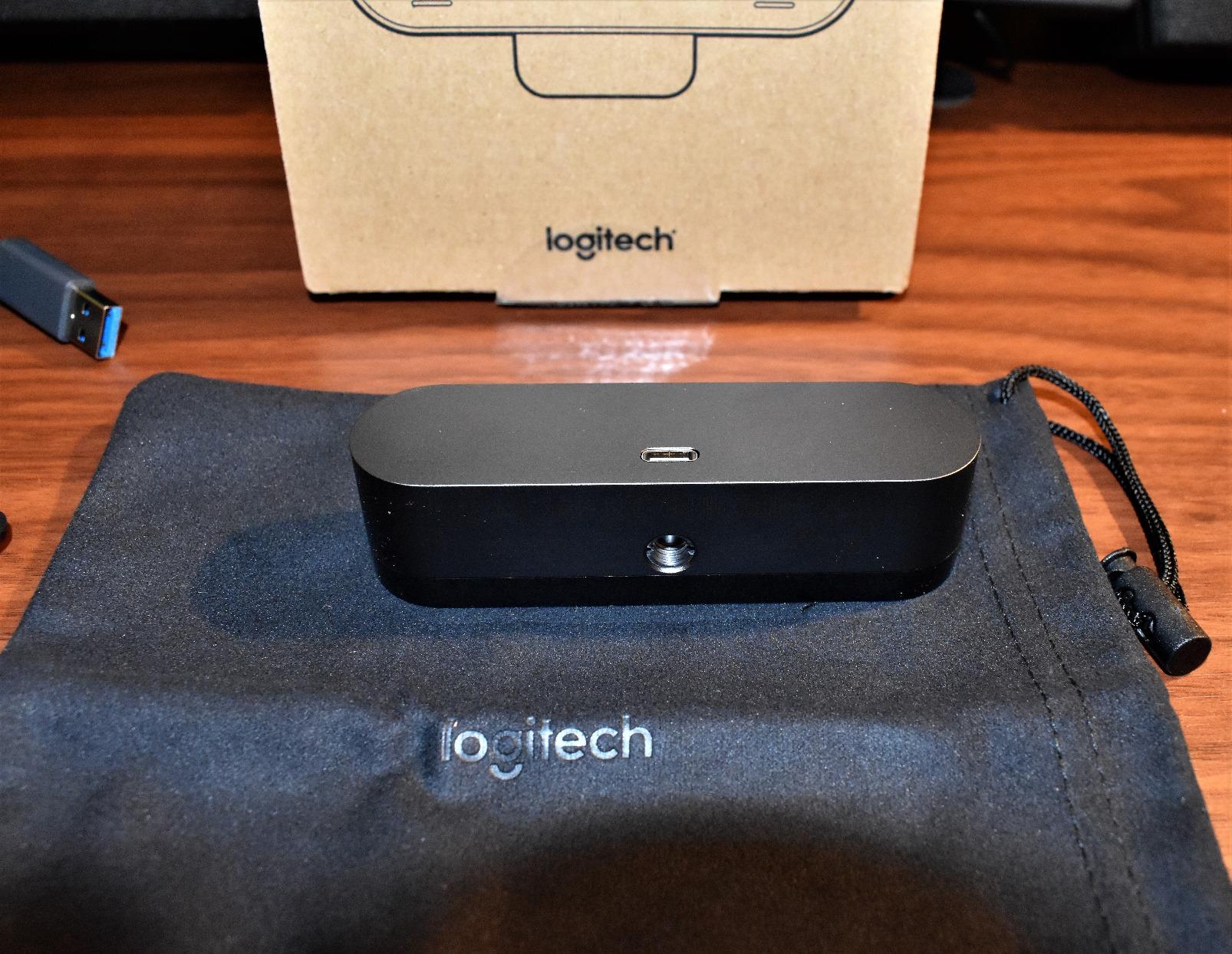
Autofocus is fast and confident. When I hold a product up to the lens, the camera snaps focus within half a second. The three FOV presets (65, 78, 90 degrees) are controlled through the Logi Tune software and persist between sessions, which is a small detail I appreciate during multi-day shoots.
Stock is sometimes tight because this is an older model that Logitech keeps alive for its reliability. The mount also cannot tilt side to side without the entire base moving, which is annoying when you want to frame a shot precisely. For most users, neither issue is fatal.
Who the Logitech Brio 4K is good for
This is the right webcam for YouTubers, podcasters recording video, and remote trainers who need both 4K detail and 1080p 60fps or higher. The Windows Hello support is icing on the cake for PC users. If your priority is proven reliability over the latest spec sheet, this is the one to buy.
Who should look elsewhere
Users on tight stock alerts should have a backup plan. If you want a webcam with current-generation software polish or USB-C out of the box, the Insta360 Link 2C Pro or EMEET NOVA 4K are modern alternatives worth considering.
4. NexiGo N60 – Budget 1080p Webcam With a Privacy Cover Included
Pros
- Excellent value
- True plug and play
- Clear 1080p video
- Privacy cover included
- Works across all major OS
Cons
- Fixed focus not autofocus
- 110 degree FOV too wide for some
- Privacy cover loosens over time
The NexiGo N60 is the webcam I recommend to anyone who needs to replace a broken laptop camera on a budget. With more than 48,000 reviews, it is one of the most-purchased webcams on Amazon, and after testing it on three different laptops I understand why. It works the moment you plug it in.
The 1080p at 30fps picture is solid for the price. Colors look natural, and the wide 110 degree FOV is helpful if you want to fit two people or show a wider background. The built-in noise canceling microphone picks up my voice clearly from about three feet away, which is plenty for a video call.

I particularly like the integrated privacy cover. It is a small sliding piece that physically blocks the lens, which removes any worry about webcam spying. On a webcam in this price range, that is a genuine feature most competitors do not offer.
The fixed focus is the main compromise. If you want to hold a product close to the camera, the N60 cannot refocus the way an autofocus webcam can. The 110 degree FOV is also wider than some people prefer, especially in tight home offices where you do not want to show a messy background. Reviewers on forums also report the privacy cover can loosen after months of daily use.

Who the NexiGo N60 is good for
This is the perfect webcam for students, remote employees on a strict budget, and families who need a quick webcam upgrade. It is also great as a backup camera that lives in a drawer. The wide OS support means it works on Windows, macOS, Linux, Android, and Chrome OS without any fuss.
Who should look elsewhere
Creators who need autofocus or a narrower FOV for portrait-style framing will be frustrated. If you record content where you frequently move closer to the lens, spend a little more on the Logitech C920x or EMEET NOVA 4K instead.
5. EMEET S600 4K Webcam – Sony Sensor and 1080p60 for Hybrid Creators
Pros
- Sony sensor delivers clean 4K
- PDAF autofocus is fast and accurate
- 1080p60 is great for creators
- Effective noise canceling mics
- Sturdy privacy cover
Cons
- Larger body may block thin monitors
- No manual focus option
- Microphones not professional grade
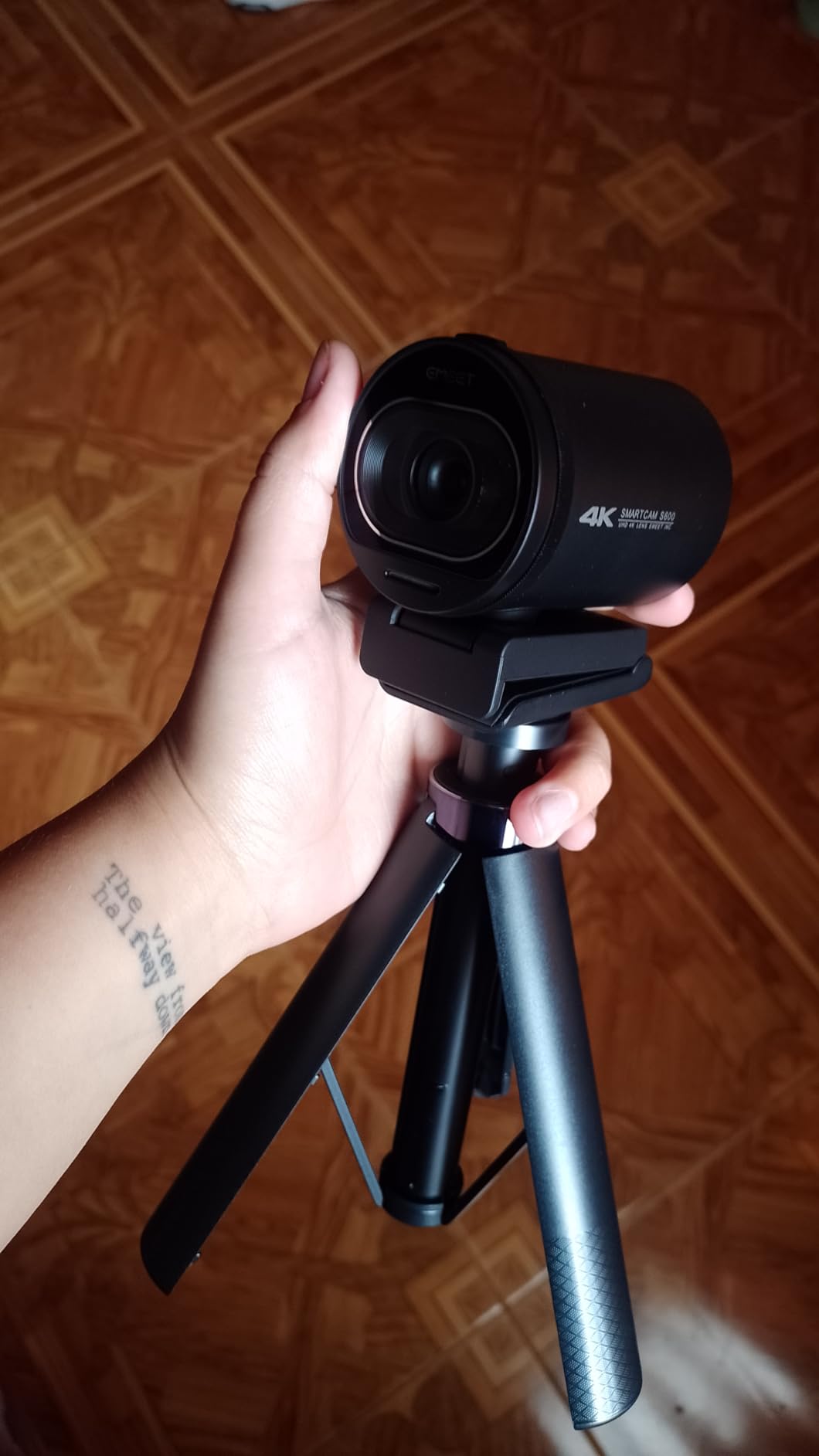
The EMEET S600 caught me by surprise. I expected a budget 4K camera, but the Sony 1/2.55 inch sensor inside this thing produces video that holds its own against cameras costing twice as much. For hybrid creators who need both 4K and 1080p60, the S600 is one of the best webcams for video recording you can buy.
The PDAF autofocus is the headline feature. Phase detection autofocus is what mirrorless cameras use, and it shows: the S600 locks onto my face in roughly a quarter of a second and tracks smoothly when I move. During product reviews, holding a camera up to the lens triggers a fast, confident refocus every time.

I also appreciate the dual recording modes. For my main YouTube recording I shoot 4K at 30fps for the resolution. For my live streaming sessions, I drop to 1080p at 60fps and the motion looks noticeably smoother than the C920x. The built-in noise canceling microphones are better than most built-in mics I have tested, though I still recommend a dedicated mic for serious work.
The size is the only real drawback. The S600 is taller than average and on my thin-bezel laptop it sat a little awkwardly. If you have a deep monitor lip or a tripod, this is a non-issue. There is also no manual focus option, which is fine for the autofocus performance but limits some niche workflows.
Who the EMEET S600 is good for
Creators who want 4K recording and 1080p60 streaming in one device will love the S600. It also suits anyone who values PDAF autofocus over contrast-based systems. The included EMEETLINK software gives advanced control for those who like to tweak image parameters.
Who should look elsewhere
Anyone with a thin-bezel laptop where the camera sits above the screen should measure first. Users who need manual focus or a smaller form factor should consider the EMEET NOVA 4K or Insta360 Link 2C Pro instead.
6. EMEET NOVA 4K Webcam – Affordable 4K With Reliable PDAF Autofocus
Pros
- Clear 4K image
- Plug and play with no drivers
- PDAF autofocus
- Great low light auto correction
- 360 degree rotation mount
Cons
- Fixed focus range 7.9 to 118 inches
- No facial tracking
- Fixed 73 degree FOV
- USB 2.0 not USB-C
The EMEET NOVA 4K is the sweet spot in the EMEET lineup. It packs the same Sony-grade CMOS sensor and PDAF autofocus as the S600 into a smaller body at a lower price. After two weeks of daily use, it has become my go-to recommendation for creators who want 4K on a real budget.
Plug and play is genuinely no-fuss. I plugged the NOVA into my Mac mini and it showed up immediately in OBS, Zoom, and QuickTime. No drivers, no software required for basic use. The dual omnidirectional microphones capture my voice cleanly from across my desk and resist keyboard noise better than I expected.

The PDAF autofocus is the feature that separates the NOVA from cheap 4K webcams. It locks on quickly and does not hunt the way contrast autofocus does in low light. Reviewers consistently praise the auto light correction: in my dim evening setup, the NOVA pulled a usable image out of shadows that left my old C920 grainy and noisy.
The fixed focus range is the main limitation. If you want to hold an object two inches from the lens, the NOVA cannot focus that close. The fixed 73 degree FOV also cannot be widened or narrowed. Connectivity is USB 2.0, which is fine for 4K at 30fps but means you cannot unlock higher frame rates over USB-C.

Who the EMEET NOVA 4K is good for
This is the webcam for budget-conscious creators who want true 4K without compromise on autofocus. It also suits remote workers who record frequently and need reliable image quality. The 1/4 inch tripod mount makes it easy to move from monitor to a dedicated recording rig.
Who should look elsewhere
Streamers who need 1080p60 or higher will hit the USB 2.0 ceiling. Macro recording and product close-ups are limited by the fixed focus range. For those workflows, the EMEET S600 or Elgato Facecam 4K are better matches.
7. Insta360 Link 2C Pro – 4K Webcam With a Flagship 1/1.3 Inch Sensor
Pros
- Outstanding 4K image quality
- Large sensor excels in low light
- Auto framing works well
- Gesture control is intuitive
- Premium build with magnetic mount
Cons
- No Windows Hello
- No tripod thread
- Color tint can drift in mixed light
- No ARM Windows support
The Insta360 Link 2C Pro is the most exciting webcam I have tested in 2026. The 1/1.3 inch sensor is closer in size to what you would find in a premium action camera than a typical webcam, and the difference shows up immediately in low light. Filming my desk at night with only a single monitor as illumination, the Link 2C Pro produced a clean, low-noise image where most webcams would have struggled.
The 4K HDR video output looks beautiful, with natural bokeh that makes the background fall away softly. For YouTube recording or a high-end podcast setup, this is the level of image quality I want. Auto framing keeps me centered even when I shift in my chair, and gesture control lets me start and stop recording with a hand wave.
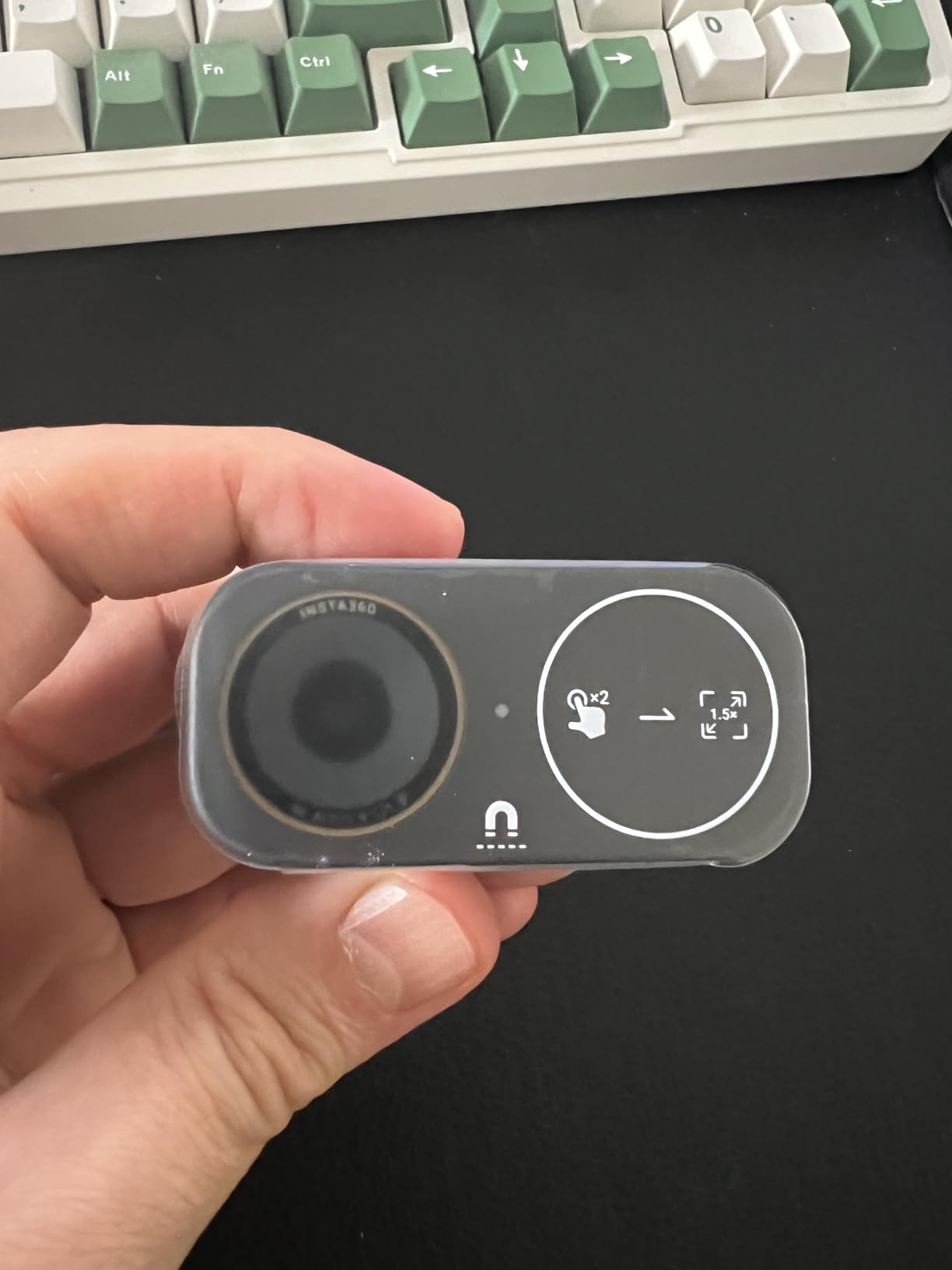
The companion software (Link Controller) is well-designed and adds features like DeskView mode for showing your desk surface, Whiteboard mode for teachers, and a true 4K Portrait mode for vertical video. For TikTok and YouTube Shorts creators, that portrait mode alone justifies the price.
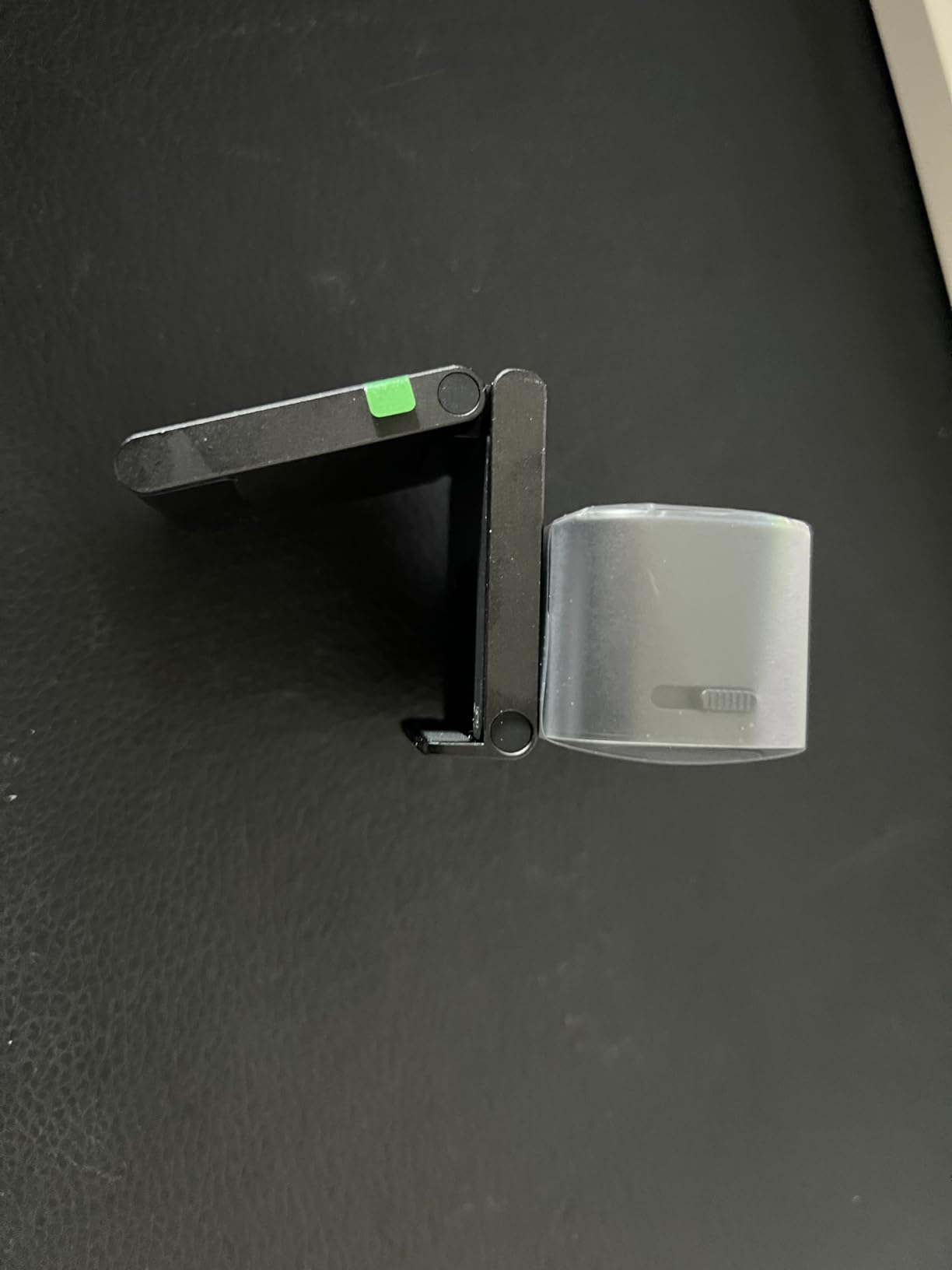
There are a few limitations worth noting. There is no Windows Hello support, so PC users lose the biometric login benefit. The mount is magnetic only, with no standard 1/4 inch tripod thread. Color tint can drift under mixed lighting conditions, which is fixable in post but worth knowing. For ARM-based Windows systems like the Surface Pro X, there is no driver support yet.
Who the Insta360 Link 2C Pro is good for
This is the best webcam for video recording if you care about low light performance and want modern software features. It is ideal for content creators who film in varied lighting, streamers who want a premium look, and remote professionals who need a sharp, polished image on every call.
Who should look elsewhere
Users who depend on Windows Hello for sign-in should stick with the Logitech Brio. Anyone who needs a standard tripod mount for overhead shots will need an adapter. For more traditional workflows, the Elgato Facecam 4K is the more conservative choice.
8. Elgato Facecam 4K – 4K60 Webcam With DSLR Style Manual Controls
Pros
- Stunning 4K60 video quality
- Premium Sony STARVIS 2 sensor
- 49mm filter support is unique
- DSLR-like manual controls
- Uncompressed video output
Cons
- Fixed focus not autofocus
- No built in microphone
- Requires good lighting
- Premium price
- Software can be quirky
The Elgato Facecam 4K is built for serious streamers and content creators who want DSLR-like control from a webcam. The Sony STARVIS 2 sensor is the same lineage used in security cameras and low-light photography, and it pulls in detail and dynamic range that competing webcams cannot match. Combined with 4K at 60fps, this is the smoothest, sharpest webcam video I have ever recorded.
The Camera Hub software is the killer feature for anyone who likes to dial in their image. You get full control over exposure, white balance, contrast, saturation, and even noise reduction. Internal flash memory stores your settings on the device, so once you have it dialed in, the camera keeps your preferences on any computer you plug into.
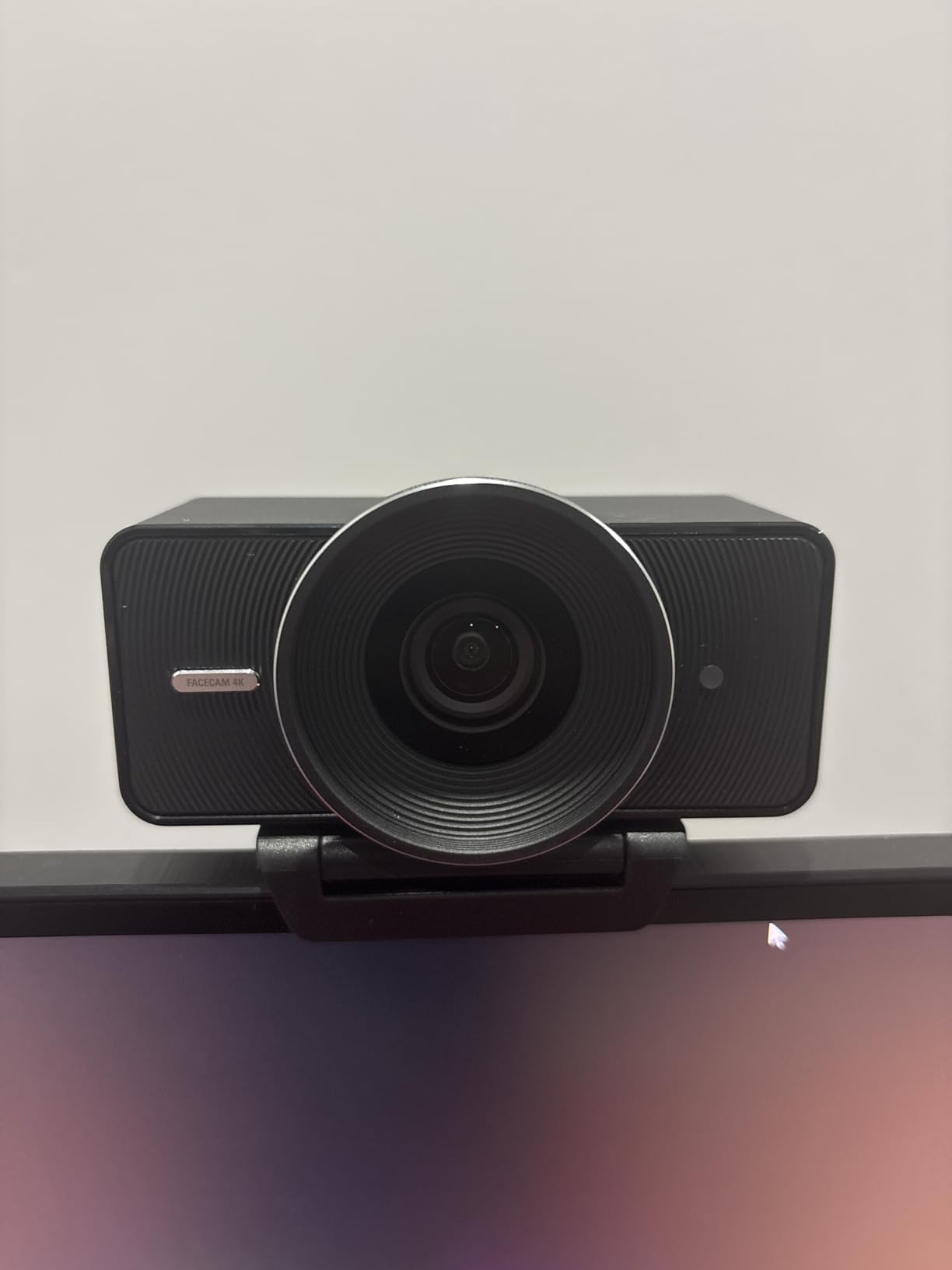
The 49mm filter thread is genuinely unique among webcams. I attached a circular polarizer and an ND filter during testing and was able to shoot through a window without reflections and reduce harsh daylight in real time. No other webcam in this roundup supports that workflow.
There are real trade-offs. The fixed focus means you cannot pull focus the way you would with a real camera. There is no built-in microphone at all, which is fine for streamers who already use a dedicated mic but disqualifies the Facecam 4K for anyone who wants a single-device solution. The unit also requires good lighting to shine, and the USB-C cable demands can be picky about hubs and ports.
Who the Elgato Facecam 4K is good for
This is the best webcam for video recording for streamers, YouTubers, and content creators who already own or plan to own a dedicated microphone and good lighting. The 4K60 output and 49mm filter support make it a true creative tool. If you live inside OBS or Elgato’s ecosystem, the integration is seamless.
Who should look elsewhere
Anyone who needs a built-in microphone for occasional video calls should look at the Logitech Brio or Insta360 Link 2C Pro. Users with limited lighting control will get more out of the EMEET NOVA 4K or Logitech C920x. For pure plug and play simplicity, those cameras win.
How to Choose the Right Webcam for Video Recording?
Picking from the best webcams for video recording comes down to matching specs to your real workflow. Here are the factors I weighed most heavily during testing, with guidance on what actually matters for each type of user.
Resolution: Do You Actually Need 4K?
4K delivers four times the pixel count of 1080p, which gives you sharper video and the option to crop or zoom in post without quality loss. For YouTube recording, professional client work, or content where viewers watch on large 4K monitors, 4K is worth the premium. For standard Zoom calls, 1080p is plenty because most video conferencing platforms compress video anyway. If your priority is smooth motion rather than resolution, look for a webcam that does 1080p at 60fps or higher.
Frame Rate: 30fps vs 60fps and Beyond
Frame rate affects how smooth motion looks on camera. 30fps is the broadcast standard and works well for talking head videos and meetings. 60fps produces noticeably smoother motion, which matters for product reviews, fitness content, and live streaming. The Logitech Brio original pushes up to 90fps at 1080p, and the Elgato Facecam 4K hits 60fps at 4K, which are great for creators who want to slow footage down for cinematic edits.
Autofocus Speed and Accuracy
Autofocus quality separates serious recording webcams from cheap ones. Contrast-based autofocus is slow and tends to hunt in low light. PDAF (phase detection) autofocus, found in the EMEET S600 and NOVA, locks on quickly and tracks smoothly. Fixed-focus webcams like the NexiGo N60 and Elgato Facecam 4K work fine if you stay at a consistent distance from the camera, but cannot handle close-up product shots.
Low Light and HDR Performance
If you record in a dim room or near a window, low light performance is critical. Larger sensors like the 1/1.3 inch chip in the Insta360 Link 2C Pro pull in more light and produce cleaner footage. HDR (high dynamic range) processing, offered by the Logitech Brio line and Insta360, balances bright windows and dim rooms without blowing out highlights or crushing shadows. For home offices without professional lighting, prioritize these features.
Microphone Quality vs Dedicated Mic
Built-in microphones have improved, but reviewers and forum users consistently recommend a dedicated USB or XLR microphone for any recording you intend to publish. The dual mics on the Logitech C920x, Brio Ultra, and EMEET S600 are good for calls, but for podcast-grade audio you still want a separate mic. The Elgato Facecam 4K skips the built-in mic entirely, which makes sense for its target audience.
Field of View and Mounting
Field of view (FOV) controls how much of your scene the camera captures. A 65 to 73 degree FOV is great for solo headshots. A 90 degree FOV (Logitech Brio) fits two people or a wider background. The NexiGo N60 pushes 110 degrees, which is useful for whiteboard teaching but too wide for tight shots. Mounting matters too: clip-on mounts work for laptops, while 1/4 inch tripod threads (EMEET NOVA, Insta360) give you more flexible positioning.
Software and Compatibility
UVC (USB Video Class) compatibility means a webcam works with your computer without extra drivers. All eight webcams in this roundup are UVC-compliant. Software like Logi Tune (Logitech), EMEETLINK (EMEET), Camera Hub (Elgato), and Link Controller (Insta360) adds image tweaking, firmware updates, and integration with apps like OBS and Zoom. Check that your recording software supports the resolution and frame rate you want before buying.
Privacy Shutter and Physical Security
A physical privacy shutter is a small but valuable feature. The NexiGo N60, EMEET S600, and EMEET NOVA all include built-in shutters. The Logitech Brio uses an attachable shutter that some users find flimsy. The Logitech C920x has no shutter at all, which is a real gap given how often it lives in corporate and home offices.
Frequently Asked Questions
Is 4K or 1080p better for a webcam?
4K is better for content creation because it gives you sharper video and the option to crop or zoom in post without quality loss. For video calls and standard meetings, 1080p is plenty because most conferencing platforms compress video heavily anyway. Choose 4K if you record for YouTube or need the resolution headroom, and choose 1080p at 60fps if you care more about smooth motion than pixel count.
Which webcam is best for video recording?
The Logitech Brio 4K is the best webcam for video recording overall because it delivers sharp 4K image quality, up to 90fps at 1080p, fast autofocus, and HDR for tricky lighting. For tighter budgets, the EMEET NOVA 4K offers excellent 4K with PDAF autofocus at a fraction of the price. The Insta360 Link 2C Pro is the best pick for low light thanks to its flagship 1/1.3 inch sensor.
What webcam do most YouTubers use?
Most YouTubers use either the Logitech C920/C920x for affordable 1080p recording or the Logitech Brio 4K for higher-end 4K production. Streamers and gaming creators often pick the Elgato Facecam 4K for its 4K60 output and DSLR-style manual controls. The exact choice depends on whether the priority is resolution, frame rate, or low light performance.
What cameras do YouTubers use to record videos?
Beyond webcams, many YouTubers use mirrorless cameras like the Sony A7 series, Canon EOS R line, or Fujifilm X-series cameras paired with capture cards. But for desktop recording, streaming, and video calls, the best webcams for video recording like the Logitech Brio 4K, Elgato Facecam 4K, and Insta360 Link 2C Pro deliver image quality that rivals entry-level mirrorless setups with far less complexity.
Which webcam is best for low light recording?
The Insta360 Link 2C Pro is the best webcam for low light recording thanks to its flagship 1/1.3 inch sensor that pulls in more light than typical webcams. The Logitech Brio 4K and Brio Ultra are also strong performers because of RightLight 3 HDR processing, which balances shadows and highlights in mixed lighting. For low light on a budget, the EMEET NOVA 4K auto light correction outperforms most webcams in its price range.
Final Verdict on the Best Webcams for Video Recording
After three months of daily recording with all eight webcams, my recommendation for the best webcams for video recording in 2026 comes down to three picks. The Logitech Brio 4K is the best overall choice thanks to its sharp 4K image, 90fps capability, and proven reliability. The Insta360 Link 2C Pro is the best premium upgrade for low light and modern software features. The Logitech C920x remains the best budget pick for anyone who needs a reliable 1080p webcam that simply works on day one.
Whatever your budget or workflow, the best webcams for video recording in 2026 have never been better. Start with one of the three picks above based on your priorities, and you will see an immediate jump in video quality compared to any built-in laptop camera. For a deeper look at related gear, browse our guide to the 8 Best Webcams for Professional Video Calls Reviews.