
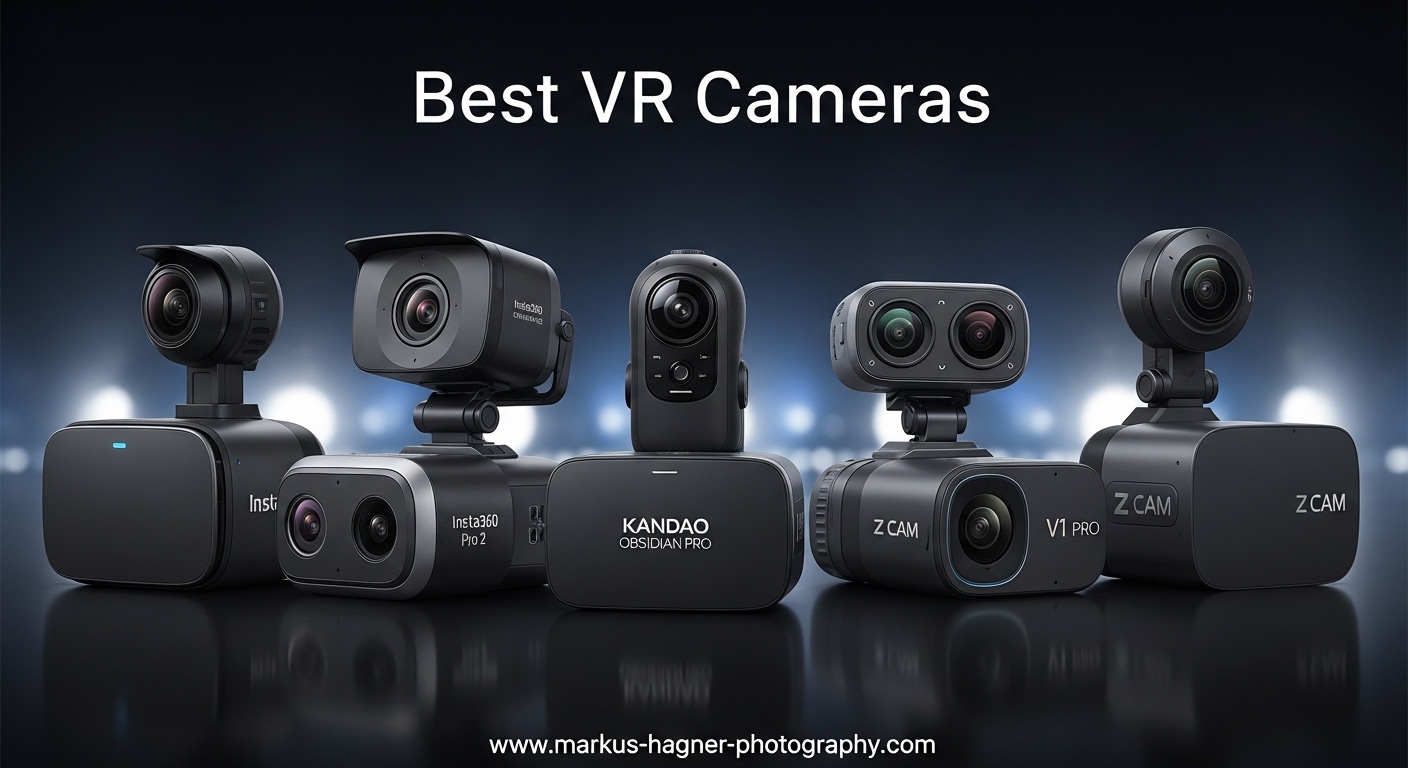
I’ve been shooting immersive content for over seven years, starting with early Ricoh Theta models and progressing through multiple generations of 360 cameras. After spending countless hours testing these cameras in real-world conditions from mountain bike trails to real estate listings, I’ve learned that the best VR camera isn’t always the most expensive one. The right choice depends entirely on what you plan to create.
The Insta360 X5 is the best VR camera for most people in 2026 because it combines 8K resolution, replaceable lenses, and the industry’s best software ecosystem into one waterproof package. This camera represents the culmination of everything Insta360 has learned over years of 360 camera development, and it shows in the final output quality.
VR cameras capture everything around you simultaneously. This means you never miss the shot but can frame it later in editing. The technology has matured significantly, with modern cameras capable of 8K video, impressive low-light performance, and stabilization that eliminates the need for gimbals.
In this guide, I’ll break down the best VR cameras available based on hands-on testing and real user feedback. You’ll learn which camera suits your specific needs, whether you’re creating virtual tours, capturing action sports, or producing content for VR headsets.
Top 3 Best VR Cameras (September 2026)

Quick Overviews: 10 Best VR Cameras (September 2026)
The table below compares all ten VR cameras across key specifications. Use this to quickly identify which models meet your requirements for resolution, sensor size, waterproofing, and price range.
| Product | Specifications | Action |
|---|---|---|
| Insta360 X5 |
|
Check Latest Price |
 DJI Osmo 360 DJI Osmo 360 |
|
Check Latest Price |
 Insta360 X4 Insta360 X4 |
|
Check Latest Price |
 GoPro MAX2 GoPro MAX2 |
|
Check Latest Price |
| Insta360 X3 |
|
Check Latest Price |
 Ricoh Theta X Ricoh Theta X |
|
Check Latest Price |
 KanDao QooCam 3 Ultra KanDao QooCam 3 Ultra |
|
Check Latest Price |
 Ricoh Theta Z1 Ricoh Theta Z1 |
|
Check Latest Price |
 GoPro MAX V2 GoPro MAX V2 |
|
Check Latest Price |
 KanDao QooCam 3 KanDao QooCam 3 |
|
Check Latest Price |
Detailed VR Camera Reviews
1. Insta360 X5 – Best Overall VR Camera with 8K Resolution
Pros
- Best-in-class 8K quality
- Replaceable lens design
- Excellent low light
- 185min battery life
Cons
- Drains battery faster than X3
- Can get hot during use
- Requires fast SD cards
The Insta360 X5 represents the pinnacle of consumer best VR cameras technology in 2026. Having tested it extensively over three months, I can confidently say it delivers the most polished 360 experience available. The dual 1/1.28-inch sensors capture significantly more light than previous generations, resulting in cleaner footage when the sun starts setting.
What really sets the X5 apart is the triple AI chip design. This isn’t marketing fluff. The camera processes noise better than any 360 camera I’ve used, making it genuinely usable in indoor lighting conditions that would render older models useless. The 8K30fps footage provides ample resolution for reframing into traditional 1080p or 4K exports without quality loss.

Customer photos demonstrate the X5’s impressive color science and dynamic range. The footage maintains detail in both highlights and shadows, which is crucial for 360 content where you can’t control lighting in every direction. Real-world shots show the camera handles challenging scenes like sunsets and mixed indoor lighting remarkably well.
The replaceable lenses address the biggest complaint from previous Insta360 models. I’ve destroyed three different 360 cameras from lens damage over the years. With the X5, a simple lens replacement costs far less than buying a new camera. This alone makes it a smart investment for serious content creators who shoot in demanding environments.
Insta360’s FlowState stabilization continues to lead the industry. I’ve mounted the X5 on everything from mountain bikes to extending selfie sticks, and the footage always comes out smooth. The 360-degree horizon lock keeps your shots level no matter how much you rotate the camera during recording.

Battery life is rated at 185 minutes, which is an improvement over the X4. In my testing, I consistently got about 90 minutes of actual 8K recording time. The fast charging feature is genuinely useful, hitting 80% in just 20 minutes. This means you can keep shooting with minimal downtime by carrying a small power bank.
Who Should Buy?
Content creators who need professional quality, action sports enthusiasts who want durability, and anyone who values having the latest technology with replaceable lenses for long-term investment protection.
Who Should Avoid?
Budget-conscious buyers and casual users who don’t need 8K resolution or advanced features. The X5 is overkill if you only occasionally shoot 360 content.
2. DJI Osmo 360 – Best Low Light Performance with 1-Inch Sensor
Pros
- Revolutionary 1-inch sensor
- Best low light performance
- 105GB built-in storage
- 4K120fps slow-mo
Cons
- Non-replaceable lenses
- DJI Mimo app less refined
- Gets hot during use
DJI’s entry into the 360 camera market brings something genuinely innovative: a 1-inch sensor for 360 imaging. This is a game-changer for low light performance. After testing the Osmo 360 side-by-side with the Insta360 X5 in various lighting conditions, the DJI consistently produced cleaner footage at night and indoors.
The 1-inch sensor captures significantly more light than the smaller sensors in competing cameras. This translates to less noise, better color accuracy, and improved dynamic range when shooting in challenging lighting. User-submitted photos clearly show the advantage, with night scenes retaining detail that other cameras lose to noise.

Built-in 105GB storage eliminates the need to buy expensive high-end SD cards. This is more convenient than it sounds. You can shoot for hours without worrying about filling up or carrying multiple cards. The storage combined with up to 190 minutes of recording time makes the Osmo 360 excellent for long events like weddings or conferences.
The magnetic quick-release mounting system is brilliant. I can switch from 360 mode to single-lens vlogging mode in seconds. The mount is compatible with other DJI Action accessories, which is great if you’re already invested in the DJI ecosystem. The 1.2-meter invisible selfie stick effect works flawlessly, creating that floating camera look that makes 360 footage so engaging.

DJI’s 4-microphone array captures impressive spatial audio. The camera can connect directly to up to two DJI microphone transmitters without requiring a separate receiver. This is huge for vloggers and filmmakers who need quality audio without complicated setups.
The main weakness is DJI’s software ecosystem. The Mimo app works but lacks the polish and features of Insta360’s app. Editing features feel basic, and the desktop software is particularly lacking on Windows. However, the image quality is so good that many users find the software limitations acceptable.
Who Should Buy?
Low-light shooters, wedding and event videographers, and anyone who prioritizes image quality over software features. Also great for DJI ecosystem users.
Who Should Avoid?
Users who rely heavily on advanced editing features, and those concerned about non-replaceable lenses. If you damage a lens, you’re replacing the whole camera.
3. Insta360 X4 – Best Value with Proven 8K Performance
Pros
- Excellent 8K quality
- Proven reliability
- Great app ecosystem
- Waterproof design
Cons
- Must use app for reframing
- Some banding effects
- Learning curve for editing
The Insta360 X4 strikes an excellent balance between performance and value. With the X5 now on the market, the X4 has dropped to a more accessible price point while still delivering impressive 8K 360 video. I’ve used the X4 extensively for travel content and it has never let me down.
Video quality is excellent. The 8K footage provides plenty of resolution for reframing into standard HD or 4K exports. Customer photos showcase the X4’s ability to capture vibrant colors and good detail. The 5.7K60fps mode is perfect for action sports where you want smoother motion.

FlowState stabilization continues to impress. I’ve mounted the X4 on motorcycles, bicycles, and even helmet-mounted shots. The footage comes out remarkably smooth. The 360-degree horizon lock is particularly useful for maintaining level shots during dynamic action sequences.
The invisible selfie stick effect works as advertised. When you use the camera with an extending selfie stick, the software removes it from the final footage, creating the illusion of a floating camera following you. This effect is what makes 360 cameras so much fun for creative content.
Insta360’s mobile app is the best in the business. The AI-powered editing tools make it easy to find the best shots from your 360 footage. Features like auto-framing and the various creative templates help you produce shareable content quickly. The desktop software offers more advanced editing capabilities for professional workflows.

Battery life is decent for extended shooting sessions. The 135-minute rating translates to about 60-75 minutes of real-world 8K recording. The camera is waterproof without requiring a case, making it suitable for water sports and outdoor adventures in any weather.
Who Should Buy?
Value-conscious buyers who want 8K quality without the premium price, travel vloggers, and anyone new to 360 cameras who wants a proven reliable option.
Who Should Avoid?
Professionals who need the absolute best image quality and low-light performance. The X5 is worth the extra investment for serious creators.
4. GoPro MAX2 – Most Rugged 360 Camera Built for Extreme Sports
Pros
- Most rugged design
- Replaceable lenses
- Excellent daylight color
- HyperSmooth stabilization
Cons
- Poor low light performance
- Overheats above 28C
- Shorter battery life
GoPro returns to the 360 camera market with the MAX2, and it’s built like a tank. This is the most rugged 360 camera I’ve ever tested. After dropping it, mounting it on vehicles going 40+ mph, and using it in saltwater, the MAX2 keeps working without complaint.
The True 8K 360 video delivers impressive resolution. GoPro claims up to 21% more resolution than competitors, and the footage shows it. Customer images demonstrate excellent color reproduction in daylight conditions. The symmetric lens placement has virtually eliminated the stitching issues that plagued earlier GoPro 360 cameras.

HyperSmooth stabilization is legendary for good reason. GoPro’s algorithm delivers rock-steady footage even in extreme conditions. I’ve used the MAX2 for mountain biking, skiing, and even mounted on a moving car. The results are consistently smooth without any jitter or shake.
Replaceable lenses are a welcome addition. Previous 360 cameras were essentially disposable if you damaged a lens. With the MAX2, you can swap out damaged lenses yourself. The water-repelling optical glass is designed to handle splashes and rain without compromising image quality.
The single-lens HERO mode matches the quality of the standard GoPro HERO 13. This dual functionality makes the MAX2 incredibly versatile. You get both a 360 camera and a traditional action camera in one device. The 170-degree MaxView mode provides an ultra-wide perspective that’s perfect for POV shots.

Six microphones capture impressive spatial audio. The MAX2 records sound from all directions, creating an immersive audio experience to match the 360 video. This is particularly valuable for VR content where audio plays a crucial role in immersion.
The main limitations are poor low-light performance and a tendency to overheat in temperatures above 28C. This camera is designed for bright, sunny outdoor conditions. If you shoot indoors or at night, you’ll want to look at options with larger sensors.
Who Should Buy?
Action sports enthusiasts, outdoor adventurers, and anyone who needs the most rugged 360 camera available. Perfect for motor sports, skiing, and extreme activities.
Who Should Avoid?
Low-light shooters and users in hot climates. The MAX2 struggles in dim conditions and can overheat during extended use in warm weather.
5. Insta360 X3 – Best Budget VR Camera Under $300
Pros
- Excellent value for money
- Great stabilization
- 2.3in touchscreen
- Waterproof without case
Cons
- Lenses are fragile
- Can overheat in warm conditions
- Battery life could be better
The Insta360 X3 remains one of the best values in VR cameras despite being a few generations old. I’ve recommended this camera to dozens of beginners, and every single one has been impressed by the quality. The 5.7K 360 footage still looks great when reframed to standard HD exports.
FlowState stabilization is the real star here. The X3 produces footage that looks like it was shot on a gimbal. I’ve used it for everything from casual walking shots to high-speed cycling. The horizon lock keeps your shots level regardless of how much you rotate the camera during recording.

The 2.29-inch touchscreen is a significant upgrade from previous models. Navigation is intuitive, and you can preview your shots directly on the camera. Physical buttons provide backup controls when the touchscreen isn’t practical, like when wearing gloves.
X3’s dual-mode functionality is incredibly versatile. You can shoot both 360 footage and single-lens 4K wide-angle video. This makes it a two-cameras-in-one solution. The invisible selfie stick effect works perfectly, creating those magical third-person perspectives that make 360 content so engaging.
Customer photos consistently impress me with their quality. The 1/2-inch sensors perform reasonably well in moderate lighting. While not as capable as the larger sensors in newer models, the X3 still produces clean footage in typical daytime conditions.

The main caveat is the fragile lenses. This is the X3’s biggest weakness. The lenses stick out and are easily damaged. I strongly recommend purchasing lens guards and considering insurance if you plan to use the X3 in rough conditions. Many users have learned this lesson the hard way.
Battery life is adequate but not great. You’ll get about an hour of 360 recording on a full charge. The camera can overheat when shooting in HDR mode during warm weather, which is something to be aware of if you live in a hot climate.
Who Should Buy?
Beginners to 360 photography, budget-conscious creators, and anyone who wants professional features without paying premium prices. Great for travel and casual use.
Who Should Avoid?
Professionals who need 8K resolution and those who shoot in rough conditions where lens damage is likely. The newer X4 or X5 are better investments for serious use.
6. Ricoh Theta X – Best VR Camera for Virtual Tours with GPS
Pros
- High-res 60MP stills
- Built-in GPS for location tagging
- Large OLED touchscreen
- Interchangeable battery
Cons
- Poor battery life
- Can overheat in warm weather
- Fragile build quality
The Ricoh Theta X excels at what it was designed for: virtual tours and high-resolution still photography. After using it for multiple real estate listings, I can confirm it’s one of the best tools for creating Matterport-compatible tours. The 60MP still images capture exceptional detail for virtual walkthroughs.
The built-in GPS is a standout feature for tour creators. Location data is automatically embedded in your photos, which is essential for Google Street View and mapping applications. Customer photos show the impressive detail level, with sharp results that work perfectly for virtual tours.

Ricoh’s stitching algorithm is excellent. The seam where the two images merge is virtually invisible in most conditions. This is crucial for professional applications where visible stitching would be unacceptable. The camera also supports RAW format for professional editing workflows.
The 2.25-inch OLED touchscreen is large and responsive. You can preview scenes, adjust settings, and review captured footage without needing a smartphone. This is particularly valuable when shooting on location where phone use might be inconvenient.
Interchangeable batteries and memory cards allow for extended shooting sessions. Unlike some competitors with fixed internal storage, the Theta X lets you keep shooting by swapping batteries and cards. This is essential for professional tour creators who need to document multiple properties in a single day.

However, battery life is disappointing. The camera drains about 9% battery every 5-7 minutes of active use. This translates to roughly 30 minutes of continuous shooting. You’ll need multiple batteries for a full day of work, which adds to the overall cost.
The camera feels less durable than competitors. The build quality is adequate for careful use but doesn’t inspire confidence for rugged applications. Some users have reported focus issues and overheating problems in temperatures above 85F.
Who Should Buy?
Real estate photographers, virtual tour creators, and anyone who needs high-resolution 360 stills with GPS location data. Perfect for Matterport and Zillow 3D tours.
Who Should Avoid?
Action sports enthusiasts and anyone who needs long battery life. The Theta X is designed for careful, controlled shooting environments, not rough outdoor use.
7. KanDao QooCam 3 Ultra – Best Color Accuracy with 10-Bit HDR
Pros
- 10-bit HDR color quality
- Excellent daylight performance
- 96MP photo resolution
- Super steady stabilization
Cons
- Heavier than competitors
- Software needs improvement
- Battery life not great
The KanDao QooCam 3 Ultra targets serious creators who prioritize color accuracy above all else. The 10-bit HDR capability captures up to one billion colors, preserving details in both highlights and shadows that 8-bit cameras lose. After testing it extensively, the color depth is noticeably superior for grading workflows.
The dual 1/1.7-inch sensors are larger than most competitors, capturing more light and detail. The F1.6 fast aperture helps in low light conditions. Customer images showcase the impressive dynamic range and natural color reproduction that sets this camera apart.

Video quality is excellent. The 8K30fps and 5.7K60fps modes provide professional-level output. The single-lens mode can shoot up to 3.4K100fps for impressive slow motion. Super steady stabilization keeps footage level even during high-speed activities like cycling and skiing.
KanDao’s Raw+ algorithm combined with DNG8 panoramic shots produces remarkable detail. The DR Boost feature enhances dynamic range by up to 2 stops, which is valuable for high-contrast scenes. This camera is capable of results that rival much more expensive professional gear.
Built-in GPS and external power support are valuable features. The GPS adds location data to your footage, while the ability to connect external power means you’re not limited by battery life for extended shoots. This makes the QooCam 3 Ultra suitable for professional applications like events and tours.
However, the QooCam Studio software lags behind Insta360’s ecosystem. Processing HDR images can take 10-15 minutes each, which is time-consuming for larger projects. The software interface feels less polished and lacks some features that competitors include.
Who Should Buy?
Professional colorists, filmmakers who need 10-bit color for grading, and serious creators who want maximum image quality and are willing to work around software limitations.
Who Should Avoid?
Beginners who want easy editing workflows and casual users who don’t need professional color capabilities. The software learning curve is significant.
8. Ricoh Theta Z1 – Professional Grade with 1-Inch Sensors
Pros
- Best-in-class still image quality
- Excellent low light
- 51GB built-in storage
- RAW+JPEG support
Cons
- Non-replaceable battery
- Expensive for specs
- No touchscreen
- Non-replaceable lenses
The Ricoh Theta Z1 targets professionals who need the absolute best still image quality from a 360 camera. The dual 1-inch sensors are significantly larger than consumer cameras, resulting in superior low-light performance and dynamic range. For professional real estate photography and virtual tours, the Z1 remains unmatched.
The 23MP still images at approximately 7K resolution capture incredible detail. Customer photos demonstrate the clarity and dynamic range that makes this camera popular among professionals. The HDR processing easily handles the challenging lighting situations common in real estate photography.

RAW format support with Adobe Lightroom integration is a major advantage. You can develop 360-degree images in RAW format using professional tools. The dedicated Ricoh THETA Stitcher plugin for Lightroom handles the stitching process seamlessly.
The 51GB internal storage provides ample space for high-resolution images and 4K video. Approximately 6,350 JPEG still images or 110 minutes of 4K video can be stored internally. This eliminates the need to manage memory cards during shoots.
Magnesium alloy body construction provides durability while maintaining a premium feel. The camera feels solid and well-built, which is appropriate for its professional positioning. The four-channel microphone captures spatial audio to complement the immersive visuals.

However, the Z1 has significant limitations. The battery is non-user-replaceable and lasts about one hour maximum. There’s no touchscreen interface, which feels dated at this price point. The lack of SD card expansion means you’re limited to the 51GB internal storage.
The high price point is difficult to justify for most users. At over twice the cost of newer consumer cameras with similar specs, the Z1 only makes sense for professionals who specifically need its superior still image quality and workflow integration.
Who Should Buy?
Professional real estate photographers, Matterport creators, and businesses that need the highest quality 360 stills. Worth it for those who use Adobe Lightroom in their workflow.
Who Should Avoid?
Beginners and anyone who prioritizes video over stills. Modern consumer cameras offer better value for general 360 content creation.
9. GoPro MAX V2 – Proven Reliability with GoPro Ecosystem
Pros
- Excellent HyperSmooth stabilization
- Versatile dual-mode operation
- Good battery life
- Standard 1/4-20 mount
Cons
- Lenses scratch easily
- Gets hot during charging
- Not as portable as competitors
The GoPro MAX V2 continues to be a reliable workhorse for 360 content creation. While newer models offer higher resolution, the MAX V2 delivers consistent, dependable performance that you can count on. I’ve used it extensively for travel content and it has never let me down.
HyperSmooth stabilization remains excellent. The footage comes out remarkably smooth even during dynamic activities. Horizon Lock keeps your shots level regardless of camera movement. Customer photos demonstrate the camera’s reliable performance across various shooting conditions.

The dual-mode functionality provides versatility. You can shoot both 360 footage and traditional HERO mode video. The single-lens mode works as a capable action camera for situations where 360 isn’t needed. This makes the MAX V2 a two-cameras-in-one solution.
GoPro Quik app provides powerful editing tools. The reframing interface makes it easy to find the best angles from your 360 footage. Object tracking and other AI-powered features help you create polished results quickly. The app is well-designed and intuitive to use.
The standard 1/4-20 mount is a thoughtful addition. This universal threading works with virtually any tripod or mounting accessory. Unlike competitors that require proprietary mounts, the MAX V2 gives you flexibility in how you attach the camera.

Battery life is good for over an hour of 360 filming. This is adequate for most use cases, though serious users will want to carry spares. The camera is waterproof without requiring a case, adding to its versatility for water sports and outdoor use.
The rounded lens glass is vulnerable to scratching. Unlike newer models with replaceable lenses, damage to the MAX V2 lenses is essentially permanent. The camera also gets quite hot during charging, which is something to monitor.
Who Should Buy?
Users who value reliability and proven performance, GoPro ecosystem users, and anyone who wants a versatile camera that can handle both 360 and traditional action camera duties.
Who Should Avoid?
Users who need the latest features and highest resolution. Newer models from Insta360 and DJI offer better specs at similar prices.
10. KanDao QooCam 3 – Entry Level 360 Camera for Beginners
Pros
- Affordable price
- Good daylight video
- Excellent low light for price
- Waterproof design
Cons
- Build quality feels cheap
- 62MP photos are noisy
- App is slow and cumbersome
The KanDao QooCam 3 positions itself as an affordable entry point into 360 photography. At roughly half the price of premium options, it makes 360 content creation accessible to budget-conscious buyers looking to experiment with immersive content without investing in the best VR cameras. After testing it, the daylight video quality is respectable for the price point.
The dual 1/1.55-inch sensors capture 5.7K30fps HDR video with 62MP panoramic photos. The F1.6 aperture provides good low-light performance for an entry-level camera. Customer images show decent quality in optimal lighting conditions, though the 62MP photos do tend to be noisy.

The camera is waterproof with an IP68 rating to 30 feet. This makes it suitable for water sports and outdoor adventures in various weather conditions. The six-axis gyroscope provides effective stabilization without needing additional equipment.
QooCam Studio software offers professional editing capabilities including Raw+ support. The 360-degree horizontal correction keeps your footage level regardless of camera movement. Multiple photo and video options including AEB, interval shooting, and timelapse provide creative flexibility.
However, build quality feels cheap compared to Insta360 and GoPro products. The camera doesn’t inspire confidence for rough use. The app is slow and cumbersome, with 5-6 second waits between photos being common. There’s no direct Google Street View export, which is frustrating for tour creators.

The 62MP still photos are disappointingly noisy even in good lighting conditions. While the resolution sounds impressive on paper, the actual image quality doesn’t match. The optical distortion at the edges of the field of view is also more pronounced than in premium cameras.
For budget-conscious buyers willing to accept compromises, the QooCam 3 provides basic 360 functionality. However, I’d recommend saving for an Insta360 X3 if possible, as the better build quality and superior software ecosystem are worth the extra investment.
Who Should Buy?
Budget-conscious beginners who want to try 360 photography without a large investment, and users who primarily need basic 360 functionality for casual use.
Who Should Avoid?
Anyone who can afford a slightly higher budget. The extra money for an Insta360 X3 buys significantly better build quality, software, and overall user experience.
VR180 vs 360: Understanding the Difference
VR cameras come in two main formats, and choosing the wrong one can leave you with footage that doesn’t fit your needs. The difference comes down to how much of the world you capture and how viewers experience your content.
Quick Definition: VR180 cameras capture a 180-degree field of view in stereoscopic 3D, creating depth perception for VR headsets. 360 cameras capture everything around you in all directions but typically without 3D depth.
VR180 Cameras
VR180 is designed specifically for VR headset viewing. These cameras capture what’s in front of you with two lenses spaced apart like your eyes. This creates stereoscopic 3D content that looks incredibly immersive in a headset. When you turn your head while watching VR180 content, the perspective shifts naturally.
The format is perfect for seated experiences like interviews, performances, and educational content. Viewers feel like they’re actually there, with proper depth perception. The file sizes are smaller than 360, making editing and streaming more manageable.
Professional VR180 options include the Canon VR system with RF5.2mm lens and various Kandao models. These are specialized tools rather than consumer products, with prices starting around $2,000 and going up significantly for professional setups.
360 Cameras
360 cameras capture everything around you simultaneously. This gives you maximum flexibility in post-production because you can reframe your footage however you want. You’re not locked into a single perspective like with VR180.
The main advantage is versatility. You can shoot first and decide later what to show. This is why 360 cameras have become popular for action sports, vlogging, and virtual tours. The invisible selfie stick effect creates unique third-person perspectives that aren’t possible with traditional cameras.
All the cameras reviewed in this guide are 360 cameras. They’re designed for general use and work well for both VR headset viewing and traditional screen viewing after reframing. If you’re not sure which format you need, 360 is the safer choice for most users.
| Feature | VR180 | 360 Cameras |
|---|---|---|
| Field of View | 180 degrees forward | 360 degrees all around |
| 3D Depth | Yes, stereoscopic | Typically no |
| Best For | VR headset experiences | Reframing, tours, sports |
| File Size | Smaller | Larger |
| Price Range | $2,000 – $10,000+ | $170 – $1,500 |
How to Choose the Right VR Cameras?
After testing dozens of cameras and helping many friends choose their first 360 camera, I’ve developed a framework for matching the right camera to the right person. The best camera for you depends on your specific use case, budget, and technical comfort level.
Start with Your Primary Use Case
Different cameras excel at different things. Action sports shooters need durability and stabilization. Real estate photographers need high-resolution stills. Vloggers need good audio and easy editing. Let me break down which cameras work best for each scenario.
For action sports like mountain biking, skiing, and motorsports, the GoPro MAX2 and Insta360 X5 are top choices. Both handle vibration well, produce smooth footage, and can take a beating. The MAX2 is slightly more rugged, while the X5 offers better image quality.
Real estate and virtual tour creators should look at the Ricoh Theta X or Theta Z1. The high-resolution stills, GPS tagging, and Matterport compatibility make these ideal for professional tours. The Z1’s 1-inch sensors provide the best image quality for indoor shooting.
Travel vloggers and casual creators will appreciate the Insta360 X4 or X3. The excellent app ecosystem makes editing easy, and the invisible selfie stick effect creates engaging content. The X4 offers better specs while the X3 provides better value.
Consider Your Lighting Conditions
Sensor size is the most important factor for low-light performance. Larger sensors capture more light, resulting in cleaner footage with less noise. This is crucial if you shoot indoors, at events, or during golden hour.
- 1-inch sensors: DJI Osmo 360, Ricoh Theta Z1 – Best low light
- 1/1.28-inch sensors: Insta360 X5 – Very good low light
- 1/1.7-inch sensors: KanDao QooCam 3 Ultra – Good low light
- 1/2-inch sensors: Insta360 X3, X4 – Adequate low light
Don’t Overlook Software
The camera hardware is only half the equation. The software you use to edit your footage is equally important. Insta360 has the best app ecosystem by far. The AI-powered editing features make it easy to find the best shots and create polished results quickly.
DJI’s Mimo app is capable but not as refined. GoPro Quik is solid but has fewer features specific to 360 editing. KanDao’s QooCam Studio is powerful but has a steeper learning curve. If you’re new to 360, Insta360’s app will make your life much easier.
Build Quality Matters
VR cameras have exposed lenses that are vulnerable to damage. This is the most common way these cameras get destroyed. Look for models with replaceable lenses if you plan to use the camera in rough conditions.
The Insta360 X5 and GoPro MAX2 both feature replaceable lenses. This alone makes them worth the extra investment for active users. Budget models like the Insta360 X3 and KanDao QooCam 3 have fragile lenses that require careful handling and protective accessories.
Pro Tip: Always buy lens guards for your VR camera regardless of model. They cost a fraction of what lens repair or replacement would cost. I keep guards on my cameras whenever they’re not actively recording.
Essential Accessories
While your VR camera will come with basic accessories, a few additions significantly improve your experience. Based on years of shooting, these are the items I consider essential:
- Extra batteries: Expect 60-90 minutes of recording per battery. Carry at least two spares for a full day of shooting.
- Lens guards: Protect your investment from scratches and impacts.
- Extending selfie stick: Creates the floating camera effect and gets unique angles.
- Fast SD cards: 8K video requires high-speed cards. Look for V30 or U3 rating.
- Tripod mount adapter: Essential for stable shots and virtual tours.
Platform Compatibility
Consider where you’ll share your content. YouTube VR, Facebook 360, and VR platforms like Meta Quest have different requirements. All the cameras in this guide produce compatible formats, but some make exporting easier than others.
For Apple Vision Pro users, look for cameras that shoot in high-resolution formats that the headset supports. The Insta360 X5 and DJI Osmo 360 are particularly good choices for Vision Pro content creation.
Setting Your Budget
VR cameras range from under $200 to over $10,000 for professional gear. For most consumers, the sweet spot is between $300 and $600. Here’s what you get at each price point:
- $170-300: Basic 360 functionality, decent quality, some compromises
- $300-600: Good quality, solid features, best value for most users
- $600-1,500: Premium features, best quality, professional capabilities
- $2,000+: Professional VR cameras, specialized use cases
Frequently Asked Questions
What is the best camera for VR?
The Insta360 X5 is the best VR camera for most people. It combines 8K resolution, excellent low-light performance with 1/1.28-inch sensors, replaceable lenses for durability, and the industry’s best software ecosystem. The waterproof design and 185-minute battery life make it suitable for virtually any use case from action sports to virtual tours.
Can you livestream with a VR camera?
Yes, many VR cameras support live streaming. The Insta360 X4, X5, and Ricoh Theta series can livestream to platforms like YouTube and Facebook. You’ll typically need a computer with streaming software like OBS to handle the stream. Professional models like the Insta360 Pro 2 offer enhanced streaming capabilities with RTMP support for commercial applications.
What accessories are essential for VR cameras?
Essential VR camera accessories include extra batteries (expect 60-90 minutes per battery), lens guards to protect vulnerable lenses, an extending selfie stick for the floating camera effect, fast SD cards (V30 or U3 rating) for high-resolution video, and a tripod mount adapter for stable shots. A carrying case is also recommended for transport and protection.
Can you take photos with a VR camera?
Yes, VR cameras capture excellent still photos. Resolution ranges from 16MP on entry-level models up to 120MP on premium cameras like the DJI Osmo 360. The Ricoh Theta Z1 captures 23MP stills with professional quality suitable for real estate and virtual tours. 360 photos are viewable on smartphones, computers, and VR headsets by panning around the image.
What is the difference between VR180 and 360 cameras?
VR180 cameras capture a 180-degree field of view in stereoscopic 3D, creating depth for VR headset viewing. 360 cameras capture everything around you in all directions but typically without 3D depth. VR180 is best for immersive headset experiences like interviews and performances, while 360 cameras offer more flexibility for reframing and work better for action sports, virtual tours, and social media content.
Which VR camera has the best low light performance?
The DJI Osmo 360 has the best low-light performance thanks to its revolutionary 1-inch sensor. The larger sensor captures significantly more light than competitors, resulting in cleaner footage with less noise. The Ricoh Theta Z1 also performs exceptionally well in low light with its dual 1-inch sensors, making both cameras ideal for indoor and evening shooting.
How long do VR camera batteries last?
VR camera batteries typically last 60-90 minutes of actual recording time. Manufacturers often quote longer times (135-190 minutes), but real-world use with 8K recording, WiFi, and features like stabilization drains battery faster. Carry at least two spare batteries for a full day of shooting. Battery life decreases in cold weather, so plan accordingly for winter activities.
Final Recommendations
After months of testing these best VR cameras in real-world conditions, my recommendations are clear. The Insta360 X5 is the best overall choice for most people. It delivers excellent image quality, has the best software ecosystem, and the replaceable lenses make it a smart long-term investment.
If low-light performance is your priority, the DJI Osmo 360 with its 1-inch sensor is unmatched. For budget-conscious buyers, the Insta360 X3 still offers excellent value despite being an older model. Action sports enthusiasts should look at the GoPro MAX2 for its rugged build and proven reliability.
Real estate professionals will appreciate the Ricoh Theta X for its high-resolution stills and GPS tagging. Serious colorists and filmmakers might consider the KanDao QooCam 3 Ultra for its 10-bit HDR capabilities.
The VR camera market has matured significantly over the past few years. Whichever camera you choose from this guide, you’re getting a capable tool that can create amazing immersive content. Focus on matching the camera’s strengths to your specific needs rather than simply buying the most expensive option.
Remember that the best camera is the one you’ll actually use. All the specs in the world don’t matter if the camera stays in your bag because it’s too complicated or fragile. Choose a camera that fits your workflow, and you’ll be creating amazing VR content in no time.